Interviews are opportunities to demonstrate your expertise, and this guide is here to help you shine. Explore the essential Mentor PADS PCB Design interview questions that employers frequently ask, paired with strategies for crafting responses that set you apart from the competition.
Questions Asked in Mentor PADS PCB Design Interview
Q 1. Explain your experience with Mentor PADS PCB design software.
My experience with Mentor PADS PCB design software spans over seven years, encompassing a wide range of projects from simple prototypes to complex, high-density multi-layer boards. I’ve utilized nearly all aspects of the software, including schematic capture, PCB layout, design rule checking (DRC), simulation, and manufacturing output generation. I’m proficient in using both the schematic and layout editors, and I’m comfortable working with various design constraints and requirements. For instance, I recently used PADS to design a high-speed data acquisition board for a medical imaging system, requiring meticulous attention to signal integrity and EMI/RFI mitigation. This project pushed my PADS skills to their limits and successfully resulted in a fully functional device.
Q 2. Describe your process for creating a PCB layout from a schematic.
My process for creating a PCB layout from a schematic in PADS is methodical and iterative. It begins with a thorough review of the schematic to understand the functionality and signal flow. Then, I import the netlist into the layout editor. Next, I focus on component placement, considering factors like thermal management, signal routing ease, and mechanical constraints. I employ automated placement features in PADS to get a good starting point, but I always refine the placement manually to optimize signal routing and ensure manufacturability. After placement, the routing stage begins, where I employ a combination of automated and manual routing techniques. For high-speed signals, I meticulously follow best practices, which I will detail in the next answer. Throughout the process, I regularly perform design rule checks to catch and correct any errors early. Finally, I generate the manufacturing files, ensuring they meet the fabrication house’s specifications. Think of it like building a house – you wouldn’t just start laying bricks without a blueprint and careful planning; PCB design follows a similar structured approach.
Q 3. How do you manage design rule checks (DRCs) in PADS?
Managing design rule checks (DRCs) in PADS is crucial for ensuring a manufacturable and functional PCB. I set up comprehensive DRC rules early in the design process, tailored to the specific requirements of the project and the chosen manufacturing process. These rules cover clearances, trace widths, trace lengths, via sizes, and other critical parameters. I perform DRCs frequently throughout the design process – after component placement, after each significant routing phase, and before finalizing the design. PADS provides detailed reports highlighting violations. I prioritize fixing critical violations first and then address minor ones. This iterative approach helps catch errors early, preventing costly revisions later. Imagine a construction site where inspectors constantly check for building code compliance; DRCs serve a similar function in PCB design, guaranteeing a robust and reliable end product.
Q 4. What are your preferred methods for routing high-speed signals in PADS?
My preferred methods for routing high-speed signals in PADS involve a multi-pronged approach. First, I use controlled impedance routing to maintain signal integrity. This involves defining specific trace widths and layer stackup parameters to achieve the desired impedance. Next, I prioritize minimizing trace lengths to reduce signal delays and reflections. I employ differential pair routing techniques, ensuring consistent trace lengths and controlled spacing for differential signals. I also utilize techniques like minimizing stubs and using return paths carefully. For particularly sensitive signals, I might use dedicated layers for high-speed signals, isolating them from other components and noise sources. It’s like building a highway system; you wouldn’t just haphazardly lay roads – you’d design dedicated lanes for high-speed traffic, ensuring smooth and efficient flow.
Q 5. Explain your understanding of signal integrity and how you address it in your designs.
Signal integrity is paramount in high-speed designs. It refers to maintaining the fidelity of signals as they travel across the PCB, preventing signal degradation, reflections, crosstalk, and EMI/RFI issues. I address signal integrity concerns in several ways: Firstly, through proper impedance control, as mentioned earlier. Secondly, careful component placement, particularly minimizing the distance between components in the same signal path, reduces signal delay. Thirdly, using appropriate decoupling capacitors and grounding techniques minimizes noise. Simulation tools within PADS, like IBIS-AMI models, are used to analyze signal integrity characteristics and predict potential issues. This predictive analysis enables proactive mitigation of signal integrity problems before they manifest in the final product. Think of it as maintaining the quality of a message sent across a network – the integrity of the message is critical for proper signal transmission.
Q 6. How do you handle component placement optimization in PADS?
Component placement optimization in PADS is a crucial step influencing both manufacturability and signal integrity. I utilize PADS’s automated placement features as a starting point. However, manual refinement is essential. I consider factors such as signal path lengths (shortest path routing), thermal dissipation, mechanical constraints (component size and orientation), and accessibility for testing and repair. I use the PADS interactive placement tools to fine-tune the positions, constantly checking for DRC violations and minimizing crosstalk between sensitive components. A well-placed PCB is like a well-organized kitchen – everything is accessible and within easy reach, making the cooking process (signal flow) much more efficient.
Q 7. Describe your experience with different PCB stackup configurations.
I have experience with various PCB stackup configurations, selecting the optimal configuration depends heavily on the design’s requirements and performance goals. I’ve worked with simple two-layer boards for low-speed applications, and complex twelve-layer boards for high-speed, high-density designs. My understanding encompasses different layer types, such as power planes, ground planes, signal layers, and prepreg layers. I’m familiar with the impact of different dielectric materials on impedance control and signal propagation. I’ve also worked with designs that incorporate embedded passive components for advanced functionalities and space savings. Selecting a stackup is akin to choosing the right construction materials for a building; the choice directly affects the building’s structural integrity, cost, and aesthetics (performance, cost, and size in PCB design).
Q 8. How do you manage thermal considerations during PCB design?
Managing thermal considerations in PCB design is crucial for reliability and longevity. It involves understanding heat generation from components, designing for efficient heat dissipation, and preventing thermal runaway. In PADS, this involves several strategies:
Component placement: High-power components should be placed away from sensitive components and strategically positioned for airflow. I typically use PADS’s thermal analysis tools to simulate temperature distributions and optimize placement.
Copper pouring: Strategic copper pouring on the PCB’s layers acts as a heat sink, distributing heat more evenly. I carefully plan copper pours, ensuring adequate clearances to avoid short circuits and considering the thermal conductivity of the chosen PCB material.
Heat sinks and vias: For high-power components, I would incorporate heat sinks and utilize thermal vias to conduct heat away from the component and into the PCB’s ground plane, increasing heat dissipation. PADS’s library allows for easy incorporation of these elements.
Thermal analysis simulations: Before finalizing the layout, I run thermal simulations within PADS to visualize temperature gradients and identify potential hotspots. This allows for iterative design adjustments to optimize cooling effectiveness.
For example, in a recent project involving a high-power processor, I used PADS’s thermal analysis capabilities to model the heat distribution and identified a potential hotspot near a sensitive analog section. By repositioning the processor and adding thermal vias, I successfully reduced the temperature rise by 15°C, preventing potential reliability issues.
Q 9. What are your strategies for managing design revisions in PADS?
Managing design revisions in PADS is crucial for collaborative projects and maintaining design integrity. I rely heavily on PADS’s revision control features and a well-defined process:
Version control: Regularly saving different versions of the design under descriptive names is critical. PADS allows for easy version management, which I use to track changes and revert to earlier versions if needed.
Design rules checking (DRC): After each significant revision, I perform thorough DRC checks to catch any design rule violations introduced by the changes.
Collaboration tools: For team projects, I leverage version control systems like GIT integrated with PADS (if available) or a collaborative platform to manage changes, allowing multiple engineers to work on the design concurrently while maintaining a structured revision history.
Clear documentation: I always meticulously document changes, including the date, author, and reason for the modifications. This is vital for traceability and efficient problem solving.
Imagine a scenario where a component’s footprint needed to be changed after initial layout. I would save the design as a new version (e.g., ‘Rev_B’), document the change, update the component, re-run DRC, and then inform the team of the update. This structured approach prevents confusion and ensures everyone is working on the latest approved version.
Q 10. Explain your experience with library creation and management in PADS.
Library creation and management are fundamental aspects of efficient PCB design. In PADS, I build libraries using the integrated library editor. This includes:
Component creation: I meticulously create accurate component footprints and symbols, including pin numbers, mechanical dimensions, and thermal pads. I use datasheets and manufacturer’s specifications to ensure accuracy.
Symbol management: I ensure consistent naming conventions and organization within the library for easy searching and retrieval of components. I always aim for a well-structured library to minimize design time.
Parameterization: Wherever possible, I parameterize component footprints and symbols to reduce redundancy and facilitate easy updates across multiple designs. This is especially useful for handling various package variations of the same component.
Library maintenance: Regular updates and quality checks are important. I regularly review and update the library to reflect new components or revisions to existing ones.
For example, I created a comprehensive library for a specific microcontroller family, ensuring different package options (QFP, BGA) had accurate footprints and associated symbols. This saved significant time later in multiple projects using the same microcontroller.
Q 11. How do you ensure design manufacturability in PADS?
Ensuring design manufacturability in PADS involves considering various factors throughout the design process. This starts with selecting manufacturable components and extends to ensuring the PCB layout adheres to manufacturing constraints:
Component selection: I choose components readily available from reputable suppliers and consider factors like lead times, RoHS compliance and cost.
Design rules: I strictly adhere to design rules (DRC) and manufacturing guidelines provided by the chosen PCB fabricator, including minimum trace widths, clearances, and pad sizes.
Layer stacking: I carefully plan the layer stackup to optimize signal integrity, impedance control, and manufacturability. This involves understanding the capabilities of different board fabrication techniques.
Fabrication constraints: I understand and consider the limitations of different manufacturing processes (e.g., minimum hole sizes, via counts) when designing.
DFM (Design for Manufacturing) analysis: I utilize PADS’s DFM capabilities and often consult with the manufacturer to identify and address potential manufacturability issues early in the design phase.
In a past project involving a high-density PCB, early consultation with the manufacturer allowed us to identify potential issues with via placement and trace routing. By making adjustments during the design phase, we avoided costly rework and delays.
Q 12. Describe your approach to troubleshooting PCB layout issues.
Troubleshooting PCB layout issues involves a systematic approach. My strategy involves:
Design rule checks (DRC): I always start by performing a thorough DRC to identify any violations of design rules. This often highlights immediate problems like shorts, opens, or clearance issues.
Signal integrity analysis: If signal integrity is a concern, I use PADS’s simulation tools to analyze signal reflections, crosstalk, and impedance mismatch. This helps to pinpoint problematic traces or components.
Netlist comparison: If the issue stems from discrepancies between the schematic and PCB, I carefully compare the netlist to identify any missing connections or incorrect component assignments.
Visual inspection: A visual inspection of the layout is crucial. I carefully examine congested areas to identify potential issues like routing conflicts or thermal problems.
Layer-by-layer analysis: For complex layouts, reviewing each layer individually can be valuable in spotting subtle errors that might be missed during a cursory inspection.
For example, if a circuit wasn’t functioning as expected, I might start by running a DRC, then use signal integrity analysis to verify that signal quality was acceptable. If neither of those identified the problem, I would move to a visual inspection to examine the layout for unexpected routing issues or physical conflicts.
Q 13. What are your preferred methods for generating Gerber files in PADS?
Generating Gerber files in PADS is a straightforward process, but accuracy and completeness are paramount. My preferred method involves:
Preparing the design: Before generating Gerbers, I ensure that the design is finalized, DRC is clean, and all necessary layers are included. I verify all design rule checks and perform a final visual inspection.
Gerber job setup: PADS has a dedicated Gerber export wizard that simplifies the process. I carefully select the required layers (top copper, bottom copper, solder mask, silkscreen, drill files, etc.) and ensure the settings are appropriate for the chosen PCB manufacturer.
File verification: After generating the Gerber files, I verify their completeness and accuracy using a Gerber viewer to ensure all layers are correctly represented and there are no apparent errors.
Zip file creation: Finally, I compress the Gerber files into a single zip archive for easy transfer to the PCB manufacturer.
Using the built-in Gerber export feature in PADS ensures consistency and avoids potential manual errors when generating different file formats. I always carefully review the generated Gerber files before sending them to the manufacturer to catch potential problems early.
Q 14. Explain your experience with using PADS to design for EMC compliance.
Designing for EMC (Electromagnetic Compatibility) compliance in PADS requires a multifaceted approach that begins early in the design phase. My experience includes:
Grounding and shielding: I prioritize proper grounding techniques, including the use of ground planes and strategically placed vias to minimize ground noise. Shielding of sensitive components or circuits is often incorporated to reduce EMI emissions.
Trace routing and length matching: I carefully route traces to minimize loop areas, reducing radiated emissions. For sensitive circuits, controlled impedance routing and length matching are crucial to maintain signal integrity and prevent crosstalk issues.
Component selection: I choose components with low EMI characteristics and consider their placement to minimize potential interference problems. Datasheets usually indicate EMI performance.
Simulation and analysis: PADS may offer specialized simulation tools (or integrated third-party software) for EMC analysis, allowing the prediction of potential emissions and susceptibility. This allows for proactive design changes to meet compliance requirements.
Compliance testing: Although not part of the design process directly within PADS, I always ensure that the final design is tested for EMC compliance according to relevant standards (e.g., FCC, CE).
In a previous project involving a high-frequency design, I used simulations within PADS to identify potential emissions exceeding the regulatory limits. By strategically adding shielding, improving grounding, and optimizing trace lengths, I was able to achieve EMC compliance without significant design rework.
Q 15. How do you utilize simulation tools within the PADS environment?
Mentor PADS offers integrated simulation tools for signal integrity and power integrity analysis. These are crucial for verifying design performance before manufacturing. For signal integrity, I typically use simulation to analyze signal reflections, crosstalk, and jitter in high-speed digital designs. This involves setting up the simulation parameters, defining the signal sources and loads, and then analyzing the results, often using eye diagrams and timing reports. For power integrity, I’d utilize simulations to examine voltage drops, current surges, and power plane noise, ensuring sufficient power delivery to all components, especially critical ones. A common simulation scenario is to analyze the impact of a large current draw from a specific component on other parts of the board. The results guide me in making necessary changes to the layout, like adding decoupling capacitors or optimizing trace routing.
For instance, in a recent project involving a high-speed data acquisition system, simulation revealed unacceptable levels of crosstalk between adjacent high-speed traces. By modifying trace spacing and adding ground planes, the simulation results improved significantly, confirming the mitigation of the issue before fabrication. PADS integrates seamlessly with these simulation tools, allowing for iterative design refinement based on simulated results.
Career Expert Tips:
- Ace those interviews! Prepare effectively by reviewing the Top 50 Most Common Interview Questions on ResumeGemini.
- Navigate your job search with confidence! Explore a wide range of Career Tips on ResumeGemini. Learn about common challenges and recommendations to overcome them.
- Craft the perfect resume! Master the Art of Resume Writing with ResumeGemini’s guide. Showcase your unique qualifications and achievements effectively.
- Don’t miss out on holiday savings! Build your dream resume with ResumeGemini’s ATS optimized templates.
Q 16. How do you manage version control of your PCB designs?
Version control is absolutely paramount for collaborative PCB design projects. I utilize a robust system, typically integrating PADS with a version control system like Git, using a dedicated repository. Each revision of the PCB design is tracked, allowing for easy rollback to previous versions if needed. This involves regularly committing design changes with descriptive comments explaining the modifications. It also allows multiple engineers to work simultaneously on different aspects of the design without causing conflicts, as the changes are managed and merged systematically.
Branching is another valuable feature, allowing parallel development of different features or design iterations. For example, I might create a separate branch to explore alternative component placement strategies without affecting the main design branch. This structured approach minimizes errors and greatly simplifies troubleshooting issues. After thorough review and testing, changes from these branches are merged back into the main branch.
Q 17. Describe your experience with different PCB fabrication processes.
My experience encompasses various PCB fabrication processes, including subtractive, additive, and hybrid methods. Subtractive manufacturing, the most common method, involves etching away unwanted copper from a base material. I’m familiar with the different etching processes and their impact on the final board quality. Additive processes, such as direct imaging and electroplating, offer greater flexibility in creating complex designs, especially for high-density PCBs. I understand the tradeoffs in cost, precision, and achievable layer counts in these various techniques.
In terms of surface finishes, I’ve worked with HASL (hot air solder leveling), ENIG (electroless nickel immersion gold), and OSP (organic solder preservative). Each finish has its pros and cons in terms of cost, solderability, and long-term reliability. The choice depends on the application requirements and environmental factors. For example, ENIG is often preferred for high-reliability applications due to its good solderability and corrosion resistance, whereas HASL is a more cost-effective solution. Understanding these different processes helps in optimizing the design for manufacturability and ensuring a high-quality final product.
Q 18. Explain your understanding of impedance control in high-speed designs.
Impedance control is vital in high-speed designs to minimize signal reflections and ensure signal integrity. This involves controlling the characteristic impedance (Z0) of traces and transmission lines throughout the PCB. The most common impedance used is 50 ohms for high-speed digital signals. Maintaining consistent impedance is crucial to prevent signal distortion and reflections that can lead to data corruption. I achieve this by carefully controlling the trace width, thickness, and spacing relative to the reference plane (usually a ground plane).
PADS has built-in tools to calculate impedance and assist in designing traces with specific impedance values. Using these tools, I can accurately determine the dimensions needed for the desired impedance, and these calculations depend on the dielectric constant of the PCB material. Furthermore, I always incorporate controlled impedance routing rules within the design to maintain impedance consistency throughout the layout. Ignoring impedance control can cause significant signal degradation, resulting in system malfunction or data loss, especially in applications like high-speed data communication or high-frequency signal processing.
Q 19. How do you work with different mechanical constraints during PCB layout?
Working with mechanical constraints is an essential part of PCB layout. This involves integrating the PCB design with the mechanical design of the end product. I use mechanical constraints such as mounting holes, cutouts, and overall board dimensions provided by the mechanical engineers. These constraints dictate the available space and guide the component placement and routing. In PADS, I import the mechanical drawing into the layout environment and use it as an overlay to ensure the PCB design aligns perfectly with the mechanical requirements.
For instance, in a recent project involving a handheld device, the compact form factor severely restricted the available board space. I had to carefully plan the component placement and routing to fit all the necessary components within the defined boundaries. This involved creatively using different routing techniques, such as microvias and tightly spaced traces, and optimizing component orientation to minimize space usage. Ignoring mechanical constraints can lead to design conflicts and make the final assembly impossible, resulting in costly rework or even a redesign.
Q 20. What is your experience with creating and using custom parts in PADS?
Creating and using custom parts in PADS is a common practice to efficiently manage unique or specialized components. I frequently create custom parts using the PADS libraries for components not readily available in the standard libraries. This includes defining the component’s footprint, symbol, and associated parameters, such as pin numbers, voltage ratings, and mechanical dimensions. The process involves drawing the footprint accurately to ensure correct solder mask and silkscreen layers, as well as creating a clear and accurate symbol for the schematic.
A real-world example involves designing a custom PCB with a specialized sensor. The manufacturer provided the sensor’s 3D model and datasheet. I used this information to create a custom part, ensuring the footprint precisely matched the sensor’s physical dimensions and the symbol reflected the sensor’s pinouts and functionality. This custom part was then integrated seamlessly into both the schematic and PCB layout, ensuring a smooth design flow and a correct representation of the actual hardware.
Q 21. How do you ensure design reliability through robust PCB design practices?
Design reliability is ensured through a combination of robust PCB design practices and rigorous verification methods. This starts with careful component selection, prioritizing components with high reliability ratings and temperature specifications suitable for the intended operating environment. Proper thermal management is also critical, involving careful component placement and heat dissipation strategies. I ensure that components prone to high heat generation are properly spaced and have adequate copper planes and vias for efficient heat transfer. This often involves thermal simulations to verify the thermal design.
Furthermore, I employ Design Rules Checking (DRC) extensively to identify and resolve potential issues such as clearance violations, trace width violations, and shorts before sending the design to manufacturing. Finally, I always perform a thorough design review, examining all aspects of the design for potential weaknesses or points of failure. This proactive approach minimizes the risk of failures during manufacturing and operation. By meticulously following these practices, I significantly increase the reliability and lifespan of the final PCB product.
Q 22. Explain your experience with using PADS for mixed-signal designs.
My experience with PADS for mixed-signal designs is extensive. I’ve worked on numerous projects involving both analog and digital components, leveraging PADS’ capabilities to manage the complexities inherent in such designs. This includes careful routing of sensitive analog signals away from noisy digital sections, employing different layer stacks to minimize crosstalk, and utilizing PADS’ constraint manager to define and enforce strict design rules for each signal type. For example, in a recent project designing a medical device, I used PADS to successfully integrate a high-precision analog-to-digital converter (ADC) with a high-speed digital microcontroller. This required meticulous attention to signal integrity, power plane design, and careful management of impedance matching to ensure accurate and reliable data acquisition.
Specifically, I’m proficient in using PADS to manage different net classes, assigning specific design rules to each, and employing techniques like controlled impedance routing for high-speed signals. The ability to easily switch between schematic capture and PCB layout within the same environment is crucial for a smooth and efficient workflow.
Q 23. Describe your understanding of power plane design and its impact on signal integrity.
Power plane design is critical for signal integrity and overall PCB performance. Think of power planes as the foundation of your electrical system; they provide a low-impedance path for delivering power to components and returning ground currents. Poor power plane design can lead to noise coupling, voltage drops, and signal degradation, significantly affecting performance and reliability.
In PADS, I meticulously plan power plane configurations, considering factors like plane size, shape, and placement of vias (connecting holes between layers). I often utilize multiple power planes (e.g., separate planes for VCC and ground) to improve stability and reduce noise. Properly sized and placed vias are essential to avoid impedance discontinuities and maintain a low-impedance path for return currents. I also employ techniques such as plane pours with strategically placed thermal reliefs and polygon pours with proper clearance to ensure efficient heat dissipation and manufacturability. A good analogy would be plumbing – well-designed pipes (power planes) ensure that water (power) flows smoothly throughout the system.
The impact on signal integrity is profound. Well-designed power planes act as a stable return path for high-speed signals, reducing noise and improving signal quality. Conversely, poorly designed planes can cause ground bounce, crosstalk, and other signal integrity issues leading to malfunctioning circuitry. For instance, inadequate ground plane coverage can cause significant noise pickup in high-speed data lines, leading to data corruption or bit errors.
Q 24. How do you incorporate design for test (DFT) considerations into your PCB layouts?
Design for Test (DFT) is crucial for ensuring the testability of a PCB. It involves incorporating specific features into the design to allow for easy and thorough testing after manufacturing. In PADS, I incorporate DFT considerations through various strategies. This commonly involves adding test points, JTAG boundaries and dedicated test structures for both digital and analog components.
For digital circuits, I utilize Boundary Scan (JTAG) to easily access internal nodes for testing. In PADS, this involves appropriately assigning pins to JTAG components and ensuring correct routing to facilitate test access. For analog sections, I strategically place test points to measure critical voltages and currents. These test points are carefully marked and documented for easy access during testing. The placement of test points requires careful consideration of routing constraints to prevent interference with signal integrity.
Beyond test points, I might also design in specific test structures, like built-in self-test (BIST) circuits for easy in-circuit testing, and ensure that all components are easily accessible for probing during functional testing. Clear labeling and documentation of these DFT features is paramount for efficient and reliable testing processes.
Q 25. What experience do you have with PADS’ integrated simulation capabilities?
PADS offers integrated simulation capabilities that are invaluable for verifying the design’s functionality before manufacturing. I have extensive experience utilizing these capabilities, specifically employing signal integrity analysis and power integrity analysis simulations. Signal integrity simulations help predict signal reflections, crosstalk, and other signal impairments, allowing for proactive design adjustments to ensure signal quality and reliability. These simulations have been vital in detecting and resolving potential issues before they manifest during physical testing.
Power integrity simulations help to identify potential voltage drops and noise issues within the power delivery network. This allows me to optimize power plane design and component placement to minimize these problems. For example, simulations have helped me identify critical areas needing additional vias or modifications to the power plane layout to ensure stable and reliable power delivery. The ability to run these simulations within the PADS environment streamlines the design process and reduces the need for costly and time-consuming iterations during prototyping.
Q 26. Describe a challenging PCB design problem you solved and how you overcame it.
One challenging project involved designing a high-speed data acquisition system with tight timing constraints and stringent EMI/EMC requirements. The initial design experienced significant crosstalk between high-speed differential pairs and adjacent analog signal lines, leading to data errors. The problem stemmed from insufficient routing separation and inadequate control over impedance matching.
To overcome this challenge, I employed several strategies. First, I used PADS’ constraint manager to define stricter routing rules, ensuring sufficient spacing between sensitive signal lines. Next, I implemented controlled impedance routing for the high-speed differential pairs, ensuring consistent impedance across the entire trace length. This significantly reduced signal reflections and crosstalk. Finally, I conducted rigorous signal integrity simulations using PADS’ built-in tools, which helped me identify and address remaining issues. This iterative process, which involved design modifications and repeated simulation, led to a successful resolution. The final design met all timing and EMC requirements, demonstrating the importance of meticulous planning, simulation, and iterative refinement in tackling complex PCB design challenges.
Q 27. How do you stay current with the latest advancements in PCB design technology?
Staying current with advancements in PCB design technology is essential. I actively participate in industry forums and attend webinars and conferences related to PCB design. I also subscribe to relevant publications and technical journals to keep abreast of the latest trends. Furthermore, I dedicate time to online learning platforms and utilize online resources provided by PADS and its associated communities.
Specifically, I focus on new simulation techniques, advanced routing algorithms, and improvements in design rule checking (DRC). Staying up-to-date on these aspects ensures I can leverage the most efficient and effective methods in my designs. Keeping abreast of industry standards and best practices, particularly regarding signal integrity and power integrity, ensures my designs meet the highest quality and reliability standards.
Key Topics to Learn for Mentor PADS PCB Design Interview
- Schematic Capture: Understanding the process of creating and managing schematic diagrams, including component placement, netlist generation, and design rule checking within the PADS environment.
- PCB Layout: Mastering the techniques of component placement, routing, and design optimization for manufacturability, signal integrity, and electromagnetic compatibility (EMC).
- Component Libraries: Familiarity with creating, managing, and utilizing component libraries, including understanding datasheets and accurately representing components in the design.
- Design Rules Checking (DRC) and Design for Manufacturing (DFM): Proficiently using DRC to identify and resolve design rule violations and applying DFM principles to ensure manufacturability.
- Signal Integrity Analysis: Understanding the basics of signal integrity and applying relevant analysis techniques within PADS to ensure signal quality and performance.
- Layer Stackup and Material Selection: Knowledge of different layer stackup configurations and material choices and their impact on signal integrity and manufacturing costs.
- Manufacturing Outputs: Generating Gerber files and other manufacturing-ready outputs, and understanding the processes involved in PCB fabrication and assembly.
- Version Control and Collaboration: Utilizing version control systems to manage design iterations and collaborating effectively within a team environment.
- Troubleshooting and Problem-Solving: Demonstrating the ability to identify, diagnose, and resolve design issues, including understanding and interpreting error messages.
- Practical Application: Be prepared to discuss projects where you have applied your Mentor PADS PCB design skills, highlighting your problem-solving abilities and contributions to the project’s success.
Next Steps
Mastering Mentor PADS PCB Design significantly enhances your career prospects in the electronics industry, opening doors to exciting and challenging roles. A strong resume is crucial for showcasing your skills and experience effectively to potential employers. To maximize your chances, create an ATS-friendly resume that highlights your key achievements and technical expertise. We strongly recommend using ResumeGemini, a trusted resource for building professional and impactful resumes. ResumeGemini provides examples of resumes tailored to Mentor PADS PCB Design, helping you craft a compelling document that grabs recruiters’ attention. Invest time in creating a resume that accurately reflects your capabilities – it’s your first impression.

Chief Engineer Resume Sample
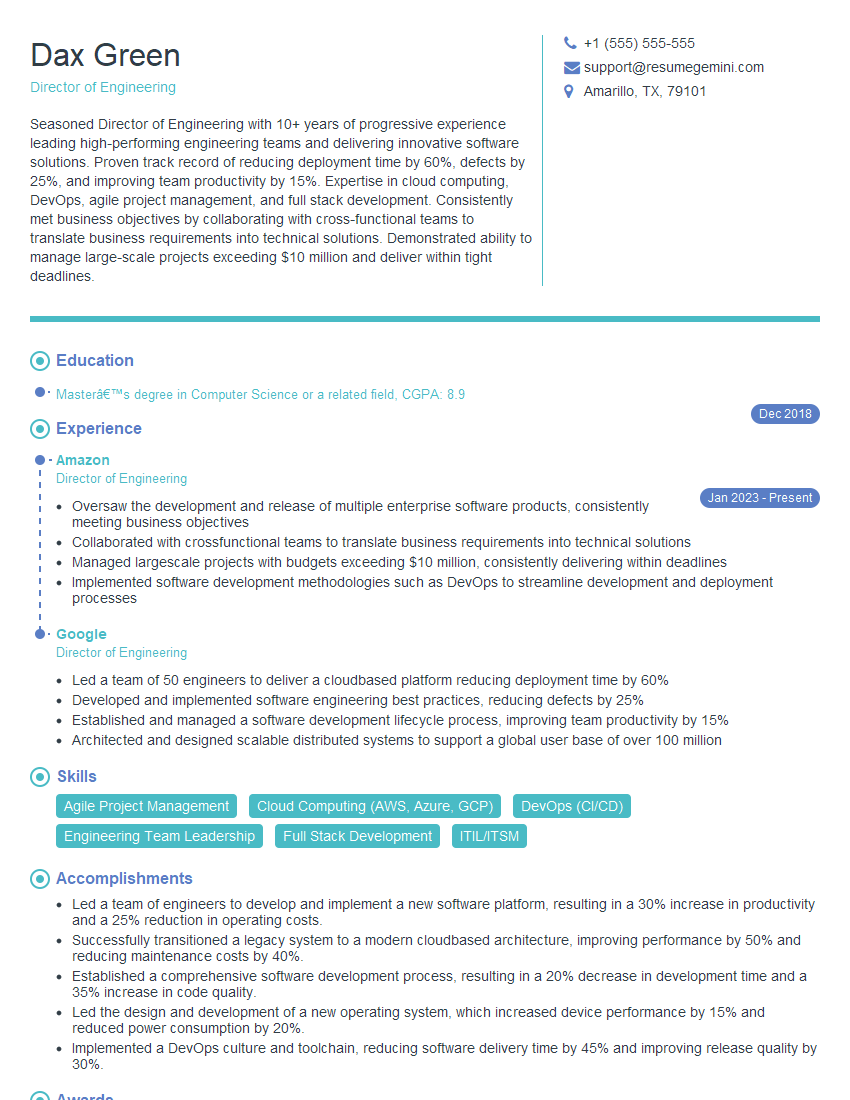
Director of Engineering Resume Sample

Engineering Manager Resume Sample

Project Engineer Resume Sample

Systems Engineer Resume Sample

Applications Engineer Resume Sample

Test Engineer Resume Sample
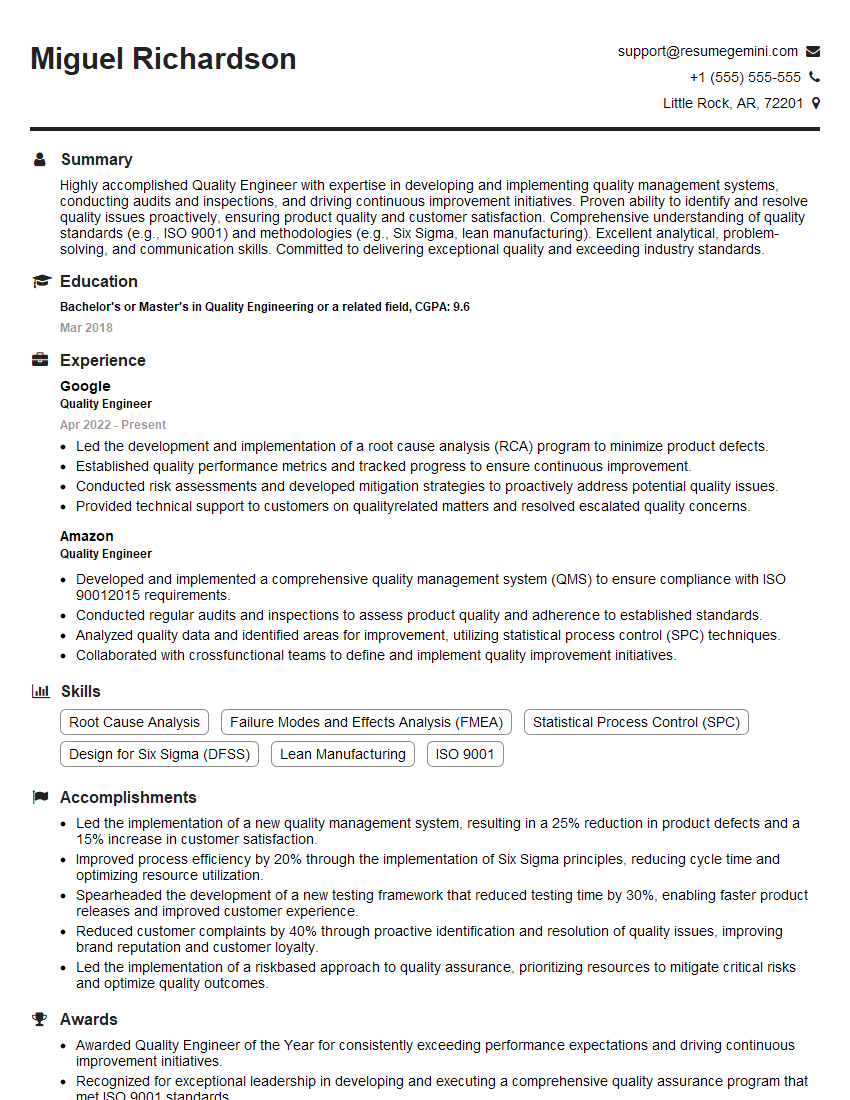
Quality Engineer Resume Sample
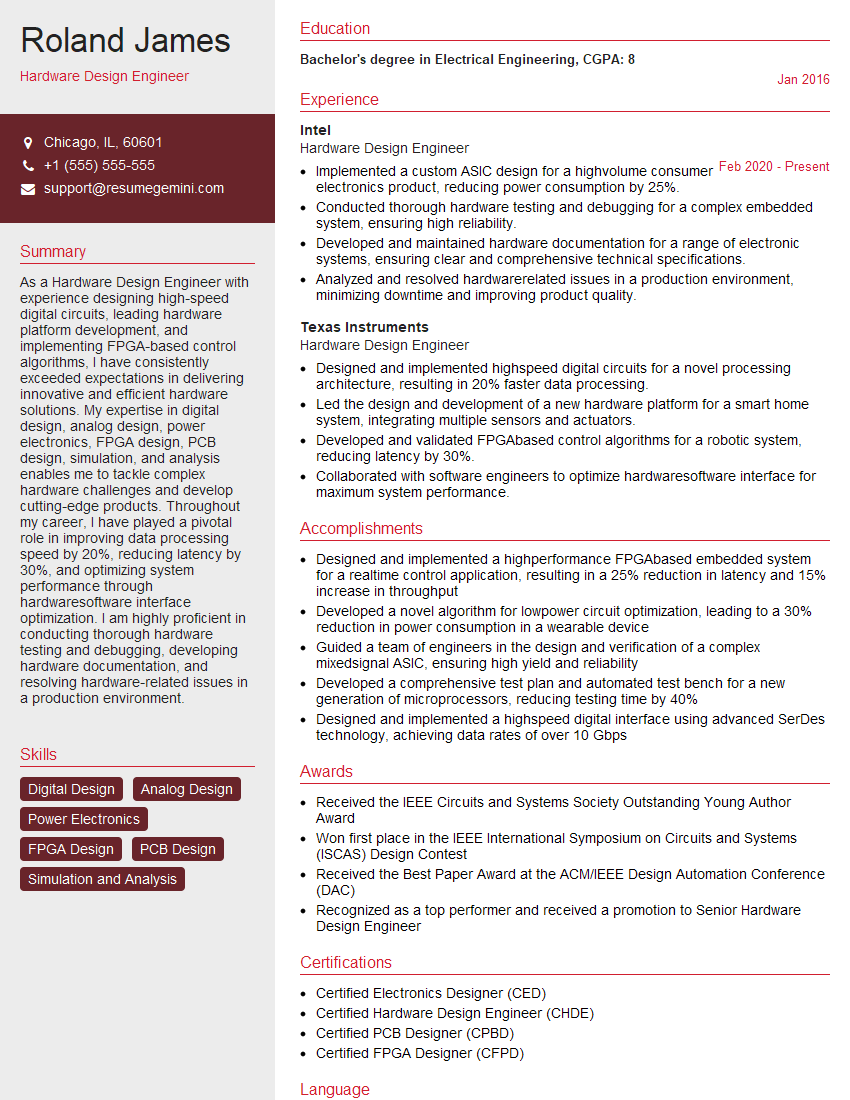
Hardware Design Engineer Resume Sample

Electronics Design Engineer Resume Sample
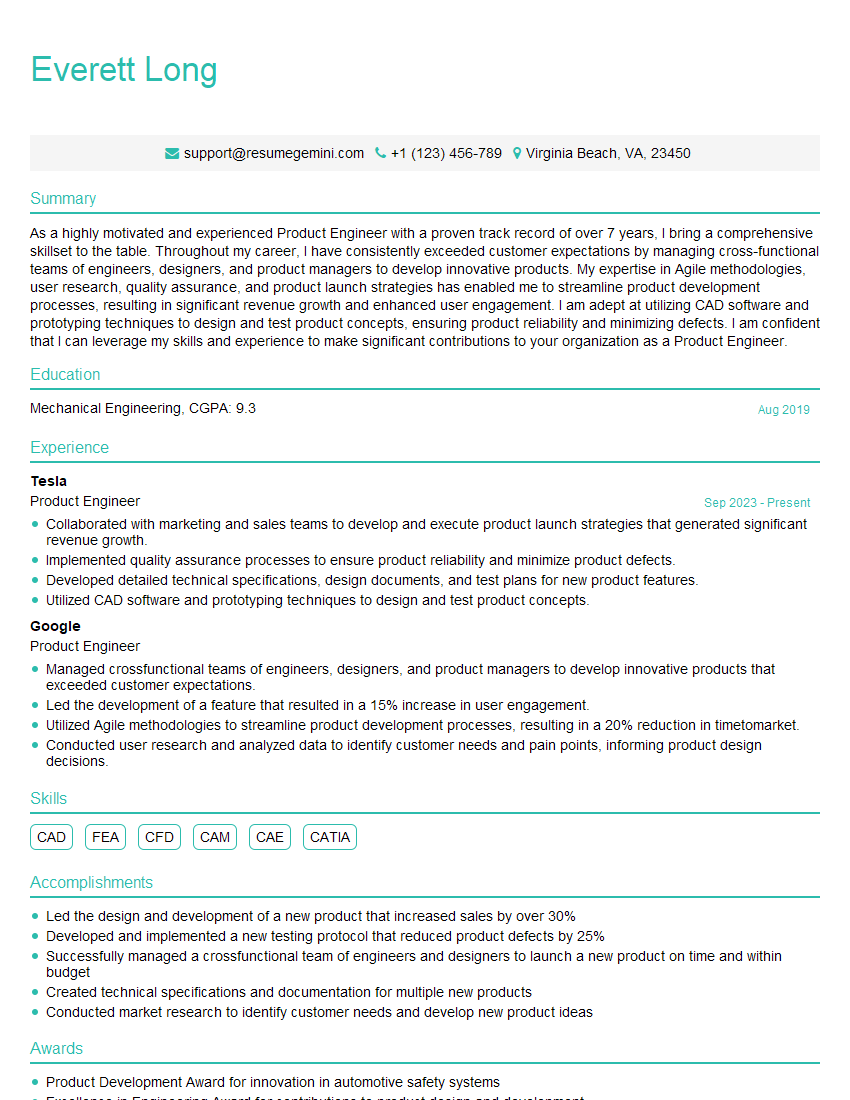
Product Engineer Resume Sample

Manufacturing Engineer Resume Sample

Design Manager Resume Sample

Embedded Systems Engineer Resume Sample
Explore more articles
Users Rating of Our Blogs
Share Your Experience
We value your feedback! Please rate our content and share your thoughts (optional).
What Readers Say About Our Blog
Very informative content, great job.
good