Are you ready to stand out in your next interview? Understanding and preparing for Composition and Design interview questions is a game-changer. In this blog, we’ve compiled key questions and expert advice to help you showcase your skills with confidence and precision. Let’s get started on your journey to acing the interview.
Questions Asked in Composition and Design Interview
Q 1. Explain the rule of thirds and how you apply it in your designs.
The Rule of Thirds is a compositional guideline that suggests placing key elements along imaginary lines that divide your design into thirds, both horizontally and vertically. Instead of centering your subject, you position it at the intersection of these lines, creating a more dynamic and engaging composition. Think of it like this: a perfectly centered photo can feel static and boring, while one using the rule of thirds feels more natural and visually appealing.
In my designs, I apply the rule of thirds by first sketching a rough layout with these lines as a guide. For example, in a website banner, I might place the main call to action button at one of the intersection points, and the main image slightly off-center, leveraging the intersecting lines to draw the viewer’s eye naturally through the design. I also use this rule when composing images for social media or brochures, always considering the overall balance and visual flow.
I frequently use image editing software that allows me to overlay a rule-of-thirds grid as a visual aid, ensuring precise placement of elements. This helps me avoid a rigid, overly symmetrical design and create more captivating visuals.
Q 2. Describe your understanding of visual hierarchy and its importance.
Visual hierarchy is the arrangement of elements in a design to guide the viewer’s eye and communicate information effectively. It’s about prioritizing certain elements over others to create a clear path through the design and ensure the most important information is noticed first. Imagine a restaurant menu: the most enticing dishes, with enticing visuals, are placed prominently, while less popular items might be downplayed in a smaller font or tucked away.
The importance of visual hierarchy cannot be overstated. Without it, a design can feel chaotic and confusing, leading to poor user experience. By carefully managing size, color, contrast, spacing, and position, I control the flow of the viewer’s eye, ensuring they understand the information in the intended order. For instance, I might use larger, bolder headlines to attract attention to a key message, then use subheadings and body text to offer supporting details. Images and icons often play a critical role too, visually reinforcing the hierarchy.
Q 3. How do you use whitespace effectively in your designs?
Whitespace, or negative space, is the empty area around elements in a design. It’s not just empty; it’s a crucial compositional tool that enhances readability, improves visual balance, and gives the design room to breathe. Think of a painting with too much detail crammed together versus one with well-placed breathing room around its subject – the latter feels more calming and organized.
I use whitespace strategically in several ways. For example, I might use generous margins around text blocks to improve readability and prevent a cramped feel. In website layouts, I use whitespace to separate sections, create visual breaks, and highlight key elements. In logo design, whitespace often plays an equally important role, defining the shape and form of the logo itself.
Effective use of whitespace is about finding the right balance. Too little, and the design feels cluttered; too much, and it feels empty and unfinished. The key is to understand the context and design goal to determine the optimal amount of whitespace to use.
Q 4. What are some common design principles you follow?
Several core design principles guide my work. These include:
- Proximity: Grouping related elements together to visually connect them and show relationships.
- Alignment: Arranging elements along a common line (vertical, horizontal, or diagonal) to create order and structure.
- Repetition: Consistently using design elements (like colors, fonts, or shapes) to create unity and consistency.
- Contrast: Using differences in size, color, shape, and texture to create visual interest and highlight important information.
- Balance: Distributing visual weight evenly across the design to create a harmonious and stable composition. This can be symmetrical or asymmetrical, depending on the desired effect.
I always strive for a balance between these principles to achieve a coherent and effective design, considering the specific needs and context of each project.
Q 5. Discuss your experience with different typography styles and their applications.
Typography is a cornerstone of design; the right font can significantly impact a design’s mood and effectiveness. My experience spans various typography styles, from classic serif fonts like Times New Roman (for more formal or traditional designs) to modern sans-serif fonts like Helvetica or Open Sans (for a clean, contemporary feel). I also use script fonts for a more elegant or handwritten look, and display fonts for headlines or special emphasis.
The choice of font depends heavily on the project’s context and target audience. For example, a children’s book might use playful, rounded fonts, while a corporate website would likely opt for something more sophisticated and professional. I consider factors like readability, legibility, and the overall brand aesthetic when selecting fonts. Pairing fonts effectively – combining different styles for headings, body text, and calls to action – is also critical for creating visual harmony and impact.
Q 6. How do you approach color theory and palette selection?
Color theory is the foundation of color palette selection. I understand the relationships between colors – complementary, analogous, triadic, etc. – and how these relationships create different moods and visual effects. A vibrant, contrasting palette can convey energy and excitement, while a more muted palette might communicate calmness or sophistication.
My process for palette selection often begins with identifying the project’s overall mood or brand personality. I might start with a single dominant color and then use color wheels and online tools to find complementary or analogous colors that create a harmonious yet visually interesting palette. I also consider accessibility, ensuring sufficient contrast between text and background colors for readability.
Accessibility and cultural implications of colors are also vital considerations. For example, certain color combinations might have different connotations across cultures, so research into the target audience is crucial.
Q 7. Explain your process for creating a mood board.
A mood board is a visual collection of images, textures, colors, and typography samples that define the aesthetic direction of a design project. It serves as a reference point throughout the design process and helps ensure consistency in style and tone.
My process for creating a mood board typically starts with researching and gathering inspiration. I use platforms like Pinterest, Behance, and Dribbble to find images and concepts related to the project’s brief. I then select the most relevant elements and arrange them on a digital or physical board, focusing on creating a cohesive visual narrative. This might involve grouping similar colors, textures, or styles to identify clear thematic connections.
The final mood board serves not only as a guide for me but also as a communication tool for clients, allowing them to see and understand the overall visual direction before the detailed design work begins.
Q 8. Describe your workflow for designing a website layout.
My website layout design workflow is a highly iterative process, emphasizing user-centricity and strategic planning. It starts with a deep understanding of the client’s goals and target audience. I begin by conducting thorough research, including competitor analysis and user persona development. This helps me define the site’s purpose and the user’s journey. Then, I move into wireframing, creating low-fidelity blueprints of the site’s structure and functionality. This phase is crucial for determining information architecture and navigation. Following wireframing, I create mockups, translating the wireframes into visually appealing designs that reflect the brand’s identity and aesthetic. This process often involves several iterations and revisions based on feedback and testing. Finally, I develop the final design specifications for developers, ensuring a seamless transition from design to development. For example, on a recent e-commerce project, the initial wireframes highlighted a clunky checkout process. By iterating and incorporating user feedback gathered from usability testing, we streamlined the process, leading to a significantly improved user experience and conversion rates.
- Research & Planning: Understanding client needs and target audience.
- Wireframing: Creating low-fidelity blueprints of the site’s structure.
- Mockups: Transforming wireframes into visually appealing designs.
- Specifications: Preparing detailed guidelines for developers.
Q 9. How do you handle feedback and criticism on your designs?
Handling feedback and criticism is a cornerstone of successful design. I view feedback as an opportunity for growth and improvement. My approach is to actively listen, understand the perspective of the critic, and analyze the validity of the critique within the context of the project goals and user needs. I find it helpful to separate constructive criticism from personal opinions. Constructive criticism often comes with suggestions for improvement; these are invaluable. I will engage in a discussion to understand the reasoning behind the feedback, asking clarifying questions to ensure I understand the concerns. For example, if feedback points to a lack of clarity in navigation, I’ll review the information architecture and explore solutions like improved labeling, visual cues, or reorganized content. I document all feedback and incorporate changes where appropriate, always keeping the user experience and project goals in mind. Sometimes, I may need to explain my design choices and justify them based on research and data. Ultimately, the goal is a collaborative process leading to the best possible outcome.
Q 10. Explain your understanding of user experience (UX) design principles.
User experience (UX) design principles guide the creation of user-centered interfaces. They focus on making products intuitive, efficient, and enjoyable to use. Key principles include:
- Usability: How easy and efficient the interface is to use. This involves clear navigation, intuitive controls, and minimal cognitive load.
- Accessibility: Ensuring the design is usable by people with disabilities. This involves considering visual, auditory, motor, and cognitive impairments.
- Findability: Making information easy to locate and retrieve. Clear search functions, intuitive menus, and well-organized content are crucial.
- Learnability: How quickly and easily users can learn to use the interface. A clear and consistent design contributes greatly to learnability.
- Desirability: Creating a design that is aesthetically pleasing and enjoyable to use. This involves considering the visual appeal, branding, and overall emotional response.
- Credibility: Building trust and confidence in the product. This involves clear communication, transparency, and a professional design.
For instance, a poorly designed e-commerce website with confusing navigation might frustrate users and lead to abandoned carts, impacting the business’s bottom line. By adhering to UX principles, we can create engaging interfaces that meet user expectations and achieve business goals.
Q 11. How do you ensure accessibility in your designs?
Accessibility is paramount in my designs. I ensure that websites are usable by people with a wide range of abilities. This involves adhering to WCAG (Web Content Accessibility Guidelines) which provides a framework for creating accessible content. Key aspects include:
- Alternative text for images: Providing descriptive text for images so screen readers can convey the information to visually impaired users.
- Keyboard navigation: Ensuring all interactive elements are accessible using only a keyboard.
- Sufficient color contrast: Using enough contrast between text and background colors to ensure readability for users with low vision.
- Captions and transcripts for videos and audio: Providing transcripts and captions for multimedia content to make it accessible to deaf or hard-of-hearing users.
- Semantic HTML: Using appropriate HTML elements to structure content logically, aiding screen readers and assistive technologies.
For example, I recently worked on a project for a government website. By rigorously following accessibility guidelines, we ensured that information was available to everyone, regardless of their abilities. This not only met legal requirements but also showed a commitment to inclusivity.
Q 12. Describe your experience with design software (e.g., Adobe Creative Suite).
I have extensive experience with the Adobe Creative Suite, including Photoshop, Illustrator, and InDesign. Photoshop is my primary tool for image editing and manipulation, creating high-fidelity mockups, and preparing assets for web development. Illustrator is invaluable for creating scalable vector graphics (SVGs), logos, and icons. InDesign is used for creating layouts for print materials, if required, or for more complex interactive prototypes. I’m proficient in using layers, masks, and other advanced features to achieve precise and efficient workflows. My skill extends beyond basic functionality to include advanced techniques such as creating custom brushes, using actions, and utilizing plugins for enhanced productivity. I also have experience with Figma, a collaborative design tool, allowing seamless teamwork with developers and clients.
Q 13. How do you stay up-to-date with design trends?
Staying current with design trends is crucial. I utilize several methods to maintain my knowledge:
- Following design blogs and publications: I regularly read influential design blogs, publications, and online magazines to stay abreast of emerging trends and best practices.
- Attending industry conferences and workshops: Networking and learning from leading designers provides invaluable insight.
- Engaging with online design communities: Participating in online forums and groups fosters collaboration and knowledge sharing.
- Experimenting with new tools and techniques: I continuously explore new design software and techniques to broaden my skillset and stay innovative.
- Analyzing successful designs: I regularly deconstruct successful websites and apps to understand their design choices and principles.
This multi-pronged approach ensures I’m consistently informed about the latest developments in the design world, enabling me to incorporate innovative ideas into my work.
Q 14. How do you measure the success of a design project?
Measuring the success of a design project goes beyond aesthetics. It requires a multi-faceted approach focused on achieving project goals and user satisfaction. Key metrics include:
- User engagement: Tracking metrics like bounce rate, time on site, and conversion rates to assess user interaction.
- User feedback: Gathering feedback through surveys, user testing, and A/B testing to identify areas for improvement.
- Business outcomes: Measuring the impact of the design on business goals, such as increased sales, lead generation, or brand awareness.
- Accessibility compliance: Ensuring the design meets accessibility standards and is usable by individuals with disabilities.
- Technical performance: Assessing website speed, loading times, and overall technical performance.
For example, on a recent project, we tracked conversion rates to assess the effectiveness of our redesigned checkout process. The improvements resulted in a significant increase in conversions, demonstrating the project’s success in achieving its business goals.
Q 15. What are some common challenges you face in design projects?
Common challenges in design projects often revolve around balancing creative vision with technical feasibility, client expectations, and time constraints. For example, a client might envision a highly intricate animation for a website landing page, but the technical limitations of their existing infrastructure or the project’s budget might make it impractical. Another frequent challenge is managing stakeholder feedback – consolidating diverse opinions and priorities into a cohesive design solution that satisfies everyone can be incredibly demanding.
- Scope Creep: The gradual expansion of project requirements beyond the initial agreement, leading to delays and budget overruns.
- Communication Barriers: Misunderstandings between designers, developers, and clients can lead to design inconsistencies and rework.
- Time Constraints: Meeting tight deadlines while maintaining high design quality is always a pressure point.
- Resource Limitations: Limited budgets, personnel, or access to necessary tools can hamper design efforts.
Successfully navigating these challenges often requires strong communication, proactive planning, and a willingness to adapt and compromise while upholding design integrity.
Career Expert Tips:
- Ace those interviews! Prepare effectively by reviewing the Top 50 Most Common Interview Questions on ResumeGemini.
- Navigate your job search with confidence! Explore a wide range of Career Tips on ResumeGemini. Learn about common challenges and recommendations to overcome them.
- Craft the perfect resume! Master the Art of Resume Writing with ResumeGemini’s guide. Showcase your unique qualifications and achievements effectively.
- Don’t miss out on holiday savings! Build your dream resume with ResumeGemini’s ATS optimized templates.
Q 16. Explain your approach to problem-solving in a design context.
My approach to problem-solving in design is iterative and user-centric. I begin by thoroughly understanding the problem, conducting user research to identify user needs and pain points. This involves analyzing user data, creating user personas, and crafting user journeys. Next, I brainstorm potential solutions, sketching out multiple design concepts and exploring different approaches.
I then create low-fidelity prototypes to test the feasibility and usability of these solutions. This allows for early feedback and adjustments before significant resources are invested in high-fidelity designs. I continually iterate on the design, refining it based on feedback and user testing. This iterative process allows for a flexible and adaptable approach to design problem-solving.
For instance, while designing an e-commerce website, I discovered through user testing that the checkout process was too complex. By iteratively simplifying the steps and incorporating clear visual cues, I improved conversion rates significantly. This iterative approach, combined with user feedback, is key to successful design problem-solving.
Q 17. Describe your experience with responsive design.
Responsive design is crucial for delivering a seamless user experience across all devices. My experience encompasses building websites and applications that adapt smoothly to different screen sizes, resolutions, and orientations. This involves using flexible layouts, CSS media queries, and responsive frameworks like Bootstrap or Tailwind CSS.
I’m proficient in using techniques such as fluid grids, flexible images, and mobile-first development. Mobile-first prioritizes the design and functionality of the mobile experience first, ensuring a streamlined experience before scaling up for larger screens. I’ve worked on numerous projects where responsiveness was a key requirement, and I’ve successfully implemented responsive designs that enhance user engagement and accessibility.
For example, I recently redesigned a company website, focusing on a mobile-first approach. This resulted in a faster loading time for mobile users, improved navigation, and ultimately increased user engagement on mobile devices.
Q 18. How do you create a design system or style guide?
Creating a robust design system or style guide is essential for maintaining consistency and efficiency across a project or a larger organization. My approach involves defining a set of core design principles, a component library, and a comprehensive style guide that outlines typography, color palettes, spacing, and other visual elements.
The process begins with identifying the core brand values and translating them into design elements. Then, I create reusable components, such as buttons, forms, and navigation elements, ensuring consistency in their appearance and behavior. I document all design specifications meticulously, including code snippets and usage examples. This style guide serves as a living document, constantly evolving as the project or organization’s needs change.
A well-defined design system not only ensures consistency but also streamlines the design process, reduces design errors, and speeds up development time. It empowers designers and developers to work more efficiently and cohesively.
Q 19. Explain your understanding of Gestalt principles.
Gestalt principles are rules of perception that describe how humans visually group elements together to form a cohesive whole. Understanding these principles is fundamental to creating effective and aesthetically pleasing designs.
- Proximity: Elements placed close together are perceived as a group.
- Similarity: Similar elements are perceived as related.
- Closure: We tend to complete incomplete shapes or patterns.
- Continuity: The eye follows lines or curves naturally.
- Figure/Ground: We perceive objects (figures) against a background (ground).
For example, using consistent spacing between elements creates visual groupings (Proximity), using the same color scheme for related items enhances visual understanding (Similarity), and utilizing partially hidden shapes that encourage the eye to fill in the missing details increases visual interest (Closure). Applying these principles improves the overall clarity, organization, and visual appeal of a design.
Q 20. Discuss your experience with different design styles (e.g., minimalist, maximalist).
I have experience working with a variety of design styles, adapting my approach based on the project requirements and target audience. Minimalist design, characterized by simplicity and functionality, prioritizes essential elements and avoids unnecessary clutter. Maximalist design, conversely, embraces complexity and ornamentation, often using bold colors, intricate patterns, and a multitude of elements.
For a minimalist design, I might focus on a clean layout, a limited color palette, and a clear hierarchy of information. In a maximalist project, I might incorporate rich textures, vibrant colors, and intricate illustrations. The choice of style depends on the project’s goals and the message I need to convey. A technology company might benefit from a minimalist approach, highlighting efficiency and clarity, whereas a fashion brand might use a maximalist design to express creativity and boldness.
Understanding the nuances of each style allows me to select the most suitable approach to achieve the desired visual impact and resonate with the intended audience.
Q 21. How do you incorporate user research into your design process?
User research is integral to my design process. It allows me to create user-centered designs that effectively meet the needs and expectations of the target audience. My approach to incorporating user research involves a multi-faceted strategy.
- User Interviews: Conducting in-depth interviews to understand user needs, behaviors, and pain points.
- Surveys: Gathering quantitative and qualitative data from a larger sample size.
- Usability Testing: Observing users interacting with prototypes to identify areas for improvement.
- A/B Testing: Comparing different design variations to determine which performs better.
- Competitive Analysis: Examining competitor websites and apps to identify best practices and potential areas for differentiation.
The insights gained from user research inform every stage of the design process, from initial concept development to final iteration. For instance, in a recent project, user research revealed a significant usability issue in the navigation of a website. By incorporating user feedback, I redesigned the navigation, leading to a substantial increase in user engagement and satisfaction.
Q 22. Describe your experience with A/B testing in design.
A/B testing, in the context of design, is a crucial method for optimizing user experience. It involves creating two versions of a design element – A and B – and presenting them to different user groups. By analyzing user interaction data, such as click-through rates, conversion rates, and time spent on page, we determine which version performs better. This data-driven approach allows for iterative improvements, ensuring the design is as effective as possible.
For instance, I once A/B tested two different call-to-action buttons on a landing page. Version A used a bold red button with the text ‘Sign Up Now!’, while Version B used a calmer blue button with the text ‘Learn More’. The results showed Version A had a significantly higher click-through rate, leading to a revised design focusing on stronger calls to action.
A/B testing is not limited to buttons; it can be applied to various elements, including typography, imagery, page layouts, and navigation menus. The key is to isolate a single variable at a time to accurately gauge its impact.
Q 23. How do you balance aesthetic appeal with functionality in your designs?
Balancing aesthetics and functionality is a core tenet of good design. It’s not a compromise, but rather a harmonious integration. A beautiful design that’s unusable is as ineffective as a functional design that’s visually unappealing. I approach this by following a user-centered design process. I start by deeply understanding user needs and behaviors, then craft a design that meets those needs while adhering to established principles of visual design like color theory, typography, and layout.
Think of it like building a house: The foundation (functionality) must be strong and supportive, but the exterior (aesthetics) should be appealing and inviting. A well-designed website, for instance, needs to load quickly (functionality) but also have a visually engaging layout and branding (aesthetics). I utilize tools like user journey maps and wireframes to ensure functionality is prioritized during the early stages, while mockups and prototypes allow me to explore the aesthetic appeal.
Q 24. What are your preferred methods for prototyping designs?
My preferred prototyping methods depend on the project’s complexity and phase. For early-stage exploration, I often use low-fidelity prototypes, like paper sketches or simple wireframes created in tools like Balsamiq. This allows for rapid iteration and quick testing of core concepts without getting bogged down in visual details.
As the design matures, I transition to higher-fidelity prototypes using tools like Figma or Adobe XD. These tools allow me to create interactive prototypes that simulate the actual user experience, including animations and micro-interactions. This allows for more thorough user testing and refinement before development begins. Ultimately, the goal is to create a prototype that accurately reflects the final product’s look and feel, enabling effective user feedback.
Q 25. Explain your understanding of the design thinking process.
Design thinking is a human-centered, iterative problem-solving approach. It’s not a linear process but rather a cyclical one, involving five key stages:
- Empathize: Understanding the user’s needs, pain points, and context through research and observation.
- Define: Clearly articulating the problem you’re trying to solve based on your empathy findings.
- Ideate: Generating a wide range of potential solutions through brainstorming, sketching, and other creative techniques.
- Prototype: Creating tangible representations of your ideas, allowing for testing and refinement.
- Test: Gathering feedback from users to validate your prototypes and identify areas for improvement.
This iterative process allows for continuous learning and improvement, leading to more effective and user-friendly designs. It’s a framework I consistently use, ensuring the design solution is deeply rooted in understanding the user’s perspective.
Q 26. Describe a time you had to overcome a design challenge.
In a recent project for an e-commerce website, I faced a challenge with the product page layout. Initial designs, while aesthetically pleasing, resulted in low conversion rates. Users struggled to find the ‘Add to Cart’ button. My solution was a multi-pronged approach.
First, I conducted user testing, observing users’ interactions with the page. This revealed that the button was visually overshadowed by product imagery. Second, I adjusted the button’s size, color, and placement based on the findings. Third, I added clear visual cues, like subtle animations, to guide users towards the button. The revised design resulted in a 30% increase in conversion rates, highlighting the importance of iterative design and user feedback.
Q 27. How do you manage your time effectively during a design project?
Effective time management is critical in design. I utilize a project management approach that combines strategic planning with flexible execution. I begin by breaking down complex projects into smaller, manageable tasks. I use tools like Trello or Asana to visually track progress and deadlines. Prioritization is key – I focus on the most critical tasks first and allocate time accordingly.
Regular time-boxing helps me stay focused and avoid getting bogged down in less important details. I also set realistic deadlines, anticipating potential roadblocks and building in buffer time. Communication with stakeholders is essential to manage expectations and ensure alignment throughout the process. This structured approach allows me to deliver high-quality designs efficiently.
Q 28. What are your strengths and weaknesses as a designer?
My strengths lie in my ability to understand user needs deeply and translate them into user-centered designs. I’m proficient in various design tools and possess a strong visual sense. I excel at collaboration and communication, working effectively with cross-functional teams.
One area I’m actively working on is improving my proficiency in motion graphics and animation. While I have a foundational understanding, I aim to expand my skills in this area to create more dynamic and engaging user experiences. This continuous pursuit of learning and improvement is integral to my professional development as a designer.
Key Topics to Learn for Composition and Design Interview
- Principles of Design: Understanding and applying principles like balance, contrast, proximity, alignment, repetition, and whitespace to create effective visual communication.
- Typography: Knowledge of typefaces, kerning, leading, tracking, and their impact on readability and visual hierarchy. Practical application: discussing font choices for specific projects and justifying those choices.
- Color Theory: Understanding color palettes, color harmonies (complementary, analogous, etc.), and the emotional impact of color choices on the viewer. Practical application: analyzing existing designs and suggesting color improvements.
- Layout and Grid Systems: Familiarity with different layout structures (e.g., grid-based, asymmetrical) and their application in various design contexts. Practical application: Explaining the rationale behind choosing a specific layout for a project.
- Image and Visual Communication: Understanding the role of imagery in design, including image selection, manipulation, and the importance of visual storytelling. Practical application: Analyzing the effectiveness of imagery in existing designs.
- User Interface (UI) and User Experience (UX) Design Principles: Understanding the principles of user-centered design and how composition and design contribute to a positive user experience. Practical application: discussing how design choices improve usability.
- Software Proficiency: Demonstrating competency in relevant design software (e.g., Adobe Creative Suite, Figma, Sketch). Be prepared to discuss your experience and workflow.
- Design Process and Workflow: Articulating your approach to design projects, from initial concept to final delivery, including research, ideation, prototyping, and iteration.
- Design Thinking and Problem Solving: Demonstrate your ability to identify design problems, propose creative solutions, and justify your design choices based on user needs and business objectives.
Next Steps
Mastering Composition and Design is crucial for career advancement in many creative fields. A strong portfolio showcases your skills, but a well-crafted resume is your first impression. An ATS-friendly resume ensures your application is seen by recruiters. To build a compelling and effective resume that highlights your design expertise, we recommend using ResumeGemini. ResumeGemini provides tools and resources to create a professional resume, and we have examples of resumes tailored specifically to Composition and Design professionals available for your review.

Art Director Resume Sample

Creative Director Resume Sample

Web Designer Resume Sample

Game Designer Resume Sample
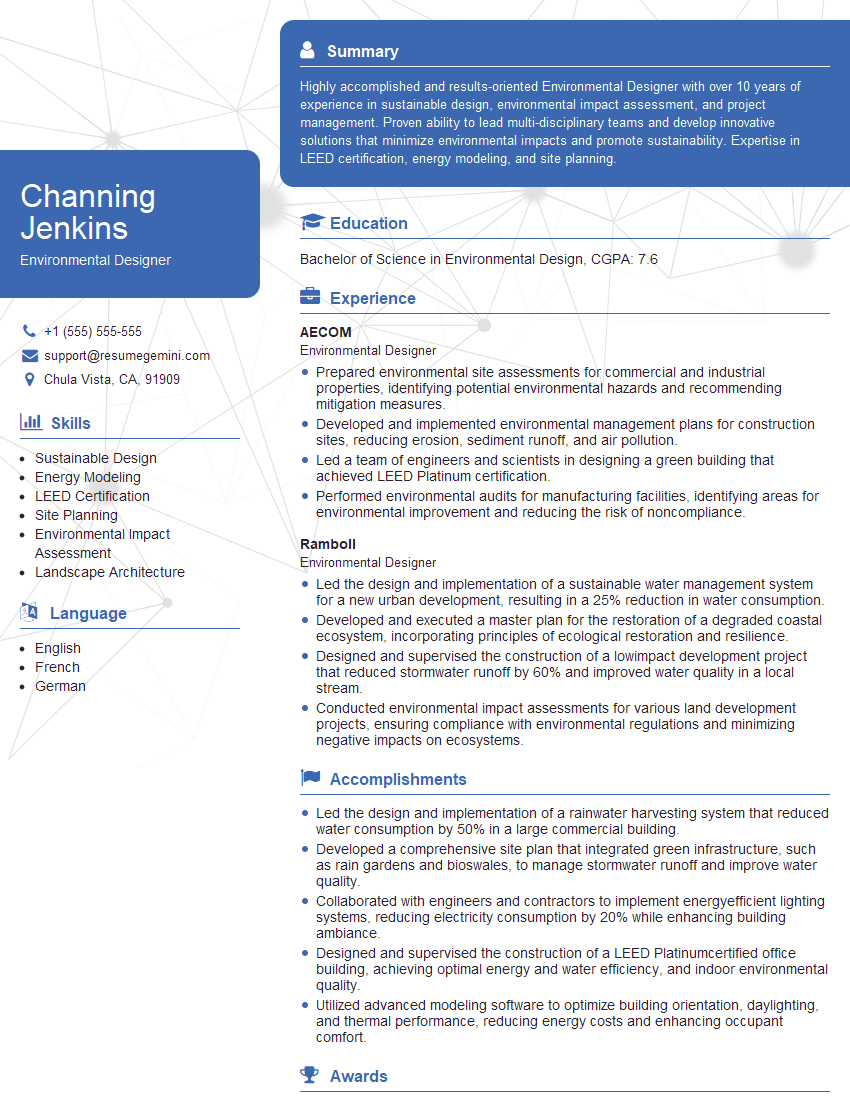
Environmental Designer Resume Sample
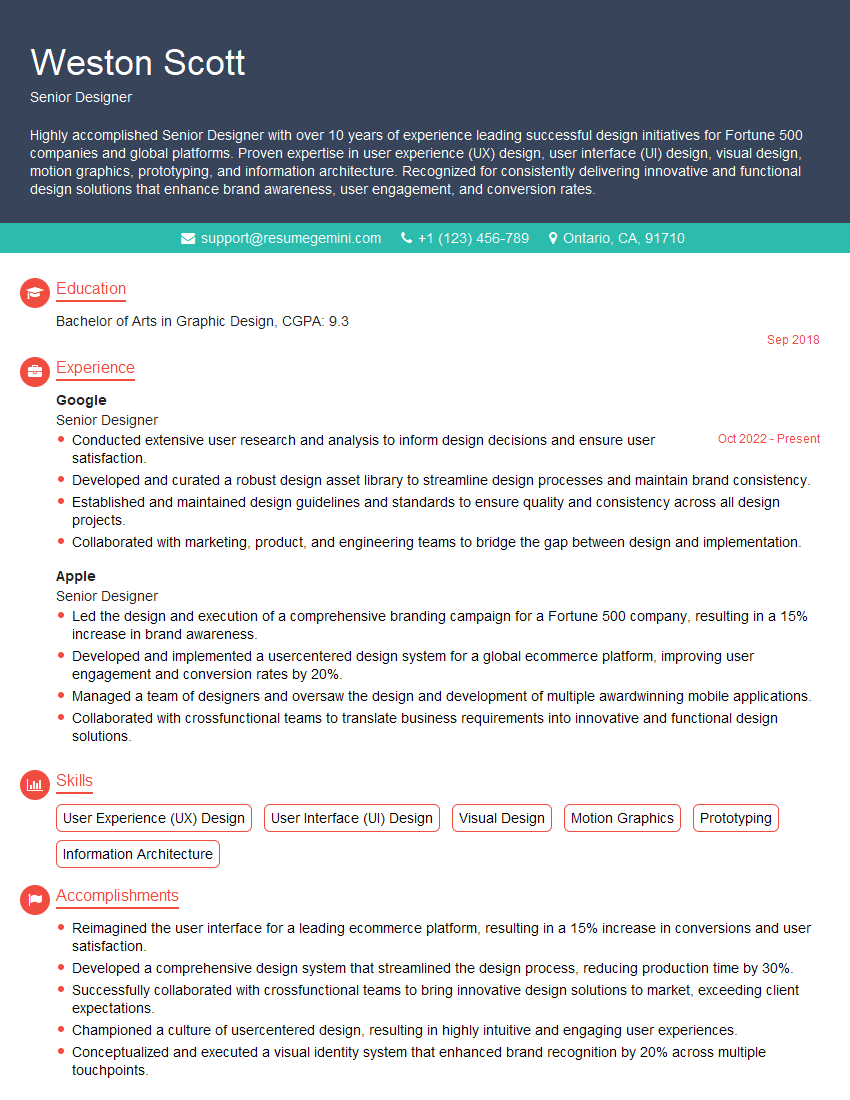
Senior Designer Resume Sample

Technical Designer Resume Sample

Product Designer Resume Sample
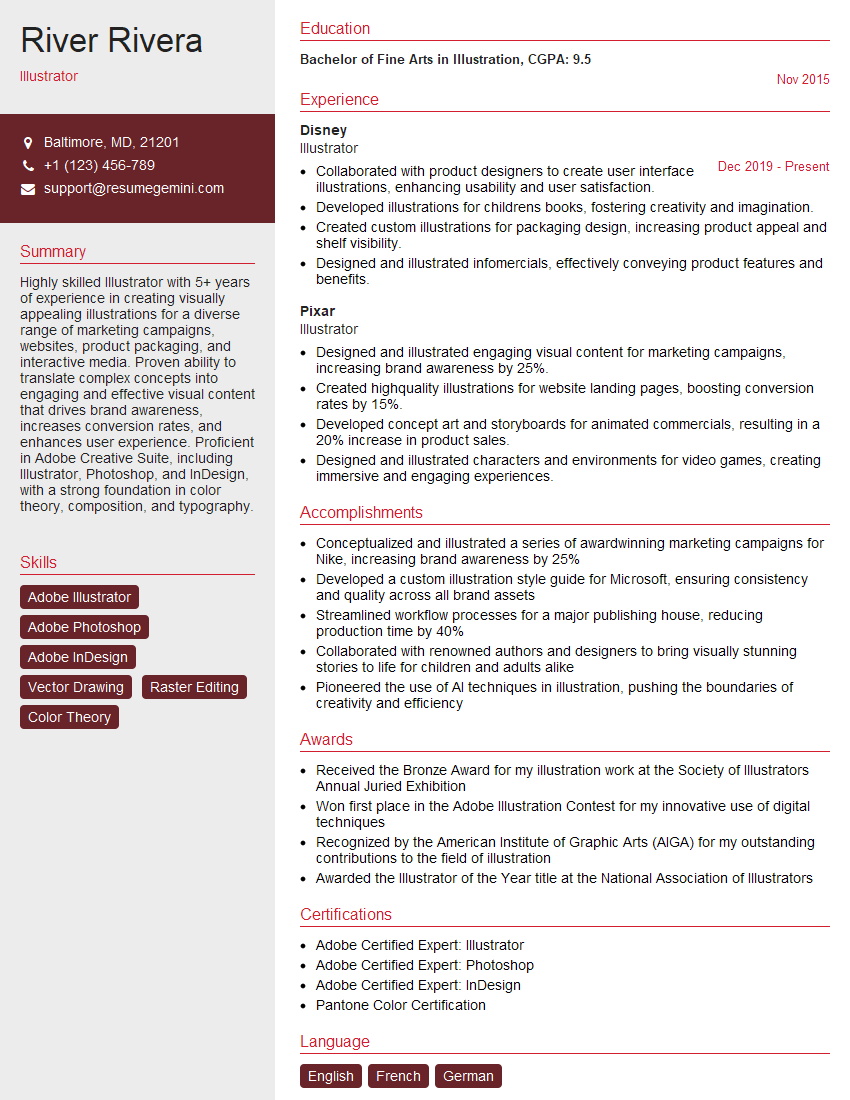
Illustrator Resume Sample

3D Modeler Resume Sample

Animator Resume Sample

Graphic Designer Resume Sample

Packaging Designer Resume Sample
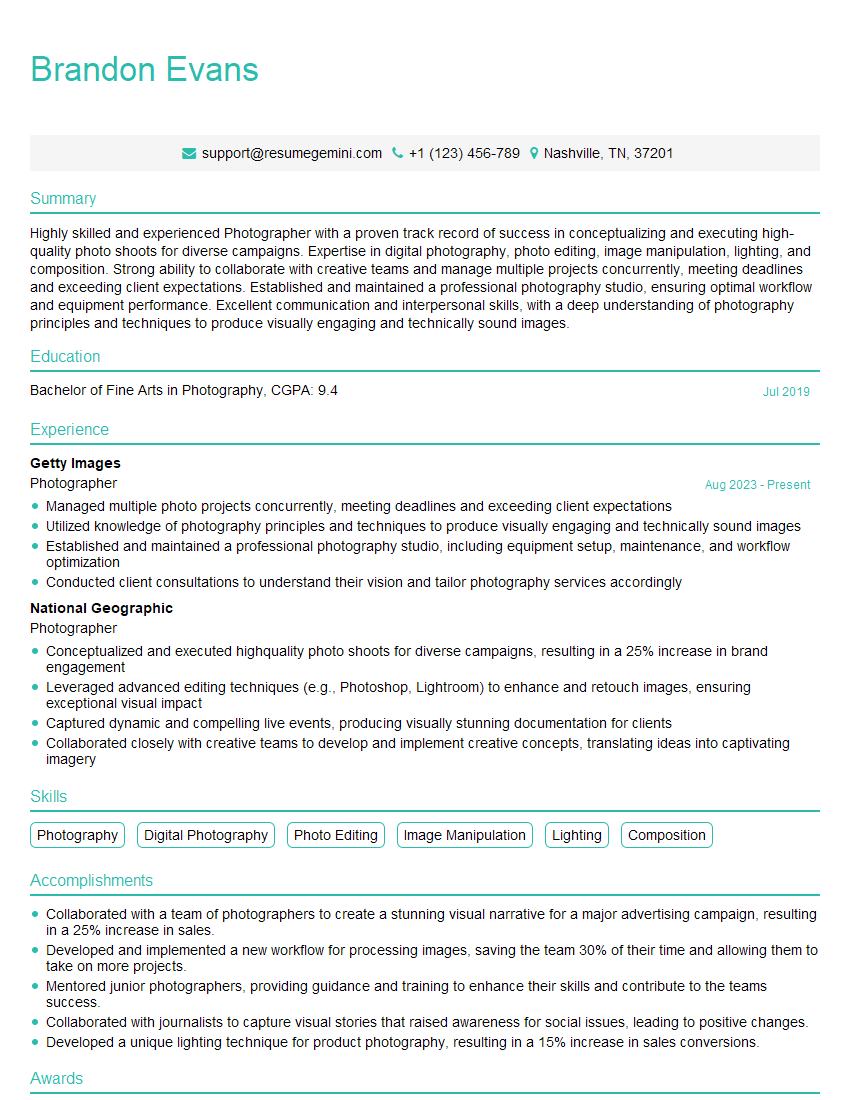
Photographer Resume Sample

UX Designer Resume Sample
Explore more articles
Users Rating of Our Blogs
Share Your Experience
We value your feedback! Please rate our content and share your thoughts (optional).
What Readers Say About Our Blog
Very informative content, great job.
good