Feeling uncertain about what to expect in your upcoming interview? We’ve got you covered! This blog highlights the most important Perspective and Rendering interview questions and provides actionable advice to help you stand out as the ideal candidate. Let’s pave the way for your success.
Questions Asked in Perspective and Rendering Interview
Q 1. Explain the difference between orthographic and perspective projection.
The core difference between orthographic and perspective projection lies in how they represent depth and distance. Imagine taking a photograph: orthographic projection is like using a telephoto lens – parallel lines remain parallel, and objects don’t appear to shrink with distance. Perspective projection, on the other hand, is like using a wide-angle lens – parallel lines converge at a vanishing point, creating the illusion of depth and making distant objects appear smaller. This mimics how we perceive the world.
Orthographic Projection: Used extensively in technical drawings and CAD software, it’s ideal for showing precise dimensions and relationships between objects without distortion caused by distance. Think of architectural blueprints; they use orthographic views to represent the building accurately from multiple angles.
Perspective Projection: The cornerstone of realistic 3D rendering, it provides a more natural and immersive viewing experience. Video games, movies, and architectural visualizations all leverage perspective projection to create engaging and lifelike imagery. The choice between orthographic and perspective projection entirely depends on the intended purpose of the visualization.
In simple terms: Orthographic shows objects as they are, while perspective shows objects as they appear.
Q 2. Describe the process of creating realistic shadows in a rendering.
Creating realistic shadows involves understanding and simulating the interaction of light with objects in a 3D scene. The process typically involves several steps:
- Shadow Mapping: This is a common technique where the scene is rendered from the light’s point of view, generating a depth map. This map then dictates which parts of the scene are occluded from the light source. Think of it like creating a stencil that defines shadowed areas.
- Ray Tracing: A more computationally expensive but highly realistic method, ray tracing simulates light rays bouncing off surfaces and finding their way to the camera. It accounts for indirect lighting, creating soft shadows and more accurate interactions between light and objects.
- Shadow Parameters: Factors like shadow softness (penumbra), shadow color, and self-shadowing significantly influence the realism. Soft shadows, created by larger light sources, appear more natural than the harsh shadows produced by a pinpoint light.
- Ambient Occlusion: This technique simulates the darkening of areas where light cannot directly reach, due to the proximity of other surfaces. This effect adds realism to crevices, corners, and areas under overhangs.
The choice of technique depends on factors such as performance requirements (shadow mapping is faster, while ray tracing is more accurate), desired level of realism, and hardware capabilities.
Q 3. What are the key considerations when choosing a rendering engine?
Selecting a rendering engine is a critical decision, influenced by many factors:
- Realism and Features: Some engines excel at photorealism, offering advanced features like global illumination, subsurface scattering, and physically-based rendering (PBR). Others might prioritize speed and simplicity.
- Platform Support: Consider whether the engine supports your preferred operating system, hardware, and integration with other software tools in your pipeline.
- Ease of Use and Learning Curve: Some engines are user-friendly with intuitive interfaces, while others might have a steeper learning curve, requiring more programming knowledge. The complexity of the project dictates the appropriate choice.
- Performance and Scalability: The engine’s ability to handle large and complex scenes efficiently is crucial for larger projects. Rendering times and memory consumption are major considerations.
- Community and Support: A strong community and readily available documentation are invaluable when troubleshooting or seeking assistance.
- Licensing and Cost: Rendering engines vary significantly in pricing, ranging from free and open-source options to expensive commercial packages.
Ultimately, the best rendering engine is the one that best aligns with the project’s requirements, your team’s expertise, and your budget.
Q 4. How do you optimize a scene for faster rendering times?
Optimizing a scene for faster rendering involves a multi-pronged approach:
- Geometry Optimization: Reducing polygon count, using level of detail (LOD) systems, and employing techniques like mesh simplification significantly reduces rendering time. Simplifying objects far from the camera is especially effective.
- Material Optimization: Using simpler shaders and textures can dramatically improve performance. Avoid overly complex shaders with many calculations. Utilize texture compression techniques to reduce memory usage.
- Light Optimization: Minimize the number of light sources and use lightmaps or baked lighting wherever possible. Static lighting is generally much faster to render than dynamic lighting.
- Occlusion Culling: This technique hides objects that are not visible to the camera, reducing the amount of geometry the engine needs to process. It’s like only rendering what the viewer can actually see.
- View Frustum Culling: Only render objects that fall within the camera’s viewing volume (frustum). Anything outside the frustum is automatically excluded, reducing unnecessary calculations.
- Rendering Settings: Adjust rendering settings like ray tracing quality, anti-aliasing, and shadow resolution to balance rendering time and image quality. Reducing these settings can speed up rendering considerably without a dramatic visual loss if handled carefully.
Often, a combination of these techniques is required for significant optimization. Profiling tools can help identify bottlenecks within the scene to guide optimization efforts.
Q 5. Explain the concept of global illumination.
Global illumination (GI) simulates the indirect lighting within a scene. Unlike direct lighting, which comes straight from the light source, indirect lighting is light that bounces off surfaces before reaching the camera or another surface. This bouncing effect accounts for realistic lighting interactions, like color bleeding and ambient light.
Imagine a room with a red lamp: Direct lighting would illuminate objects directly in the path of the lamp’s light. GI would also simulate the red light subtly reflecting off walls and furniture, casting a warm glow on surfaces not directly lit by the lamp. This creates a far more natural and immersive look.
GI techniques include:
- Radiosity: Calculates the light energy exchanged between surfaces in a scene.
- Path Tracing: Simulates light paths, tracing photons as they bounce throughout the scene. It’s computationally expensive but provides highly realistic results.
- Photon Mapping: Pre-calculates the distribution of photons, storing their information in a map for fast rendering.
GI significantly enhances the realism of a rendering, making it crucial for high-quality visualizations.
Q 6. What are different types of light sources and their effects on a scene?
Different light sources have unique effects on a scene, influencing the mood, realism, and overall aesthetic:
- Point Lights: Emit light equally in all directions from a single point. Think of a light bulb.
- Directional Lights: Represent light sources that are infinitely far away, such as the sun. They cast parallel rays.
- Spot Lights: Emit light within a cone-shaped area, like a spotlight.
- Area Lights: Simulate the emission of light from an area, creating softer shadows and more realistic illumination.
- Ambient Light: Represents the general illumination in a scene, providing a base level of lighting. It’s not a specific light source but an overall environmental illumination.
The choice of light source significantly impacts the final image. A scene lit solely with point lights will look quite different from one using area lights and global illumination. For instance, using area lights to simulate sunlight creates softer and more natural shadows compared to using a single point light.
Q 7. Describe your experience with different shading models (e.g., Phong, Blinn-Phong, Cook-Torrance).
I have extensive experience with various shading models, including Phong, Blinn-Phong, and Cook-Torrance. Each offers different levels of realism and computational cost.
- Phong Shading: A relatively simple model that calculates the light intensity based on specular reflection and diffuse scattering. It’s computationally efficient but can result in less realistic highlights, particularly in specular reflections.
- Blinn-Phong Shading: An improvement over Phong shading, using a halfway vector to calculate specular reflection. This creates smoother and more accurate highlights, offering better realism with only a slight increase in computational cost.
- Cook-Torrance Shading: A more physically based model, providing a highly realistic rendering of materials by considering microfacet theory. It accurately simulates the interaction of light with surface roughness and provides more realistic reflections and highlights. However, it comes with a higher computational cost.
In professional settings, the choice of shading model often involves balancing the trade-off between realism and performance. For real-time applications like video games, Blinn-Phong might be preferred due to its efficient computation. For offline rendering of high-quality images or visualizations, the more computationally intensive Cook-Torrance model might be chosen for its increased realism.
My experience encompasses implementing and optimizing these models in various rendering engines and projects, allowing me to select the most appropriate model based on project needs and performance constraints.
Q 8. How do you handle complex geometry in a rendering pipeline?
Handling complex geometry in a rendering pipeline involves a multi-pronged approach focused on optimization and efficient data management. The sheer number of polygons in complex models can overwhelm even powerful hardware. We employ several strategies to mitigate this.
Level of Detail (LOD): This technique uses simplified versions of the geometry at various distances. Far-away objects use low-poly models for faster rendering, while close-up objects use high-resolution models. Think of it like looking at a mountain range: from afar, you see a simplified shape; as you approach, you see individual rocks and details.
Mesh simplification algorithms: Algorithms like Quadric Error Metrics (QEM) decimate meshes by intelligently removing vertices while minimizing the visual impact. This reduces polygon count without significant loss of detail.
Culling: Techniques like frustum culling and occlusion culling discard geometry that’s not visible to the camera. Frustum culling removes anything outside the camera’s view pyramid; occlusion culling removes objects hidden behind other objects. This prevents unnecessary processing.
Instancing: If many identical objects exist (e.g., trees in a forest), rendering them as individual instances is far more efficient than rendering each one separately. The GPU only needs to process the model once and then apply transformations for each instance.
Tessellation: For surfaces that need smooth, curved shapes, tessellation subdivides polygons into smaller ones, increasing detail and smoothness, but this needs careful management to avoid performance overload.
The choice of strategy depends on the specifics of the model and the rendering hardware. Often, a combination of these techniques is employed to achieve optimal performance and visual quality.
Q 9. Explain the role of normal maps in rendering.
Normal maps are crucial for adding surface detail to a 3D model without increasing the polygon count. Essentially, they’re texture maps that store the surface normal (direction) at each pixel, rather than color information. This allows us to simulate bumps, grooves, and other fine details realistically.
Imagine sculpting clay: you can create intricate details without changing the overall shape. A normal map achieves a similar effect by ‘tricking’ the lighting calculations. The renderer uses the normal map information to calculate lighting as if the surface had much higher geometric detail, resulting in more realistic shading and lighting effects.
For instance, a simple flat plane can appear to have detailed brickwork when a normal map of brick texture is applied. The lighting calculations react to the normal information within the map, creating convincing shadows and highlights that suggest depth and texture.
Q 10. Describe your experience with texture mapping techniques (e.g., UV unwrapping, procedural textures).
My experience with texture mapping is extensive. UV unwrapping, a crucial step, involves ‘flattening’ a 3D model’s surface onto a 2D plane to apply textures seamlessly. I’m proficient in various UV unwrapping techniques, including manual unwrapping for complex models and using automated tools to achieve efficient and distortion-minimized results. I regularly inspect and tweak UV maps to ensure proper texture alignment and avoid stretching artifacts.
Procedural textures are another valuable tool in my arsenal. Unlike bitmap textures, procedural textures are generated algorithmically, offering infinite detail and flexibility. They are particularly useful for creating repetitive patterns, like wood grain or marble, without the memory limitations of huge bitmap files. I’ve used various procedural texture algorithms, including noise functions, fractals, and other mathematical methods to create a wide range of realistic and stylized textures.
A recent project required creating intricate scales on a dragon model. Using a combination of detailed UV unwrapping for the main body and procedural noise for the fine scale details proved far more efficient and visually pleasing than using a solely bitmap-based approach.
Q 11. What are your preferred methods for creating realistic materials?
Creating realistic materials involves a deep understanding of both physics and artistic principles. My preferred methods leverage the power of physically based rendering (PBR). PBR models materials using physically accurate properties, such as roughness, metallicness, and subsurface scattering.
I typically start by analyzing real-world materials. I’ll observe how light interacts with them, paying close attention to the way reflections, refractions, and shadows behave. This informs my choice of base color, roughness, metallicness, and other parameters.
Beyond the base PBR parameters, I use various techniques to add extra realism. This might involve using normal maps for micro-surface detail, ambient occlusion maps to simulate shadows in crevices, and subsurface scattering for materials like skin and wax.
For example, to create a realistic wooden surface, I’d carefully choose a base color representing the wood’s tone, set the metallicness to near zero, adjust the roughness to reflect the wood’s texture, and incorporate normal maps to simulate the wood grain. The combination of these techniques ensures a highly realistic appearance.
Q 12. How do you address artifacts like aliasing or shimmering in your renders?
Aliasing, the jagged appearance of edges, and shimmering, the flickering of fine details, are common rendering artifacts. I use a number of techniques to mitigate them.
Anti-aliasing (AA): This is a crucial step. Techniques like multi-sampling anti-aliasing (MSAA) and temporal anti-aliasing (TAA) sample multiple pixels to smooth out jagged edges. The choice of AA method depends on the performance trade-offs; MSAA is simpler but can be more computationally expensive than TAA which is better at handling motion blur.
Supersampling: Rendering at a higher resolution than the output resolution and then downsampling can significantly reduce aliasing. While computationally expensive, it’s a very effective method, especially for high-quality renders.
Filtering: Careful selection of texture filtering methods can also reduce shimmering. Using high-quality filtering (e.g., anisotropic filtering) minimizes texture artifacts, especially visible on angled surfaces.
Post-processing effects: FXAA (Fast Approximate Anti-Aliasing) and other post-processing techniques can further clean up aliasing and shimmering. These are generally less computationally intensive and can be applied as a final step.
In practice, I often employ a combination of these methods to optimize for both visual quality and rendering speed.
Q 13. Explain your workflow for creating a high-quality 3D model for rendering.
My workflow for creating a high-quality 3D model for rendering is iterative and emphasizes careful planning and execution. It generally follows these steps:
Concept and design: Starting with a clear understanding of the desired model and its intended use. This involves sketching, reference gathering, and potentially creating a basic concept model.
Modeling: Using appropriate 3D modeling software (e.g., Blender, Maya, 3ds Max) to create the base mesh. I focus on creating clean topology, well-proportioned geometry, and efficient polygon usage.
UV Unwrapping: Unwrapping the model to prepare it for texturing. This step is crucial for minimizing distortion and ensuring seamless texture application.
Texturing: Applying textures to the model using various techniques (e.g., bitmap textures, procedural textures, normal maps). The goal is to create realistic or stylized materials that match the model’s design.
Rigging (if applicable): Creating a skeleton and assigning skin weights to enable animation (this is needed for characters or animated objects).
Lighting and Rendering: Setting up the lighting environment and rendering the final image or animation. I use advanced lighting techniques to achieve realistic lighting and shadow effects. This stage requires significant experimentation and iterative refinement to achieve desired results.
Post-processing: Using post-processing effects (e.g., color grading, depth of field, motion blur) to enhance the final render.
Throughout this process, I regularly review the model, make adjustments, and iterate on different aspects until the desired level of quality is achieved.
Q 14. Describe your experience with different rendering software (e.g., Unreal Engine, Unity, Blender Cycles, Arnold).
I have extensive experience with several leading rendering software packages. My expertise spans real-time engines such as Unreal Engine and Unity, and offline renderers like Blender Cycles and Arnold.
Unreal Engine and Unity: These are powerful real-time engines ideal for interactive applications and games. I’m comfortable with their material editors, lighting systems, and optimization techniques. I’ve worked on projects utilizing their Blueprint and C# scripting capabilities for complex interactions.
Blender Cycles: A highly versatile and powerful path-tracing renderer known for its ability to generate photorealistic images and its open-source nature. I’ve utilized its node-based material system to create sophisticated materials and its advanced lighting features to achieve realistic results. The ability to easily integrate with Blender’s modeling and sculpting tools makes it especially efficient for my workflow.
Arnold: A production-ready, physically based renderer offering unparalleled control over lighting, materials, and rendering parameters. I’ve utilized its advanced features for high-end visualization tasks, particularly in architectural visualization projects. Its robust plugin support further extends its functionality and makes it ideal for collaborative projects.
My selection of software depends on the project’s requirements. For interactive projects, real-time engines are preferred, while for high-end still images or animations, offline renderers like Cycles or Arnold are the better choice.
Q 15. How do you manage large datasets in your rendering pipeline?
Managing large datasets in rendering is crucial for performance. Think of it like trying to show a highly detailed city model – you can’t load every brick individually! We employ several strategies. First, Level of Detail (LOD) systems are vital. This means creating different versions of the same model with varying polygon counts. Faraway objects use lower-poly versions, conserving memory and processing power, while close-up objects get the high-fidelity detail.
Second, spatial partitioning techniques like octrees or k-d trees are employed. These divide the 3D space into hierarchical structures, allowing us to quickly locate and render only the objects visible to the camera. Imagine a library – instead of searching every shelf, you go to the specific section. Finally, streaming and out-of-core rendering can bring parts of the dataset into memory only when needed, managing data exceeding RAM capacity. This is like loading web pages – only the currently viewed content is in your browser’s active memory.
For example, in a game, distant mountains might be represented with just a few polygons, while the player character’s immediate surroundings are highly detailed. This balance ensures smooth frame rates even with massive scenes.
Career Expert Tips:
- Ace those interviews! Prepare effectively by reviewing the Top 50 Most Common Interview Questions on ResumeGemini.
- Navigate your job search with confidence! Explore a wide range of Career Tips on ResumeGemini. Learn about common challenges and recommendations to overcome them.
- Craft the perfect resume! Master the Art of Resume Writing with ResumeGemini’s guide. Showcase your unique qualifications and achievements effectively.
- Don’t miss out on holiday savings! Build your dream resume with ResumeGemini’s ATS optimized templates.
Q 16. What are your strategies for troubleshooting rendering issues?
Troubleshooting rendering issues requires a systematic approach. I start by isolating the problem: Is it a lighting issue, a material problem, a geometry problem, or something else? I often use a process of elimination.
- Visual Inspection: Carefully examine the rendered image. Look for unusual artifacts like flickering, banding, or incorrect shading. Sometimes, the problem is obvious.
- Debugging Tools: Most rendering engines provide tools like wireframe mode, which reveals underlying geometry, or lighting visualization tools that show the impact of light sources. These are invaluable.
- Log Files: Check the engine’s log files for errors or warnings. These logs often pinpoint the source of the issue.
- Simplify the Scene: Temporarily remove elements from the scene to see if the problem persists. This helps narrow down the problematic object or material.
- Divide and Conquer: Break down complex shaders or materials into smaller, simpler parts. Test each part individually to identify the source of any errors.
For instance, if I see banding in my lighting, it might indicate an issue with my texture resolution or the way I am sampling my lighting. By progressively simplifying the elements involved, I can track down the culprit quickly.
Q 17. Explain your understanding of color spaces and color management in rendering.
Color spaces define how colors are represented numerically. Think of it like different languages for describing color. sRGB is a common color space used for displays, while ACES is a wider gamut space used in film and high-dynamic-range (HDR) rendering. Color management is the process of ensuring consistent color representation across different parts of the rendering pipeline (from image capture to display). Without proper color management, colors can look drastically different depending on the monitor, software, and even the operating system.
Imagine you’re painting a picture. You’ll want to use colors that look the same whether you’re painting on your canvas or viewing the final artwork on a screen. Color management helps to ensure this consistency. We use ICC profiles (International Color Consortium) to describe the properties of different color spaces, and utilize color transformations to convert between them during the rendering process. Failure to do this can lead to washed-out or overly saturated images.
Q 18. How do you create realistic reflections and refractions?
Realistic reflections and refractions require understanding the physics of light interaction with surfaces. Reflections show how light bounces off surfaces, while refractions show how light bends when passing through transparent materials.
Ray tracing is a powerful technique for creating realistic reflections and refractions. For reflections, we trace rays from the camera through pixels, and when they hit a reflective surface, we recursively trace a new ray in the reflection direction to find the reflected color. For refractions, similar ray tracing is done, but with Snell’s law being applied to compute the refracted ray direction. The refractive index of the material determines how much the light bends.
Environment maps are also important. These are high-resolution images that capture the surrounding environment. Reflections can be realistically simulated by sampling this environment map based on the reflection vector. This technique allows for accurate reflections of complex scenes. Proper use of Fresnel equations helps simulate the varying reflectivity of a surface based on the viewing angle, making reflections look more plausible.
Q 19. What is ray tracing, and what are its advantages and disadvantages?
Ray tracing simulates the path of light rays as they travel through a scene. It’s like tracing the journey of light from the light source to the camera, bouncing off surfaces and interacting with materials along the way. This leads to highly realistic images because it models lighting and reflections more accurately than rasterization.
- Advantages: Highly realistic reflections and refractions, global illumination effects (light bouncing multiple times), accurate shadows.
- Disadvantages: Computationally expensive, slower than rasterization techniques, making it less suitable for real-time applications like games (although that is changing rapidly with hardware advancements).
While ray tracing can create stunning visuals, it can be significantly slower than rasterization methods, commonly used in real-time applications. This is why we often see hybrid approaches combining the strengths of both techniques. For example, a game might use rasterization for the base rendering and ray tracing for reflections and shadows.
Q 20. Explain the concept of depth of field and its implementation in rendering.
Depth of field (DOF) simulates the way a camera lens focuses on a specific distance, blurring objects in front of and behind the focal point. This mimics the human eye’s natural focusing.
In rendering, DOF is achieved by blurring pixels based on their distance from the focal plane. The closer a pixel is to the focal plane, the sharper it appears. The further away it is, the more blurred it becomes. This is often implemented using a technique called Depth of Field Blur. A common approach is to render the scene multiple times with different focal planes (or use a depth map generated from a previous pass), which are then combined to generate the final blurred image. A circular blur kernel is typically used to give a visually pleasing effect that mimics the look of a lens.
Consider a photograph of a flower with a blurry background. The flower is in sharp focus because it’s on the focal plane, but the background is blurred, drawing attention to the flower. This effect is achieved through DOF.
Q 21. Describe your experience with physically based rendering (PBR).
Physically Based Rendering (PBR) is a rendering technique that aims to realistically simulate the interaction of light with materials based on established physical principles. Unlike older techniques which often relied on arbitrary parameters, PBR uses physically accurate models of surface properties like roughness, reflectivity, and metallicness to calculate the appearance of materials. It leverages concepts like the energy conservation principle and microfacet theory. This creates more consistent and believable materials across different lighting conditions.
For instance, a PBR workflow requires specifying a material’s albedo (base color), roughness (how rough the surface is, impacting scattering), and metallicness (how much the material behaves like a metal, impacting reflectivity). These parameters, combined with realistic lighting models, determine the final appearance of the object. The result is more photorealistic and predictable rendering, as the material behaves consistently across various lighting scenarios.
Imagine trying to render a polished metal sphere and a rough rock. With PBR, the metal sphere shows accurate specular highlights, and the rock exhibits diffuse scattering, all determined by the physically-based material properties and the interaction with the light.
Q 22. How do you optimize a scene for different target platforms (e.g., web, mobile, VR)?
Optimizing a scene for different target platforms hinges on understanding the limitations and capabilities of each. Web platforms typically have less processing power and memory than high-end PCs or VR headsets. Mobile devices are even more constrained. My optimization strategy involves a tiered approach:
- Level of Detail (LOD): I create multiple versions of models with varying polygon counts. For instance, a faraway tree might use a low-poly model, while a nearby tree uses a high-poly model. This is controlled through techniques like distance-based culling or level-of-detail switching.
- Texture Resolution and Compression: High-resolution textures are beautiful, but memory-intensive. For web and mobile, I use smaller textures and compression techniques like DXT or ASTC to reduce file size without significant visual loss. For VR, where visual fidelity is paramount, higher resolution textures may be acceptable, but careful management remains key.
- Shader Complexity: Complex shaders can be computationally expensive. I’d simplify shaders for low-powered platforms, removing features like sophisticated lighting or normal mapping if necessary. For more powerful platforms like high-end PCs and VR headsets, more complex shaders can be used to enhance visuals.
- Draw Call Optimization: Reducing the number of draw calls (individual calls to the graphics card to render geometry) significantly impacts performance. Techniques like batching (grouping similar objects together for rendering), and occlusion culling (removing hidden objects) are crucial across all platforms.
- Shadow Quality: Shadows can be computationally demanding. Simpler shadow techniques, like cascaded shadow maps or even simpler shadowing methods may be necessary for low-powered devices. Higher-end platforms can afford more detailed shadows.
For VR specifically, I need to consider motion sickness and frame rate. Maintaining a consistently high frame rate is crucial, so optimization is even more critical. Techniques like asynchronous timewarp are important to ensure a smooth experience.
Q 23. Explain your understanding of different anti-aliasing techniques.
Anti-aliasing (AA) techniques aim to reduce the jagged edges (aliasing) that appear in rendered images, particularly with diagonal lines and curves. Several common methods exist:
- Multisampling Anti-Aliasing (MSAA): This is a common and relatively simple technique. It samples the scene multiple times per pixel, averaging the results to smooth out the edges. It’s efficient but can introduce blurriness.
- Super Sampling Anti-Aliasing (SSAA): This renders the scene at a higher resolution than the target resolution and then downsamples it. It’s effective but computationally expensive.
- Fast Approximate Anti-Aliasing (FXAA): This is a post-processing technique that analyzes the rendered image and attempts to smooth edges without the computational overhead of MSAA or SSAA. It’s less accurate but more performant.
- Temporal Anti-Aliasing (TAA): This advanced technique uses information from previous frames to reduce aliasing, which can produce very high-quality results with less performance impact than SSAA. It is often combined with other techniques.
The choice of anti-aliasing technique depends on the project’s performance requirements and desired image quality. For mobile games, FXAA is often preferred for its performance advantages. For high-fidelity PC or VR applications, TAA or a combination of MSAA and TAA might be more appropriate.
Q 24. How do you handle complex lighting setups, including indirect lighting?
Handling complex lighting setups, especially including indirect lighting (light bouncing off surfaces), requires a sophisticated approach. Direct lighting (light directly hitting a surface) is relatively straightforward, but indirect lighting dramatically increases complexity.
- Real-time techniques: For interactive applications, real-time global illumination techniques are necessary. These include:
- Screen Space Ambient Occlusion (SSAO): Estimates ambient occlusion (darkening of areas where surfaces are close together) within the screen’s space, relatively low computational cost.
- Light Propagation Volumes (LPVs): Pre-bake indirect lighting into 3D volumes. Efficient for static scenes but not ideal for dynamic lighting changes.
- Real-time ray tracing: Simulates light transport more accurately than previous techniques; however, this is computationally expensive and suitable for high-end hardware.
- Pre-computed Lighting: For non-interactive applications like offline rendering, more computationally intensive methods are feasible:
- Path tracing: Simulates light bouncing multiple times to achieve realistic indirect lighting. Very high quality but slow.
- Photon mapping: Uses particles (photons) to simulate light transport, efficient for diffuse surfaces.
Often, a hybrid approach is used. For example, I might use LPVs for static indirect lighting and SSAO for quick ambient occlusion in real-time, while pre-computed lighting techniques would be employed for higher-quality offline rendering.
Q 25. Describe your experience with creating and using shaders.
I have extensive experience creating and using shaders using languages like HLSL (High-Level Shading Language) and GLSL (OpenGL Shading Language). Shaders are small programs that run on the graphics card and control how objects are rendered. My experience encompasses:
- Surface Shaders: These shaders define the appearance of surfaces, controlling things like color, reflectivity, and roughness.
- Vertex Shaders: These shaders manipulate the vertices (points) of 3D models, affecting their position, orientation, and other attributes.
- Geometry Shaders: These shaders generate additional geometry based on input vertices, allowing for effects like tessellation.
- Compute Shaders: These shaders run on the GPU to perform general-purpose computations, often used for tasks like fluid simulations or particle effects.
For example, I’ve written shaders to implement various rendering techniques such as physically based rendering (PBR), cel shading, and screen-space reflections. I’m proficient in using shader parameters to control aspects of the rendering, and I’m adept at optimizing shader code for performance. I frequently collaborate with other developers to integrate custom shaders into the rendering pipeline.
//Example HLSL fragment shader snippet for simple diffuse lighting float4 main(float4 color : COLOR) : COLOR { return color * float4(1.0, 1.0, 1.0, 1.0); //Simple diffuse lighting }
Q 26. Explain your workflow for optimizing textures for memory and performance.
Optimizing textures for memory and performance is crucial for efficient rendering. My workflow involves several key steps:
- Image Format Selection: Choosing the right image format is the first step. Lossless formats like PNG are suitable for UI elements or images needing high fidelity, while lossy formats such as JPEG or specialized compressed formats like DXT or ASTC are better for textures due to smaller file sizes.
- Resolution and Compression: I carefully select the appropriate texture resolution based on the object’s size and distance from the camera. Higher resolutions are necessary for closer objects, while distant objects can use lower resolutions. Compression reduces file size, but it can also result in quality loss; finding the optimal balance is key.
- Mipmapping: Mipmaps are pre-generated lower-resolution versions of a texture. When rendering distant objects, the GPU can use lower-resolution mipmaps, reducing aliasing and improving performance. This is nearly always necessary for performance.
- Texture Atlasing: Combining multiple small textures into one larger texture atlas reduces the number of draw calls needed, improving performance.
- Texture Filtering: Appropriate filtering is vital. Anisotropic filtering reduces texture stretching when viewing surfaces at an angle, but it increases computational cost. The optimal filtering method depends on the target platform’s capabilities and the desired visual quality.
I regularly use texture optimization tools to analyze and compress textures, aiming for the smallest file size while maintaining acceptable visual quality. This process is iterative, involving testing and refinement to achieve the best balance between quality and performance.
Q 27. How do you collaborate with other artists and developers in a rendering pipeline?
Collaboration is essential in a rendering pipeline. I work closely with artists and developers to ensure a smooth and efficient workflow. With artists, I discuss the desired visual style and the technical constraints. We establish clear expectations for texture resolution, model complexity, and other aspects affecting performance. I provide feedback on the feasibility of their artistic choices from a technical perspective, often suggesting alternatives to achieve a similar aesthetic with less computational overhead.
With developers, I collaborate on integrating the rendering pipeline into the game engine or application. This involves defining data structures, interfaces, and communication protocols. I participate in code reviews to ensure that the rendering code is efficient and well-maintained. We regularly discuss performance bottlenecks and potential optimizations. I often provide technical documentation and training to ensure that other members of the team understand the rendering pipeline.
Effective communication and shared understanding of technical limitations and artistic goals are paramount for successful collaboration. Tools like version control systems (like Git) and project management software are essential for managing the various assets and code changes involved in the rendering pipeline.
Q 28. Describe a time you had to solve a challenging rendering problem. What was your approach?
In one project, we encountered significant performance issues due to an unexpected interaction between our global illumination technique (a light propagation volume system) and a complex particle system. The particle system was generating a massive number of draw calls, severely impacting performance and causing significant frame rate drops.
My approach involved a systematic investigation using profiling tools to identify the performance bottlenecks. The profiling revealed that the interaction between the LPV system and the particle system was the primary culprit. We first tried optimizing the particle system by reducing the number of particles and improving its rendering efficiency, but this wasn’t sufficient. We then explored alternative approaches to global illumination. After testing various solutions, we found that switching to a simpler ambient occlusion technique significantly improved performance, while the visual impact was minimal considering the game’s style. This change, combined with further minor optimizations to the particle system, solved the performance issue without compromising the visual quality significantly. This experience reinforced the value of profiling and the importance of being flexible in adapting rendering techniques to meet performance targets.
Key Topics to Learn for Perspective and Rendering Interview
- Perspective Projection: Understanding the mathematical principles behind creating realistic depth and scale in 2D representations of 3D scenes. Practical application includes correctly setting up camera parameters in game engines or 3D modeling software.
- Rendering Pipelines: Familiarize yourself with the stages involved in transforming 3D models into a 2D image, from vertex processing to fragment shading. This includes understanding the role of shaders and their impact on visual quality.
- Lighting and Shading Models: Grasp different lighting techniques (e.g., Phong, Blinn-Phong, physically-based rendering (PBR)) and their effects on scene realism. Practical applications involve implementing lighting calculations in shaders or using pre-built lighting solutions effectively.
- Texture Mapping: Learn how textures are applied to surfaces to add detail and realism. Understand different texture types (diffuse, normal, specular) and their usage in creating visually appealing renderings.
- Shadow Mapping: Understand techniques for generating realistic shadows, including shadow maps and their limitations. Practical application involves implementing shadow rendering in a game or 3D application.
- Optimization Techniques: Explore methods to improve rendering performance, such as level of detail (LOD) techniques, occlusion culling, and efficient shader programming. This is crucial for real-time applications.
- Rasterization and Framebuffers: Understand how pixels are generated and stored in a framebuffer, and the role of the graphics pipeline in this process. This is foundational knowledge for rendering.
- Real-time vs. Offline Rendering: Differentiate between the approaches and constraints of each, focusing on the trade-offs between image quality and performance.
Next Steps
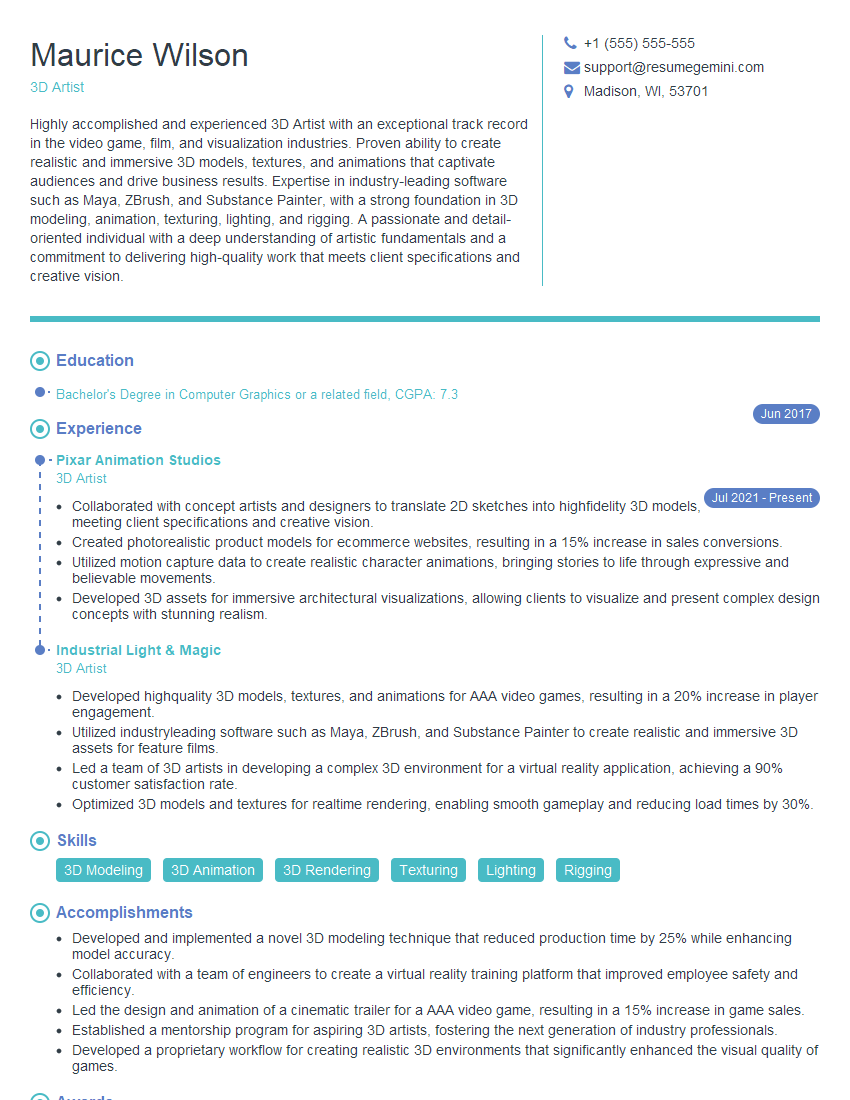
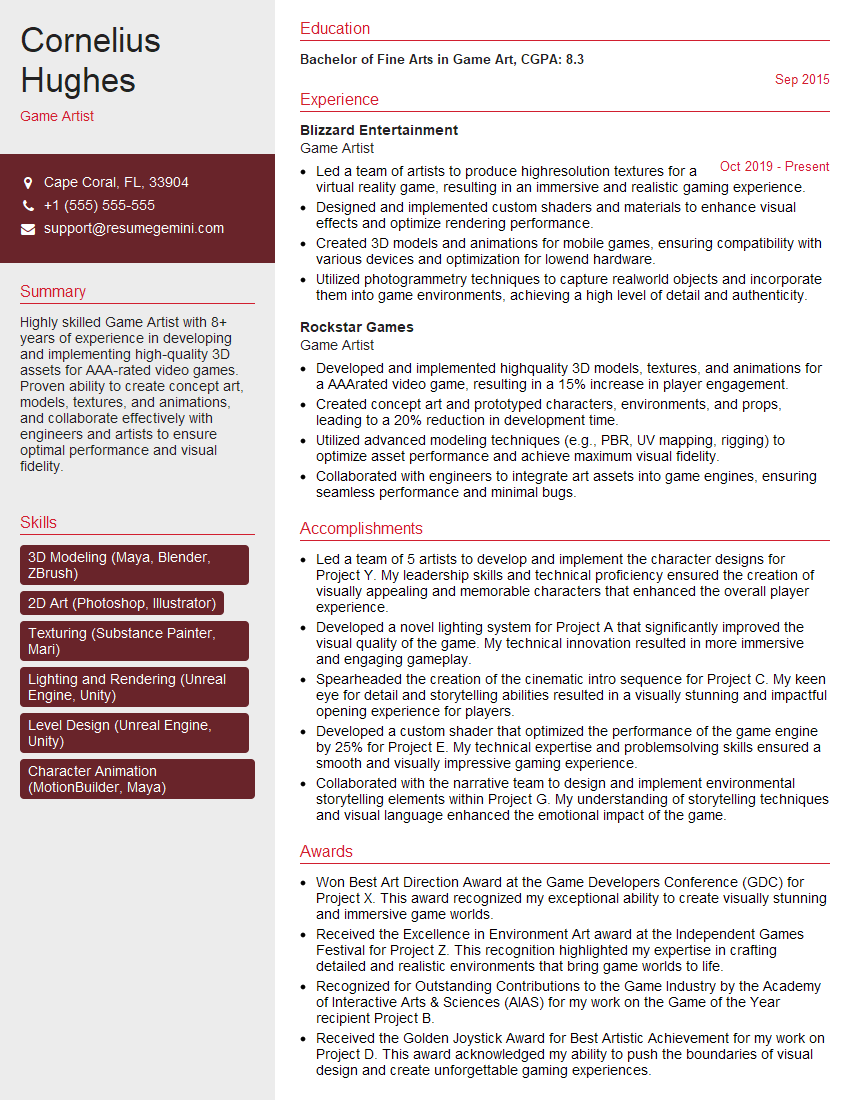
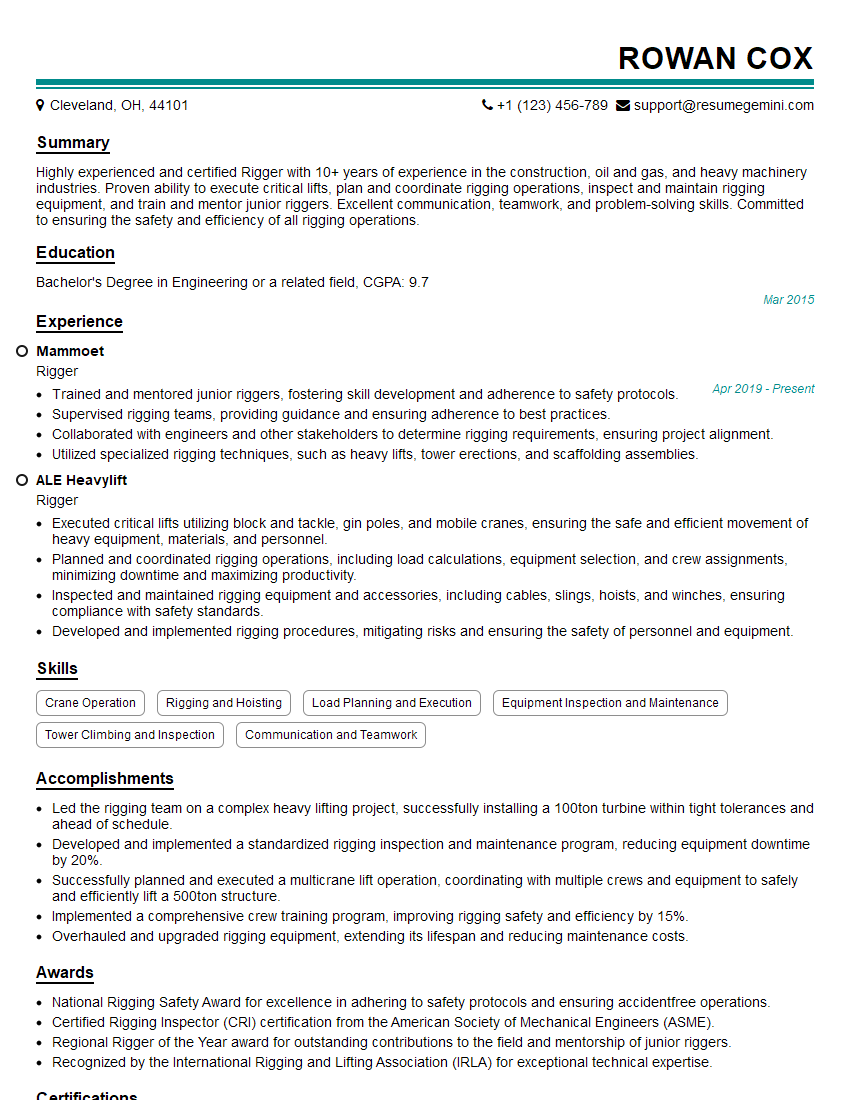
Mastering Perspective and Rendering is crucial for career advancement in fields like game development, computer graphics, virtual reality, and 3D modeling. A strong understanding of these concepts significantly enhances your employability and opens doors to exciting opportunities. To maximize your chances, focus on building an ATS-friendly resume that highlights your skills and experience effectively. ResumeGemini is a trusted resource that can help you craft a professional and impactful resume. We provide examples of resumes tailored to Perspective and Rendering to guide you through the process.







Explore more articles
Users Rating of Our Blogs
Share Your Experience
We value your feedback! Please rate our content and share your thoughts (optional).
What Readers Say About Our Blog
Very informative content, great job.
good