Cracking a skill-specific interview, like one for Biomedical Visualization, requires understanding the nuances of the role. In this blog, we present the questions you’re most likely to encounter, along with insights into how to answer them effectively. Let’s ensure you’re ready to make a strong impression.
Questions Asked in Biomedical Visualization Interview
Q 1. Explain the difference between raster and vector graphics in the context of biomedical visualization.
Raster and vector graphics represent images fundamentally differently. Raster graphics, like JPEGs and PNGs, are composed of a grid of pixels. Each pixel has a specific color, and changing the image size alters pixel resolution, often resulting in blurriness or pixelation. Vector graphics, like SVGs, use mathematical equations to define shapes and lines. This means they can be scaled to any size without losing quality because the image isn’t pixel-based; it’s a description of the image.
In biomedical visualization, the choice depends on the application. Raster graphics are excellent for photorealistic representations of tissues or microscopic images where fine detail is critical and already exists in pixel format. Vector graphics are better suited for diagrams, illustrations, or schematics where clean lines and scalability are paramount. For example, a detailed histological image would be best as a raster graphic, while a diagram showing the pathway of a drug through the body would be better as a vector graphic.
Q 2. Describe your experience with various 3D modeling software (e.g., Maya, 3ds Max, Blender).
I have extensive experience with several 3D modeling software packages. My primary expertise lies in Blender, a powerful and versatile open-source application. I’ve used it extensively for creating complex anatomical models, from individual organs to entire body systems. Its robust sculpting tools and node-based material system are particularly valuable in generating realistic textures and surface details. I’ve also worked with Maya, primarily for projects requiring advanced animation features or integration with other Autodesk software. My experience with 3ds Max is more limited but includes projects focusing on architectural visualizations that involved integrating 3D models of medical devices into built environments. The choice of software often depends on the project’s specific requirements and the client’s existing pipelines.
Q 3. What software are you proficient in for image editing and compositing?
For image editing and compositing, I’m proficient in Adobe Photoshop and After Effects. Photoshop is invaluable for preparing textures, adjusting color balance in microscopy images, creating detailed annotations, and generally refining the visual quality of the source material. After Effects is crucial for creating animations, compositing elements from different software packages (e.g., combining 3D renders with 2D illustrations), and adding special effects like depth of field or motion blur to enhance the realism and clarity of the final visualization.
Q 4. How do you ensure anatomical accuracy in your visualizations?
Anatomical accuracy is paramount in biomedical visualization. I achieve this through a multi-pronged approach. First, I always rely on verified anatomical atlases, textbooks, and peer-reviewed research publications as my primary reference sources. This ensures that the proportions, structures, and relationships between different anatomical components are precisely represented. Second, I often incorporate 3D medical scans (CT, MRI, etc.) into the modeling process, using them as a template to guide the creation of accurate 3D models. Finally, I regularly seek feedback from medical professionals, such as anatomists or surgeons, for critical review before finalizing the visualization. This collaborative approach is crucial for identifying and correcting any potential inaccuracies.
Q 5. Explain your workflow for creating a 3D medical animation from concept to final product.
My workflow for creating a 3D medical animation typically follows these steps: 1. Concept and Storyboarding: Closely collaborating with the client to understand their objectives and target audience, defining the narrative, and creating a detailed storyboard to outline the animation’s visual progression. 2. Modeling and Texturing: Building accurate 3D models based on anatomical references and potentially medical scans, applying realistic textures and materials. 3. Rigging and Animation: Creating a skeletal system for the models (rigging) to allow for realistic movement and then animating the models according to the storyboard. 4. Lighting and Rendering: Setting up lighting to enhance realism and render the animation at a high resolution, often utilizing techniques like ray tracing or path tracing for photorealism. 5. Compositing and Post-Production: Adding special effects, titles, and other visual elements in software like After Effects, refining the overall quality of the animation, and creating the final output video.
Q 6. Describe your experience with different rendering techniques and their applications in biomedical visualization.
I have experience with various rendering techniques, each offering unique advantages. Ray tracing and path tracing are computationally expensive but produce highly realistic images by simulating the physical behavior of light. This is crucial for creating visualizations that accurately reflect the appearance of tissues and structures under different lighting conditions. Scanline rendering is faster and more efficient for less demanding projects. Volume rendering is specifically suited for visualizing 3D datasets like medical scans, allowing for the transparent representation of internal structures. The choice of rendering technique always depends on the project’s complexity, required level of realism, and available computational resources.
Q 7. How do you handle feedback and revisions during the visualization process?
Handling feedback and revisions is an integral part of the visualization process. I actively encourage client input throughout the project, scheduling regular review sessions to discuss progress and incorporate feedback. I maintain detailed documentation of all design decisions, making it easy to track changes and implement revisions efficiently. I use version control systems to manage different iterations of the models and animations, ensuring that I can easily revert to previous versions if needed. Open communication and proactive collaboration are crucial for a successful project, ensuring that the final product perfectly meets the client’s needs and expectations.
Q 8. What are the ethical considerations in creating biomedical visualizations?
Ethical considerations in biomedical visualization are paramount, as visualizations can significantly influence medical decisions and public perception. We must prioritize accuracy, avoid misleading representations, and ensure data privacy and security. For example, misrepresenting the severity of a disease in an image could lead to unnecessary anxiety or delayed treatment. Similarly, unauthorized use or disclosure of patient data contained within a visualization is a serious breach of confidentiality. Therefore, a robust ethical framework should always be applied, including obtaining informed consent where patient data is used, adhering to data anonymization techniques, and ensuring transparency in data representation. Using appropriate color schemes to avoid biases and clearly labeling all aspects of the visualization are also crucial.
- Accuracy: Visualizations must faithfully represent the data without exaggeration or distortion.
- Transparency: The methods used to create the visualization and any limitations must be clearly communicated.
- Data Privacy: Patient data must be protected and anonymized in accordance with relevant regulations.
- Bias Mitigation: Visualization techniques should be chosen to minimize potential biases, for example by ensuring color scales are not inadvertently interpreted as denoting value judgments.
Q 9. How familiar are you with different visualization techniques for conveying complex medical data?
My familiarity with visualization techniques is extensive, encompassing a wide range of methods suitable for diverse medical datasets. I’m proficient in creating:
- 2D visualizations: Scatter plots, bar charts, histograms, heatmaps, and line graphs are frequently employed for representing basic statistical relationships and distributions. For example, a scatter plot could illustrate the correlation between age and blood pressure.
- 3D visualizations: Surface plots, volume rendering, and isosurface extraction are valuable tools for analyzing complex anatomical structures and medical images like CT scans and MRIs. For instance, volume rendering can beautifully showcase the internal structures of an organ like the heart.
- Interactive visualizations: Techniques like zoom, pan, rotation and data filtering in applications allow for detailed exploration of complex datasets. This interactive nature is critical for enabling medical professionals to closely inspect features within an image.
- Network graphs: Useful for visualizing relationships between biological entities, such as protein-protein interactions or gene regulatory networks. This offers a powerful way to visualize complex biological pathways.
- Time-series visualizations: Essential for tracking changes in physiological parameters over time, such as heart rate or blood oxygen levels during a procedure.
Beyond these, I also have experience with more specialized techniques such as glyph-based visualization and techniques for visualizing high-dimensional data using dimensionality reduction.
Q 10. Describe your experience working with medical professionals and researchers.
I have extensive experience collaborating with medical professionals and researchers across various specialties. This includes radiologists, cardiologists, oncologists, and biomedical engineers. My collaborations typically involve understanding their research goals, translating their needs into visualization requirements, iteratively refining the visualizations based on their feedback, and ultimately delivering a product that is both scientifically accurate and clinically useful. For example, I worked with a team of oncologists to develop an interactive 3D visualization tool for surgical planning in brain tumor resection, enabling surgeons to plan operations more precisely. Another project involved collaboration with cardiologists to create a visualization platform for visualizing and analyzing cardiac ultrasound data in real-time.
These collaborations often involve understanding complex medical data formats, applying advanced visualization techniques, and ensuring effective communication across disciplines. The iterative nature of the process requires strong communication and collaboration skills to meet the specific needs of these experts.
Q 11. Explain your knowledge of color theory and its application in biomedical visualization.
Color theory plays a vital role in biomedical visualization, significantly influencing the clarity, accuracy, and impact of the visualization. A poorly chosen color scheme can lead to misinterpretations or even obscure important details. My understanding of color theory involves:
- Color perception: Recognizing that color perception varies among individuals and is affected by factors such as lighting conditions and individual differences in color blindness.
- Color palettes: Selecting appropriate color palettes that are perceptually uniform and avoid color combinations that are difficult to distinguish (e.g., red and green for individuals with red-green color blindness).
- Color mapping: Applying appropriate color mappings to data values to effectively represent quantitative information. For example, a gradual color scale from blue (low values) to red (high values) is often used to represent intensity or concentration.
- Accessibility: Ensuring that visualizations are accessible to individuals with color blindness by using alternative visual cues (e.g., texture or pattern) in addition to color.
For example, in visualizing brain activity, we might use a color scale that ranges from cool colors (low activity) to warm colors (high activity). However, we’d need to carefully consider color blindness and alternative representations to ensure inclusivity.
Q 12. How do you manage large datasets for visualization purposes?
Managing large datasets for visualization purposes requires a combination of computational techniques, data processing, and selection of appropriate visualization methods. My strategies typically involve:
- Data reduction and simplification: Techniques like dimensionality reduction (PCA, t-SNE) or sampling can reduce the size of the dataset while preserving essential information, making it manageable for visualization.
- Data preprocessing: Cleaning and filtering the data to remove noise or outliers that might distort the visualization.
- Efficient data structures: Utilizing efficient data structures and algorithms to load and process the data quickly. For instance, using sparse matrix representations for large datasets with many zeros.
- Parallel processing and distributed computing: Employing parallel processing or cloud computing resources to handle very large datasets that cannot be processed on a single machine.
- Data visualization tools: Selecting appropriate tools and libraries that support handling large datasets efficiently (e.g., Paraview, VTK).
For instance, when dealing with a terabyte-scale medical image dataset, we might employ distributed processing on a cluster to preprocess the data, reduce its dimensions, and then selectively load smaller subsets for rendering and analysis in an interactive visualization environment.
Q 13. Describe your experience with VR/AR technologies in biomedical visualization.
My experience with VR/AR technologies in biomedical visualization centers around their potential to offer immersive and interactive experiences for exploring and understanding complex medical data. VR can provide a 3D, interactive environment for examining anatomical structures in detail, enabling medical professionals to navigate virtual models of organs or tissues. AR, on the other hand, can overlay digital information onto the real world, creating augmented views for surgical planning or patient education.
I’ve worked on projects involving the development of VR applications for surgical simulation and training, and AR applications for anatomical visualization. These applications leverage specialized software and hardware to create realistic and interactive experiences. Challenges include optimizing performance for real-time interaction, developing intuitive user interfaces, and addressing the computational demands of rendering complex 3D models.
For example, in one project we developed a VR application allowing surgeons to virtually practice complex procedures on realistic 3D models of patient anatomy, improving their surgical skills and reducing risks during real operations.
Q 14. What are some common challenges in creating accurate and effective biomedical visualizations?
Creating accurate and effective biomedical visualizations presents several challenges:
- Data complexity: Biomedical data is often high-dimensional, noisy, and incomplete, requiring sophisticated data processing and visualization techniques.
- Data heterogeneity: Integrating data from different sources (e.g., imaging, genomics, clinical records) requires careful consideration of data formats and compatibility issues.
- Balancing accuracy and interpretability: Achieving a balance between the accuracy of scientific data representation and the ease with which the visualization can be interpreted by its intended audience is crucial. Overly complex visualizations can be difficult to understand.
- Communication and collaboration: Effectively communicating with medical professionals and researchers to understand their needs and provide visualizations tailored to their specific requirements is key to success.
- Technical limitations: Rendering complex 3D models or handling large datasets can be computationally demanding and require specialized hardware and software.
Addressing these challenges requires a multidisciplinary approach involving expertise in data science, visualization techniques, and medical knowledge. For example, simplifying complex 3D models by reducing the level of detail while preserving crucial anatomical features can improve the visualization’s interpretability without sacrificing essential information.
Q 15. How do you ensure the clarity and accessibility of your visualizations for diverse audiences?
Ensuring clarity and accessibility in biomedical visualization is paramount. It’s about translating complex scientific data into easily understandable visuals for a diverse audience, ranging from medical professionals to lay people. This involves several key strategies:
- Simplicity and Clarity: Avoiding unnecessary clutter and focusing on the key message. Think of a single, well-designed infographic about a disease progression versus a dense, multi-panel chart. We prioritize clear labels, concise titles, and consistent visual cues.
- Colorblind-Friendly Palettes: Using color palettes designed to be interpretable by individuals with various forms of color blindness. Tools and resources exist to check the accessibility of your color choices.
- Data Reduction and Prioritization: Presenting only the most essential information. A complex 3D model might be simplified into a 2D schematic for a public health campaign. Overly detailed visualizations can overwhelm and confuse viewers.
- Alternative Text and Descriptions: Providing detailed alternative text for images and videos, ensuring that screen reader users can understand the visualization’s content. This also benefits users with low bandwidth or those who prefer text-based information.
- Interactive Elements: Incorporating interactive elements like tooltips, zoom capabilities, and annotations allows users to explore the data at their own pace and level of detail. This also caters to different learning styles.
- Multilingual Support: For a global audience, providing visualizations with the appropriate language support is crucial. This includes translated labels, titles, and descriptions.
For example, when creating a visualization of a surgical procedure for patient education, we might use clear animations, avoid medical jargon, and include simple, step-by-step explanations. Conversely, a visualization for researchers might be more detailed, incorporating complex data sets and advanced interactive features.
Career Expert Tips:
- Ace those interviews! Prepare effectively by reviewing the Top 50 Most Common Interview Questions on ResumeGemini.
- Navigate your job search with confidence! Explore a wide range of Career Tips on ResumeGemini. Learn about common challenges and recommendations to overcome them.
- Craft the perfect resume! Master the Art of Resume Writing with ResumeGemini’s guide. Showcase your unique qualifications and achievements effectively.
- Don’t miss out on holiday savings! Build your dream resume with ResumeGemini’s ATS optimized templates.
Q 16. Describe your experience with data visualization techniques like charts and graphs in a medical context.
My experience with data visualization techniques in a medical context is extensive. I’ve utilized various chart and graph types to effectively communicate complex medical data. For instance:
- Scatter plots to show correlations between variables like age and disease severity.
- Bar charts for comparing the prevalence of different diseases across populations.
- Line graphs to illustrate changes in a patient’s vital signs over time.
- Heatmaps to represent gene expression data or tissue density.
- Box plots to display the distribution of data, like the range of blood pressure readings in a patient group.
I’m adept at choosing the appropriate chart type based on the data and the intended audience. I also pay close attention to details like axis labels, legend clarity, and overall visual aesthetics to ensure the data is presented accurately and engagingly. For example, in a study on the effectiveness of a new drug, I might use a line graph to show the change in a key biomarker over time for both the treatment and control groups, clearly highlighting the statistical significance of the results.
Q 17. What is your preferred workflow for creating interactive visualizations?
My preferred workflow for creating interactive visualizations involves a phased approach:
- Data Acquisition and Cleaning: The process begins with gathering and cleaning the data. This includes handling missing values, outliers, and ensuring data consistency.
- Visualization Design: Next, I conceptualize the visualization, choosing the most appropriate chart type, color palette, and interactive elements based on the data and intended audience. I often create sketches or wireframes to plan the layout.
- Software Selection: The choice of software depends on the type of visualization and desired level of interactivity. Popular choices include tools like D3.js, Three.js, Plotly, and specialized medical imaging software.
- Development and Iteration: I then develop the visualization using the chosen software, iteratively refining the design based on testing and feedback. This often involves numerous revisions and adjustments to achieve optimal clarity and engagement.
- Testing and Refinement: Thorough testing is critical. This includes usability testing with members of the target audience to ensure the visualization is easily understood and interpreted.
- Deployment and Maintenance: The final step involves deploying the visualization on the appropriate platform (web, mobile app, etc.) and ensuring ongoing maintenance and updates as needed.
I often use version control systems like Git to manage different versions of my code and to facilitate collaboration.
Q 18. How do you incorporate feedback from clients and stakeholders into the visualization process?
Incorporating client and stakeholder feedback is a crucial part of my process. I proactively solicit feedback at various stages. This can involve:
- Initial Consultations: Clearly understanding the client’s needs and goals from the outset is crucial. This involves asking probing questions about their audience, intended use, and key messages they want to convey.
- Regular Check-ins: Throughout the development process, regular check-ins are scheduled to present work in progress and gather feedback. This ensures the visualization stays aligned with their expectations.
- Usability Testing: Conducting formal usability testing sessions with representatives of the target audience. This allows for unbiased feedback on clarity, effectiveness, and overall user experience.
- Iterative Refinement: Feedback is incorporated iteratively, allowing for refinements throughout the development lifecycle. This ensures the final product perfectly reflects the client’s vision and meets their requirements.
- Documentation: Comprehensive documentation is provided along with the final visualization, ensuring ease of use and maintenance.
For example, if feedback indicates a visualization is too complex for a particular audience, we might simplify the design, reduce the number of data points, or add explanatory annotations.
Q 19. Explain your experience in optimizing visualizations for different platforms and devices.
Optimizing visualizations for different platforms and devices is essential. This involves considering factors such as screen size, resolution, and processing power:
- Responsive Design: Ensuring visualizations adapt seamlessly to different screen sizes (desktops, tablets, smartphones) is critical. Responsive design principles ensure optimal viewing experience across all devices.
- Image Optimization: Using appropriate image formats (e.g., WebP for web, JPEG for photos, PNG for graphics with transparency) and compressing images without sacrificing quality. This minimizes loading times and reduces bandwidth consumption.
- Vector Graphics: Employing vector graphics (SVG) when possible, as they scale without losing resolution, crucial for high-resolution displays and print media.
- Platform-Specific Considerations: Considering the specific capabilities and limitations of each platform (web browsers, mobile apps, etc.). For instance, interactive features might need to be adjusted depending on the device’s processing power.
- Cross-Browser Compatibility: Testing visualizations on various browsers (Chrome, Firefox, Safari, Edge) to ensure consistent rendering and functionality is crucial.
For example, a complex 3D model suitable for a high-powered desktop workstation might require significant simplification for use on a mobile device, while ensuring key information is retained.
Q 20. Describe your knowledge of different file formats commonly used in biomedical visualization (e.g., TIFF, JPEG, PNG, OBJ).
I have extensive knowledge of various file formats used in biomedical visualization. Each format has its strengths and weaknesses:
- TIFF (Tagged Image File Format): A lossless format ideal for medical images requiring high fidelity, such as microscopy images or radiographs. It supports various compression methods.
- JPEG (Joint Photographic Experts Group): A lossy format suitable for photographs and images where minor quality loss is acceptable. It offers good compression ratios.
- PNG (Portable Network Graphics): A lossless format supporting transparency, making it suitable for images with text or graphics that need sharp edges. It’s commonly used for web graphics.
- OBJ (Wavefront OBJ): A 3D model file format commonly used for representing 3D structures, such as anatomical models or molecular structures. It typically stores vertex, normal, and face information.
- DICOM (Digital Imaging and Communications in Medicine): A widely used standard for storing, exchanging, and displaying medical images. It includes metadata essential for medical image interpretation.
- NIfTI (Neuroimaging Informatics Technology Initiative): A flexible file format commonly used for neuroimaging data, such as MRI and fMRI scans.
The choice of file format depends heavily on the application and desired balance between image quality, file size, and compatibility with various software applications.
Q 21. What experience do you have with storytelling techniques in medical animation?
Storytelling is critical in medical animation, transforming complex information into engaging narratives. My experience includes:
- Developing compelling narratives: Starting with a clear storyline that connects with the audience. This includes identifying the key message, the target audience, and the desired emotional response.
- Structuring the narrative: Using a logical structure to present the information, employing techniques like introducing characters, establishing conflict, and providing resolution.
- Creating engaging characters: Using relatable characters to convey information, adding personality and emotional depth to increase viewer engagement.
- Visual pacing and transitions: Employing effective visual pacing and transitions to maintain viewer interest and comprehension. This includes using dynamic camera movements, edits, and transitions between scenes.
- Using clear and concise language: Avoiding technical jargon and opting for clear and concise language that is easily understood by the target audience.
- Incorporating music and sound: Using music and sound effects to enhance the emotional impact and reinforce the narrative.
For example, in an animation explaining the process of heart surgery, we might follow a patient’s journey from diagnosis to recovery, using characters representing medical professionals to explain each step. This approach transforms a potentially dry topic into a compelling and engaging story.
Q 22. Explain your understanding of human anatomy and physiology.
My understanding of human anatomy and physiology is foundational to my work in biomedical visualization. It’s not just about memorizing structures; it’s about understanding their function and interrelationships. For instance, knowing the intricate network of the cardiovascular system – how the heart pumps blood, the role of valves, and the branching of arteries and veins – is crucial for creating accurate and informative visualizations of the heart. Similarly, understanding the cellular processes involved in oncology allows me to design visualizations that effectively convey complex information about tumor growth, metastasis, and treatment responses. I approach this knowledge holistically, considering the interplay between different systems and the impact of disease processes. This depth of understanding ensures my visualizations are not only aesthetically pleasing but also scientifically accurate and readily interpretable by medical professionals and the public.
Q 23. How do you approach creating visualizations for different medical specialties (e.g., cardiology, oncology, neurology)?
Visualizing for different medical specialties requires adapting my approach based on the specific needs and priorities of each field. For cardiology, I might focus on 3D models of the heart, showing blood flow dynamics using color-coding and animation. Interactive features could allow users to explore different views and zoom into specific areas. For oncology, visualizations could highlight tumor growth patterns within a tissue, potentially integrating microscopic imaging data with macroscopic anatomical information. This might involve using color maps to represent tumor density or employing cut-away views to reveal internal structures. In neurology, I might focus on creating detailed 3D brain models, highlighting neural pathways or showcasing specific brain regions associated with particular functions or diseases, potentially using interactive elements to allow users to explore different brain areas and their connectivity.
In each case, the key is to choose the right visualization techniques, data representation, and level of detail to effectively convey the information without overwhelming the user. Close collaboration with specialists in each field is crucial to ensuring accuracy and relevance.
Q 24. Describe your experience with the integration of different data sources into a single visualization.
Integrating diverse data sources is a regular part of my workflow. For example, I might combine data from CT scans (providing anatomical context), PET scans (showing metabolic activity), and patient medical records (clinical information). This requires careful data preprocessing and alignment to ensure consistency. Techniques such as image registration are vital to correctly overlay different datasets. I often use programming languages like Python with libraries such as NumPy, SciPy, and scikit-image for data manipulation and analysis. For visualization, tools like ParaView or VTK are invaluable for handling large datasets and creating complex 3D renderings. A recent project involved integrating genomic data with MRI images to visualize the relationship between genetic mutations and brain structure in Alzheimer’s disease. This required custom scripting to map genetic data onto the brain anatomy for analysis and visualization. # Example Python code snippet for data integration (simplified) import numpy as np #...data loading and preprocessing... registered_image = np.stack((ct_scan, pet_scan), axis=-1) #... visualization using a library like matplotlib or Mayavi...
Q 25. What are your preferred methods for quality control and assurance in biomedical visualization?
Quality control and assurance is paramount. My process involves several steps. First, data validation ensures the accuracy and consistency of input data. This involves checking for outliers, artifacts, and inconsistencies in the data sources. Second, visualization validation involves reviewing the rendering to ensure it accurately reflects the data and avoids any misleading representations. This often includes peer review with specialists in the relevant medical field. Third, usability testing involves presenting the visualization to target users (doctors, researchers, patients) to gather feedback on clarity, understandability, and overall effectiveness. This feedback loop is essential for iterative refinement. Finally, maintaining detailed documentation of the data processing and visualization pipeline is critical for reproducibility and transparency.
Q 26. How do you maintain version control and project organization for complex visualizations?
Version control and project organization are crucial for managing the complexity of biomedical visualizations. I rely heavily on Git for version control, allowing me to track changes, collaborate effectively with team members, and revert to previous versions if necessary. For complex projects, I utilize project management tools like Jira or Asana to track tasks, deadlines, and progress. The project structure itself is carefully planned, with separate folders for raw data, processed data, scripts, visualization files, and documentation. A clear naming convention for files and folders is also essential for maintainability and collaboration. This structured approach enables efficient management even for very large and complex projects.
Q 27. How do you stay current with the latest advancements in biomedical visualization technology and techniques?
Staying current in this rapidly evolving field requires a multi-pronged approach. I actively participate in conferences such as the IEEE Visualization conference and IS&T’s Electronic Imaging, read relevant journals like IEEE Transactions on Visualization and Computer Graphics and journals focused on specific medical imaging techniques. I also follow key researchers and institutions on social media and through their publications. Online courses and tutorials on new software and techniques are another valuable resource. Furthermore, engaging in open-source projects and collaborating with researchers in related fields exposes me to cutting-edge techniques and challenges me to learn and adapt new approaches.
Q 28. Describe a time you had to overcome a technical challenge in creating a biomedical visualization.
In a recent project visualizing the spread of cancer cells through lymphatic vessels, I encountered a challenge rendering the intricate network of vessels accurately while maintaining visual clarity. The sheer volume of data from microscopic imaging was immense, leading to slow rendering times and visual clutter. To overcome this, I implemented a multi-scale rendering approach. This involved creating a simplified representation of the vessel network at lower resolutions for an overview, and allowing users to zoom in for detailed views of specific regions. This approach significantly improved rendering speed and visual clarity while maintaining the accuracy of the data representation. The solution combined advanced rendering techniques with efficient data management strategies to create a visualization that was both visually compelling and scientifically informative.
Key Topics to Learn for Biomedical Visualization Interview
- Image Acquisition and Processing: Understanding various imaging modalities (MRI, CT, microscopy) and image processing techniques like segmentation, registration, and 3D reconstruction is crucial. Practical application: Describing your experience with specific software or techniques used in processing medical images.
- 3D Modeling and Animation: Proficiency in software like Blender, Maya, 3ds Max, or specialized medical visualization software is essential. Practical application: Showcasing your ability to create realistic 3D models of anatomical structures and visualizing physiological processes.
- Data Visualization and Scientific Communication: Effectively conveying complex scientific data through visualizations is key. Practical application: Discussing your experience in creating visualizations for presentations, publications, or educational materials.
- Anatomical Knowledge: A solid understanding of human anatomy, physiology, and pathology is fundamental. Practical application: Demonstrating your ability to accurately represent anatomical details in your visualizations.
- Color Theory and Visual Perception: Understanding how color impacts visual communication and perception is critical for creating effective and accurate visualizations. Practical application: Explaining your choices regarding color palettes and their impact on the understanding of your visualizations.
- Software Proficiency: Demonstrate expertise in relevant software packages (mention specific ones you know). Practical application: Detailing projects where you leveraged the strengths of particular software to solve visualization challenges.
- Problem-Solving and Collaboration: Describe your approach to tackling complex visualization problems, working with diverse teams (scientists, clinicians, etc.). Practical application: Providing examples of collaborative projects and overcoming technical hurdles.
Next Steps
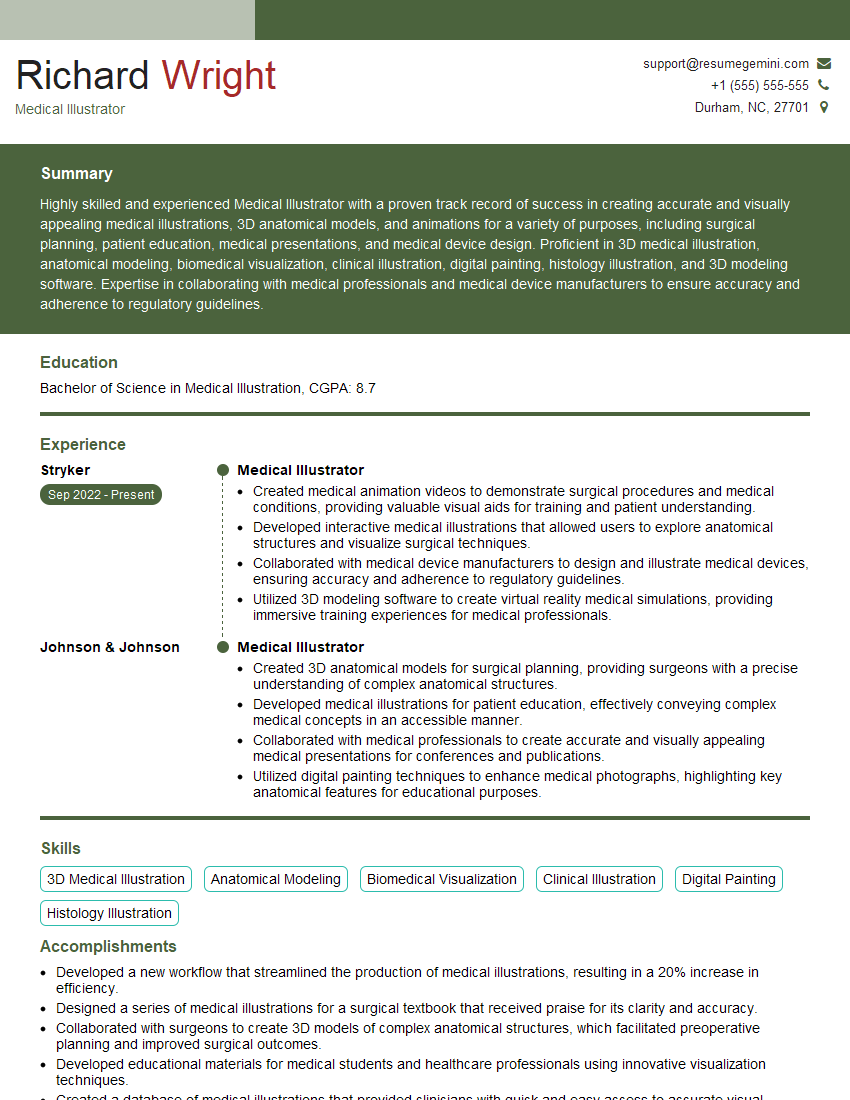
Mastering Biomedical Visualization opens doors to exciting career paths in research, education, healthcare, and beyond. A strong portfolio is essential, but a compelling resume is your first step to landing your dream job. Building an ATS-friendly resume significantly increases your chances of getting noticed by recruiters. We strongly recommend using ResumeGemini to craft a professional and effective resume tailored to the Biomedical Visualization field. ResumeGemini provides valuable tools and examples of resumes specifically designed for Biomedical Visualization professionals, helping you present your skills and experience in the best possible light. Take advantage of these resources to showcase your expertise and accelerate your career journey.
Explore more articles
Users Rating of Our Blogs
Share Your Experience
We value your feedback! Please rate our content and share your thoughts (optional).
What Readers Say About Our Blog
Very informative content, great job.
good