Feeling uncertain about what to expect in your upcoming interview? We’ve got you covered! This blog highlights the most important Microchip Simulator interview questions and provides actionable advice to help you stand out as the ideal candidate. Let’s pave the way for your success.
Questions Asked in Microchip Simulator Interview
Q 1. Explain the different debugging techniques available within Microchip Simulator.
Microchip Simulator offers a robust suite of debugging techniques. Think of it like having a powerful magnifying glass for your code. You can examine the program’s execution in detail, identifying and resolving issues efficiently.
Single Stepping: This allows you to execute your code one instruction at a time, observing the changes in registers and memory. It’s like watching a slow-motion replay of your program. Imagine debugging a complex loop; single-stepping lets you see exactly what’s happening in each iteration.
Breakpoints: These pause execution at specific lines of code. You set breakpoints where you suspect a problem might exist. It’s like setting up checkpoints in a race to observe performance at key stages.
Watchpoints: These monitor specific variables or memory locations. When the value changes, the simulator pauses. This is ideal for tracking down elusive bugs that only appear under certain conditions. This is similar to setting a trap for a specific event in your program.
Data Visualization: Microchip Simulator provides tools for visualizing data in various formats (graphs, tables, etc.). This helps to understand data trends and patterns during simulation, making complex data easily comprehensible.
Call Stack Inspection: This shows the sequence of function calls, providing insights into the flow of execution and helping to identify the source of errors. Think of it as a trail of breadcrumbs leading you back to the origin of the problem.
Q 2. How do you simulate peripherals in Microchip Simulator?
Simulating peripherals in Microchip Simulator involves configuring the simulator to mimic the behavior of real-world hardware components, such as UARTs, timers, ADCs, and SPI interfaces. It’s like creating a virtual model of your microcontroller’s environment. Accuracy here is paramount for reliable simulation results.
This is typically done through the simulator’s configuration settings or by using specialized libraries provided by Microchip. For example, to simulate a UART, you’d configure its baud rate, data bits, parity, and stop bits within the simulator. Then, you can send and receive data through the simulated UART just as you would with real hardware. The simulator will handle the underlying bit-level operations.
You might write code that sends data through the simulated UART, and the simulator will then show you that data appearing on the simulated receiver. This lets you verify the functionality of your communication protocols without needing actual hardware.
Q 3. Describe your experience using breakpoints and watchpoints in Microchip Simulator.
Breakpoints and watchpoints are essential debugging tools in Microchip Simulator. I’ve extensively used them to isolate and fix bugs ranging from simple syntax errors to complex timing issues. I think of breakpoints as ‘pause’ buttons and watchpoints as ‘alerts’.
Breakpoints allow me to halt execution at a specific point in my code, inspecting variables and registers to assess program state. I often use them to step through loops or function calls to observe variable changes. For instance, if a loop is generating unexpected output, I’d set a breakpoint inside the loop to see exactly how the variables are changing.
Watchpoints are fantastic for dynamically monitoring the value of specific variables or memory locations. They are incredibly useful when you’re trying to track down a bug that only occurs when a particular variable reaches a certain value or when a particular memory location is modified. For example, if a global variable seems to be unexpectedly changed, setting a watchpoint on it would alert me the exact moment that change happened and help pinpoint the culprit code.
Q 4. How do you handle memory management in simulated microcontroller environments?
Memory management in simulated microcontroller environments involves careful consideration of the limited resources available. It’s crucial to avoid memory leaks and buffer overflows, issues that can easily crash a real microcontroller. The simulator’s capabilities provide a safety net for this.
In Microchip Simulator, you can monitor memory usage through tools that display memory allocation and usage. This helps prevent accidental memory overruns. I routinely check memory usage during simulations to ensure efficient use of resources. Proper techniques such as dynamic memory allocation (malloc/free in C) are crucial to manage memory effectively, and the simulator allows you to carefully examine how this memory is utilized throughout the program.
The simulator can also detect memory access violations – attempts to read or write to invalid memory addresses – preventing runtime crashes and providing valuable debugging information. This is a huge advantage over real hardware debugging where these errors can be far more difficult to diagnose.
Q 5. Explain the process of setting up and running a simulation in Microchip Simulator.
Setting up and running a simulation in Microchip Simulator involves several key steps. Think of it as building a virtual prototype of your embedded system.
Project Creation: Create a new project within the simulator, specifying the target microcontroller.
Code Import/Creation: Import your embedded C code (or create it within the IDE integrated with the simulator).
Peripheral Configuration: Configure the peripherals you intend to use in your simulation (e.g., UART, timers, ADC).
Debug Configuration: Set breakpoints, watchpoints, and any other debug settings as needed.
Simulation Start: Start the simulation. The simulator executes the code, mimicking the hardware behavior.
Debugging and Monitoring: Observe the simulation execution, using debugging tools to analyze variables, registers, and memory. Identify and correct any errors.
Q 6. What are the advantages and disadvantages of using a simulator versus real hardware?
Simulators and real hardware both offer valuable tools for embedded system development, but each has its strengths and weaknesses. It’s often best to use them in tandem.
Simulators (Advantages):
Cost-Effective: No need for expensive hardware prototypes.
Safe: Errors won’t damage the hardware.
Detailed Control: Fine-grained control over timing and system behavior.
Easy Debugging: Powerful debugging tools are readily available.
Simulators (Disadvantages):
Abstraction: May not perfectly reflect real hardware behavior.
Limited Scope: Cannot simulate all real-world factors like noise and power fluctuations.
Real Hardware (Advantages):
Accuracy: Provides actual behavior of hardware.
Real-World Testing: Tests software in the real environment.
Real Hardware (Disadvantages):
Costly: Requires buying and maintaining hardware.
Risk of Damage: Errors might damage hardware.
Difficult Debugging: Debugging on hardware can be challenging.
Q 7. How do you verify the accuracy of your simulation results?
Verifying the accuracy of simulation results requires a multi-pronged approach. It’s not enough to just look at the output; you need robust verification techniques.
Code Review: Thoroughly review the code for correctness and consistency with the intended functionality.
Test Cases: Develop comprehensive test cases covering various scenarios, including edge cases and boundary conditions.
Hardware Comparison (if possible): If available, compare simulation results to measurements from a real hardware prototype. Discrepancies can highlight areas needing further refinement in the simulation model.
Logic Analysis: Use debugging tools within the simulator to step through code, observe variable changes, and confirm that program execution matches the expected behavior.
Formal Verification (Advanced): In more critical applications, formal verification techniques can be used to mathematically prove certain properties of the code’s behavior.
For example, if I’m simulating a temperature sensor, I might compare the simulation output to readings from a physical sensor under similar conditions. Any significant discrepancies would prompt investigation into the simulation model’s accuracy.
Q 8. Describe your experience with different Microchip Simulator features (e.g., logic analyzer, waveform viewer).
My experience with Microchip Simulator’s features is extensive. I’ve heavily utilized the logic analyzer for debugging complex digital circuits. Imagine it as a sophisticated multimeter for digital signals – it allows you to probe specific signals within your simulated circuit and observe their values over time. This is crucial for identifying timing issues or unexpected state changes. For instance, I used the logic analyzer to pinpoint a race condition in a SPI communication by observing the timing relationship between the clock and data lines.
The waveform viewer complements the logic analyzer perfectly, providing a visual representation of the signals’ behavior. It’s especially useful for analyzing analog signals or for getting a high-level overview of the simulation’s progress. I often use it to verify the functionality of timers, PWM signals, or analog-to-digital converters (ADCs). For example, I once used the waveform viewer to identify an unexpected noise spike in an ADC reading, which led me to improve the circuit’s grounding.
Beyond these core features, I’m proficient with the simulator’s breakpoints, stepping capabilities, and memory inspection tools. These are invaluable for detailed, step-by-step debugging, allowing me to follow the execution flow of my code and inspect the contents of registers and memory locations.
Q 9. How do you troubleshoot simulation errors and unexpected behavior?
Troubleshooting simulation errors requires a systematic approach. First, I carefully examine any error messages generated by the simulator – they often pinpoint the source of the problem. If the error is ambiguous, I begin by simplifying the circuit: I remove or comment out sections of code to isolate the problematic component or module. This process of elimination helps quickly identify the root cause.
Next, I verify my code against the datasheet for the chosen Microchip component. Even a small discrepancy in pin assignments or register configurations can lead to unexpected behavior. I also meticulously review my simulation setup, including clock frequencies, initial conditions, and external component models to ensure they accurately reflect the intended design.
For more subtle issues, I leverage the simulator’s debugging features. Breakpoints allow me to halt execution at specific points in the code, enabling inspection of variables and register values. Step-by-step execution helps trace the flow of data and logic, revealing unexpected behavior. Using the logic analyzer and waveform viewer simultaneously often unveils the issue.
Finally, if the issue persists, I meticulously check for any modeling errors in the schematic capture. Sometimes, a simple miswiring or an incorrect component value can lead to hours of debugging. Thorough verification of the schematic against the intended design is essential.
Q 10. Explain your experience with different Microchip architectures (e.g., PIC, AVR).
My experience encompasses both PIC and AVR architectures. I’m deeply familiar with various PIC families, including the 8-bit PIC16, the 16-bit PIC24, and the 32-bit PIC32. I understand their unique instruction sets, peripherals, and memory architectures. For example, I’ve worked extensively with the PIC32’s DMA controller to optimize data transfer efficiency in high-speed applications.
Similarly, I’m proficient with AVR microcontrollers, particularly the ATmega family. I’ve worked with their diverse peripherals, such as timers, UARTs, and ADCs, leveraging their strengths for specific tasks. One project involved using the ATmega’s built-in PWM capabilities for motor control. The key difference I’ve experienced lies in their instruction sets and peripheral configurations, requiring a different approach to programming and optimization for each architecture.
Q 11. How do you integrate external components or modules into your simulation?
Integrating external components or modules is a crucial aspect of realistic simulation. Microchip Simulator allows this through the use of model files. These models, often provided by component manufacturers or created by users, represent the behavior of external devices. The simulator usually supports standard formats like SPICE netlists.
For example, to simulate an external sensor, you’d import a model that accurately captures its behavior – this might include transfer functions, timing characteristics, and interface protocols. This helps verify the interaction between your microcontroller and external hardware. I have experience integrating models for various components including sensors, actuators, and communication interfaces like Ethernet or CAN bus controllers. A successful integration requires accurate component modeling and careful attention to the electrical connections in the simulation environment.
Q 12. Describe your experience using scripting or automation tools with Microchip Simulator.
While Microchip’s native simulator doesn’t have extensive built-in scripting capabilities like some other tools, I’ve utilized external scripting languages like Python to automate repetitive tasks. This is particularly useful for large-scale simulations or when running multiple variations of a design. For instance, I wrote a Python script to automatically generate test vectors for a specific design and then run the simulation, capturing the results in a structured format.
This scripting approach enhances efficiency by automating the process of generating test cases, running simulations, and analyzing results. It also allows for more sophisticated test methodologies, such as generating random test cases to improve the robustness of design verification. While not a direct feature of the simulator, this approach is invaluable for enhancing productivity and improving the overall simulation workflow.
Q 13. How do you handle interrupts and real-time constraints in simulations?
Handling interrupts and real-time constraints in simulations is paramount for accurate representation of embedded systems. Microchip Simulator allows you to model interrupts by triggering specific events within your simulated code. These events might correspond to external hardware signals or internal timers. The simulator accurately reflects the microcontroller’s interrupt handling mechanism, including context switching and interrupt priority.
For real-time constraints, it’s crucial to accurately model the timing characteristics of your system. This includes the clock frequency, timing of peripheral operations, and the execution times of your code. Any discrepancies between the simulated environment and real-world hardware can lead to errors. I often use timing analysis tools in conjunction with the simulator to identify potential timing violations or race conditions. Careful attention to clock synchronization and interrupt latency is crucial for a realistic representation of your system’s timing behavior.
Q 14. Explain your experience with different simulation models (e.g., cycle-accurate, instruction-set simulator).
Microchip Simulator offers different levels of simulation model accuracy, ranging from cycle-accurate simulations, which model the microcontroller’s execution at the instruction level, to higher-level instruction-set simulators which focus on the overall functionality rather than precise cycle-by-cycle behavior. The choice depends on the specific needs of the project.
Cycle-accurate simulations provide the highest level of detail, enabling precise timing analysis. These are essential when dealing with real-time systems where precise timing is critical. However, they can be computationally expensive and may not be necessary for all projects.
Instruction-set simulators offer a faster and less resource-intensive alternative, focusing on the functional correctness of the code rather than the precise timing. They are particularly suitable for initial verification stages or for large code bases where cycle-accurate simulation would be impractically slow. The selection of the appropriate model requires careful consideration of factors such as project requirements, available resources, and desired level of detail.
Q 15. How do you optimize simulation performance and reduce simulation time?
Optimizing Microchip Simulator performance hinges on understanding its resource consumption. Think of it like optimizing a car engine – you need to identify the bottlenecks to improve efficiency.
- Reduce Simulation Complexity: The first step is to simplify your design. If you’re simulating a large system, try breaking it down into smaller, manageable modules. This allows for faster simulation of individual components, and then you can integrate the results later. For example, instead of simulating the entire microcontroller’s functionality, you can simulate individual peripheral blocks first to identify bottlenecks early.
- Use Appropriate Abstraction Levels: Microchip Simulator offers different levels of model detail. Using high-level models instead of detailed gate-level simulations drastically reduces simulation time without sacrificing overall accuracy. Think of it as using a map instead of walking every street to understand the route; both provide accurate information, but with differing levels of detail and speed.
- Efficient Code and Algorithmic Optimization: Your simulation’s speed is heavily influenced by the code used within the simulation model. Optimizing algorithms and data structures for reduced complexity is crucial. For instance, using efficient data searching algorithms improves simulation speed significantly.
- Leverage Parallel Processing: If your system supports it, exploit parallel processing capabilities to speed up simulation. Microchip Simulator supports parallel processing for enhanced speed. This is analogous to using multiple workers to assemble a product; each worker completes a part, significantly reducing the overall assembly time.
- Careful Use of Breakpoints and Monitoring: Overusing breakpoints can slow down the simulation. Use them strategically and only when absolutely needed. The same applies to monitoring signals; track only the signals truly essential for your analysis.
Career Expert Tips:
- Ace those interviews! Prepare effectively by reviewing the Top 50 Most Common Interview Questions on ResumeGemini.
- Navigate your job search with confidence! Explore a wide range of Career Tips on ResumeGemini. Learn about common challenges and recommendations to overcome them.
- Craft the perfect resume! Master the Art of Resume Writing with ResumeGemini’s guide. Showcase your unique qualifications and achievements effectively.
- Don’t miss out on holiday savings! Build your dream resume with ResumeGemini’s ATS optimized templates.
Q 16. How familiar are you with different Microchip Simulator debugging tools and their features?
I’m very familiar with Microchip’s debugging tools. They are integrated within the simulator and provide a rich set of capabilities. They’re like a mechanic’s toolbox, offering the right tools for different tasks.
- Real-Time Trace: I frequently use real-time trace to analyze program execution flow and identify bottlenecks. It allows for precise pinpointing of code execution and timing, which is invaluable for real-time embedded systems. It’s like having a detailed log of everything the system does during operation.
- Variable Watch Windows: These windows provide real-time monitoring of variable values. This is critical for tracking data flow and identifying unexpected behaviour. For example, if the data in a critical buffer changes unexpectedly, I can see it instantaneously within the Variable Watch window.
- Memory Inspection: This feature allows for detailed memory examination, detecting memory leaks, buffer overflows, and other memory-related errors. It helps in understanding how your program uses memory resources and identifies potential issues.
- Breakpoint Management: Strategic use of breakpoints aids in step-by-step program execution analysis, allowing for focused debugging and efficient issue tracking.
- Simulator Logic Analyzer: This is powerful for observing signals in real-time, analyzing their behaviour, and validating system timing characteristics. Think of it as an oscilloscope within the simulator, helping visualize and analyze complex signal interactions.
Q 17. Describe your experience working with different types of debugging probes in conjunction with Microchip Simulator.
My experience with debugging probes is extensive. They bridge the gap between simulation and the real world, providing a means for validation and hardware-in-the-loop testing. Think of them as the interface connecting the virtual world of simulation with the physical world.
I’ve worked with various probes, including:
- ICD 3/4/5: These are very common for in-circuit debugging and programming. I use them to download code to target hardware, verify simulation models, and capture real-time signals during hardware testing.
- Real ICE: This more advanced probe is crucial for real-time debugging and tracing of complex microcontroller applications. Its advanced capabilities and high-speed tracing make it indispensable for verifying complex timing-critical systems.
When using probes, I meticulously configure the connections to ensure accurate data transfer and synchronization between the simulator and the target hardware, which is crucial for reliable debugging and verification results.
Q 18. How do you manage large and complex simulations efficiently?
Managing large, complex simulations efficiently requires a structured approach. It’s akin to managing a large construction project – you need a plan, effective tools, and good teamwork.
- Modular Design: Break down the simulation into smaller, independent modules. This approach facilitates parallel processing, error isolation, and independent verification of individual components.
- Hierarchical Modeling: Employ hierarchical modeling techniques to organize and manage the complexity of the system effectively. This helps in visualizing and understanding the relationships between different components. Think of it as creating a detailed organizational chart for the entire project.
- Version Control: Using version control systems (like Git) is essential for tracking changes, collaborating with team members, and reverting to previous versions if required. It’s like maintaining detailed records and construction blueprints.
- Simulation Partitioning: Divide large simulations into smaller, manageable parts. This allows for efficient simulation of individual modules, and then the outputs of the partitions can be integrated in the end. It’s like assembling a large structure by building smaller parts separately.
- Automated Testing: Implementing automated tests significantly reduces verification time and improves efficiency by automating repetitive tasks. It’s like using automated tools in construction to speed up processes.
Q 19. Explain how you ensure the accuracy of your simulation results when dealing with timing-critical applications.
Ensuring accuracy in timing-critical applications demands meticulous attention to detail. It’s like building a clock; even a small error can lead to significant problems.
- Accurate Models: Use high-fidelity models for timing-critical components, capturing the detailed behaviour and performance characteristics. This involves using accurate clock models and peripheral timing information.
- Precise Clock Configuration: Precisely configure clock sources and frequencies within the simulator to accurately reflect the target hardware. Minor errors in clock frequencies can lead to significant timing discrepancies.
- Timing Analysis: Employ timing analysis tools, such as the simulator’s logic analyzer or static timing analysis tools, to verify critical paths and timing constraints. This ensures the system meets timing requirements and verifies the behaviour of timing-critical modules.
- Hardware-in-the-Loop (HIL) Testing: Where possible, incorporate HIL testing to validate simulation results against real-world conditions. This verifies the accuracy of timing parameters, especially critical interrupts and signal changes.
- Code Optimization: Optimize the code for minimum latency to ensure it aligns with timing constraints. Using efficient coding techniques helps in reducing timing inaccuracies within the program’s execution.
Q 20. How do you use Microchip Simulator to debug real-time embedded systems?
Debugging real-time embedded systems in Microchip Simulator involves leveraging its features to pinpoint timing-related issues and validate real-time behaviour. It’s like using advanced diagnostic tools to ensure the precise operation of a complex machine.
- Real-Time Trace: This allows precise monitoring of program execution and identification of timing anomalies in real-time.
- Interrupt Handling Analysis: Carefully observe the behaviour of interrupts and their response time to ensure the correct handling of critical events.
- Timing Diagram Analysis: Analyze timing diagrams generated by the simulator to identify potential timing violations and address issues related to signal synchronization.
- Hardware-in-the-Loop (HIL) Simulation: This approach integrates the simulator with actual hardware to validate the real-time behaviour of the embedded system under real-world conditions.
- Cycle-Accurate Simulation: If required, use cycle-accurate simulation to ensure precise verification of timing critical aspects of the system’s operation.
Q 21. What are the limitations of Microchip Simulator, and how do you work around them?
While Microchip Simulator is a powerful tool, it does have limitations. It’s like any software; it has its strengths and weaknesses.
- Model Accuracy: The accuracy of simulation results is directly dependent on the accuracy of the model used. Imperfect models can lead to inaccuracies in the simulation results, requiring careful model development and verification.
- Computational Resources: Complex simulations can be computationally intensive, requiring significant computing resources. This limits the scale of models that can be simulated effectively.
- Real-World Factors: Certain real-world effects such as noise, temperature variations, and electromagnetic interference are often not explicitly modelled within the simulator. This difference between simulation and reality must be accounted for when interpreting results.
I address these limitations by using a combination of techniques: meticulous model development, verification and validation processes, and by incorporating hardware-in-the-loop testing whenever possible to validate the simulation against the real world.
Q 22. How do you ensure code portability between simulated and real hardware environments?
Ensuring code portability between simulation and real hardware hinges on meticulous attention to detail and a robust understanding of both environments. The key is to avoid using simulator-specific features or libraries that don’t have direct equivalents on the target microcontroller.
- Abstraction: Create abstraction layers in your code. Instead of directly interacting with hardware registers using their specific addresses, use symbolic names and functions. This allows you to easily switch between the simulator’s register model and the actual hardware registers with minimal changes. For example, instead of
PORTA = 0x0F;, usesetPortA(0x0F);wheresetPortAis a function that handles the register access in both environments. - Clock Speed: Be mindful of clock speeds. Your simulator might run at a different speed than your real hardware. Use timers and delays based on clock cycles or use a consistent timing mechanism (such as a real-time operating system (RTOS)) rather than relying on simple
delay()functions which are highly dependent on the clock speed. - Peripheral Configuration: Configure peripherals consistently in both environments. Ensure that bit fields and register settings are identical in your simulation and on the physical hardware. Refer to the microcontroller’s datasheet meticulously.
- Testing and Verification:Thoroughly test your code in simulation. Then, incrementally port the code to the hardware, comparing the results at each stage. Utilize debugging tools and logic analyzers for comprehensive verification.
Consider this simple example: If you’re using a specific library function available only in the simulator, you’ll need to either replace it with a more generic function or implement its equivalent functionality using basic microcontroller operations. This ensures your code is not tied to the simulator’s capabilities.
Q 23. Describe your experience with analyzing simulation logs and identifying potential issues.
Analyzing simulation logs is crucial for identifying bugs and performance bottlenecks. My approach involves a systematic process:
- Understanding the Log Format: I familiarize myself with the simulator’s log format, paying attention to timestamps, event types, and variable values. Different simulators might have different ways of presenting information.
- Filtering and Searching: I utilize the simulator’s built-in search and filtering capabilities to isolate specific events or variables of interest. This helps to narrow down the search area and find the root cause of issues quickly.
- Visualizing Data: I often use visualization tools to graph or chart data from the simulation logs. This can reveal trends, patterns, or anomalies that are not easily apparent by simply reading raw log data. For example, graphing a sensor reading over time may reveal a glitching issue that wasn’t initially obvious.
- Code Correlation: I carefully correlate the log data with the corresponding sections of the code. This helps to identify which part of the code caused the problem indicated in the log.
- Systematic Debugging: I use a combination of print statements (carefully placed!), breakpoints, and single-stepping to pinpoint the exact location and cause of the issue.
For instance, in a recent project involving SPI communication, I used the simulation logs to identify a timing issue where the clock speed was incorrectly configured, leading to data corruption. The detailed timestamps in the log helped pinpoint the precise moment of failure.
Q 24. How do you integrate your simulation work with other development tools and workflows?
Integration with other development tools is vital for a smooth workflow. I’ve used Microchip’s MPLAB X IDE extensively alongside the simulator.
- MPLAB X IDE: This IDE seamlessly integrates with Microchip simulators, allowing for debugging directly within the simulation environment. I can set breakpoints, step through the code, inspect variables, and examine memory contents within the familiar IDE interface.
- Version Control (Git): I use Git to manage my simulation code and project files. This allows me to track changes, collaborate with others, and easily revert to previous versions if necessary.
- Hardware Debugging Tools: Once the simulation is complete, the code is often deployed onto physical hardware. I’ve utilized in-circuit emulators (ICEs) and logic analyzers to compare simulation results to real-world behavior and identify any discrepancies.
- Continuous Integration/Continuous Deployment (CI/CD): In larger projects, I’ve incorporated CI/CD pipelines to automate the simulation, testing, and build processes. This ensures consistency and reduces human error.
A common practice is to use the simulator for unit testing and integration testing, then use the hardware tools for system-level testing. This streamlined approach helps to catch issues early and reduce debugging time.
Q 25. Explain your experience with different microcontroller peripherals and their simulation.
I have extensive experience simulating various microcontroller peripherals, including:
- Timers/Counters: Simulating timers involves configuring the timer modes (e.g., one-shot, continuous), setting prescalers, and using interrupts accurately to replicate the real-time behavior. I regularly use the simulator to verify the accuracy of timing-sensitive code.
- UART/USART: Simulating UART communication requires setting up the baud rate, data bits, parity, and stop bits correctly. I use the simulation to test the serial communication protocol, verify data transmission and reception, and diagnose communication errors.
- SPI/I2C: Simulating SPI and I2C necessitates configuring the clock speed, data order, and other settings precisely. I simulate communication with peripheral devices to test data transfer, address recognition, and error handling. This process is particularly important to test slave device interaction without the physical hardware present.
- ADC/DAC: Simulating ADC/DAC involves setting up the resolution, sampling rate, and reference voltage. I regularly simulate sensor readings and signal processing to validate the algorithms and ensure accurate data acquisition.
- PWM: Simulating PWM requires setting the duty cycle, frequency, and other parameters. This is critical when controlling motors or other actuators.
The key is to carefully configure each peripheral according to the datasheet and use the simulator’s features to monitor the peripheral’s registers and signals. This allows for a detailed understanding of the peripheral’s behavior and helps to identify potential problems early in the development process.
Q 26. Describe a challenging simulation project you worked on and how you overcame the challenges.
One challenging project involved simulating a complex state machine controlling a motor driver for a robotic arm. The state machine had multiple states, transitions, and intricate timing requirements.
The primary challenge was debugging the complex interactions between the state machine, timer interrupts, and the motor driver simulation. Debugging this in real-time on the actual hardware would have been extremely difficult and time consuming.
To overcome this, I implemented a layered approach:
- Modular Design: I divided the code into independent modules for the state machine, timer handling, and motor driver interface, making testing and debugging easier.
- Unit Testing: I thoroughly tested each module individually in simulation before integrating them.
- Extensive Logging: I added detailed logging statements to track the state machine transitions, timer events, and motor driver commands. This allowed me to visualize the system’s behavior and pinpoint errors easily.
- Simulation Breakpoints and Stepping: I used the simulator’s debugging features to step through the code, inspect variables, and observe the system’s behavior in real-time.
- Visualization: I used a simple graphic to represent the state machine visually while running the simulation. This provided a much easier way to trace the program’s execution and identify problems.
By using this layered approach, the project was completed successfully and efficiently. The simulation helped us catch numerous issues before testing on real hardware, which ultimately saved significant development time and reduced the risk of hardware damage.
Q 27. How do you verify the functionality of your code in both simulation and real-world scenarios?
Verifying code functionality in both simulation and real-world scenarios requires a multi-faceted approach:
- Unit Testing in Simulation: I write unit tests to verify the functionality of individual code modules in the simulator. This allows me to isolate and address bugs before integration.
- Integration Testing in Simulation: After unit testing, I perform integration tests to ensure that different modules work correctly together within the simulated environment.
- System Testing in Simulation: Finally, I perform system-level tests in the simulation to verify the overall functionality of the entire system.
- Hardware Testing: Once the code is ported to the hardware, I conduct thorough testing using a combination of hardware debugging tools, such as oscilloscopes, logic analyzers, and in-circuit emulators. I meticulously compare the simulation results to the real-world results to ensure correctness.
- Instrumentation: I often include additional code to measure key parameters on the hardware. This enables me to compare these actual results with the expected results obtained during simulation.
For example, while simulating and then testing a temperature control system, I’d test the individual sensor reading module, the PID controller, and the actuator control module separately in the simulator, and then test the integrated system in the simulator. The final validation involves verifying the temperature output on the actual hardware compared to the expected output from the simulation under various conditions.
Q 28. What are the best practices for writing efficient and debuggable code for simulation environments?
Writing efficient and debuggable code for simulation environments requires following these best practices:
- Modular Design: Divide the code into smaller, independent modules to facilitate testing and debugging. Each module should have a well-defined interface and functionality.
- Meaningful Variable Names: Use clear and descriptive variable names to enhance code readability and understanding.
- Comments and Documentation: Add comments to explain complex logic or algorithms and provide overall documentation for the code.
- Consistent Formatting: Use consistent code formatting (indentation, spacing, etc.) to improve readability.
- Error Handling: Implement robust error handling to gracefully handle unexpected situations. For instance, handle exceptions and provide meaningful error messages.
- Assertions: Use assertions to check for unexpected conditions or invariant violations during runtime. Assertions can help identify bugs early in the development process. For example, you could assert that a sensor reading is within a valid range.
- Logging: Use logging statements judiciously to track the program’s execution and identify potential issues during simulation.
- Avoid Simulator-Specific Code: As much as possible, write code that is independent of the simulator. This enhances portability.
Remember, well-structured, well-commented code is easier to debug and maintain, whether you’re working in a simulated or real-world environment. This is especially important in complex microcontroller projects where bugs can be hard to trace.
Key Topics to Learn for Microchip Simulator Interview
- Circuit Design and Simulation: Understand the fundamentals of designing digital and analog circuits within the simulator, including component selection, placement, and connection. Practice creating and simulating various circuit types.
- Signal Analysis: Master the techniques for analyzing waveforms, identifying signal integrity issues, and troubleshooting circuit malfunctions using the simulator’s analysis tools. Focus on understanding voltage, current, and timing relationships.
- Microcontroller Programming and Simulation: Gain proficiency in programming microcontrollers within the simulator environment. Practice debugging code, simulating I/O interactions, and verifying functionality.
- Simulation Models and Libraries: Familiarize yourself with the various simulation models and libraries available, understanding their strengths and limitations. Learn how to select the appropriate models for specific applications.
- Troubleshooting and Debugging: Develop effective strategies for identifying and resolving errors during simulation. Practice using debugging tools and techniques to pinpoint issues in both hardware and software.
- Data Acquisition and Analysis: Learn how to acquire and interpret simulation data, visualizing results through charts and graphs. Practice using this data for design optimization and verification.
- Advanced Simulation Techniques: Explore more advanced features of the simulator, such as co-simulation, mixed-signal simulation, and high-level synthesis. Consider the applications of these techniques in complex projects.
Next Steps
Mastering Microchip Simulator significantly enhances your skillset, making you a highly competitive candidate in the embedded systems and hardware design fields. It demonstrates a practical understanding of theoretical concepts and showcases your problem-solving abilities. To further boost your job prospects, create a professional, ATS-friendly resume that highlights these crucial skills. We strongly recommend using ResumeGemini to build a compelling resume; they provide examples tailored to Microchip Simulator expertise to help you present your qualifications effectively. This will help you make a strong impression on recruiters and secure your dream role.
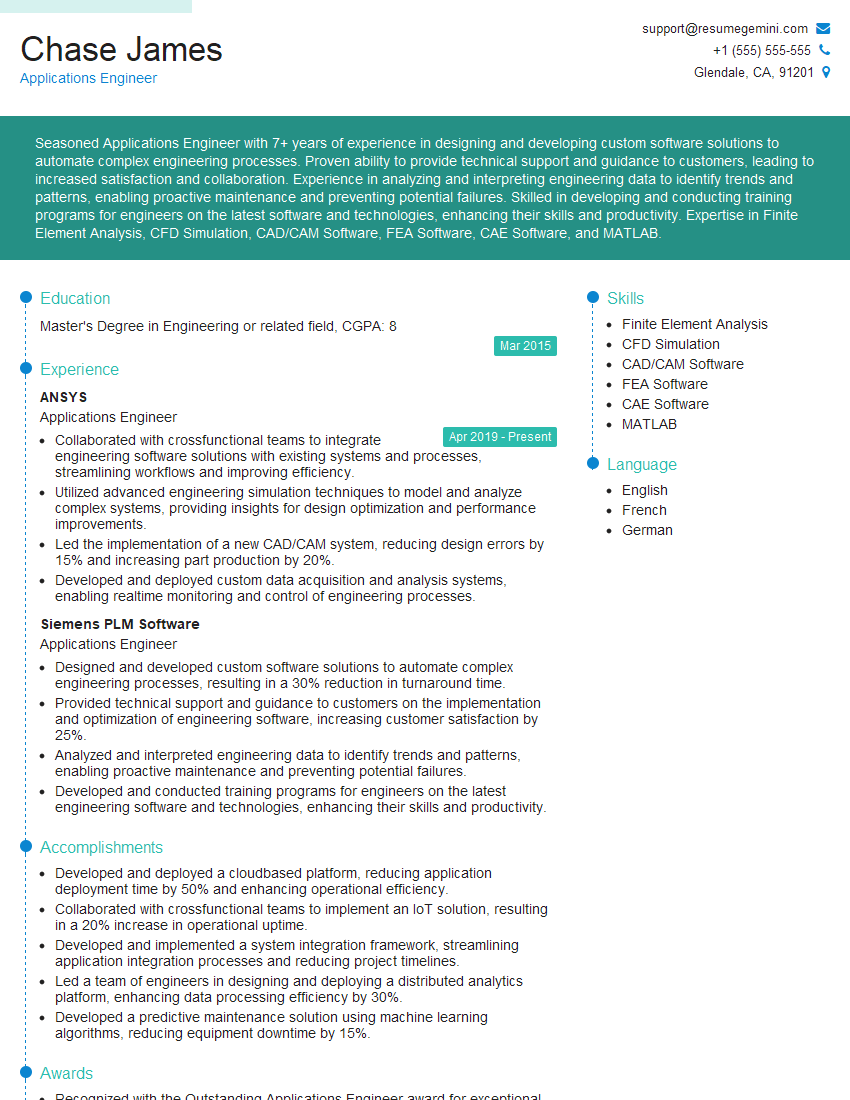
Applications Engineer Resume Sample

Automation Engineer Resume Sample

Firmware Engineer Resume Sample

Test Engineer Resume Sample

Design Engineer Resume Sample

Electronics Engineer Resume Sample

Hardware Engineer Resume Sample

Validation Engineer Resume Sample

Robotics Engineer Resume Sample
Explore more articles
Users Rating of Our Blogs
Share Your Experience
We value your feedback! Please rate our content and share your thoughts (optional).
What Readers Say About Our Blog
Very informative content, great job.
good