Are you ready to stand out in your next interview? Understanding and preparing for Skilled in troubleshooting and resolving technical issues interview questions is a game-changer. In this blog, we’ve compiled key questions and expert advice to help you showcase your skills with confidence and precision. Let’s get started on your journey to acing the interview.
Questions Asked in Skilled in troubleshooting and resolving technical issues Interview
Q 1. Describe your approach to troubleshooting a complex technical issue.
My approach to troubleshooting complex technical issues follows a structured, systematic methodology. I liken it to detective work: you need to gather evidence, form hypotheses, and test them rigorously. It begins with a clear understanding of the problem. This involves asking clarifying questions to the user or observing the issue myself. I then systematically gather information, checking logs, monitoring system performance, and examining relevant configuration files. This data helps me identify potential root causes. I then formulate hypotheses about the cause of the problem based on this information. These hypotheses are then tested through controlled experiments. This might involve modifying configurations, running specific commands, or isolating components. Each test provides further clues, helping to refine my hypotheses and pinpoint the problem’s source. Once the problem is identified, I implement a solution, rigorously testing to ensure the fix is effective and doesn’t introduce new issues. Finally, I document the entire process, including the problem, the steps taken, and the solution, for future reference and knowledge sharing.
For example, if a web application is experiencing slow response times, I wouldn’t immediately start replacing servers. I’d first check server logs for errors, monitor CPU and memory usage, analyze network traffic, and investigate database query performance. This systematic approach helps prevent unnecessary changes and ensures an effective solution.
Q 2. Explain the difference between reactive and proactive troubleshooting.
Reactive troubleshooting addresses problems *after* they occur, while proactive troubleshooting aims to prevent problems *before* they arise. Reactive troubleshooting is like putting out fires – you react to the immediate crisis. This often involves diagnosing symptoms, finding a quick fix, and restoring service. Proactive troubleshooting, conversely, is about fire prevention. It involves regular system checks, monitoring, and preventative maintenance to reduce the likelihood of issues happening.
Think of it like car maintenance: reactive troubleshooting is like fixing a flat tire after it happens; proactive troubleshooting is like regularly checking your tire pressure and ensuring your car is properly serviced to prevent flats in the first place. While both are important, a strong focus on proactive measures significantly reduces the need for reactive intervention and improves system stability and uptime.
Q 3. What tools and techniques do you use for remote troubleshooting?
Remote troubleshooting relies heavily on a combination of tools and techniques. Key tools include remote desktop software (like TeamViewer or AnyDesk) to control the affected system directly. I also utilize secure shell (SSH) for command-line access, allowing me to diagnose and resolve issues without a graphical interface. Monitoring tools like Nagios or Zabbix provide real-time system performance data, helping identify bottlenecks or anomalies. Collaboration tools, such as Slack or Microsoft Teams, facilitate communication and knowledge sharing with the user or other team members. Techniques involve using log analysis tools to review system logs for error messages, running performance tests to pinpoint performance issues, and utilizing network monitoring tools to analyze network traffic for potential problems.
For instance, if a user is experiencing connectivity issues, I might use SSH to access their router and check its configuration. I’d concurrently use network monitoring tools to trace the network path to identify potential points of failure. Effective communication with the user, guiding them through simple tests, is crucial for narrowing down the problem.
Q 4. How do you prioritize multiple technical issues simultaneously?
Prioritizing multiple technical issues requires a systematic approach. I use a combination of factors to determine urgency and impact. First, I assess the impact – how many users are affected, how critical the service is, and the potential business consequences of the downtime. Second, I consider urgency – how quickly does the issue need to be resolved? Issues that are critical and immediately impacting many users are given top priority. I often use a ticketing system that allows assigning severity levels (e.g., critical, high, medium, low) and prioritizing based on those levels, combined with a first-in, first-out (FIFO) approach for issues of the same severity.
Imagine a scenario where one system is down completely, affecting hundreds of users, and another has a minor bug impacting only a few users. The completely down system is obviously the higher priority, even if the minor bug was reported first.
Q 5. How do you document your troubleshooting process?
Thorough documentation is essential for effective troubleshooting. My approach involves detailed records in a ticketing system. Each entry includes a timestamp, a clear description of the issue, the steps taken during the troubleshooting process, the root cause, and the final solution. Including relevant screenshots and log excerpts enhances the documentation’s value. This detailed record ensures consistent service and aids in training other team members. It also serves as a historical record, providing valuable insights for future analysis and preventing similar issues from reoccurring.
For example, if I resolve a network connectivity issue, I document the initial symptoms (e.g., ‘users unable to access the internet’), the steps I followed (e.g., ‘checked router configuration, pinged gateway, tested DNS resolution’), the identified cause (‘incorrect DNS settings’), and the solution (‘corrected DNS settings’). This provides a detailed record of the troubleshooting process.
Q 6. Describe a time you had to troubleshoot a problem outside your area of expertise.
I once had to troubleshoot a problem with our company’s VoIP phone system. While my expertise is primarily in network infrastructure, the VoIP system was experiencing intermittent call drops. The problem wasn’t readily apparent in the network logs. I collaborated with a colleague experienced in VoIP systems. By combining our skillsets, we systematically checked various components, from network latency and jitter to the VoIP server’s configuration and codec settings. We found that a recent firmware update on one of the VoIP phones had introduced a conflict causing the call drops. While I didn’t have in-depth VoIP knowledge, my systematic approach and willingness to collaborate led to a successful resolution. This experience highlighted the importance of teamwork and the value of approaching problems from different perspectives.
Q 7. How do you handle situations where a problem is difficult to reproduce?
Handling problems that are difficult to reproduce requires a methodical and patient approach. I begin by gathering as much information as possible about the conditions under which the problem occurs. This includes detailed user reports, timing information, system logs around the time the problem occurred, and any other relevant data. I then try to reproduce the problem using that information, systematically testing different scenarios. If direct reproduction fails, I focus on building a test environment that simulates the conditions under which the problem is reported to occur. This might involve setting up a virtual machine or creating a replica of the affected system. I may also use logging tools that capture more extensive data, such as detailed network traces or system call logs, to help identify the elusive issue. Finally, I consider if the problem could be intermittent and might require prolonged monitoring to capture its occurrence.
For example, if a user reports a random application crash, and I can’t reproduce it directly, I might set up logging to record detailed system events. I could also run memory leak detectors or other specialized tools that help to uncover intermittent errors.
Q 8. How do you determine the root cause of a technical issue?
Determining the root cause of a technical issue is like detective work. It requires a systematic approach, combining logical deduction with practical testing. I begin by gathering information: What are the symptoms? When did the problem start? What changes were made recently? This initial information gathering helps me define the scope of the problem.
Next, I use a process of elimination. I’ll start with the most likely causes based on my experience and the available information. I’ll test each hypothesis systematically, ruling out possibilities until I isolate the root cause. For example, if a server is unresponsive, I might first check network connectivity, then the server’s CPU and memory usage, and finally examine log files for errors. This methodical approach, often involving a ‘divide and conquer’ strategy, helps prevent me from wasting time chasing irrelevant leads.
Finally, once I’ve identified the root cause, I meticulously document my findings, including the steps taken, the results of each test, and the ultimate solution. This documentation is crucial for future troubleshooting and for sharing knowledge with my team.
Q 9. What is your process for escalating a technical issue?
My escalation process depends on the severity and urgency of the issue. For minor issues, I might first try to resolve them independently, leveraging internal knowledge bases or reaching out to colleagues for advice. However, for critical issues impacting users or services, I immediately escalate following a clear protocol.
My escalation typically involves:
- Initial Notification: I inform my supervisor or designated escalation point immediately, providing a concise summary of the problem, its impact, and any initial steps I’ve taken.
- Detailed Reporting: I provide comprehensive documentation, including logs, screenshots, and a step-by-step account of the troubleshooting process.
- Collaboration: I actively collaborate with the escalation team, providing regular updates and participating in joint troubleshooting efforts.
- Follow-up: After the issue is resolved, I follow up with all involved parties, ensuring that lessons learned are documented and shared to prevent similar problems in the future.
Clear communication and well-defined escalation paths are essential to ensure rapid resolution of critical problems and minimize disruption to users and services.
Q 10. How do you stay up-to-date on the latest troubleshooting techniques?
Staying current with troubleshooting techniques requires a multifaceted approach. I regularly attend industry conferences and webinars, focusing on emerging technologies and best practices. I actively participate in online communities and forums dedicated to troubleshooting and system administration. This allows me to learn from the experiences of others and share my own insights.
Furthermore, I subscribe to relevant technical publications and newsletters. I also make it a point to explore new tools and technologies, often experimenting with them in a controlled environment to understand their capabilities and limitations. This hands-on experience is invaluable in refining my troubleshooting skills.
Continuous learning is paramount in this field. The pace of technological change is rapid, and staying ahead of the curve requires dedication and a thirst for knowledge. Finally, I encourage knowledge sharing within my team through internal training sessions and documentation.
Q 11. Explain the concept of ‘binary search’ in troubleshooting.
Binary search is a powerful troubleshooting technique, especially when dealing with a large number of potential causes. It involves systematically eliminating half of the remaining possibilities at each step. Imagine you have a list of 100 potential causes. Instead of checking each one individually, you start by testing a point roughly in the middle.
If the test reveals the problem lies in the first half, you discard the second half and repeat the process with the first half. If the problem lies in the second half, you discard the first half and continue the process. With each test, you halve the number of possibilities until you isolate the root cause. This dramatically reduces troubleshooting time, particularly when dealing with complex systems.
Example: Let’s say a website is slow. You could use a binary search approach to narrow down the source by first checking if the problem is on the client-side (browser, network) or the server-side (database, application server). If the problem is on the server side, you would then further divide this into network issues, application issues, and database issues.
Q 12. Describe your experience with using diagnostic tools.
My experience with diagnostic tools is extensive. I’m proficient in using a wide range of tools depending on the system and the nature of the problem. For example, I regularly use network monitoring tools like Wireshark to capture and analyze network traffic, identifying bottlenecks or connectivity issues. For server troubleshooting, I use tools like top (Linux) or Task Manager (Windows) to monitor CPU usage, memory consumption, and disk I/O. Database-specific diagnostic tools help me pinpoint slow queries or data integrity problems. I’m also comfortable using debuggers to step through code and identify programming errors.
The choice of tool depends entirely on the context. I select the most appropriate tool for the task, understanding its strengths and limitations. I’m also adept at interpreting the output of these tools and translating the technical details into clear and concise explanations for non-technical stakeholders.
Q 13. What is your experience with log analysis for troubleshooting?
Log analysis is a cornerstone of my troubleshooting methodology. Log files provide a detailed record of system events, offering valuable clues about errors, performance issues, and security breaches. I’m skilled in parsing and interpreting various log formats, including those generated by web servers, databases, operating systems, and applications. I use powerful tools like grep, awk, and sed (on Linux/Unix systems) to search for specific patterns or anomalies within large log files.
For example, when investigating a website outage, I’d analyze the web server logs to identify any error messages or unusual patterns in access logs. Similarly, database logs can reveal the source of database performance problems. The ability to efficiently search, filter, and interpret log files is essential for identifying the root cause of complex issues and providing timely solutions.
Q 14. How do you use network monitoring tools to troubleshoot connectivity issues?
Network monitoring tools are indispensable when troubleshooting connectivity problems. I frequently use tools like ping, traceroute (or tracert on Windows), and nslookup to assess network connectivity and identify potential points of failure. Ping checks basic connectivity, traceroute shows the path a packet takes to reach a destination, highlighting any network hops with high latency or packet loss. nslookup helps verify DNS resolution.
More sophisticated tools, such as Wireshark, allow me to capture and analyze network traffic in detail. This allows me to investigate specific network protocols, identify dropped packets, and pinpoint the source of connectivity issues, such as incorrect network configurations or firewall rules. By combining these tools with a solid understanding of network protocols and architecture, I can effectively diagnose and resolve a wide range of connectivity problems.
Q 15. How do you handle user frustration during troubleshooting?
Handling user frustration during troubleshooting requires empathy, clear communication, and a structured approach. It’s crucial to remember that the user isn’t frustrated with you personally, but with the disruption to their workflow. My strategy involves:
- Active Listening: I start by letting the user fully explain their problem without interruption, showing genuine interest and understanding. This helps build rapport and validates their feelings.
- Empathetic Acknowledgement: I acknowledge their frustration explicitly, phrases like “I understand this is frustrating,” or “I apologize for the inconvenience” go a long way.
- Clear and Concise Communication: I avoid technical jargon and explain the troubleshooting steps in plain language, providing regular updates on progress. I use analogies to explain complex technical issues in simpler terms.
- Setting Realistic Expectations: I clearly communicate the estimated time required for resolution and manage expectations effectively. Transparency is key here; it’s better to overestimate than to underestimate.
- Regular Updates: I keep the user informed of my progress, even if it’s just to say I’m still investigating. This prevents them from feeling abandoned and keeps them in the loop.
- Following Up: After resolving the issue, I follow up to ensure everything is working as expected and to check for any lingering concerns.
For example, if a user is frustrated because their email isn’t sending, instead of immediately diving into technical details, I might start with, “I understand this is incredibly frustrating, not being able to send emails can really disrupt your day. Let’s figure out what’s going on.”
Career Expert Tips:
- Ace those interviews! Prepare effectively by reviewing the Top 50 Most Common Interview Questions on ResumeGemini.
- Navigate your job search with confidence! Explore a wide range of Career Tips on ResumeGemini. Learn about common challenges and recommendations to overcome them.
- Craft the perfect resume! Master the Art of Resume Writing with ResumeGemini’s guide. Showcase your unique qualifications and achievements effectively.
- Don’t miss out on holiday savings! Build your dream resume with ResumeGemini’s ATS optimized templates.
Q 16. How do you communicate technical information to non-technical users?
Communicating technical information to non-technical users necessitates simplifying complex concepts and using relatable analogies. I avoid jargon and technical terms as much as possible, opting instead for clear, concise language and visual aids. My approach involves:
- Analogies and Metaphors: I explain complex ideas using simple analogies. For example, explaining network latency using a traffic jam analogy.
- Visual Aids: Diagrams, charts, and screenshots can make complex processes easier to understand. A simple flowchart outlining the steps involved in a process can be highly effective.
- Plain Language: I use everyday language, avoiding technical jargon. If technical terms are unavoidable, I provide simple definitions.
- Breaking Down Information: I present complex information in smaller, digestible chunks, focusing on the most relevant details.
- Active Feedback: I regularly check for understanding, asking clarifying questions to make sure the user is grasping the information.
For example, instead of saying “The DNS server is unreachable,” I would say, “It’s like trying to find a house without an address; the computer can’t find the website because it can’t get the correct location information.”
Q 17. Describe a time you had to troubleshoot a critical system failure.
During my time at [Previous Company Name], our primary database server experienced a critical failure, resulting in a complete outage of our customer-facing application. This happened during peak hours, causing significant disruption and impacting thousands of users. My role was to lead the troubleshooting effort. Here’s how I approached the situation:
- Immediate Assessment: I quickly gathered information on the extent of the failure, identifying the affected systems and the impact on users.
- System Logs: I meticulously examined the server logs, focusing on error messages around the time of failure. This pinpointed a hardware issue – a failing hard drive causing a cascading effect.
- Collaboration: I coordinated with the database administrator, network engineers, and system administrators, leveraging their expertise to diagnose and address the problem.
- Failover Strategy: We quickly implemented our failover system, bringing a secondary database server online to minimize downtime. This minimized the disruption to users.
- Root Cause Analysis: Once the system was stable, we performed a comprehensive root cause analysis to identify the cause of the hard drive failure, implement preventative measures and update our disaster recovery plan.
This experience highlighted the importance of robust failover systems, regular system maintenance, and efficient communication during critical incidents. Learning from this experience improved our incident response plan and allowed us to prevent similar incidents in the future.
Q 18. How do you ensure data integrity during troubleshooting?
Ensuring data integrity during troubleshooting is paramount. My approach involves a multi-layered strategy focusing on prevention, backups, and careful execution. This includes:
- Backups: Regular backups are essential. Before attempting any troubleshooting steps, especially those involving changes to system configurations or data, I ensure a recent backup exists. This safeguards against data loss in case of unexpected issues.
- Version Control: For software troubleshooting, version control systems (like Git) are crucial. This allows me to revert to previous versions if changes cause further problems. I always commit changes with detailed descriptions, making it easier to track modifications.
- Testing in a Controlled Environment: If possible, I test potential solutions in a sandbox or test environment before applying them to the production system. This prevents accidental data corruption or service disruptions.
- Documentation: I meticulously document each troubleshooting step, including commands executed, configurations changed, and observed results. This aids in future debugging and helps build a knowledge base.
- Data Validation: After implementing a solution, I validate data integrity by checking for consistency, accuracy, and completeness. This might involve running database checks, comparing data against backups, or using data validation tools.
For example, before modifying a database schema, I create a full backup and then test my changes in a development environment before applying them to the production database.
Q 19. What is your experience with incident management processes?
I have extensive experience with incident management processes, following the ITIL framework. My experience includes:
- Incident Identification and Logging: I’m proficient in identifying, categorizing, and logging incidents using ticketing systems (e.g., Jira, ServiceNow).
- Incident Prioritization and Escalation: I effectively prioritize incidents based on impact and urgency, escalating issues to appropriate teams when necessary.
- Root Cause Analysis: I actively participate in post-incident reviews, conducting root cause analyses to prevent recurrence.
- Problem Management: I contribute to problem management activities, addressing underlying issues that lead to recurring incidents.
- Knowledge Management: I document troubleshooting steps and solutions, contributing to a knowledge base that can help resolve future incidents more efficiently.
In my previous role, I was instrumental in improving our incident response time by 30% through the implementation of a standardized incident management process and improved communication protocols.
Q 20. How do you use version control systems to troubleshoot code issues?
Version control systems (VCS), primarily Git, are indispensable for troubleshooting code issues. They provide a history of changes, allowing me to easily revert to previous versions if a change introduces a bug or exacerbates an existing problem.
- Rollback Functionality: If a new code change creates an issue, I can easily revert to a previous stable version using Git commands like
git reset --hard. This rapidly restores the system to a working state. - Code Comparison: I utilize Git’s diff functionality (
git diff) to compare different versions of code and identify the specific lines of code that introduced the bug. - Branching and Merging: I utilize branching to work on bug fixes or new features in isolation, minimizing the risk of impacting the main codebase.
- Collaboration: Git facilitates collaboration among developers. I use pull requests and code reviews to ensure code quality and prevent the introduction of bugs.
For instance, if a deployment introduces a critical bug, I can quickly identify the problematic commit, revert the change, and deploy a stable version. This process ensures minimal disruption to users.
Q 21. Describe your experience with debugging tools for different programming languages.
My experience with debugging tools spans several programming languages. I’m proficient in using debuggers and other tools for efficient troubleshooting.
- Python (pdb): Python’s built-in debugger (
pdb) allows me to step through code line by line, inspect variables, and set breakpoints to identify the exact point of failure.import pdb; pdb.set_trace()is a common command used. - Java (Eclipse Debugger): The Eclipse IDE provides a powerful debugger for Java, enabling me to debug applications, set breakpoints, and step through the execution flow.
- JavaScript (Chrome DevTools): Chrome DevTools is a comprehensive suite of tools for debugging JavaScript code in web browsers. It includes features such as breakpoints, variable inspection, and call stack analysis.
- C# (.NET Debugger): Visual Studio’s debugger allows detailed inspection of variables, threads, and memory during debugging C# applications.
- Log Analysis: Regardless of the language, analyzing log files is crucial for identifying errors and unusual behavior. Tools like
grep(Linux/macOS) are useful for filtering logs based on specific error messages.
These tools are crucial for efficiently identifying and fixing code defects. The selection of the tool depends on the programming language and development environment being used. I always start by carefully examining log files and then use the appropriate debugger to step through the code and analyze the program’s state at different points of execution.
Q 22. How do you identify and resolve performance bottlenecks?
Identifying and resolving performance bottlenecks requires a systematic approach. Think of it like diagnosing a sick patient – you need to gather clues, run tests, and isolate the problem before prescribing the cure. I begin by using monitoring tools to identify areas experiencing slowdowns. This could be high CPU utilization, slow database queries, or network latency.
Next, I’ll use profiling tools to pinpoint the exact source of the bottleneck. For example, if CPU usage is high, I might use a profiler to identify the specific processes or code segments consuming the most resources. Once the culprit is identified, I can then implement solutions. This might involve optimizing code, upgrading hardware, improving database indexing, or adjusting network configurations. For instance, if a specific database query is slow, I might optimize it by adding indexes or rewriting the query. If network latency is high, I may investigate network congestion or faulty hardware.
A real-world example: I once worked on a web application that experienced slow response times during peak hours. By using monitoring tools, I identified that database queries were the bottleneck. Through profiling, I pinpointed a poorly written query. Rewriting the query with appropriate indexes drastically improved performance.
Q 23. How do you use system monitoring tools to proactively identify potential issues?
Proactive issue identification relies heavily on system monitoring tools. I use a combination of tools depending on the system’s environment – from basic operating system utilities like top (Linux) or Task Manager (Windows) to more sophisticated solutions like Nagios, Zabbix, or Datadog. These tools allow me to set up alerts for key metrics. For instance, I might set an alert if CPU usage exceeds 90%, disk space drops below 10%, or network latency rises above a certain threshold.
These alerts provide early warnings of potential problems, allowing me to address them before they impact users. For example, if disk space is consistently low, I can investigate and address this before it leads to application crashes or data loss. Regularly reviewing these metrics, even without alerts, helps anticipate longer-term issues like impending hardware failures or resource exhaustion.
In one instance, using Zabbix to monitor server logs revealed a recurring error that only occurred during high traffic periods. This allowed me to proactively identify and fix a memory leak before it caused significant service disruptions.
Q 24. Explain your experience with security incident response.
My experience with security incident response involves a structured, multi-step process. It begins with containment – isolating the compromised system or network segment to prevent further damage. Next, I focus on eradication – removing the malicious software or vulnerability. After eradication, I initiate recovery – restoring the system to its pre-compromised state using backups. Finally, I conduct a post-incident review to identify the root cause, improve security practices, and prevent future incidents.
I have extensive experience with various incident response methodologies, including NIST Cybersecurity Framework and SANS Incident Handling process. A critical aspect is maintaining accurate logging and documentation throughout the entire process. In one instance, a phishing attack compromised employee credentials. By following a well-defined incident response plan, we were able to quickly contain the breach, identify and remove the malware, restore system access, and implement additional security measures like multi-factor authentication.
Q 25. How do you approach troubleshooting hardware issues?
Troubleshooting hardware issues is a methodical process starting with observation and gathering information. I begin by visually inspecting the hardware for any signs of physical damage. This might involve checking for loose cables, burned components, or any signs of overheating. Next, I run diagnostic tests – either built-in system tests or using external diagnostic tools. This helps identify specific failing components.
If a problem is suspected within a larger system, I would use modular approaches to isolate the faulty component through substitution and testing. For example, if a computer is not booting, I might try different RAM modules or power supplies to see if the issue is with the RAM or the PSU. Finally, I use the information gathered to order replacement components and reassemble the system.
For instance, a server was experiencing intermittent power failures. Through diagnostic tests and visual inspection, I discovered a failing power supply. Replacing the power supply quickly resolved the issue.
Q 26. What are some common causes of network connectivity problems?
Network connectivity problems are often caused by several factors. The most common issues are:
- Physical cable issues: Damaged or loose cables are a frequent culprit. This involves checking for correct cable connections and any physical damage to the cables.
- Incorrect network configuration: Misconfigured IP addresses, subnet masks, or default gateways can prevent devices from communicating.
- Router or switch problems: Faulty routers or switches can disrupt network communication, so testing these devices is crucial.
- Firewall or security software issues: Firewalls or security software can block network traffic, requiring configuration adjustments.
- DNS resolution problems: Inability to resolve domain names into IP addresses can prevent access to websites or network resources.
- Network congestion: Excessive network traffic can cause slowdowns or connection drops.
Troubleshooting these involves systematically checking each potential cause, starting with the simplest solutions (like checking cables) and progressing to more complex issues (like analyzing network traffic).
Q 27. Describe your experience with cloud-based troubleshooting techniques.
Cloud-based troubleshooting presents unique challenges and opportunities. The distributed nature of cloud environments requires different approaches compared to on-premise systems. I utilize cloud-provider-specific monitoring tools, such as CloudWatch (AWS), Stackdriver (Google Cloud), or Azure Monitor. These tools provide detailed insights into resource utilization, performance metrics, and application logs. They are essential in identifying bottlenecks, errors, and security issues.
Cloud environments also offer features like auto-scaling, load balancing, and disaster recovery, which can significantly simplify troubleshooting. For example, if a specific instance is failing, auto-scaling can automatically spin up a new instance to maintain service. In addition, logging and tracing tools are crucial in cloud environments to monitor requests and identify the source of problems quickly. These tools often provide distributed tracing, helping to track requests across multiple services and identify points of failure.
In one project, using CloudWatch logs, I quickly discovered that an increase in database latency was directly correlated with the scaling of a specific microservice. This led to optimizing that service’s database interactions, significantly improving overall system performance.
Q 28. How do you manage your time effectively when faced with multiple urgent issues?
Managing multiple urgent issues requires a structured approach. I prioritize using a combination of urgency and impact analysis. I use a matrix to rank issues based on their severity and the potential consequences of not resolving them immediately. This allows me to focus on the most critical issues first.
I employ time-management techniques such as time blocking and the Pomodoro Technique to allocate specific time slots for working on different issues. I also leverage collaborative tools to communicate effectively with other team members and share the workload, allowing us to tackle multiple problems concurrently. Clear communication is paramount. I utilize tools such as ticketing systems to document each issue and track progress transparently across the team.
In a past situation, our production system experienced multiple concurrent outages. Using a prioritization matrix, we tackled the most critical issue first—restoring the core application functionality. Simultaneously, other team members addressed less critical issues. Clear communication and effective collaboration ensured a rapid resolution to all problems.
Key Topics to Learn for “Skilled in Troubleshooting and Resolving Technical Issues” Interview
- Systematic Troubleshooting Methodologies: Understand and articulate different approaches like the top-down, bottom-up, or divide-and-conquer methods. Be prepared to explain your preferred method and why it’s effective.
- Log Analysis and Interpretation: Demonstrate your ability to read and interpret system logs (e.g., error logs, event logs) to identify the root cause of technical problems. Practice analyzing sample log files.
- Diagnostic Tools and Techniques: Familiarize yourself with common diagnostic tools relevant to your field (e.g., network monitoring tools, debugging tools, system monitoring dashboards). Be ready to discuss your experience with these tools.
- Problem-Solving Frameworks: Showcase your understanding of structured problem-solving frameworks, such as the 5 Whys or root cause analysis. Practice applying these frameworks to hypothetical scenarios.
- Communication and Collaboration Skills: Highlight your ability to clearly communicate technical issues to both technical and non-technical audiences. Explain how you collaborate with team members to resolve complex problems.
- Prioritization and Time Management: Discuss your approach to prioritizing multiple technical issues and managing your time effectively under pressure. Provide examples of situations where you successfully managed competing demands.
- Security Considerations: Demonstrate awareness of security implications related to troubleshooting and resolving technical issues. Discuss how you ensure data integrity and system security during the troubleshooting process.
Next Steps
Mastering troubleshooting and problem-solving skills is crucial for career advancement in any technical field. These skills demonstrate your ability to handle challenges effectively and contribute meaningfully to a team’s success. To significantly enhance your job prospects, creating a strong, ATS-friendly resume is vital. ResumeGemini is a trusted resource that can help you craft a professional resume that showcases your abilities effectively. We provide examples of resumes tailored to highlight expertise in troubleshooting and resolving technical issues, helping you present your skills in the best possible light.
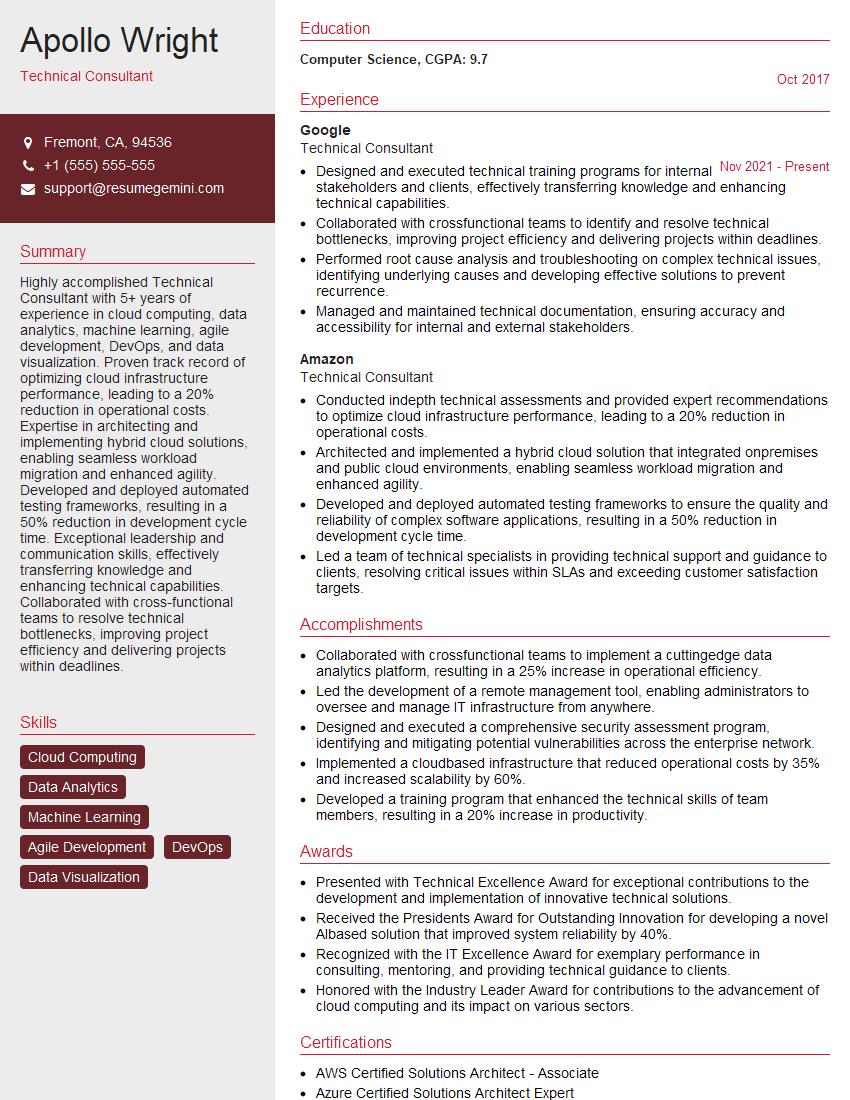
Technical Consultant Resume Sample

Data Analyst Resume Sample

Software Engineer Resume Sample

Network Engineer Resume Sample

Solutions Architect Resume Sample

Infrastructure Engineer Resume Sample

System Administrator Resume Sample

Technical Support Specialist Resume Sample

Help Desk Analyst Resume Sample
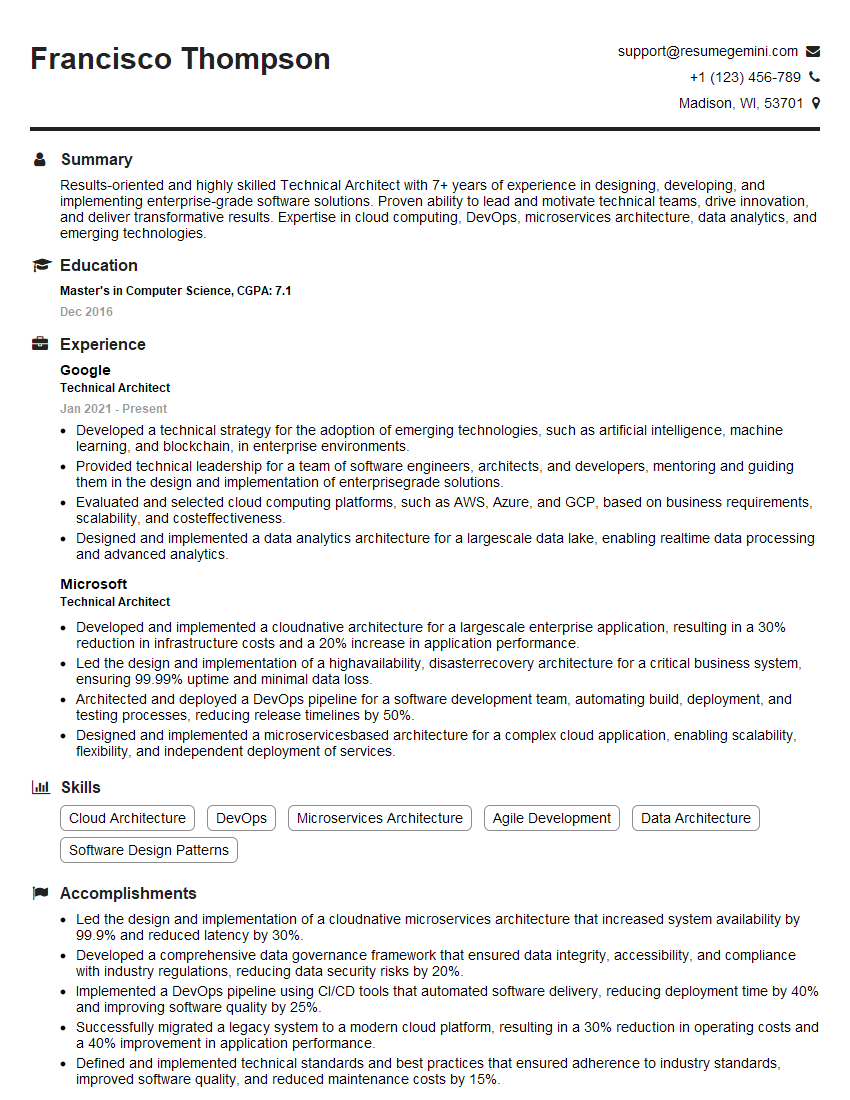
Technical Architect Resume Sample

IT Manager Resume Sample

IT Project Manager Resume Sample

Field Service Engineer Resume Sample

Quality Assurance Engineer Resume Sample

Technical Writer Resume Sample

Database Administrator Resume Sample

DevOps Engineer Resume Sample

Cloud Engineer Resume Sample

Cybersecurity Analyst Resume Sample
- Technical Consultant
- Data Analyst
- Software Engineer
- Network Engineer
- Solutions Architect
- Infrastructure Engineer
- System Administrator
- Technical Support Specialist
- Help Desk Analyst
- Technical Architect
- IT Manager
- IT Project Manager
- Field Service Engineer
- Quality Assurance Engineer
- Technical Writer
- Database Administrator
- DevOps Engineer
- Cloud Engineer
- Cybersecurity Analyst
Explore more articles
Users Rating of Our Blogs
Share Your Experience
We value your feedback! Please rate our content and share your thoughts (optional).
What Readers Say About Our Blog
Very informative content, great job.
good