Every successful interview starts with knowing what to expect. In this blog, we’ll take you through the top Control System Design using MATLAB/Simulink interview questions, breaking them down with expert tips to help you deliver impactful answers. Step into your next interview fully prepared and ready to succeed.
Questions Asked in Control System Design using MATLAB/Simulink Interview
Q 1. Explain the difference between open-loop and closed-loop control systems.
Imagine you’re steering a boat. In an open-loop system, you just set the rudder to a certain angle and hope for the best. There’s no feedback to tell you if you’re actually going where you want. The boat’s course is entirely determined by your initial input, regardless of wind or current. Mathematically, the output is solely a function of the input.
A closed-loop system, however, is like using a GPS and constantly adjusting your rudder based on your current position relative to your destination. You get feedback about your actual position and use it to correct your course. It’s a continuous process of comparing the desired output (destination) with the actual output (current position) and adjusting the input (rudder angle) accordingly.
In control system terms, open-loop systems lack feedback mechanisms, making them sensitive to disturbances. Closed-loop systems, also known as feedback systems, use feedback to correct errors and maintain desired performance despite disturbances. A thermostat controlling room temperature is a classic example of a closed-loop system.
Q 2. Describe the advantages and disadvantages of PID controllers.
PID controllers, short for Proportional-Integral-Derivative controllers, are widely used because they offer a robust and relatively simple way to control a system. They use three terms to adjust the control signal:
- Proportional (P): Responds to the current error (difference between desired and actual value). A larger error leads to a stronger corrective action. Think of it as instantly reacting to a deviation.
- Integral (I): Addresses accumulated errors over time. This eliminates steady-state errors, meaning the system will eventually reach the desired setpoint even with persistent disturbances. Imagine it as slowly catching up and making sure you get to the final destination.
- Derivative (D): Predicts future errors based on the rate of change of the current error. This anticipates future problems and reduces overshoot. Think of it as anticipating bumps in the road and adjusting steering.
Advantages: Relatively simple to implement and understand; effective for a wide range of systems; widely used and well-understood tuning methods exist.
Disadvantages: Can be susceptible to oscillations (overcorrection) if not properly tuned; requires careful parameter tuning to achieve optimal performance; the integral term can lead to windup (integral saturation) if the error is persistently large.
Q 3. How do you tune a PID controller using Ziegler-Nichols method?
The Ziegler-Nichols method is a simple yet effective way to empirically tune PID controllers. It involves two steps:
- Step 1: Ultimate Gain and Period Determination: Set the controller to purely proportional (Ki=Kd=0). Gradually increase the proportional gain (Kp) until the system starts sustained oscillations (limit cycle). Note the ultimate gain (Ku) – the Kp value at which oscillations begin – and the ultimate period (Tu) – the period of these oscillations.
- Step 2: PID Parameter Calculation: Based on Ku and Tu, use the following Ziegler-Nichols tuning rules to calculate the PID gains:
- P only: Kp = 0.5 * Ku
- PI: Kp = 0.45 * Ku, Ki = 1.2 * Ku / Tu
- PID: Kp = 0.6 * Ku, Ki = 1.2 * Ku / Tu, Kd = 0.075 * Ku * Tu
Note: This method provides a starting point; fine-tuning might be necessary to achieve optimal performance. It’s crucial to understand the system dynamics and the potential impact of the chosen tuning parameters. Simulations in MATLAB/Simulink are invaluable for testing and refining these parameters.
Q 4. Explain the concept of stability in control systems.
Stability in a control system means that the system’s output will settle to a steady state or a bounded region around a desired setpoint after a disturbance. An unstable system will have unbounded oscillations or diverge from the desired state. Think of balancing a pencil on its tip; a slight disturbance will cause it to fall (unstable). A stable system would be like a ball resting in a bowl – it might oscillate a little if disturbed, but it eventually settles back to the bottom (stable).
Mathematically, stability is analyzed using the system’s characteristic equation. If all the roots of this equation have negative real parts, the system is stable. If any root has a positive real part, the system is unstable. Roots with zero real parts indicate a marginally stable system, often exhibiting oscillations.
Q 5. What are the Routh-Hurwitz and Nyquist stability criteria?
Both the Routh-Hurwitz and Nyquist criteria are used to determine the stability of a control system, primarily based on its transfer function or characteristic equation. However, they use different approaches:
Routh-Hurwitz Criterion: A purely algebraic method. It involves creating a Routh array from the coefficients of the characteristic polynomial. The number of sign changes in the first column of this array indicates the number of roots with positive real parts. If there are no sign changes, the system is stable. It’s simple for polynomial equations, but analyzing high-order systems can be tedious.
Nyquist Criterion: A graphical frequency-domain method. It analyzes the Nyquist plot, which is a plot of the open-loop transfer function in the complex plane as the frequency varies from -∞ to +∞. The stability is determined by analyzing how the Nyquist plot encircles the critical point (-1, 0). The number of encirclements directly relates to the number of unstable poles of the closed-loop system. Nyquist is particularly useful for systems with time delays or uncertainties.
Q 6. Describe the role of transfer functions in control system analysis.
Transfer functions are mathematical models that describe the relationship between the input and output of a system in the Laplace domain (s-domain). They provide a concise representation of the system’s dynamic behavior. A transfer function is expressed as the ratio of the Laplace transform of the output to the Laplace transform of the input, assuming zero initial conditions. For instance, G(s) = Y(s)/U(s), where G(s) is the transfer function, Y(s) is the Laplace transform of the output, and U(s) is the Laplace transform of the input.
Transfer functions are fundamental in control system analysis because they allow us to:
- Analyze system stability: Determine if the system is stable or unstable based on the location of the poles (roots of the denominator) of the transfer function.
- Design controllers: Develop controllers to achieve desired system performance by manipulating the transfer function.
- Simulate system behavior: Predict the system’s response to various inputs using simulation tools like MATLAB/Simulink.
- Analyze system performance: Evaluate key metrics like overshoot, settling time, and steady-state error.
For example, a simple first-order system might have a transfer function like G(s) = 1/(τs + 1) where τ is the time constant.
Q 7. Explain the concept of Bode plots and their use in control system design.
Bode plots are a graphical representation of the frequency response of a system. They consist of two plots: a magnitude plot and a phase plot, both plotted against frequency on a logarithmic scale. The magnitude plot shows the gain (in dB) of the system at different frequencies, while the phase plot shows the phase shift (in degrees) at different frequencies.
Bode plots are essential in control system design because they allow us to:
- Analyze system stability: By examining the gain and phase margins, we can determine the system’s stability and robustness to variations in parameters or disturbances.
- Design controllers: Bode plots can help in designing compensators (e.g., lead, lag, or lead-lag compensators) to improve the system’s performance by shaping the frequency response.
- Analyze system robustness: Assess the sensitivity of the system to changes in the plant model or disturbances.
In MATLAB/Simulink, the bode command can easily generate Bode plots for a given transfer function. Analyzing these plots helps determine appropriate gain and phase margins to ensure stability, and identifying resonant frequencies which highlight problematic frequencies in a system’s response.
Q 8. How do you design a lead compensator or lag compensator?
Lead and lag compensators are used in control systems to improve transient response and steady-state error. They’re essentially filters that shape the system’s frequency response.
Lead Compensator: A lead compensator speeds up the system’s response by increasing the phase margin. It’s designed with a zero closer to the imaginary axis than its pole. The transfer function is of the form:
G_c(s) = K * (s + z) / (s + p)
where K is the gain, z is the zero, and p is the pole, with |z| < |p|. We choose z and p based on the desired improvement in phase margin. The gain K is adjusted to meet the overall system specifications. Imagine it as pushing the system along to react faster.
Lag Compensator: A lag compensator reduces the steady-state error by increasing the gain at low frequencies. It has a pole closer to the imaginary axis than its zero. The transfer function is:
G_c(s) = K * (s + z) / (s + p)
where |z| > |p|. The lag compensator's effect is more pronounced at low frequencies; you can think of it as subtly reinforcing the system's output over time to improve accuracy.
Design Process: The design often involves using root locus, Bode plots, or frequency response analysis in MATLAB to find suitable values for z, p, and K that achieve the desired performance, such as a specific phase margin or settling time. Often, this is iterative.
Example: In a robotic arm control system, a lead compensator might be employed to make the arm move more quickly to a target position, while a lag compensator could be added to ensure the arm doesn't overshoot or oscillate excessively and maintains accuracy.
Q 9. What are state-space representations and their advantages?
A state-space representation describes a system using its internal states, inputs, and outputs. It's represented by a set of first-order differential equations:
ẋ = Ax + Bu
y = Cx + Du
where:
xis the state vector (internal variables describing the system's condition).uis the input vector.yis the output vector.Ais the state matrix.Bis the input matrix.Cis the output matrix.Dis the direct transmission matrix (often zero).
Advantages:
- Handles multi-input, multi-output (MIMO) systems easily: Unlike transfer functions, which can become cumbersome with multiple inputs and outputs, state-space representations elegantly handle complex systems.
- Nonlinear systems can be approximated: Linearization around an operating point allows analysis of nonlinear systems using the state-space framework.
- Suitable for modern control techniques: State-space provides a foundation for advanced control strategies like optimal control, model predictive control, and Kalman filtering.
- Intuitive representation: The states often have a direct physical interpretation, making it easier to understand the system's dynamics.
Example: A quadcopter's state-space representation could include its position, velocity, and orientation angles as states, with motor commands as inputs, and sensor measurements as outputs. This allows for precise control over its flight.
Q 10. Explain the concept of controllability and observability.
Controllability: A system is controllable if it's possible to bring any initial state to any desired final state within a finite time by applying appropriate inputs. Think of it as being able to steer the system wherever you want. In the state-space representation, controllability is determined by the controllability matrix:
Qc = [B AB A^2B ... A^(n-1)B]
where n is the number of states. The system is controllable if the rank of Qc is equal to n.
Observability: A system is observable if its internal states can be determined from its outputs. Imagine having enough sensors to fully understand the system's internal workings. Observability is checked using the observability matrix:
Qo = [C; CA; CA^2; ...; CA^(n-1)]
The system is observable if the rank of Qo is equal to n.
Example: In a chemical reactor, if we lack sensors to measure crucial internal parameters like temperature or pressure, the system might be uncontrollable or unobservable, making it difficult to maintain the desired conditions or detect anomalies.
Q 11. Describe different techniques for system identification.
System identification is the process of determining a mathematical model of a system from experimental data. Several techniques exist, each with strengths and weaknesses:
- Step Response: A simple method where a step input is applied, and the system's output is recorded. The model parameters are then estimated by fitting a model to the data. Suitable for low-order systems.
- Frequency Response: The system's response to sinusoidal inputs at different frequencies is measured. The resulting Bode plot can be used to identify the system's transfer function. Good for analyzing the system's behavior at different frequencies.
- Impulse Response: The system's response to an impulse input is measured and used to estimate the system's transfer function or state-space model.
- Correlation Analysis: Used when the input signal is random or not well-defined. This technique analyzes the correlation between input and output signals to identify the system characteristics.
- Parameter Estimation (e.g., least squares): These techniques use optimization algorithms to find model parameters that best fit the experimental data. They are commonly used in conjunction with other methods.
MATLAB Tools: MATLAB provides several System Identification Toolboxes to assist with these processes, offering advanced algorithms and visualization tools.
Example: In automotive applications, system identification is used to build models of vehicle dynamics based on experimental data from test tracks. This data helps design and tune control algorithms for stability, braking, and other crucial functions.
Q 12. How do you model nonlinearities in control systems?
Nonlinearities are inherent in many real-world systems. Modeling them accurately is crucial for reliable control system design.
- Piecewise Linearization: The nonlinearity is approximated by a series of linear segments. This simplifies analysis but can lose accuracy if the segments are not finely chosen.
- Describing Functions: Used for analyzing systems with nonlinear elements in feedback loops. It replaces the nonlinearity with an equivalent linear gain that depends on the amplitude of the input.
- Nonlinear State-Space Models: These models directly represent the nonlinearities in the state equations. They are usually more accurate but are often harder to analyze.
- Lookup Tables: Empirical data from experimental measurements can be stored in a lookup table, providing a representation of the nonlinearity.
- Polynomial Approximations: Nonlinearities can be approximated by Taylor series expansions or other polynomial representations.
Example: Modeling a robotic arm's joint friction using a nonlinear function that accounts for stiction and viscous friction is more accurate than a simplified linear model. This impacts the controller design to ensure smooth and precise motion.
Q 13. Explain your experience with Simulink's various blocks (e.g., integrators, differentiators, transfer function blocks).
I have extensive experience using Simulink's various blocks for control system modeling and simulation. Simulink provides a graphical environment that accelerates the design and testing of control systems. Some key blocks I regularly use include:
- Integrators: These blocks model the integration of signals, which is essential for representing the dynamics of many systems. They are fundamental in representing plant dynamics and controller structures.
- Differentiators: These blocks compute the derivative of a signal, but their use is often limited due to noise sensitivity. I typically employ filters to mitigate noise before differentiation.
- Transfer Function Blocks: These blocks directly represent systems using transfer functions. They provide a simple way to incorporate linear system models into simulations.
- Gain Blocks: These are used to scale signals, which is essential for tuning controllers.
- Sum Blocks: These blocks allow for addition and subtraction of signals, which are fundamental operations in feedback control.
- Scope Blocks: These blocks display simulation results, offering valuable insights into system behavior.
- Signal Generators: These blocks produce different types of input signals, such as step, sinusoidal, or ramp inputs, which are essential for analyzing a system's response.
I understand the importance of properly configuring block parameters and connecting them accurately to build accurate and reliable simulations. I regularly use subsystems to modularize complex models.
Q 14. How do you use Simulink for system simulation and analysis?
Simulink is invaluable for system simulation and analysis. I utilize it in several ways:
- Model Creation: I build block diagrams that represent the system's dynamics, including the plant model and the controller.
- Simulation Runs: I run simulations with various inputs and parameter values to evaluate system performance. This allows testing before implementing the controller in real hardware.
- Analysis of Simulation Results: I analyze simulation results using scopes, data logging, and MATLAB scripting to evaluate metrics such as settling time, overshoot, steady-state error, and frequency response. This helps to fine-tune the controller for optimal performance.
- Linearization: I use Simulink's linearization capabilities to generate linear models of nonlinear systems, which simplifies analysis and controller design.
- Closed-Loop Simulation: I create closed-loop models to verify the performance and stability of control systems.
- Testing Different Control Strategies: Simulink enables testing various controller designs (PID, state feedback, etc.) quickly and efficiently before final hardware implementation.
Example: When designing a temperature control system for an oven, I would use Simulink to model the oven's thermal dynamics, design a PID controller, and simulate the closed-loop response to various temperature setpoints and disturbances. This allows me to verify performance and stability before implementation.
Q 15. How do you handle saturation and limitations in Simulink models?
Saturation and limitations are crucial aspects of real-world systems that must be accurately represented in Simulink models to avoid unrealistic simulations and ensure robust controller designs. We handle them using several techniques.
Saturation Blocks: Simulink offers dedicated saturation blocks that limit the output signal to a specified range. For example, a motor might have a maximum torque limit. Using a saturation block ensures the simulated torque doesn't exceed this physical limitation, leading to a more realistic simulation.
Rate Limiters: Actuators often have limitations on how quickly they can change their output. A rate limiter block prevents unrealistic jumps in the control signal, modelling the physical limitations of the actuator more faithfully. Imagine a robotic arm: it can't instantly change its position; there's a speed limit involved.
Anti-Windup Mechanisms: Integral action in controllers can lead to integrator windup when the actuator saturates. This happens because the integrator continues to accumulate error even when the actuator is at its limit. Anti-windup schemes, like those implemented with specialized blocks or custom code, prevent this, improving controller performance. Think of it like trying to fill a cup that's already full - the excess water just spills. Anti-windup prevents this spillover effect in your controller.
Backlash Blocks: In mechanical systems, backlash (play in the gears) introduces non-linearity. We can simulate this using a backlash block to capture the impact on the system's response. This creates more accurate simulations of real-world mechanical systems.
By strategically incorporating these blocks, we create Simulink models that accurately represent real-world constraints, improving the reliability and realism of the simulation.
Career Expert Tips:
- Ace those interviews! Prepare effectively by reviewing the Top 50 Most Common Interview Questions on ResumeGemini.
- Navigate your job search with confidence! Explore a wide range of Career Tips on ResumeGemini. Learn about common challenges and recommendations to overcome them.
- Craft the perfect resume! Master the Art of Resume Writing with ResumeGemini's guide. Showcase your unique qualifications and achievements effectively.
- Don't miss out on holiday savings! Build your dream resume with ResumeGemini's ATS optimized templates.
Q 16. Explain your experience using Simulink's debugging tools.
Simulink's debugging tools are invaluable for identifying and resolving issues in complex models. My experience encompasses using several key features:
Data Inspection: I frequently use scopes and data displays to visualize signals at different points in the model. This allows for immediate identification of unexpected behavior, such as oscillations or saturation.
Signal Routing and Probes: Probes allow inserting diagnostic points without altering the model's structure. This simplifies the process of examining specific signals or parameters throughout the simulation.
Breakpoints and Stepping: Simulink's debugger lets you pause the simulation at specific points, step through the execution, and examine variable values. This is crucial for pinpointing the source of errors in complex logic.
Simulation Data Inspector: This tool offers powerful post-processing capabilities. We can visualize simulation results, analyze data trends, and perform more in-depth debugging after the simulation is complete. This allows for the study of long-term effects and less apparent issues.
Model Advisor: This is a great tool to check the model's integrity and find potential problems before they occur during simulation, improving overall simulation performance and reliability.
Through a combination of these techniques, I can effectively debug models, ranging from simple feedback loops to complex multi-rate systems, ensuring the accuracy and stability of my simulations.
Q 17. How do you generate code from Simulink models?
Generating code from Simulink models is a critical step in transitioning from simulation to implementation on embedded hardware. I've used Simulink Coder extensively for this purpose. The process involves several key steps:
Model Configuration: Proper model configuration is paramount. This involves setting parameters such as the target hardware, code generation settings, and optimization options. We need to select the appropriate solver and adjust other options for optimal code quality.
Code Generation: Once the model is configured, Simulink Coder generates C/C++ code. This code represents the functionality of the Simulink model. We can also use HDL coder for generating VHDL or Verilog codes for FPGA based implementations.
Code Verification: Thorough code verification is essential. This often involves comparing the generated code's behavior with the original Simulink model's behavior through techniques such as execution on a desktop or dedicated hardware.
Integration with Embedded Systems: The generated code is then integrated into the target embedded system. This typically involves using an appropriate Real-Time Workshop environment to deploy and test the code on the hardware platform.
I've successfully generated code for various targets, including microcontrollers and DSPs, employing best practices to ensure code efficiency, readability, and robustness. The use of automated code generation significantly accelerates development time and reduces the risk of manual coding errors.
Q 18. Describe your experience with real-time testing and implementation using Simulink.
Real-time testing and implementation using Simulink are crucial for validating controller performance in a realistic environment before deployment. My experience includes:
Rapid Prototyping: I've used Simulink Real-Time™ to rapidly prototype and test control systems on real hardware. This allows for validation of the controller's performance in a more realistic context.
Hardware-in-the-Loop (HIL) Simulation: I have extensive experience with HIL testing, where a real-time Simulink model interacts with a real physical system, or a high-fidelity simulation of it. This enables the testing of a controller under realistic conditions, without risking damage to the actual hardware.
Target Selection: Choosing the appropriate target hardware (e.g., dSPACE, National Instruments) based on project requirements is a critical initial step. This considers factors such as processing power, I/O capabilities, and real-time performance.
Data Acquisition: I've used various data acquisition tools to collect real-time data from both the model and the physical system, enabling detailed analysis and validation of the controller's performance.
For example, in a project involving the control of a robotic arm, we used HIL simulation to test the controller's responsiveness and robustness to disturbances without risking damage to the expensive robotic arm hardware.
Q 19. What is your experience with Model-in-the-Loop (MIL), Software-in-the-Loop (SIL), and Hardware-in-the-Loop (HIL) simulation?
Model-in-the-Loop (MIL), Software-in-the-Loop (SIL), and Hardware-in-the-Loop (HIL) simulations are integral parts of the verification and validation process for embedded systems.
MIL (Model-in-the-Loop): MIL simulations verify the model's internal consistency and logic. It checks whether the model behaves as intended without the involvement of any physical or software components. This is the initial and relatively faster verification stage.
SIL (Software-in-the-Loop): SIL simulations test the generated code's behavior in a simulated environment. It verifies that the generated code from the model performs correctly before running on the actual hardware. This ensures code integrity and correctness before deployment.
HIL (Hardware-in-the-Loop): HIL simulations test the entire system – controller software running on the target hardware – interacting with a simulated plant model. This is the most comprehensive verification phase. It involves interaction with the hardware, allowing more realistic simulation of real world effects.
I have extensive experience with all three types of simulation. I understand the strengths and limitations of each and tailor the approach to match project specific needs and resources. The combination ensures rigorous testing and validation across different levels of the development process.
Q 20. Explain your experience with different Simulink toolboxes (e.g., Control System Toolbox, Stateflow).
I've worked extensively with several Simulink toolboxes:
Control System Toolbox: This is my primary toolbox for designing and analyzing control systems. I regularly use its functions for linear system analysis, controller design (PID, LQR, H∞), and system identification. For example, I’ve extensively used the
sisotoolfor the design and tuning of PID controllers.Stateflow: Stateflow allows for modeling complex event-driven systems using state machines and flow charts. I've utilized it to create control logic with intricate decision-making processes, for example in hybrid systems incorporating discrete events and continuous dynamics. This is especially useful for modeling complex control algorithms or systems with discrete states.
Simulink Real-Time: As mentioned earlier, I have significant experience in real-time simulation and testing using this toolbox.
Simscape: I've used Simscape for modeling physical systems, like hydraulic or mechanical systems, which are integrated with the control system models for more realistic simulations.
The proficiency in these toolboxes allows me to build comprehensive and accurate simulations that capture the complexities of real-world systems.
Q 21. How do you deal with model complexity and maintainability in Simulink?
Maintaining model complexity and ensuring maintainability in Simulink are crucial, especially in large-scale projects. My approach is multifaceted:
Modular Design: Breaking down the model into smaller, well-defined subsystems simplifies both development and maintenance. Each subsystem should have a specific function, making it easier to understand, debug, and modify. This facilitates better code reuse and simplifies the validation process.
Consistent Naming Conventions: Employing a consistent and descriptive naming convention for blocks, signals, and parameters enhances readability and understanding. This makes it significantly easier for collaboration and knowledge transfer.
Extensive Comments and Documentation: Adding comprehensive comments to explain the functionality of different parts of the model is crucial for long-term maintainability. This includes documenting assumptions, design choices, and any limitations. Version control and regular updates are also important.
Model Referencing and Libraries: Creating reusable model blocks (subsystems) as libraries promotes modularity and consistency across multiple models. This reduces redundancy and speeds up development.
Data Logging and Analysis: Strategically placed data logging helps monitor the model's behavior over time. This provides valuable information for debugging and analysis, and aids in troubleshooting any unexpected results.
By consistently implementing these strategies, I create Simulink models that are not only functional but also easily understood, maintained, and adapted to future requirements, thus minimizing development time and costs.
Q 22. Describe your experience with different control strategies (e.g., predictive control, adaptive control).
My experience encompasses a wide range of control strategies, going beyond the basic PID controllers. I've extensively worked with predictive control, specifically Model Predictive Control (MPC), which excels in handling constrained systems and predicting future behavior. In MPC, a model of the system is used to predict the future output, and an optimization algorithm determines the optimal control actions to minimize a cost function over a prediction horizon. I've used MPC in applications such as trajectory tracking for robotic manipulators, where precise control despite uncertainties is crucial. I've also worked with adaptive control techniques, such as Model Reference Adaptive Control (MRAC) and Self-Tuning Regulators (STR). These are essential when dealing with systems with unknown or time-varying parameters. For instance, in a chemical process control, where parameters can change due to temperature fluctuations or catalyst degradation, adaptive control methods constantly adjust the controller parameters to maintain performance. I've found that employing adaptive controllers with robust estimators, like Kalman filters, significantly enhances their ability to handle uncertainties and maintain stability.
Example: In one project, I used MPC to control the temperature of a chemical reactor. By incorporating constraints on the maximum heating rate and the temperature limits, we ensured safe and efficient operation, even with variations in the feedstock properties. For a flight control system simulation, MRAC proved vital in compensating for the aerodynamic changes at various flight altitudes and speeds, maintaining stable flight regardless of unpredictable wind gusts.
Q 23. How do you handle uncertainties and disturbances in control system design?
Handling uncertainties and disturbances is paramount in real-world control system design. My approach involves a combination of robust control techniques and the use of disturbance observers. Robust control focuses on designing controllers that remain stable and perform well even in the presence of modeling errors or parameter variations. I frequently use H-infinity control, which minimizes the worst-case effect of disturbances and uncertainties on system performance. Furthermore, I incorporate techniques such as loop shaping to meet desired frequency response characteristics. Disturbance observers, on the other hand, actively estimate the disturbances affecting the system and compensate for them. The estimated disturbance is then used to generate a feedforward control signal, which helps to reduce the impact of the disturbance on the controlled output.
Example: Consider a robotic arm trying to track a trajectory. Uncertainties arise from friction, payload changes, and even slight variations in the arm's physical characteristics. To combat this, I might use an H-infinity controller to guarantee stability despite these uncertainties. Simultaneously, a Kalman filter could be employed to estimate the disturbances (e.g., friction forces), improving tracking precision. This combined approach is crucial to create a robust and accurate control system for the robot.
Q 24. Explain your experience with different optimization techniques used in control systems.
Optimization plays a central role in many advanced control strategies. My experience includes using linear programming (LP), quadratic programming (QP), and nonlinear programming (NLP) techniques. LP is useful for solving linear optimal control problems, often found in resource allocation problems. QP is commonly used in MPC formulations, where it efficiently solves the optimization problem to find optimal control inputs. I have extensively used QP solvers within MATLAB's optimization toolbox. NLP methods become essential when dealing with nonlinear systems and constraints, and I've utilized tools like fmincon in MATLAB for this purpose. Genetic algorithms and particle swarm optimization are also in my arsenal, particularly when dealing with complex, non-convex optimization landscapes which are difficult to solve using traditional gradient-based methods. These metaheuristic algorithms are very useful for finding near-optimal solutions in a reasonable amount of time.
Example: In an industrial process control, the optimization of energy consumption while maintaining product quality is a common challenge. I have used QP to find optimal control actions that minimize energy use while keeping the process variables within acceptable bounds. When tuning a PID controller, I frequently utilize genetic algorithms to search for the best combination of gain values that minimizes a cost function, such as the integrated absolute error (IAE).
Q 25. Describe your experience with various sampling methods and their effects on control systems.
Sampling methods are fundamental in digital control systems. The choice of sampling rate significantly impacts the performance and stability of the system. A high sampling rate, while providing better accuracy, increases computational burden and hardware costs. A low sampling rate can lead to instability or poor performance, especially for fast-dynamic systems. I'm experienced with various sampling techniques, including uniform sampling (the most common), and non-uniform sampling, where the sampling intervals vary. Non-uniform sampling may offer benefits in certain scenarios, such as event-triggered control, reducing computational load. I understand the effects of sampling on the frequency response of the system, particularly the aliasing phenomenon where high-frequency components can appear as low-frequency components after sampling. To mitigate aliasing, I use anti-aliasing filters (low-pass filters) before sampling. The selection of a proper sampling rate involves trade-offs between accuracy and computational efficiency. The Nyquist-Shannon sampling theorem guides this process, stating that the sampling frequency must be at least twice the highest frequency component present in the signal to avoid aliasing.
Example: In a motor control application, a fast sampling rate might be necessary to precisely track the desired motor speed, especially if the system is prone to sudden changes in load. However, in a slower temperature control system, a lower sampling rate might be sufficient, reducing the overall processing demand.
Q 26. How do you ensure robustness and reliability in your control system designs?
Robustness and reliability are central to my design philosophy. I use several strategies to achieve this: firstly, thorough modeling and analysis of the system; secondly, employing robust control techniques as mentioned earlier (H-infinity, loop shaping); thirdly, incorporating fault detection and isolation (FDI) mechanisms. FDI continuously monitors the system for anomalies and triggers appropriate responses (e.g., switching to a backup controller or shutting down the system safely). Furthermore, I always perform extensive simulations and testing under various operating conditions and disturbances, including worst-case scenarios to verify the system's robustness and stability. Redundancy is also considered; including backup controllers or sensors is a key reliability strategy. Formal methods, though computationally intensive, can help prove certain properties of the control system, such as stability under specific conditions. Finally, I adhere to strict coding standards and implement appropriate testing procedures throughout the development process to minimize errors and ensure system reliability.
Example: In an aircraft control system, redundancy in sensors and actuators is essential. If a sensor fails, the system should still be able to operate using other sensors, and similar redundancy needs to be implemented in the actuators. This is achieved using techniques such as voter systems that combine data from redundant sensors to mitigate potential failure and maintain stability.
Q 27. Explain your experience with verification and validation of control systems.
Verification and validation are crucial for ensuring the control system meets its requirements and functions correctly. Verification confirms that the system is built correctly according to its design specifications, while validation ensures that the system meets the intended requirements. My approach involves a combination of simulation-based testing, hardware-in-the-loop (HIL) simulation, and physical testing. Simulation-based testing involves creating detailed models of the system in Simulink and conducting extensive simulations to assess the controller's performance under a wide range of conditions. HIL simulation uses a real-time simulation environment to test the controller with a realistic model of the plant, creating a more realistic testing environment. Physical testing involves testing the controller on the actual physical system. I always document each step of the verification and validation process, including test plans, results, and any deviations from expectations. The goal is to identify any bugs or flaws early in the development cycle to reduce the time and cost associated with debugging and rework.
Example: In a recent project involving an autonomous vehicle, the control algorithms were rigorously tested via simulation, followed by HIL testing to verify accurate behavior under various conditions such as lane changes and obstacle avoidance. Finally, physical tests on a test vehicle ensured safety and adherence to specifications before deployment.
Key Topics to Learn for Control System Design using MATLAB/Simulink Interview
- Modeling and Simulation: Mastering the creation of accurate models of control systems within Simulink, including linear and non-linear systems. Understand how to analyze system behavior through simulation and identify potential issues early in the design process.
- Control System Design Techniques: Develop a strong understanding of various control design methods such as PID control, state-space design, and frequency response techniques. Be prepared to discuss the strengths and weaknesses of each approach and their application to different system types.
- Linearization and Analysis: Know how to linearize non-linear systems around operating points for analysis and design using MATLAB's linearization tools. Be comfortable with concepts like transfer functions, Bode plots, Nyquist plots, and root locus analysis.
- Controller Tuning and Optimization: Familiarize yourself with various controller tuning methods (e.g., Ziegler-Nichols, manual tuning) and optimization algorithms to achieve desired performance characteristics like stability, speed of response, and robustness.
- State-Space Representation and Control: Understand how to represent systems in state-space form and apply state-space control design techniques. Be familiar with concepts like controllability and observability.
- Digital Control Systems: Understand the principles of digital control and how to design and implement digital controllers in Simulink. Be familiar with concepts like sampling, quantization, and z-transforms.
- Practical Applications: Be prepared to discuss real-world applications of control system design in your chosen field. Examples could include robotics, automotive systems, aerospace applications, or process control. Highlight your experience with specific projects or case studies.
- Troubleshooting and Debugging: Develop your ability to identify and resolve issues in Simulink models and understand common sources of errors in control system design and implementation.
Next Steps
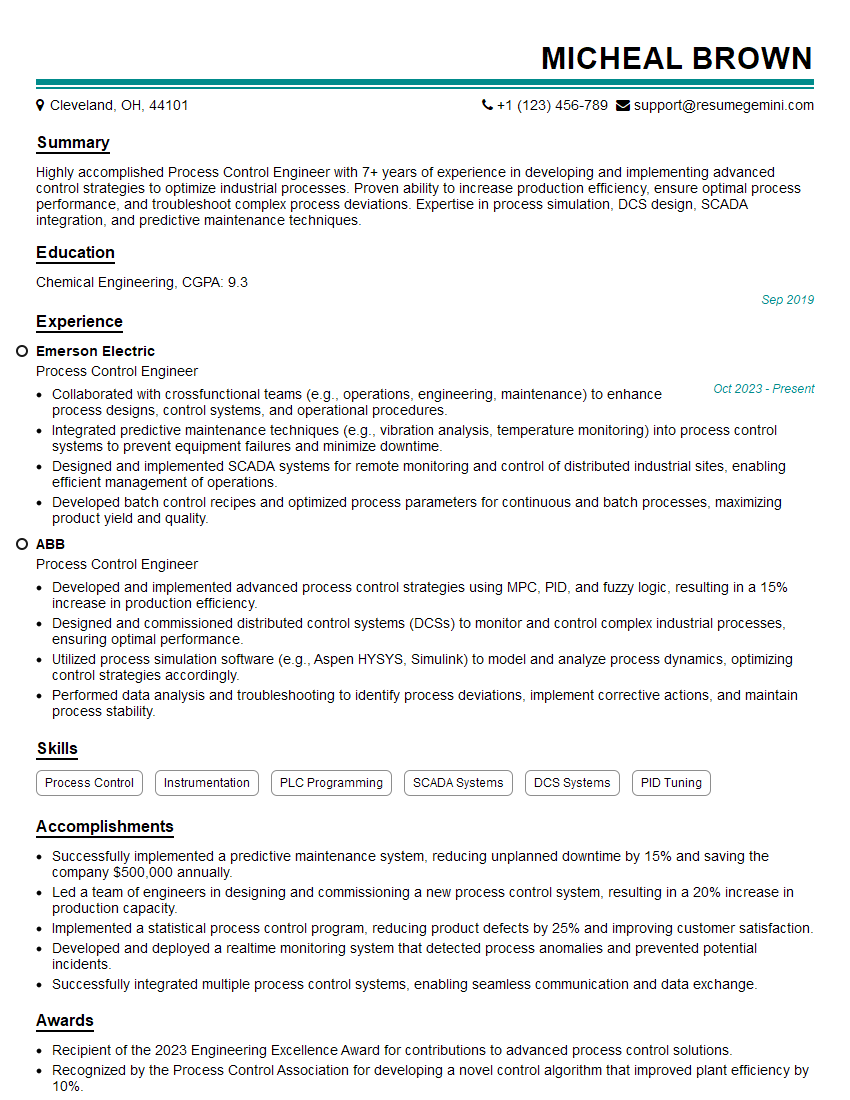
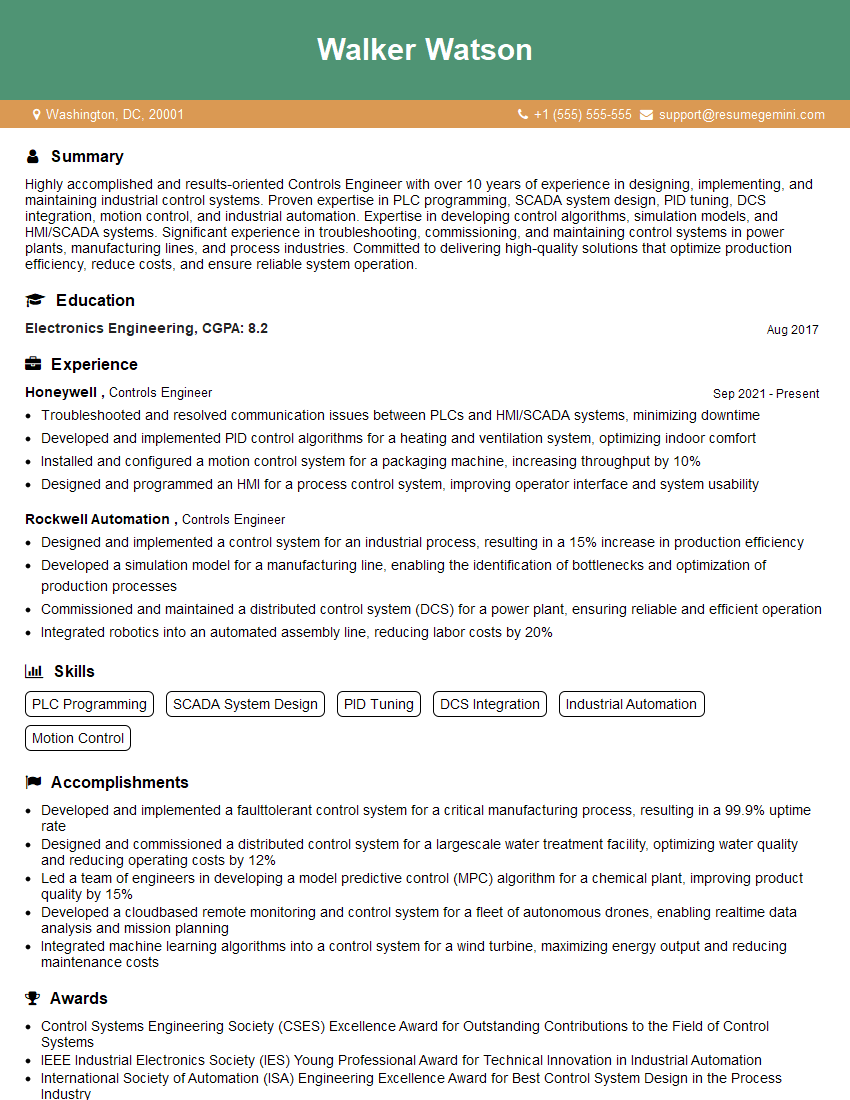
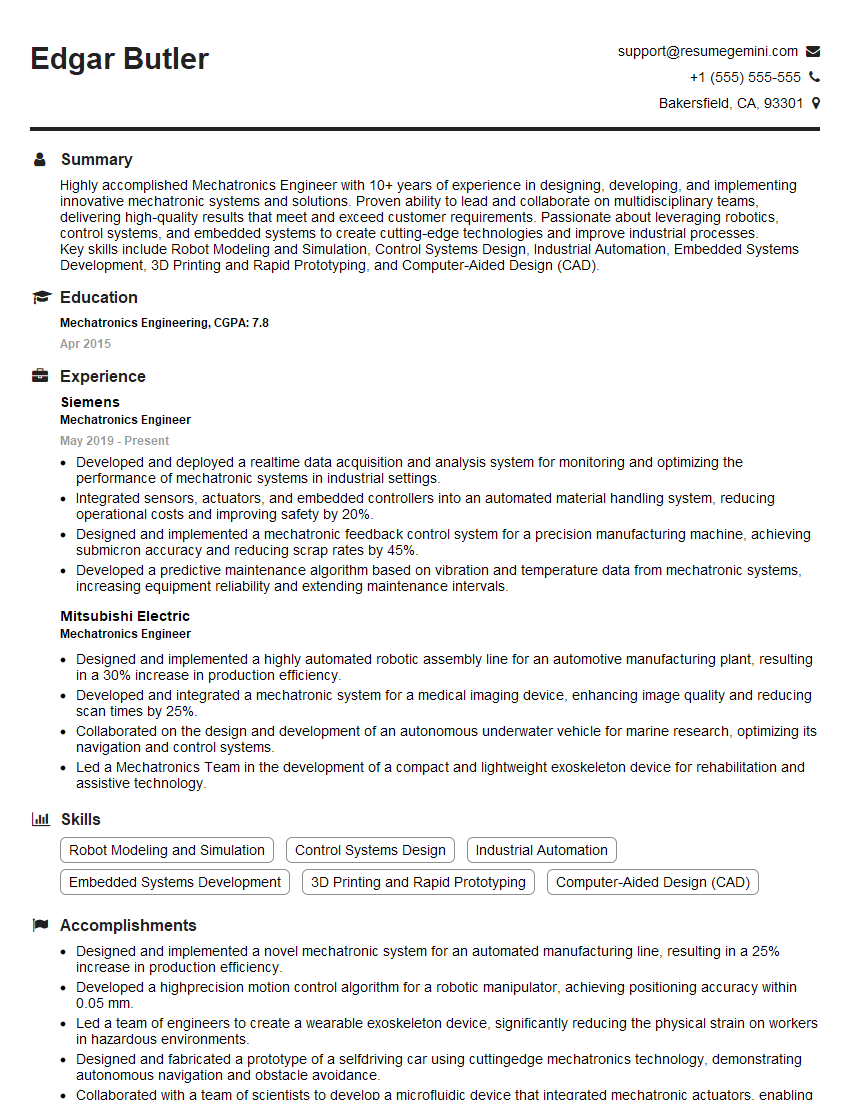
Mastering Control System Design using MATLAB/Simulink significantly enhances your career prospects in various engineering fields, opening doors to exciting and challenging roles. A strong foundation in these skills demonstrates technical proficiency and problem-solving abilities highly valued by employers. To maximize your job search success, creating an ATS-friendly resume is crucial. ResumeGemini is a trusted resource that can help you build a professional and impactful resume tailored to your specific skills and experience. Examples of resumes tailored to Control System Design using MATLAB/Simulink are available, showcasing how to effectively highlight your expertise to potential employers.



Explore more articles
Users Rating of Our Blogs
Share Your Experience
We value your feedback! Please rate our content and share your thoughts (optional).
What Readers Say About Our Blog
Hello,
we currently offer a complimentary backlink and URL indexing test for search engine optimization professionals.
You can get complimentary indexing credits to test how link discovery works in practice.
No credit card is required and there is no recurring fee.
You can find details here:
https://wikipedia-backlinks.com/indexing/
Regards
NICE RESPONSE TO Q & A
hi
The aim of this message is regarding an unclaimed deposit of a deceased nationale that bears the same name as you. You are not relate to him as there are millions of people answering the names across around the world. But i will use my position to influence the release of the deposit to you for our mutual benefit.
Respond for full details and how to claim the deposit. This is 100% risk free. Send hello to my email id: [email protected]
Luka Chachibaialuka
Hey interviewgemini.com, just wanted to follow up on my last email.
We just launched Call the Monster, an parenting app that lets you summon friendly ‘monsters’ kids actually listen to.
We’re also running a giveaway for everyone who downloads the app. Since it’s brand new, there aren’t many users yet, which means you’ve got a much better chance of winning some great prizes.
You can check it out here: https://bit.ly/callamonsterapp
Or follow us on Instagram: https://www.instagram.com/callamonsterapp
Thanks,
Ryan
CEO – Call the Monster App
Hey interviewgemini.com, I saw your website and love your approach.
I just want this to look like spam email, but want to share something important to you. We just launched Call the Monster, a parenting app that lets you summon friendly ‘monsters’ kids actually listen to.
Parents are loving it for calming chaos before bedtime. Thought you might want to try it: https://bit.ly/callamonsterapp or just follow our fun monster lore on Instagram: https://www.instagram.com/callamonsterapp
Thanks,
Ryan
CEO – Call A Monster APP
To the interviewgemini.com Owner.
Dear interviewgemini.com Webmaster!
Hi interviewgemini.com Webmaster!
Dear interviewgemini.com Webmaster!
excellent
Hello,
We found issues with your domain’s email setup that may be sending your messages to spam or blocking them completely. InboxShield Mini shows you how to fix it in minutes — no tech skills required.
Scan your domain now for details: https://inboxshield-mini.com/
— Adam @ InboxShield Mini
Reply STOP to unsubscribe
Hi, are you owner of interviewgemini.com? What if I told you I could help you find extra time in your schedule, reconnect with leads you didn’t even realize you missed, and bring in more “I want to work with you” conversations, without increasing your ad spend or hiring a full-time employee?
All with a flexible, budget-friendly service that could easily pay for itself. Sounds good?
Would it be nice to jump on a quick 10-minute call so I can show you exactly how we make this work?
Best,
Hapei
Marketing Director
Hey, I know you’re the owner of interviewgemini.com. I’ll be quick.
Fundraising for your business is tough and time-consuming. We make it easier by guaranteeing two private investor meetings each month, for six months. No demos, no pitch events – just direct introductions to active investors matched to your startup.
If youR17;re raising, this could help you build real momentum. Want me to send more info?
Hi, I represent an SEO company that specialises in getting you AI citations and higher rankings on Google. I’d like to offer you a 100% free SEO audit for your website. Would you be interested?
Hi, I represent an SEO company that specialises in getting you AI citations and higher rankings on Google. I’d like to offer you a 100% free SEO audit for your website. Would you be interested?
good