Every successful interview starts with knowing what to expect. In this blog, we’ll take you through the top Visual Thinking interview questions, breaking them down with expert tips to help you deliver impactful answers. Step into your next interview fully prepared and ready to succeed.
Questions Asked in Visual Thinking Interview
Q 1. Explain the core principles of visual thinking.
Visual thinking centers around leveraging the power of visual representations to process information, solve problems, and communicate ideas more effectively than relying solely on text or verbal communication. Its core principles revolve around:
- Simplification: Reducing complex information into easily digestible visual components. Think of breaking down a long paragraph into a flowchart.
- Pattern Recognition: Identifying trends and connections within data through visual cues like color-coding, charts, or diagrams. Imagine spotting a correlation in sales data using a bar graph.
- Spatial Reasoning: Using visual layouts to understand relationships and hierarchies. A mind map, for example, showcases how different ideas branch off from a central theme.
- Memory Enhancement: Visuals are better remembered than text, making them ideal for retaining complex information. A well-designed infographic is far more memorable than a dense paragraph of text.
- Communication Clarity: Visuals communicate across language barriers and cater to diverse learning styles, making information more accessible to a wider audience.
Q 2. Describe your experience using visual tools for problem-solving.
I’ve extensively used visual tools throughout my career to tackle complex problems. For instance, during a project involving the redesign of a company’s website, we initially struggled to understand user navigation patterns. By using user journey maps (a visual representation of a user’s interaction with a product), we could clearly see bottlenecks and areas for improvement. Another example involved resolving a conflict between different departments over project timelines. A Gantt chart, visually displaying task dependencies and deadlines, helped everyone immediately grasp the project’s critical path and potential conflicts, facilitating a constructive solution.
Q 3. How would you utilize visual thinking to communicate a complex data set?
Communicating a complex dataset visually depends on the nature of the data and the intended audience. I would begin by identifying the key takeaways and the story the data tells. Then, I’d select the appropriate visual tool:
- For showing trends over time: Line charts or area charts are effective.
- For comparing different categories: Bar charts, column charts, or pie charts are suitable.
- For showing relationships between variables: Scatter plots or correlation matrices could be used.
- For illustrating hierarchical relationships: Treemaps or dendrograms are excellent choices.
- For presenting a lot of data at once: Heatmaps or dashboards can be very useful.
Regardless of the tool chosen, clear labeling, concise titles, and a consistent color scheme are vital for effective communication. I would also consider the audience’s familiarity with different chart types and adapt my approach accordingly.
Q 4. What are some common visual thinking tools you’re proficient in?
My proficiency encompasses a wide range of visual thinking tools including:
- Mind Mapping: For brainstorming, idea generation, and organizing thoughts.
- Concept Mapping: For illustrating relationships between concepts and ideas.
- Flowcharts: For visualizing processes and workflows.
- Gantt Charts: For project management and scheduling.
- User Journey Maps: For understanding user experiences.
- Storyboarding: For visualizing narratives and sequences of events.
- Data Visualization Tools (e.g., Tableau, Power BI): For creating interactive dashboards and charts.
Q 5. Compare and contrast mind mapping and concept mapping.
Both mind mapping and concept mapping are powerful visual thinking tools, but they serve different purposes.
- Mind mapping is a radial, freeform technique ideal for brainstorming and idea generation. It centers around a core idea, with branching sub-topics radiating outwards. The focus is on capturing as many ideas as possible, without worrying about strict hierarchical structure.
- Concept mapping, in contrast, emphasizes the relationships between concepts. It uses a more structured approach, often employing boxes and connecting arrows to depict hierarchical links, cause-and-effect relationships, or other connections between ideas. The emphasis is on clarifying the connections and showing a logical flow between concepts.
Essentially, mind maps are great for exploration and brainstorming, while concept maps are better for explaining and organizing existing knowledge or complex ideas.
Q 6. How do you translate abstract ideas into visual representations?
Translating abstract ideas into visual representations requires a thoughtful approach. I start by breaking the abstract concept into smaller, more concrete components. Then, I select visual metaphors or symbols that represent those components. For example, if visualizing ‘innovation’, I might use images of a lightbulb, a puzzle piece coming together, or a rocket launching.
Color, shape, and spatial arrangement also play key roles. A warm color palette might signify excitement, while cool colors might convey calmness. The spatial arrangement can highlight hierarchy (e.g., the most important element positioned centrally) or connections between elements (e.g., using arrows to indicate causal links).
Iterative refinement is crucial. I often start with a rough sketch, then gradually refine it based on feedback and further analysis, ensuring the final visual accurately reflects the nuances of the abstract concept.
Q 7. Describe a situation where visual communication improved a project’s outcome.
During a product launch, our team faced challenges communicating the complex features of a new software application to potential clients. Initial presentations using text-heavy slides were met with confusion and limited engagement. We then switched to a storyboard approach, creating a visual narrative depicting different user scenarios and showcasing the software’s functionality step-by-step. This visual storytelling approach dramatically increased audience understanding and generated significant interest, ultimately leading to higher sales and increased client satisfaction.
Q 8. How do you adapt your visual approach based on your audience?
Adapting my visual approach hinges on understanding my audience’s prior knowledge, learning styles, and cultural background. For instance, a technical audience might appreciate detailed diagrams and flowcharts, while a less technical audience might benefit from simpler icons and metaphors. I consider factors like age, literacy levels, and even the context of the presentation (a formal board meeting versus an informal brainstorming session). I might use vibrant colors and bold visuals for a younger audience, while opting for a more subdued palette for a more mature group. Essentially, the goal is to create visual communication that resonates and is easily understood by the specific target group.
Example: When presenting a complex data analysis to a group of executives, I’d prioritize clear charts and concise summaries, focusing on key takeaways. However, presenting the same data to a team of data scientists might involve deeper dives into methodology and visualizations tailored to data interpretation expertise.
Q 9. Explain your process for creating a compelling visual presentation.
My process for creating a compelling visual presentation follows a structured approach: 1. Define the Objective: What message needs to be conveyed? What action do I want the audience to take? 2. Audience Analysis: Who is my audience? What are their needs and expectations? 3. Content Structuring: I organize the information logically, prioritizing key points and eliminating unnecessary details. This often involves creating a storyboard or outline. 4. Visual Selection: I choose appropriate visuals – charts, graphs, images, icons – that best represent the data and enhance understanding. 5. Design and Layout: I focus on visual hierarchy, using color, font, and whitespace to guide the viewer’s eye. Consistency in style is crucial. 6. Iteration and Feedback: I review and refine the presentation, seeking feedback from others to ensure clarity and impact. This iterative process helps identify areas for improvement.
Example: For a presentation on project timelines, I might use a Gantt chart to show task dependencies and deadlines. For illustrating complex processes, I might use flowcharts or process maps. For conveying emotional impact, I might use carefully selected imagery. The key is selecting the most appropriate visual for the message.
Q 10. Describe how you use visual thinking for brainstorming and idea generation.
Visual thinking is fundamental to my brainstorming and idea generation process. I frequently use mind mapping, sketching, and other visual techniques to unlock creative potential. Mind mapping allows me to visually organize thoughts, identify connections, and explore various avenues of thinking. Sketching allows for rapid prototyping and visualizing concepts, helping me to quickly iterate and refine ideas. I often use sticky notes for brainstorming sessions, allowing participants to contribute ideas visually and spatially organize them on a whiteboard or large surface. This fosters collaborative idea generation and allows for easy reorganization and prioritization of thoughts.
Example: When brainstorming solutions to a client’s problem, I might start with a central idea in the middle of a large sheet of paper and then branch out with related sub-topics and potential solutions, using different colors and icons to represent different categories or priorities.
Q 11. How do you incorporate visual elements into effective communication strategies?
Visual elements are integral to effective communication strategies. They enhance engagement, improve memorability, and clarify complex information. I use visuals to: 1. Simplify Complex Data: Charts and graphs make numerical data more accessible. 2. Illustrate Concepts: Infographics and diagrams provide clear visual explanations of processes or ideas. 3. Evoke Emotion: Carefully chosen images can create empathy and connect with the audience on a deeper level. 4. Reinforce Key Messages: Visual cues, such as icons or highlighted text, draw attention to important points. 5. Improve Readability: Visual breaks, such as whitespace and bullet points, enhance the readability of text-heavy content.
Example: In a marketing campaign, compelling visuals in advertisements and social media posts are crucial for grabbing attention and conveying the brand message effectively. In a training manual, diagrams and illustrations help to clarify complex procedures.
Q 12. What are some common pitfalls to avoid when using visual thinking techniques?
Common pitfalls to avoid when using visual thinking include: 1. Over-Cluttering: Too much information or poorly organized visuals can overwhelm the audience. 2. Poor Visual Hierarchy: Failing to guide the viewer’s eye through the information results in confusion. 3. Inappropriate Visuals: Using visuals that are irrelevant, misleading, or of poor quality undermines credibility. 4. Ignoring Accessibility: Neglecting considerations for color blindness or other accessibility needs excludes certain members of the audience. 5. Lack of Context: Visuals need clear explanations; they shouldn’t stand alone. 6. Ignoring the target audience’s understanding of visual cues.
Example: Using a complex chart with too much data without clear labels would be an example of over-cluttering. Using a visually appealing but irrelevant image would be an example of using inappropriate visuals.
Q 13. How do you evaluate the effectiveness of a visual representation?
Evaluating the effectiveness of a visual representation involves several steps: 1. Audience Feedback: Gathering feedback from the intended audience is crucial. This can be done through surveys, focus groups, or informal observations. 2. Data Analysis: If the visual is used to present data, analyzing its impact on audience understanding and retention can be measured through post-presentation quizzes or assessments. 3. Behavioral Metrics: Observing how the audience interacts with the visual – e.g., time spent looking at different sections – can reveal its effectiveness. 4. Goal Achievement: Does the visual aid achieve its intended purpose? Did it enhance understanding, improve memorability, or lead to the desired action? 5. Clarity and Conciseness: A well-designed visual is easily understood and doesn’t require extensive explanations.
Example: If a presentation on sales figures resulted in a significant increase in sales leads, then the visuals used are deemed effective.
Q 14. Describe your experience with using visual aids in meetings and presentations.
I have extensive experience using visual aids in meetings and presentations. I regularly incorporate whiteboards, flip charts, presentation software with interactive elements, and digital displays to enhance engagement and clarity. For example, during brainstorming sessions, I often use a whiteboard to visually capture ideas and encourage collaboration. In formal presentations, I use slides with clear visuals, avoiding text overload. I also incorporate interactive elements like polls or Q&A sections to maintain audience engagement. I find that incorporating a variety of visual aids tailored to the context ensures a dynamic and effective communication experience. The choice of visual aid will depend on the setting (formal or informal), the audience size, the message I want to convey, and the available technology.
Example: In a large-scale presentation, I might use a projector to display slides with key data visualizations, using clear, concise language in tandem with the visuals. In a small-group workshop, I might use a whiteboard to visually capture and structure ideas collaboratively.
Q 15. Explain the importance of clarity and simplicity in visual communication.
Clarity and simplicity are paramount in visual communication because they directly impact understanding and engagement. A cluttered or confusing visual will fail to convey its intended message, regardless of its aesthetic appeal. Think of it like this: a perfectly crafted meal served on a messy, overflowing plate is less appealing than the same meal presented neatly.
- Clarity ensures the message is easily understood at a glance. This involves using clear, concise language (if text is included), distinct imagery, and a logical layout. For instance, a flowchart should follow a clear progression, not a jumbled mess of lines and boxes.
- Simplicity focuses on removing unnecessary elements. Stripping away distractions allows the key message to stand out. A well-designed infographic will highlight key data points without overwhelming the viewer with excessive details or superfluous design choices. Overuse of color, fonts, and graphics can detract from overall impact.
In practice, this means carefully considering the target audience and tailoring the visual to their understanding. A technical diagram for engineers can be more complex than a simplified illustration for the general public. The goal is always to convey the information accurately and efficiently.
Career Expert Tips:
- Ace those interviews! Prepare effectively by reviewing the Top 50 Most Common Interview Questions on ResumeGemini.
- Navigate your job search with confidence! Explore a wide range of Career Tips on ResumeGemini. Learn about common challenges and recommendations to overcome them.
- Craft the perfect resume! Master the Art of Resume Writing with ResumeGemini’s guide. Showcase your unique qualifications and achievements effectively.
- Don’t miss out on holiday savings! Build your dream resume with ResumeGemini’s ATS optimized templates.
Q 16. How do you handle feedback on your visual designs or representations?
Handling feedback is a crucial part of the visual design process. I embrace feedback as an opportunity to improve my work, viewing it not as criticism but as constructive input. My approach is multi-faceted:
- Active Listening: I carefully listen to the feedback, asking clarifying questions to ensure I fully understand the points raised.
- Objective Evaluation: I analyze the feedback objectively, separating valid criticisms from subjective opinions. Sometimes, a client’s preference might differ from design best practices, and a balanced conversation is crucial.
- Iterative Refinement: Based on the feedback, I revise the design, iteratively making changes and presenting updated versions for further review. I believe in showing, not just telling, so I use visuals to demonstrate the impact of the changes.
- Documentation: I maintain a record of all feedback received and the resulting design changes. This allows me to track the evolution of the design and learn from past experiences.
For example, if a client feels a particular infographic is too dense, I might re-organize the information, use a clearer hierarchy of headings and subheadings, and adjust the color palette to improve readability. The iterative process ensures we arrive at a design that meets both the client’s needs and design principles.
Q 17. What software or tools are you most proficient in for creating visuals?
My proficiency spans a range of software, each suited to different visual communication needs. I’m highly skilled in Adobe Creative Suite (Photoshop, Illustrator, InDesign), which provides a comprehensive toolkit for creating print and digital visuals. I also have extensive experience with Figma for collaborative design and prototyping, and with Sketch for UI/UX design.
Beyond these industry-standard tools, I’m comfortable using various presentation software like PowerPoint and Keynote for creating engaging presentations and utilizing data visualization tools such as Tableau and Power BI to create insightful dashboards. My choice of software is always driven by the project’s requirements and the need for optimal efficiency and collaborative ease.
Q 18. How do you integrate visual thinking into your workflow?
Visual thinking is deeply integrated into my entire workflow, serving as a foundation for problem-solving and communication. I don’t just use visuals as a final output; I utilize them throughout the process:
- Brainstorming & Ideation: I use mind maps and concept sketches to generate ideas and explore different approaches. This helps me quickly visualize potential solutions and identify strong concepts early on.
- Planning & Organization: Flowcharts, timelines, and process maps help me plan projects, manage tasks, and ensure a logical sequence of steps.
- Communication & Collaboration: I use visuals extensively to communicate ideas, present findings, and collaborate with team members and clients. This fosters shared understanding and prevents miscommunication.
- Analysis & Problem-Solving: Diagrams, charts, and graphs help me analyze data, identify patterns, and develop effective solutions.
For instance, before starting a website redesign, I’ll create user journey maps to understand user behavior, and wireframes to plan the site structure. This visual approach ensures a smooth and efficient design process.
Q 19. What strategies do you use to overcome visual communication challenges?
Visual communication challenges are inevitable, but a structured approach helps overcome them. My strategies involve:
- Audience Analysis: Understanding the audience’s background, knowledge, and expectations is crucial. A visual tailored for experts will differ greatly from one meant for the general public.
- Simplifying Complex Information: Breaking down complex ideas into smaller, manageable chunks through techniques like chunking, progressive disclosure, and visual metaphors helps increase comprehension.
- Iterative Design: Testing and refining the design through user feedback and A/B testing ensures the visuals effectively communicate the message.
- Seeking Diverse Perspectives: Collaborating with colleagues from different backgrounds provides fresh insights and helps identify potential blind spots.
- Employing Multiple Visual Formats: Using various visual forms—charts, diagrams, illustrations, videos—to reach a wider audience and cater to different learning styles.
For example, if a complex technical process needs explaining, I would avoid using a dense paragraph and opt for a step-by-step flowchart supplemented by illustrations. This approach makes the information more accessible and less intimidating.
Q 20. How do you ensure visual consistency across multiple projects?
Maintaining visual consistency across multiple projects is crucial for building a strong brand identity and ensuring a cohesive user experience. My approach relies on:
- Style Guides: Developing comprehensive style guides that define brand colors, typography, imagery styles, and layout conventions ensures consistency across all visuals.
- Template Creation: Creating reusable templates for common visual elements (e.g., presentations, reports, social media posts) ensures uniformity.
- Component Libraries (in design software): Utilizing component libraries in software like Figma or Sketch allows for the creation of reusable design elements, preventing inconsistencies.
- Version Control: Utilizing version control systems ensures that design assets are properly managed and changes are tracked, preventing accidental inconsistencies.
For example, a company’s brand might use specific shades of blue and green. A style guide will meticulously define these colors (using hex codes) to ensure consistent application across all projects, from website banners to marketing brochures.
Q 21. Describe your experience collaborating with others using visual communication.
Collaboration is central to effective visual communication. My experience shows that collaborative visual projects are most effective when clear communication and shared understanding are prioritized. I typically employ strategies like:
- Shared Design Platforms: Utilizing cloud-based design tools like Figma or Adobe XD allows for real-time collaboration and feedback sharing.
- Regular Check-ins: Frequent meetings and design reviews ensure alignment and early identification of potential problems.
- Constructive Feedback Mechanisms: Establishing clear guidelines for providing and receiving feedback ensures a positive and productive collaborative environment.
- Clear Roles and Responsibilities: Defining clear roles for each team member ensures everyone understands their contribution and avoids overlap or conflict.
For instance, during a website redesign project, I regularly present design iterations to the client and internal stakeholders. This collaborative feedback loop ensures that the final product aligns with everyone’s vision and requirements. The use of shared design platforms makes this iterative process streamlined and transparent for all involved parties.
Q 22. How do you handle conflicting visual preferences among team members?
Handling conflicting visual preferences within a team requires a collaborative and empathetic approach. It’s not about imposing one person’s aesthetic; it’s about finding a visual solution that effectively communicates the message and aligns with the project’s overall goals.
My strategy involves several steps:
- Open Communication: I facilitate a discussion where each team member can express their preferences, explaining the reasoning behind their choices. This helps uncover underlying needs and concerns.
- Shared Understanding: We establish a common understanding of the target audience and the desired message. This ensures everyone is working towards the same communication objective.
- Mood Boards and Prototyping: We create mood boards showcasing different visual styles and then develop prototypes incorporating diverse elements. This allows us to visualize and compare different approaches before finalizing the design.
- Compromise and Iteration: Reaching consensus might require compromise. I guide the team towards finding solutions that integrate elements from various preferences. Iteration is crucial—we refine the design based on feedback and testing.
- Data-Driven Decisions: If possible, we incorporate user testing or data analysis to inform design choices, providing objective evidence to support decisions.
For instance, in a recent project, one team member preferred a minimalist aesthetic, while another preferred a more vibrant, illustrative approach. By creating mood boards and prototypes incorporating elements of both styles, we found a design solution that balanced both aesthetics and met the project objectives.
Q 23. Explain your understanding of visual hierarchy and its importance in design.
Visual hierarchy is the arrangement of visual elements to guide the viewer’s eye through a design, emphasizing important information and establishing a clear reading path. Think of it as creating a visual roadmap for your audience.
It’s crucial because it directly impacts comprehension and engagement. Without a clear hierarchy, the viewer might feel overwhelmed or miss critical information. Effective visual hierarchy makes content easily scannable and understandable.
Key elements for establishing visual hierarchy include:
- Size: Larger elements draw more attention.
- Contrast: Using contrasting colors, fonts, or weights makes certain elements stand out.
- Placement: Elements at the top or left tend to be seen first.
- Color: Brighter or more saturated colors attract the eye more than muted ones.
- Whitespace: Strategic use of whitespace creates visual separation and emphasis.
For example, in a website design, the main headline would be the largest element, followed by subheadings in a slightly smaller size, and then body text in the smallest size. Using bold fonts, strategic color choices and whitespace helps guide the user through the information presented.
Q 24. What are some ethical considerations in visual communication?
Ethical considerations in visual communication are crucial to ensure responsible and impactful designs. Misleading or manipulative visuals can have serious consequences.
Key ethical considerations include:
- Accuracy: Visuals should accurately represent the data or information they convey. Distorting or manipulating data for a desired effect is unethical.
- Transparency: Any manipulation or alteration of visuals should be clearly disclosed. Hidden manipulations erode trust.
- Accessibility: Designs should be accessible to individuals with disabilities, adhering to accessibility guidelines.
- Cultural Sensitivity: Visuals should be respectful of diverse cultures and avoid perpetuating stereotypes or harmful imagery.
- Fair Representation: Avoid perpetuating biased representations or stereotypes in visuals. Consider the potential impact of a visual on various groups.
- Avoiding Misinformation: Designers have a responsibility to avoid creating visuals that could contribute to the spread of misinformation or harmful propaganda.
For example, using a misleading graph to exaggerate a statistic or using imagery that promotes stereotypes is unethical and can lead to misinterpretations and harm.
Q 25. Describe a time you used visual thinking to solve a difficult problem.
During a project involving the redesign of a complex software interface, the team struggled to simplify the user flow. The existing interface was cluttered and confusing, resulting in low user satisfaction.
I used visual thinking by facilitating a collaborative whiteboard session. We started by sketching out the current user flow, highlighting pain points. Then, we used sticky notes to represent different tasks and features. By physically moving and arranging these notes, we were able to visualize alternative pathways and identify areas for improvement.
Through this visual process, we discovered that several tasks were unnecessarily complex and could be streamlined. We also identified opportunities to group related features to improve overall organization. The resulting visual representation translated directly into a new, intuitive interface that significantly improved user satisfaction and reduced user errors.
Q 26. How do you stay current with the latest trends in visual communication?
Staying current with the latest trends in visual communication is an ongoing process. I employ several strategies:
- Following Industry Publications and Blogs: I regularly read design blogs, publications, and online resources to learn about emerging trends and best practices.
- Attending Conferences and Workshops: Attending design conferences and workshops provides opportunities to network with other professionals and learn from leading experts.
- Exploring Design Platforms: I actively explore online design platforms like Behance, Dribbble, and Awwwards to see the work of other designers and identify emerging styles.
- Experimentation and Personal Projects: I dedicate time to personal design projects, experimenting with new tools and techniques to stay sharp and creative.
- Following Key Influencers: I follow prominent designers and thought leaders on social media and other platforms to stay updated on their work and insights.
This combination of active learning and hands-on practice keeps my skills honed and allows me to adapt to the ever-evolving landscape of visual communication.
Q 27. How would you explain a complex technical concept using visual aids?
Explaining a complex technical concept visually involves simplifying the information and transforming it into a readily digestible format. This often involves a multi-faceted approach.
For example, to explain a complex algorithm, I would start with:
- High-Level Overview: A simple diagram showing the overall process and its major components. Think of a flowchart or a simplified architectural diagram.
- Step-by-Step Breakdown: A series of illustrations or animations demonstrating each step of the algorithm. This could be a sequence of diagrams or a short animated explainer video.
- Analogies and Metaphors: Using relatable analogies can make the concept easier to grasp. For example, comparing the algorithm to a familiar process, like sorting laundry or following a recipe.
- Interactive Elements: If possible, incorporate interactive elements, such as clickable diagrams or simulations, allowing the audience to explore the concept at their own pace.
- Data Visualization: If numerical data is involved, visualizing it through charts or graphs can make it easier to interpret.
The key is to break down the complex concept into smaller, more manageable parts and to use visuals to bridge the gap between technical jargon and audience understanding.
Q 28. Describe your experience in translating visual information into written reports.
I have extensive experience translating visual information into written reports. This often involves analyzing visual data, such as charts, graphs, and images, and converting it into a clear and concise narrative.
My process involves:
- Data Interpretation: Carefully analyzing the visual data to understand the key findings and trends.
- Contextualization: Adding context to the data by explaining the background, methodology, and implications of the findings.
- Narrative Construction: Crafting a compelling narrative that seamlessly integrates visual information and written explanation.
- Clarity and Precision: Ensuring that the language used is clear, precise, and accessible to the intended audience.
- Visual Integration: Strategically integrating visual elements into the written report to enhance understanding and engagement.
For example, I’ve translated complex market research data visualized in charts and graphs into a concise executive summary that clearly communicates key findings and market trends. The resulting report effectively communicated complex data to stakeholders who might not have the expertise to interpret raw visual data.
Key Topics to Learn for Visual Thinking Interview
- Visual Communication: Understanding how different visual elements (images, charts, diagrams) convey information and evoke emotion. Consider the impact of color, typography, and layout on message effectiveness.
- Data Visualization: Transforming complex data sets into easily digestible visual formats (e.g., dashboards, infographics). Practice creating visualizations that clearly communicate key insights and trends.
- Diagrammatic Reasoning: Ability to interpret and create diagrams to solve problems and illustrate concepts. Focus on understanding different diagram types (flowcharts, mind maps, UML diagrams) and their applications.
- Sketching and Prototyping: Rapidly sketching ideas and concepts to communicate design solutions or problem-solving approaches. Practice quickly translating ideas into visual representations.
- Visual Problem Solving: Applying visual thinking techniques to analyze problems, identify solutions, and communicate findings effectively. Practice using visual aids to support your problem-solving process.
- Storytelling with Visuals: Using visuals to create compelling narratives and engage audiences. Consider how to structure a visual narrative to achieve a desired outcome.
Next Steps
Mastering Visual Thinking is crucial for success in today’s dynamic job market. Strong visual communication skills are highly sought after across various industries, allowing you to present ideas clearly, collaborate effectively, and solve problems creatively. To significantly boost your job prospects, creating an ATS-friendly resume that highlights your abilities is paramount. We strongly encourage you to leverage ResumeGemini, a trusted resource for crafting professional resumes. Examples of resumes tailored to Visual Thinking roles are available to guide you, ensuring your application stands out and effectively showcases your skills.

Art Director Resume Sample

Creative Director Resume Sample

Information Architect Resume Sample

Web Designer Resume Sample

Technical Illustrator Resume Sample

Instructional Designer Resume Sample

Graphic Designer Resume Sample
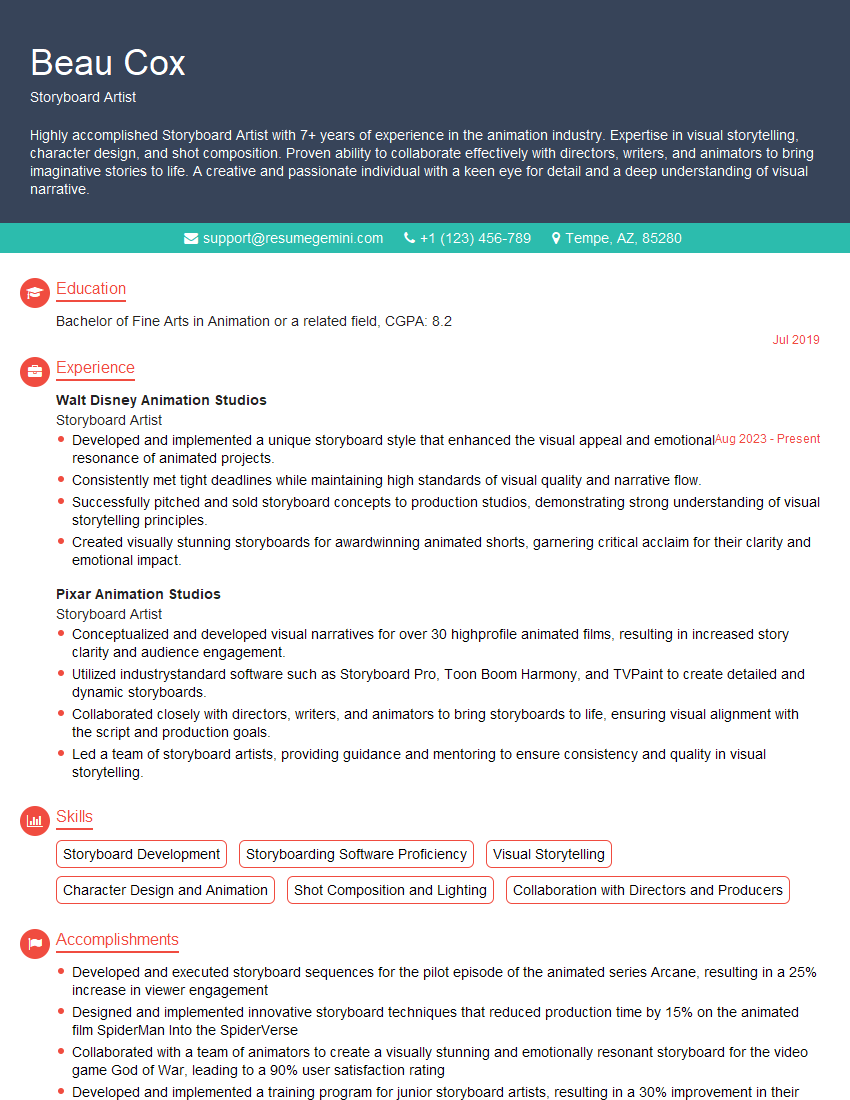
Storyboard Artist Resume Sample
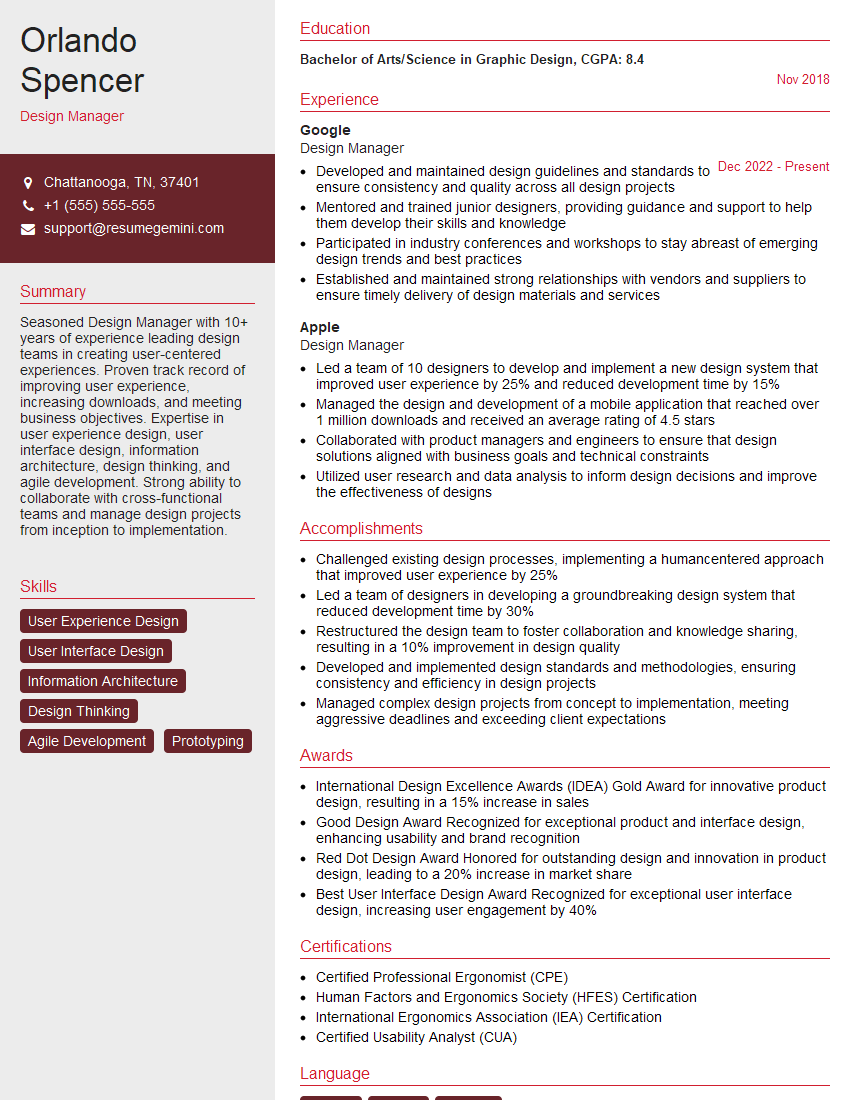
Design Manager Resume Sample
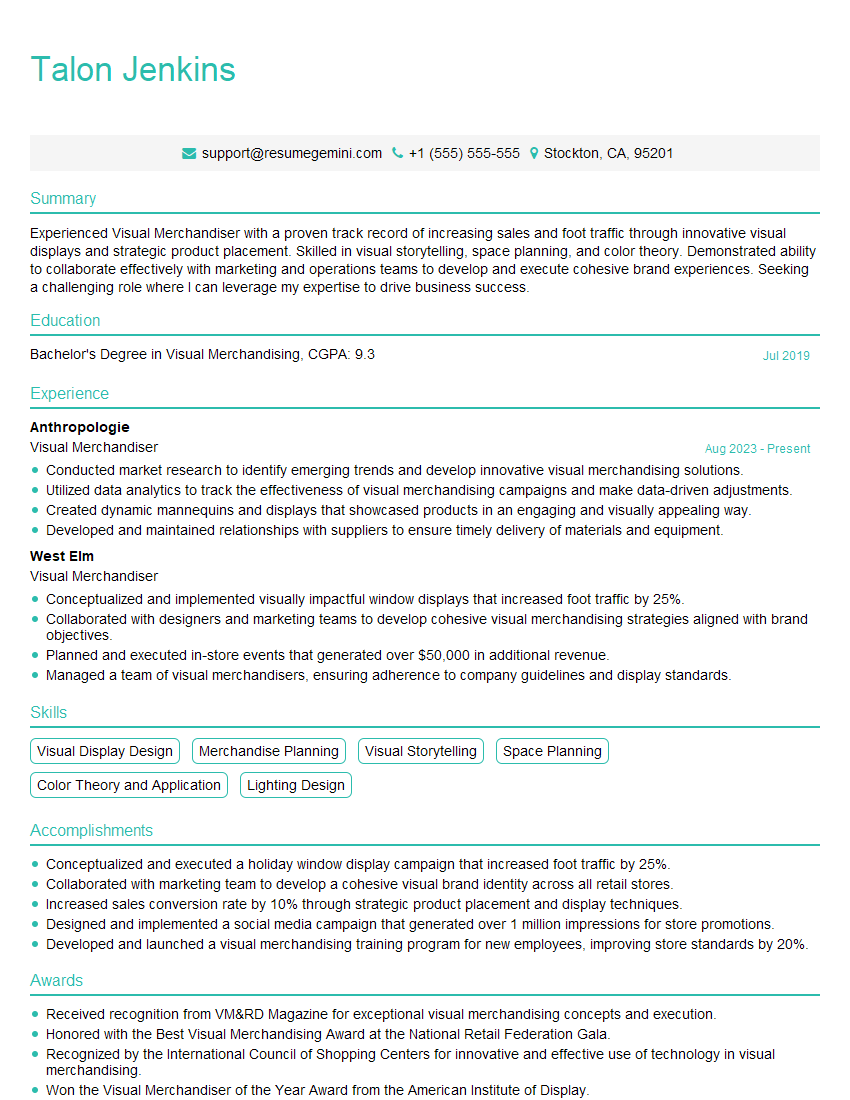
Visual Merchandiser Resume Sample
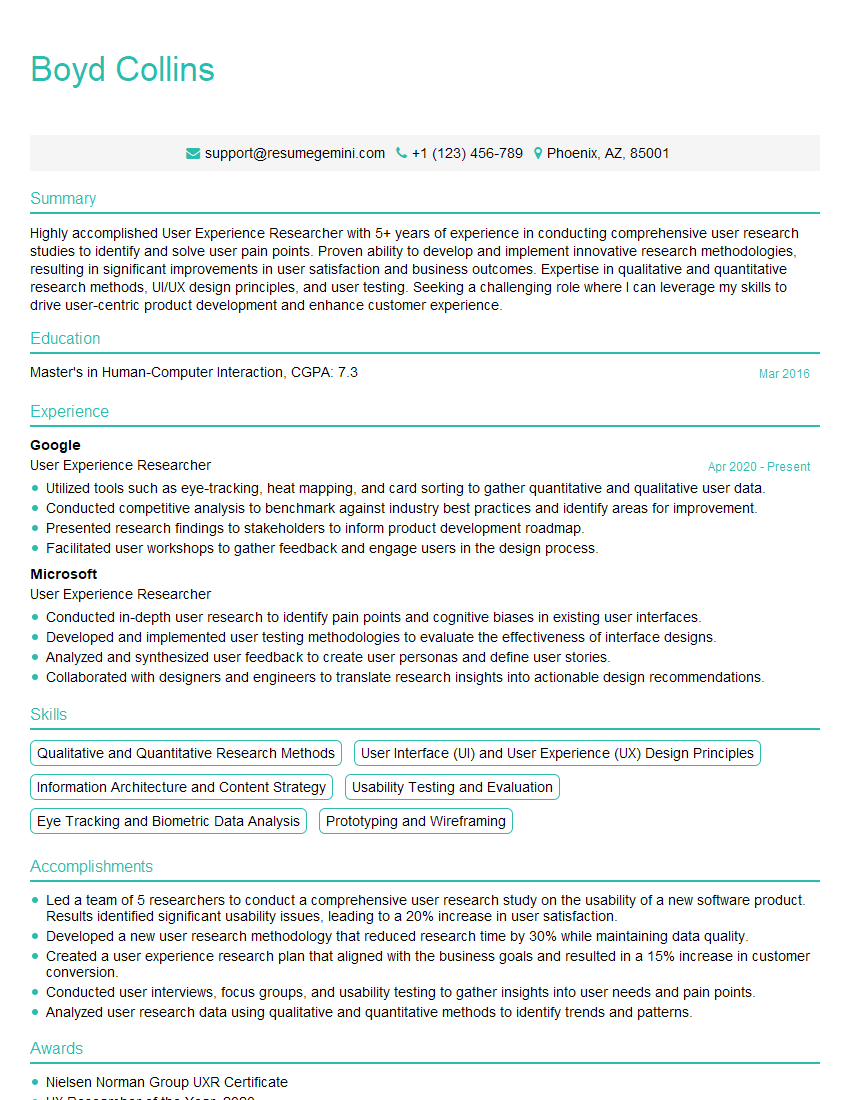
User Experience Researcher Resume Sample
Explore more articles
Users Rating of Our Blogs
Share Your Experience
We value your feedback! Please rate our content and share your thoughts (optional).
What Readers Say About Our Blog
Attention music lovers!
Wow, All the best Sax Summer music !!!
Spotify: https://open.spotify.com/artist/6ShcdIT7rPVVaFEpgZQbUk
Apple Music: https://music.apple.com/fr/artist/jimmy-sax-black/1530501936
YouTube: https://music.youtube.com/browse/VLOLAK5uy_noClmC7abM6YpZsnySxRqt3LoalPf88No
Other Platforms and Free Downloads : https://fanlink.tv/jimmysaxblack
on google : https://www.google.com/search?q=22+AND+22+AND+22
on ChatGPT : https://chat.openai.com?q=who20jlJimmy20Black20Sax20Producer
Get back into the groove with Jimmy sax Black
Best regards,
Jimmy sax Black
www.jimmysaxblack.com
Hi I am a troller at The aquatic interview center and I suddenly went so fast in Roblox and it was gone when I reset.
Hi,
Business owners spend hours every week worrying about their website—or avoiding it because it feels overwhelming.
We’d like to take that off your plate:
$69/month. Everything handled.
Our team will:
Design a custom website—or completely overhaul your current one
Take care of hosting as an option
Handle edits and improvements—up to 60 minutes of work included every month
No setup fees, no annual commitments. Just a site that makes a strong first impression.
Find out if it’s right for you:
https://websolutionsgenius.com/awardwinningwebsites
Hello,
we currently offer a complimentary backlink and URL indexing test for search engine optimization professionals.
You can get complimentary indexing credits to test how link discovery works in practice.
No credit card is required and there is no recurring fee.
You can find details here:
https://wikipedia-backlinks.com/indexing/
Regards
NICE RESPONSE TO Q & A
hi
The aim of this message is regarding an unclaimed deposit of a deceased nationale that bears the same name as you. You are not relate to him as there are millions of people answering the names across around the world. But i will use my position to influence the release of the deposit to you for our mutual benefit.
Respond for full details and how to claim the deposit. This is 100% risk free. Send hello to my email id: lukachachibaialuka@gmail.com
Luka Chachibaialuka
Hey interviewgemini.com, just wanted to follow up on my last email.
We just launched Call the Monster, an parenting app that lets you summon friendly ‘monsters’ kids actually listen to.
We’re also running a giveaway for everyone who downloads the app. Since it’s brand new, there aren’t many users yet, which means you’ve got a much better chance of winning some great prizes.
You can check it out here: https://bit.ly/callamonsterapp
Or follow us on Instagram: https://www.instagram.com/callamonsterapp
Thanks,
Ryan
CEO – Call the Monster App
Hey interviewgemini.com, I saw your website and love your approach.
I just want this to look like spam email, but want to share something important to you. We just launched Call the Monster, a parenting app that lets you summon friendly ‘monsters’ kids actually listen to.
Parents are loving it for calming chaos before bedtime. Thought you might want to try it: https://bit.ly/callamonsterapp or just follow our fun monster lore on Instagram: https://www.instagram.com/callamonsterapp
Thanks,
Ryan
CEO – Call A Monster APP
To the interviewgemini.com Owner.
Dear interviewgemini.com Webmaster!
Hi interviewgemini.com Webmaster!
Dear interviewgemini.com Webmaster!
excellent
Hello,
We found issues with your domain’s email setup that may be sending your messages to spam or blocking them completely. InboxShield Mini shows you how to fix it in minutes — no tech skills required.
Scan your domain now for details: https://inboxshield-mini.com/
— Adam @ InboxShield Mini
support@inboxshield-mini.com
Reply STOP to unsubscribe
Hi, are you owner of interviewgemini.com? What if I told you I could help you find extra time in your schedule, reconnect with leads you didn’t even realize you missed, and bring in more “I want to work with you” conversations, without increasing your ad spend or hiring a full-time employee?
All with a flexible, budget-friendly service that could easily pay for itself. Sounds good?
Would it be nice to jump on a quick 10-minute call so I can show you exactly how we make this work?
Best,
Hapei
Marketing Director
Hey, I know you’re the owner of interviewgemini.com. I’ll be quick.
Fundraising for your business is tough and time-consuming. We make it easier by guaranteeing two private investor meetings each month, for six months. No demos, no pitch events – just direct introductions to active investors matched to your startup.
If youR17;re raising, this could help you build real momentum. Want me to send more info?
Hi, I represent an SEO company that specialises in getting you AI citations and higher rankings on Google. I’d like to offer you a 100% free SEO audit for your website. Would you be interested?
Hi, I represent an SEO company that specialises in getting you AI citations and higher rankings on Google. I’d like to offer you a 100% free SEO audit for your website. Would you be interested?