The thought of an interview can be nerve-wracking, but the right preparation can make all the difference. Explore this comprehensive guide to Expertise in Page Layout and Pagination interview questions and gain the confidence you need to showcase your abilities and secure the role.
Questions Asked in Expertise in Page Layout and Pagination Interview
Q 1. Explain the difference between a bleed and a margin.
Imagine you’re designing a postcard. The bleed is the area of your design that extends beyond the final trim size of the printed piece. Think of it as the extra bit that gets cut off. This ensures that even after trimming, there’s no unsightly white border around your design. The margin, on the other hand, is the safe area within your page where you place your crucial design elements – text and important images – to prevent them from being accidentally cut off during the trimming process.
For example, if your postcard is designed to be 4×6 inches after trimming, you might have a bleed area of 0.25 inches on each side, resulting in a design file size of 4.5×6.5 inches. Anything outside this 4.5×6.5 inch area is meant to be cut off. Your crucial elements would then be placed within the margin, typically 0.125 inches from the edge of the trim size, ensuring they remain safe from being cropped.
Q 2. Describe your experience with imposition software.
I have extensive experience with imposition software, including but not limited to prepress software such as Esko ArtiosCAD, and Adobe Acrobat Pro with its preflight and print production capabilities. I’m proficient in creating imposition schemes for various printing methods – sheetfed, web offset, and digital – ensuring optimal use of paper and efficient printing processes. My experience encompasses working with different page sizes and orientations, handling complex layouts with multiple pages and signatures, and generating accurate imposition proofs for client review. For example, I recently used Esko ArtiosCAD to create a complex imposition scheme for a 100-page book, optimizing the sheet layout to minimize waste and achieve high-quality print results.
I understand the importance of accurate imposition for efficient print production and reducing waste. My skills extend to troubleshooting imposition issues, adapting to different press requirements, and collaborating with printers to ensure smooth production workflows.
Q 3. What are some common file formats used in page layout and pagination?
The page layout and pagination world utilizes a variety of file formats, each serving a specific purpose. Common formats include:
- PDF (Portable Document Format): The industry standard for exchanging final layouts due to its high-fidelity representation of colors and fonts across different platforms. It’s ideal for sending files to printers.
- PSD (Photoshop Document): Used extensively for image editing and creating high-resolution visuals, often incorporated into page layouts.
- INDD (InDesign Document): The native format of Adobe InDesign, a leading page layout software. It preserves all the layout, text, and image information within its files.
- TIFF (Tagged Image File Format): A raster image format frequently used for high-quality images due to its lossless compression capabilities.
- EPS (Encapsulated PostScript): A vector format suitable for illustrations and logos, often used for placing high-quality vector graphics in page layouts.
The choice of format often depends on the software used, the complexity of the layout, and the requirements of the printing process.
Q 4. How do you handle color profiles and color management in your workflow?
Color management is critical in achieving consistent and accurate color reproduction throughout the printing process. My workflow integrates color profile management from the outset. I begin by establishing a consistent color profile (usually sRGB for web or Adobe RGB for print) in my design software. I ensure all images and design elements are converted to this profile. I carefully check the printer’s color profile before sending my files for printing, making necessary adjustments to match or utilize the printer’s specified settings. This minimizes the risk of color discrepancies between the on-screen preview and the final printed output.
Furthermore, I often create soft proofs using PDF/X-4 which allows for embedded color profiles, making color communication between the client, designer, and printer more seamless and reliable. This collaborative approach ensures consistency in color reproduction, regardless of the output device.
Q 5. Explain the process of creating a master page in your preferred software.
My preferred software is Adobe InDesign. Creating a master page in InDesign is straightforward and incredibly efficient for maintaining consistency across a document. I’d begin by opening a new InDesign document and setting up the page size and margins. Then, I’d select the page(s) I want to use as the master page(s) from the Pages panel. Next, I add common design elements such as headers, footers, page numbers, running headers, and any repeating graphic elements to the master page. These elements will automatically appear on all pages based on that master page.
For example, if I’m designing a book, I might create a master page for left-hand pages and another for right-hand pages. Each would contain different page number placement to avoid clashing with content. Once set, any changes made to the master page will automatically update across all linked pages, significantly streamlining my workflow and ensuring consistent design throughout the entire document.
Q 6. How do you ensure consistent typography across multiple pages?
Maintaining consistent typography across multiple pages is crucial for professional design. In InDesign, I utilize paragraph and character styles extensively. These styles allow me to define specific font families, sizes, leading (line spacing), tracking (letter spacing), and other typographic attributes. Applying these styles to text instead of manually formatting each instance ensures that all instances of a particular style remain consistent. This approach simplifies editing and revision processes, saving significant time and effort.
Furthermore, I create a style guide or a style sheet with defined parameters for each text style used in my projects. This guide ensures that all team members involved maintain the design’s typographic consistency. It helps to create a uniform visual experience for the reader.
Q 7. Describe your experience with trapping and its importance in print production.
Trapping is a crucial prepress technique used to prevent unwanted gaps or white spaces between colored elements in print production. This is especially important when dealing with small text sizes or fine lines where misregistration – a slight shift between colors during printing – is more likely to occur. Trapping involves intentionally overlapping colors slightly, ensuring that even with minor misregistration, the gap between the colors will be visually imperceptible.
There are different trapping methods, including spread trapping, choke trapping, and highlight trapping, each addressing specific issues related to color combination and misregistration. My experience includes specifying trapping settings within prepress software, ensuring the final output minimizes visibility of gaps between adjacent colors, resulting in a cleaner and more professional-looking finished product. Ignoring trapping can result in unacceptable gaps between colors, significantly detracting from the quality and visual appeal of the final printed piece.
Q 8. What are the considerations for designing for different print sizes and orientations?
Designing for different print sizes and orientations requires a flexible and adaptable approach. It’s crucial to understand how content will reflow and readjust based on the dimensions and whether the page is portrait or landscape. You need to consider both the physical constraints of the paper size and the visual hierarchy of your design.
- Master Pages: Employing master pages in InDesign or similar software is crucial. This allows you to define consistent elements (headers, footers, margins) that automatically adjust across different page sizes and orientations.
- Content Flexibility: Utilize flexible layouts and text and image containers that resize dynamically to accommodate different dimensions. Avoid fixed-size elements that might overflow or leave significant white space.
- Orientation-Specific Designs: While striving for consistency, accept that some adjustments might be necessary depending on the orientation. For instance, a landscape orientation might lend itself to a horizontal image arrangement, whereas portrait might favor a vertical one.
- Testing and Proofing: Always thoroughly test your design across various sizes and orientations before printing. Print proofs are essential to catch any layout issues not readily apparent on-screen.
For example, a brochure designed for A4 might need adjustments to look equally appealing in US Letter size. This involves tweaking margins, image scaling, and perhaps even altering the text flow to maintain visual balance.
Q 9. How do you optimize images for print to maintain quality while minimizing file size?
Optimizing images for print involves balancing quality and file size. High-resolution images are essential for crisp print output, but excessively large files can slow down processing and increase printing costs. The key is to use the appropriate resolution and file format.
- Resolution: Target a resolution of 300 DPI (dots per inch) for print. This is generally the standard for high-quality printing. Lower resolutions will result in blurry or pixelated images.
- File Format: Use CMYK (Cyan, Magenta, Yellow, Key/Black) color mode for print. RGB (Red, Green, Blue) is used for screens and will produce unexpected color results when printed. TIFF or high-quality JPEGs are generally preferred file formats for print, offering a good balance of quality and compression.
- Image Compression: Use lossy compression (like JPEG) judiciously. Too much compression will lead to visible artifacts. Lossless compression (like TIFF) preserves all image data but results in larger file sizes.
- Image Editing: Before importing, ensure images are properly sized. Enlarging a low-resolution image will drastically reduce print quality. Often, it’s better to use the original high-resolution image and scale it down within the layout software.
Imagine preparing images for a high-end magazine. Using 72 DPI images designed for web would result in a poor-quality print, whereas correctly prepared 300 DPI images will look crisp and professional. It’s a critical step in achieving a high-quality final product.
Q 10. Explain your understanding of imposition and its impact on print efficiency.
Imposition is the process of arranging pages of a publication in a specific order on printing sheets before printing. It’s crucial for efficiency because it allows printers to print multiple pages simultaneously, reducing printing time and materials waste. This arrangement considers the folding and binding process.
- Sheet Layout: The printer needs to know how pages are arranged on each sheet to accurately print and fold multiple pages per sheet.
- Automation: Many design applications have features for automated imposition. This calculates the sheet layout based on the number of pages and desired output size. This automation is highly beneficial for efficiency.
- Binding Considerations: Imposition takes into account the final binding method (e.g., saddle stitch, perfect binding) influencing the page arrangement to facilitate efficient post-printing processes.
- Print Sheet Size: The size of the print sheet determines the number of pages that can be efficiently printed at once; this dramatically impacts the number of sheets needed.
For example, a 24-page booklet might use an imposition scheme where pages 1, 24, 12, 13 are arranged on the first print sheet. Without proper imposition, printing would require significantly more sheets and involve extra post-print handling.
Q 11. How do you troubleshoot layout issues such as text wrapping or image distortion?
Troubleshooting layout issues requires systematic investigation. Identifying the root cause is crucial to developing an effective fix.
- Text Wrapping: If text wraps unexpectedly, check the text frame settings. Ensure the ‘text wrap’ options are correctly set for the images and other elements affecting text flow. Incorrectly set margins or conflicts between text frames can also cause this.
- Image Distortion: Image distortion usually comes from incorrect scaling or resolution. Never stretch or skew images directly; instead, resize the image container or use image editing software to appropriately scale the image before importing it.
- Software-Specific Issues: Sometimes, software glitches or outdated software can cause unusual layout issues. Updating your design software and restarting the application is often a helpful first step.
- Font Issues: Problems with fonts (e.g., missing fonts) can result in text display problems. Ensure all necessary fonts are correctly installed and embedded.
For instance, unexpected text wrapping could be solved by adjusting the text frame’s margins or by checking the ‘text wrap’ settings around an image to correct overlaps. Image distortion is often resolved by scaling the image properly during import or using the appropriate scaling tools in the design software.
Q 12. Describe your experience working with different page sizes and formats.
I’ve extensive experience working with diverse page sizes and formats, ranging from standard letter and A4 sizes to custom dimensions for brochures, magazines, and books. This involves understanding different page ratios and adapting designs to fit various constraints.
- Standard Sizes: I am proficient in using standard sizes like US Letter, A4, A5, and various tabloid sizes, understanding the nuances and proportions of each.
- Custom Sizes: I’ve worked on numerous projects requiring custom sizes based on client specifications, such as creating bespoke brochures or packaging inserts.
- Variable Data Printing: My experience extends to variable data printing where page elements change depending on individual records. This often involves creating sophisticated templates that can handle various data inputs without impacting layout integrity.
- Different Media Types: I’ve worked with various paper stocks and their properties, impacting the design to account for textures, thickness, and finish.
For example, I recently designed a series of marketing brochures. One version was in A4 for international distribution and a second version was in US Letter for domestic distribution. Each version maintained a consistent brand identity but incorporated subtle changes to adapt the layout to each specific paper size.
Q 13. What are some common pitfalls to avoid in page layout and pagination?
Several common pitfalls can negatively impact page layout and pagination. Avoiding these issues requires careful planning and attention to detail.
- Low-Resolution Images: Using images with insufficient resolution for print leads to poor quality.
- Incorrect Color Modes: Using RGB instead of CMYK for print results in color mismatches.
- Inconsistent Margins and Bleeds: Inconsistent margins and bleed settings can lead to issues during trimming.
- Overlooking Font Embedding: Forgetting to embed fonts can cause display problems on other systems.
- Poor Pre-flighting: Not thoroughly checking for errors before sending to print leads to costly reprints.
- Ignoring printer limitations: Overlooking limitations on print resolution or color gamut can result in unexpected results.
For example, forgetting to set up bleeds can result in unsightly white margins after trimming, highlighting the importance of careful pre-flighting and attention to detail.
Q 14. How do you collaborate effectively with designers and other stakeholders?
Effective collaboration is essential in page layout and pagination. I approach collaboration by fostering clear communication and utilizing appropriate tools.
- Open Communication: Maintaining open and consistent communication with designers and stakeholders is paramount. This involves regular check-ins, using project management software, providing regular updates, and actively seeking feedback.
- Version Control: Using version control systems helps track changes and ensures everyone works with the latest version.
- Shared Design Files: Utilizing cloud-based file storage allows for easy sharing and collaboration on design assets.
- Clear Specifications: Beginning with clear project specifications, including design briefs, style guides, and content outlines, establishes a common understanding of project goals.
- Regular Feedback Sessions: Scheduling feedback sessions at critical points ensures stakeholders are involved and can offer timely input.
For instance, on a recent magazine project, we used a shared online platform to track design iterations and provided stakeholders with regular access to the most up-to-date layout proofs. This ensured everyone was on the same page and contributed to a successful final product.
Q 15. Explain your experience with PDF creation and optimization for print.
PDF creation and optimization for print is crucial for ensuring high-quality, press-ready files. My experience involves using Adobe Acrobat Pro to create PDFs, focusing on several key optimization strategies. I begin by ensuring the document is set to the correct color space (CMYK for print), and then I embed all necessary fonts to prevent font substitution issues. Image compression is vital; I use techniques like downsampling high-resolution images to reduce file size without compromising print quality, carefully balancing resolution and file size. For example, I might reduce a 300 dpi image intended for a small area to 150 dpi, saving significant file size without visible loss in quality. Finally, I perform preflight checks within Acrobat Pro to identify and address potential problems like missing fonts, overset text, or color management issues before sending the file to the printer. This ensures a smooth printing process and minimizes costly reprints.
Career Expert Tips:
- Ace those interviews! Prepare effectively by reviewing the Top 50 Most Common Interview Questions on ResumeGemini.
- Navigate your job search with confidence! Explore a wide range of Career Tips on ResumeGemini. Learn about common challenges and recommendations to overcome them.
- Craft the perfect resume! Master the Art of Resume Writing with ResumeGemini’s guide. Showcase your unique qualifications and achievements effectively.
- Don’t miss out on holiday savings! Build your dream resume with ResumeGemini’s ATS optimized templates.
Q 16. How do you manage version control in your page layout projects?
Version control is paramount in collaborative page layout projects. I primarily use Adobe InDesign’s built-in version history feature to track changes and revert to previous versions if necessary. For larger or team-based projects, we implement a version control system like Git, often coupled with a cloud-based repository like GitHub or GitLab. Each team member works on a separate branch, allowing for simultaneous work without overwriting changes. We use a clear naming convention for our files (e.g., projectname_v1.indd, projectname_v2.indd) and commit regular updates with descriptive messages detailing the changes made, making it easy to track progress and revert to specific stages. This system allows us to easily manage multiple revisions, collaborate efficiently, and prevent accidental data loss or conflicts. It’s akin to a carefully documented timeline of the project’s evolution.
Q 17. Describe your experience with preflighting and quality control checks.
Preflighting and quality control are integral parts of my workflow, ensuring the final product meets the highest standards. I use both automated preflight profiles in InDesign and Acrobat Pro, and manual checks. Automated preflighting identifies issues like missing fonts, incorrect color spaces, low-resolution images, and overset text. Manual checks involve carefully reviewing every page for visual inconsistencies, typos, and potential design flaws. This is where experience really helps in spotting subtle issues, like incorrect kerning or inconsistent spacing. I consider preflighting a proactive approach to problem-solving—catching errors early saves time and resources later in the process. It’s like performing a thorough inspection before sending a car for a road trip; identifying issues early prevents unexpected breakdowns.
Q 18. What software are you proficient in (e.g., Adobe InDesign, QuarkXPress)?
My core proficiency lies in Adobe InDesign, a versatile tool for creating sophisticated page layouts. I have extensive experience utilizing its features for print and digital publishing, including master pages, styles, and advanced typography. I’m also proficient in Adobe Illustrator for vector graphics and Adobe Photoshop for image editing, ensuring I can manage all aspects of the design process. While I have experience with QuarkXPress, InDesign has become my primary tool due to its enhanced features and widespread industry adoption. The transition between these programs is relatively smooth thanks to shared industry standards for file formats.
Q 19. Describe a challenging page layout project and how you overcame it.
One challenging project involved designing a multi-lingual magazine with complex layouts and varying page sizes. The challenge stemmed from the need to maintain consistent branding across different language versions while accommodating text length variations for each language. We overcame this by creating a flexible grid system in InDesign, utilizing master pages to ensure consistency across different page sizes and language versions. We also employed sophisticated paragraph and character styles, enabling quick and consistent text formatting changes across all languages. Collaboration with translators was critical to get accurate text lengths early in the process, preventing last-minute layout adjustments. Ultimately, meticulous planning, leveraging InDesign’s powerful features, and effective communication were key to successfully delivering this project on time and to the client’s satisfaction.
Q 20. How do you ensure accessibility in your page layouts?
Accessibility is a critical aspect of modern page layout design. I ensure accessibility by following WCAG (Web Content Accessibility Guidelines) principles, even when working on print projects. This means using sufficient color contrast, ensuring alternative text descriptions for images, and using clear and concise headings. For print, using large enough font sizes, appropriate line spacing and sufficient white space improves readability for people with visual impairments. When dealing with digital publications, I use accessible PDF features, including tagged PDFs to provide structural information to assistive technologies, enabling screen readers to accurately convey content to visually impaired users. It’s all about designing inclusively for a broader audience.
Q 21. Explain your understanding of CMYK and RGB color models.
CMYK (Cyan, Magenta, Yellow, Key/Black) and RGB (Red, Green, Blue) are two different color models used in different contexts. RGB is an additive color model used for displays like screens and monitors; it combines light to create color. CMYK is a subtractive color model used for print; it uses inks to subtract light from white paper to create color. Understanding the differences is essential because a color that looks vibrant on screen (RGB) might appear dull or different when printed (CMYK). Accurate color management involves converting RGB images to CMYK using color profiles to minimize color shifts during the printing process. This conversion is a key step in the preflight process to avoid unpleasant surprises when the print job is complete. Ignoring this difference can result in significant color discrepancies between the digital design and the final printed output.
Q 22. How do you handle revisions and client feedback efficiently?
Handling revisions and client feedback efficiently is crucial for successful page layout and pagination. My approach involves a structured system that combines clear communication, version control, and a collaborative workflow.
- Version Control: I use version control software (like Git, though not directly within layout software, but for associated files) to track changes, allowing easy rollback to previous versions if needed. This is particularly valuable for managing multiple revisions from different clients or stakeholders.
- Clear Communication: I ensure clear communication channels with the client throughout the process. This involves regular check-ins, detailed explanations of design choices, and prompt responses to queries. I often use annotated PDFs to highlight changes and solicit specific feedback rather than general comments.
- Feedback Tracking System: I maintain a centralized system (a spreadsheet, project management tool, or even a simple document) to track all feedback received, its status (addressed, in progress, pending), and the assigned action item for each. This allows me to stay organized and ensure nothing gets overlooked.
- Iterative Process: I embrace an iterative design process. Rather than providing a single final design, I present multiple revisions, incorporating client feedback at each stage. This allows for a more collaborative and responsive design process.
For example, on a recent book project, the client requested significant changes to the chapter headings halfway through. Using version control, I easily reverted to a previous version, implemented the changes, and then resubmitted the document for approval. The tracking system ensured that I didn’t miss any subsequent minor corrections requested.
Q 23. What are your preferred methods for creating consistent styles and templates?
Creating consistent styles and templates is paramount for maintaining a professional and unified look across a document. My preferred methods leverage the built-in features of professional page layout software (like InDesign, QuarkXPress or Adobe FrameMaker) combined with meticulous planning.
- Style Guides: I create detailed style guides that define every aspect of the document’s visual identity, including typography, colors, spacing, image styles, and more. This serves as the single source of truth for all design elements.
- Master Pages: I extensively use master pages to establish consistent page layouts, headers, footers, and running elements across the document. This significantly reduces manual effort and ensures uniformity.
- Paragraph and Character Styles: I meticulously define paragraph and character styles within the layout software. This ensures consistency in text formatting, regardless of where it appears in the document. Changes made to a style automatically update all instances of that style throughout.
- Templates: I create reusable templates based on the style guide and master pages. These templates provide a consistent starting point for each page or section, minimizing the risk of inconsistencies.
For example, in designing a company brochure, I would create a master page with the company logo, color scheme, and consistent margins. Then, I’d define character styles for headings, body text, and captions. This ensures all text elements adhere to the style guide regardless of whether the designer working on it understands the style guide or not.
Q 24. Describe your experience with automated pagination processes.
Automated pagination is a crucial element in efficiently handling large documents and ensuring accuracy. My experience involves utilizing the built-in automation tools of professional layout software, often complemented by scripting or extensions where needed.
- Software Features: I leverage the automatic pagination features available within applications like InDesign. This includes setting up automatic page numbering, managing section breaks, and handling hyphenation and justification automatically. These features significantly accelerate the pagination process and minimize manual intervention.
- Scripting and Extensions: For more complex automation tasks, I employ scripting (e.g., using JavaScript or ExtendScript in InDesign) or utilize specialized extensions that offer additional pagination capabilities. This can involve automating tasks like creating indexes, tables of contents, or handling complex cross-referencing.
- Data Merge: For documents requiring the insertion of variable data (such as personalized letters or certificates), I proficiently use data merge functionalities to integrate information from external sources automatically, maintaining consistent pagination even with numerous data entries.
For instance, in a large-scale project like a multi-volume textbook, automated pagination ensures page numbers, headers, and footers are consistent across the volumes. Scripting could be used to automatically generate the table of contents from the chapter headings.
Q 25. How do you ensure the correct order of pages in a document?
Ensuring the correct page order is critical for document readability and comprehension. My approach involves a combination of careful planning, software tools, and meticulous review.
- Logical Structure: I begin by carefully structuring the document logically, organizing pages and sections according to a clear hierarchy. This foundation minimizes the chance of errors in page ordering.
- Software Tools: Page layout software provides tools to view and manage page order effectively. I utilize these tools (like page palettes or outlines) to visually confirm the sequence and quickly rearrange pages if needed.
- Checkpoints: Throughout the pagination process, I implement regular checkpoints to verify the page order. This includes reviewing the document’s flow and comparing it to the intended structure.
- Pre-flight Checks: Before finalizing the document, I conduct a thorough pre-flight check, which often includes verifying page order as part of a broader quality assurance process.
Imagine preparing a complex technical manual. A simple oversight in page order could render the instructions incomprehensible. My meticulous approach minimizes such risks, ensuring the document is always logically sequenced.
Q 26. What are your strategies for managing large and complex documents?
Managing large and complex documents requires a strategic approach that combines organizational skills, efficient workflows, and the right tools.
- Modular Design: I break down large documents into smaller, manageable modules or sections. This allows for parallel work, improving efficiency and making revisions less disruptive.
- Style Consistency: Maintaining consistent styles and templates across the entire document is paramount. This ensures visual unity and simplifies the editing and revision process.
- Version Control (Again!): Version control systems are essential for tracking changes and collaborating with team members. This helps manage different versions of the document and revert to previous states if needed.
- External Asset Management: I organize and manage images, graphics, and other external assets using a structured system (a dedicated folder, a digital asset management system, or a cloud storage solution) to avoid clutter and streamline access.
- Collaboration Tools: Using cloud-based collaboration platforms can allow team members to easily review, comment and contribute to the document, enhancing productivity and reducing errors.
A multi-author textbook, for instance, necessitates meticulous organization. Modular design allows each chapter to be handled independently, while version control ensures seamless merging of contributions.
Q 27. Explain your understanding of different binding methods and their implications for layout.
Understanding different binding methods and their implications for page layout is crucial for producing a professional and functional document.
- Saddle Stitch: This method involves folding and stapling pages in the center. It’s suitable for documents with a relatively low page count (typically up to around 60 pages) and requires the layout to be designed considering the fold line. Bleeds should also be accounted for in the layout
- Perfect Binding: Pages are glued together along one edge, creating a flat spine. It’s suitable for books, magazines, and longer documents. The spine width needs to be considered when designing the layout, and the cover design should compliment the spine.
- Wire-O Binding: Pages are punched with holes and bound using wire or metal rings. This allows for the document to lay completely flat, suitable for calendars and notebooks. The layout should accommodate the holes and the resulting reduced page width.
- Spiral Binding: Similar to wire-O, but uses plastic or metal coils. It’s suitable for documents that need to lay flat, like presentations or reports.
For example, a saddle-stitched brochure needs to be designed with facing pages in mind to ensure that elements align correctly after folding. A perfect-bound book requires allowance for the spine thickness and a consistent gutter width between facing pages to prevent text loss or awkward spacing.
Q 28. How do you stay current with the latest trends and technologies in page layout and pagination?
Staying current in the ever-evolving field of page layout and pagination requires a proactive and multifaceted approach.
- Industry Publications and Websites: I regularly follow industry publications, blogs, and websites dedicated to graphic design, publishing, and digital publishing. This includes reading articles, tutorials and attending webinars on new software features, techniques and design trends.
- Conferences and Workshops: Attending industry conferences and workshops provides valuable opportunities for networking, learning from experts, and experiencing the latest software and technologies firsthand.
- Online Courses and Tutorials: Online learning platforms offer a wealth of resources for enhancing my skills. I regularly explore courses and tutorials focused on advanced techniques, new software features, or emerging technologies.
- Professional Networks: Engaging with professional networks (like online forums or local design communities) allows me to share knowledge, ask questions, and learn from peers and experts.
- Software Updates: Keeping my software up-to-date ensures access to the newest features and performance improvements. This helps maintain efficiency and explore new possibilities.
For example, recently I discovered a new extension for InDesign that streamlines the creation of complex tables of contents and indexes, significantly increasing my efficiency. This constant learning process allows me to improve my skills and provide cutting-edge solutions for my clients.
Key Topics to Learn for Expertise in Page Layout and Pagination Interview
- Typography and Font Selection: Understanding the impact of different fonts on readability and visual appeal, and selecting appropriate fonts for various media and target audiences. Practical application: Justifying text, kerning, tracking, leading.
- Mastering Grid Systems and Layouts: Proficiency in designing and implementing effective grid systems for consistent and visually appealing page layouts. Practical application: Using CSS Grid or Flexbox, adapting layouts for different screen sizes (responsive design).
- Image Handling and Optimization: Techniques for optimizing images for web and print, including resolution, compression, and file formats. Practical application: Understanding DPI, PPI, and their relevance to print vs. screen; using image editing software effectively.
- Pagination and Flow Control: Strategies for efficiently managing page breaks, widows, and orphans to ensure clean and professional document presentation. Practical application: Using InDesign’s or other software’s pagination tools, understanding the complexities of complex layouts.
- Color Theory and its Application: Understanding color harmonies, contrast, and accessibility guidelines to create visually engaging and inclusive layouts. Practical application: Using color palettes effectively, ensuring sufficient color contrast for readability.
- Prepress and Print Production Knowledge: Familiarity with print production workflows, including color profiles, bleed, and imposition. Practical application: Understanding file preparation for print, working with printers and print specifications.
- Software Proficiency (InDesign, QuarkXPress, etc.): Demonstrating mastery of industry-standard page layout software and its advanced features. Practical application: Showcase your skills with complex layouts, automation, and scripting.
- Problem-Solving and Troubleshooting: Ability to identify and resolve layout issues, such as broken links, image discrepancies, and pagination problems. Practical application: Demonstrate your ability to think critically and find solutions to complex layout challenges.
Next Steps
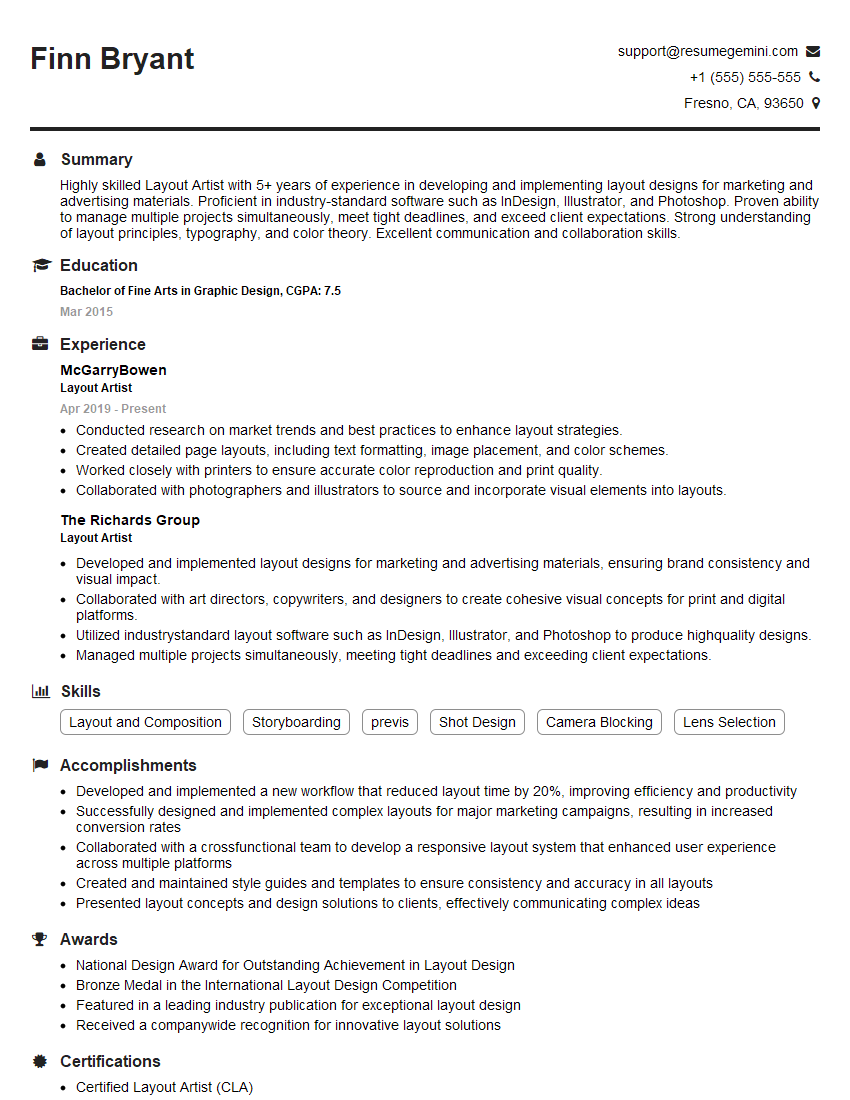
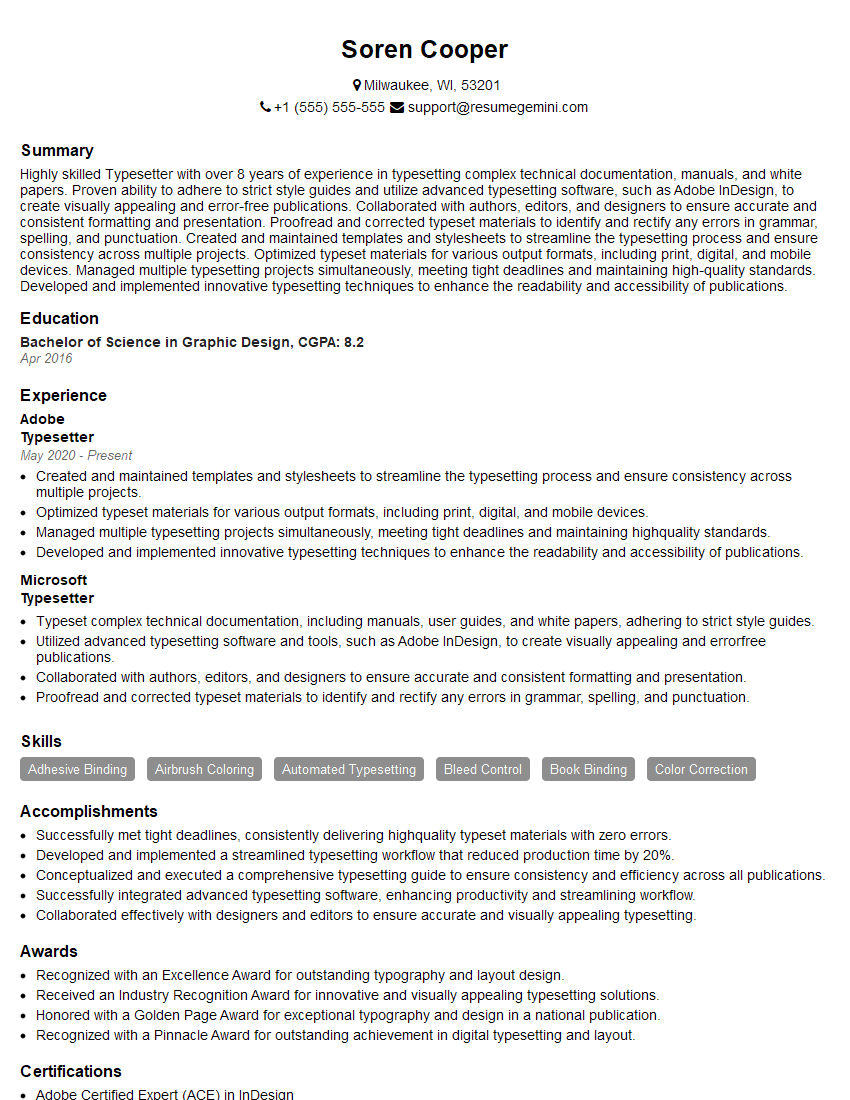
Mastering Expertise in Page Layout and Pagination opens doors to exciting career opportunities in publishing, marketing, and design. A strong command of these skills significantly enhances your marketability. To maximize your job prospects, create an ATS-friendly resume that effectively highlights your abilities. ResumeGemini is a trusted resource that can help you build a professional resume that stands out. Examples of resumes tailored to Expertise in Page Layout and Pagination are available to help guide your creation. Take the next step towards your dream job – build a compelling resume today!


Explore more articles
Users Rating of Our Blogs
Share Your Experience
We value your feedback! Please rate our content and share your thoughts (optional).
What Readers Say About Our Blog
Attention music lovers!
Wow, All the best Sax Summer music !!!
Spotify: https://open.spotify.com/artist/6ShcdIT7rPVVaFEpgZQbUk
Apple Music: https://music.apple.com/fr/artist/jimmy-sax-black/1530501936
YouTube: https://music.youtube.com/browse/VLOLAK5uy_noClmC7abM6YpZsnySxRqt3LoalPf88No
Other Platforms and Free Downloads : https://fanlink.tv/jimmysaxblack
on google : https://www.google.com/search?q=22+AND+22+AND+22
on ChatGPT : https://chat.openai.com?q=who20jlJimmy20Black20Sax20Producer
Get back into the groove with Jimmy sax Black
Best regards,
Jimmy sax Black
www.jimmysaxblack.com
Hi I am a troller at The aquatic interview center and I suddenly went so fast in Roblox and it was gone when I reset.
Hi,
Business owners spend hours every week worrying about their website—or avoiding it because it feels overwhelming.
We’d like to take that off your plate:
$69/month. Everything handled.
Our team will:
Design a custom website—or completely overhaul your current one
Take care of hosting as an option
Handle edits and improvements—up to 60 minutes of work included every month
No setup fees, no annual commitments. Just a site that makes a strong first impression.
Find out if it’s right for you:
https://websolutionsgenius.com/awardwinningwebsites
Hello,
we currently offer a complimentary backlink and URL indexing test for search engine optimization professionals.
You can get complimentary indexing credits to test how link discovery works in practice.
No credit card is required and there is no recurring fee.
You can find details here:
https://wikipedia-backlinks.com/indexing/
Regards
NICE RESPONSE TO Q & A
hi
The aim of this message is regarding an unclaimed deposit of a deceased nationale that bears the same name as you. You are not relate to him as there are millions of people answering the names across around the world. But i will use my position to influence the release of the deposit to you for our mutual benefit.
Respond for full details and how to claim the deposit. This is 100% risk free. Send hello to my email id: lukachachibaialuka@gmail.com
Luka Chachibaialuka
Hey interviewgemini.com, just wanted to follow up on my last email.
We just launched Call the Monster, an parenting app that lets you summon friendly ‘monsters’ kids actually listen to.
We’re also running a giveaway for everyone who downloads the app. Since it’s brand new, there aren’t many users yet, which means you’ve got a much better chance of winning some great prizes.
You can check it out here: https://bit.ly/callamonsterapp
Or follow us on Instagram: https://www.instagram.com/callamonsterapp
Thanks,
Ryan
CEO – Call the Monster App
Hey interviewgemini.com, I saw your website and love your approach.
I just want this to look like spam email, but want to share something important to you. We just launched Call the Monster, a parenting app that lets you summon friendly ‘monsters’ kids actually listen to.
Parents are loving it for calming chaos before bedtime. Thought you might want to try it: https://bit.ly/callamonsterapp or just follow our fun monster lore on Instagram: https://www.instagram.com/callamonsterapp
Thanks,
Ryan
CEO – Call A Monster APP
To the interviewgemini.com Owner.
Dear interviewgemini.com Webmaster!
Hi interviewgemini.com Webmaster!
Dear interviewgemini.com Webmaster!
excellent
Hello,
We found issues with your domain’s email setup that may be sending your messages to spam or blocking them completely. InboxShield Mini shows you how to fix it in minutes — no tech skills required.
Scan your domain now for details: https://inboxshield-mini.com/
— Adam @ InboxShield Mini
support@inboxshield-mini.com
Reply STOP to unsubscribe
Hi, are you owner of interviewgemini.com? What if I told you I could help you find extra time in your schedule, reconnect with leads you didn’t even realize you missed, and bring in more “I want to work with you” conversations, without increasing your ad spend or hiring a full-time employee?
All with a flexible, budget-friendly service that could easily pay for itself. Sounds good?
Would it be nice to jump on a quick 10-minute call so I can show you exactly how we make this work?
Best,
Hapei
Marketing Director
Hey, I know you’re the owner of interviewgemini.com. I’ll be quick.
Fundraising for your business is tough and time-consuming. We make it easier by guaranteeing two private investor meetings each month, for six months. No demos, no pitch events – just direct introductions to active investors matched to your startup.
If youR17;re raising, this could help you build real momentum. Want me to send more info?
Hi, I represent an SEO company that specialises in getting you AI citations and higher rankings on Google. I’d like to offer you a 100% free SEO audit for your website. Would you be interested?
Hi, I represent an SEO company that specialises in getting you AI citations and higher rankings on Google. I’d like to offer you a 100% free SEO audit for your website. Would you be interested?