Preparation is the key to success in any interview. In this post, we’ll explore crucial Prepress Optimization interview questions and equip you with strategies to craft impactful answers. Whether you’re a beginner or a pro, these tips will elevate your preparation.
Questions Asked in Prepress Optimization Interview
Q 1. Explain the process of color separation for CMYK printing.
Color separation for CMYK (Cyan, Magenta, Yellow, Key/Black) printing is the process of converting a full-color image into four separate plates, one for each color. Think of it like creating a puzzle; each plate represents a portion of the overall image. This allows the printing press to layer the colors to create the final, full-color output.
The process typically involves using specialized software. The software analyzes the image’s color information and assigns each color component to its corresponding plate. For instance, areas of red might be created using a combination of Magenta and Yellow inks. The ‘Key’ plate (black) often handles finer details and shadows, improving print sharpness and reducing ink consumption.
Example: Imagine a bright red apple. The Cyan plate might have little to no ink, the Magenta plate would have a heavy application of ink, the Yellow plate would also have a significant amount of ink, and the black plate might add a touch of shadow to create depth.
Accurate color separation requires careful calibration of the software and careful consideration of the printing process itself. The goal is to reproduce the original image as faithfully as possible on the printed page, accounting for the limitations and characteristics of CMYK inks.
Q 2. Describe your experience with different RIP software (e.g., Fiery, Creo).
I’ve extensive experience with various RIP (Raster Image Processor) software, including EFI Fiery and Creo (now part of Kodak). My experience spans different versions and workflows, from simple single-color jobs to complex, multi-page publications.
Fiery: I’ve worked extensively with Fiery’s user interface, color management tools, and job submission features. I’m proficient in configuring color profiles, optimizing image settings for specific substrates, and troubleshooting print-related issues using Fiery’s diagnostic capabilities. For example, I’ve used Fiery’s advanced features to optimize the print quality for a high-volume packaging project requiring very precise color matching.
Creo: My experience with Creo software includes utilizing its powerful color management tools and prepress workflow automation. I’ve integrated Creo systems into various print production pipelines, optimizing the workflow for efficiency and color consistency. I was able to significantly improve throughput on a project using Creo’s automation tools for imposition and color correction.
In both cases, my focus has always been on achieving accurate color reproduction, efficient job processing, and seamless integration with existing prepress workflows. A key part of this is understanding the nuances of each RIP’s capabilities and limitations to effectively utilize them for a given project.
Q 3. How do you ensure color consistency across different printing methods?
Maintaining color consistency across different printing methods is crucial for brand consistency and high-quality output. This requires a multi-faceted approach, beginning with standardized color profiles and calibrated equipment.
Color Management Systems (CMS): Using a robust CMS is paramount. This ensures that colors are translated accurately across different devices and print processes. We use ICC profiles to define the color spaces of all our devices (scanners, monitors, printers), and these profiles are carefully profiled and validated. We also leverage soft proofing to simulate the final print output on screen to identify potential issues early on.
Proofing: Using accurate color proofs, like those from a high-quality proof printer, is essential for verifying colors before final print runs. Different methods exist, from soft proofing using our RIP systems to hard proofs that replicate the final print’s look and feel. Soft proofing allows us to check the print output on the screen whereas hard proofing provides a physical example to compare with.
Standardization: Establishing standardized workflows and procedures for color management is key. This includes training personnel on consistent color practices and ensuring that all equipment is regularly calibrated and maintained.
Real-world example: For a recent client requiring consistent branding across various brochures, we used a standardized CMYK profile for all the print productions, from the offset printing of their brochures to their smaller labels printed on digital presses. This ensured the brand’s colors appeared consistent across all materials.
Q 4. What are the key elements of a preflight check?
A preflight check is a crucial step in prepress, designed to catch potential problems before they reach the printing press, saving time, money, and preventing costly reprints. It’s essentially a quality control check performed on the digital file before the actual printing begins.
Key Elements of a Preflight Check:
- Color Mode: Verification that the file is in the correct color mode (CMYK for most print applications).
- Resolution: Ensuring that images have the appropriate resolution for the intended print output. Low resolution can lead to blurry prints.
- Fonts: Checking that all fonts are embedded and correctly outlined to avoid font substitution issues.
- Images: Checking for missing or improperly linked images. We verify that image files are correctly compressed to reduce the file size and prevent potential errors.
- Bleeds and Margins: Ensuring that images and elements extend beyond the trim line to accommodate for cutting variations. We also check that there’s sufficient margin to avoid important elements being cut off.
- Overprint Settings: Reviewing overprint settings to prevent unintended color shifts or blank spaces during printing.
- File Format: Verifying that the file is in a suitable format for the printing process (PDF/X-1a is a common standard).
- Color Profiles: Checking that appropriate color profiles are embedded for accurate color reproduction.
Using automated preflight tools significantly speeds up the process and minimizes human error. These tools typically generate reports highlighting any identified issues. A robust preflight process minimizes errors and ensures smooth printing.
Q 5. Explain your understanding of image resolution and its impact on print quality.
Image resolution refers to the number of dots per inch (dpi) or pixels per inch (ppi) in an image. It directly impacts the sharpness and clarity of the printed output. A higher resolution generally results in a sharper, more detailed print, while a lower resolution can lead to a blurry or pixelated appearance.
Impact on Print Quality:
- High Resolution (e.g., 300 dpi or higher): Ideal for high-quality printing, especially for detailed images and text. Ensures sharp lines and smooth gradients.
- Low Resolution (e.g., 72 dpi): Suitable only for screen display, not print. Will result in a blurry and pixelated print.
Example: If you print a 72 dpi image intended for a website, it will appear blurry and pixelated on a printed brochure. Whereas a 300 dpi image will provide a smooth and clean print.
Determining the appropriate resolution depends on the printing method and the desired print quality. Offset printing generally requires higher resolutions compared to some digital printing methods. Understanding the specific requirements of the printing process is crucial for selecting the right resolution and avoiding quality compromises.
Q 6. How do you handle image trapping and its importance in print production?
Image trapping is a crucial prepress technique used to prevent unwanted gaps between colors, particularly in areas where different colors meet. Imagine two colors meeting; without trapping, there could be a tiny white gap between them, creating a less professional look.
The Importance of Trapping: Trapping ensures that the colors overlap slightly, filling any gaps caused by misregistration (minor shifts in alignment) during the printing process. This results in cleaner and more professional-looking prints, especially for projects with fine lines or small text.
Handling Image Trapping: There are different trapping methods:
- Spread Trapping: The most common method, it expands the color slightly beyond its original boundary.
- Choke Trapping: The opposite of spread trapping, it reduces the inner color’s size to ensure coverage.
- No Trapping: Used when precision is paramount and misregistration is minimal.
Trapping is often handled automatically by prepress software, but manual adjustments may be necessary for complex designs or to achieve specific visual effects. Choosing the right trapping method depends on the design’s intricacies and the printing method used. Poorly implemented trapping can lead to noticeable gaps or unsightly color variations, while proper trapping ensures a clean and professional finish.
Q 7. Describe your experience with different file formats (e.g., PDF, TIFF, JPEG).
I have extensive experience with various file formats commonly used in prepress, each with its own strengths and weaknesses:
PDF (Portable Document Format): The industry standard for prepress. PDF/X-1a is a preferred version for print production as it ensures color consistency and compatibility across different systems. I utilize PDF preflighting tools to ensure that my PDF files meet the necessary requirements for professional printing.
TIFF (Tagged Image File Format): A high-quality image format suitable for storing images with high resolution and color depth, commonly used for high-end printing.
JPEG (Joint Photographic Experts Group): A widely used format for web and photographic images; however, JPEG compression can lead to quality loss and is generally not ideal for print production, especially for critical color accuracy. JPEG is sometimes used for low-resolution images or web-based visuals that won’t be printed.
Other Formats: I also have experience with other formats like EPS (Encapsulated PostScript) and AI (Adobe Illustrator), but typically these are converted to PDF/X-1a for final prepress processing before sending to the printer.
Choosing the right file format is a critical consideration in prepress. Using the correct file format ensures a smooth workflow and helps to avoid potential issues during the printing process. My experience allows me to choose the most appropriate format for each project, ensuring high-quality results.
Q 8. What are the common issues encountered during prepress and how do you resolve them?
Prepress is rife with potential pitfalls! Common issues include low-resolution images leading to pixelation, incorrect color spaces causing color shifts, missing or corrupt fonts resulting in text rendering problems, and improperly formatted files that confuse the printing press.
Resolving these issues requires a systematic approach. For low-resolution images, I’d locate higher-resolution alternatives or carefully resample the existing image, ensuring minimal quality loss. Color space issues are addressed by converting all images to the printer’s required color profile (often CMYK), using a reliable color management system (CMS) like Adobe Color Engine. Missing fonts demand finding and installing the correct fonts, ensuring they are embedded in the PDF. Finally, file format problems are tackled by rigorously checking file specifications and using preflight tools to identify and fix inconsistencies, like incorrect bleeds or margins. I once had a project where a client provided a file with embedded fonts that were incompatible with the printer’s RIP. Quick action with FontBook on Mac (or similar software for PC) and re-exporting the corrected PDF saved the day!
Q 9. Explain your understanding of color profiles (e.g., ICC profiles) and their use.
Color profiles, specifically ICC (International Color Consortium) profiles, are digital descriptions of a particular color space. Think of them as translators between different devices, each with their own unique way of interpreting color. An ICC profile tells the computer how a specific device (monitor, printer, scanner) renders colors, allowing for more accurate color reproduction across different systems. For example, an sRGB profile represents colors as seen on a standard computer monitor, while a CMYK profile describes colors as they’ll appear after printing with cyan, magenta, yellow, and black inks.
In prepress, I use ICC profiles to ensure accurate color from design to print. I’d assign the correct profile to images during the design phase, convert to the printer’s profile before sending the file for printing, and use soft proofing to preview how the final output will look. This avoids costly surprises and ensures client expectations are met. Ignoring color profiles leads to significant color shifts, a nightmare for brands with strict color guidelines.
Q 10. How do you ensure the accuracy of fonts and text in a prepress workflow?
Font accuracy is crucial for a professional final product! My approach starts with using only high-quality, licensed fonts. I then meticulously check for font substitutions, outlining text for accurate rendering across different systems, and embedding fonts within the final PDF to avoid font problems on the printer’s end. I also verify that all kerning and tracking are correct, avoiding awkward spacing issues. It’s critical to use a preflight tool to check for any inconsistencies or missing fonts. One time, a missing font resulted in a last-minute scramble to locate the correct version. Since then, I meticulously embed fonts and keep a detailed font list for each project.
Q 11. What is your experience with imposition software and its applications?
Imposition software is essential for efficiently arranging pages of a document onto a printing sheet. Programs like Imposition Pro or Enfocus Switch allow me to create various layouts, such as those for brochures, magazines, or books. I’m proficient in using imposition software to handle different sheet sizes, orientations, and finishing requirements. This includes adding bleeds, crop marks, color bars, and other prepress necessities. This automated process significantly reduces manual errors and speeds up production, while ensuring consistency in the final print. I’ve used imposition software to create complex layouts for large-format posters, requiring meticulous page arrangement and careful consideration of sheet sizes to minimize waste. The result: flawless, efficient imposition for every project!
Q 12. How do you handle complex artwork requiring image manipulation and retouching?
Handling complex artwork often involves intricate image manipulation and retouching. I leverage software like Adobe Photoshop to perform tasks such as removing blemishes, color correcting, enhancing details, and compositing elements. Techniques like masking, layering, and selective adjustments are essential for achieving seamless integration and enhancing the visual quality. A recent project involved retouching numerous product images for an e-commerce catalog, requiring a meticulous eye for detail and consistency. Careful planning and methodical execution, along with version control, were key to successful completion.
Q 13. What are the key considerations for preparing files for different print substrates?
Preparing files for various substrates requires understanding how different materials absorb and reflect ink. For instance, uncoated paper requires higher ink density than coated paper due to its absorbency. I adjust settings such as ink coverage, trapping, and dot gain to compensate for these variations. For example, a file for a glossy brochure needs different settings than one for a matte business card. Knowing the substrate properties and adjusting the file settings accordingly is essential to achieving consistent, high-quality results across various materials. A misunderstanding of substrate impact once led to a dull print on a supposed glossy paper. Learning the paper characteristics was key to solving that.
Q 14. Describe your experience working with different print finishing techniques.
My experience encompasses a wide range of print finishing techniques. I’m familiar with die-cutting, embossing, foil stamping, UV coating, and laminating. Understanding these techniques helps me prepare files correctly to ensure compatibility and seamless execution of the finishing process. For example, I’d prepare files for die-cutting by ensuring proper bleed and kerf allowances. Understanding these processes empowers me to provide comprehensive guidance to clients on the best finishing options that will enhance their prints. A recent job involved a project with unique embossing and foil stamping requirements, where correct prepress preparation was key to a stunning outcome.
Q 15. How do you manage and prioritize multiple projects simultaneously in a fast-paced environment?
Managing multiple projects in a fast-paced prepress environment requires a structured approach. I utilize project management methodologies like Agile, prioritizing tasks based on deadlines, client urgency, and project complexity. I start by creating a detailed project schedule using tools like Gantt charts or project management software. This allows me to visualize dependencies and potential bottlenecks. I also break down large projects into smaller, manageable tasks, assigning deadlines and allocating resources accordingly. Regular check-ins and communication with clients and team members are crucial for staying on track and addressing any emerging issues promptly. For example, if I have three projects – a brochure, a magazine, and a book – I’d prioritize based on the impending deadlines, ensuring the most time-sensitive project receives the necessary attention first. This is complemented by efficient time management techniques like the Pomodoro Technique, allowing for focused work sessions with short breaks to prevent burnout.
Career Expert Tips:
- Ace those interviews! Prepare effectively by reviewing the Top 50 Most Common Interview Questions on ResumeGemini.
- Navigate your job search with confidence! Explore a wide range of Career Tips on ResumeGemini. Learn about common challenges and recommendations to overcome them.
- Craft the perfect resume! Master the Art of Resume Writing with ResumeGemini’s guide. Showcase your unique qualifications and achievements effectively.
- Don’t miss out on holiday savings! Build your dream resume with ResumeGemini’s ATS optimized templates.
Q 16. Explain your understanding of PDF workflows (e.g., creation, editing, optimization).
PDF workflows are central to prepress. Creation involves generating high-quality PDFs from various source files (InDesign, Illustrator, Photoshop). This often involves choosing the right PDF/X standard (like PDF/X-1a for print) to ensure color accuracy and compatibility with printing presses. Editing PDFs necessitates using tools capable of preserving the original document structure and avoiding unwanted alterations. For example, Acrobat Pro allows for advanced editing, including content correction and the management of layers. Optimization focuses on reducing file size while maintaining print quality. This includes techniques like downsampling images, embedding only necessary fonts, and compressing the PDF. I often use preflight checks to automatically assess the PDF for potential problems, like missing fonts, low-resolution images, or color profile issues. This proactive approach minimizes errors and saves time later on in the process. For instance, ensuring all fonts are embedded prevents issues on the printing press which could lead to delays.
Q 17. How do you handle client revisions and maintain accurate version control?
Handling client revisions efficiently requires a structured system. I use version control software, like Adobe Version Cue or a cloud-based system, to track all revisions. Each revision is clearly labeled and dated, allowing for easy comparison and rollback if necessary. I maintain detailed communication with clients, providing clear explanations of changes and potential implications. For instance, instead of just sending a revised file, I provide a detailed change log specifying what alterations were made and why. This transparency helps prevent further misunderstandings. This meticulous tracking ensures that we always have access to previous versions, preventing mistakes and resolving conflicts seamlessly. In a recent project involving a complex corporate report, this system saved us considerable time and frustration when the client requested a modification after the initial approval.
Q 18. What is your experience with automated prepress workflows and software?
My experience with automated prepress workflows and software is extensive. I’m proficient in using tools such as Enfocus PitStop Pro, which automates preflight checks and fixes common prepress issues. I also have experience with automated imposition software, allowing for efficient page arrangement for printing. These tools significantly reduce manual intervention and ensure consistency. For example, PitStop Pro can automatically identify and correct color profile inconsistencies, missing fonts, and low-resolution images, saving hours of manual correction. Additionally, I have experience integrating these tools into wider workflows using automation software like automation server or other custom scripting solutions. This allows for the creation of custom workflows to meet specific project requirements and greatly increase efficiency.
Q 19. How do you identify and correct prepress errors efficiently?
Identifying and correcting prepress errors efficiently requires a multi-faceted approach. Thorough preflight checks using tools like PitStop Pro are crucial. These checks identify potential problems before they reach the printing press. After this, I perform a meticulous visual inspection of the files and proofs, comparing them to the original designs. Specific techniques depend on the error; for instance, a color profile mismatch requires adjusting the color profile in the source files. Low-resolution images need to be replaced with high-resolution alternatives. My experience allows me to rapidly pinpoint and address issues—for example, I can immediately identify a missing font by its error message, preventing delays in the printing process. A proactive approach, including thorough preflighting and client communication, significantly minimizes the need for extensive error corrections.
Q 20. Explain your understanding of print quality control and testing procedures.
Print quality control involves a series of checks and tests to ensure the final product meets the required specifications. This includes verifying color accuracy, checking for sharpness and resolution, inspecting for any print defects (like banding or dot gain), and assessing the overall visual appeal. Soft proofing is crucial for evaluating the final print output before actual printing. Proofing procedures vary depending on the project’s complexity and client requirements. For example, in a high-end print job, we might create a contract proof to guarantee the accuracy of the final print. We might also use test prints during the printing process to monitor the consistency and quality. Regular calibration of printing equipment and adherence to established color management practices are crucial to maintaining consistent print quality.
Q 21. Describe your experience using different color space conversions (e.g., RGB to CMYK).
Color space conversion, particularly from RGB (used in digital screens) to CMYK (used in printing), is a critical aspect of prepress. I use color management software to convert colors accurately, minimizing color shifts. This involves choosing the right conversion method and specifying the desired color profile (e.g., coated or uncoated paper). Understanding the limitations of CMYK is essential; certain RGB colors may not have accurate CMYK equivalents, which might lead to color variations. I typically work with ICC profiles to maintain consistency and accuracy. For example, a vibrant RGB green might appear duller in CMYK, necessitating adjustments to maintain visual fidelity. In such cases, I use color management tools to precisely manage and control the color conversion process while working closely with the client to ensure the final product is satisfactory.
Q 22. How do you handle different file sizes and optimize them for efficient processing?
Handling different file sizes efficiently in prepress optimization is crucial for smooth workflow and print quality. Large files can slow down processing and even cause software crashes. My approach involves a multi-step strategy:
- Assessment: I first analyze the file type (e.g., PDF, TIFF, JPEG) and its dimensions. Very large files, especially those with excessively high resolutions, are prime candidates for optimization.
- Resolution Reduction: For images intended for print, I adjust the resolution to the optimal level for the printing method. For instance, a 300 DPI image is usually sufficient for offset printing, while a lower resolution might suffice for web-to-print applications. Reducing resolution significantly reduces file size without noticeable quality loss in the final printed product.
- Compression: I use appropriate compression techniques based on the file type and intended use. Lossy compression (like JPEG) is suitable for photographs where a small amount of quality loss is acceptable for a substantial reduction in file size. Lossless compression (like TIFF LZW or ZIP) is preferred for images requiring pristine quality, such as logos or line art. PDFs can also be compressed using various settings within applications like Adobe Acrobat Pro.
- Color Space Conversion: Converting images from RGB (used for screen display) to CMYK (used for printing) is vital. This step not only reduces file size but also helps manage color accuracy for the final output. This is particularly important when dealing with images from digital cameras or scanned artwork.
- File Format Optimization: Choosing the right file format is essential. For instance, if a file only contains vector graphics, a vector-based format like EPS or AI is preferable over a raster format like TIFF or JPEG, as it will be significantly smaller and print sharper.
For example, I once worked on a project with a 2GB image file. By reducing the resolution from 600 DPI to 300 DPI and employing lossy compression (with careful quality monitoring), I reduced the file size to 200MB without compromising print quality. This significantly sped up the prepress process.
Q 23. What is your experience with proofing methods (e.g., soft proof, hard proof)?
Proofing is a critical step to ensure the final printed product matches the client’s expectations. I have extensive experience with both soft proofing and hard proofing methods:
- Soft Proofing: This involves using software to simulate the appearance of the printed output on screen. It’s a cost-effective and time-saving method, allowing for quick iterations and revisions. I utilize color profiles and specialized proofing software to ensure that the onscreen representation accurately reflects the final print. I regularly use tools like Adobe Acrobat Pro’s preflight features and color management tools for this purpose.
- Hard Proofing: This is a physical proof printed on the intended printing press or a similar device. Hard proofing is essential for ensuring accurate color representation, checking for dot gain, and verifying the overall quality of the printed product. While more expensive, it’s invaluable for critical projects demanding pinpoint accuracy and is often a contractual requirement.
The choice between soft and hard proofing depends on the project’s complexity, budget, and the client’s requirements. For instance, I’d recommend a combination of both – soft proofing for initial feedback and quick revisions, followed by a hard proof for final approval before printing large quantities.
Q 24. How do you ensure that images are properly sized and positioned for printing?
Precise image sizing and positioning are paramount for professional printing. Errors here can lead to significant quality issues, wasted materials, and client dissatisfaction. My process involves:
- Accurate Measurement and Scaling: I carefully measure images and adjust their size using vector-based tools to maintain sharpness and avoid pixelation. I use the ‘Image’ menu in programs like Adobe Photoshop and Illustrator to precisely control image dimensions.
- Precise Positioning: I use layout software (e.g., Adobe InDesign, QuarkXPress) to accurately position images within the design, ensuring that they are correctly aligned and that bleeds and margins are adhered to. Using guides and snapping features within these programs is key to maintain precision.
- Resolution Consideration: I always check the image resolution to ensure that it’s appropriate for its size and print resolution. Scaling an image up excessively from a low-resolution file can lead to a blurry or pixelated final print.
- Bleed and Trim Marks: I consistently include bleeds and trim marks (if required) to account for slight variations in cutting and ensure that the final printed area is as intended. This is crucial for avoiding unsightly white edges in the finished piece.
For example, if a client wants a logo placed precisely 1cm from the top edge of a flyer, I use the ruler tools and guides in InDesign to meticulously ensure accurate placement. Any deviation could lead to an unprofessional-looking final product.
Q 25. What methods do you use to identify and prevent potential printing problems?
Preventing printing problems proactively is far more efficient than dealing with them after the fact. My approach involves a multi-layered strategy:
- Preflight Checks: I religiously use preflight tools (built into most professional design and PDF software) to automatically detect potential issues, such as missing fonts, incorrect color spaces, low-resolution images, and overset text. Preflight checks are the first line of defense against common printing problems.
- Color Management: I rigorously manage color profiles to ensure consistent color reproduction. This is especially crucial when printing on different devices or using various color spaces.
- Image Optimization: As discussed earlier, ensuring that images are correctly sized and optimized for print significantly reduces the likelihood of problems. I carefully check for artifacts or inconsistencies in images before they go to print.
- Proofing: Both soft and hard proofs allow me to visually inspect the output for flaws and make necessary corrections before committing to the final print run. This helps prevent costly reprints or delays.
- Communication: Clear communication with the printer and client throughout the process is essential to flag potential issues and find solutions promptly. I make sure to include all necessary information and details in the printing instructions.
For instance, a preflight check might reveal a missing font, preventing a print job from failing due to the inability to render the text correctly.
Q 26. Describe your experience with print-related quality metrics and standards (e.g., ISO).
Understanding and adhering to relevant print quality metrics and standards is critical for consistent, high-quality output. My experience encompasses:
- ISO Standards: I’m familiar with ISO standards relevant to print production, such as ISO 12647 (for process color printing) and ISO 3664 (for graphic technology terms). These standards provide guidelines for color management, proofing, and overall quality control, which I actively incorporate into my workflow.
- Colorimetric Measurements: I’m proficient in using spectrophotometers and densitometers to measure color accuracy and density, ensuring that the print output adheres to the specified color targets. These measurements help to objectively assess and correct any color discrepancies.
- Dot Gain and other Metrics: I understand and account for factors like dot gain (the spreading of ink during printing) and other printing-specific variables. This knowledge helps me adjust my designs to compensate for such effects, ensuring the final print matches the design intent.
- Print Specifications: I have a thorough understanding of different printing techniques and their respective requirements (e.g., offset, digital, large format). This ensures that I prepare files according to the printer’s specific specifications, maximizing the likelihood of a successful print job.
For example, if a client requires a print job adhering to ISO 12647-2, I make sure the color profiles, proofing methods, and print settings are compliant to this standard, guaranteeing a consistent and predictable color output across different printing runs.
Q 27. How do you maintain up-to-date knowledge of industry trends and software advancements?
Staying current in this dynamic field requires consistent effort. My strategy includes:
- Industry Publications and Websites: I regularly read industry publications (both print and online) and follow relevant websites and blogs to stay informed about new technologies and best practices. This keeps me updated on advancements in software, printing methods, and color management.
- Professional Organizations: I actively participate in professional organizations, attending conferences, webinars, and workshops to expand my network and learn from experts. These events often highlight the latest industry trends and developments.
- Software Training and Certifications: I regularly participate in software training courses and pursue certifications to enhance my skills and knowledge of the latest tools and technologies. This ensures that I’m proficient in using the most current software and techniques.
- Hands-on Practice: I constantly seek opportunities to experiment with new software and techniques, applying them to real-world projects to solidify my understanding and identify potential challenges early on.
- Networking: Building and maintaining a strong network with other professionals in the industry, including printers and designers, is essential for learning about new developments and problem-solving.
For example, recently I attended a workshop on the latest advancements in variable data printing, which has already helped me improve workflows and efficiency on several projects.
Key Topics to Learn for Prepress Optimization Interview
- Color Management: Understanding color spaces (CMYK, RGB, Pantone), color conversion, and profile management. Practical application: Troubleshooting color inconsistencies between digital and print outputs.
- Image Resolution and Sharpening: Optimizing image resolution for various print processes, understanding DPI and PPI, and applying appropriate sharpening techniques. Practical application: Preparing high-quality images for brochures and magazines, avoiding pixelation or blurring.
- File Formats and Compression: Knowledge of different file formats (PDF, TIFF, JPEG) and their suitability for prepress. Understanding compression techniques and their impact on file size and print quality. Practical application: Choosing the optimal file format for different print jobs, balancing file size with quality.
- Proofing and Quality Control: Understanding different proofing methods (soft proof, hard proof), identifying potential print issues (trapping, overprinting), and implementing quality control procedures. Practical application: Ensuring accurate color reproduction and avoiding costly reprint errors.
- Imposition and Finishing: Knowledge of imposition software and techniques for efficient page arrangement. Understanding different finishing options (binding, folding, cutting) and their impact on the final product. Practical application: Setting up print files for efficient production and optimal final product presentation.
- Prepress Workflow and Automation: Familiarity with various prepress workflows and the use of automation tools to streamline the process. Practical application: Optimizing workflow efficiency, reducing turnaround time, and minimizing manual intervention.
- Troubleshooting and Problem-solving: Ability to identify and resolve common prepress issues, such as color mismatches, font problems, and image resolution problems. Practical application: Demonstrating proactive problem-solving skills and finding effective solutions under pressure.
Next Steps
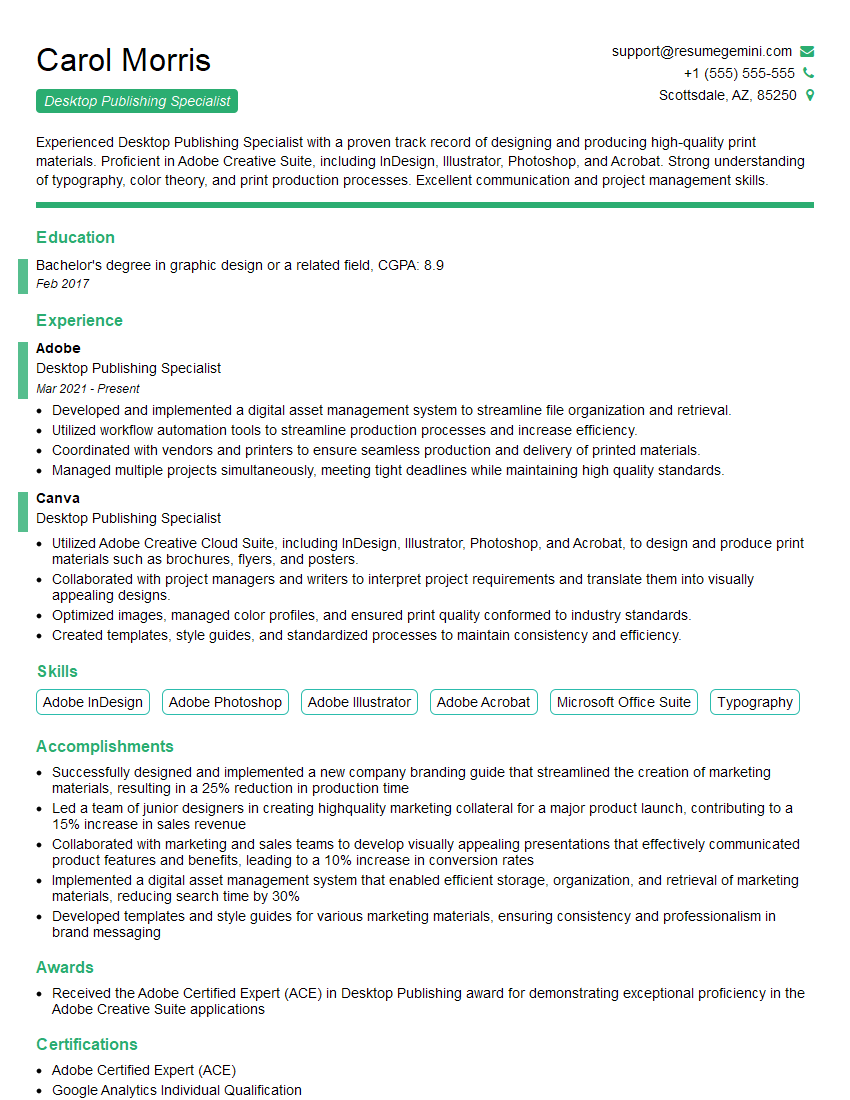
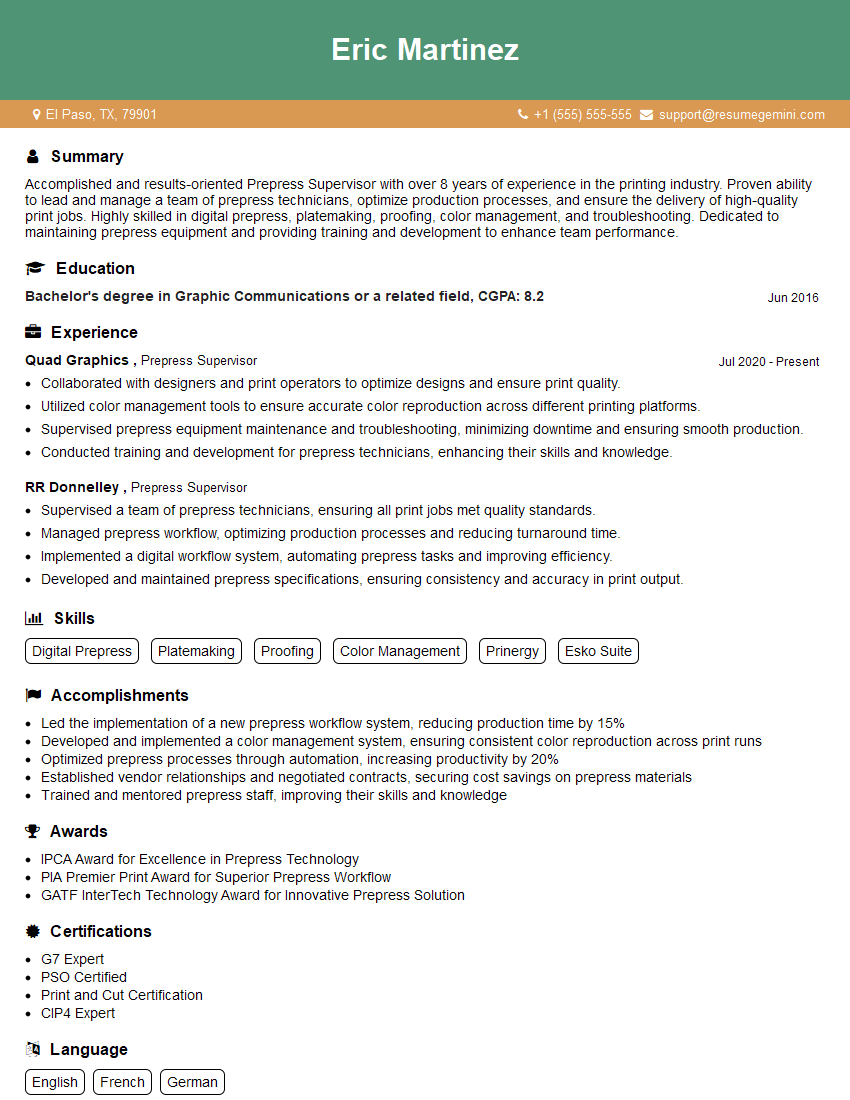
Mastering Prepress Optimization is crucial for a successful and rewarding career in the printing and publishing industries. It opens doors to specialized roles with higher earning potential and greater responsibility. To maximize your job prospects, crafting an ATS-friendly resume is essential. This ensures your qualifications are accurately identified by applicant tracking systems, leading to more interview opportunities. We strongly recommend using ResumeGemini to build a professional and impactful resume. ResumeGemini offers a user-friendly platform and provides examples of resumes tailored specifically to Prepress Optimization roles, giving you a significant head-start in your job search.


Explore more articles
Users Rating of Our Blogs
Share Your Experience
We value your feedback! Please rate our content and share your thoughts (optional).
What Readers Say About Our Blog
Very informative content, great job.
good