Unlock your full potential by mastering the most common Knowledge of Printing Process and Materials interview questions. This blog offers a deep dive into the critical topics, ensuring you’re not only prepared to answer but to excel. With these insights, you’ll approach your interview with clarity and confidence.
Questions Asked in Knowledge of Printing Process and Materials Interview
Q 1. Explain the difference between offset and digital printing.
Offset printing and digital printing are two distinct methods of mass production. Offset, the older technique, uses an indirect printing process. Ink is transferred from a plate to a rubber blanket, then to the substrate (paper, etc.). This allows for high-volume, cost-effective printing with exceptional quality, particularly for detailed images and sharp text. Think of it like a carefully orchestrated relay race. Digital printing, on the other hand, is a direct method. The image is printed directly onto the substrate, typically using toner or inkjet technology. This is ideal for short runs, personalized materials, and variable data printing—think custom invitations or personalized marketing materials. The main differences lie in their speed, cost-effectiveness per unit, and overall application.
- Offset: Higher initial setup costs, lower per-unit cost for large runs, excellent color accuracy, best for large quantities.
- Digital: Lower initial setup costs, higher per-unit cost for large runs, faster turnaround, ideal for short runs, customization, and variable data.
For instance, a large company printing millions of brochures would likely choose offset. A small business printing personalized thank-you notes would opt for digital.
Q 2. Describe the various types of printing inks and their applications.
Printing inks come in various types, each suited for specific applications. The choice depends on factors like the substrate, desired finish, and printing method.
- Solvent-based inks: Used for outdoor applications needing high durability and weather resistance, like billboards or vehicle wraps. They have a strong odor and require specialized ventilation.
- UV (Ultraviolet) curable inks: Cured instantly upon exposure to UV light, offering fast drying times and excellent scratch resistance. Commonly used in packaging and signage.
- Water-based inks: Environmentally friendly and low-odor, suitable for many applications but have less durability than solvent-based inks. Ideal for indoor printing and applications where environmental impact is a primary concern.
- Vegetable-based inks: Made from renewable resources and are biodegradable, offering an eco-conscious alternative.
- Plastisol inks: Primarily used in screen printing, known for their vibrant colors and durability, excellent for textiles like t-shirts.
Selecting the right ink is crucial. Using a water-based ink for outdoor signage would lead to quick fading and reduced lifespan, while using solvent-based ink for food packaging would be a health hazard.
Q 3. What are the key considerations when selecting paper stock for a print job?
Choosing the right paper stock is pivotal to the success of a print job, impacting both the aesthetic and functional aspects of the final product. Key considerations include:
- Weight (gsm): Grams per square meter; dictates the paper’s thickness and feel. Heavier paper feels more substantial and luxurious, but can increase printing costs.
- Finish: The surface texture, affecting the ink’s absorption and overall look. Common finishes include coated (glossy or matte), uncoated (natural texture), and textured (linen, etc.).
- Brightness: Measured in percentage, indicates how much light the paper reflects. Higher brightness implies a whiter appearance.
- Opacity: The ability to prevent ink from showing through from the other side. Important for double-sided printing.
- Color: White is the standard, but tinted papers can be used for unique effects.
- Sustainability: Consider eco-friendly options like recycled paper or papers certified by organizations like the Forest Stewardship Council (FSC).
For example, a glossy coated paper is ideal for high-impact images and sharp text, while an uncoated paper might be preferred for a more natural, rustic feel. For a business card, you’d need a heavier weight stock for durability; for a large poster, you might choose a thinner, more cost-effective stock.
Q 4. How do you ensure color accuracy in the printing process?
Color accuracy is paramount in printing. Several steps ensure consistent, reliable results:
- Color Profiles: Using ICC (International Color Consortium) profiles accurately describes the color space of the monitor, printer, and the press.
- Proofing: Soft proofs (on-screen previews) and hard proofs (printed samples) allow for color adjustments before mass production. Using a calibrated monitor and a professional-quality proofing system are crucial here.
- Color Calibration: Regularly calibrating equipment, including monitors and printers, prevents color drift and discrepancies.
- Color Management System (CMS): Software or hardware that manages color throughout the workflow, ensuring consistent color reproduction across devices.
- Ink Selection and Adjustment: Choosing appropriate inks and fine-tuning ink densities on press.
A simple analogy is a recipe: The color profile is the recipe, the proof is a test batch, and the CMS is your kitchen scale, ensuring all the ingredients are correctly measured.
Q 5. What are the common prepress procedures?
Prepress procedures are the crucial steps taken before the actual printing begins. These procedures ensure the print job’s files are prepared correctly and optimize the printing process for quality and efficiency.
- File Preparation: Checking for resolution, color mode (CMYK), bleed, and appropriate file formats.
- Imposition: Arranging pages in the correct order for efficient printing and folding.
- Trapping: Overprinting colors slightly to prevent gaps or misregistration between colors, particularly important in offset printing.
- Color Separation: Splitting a full-color image into separate CMYK plates for offset printing.
- Proofing: Creating soft or hard proofs to check color accuracy and overall design layout.
- Plate Making (Offset): Creating printing plates from the prepared files.
Failing to perform these steps correctly can lead to costly errors, such as misaligned colors, incorrect page order, or blurry images, requiring reprint costs and wasted time.
Q 6. Explain the role of a color management system (CMS).
A Color Management System (CMS) is the cornerstone of color accuracy in printing. It’s a system of hardware and software that controls and standardizes color across different devices and stages of the printing process. Think of it as a translator, ensuring that the colors you see on your screen are accurately reproduced on the printed output.
- Profile Creation: CMS creates profiles (characterizations) for all devices involved in the process – your monitor, scanner, printer, and the printing press. These profiles describe each device’s unique color characteristics.
- Color Conversion: It converts color data between different color spaces to maintain consistency. For instance, converting an RGB image from your screen to the CMYK color space of the printing press.
- Color Correction: It compensates for discrepancies and inaccuracies across different devices. For example, adjusting for the differences in color rendering between your monitor and the printing press.
Without a CMS, you’re likely to experience significant color shifts between your design and the final print, leading to inconsistencies and potentially needing costly corrections.
Q 7. Describe the different types of printing finishes.
Printing finishes enhance the appearance, durability, and overall feel of a printed piece. The choice of finish depends greatly on the desired look and application.
- Coating: Applying a protective layer (UV, aqueous, or varnish) to enhance durability and provide a glossy, matte, or other specialized finish.
- Lamination: Adding a plastic film to the printed material for added protection against moisture, scratches, and wear. Offers a smooth, glossy feel.
- Foil Stamping: Using heat and pressure to apply metallic or other colored foil, creating a luxurious effect.
- Embossing/Debossing: Creating raised (embossing) or indented (debossing) textures to add visual and tactile interest.
- Die-cutting: Cutting the paper into custom shapes or patterns.
- Perfuming: Adding fragrance to printed materials for unique sensory experiences (e.g., perfume samples or greeting cards).
For instance, a glossy UV coating would be excellent for brochures needing to withstand handling, while embossing could add sophistication to a business card.
Q 8. What are the advantages and disadvantages of various printing methods (e.g., screen printing, flexography)?
Choosing the right printing method depends heavily on the project’s requirements. Let’s compare screen printing and flexography:
- Screen Printing: This method uses a stencil to apply ink to a substrate.
- Advantages: Excellent for thick ink layers, vibrant colors, and printing on unusual materials (like t-shirts or mugs). It’s relatively low-cost for smaller runs.
- Disadvantages: Slower than other methods for large runs, less precise detail, and ink can be less durable than other print methods.
- Flexography: This uses a flexible printing plate to transfer ink onto a substrate.
- Advantages: High-speed printing ideal for large runs, good for printing on flexible packaging materials, relatively cost-effective for mass production. Works well with various substrates.
- Disadvantages: Less precise detail compared to offset lithography, may not be as suitable for detailed artwork.
For instance, I once worked on a project where we needed to print custom designs on hundreds of t-shirts. Screen printing was the clear winner due to its ability to handle thick inks and the relatively low cost for that quantity. Conversely, for a large packaging order of thousands of boxes, we opted for flexography for its speed and efficiency.
Q 9. How do you troubleshoot common printing problems?
Troubleshooting printing problems requires a systematic approach. I typically follow these steps:
- Identify the problem: Is it a color issue (e.g., incorrect color matching, banding), a registration problem (images not aligning), or a print quality issue (e.g., smudging, blurry images)?
- Analyze the variables: Check ink consistency, screen mesh count (for screen printing), printing pressure, substrate condition, and the condition of printing plates.
- Isolate the cause: Once you’ve identified the potential culprits, test each variable to pinpoint the exact cause. For example, if there’s banding, you might test different ink viscosities.
- Implement the solution: Adjust the identified variable (e.g., increase pressure, replace the plate) and perform a test print.
- Document the process: Keep detailed records of the problem, analysis, and solution to prevent future occurrences.
For example, I once encountered a registration problem in a flexographic print job. After careful analysis, I found the problem was caused by worn-out rollers. Replacing them immediately resolved the issue.
Q 10. Explain the concept of color separation.
Color separation is the process of breaking down a full-color image into its individual color components – typically Cyan, Magenta, Yellow, and Key (Black), or CMYK. Each color is then printed separately on the substrate, and when viewed together, they create the final image. Think of it as a four-color puzzle.
This is crucial because most printing methods (excluding some digital processes) cannot print all colors at once. Software applications use sophisticated algorithms to separate the colors, generating individual films or plates for each color. The accuracy of color separation directly impacts the final print’s fidelity to the original artwork.
Q 11. What are the different types of paper coatings and their effects on printability?
Paper coatings significantly impact printability. They alter the paper’s surface properties, affecting ink absorption, gloss, and overall print quality.
- Coated Paper: A layer of coating (often clay or polymers) is applied to the paper surface.
- Effects: Provides a smooth surface for sharper print quality, better ink holdout (prevents ink from feathering or soaking into the paper), and a higher gloss finish. Excellent for high-quality magazines and brochures.
- Uncoated Paper: Has no additional coating.
- Effects: Ink is absorbed into the fibers, resulting in a matte finish and less vibrant colors. More porous and textural. Suitable for books, stationery, or applications where a natural feel is desired.
- Cast-Coated Paper: Uses a special coating technique to create an exceptionally smooth and glossy surface.
- Effects: Provides extremely sharp printing, high gloss, and excellent color reproduction. Often used for high-end packaging.
The choice of paper coating depends on factors like desired aesthetics, budget, and the printing method used. Using the wrong coating can lead to problems such as poor color reproduction or ink bleed.
Q 12. What are the safety procedures involved in operating printing equipment?
Safety is paramount in a printing environment. Procedures vary depending on the specific equipment, but common safety measures include:
- Personal Protective Equipment (PPE): This includes safety glasses, gloves, and hearing protection, especially when operating noisy or high-speed equipment.
- Machine Guards: Ensuring all machine guards are in place and functional to prevent accidental contact with moving parts.
- Lockout/Tagout Procedures: Following strict procedures to lock out and tag out equipment before maintenance or repairs, preventing accidental starts.
- Proper Waste Disposal: Handling inks and solvents carefully, following all regulations for disposal of hazardous materials.
- Emergency Procedures: Knowing the location of emergency exits, fire extinguishers, and first-aid kits and being trained in their usage.
- Regular Maintenance: Regular inspections and maintenance of equipment to prevent malfunctions and potential accidents.
Ignoring these safety measures can lead to serious injuries or even fatalities. Safety is not merely a guideline; it’s a critical part of the printing process that demands strict adherence.
Q 13. Describe your experience with different types of printing presses.
My experience encompasses a range of printing presses, including:
- Offset Lithographic Presses: I’ve worked extensively with these, using both sheet-fed and web-fed presses for high-volume, high-quality print jobs, including brochures, magazines, and books.
- Screen Printing Presses: I have hands-on experience with both manual and automated screen printing presses, particularly for specialty items like apparel and promotional products.
- Flexographic Presses: I’ve been involved in operating and maintaining flexographic presses, predominantly for flexible packaging and labels.
- Digital Presses: I have experience with various digital printing technologies, offering speed and efficiency for short-run and personalized printing.
Each press type has its unique characteristics and challenges. Understanding their capabilities and limitations is essential for selecting the right press for a particular job and optimizing the printing process.
Q 14. How do you manage print projects to meet deadlines and budgets?
Managing print projects to meet deadlines and budgets requires careful planning and execution. I typically utilize the following strategies:
- Project Scope Definition: Clearly define the project’s scope, including specifications, quantities, and deadlines.
- Resource Allocation: Allocate the appropriate resources, including personnel, materials, and equipment.
- Production Scheduling: Develop a detailed production schedule that accounts for each stage of the printing process.
- Cost Estimation: Create a detailed cost estimate that includes all expenses, such as materials, labor, and equipment usage.
- Quality Control: Implement rigorous quality control measures to ensure that the final product meets the specified standards.
- Communication and Collaboration: Maintain open communication with clients and team members to address any issues promptly.
- Performance Monitoring: Monitor project progress regularly, making necessary adjustments to meet deadlines and stay within the budget.
For example, on a recent large-scale project, we used agile project management techniques to break down the project into smaller, manageable tasks. This allowed us to monitor progress closely, adapt to unforeseen challenges, and ensure timely completion without exceeding the budget.
Q 15. What quality control measures do you employ in the printing process?
Quality control in printing is a multifaceted process ensuring consistent, high-quality output. It starts long before the press even runs. We employ a multi-layered approach, beginning with meticulous pre-press checks. This includes verifying the accuracy of the digital files – checking for correct color profiles, resolution, and image placement. We then perform color proofing, using calibrated monitors and potentially soft proofing to compare the digital representation to the intended final product. During the printing process itself, regular checks are conducted on color consistency, ink density, registration (alignment of colors), and paper feed. This often involves using a densitometer to measure ink densities and ensuring they are within the specified tolerances. Finally, a post-press quality check is performed involving a thorough inspection of the finished product for defects such as smudging, misprints, and inconsistencies. Any issues detected at any stage prompt corrective action, ensuring consistent quality throughout the printing process. For example, if the color density is consistently off, we might adjust the ink settings on the press. If a misregistration issue occurs we will investigate if it’s a mechanical problem with the press or if there is an issue with the plates being used.
Career Expert Tips:
- Ace those interviews! Prepare effectively by reviewing the Top 50 Most Common Interview Questions on ResumeGemini.
- Navigate your job search with confidence! Explore a wide range of Career Tips on ResumeGemini. Learn about common challenges and recommendations to overcome them.
- Craft the perfect resume! Master the Art of Resume Writing with ResumeGemini’s guide. Showcase your unique qualifications and achievements effectively.
- Don’t miss out on holiday savings! Build your dream resume with ResumeGemini’s ATS optimized templates.
Q 16. How familiar are you with different file formats used in printing (e.g., PDF, TIFF)?
I’m highly proficient in handling various file formats commonly used in printing. PDF (Portable Document Format) is the industry standard, offering excellent color fidelity and compatibility across different software and hardware. I’m particularly adept at working with high-resolution PDF/X files, which are specifically designed for print production and guarantee color consistency. TIFF (Tagged Image File Format) is another crucial format, often used for high-resolution images. I’m experienced in managing TIFF files with various compression settings, optimizing them for efficient processing without compromising image quality. I’m also familiar with other formats like EPS (Encapsulated PostScript), though PDF has largely superseded its use in most workflows. Understanding the nuances of each format and their implications for print quality is critical; for instance, using a low-resolution JPEG in a print job can result in a blurry or pixelated final product. Selecting the appropriate file format significantly affects the final output’s sharpness and color accuracy.
Q 17. Explain the importance of proofing in the printing process.
Proofing is an indispensable step in the printing process, essentially a trial run allowing us to verify the accuracy of the final printed product before mass production. This prevents costly errors and ensures customer satisfaction. We use different proofing methods depending on the complexity and client requirements. Soft proofing involves viewing a digital representation of the print on a calibrated monitor, which allows for quick corrections and feedback. Hard proofing, on the other hand, involves producing a physical sample print using the same materials and press settings as the final job. This provides a tangible representation, ensuring accurate color reproduction and a clear understanding of the final output. For critical projects, we often use contract proofing, a legally binding agreement that assures the client of the final product’s accuracy. It is through this careful proofing process that we can minimize the risk of costly reprints and ensure the delivered product is of the highest quality and exactly matches the client’s vision. A real-world example would be a packaging job for a food product; accurate color matching is crucial for brand recognition, and proofing helps ensure the packaging looks exactly as the client intended.
Q 18. Describe your experience with different types of printing substrates.
My experience with various printing substrates is extensive. I’ve worked with a broad range of paper stocks, including coated and uncoated papers, varying in weight, texture, and finish. Coated papers offer a smooth surface ideal for high-resolution images and sharp text, often used for brochures and magazines. Uncoated papers, with their natural texture, provide a more rustic feel, suitable for invitations and business cards. I’ve also worked with specialty papers, such as textured papers, recycled papers, and metallic papers, each lending a unique characteristic to the final product. Beyond paper, I’m familiar with card stock, various types of board, and even synthetic substrates like vinyl for banner printing or plastics for labels. Selecting the right substrate is crucial to achieve the desired aesthetic and functional properties. For instance, using a thin paper for a large-format poster will result in a flimsy and easily damaged product. Choosing the appropriate substrate is often discussed with the client to ensure the final print meets their expectations regarding quality and finish.
Q 19. How do you handle customer requests and address concerns related to print quality?
Handling customer requests and addressing quality concerns is a key part of my role. I begin by actively listening to their concerns, asking clarifying questions to fully understand the issue. This involves examining the printed material to identify the source of the problem. Is it a color issue, registration problem, or perhaps a defect in the substrate? Once the problem is identified, I discuss potential solutions with the client, explaining the technical aspects in an understandable manner, avoiding jargon. We often collaborate to find the best compromise between quality and cost, sometimes involving reprints or adjustments to the original order. The emphasis is on finding a solution that satisfies the client while demonstrating professionalism and a commitment to quality. Transparency is key; I keep the client informed throughout the process, managing expectations effectively. For example, if a color is slightly off and reprinting is cost-prohibitive, we might explore alternative solutions like adjusting the artwork for future orders.
Q 20. What are your skills in using RIP software?
I’m highly proficient in using RIP (Raster Image Processor) software, essential for converting digital files into a format suitable for printing. My experience encompasses several leading RIP software packages, including [mention specific software names if comfortable – e.g., Esko, Onyx, etc.]. I understand color management principles within the RIP, allowing me to accurately translate colors from the digital file to the printed output. This includes creating and modifying color profiles, managing spot colors, and troubleshooting color inconsistencies. I’m also skilled in optimizing the RIP settings for different printers and substrates, maximizing print quality and efficiency. This ensures optimal ink usage and reduces waste. I can manage print queues and perform other administrative tasks, ensuring smooth and efficient workflow within the print production process. For example, understanding halftoning algorithms within the RIP is vital for achieving smooth gradients and avoiding banding or posterization in the final print.
Q 21. Explain the impact of different paper weights on the printing results.
Paper weight significantly impacts printing results. Heavier paper stocks (measured in gsm – grams per square meter) offer greater durability and rigidity, preventing bending and creasing. They also provide a more substantial feel, enhancing the perceived quality of the printed piece. However, heavier paper can cause problems with certain printing presses, potentially requiring adjustments to the machine settings. Furthermore, ink absorption can vary; heavier papers might absorb ink differently than lighter papers, potentially affecting the color saturation and drying time. Lighter papers, while cost-effective, can be more prone to wrinkles and may not provide the same level of visual impact, particularly for high-resolution images. The choice of paper weight is a design decision, considering factors like the desired look and feel, the intended application of the printed material, and the capabilities of the printing equipment. For instance, a business card would benefit from a heavier weight for durability, while a newsletter might use a lighter paper to reduce costs and maintain manageability.
Q 22. What is your experience with die-cutting and other finishing techniques?
Die-cutting is a crucial finishing technique where a sharp steel rule die is used to cut shapes, patterns, or perforations into paper, cardstock, or other substrates. It’s like using a giant cookie cutter, but much more precise. My experience encompasses a wide range of die-cutting applications, from simple business cards with rounded corners to complex packaging with intricate designs and multiple layers. I’m proficient in various die-cutting methods, including flatbed die-cutting, rotary die-cutting, and kiss-cutting, selecting the optimal method depending on the project’s requirements and volume. Beyond die-cutting, I’m experienced in other finishing techniques like embossing (creating raised or indented designs), debossing (the opposite of embossing), foil stamping (adding metallic or colored foil to create a luxurious look), UV coating (applying a protective and glossy layer), and lamination (adding a protective film for durability). For example, I once worked on a project requiring intricate die-cutting of a custom shape for a product packaging insert that needed to be perfectly aligned with the main box. This involved careful design collaboration and precise setup of the die-cutting press to achieve the desired precision.
Q 23. Describe your understanding of variable data printing.
Variable data printing (VDP) is a powerful technique that allows for personalized content on each printed piece within a single print run. Imagine sending a personalized birthday card to each of your 1000 customers; that’s the power of VDP. It involves using databases to merge individualized information such as names, addresses, images, or special offers into a printing template. This differs from traditional printing where every piece is identical. My understanding of VDP includes experience with various software platforms used for data integration and template design. I’ve worked with projects incorporating VDP for direct mail campaigns, personalized brochures, and customized product packaging. A recent project involved creating personalized thank-you notes for a client’s customers after a purchase, including their name, order details, and a unique discount code. The success of such projects hinges on the accuracy and efficiency of data management and the seamless integration of the variable data with the printing process.
Q 24. How do you maintain and troubleshoot printing equipment?
Maintaining and troubleshooting printing equipment is a critical aspect of my role. Regular preventative maintenance is key to ensuring optimal performance and minimizing downtime. This includes daily checks of ink levels, cleaning print heads, lubricating moving parts, and verifying paper feeds. Troubleshooting involves a systematic approach. I start by identifying the problem – is it a paper jam, ink issue, or a more complex mechanical fault? I then use my knowledge of the equipment’s mechanics and electronics to diagnose the root cause. This may involve checking error codes, consulting manuals, or performing simple repairs. For example, if a printer is consistently producing blurry prints, I might check the print head for clogs, adjust the ink viscosity, or investigate potential issues with the fuser unit (which melts the toner onto the paper). More complex issues might require calling in a specialist, but my understanding of the equipment helps me effectively communicate the problem and speed up the repair process.
Q 25. What is your experience with environmental considerations in printing?
Environmental considerations are paramount in modern printing. My experience includes working with eco-friendly printing practices, minimizing waste, and selecting sustainable materials. This involves using vegetable-based inks, recycled paper stocks, and energy-efficient equipment. I’m familiar with various environmental certifications, such as FSC (Forest Stewardship Council) for responsibly sourced paper. I also actively participate in waste reduction strategies, including proper ink disposal, recycling of paper and packaging, and minimizing energy consumption. A recent project involved working with a client committed to sustainability; we chose recycled paper and vegetable-based inks, resulting in a significantly reduced carbon footprint compared to traditional printing methods. Choosing environmentally responsible options isn’t just about being ‘green’; it increasingly influences client choices and adds value to the final product.
Q 26. How do you calculate the cost of a printing job?
Calculating the cost of a printing job requires a comprehensive approach, considering various factors. The primary cost components are materials (paper, ink, substrates), labor (design, pre-press, printing, finishing), and equipment usage (depreciation, maintenance). I typically break down the cost calculation into several steps: 1. Material Costs: This includes the cost of paper, ink, and any other materials used (e.g., laminates, special coatings). 2. Labor Costs: This includes the time spent on design, pre-press preparation (creating print-ready files), printing, and finishing. I calculate labor costs based on hourly rates or project-based pricing. 3. Equipment Costs: This accounts for the depreciation of equipment and the cost of maintenance. 4. Overhead: This covers business expenses such as rent, utilities, and administrative costs. Finally, I add a markup to cover profits and contingencies. For example, in a project involving 1000 brochures, I will calculate the cost of the paper, the ink required, the time spent on design and printing, and then add a margin for overhead and profit. The final price is presented transparently to the client.
Q 27. Describe your experience with large format printing.
Large format printing involves producing high-quality prints on large surfaces, such as banners, posters, billboards, and vehicle wraps. My experience in large format printing includes working with various printing technologies, including inkjet, solvent, and UV printing. I understand the specific characteristics of these technologies and their suitability for different applications. For example, solvent inks are durable and weather-resistant, making them ideal for outdoor signage, while UV inks are known for their vibrant colors and fast curing times. I’m also experienced in the pre-press processes for large format printing, which often involve handling high-resolution images and ensuring proper color management. A recent project involved printing a large-scale mural for a client, requiring careful planning, precise color calibration, and on-site installation. The successful completion of large format projects depends on meticulous preparation, selection of appropriate materials and technologies, and efficient project management.
Key Topics to Learn for Your Knowledge of Printing Process and Materials Interview
- Pre-Press Processes: Understanding file preparation, color management (CMYK, RGB, Pantone), image resolution, and trapping techniques. Consider practical applications like preparing artwork for different printing methods.
- Printing Processes: A solid grasp of offset lithography, digital printing (various technologies), screen printing, flexography, and their respective strengths and weaknesses. Be prepared to discuss the advantages and disadvantages of each method for different applications (e.g., high-volume vs. short-run printing).
- Printing Materials: Deep dive into paper types (coated, uncoated, specialty papers), inks (pigment vs. dye-based), substrates (cardboard, plastics), and their properties relevant to print quality and finishing. Consider the impact of material choice on the final product’s appearance, durability, and cost.
- Color Theory and Management: Beyond CMYK, understand color profiles, proofing methods, and color consistency across different printing processes. Be ready to discuss potential color discrepancies and troubleshooting strategies.
- Finishing Techniques: Familiarity with various post-press finishing options like cutting, folding, binding, laminating, embossing, and die-cutting. Discuss how these techniques enhance the final product and how material choice impacts the feasibility of specific finishes.
- Troubleshooting and Problem Solving: Be prepared to discuss common printing challenges (e.g., color inconsistencies, registration issues, ink problems) and your approaches to identify and resolve them. Highlight your analytical skills and problem-solving methodology.
- Sustainability and Environmental Considerations: Demonstrate awareness of eco-friendly printing practices, including the use of sustainable materials and responsible waste management. This is increasingly important in the industry.
Next Steps
Mastering the knowledge of printing processes and materials is crucial for career advancement in this dynamic field. A strong understanding of these topics will significantly improve your job prospects and allow you to contribute effectively to a printing team. To maximize your chances of success, crafting an ATS-friendly resume is essential. ResumeGemini is a trusted resource that can help you build a professional and impactful resume tailored to highlight your expertise. We offer examples of resumes specifically designed for candidates with knowledge of printing processes and materials to help you get started.

Print Production Manager Resume Sample

Print Buyer Resume Sample

Prepress Manager Resume Sample

Graphic Arts Technician Resume Sample
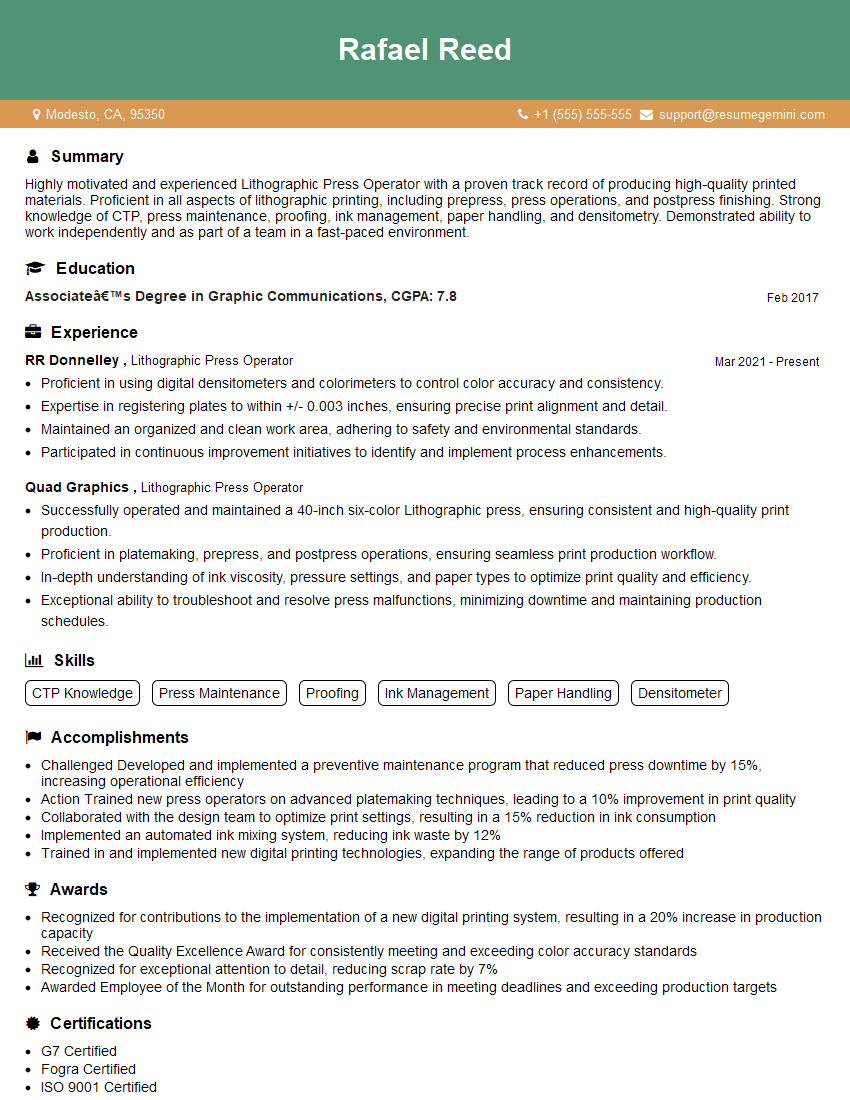
Lithographic Press Operator Resume Sample

Prepress Technician Resume Sample
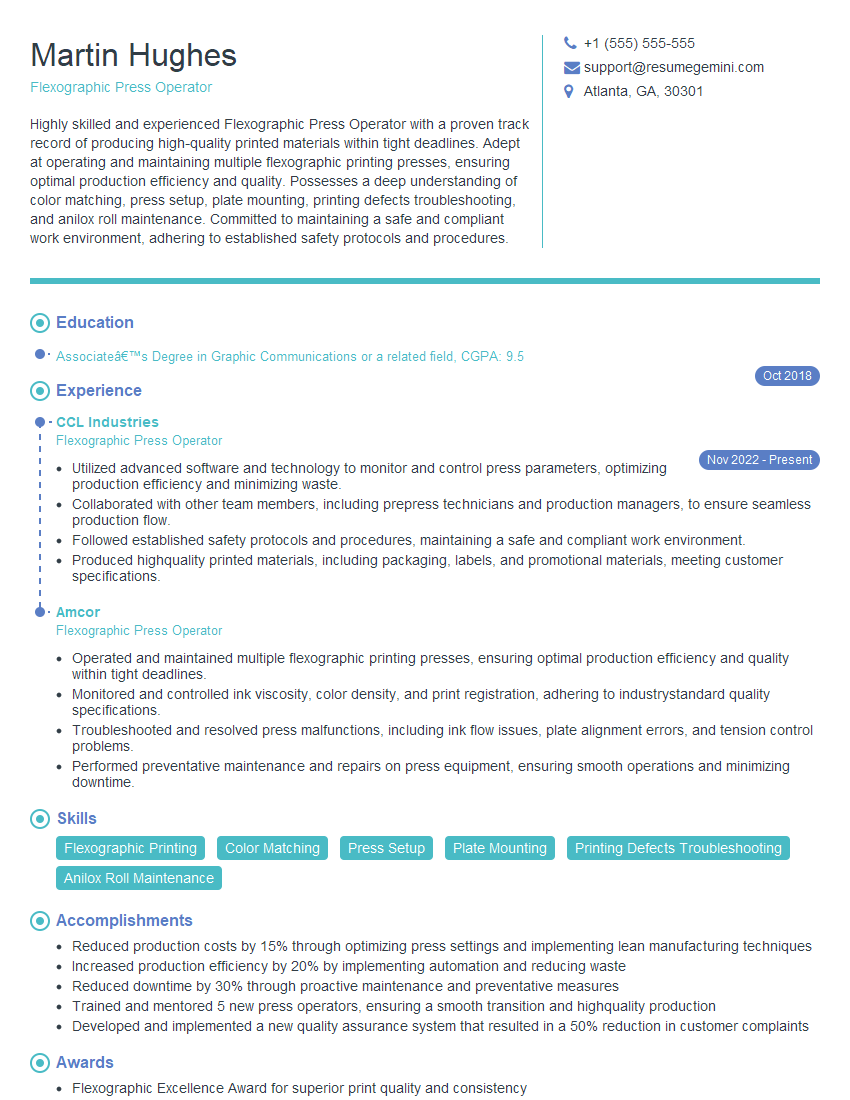
Flexographic Press Operator Resume Sample

Offset Press Operator Resume Sample
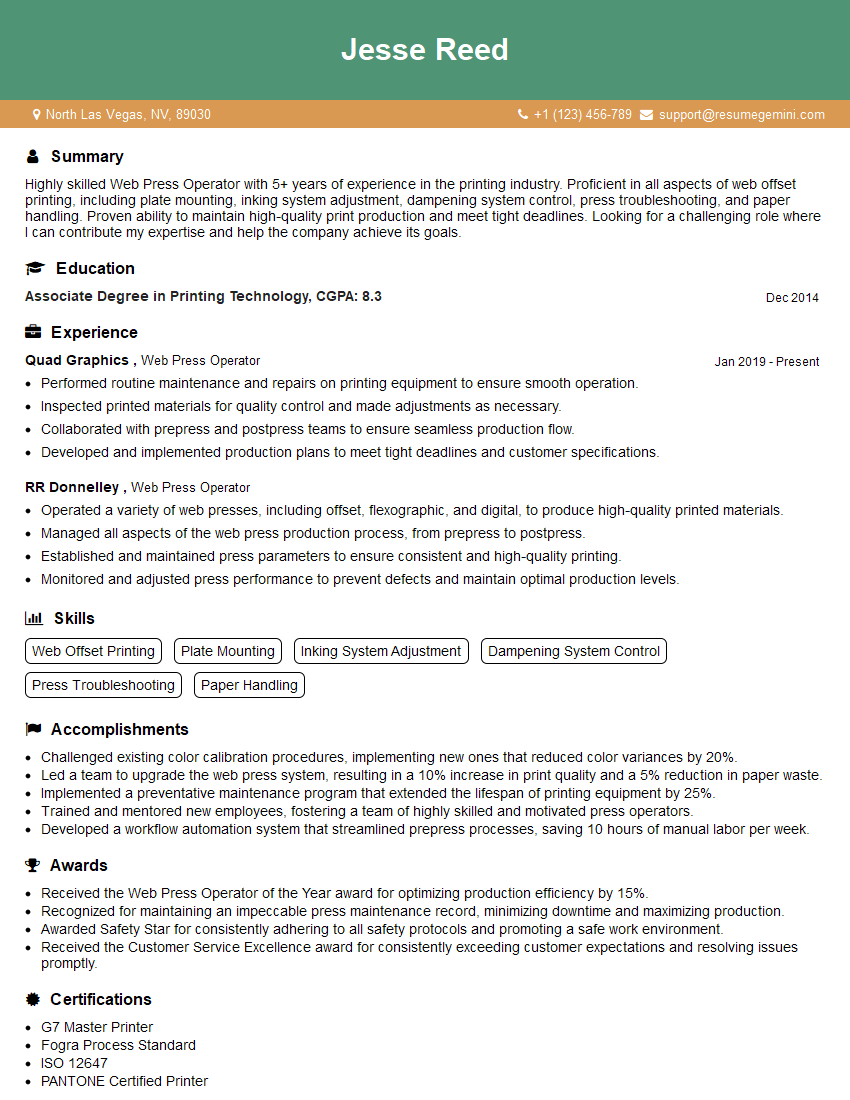
Web Press Operator Resume Sample

Print Finisher Resume Sample
Explore more articles
Users Rating of Our Blogs
Share Your Experience
We value your feedback! Please rate our content and share your thoughts (optional).
What Readers Say About Our Blog
Very informative content, great job.
good