Preparation is the key to success in any interview. In this post, we’ll explore crucial Security Configuration Management interview questions and equip you with strategies to craft impactful answers. Whether you’re a beginner or a pro, these tips will elevate your preparation.
Questions Asked in Security Configuration Management Interview
Q 1. Explain the importance of baselining in Security Configuration Management.
Baselining in Security Configuration Management is like taking a snapshot of your system’s security settings at a known-good state. It’s crucial for establishing a benchmark against which future configurations can be compared. This allows you to track changes, identify deviations, and quickly revert to a secure state if necessary. Think of it as a security ‘before’ picture. You define what your ideal security posture looks like, document it meticulously, and then use that baseline to compare against the actual configuration of your systems.
For instance, a baseline might specify that all servers must have specific firewall rules enabled, that only necessary services are running, and that all user accounts adhere to a strong password policy. By regularly comparing the current configuration to this baseline, you can easily detect unauthorized changes and potential security vulnerabilities.
Without a baseline, identifying security weaknesses becomes a much more complex, time-consuming, and error-prone task. It’s like trying to solve a puzzle without knowing what the final image should look like.
Q 2. Describe the difference between configuration drift and configuration compliance.
Configuration drift and configuration compliance are two sides of the same coin, but they represent opposite ends of the spectrum. Configuration drift refers to the unintended and undocumented changes in a system’s configuration over time. It’s like a car slowly drifting off course – you don’t notice the small adjustments, but eventually you’re far from your intended destination. These changes can be caused by various factors, such as manual adjustments, software updates, or even malware infections.
Configuration compliance, on the other hand, means that a system’s configuration adheres to a predefined set of security policies and standards. It’s like staying on the intended route. It ensures that systems are configured securely and meet the organization’s security requirements. Compliance is achieved through regular monitoring and remediation of any detected deviations from the baseline.
Example: Imagine a server with a baseline configuration specifying a specific firewall rule. If that rule gets unintentionally modified, that’s configuration drift. Regular compliance checks would identify this drift, and appropriate action (restoring the rule) would be taken to restore compliance.
Q 3. What are some common tools used for Security Configuration Management?
Many tools aid Security Configuration Management, each with strengths and weaknesses. Some popular examples include:
- Ansible: An automation platform used for configuration management and deployment. It uses YAML files to define desired states, making it easy to manage configurations across multiple systems.
- Chef: Another configuration management tool similar to Ansible, using Ruby-based DSL for defining infrastructure as code.
- Puppet: A popular open-source configuration management tool known for its declarative approach to system configuration.
- SaltStack: A fast and highly scalable configuration management and remote execution tool often used in large-scale deployments.
- SCCM (System Center Configuration Manager): Microsoft’s comprehensive solution for managing and securing enterprise systems, including software deployment and patch management.
- Security Information and Event Management (SIEM) tools (e.g., Splunk, QRadar): While not solely for configuration management, they play a vital role in monitoring for configuration changes and potential security breaches.
The best tool depends on factors like the size of your environment, your existing infrastructure, and your team’s expertise.
Q 4. How do you ensure configuration consistency across multiple environments?
Ensuring configuration consistency across multiple environments – development, testing, staging, and production – is paramount for security. Inconsistent configurations can introduce vulnerabilities. This can be achieved effectively through infrastructure-as-code (IaC) practices and robust configuration management tools.
IaC allows you to define your infrastructure (including security configurations) in code, making it easily repeatable and manageable across various environments. Tools like Ansible, Chef, or Puppet can be used to automate the deployment and configuration of your systems. By using the same IaC scripts and configuration files across all environments, you guarantee consistency.
Version control is also critical. Store your configuration files in a version control system (like Git) to track changes, revert to previous versions if necessary, and facilitate collaboration. Regular automated scans and compliance checks across all environments further enhance consistency and provide early detection of configuration drift.
Finally, rigorous testing in non-production environments before deploying changes to production is essential to minimize the risk of introducing inconsistencies or vulnerabilities.
Q 5. Explain the concept of least privilege in the context of security configuration.
The principle of least privilege dictates that users and processes should only be granted the minimum necessary permissions to perform their tasks. In security configuration, this translates to configuring systems so that only essential services are running, users have only the necessary access rights, and processes have the least possible privileges.
Example: A web server needs network access to communicate with clients, but it doesn’t need access to the file system to modify sensitive configuration files. By configuring the web server with minimal permissions, you limit the damage a potential attacker could cause if they compromised the server. Restricting unnecessary privileges reduces the attack surface and mitigates the risk of a successful attack.
Applying the principle of least privilege requires careful planning and understanding of the roles and responsibilities of each user and process within your system. It’s an iterative process of identifying minimum requirements, enforcing those restrictions, and continually auditing and refining the configuration based on changing needs.
Q 6. Describe your experience with implementing security hardening guidelines.
I have extensive experience implementing security hardening guidelines across various platforms (Windows, Linux, network devices). My approach typically involves these steps:
- Assessment: Begin by assessing the existing security posture, identifying vulnerabilities and areas for improvement.
- Policy Definition: Define clear security policies based on industry best practices, compliance requirements (e.g., PCI DSS, HIPAA), and organizational needs. This might include password policies, access control, firewall rules, and audit logging requirements.
- Tool Selection: Choose appropriate tools for automation and configuration management (Ansible, Chef, Puppet, etc.).
- Implementation: Use chosen tools to implement the hardening guidelines, automating as much as possible to ensure consistency and repeatability. This involves scripting configuration changes, disabling unnecessary services, strengthening passwords, and configuring firewalls.
- Testing & Validation: Rigorously test the changes to ensure they don’t negatively impact system functionality while improving security. Use vulnerability scanners and penetration testing to identify and address any residual weaknesses.
- Monitoring & Maintenance: Implement monitoring and alerting mechanisms to track system configurations and detect any drift from the hardened state.
For example, in one project, we hardened a large number of web servers by disabling unnecessary services, strengthening firewall rules, and implementing robust logging. This significantly reduced the attack surface and improved the overall security posture of the environment.
Q 7. How do you handle configuration changes in a production environment?
Handling configuration changes in a production environment requires a highly structured and cautious approach to minimize disruption and risk. Key steps include:
- Change Management Process: Implement a formal change management process with approvals, documentation, and rollback plans. This ensures changes are planned, reviewed, and authorized before implementation.
- Testing: Thoroughly test all changes in a staging or pre-production environment that mirrors the production environment closely to identify potential issues before they impact production.
- Rollback Plan: Develop a comprehensive rollback plan to quickly revert changes if any issues arise in production. This might involve scripts or automated tools that can restore the previous configuration.
- Monitoring: Monitor the system closely after deploying changes to detect any anomalies or performance degradation. Utilize logging and monitoring tools to track changes and system behavior.
- Automated Deployment: Automate deployment whenever possible using tools like Ansible or Chef. Automation reduces the risk of human error and ensures consistent changes across all systems.
- Phased Rollout: Consider a phased rollout approach, deploying changes to a subset of production systems first before expanding to the entire environment. This allows for early detection and mitigation of any potential problems.
The goal is to minimize the impact of any potential errors. A well-defined change management process and thorough testing are vital in managing configuration changes in production while maintaining security and availability.
Q 8. What are some common security vulnerabilities related to misconfiguration?
Misconfiguration vulnerabilities stem from incorrect settings in systems, applications, or devices. These misconfigurations create security loopholes that attackers can exploit. They’re often easier to exploit than complex software vulnerabilities because they’re often readily apparent to anyone with basic access.
Default Credentials: Leaving default passwords unchanged on routers, databases, or applications allows attackers easy access. Imagine leaving your front door unlocked – that’s the equivalent of a default password.
Unnecessary Services: Running services not required for operation increases the attack surface. Think of it like leaving all the windows in your house open – you’re inviting trouble.
Open Ports: Exposing unnecessary network ports creates entry points for malicious actors. This is like leaving a ladder against your house, inviting burglars to climb in.
Improper Access Controls: Granting excessive permissions to users or groups allows unauthorized access to sensitive data or functionality. It’s like giving the keys to your house to everyone.
Weak Encryption: Using weak or outdated encryption algorithms makes data vulnerable to interception. This is equivalent to using a flimsy lock on your door instead of a secure one.
Q 9. Explain your understanding of configuration management automation.
Configuration management automation uses tools and scripts to manage and automate the configuration of systems. This eliminates manual processes prone to human error. Instead of manually configuring hundreds of servers, automation allows me to define a desired state once and apply it consistently across all systems.
Think of it like baking a cake – instead of manually measuring each ingredient for every cake, I use a recipe (my configuration script) to ensure consistent results every time. Tools like Ansible, Chef, Puppet, and SaltStack provide infrastructure-as-code capabilities, enabling me to define and enforce consistent configurations, greatly improving efficiency and reducing errors.
For example, ansible-playbook -i inventory.ini deploy.yml could automatically deploy a secure web application configuration across multiple servers, ensuring consistent security settings like firewall rules, user permissions, and SSL certificates across the entire environment. This automation is paramount for managing security configurations at scale across cloud and on-premise infrastructure.
Q 10. Describe your experience with using Configuration Management Databases (CMDBs).
Configuration Management Databases (CMDBs) are central repositories storing information about all IT assets and their configurations. My experience with CMDBs involves using them to track and manage system configurations, ensuring that all components are properly secured and comply with organizational policies.
I’ve used CMDBs to:
- Track software and hardware inventory for vulnerability management.
- Map dependencies to analyze the impact of configuration changes.
- Monitor compliance with security policies and industry standards.
- Automate remediation of misconfigurations.
A CMDB provides a single source of truth, making it easier to understand the overall security posture and identify potential weaknesses. For example, identifying all systems running an outdated version of a specific software application that is subsequently vulnerable to a known exploit is significantly simplified through CMDB utilization.
Q 11. How do you assess and prioritize security risks associated with misconfigurations?
Assessing and prioritizing security risks from misconfigurations involves a multi-step process. I typically use a risk assessment framework that combines the likelihood and impact of potential incidents. I follow a structured approach:
Identify Potential Misconfigurations: This often involves automated scans, manual reviews, and analysis of CMDB data. I use tools that can automatically detect misconfigured systems and applications.
Analyze the Impact: For each identified misconfiguration, I assess its potential impact on confidentiality, integrity, and availability (CIA triad). What sensitive data could be compromised? What systems could be disrupted? How much damage could result?
Assess Likelihood: How likely is it that a misconfiguration will be exploited? This depends on factors like the vulnerability’s severity, the attacker’s capabilities, and the system’s exposure.
Calculate Risk: I typically use a risk matrix to quantify the overall risk for each misconfiguration, usually using a formula like Risk = Likelihood x Impact.
Prioritize Remediation: Based on the calculated risk, I prioritize remediation efforts, focusing on the most critical misconfigurations first. This ensures that resources are used efficiently to mitigate the greatest threats.
This systematic approach allows for efficient allocation of resources to address the highest-priority risks effectively and minimize organizational exposure.
Q 12. What is the role of security policies in configuration management?
Security policies are the backbone of effective configuration management. They define the organization’s security requirements and standards, providing a framework for configuring systems and applications securely. These policies dictate acceptable configurations for various systems and applications, setting baseline security settings.
For example, a security policy might mandate strong password complexity, regular security patching, and the disabling of unnecessary network services. These policies form the basis for building secure configurations and are crucial for demonstrating compliance with industry standards and regulations.
Without well-defined security policies, configuration management efforts become ad-hoc and inconsistent, significantly increasing the risk of security vulnerabilities. These policies act as a guide, ensuring that configurations are both secure and aligned with business objectives. They also provide a framework for auditing and monitoring, verifying that security controls are appropriately implemented and maintained.
Q 13. How do you ensure compliance with relevant security standards (e.g., NIST, ISO 27001)?
Ensuring compliance with standards like NIST Cybersecurity Framework and ISO 27001 involves a combination of policies, procedures, and technologies. I would:
Develop and Implement Policies: Create and implement policies that align with the specific requirements of the chosen standard. This includes policies for configuration management, access control, incident response, etc.
Use Automated Tools: Leverage automated tools for vulnerability scanning, configuration assessments, and compliance reporting to streamline compliance activities and minimize the reliance on manual processes. This allows for continuous monitoring and reporting.
Regular Audits and Assessments: Perform regular audits and assessments to verify that systems and configurations meet the requirements of the standard and identify areas for improvement.
Documentation: Maintain detailed documentation of all security controls and configurations. This documentation serves as evidence of compliance during audits.
Training and Awareness: Provide training to personnel on the relevant security standards and policies to ensure that they understand their roles and responsibilities in maintaining compliance.
This systematic and continuous approach is necessary to maintain compliance with industry standards and ensure organizational resilience against cyber threats. It’s not a one-time effort; it requires constant vigilance and adaptation.
Q 14. How do you manage and remediate security vulnerabilities discovered through automated scans?
Managing and remediating vulnerabilities discovered through automated scans involves a structured process:
Prioritization: First, I prioritize vulnerabilities based on their severity (critical, high, medium, low) and likelihood of exploitation. Critical vulnerabilities need immediate attention.
Verification: Before remediation, I verify the findings of automated scans. False positives are common, so a manual review of identified vulnerabilities is crucial to avoid unnecessary work.
Remediation Planning: Once verified, I develop a remediation plan including the steps required to fix the vulnerability. This may involve patching software, changing configurations, or implementing compensating controls.
Implementation: I implement the remediation plan using automation whenever possible. For instance, using scripts to apply patches or change configurations across multiple systems.
Verification of Remediation: After remediation, I re-scan the system to verify that the vulnerability has been successfully addressed.
Documentation: I meticulously document the entire process, including the vulnerability, the remediation steps taken, and the verification results. This is crucial for tracking and reporting purposes.
This iterative process of identifying, verifying, remediating, and verifying again is key to maintaining a secure configuration and minimizing risk. Using change management processes is also very important to ensure a controlled and auditable remediation process.
Q 15. Describe your experience with Infrastructure as Code (IaC) and its role in security.
Infrastructure as Code (IaC) is the management of infrastructure through code, automating the provisioning and management of computing resources. Instead of manually configuring servers, networks, and other infrastructure components, we use code to define and deploy them. This is crucial for security because it allows for consistent, repeatable, and auditable deployments. Imagine baking a cake – a manual approach is prone to inconsistencies; an IaC recipe (code) ensures the same delicious cake every time.
IaC significantly enhances security by:
- Reducing human error: Manual configurations are error-prone, leading to misconfigurations that create security vulnerabilities. IaC eliminates many of these human errors.
- Enforcing consistency: IaC ensures all environments (development, testing, production) have identical security configurations, minimizing inconsistencies that attackers can exploit.
- Improving auditability: Every change made through IaC is tracked and auditable, enabling easier identification of misconfigurations and security incidents. Think of it as a detailed recipe log for your infrastructure.
- Facilitating automated security testing: IaC allows integrating automated security scans and penetration testing as part of the deployment pipeline. This catches vulnerabilities early on.
In my experience, I’ve extensively used tools like Terraform and Ansible to define and manage infrastructure, integrating security best practices – such as implementing least privilege access and enforcing strong encryption – directly into the code.
Career Expert Tips:
- Ace those interviews! Prepare effectively by reviewing the Top 50 Most Common Interview Questions on ResumeGemini.
- Navigate your job search with confidence! Explore a wide range of Career Tips on ResumeGemini. Learn about common challenges and recommendations to overcome them.
- Craft the perfect resume! Master the Art of Resume Writing with ResumeGemini’s guide. Showcase your unique qualifications and achievements effectively.
- Don’t miss out on holiday savings! Build your dream resume with ResumeGemini’s ATS optimized templates.
Q 16. Explain your approach to auditing security configurations.
Auditing security configurations involves a systematic review of the security posture of systems and applications to identify vulnerabilities and ensure compliance with security policies. My approach is multi-faceted and includes:
- Static analysis: Reviewing configuration files (e.g., SSHD config, firewall rules) for vulnerabilities using tools like automated security scanners (e.g., Nessus, OpenVAS).
- Dynamic analysis: Using penetration testing and vulnerability scanning tools to assess the runtime behavior of systems and identify exploitable vulnerabilities.
- Compliance checks: Verifying configurations against industry best practices (e.g., CIS Benchmarks, NIST guidelines) and organizational security policies. This often involves using specialized compliance scanning tools.
- Log analysis: Examining system logs for suspicious activities that may indicate security breaches or misconfigurations.
I typically use a combination of automated tools and manual reviews to ensure comprehensive coverage. Automated tools handle the large-scale scanning, while manual reviews focus on identifying more subtle or context-specific issues that automated tools might miss. Think of it like a detective using both forensic evidence and intuition to solve a case.
Q 17. How do you handle conflicts between security and operational requirements during configuration?
Conflicts between security and operational requirements are common. The key is finding a balance that minimizes risk while maintaining operational efficiency. My approach involves:
- Collaboration: Engaging with both security and operational teams to understand the requirements and constraints of each.
- Risk assessment: Evaluating the potential impact of each requirement and prioritizing based on risk. This might involve a formal risk assessment process using a framework like NIST SP 800-30.
- Compromise and negotiation: Exploring alternative solutions that meet both security and operational needs. This could involve implementing security measures incrementally or finding technically sound workarounds.
- Documentation: Clearly documenting the rationale behind any compromises made and the residual risks accepted.
For example, a strict security policy might mandate disabling SSH root login. However, operations might argue it’s needed for emergency access. A compromise could be enabling SSH key-based authentication for root access and limiting the number of users with this privilege.
Q 18. How do you prioritize security configuration tasks in a resource-constrained environment?
In resource-constrained environments, prioritizing security configuration tasks is crucial. My approach centers on:
- Risk-based prioritization: Focusing on high-impact assets and vulnerabilities first. This involves a careful assessment of the potential damage from a successful attack on different systems.
- Cost-benefit analysis: Weighing the cost of implementing a security measure against the potential benefit of reducing risk. This might involve a simple calculation of the cost of remediation versus the potential cost of a data breach.
- Automation: Automating as many security configuration tasks as possible to maximize efficiency and reduce manual effort. This could involve scripting tasks or using configuration management tools.
- Incremental implementation: Implementing security measures gradually, starting with the most critical ones, allowing time for testing and evaluation before moving on to less critical tasks.
Imagine a hospital with limited resources – they would prioritize securing patient records (high impact) over less critical systems first.
Q 19. What are the challenges you anticipate when working with legacy systems?
Working with legacy systems presents significant challenges to security configuration management. These often include:
- Lack of documentation: Understanding how the system works and what its security implications are can be very difficult.
- Outdated software and libraries: This introduces significant vulnerabilities and makes patching and updating incredibly complex, sometimes impossible.
- Unsupported technologies: Finding security expertise and tools for outdated systems can be challenging.
- Tight coupling and dependencies: Changes to the system can have unexpected consequences that might compromise the entire infrastructure.
My approach involves thorough risk assessment, careful planning, and a phased approach to modernization. I might start by prioritizing critical security patches, implementing monitoring and intrusion detection systems, and planning for a gradual migration to newer, more secure technologies. This might involve creating a detailed migration plan to ease the transition from legacy to modern systems, minimizing risk and disruption to the business.
Q 20. How do you measure the effectiveness of your security configuration management processes?
Measuring the effectiveness of security configuration management involves tracking key metrics and analyzing security events. Some key metrics include:
- Number of vulnerabilities identified and remediated: This tracks the success of vulnerability scanning and patching efforts.
- Time to remediate vulnerabilities: This indicates the efficiency of the response to security incidents.
- Compliance rate with security policies: This assesses the overall adherence to security standards.
- Number of security incidents: A decrease in incidents suggests improved security posture.
- Mean Time To Resolution (MTTR) for security incidents: This reflects the speed and efficiency of incident response.
I also regularly analyze security logs and audit trails for any anomalies or unusual activity. This provides insights into the effectiveness of security controls and helps identify areas needing improvement. The ultimate goal is to continuously improve the security posture, reducing risk and enhancing resilience.
Q 21. Explain your familiarity with different access control models (e.g., RBAC, ABAC).
Access control models define how users and systems are granted access to resources. I’m familiar with several models, including:
- Role-Based Access Control (RBAC): Users are assigned to roles, and roles are assigned permissions. This simplifies access management by grouping users with similar access needs. For example, all ‘database administrators’ might have access to database management tools, while ‘data analysts’ might only have read-only access to data.
- Attribute-Based Access Control (ABAC): Access decisions are based on attributes of the user, the resource, and the environment. This provides fine-grained control, allowing access to be granted or denied based on numerous conditions. For example, access to a sensitive file could be granted only to employees with a specific security clearance who are accessing it from a corporate network during working hours.
I’ve worked with both models extensively. RBAC is simpler to implement and manage, while ABAC offers more granular and context-aware access control. The choice depends on the complexity and sensitivity of the environment. I understand the strengths and weaknesses of each and often recommend hybrid approaches combining the benefits of both models.
Q 22. How do you ensure the security of configuration management tools themselves?
Securing configuration management tools is paramount; they’re the gatekeepers of our infrastructure. Think of them as the vault holding the keys to your kingdom. Compromising them compromises everything.
- Access Control: Employ the principle of least privilege. Only authorized personnel should have access, using strong, unique passwords or multi-factor authentication (MFA).
- Regular Updates and Patching: Keep the tools themselves patched against known vulnerabilities. This is crucial, as outdated software is a prime target for attacks.
- Network Security: Isolate the configuration management server on a dedicated, secure network segment. Firewalls and intrusion detection/prevention systems (IDS/IPS) should be in place.
- Auditing and Logging: Comprehensive audit logs are essential to track all changes and activities. This allows us to quickly identify and respond to suspicious behavior.
- Regular Security Assessments: Conduct penetration testing and vulnerability scanning on the CM tools themselves to proactively identify and remediate weaknesses.
For example, if we’re using Puppet, ensuring the Puppet master is properly secured is as critical as securing the nodes it manages. Failure to do so could result in a complete compromise of our infrastructure.
Q 23. Describe your experience with implementing security monitoring and alerting for configurations.
Implementing security monitoring and alerting for configurations involves proactively identifying and responding to unauthorized changes or vulnerabilities. Think of it as having a security guard constantly patrolling your configuration kingdom.
- Configuration Drift Detection: Tools like Chef InSpec or Puppet’s compliance features allow for automated checks against desired states. Any deviation triggers an alert.
- Real-time Monitoring: Using centralized logging and monitoring systems like Splunk or ELK stack enables real-time visibility into configuration changes and system behavior. This allows for quick detection of suspicious activity.
- Alerting System: Set up alerts for critical events, such as unauthorized configuration changes, failed login attempts, or high-risk vulnerabilities discovered. This could be through email, SMS, or an integrated ticketing system.
- Automated Remediation: Where possible, automate the remediation of identified issues. For example, automatically roll back to a known good configuration if a critical change fails a compliance check.
In a previous role, we used a combination of Chef InSpec and PagerDuty to monitor our infrastructure’s configurations. Any deviation from our defined security policies triggered an alert, enabling us to respond swiftly and minimize potential damage.
Q 24. What is your experience with vulnerability scanning tools and integrating them into your workflow?
Vulnerability scanning is a cornerstone of proactive security. It’s like a regular health checkup for your system, identifying potential weaknesses before they’re exploited.
- Integration with CI/CD: I’ve integrated tools like Nessus, OpenVAS, or QualysGuard into our CI/CD pipelines. This allows us to automatically scan newly deployed code and configurations for vulnerabilities before they reach production.
- Regular Scanning Schedules: Regular scans (e.g., daily, weekly) are essential to identify new and emerging vulnerabilities. The frequency depends on the criticality of the system.
- False Positive Management: It’s crucial to understand and manage false positives. This often involves fine-tuning the scanner’s configuration or implementing custom rules to reduce noise.
- Remediation Tracking: Implement a system for tracking the remediation of identified vulnerabilities, ensuring they are addressed promptly and effectively.
In one project, integrating Nessus into our Jenkins pipeline significantly reduced our vulnerability exposure. Automated scans identified and reported vulnerabilities early in the development lifecycle, leading to faster remediation.
Q 25. How do you stay up to date with the latest security threats and vulnerabilities related to configurations?
Staying updated on security threats is a continuous process. It’s like staying ahead of the curve in a constantly evolving game of cat and mouse.
- Security Advisories and Bulletins: Subscribe to security advisories from vendors, organizations like NIST, and reputable security researchers.
- Security Blogs and Newsletters: Follow industry blogs and newsletters to stay abreast of current threats and best practices.
- Threat Intelligence Platforms: Consider using threat intelligence platforms that provide insights into emerging threats and vulnerabilities relevant to your specific environment.
- Security Conferences and Training: Attend security conferences and training sessions to learn from experts and network with peers.
I regularly review the CVE (Common Vulnerabilities and Exposures) database and subscribe to security alerts from various vendors to keep myself informed about emerging threats.
Q 26. Explain your understanding of the principle of defense in depth in the context of SCM.
Defense in depth, in the context of SCM, means employing multiple layers of security controls to protect configurations. Think of it as building a castle with multiple walls and defenses, making it much harder to breach.
- Access Control: Restrict access to configuration management tools and resources using strong authentication and authorization mechanisms.
- Change Management: Implement a robust change management process to control and audit all configuration changes.
- Version Control: Use version control systems (like Git) to track changes and enable rollbacks in case of errors or security incidents.
- Security Monitoring and Alerting: Implement monitoring and alerting systems to detect and respond to unauthorized changes or malicious activity.
- Vulnerability Scanning: Regularly scan for vulnerabilities in configurations and systems.
- Security Hardening: Implement security hardening techniques to minimize the attack surface of systems managed by SCM.
For example, using MFA, robust auditing, version control, and regular vulnerability scanning provides multiple layers of protection, making it far more challenging for an attacker to successfully compromise our configurations.
Q 27. Describe your experience with integrating security configuration management into the CI/CD pipeline.
Integrating security configuration management into the CI/CD pipeline is crucial for automating security checks and ensuring configurations are secure throughout the entire software development lifecycle. Think of it as building security into the very foundation of your software development process.
- Automated Security Scans: Integrate vulnerability scanners into the pipeline to automatically scan code and configurations for vulnerabilities before deployment.
- Policy Enforcement: Enforce security policies through automated checks at various stages of the pipeline. This could involve using tools like Chef InSpec or Puppet to verify configurations meet security requirements.
- Configuration as Code: Manage configurations as code using tools like Terraform or Ansible, ensuring consistency and reproducibility.
- Secret Management: Utilize a dedicated secrets management system to securely store and manage sensitive information used in configurations.
- Compliance Checks: Integrate tools to perform automated compliance checks against industry standards or regulatory requirements.
In my experience, integrating Ansible with Jenkins and incorporating automated security checks at each stage significantly improved our security posture. This streamlined the process and eliminated manual, error-prone steps.
Q 28. How would you approach troubleshooting a security configuration issue in a complex environment?
Troubleshooting a security configuration issue in a complex environment requires a systematic approach. It’s like solving a complex puzzle, one piece at a time.
- Identify the Symptoms: Clearly define the security issue or incident. What are the observable symptoms? What systems or services are affected?
- Gather Evidence: Collect logs, audit trails, and other relevant information to understand the timeline and sequence of events.
- Isolate the Problem: Try to isolate the affected components and narrow down the potential causes. Use tools to review configuration files and compare them with baselines.
- Test Hypotheses: Develop hypotheses about the root cause and test them systematically. This might involve reverting changes, recreating the environment in a test setting, or running simulations.
- Implement Remediation: Once the root cause is identified, implement the necessary remediation steps. This could involve restoring configurations from backups, patching vulnerabilities, or updating security policies.
- Monitor and Prevent Recurrence: After remediation, closely monitor the affected systems to ensure the issue is resolved and to prevent recurrence.
A recent incident involved a misconfigured firewall rule that allowed unauthorized access to a database. By carefully reviewing logs, comparing configurations, and performing tests, we identified the root cause and implemented a fix, enhancing our monitoring and alerting system to prevent similar issues in the future.
Key Topics to Learn for Security Configuration Management Interview
- Understanding Security Baselines and Standards: Learn about industry best practices like CIS Benchmarks, NIST guidelines, and how they apply to various operating systems and applications. This includes understanding the rationale behind security hardening.
- Configuration Management Tools: Gain proficiency in using tools like Ansible, Chef, Puppet, or SaltStack. Practice automating configuration tasks and understand their strengths and weaknesses in a security context. Be ready to discuss your experience with version control and infrastructure-as-code principles.
- Vulnerability Management and Remediation: Understand the lifecycle of vulnerability management, from scanning and assessment to patching and remediation. Discuss how configuration management plays a crucial role in preventing and mitigating vulnerabilities.
- Security Auditing and Compliance: Learn how to audit system configurations against defined security policies and compliance frameworks (e.g., SOC 2, ISO 27001). Be prepared to discuss techniques for generating audit reports and demonstrating compliance.
- Infrastructure as Code (IaC): Understand the principles of IaC and how it contributes to repeatable, secure, and auditable infrastructure deployments. Be ready to discuss the security implications of managing infrastructure through code.
- Change Management and Control: Explain how change management processes ensure that configuration changes are implemented securely and without disrupting operations. Discuss the importance of rollback strategies and disaster recovery.
- Security Hardening Techniques: Understand practical techniques for hardening servers, networks, and applications against common threats. This includes disabling unnecessary services, strengthening passwords, and implementing appropriate access controls.
- Cloud Security Configuration: If relevant to your experience, discuss your understanding of securing cloud environments (AWS, Azure, GCP) using configuration management tools and cloud-native services.
Next Steps
Mastering Security Configuration Management is crucial for a thriving career in cybersecurity. It’s a highly sought-after skill, demonstrating your ability to build and maintain secure systems. To significantly boost your job prospects, create a compelling and ATS-friendly resume that highlights your expertise. ResumeGemini is a trusted resource that can help you craft a professional resume showcasing your skills effectively. We offer examples of resumes tailored to Security Configuration Management to help guide you. Let’s build your future together.
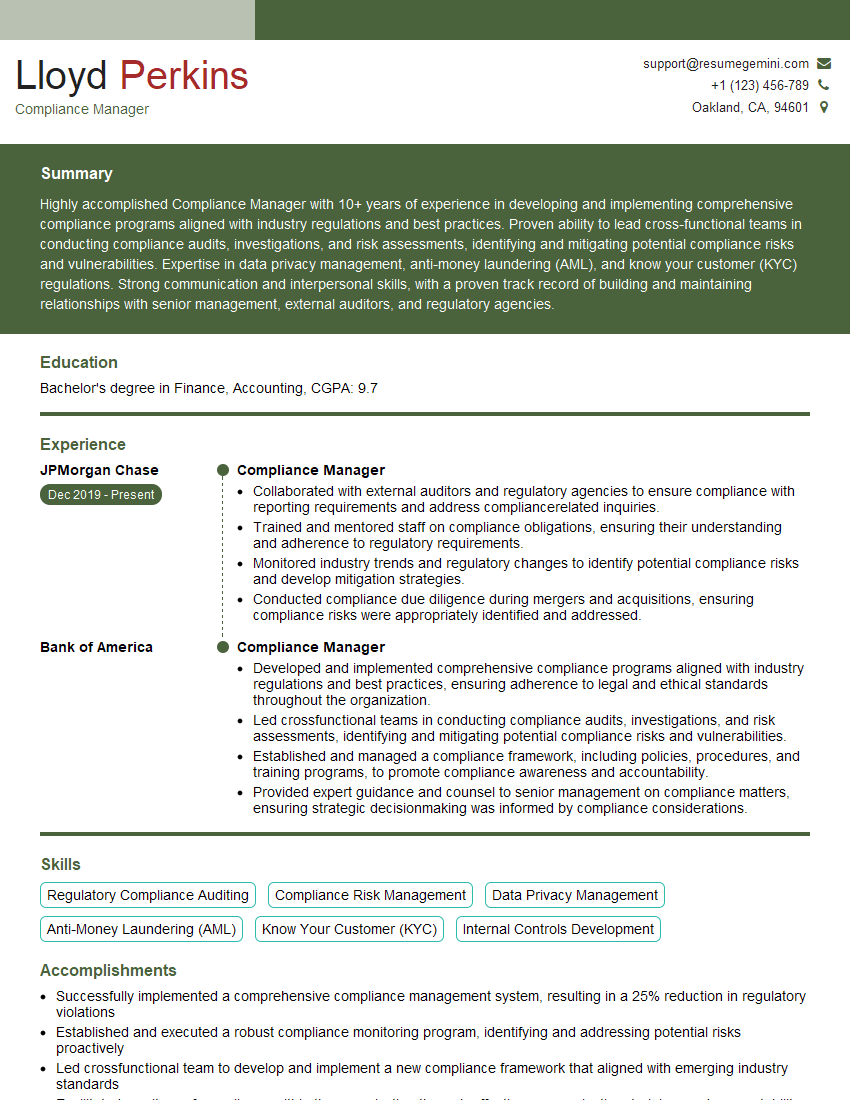
Compliance Manager Resume Sample

Security Consultant Resume Sample

Information Security Analyst Resume Sample

Network Security Engineer Resume Sample

Security Architect Resume Sample
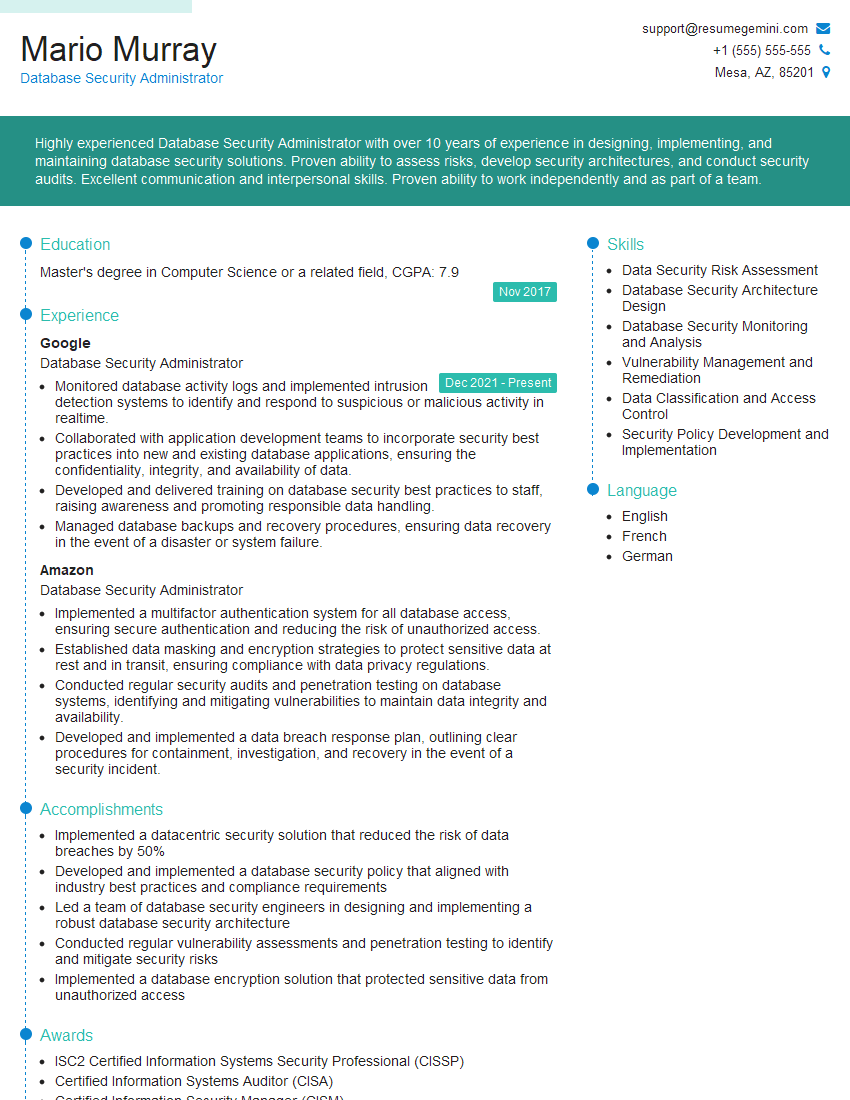
Database Security Administrator Resume Sample

IT Security Specialist Resume Sample
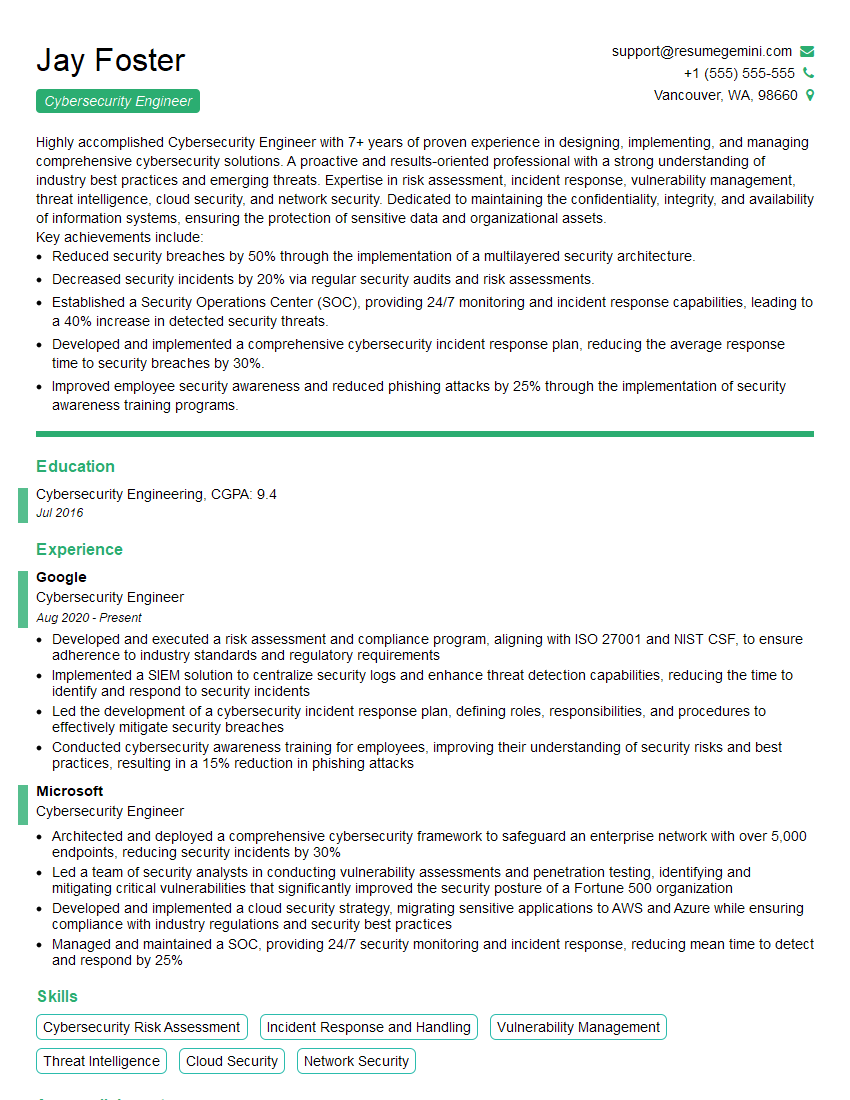
Cybersecurity Engineer Resume Sample
Explore more articles
Users Rating of Our Blogs
Share Your Experience
We value your feedback! Please rate our content and share your thoughts (optional).
What Readers Say About Our Blog
Very informative content, great job.
good