Interviews are more than just a Q&A session—they’re a chance to prove your worth. This blog dives into essential Cloud Configuration Management Tools (e.g., AWS Config, Azure Policy) interview questions and expert tips to help you align your answers with what hiring managers are looking for. Start preparing to shine!
Questions Asked in Cloud Configuration Management Tools (e.g., AWS Config, Azure Policy) Interview
Q 1. Explain the difference between AWS Config and AWS CloudTrail.
AWS Config and AWS CloudTrail are both crucial AWS services for monitoring and auditing your cloud environment, but they serve different purposes. Think of CloudTrail as a security camera recording all activity in your AWS account, while Config acts as an inventory manager, continuously assessing the configuration of your resources against your desired state.
AWS Config inventories your AWS resources, tracks configuration changes, and assesses your resources against your defined compliance rules. It provides an ongoing history of your resource configurations, allowing you to see how they’ve changed over time. This is invaluable for troubleshooting, security audits, and compliance reporting.
AWS CloudTrail logs API calls made to your AWS account. This means it records every action taken within your AWS environment, including user activity, automated scripts, and even actions performed by AWS services themselves. This is essential for security monitoring, auditing, and detecting unauthorized access.
In short: Config focuses on the *state* of your resources, while CloudTrail focuses on the *actions* performed on those resources. They often work together; for example, you might use CloudTrail to see *who* made a change to an EC2 instance and then use Config to understand *what* changed about the instance’s configuration.
Q 2. How does Azure Policy enforce compliance?
Azure Policy enforces compliance by evaluating the resources in your Azure subscription against defined policies. These policies specify rules that resources must adhere to. If a resource violates a policy, Azure Policy can take different actions depending on the policy’s definition, these actions can range from simply reporting the non-compliance to automatically remediating the issue.
Enforcement Methods:
- Deny assignments: Prevent the creation or modification of resources that violate the policy. This is a strong enforcement method, preventing non-compliant changes altogether.
- Audit assignments: These assignments only report on non-compliant resources without blocking them. This is useful for identifying issues and gradually bringing your environment into compliance.
- Modify assignments: These automatically change non-compliant resources to meet the policy requirements. This is a powerful automation feature, however, it should be used cautiously as it automatically makes changes to your environment.
Example: Imagine you have a policy requiring all virtual machines to have encryption enabled. If a new VM is created without encryption, a deny assignment would prevent its creation. An audit assignment would simply record the non-compliance, and a modify assignment might automatically enable encryption on the VM.
Q 3. Describe the process of remediating a non-compliant resource using AWS Config.
Remediating a non-compliant resource using AWS Config involves several steps. It’s not a fully automated process and often requires manual intervention or custom scripts, depending on the nature of the non-compliance.
- Identify the Non-Compliant Resource: AWS Config will alert you to resources violating your rules. You can investigate these alerts via the AWS Config console to identify the specific resources and the nature of the non-compliance.
- Understand the Remediation Steps: Determine the actions needed to bring the resource into compliance. This might involve changing a security group, updating an instance’s configuration, or adjusting permissions.
- Manual Remediation: In many cases, you’ll manually correct the configuration of the resource using the appropriate AWS console or CLI commands. For example, you might modify a security group directly within the EC2 console.
- Automation (Optional): For repetitive tasks or large-scale remediation, you could automate the process using AWS Lambda functions, AWS Systems Manager, or other automation tools. These tools can be triggered by AWS Config events and can execute the necessary actions to remediate the problem.
- Verification: After remediation, verify that the resource is now compliant by reviewing the AWS Config console. This step ensures your remediation actions were successful.
Example: If Config detects an EC2 instance without an attached IAM role, you’d manually attach the correct role through the EC2 console. You could then use CloudWatch to monitor the success of this change.
Q 4. What are the different types of Azure Policy initiatives?
Azure Policy initiatives group related policies together, allowing for better organization and management. They provide a way to logically structure and manage your compliance requirements. Think of them as folders for your policies, allowing for easier deployment and maintenance.
There are different types of initiatives, primarily categorized by their source and purpose:
- Built-in Initiatives: Microsoft provides a set of pre-defined initiatives covering common compliance standards like PCI DSS, CIS Benchmarks, and more. These are a great starting point and save you the effort of creating policies from scratch.
- Custom Initiatives: You can create your own initiatives to group policies tailored to your specific organization’s requirements. This allows you to manage policies related to specific projects or departments in a more organized manner.
- Third-party Initiatives: Some vendors provide initiatives that integrate with Azure Policy, enhancing compliance management by adding custom rules and policies.
Using initiatives makes it easier to manage, deploy, and update large numbers of policies. You can deploy an entire initiative to multiple subscriptions or resource groups with a single action.
Q 5. How do you assess the effectiveness of your cloud configuration management strategy?
Assessing the effectiveness of your cloud configuration management strategy is crucial to maintain security, compliance, and operational efficiency. It’s an ongoing process, not a one-time event.
Here’s a multi-faceted approach:
- Regular Reporting and Analysis: Leverage the built-in reporting features of AWS Config or Azure Policy to regularly review compliance status, identify trends, and investigate exceptions. Look for patterns in non-compliance, indicating potential weaknesses in your policies or processes.
- Monitoring Key Metrics: Track metrics like the number of non-compliant resources, remediation time, and the frequency of policy changes. This gives you a quantitative understanding of your effectiveness.
- Auditing: Conduct periodic security and compliance audits to assess the effectiveness of your controls independently. This provides an objective perspective on your configuration management strategy.
- Feedback Loops: Incorporate feedback from your operations and security teams. Their insights into daily challenges and compliance issues can be invaluable in refining your strategy.
- Simulations and Penetration Testing: Regularly test your security posture by simulating attacks or conducting penetration tests to identify vulnerabilities in your cloud configuration.
- Policy Review and Optimization: Periodically review your policies to ensure they remain relevant, accurate, and effective. Outdated policies can lead to false positives or miss crucial security risks.
By consistently monitoring, evaluating, and refining your strategy based on data and feedback, you can ensure its continued effectiveness.
Q 6. Explain how you would use AWS Config to monitor changes to your EC2 instances.
Monitoring changes to your EC2 instances using AWS Config involves configuring Config to record changes to specific resources and setting up rules to alert you on undesirable changes.
- Enable AWS Config: Ensure that AWS Config is enabled in your region and linked to the required AWS accounts.
- Configure Configuration Recorder: The Configuration Recorder is the core component that continuously collects the configuration of your resources. Make sure it’s running and configured to record at a frequency that meets your needs (e.g., every 5 minutes or every 24 hours).
- Configure Resource Types: Specify that you want to record EC2 instance configurations. You can refine this to specific instance IDs if needed.
- Create AWS Config Rules: These rules define what constitutes a compliant or non-compliant state. For example, you could create a rule to alert you if the security group of an EC2 instance is changed to open ports that are not explicitly allowed, or if the instance type is changed without appropriate authorization. You can write your own custom rules or use AWS managed rules.
- Monitor AWS Config Events: Use the AWS Config console, CloudWatch, or other monitoring tools to monitor events generated by Config. This will show you any configuration changes made to your EC2 instances, alerting you to those that violate your defined rules.
By employing this strategy, you’ll receive real-time alerts about changes to your EC2 instances, enabling prompt identification and remediation of potential security issues or deviations from your desired state.
Q 7. How can Azure Policy be integrated with other Azure services?
Azure Policy integrates with numerous other Azure services to enhance its effectiveness and automation capabilities. This integration streamlines your management and improves security and compliance.
Examples of key integrations:
- Azure Resource Manager (ARM): Policy is inherently tied to ARM, as it uses ARM templates to evaluate and manage resources. This allows for direct control over deployments and modifications within your Azure infrastructure.
- Azure Monitor: Integrate with Azure Monitor’s logging and alert systems to receive notifications and track policy evaluation results. You can set up alerts triggered by policy violations, allowing for proactive response to compliance issues.
- Azure Automation: Automate remediation actions using Azure Automation runbooks triggered by policy violations. This provides a powerful way to automatically remediate non-compliant resources.
- Azure Sentinel: Integrate with Azure Sentinel for security information and event management (SIEM) to correlate policy violations with other security events. This allows for a comprehensive view of your security posture and helps in identifying potential threats.
- Azure DevOps: Incorporate policy evaluations into your CI/CD pipelines to prevent non-compliant deployments from ever reaching production. This ensures compliance is baked into your development and release processes.
These integrations create a robust ecosystem for managing and enforcing Azure policies, ensuring consistent compliance and enhanced security across your cloud environment.
Q 8. What are the key performance indicators (KPIs) you would monitor for cloud configuration management?
Monitoring the performance of your cloud configuration management is crucial for maintaining a secure and efficient infrastructure. Key Performance Indicators (KPIs) should focus on both the effectiveness of your configurations and the health of the management tools themselves. Here are some vital KPIs:
- Compliance Rate: This measures the percentage of resources that are compliant with your defined policies. A low compliance rate indicates potential security vulnerabilities or non-conformances to best practices. For example, a 98% compliance rate might seem good, but that 2% could represent critical misconfigurations.
- Time to Remediation: This tracks the time it takes to fix non-compliant resources after they’ve been detected. Faster remediation reduces exposure to risks. A high average remediation time points to inefficient processes or a lack of automation.
- Number of Non-Compliant Resources: A simple count of resources violating policies provides a snapshot of your overall security posture. Trends in this KPI help identify areas requiring immediate attention.
- False Positive Rate: This tracks the percentage of alerts triggered that are not actual violations. A high false positive rate leads to alert fatigue and reduces the effectiveness of your monitoring system.
- Configuration Change Frequency: Monitoring the rate of configuration changes helps identify potential instability. An unusually high frequency warrants investigation as it could point to errors in automation or improper management practices.
- Tool Uptime/Availability: This tracks the operational status of your cloud configuration management tools (AWS Config, Azure Policy, etc.). Downtime means you miss critical alerts and are unable to manage configurations.
By continuously monitoring these KPIs, you can identify trends, improve processes, and maintain a robust and secure cloud environment.
Q 9. How do you handle exceptions or waivers in your cloud configuration management process?
Exceptions or waivers in cloud configuration management are inevitable. A rigid approach would be impractical. The key is to manage them effectively and transparently. My process involves:
- Formal Request Process: All requests for exceptions must be submitted through a formal channel, often a ticketing system. This ensures proper documentation and review.
- Justification and Risk Assessment: Each request must include a clear justification explaining the need for the exception and a detailed risk assessment outlining the potential consequences. This mitigates potential vulnerabilities.
- Approval Workflow: The request must be approved by relevant stakeholders, including security and compliance teams. This ensures alignment with organizational policies and standards. A hierarchical approval process can add extra layers of security for high-risk exceptions.
- Time-Bound Approvals: Exceptions should have a defined expiration date, prompting periodic reviews and ensuring they are not left indefinitely. This prevents exceptions from becoming the norm.
- Automated Monitoring: Even with exceptions, continuous monitoring is crucial to detect any unintended deviations from the approved configuration. This helps catch issues that may arise from the exception.
- Auditing and Reporting: Regular audits of all granted exceptions are essential to track their impact and ensure they remain justified. Detailed reports should be generated to demonstrate compliance and risk management efforts.
By implementing a structured process like this, you can handle exceptions while maintaining a secure and auditable environment. Think of it like a controlled burn – a carefully managed exception helps prevent a larger, uncontrolled fire (severe security breach).
Q 10. Describe a time you had to troubleshoot a configuration issue using AWS Config or Azure Policy.
During a recent project, we experienced intermittent outages with a critical microservice hosted on AWS. AWS Config revealed that the instances hosting the microservice were unexpectedly terminating due to an incorrect auto-scaling configuration. The auto-scaling group’s minimum capacity was set to zero, which meant during periods of low demand, all instances could be terminated. While this saved costs, it created instability. Using the AWS Config historical data, we analyzed the changes made to the auto-scaling group configuration, identifying a recent, unintentional modification. We quickly reverted this change using the AWS Management Console and updated the minimum capacity to a suitable value. AWS Config’s ability to track historical configuration changes was instrumental in pinpointing the root cause of the outage. The solution involved not only fixing the immediate problem but also reviewing the access controls and automation processes to prevent similar incidents in the future. We enhanced our deployment process to include automated checks and improved documentation. This proactive approach prevented future unexpected configuration changes.
Q 11. What are the benefits of using Infrastructure as Code (IaC) with cloud configuration management tools?
Infrastructure as Code (IaC) significantly enhances cloud configuration management by enabling automation, version control, and repeatability. Here’s how it complements tools like AWS Config and Azure Policy:
- Automation: IaC tools like Terraform or CloudFormation automate the provisioning and management of infrastructure. This reduces manual errors and ensures consistency across environments.
- Version Control: IaC code is stored in version control systems (like Git), allowing for tracking of changes, easy rollback to previous states, and collaboration among team members.
- Repeatability: IaC enables consistent deployment across different environments (development, testing, production). This eliminates configuration drift and ensures that all environments are identical.
- Improved Security: IaC promotes secure configurations by defining infrastructure in code, enforcing consistent security policies, and reducing manual intervention that could introduce vulnerabilities.
- Integration with CM Tools: IaC tools often integrate with cloud configuration management tools. For instance, you can configure AWS Config to monitor resources created via CloudFormation, ensuring they conform to your policies.
In essence, IaC acts as the ‘source of truth’ for your infrastructure, while tools like AWS Config and Azure Policy act as the ‘auditors’, ensuring that the actual infrastructure matches the intended configuration defined in your code.
Q 12. How do you ensure your cloud configuration management solution is scalable and maintainable?
Scalability and maintainability are vital for long-term success with cloud configuration management. Here’s how to achieve it:
- Modular Design: Break down your configuration management policies into smaller, independent modules. This allows for easier updates, testing, and scalability as your infrastructure grows.
- Automation: Automate as many tasks as possible, including policy creation, deployment, and remediation. This reduces manual effort and improves efficiency.
- Version Control: Store your configuration management policies in a version control system (like Git) for tracking changes, collaboration, and easy rollback.
- Infrastructure as Code (IaC): Use IaC to manage your infrastructure and policies, enabling automated deployments and consistency.
- Policy as Code: Treat your configuration management policies as code. This allows you to version, test, and integrate them within your development pipeline.
- Regular Reviews and Updates: Schedule regular reviews of your policies and infrastructure to identify areas for improvement and prevent configuration drift. Regularly update your tools and policies to keep up with changes in best practices and security threats.
- Centralized Management: Utilize a central repository or system for managing all configuration management policies. This simplifies maintenance and ensures consistency.
By adopting these practices, you build a scalable and maintainable configuration management system that can adapt to the evolving needs of your cloud infrastructure.
Q 13. What are some common security best practices related to cloud configuration management?
Security is paramount in cloud configuration management. Here are some crucial best practices:
- Least Privilege Access: Grant only the necessary permissions to users and services, adhering to the principle of least privilege. This limits the potential damage from compromised accounts.
- Regular Security Audits: Conduct regular security audits of your cloud infrastructure and configuration management tools to identify vulnerabilities and weaknesses. This includes penetration testing and vulnerability scanning.
- Encryption: Encrypt sensitive data at rest and in transit. This protects data from unauthorized access, even if a breach occurs.
- Secure Configuration Management Tools: Ensure your configuration management tools are secured against unauthorized access, such as implementing multi-factor authentication and regularly updating software.
- Centralized Logging and Monitoring: Implement centralized logging and monitoring of all configuration changes and security events. This provides valuable insight into potential security threats and helps with incident response.
- Automated Security Checks: Integrate automated security checks into your deployment pipeline. This helps ensure that new deployments meet security standards before they are deployed to production.
- Regular Updates and Patching: Keep your cloud infrastructure, configuration management tools, and underlying operating systems up-to-date with security patches to prevent known vulnerabilities from being exploited.
- Security Baselines: Establish and enforce strict security baselines for your cloud environments. These baselines should define minimum security requirements for all resources.
Remember that security is a continuous process, not a one-time event. Regularly reviewing and updating your security practices is critical to maintain a secure cloud environment.
Q 14. Explain the concept of drift detection in cloud configuration management.
Drift detection in cloud configuration management refers to the process of identifying differences between your intended infrastructure configuration (defined in your IaC code or policies) and the actual running configuration of your cloud resources. This ‘drift’ can arise from manual changes, unintended modifications through the console, or even automated processes gone awry. It’s like noticing your house’s paint is a different color than you intended – you wanted blue, but someone repainted it red.
Drift detection is critical because it exposes potential security vulnerabilities, performance issues, and compliance violations. Tools like AWS Config and Azure Policy provide drift detection capabilities by continuously comparing the desired state with the actual state. When drift is detected, you are alerted, allowing you to take corrective action to bring the infrastructure back into alignment with your intended configuration. This helps to keep your cloud environment stable, secure, and compliant.
Detecting and remediating drift promptly is crucial for maintaining a stable and secure environment. Neglecting it can lead to unexpected costs, security breaches, and operational issues. Think of it as a crucial preventative maintenance step for your cloud infrastructure.
Q 15. How do you manage configurations across multiple cloud environments?
Managing configurations across multiple cloud environments requires a multi-faceted approach leveraging infrastructure-as-code (IaC) and centralized configuration management tools. Think of it like managing a large, distributed library – you need a system to catalog, track, and update books (your configurations) across multiple branches (your cloud environments).
Firstly, IaC tools like Terraform or CloudFormation are crucial. These allow you to define your infrastructure in code, enabling consistent deployments across AWS, Azure, GCP, or even on-premises. A single, version-controlled repository holds the configurations, making it easy to replicate and manage changes across all environments.
- Consistency: IaC ensures consistency – deploying the same code will produce the same infrastructure regardless of the cloud provider.
- Automation: IaC significantly automates deployments, reducing manual errors and improving efficiency.
- Centralized Management: Tools like Ansible or Puppet can further centralize management, allowing you to manage configurations across multiple cloud environments from a single point.
Secondly, cloud-specific configuration management tools (like AWS Config or Azure Policy) can be used in conjunction with IaC to monitor and enforce compliance within each cloud provider. This provides granular control and real-time visibility into the state of your infrastructure. Combining IaC with these tools provides a robust and scalable solution for managing configurations across diverse cloud landscapes.
Career Expert Tips:
- Ace those interviews! Prepare effectively by reviewing the Top 50 Most Common Interview Questions on ResumeGemini.
- Navigate your job search with confidence! Explore a wide range of Career Tips on ResumeGemini. Learn about common challenges and recommendations to overcome them.
- Craft the perfect resume! Master the Art of Resume Writing with ResumeGemini’s guide. Showcase your unique qualifications and achievements effectively.
- Don’t miss out on holiday savings! Build your dream resume with ResumeGemini’s ATS optimized templates.
Q 16. What are the limitations of AWS Config or Azure Policy?
While AWS Config and Azure Policy are powerful tools, they do have limitations. Think of them as highly specialized tools – excellent at what they do, but not a complete solution on their own.
- Scope: They primarily focus on configuration compliance within their respective ecosystems. They might not be ideal for managing configurations spanning multiple cloud providers or on-premises infrastructure.
- Granularity: While continuously improving, both tools may lack the fine-grained control needed for certain specific configurations. You might need to supplement them with custom scripts or other tools.
- Integration: Integrating them with other tools in your DevOps pipeline can sometimes be challenging, requiring custom scripting or integrations.
- Cost: The pricing model can become complex and expensive as your infrastructure scales, especially for large deployments.
- Learning Curve: Mastering these tools requires a decent investment of time and effort to fully understand their features and capabilities.
For example, AWS Config might struggle with non-AWS resources, whereas Azure Policy primarily operates within the Azure ecosystem. Understanding these limitations is crucial for selecting the right tools and strategies.
Q 17. How do you use automation to improve your cloud configuration management workflows?
Automation is the backbone of efficient cloud configuration management. Imagine trying to manage hundreds of servers manually – it’s a nightmare! Automation helps mitigate this.
I extensively use automation through various tools and techniques:
- IaC (Terraform, CloudFormation): Automates the deployment and provisioning of infrastructure.
- Configuration Management Tools (Ansible, Puppet, Chef): Automates the configuration of servers and applications, ensuring consistency across environments. For example, using Ansible playbooks, we can ensure specific security settings are applied to all servers across environments.
- CI/CD pipelines (Jenkins, GitLab CI): Automates the entire software development lifecycle, including testing and deployment of configuration changes.
- Scripting (Python, Bash): Creating custom scripts for automating repetitive tasks, such as generating reports or creating alerts for configuration drifts.
A practical example: Using a CI/CD pipeline, every code change to our infrastructure-as-code repository triggers an automated build and deployment process, ensuring configurations are updated consistently across our environments. This helps reduce deployment errors and increases the speed and efficiency of our releases.
Q 18. How do you handle configuration changes in a production environment?
Handling configuration changes in a production environment requires a methodical, risk-averse approach. Imagine changing the settings of a running airplane mid-flight – risky, right? It’s similar with production systems.
My approach involves:
- Thorough Testing: Changes are rigorously tested in non-production environments (staging, development) before deployment to production.
- Rollback Plan: A comprehensive rollback plan must be in place in case something goes wrong, enabling quick reversion to the previous stable configuration.
- Monitoring & Alerting: Continuous monitoring and real-time alerting systems help detect anomalies and configuration drifts immediately, minimizing downtime.
- Change Management Process: All changes are documented and approved following a strict change management process, minimizing human error and ensuring proper authorization.
- Canary Deployments or Blue-Green Deployments: Rolling out changes gradually to a subset of servers (canary) or switching between two identical environments (blue-green) ensures a smooth transition with minimal disruption.
For example, before deploying a critical database update, we would perform thorough tests in a staging environment that closely mirrors production. A rollback plan would be ready, along with monitoring dashboards to track the update’s impact in real-time. This controlled approach minimizes risk and ensures a smooth transition.
Q 19. Describe your experience with different cloud configuration management tools.
I have extensive experience with various cloud configuration management tools, including AWS Config, Azure Policy, Ansible, Puppet, and Chef. Each tool has its strengths and weaknesses.
- AWS Config: Excellent for auditing and compliance within AWS, providing comprehensive visibility into resource configurations. I’ve used it to ensure our AWS environment meets security and compliance standards.
- Azure Policy: Similarly, I used Azure Policy extensively for managing configurations and ensuring compliance within Azure subscriptions. Its policy-as-code capabilities made managing policies across multiple subscriptions efficient.
- Ansible: A powerful automation tool, ideal for configuration management across diverse environments, including multi-cloud and on-premises. I’ve used it to automate tasks like setting up servers, deploying applications, and managing security updates.
- Puppet: Another robust configuration management tool that’s great for managing large, complex infrastructures. It is particularly well-suited for centralized management of a wide array of systems.
- Chef: Similar to Puppet, it’s best suited for large-scale deployments, known for its focus on infrastructure automation and configuration management.
My choice of tool depends on the specific requirements of the project. For purely cloud-native deployments, AWS Config or Azure Policy are excellent. However, for managing hybrid or multi-cloud environments, Ansible or Puppet provide superior flexibility and cross-platform compatibility. My approach is to select the best tool for the job, not to force-fit a solution.
Q 20. Explain the importance of version control in cloud configuration management.
Version control is paramount in cloud configuration management. Think of it as maintaining a detailed history of every change made to your infrastructure, providing a safety net for rollbacks and audits. Just like a writer keeps backups of their work, we must maintain a detailed history of our infrastructure.
Using a version control system like Git allows us to:
- Track Changes: Every configuration change is recorded, allowing us to easily review the evolution of our infrastructure.
- Collaborate: Multiple engineers can work on configurations simultaneously, merging changes easily and minimizing conflicts.
- Roll Back: In case of errors, we can revert to previous versions of our configurations, minimizing downtime.
- Auditing: Version control provides a complete audit trail of all configuration changes, facilitating compliance audits and security investigations.
- Branching and Merging: Create separate branches for testing new configurations before merging them into the main branch. This promotes continuous integration and minimizes disruption to live systems.
Imagine a scenario where a configuration error causes a major outage. With proper version control, we can quickly identify the problematic change and easily revert to a previous, stable version. This drastically reduces recovery time and minimizes disruption.
Q 21. How do you ensure compliance with industry regulations using cloud configuration management tools?
Ensuring compliance with industry regulations (like HIPAA, PCI DSS, GDPR) is crucial and cloud configuration management tools play a vital role. Compliance is not just a checkbox, it’s an ongoing process that must be carefully managed.
I use a multi-pronged approach:
- Policy Enforcement: AWS Config and Azure Policy allow us to define and enforce policies based on compliance requirements. For instance, we can create policies to ensure only approved images are used, encryption is enabled for sensitive data, and appropriate network security groups are configured.
- Regular Audits: Regularly auditing configurations using automated reports generated by the tools helps identify any deviations from the compliance standards.
- Continuous Monitoring: Monitoring tools, often integrated with the configuration management system, provide real-time alerts on any compliance violations, enabling quick remediation.
- Documentation: Maintaining comprehensive documentation of our security and compliance procedures is vital for demonstrating compliance to auditors.
- Automated Remediation: Whenever possible, we automate the remediation of compliance violations, reducing manual effort and minimizing human error.
For example, to ensure compliance with PCI DSS, we implement policies to automatically encrypt data at rest and in transit and monitor network access to ensure adherence to security standards. This proactive approach enables us to stay ahead of potential compliance issues.
Q 22. What are some common challenges you have faced in cloud configuration management?
One of the biggest hurdles in cloud configuration management is maintaining consistency across a large and dynamic environment. Imagine a sprawling city – you need a system to ensure every building (resource) adheres to the building codes (policies) and that updates don’t cause unforeseen collapses (outages). Common challenges include:
- Drift: Resources unintentionally deviating from their intended configurations. This often happens due to manual changes or unintentional updates. For instance, a developer might accidentally modify a security group, opening unnecessary ports.
- Scalability: Managing configurations efficiently as the cloud environment grows. Scaling configuration management to thousands of resources requires automation and efficient tooling.
- Compliance: Ensuring the configuration adheres to security, regulatory, and internal standards. Meeting compliance requirements can be complex, demanding continuous monitoring and remediation.
- Version Control and Rollback: Tracking changes and reverting to previous configurations when needed. Without a good version control system, debugging configuration issues can become a nightmare.
- Integration Complexity: Integrating configuration management tools with other DevOps tools (CI/CD, monitoring, etc.) This often involves resolving compatibility issues and creating complex workflows.
For example, I once worked on a project where a misconfigured security group led to a significant security vulnerability, highlighting the importance of thorough configuration management.
Q 23. Describe your experience integrating cloud configuration management tools with monitoring and logging systems.
Integrating cloud configuration management tools with monitoring and logging is crucial for proactive issue detection and remediation. Think of it like a security system for your cloud infrastructure – configuration management is the lock, while monitoring and logging are the alarm and security cameras.
My experience involves using tools like AWS Config and CloudWatch together. AWS Config tracks changes to resources, while CloudWatch monitors metrics and logs, allowing us to correlate configuration changes with performance issues or security events. For example, if AWS Config detects a change in a database security group that increases network access, we can configure CloudWatch alarms to trigger notifications if there’s a subsequent spike in database activity.
Similarly, in Azure, we’d integrate Azure Policy with Azure Monitor and Azure Log Analytics. Azure Policy helps enforce configurations, and Azure Monitor provides visibility, allowing us to create alerts and dashboards for important events. We often use custom scripts and dashboards to visualize the relationships between configurations, performance, and security.
A specific example: I integrated AWS Config with CloudWatch to detect any unauthorized changes to S3 buckets. The alerts were routed directly to our security team, allowing for immediate remediation.
Q 24. How do you handle configuration conflicts between different teams or departments?
Configuration conflicts between teams are a common challenge. This often arises from different teams managing overlapping resources or having diverging priorities. Resolving conflicts effectively requires strong collaboration, clear communication, and well-defined governance.
- Establish Clear Ownership and Responsibilities: Define which team is responsible for which resources or configuration aspects to minimize overlapping changes.
- Implement a Configuration Change Management Process: Enforce a formal process for approving and deploying changes that includes peer reviews and impact assessments. A pull request system similar to git can be very helpful.
- Prioritize Changes: Address the most critical conflicts first. This should be done according to business needs and risk assessment.
- Utilize Version Control for Infrastructure as Code (IaC): Track configurations as code in tools like Terraform or CloudFormation, enabling collaboration and conflict resolution using merge requests and branching strategies.
- Automated Conflict Detection: Leverage the built-in capabilities of IaC tools or employ custom scripts to automatically detect configuration conflicts.
In a previous role, we used a collaborative platform that allowed teams to see pending configuration changes and resolve conflicts in a centralized location before deployment, preventing many potential issues.
Q 25. Explain how you would design a cloud configuration management strategy for a new project.
Designing a cloud configuration management strategy for a new project involves several key steps. It’s like building a house; you need a solid foundation before construction begins.
- Define Requirements: Start by identifying security, compliance, and performance requirements. What standards need to be met? What are the performance goals?
- Choose Tools: Select appropriate configuration management tools based on the cloud provider (AWS, Azure, GCP) and project needs. Consider factors like scalability, integration capabilities, and ease of use.
- Implement Infrastructure as Code (IaC): Adopt IaC (e.g., Terraform, CloudFormation) to define and manage infrastructure in a declarative manner. This provides version control, reproducibility, and collaboration.
- Define Configuration Policies: Establish policies to enforce security best practices and compliance requirements. These policies would be implemented using tools like AWS Config or Azure Policy.
- Automate Configuration Management: Implement automated workflows for deploying, monitoring, and managing configurations. This helps minimize manual intervention and human error.
- Establish a Monitoring and Alerting System: Integrate configuration management with monitoring and logging systems to detect drift and security vulnerabilities promptly.
- Document Everything: Maintain detailed documentation of the chosen tools, configuration policies, and operational procedures.
For example, for a new e-commerce platform, we’d prioritize security and scalability. We might use Terraform to manage infrastructure, AWS Config to track changes, and CloudWatch to monitor performance and set alerts for unusual activity.
Q 26. How do you prioritize configuration changes based on risk and impact?
Prioritizing configuration changes is essential for effective management. Think of it like managing a hospital; you treat the most critical patients first. We prioritize based on a combination of risk and impact:
- Risk Assessment: Evaluate the potential impact of a configuration change on security, compliance, and availability. A change that opens a security vulnerability has higher risk than one that only impacts performance slightly.
- Impact Analysis: Determine how many resources are affected by the change and what the potential business impact could be. A change affecting a critical production system has higher impact than one affecting a testing environment.
- Urgency: Consider the urgency of the change. An immediate security patch will take precedence over a planned upgrade.
- Categorization: Categorize changes based on risk and impact (e.g., high-risk/high-impact, low-risk/low-impact) to streamline decision-making.
- Prioritization Matrix: Use a matrix that visually represents the risk and impact to easily identify high-priority changes.
For instance, a critical security patch that addresses a known vulnerability would have the highest priority, while a minor UI update would have lower priority.
Q 27. What are your preferred methods for reporting and visualizing configuration data?
Effective reporting and visualization of configuration data are crucial for gaining insights and making informed decisions. It’s like having a dashboard in your car – you need to see the key metrics to ensure everything is running smoothly.
My preferred methods include:
- Dashboards: Using tools like CloudWatch, Azure Monitor, or Grafana to create custom dashboards that provide a comprehensive overview of configuration compliance, resource health, and security posture.
- Reports: Generating automated reports on configuration changes, compliance violations, and security alerts. These reports can be scheduled to provide regular updates or triggered by specific events.
- Visualization Tools: Employing tools that visually represent configuration data, such as network topology diagrams or resource dependency graphs. This can be helpful in identifying complex relationships and potential issues.
- Custom Scripting: Using scripting languages (Python, PowerShell) to extract and process configuration data from APIs, then generating customized reports or visualizations based on specific needs.
For example, I created a custom dashboard using Grafana that showed the compliance status of our AWS resources across multiple regions, helping us identify and quickly address compliance issues.
Key Topics to Learn for Cloud Configuration Management Tools (e.g., AWS Config, Azure Policy) Interview
- Compliance and Governance: Understanding how these tools enforce organizational policies and ensure compliance with industry regulations (e.g., HIPAA, PCI DSS).
- Resource Inventory and Discovery: Mastering the techniques for identifying, tracking, and managing all cloud resources within your environment.
- Configuration Assessment and Remediation: Learn how to identify misconfigurations, analyze their impact, and implement automated remediation strategies.
- Policy Creation and Management: Gain proficiency in defining, implementing, and managing policies to enforce desired configurations and security postures.
- Automation and Integration: Explore how to integrate these tools with other cloud services and CI/CD pipelines for automated configuration management.
- Reporting and Monitoring: Understand how to generate reports on compliance status, configuration drift, and other key metrics. Learn how to effectively monitor the health of your cloud environment using these tools’ capabilities.
- Security Best Practices: Familiarize yourself with security considerations related to configuration management, such as least privilege access and data encryption.
- Troubleshooting and Problem Solving: Develop practical skills in identifying, diagnosing, and resolving issues related to cloud configuration and compliance.
- Practical Application: Focus on real-world scenarios, such as designing policies to enforce security standards, automating the deployment of secure configurations, and responding to compliance violations.
Next Steps
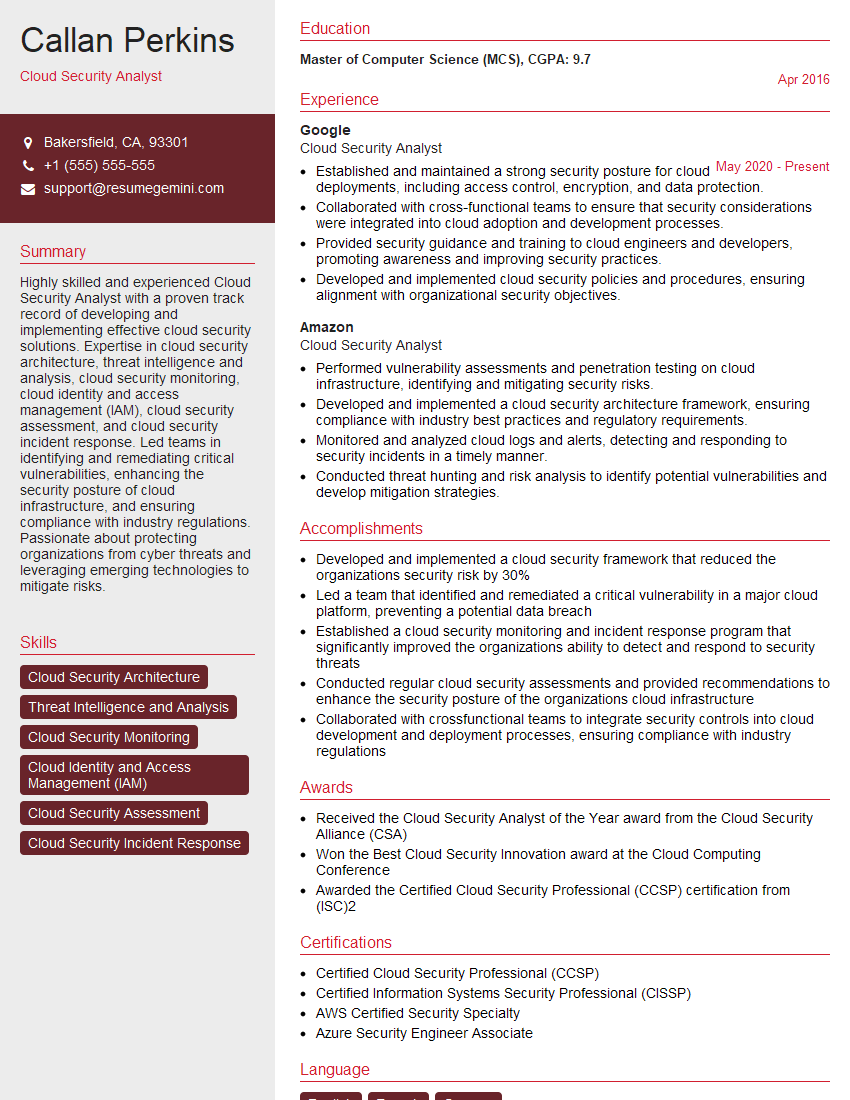
Mastering Cloud Configuration Management Tools like AWS Config and Azure Policy is crucial for career advancement in cloud computing. These skills are highly sought after, demonstrating your ability to manage complex cloud environments securely and efficiently. To significantly boost your job prospects, crafting a compelling and ATS-friendly resume is essential. ResumeGemini is a trusted resource to help you build a professional and impactful resume that highlights your expertise. Examples of resumes tailored to showcasing your skills in Cloud Configuration Management Tools (e.g., AWS Config, Azure Policy) are available, allowing you to leverage best practices and present your experience effectively.






Explore more articles
Users Rating of Our Blogs
Share Your Experience
We value your feedback! Please rate our content and share your thoughts (optional).
What Readers Say About Our Blog
Very informative content, great job.
good