Are you ready to stand out in your next interview? Understanding and preparing for CAD (Computer-Aided Design) Proficiency interview questions is a game-changer. In this blog, we’ve compiled key questions and expert advice to help you showcase your skills with confidence and precision. Let’s get started on your journey to acing the interview.
Questions Asked in CAD (Computer-Aided Design) Proficiency Interview
Q 1. What CAD software are you proficient in?
My CAD proficiency spans several industry-leading software packages. I’m highly proficient in Autodesk AutoCAD, a cornerstone for 2D drafting and 3D modeling, particularly in mechanical design. I also possess significant experience with SolidWorks, a powerful parametric 3D modeling software ideal for complex assemblies and simulations. Finally, I have working knowledge of Fusion 360, a cloud-based CAD/CAM/CAE platform that’s excellent for collaborative projects and its integrated manufacturing tools. My experience with these platforms allows me to adapt to various project requirements and client preferences.
Q 2. Describe your experience with 2D drafting.
My 2D drafting experience encompasses the entire lifecycle, from initial concept sketches to final production drawings. I’m adept at creating detailed plans, elevations, sections, and other technical drawings using AutoCAD. For instance, I recently worked on a project detailing the layout of a new manufacturing facility. This involved precise dimensioning, annotation, and the creation of detailed assembly drawings from initial conceptual floor plans. I consistently adhere to industry standards like ANSI and ISO for dimensioning and annotation to ensure clarity and accuracy. I’m also proficient in utilizing various tools for creating layers, text styles, and linetypes to organize and enhance the readability of complex drawings.
Q 3. Explain your experience with 3D modeling.
In 3D modeling, I’m experienced in both solid modeling and surface modeling techniques. Using SolidWorks, I’ve created complex assemblies for various products, from automotive parts to medical devices. I understand the importance of feature-based modeling, allowing for easy modification and design iteration. For example, in designing a new type of medical implant, I leveraged SolidWorks’ simulation capabilities to analyze stress and strain on the implant under various loads, ensuring structural integrity. My experience extends to creating photorealistic renderings and animations for presentations and marketing materials using tools within SolidWorks and other rendering software. I’m also familiar with techniques like Boolean operations (union, subtraction, intersection) to create complex shapes from simpler primitives.
Q 4. How do you manage large CAD files?
Managing large CAD files requires a strategic approach. I use techniques like file purging (removing unnecessary data), layer management (activating only necessary layers), and Xrefs (external references) to reduce file size and improve performance. For instance, instead of embedding large assemblies directly into a drawing, I use Xrefs, which significantly reduces the file size while maintaining access to the detailed geometry. I also regularly save my work in incremental versions using a version control system (like Autodesk Vault or similar), facilitating easy recovery and collaboration. Furthermore, I optimize my computer’s hardware and software to ensure efficient processing of large files, including sufficient RAM and a fast processor.
Q 5. What are your preferred CAD modeling techniques?
My preferred modeling techniques depend on the project’s specifics. For complex assemblies with many parts, I favor parametric modeling (as in SolidWorks), allowing me to easily modify designs by changing parameters rather than manually adjusting geometry. For organic shapes or free-form designs, I may employ surface modeling techniques. I often start with a conceptual sketch or wireframe to establish the overall form before moving to solid modeling. I prioritize a clean and well-organized modeling process, ensuring that my models are easily understandable and maintainable. This includes using consistent naming conventions for features and components and following a logical workflow.
Q 6. How do you ensure accuracy in your CAD drawings?
Accuracy is paramount in CAD. I employ several strategies to ensure precise drawings. Firstly, I always work with accurate dimensions and tolerances, meticulously verifying all measurements and calculations. Secondly, I utilize CAD software’s built-in tools for constraint-based modeling, geometric relations, and dimensional constraints, reducing manual error. Thirdly, I perform thorough quality checks before finalizing any drawing, including visual inspections and dimensional verification. For example, I might use section views or exploded views to verify the proper fit and assembly of components. Finally, I always follow a detailed workflow and process, ensuring consistency and minimizing the risk of mistakes.
Q 7. Describe your experience with CAD layers and templates.
CAD layers and templates are essential for organization and efficiency. I use layers extensively to categorize different elements of a drawing, like geometry, annotations, and dimensions. This allows for easy control over the visibility and selection of specific elements. I also create and utilize templates to standardize the setup of new drawings, ensuring consistent formats, styles, and layer structures. For example, a standard template might include pre-defined layers for dimensions, construction geometry, and different material types. This streamlines the design process and improves overall consistency across projects. Templates also help enforce company standards and improve collaboration by ensuring a common understanding of the drawing organization.
Q 8. How do you handle revisions and updates to CAD drawings?
Managing revisions and updates in CAD is crucial for maintaining accuracy and collaboration. Think of it like editing a document – but with 3D models and intricate details. We employ version control systems, often integrated within the CAD software itself or through external platforms. This allows us to track every change made, who made it, and when. A common approach is to use a naming convention that incorporates revision numbers (e.g., ‘Drawing_A_Rev1.dwg’, ‘Drawing_A_Rev2.dwg’).
Beyond naming, many CAD programs offer features like ‘revision clouds’ which visually highlight modifications on the drawing. This makes it easy for reviewers to see what’s been changed. We also maintain a detailed revision history log, detailing the purpose of each change, which is essential for traceability and accountability. For substantial changes, creating entirely new versions is preferable to constantly overwriting the original file. This ensures we always have access to previous iterations if needed.
Q 9. Explain your understanding of CAD standards and best practices.
CAD standards and best practices are paramount for creating clear, consistent, and easily understandable drawings. Think of them as the grammar and style guide for CAD. These standards encompass various aspects, including drawing layouts (title blocks, scales, sheets), layer management (logical organization of drawing elements), and file naming conventions (ensuring consistent identification across projects). Industry-specific standards exist, like ASME Y14.5 in mechanical engineering or architectural standards for building plans.
Best practices include using appropriate line weights and line styles for clarity; employing consistent text fonts and sizes; and maintaining a well-organized layer structure. This avoids confusion, improves collaboration, and ensures drawings can be easily understood by anyone familiar with the standards. For example, using consistent layer naming, like ‘Walls’, ‘Doors’, ‘Windows’ in architectural CAD ensures that elements are easily selectable and identifiable, even in complex drawings. Proper use of blocks and external references also improves efficiency and consistency.
Q 10. How do you collaborate with other team members using CAD software?
Collaboration in CAD relies heavily on the software’s features and efficient communication. Many CAD packages support real-time collaboration, allowing multiple users to work on the same drawing simultaneously. This is similar to collaborative document editing, but with the added complexity of 3D modeling. We utilize features like workspaces or shared model access, ensuring everyone is working on the most up-to-date version.
Beyond real-time collaboration, we often use cloud storage (like Dropbox or specialized cloud services) and version control systems to manage shared files. Regular check-ins and communication are essential to prevent conflicts and ensure everyone is on the same page. Clear communication channels, perhaps through project management software or regular meetings, are vital to coordinate revisions and ensure everyone understands the design intent. The use of standardized templates and layer structures also greatly enhances collaboration by ensuring uniformity across drawings.
Q 11. Describe your experience with CAD data exchange formats (e.g., DXF, DWG).
CAD data exchange formats are vital for sharing design data between different CAD software packages or with other applications. DXF (Drawing Exchange Format) and DWG (Drawing Database Format) are two of the most common. DXF is a more widely compatible, text-based format, while DWG is Autodesk’s proprietary binary format, often offering better fidelity and preserving more data. Think of DXF as a universal translator, while DWG is a more specialized language.
My experience includes both formats. I’ve used DXF extensively for interoperability, particularly when working with clients or contractors using different CAD systems. DWG is our standard within the team, ensuring we maintain the highest level of data integrity. However, it’s crucial to understand potential loss of data or formatting inconsistencies when converting between formats. Prior to sharing or converting, we always back up our original files to prevent data loss. We also carefully review converted files for any discrepancies before using them in downstream applications.
Q 12. How do you troubleshoot common CAD software errors?
Troubleshooting CAD errors is a common part of the workflow. Errors can range from simple file corruption to complex software glitches. My approach is systematic. First, I identify the specific error message or symptom. Then, I try the simplest solutions first, such as restarting the software or checking for file corruption. Sometimes, a simple save-as can resolve temporary issues.
If simple steps fail, I systematically investigate potential causes, starting with the most likely: are there memory limitations, are the drivers up to date, are there conflicting programs running, etc.? I’ll check file paths, references, and even examine the drawing’s structure for inconsistencies. I also consult online forums, help documentation, and if necessary, contact technical support for the CAD software. Documenting troubleshooting steps is important, ensuring future issues can be addressed quickly and effectively. In essence, effective troubleshooting is a combination of technical skills, problem-solving abilities, and resourcefulness.
Q 13. What is your experience with CAD rendering and visualization?
CAD rendering and visualization are crucial for presenting designs effectively to clients and stakeholders. It’s like taking a blueprint and turning it into a photorealistic image or an interactive 3D model. My experience includes using various rendering techniques, from basic wireframe visuals to highly realistic photorealistic renders with advanced lighting and materials. I’ve used both standalone rendering software and features integrated within the CAD software itself. For example, I’ve rendered detailed 3D models of buildings to showcase architectural details to clients, and I’ve created realistic product renderings for manufacturing purposes.
Different techniques offer varying levels of detail and realism. Choosing the right technique depends on the project’s requirements and the intended audience. For quick design reviews, a simpler rendering may suffice. However, for presentations to potential clients, high-quality photorealistic renderings will enhance the visual appeal and demonstrate the project’s potential effectively. Animation and walkthroughs can further enhance visualization, allowing viewers to experience the design in a dynamic way.
Q 14. Explain your experience with CAD plotting and printing.
CAD plotting and printing are the final steps in translating digital designs into physical documents. This is akin to ‘printing’ your design to the real world, whether it is on paper for blueprints or generating fabrication files for machines. My experience spans different plotting devices, from large-format printers for architectural drawings to smaller plotters for mechanical designs. I understand the importance of selecting appropriate plotters, configuring plot settings (scale, paper size, orientation), and troubleshooting printing issues.
Before plotting, thorough checking is critical to ensure that all necessary details are present and the drawing is formatted correctly. This includes verifying the plot scale and checking for any errors or omissions. Understanding paper sizes, plot styles, and printer drivers is important. Troubleshooting printing problems, from printer jams to driver conflicts, requires a methodical approach, often including checking printer settings, driver updates, and connectivity.
Q 15. How do you manage CAD project files and version control?
Managing CAD project files and version control is crucial for collaborative projects and maintaining design integrity. Think of it like writing a collaborative document – you wouldn’t want everyone editing the same file simultaneously! I typically use a combination of strategies:
Dedicated Project Folders: Each project gets its own folder with subfolders for different design iterations (e.g., ‘Revision 1’, ‘Revision 2’), drawings, and associated documents. This keeps things organized and easily accessible.
Version Control Software (e.g., Git): For larger projects or those involving multiple team members, I use Git or similar systems. This allows for tracking changes, reverting to previous versions, and merging different contributions seamlessly. This is particularly useful when multiple designers are working on different aspects of a single project simultaneously. For example, one might work on the mechanical design while another focuses on the electrical components, and Git helps in combining these contributions efficiently.
File Naming Conventions: A consistent naming convention is essential. I usually use a system like
Project_Name_Revision_Date.dwg(or the appropriate file extension for the CAD software used) to easily identify files and their versions.Cloud Storage: Cloud-based storage (e.g., Dropbox, Google Drive) provides easy access and collaboration, especially in remote team environments. It also ensures backups in case of local hardware failure.
This multi-layered approach ensures that projects remain well-organized, versions are tracked effectively, and collaboration is smooth.
Career Expert Tips:
- Ace those interviews! Prepare effectively by reviewing the Top 50 Most Common Interview Questions on ResumeGemini.
- Navigate your job search with confidence! Explore a wide range of Career Tips on ResumeGemini. Learn about common challenges and recommendations to overcome them.
- Craft the perfect resume! Master the Art of Resume Writing with ResumeGemini’s guide. Showcase your unique qualifications and achievements effectively.
- Don’t miss out on holiday savings! Build your dream resume with ResumeGemini’s ATS optimized templates.
Q 16. What is your experience with CAD automation and scripting?
CAD automation and scripting are game-changers for productivity. Imagine having to manually create hundreds of identical components – tedious, right? I have extensive experience using scripting languages like Python and VBA (Visual Basic for Applications) within various CAD platforms (AutoCAD, SolidWorks, etc.).
Automation Tasks: I’ve used scripting to automate repetitive tasks such as creating complex parts, generating design variations, and creating reports. For instance, I scripted a process to automatically generate detailed manufacturing drawings based on a 3D model, saving hours of manual work.
Custom Tools: I’ve developed custom tools to streamline workflows. This can range from a simple macro to create specific annotations to a more complex tool that integrates with other software. One project involved creating a tool that automatically generated bills of materials (BOMs) directly from the CAD model.
Data Extraction and Analysis: Scripting also allows for extracting data from CAD models for analysis, simulations, or manufacturing processes. I’ve used it to extract dimensions, materials, and other relevant information for downstream processes.
Example (Python): #Simplified example of creating a simple square in AutoCAD using pyautocad import pyautocad acad = pyautocad.Autocad() p1 = acad.ModelSpace.AddPoint(0,0) p2 = acad.ModelSpace.AddPoint(10,0) p3 = acad.ModelSpace.AddPoint(10,10) p4 = acad.ModelSpace.AddPoint(0,10) acad.ModelSpace.AddLine(p1,p2) # and so on...
These scripting skills dramatically improve efficiency and accuracy, freeing up time for more complex design challenges.
Q 17. How do you create detailed technical drawings?
Creating detailed technical drawings is the cornerstone of effective communication in engineering. It’s about conveying precise information to manufacturers, builders, or other stakeholders. My process usually involves these steps:
Understanding Requirements: I start by thoroughly understanding the design specifications and the intended purpose of the drawing. What information needs to be conveyed? Who is the intended audience?
Model Preparation: If starting from a 3D model, I ensure it is fully detailed and accurate before creating 2D views. This includes things like properly defined materials, tolerances, and surface finishes.
View Selection: I carefully select appropriate views (orthographic projections, sections, details) to clearly illustrate all necessary aspects of the design. Think of it like showing different angles of an object to provide a complete picture.
Dimensioning and Annotation: I add precise dimensions, tolerances, notes, and symbols according to relevant standards (e.g., ANSI, ISO). Clarity and accuracy are paramount here – ambiguous dimensions could lead to costly manufacturing errors.
Review and Validation: Before finalizing the drawing, I thoroughly review it for completeness, accuracy, and clarity. I often perform a peer review to catch any potential oversights.
The final output is a clear, accurate, and unambiguous technical drawing that effectively communicates the design intent. This is especially crucial in manufacturing, where any errors can be costly and time-consuming to rectify.
Q 18. Describe your experience with parametric modeling.
Parametric modeling is a powerful technique that allows designers to create models using parameters and relationships, rather than just fixed dimensions. Imagine building with LEGOs – you can easily change the size and shape of your creation by adjusting the individual blocks. This is similar to how parametric modeling works.
Design Flexibility: Changes to one parameter automatically update the entire model, ensuring consistency and reducing the risk of errors. For example, changing the diameter of a shaft will automatically update its related features like bearings and housings.
Design Exploration: Parametric modeling facilitates rapid design exploration. I can easily create many design iterations by changing parameters and immediately seeing the effects on the entire model. This speeds up the design process immensely.
Improved Design Management: Parametric models offer better design management. The relationships between different parts of the model are clearly defined, making it easier to understand and modify the design at a later stage.
I have extensively used parametric modeling in various projects. For example, I designed a complex robotic arm where changing a single parameter (e.g., reach) automatically adjusted the lengths of the arm segments, the angles of the joints, and the overall size of the base. This dramatically reduced the time required for creating multiple design variations.
Q 19. How do you create and use CAD libraries and components?
Creating and using CAD libraries and components is essential for efficiency and consistency in design. Imagine a library of pre-made building blocks that you can use to assemble different structures. This is analogous to how CAD libraries work.
Component Creation: I create components by modeling individual parts or assemblies with well-defined parameters. These components are then saved in a library with clear names and metadata.
Library Organization: I organize libraries using a hierarchical structure that reflects the type and function of components. This ensures easy searching and selection.
Component Reuse: Reusing components from the library significantly reduces design time and ensures consistency across different projects. For example, a standard bolt or connector can be reused across many designs without needing to re-create it.
Version Control: It’s important to manage versions of components within the library, ensuring all designs use the latest and most accurate versions.
Utilizing CAD libraries significantly improves productivity, ensures design consistency, and reduces errors. In one project, using a well-organized library of standard parts reduced design time by over 40%, accelerating the overall project timeline.
Q 20. Explain your experience with CAD annotation and dimensioning.
CAD annotation and dimensioning are crucial for creating clear and unambiguous drawings. They’re like the labels and instructions on a recipe—they tell the manufacturer exactly how to build the design.
Dimensioning Standards: I adhere to industry standards (ANSI, ISO, etc.) for dimensioning practices, ensuring clarity and consistency.
Dimension Styles: I use consistent dimension styles within a project for a unified look. This includes things like text size, arrow style, and tolerance representation.
Annotation Techniques: I effectively use various annotation tools such as notes, leaders, symbols, and callouts to convey additional information.
Geometric Dimensioning and Tolerancing (GD&T): For precise manufacturing, I use GD&T to communicate tolerance zones and other critical geometric information.
In a recent project involving a complex aerospace component, accurate GD&T annotation was essential to ensure that the manufactured parts would meet stringent performance requirements. Incorrect dimensioning could have led to costly rework or even safety issues.
Q 21. Describe your experience using CAD for design review and feedback.
Design review and feedback are crucial for iterative improvement. Using CAD software effectively facilitates this process.
Markups and Comments: I utilize CAD software’s markup and commenting tools to highlight areas needing attention. This provides a structured way to address the feedback.
3D Model Review: For complex designs, 3D model reviews using dedicated software or cloud-based platforms allow for interactive exploration and easier visualization of proposed changes.
Collaboration Tools: Utilizing collaboration tools allows for simultaneous review and feedback by multiple stakeholders in real-time. This ensures that everyone can provide input and reach consensus efficiently.
Revision Tracking: I track all design revisions and comments, ensuring that all feedback is addressed and documented.
For example, in a recent project, using a cloud-based platform for design review enabled quick feedback cycles, incorporating comments from multiple engineering disciplines effectively and efficiently. This significantly shortened the overall design iteration cycle.
Q 22. How familiar are you with CAD-based simulations?
CAD-based simulations are crucial for validating designs before physical prototyping. They allow engineers to predict a product’s behavior under various conditions, such as stress, temperature, and fluid flow. My familiarity extends to several simulation types, including Finite Element Analysis (FEA) for structural integrity, Computational Fluid Dynamics (CFD) for analyzing fluid behavior, and kinematic simulations for verifying mechanical movement. For instance, I’ve used FEA to optimize the design of a complex bracket, ensuring it could withstand the expected loads without failure. The simulation predicted stress concentrations, allowing me to reinforce the weak points and achieve a lighter, stronger design. I’m also proficient in using various simulation software packages, such as ANSYS and Abaqus.
Q 23. What is your understanding of Geometric Dimensioning and Tolerancing (GD&T)?
Geometric Dimensioning and Tolerancing (GD&T) is a symbolic language used on engineering drawings to define the size, shape, orientation, location, and runout of features. It’s essential for ensuring parts are manufactured to the required specifications and will assemble correctly. My understanding encompasses all aspects of GD&T, including the various symbols (like positional tolerance, concentricity, and surface roughness), their application, and interpretation. For example, I can utilize GD&T to specify the permissible variation in the location of a hole relative to a datum feature, ensuring the hole’s location is consistent across all manufactured parts. This prevents assembly issues and improves overall product quality. Ignoring GD&T can lead to costly rework, assembly problems, and even product failure.
Q 24. How do you ensure the manufacturability of your CAD designs?
Ensuring manufacturability is paramount. My approach involves considering the manufacturing process from the initial design phase. This includes understanding the limitations of different manufacturing techniques like injection molding, machining, and 3D printing. I carefully consider factors such as material selection, wall thickness (for injection molding), draft angles, and ease of assembly. For example, I once designed a part for injection molding, paying close attention to wall thickness uniformity to prevent warping during the cooling process. I also designed in appropriate draft angles to allow for easy ejection from the mold. Regular consultations with manufacturing engineers are key, facilitating iterative design improvements and ensuring a smooth transition from CAD model to finished product.
Q 25. Describe your experience with CAM software integration with CAD.
I have extensive experience integrating CAD and CAM software. This involves exporting CAD models in suitable formats (like STEP or IGES) to CAM software (such as Mastercam or Fusion 360). The process involves defining toolpaths, selecting cutting parameters (speeds, feeds, depths of cut), and simulating the machining process to identify potential issues before actual manufacturing. I’ve used this integration to create efficient CNC machining programs for complex parts, ensuring optimal material removal rates and surface finish. Understanding the limitations of the chosen manufacturing processes during this stage is crucial to ensure a successful outcome.
Q 26. What is your approach to creating clean and efficient CAD models?
Creating clean and efficient CAD models is a matter of practice and adherence to good modeling techniques. My approach involves using appropriate features, maintaining a logical hierarchy, and using constraints to ensure dimensional accuracy. This involves avoiding unnecessary geometry, properly naming components and features, and using layers effectively. I always aim for a parametric model, allowing for easy design modifications and updates. Think of it like writing clean, well-commented code: it makes it much easier to understand, modify, and maintain the model in the long run. A well-structured model is essential for both collaboration and downstream applications like simulations and manufacturing.
Q 27. How do you handle conflicting design requirements in CAD?
Conflicting design requirements are common. My approach involves open communication with stakeholders, documenting all requirements clearly, and prioritizing them based on their relative importance. This often involves trade-off analysis, where the impact of compromises on different aspects of the design is carefully evaluated. For instance, a design might require both high strength and low weight. I would use simulation tools to explore different design options, comparing their strength-to-weight ratios, and finally arrive at an optimal solution that satisfies the requirements as best as possible. Compromise is sometimes necessary, but it should always be a conscious and informed decision.
Q 28. Describe your experience with creating construction documents using CAD.
Creating construction documents using CAD requires attention to detail and adherence to industry standards. My experience includes generating detailed drawings, sections, elevations, and schedules, incorporating information like dimensions, materials, and annotations. I use CAD software to accurately represent the design intent, ensuring clarity and ease of understanding for construction teams. Familiarity with various drawing standards (like those from AIA or other regional standards) is vital for effective communication and minimizing errors during the construction phase. Accuracy and clarity are key to preventing costly mistakes during the construction process. I also utilize features like sheet sets, layering, and title blocks to maintain organization and readability of large and complex projects.
Key Topics to Learn for CAD (Computer-Aided Design) Proficiency Interview
- Fundamental CAD Concepts: Understanding the core principles of CAD software, including 2D and 3D modeling techniques, coordinate systems, and geometric transformations.
- Software Proficiency: Demonstrating practical expertise in at least one major CAD software (AutoCAD, SolidWorks, Revit, etc.). Be prepared to discuss your experience with specific tools and features.
- Modeling Techniques: Mastering various modeling techniques like extrusion, revolution, sweeping, and surface modeling. Be ready to explain your approach to different design challenges.
- Dimensioning and Annotation: Accurate and clear communication of design intent through proper dimensioning, annotation, and detailing. Know industry best practices.
- Design for Manufacturing (DFM): Understanding how design choices impact manufacturing processes. This includes considerations for material selection, tolerances, and assembly.
- Blueprint Reading and Interpretation: Ability to interpret technical drawings and blueprints effectively, identifying key features and specifications.
- Problem-Solving and Troubleshooting: Demonstrate your ability to identify and resolve common CAD-related issues, showing your problem-solving skills.
- CAM (Computer-Aided Manufacturing) Integration (Optional): Familiarity with the integration of CAD models into CAM software for manufacturing processes is a valuable asset.
- Collaboration and Teamwork: Highlight your experience collaborating with teams using CAD software, sharing files, and managing revisions.
Next Steps
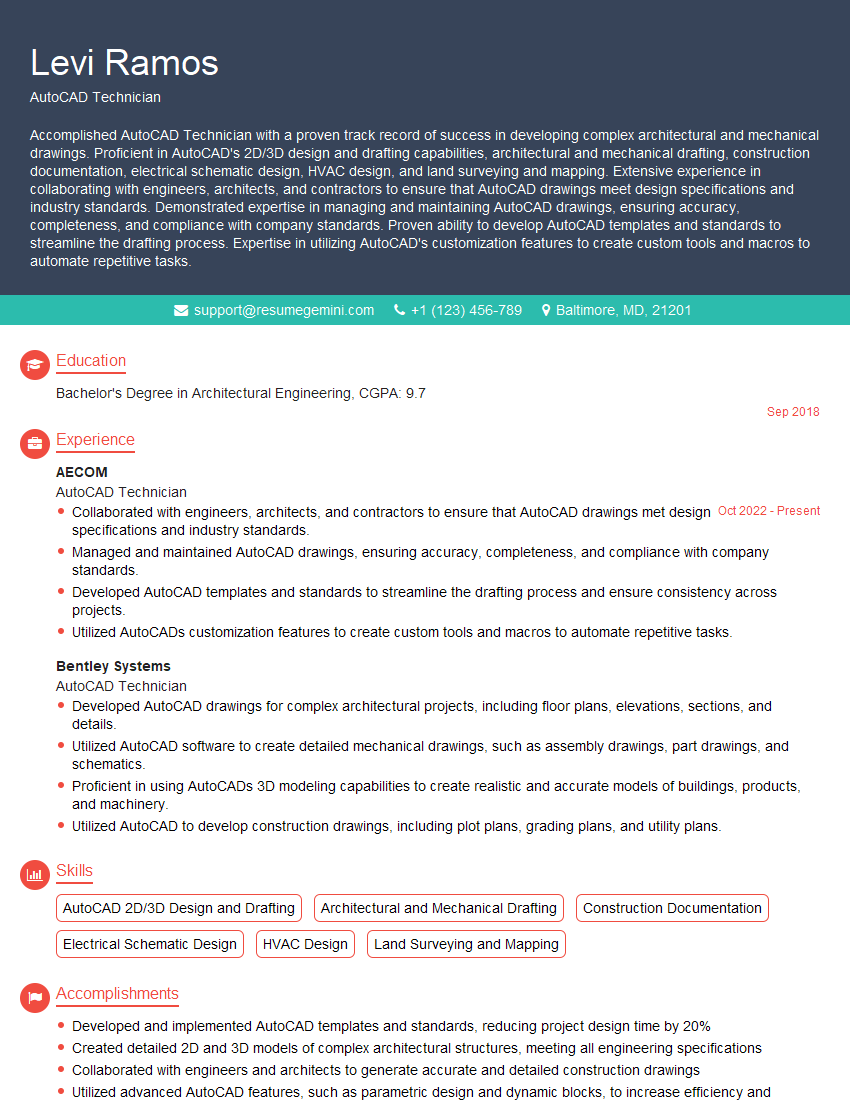
Mastering CAD proficiency is crucial for career advancement in engineering, architecture, and design. A strong command of CAD software opens doors to exciting opportunities and higher earning potential. To maximize your job prospects, invest time in crafting a compelling and ATS-friendly resume. ResumeGemini is a trusted resource to help you build a professional and effective resume that showcases your skills and experience. Examples of resumes tailored to CAD (Computer-Aided Design) Proficiency are available to guide you.
Explore more articles
Users Rating of Our Blogs
Share Your Experience
We value your feedback! Please rate our content and share your thoughts (optional).
What Readers Say About Our Blog
Very informative content, great job.
good