The thought of an interview can be nerve-wracking, but the right preparation can make all the difference. Explore this comprehensive guide to Network Monitoring and Management Tools interview questions and gain the confidence you need to showcase your abilities and secure the role.
Questions Asked in Network Monitoring and Management Tools Interview
Q 1. Explain the difference between active and passive network monitoring.
Active and passive network monitoring differ fundamentally in how they gather data. Think of it like this: active monitoring is like a detective actively searching for clues, while passive monitoring is like a security camera recording everything that happens.
Active monitoring involves the monitoring system proactively sending requests or probes to network devices to gather information about their status and performance. This is like pinging a server to check its responsiveness or running an SNMP query to get CPU utilization. It provides real-time data and alerts on potential issues immediately. Examples include ping sweeps, traceroute, and SNMP polling.
Passive monitoring involves collecting network traffic data without initiating any requests. The monitoring system acts like a tap on the network, capturing and analyzing the data as it flows. This approach is typically used for analyzing traffic patterns, identifying bottlenecks, and detecting security threats. Examples include using a network tap or SPAN port to mirror traffic to a monitoring tool.
The best approach often involves a combination of both. Active monitoring provides immediate alerts and detailed device-level information, while passive monitoring provides valuable insight into overall network health and traffic characteristics.
Q 2. Describe your experience with SNMP and its role in network monitoring.
SNMP, or Simple Network Management Protocol, is the backbone of many network monitoring systems. It’s a standardized protocol that allows network devices (routers, switches, servers) to share management information with a central monitoring system. Imagine it as a universal translator, allowing the monitoring system to understand and interpret the data from various devices, regardless of their manufacturer.
My experience with SNMP spans several years, working with various versions (SNMPv1, v2c, and v3). I’ve used it extensively to monitor critical KPIs like CPU utilization, memory usage, interface traffic, and disk space. I’ve configured SNMP agents on numerous devices, creating and managing MIBs (Management Information Bases), which define the data that can be retrieved. I’ve also used SNMP traps to receive immediate alerts on critical events, such as interface failures or high CPU loads. This allows for quick intervention and prevents potential service disruptions.
For example, I once used SNMP to identify a recurring memory leak on a server that wasn’t readily apparent through other means. By regularly polling the server’s memory usage via SNMP, I was able to pinpoint the time of day and the application causing the issue, ultimately resolving the problem before it caused major downtime.
Q 3. What are the key performance indicators (KPIs) you monitor in a network?
The key performance indicators (KPIs) I monitor in a network vary depending on the specific environment, but typically include:
- Bandwidth utilization: Tracking the amount of bandwidth being used on different links, identifying potential bottlenecks.
- Latency: Measuring the delay in data transmission, crucial for applications sensitive to response times.
- Packet loss: Monitoring the percentage of lost packets, indicating potential network issues.
- CPU and memory utilization: Monitoring the resource usage on network devices (routers, switches, servers).
- Disk space: Tracking the available disk space on network devices, preventing potential storage issues.
- Uptime: Tracking the availability of critical network devices and services.
- Error rates: Monitoring various error counters on network interfaces and devices.
- Security events: Monitoring for suspicious activity, like unauthorized access attempts.
These KPIs provide a holistic view of network performance and health. I use a combination of threshold-based alerts and trend analysis to proactively identify and address potential issues before they impact users.
Q 4. How do you troubleshoot network connectivity issues using monitoring tools?
Troubleshooting network connectivity issues using monitoring tools involves a systematic approach. I typically start by identifying the affected area and then progressively narrow down the possible causes. My process involves:
- Initial Assessment: Using the monitoring tools, I identify which devices or links are experiencing problems. This could be indicated by high latency, packet loss, or device downtimes.
- Tracing the Path: I employ tools like traceroute or path analysis to trace the network path from the source to the destination, identifying potential points of failure along the way.
- Analyzing Network Traffic: Tools that capture and analyze network traffic (like Wireshark or tcpdump) can reveal specific errors or anomalies that contribute to connectivity issues.
- Checking Device Logs: Examination of logs on routers, switches, and servers provide valuable insights into errors and events that may have contributed to the problem.
- SNMP Data Review: Utilizing SNMP data to view CPU, memory, interface utilization can point towards overutilization as a cause.
- Testing Connectivity: Using tools like ping, tracert, and other network diagnostic utilities directly from the affected machine(s) to verify connectivity at different stages.
For example, recently, I used a combination of PRTG’s network maps, packet loss analysis, and device logs to identify a faulty fiber optic cable causing intermittent connectivity to a remote office. The systematic approach ensures quick identification and resolution of the issue, minimizing downtime.
Q 5. What are your preferred network monitoring tools and why?
My preferred network monitoring tools depend on the scale and complexity of the network, but I generally favor tools that offer a comprehensive suite of features, ease of use, and robust alerting capabilities.
- PRTG Network Monitor: Excellent for smaller to medium-sized networks due to its user-friendly interface and comprehensive feature set. It’s highly visual and provides a clear overview of the network’s health.
- Zabbix: A powerful open-source solution ideal for larger, more complex networks. Its scalability and flexibility make it suitable for a wide range of environments. It requires more technical expertise to configure but offers extensive customization options.
- Nagios: Another popular open-source option, Nagios is known for its reliability and extensibility. Like Zabbix, it requires a deeper understanding of system administration but provides granular control and customization.
The choice often comes down to the specific needs of the organization and the technical skills of the IT team. In my experience, a well-configured and appropriately scaled tool provides significant value and insight into network performance, helping to predict and prevent outages.
Q 6. Describe your experience with Nagios, Zabbix, or PRTG.
I have extensive experience with Zabbix, having used it to monitor and manage large and complex networks. I’ve successfully deployed and configured Zabbix to monitor thousands of devices, including servers, network devices, and applications. My experience includes designing the monitoring architecture, setting up alerts, creating custom dashboards, and integrating Zabbix with other systems. I’m proficient in configuring Zabbix agents, creating templates for different device types, and using its auto-discovery feature to streamline the management of large-scale deployments.
For example, in a previous role, I used Zabbix to develop a comprehensive monitoring system for a large e-commerce platform. This included monitoring website performance, application server responsiveness, database activity, and network infrastructure. Zabbix’s auto-discovery feature proved particularly useful for quickly onboarding new servers and applications into the monitoring system, reducing manual configuration efforts significantly. The system effectively alerted us to potential issues, preventing significant downtime and improving the overall customer experience.
Q 7. Explain how you would design a network monitoring system for a small/medium/large enterprise.
Designing a network monitoring system requires a careful consideration of the organization’s size, complexity, and budget. The approach differs significantly for small, medium, and large enterprises.
Small Enterprise: A simple, cost-effective solution might suffice. Tools like PRTG, with its user-friendly interface and pre-built templates, can effectively monitor key network components. Focus would be on essential KPIs like bandwidth utilization, device uptime, and critical service availability. Alerts could be sent via email or SMS.
Medium Enterprise: A more sophisticated solution might be necessary, integrating multiple monitoring tools for different aspects of the infrastructure. Zabbix or Nagios are viable options, providing scalability and customization for a growing network. More granular monitoring of applications and services would be implemented, with more robust alerting mechanisms and reporting capabilities. A central monitoring dashboard providing a consolidated view of the entire network is crucial.
Large Enterprise: A distributed, highly scalable and automated monitoring system is essential, possibly using a combination of tools and custom scripts for specific needs. Automated discovery and configuration, robust reporting, and integrated incident management systems are vital. Advanced analytics and machine learning algorithms could be used for predictive maintenance and capacity planning. The system will likely involve a dedicated team for managing and maintaining the infrastructure.
Regardless of size, the system should incorporate robust alerting, comprehensive reporting, and a user-friendly interface allowing for effective monitoring and management of the network infrastructure. Security is also paramount, ensuring appropriate access control and data encryption.
Q 8. What are some common network monitoring challenges and how do you address them?
Network monitoring, while crucial, presents several challenges. One major hurdle is the sheer volume of data generated by modern networks. Think of it like trying to find a specific grain of sand on a vast beach! Another challenge is the complexity of today’s networks, with diverse technologies and protocols interacting. This heterogeneity makes pinpointing the source of a problem difficult. Furthermore, accurately predicting future network needs to prevent performance bottlenecks is a constant struggle. Finally, ensuring the security of monitoring tools and the data they collect is paramount.
To address these, I employ a multi-pronged approach. For data volume, I leverage tools with robust aggregation and filtering capabilities, focusing on key performance indicators (KPIs) rather than raw data. To manage complexity, I utilize network mapping and visualization tools to gain a clear understanding of the network topology and dependencies. This is like having a detailed map of the beach, helping me navigate towards the area containing the sand grain I need. Proactive capacity planning, using historical data and forecasting models, helps anticipate future needs and prevent performance issues. Finally, strong security practices, including access control, encryption, and regular security updates, are fundamental for protecting sensitive network data.
Q 9. How do you handle network alerts and prioritize critical issues?
Handling network alerts effectively is critical. It’s similar to a hospital emergency room, where triage is essential. My approach focuses on prioritization based on several factors: the severity of the impact, the number of affected users or systems, and the potential for escalation. For example, a complete network outage is clearly a top priority, whereas a minor performance degradation affecting a small number of users would be considered lower priority.
I utilize sophisticated alert management systems that allow for automated prioritization and escalation. These systems often include features such as intelligent filtering to reduce alert fatigue, automated notification mechanisms (e.g., email, SMS), and integration with ticketing systems for streamlined issue tracking. Furthermore, I create detailed runbooks for common issues, providing step-by-step troubleshooting guides for quicker resolution times. Regular reviews of alert configurations and thresholds help refine our response strategy, just as a hospital continually updates its emergency protocols.
Q 10. Explain the concept of threshold-based alerting in network monitoring.
Threshold-based alerting is a fundamental concept in network monitoring. It involves setting predefined limits (thresholds) for key metrics. When a metric crosses a threshold, an alert is triggered. Think of it like a thermostat: when the temperature goes above or below a certain point, it triggers the heating or cooling system.
For example, if the CPU utilization on a server exceeds 90%, an alert is generated. Similarly, if packet loss on a network link surpasses 5%, another alert is triggered. These thresholds should be carefully set based on historical data, acceptable performance levels, and the criticality of the monitored system. The key is to balance sensitivity (avoiding too many false positives) with responsiveness (ensuring critical issues are identified promptly). Poorly configured thresholds can lead to alert fatigue, where numerous irrelevant alerts overwhelm administrators. Effective threshold management requires careful analysis and ongoing tuning.
Q 11. Describe your experience with log analysis and its use in network monitoring.
Log analysis is an indispensable part of network monitoring. Network devices generate vast amounts of logs detailing their activity. Analyzing these logs allows us to identify security breaches, performance bottlenecks, and configuration issues that might not be apparent through traditional monitoring methods. Imagine it as detective work, piecing together clues to solve a mystery.
My experience encompasses using various log analysis tools, from simple command-line utilities like grep and awk to sophisticated SIEM (Security Information and Event Management) systems. These tools allow me to search for specific events, correlate events from multiple sources, and identify patterns indicating potential problems. For instance, by analyzing web server logs, I can detect suspicious access attempts or identify slow-performing pages. Analyzing firewall logs helps identify unauthorized network access. Effective log analysis often involves using regular expressions (regex) for pattern matching and creating custom scripts for automated analysis.
Q 12. How do you ensure the accuracy and reliability of your network monitoring data?
Ensuring accurate and reliable network monitoring data is paramount. It’s like having a reliable compass when navigating. Inaccurate data leads to incorrect decisions and potentially catastrophic outcomes. My approach to this involves multiple strategies.
First, I conduct regular health checks on monitoring agents and sensors to ensure they are functioning correctly. This includes verifying connectivity, confirming data integrity, and ensuring sufficient processing capacity. Secondly, I use redundant monitoring systems, so if one system fails, another can take over. This is similar to having a backup compass. Thirdly, I validate the collected data by cross-referencing it with data from multiple sources. For instance, I might compare CPU utilization reported by the operating system with data from a network monitoring tool. Finally, regular calibration and testing against known good values provide assurance of accuracy. Data quality is continuously assessed, reviewed, and improved.
Q 13. What security considerations are important when implementing network monitoring tools?
Security is crucial when implementing network monitoring tools. These tools often have access to sensitive network data, making them prime targets for attackers. Think of it as securing the vault that contains your company’s most valuable assets.
Key security considerations include: securing access to the monitoring system itself through strong authentication and authorization mechanisms; encrypting all data in transit and at rest; regularly patching and updating the monitoring software to address vulnerabilities; deploying intrusion detection/prevention systems to monitor for malicious activity within the monitoring infrastructure; segmenting the monitoring network to limit its exposure; and, adhering to relevant security policies and compliance standards. Regular security audits and penetration testing help ensure the continued security of the monitoring environment. Neglecting security can lead to compromised data, system outages, and regulatory fines.
Q 14. Explain your experience with network capacity planning and forecasting.
Network capacity planning and forecasting involve predicting future network needs to ensure optimal performance and avoid bottlenecks. It’s like planning for future growth in a city, anticipating increased traffic and infrastructure requirements.
My experience in this area involves analyzing historical network usage data, projecting future growth based on various factors (e.g., user growth, application adoption), and using this information to recommend appropriate network upgrades or expansions. This process may involve utilizing specialized forecasting tools and techniques. It’s not merely extrapolating current trends but considering potential changes in usage patterns. For example, the introduction of a new cloud-based application could dramatically change network traffic patterns. The goal is to develop a proactive plan that ensures sufficient capacity to support current and future demands, optimizing resource allocation and minimizing costs. This includes considerations of bandwidth, storage, and processing power.
Q 15. How do you use network monitoring data to improve network performance?
Network monitoring data is the lifeblood of efficient network management. By analyzing this data, we can pinpoint performance bottlenecks and proactively address issues before they impact users. Think of it like a doctor using vital signs to diagnose a patient. We look for anomalies like high latency, packet loss, or CPU/memory spikes on key devices.
For example, if we see consistently high latency on a specific link, it might indicate congestion. We’d investigate further – perhaps there’s insufficient bandwidth, a faulty device, or a configuration issue. Addressing this might involve upgrading the link, replacing hardware, or optimizing network routing. Similarly, if a server’s CPU consistently runs at 90%, we know it needs more resources or optimization to avoid slowdowns. We’d use tools like SolarWinds, PRTG, or Nagios to gather and analyze the data, and then apply appropriate solutions based on the findings.
Ultimately, using monitoring data to improve network performance is an iterative process: collect data, analyze trends, identify problems, implement solutions, and then monitor the results to ensure the effectiveness of our interventions. This allows us to create a continuously optimized and high-performing network.
Career Expert Tips:
- Ace those interviews! Prepare effectively by reviewing the Top 50 Most Common Interview Questions on ResumeGemini.
- Navigate your job search with confidence! Explore a wide range of Career Tips on ResumeGemini. Learn about common challenges and recommendations to overcome them.
- Craft the perfect resume! Master the Art of Resume Writing with ResumeGemini’s guide. Showcase your unique qualifications and achievements effectively.
- Don’t miss out on holiday savings! Build your dream resume with ResumeGemini’s ATS optimized templates.
Q 16. What is your experience with network automation and its integration with monitoring tools?
Network automation is crucial for modern network management, allowing us to automate repetitive tasks and improve efficiency significantly. I have extensive experience integrating automation tools with monitoring platforms. For instance, I’ve used Ansible to automate network device configurations, while simultaneously using Nagios to monitor the success of those configurations. If a configuration change causes a problem, Nagios alerts us immediately, allowing for swift remediation.
Imagine needing to update the firmware on 100 routers. Manual configuration is time-consuming and error-prone. Automation allows us to push these updates securely and consistently, while the monitoring system validates the success of the updates on each device. This tight integration ensures that automation efforts don’t introduce new issues and enhances overall network stability and reliability. Tools like NetBox help manage the network infrastructure inventory, which can be directly used to target specific devices for automation.
Q 17. Describe your experience with network visualization and dashboarding.
Network visualization and dashboarding are essential for presenting complex network data in a digestible format. I’m proficient in creating dashboards that provide at-a-glance insights into network health, performance, and security. I’ve used tools like Grafana, Kibana, and even custom-built solutions using Python and libraries like Matplotlib.
For example, I can create dashboards that show real-time bandwidth utilization across different links, identify top talkers on the network, visualize network topology, or display the status of critical services. These dashboards provide a clear overview of the network’s health, allowing for quick identification of problems and effective decision-making. A well-designed dashboard should be intuitive, highlighting key metrics and providing actionable information. Think of it as a control panel for your entire network, providing a holistic view of its operation.
Q 18. How do you handle large volumes of network monitoring data?
Handling large volumes of network monitoring data requires a strategic approach. Simple solutions become unsustainable as data scales. We employ several techniques: Firstly, we leverage database technologies optimized for time-series data, such as InfluxDB or Prometheus. These databases are designed for high-volume ingestion and efficient querying of metric data. Secondly, we utilize data aggregation and summarization techniques. Instead of storing every single data point, we aggregate data over specific intervals (e.g., averaging CPU utilization over 5 minutes) reducing the overall data volume.
Thirdly, we utilize data filtering and selective retention. We only retain data crucial for analysis and reporting, discarding less relevant information after a specified period. Finally, we leverage cloud-based solutions that offer scalability and cost-effectiveness. Services such as AWS CloudWatch or Google Cloud Monitoring provide infrastructure to handle massive data ingestion and analysis. By combining these techniques, we ensure efficient storage, retrieval, and analysis of even the largest network datasets, optimizing both cost and performance.
Q 19. Explain the difference between synthetic monitoring and real-user monitoring.
Synthetic monitoring and real-user monitoring (RUM) are complementary approaches to network monitoring, each with its strengths and weaknesses.
Synthetic monitoring uses automated scripts or agents to simulate user interactions and monitor application performance from various points across the network. Think of it as a network ‘health check.’ It’s proactive, identifying issues before they impact real users. For example, we might simulate a login attempt or a transaction to test response times and identify bottlenecks in the system.
Real-user monitoring (RUM) tracks the actual experience of real users interacting with the network and applications. It provides insights into the end-user experience, measuring metrics like page load time, application response time, and error rates directly from the user’s perspective. Think of it as understanding how users *actually* experience the network. RUM helps identify issues that synthetic monitoring might miss, such as intermittent performance problems or user-specific configuration problems.
By combining both synthetic and RUM, we obtain a comprehensive understanding of the network’s performance from both the infrastructure and end-user perspectives.
Q 20. What is your experience with different types of network protocols (e.g., TCP/IP, UDP)?
I have extensive experience with various network protocols, most notably TCP/IP and UDP. Understanding these protocols is fundamental to effective network monitoring. TCP (Transmission Control Protocol) is a connection-oriented protocol that provides reliable data transmission, acknowledging receipt and retransmitting lost packets. Monitoring TCP involves analyzing connection establishment times, packet loss rates, and retransmission rates to identify network congestion or issues with routing. On the other hand, UDP (User Datagram Protocol) is connectionless, offering faster transmission but without guarantees of delivery. Monitoring UDP involves analyzing packet loss rates and jitter to ensure smooth streaming of multimedia content and other applications sensitive to latency.
My experience extends to other protocols as well, such as ICMP (Internet Control Message Protocol), used for ping operations and network diagnostics, and various routing protocols like OSPF and BGP. This deep understanding allows me to interpret monitoring data accurately and identify issues based on the specific protocols in use.
Q 21. How do you ensure the scalability of your network monitoring system?
Ensuring the scalability of a network monitoring system is crucial for handling growth. Several strategies are essential. Firstly, we employ distributed monitoring architectures, where multiple monitoring agents collect data from various network segments and report to a central management system. This distributes the workload, preventing a single point of failure and improving performance as the network expands.
Secondly, we use technologies designed for scalability, like those mentioned earlier in relation to handling large data volumes (InfluxDB, Prometheus, cloud-based solutions). These systems are architected to handle increasing amounts of data and concurrent users. Thirdly, we implement horizontal scalability – adding more monitoring agents or servers to the system as needed to handle the increased load. This allows the monitoring system to grow seamlessly with the network. Finally, we proactively monitor the performance of the monitoring system itself, using the same tools and techniques to ensure it remains efficient and reliable even under heavy load. Regular capacity planning and performance tuning are key to maintaining a scalable monitoring system that adapts to changing network demands.
Q 22. What are some best practices for network documentation and how does it relate to monitoring?
Network documentation is the cornerstone of effective network monitoring and management. Think of it as the blueprint of your network – without it, troubleshooting becomes a nightmare. Best practices involve creating a centralized repository (often a wiki or a dedicated documentation management system) containing detailed information about every aspect of your network infrastructure.
- Network Diagrams: Visually represent the physical and logical layout of your network, including devices, connections, and IP addressing schemes. This allows for quick identification of potential bottlenecks or points of failure.
- Device Inventory: Maintain a comprehensive list of all network devices (routers, switches, firewalls, etc.), including their model numbers, serial numbers, firmware versions, and locations. This is crucial for upgrades, security patching, and capacity planning.
- IP Addressing Schemes: Document your IP addressing plan, including subnet masks, default gateways, and DNS server information. Inconsistencies here can lead to connectivity issues.
- Configuration Backups: Regularly back up the configurations of all critical network devices. This ensures you can quickly restore the network to a known good state in case of a failure or misconfiguration.
- Processes and Procedures: Document standard operating procedures for common tasks such as troubleshooting, adding new devices, and performing maintenance. This ensures consistency and reduces errors.
The relationship between documentation and monitoring is symbiotic. Good documentation provides context for monitoring data. For example, if your monitoring system alerts you to high CPU utilization on a specific server, your documentation will tell you exactly what that server does, what applications it runs, and who to contact for assistance. Conversely, monitoring data can reveal inaccuracies or gaps in your documentation, prompting updates and improvements.
Q 23. Describe a time you had to troubleshoot a complex network issue using monitoring tools.
I once encountered a situation where network latency spiked dramatically during peak business hours. Our monitoring tools showed a significant increase in packet loss on a specific link between two data centers. Initially, we suspected a hardware failure. However, further investigation using the monitoring system’s advanced features, which included analyzing NetFlow data and looking at specific application performance metrics, revealed that the issue wasn’t hardware-related.
The detailed packet loss information highlighted a specific application generating an unusually high volume of traffic. By correlating this information with the application logs and the network topology documentation, we discovered a poorly configured application server that was sending massive amounts of broadcast traffic. Disabling this broadcast functionality resolved the latency issue. This case highlighted the importance of not just relying on basic monitoring metrics, but also on leveraging advanced features and correlating data from various sources to pinpoint the root cause.
Q 24. What are your experiences with different types of network topologies (e.g., star, mesh, ring)?
I have extensive experience with various network topologies. Each has its strengths and weaknesses:
- Star Topology: This is the most common topology, with all devices connected to a central hub or switch. It’s simple to manage and troubleshoot, but a single point of failure (the central device) can bring down the entire network. Think of it like a wheel – if the hub breaks, the spokes are useless.
- Mesh Topology: This topology provides redundancy by having multiple paths between devices. It’s highly reliable but complex to set up and manage. Imagine a spiderweb – if one strand breaks, others still connect the points.
- Ring Topology: Devices are connected in a closed loop. Data travels in one direction. It offers high bandwidth but is susceptible to failure if a single device or connection fails, halting all communication. This is like a conveyor belt – if the belt breaks, everything stops.
- Bus Topology: Devices are connected to a single cable. Simple and inexpensive, but if the cable fails, the entire network is down. Think of a long hallway with all devices connected to one main power strip.
Understanding the characteristics of different topologies is essential for designing, implementing, and troubleshooting networks effectively. The choice of topology depends on factors such as scalability requirements, budget, and fault tolerance needs.
Q 25. How familiar are you with network device management protocols (e.g., NetFlow, sFlow)?
I’m very familiar with NetFlow and sFlow, which are crucial for network monitoring and analysis. They provide deep visibility into network traffic patterns.
- NetFlow: A Cisco proprietary technology (though now widely implemented across vendors), NetFlow collects and exports granular information about network traffic, including source and destination IP addresses, port numbers, bytes transferred, and more. It provides rich data for performance monitoring, security analysis, and capacity planning. I’ve used it extensively to identify network bottlenecks, track application traffic, and detect suspicious activity.
- sFlow: A more standardized alternative to NetFlow, sFlow offers similar functionality but with improved scalability and reduced overhead. It samples network traffic instead of exporting all packets, making it more suitable for high-speed networks. I’ve employed sFlow in situations where high-volume network traffic would overwhelm NetFlow.
Both NetFlow and sFlow generate massive amounts of data, so selecting the appropriate sampling rate and using effective data analysis tools are key considerations. I have extensive experience in configuring and analyzing data from these protocols using dedicated network monitoring and analytics platforms.
Q 26. What are your experiences with cloud-based network monitoring solutions?
I have significant experience with cloud-based network monitoring solutions like Datadog, Dynatrace, and AWS CloudWatch. These solutions offer several advantages over traditional on-premises systems:
- Scalability: Cloud solutions effortlessly scale to accommodate growing network traffic and data volumes.
- Centralized Management: They provide a single pane of glass for managing and monitoring your entire network, regardless of whether it’s on-premises or in the cloud.
- Cost-Effectiveness: The pay-as-you-go model can be more cost-effective than managing and maintaining your own on-premises monitoring infrastructure.
- Advanced Analytics: Cloud-based solutions often incorporate AI and machine learning for predictive analytics and proactive issue identification.
However, cloud solutions also present challenges. Security and data privacy are critical concerns, and reliance on a third-party provider introduces a degree of vendor lock-in. Experience with different cloud platforms is essential to understand their strengths and weaknesses in addressing these concerns. I’ve successfully integrated these solutions into both hybrid and cloud-only environments.
Q 27. Explain your understanding of ITIL and its relevance to network monitoring.
ITIL (Information Technology Infrastructure Library) is a widely accepted framework for IT service management. It provides a set of best practices for aligning IT services with business needs. Network monitoring plays a vital role in several ITIL processes:
- Incident Management: Network monitoring tools are essential for detecting and alerting on incidents, facilitating faster resolution times.
- Problem Management: By analyzing trends and patterns in monitoring data, you can identify and resolve underlying problems before they escalate into major incidents.
- Change Management: Network monitoring helps validate the impact of changes to the network infrastructure, ensuring that changes are implemented without causing disruptions.
- Capacity Management: Monitoring tools provide valuable insights into network resource utilization, enabling proactive capacity planning and preventing performance bottlenecks.
Following ITIL principles ensures that network monitoring activities are aligned with overall IT service management goals, contributing to improved service availability, reduced downtime, and enhanced user satisfaction. I’ve worked in organizations that adhere to ITIL frameworks, integrating network monitoring processes effectively within the overall service management lifecycle.
Q 28. How do you stay up-to-date with the latest advancements in network monitoring tools and technologies?
Staying current in the rapidly evolving field of network monitoring requires a multi-faceted approach:
- Industry Publications and Blogs: I regularly follow leading industry publications and blogs to stay informed about new technologies and best practices. This keeps me up to date on the latest tools, methodologies, and trends in network management.
- Conferences and Webinars: Attending conferences and participating in webinars provides opportunities to learn from experts and network with peers. This includes both vendor-specific and industry-wide events that showcase new tools, technologies, and strategies in network monitoring and management.
- Certifications: Obtaining and maintaining relevant certifications (e.g., CCNA, CCNP) demonstrates commitment to professional development and ensures proficiency with current technologies.
- Hands-on Experience: Practical experience is crucial. I actively seek opportunities to work with new tools and technologies, experimenting with different approaches and learning from real-world scenarios.
- Online Communities: Engaging in online communities and forums allows for knowledge sharing and collaborative problem-solving. This often provides unique insights into real-world challenges and potential solutions.
This continuous learning approach is critical to remain competitive and effectively address the ever-increasing complexity of modern network environments. Continuous learning isn’t just about staying current; it’s about actively seeking improvement, and adapting to change.
Key Topics to Learn for Network Monitoring and Management Tools Interview
- Network Topology and Design: Understanding different network architectures (LAN, WAN, cloud) and their impact on monitoring strategies. Practical application: Designing a monitoring plan for a specific network topology.
- Protocol Analysis: Deep understanding of network protocols (TCP/IP, UDP, SNMP, etc.) and their role in network monitoring. Practical application: Troubleshooting network issues by analyzing packet captures.
- Monitoring Tools and Technologies: Familiarity with various monitoring tools (e.g., Nagios, Zabbix, PRTG, SolarWinds) and their functionalities. Practical application: Comparing and contrasting the features of different monitoring tools for specific use cases.
- Alerting and Event Management: Designing effective alerting systems to minimize false positives and ensure timely responses to critical events. Practical application: Implementing a robust alerting system for a large-scale network.
- Performance Analysis and Optimization: Identifying performance bottlenecks and implementing strategies for optimization. Practical application: Using monitoring data to troubleshoot slow network performance.
- Security Monitoring and Threat Detection: Understanding security threats and implementing security monitoring solutions. Practical application: Detecting and responding to security breaches using network monitoring tools.
- Log Management and Analysis: Effective collection, analysis, and storage of network logs for troubleshooting and security purposes. Practical application: Correlating logs from different sources to identify the root cause of a network outage.
- Cloud Monitoring: Understanding the nuances of monitoring cloud-based infrastructure (AWS, Azure, GCP). Practical application: Implementing monitoring solutions for cloud environments using cloud-native tools.
- Data Visualization and Reporting: Creating insightful dashboards and reports to communicate network performance and security status effectively. Practical application: Designing a dashboard that provides a clear overview of network health.
Next Steps
Mastering Network Monitoring and Management Tools is crucial for career advancement in today’s interconnected world. Demonstrating proficiency in these skills significantly enhances your value to potential employers. To maximize your job prospects, it’s essential to craft an ATS-friendly resume that effectively showcases your expertise. ResumeGemini is a trusted resource that can help you build a professional and impactful resume tailored to highlight your skills in Network Monitoring and Management Tools. Examples of resumes tailored to this field are available to guide you.

Security Engineer Resume Sample

Network Administrator Resume Sample

Network Engineer Resume Sample

Network Security Analyst Resume Sample

Systems Administrator Resume Sample

Technical Support Engineer Resume Sample

Infrastructure Engineer Resume Sample
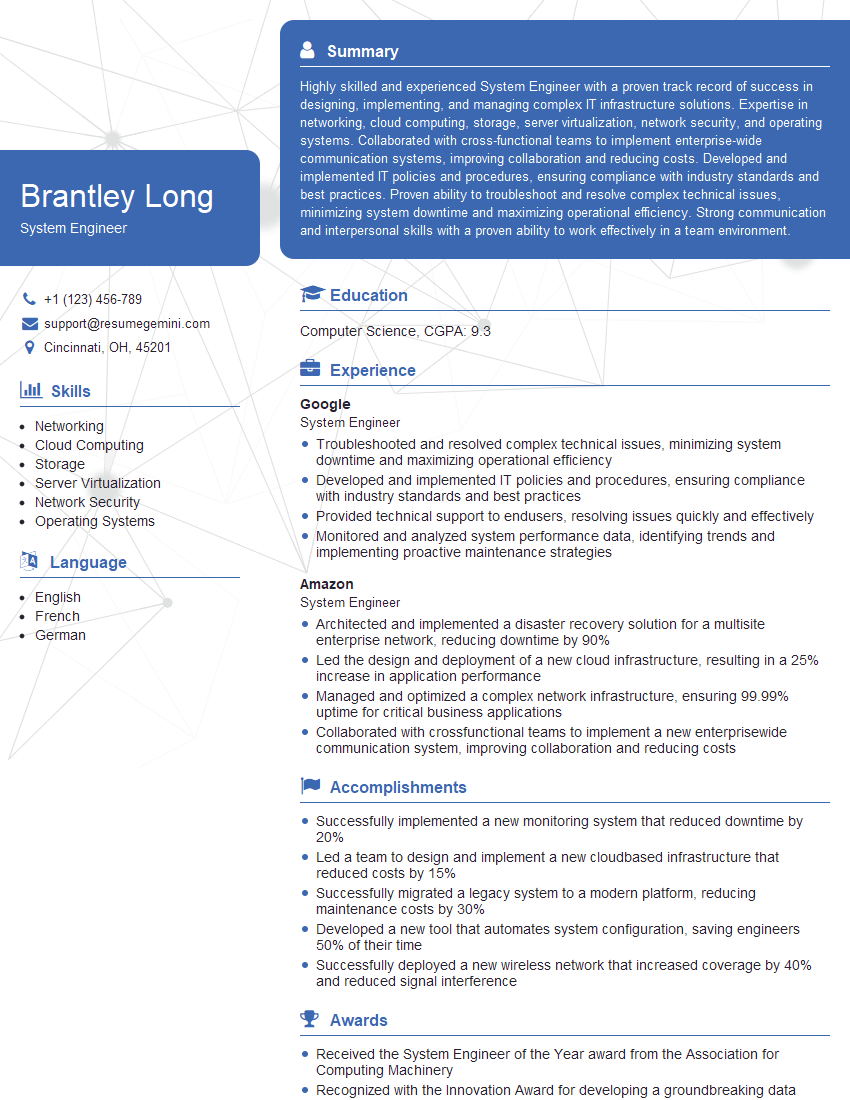
System Engineer Resume Sample

Network Analyst Resume Sample

Network Technician Resume Sample

Network Architect Resume Sample

Help Desk Analyst Resume Sample

IT Manager Resume Sample

IT Project Manager Resume Sample

Field Service Engineer Resume Sample

IT Support Specialist Resume Sample

DevOps Engineer Resume Sample

Cloud Engineer Resume Sample
- Security Engineer
- Network Administrator
- Network Engineer
- Network Security Analyst
- Systems Administrator
- Technical Support Engineer
- Infrastructure Engineer
- System Engineer
- Network Analyst
- Network Technician
- Network Architect
- Help Desk Analyst
- IT Manager
- IT Project Manager
- Field Service Engineer
- IT Support Specialist
- DevOps Engineer
- Cloud Engineer
Explore more articles
Users Rating of Our Blogs
Share Your Experience
We value your feedback! Please rate our content and share your thoughts (optional).
What Readers Say About Our Blog
Very informative content, great job.
good