Are you ready to stand out in your next interview? Understanding and preparing for Plate Making and Exposure interview questions is a game-changer. In this blog, we’ve compiled key questions and expert advice to help you showcase your skills with confidence and precision. Let’s get started on your journey to acing the interview.
Questions Asked in Plate Making and Exposure Interview
Q 1. Explain the difference between thermal and UV exposure methods in plate making.
Thermal and UV exposure are two primary methods for creating printing plates, differing significantly in their energy source and the plate’s chemistry.
Thermal exposure uses heat to activate the photosensitive layer on the plate. Think of it like baking a cake – the heat triggers a chemical reaction that hardens the exposed areas, making them resistant to ink. This method is commonly used with thermal plates, which are often more economical and easier to handle. For example, in a CTP (Computer-to-Plate) workflow, a thermal imaging device heats specific areas of the plate to create the image.
UV exposure, on the other hand, uses ultraviolet light to initiate the chemical reaction on the plate. It’s like using sunlight to develop a photograph – the UV light hardens the exposed areas, allowing for fine detail and high resolution. This is prevalent in plates utilizing photopolymers. The UV exposure system might employ a high-intensity UV lamp to expose the plate through a film negative or a digital mask.
The choice between thermal and UV depends on factors like budget, desired image quality, and the type of printing press. Thermal is often faster and less expensive, while UV excels in detail and durability.
Q 2. Describe the process of plate mounting on a printing press.
Plate mounting is a crucial step that ensures the plate is securely and accurately positioned on the printing press cylinder. Imagine it as fitting a perfectly sized picture into a frame. Inaccurate mounting leads to misregistration – the image won’t line up correctly across colors or pages. The process generally involves these steps:
- Cleaning the cylinder: Removing any debris or residue from the cylinder surface is critical for a firm grip.
- Applying adhesive: A specialized adhesive is applied to the cylinder; it’s carefully chosen for its compatibility with both the cylinder material and the plate type.
- Positioning the plate: Using alignment pins or registration marks, the plate is carefully positioned onto the adhesive-coated cylinder to ensure accurate registration.
- Squeegeeing: Excess adhesive is removed and the plate is pressed firmly against the cylinder to ensure even contact.
- Setting time: The plate is left to set for a specified time, allowing the adhesive to cure completely. This is crucial for a secure bond during printing.
- Inspection: After setting, the plate is inspected to confirm its proper alignment and adhesion.
Failure to mount the plate correctly can result in significant downtime and waste of materials, highlighting the importance of meticulous execution of each step.
Q 3. What are the common causes of plate defects, and how do you troubleshoot them?
Plate defects can significantly impact print quality. Identifying and resolving these issues quickly is essential. Common causes and troubleshooting steps:
- Scratches or damage: Caused by rough handling or improper storage. Troubleshooting: Inspect plates carefully before use, handle with care, and use protective sleeves during storage.
- Ghosting or halation: Unwanted light exposure during platemaking. Troubleshooting: Check for light leaks in exposure units, verify proper exposure parameters, and ensure the plate is properly cleaned.
- Pin holes: Tiny holes that appear in the plate image. Troubleshooting: Carefully examine the plate for dust, debris, or damage. Review the exposure time and intensity.
- Poor dot reproduction: Uneven or distorted dots in the print. Troubleshooting: Check plate type and quality, exposure settings (intensity and time), and the ink-water balance.
- Muddy colors: Colors appearing dull and undefined. Troubleshooting: Check ink viscosity, cleaning the rollers and the plate, and adjusting ink-water balance.
A systematic approach to troubleshooting involves systematically investigating each potential cause, starting with the most likely ones. Thorough cleaning and inspection before and after each stage of the process can effectively prevent many defects.
Q 4. How do you ensure proper ink-water balance during plate exposure?
Proper ink-water balance is paramount for achieving high-quality prints. It’s the delicate interplay between ink and fountain solution (water) on the plate that determines the sharpness, tone, and color accuracy of the print. During exposure, the goal is to create a plate where the image areas effectively repel water and accept ink, while the non-image areas readily accept water to prevent ink from spreading.
Ensuring this balance begins with selecting the correct plate type and chemistry. Then, careful attention is paid to exposure parameters – including exposure time and intensity – to ensure that the image areas are adequately hardened. Incorrect exposure can create an imbalance, leading to either too much ink (resulting in blurry and smeared images), or too much water (leading to poor ink transfer and pale colors). During the printing process, regular monitoring of the ink-water balance is critical to adjust for variations in ink viscosity, paper type, and environmental conditions.
Think of it like balancing a seesaw. Too much water, and the ink’s ability to transfer is compromised. Too much ink, and it smudges and blurs. The ideal balance allows both ink and water to play their roles effectively for optimal print results.
Q 5. Explain the importance of proper plate cleaning and storage.
Proper plate cleaning and storage are vital for maintaining plate quality, extending their lifespan, and preventing issues like plate degradation, contamination, and damage. A neglected plate can easily degrade, leading to poor print quality and wasted materials.
Cleaning: The cleaning process varies depending on the plate type. However, the general principles involve removing all residual ink, fountain solution, and other debris using plate cleaning solutions and specialized brushes or cloths. Avoid harsh chemicals that could damage the plate surface. After cleaning, plates should be thoroughly dried to prevent spotting or corrosion.
Storage: Plates should be stored in a cool, dry, and dark environment to prevent degradation. They should be protected from dust, moisture, and UV light using protective sleeves or wraps. Proper stacking and organization prevent damage and confusion.
Regular cleaning and proper storage translate to cost savings by extending plate life and maintaining consistent print quality. Investing in quality cleaning solutions and storage equipment pays dividends in the long run.
Q 6. What are the different types of printing plates used in the industry?
The printing industry uses a variety of plate types, each with its strengths and weaknesses:
- PS Plates (Photosensitive Plates): These are traditional plates requiring exposure to light through a film negative. They are relatively inexpensive but require more processing steps.
- CTP Plates (Computer-to-Plate): These plates are imaged directly from a digital file, eliminating the need for film. They come in thermal and UV varieties and are typically used in modern high-speed printing environments. Thermal plates are faster and more cost-effective while UV plates usually offer higher resolution and image quality.
- Flexographic Plates: These are typically photopolymer plates used for flexible packaging printing. They are highly durable and can handle long print runs.
- Offset Plates: Used in offset lithographic printing, these come in various types, including surface plates, and are designed for different applications.
The choice of plate type depends on factors like print volume, quality requirements, and the printing press capabilities. Each type has unique properties in terms of resolution, durability, and cost.
Q 7. Describe the process of creating a digital plate from a design file.
Creating a digital plate from a design file involves several key steps. This workflow, often called Computer-to-Plate (CTP), has revolutionized the printing industry by eliminating the need for film and improving efficiency.
- Design and prepress preparation: The design is created in a vector-based program such as Adobe Illustrator or a raster-based program such as Photoshop, ensuring it meets printing specifications (resolution, color space etc.). This might involve trapping, color correction, and other prepress tasks.
- RIP (Raster Image Processor): The design file is processed through a RIP, which converts the design into a format that the platesetter can understand. This involves converting vector data into a raster image, applying color profiles, and creating a plate-ready file.
- Platesetter exposure: The RIPped file is sent to a platesetter, a high-precision device that exposes the printing plate with laser light (thermal) or UV light according to the digital data, creating the image on the plate.
- Plate processing: After exposure, the plate undergoes a processing stage (developing, washing, and baking/drying) to solidify the image area and remove the unexposed areas. The specifics depend on the plate type (thermal or UV).
- Plate mounting: Finally, the processed plate is mounted onto the printing press cylinder.
The entire process is automated, minimizing human error and significantly speeding up the production process. It’s a highly precise and sophisticated workflow vital for producing high-quality prints on demand.
Q 8. How do you calibrate your exposure unit for optimal results?
Calibrating your exposure unit is crucial for consistent, high-quality plate production. Think of it like adjusting the focus on a camera – you need the right settings to get a sharp image. This involves several steps, primarily focusing on the light intensity and exposure time. We typically use a densitometer to measure the density of test exposures on a sample plate.
Step 1: Establishing a Baseline: We start by exposing a test strip with varying exposure times. This creates a series of dots with different densities.
Step 2: Density Measurement: Using a densitometer, we measure the density of each dot on the test strip. We’re looking for a specific target density that aligns with the plate’s specifications and the desired print result.
Step 3: Fine-Tuning: Based on the densitometer readings, we adjust the exposure unit’s settings (light intensity and exposure time) to achieve the target density. This is an iterative process; we’ll run multiple test strips, making small adjustments until we consistently hit our target. This process is extremely important to maintain consistent color and density across a large print run.
Step 4: Regular Calibration: It’s essential to recalibrate the exposure unit regularly, perhaps daily or weekly depending on the frequency of use and the stability of the unit’s light source. Environmental factors like temperature fluctuations can affect the light intensity. Regular calibration helps to maintain consistency and prevents variations in print quality.
Q 9. What safety precautions should be taken when handling printing plates and chemicals?
Safety is paramount when handling printing plates and chemicals. We treat all chemicals as potentially hazardous.
- Personal Protective Equipment (PPE): This is non-negotiable. We always wear gloves (nitrile is preferred for chemical resistance), safety glasses, and lab coats. Depending on the chemicals used, respirators might also be required.
- Proper Ventilation: Platemaking often involves volatile organic compounds (VOCs), so good ventilation is essential. Working in a well-ventilated area or using a fume hood is vital to minimize exposure.
- Chemical Handling: We strictly follow the manufacturer’s instructions for handling and storing chemicals. This includes proper mixing ratios, disposal procedures, and appropriate labeling.
- Plate Handling: Printing plates, especially those made of metal, can have sharp edges. Care must be taken to avoid cuts. We handle plates gently and use appropriate tools where needed.
- Emergency Procedures: Everyone involved in platemaking should be aware of the location of safety showers, eyewash stations, and emergency contact information.
- Waste Disposal: Spent chemicals and plate cleaning solutions must be disposed of according to environmental regulations. This often involves using specialized containers and contacting a hazardous waste disposal service.
For example, I once witnessed a colleague forget to wear gloves while handling a developer solution. The resulting skin irritation served as a stark reminder of the importance of PPE compliance.
Q 10. How do you measure the density of a printing plate?
We measure the density of a printing plate using a densitometer. This instrument measures the optical density of the image on the plate, indicating the amount of light absorbed by different areas. A higher density means the area is darker, while a lower density signifies a lighter area.
Types of Densitometers: There are different types of densitometers, including reflection densitometers (used for measuring the density of the printed image) and transmission densitometers (used for measuring the density of a transparent plate). For printing plates, a reflection densitometer is typically used.
Measurement Process: The densitometer’s sensor is placed on the plate’s surface, and a reading is obtained. This reading is usually expressed as a numerical value, often represented as a logarithmic scale (e.g., 1.5, 2.0). These values represent the density of the ink (or absence of ink) in the specific area of the plate.
Importance of Density Measurement: Accurate density measurement is critical for ensuring the final print matches the digital design. Inconsistencies in density can lead to variations in ink coverage, color balance, and overall print quality. During platemaking, we regularly monitor density to check that the exposure process is working correctly.
Q 11. What is the role of a RIP in the plate making process?
A Raster Image Processor (RIP) is an essential component in platemaking. It’s essentially a translator, converting digital files (like PDF, TIFF) into a format that the plate imager can understand and process to create the printing plate.
Key Functions of a RIP:
- Image Processing: The RIP processes the digital image data, performing functions like color management (ensuring consistent colors across different devices), halftoning (converting continuous-tone images into dots for printing), and screening (adjusting the dot pattern for optimal print quality).
- Image Enhancement: The RIP can also perform various image enhancement tasks such as sharpening, noise reduction, and color correction, helping to create a more refined and visually appealing final print.
- Plate Output: The RIP prepares the processed image data for output to the plate imager, determining the positioning and precise placement of image data on the plate.
- Workflow Management: Modern RIPs often integrate with various workflow management systems, streamlining the overall platemaking process.
Without a RIP, sending image data directly to the platesetter wouldn’t be feasible. The RIP is what bridges the gap between the digital world and the physical printing plate.
Q 12. Explain the concept of dot gain in relation to plate exposure.
Dot gain refers to the increase in the size of halftone dots during the printing process. It’s a common phenomenon that affects the overall appearance of a printed image, especially in relation to plate exposure.
How Dot Gain Occurs During Plate Exposure: During plate exposure, the image is transferred to the plate through light exposure. Depending on the exposure settings, some areas might receive slightly more or less light exposure than desired. This can lead to increased dot size – dot gain – during the actual printing phase. For instance, a dot intended to be 20% can grow to 30% in the final print, leading to unexpected color changes.
Impact on Plate Exposure: Accurate plate exposure is crucial for controlling dot gain. Overexposure can result in significant dot gain, leading to muddy, less sharp images with darker tones. Conversely, underexposure might result in less dot gain and lighter, potentially grainy images.
Controlling Dot Gain: Several methods exist to help control dot gain. These include using proper exposure settings during platemaking, using appropriate screening angles and frequencies, and employing sophisticated RIP software that compensates for expected dot gain.
Example: If you’re printing a logo with fine details, excessive dot gain can blur the logo’s sharp edges, making it appear fuzzy. Proper control of dot gain, through careful plate exposure, helps preserve the original design’s sharpness.
Q 13. How do you handle a situation where a plate is damaged during the mounting process?
Damaging a plate during mounting is frustrating but sometimes unavoidable. The action depends on the extent of the damage.
Minor Scratches or Dents: If the damage is superficial and doesn’t affect the image area significantly, we might attempt to repair it using a fine-grit abrasive to lightly smooth the affected area. However, this isn’t always successful. If the repair attempt is satisfactory the plate can be reused, but even minor damage can sometimes lead to inconsistencies in the print. If unsatisfactory the plate must be discarded.
Significant Damage: If the plate is heavily damaged, rendering any repair attempt impractical or producing unacceptable print results, it must be replaced. This is clearly a significant cost factor, and preventing damage from occurring in the first place should be a priority.
Prevention: Preventing damage is key. We use appropriate mounting techniques, ensuring the plate is properly aligned and secured. We also handle plates carefully to avoid accidental drops or impacts. A damaged plate results in wasted time and resources.
Example: I once accidentally dropped a mounted plate, resulting in a noticeable dent near the edge of a critical image element. We ultimately had to scrap the plate and remake it, costing time and materials. The incident emphasized the importance of meticulous handling techniques.
Q 14. What software do you use for plate imaging and processing?
The software we use for plate imaging and processing varies depending on the specific plate type and the print job’s requirements. However, some common software packages include:
- Esko Suite: Esko offers a comprehensive suite of software for prepress, including design, image editing, and RIP functionality, highly valued in high-end commercial printing.
- EFI Fiery: EFI Fiery RIPs are widely used in the industry for their speed, accuracy, and robust color management capabilities.
- Agfa Apogee: Agfa’s Apogee is another popular RIP and workflow software solution known for its reliability and high-quality color reproduction.
These systems provide comprehensive features for color management, image processing, proofing, and plate preparation, ensuring the highest possible quality for the final print. The choice of software often depends on factors such as the printing press type, the complexity of the job, and the overall workflow in the print shop.
Q 15. Describe your experience with different plate materials (e.g., aluminum, polyester).
My experience encompasses a wide range of plate materials, each with its own strengths and weaknesses. Aluminum plates, the industry standard for many years, offer a robust and reliable performance, especially in high-volume printing. Their durability and ability to withstand repeated press runs make them cost-effective in the long run, although their higher initial cost is a consideration. I’ve extensively worked with different aluminum alloys, optimizing their surface treatment for various printing processes like offset lithography.
Polyester plates, on the other hand, are lighter, more flexible, and environmentally friendlier, making them ideal for shorter runs and applications where plate handling is a concern. They’re also beneficial in flexographic printing because of their ability to conform to curved printing surfaces. I’ve specifically worked with different thicknesses and surface treatments of polyester plates to achieve optimal results, balancing image quality and plate lifespan.
In choosing the right plate material, it is crucial to consider factors like the print run length, the type of printing press, the desired image quality, and the environmental impact. For example, for a large-scale commercial printing job with millions of impressions, aluminum is almost always the preferred option due to its durability and consistent quality. However, for a small-scale, short-run project with unique substrates, a polyester plate might be more economical and practical.
Career Expert Tips:
- Ace those interviews! Prepare effectively by reviewing the Top 50 Most Common Interview Questions on ResumeGemini.
- Navigate your job search with confidence! Explore a wide range of Career Tips on ResumeGemini. Learn about common challenges and recommendations to overcome them.
- Craft the perfect resume! Master the Art of Resume Writing with ResumeGemini’s guide. Showcase your unique qualifications and achievements effectively.
- Don’t miss out on holiday savings! Build your dream resume with ResumeGemini’s ATS optimized templates.
Q 16. What are the key factors affecting the lifespan of a printing plate?
The lifespan of a printing plate is a critical factor affecting printing costs and efficiency. Several key factors influence this lifespan. Firstly, the inherent quality of the plate material itself plays a role: higher-quality aluminum alloys or specially treated polyester will generally last longer. Secondly, the imaging process is crucial. Proper exposure and processing are essential to ensure a robust image layer, resistant to wear and tear. Poorly exposed plates will quickly degrade.
The type of printing press significantly influences plate life. High-speed presses with intense pressure and friction will naturally wear plates faster than slower presses. The inks used also play a part. Aggressive or abrasive inks can shorten plate life. Finally, the substrate being printed on can also cause wear, especially rough or textured surfaces. Regular cleaning and proper storage of plates after use also significantly extend their life. Think of it like regularly servicing a car to ensure longevity. Proper care and maintenance translate directly into maximizing the life of a printing plate.
Q 17. How do you identify and resolve issues with plate registration?
Registration issues, where different colors or elements don’t align precisely, are a common problem in printing. Identifying these issues begins with careful visual inspection of printed sheets. Misalignment can often be noticed easily through overlapping colors or inconsistent spacing. Using a registration target – a printed reference mark included on the plate – helps with precise measurements. This target will let you quantify the misalignment in millimeters or points.
Resolving registration problems requires a systematic approach. First, we need to determine the source of the misregistration. It could be due to issues with the plate itself, improper mounting on the printing press, or problems with the press’s registration system. If the plate is the issue, it might require remaking. If it’s a press issue, adjustments to the press’s registration mechanism might be required, which could involve calibrating rollers or adjusting guide pins. Sometimes, subtle adjustments to the plate’s mounting are sufficient. Accurate problem identification and careful intervention are key to resolving registration problems and ensuring high-quality prints.
Q 18. Explain your experience with different types of printing presses and their respective plate requirements.
My experience spans various printing press types, each with specific plate requirements. Offset presses, the most common type, typically use aluminum plates processed via platemaking methods such as computer-to-plate (CTP) or conventional methods. These plates require precise thickness and surface treatment for optimal ink transfer and durability. I’ve worked extensively with different press manufacturers’ specifications and plate requirements to ensure compatibility and optimum printing results.
Flexographic presses, used for packaging and labels, require flexible plates, usually photopolymer or polyester. These plates need specific thicknesses and durometer ratings (a measure of hardness) depending on the printing substrate and ink type. Working with these plates involves considerations for plate mounting, cylinder size, and the overall flexographic printing process. Finally, I’ve also encountered experience with screen printing, which involves a completely different methodology, and usually involves creating stencils using different materials and techniques.
Understanding the nuances of each press type and its corresponding plate needs is paramount. The wrong plate choice can lead to poor image quality, increased downtime, and ultimately, higher costs. Matching the plate to the press and the job specifications is a critical aspect of successful printing.
Q 19. Describe your process for quality control in plate making.
Quality control in plate making is a multi-step process. It starts with verifying the quality of the plate material, including its thickness and uniformity. Then, it involves meticulously inspecting the plate after imaging for any defects or inconsistencies. This might include checking for scratches, pinholes, or incomplete image areas, using magnification equipment and specialized lighting to detect even tiny imperfections.
A crucial step is a test print on the press. This lets us assess the image sharpness, registration, and dot gain. We compare the test print to the original artwork or digital file to make sure that there are no inconsistencies or discrepancies. Regular maintenance checks on the plate making equipment are essential for maintaining consistent quality. Documentation is key – recording all steps of the process, and any potential issues found, helps to track progress and pinpoint the source of any problems.
My quality control measures ensure the delivery of high-quality plates that consistently produce excellent print results. This process is critical in maintaining client satisfaction and avoiding costly reprints.
Q 20. How do you manage workflow to ensure timely plate production?
Efficient workflow management is vital for timely plate production. I utilize project management software to track incoming orders, schedule production, and monitor progress. This software allows for clear communication and coordination between different teams involved, from pre-press to printing. Prioritization of urgent jobs is handled through a well-defined system, ensuring that the most time-sensitive projects get the attention they need.
Automation plays a crucial role, and I’ve implemented automated processes wherever possible, such as automated plate exposure and processing units. This reduces manual work and increases efficiency. Regular maintenance of equipment ensures that there’s minimal downtime. The entire process is designed around lean principles, minimizing waste and maximizing output. Think of it as an orchestra, each section (pre-press, exposure, processing) working in harmony to deliver a final product on time and to the highest standards.
Q 21. How do you maintain the equipment used in plate making?
Maintaining plate-making equipment is critical for consistent quality and minimizing downtime. This involves a regular schedule of preventive maintenance, including cleaning and lubricating moving parts, inspecting for wear and tear, and replacing parts as needed. I strictly adhere to manufacturer’s guidelines for maintenance and regularly update and service equipment according to their recommendations.
Detailed record-keeping is crucial; I meticulously document all maintenance procedures, including dates, tasks performed, and any parts replaced. This allows us to quickly troubleshoot problems and predict potential equipment failures. Furthermore, staff training is an important aspect; all staff are trained to identify potential issues and report any problems promptly. We always invest in ongoing professional development to ensure that our team has the expertise to maintain our equipment to the highest standards.
Q 22. What are the environmental considerations in plate making and disposal?
Environmental considerations in plate making are paramount. We’re dealing with chemicals that can impact air and water quality, and the disposal of used plates and chemicals presents significant challenges.
- Platemaking Chemicals: Many platemaking processes involve chemicals like developers, gum arabic, and various solvents. These need to be handled and disposed of according to strict environmental regulations. Improper disposal can lead to soil and water contamination. We use closed-loop systems where possible to minimize waste and recycle process water.
- Plate Material: Aluminum plates are the most common, but their production and disposal also have an environmental footprint. Recycling programs are crucial to mitigate this impact. We prioritize suppliers with strong sustainability commitments.
- Energy Consumption: The platemaking process itself is energy-intensive, especially with certain exposure systems. We optimize our processes and equipment to minimize energy consumption, favoring energy-efficient CTP (Computer-to-Plate) devices.
- Waste Reduction: Implementing lean manufacturing principles helps minimize waste throughout the entire platemaking process. This includes optimizing plate size, minimizing chemical usage, and efficiently managing waste streams.
For example, our facility utilizes a specialized waste treatment system to neutralize and safely dispose of developer and other chemical waste, in full compliance with all local and national environmental regulations.
Q 23. Explain your understanding of color management in relation to plate making.
Color management in plate making is critical for achieving accurate color reproduction in the final print. It involves a carefully controlled workflow, from design software to the final printed output.
- Profile Creation: Accurate color profiles are essential for both the input (design file) and output (printing plate) devices. These profiles characterize the color response of each device, ensuring consistent color representation throughout the process.
- Color Space Conversion: Design files are typically created in RGB (Red, Green, Blue) color space. However, printing requires a different color space, typically CMYK (Cyan, Magenta, Yellow, Black). Accurate color space conversion is crucial, usually handled by software that utilizes color profiles to ensure smooth transitions.
- Proofing: Soft proofing (on-screen) and hard proofing (physical print) are essential for verifying color accuracy before plate creation. Soft proofing utilizes color profiles and simulates the final output, while hard proofing provides a tangible visual check.
- RIP Software: Raster Image Processors (RIPs) play a vital role in color management, converting the design file into a format suitable for the plate imager. RIPs often have built-in color management tools that allow for fine-tuning and adjustments.
Imagine trying to bake a cake without measuring ingredients precisely. In color management, every step, from the monitor calibration to the final plate exposure, requires precise measurements and controls to achieve the desired outcome.
Q 24. How do you handle discrepancies between the design file and the final printed output?
Discrepancies between the design file and the final printed output can stem from various sources, requiring a systematic approach to identify and resolve the issue.
- File Review: The first step is a thorough review of the design file. This includes checking for color profiles, resolution, and any potential errors in the artwork itself.
- RIP Settings: Incorrect RIP settings can also introduce discrepancies. Reviewing the RIP settings, including color management options, output resolution, and screening settings, is crucial.
- Platemaking Process: Examine the platemaking process for inconsistencies. This might involve checking the exposure settings, developer concentration, and other factors that could affect the final plate quality.
- Press Settings: The printing press itself can introduce discrepancies. Inaccurate ink densities, register problems, or incorrect press settings should be thoroughly investigated.
- Communication: Clear and consistent communication between designers, prepress operators, and press operators is critical. Regular communication helps pinpoint the source of the problem quickly and efficiently.
A recent instance involved a client complaining about color inconsistencies. By systematically checking each step—from the design file’s color profile to the press settings—we identified an incorrect color profile embedded in the design file as the root cause. Once corrected, the print matched the design perfectly.
Q 25. What are the advantages and disadvantages of different exposure systems?
Exposure systems are crucial for transferring the image from the digital file onto the printing plate. Different systems offer varying advantages and disadvantages.
- Thermal CTP: Uses heat to expose the plate. Advantages include high resolution and good stability. Disadvantages can include higher initial investment costs and potentially lower throughput compared to violet laser systems.
- Violet Laser CTP: Uses violet laser diodes for exposure. Advantages include high speed, high resolution, and relatively low running costs. Disadvantages may include a slightly lower dynamic range compared to some thermal systems.
- UV Laser CTP: Uses ultraviolet lasers for exposure. Advantages include excellent resolution and fine detail reproduction. Disadvantages include higher capital investment compared to violet laser systems.
The choice of exposure system depends on factors such as budget, required resolution, production volume, and the specific needs of the printing process. For example, a high-volume commercial printer might favor a high-speed violet laser system, while a fine art printer might opt for a UV laser system to achieve exceptional image quality.
Q 26. Describe your experience with troubleshooting plate-related printing problems on press.
Troubleshooting plate-related printing problems on press requires a systematic and methodical approach.
- Visual Inspection: The first step is a thorough visual inspection of the printed output, looking for patterns and anomalies that might indicate a problem with the plates.
- Plate Examination: Examine the plates themselves for defects, such as scratches, pinholes, or uneven exposure. This often involves using a magnifying glass or other tools to identify subtle imperfections.
- Ink/Water Balance: Incorrect ink/water balance on the press can cause various problems, including poor dot gain or mottle. Adjusting the ink/water balance often resolves many plate-related issues.
- Press Settings: Incorrect press settings, such as impression pressure or roller settings, can also affect print quality. Adjustments are carefully made based on the specific problem observed.
- Plate Material & Chemistry: Issues can arise due to improper handling, storage, or outdated platemaking chemicals. Checking the plate material’s condition and the quality of the chemicals is important.
I once encountered significant dot gain on a large print run. Through careful examination, we discovered that the developer concentration was too high. By correcting the developer concentration and meticulously cleaning the plates, we were able to resolve the problem and resume printing to the desired quality.
Q 27. How do you stay current with new technologies and advancements in plate making?
Staying current in the rapidly evolving field of platemaking requires a multifaceted approach.
- Industry Publications & Trade Shows: Regularly reading industry publications such as industry magazines and attending trade shows like drupa keeps me abreast of the latest advancements and technologies.
- Manufacturer Websites & Training: Checking the websites of plate and equipment manufacturers for updates, new product releases, and training opportunities.
- Online Courses & Webinars: Participating in online courses and webinars offered by various industry associations and educational institutions.
- Networking with Peers: Engaging in discussions and exchanging knowledge with colleagues, peers, and other professionals in the field. This can be done through industry forums, online communities, or professional associations.
For instance, I recently completed a training course on the latest advancements in UV inkjet printing technologies, which has enabled us to explore new techniques and workflow improvements within our platemaking process.
Q 28. Describe a situation where you had to solve a challenging platemaking problem. What was your approach?
One particularly challenging problem involved a recurring issue of ghosting (a faint, secondary image) appearing on our prints. Initial troubleshooting pointed to various factors like incorrect press settings, plate defects and ink issues.
My approach was systematic:
- Thorough Data Collection: We documented every aspect of the process, including the design file, RIP settings, platemaking parameters, press settings, and a detailed visual analysis of the ghosting issue.
- Hypothesis Formation: Based on the data, we formed several hypotheses, including possible issues with the platemaking process (exposure issues), RIP settings (image processing), and press settings (roller pressure, ink distribution).
- Targeted Testing: We conducted targeted tests, isolating variables to test each hypothesis. For example, we created test plates with varying exposure times and developer concentrations.
- Root Cause Identification: Through this process, we identified the root cause: a subtle misalignment in the platemaking equipment that was causing the ghosting effect.
- Corrective Action: Once identified, we meticulously recalibrated the equipment and conducted another test run, confirming the solution. Comprehensive documentation of the troubleshooting steps was maintained to avoid similar problems in the future.
This problem required a blend of technical expertise, systematic problem-solving, and a collaborative approach involving the prepress and press teams to ensure a speedy resolution.
Key Topics to Learn for Plate Making and Exposure Interview
- Plate Preparation: Understanding different plate materials (aluminum, polymer), their properties, and surface preparation techniques for optimal image transfer.
- Image Setting & Exposure Methods: Mastering various exposure techniques (contact, vacuum, internal drum), understanding factors affecting exposure time and intensity (light source, plate sensitivity, film density).
- Processing & Quality Control: Familiarize yourself with the chemical processing stages (developing, washing, gumming), and implementing quality control measures to identify and rectify defects (pinholes, scratches, scumming).
- Digital Plate Making: Knowledge of CTP (Computer-to-Plate) technologies, file formats (PDF, TIFF), and color management principles in digital plate workflows.
- Troubleshooting & Problem Solving: Develop your ability to diagnose and solve common issues encountered during plate making, such as registration errors, poor image quality, and equipment malfunctions. This includes understanding preventative maintenance.
- Safety Procedures: Demonstrate understanding of safety regulations and practices related to handling chemicals, operating equipment, and maintaining a clean and organized workspace.
- Workflow Optimization: Discuss strategies for improving efficiency and productivity in the plate making process, including automation and lean manufacturing principles.
Next Steps
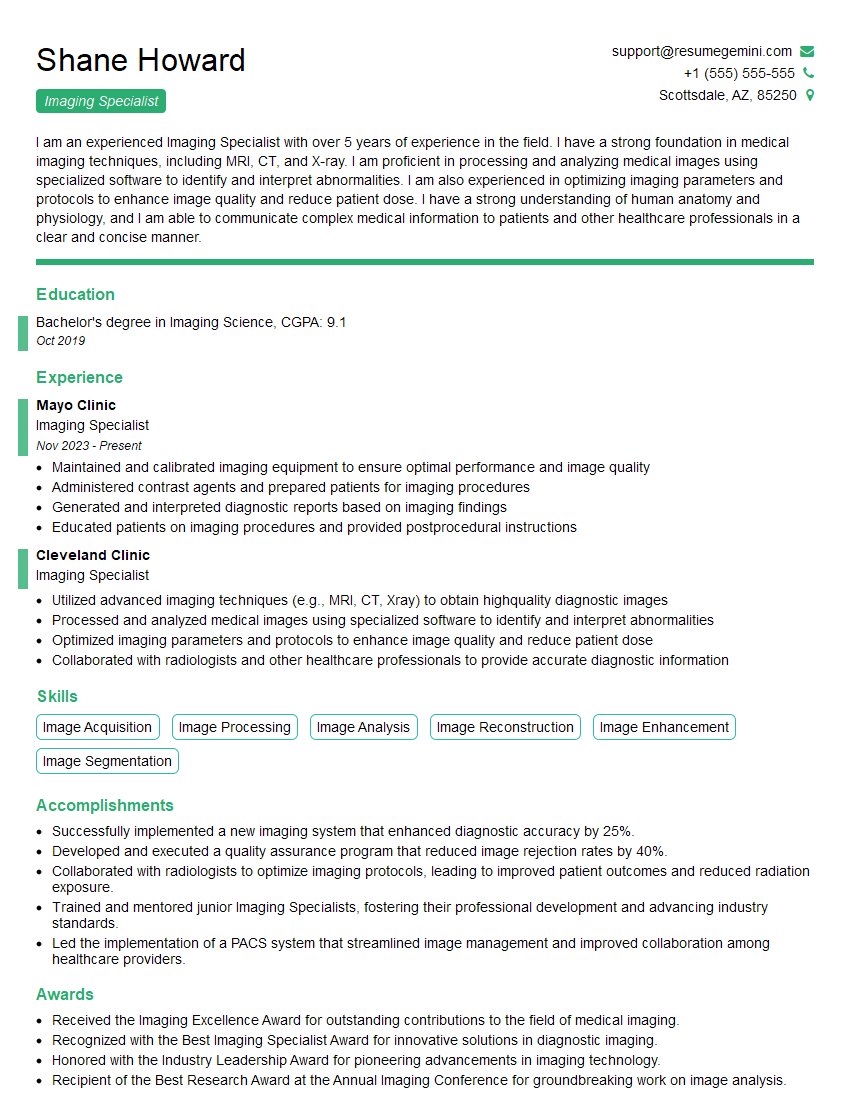
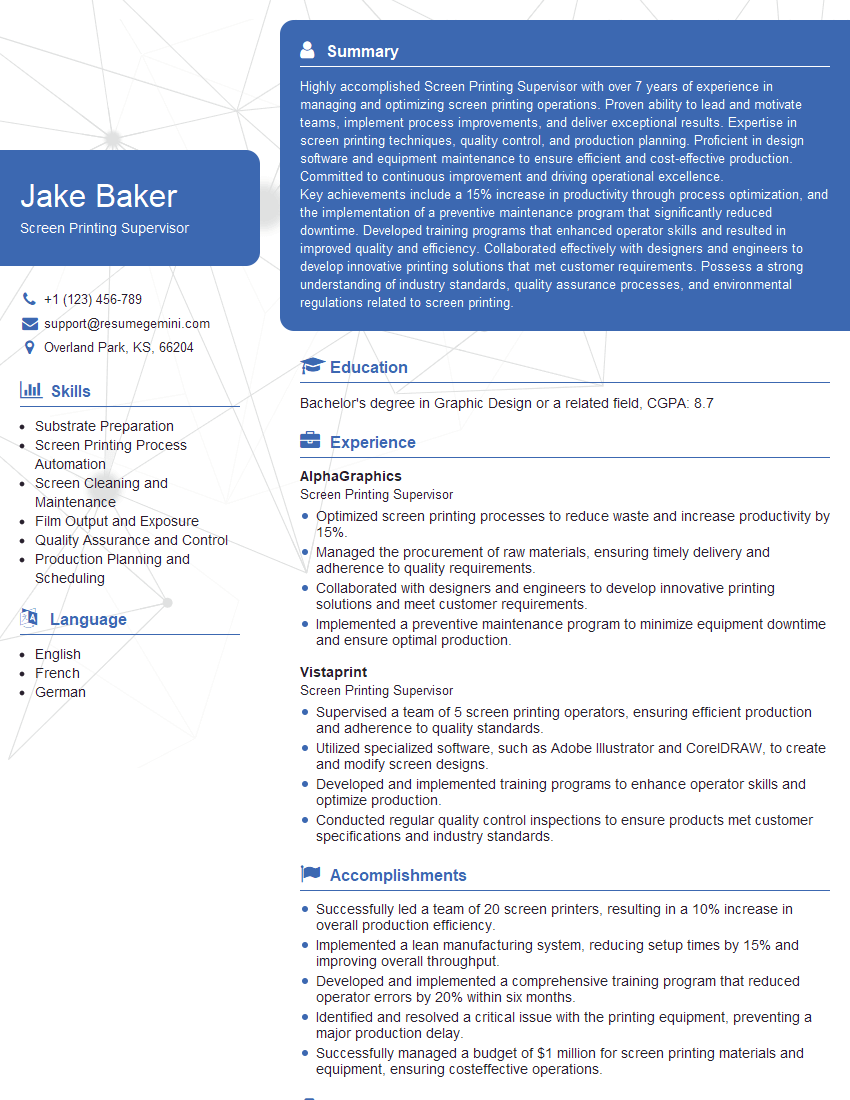
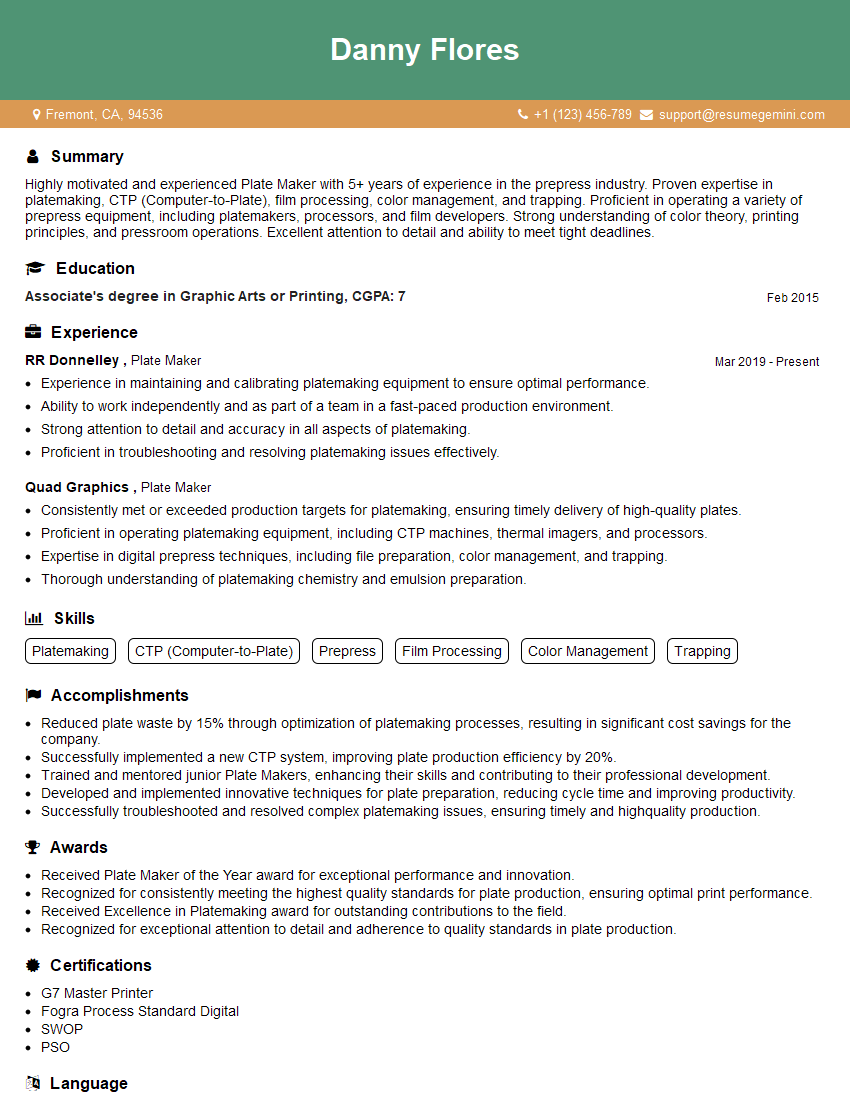
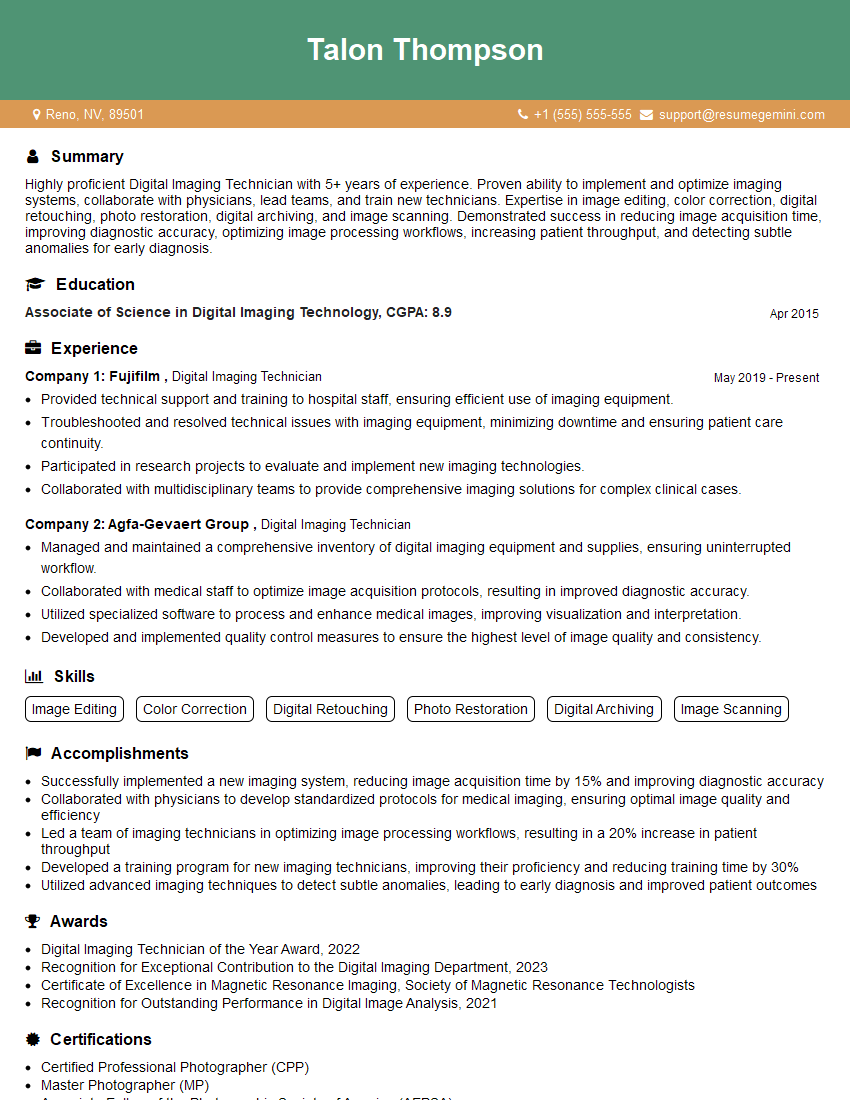
Mastering Plate Making and Exposure is crucial for career advancement in the printing industry, opening doors to specialized roles and higher earning potential. A strong resume is your key to unlocking these opportunities. Creating an ATS-friendly resume ensures your application gets noticed by potential employers. ResumeGemini is a trusted resource that can significantly enhance your resume-building experience. We provide examples of resumes tailored to Plate Making and Exposure to help you present your skills and experience effectively. Invest the time to craft a compelling resume—it’s an investment in your future career success.




Explore more articles
Users Rating of Our Blogs
Share Your Experience
We value your feedback! Please rate our content and share your thoughts (optional).
What Readers Say About Our Blog
Very informative content, great job.
good