The thought of an interview can be nerve-wracking, but the right preparation can make all the difference. Explore this comprehensive guide to Graphical User Interface (GUI) Design interview questions and gain the confidence you need to showcase your abilities and secure the role.
Questions Asked in Graphical User Interface (GUI) Design Interview
Q 1. Explain the difference between UI and UX design.
While often used interchangeably, UI and UX design are distinct yet interconnected disciplines. Think of it like this: UX design is the overall experience a user has with a product, encompassing everything from initial interaction to final impression. UI design, on the other hand, focuses specifically on the visual elements and layout of the interface – how the user interacts with the product on a visual level. UX considers the why behind the design, aiming for efficiency and satisfaction, while UI focuses on the how – the look and feel that enables that interaction.
For example, a UX designer might conduct user research to determine the best way to accomplish a task within a banking app, considering user flows and overall ease of navigation. The UI designer would then take those findings and create the visual interface – the buttons, colors, fonts, and layout – to ensure the experience is not only functional but also aesthetically pleasing and intuitive. A great UX design might still fail without a good UI, and vice-versa. They are complementary, not competing.
Q 2. Describe your process for designing a user interface.
My UI design process is iterative and user-centric. It typically follows these steps:
- Understanding the problem: Deeply researching the target audience, their needs, and the overall project goals. This often involves stakeholder interviews, competitive analysis, and user research.
- Information Architecture: Structuring the content and functionality of the interface logically. This involves creating sitemaps, wireframes, and user flows to map out the user’s journey through the application or website.
- Wireframing: Creating low-fidelity prototypes to visualize the layout and structure of the interface. This helps to quickly iterate on design ideas and get early feedback.
- Prototyping: Developing interactive prototypes that allow for testing user interactions and workflows. This typically involves higher fidelity mockups simulating the final product.
- Visual Design: Focusing on the aesthetics and visual elements of the interface, selecting colors, fonts, imagery, and overall visual style consistent with branding and user experience principles.
- Usability Testing: Conducting user testing to evaluate the effectiveness and ease of use of the interface. This provides valuable insights for iteration and improvement.
- Iteration and Refinement: Based on testing and feedback, the design is continuously refined and improved until a satisfactory outcome is achieved.
For instance, when designing a mobile app for ordering groceries, I would begin by understanding the target demographic’s shopping habits and technological proficiency, then design wireframes illustrating the navigation flows. Prototyping would let users simulate the actual ordering process, giving me feedback to refine the interface before final design.
Q 3. What are some common usability heuristics you consider?
I frequently apply Nielsen’s 10 Usability Heuristics, which provide a robust framework for evaluating interface design. These include:
- Visibility of system status: Keep users informed about what is going on.
- Match between system and the real world: Speak the users’ language, with words, phrases and concepts familiar to the user, rather than system-oriented terms.
- User control and freedom: Provide a clear ’emergency exit’ to leave the unwanted state without having to go through an extended dialogue. Support undo and redo.
- Consistency and standards: Users should not have to wonder whether different words, situations, or actions mean the same thing.
- Error prevention: Even better than good error messages is a careful design which prevents a problem from occurring in the first place.
- Recognition rather than recall: Minimize the user’s memory load by making objects, actions, and options visible. The user should not have to remember information from one part of the dialogue to another.
- Flexibility and efficiency of use: Accelerators — unseen by the novice user — may often speed up the interaction for the expert user such that the system can cater to both inexperienced and experienced users.
- Aesthetic and minimalist design: Dialogues should not contain information which is irrelevant or rarely needed.
- Help users recognize, diagnose, and recover from errors: Error messages should be expressed in plain language (no codes), precisely indicate the problem, and constructively suggest a solution.
- Help and documentation: Even though it is better if the system can be used without documentation, it may be necessary to provide help and documentation. Any such information should be easy to search, focused on the user’s task, and list concrete steps to be carried out.
For example, ensuring consistent button placement across screens addresses consistency; clear error messages with helpful solutions address error prevention. I always strive to incorporate these heuristics to enhance user experience.
Q 4. How do you conduct user research for UI design?
User research is crucial for effective UI design. My approach involves a mix of qualitative and quantitative methods, tailored to the specific project. This often includes:
- User Interviews: Conducting one-on-one interviews to understand users’ needs, behaviors, and pain points. This helps identify crucial features and areas for improvement.
- Surveys: Gathering quantitative data from a larger sample size to identify trends and preferences in user behavior.
- Usability Testing: Observing users as they interact with prototypes or existing interfaces to identify usability issues and areas for improvement. I often use think-aloud protocols where users verbalize their thoughts while using the system.
- A/B Testing: Comparing different design options to determine which performs better. This data helps fine-tune elements like button placement or color schemes.
- Card Sorting: A technique to determine how users categorize information. It helps to determine the best way to organize menu items or content within a site.
In a recent project, conducting usability testing on a new e-commerce platform showed that users struggled to find the checkout button. This led to its redesign, significantly improving conversion rates.
Q 5. What are some common UI design patterns?
UI design patterns are reusable solutions to common design problems. They provide a framework for building consistent and predictable interfaces. Some common examples include:
- Navigation patterns: Mega menus, hamburger menus, breadcrumbs. These patterns guide users through the interface.
- Search patterns: Auto-suggest, filters, faceted navigation. These help users locate specific information.
- Form patterns: Progressive disclosure, input validation. These improve form usability and data integrity.
- Feedback patterns: Progress indicators, loading spinners, confirmation messages. These patterns enhance the user’s experience by providing confirmation of their actions and keeping them informed of the system status.
- Error handling patterns: Error messages, help text. These patterns guide the user through error resolution.
For example, using a hamburger menu is a common pattern for mobile navigation, while using clear progress indicators is essential when uploading large files. These patterns ensure predictability and intuitive navigation.
Q 6. How do you handle design feedback from stakeholders?
Handling feedback from stakeholders requires careful consideration and diplomacy. My approach involves:
- Active Listening: Carefully listening to stakeholder concerns and perspectives, ensuring a thorough understanding of their feedback.
- Data-Driven Decisions: Using user research data to support design decisions and address stakeholder concerns. I prioritize user needs but also consider the business requirements.
- Collaborative Communication: Maintaining open and transparent communication with stakeholders throughout the design process. Regular updates and feedback sessions are crucial.
- Compromise and Negotiation: Finding solutions that meet both user needs and stakeholder requirements. Sometimes, this involves explaining the rationale behind design choices using data and research findings.
- Documentation: Keeping detailed records of design decisions and feedback to facilitate future discussions and track the evolution of the design.
In one project, stakeholders wanted a very complex feature that users didn’t need based on my research. I presented the data and proposed a simplified alternative which met both user needs and business objectives.
Q 7. Describe your experience with wireframing and prototyping.
Wireframing and prototyping are integral to my design process. Wireframes are low-fidelity representations of the interface, focusing on structure and layout. I use tools like Balsamiq or Figma to create these. They help establish the basic structure before diving into visual details. Prototyping takes this further, creating interactive mockups that simulate user interactions. I leverage tools like Adobe XD, Figma, or InVision to create high-fidelity prototypes. These prototypes allow for usability testing and iterative refinement.
For example, before designing a website’s navigation, I would create a wireframe showing the page hierarchy and main content areas. Then, I would build a prototype to simulate the actual user experience, testing navigation and interaction flows before any visual design work commences.
Q 8. What design tools are you proficient in?
My proficiency in design tools spans a wide range, catering to various project needs. I’m highly skilled in Figma, a collaborative interface design tool that’s become an industry standard, particularly for its version control and real-time collaboration features. I also have extensive experience with Adobe XD, which offers robust prototyping capabilities, allowing for detailed interaction simulations before development. For more advanced prototyping and animation, I utilize After Effects and Principle. Finally, I’m comfortable working with Sketch, especially for projects requiring specific Mac-based workflows. My tool selection always depends on the project’s specific requirements and team preferences, ensuring optimal efficiency and collaboration.
Q 9. Explain your approach to responsive design.
Responsive design is crucial for ensuring a consistent and positive user experience across all devices. My approach is based on a mobile-first strategy. I start by designing for the smallest screen size, focusing on core content and functionality. Then, I progressively enhance the design for larger screens, adding more features and content as screen real estate increases. I utilize flexible layouts employing techniques like fluid grids, relative units (percentages and ems), and media queries in CSS. For example, a media query like @media (min-width: 768px) { /* Styles for tablets and larger screens */ } allows me to apply specific styles based on screen size. This ensures the design adapts seamlessly, whether on a smartphone, tablet, or desktop. I also extensively test the responsiveness on various devices and browsers to guarantee optimal performance across platforms.
Q 10. How do you ensure accessibility in your designs?
Accessibility is paramount in my designs. I adhere to WCAG (Web Content Accessibility Guidelines) standards to make my interfaces usable by everyone, regardless of ability. This involves several key strategies. First, I ensure sufficient color contrast between text and background using tools like WebAIM’s color contrast checker to meet WCAG guidelines. Secondly, I provide alternative text for all images (
Q 11. How do you test the usability of your designs?
Usability testing is a cornerstone of my design process. I employ a combination of methods, starting with heuristic evaluations where I assess the design against established usability principles. However, nothing replaces user testing. I conduct both moderated and unmoderated usability tests with representative users. During moderated tests, I observe users interacting with the prototype and ask them to think aloud, allowing me to identify pain points and areas for improvement. For unmoderated tests, I leverage tools like UserTesting, which allows me to collect user feedback remotely and efficiently. I analyze user data, including task completion rates, error rates, and user feedback to identify areas needing refinement. This iterative process helps me to ensure a user-friendly and intuitive design. For example, in a recent project, user testing revealed that a crucial button was poorly placed, leading to high error rates. By repositioning this button based on the feedback, we significantly improved usability.
Q 12. Describe your experience with A/B testing.
A/B testing is invaluable for optimizing designs based on real user data. I’ve utilized A/B testing extensively to compare different design variations and determine which performs best. This involves creating two or more variations of a design element, such as a button color or call-to-action placement. Then, I use a platform like Optimizely or Google Optimize to split the traffic between these variations and track key metrics like click-through rates, conversion rates, and task completion times. By analyzing the data, I can identify the version that resonates best with users and make informed design decisions. For instance, in a past project, we A/B tested two different button designs. One was a standard button, and the other incorporated a subtle animation. The animated button resulted in a 15% increase in click-through rates. This quantitative data allowed us to confidently select the superior design.
Q 13. What are some common UI design challenges and how do you overcome them?
Common UI design challenges include balancing aesthetics with functionality, managing design complexity in large-scale projects, and ensuring cross-browser compatibility. To overcome these, I employ several strategies. For the aesthetic-functionality balance, I prioritize user needs and information architecture first. Then, I apply design principles to create a visually appealing and engaging experience. For complex projects, I use design systems and component libraries to maintain consistency and efficiency. This involves creating a style guide defining design elements and reusable components, saving time and improving design consistency across the entire application. To ensure cross-browser compatibility, I thoroughly test designs across different browsers and devices. This iterative testing process ensures seamless usability regardless of the user’s browser or device. For example, I recently tackled a project where the initial design was visually appealing but lacked clear navigation and information hierarchy. By re-architecting the information architecture and simplifying the navigation, the usability greatly improved, and the overall design became stronger.
Q 14. How do you stay up-to-date with the latest UI/UX trends?
Staying updated in the fast-paced world of UI/UX is vital. I regularly follow industry publications like UX Collective, Nielsen Norman Group, and Smashing Magazine. I attend webinars and conferences focusing on UI/UX trends and best practices, both online and in-person. I actively participate in online communities and forums, engaging with other designers and sharing knowledge. Furthermore, I regularly analyze successful apps and websites to study their design approaches, noting innovative trends and patterns. Experimentation is another key aspect; I actively try out new tools and techniques to enhance my skillset and stay at the forefront of design innovation. This ongoing learning process ensures that I’m consistently adapting to the latest trends and employing the most effective techniques in my work.
Q 15. Explain your understanding of design systems.
A design system is a single source of truth for all design and development decisions within a product or company. Think of it as a comprehensive style guide on steroids. It’s not just about visual elements like colors and typography; it encompasses reusable components, patterns, code snippets, and guidelines that ensure consistency and efficiency across all platforms and touchpoints. A well-implemented design system allows designers and developers to work more collaboratively, reducing redundancy and accelerating the development process. For example, a design system might include pre-built buttons, input fields, and navigation components, each with defined styles and behaviors. This ensures that all buttons, regardless of where they appear in the application, look and behave consistently. This consistency greatly improves user experience and reduces cognitive load.
- Components: Reusable UI elements like buttons, forms, and navigation menus.
- Patterns: Predefined solutions to common UI problems, such as user authentication or e-commerce checkout flows.
- Guidelines: Documentation and standards for typography, color palettes, spacing, and other design aspects.
- Code Snippets: Ready-to-use code for developers to implement components and patterns.
Career Expert Tips:
- Ace those interviews! Prepare effectively by reviewing the Top 50 Most Common Interview Questions on ResumeGemini.
- Navigate your job search with confidence! Explore a wide range of Career Tips on ResumeGemini. Learn about common challenges and recommendations to overcome them.
- Craft the perfect resume! Master the Art of Resume Writing with ResumeGemini’s guide. Showcase your unique qualifications and achievements effectively.
- Don’t miss out on holiday savings! Build your dream resume with ResumeGemini’s ATS optimized templates.
Q 16. How do you balance aesthetic design with functionality?
Balancing aesthetics and functionality is crucial for creating successful user interfaces. It’s not about choosing one over the other; rather, it’s about finding a harmonious blend. A visually stunning design is useless if it’s difficult to use, and a highly functional interface is unappealing if it lacks aesthetic appeal. I approach this challenge by iteratively testing design options against user feedback. For instance, I might present users with A/B tests that compare different visual styles for the same functionality, gathering data on user preferences and task completion rates. This data-driven approach ensures the design is both pleasing and efficient.
Consider a mobile banking app: It needs to be visually appealing, instill confidence, and be intuitively navigable. A poorly designed app, regardless of its functionality, might lead users to mistrust the platform and avoid using it. Conversely, an app that prioritizes functionality without aesthetic consideration can be clunky and frustrating to use.
Q 17. Describe your experience with visual hierarchy.
Visual hierarchy is the arrangement of elements on a screen to guide the user’s eye and communicate importance. It’s about leading the user through the information in a logical and intuitive way. I use several techniques to create effective visual hierarchy, including:
- Size: Larger elements are naturally perceived as more important.
- Color: Using contrasting colors to highlight key elements.
- Contrast: Variations in brightness and saturation make elements stand out.
- Proximity: Grouping related items together creates visual connections.
- Whitespace: Strategically using empty space to separate and prioritize content.
- Typography: Using different font weights, sizes, and styles to emphasize certain text.
For example, in an e-commerce product page, the product image, title, and price would typically have higher visual hierarchy than the product description or customer reviews. This ensures that the most crucial information is immediately apparent to the user.
Q 18. How do you create user flows?
Creating user flows involves mapping out the steps a user takes to complete a specific task within an application or website. This process helps to identify pain points, optimize navigation, and improve the overall user experience. I typically start by defining the goal – what the user wants to achieve. Then, I break down the steps required to achieve that goal into a sequence of actions and screens, often using diagrams or wireframes. Tools like Miro or Figma are excellent for this. I often involve user research and testing during this process to ensure the flow is intuitive and efficient. For example, if I were designing a user flow for online shopping, I would map out the steps from browsing products to making a purchase, considering potential challenges like adding items to a cart, entering shipping information, and selecting a payment method.
Q 19. What are your preferred methods for gathering user feedback?
Gathering user feedback is a critical part of the design process. I employ a variety of methods to get diverse insights, including:
- Usability Testing: Observing users as they interact with a prototype or live product. This allows me to see how users actually use the interface and identify pain points.
- Surveys: Using online tools to collect quantitative and qualitative data on user satisfaction, preferences, and suggestions.
- A/B Testing: Comparing different design versions to see which performs better.
- Interviews: Conducting one-on-one conversations to gather in-depth feedback.
- Heatmaps & Analytics: Utilizing tools that track user interactions on the interface to see where users click, scroll, and spend the most time. This provides objective data on user behavior.
The choice of method depends on the stage of the design process and the specific information I need.
Q 20. How do you prioritize features in a design project?
Prioritizing features in a design project requires a strategic approach. I typically use a combination of methods, including:
- MoSCoW Method: Categorizing features into Must have, Should have, Could have, and Won’t have. This helps focus development efforts on the most critical aspects.
- Value vs. Effort Matrix: Plotting features based on their business value and the effort required to implement them. This helps identify high-value, low-effort features to prioritize.
- User Stories and Story Mapping: Creating user stories to represent features from the user’s perspective, then mapping them to visualize their dependencies and priority.
- Stakeholder Input: Involving stakeholders in the prioritization process to ensure alignment on goals and objectives.
Ultimately, the goal is to deliver the most valuable features to users within the constraints of time and resources.
Q 21. Describe your experience with information architecture.
Information architecture (IA) is the structural design of shared information environments. It’s about organizing and labeling content in a way that is intuitive and easy for users to find what they need. Good IA is essential for creating a user-friendly experience. My experience with IA includes working with sitemaps, wireframes, and navigation structures to create logical and consistent information flows. I employ various techniques such as card sorting (grouping related content items), tree testing (evaluating navigation structures), and label testing (checking the effectiveness of content labels) to ensure that the information architecture supports user goals. For example, a well-structured e-commerce website will have clear categories, subcategories, and search functionalities, allowing users to easily find the products they are looking for. A poorly structured site, however, could lead to user frustration and lost sales.
Q 22. How do you approach designing for different screen sizes?
Designing for different screen sizes requires a responsive design approach. This means creating a layout that adapts seamlessly to various devices, from small smartphones to large desktop monitors. The key is to prioritize content and functionality, ensuring they remain accessible and usable regardless of screen real estate.
- Fluid Grids: Using percentage-based widths and flexible units (like
vwandvh) allows elements to resize proportionally to the screen size. This ensures content remains readable and layouts remain balanced. - Flexible Images: Images should scale appropriately without distortion. Using the
max-width: 100%;CSS property prevents images from exceeding their container’s width, maintaining aspect ratio. - Media Queries: These CSS rules allow you to apply different styles based on screen size, orientation, and other device characteristics. For example, you might hide certain elements on smaller screens to avoid clutter, or adjust font sizes for better readability.
- Prioritization: Determine the most crucial elements and ensure they remain prominent on all screen sizes. Less important information can be hidden or collapsed using techniques like accordions or collapsible menus.
For example, I worked on a project where we used a combination of fluid grids and media queries to create a responsive e-commerce website. The main product images were always prominent, while less important navigation elements were rearranged or hidden on smaller screens. User testing showed significant improvements in usability across devices.
Q 23. How do you ensure consistency across different platforms?
Consistency across platforms is vital for a positive user experience. Users should feel familiar with the interface regardless of whether they’re using a web application, a mobile app, or a desktop application. This consistency is achieved through careful planning and adherence to a well-defined design system.
- Design System: Creating a comprehensive design system that documents visual styles (typography, colors, spacing), UI components (buttons, forms, navigation), and interaction patterns is crucial. This system serves as a single source of truth for all developers and designers involved in the project.
- Platform-Specific Guidelines: Each platform (iOS, Android, web) has its own design guidelines and conventions. Adhering to these guidelines ensures a native-like feel and avoids inconsistencies. For example, iOS generally favors a flat design, whereas Android often uses more material-based design elements.
- Component Reuse: Designing reusable components allows for consistency in appearance and behavior across different parts of the application and across platforms. For instance, a button should look and function the same way whether it’s on the home screen or within a settings menu.
- Regular Audits: Consistent design isn’t a one-time effort. Regularly auditing the application ensures that design inconsistencies aren’t introduced over time, especially during maintenance or new feature development.
In a recent project, we implemented a design system using a component library, which significantly improved consistency across our web and mobile applications. Developers could easily reuse pre-built, style-consistent components, ensuring a unified user experience.
Q 24. Explain your experience with user personas.
User personas are fictional representations of target users, based on research and data. They help us design for real people, not abstract users. Each persona embodies specific characteristics, goals, motivations, and frustrations related to the product or service. This allows us to prioritize features and design decisions based on the needs of our users.
- Research: Persona creation starts with user research—conducting user interviews, surveys, analyzing user data, and observing users interacting with similar products.
- Definition: We define personas with a name, a visual representation (image or avatar), a detailed biography (background, goals, tech proficiency), and key user quotes. This brings them to life and helps the design team empathize with their needs.
- Application: We use personas to guide our design decisions. For example, if a persona struggles with technology, we might simplify the interface or provide more guidance. If another persona is time-constrained, we prioritize efficiency and ease of navigation.
In one project, we developed three key personas: the tech-savvy professional, the busy parent, and the senior citizen. Having these personas helped us design a mobile banking app that catered to the different needs and capabilities of these user groups.
Q 25. How do you handle conflicting design requirements?
Conflicting design requirements are common. The key is to prioritize and negotiate. This requires effective communication and a collaborative approach.
- Prioritization: Understanding the business goals and user needs is essential. We use techniques like MoSCoW (Must have, Should have, Could have, Won’t have) to prioritize features and design elements. This helps resolve conflicts by focusing on what’s essential.
- Stakeholder Collaboration: Open communication is vital. We facilitate discussions with all stakeholders (developers, product managers, marketing, etc.) to clearly understand and document conflicting requirements. This involves actively listening and finding common ground.
- Compromise and Negotiation: Often, finding a perfect solution is impossible. Compromise and negotiation are vital. We work to find creative solutions that satisfy most stakeholders while mitigating negative impacts.
- Data-Driven Decision Making: If conflicting requirements are based on assumptions, user testing and data analysis can provide evidence to support informed decisions. Data helps prioritize and justify design choices.
Once, I encountered conflicting requirements regarding the complexity of a dashboard. Sales wanted a comprehensive view, while developers wanted simplicity. We conducted user testing which showed that a simpler dashboard, with options to expand functionality, was preferred. This data-driven approach helped us reach a compromise that satisfied both parties.
Q 26. Describe a time you had to redesign a poorly designed interface.
I once inherited a legacy application with a cluttered, confusing interface. Users struggled to navigate and complete tasks. The redesign involved a systematic approach.
- User Research: I conducted user interviews and usability testing to understand the pain points and identify areas for improvement. This involved observing users interacting with the existing interface and gathering feedback.
- Information Architecture: The existing information architecture was chaotic. I reorganized the content using card sorting and tree testing to create a more intuitive and logical structure.
- Visual Redesign: I implemented a modern, consistent visual style guide. This included updating the color palette, typography, and overall layout for better readability and visual appeal.
- Iterative Testing: The redesign wasn’t a one-off process. I implemented iterative testing throughout the process, making adjustments based on user feedback. This ensured that the final design met the needs of the users.
The result was a significantly improved user experience. User testing showed a dramatic reduction in task completion time and an increase in user satisfaction. This project highlighted the importance of a user-centered approach to redesigning poorly designed interfaces.
Q 27. What are your strengths and weaknesses as a GUI designer?
My strengths lie in my strong user-centered design approach, my ability to translate complex requirements into intuitive designs, and my proficiency in various design tools (Figma, Sketch, Adobe XD). I’m also a strong communicator and collaborator, comfortable working with cross-functional teams.
A weakness I’m working on is sometimes getting overly attached to my initial design concepts. I’m actively incorporating more user testing earlier in the design process to mitigate this bias and ensure my designs are truly user-driven. I actively seek feedback and am willing to iterate based on testing results.
Q 28. Where do you see yourself in 5 years in the field of GUI design?
In five years, I see myself as a senior GUI designer leading design teams and mentoring junior designers. I aim to specialize in UX research and design systems, contributing to the creation of scalable, user-centered design solutions. I also hope to be involved in innovative projects involving emerging technologies such as AR/VR interfaces, further expanding my expertise in the rapidly evolving field of GUI design.
Key Topics to Learn for Graphical User Interface (GUI) Design Interview
- User-Centered Design Principles: Understanding and applying principles like usability, accessibility, and user experience (UX) to create intuitive interfaces. Consider how to conduct user research and incorporate feedback into your designs.
- Interaction Design: Mastering the flow and interaction between users and the interface. Think about navigation, feedback mechanisms, and error handling. Practice designing for various input methods (mouse, touch, keyboard).
- Visual Design & Aesthetics: Applying principles of typography, color theory, and layout to create visually appealing and consistent interfaces. Prepare to discuss your design choices and justify them from a user-centered perspective.
- Wireframing & Prototyping: Demonstrate your ability to create low-fidelity and high-fidelity prototypes to test and iterate on your designs. Be ready to discuss the tools you use and your prototyping process.
- Responsive Design & Cross-Platform Compatibility: Understanding how to design interfaces that adapt seamlessly to different screen sizes and devices (desktops, tablets, mobile). Discuss your experience with responsive design frameworks and techniques.
- Accessibility and Inclusive Design: Demonstrate your knowledge of creating interfaces accessible to users with disabilities, adhering to WCAG guidelines. Be prepared to discuss how you ensure inclusivity in your design process.
- Design Systems & Component Libraries: Discuss your experience with creating or using design systems and component libraries to maintain consistency and efficiency in design projects. Explain the benefits and challenges involved.
- UI Design Tools & Software: Be ready to discuss your proficiency with design software such as Figma, Sketch, Adobe XD, etc., and highlight your experience using them for different aspects of the design process.
Next Steps
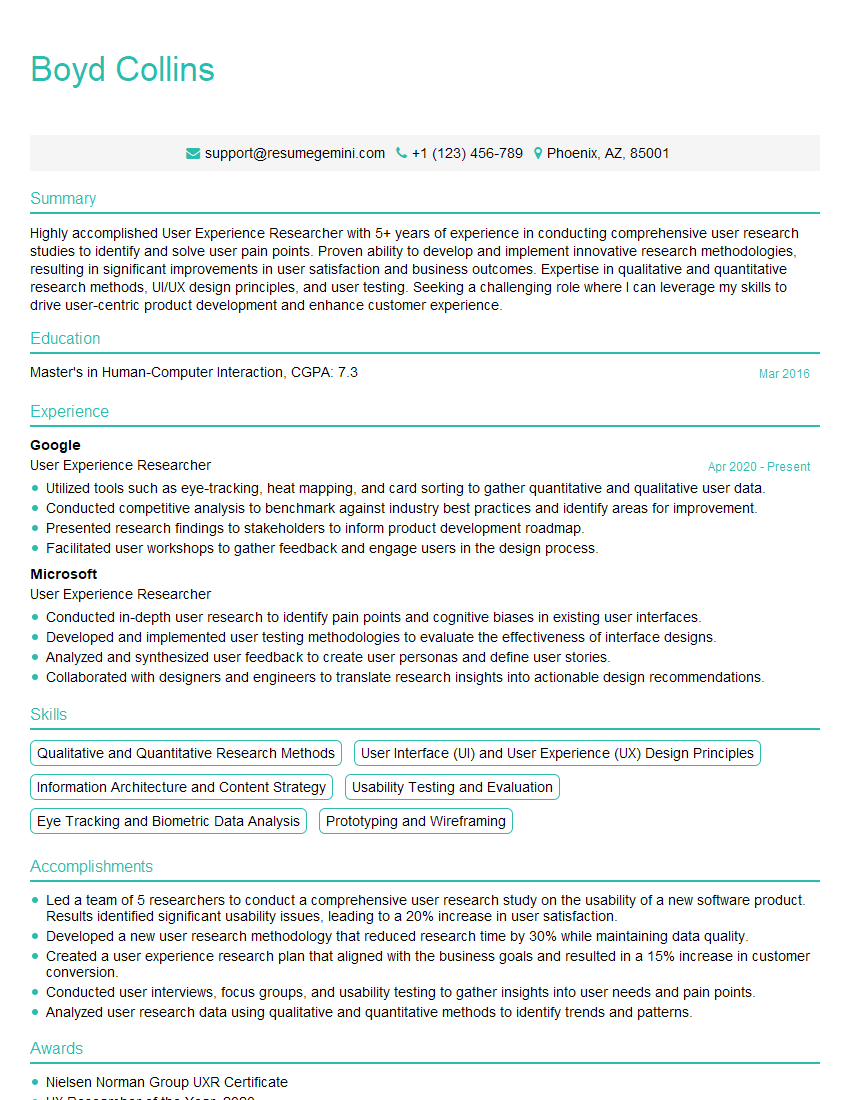
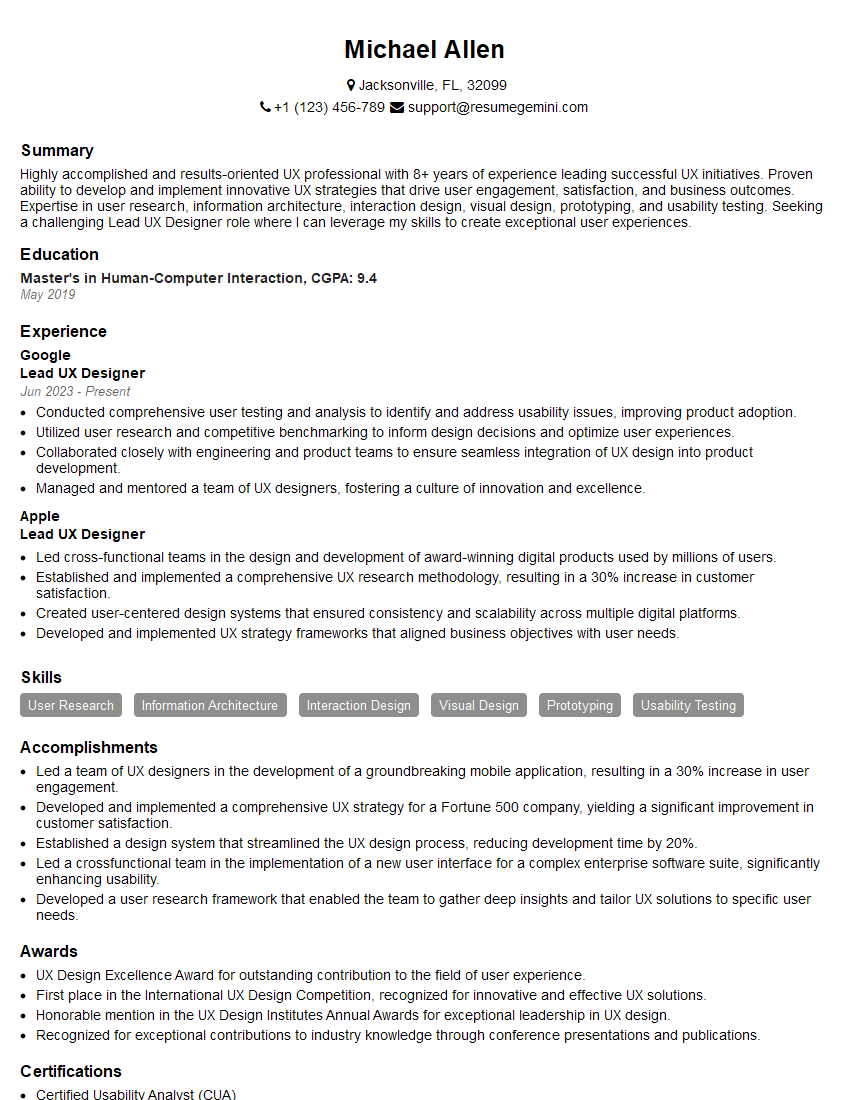
Mastering Graphical User Interface (GUI) Design is crucial for a successful and rewarding career in technology. A strong understanding of these principles will open doors to exciting opportunities and allow you to create impactful user experiences. To maximize your job prospects, crafting an ATS-friendly resume is paramount. ResumeGemini is a trusted resource to help you build a professional and effective resume that highlights your skills and experience. They provide examples of resumes tailored specifically to Graphical User Interface (GUI) Design, giving you a head start in showcasing your capabilities to potential employers.





Explore more articles
Users Rating of Our Blogs
Share Your Experience
We value your feedback! Please rate our content and share your thoughts (optional).
What Readers Say About Our Blog
Very informative content, great job.
good