Preparation is the key to success in any interview. In this post, we’ll explore crucial Knowledge of Hudl and XOS Technologies interview questions and equip you with strategies to craft impactful answers. Whether you’re a beginner or a pro, these tips will elevate your preparation.
Questions Asked in Knowledge of Hudl and XOS Technologies Interview
Q 1. Explain the difference between Hudl and XOS software.
Hudl and XOS are both video analysis platforms for sports, but they cater to different needs and offer varying functionalities. Think of it like comparing a versatile Swiss Army knife (Hudl) to a specialized surgeon’s scalpel (XOS). Hudl is a more comprehensive platform with features geared towards a broader range of sports and user levels, offering tools for video upload, organization, annotation, sharing, and team communication. It’s user-friendly and widely adopted across various sports. XOS, on the other hand, is known for its advanced analytics and sophisticated features, often preferred by professional teams and coaches who require in-depth performance metrics and highly customizable analysis tools. It focuses more on specific data points and integrations with other scouting/analytics tools.
- Hudl: Broader range of features, user-friendly interface, suitable for various sports and skill levels.
- XOS: Advanced analytics, highly customizable, focused on specific data points, often used by professional teams.
Q 2. Describe your experience using Hudl’s drawing tools for video analysis.
Hudl’s drawing tools are intuitive and powerful. I frequently use them to pinpoint specific player movements, highlight tactical formations, or illustrate coaching points. For instance, I might use the arrow tool to track a player’s run, the shape tools to demarcate zones of play, or the text tool to add annotations like “poor defensive positioning” or “missed assignment.” The ability to adjust colors and line thickness allows for clear and concise visual communication. Imagine explaining a complex play to a player – using Hudl’s drawing tools, I can break down the sequence visually, improving understanding and faster correction.
I’ve found the ability to save and reuse drawing templates particularly useful. For example, I created a template for common defensive schemes in soccer, which I can then apply to different game footage to quickly compare performances.
Q 3. How would you use XOS’s tagging features to identify specific player movements?
XOS’s tagging features are extremely valuable for identifying specific player movements. Instead of simply watching and noting, I can tag events like ‘ball possession,’ ‘shot attempt,’ ‘tackle,’ or ‘pass completion’ directly onto the video timeline. XOS allows for the creation of custom tags, which is a huge advantage. For example, I could create tags for specific defensive actions like “successful press,” “late tackle,” or “failed interception.” The system then allows me to filter and analyze all instances of those tags across multiple games, giving me powerful insights into player performance and team strategies.
By using a combination of tags and filters, I could efficiently generate reports detailing the frequency of specific player movements, their success rates, and their correlation with game outcomes. This level of detail is crucial for effective performance analysis and strategic adjustments.
Q 4. What are the key performance indicators (KPIs) you would track using Hudl or XOS?
The KPIs I track depend on the sport and the specific goals, but generally, using Hudl or XOS, I would focus on metrics such as:
- Possession percentage (for team sports): Tracks team control and offensive dominance.
- Shot accuracy (for shooting sports): Measures shooting efficiency and consistency.
- Passing completion rate (for team sports): Indicates accuracy and effectiveness of passing strategies.
- Tackle success rate (for team sports): Evaluates defensive effectiveness.
- Average speed/distance covered (for individual performance): Measures player fitness and work rate.
- Time spent in specific zones (for positional analysis): Reveals tactical awareness and effectiveness of position.
Using these KPIs, I can assess individual and team performance, identify areas for improvement, and track progress over time. Both Hudl and XOS allow for easy data extraction and visualization of these KPIs, making performance tracking streamlined and efficient.
Q 5. Describe your workflow for importing and organizing game footage in Hudl.
My Hudl workflow for importing and organizing game footage is designed for efficiency. First, I upload the videos (typically using the Hudl app or web interface) – ensuring the correct game details, date and opponent are accurately registered. Hudl’s automatic syncing features help streamline the process. Once uploaded, I create folders to organize the footage, perhaps by season, opponent, or even by specific drills/practices. This hierarchical structure prevents confusion and ensures easy retrieval of specific game clips. I often use keywords or tags within the Hudl system itself to further categorize clips and make them easier to find with the search function later on. Finally, I review and potentially make initial cuts, removing unnecessary footage before deeper analysis.
Q 6. How do you create and share highlight reels using Hudl or XOS?
Creating and sharing highlight reels using Hudl or XOS is straightforward. Both platforms allow for easy clip selection and editing. With Hudl, I simply select the desired clips, add transitions (if desired), adjust the speed, and add music or voiceover if necessary. The final highlight reel can be easily shared via a link, downloaded, or integrated into team communication platforms. XOS typically offers more advanced editing capabilities, often integrating with professional video editing software to allow a more tailored approach, enhancing the possibility of creating higher quality reels for external presentations.
For sharing, I’d use methods relevant to the audience. For player recruitment, a professionally produced highlight reel on Hudl might be ideal. For internal team analysis, a quicker, less polished edit created on either platform might be more efficient.
Q 7. Explain your experience with different video coding formats used in sports analysis.
My experience encompasses various video coding formats used in sports analysis, including MP4 (H.264 encoding), MOV (various codecs like ProRes and H.264), and AVI (with codecs like MJPEG and Xvid). The choice of format often depends on file size, quality, and compatibility. MP4 (H.264) is widely used due to its balance of compression and quality, minimizing file sizes for easier sharing and storage, while maintaining decent visual fidelity. Higher-quality formats like MOV (ProRes) are favored when very high resolution is crucial, but these result in significantly larger file sizes. I’ve encountered older footage in AVI format, requiring transcoding to more modern formats for easier handling within Hudl or XOS. Understanding these formats is vital for effective workflow management. For instance, selecting an appropriate format during recording can significantly reduce post-processing time and storage needs.
Q 8. How do you manage large video libraries within Hudl or XOS?
Managing large video libraries in Hudl and XOS involves a multi-pronged approach focusing on organization, tagging, and efficient search functionality. Think of it like organizing a massive library – you wouldn’t just throw books on shelves randomly.
- Organization: Both platforms allow for the creation of folders and subfolders to categorize videos by date, opponent, team, or any other relevant criteria. For example, you might have folders for ‘Season 2023,’ ‘Opponent A,’ and ‘Practice Drills’.
- Tagging and Metadata: Adding descriptive tags and metadata (like player names, play type, game situation) is crucial. This enables powerful searches. For example, you could tag a video clip as ‘Offside Trap – Game 3 – Q3’.
- Search Functionality: Hudl and XOS provide robust search capabilities using keywords, tags, dates, and even facial recognition in some cases (depending on the package). This allows quick retrieval of specific clips. Imagine searching ‘corner kick defense’ – instantly pulling up all relevant training and game footage.
- Cloud Storage: Both leverage cloud storage, minimizing local storage requirements and facilitating team collaboration.
Proper organization and tagging are essential for maintaining a manageable and highly searchable video library, regardless of its size. Without these steps, you’ll end up with a digital mess, unable to easily find the information you need.
Q 9. How familiar are you with data export options in Hudl and XOS?
Data export options in Hudl and XOS are essential for sharing analysis and collaborating beyond the platform’s ecosystem. They differ slightly, but both typically support exporting various data formats.
- Hudl: Generally allows exporting video clips in common formats like MP4, along with data like player statistics and play summaries (often in CSV or similar formats). This is often managed through individual clip or team-level downloads.
- XOS: Provides more granular control. You can often export specific data points, drawing charts and graphs on various metrics. Additionally, their export options are often more extensive, enabling more complex data analysis using specialized software outside the platform.
Understanding the specific export capabilities of your chosen platform is crucial. The ability to integrate data with other analytics tools can drastically enhance the impact of your video analysis workflow.
Q 10. What are the limitations of using Hudl or XOS for video analysis?
While Hudl and XOS are powerful tools, they have limitations:
- Cost: Both platforms can be expensive, especially for larger organizations or those needing advanced features. The pricing model sometimes limits access for smaller budgets.
- Learning Curve: Mastering all features requires time and training. The intuitive interface is a selling point, but advanced functionality needs dedicated learning.
- Platform Dependence: Your workflows become highly dependent on the chosen platform. Switching platforms requires a significant investment in retraining and data migration.
- Feature Limitations: Specific features might be limited based on the chosen subscription package or the platform’s inherent design. The more advanced functionalities usually require more expensive packages.
- Integration Challenges: Integration with other software might be limited or require custom solutions, impacting workflow efficiency.
Consider these limitations during the selection process, weighing the benefits against the costs and potential challenges.
Q 11. How would you troubleshoot common technical issues within Hudl or XOS?
Troubleshooting in Hudl and XOS usually involves a systematic approach:
- Check Internet Connectivity: Many issues stem from poor internet access. Ensure a stable and fast connection.
- Browser Compatibility: Use a supported browser and ensure it’s up to date. Sometimes, browser extensions can interfere.
- Cache and Cookies: Clearing your browser’s cache and cookies often resolves minor glitches.
- Software Updates: Ensure both the platform and your browser are updated to the latest versions. Updates frequently include bug fixes.
- Platform Support: Utilize the platform’s help documentation or contact customer support. They are often invaluable resources.
- Account Verification: Confirm that your login credentials are correct and that your account is active.
Troubleshooting usually involves checking basic things first and progressively moving towards more complex issues. Documenting your steps is critical for tracking the problem and sharing information if you need to contact support.
Q 12. Compare and contrast the user interfaces of Hudl and XOS.
Hudl and XOS have distinct user interfaces, although both aim for user-friendliness:
- Hudl: Generally considered more intuitive and easier to learn, particularly for users new to video analysis software. It prioritizes a cleaner, more straightforward design.
- XOS: Offers a more advanced and feature-rich interface, which can feel overwhelming initially. Its power lies in its depth and customization options, allowing for extremely detailed analysis, but it might have a steeper learning curve.
The best UI depends on individual preferences and technical expertise. Some prefer the simplicity of Hudl while others appreciate XOS’s comprehensive toolset. Consider demoing both platforms to see which feels more comfortable.
Q 13. Describe your experience using Hudl’s or XOS’s reporting features.
Hudl and XOS’s reporting features allow for a deeper dive into performance data. I’ve utilized them extensively for:
- Performance Tracking: Generating reports on individual player statistics, team performance over time, and identifying trends.
- Identifying Strengths and Weaknesses: Creating visualizations to identify areas needing improvement (e.g., pass completion percentages, defensive breakdowns).
- Progress Monitoring: Tracking progress made throughout a season or training period using comparison reports.
- Strategic Decision-Making: Using data to inform coaching decisions and adjust game plans based on evidence-based insights. For instance, determining how an opponent reacts to different plays.
The reporting capabilities of both platforms go beyond simple video analysis and offer invaluable data for improving performance and making data-driven decisions. Think of it as extracting actionable insights from your video footage. These reports can influence training regimens and in-game strategies, maximizing team potential.
Q 14. How would you use Hudl or XOS to analyze opponent scouting reports?
Opponent scouting using Hudl or XOS involves a multi-step process:
- Video Acquisition: Obtain game footage of the opponent, ideally from multiple games, to get a representative sample.
- Tagging and Organization: Organize the video by game, date, and critically, by player or play type. This allows focused analysis on specific opponents and strategic patterns.
- Detailed Analysis: Identify key offensive and defensive strategies, noting formations, preferred plays, player tendencies, and successful strategies. For example, analyzing if they frequently utilize a specific set play following a certain defensive formation.
- Data Extraction: Leverage any data export functions to extract relevant statistics that complement your video analysis. This would usually involve recording and categorizing plays (e.g., total passes, successful runs, defensive tackles).
- Report Generation: Compile your findings into a concise report detailing the opponent’s strengths, weaknesses, tendencies, and suggested counter-strategies. Use data visualization where appropriate (charts, graphs).
Effective opponent scouting provides a competitive edge. By systematically reviewing video, you can leverage the platforms to understand the opponent’s tendencies and develop a superior game plan.
Q 15. How would you tailor your video analysis to meet the specific needs of a coach?
Tailoring video analysis to a coach’s needs begins with understanding their specific goals and priorities. This involves a pre-analysis discussion to identify key performance indicators (KPIs) they want to track. For example, a basketball coach might prioritize analyzing offensive sets for efficiency, while a soccer coach might focus on defensive transitions and counter-attack effectiveness.
Once the KPIs are identified, I’d select relevant video segments, applying filters and tags within Hudl or XOS to isolate specific plays or player actions. I’d then create customized reports using the platform’s drawing tools, highlighting key details like player positioning, movement, and decision-making. For instance, I might create a heatmap showing shooting efficiency zones in basketball or illustrate passing pathways and movement patterns in soccer. Finally, I present these findings concisely, focusing on actionable insights rather than overwhelming the coach with data. This might include suggested drills or tactical adjustments based on the identified areas for improvement.
Career Expert Tips:
- Ace those interviews! Prepare effectively by reviewing the Top 50 Most Common Interview Questions on ResumeGemini.
- Navigate your job search with confidence! Explore a wide range of Career Tips on ResumeGemini. Learn about common challenges and recommendations to overcome them.
- Craft the perfect resume! Master the Art of Resume Writing with ResumeGemini’s guide. Showcase your unique qualifications and achievements effectively.
- Don’t miss out on holiday savings! Build your dream resume with ResumeGemini’s ATS optimized templates.
Q 16. Explain your experience using advanced analytics features in Hudl or XOS.
My experience with advanced analytics in Hudl and XOS includes extensive use of features like tracking data integration, heatmaps, and performance metrics generation. For example, in Hudl, I’ve leveraged the integration with wearables and GPS tracking systems to analyze player speed, distance covered, and work rate during a match. This data provides objective insights that complement qualitative observations from the video footage. Similarly, in XOS, I’ve extensively utilized the advanced drawing tools to create detailed diagrams illustrating formations, passing patterns, and defensive strategies. The platform’s ability to generate automated performance metrics like completion percentages and success rates allowed for quick identification of trends and areas for improvement.
For instance, in analyzing a football game, I integrated GPS data with Hudl showing player movement during a specific offensive drive. Combining this with the video, I identified a breakdown in the offensive line’s pass protection that led to a sack. This combined approach provides far more comprehensive analysis than reviewing video alone.
Q 17. How do you ensure data accuracy and integrity in your video analysis?
Data accuracy and integrity are paramount. I ensure this through a multi-pronged approach. Firstly, I meticulously verify the source of the video footage, confirming its origin and ensuring its quality (minimal cuts, clear viewing). Secondly, when using tracking data, I validate the data accuracy against the video analysis; discrepancies are investigated and corrected, if possible. Finally, consistent use of standardized tagging conventions and a detailed logging system ensures traceability and avoids ambiguity.
For example, if tracking data shows a player reaching a specific speed, I visually corroborate this on the video to make sure there are no anomalies. Similarly, I use a standardized tagging system for every clip, ensuring consistent categorization. This systematic approach minimizes errors and ensures reliable data for informed decision-making.
Q 18. Describe your experience with collaboration features in Hudl or XOS.
Both Hudl and XOS offer robust collaboration features. I’ve extensively used these features for team projects. In Hudl, I utilize shared folders and comment functions to allow coaches and players to contribute to the analysis process. This enables a shared understanding of strengths and weaknesses. In XOS, advanced sharing options allow for controlled access, where different users have varying permissions. For example, coaches might have full editing access, while players only have view-only access.
In practice, this might involve creating a shared folder within Hudl for a specific team, where I upload analyzed clips and add comments highlighting key insights. Coaches can then reply, add additional tags, or initiate further discussion. The result is a dynamic, collaborative analysis that actively involves the team.
Q 19. How do you adapt your video analysis process based on different sports?
Adapting to different sports requires understanding the nuances of each game. The KPIs, techniques, and strategies vary significantly. For example, analyzing a basketball game will focus on shot selection, offensive flow, and defensive rotations; whereas in American football, the emphasis might be on pass protection, run blocking, and coverage schemes. In baseball, detailed pitch analysis and swing mechanics will be key.
My approach involves customizing my analysis process to address the unique needs of the sport. I adapt the tagging system, metrics, and visualizations accordingly. I might use different drawing tools and annotations to highlight specific plays or strategies in each sport, making sure the analysis remains sport-specific and meaningful.
Q 20. How would you prioritize your analysis tasks when dealing with multiple games/teams?
Prioritizing analysis tasks when dealing with multiple games or teams requires a systematic approach. I employ a matrix prioritizing urgency and importance. Games with upcoming matches or those with critical performance issues get top priority. This is often determined in collaboration with the coaching staff. For example, I might prioritize analyzing a recent loss to identify areas of improvement for the next game.
I use a project management style approach, breaking down large tasks into smaller, manageable chunks. This includes assigning deadlines for each phase of the analysis, ensuring timely completion. This organized methodology allows me to effectively handle multiple concurrent projects without sacrificing quality.
Q 21. What are some best practices for organizing video clips within Hudl or XOS?
Organizing video clips effectively within Hudl or XOS is crucial for efficient retrieval and analysis. I utilize a hierarchical folder structure based on the team, date, game, and the specific events, (e.g., Team A/2024-10-27/Game vs Team B/Offense/Plays/Successful Runs). This structure uses consistent naming conventions. I then leverage the tagging and keyword functions in both platforms to add more granular details to each clip. For example, I might tag a clip with keywords like “Successful Pass,” “Missed Tackle,” or “Good Block”.
Employing this robust organizational strategy is essential for maximizing the usability of the video library, allowing for quick retrieval of specific clips based on numerous criteria. Regular clean-up of the library is also vital, to prevent unnecessary clutter.
Q 22. Explain your experience with integrating Hudl or XOS with other sports analytics tools.
Integrating Hudl or XOS with other sports analytics tools often involves leveraging their APIs (Application Programming Interfaces) or data export capabilities. For example, I’ve integrated Hudl’s data with performance analysis platforms like Sportlogiq, which allowed for a more holistic view of player performance. This integration involved extracting key performance indicators (KPIs) from Hudl, such as player speed and distance covered, and then importing them into Sportlogiq for advanced statistical modeling and comparison against other players or teams. Similarly, with XOS, I’ve used its robust tagging and annotation features to create custom data sets which were then exported to spreadsheets or databases for further analysis using statistical software like R or Python. The key is understanding the limitations and strengths of each platform and mapping their capabilities for optimal data flow. For instance, some platforms may be better suited for video analysis, while others excel at statistical modeling, making complementary integration essential for comprehensive analysis.
A successful integration project also requires careful data cleaning and transformation to ensure consistency across platforms. Data might need to be normalized, standardized, and potentially reformatted to fit the specifications of the receiving platform. This step is crucial to avoid errors and inaccuracies in the analysis.
Q 23. Describe your understanding of different video analysis methodologies.
Video analysis methodologies in sports vary widely depending on the sport, the level of play, and the specific questions being asked. However, some common methodologies include:
- Qualitative Analysis: This focuses on subjective observation of game footage, looking for patterns, strengths, and weaknesses in individual players or the team as a whole. This is often less structured and relies on the analyst’s experience and understanding of the sport.
- Quantitative Analysis: This involves measuring objective aspects of performance, such as speed, distance covered, or passing accuracy. This often uses software like Hudl or XOS to automatically track and measure these metrics, providing data-driven insights.
- Code-Based Analysis: This methodology employs the use of custom software or scripts to analyze data collected from various sources. This can include automatically detecting specific events (e.g., shots, passes) within videos, calculating advanced statistics, or creating visualizations to showcase performance trends. It often requires programming skills.
- Comparative Analysis: Comparing performance data across different periods (e.g., before and after a training intervention), players, or teams allows for identifying improvements, areas for development, and the effectiveness of strategies.
I’ve found that a combination of qualitative and quantitative methods often yields the most comprehensive and actionable insights. Qualitative observation can help identify areas requiring further investigation, while quantitative data provides concrete evidence to support conclusions.
Q 24. How would you use Hudl or XOS to improve player performance?
Hudl and XOS are invaluable tools for improving player performance. My approach would be multifaceted:
- Identify Key Performance Indicators (KPIs): First, determine the key performance areas specific to the sport and the player’s position. This could include shooting accuracy for a basketball player, tackling success rate for a football player, or serve consistency for a tennis player.
- Detailed Video Analysis: Using Hudl or XOS, I’d meticulously review game footage to identify strengths and weaknesses in relation to those KPIs. I would use drawing tools, slow motion, and tagging features to highlight specific actions and provide precise feedback.
- Individual Player Feedback: I’d share the video analysis with each player, focusing on specific examples of both positive and negative plays. This allows for targeted, personalized feedback rather than general statements.
- Data-Driven Coaching Strategies: Analyzing aggregated data from multiple players and games can reveal team-wide trends, potentially leading to adjustments in training methods or game strategies.
- Tracking Progress: Following a period of implemented changes, I’d conduct another analysis to assess whether the improvements have occurred, and how significant they are.
For example, if a basketball player is struggling with their jump shot, we could analyze multiple shots, highlighting issues with their shooting form, footwork, or release point. This would enable targeted drills and practice to address the issues and improve their shooting accuracy.
Q 25. How would you communicate your video analysis findings to coaches and players?
Communicating video analysis findings effectively is crucial for its impact. My approach involves:
- Clear and Concise Visualizations: Using Hudl or XOS’s built-in annotation features, I’d create visually appealing presentations that highlight key moments. This might involve using slow-motion replays, drawing on the video, and adding text overlays to explain specific points.
- Simple Language: I would avoid technical jargon and use straightforward language that both coaches and players can easily understand. Explanations should be tailored to the audience’s level of understanding.
- Targeted Feedback: Instead of overwhelming players with lengthy analyses, I’d focus on 2-3 specific areas for improvement, providing concrete examples from the game footage.
- Interactive Sessions: Rather than just presenting findings, I’d engage coaches and players in a discussion, inviting their input and perspectives. This collaborative approach is more likely to encourage engagement and ownership of the improvement process.
- Data-Supported Conclusions: Using metrics and quantitative data to support the observations made through video analysis adds credibility and objective evidence to the feedback.
For example, instead of saying ‘improve your passing,’ I’d say, ‘Your completion rate was 60% in the second half, but improved to 80% in the first. Let’s analyze the successful passes and see what techniques contributed to their accuracy.’
Q 26. Describe a situation where you had to overcome a technical challenge using Hudl or XOS.
In one instance, I was tasked with analyzing a large volume of game footage from a tournament, requiring a rapid turnaround. The challenge was that the footage was stored across multiple different devices and formats, which made importing and managing it in Hudl a significant hurdle. The system’s initial automated tagging feature was not performing as expected, resulting in inaccurate data.
To overcome this, I developed a system to first consolidate the video files into a central location, organizing them by date and team. I then used batch processing techniques, using both Hudl and supplementary scripting techniques, to improve the accuracy and speed of the automated tagging processes. I also manually reviewed a subset of videos to refine the tagging parameters, improving accuracy. This multi-pronged approach, combining efficient file management, automation, and manual quality control, allowed me to complete the analysis within the deadline and produce accurate results.
Q 27. What are the ethical considerations regarding the use of video analysis in sports?
Ethical considerations in using video analysis in sports are crucial. Key concerns include:
- Privacy: Ensuring player consent and maintaining the confidentiality of sensitive information is paramount. This includes avoiding unauthorized recording or sharing of footage.
- Bias: Algorithms used in video analysis could exhibit bias, potentially leading to unfair or inaccurate assessments of player performance. It’s essential to be aware of potential biases and use diverse datasets to mitigate this.
- Fair Play: Using video analysis to gain an unfair advantage over opponents, such as by identifying weaknesses that are not otherwise visible, raises ethical questions.
- Data Security: Protecting video data from unauthorized access and ensuring its proper storage and disposal is essential, particularly considering the sensitive nature of the information.
- Transparency: Coaches and players should be informed of how video analysis is being used and have access to the data and findings. This fosters trust and promotes open communication.
Ultimately, responsible use of video analysis requires careful consideration of these factors and a commitment to fairness, transparency, and respect for individual privacy.
Key Topics to Learn for Hudl and XOS Technologies Interviews
- Hudl Fundamentals: Understanding Hudl’s core features, including video analysis tools, performance metrics tracking, and communication features. Consider the different user roles and workflows within the platform.
- XOS Technologies Fundamentals: Grasping the core functionalities of XOS, focusing on its video breakdown capabilities, data visualization, and integration with other coaching tools. Explore its strengths compared to other video analysis platforms.
- Practical Application: Prepare examples demonstrating how you’ve used (or would use) Hudl and/or XOS to analyze game footage, identify player strengths and weaknesses, create highlight reels, or improve coaching strategies. Think about quantifiable results.
- Data Analysis & Interpretation: Practice interpreting the data generated by both platforms. How would you present key findings to a coach or athlete? What insights can be gleaned from the data to inform training decisions?
- Workflow & Integration: Discuss how these platforms integrate into a broader coaching workflow. How would you leverage their capabilities to optimize team performance and player development?
- Troubleshooting & Problem-Solving: Be ready to discuss scenarios where you encountered technical challenges with either platform and how you resolved them. Highlight your problem-solving skills and technical aptitude.
- Software Comparison: Develop a nuanced understanding of the differences and similarities between Hudl and XOS. When would you choose one platform over the other, and why?
Next Steps
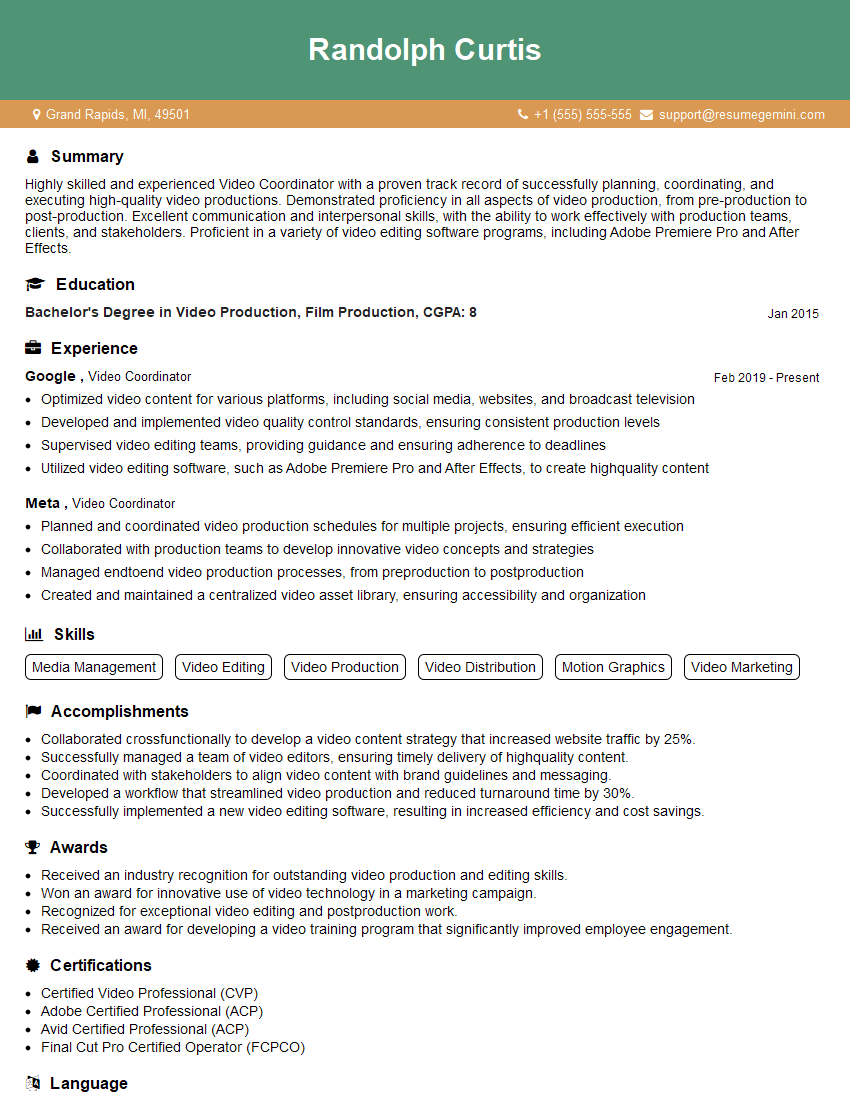
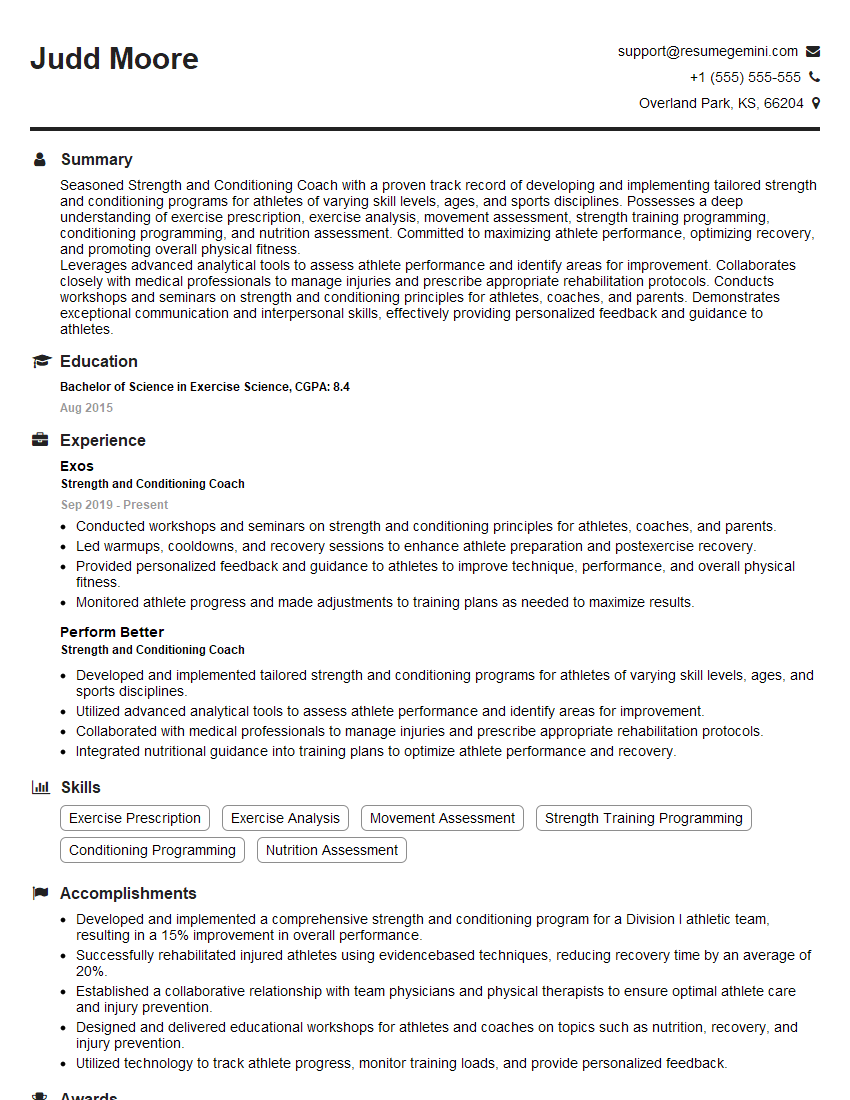
Mastering Hudl and XOS Technologies is crucial for career advancement in sports analytics, coaching, and related fields. These platforms are industry leaders, and proficiency in them significantly enhances your value to potential employers. To maximize your job prospects, invest time in creating an ATS-friendly resume that showcases your skills and experience effectively. ResumeGemini is a trusted resource that can help you build a professional and impactful resume. We provide examples of resumes tailored to highlight expertise in Hudl and XOS Technologies to further assist your job search.
Explore more articles
Users Rating of Our Blogs
Share Your Experience
We value your feedback! Please rate our content and share your thoughts (optional).
What Readers Say About Our Blog
Very informative content, great job.
good