Interviews are more than just a Q&A session—they’re a chance to prove your worth. This blog dives into essential ArcSight interview questions and expert tips to help you align your answers with what hiring managers are looking for. Start preparing to shine!
Questions Asked in ArcSight Interview
Q 1. Explain the architecture of ArcSight ESM.
ArcSight ESM (Enterprise Security Manager) architecture is a distributed, multi-tiered system designed for scalability and high availability. Think of it like a sophisticated assembly line for security information. It’s built on a client-server model, with several key components working together seamlessly.
- Collectors: These are the ‘workers’ on the assembly line, responsible for ingesting security logs and events from various sources (firewalls, IDS/IPS, servers, etc.). They perform initial processing, like parsing and filtering data.
- Manager: This is the ‘foreman’ overseeing all the collectors and the central repository for storing and processing the collected data. It’s responsible for managing data normalization, correlation, and rule processing.
- Connectors: These act as ‘transporters,’ providing a standardized interface for collectors to receive data from various sources. Each connector is designed for a specific device or application.
- Console: This is the ‘control room’ where security analysts interact with the system, reviewing alerts, investigating incidents, and managing configurations. It provides a user-friendly interface to analyze data.
- Database: This is the ‘warehouse’ storing all the collected, processed, and correlated security data, enabling historical analysis and reporting.
This architecture allows for flexible deployment – from a single server setup to large-scale deployments spanning multiple servers and geographically dispersed locations. The distributed nature enhances performance and resilience.
Q 2. Describe the different components of an ArcSight deployment.
A typical ArcSight deployment includes several key components, working together to provide a comprehensive security monitoring solution. Imagine it as a well-orchestrated team, each member contributing a crucial role:
- ESM Server(s): The core of the system, housing the manager, database, and core application logic. This is the brain of the operation.
- Collectors: These are the data gatherers, responsible for collecting logs from various security devices and applications. Think of them as the team’s scouts.
- Connectors: These specialized modules facilitate communication between collectors and various data sources. They are the translators, allowing different devices to speak a common language.
- Console Clients: These are the interfaces used by security analysts to interact with the system, analyze alerts, and manage configurations. These are the analysts’ workstations.
- Reporting and Analytics Modules (Optional): These advanced features provide detailed reports and advanced analytics capabilities for in-depth security analysis. They are the strategists, providing insights from the raw data.
- Integration Modules (Optional): These expand ArcSight’s capabilities by integrating with other security tools and systems, allowing for a centralized view of the security landscape. These are the coordinators, connecting with other security functions.
The specific components and their configuration will vary depending on the organization’s size, security needs, and infrastructure.
Q 3. How do you configure and manage user roles and permissions in ArcSight?
User roles and permissions in ArcSight are managed through the ESM console’s user administration features. It’s like setting access levels to a secure building – some people need full access, others only limited access to specific areas. This is crucial for maintaining security and ensuring compliance.
The process involves creating user accounts and assigning them to predefined or custom roles. Each role is defined by a set of permissions determining what actions users can perform within the system. For instance, an administrator might have full access, while an analyst might only be able to view alerts and run reports.
You can create custom roles, tailored to specific responsibilities, by carefully selecting the permissions associated with each role. This granular control is essential to ensure that only authorized personnel can access sensitive information and perform critical operations. A well-defined role-based access control (RBAC) model enhances system security and streamlines administration.
Example: You can create a role called ‘Security Analyst’ that can view alerts, create reports, and search the database but cannot modify system configurations or manage users. A ‘Security Administrator’ role, on the other hand, would have these permissions and more.
Q 4. What are the different types of collectors in ArcSight?
ArcSight collectors are classified into various types based on the method used to receive and process data. Each type is tailored to handle specific data sources and formats efficiently. Think of them as specialized tools, each designed for a different job on the assembly line.
- Log Collectors: These are the workhorses, designed to collect logs from various sources, such as servers, firewalls, and network devices. They’re versatile and handle a wide variety of log formats.
- SNMP Collectors: These are specifically designed to collect data via the SNMP protocol from network devices. They are efficient for monitoring network infrastructure.
- Windows Event Log Collectors: These specialize in collecting event logs from Windows systems, offering a focused approach to Windows security monitoring.
- Syslog Collectors: These are used to collect syslog messages, a standard format for transmitting log messages across a network.
- Raw Data Collectors: These are less common and handle less-structured data, usually needing custom configuration to parse and process the data correctly.
The choice of collector type depends on the type of data being ingested and the specific requirements of your security monitoring deployment.
Q 5. Explain the process of creating and deploying a new rule in ArcSight.
Creating and deploying a new rule in ArcSight involves defining the conditions under which an alert is generated. It’s like setting a specific trigger for the alarm system. This process is typically done through the ArcSight console.
- Define the Rule Criteria: This step involves specifying the conditions that must be met for an alert to be triggered. This is done by selecting specific fields from the collected logs and defining relationships between them using logical operators (AND, OR, NOT). For example, you might create a rule that triggers an alert when a failed login attempt originates from an unknown IP address and involves a privileged user account.
- Configure Rule Actions: Once the criteria are defined, you need to specify what actions ArcSight should take when the rule is triggered. This could involve generating an alert, sending an email notification, or escalating the event to a higher-level security system. You could configure an action to add an event to a specific case or run a specific script.
- Test the Rule: Before deploying the rule to the production environment, it’s crucial to test it thoroughly using historical or test data to ensure it functions as expected and doesn’t generate false positives or miss legitimate threats. This ensures that the rule correctly identifies and alerts on the events you defined it for.
- Deploy the Rule: Once tested, the rule can be deployed to the production environment. This makes it active and ready to monitor for the specified events. This step activates your rule to analyze data in real-time.
Example Rule Criteria: (SourceIP = '192.168.1.100' AND EventID = '4625' AND User = 'Administrator') This rule would trigger an alert if a specific IP addresses attempts to access the Administrator user account.
Q 6. How do you troubleshoot common ArcSight performance issues?
Troubleshooting ArcSight performance issues requires a systematic approach. It’s like diagnosing a car problem – you need to systematically check different parts to find the root cause.
- Monitor Resource Utilization: Start by checking the CPU, memory, and disk I/O usage on the ESM server and collectors. High resource utilization could indicate bottlenecks.
- Review Event Volumes: Examine the volume of events being ingested by the collectors. An excessive volume can overwhelm the system, especially if the system is not appropriately sized. Consider whether some data is irrelevant and can be filtered out.
- Analyze Database Performance: Check the database performance metrics, such as query response times and transaction rates. Slow database performance can significantly impact overall system performance. This involves checking database indexes and query efficiency.
- Examine Rule Performance: Complex or poorly optimized rules can consume significant processing power. Review and optimize rules to improve efficiency. Look for rules that might be triggering unnecessarily.
- Check Connector Configurations: Inefficient or improperly configured connectors can negatively impact data ingestion. Ensure connectors are properly configured and optimized for the specific data source.
- Logging and Monitoring: Utilize ArcSight’s built-in logging and monitoring capabilities to identify performance bottlenecks and pinpoint the source of issues.
Addressing performance issues requires a combination of resource optimization, data management, and rule optimization. It’s also critical to maintain appropriate hardware sizing for the system based on the amount of data being collected and the complexity of the rules.
Q 7. Describe how ArcSight handles data normalization and correlation.
ArcSight handles data normalization and correlation to make sense of the vast amounts of security data it collects. Think of it as taking a huge pile of puzzle pieces and assembling them into a coherent picture.
Data Normalization: This process involves converting data from various sources into a common format. It’s like translating different languages into one common language. This makes it possible to compare and correlate events from diverse systems. ArcSight uses predefined and customizable mappings to transform raw log entries into a standard format, making them easier to process and analyze. This ensures that events from different sources can be compared and correlated effectively.
Data Correlation: This process involves identifying relationships between seemingly unrelated events to reveal patterns and potential threats. It’s like connecting the dots to uncover a larger picture. ArcSight uses correlation rules that define relationships between different events based on common attributes. For example, it might correlate a failed login attempt from an unusual location with an unauthorized access attempt to a sensitive system, generating an alert that indicates a possible security breach. This crucial step is achieved by using a powerful correlation engine that uses predefined and customizable rules to identify relationships between different events.
Together, normalization and correlation allow ArcSight to transform raw security data into actionable intelligence, providing valuable insights for threat detection and incident response. They are the foundation for accurate threat detection and effective incident response within the ArcSight system.
Q 8. Explain the concept of correlation rules in ArcSight.
Correlation rules in ArcSight are the heart of its security information and event management (SIEM) capabilities. They act like sophisticated filters and detectives, automatically analyzing incoming security logs and events to identify potential threats. Think of them as automated investigators that sift through mountains of data, looking for specific patterns indicating suspicious activity.
For example, a correlation rule might look for a sequence of events: a failed login attempt from an unusual location, followed by a privilege escalation attempt on a critical server. If this sequence occurs within a short timeframe, the rule triggers an alert, notifying security personnel of a potential compromise. These rules are based on predefined criteria, such as specific events, source IP addresses, or user accounts, allowing you to customize your security monitoring to fit your specific organization’s needs.
These rules are built using a visual interface or through scripting languages, allowing for both simple and highly complex correlation logic. You can combine various event properties with logical operators (AND, OR, NOT) to define conditions. They are crucial for reducing alert fatigue and identifying genuine threats that might otherwise be missed within the sheer volume of security data.
Q 9. How do you create and manage dashboards and reports in ArcSight?
ArcSight offers robust dashboard and reporting capabilities built for visualizing and analyzing security data. Dashboards provide real-time views of your security posture, allowing you to quickly identify trends and potential threats. They are highly customizable, letting you choose which metrics to display, using various widgets like charts, graphs, and tables. You can create separate dashboards to focus on different aspects of your security environment, such as network security, endpoint security, or user activity.
Reports are generated to provide a more detailed analysis of security events over a specific timeframe. You can create various report types, from simple event summaries to sophisticated trend analyses. These reports are frequently used for compliance auditing, security assessments, and incident response investigations. Both dashboards and reports are created and managed using the ArcSight console, offering a drag-and-drop interface for intuitive dashboard building and report wizards for creating comprehensive reports based on specific criteria or queries. You can schedule these reports to run automatically at specific intervals, making it easier to monitor security trends and produce recurring compliance documents.
Q 10. What are the different types of alerts in ArcSight?
ArcSight alerts come in several flavors, each conveying different levels of severity and information. The primary types include:
- Informational Alerts: These alerts indicate events that are not necessarily security threats but might be worth monitoring, such as a user logging in from a new location.
- Warning Alerts: These alerts suggest a potential security issue, such as failed login attempts. They require further investigation.
- Critical Alerts: These signify a serious security incident, such as a successful compromise of a critical system. They require immediate attention.
ArcSight allows for fine-grained control over alert filtering and prioritization through its alert management console. This allows security teams to focus on the most critical alerts while not being overwhelmed by low-priority notifications. The alert type is determined by the correlation rule that triggered it; different rules can be set to generate different alert levels based on their severity.
Q 11. Explain the process of investigating and responding to security alerts.
Investigating and responding to security alerts in ArcSight is a systematic process. The steps typically involve:
- Alert Triage: Initially, prioritize and filter alerts based on severity and source. Focus on critical alerts first.
- Event Analysis: Examine the details of the triggered alert within the ArcSight console, reviewing the individual events and their context to understand the situation. This frequently involves looking at timestamps, source IPs, user accounts, and affected systems.
- Evidence Gathering: Gather additional evidence. ArcSight provides tools to drill down into related events and access the underlying log data. You might investigate network traffic, system logs, or user activity.
- Containment: If the alert indicates a security incident, take immediate action to contain the threat. This might involve isolating affected systems, blocking malicious IP addresses, or disabling compromised accounts.
- Eradication: Once contained, eradicate the threat by removing malware, patching vulnerabilities, or resetting compromised credentials.
- Recovery: Restore affected systems to a functional state, and ensure data integrity is maintained.
- Post-Incident Analysis: Analyze the incident to determine root cause, identify vulnerabilities, and implement preventive measures to prevent recurrence. ArcSight’s reporting features are crucial in this phase.
Q 12. How do you manage and maintain ArcSight databases?
Managing and maintaining ArcSight databases requires a multi-faceted approach ensuring performance, data integrity, and security. Key aspects include:
- Regular Backups: Implement a robust backup and recovery strategy, including regular full and incremental backups to protect against data loss. Test the recovery process regularly.
- Database Tuning: Optimize database performance through indexing, query optimization, and resource allocation. ArcSight provides tools for monitoring database performance and identifying bottlenecks.
- Data Archiving: Archive older data to reduce the size of the active database and improve performance. ArcSight supports various archiving mechanisms, such as exporting data to external storage.
- Security Hardening: Secure the ArcSight database server by implementing strict access controls, encryption, and regular security patching.
- Monitoring and Alerting: Monitor database health and performance using system monitoring tools and set up alerts for critical events, such as high disk usage or database errors.
Q 13. Describe how ArcSight integrates with other security tools.
ArcSight excels at integrating with a wide range of security tools, expanding its capabilities and providing a comprehensive security picture. Integration methods often involve:
- Connectors: ArcSight utilizes connectors, pre-built integrations with various security devices and applications, simplifying the process of collecting data. These connectors handle the communication protocol and data formatting between ArcSight and the integrated tool.
- APIs: ArcSight offers APIs (Application Programming Interfaces) for more customized integrations. This allows developers to build custom connectors or integrate ArcSight with unique security tools that lack pre-built connectors.
- Data Feeds: ArcSight can receive security data via various data feeds such as syslog, SNMP, and proprietary formats, consolidating information from multiple sources into a centralized location for analysis.
Examples include integration with firewalls, intrusion detection systems (IDS), antivirus software, vulnerability scanners, and other SIEM systems. These integrations empower a holistic security view, improving incident response and threat detection.
Q 14. What are some best practices for managing ArcSight configurations?
Effective ArcSight configuration management is crucial for optimal performance, security, and maintainability. Best practices include:
- Version Control: Use a version control system to manage your ArcSight configurations. This allows you to track changes, roll back to previous versions, and collaborate effectively. This is especially critical for large deployments.
- Clear Naming Conventions: Employ a consistent naming convention for all configurations, including rules, dashboards, and reports, to improve readability and organization.
- Modular Design: Build modular configurations that can be easily reused and updated. This improves flexibility and simplifies maintenance.
- Regular Testing: Regularly test your ArcSight configuration to ensure it’s functioning correctly and detecting threats effectively. This can be done through simulated attacks and regular reviews of alert data.
- Documentation: Maintain comprehensive documentation of your ArcSight configuration, including details about the purpose and functionality of each component. This is essential for troubleshooting and onboarding new personnel.
- Access Control: Implement strict access control to limit access to sensitive configurations and data to authorized personnel only. Use the role-based access controls available within the ArcSight console.
Q 15. How do you ensure the security and integrity of ArcSight data?
Ensuring the security and integrity of ArcSight data is paramount. It’s like safeguarding the crown jewels – a multi-layered approach is essential. This involves several key strategies:
Data Encryption: Encrypting data both in transit (using HTTPS) and at rest (using database encryption) prevents unauthorized access even if a breach occurs. Think of it as using a strong lockbox for your valuable information.
Access Control: Implementing robust role-based access control (RBAC) ensures that only authorized personnel can access specific data and functionalities. This is akin to having strict security clearances for sensitive areas.
Regular Audits and Monitoring: Regularly auditing access logs and system events is crucial to detect any anomalous activity. Think of it as regularly reviewing security camera footage. We use tools within ArcSight itself, like the audit trail and event correlation, to detect and investigate such events.
Data Backup and Recovery: Implementing a comprehensive backup and disaster recovery plan is non-negotiable. This ensures business continuity in case of data loss or system failure. It’s like having a spare set of the crown jewels in a separate, secure location.
Regular Security Patching and Updates: Staying current with the latest software patches and updates mitigates known vulnerabilities. This is like keeping your security system up-to-date with the latest technology.
Intrusion Detection and Prevention: Employing ArcSight’s capabilities to detect and prevent intrusions, coupled with other security tools, strengthens overall security. Imagine installing an alarm system and motion detectors around the vault where the crown jewels are stored.
Career Expert Tips:
- Ace those interviews! Prepare effectively by reviewing the Top 50 Most Common Interview Questions on ResumeGemini.
- Navigate your job search with confidence! Explore a wide range of Career Tips on ResumeGemini. Learn about common challenges and recommendations to overcome them.
- Craft the perfect resume! Master the Art of Resume Writing with ResumeGemini’s guide. Showcase your unique qualifications and achievements effectively.
- Don’t miss out on holiday savings! Build your dream resume with ResumeGemini’s ATS optimized templates.
Q 16. Explain the different types of ArcSight licenses.
ArcSight licensing can be complex, often tailored to the specific needs of an organization. However, generally speaking, licenses are based on features and the number of devices or data sources being monitored. Think of it like subscribing to different tiers of a streaming service – you pay for the features and capacity you need.
Core Licenses: These provide access to the core platform functionalities such as event collection, correlation, and basic reporting.
Add-on Licenses: These licenses unlock additional features like advanced analytics, threat intelligence integrations, or specific compliance modules. For instance, you might purchase a separate license for SOAR capabilities or specific SIEM add-ons to expand your functionality.
Per-Collector Licenses: Some components, such as data collectors (responsible for ingesting logs), might require separate licenses based on the number of collectors deployed.
User Licenses: Access to the ArcSight platform usually requires individual user licenses, which could vary based on user roles and permissions.
Capacity Licenses: In certain scenarios, you may need to purchase additional capacity licenses to handle increased data volume or more extensive monitoring requirements. These licenses generally address the scale of your data ingestion and processing needs.
The specific licensing model is typically determined during the sales process with the vendor, based on the customer’s unique environment and requirements.
Q 17. Describe your experience with ArcSight’s reporting and analytics capabilities.
ArcSight offers powerful reporting and analytics capabilities that are crucial for understanding security posture and identifying threats. I’ve extensively used its reporting features to generate customized reports, dashboards, and visualizations on various security aspects. This is similar to using a powerful spreadsheet program like Excel, but designed specifically for security information.
Pre-built Reports: ArcSight provides a library of pre-built reports, providing quick insights into key security metrics. These are helpful for getting a quick overview of your security health.
Custom Reporting: Using ArcSight’s report builder, I can create custom reports tailored to specific needs, such as tracking specific security events or analyzing trends over time. Imagine being able to track only the number of login failures from a specific country.
Dashboards: ArcSight’s dashboards provide a real-time overview of key security events and metrics. Think of it as a security command center, providing a central view of all the critical information.
Advanced Analytics: ArcSight’s analytics capabilities help detect anomalies, correlate events, and identify potential threats that might otherwise be missed. This is like having a sophisticated pattern recognition system that detects unusual activity.
In a previous role, I used these features to create weekly reports on security incidents, generate dashboards for senior management, and conduct in-depth investigations into major security events. The data visualization tools were particularly helpful in presenting complex security information in an easily understandable manner.
Q 18. How do you use ArcSight to identify and respond to security threats?
ArcSight is a powerful tool for identifying and responding to security threats. The process typically involves a combination of event correlation, threat intelligence, and automated response mechanisms. It’s like having a well-trained security guard with advanced detection tools and the ability to take immediate action.
Event Correlation: ArcSight correlates security events from various sources to identify patterns and potential threats. This is like connecting the dots to uncover a larger scheme.
Threat Intelligence: Integrating threat intelligence feeds provides context to detected events, allowing for faster and more accurate threat identification. Think of it as having up-to-date information on known threats.
Automated Response: ArcSight can automate responses to certain threats, such as blocking malicious IPs or initiating incident investigations. This is like having a system that can automatically take action when a threat is detected.
Case Management: ArcSight facilitates the tracking and management of security incidents from detection to resolution. This ensures a methodical and organized approach to handling security incidents.
For example, if ArcSight detects a series of failed login attempts from an unknown IP address, it can correlate this event with known malware signatures, automatically block the IP address, generate an alert, and create a case for further investigation. This automated response reduces reaction time and minimizes the impact of security breaches.
Q 19. How do you perform capacity planning for an ArcSight deployment?
Capacity planning for an ArcSight deployment is crucial to ensure optimal performance and scalability. It’s like designing a highway system – you need to account for current and future traffic.
Data Volume: Project the expected volume of security logs and events that will need to be processed. This often involves analyzing existing log data and estimating future growth based on anticipated changes in the IT infrastructure.
Event Rate: Evaluate the rate at which security events are generated. High event rates require more processing power.
Retention Policies: Determine the required data retention period. Longer retention periods require more storage capacity.
Resource Utilization: Monitor CPU, memory, and disk I/O utilization of existing ArcSight components to understand current resource consumption.
Scalability: Design the deployment with scalability in mind to accommodate future growth. This might involve planning for additional collectors, servers, and storage capacity.
Testing: Conduct load tests to validate system performance under various load scenarios.
Tools within ArcSight, alongside third-party performance monitoring software, can provide valuable data for this process. Failure to properly plan capacity can lead to performance bottlenecks, impacting the effectiveness of the SIEM system.
Q 20. Explain your experience with ArcSight upgrades and patching.
ArcSight upgrades and patching are essential for maintaining the security and functionality of the system. It’s like performing regular maintenance on a car – essential for optimal performance and safety.
Planning: Thoroughly plan upgrades and patching activities, including scheduling downtime, testing in a non-production environment, and creating a rollback plan. This step is crucial to avoid unintended consequences.
Testing: Test upgrades and patches thoroughly in a non-production environment before deploying them to the production system. This is akin to a test drive before taking a new vehicle on a long trip.
Documentation: Maintain comprehensive documentation of the upgrade and patching process. This is critical for troubleshooting and future maintenance.
Rollback Plan: Have a rollback plan in place in case something goes wrong during the upgrade or patching process. This safeguards against catastrophic system failure.
Communication: Communicate upgrade and patching plans with relevant stakeholders to ensure smooth coordination.
During my career, I’ve managed numerous ArcSight upgrades and patching cycles, ensuring minimal disruption to system operation. A phased rollout approach, coupled with thorough testing, proved highly effective in minimizing risks.
Q 21. Describe your experience with ArcSight’s user interface and navigation.
ArcSight’s user interface (UI) has evolved over time, but generally speaking, it is designed to be intuitive, though it can have a steep learning curve for new users. Think of it as a sophisticated tool – it takes time and practice to master.
Navigation: The navigation can be complex, especially for users who are new to the platform. Effective use often involves learning the different modules and menus. Understanding the hierarchical structure of the system is crucial for efficient navigation.
Customization: The UI allows for a degree of customization, allowing users to tailor their dashboards and views to their specific needs. This customization can significantly improve efficiency and usability.
Searching and Filtering: The search and filtering functionality is essential for quickly finding specific events and data. Mastering the different search operators is a valuable skill for efficient use of the system.
Reporting Tools: The reporting and visualization tools are powerful, but they require some learning to use effectively. Understanding the different chart types and report formats is crucial for presenting data clearly.
I’ve found that regular training and hands-on practice are vital for becoming proficient with ArcSight’s UI. The more familiar you become with its features and capabilities, the easier and more effective it is to use.
Q 22. How do you use ArcSight to meet compliance requirements?
ArcSight plays a crucial role in meeting compliance requirements by providing a centralized platform for security information and event management (SIEM). This allows organizations to collect, analyze, and report on security-relevant data, demonstrating adherence to regulations like PCI DSS, HIPAA, GDPR, and SOX.
For example, to meet PCI DSS requirements regarding audit logging, we can configure ArcSight to collect and retain logs from payment processing systems for a specified period. We can then utilize ArcSight’s reporting capabilities to generate comprehensive audit trails easily accessible for regulatory audits. Similarly, for HIPAA compliance, ArcSight can monitor access control logs to ensure adherence to protected health information (PHI) access policies, creating detailed reports for compliance demonstration.
The process involves defining specific compliance requirements, mapping them to relevant ArcSight data sources, configuring appropriate rules and filters for event correlation and analysis, and establishing robust reporting mechanisms for audit trails and compliance documentation. Regular review and updates to the configurations are vital to ensure continued compliance as regulations evolve and the organization’s security landscape changes.
Q 23. How do you handle false positives in ArcSight?
False positives in ArcSight are a common challenge, stemming from inaccurate rule configurations or noisy data sources. Managing them effectively involves a multi-pronged approach.
- Refining Rules: We analyze the false positives to understand their root cause. This often involves adjusting rule parameters to be more specific, incorporating additional contextual information (e.g., user location, time of day), or using more sophisticated correlation techniques. For instance, a rule triggering on failed login attempts might be refined to exclude attempts from known internal IP addresses.
- Data Enrichment: Supplementing raw security event data with additional context (e.g., threat intelligence feeds, user attributes) helps differentiate genuine threats from benign activities. This allows for more accurate rule creation and reduces false positives.
- Suppression Rules: Implementing suppression rules to filter out known false positives based on specific criteria can significantly reduce alert fatigue. This might involve suppressing alerts from specific IP addresses or user accounts known to generate frequent false positives.
- Continuous Monitoring and Tuning: Regular review of alert trends and performance metrics helps identify and address recurring false positives. The process is iterative; ongoing monitoring allows for adaptive rule adjustments based on real-world data.
Q 24. What are some common challenges in managing an ArcSight system?
Managing an ArcSight system presents various challenges. Here are some common ones:
- Data Volume and Performance: Handling massive volumes of security data can strain system resources, leading to performance bottlenecks. Efficient data indexing, data reduction techniques, and optimized database configurations are essential.
- Rule Management: Maintaining and updating a large number of rules can become complex and time-consuming. A robust change management process and clear rule documentation are necessary to avoid rule conflicts and ensure accuracy.
- Alert Fatigue: An overwhelming number of alerts can lead to analyst burnout and missed critical events. Prioritization mechanisms, automated alert triage, and efficient case management are vital for effective alert handling.
- Integration Complexity: Integrating ArcSight with various security tools and data sources can be challenging, requiring technical expertise and careful planning. Effective integration ensures comprehensive security visibility.
- Skills Gap: ArcSight requires specialized skills for effective administration and analysis. Organizations may face challenges in finding and retaining skilled professionals.
Q 25. How do you prioritize security alerts in ArcSight?
Prioritizing security alerts in ArcSight is critical for effective incident response. We use a multi-layered approach:
- Severity Levels: ArcSight allows defining severity levels (e.g., critical, high, medium, low) based on the potential impact of an event. Alerts are automatically prioritized based on their assigned severity.
- Custom Scoring: We can create custom scoring mechanisms to assign weights to different alert attributes, reflecting their relative importance. This allows for more nuanced prioritization based on specific organizational needs.
- Contextual Information: Leveraging contextual information from enriched data sources (e.g., threat intelligence feeds, vulnerability databases) allows for more informed prioritization. Alerts related to known exploits or high-risk vulnerabilities receive higher priority.
- Automation: Automating response actions (e.g., blocking malicious IP addresses, escalating critical alerts to security teams) helps streamline incident handling and ensures timely response to high-priority threats.
- Regular Review and Adjustment: Continuously monitoring and evaluating alert prioritization effectiveness ensures the system remains optimized for efficient incident response.
Q 26. Describe your experience with ArcSight’s API.
I have extensive experience with ArcSight’s API, primarily using RESTful APIs to automate tasks, integrate with other systems, and extend ArcSight’s functionalities.
For instance, I’ve developed custom scripts using Python to automate the creation of reports, update rule configurations, and retrieve specific security event data. This automation significantly reduced manual effort and improved efficiency. I’ve also integrated ArcSight with our ticketing system using the API, automating the creation of tickets for critical security alerts, ensuring timely incident response and better tracking of security incidents. Furthermore, I’ve used the API to build custom dashboards and visualizations for better monitoring of key security metrics.
My understanding of the API encompasses its capabilities for managing users, roles, and access control, along with its potential for building custom integrations. I am proficient in using API documentation and tools for troubleshooting and resolving API-related issues.
Q 27. Explain your experience with ArcSight’s data retention policies.
Experience with ArcSight’s data retention policies involves understanding the legal, regulatory, and organizational requirements for data storage. Proper configuration is essential for balancing compliance, operational efficiency, and storage costs.
I’ve been responsible for configuring data retention policies based on specific regulatory requirements (like PCI DSS or HIPAA) and organizational needs. This includes defining retention periods for different data types, implementing automated data purging processes, and ensuring compliance with legal holds and eDiscovery requests. We’ve utilized ArcSight’s built-in features for archiving and data lifecycle management, ensuring data is securely stored and efficiently managed. Regular reviews and audits of the data retention policies are critical to guarantee continuous compliance and optimization. Poorly managed retention policies can lead to increased storage costs, legal non-compliance, and difficulties in responding to security incidents.
Q 28. How do you optimize ArcSight performance for large datasets?
Optimizing ArcSight performance for large datasets requires a multi-faceted strategy:
- Data Reduction: Implementing data reduction techniques like data normalization, filtering, and aggregation reduces the volume of data processed, improving performance significantly. This involves carefully selecting relevant events and attributes to include in the analysis.
- Efficient Indexing: Properly configuring indexes ensures fast data retrieval, crucial for real-time analysis and reporting. Understanding the query patterns and optimizing indexes accordingly is essential.
- Database Optimization: Optimizing the ArcSight database (e.g., database tuning, partitioning, and appropriate hardware sizing) improves database performance and reduces query execution times.
- Hardware Upgrades: Scaling hardware resources (e.g., adding more memory, faster processors, increased storage capacity) can improve overall system performance, particularly with very large datasets.
- Rule Optimization: Writing efficient rules minimizes resource consumption during event processing. Avoid unnecessary complexity in rules and optimize correlation logic.
- Load Balancing: Implementing load balancing distributes the workload across multiple ArcSight servers, enhancing system scalability and resilience.
Regular performance monitoring and tuning are crucial to ensure optimal system performance over time. Performance bottlenecks need to be identified and addressed proactively to maintain efficient data processing.
Key Topics to Learn for ArcSight Interview
- ArcSight Logger: Understanding its core functionality, data ingestion methods, and log normalization techniques. Practical application: Describe how you would configure the Logger to collect and process specific log sources for security monitoring.
- ArcSight ESM (Enterprise Security Manager): Mastering the core components like the SmartConnectors, rules creation, and correlation engine. Practical application: Explain how you would develop a rule to detect and respond to a specific security threat, outlining the logic and actions involved.
- Data Normalization and Parsing: Understanding the importance of data standardization for effective analysis and correlation. Practical application: Describe your approach to dealing with inconsistencies and errors in log data.
- ArcSight’s Reporting and Dashboards: Creating meaningful visualizations and reports for security analysis and presentation. Practical application: Illustrate how you would design a dashboard to effectively monitor key security metrics for a given organization.
- Security Information and Event Management (SIEM) Concepts: Demonstrate a strong grasp of broader SIEM principles, including log management, security monitoring, incident response, and compliance. Practical application: Discuss the role of ArcSight within a larger security architecture.
- Troubleshooting and Problem Solving: Show your ability to diagnose and resolve issues related to data ingestion, rule performance, and reporting. Practical application: Describe a challenging ArcSight issue you faced and how you successfully resolved it.
- Integration with other Security Tools: Understanding how ArcSight integrates with other security solutions (e.g., vulnerability scanners, threat intelligence platforms). Practical application: Explain how you would integrate ArcSight with another security tool to enhance overall security posture.
Next Steps
Mastering ArcSight significantly enhances your career prospects in cybersecurity, opening doors to exciting and high-demand roles. To maximize your chances of landing your dream job, a well-crafted, ATS-friendly resume is crucial. ResumeGemini is a trusted resource that can help you build a professional and impactful resume, tailored to highlight your ArcSight expertise. Examples of resumes tailored specifically to ArcSight roles are available to help guide you. Take the next step toward your successful career in cybersecurity!
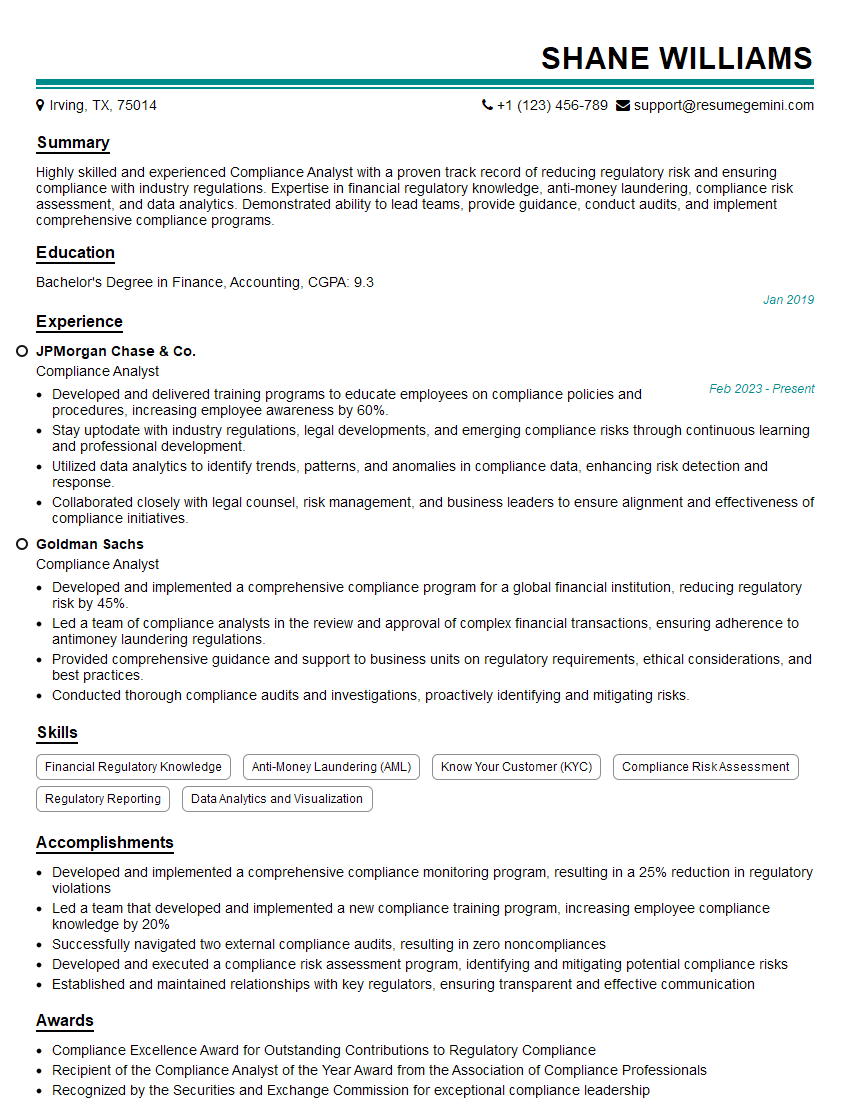
Compliance Analyst Resume Sample
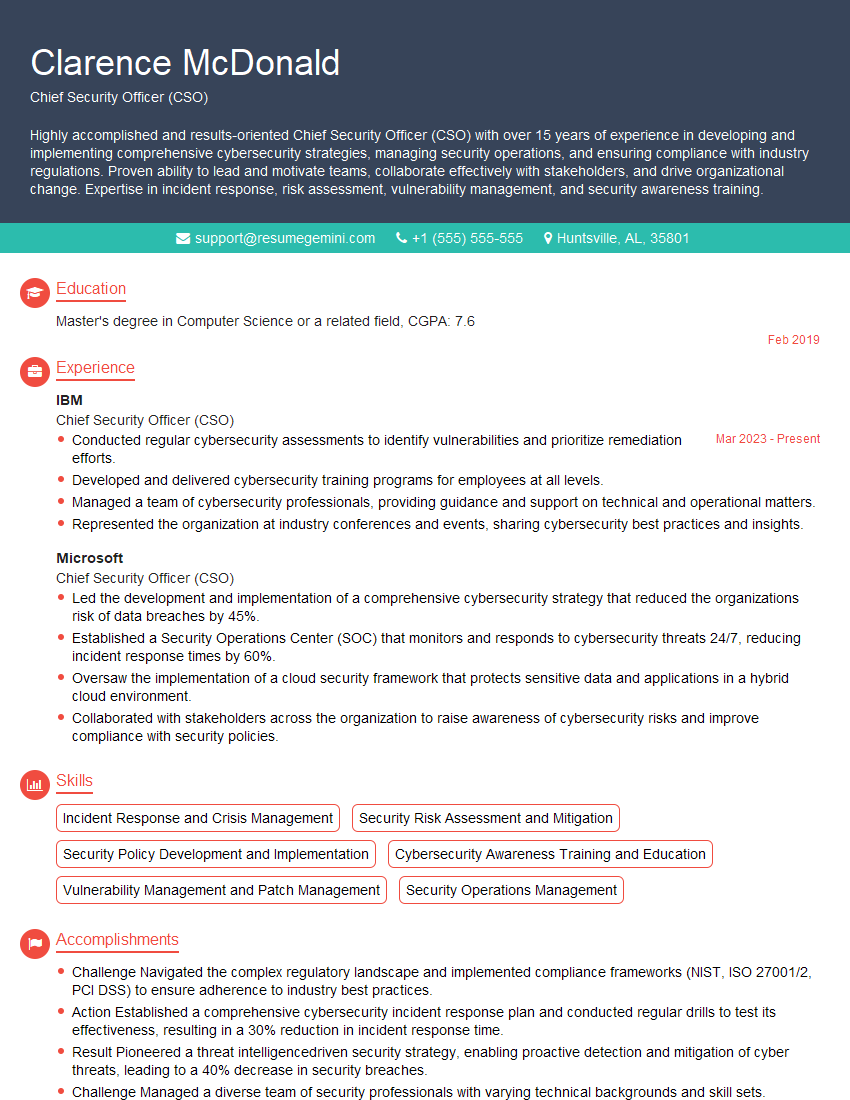
Chief Security Officer (CSO) Resume Sample

Security Analyst Resume Sample

Security Consultant Resume Sample

Security Engineer Resume Sample

Data Analyst Resume Sample

Security Architect Resume Sample

System Administrator Resume Sample

IT Security Specialist Resume Sample

Cybersecurity Analyst Resume Sample
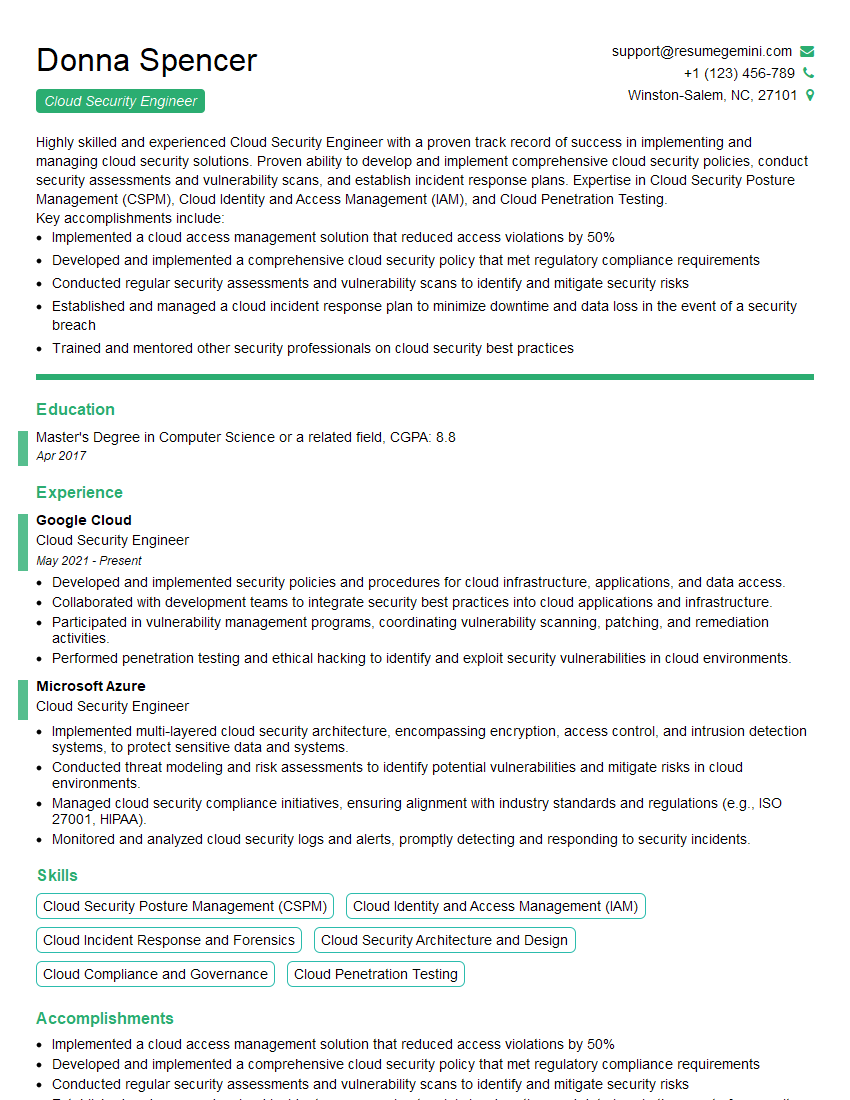
Cloud Security Engineer Resume Sample
Explore more articles
Users Rating of Our Blogs
Share Your Experience
We value your feedback! Please rate our content and share your thoughts (optional).
What Readers Say About Our Blog
Very informative content, great job.
good