Preparation is the key to success in any interview. In this post, we’ll explore crucial Knowledge of audio recording and editing techniques interview questions and equip you with strategies to craft impactful answers. Whether you’re a beginner or a pro, these tips will elevate your preparation.
Questions Asked in Knowledge of audio recording and editing techniques Interview
Q 1. Explain the difference between condenser and dynamic microphones.
Condenser and dynamic microphones are the two primary types of microphones used in audio recording, each with its own distinct characteristics. The core difference lies in how they convert sound waves into electrical signals.
Condenser Microphones: These mics use a capacitor to convert sound pressure into an electrical signal. They are known for their sensitivity, clarity, and wide frequency response, making them ideal for capturing subtle nuances and delicate sounds. However, they typically require phantom power (+48V) from a mixing console or audio interface.
- Strengths: High sensitivity, detailed sound, wide frequency range.
- Weaknesses: Require phantom power, can be more fragile, prone to picking up background noise.
- Uses: Vocals, acoustic instruments, orchestral recording, detailed sound capture.
Dynamic Microphones: These mics employ a moving coil within a magnetic field to generate an electrical signal. They are less sensitive than condensers but much more robust and resistant to feedback and high sound pressure levels. They don’t require external power.
- Strengths: Durable, handle high sound pressure levels, less susceptible to feedback.
- Weaknesses: Less sensitive, less detailed sound.
- Uses: Live performances, loud instruments (drums, amps), broadcast applications.
Think of it like this: a condenser mic is like a high-resolution camera, capturing every detail, while a dynamic mic is like a robust, point-and-shoot camera, reliable in any situation but with less detail.
Q 2. Describe the process of setting up a multi-track recording session.
Setting up a multi-track recording session involves careful planning and execution. The goal is to record each instrument or vocal separately onto its own track, allowing for individual manipulation during mixing and mastering.
- Planning: Decide on the instrumentation and vocal parts. Create a rough arrangement or chart to guide the recording process. Consider the mic placement and signal routing.
- Gear Setup: Connect microphones to preamps, then to your audio interface. Ensure phantom power is enabled for condenser microphones. Patch each channel to a unique track in your Digital Audio Workstation (DAW). Perform a sound check to avoid any surprises during recording.
- Mic Placement: This is crucial for capturing the best sound. For example, a vocal microphone should be positioned close enough to capture the voice clearly but not too close to cause proximity effect (an unnatural bass boost). Instruments should be mic’d to capture their unique characteristics and reduce bleed (unwanted sounds bleeding into other tracks).
- Recording: Perform a pre-record check. While recording, pay attention to levels, ensuring they are neither too hot (clipped) nor too low (weak signal). Take multiple takes to capture the best performance.
- Monitoring: Use headphones to avoid feedback and hear a clean signal. Use a cue mix to send different mixes to different performers.
Example: A band recording might have separate tracks for drums (snare, kick, toms, cymbals), bass guitar, electric guitars (rhythm, lead), keyboards, vocals, and backing vocals.
Q 3. What are common audio editing software programs and their strengths?
Several popular Digital Audio Workstations (DAWs) exist, each with its strengths. The best choice depends on your budget, workflow, and project needs.
- Pro Tools: Industry standard known for its stability, vast plugin ecosystem, and powerful features for mixing and mastering. It’s expensive but considered the go-to for professional studios.
- Logic Pro X: Mac-only DAW with a user-friendly interface and extensive built-in plugins. A very strong contender with a good price point.
- Ableton Live: Popular for electronic music production, known for its intuitive workflow, session view (for live performance), and powerful looping capabilities.
- Cubase: Another powerful DAW with a long history, renowned for its sophisticated MIDI editing capabilities and its extensive plugin support.
- Reaper: A very flexible and cost-effective option that is highly customizable and powerful, especially for users who prefer a more technical approach.
Each DAW has its own unique features and user interface, so choosing the best one often comes down to personal preference and the specific needs of your projects.
Q 4. How do you handle audio noise reduction and restoration?
Noise reduction and restoration are crucial for enhancing audio quality. Several techniques exist, often used in combination.
- Noise Reduction Plugins: These plugins analyze the noise profile and reduce it while preserving the desired audio. They are often used to remove hums, hisses, and other background noises. Popular examples include iZotope RX and Waves plugins.
- Spectral Editing: In this technique, you visually analyze the audio’s frequency spectrum and manually remove unwanted frequencies. This is powerful for tackling specific noise elements.
- De-clicking/De-essing: Specific plugins target transient noises (clicks, pops) and harsh sibilance (hissing sounds in vocal recordings).
- Deconstruction and Reconstruction: Advanced techniques involve separating the audio into layers and treating each layer independently to preserve the clarity of the original sound. This is best handled with AI based software.
The key is to use noise reduction tools subtly, as aggressive processing can lead to artifacts and a loss of audio quality. Always work with a backup of your original audio to avoid permanent damage.
Q 5. Explain different audio compression techniques and their uses.
Audio compression reduces the dynamic range of a signal – the difference between the loudest and softest parts. It’s used to control loudness, create punchier sounds, or add sustain.
- Dynamic Compression: This adjusts the compression based on the input signal’s loudness. It reduces the loud peaks and boosts the quieter parts, creating a more even volume. Key parameters include threshold, ratio, attack, and release times.
- Multiband Compression: This allows for independent compression of different frequency ranges. It’s useful for sculpting specific aspects of the sound, for example, compressing the low-end to tighten the bass and compressing the high-end to tame harsh sibilance.
- Parallel Compression: This involves sending a copy of the signal to a heavily compressed track which is then mixed back in with the original signal. This adds punch and weight while maintaining dynamics.
- Upward Compression (Expansion): This technique works opposite to normal compression. It expands the dynamic range, making the quieter parts quieter and the louder parts louder, which enhances dynamics and creates a wider sound.
Compression is a powerful tool, but too much can make the audio sound unnatural or lifeless. Experimentation and careful adjustment of parameters are essential.
Q 6. What is equalization (EQ) and how do you use it effectively?
Equalization (EQ) is the process of adjusting the frequency balance of an audio signal. It allows you to boost or cut specific frequencies to shape the tone and improve clarity.
Effective EQ usage involves identifying the frequencies that need adjustment. For example:
- Boosting: You might boost certain frequencies to enhance specific aspects of a sound, such as boosting the highs for air and sparkle or boosting the mids to make an instrument more present in the mix.
- Cutting: You might cut certain frequencies to remove muddiness, harshness, or unwanted resonance. For example, cutting muddiness from bass guitar by lowering the low-mid frequencies.
Tools: Graphic EQs show a visual representation of the frequencies. Parametric EQs offer more control over specific frequency bands (frequency, gain, Q or bandwidth). Use high-quality EQ plugins for the best results, but remember to use EQ sparingly. Avoid drastic adjustments, and always listen critically.
Example: A vocal track might need some high-frequency boost for clarity, while a muddy bass guitar might need a cut in the low-mid frequencies.
Q 7. Describe the process of creating a sound design for a project.
Sound design is the art and science of creating new sounds or manipulating existing ones to enhance a project’s atmosphere, mood, or narrative. This involves a deep understanding of acoustic properties and audio synthesis techniques.
- Concept Development: Start with a clear understanding of the project’s needs and desired sonic landscape. What kind of mood or atmosphere are you trying to create?
- Sound Selection & Synthesis: Gather existing sounds (from libraries or field recordings) or create new sounds using synthesizers, samplers, and effects processing. Consider the sonic characteristics of different sounds – timbre, pitch, rhythm, texture.
- Manipulation & Processing: Use effects like EQ, compression, reverb, delay, distortion, filters, and modulation effects to shape the sound and blend elements together. Experiment with various techniques to reach the desired results.
- Implementation: Carefully integrate the designed sounds into the project, ensuring they work seamlessly within the overall mix and narrative. Consider spatial aspects for realistic integration.
- Iteration & Refinement: Sound design is an iterative process. Experiment, make adjustments, and listen critically to achieve the best results.
For example, creating the sound of a spaceship might involve combining synthesized whooshes, metallic clangs, and engine rumbles, processed with various effects to create a sense of futuristic grandeur and power.
Q 8. How do you handle audio synchronization issues in post-production?
Audio synchronization, or syncing, is crucial for any project involving multiple audio sources. In post-production, this often involves matching dialogue, music, and sound effects to picture. If it’s off, it’s distracting and unprofessional. There are several ways to address sync issues, depending on the severity and cause.
Manual Adjustment: This is often the first approach. Most DAWs (Digital Audio Workstations) allow you to nudge audio clips forward or backward, often frame by frame, to align them visually with the video. It’s like carefully lining up two rulers.
Software-Based Sync Tools: More complex projects might require dedicated synchronization software. These tools often use advanced algorithms to analyze audio waveforms and video frames to identify and automatically correct sync problems. They’re particularly helpful with large quantities of clips or subtle timing issues.
Slate Marks: Proactively adding a clap or other distinct sound at the beginning of each take during recording helps tremendously. These ‘slates’ provide a clear reference point for synchronization software. Think of it like adding checkpoints to a long race.
External Sync Devices: For professional shoots, timecode is used. Timecode is a standardized method of adding a time reference onto audio and video recordings; these allow for precise synchronization. This is like having a highly accurate clock that synchronizes both the video and the audio.
The best approach depends on the context. A simple home project might only require manual adjustment, while a major film production will rely heavily on timecode and sophisticated synchronization software.
Q 9. Explain the concept of phase cancellation and how to avoid it.
Phase cancellation occurs when two identical sound waves are out of sync by exactly 180 degrees. Imagine two waves, one a mirror image of the other; when they overlap, they effectively cancel each other out, resulting in a loss of volume or even complete silence. This is particularly noticeable in the low frequencies, leading to a thin or weak sound. Think of it like pushing and pulling on a rope simultaneously; the net movement is zero.
To avoid it:
Careful Microphone Placement: The most common cause is using multiple microphones to record the same source, where they are positioned too closely to each other. This creates competing waveforms from similar signals and makes it almost impossible to edit audio out of phase problems. Keeping microphones sufficiently spaced apart and angled appropriately is key. The ideal spacing depends on the frequency range and directionality of the microphones.
Mono Compatibility: When mixing, ensure your stereo mixes maintain some level of cohesion when converted to mono, the best way to do this is to avoid extreme panning and ensure that each channel is in phase with the rest.
Phase Alignment Plugins: DAWs offer plugins that can help analyze and correct phase issues. These plugins can compare the waveforms of multiple tracks and automatically adjust the timing to minimize phase cancellation. Use these only after trying to resolve phase issues without plugins.
Accurate Monitoring: Listen critically to your mixes in different environments, including mono playback, to detect potential phase problems. A well-mixed song should sound good both on headphones and a car stereo.
Q 10. Describe different microphone polar patterns and their applications.
Microphone polar patterns describe the microphone’s sensitivity to sound from different directions. Different patterns are suited for different recording scenarios.
Omnidirectional: These microphones pick up sound equally from all directions. They’re great for recording ambient sounds or situations where the sound source’s precise location is not critical. Imagine a sphere of equal sensitivity.
Cardioid: These are the most common type. They are most sensitive to sound from the front, with reduced sensitivity from the sides and rear. They’re excellent for isolating a sound source while minimizing background noise, and are incredibly useful in many recording scenarios.
Supercardioid: A more directional version of a cardioid. It has a narrower pickup pattern but also shows a slight rear lobe sensitivity. This is an excellent tool for live sound and television shows.
Hypercardioid: Even more directional than supercardioid, it has an even narrower pickup pattern and an even more pronounced rear lobe sensitivity. This is excellent for very noisy environments, like live concerts.
Bidirectional (Figure-8): These pick up sound equally from the front and rear, rejecting sound from the sides. They are useful for recording stereo pairs or in situations where you want to isolate two sound sources facing each other.
The choice of polar pattern greatly impacts the sound quality and the amount of ambient noise captured. For example, a cardioid microphone is ideal for recording vocals in a studio, while an omnidirectional microphone might be preferable for recording a busy street scene.
Q 11. What are your preferred methods for managing large audio projects?
Managing large audio projects requires a structured approach to avoid chaos and ensure efficiency. My preferred methods involve a combination of organizational skills and the use of specialized software.
Project Folders: Create a well-organized folder structure for each project; separating audio files, metadata, and project files to avoid accidental deletions or misplacement.
DAW Session Management: Utilize the session management features within the Digital Audio Workstation. This allows for consolidation of files and aids in managing memory.
Metadata Management: I use clear and consistent file naming conventions, including metadata embedded within the files, to facilitate organization and search functions.
Cloud Storage: Cloud-based storage (like Dropbox, Google Drive, or Backblaze) provides backup and collaboration features. It allows access to projects from any location and provides an added layer of security.
Audio File Management Software: Specialized audio file management software can streamline metadata, backup, and organizational features of a large project.
Regular Backups: I make frequent backups of my projects to external hard drives. I also implement off-site backups to cloud storage to prevent data loss.
A good organizational system dramatically improves efficiency and reduces the likelihood of errors in large projects. For example, imagine searching for a single sound effect in a project with 1000+ files. A well-organized system can save many hours.
Q 12. How do you deal with audio artifacts during editing?
Audio artifacts are unwanted noises or distortions that can appear during recording or editing. They can range from subtle clicks and pops to more significant problems like aliasing or clipping. Dealing with them involves careful listening and the use of various techniques.
Noise Reduction Plugins: These plugins are used to reduce background noise or hiss. They effectively separate noise from the desired audio signal, leading to a cleaner sound.
Click/Pop Removal Plugins: These specialize in identifying and removing small, transient clicks and pops caused by handling issues or signal problems.
Spectral Editing: This technique allows visualizing audio frequencies in a spectrogram view, so unwanted frequencies can be surgically removed.
Declicking and De-essing: These are specifically tailored towards eliminating harsh or jarring high-frequency sounds from vocals and cymbals.
Careful Gain Staging: Preventing clipping during recording is the best way to avoid introducing artifacts. Proper gain staging ensures the signal isn’t too hot.
Careful Editing: Sometimes the problem lies in the edit points themselves; using crossfades can help reduce clicks or pops.
The choice of technique depends on the specific type and severity of the artifact. For example, a simple click might be removed manually, while more complex issues might require the use of specialized noise reduction plugins.
Q 13. What is the difference between destructive and non-destructive editing?
The distinction between destructive and non-destructive editing is fundamental in audio work. It determines whether changes are permanently applied or stored as instructions. Think of it like writing on a whiteboard versus writing in a notebook.
Destructive Editing: This involves directly altering the original audio file. Changes are permanent; once you save, you’ve lost the original. Imagine permanently cutting a piece of tape. This method is generally avoided for anything other than very small edits.
Non-destructive Editing: This method works by adding instructions (such as effects or edits) to the audio without altering the original file. These instructions are stored separately within the project file. The original audio file remains untouched, and changes can be easily reversed. This is like editing a word document, where you can undo and redo without affecting the original file.
Non-destructive editing offers greater flexibility and control, making it the preferred method for most professional audio tasks. It allows for experimentation and easy adjustments later in the process. However, it results in a larger file size in the project files.
Q 14. How would you approach mastering a track for different platforms?
Mastering is the final stage of audio production, where the overall levels, dynamics, and balance are optimized for playback across different platforms (streaming services, CDs, etc.). Each platform has specific requirements and limitations.
My approach:
Target Loudness: Different platforms have different target loudness standards. Streaming services often prefer a specific Integrated Loudness (LUFS) level. I would research and adhere to the specific platform guidelines. The goal isn’t to make it the loudest, but the loudest it can be without clipping or distortion.
Frequency Response: Certain platforms might have issues with bass frequencies, especially when used on smaller devices. I would analyze the low-end frequencies in mastering and adjust where needed.
Dynamic Range: Some platforms emphasize preserving dynamic range (the difference between the quietest and loudest parts). I must consider this when applying compression or limiting.
Format Considerations: Different platforms use different file formats (MP3, FLAC, AAC, etc.). I’d choose the appropriate format that matches the platform’s requirements, considering bit rate and compression.
Dithering: When converting to lower-bit-rate formats (like MP3), dithering is crucial to reduce quantization noise. This makes the lower bitrate sound less granular and more full.
Mastering for different platforms is all about adapting the final sound to suit each platform’s technical limitations and listener expectations. A well-mastered track should sound great across all platforms.
Q 15. Explain the role of a limiter in audio processing.
A limiter is a dynamic processor that prevents audio signals from exceeding a specified threshold. Think of it as a safety net for your audio. It’s crucial for preventing distortion and clipping, which can severely damage the audio quality. Instead of abruptly cutting off the signal once the threshold is reached, a limiter reduces the gain of the signal, effectively ‘squashing’ peaks to keep them below the defined limit. This ensures that your audio remains clean and powerful without unpleasant artifacts.
For instance, in mastering, a limiter is often used as the final stage to maximize the loudness of a track without introducing distortion. Imagine you’re recording a powerful rock song; the drums and guitars might have occasional peaks that exceed the digital audio workstation’s (DAW) maximum level. A limiter prevents these peaks from clipping, resulting in a cleaner, more professional-sounding mix. The key settings to adjust on a limiter are the threshold (the point at which limiting starts), the ratio (how much the signal is reduced once the threshold is passed), and the attack and release times (how quickly the limiter responds to changes in the signal). Inappropriate settings can lead to a ‘pumping’ effect or a loss of dynamics, so careful adjustment is key.
Career Expert Tips:
- Ace those interviews! Prepare effectively by reviewing the Top 50 Most Common Interview Questions on ResumeGemini.
- Navigate your job search with confidence! Explore a wide range of Career Tips on ResumeGemini. Learn about common challenges and recommendations to overcome them.
- Craft the perfect resume! Master the Art of Resume Writing with ResumeGemini’s guide. Showcase your unique qualifications and achievements effectively.
- Don’t miss out on holiday savings! Build your dream resume with ResumeGemini’s ATS optimized templates.
Q 16. What is the importance of headroom in audio recording?
Headroom refers to the amount of space between the average signal level and the maximum level your audio system can handle. Essentially, it’s the safety margin you leave for unexpected peaks or increases in volume. Leaving sufficient headroom is paramount because it prevents clipping and distortion. Clipping results in harsh, unpleasant sounds that are difficult to fix in post-production. It’s much better to have some headroom and increase the volume later using a compressor or limiter, than to have to deal with the irreversible damage of clipping.
Think of it like driving a car – you don’t want to drive at the absolute maximum speed all the time. You need headroom to react to unexpected events or situations, such as sudden braking. Similarly, in audio recording, you need headroom to accommodate unexpected loud sounds or dynamic variations in the performance, preserving the quality and integrity of the audio.
A general rule of thumb is to aim for at least 6 dB of headroom during recording. This gives you plenty of space to work with during mixing and mastering, allowing you to increase the overall level without introducing distortion. Monitoring your levels accurately with a VU or peak meter is critical to ensure adequate headroom is maintained throughout the recording process.
Q 17. Describe your workflow for recording and editing dialogue.
My dialogue recording and editing workflow is meticulous and focuses on achieving clear, clean audio free from noise and artifacts. It typically begins with meticulous pre-production planning, including careful selection of microphones based on the acoustic environment and desired sound, and the implementation of effective noise reduction strategies. On location, I prioritize achieving optimal levels without clipping, paying close attention to maintaining consistent headroom. We use a boom microphone technique to reduce unwanted background noise, and I regularly check levels using a peak meter.
Post-production involves careful cleaning and restoration. This may include the use of noise reduction plugins, equalization to adjust the tonal balance, and de-essing to manage sibilance. Dialogue editing is crucial for maintaining continuity and narrative flow. This requires careful syncing of takes and removing any unwanted noises, coughs, or mouth noises, which can be done either with traditional editing techniques or utilizing sophisticated AI tools. Finally, I always provide audio files at the required quality specification.
- Pre-production: Location scouting, mic selection, establishing workflow, creating a shot list.
- Recording: Setting up mics, monitoring levels, directing talent, managing background noise.
- Post-production: Noise reduction, EQ, de-essing, syncing and editing dialogue, audio sweetening.
Q 18. Explain your experience with Foley recording and editing.
Foley recording and editing is an art form that involves recreating everyday sounds in a studio setting to enhance the audio in film, television, or video games. My experience encompasses all stages of the Foley process, from the initial design concepts to the final audio integration. This involves using a variety of props and techniques to mimic various sounds with realistic accuracy.
For example, I’ve created the sound of footsteps on different surfaces by using a variety of shoes and materials (sand, gravel, wood floors), and simulated the sound of a door closing by carefully manipulating a prop door in the studio. Post-production involves fine-tuning and integrating these Foley sounds into the existing soundtrack ensuring it’s seamlessly and realistically integrated. This includes adjusting levels, adding reverb or other effects to enhance the realism and create a cohesive soundscape. It requires a keen ear for detail and a great deal of creativity and patience to seamlessly integrate the recreated sounds into the production.
Q 19. What are your skills in working with surround sound systems?
I have extensive experience working with surround sound systems, including 5.1, 7.1, and Dolby Atmos. My understanding extends beyond basic panning; I’m proficient in utilizing surround sound techniques to create immersive and engaging soundscapes. This involves careful placement of sounds within the soundstage to enhance realism and viewer engagement. For example, when working with a scene set in a forest, I might use surround channels to create a sense of ambience, placing bird sounds in the rear channels and rustling leaves in the side channels to fully immerse the listener. I also have a deep understanding of the various formats (such as WAV and other lossless formats) and their compatibility with different surround sound systems. This enables me to deliver high-quality surround audio that is tailored for specific platforms and playback devices.
Q 20. How do you approach troubleshooting technical issues during recording?
Troubleshooting technical issues during recording requires a systematic and calm approach. My first step is always to identify the problem precisely. Is it a microphone issue, a connection problem, a software glitch, or something else? I use a methodical approach to isolate the source of the problem. For example, if the audio is distorted, I will systematically check each component in the signal chain (microphone, cable, preamp, interface, etc.) to identify the point of failure. I often utilize test signals to diagnose issues and ensure proper functioning of equipment. If the problem involves software, restarting the DAW, reinstalling drivers or updating to the latest version can often resolve issues.
I always have a backup plan; for instance, having extra cables, microphones, and even a backup recording device ensures minimal disruption to the recording process. When working with a team, clear communication is key to quickly identifying and resolving technical hurdles. Documentation of equipment, settings, and procedures is essential for streamlining troubleshooting and minimizing future problems.
Q 21. How do you collaborate effectively with other members of the audio team?
Effective collaboration within an audio team is crucial for success. I believe in open communication, clear expectations, and mutual respect. Before starting any project, I ensure that all team members have a shared understanding of the project goals, timelines, and technical specifications. Regular check-ins and meetings are vital for staying on track and addressing potential issues proactively. I actively solicit feedback from other team members and value their contributions, understanding that a diverse range of perspectives contributes to a richer and more effective end product.
Furthermore, I actively share my knowledge and expertise with other team members, fostering a collaborative environment where everyone feels empowered to contribute and learn. Open communication regarding individual roles and responsibilities ensures seamless workflow. Conflict resolution is handled with calm and respectful discussion, seeking a solution that benefits the entire team and the final product. I also firmly believe that a positive and supportive team environment fosters creativity and ultimately leads to a higher quality end product.
Q 22. Describe your experience with different audio file formats.
My experience encompasses a wide range of audio file formats, each with its own strengths and weaknesses. Understanding these nuances is crucial for efficient workflow and maintaining audio quality.
- WAV (Waveform Audio File Format): A lossless format, meaning no data is lost during encoding. Ideal for mastering and archiving, but file sizes can be large. I frequently use WAV for projects requiring the highest fidelity, such as studio recordings or broadcast-quality audio.
- AIFF (Audio Interchange File Format): Another lossless format, similar to WAV but primarily used on Apple systems. I use it interchangeably with WAV when working within Apple’s ecosystem.
- MP3 (MPEG Audio Layer III): A lossy format, meaning some data is discarded during compression. This results in smaller file sizes but at the cost of some audio quality. I use MP3 for web distribution or situations where file size is a major constraint, carefully balancing quality with file size requirements.
- AAC (Advanced Audio Coding): A lossy format that generally offers better quality than MP3 at similar bitrates. It’s becoming increasingly popular for streaming and online distribution. I frequently choose AAC for online platforms demanding higher quality streams.
- FLAC (Free Lossless Audio Codec): A lossless format offering a good balance between file size and quality. A solid alternative to WAV and AIFF when aiming for lossless compression, which I often use for archiving and high-fidelity storage.
Choosing the right format depends heavily on the project’s needs. For instance, a radio advertisement would benefit from the smaller file size of MP3, while a high-fidelity music album would require WAV or FLAC.
Q 23. What is your experience with audio metering and levels?
Audio metering and levels are fundamental to achieving a professional-sounding mix. Proper level management prevents clipping (distortion caused by exceeding the maximum signal level), ensures optimal loudness, and avoids unwanted noise.
I use a combination of tools and techniques for precise metering, including:
- Peak Meters: These show the highest amplitude of the audio signal. Maintaining peak levels below 0dBFS (dB Full Scale) prevents clipping. I always monitor these closely during recording and mixing.
- RMS (Root Mean Square) Meters: These measure the average power of the signal, providing a better representation of perceived loudness than peak meters. I use RMS meters to ensure consistent loudness throughout a track or project. This is especially important for mastering, where perceived loudness across songs needs to be consistent.
- VU (Volume Unit) Meters: While less common in modern digital audio workstations, VU meters offer a more ‘analog’ feel and provide a good sense of general level. I sometimes use them alongside other meters for a more holistic approach.
My experience has taught me the importance of headroom – leaving some space between the signal and the 0dBFS ceiling. This allows for later processing without introducing distortion. For example, during a live recording, I might aim for peak levels around -12dBFS to allow for later gain adjustments and mastering processes.
Q 24. Describe your process for preparing a project for delivery.
Preparing a project for delivery involves a multi-step process ensuring the final product meets the highest standards and the client’s specifications. The specifics vary depending on the project, but the core steps remain consistent.
- Quality Control: A thorough listen-through to identify any remaining noise, unwanted artifacts, or inconsistencies in the mix. I always pay close attention to detail, even checking for subtle issues that might be overlooked. A fresh pair of ears after some time away is always useful at this stage.
- Mastering (if applicable): If the project requires it, I’ll handle the mastering process, which involves optimizing the overall sound quality, loudness, and dynamic range for the target platform (e.g., streaming services, CD). This stage often involves using specialized plug-ins and techniques to polish the final product.
- File Conversion & Formatting: I convert the audio files to the client’s specified format(s) and sample rates, ensuring compatibility with their intended use. This might involve compressing lossy files for online distribution or maintaining the highest quality possible for a CD release.
- Metadata: I meticulously add all relevant metadata, including track titles, artist names, album art, and any other required information. This ensures proper identification and organization.
- Packaging and Delivery: The final step involves delivering the files via the agreed-upon method (e.g., cloud storage, external hard drive). I always double-check the contents before sending to ensure everything is accurate and complete. I often include a version history, for example.
This process guarantees a polished, professional product that meets client expectations and is ready for distribution.
Q 25. What are your skills in using audio plug-ins?
I’m proficient in a wide array of audio plug-ins, utilizing them to enhance, shape, and correct audio signals. My expertise spans various categories:
- EQ (Equalization): I use EQ plug-ins to adjust the frequency balance of audio, shaping the tone and correcting problems like muddy low-end or harsh high frequencies. Examples include FabFilter Pro-Q 3, Waves EQ, and Brainworx bx_digital V3. Choosing the right EQ is crucial, as different algorithms and filters can significantly affect the overall sound.
- Compression: I use compressors to control dynamic range, making audio more consistent in loudness. I select from a broad palette of compressors – from opto-style emulations for gentle compression to more aggressive algorithms for maximizing audio loudness. Examples include Waves CLA-76, Universal Audio LA-2A, and FabFilter Pro-C 2. Understanding the nuances of attack, release, ratio, and threshold is crucial.
- Reverb & Delay: I use reverb and delay plug-ins to add depth and ambience to audio, enhancing realism or creating creative effects. There’s a huge range of options to choose from, such as Lexicon plug-in emulations, Waves plugins and Valhalla Room.
- Effects: This category encompasses a wide variety of tools, including distortion, chorus, flanger, phaser, and many others. I use these to add creative effects, spice up recordings, and give them a unique character. These effects are often used creatively, sometimes subtly, sometimes heavily.
My expertise lies not only in using individual plug-ins but also in understanding how they interact with each other. Proper plug-in chaining and careful parameter adjustments are key to achieving a polished and professional sound.
Q 26. How would you address a client’s feedback about the final audio mix?
Addressing client feedback is a critical part of the process. I approach it professionally and collaboratively.
- Active Listening: I carefully listen to their concerns, paying close attention to their specific comments. I avoid interrupting and make sure I fully understand their perspective.
- Clarification: If the feedback is unclear, I ask clarifying questions to ensure I understand exactly what needs to be adjusted. For example, a comment that the low end is ‘muddy’ needs further specification – how muddy? Where does it feel muddy?
- Technical Assessment: I analyze the mix and identify the potential technical reasons behind their feedback. This might involve reviewing the equalization, compression, or other processing.
- Proposed Solutions: I present possible solutions, explaining the technical rationale behind each. This allows the client to understand the process and feel more involved in the revision.
- Iteration & Refinement: I make the necessary adjustments and send a revised version for their review. This process may involve several iterations until the client is completely satisfied. I always maintain open communication during this stage.
- Documentation: I keep detailed notes on the feedback and the changes made. This helps maintain consistency and provides a reference point for future projects.
My goal is to ensure the client’s vision is realized while maintaining the highest standards of audio quality. Effective communication is vital in this process, fostering a strong working relationship and resulting in a successful outcome.
Q 27. How do you stay up-to-date with the latest audio technology?
Staying current in the ever-evolving field of audio technology is paramount. I employ a multi-pronged approach:
- Industry Publications & Websites: I regularly read publications like Sound on Sound, Mix Magazine, and Pro Sound News, and keep up-to-date with blogs and websites focused on audio technology. These provide insightful articles, reviews, and tutorials on the latest developments.
- Online Courses & Workshops: I actively participate in online courses and workshops offered by reputable institutions and instructors. These provide in-depth training on new techniques and software.
- Audio Software Updates: I diligently keep my software up-to-date, taking advantage of new features and bug fixes. The updates often include tutorials that help me stay on top of new functionality.
- Conferences & Trade Shows: Whenever possible, I attend industry conferences and trade shows, networking with professionals and learning about new technologies firsthand. This allows for a broader overview of the latest developments and trends.
- Community Engagement: I actively participate in online audio engineering communities and forums. This provides an opportunity to share knowledge, ask questions, and learn from other experienced engineers.
This combination of methods keeps me informed about the newest techniques and equipment, ensuring my work remains at the forefront of the industry.
Q 28. Explain your experience with various audio consoles (analog/digital).
My experience with audio consoles spans both analog and digital domains, each with its unique characteristics and advantages.
- Analog Consoles: I’ve worked extensively with various analog consoles, appreciating their warm, often ‘characterful’ sound. The hands-on nature of analog mixing allows for intuitive manipulation of signals. Experience with consoles like Neve, API, and SSL provided me with a deep understanding of signal flow, gain staging, and the subtle nuances of analog electronics. This experience helps me make informed decisions even within digital environments.
- Digital Consoles: My expertise includes a wide variety of digital consoles such as Avid S6, Yamaha CL, and others. I find their flexibility, recall capabilities, and integration with DAWs extremely beneficial for larger projects. Understanding their routing capabilities, plugin integration and automated mixing functions is key. The benefits of digital include precise recall of settings across multiple sessions, allowing efficient workflow.
While distinct, both analog and digital approaches offer unique strengths. Analog offers a certain ‘feel’ and unique sonic signature. Digital offers unprecedented flexibility and recall. My experience with both allows me to select the best tool for the specific project. For example, I might opt for an analog console for a recording session that benefits from its organic sound, while utilizing a digital console for a large live mixing setting where precision and recall are essential.
Key Topics to Learn for Your Audio Recording and Editing Techniques Interview
- Microphone Techniques: Understanding different microphone types (dynamic, condenser, ribbon), polar patterns (cardioid, omnidirectional, figure-8), and placement techniques for optimal sound capture. Practical application: Explain how microphone choice impacts recording quality in various environments (e.g., interview, live music, voiceover).
- Audio Recording Software: Familiarity with industry-standard Digital Audio Workstations (DAWs) like Pro Tools, Logic Pro X, Ableton Live, or Audacity. Practical application: Describe your experience with workflow in a chosen DAW, including session setup, track management, and mixing techniques.
- Audio Editing Fundamentals: Mastering basic editing techniques such as cutting, pasting, trimming, fades, and crossfades. Practical application: Explain how you’d approach cleaning up background noise, removing unwanted sounds, or correcting timing issues in a recording.
- Signal Processing: Understanding equalization (EQ), compression, limiting, reverb, and delay, and their practical applications in audio production. Practical application: Describe how you’d use EQ to shape the frequency response of a vocal track or use compression to control dynamics.
- Audio Formats and File Management: Knowledge of different audio file formats (WAV, AIFF, MP3) and best practices for file organization and naming conventions. Practical application: Explain the pros and cons of different audio formats and when you would use each one.
- Troubleshooting and Problem-Solving: Ability to identify and resolve common audio recording and editing issues, such as feedback, distortion, and noise. Practical application: Describe a situation where you encountered a technical problem during a recording session and how you solved it.
- Workflow and Collaboration: Understanding efficient workflows for audio production, including collaboration with other professionals. Practical application: Describe your approach to managing large audio projects and collaborating with other team members.
Next Steps
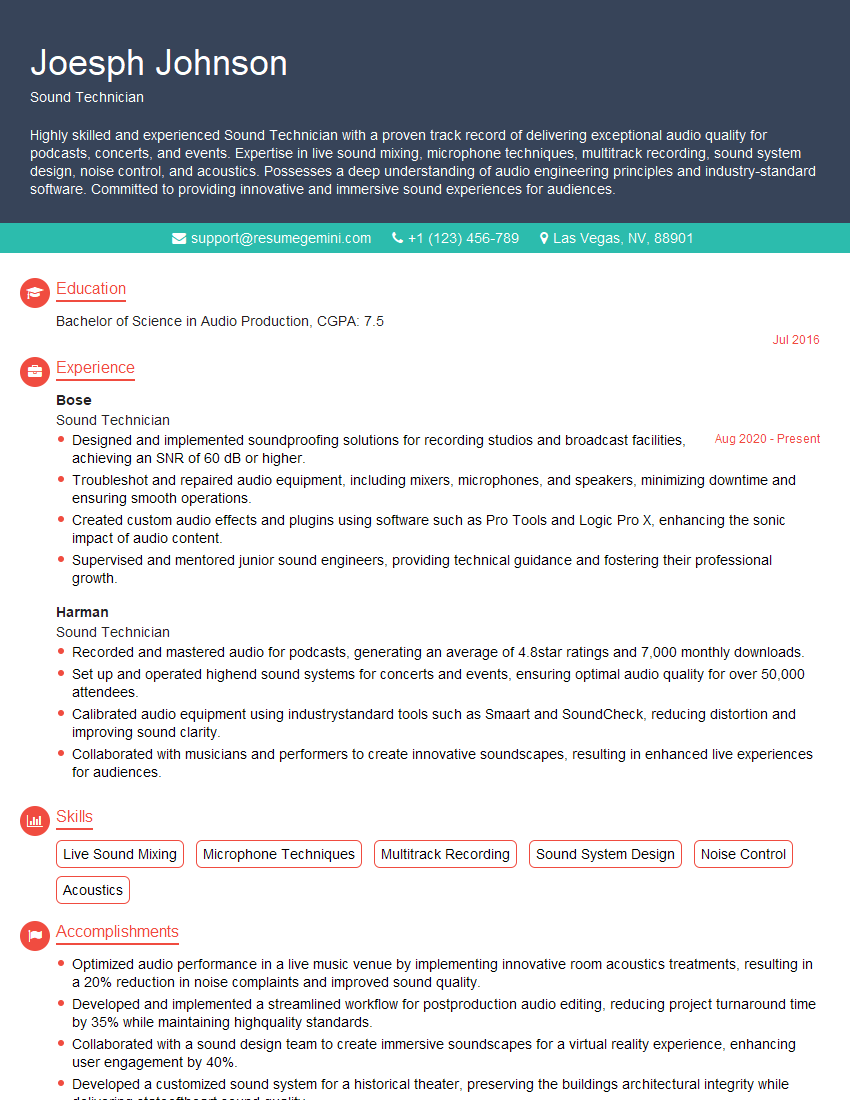
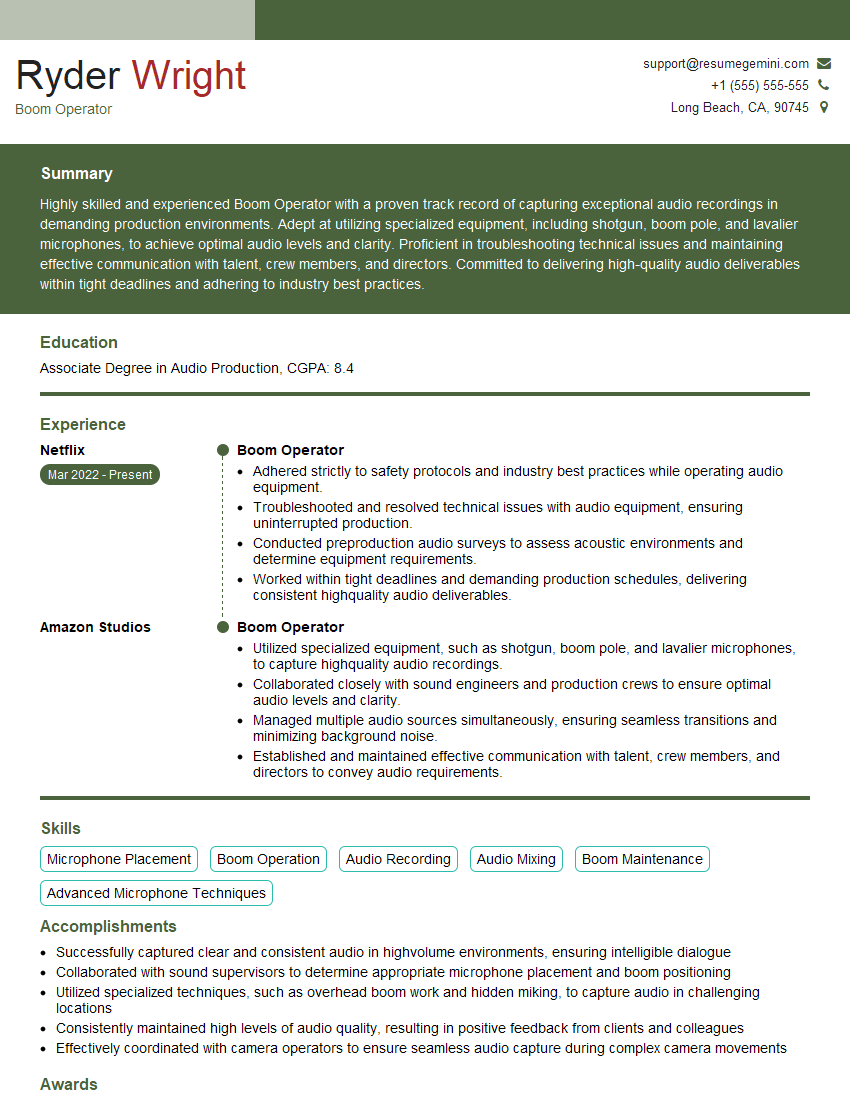
Mastering audio recording and editing techniques is crucial for career advancement in various fields, from music production and post-production to podcasting and sound design. A strong understanding of these skills demonstrates your technical proficiency and opens doors to exciting opportunities. To maximize your job prospects, create an ATS-friendly resume that highlights your expertise. ResumeGemini is a trusted resource that can help you build a professional and impactful resume. We provide examples of resumes tailored to highlight expertise in audio recording and editing techniques to help you get started.




Explore more articles
Users Rating of Our Blogs
Share Your Experience
We value your feedback! Please rate our content and share your thoughts (optional).
What Readers Say About Our Blog
Very informative content, great job.
good