Interviews are more than just a Q&A session—they’re a chance to prove your worth. This blog dives into essential CI/CD Best Practices interview questions and expert tips to help you align your answers with what hiring managers are looking for. Start preparing to shine!
Questions Asked in CI/CD Best Practices Interview
Q 1. Explain the difference between Continuous Integration, Continuous Delivery, and Continuous Deployment.
Continuous Integration (CI), Continuous Delivery (CD), and Continuous Deployment (CD) are three closely related but distinct practices in software development that automate the process of building, testing, and deploying software.
- Continuous Integration (CI): CI focuses on frequently merging code changes into a central repository. Each merge triggers an automated build and test process. This early and frequent detection of integration issues significantly reduces the risk of large-scale problems later in the development lifecycle. Think of it like baking a cake – you don’t want to discover a missing ingredient at the end! Instead, you check each ingredient as you add it.
- Continuous Delivery (CD): CD builds upon CI by automating the release process. Once code passes all tests in the CI phase, it’s prepared for release to a staging or production environment. This doesn’t necessarily mean automatic deployment; it means the software is *ready* to be deployed with the push of a button. This ensures you always have a deployable version ready, much like a restaurant prepping dishes before lunch rush.
- Continuous Deployment (CD): This is the most automated approach. Every successful build in the CI pipeline is automatically deployed to production. This provides extremely fast feedback loops, but it demands high confidence in automated testing. Think of it as an online store where new features and bug fixes go live immediately after testing.
In essence, CI is about frequently integrating code, CD is about automating the release process, and continuous deployment automates the actual deployment to production. Many organizations employ CI/CD, while continuous deployment is adopted selectively based on the project and risk tolerance.
Q 2. Describe your experience with various CI/CD tools (e.g., Jenkins, GitLab CI, CircleCI, Azure DevOps).
I have extensive experience with several CI/CD tools, each with its strengths and weaknesses. My experience includes:
- Jenkins: A widely used, open-source automation server. I’ve used Jenkins to build complex pipelines involving multiple stages, testing environments, and deployment targets. I’ve leveraged its extensive plugin ecosystem to integrate with various tools and technologies.
- GitLab CI: A built-in CI/CD solution within GitLab. I’ve found its integration with GitLab’s source code management and issue tracking to be seamless and efficient. Its YAML-based configuration is easy to manage and version control.
- CircleCI: A cloud-based CI/CD platform offering excellent scalability and ease of use. I’ve used CircleCI for projects requiring fast and reliable builds and deployments, particularly those with complex dependency management.
- Azure DevOps: Microsoft’s comprehensive CI/CD platform integrated with its Azure cloud services. I’ve used Azure DevOps for projects requiring integration with other Azure services, leveraging features like release pipelines and infrastructure as code.
My choice of tool depends heavily on the project requirements, budget, and existing infrastructure. For smaller projects or those requiring a quick setup, GitLab CI or CircleCI might be preferred, while larger enterprises often utilize Jenkins or Azure DevOps for greater control and scalability.
Q 3. How do you handle failed builds in a CI/CD pipeline?
Handling failed builds is crucial for maintaining a healthy CI/CD pipeline. My approach involves a multi-pronged strategy:
- Automated Notifications: Setting up immediate alerts (email, Slack, PagerDuty) for failed builds ensures prompt attention. This prevents issues from lingering unnoticed.
- Detailed Logging and Reporting: Comprehensive logs provide crucial context for debugging. I use tools that provide detailed error messages, stack traces, and build artifacts to pinpoint the root cause.
- Automated Rollback Strategies: If the deployment automatically reaches production, having a rollback mechanism is critical. This allows for swift reversion to a stable state in case of deployment failures.
- Root Cause Analysis: Once a failure is identified, a thorough investigation is conducted to determine the underlying reason. This might involve code review, testing improvements, or infrastructure adjustments.
- Prevention Strategies: Implementing robust testing (unit, integration, end-to-end) helps prevent issues from reaching the CI/CD pipeline in the first place. Code reviews also help catch problems early.
For instance, if a test fails, I don’t just dismiss it; I meticulously examine the logs, rerun the test locally if needed, and only resolve the issue after establishing the root cause and implementing a fix.
Q 4. What strategies do you use to ensure code quality within a CI/CD pipeline?
Ensuring code quality is paramount in a CI/CD pipeline. My strategies include:
- Static Code Analysis: Integrating tools like SonarQube or ESLint into the pipeline automatically checks code for style violations, potential bugs, and security vulnerabilities before testing begins.
- Automated Testing: A comprehensive suite of automated tests (unit, integration, end-to-end) is essential. These tests are executed automatically after each code change to validate functionality and identify regressions.
- Code Reviews: Peer reviews provide an additional layer of quality control by catching issues that automated tests might miss. This collaborative review process also enhances code maintainability and improves team knowledge sharing.
- Test Coverage Analysis: Tracking test coverage metrics ensures that a substantial portion of the codebase is covered by tests. Low test coverage is a significant risk factor.
- Code Formatting and Linting: Consistency in code style is vital for readability and maintainability. Automated tools enforce style guides, enhancing team collaboration.
By combining these approaches, I strive to create a robust quality gate in the CI/CD pipeline, preventing low-quality code from reaching production. I always prioritize the automation of quality checks as early as possible in the development process.
Q 5. Explain your understanding of Infrastructure as Code (IaC) and its role in CI/CD.
Infrastructure as Code (IaC) is the practice of managing and provisioning infrastructure through code rather than manual processes. In the context of CI/CD, IaC plays a vital role in automating the creation and management of the environments needed for building, testing, and deploying software.
Using tools like Terraform or Ansible, we define infrastructure (servers, networks, databases) in configuration files. This allows us to:
- Reproducible Environments: IaC ensures consistent environments across development, testing, and production, minimizing discrepancies and easing debugging.
- Version Control: Infrastructure configurations are version-controlled alongside the application code, enabling audits and rollback capabilities in case of errors.
- Automation: IaC automates the provisioning and management of infrastructure, which is crucial for a CI/CD pipeline’s efficiency and scalability.
- Collaboration: IaC promotes collaboration between developers and operations teams, blurring the lines between development and deployment.
For example, using Terraform, we can define the infrastructure for a testing environment in a configuration file. The CI/CD pipeline can then automatically provision this environment before running tests. This eliminates manual setup, ensuring a consistent and reliable testing environment every time.
Q 6. How do you manage dependencies in your CI/CD pipeline?
Managing dependencies effectively is crucial for a smooth CI/CD pipeline. My approach involves:
- Dependency Management Tools: Utilizing tools like npm, Maven, Gradle, or pip depending on the language and project type ensures consistent and reproducible builds. These tools manage versions and resolve dependencies automatically.
- Dependency Locking: Using mechanisms like
package-lock.json(npm) orrequirements.txt(pip) creates a lock file that specifies exact dependency versions, preventing unexpected changes due to updates. - Caching Dependencies: Leveraging caching mechanisms in CI/CD tools significantly reduces build times by reusing previously downloaded dependencies. This speeds up the pipeline substantially.
- Dependency Scanning: Integrating security vulnerability scanners into the pipeline detects vulnerabilities in dependencies, preventing security breaches.
- Reproducible Builds: Ensuring that builds are reproducible eliminates inconsistencies across different environments by explicitly defining all dependencies and build steps.
Failing to manage dependencies effectively can lead to inconsistent builds, unexpected behavior in different environments, and security vulnerabilities. Therefore, robust dependency management is a crucial part of any reliable CI/CD pipeline.
Q 7. Describe your experience with different branching strategies (e.g., Gitflow, GitHub Flow).
I have experience with various branching strategies, choosing the best one based on project needs and team size:
- Gitflow: This is a robust model suitable for larger projects requiring multiple releases and stable branches. It uses dedicated branches for development (
develop), features (feature/*), releases (release/*), and hotfixes (hotfix/*). While structured, it can add complexity for smaller teams. - GitHub Flow: A simpler strategy well-suited for smaller teams or projects with rapid iteration. It mainly uses a
masterbranch and feature branches that are frequently merged. Its simplicity reduces overhead but requires discipline in testing and merging. - GitLab Flow: This is a flexible model that adapts to different team needs, allowing both long-lived and short-lived branches. It’s known for being highly customizable and less restrictive than other models.
The choice between these strategies depends heavily on the project’s complexity and team size. A small team might find GitHub Flow straightforward, while a large project with multiple releases might benefit from the structure of Gitflow. My preference is to select the strategy that best fits the project constraints and helps maintain a smooth, efficient workflow, prioritizing simplicity and maintainability whenever possible.
Q 8. How do you monitor and measure the performance of your CI/CD pipeline?
Monitoring a CI/CD pipeline’s performance involves tracking key metrics to identify bottlenecks and areas for improvement. Think of it like monitoring your car’s engine – you need to know the RPMs, fuel efficiency, and overall health to ensure smooth operation. In CI/CD, we look at similar aspects.
Build Time: How long does it take to compile, test, and package the code? Long build times indicate potential areas for optimization, such as leveraging caching mechanisms or parallel processing.
Deployment Frequency: How often are releases deployed to different environments? Higher frequency, when stable, generally indicates a healthy pipeline.
Deployment Success Rate: What percentage of deployments successfully reach production without issues? This is a crucial metric for understanding pipeline reliability.
Mean Time To Recovery (MTTR): How long does it take to recover from a failed deployment? A shorter MTTR points to robust rollback strategies and monitoring.
Test Coverage and Pass Rate: How much code is covered by automated tests, and what’s the success rate of these tests? This is crucial for ensuring code quality.
Tools like Jenkins, GitLab CI, Azure DevOps, and cloud-based monitoring services provide dashboards to visualize these metrics. For instance, we might use dashboards to set alerts if the build time exceeds a certain threshold, or if the deployment success rate drops below a predefined percentage.
Q 9. How do you ensure security within your CI/CD pipeline?
Security in CI/CD is paramount; it’s like securing your home – you wouldn’t leave the doors unlocked! We need a multi-layered approach.
Secure Infrastructure: Use secure infrastructure providers, ensuring proper access controls and encryption.
Image Scanning: Regularly scan container images for vulnerabilities using tools like Clair or Trivy before deploying them. This helps prevent introducing known security flaws.
Secret Management: Never hardcode sensitive information like API keys or passwords directly into the code. Utilize dedicated secret management tools like HashiCorp Vault or AWS Secrets Manager.
Code Analysis: Integrate static and dynamic code analysis tools (e.g., SonarQube, Snyk) into the pipeline to identify potential security weaknesses early on.
Access Control: Implement robust access control mechanisms to restrict who can access different stages of the pipeline. This principle of least privilege is fundamental.
Compliance: Adhere to relevant security standards and regulations (e.g., SOC 2, ISO 27001).
For example, we’d configure our CI/CD tool to automatically reject builds that fail security scans, preventing compromised code from reaching production.
Q 10. Explain your experience with containerization technologies (e.g., Docker, Kubernetes).
Containerization technologies like Docker and Kubernetes have revolutionized CI/CD. Docker provides a consistent runtime environment, ensuring the application behaves the same regardless of the underlying infrastructure. Kubernetes orchestrates the deployment and management of these containers across clusters.
My experience involves building and deploying applications using Docker, creating Dockerfiles for consistent image builds, and leveraging Docker Compose for managing multi-container applications. With Kubernetes, I’ve worked on deploying applications to Kubernetes clusters, configuring deployments, services, and ingress controllers. I’m familiar with concepts like pods, deployments, stateful sets, and managing resources using resource limits and requests. I’ve also used Helm for packaging and deploying Kubernetes applications.
For example, I’ve successfully migrated a monolithic application to a microservices architecture using Docker and Kubernetes, improving scalability and reducing deployment risks. This involved containerizing each microservice, creating Kubernetes deployments for each, and configuring service discovery using Kubernetes services.
Q 11. How do you handle rollbacks in a CI/CD pipeline?
Rollbacks are crucial for minimizing downtime and damage caused by faulty deployments. Think of it as having an ‘undo’ button for your deployments.
My approach involves several strategies:
Version Control: Thorough version control (Git) is essential. Each deployment should be tagged with a unique identifier, allowing easy reversion to previous versions.
Automated Rollbacks: Configure the CI/CD pipeline to automatically roll back to the previous stable version if deployment fails or monitoring alerts detect issues in production.
Blue/Green Deployments: Deploy the new version to a separate environment (‘blue’) while the live environment (‘green’) remains operational. Once testing is complete, switch traffic from ‘green’ to ‘blue’. This minimizes disruption.
Canary Deployments: Gradually roll out the new version to a small subset of users (‘canary’) before a full-scale release. This helps identify potential problems early.
For example, if a deployment causes an outage, we can use a rollback script to revert to the previous version within minutes, minimizing user impact.
Q 12. Describe your experience with testing within a CI/CD pipeline (unit, integration, system).
Testing is an integral part of a robust CI/CD pipeline. It’s like quality control in a factory – you wouldn’t ship a product with defects! A comprehensive testing strategy incorporates various levels:
Unit Tests: Automated tests that verify individual components or units of code. These are fast and focused, providing immediate feedback to developers.
Integration Tests: Tests that ensure different components work together seamlessly. These tests are more complex than unit tests but are vital for identifying integration issues.
System Tests (End-to-End Tests): Tests that validate the entire system as a whole, simulating real-world usage scenarios.
UI Tests: Automated tests that verify the user interface functionality and behavior.
My approach involves integrating these tests into the pipeline, with unit and integration tests running automatically after each code commit, and system tests running before each deployment. Test frameworks like Jest, pytest, Selenium, and Cypress are commonly used. Test reports are generated and analyzed to ensure code quality and stability. I would also employ code coverage tools to ensure a sufficient portion of the codebase is covered by automated tests.
Q 13. How do you manage different environments (dev, test, prod) in your CI/CD pipeline?
Managing different environments (dev, test, prod) requires a structured approach to ensure consistency and avoid conflicts. Think of it like building a house – you wouldn’t build the entire house at once without testing each component.
My strategy typically involves:
Environment-Specific Configurations: Use configuration management tools (e.g., Ansible, Puppet, Chef) to manage environment-specific settings. This avoids hardcoding environment-specific details into the code.
Separate Infrastructure: Each environment should have its own isolated infrastructure (servers, databases, etc.) to prevent conflicts and ensure that changes in one environment don’t affect others.
Infrastructure as Code (IaC): Define the infrastructure for each environment using code (e.g., Terraform, CloudFormation). This enables reproducible and consistent environments.
Deployment Strategies: Use deployment strategies like blue/green or canary deployments to minimize disruption during deployments to production.
For instance, we would use Terraform to provision separate cloud infrastructure for development, testing, and production, ensuring each environment has its own configuration and data.
Q 14. What are some common challenges you’ve faced implementing CI/CD, and how did you overcome them?
Implementing CI/CD often presents challenges. One common issue is integrating legacy systems into a modern CI/CD pipeline. This can involve dealing with outdated technologies or complex dependencies. Another frequent challenge is overcoming resistance to change from teams accustomed to manual processes. Finally, ensuring sufficient test coverage and robust monitoring to prevent production issues is always a work in progress.
To overcome these challenges, I’ve adopted several strategies:
Incremental Approach: Start with small, manageable parts of the system and gradually extend CI/CD coverage. This makes the process less daunting and allows for iterative improvements.
Collaboration: Work closely with development and operations teams to address their concerns and build consensus. Education and clear communication are key.
Automation: Automate as much of the process as possible to minimize manual effort and reduce errors. This increases efficiency and consistency.
Monitoring and Feedback Loops: Implement robust monitoring to identify and address issues quickly. Use feedback loops to continuously improve the pipeline.
For example, when integrating a legacy system, we might initially focus on automating deployment for a small, self-contained part of that system, then gradually extend automation to cover the entire legacy application. This phased approach helped minimize disruption and allowed us to tackle challenges incrementally.
Q 15. Explain your understanding of Blue/Green deployments or Canary deployments.
Blue/Green and Canary deployments are advanced techniques for releasing software updates with minimal disruption. Think of it like having two identical production environments: Blue and Green.
Blue/Green Deployments: In this approach, all traffic is directed to the ‘Blue’ environment. You then deploy the new version to the ‘Green’ environment. Once testing confirms the new version is stable, you switch all traffic from Blue to Green. If issues arise, you can quickly switch back to Blue. It’s a fast rollback strategy. It minimizes downtime but requires double the infrastructure.
Canary Deployments: This is a more gradual approach. You deploy the new version to a small subset of users (the ‘canary’ group). This allows you to monitor the new version’s performance and stability in a real-world setting before rolling it out to everyone. If problems occur, the impact is limited to a small percentage of users. This method reduces risk but requires more sophisticated monitoring and routing mechanisms.
Example: Imagine a website update. With Blue/Green, one server set handles all traffic while the other is updated; the traffic is switched. With Canary, only 10% of users see the new design first, providing valuable feedback before a full launch.
Career Expert Tips:
- Ace those interviews! Prepare effectively by reviewing the Top 50 Most Common Interview Questions on ResumeGemini.
- Navigate your job search with confidence! Explore a wide range of Career Tips on ResumeGemini. Learn about common challenges and recommendations to overcome them.
- Craft the perfect resume! Master the Art of Resume Writing with ResumeGemini’s guide. Showcase your unique qualifications and achievements effectively.
- Don’t miss out on holiday savings! Build your dream resume with ResumeGemini’s ATS optimized templates.
Q 16. How do you ensure the scalability and resilience of your CI/CD pipeline?
Ensuring scalability and resilience in a CI/CD pipeline involves several key strategies. Think of it like building a highway system – you need multiple lanes (scalability) and backup routes (resilience) to handle traffic spikes and unforeseen issues.
- Horizontal Scaling: Design your pipeline to use multiple build agents or servers that can handle simultaneous builds. This avoids bottlenecks during peak times. Cloud-based CI/CD platforms make this easier to manage.
- Redundancy: Employ redundant servers and infrastructure. If one server fails, another can seamlessly take over, ensuring continuous operation.
- Automated Rollbacks: Implement automated rollback mechanisms to quickly revert to a stable version in case of deployment failures. This can minimize downtime and user impact.
- Monitoring and Alerting: Implement comprehensive monitoring to track pipeline performance and health. Set up alerts to notify you of issues so you can address them promptly.
- Load Balancing: Distribute incoming requests across multiple servers to prevent overload on any single component. This is crucial for high-traffic applications.
Example: Using Docker containers and Kubernetes to manage our CI/CD infrastructure allows us to dynamically scale up or down based on demand, adding or removing container instances automatically.
Q 17. Describe your experience with artifact management tools (e.g., Artifactory, Nexus).
I have extensive experience with both Artifactory and Nexus, leading repositories for managing build artifacts, dependencies, and packages. They’re like organized warehouses for your software components.
Artifactory: Offers a robust and feature-rich platform. I’ve used it to manage various artifact types (JARs, WARs, Docker images, npm packages, etc.), enforcing security policies, and promoting artifacts through different lifecycle stages (development, testing, production).
Nexus: Another popular choice known for its ease of use and comprehensive features. I’ve used Nexus to manage Maven and npm repositories, integrate it with various CI/CD tools, and manage access control to ensure secure artifact access.
Key Features I Leverage:
- Versioning: Tracking different versions of artifacts is essential for reproducibility and rollback.
- Access Control: Restricting access to sensitive artifacts is crucial for security.
- Metadata Management: Rich metadata allows for better organization and searchability.
- Replication: Distributing repositories geographically improves performance and availability.
Practical Application: By using these tools, we prevent dependency conflicts, maintain consistent build environments, and streamline the process of distributing updates. It’s a crucial part of managing complex projects and ensures everyone works with the same artifacts.
Q 18. How do you handle secrets and sensitive information in your CI/CD pipeline?
Handling secrets and sensitive information in a CI/CD pipeline is paramount. Imagine storing your credit card details on a sticky note – it’s a security nightmare! Therefore, never hardcode secrets directly into scripts or configuration files.
- Dedicated Secret Management Tools: Tools like HashiCorp Vault or AWS Secrets Manager provide secure storage and access control for sensitive information like API keys, database passwords, and certificates. This keeps secrets separate from code and minimizes the risk of exposure.
- Environment Variables: Utilize environment variables to inject secrets into your pipeline at runtime. This separates secrets from your codebase.
- Secure Configuration Files: Use secure methods like encryption to protect any sensitive data stored in configuration files.
- Principle of Least Privilege: Grant only necessary permissions to pipeline components. This limits the potential damage from a security breach.
- Regular Audits: Conduct regular security audits to review access controls and identify vulnerabilities.
Example: Instead of hardcoding a database password in a deployment script, I would store it securely in a secrets manager and retrieve it dynamically using an API call during the deployment process.
Q 19. What are some key metrics you track to assess the health of your CI/CD pipeline?
Tracking key metrics is crucial for understanding the health and efficiency of your CI/CD pipeline. It’s like monitoring the vital signs of a patient; if something is off, you can react immediately.
- Build Success Rate: Percentage of successful builds. Low rates indicate problems in the codebase or pipeline configuration.
- Deployment Frequency: How often are deployments happening? Higher frequency suggests a smoother, more efficient process.
- Lead Time for Changes: Time taken from code commit to deployment. Shorter lead times indicate faster feedback cycles.
- Mean Time To Recovery (MTTR): Time taken to recover from failures. Lower MTTR shows a resilient pipeline.
- Pipeline Cycle Time: Total time taken for the entire CI/CD process. Optimizing this reduces the overall time to market.
Example: If our deployment frequency suddenly drops, it signals a potential issue in the pipeline and would trigger investigation. We use dashboards to monitor these metrics and set up alerts for significant deviations from the norm.
Q 20. Explain your experience with different CI/CD pipeline architectures.
I’ve worked with various CI/CD pipeline architectures, each with its own strengths and weaknesses. Choosing the right architecture depends on factors like project size, complexity, and team structure.
- Monolithic Pipelines: A single pipeline handles the entire build, test, and deploy process. Simple to set up, but can become complex and difficult to maintain for large projects.
- Microservices Pipelines: Each microservice has its own pipeline, allowing for independent deployments and scaling. More complex to set up but offers increased flexibility and scalability.
- GitOps Pipelines: Uses Git as the source of truth for infrastructure and application configuration. Changes are deployed through Git commits, enhancing version control and reproducibility. This approach is gaining popularity for its declarative nature and enhanced auditability.
Example: For small projects, a monolithic pipeline is often sufficient. However, for large, complex projects with many microservices, a microservices-based approach provides better scalability and maintainability. I’ve found GitOps particularly useful for infrastructure-as-code deployments, ensuring consistency and traceability.
Q 21. How do you approach integrating new tools or technologies into an existing CI/CD pipeline?
Integrating new tools into an existing CI/CD pipeline requires a careful and phased approach. You wouldn’t add a new engine to a running car without proper planning!
- Thorough Assessment: Evaluate the new tool’s capabilities, compatibility, and potential impact on the existing pipeline.
- Proof of Concept (POC): Create a small-scale POC to test the integration in a controlled environment before deploying it to production.
- Gradual Rollout: Start with a pilot project or a small subset of components before expanding the integration across the entire pipeline. This minimizes disruption.
- Documentation: Update the pipeline documentation to reflect the changes and provide guidance for future maintenance.
- Monitoring and Feedback: Monitor the performance and stability of the integrated tool closely and gather feedback from the team to improve the process.
Example: When we integrated a new security scanning tool, we initially ran it only on a few key projects to evaluate its performance and identify any integration issues. After a successful pilot, we gradually expanded its usage to the rest of the pipeline.
Q 22. How do you ensure traceability throughout your CI/CD pipeline?
Traceability in CI/CD is crucial for understanding the journey of your code from commit to production. It allows you to pinpoint errors, track changes, and meet auditing requirements. We achieve this through a multi-faceted approach.
- Version Control: Using Git or similar systems, every code change is versioned and linked to specific commits, branches, and pull requests. This creates an auditable history.
- Build Artifact Management: Each build generates artifacts (binaries, images, etc.) uniquely identified and versioned. This ensures that you know precisely which code produced a specific artifact.
- Deployment Tracking: Every deployment should be recorded, including the environment (dev, staging, prod), the artifact version used, the deployment time, and the person who initiated it. Tools like deployment pipelines often handle this automatically.
- Log Aggregation: Centralized logging systems (like ELK stack or Splunk) aggregate logs from all stages of the pipeline, providing a complete timeline of events. This is critical for debugging and identifying the root cause of failures.
- Automated Testing Reports: Test results at each stage – unit, integration, system – should be archived and linked to the corresponding build and code version. This allows for easy identification of regressions.
For example, if a production bug occurs, we can immediately trace it back to the specific commit, the build that was deployed, and even the specific test that might have failed to catch the error. This facilitates quick resolution and prevents future occurrences.
Q 23. What is your experience with implementing CI/CD in cloud environments (AWS, Azure, GCP)?
I have extensive experience deploying CI/CD pipelines across major cloud providers – AWS, Azure, and GCP. My experience spans various services within each platform.
- AWS: I’ve used services like CodePipeline, CodeBuild, CodeDeploy, ECS, EKS, and Lambda to build and deploy applications. I’m comfortable managing infrastructure as code using CloudFormation and leveraging various AWS services for monitoring and logging.
- Azure: My experience includes using Azure DevOps, Azure Pipelines, Azure Container Registry, Azure Kubernetes Service (AKS), and Azure Functions. I am proficient in managing infrastructure as code using ARM templates and utilizing Azure Monitor for observability.
- GCP: I’ve worked with Google Cloud Build, Cloud Run, Cloud Functions, Kubernetes Engine (GKE), and Cloud Storage. I’m familiar with deploying and managing applications using Deployment Manager and using Cloud Logging for centralized log management.
The core concepts remain similar across providers: version control, automated builds, testing, and deployment. However, the specific tools and services used vary. Choosing the right services depends on factors like application architecture, scaling needs, budget, and existing infrastructure.
Q 24. How do you automate infrastructure provisioning as part of your CI/CD process?
Automating infrastructure provisioning is a cornerstone of modern CI/CD. It eliminates manual configuration, reduces errors, and improves consistency. We primarily use Infrastructure as Code (IaC) tools.
- Terraform: This is my preferred tool due to its declarative nature and broad support for multiple cloud providers. It allows us to define our infrastructure in a human-readable configuration file (typically HCL) and provision it automatically.
- CloudFormation (AWS) / ARM Templates (Azure): These are cloud-provider-specific IaC tools. We use them when working predominantly within a single cloud environment.
- Ansible/Puppet/Chef: These are configuration management tools that can also be integrated into CI/CD pipelines for automating server configurations and deployments, although IaC is generally preferred for infrastructure.
Example: A Terraform script can define a complete AWS environment including EC2 instances, VPCs, security groups, and load balancers. This script is then integrated into our CI/CD pipeline. When a new build is ready, the pipeline automatically provisions the necessary infrastructure, deploys the application, and tears down the environment (if temporary) after testing.
terraform init
terraform plan
terraform apply
Q 25. Describe a time you had to troubleshoot a significant issue in your CI/CD pipeline.
In a previous project, we encountered an intermittent failure in our CI/CD pipeline where deployments to our production environment would randomly fail with a timeout error. The error logs weren’t providing much insight.
Our troubleshooting steps included:
- Thorough Log Analysis: We reviewed all logs from the build, test, and deployment stages, carefully examining timestamps and patterns.
- Network Monitoring: We monitored network traffic between our pipeline servers and the production environment. We discovered unusually high latency spikes during the failures.
- Resource Constraints: We checked the resource utilization (CPU, memory) of our deployment servers and found that they were consistently reaching near-maximum capacity during peak hours, potentially causing timeouts.
- Infrastructure Scaling: We scaled up our deployment infrastructure by adding more capacity to handle the increased load. This immediately resolved the intermittent timeout errors.
- Automated Alerting: We enhanced our monitoring system to send alerts when resource utilization exceeded a defined threshold, allowing for proactive capacity management.
The root cause was resource exhaustion, initially masked by the general nature of the timeout error. This experience highlighted the importance of comprehensive monitoring, detailed logging, and proactive capacity planning in a reliable CI/CD pipeline.
Q 26. Explain your understanding of immutable infrastructure and its role in CI/CD.
Immutable infrastructure is a paradigm where servers and environments are treated as disposable. Instead of updating existing servers, you create entirely new ones with the desired configuration for each deployment. This enhances consistency and reduces risk.
- Consistency: Each deployment starts with a clean, known-good state, eliminating configuration drift and inconsistencies between environments.
- Rollback Simplicity: Rolling back is as easy as switching back to the previous immutable instance. No complex configuration changes or patching are needed.
- Security: Reduced risk of security vulnerabilities due to consistent configurations and easier patching through new deployments.
- Improved Reliability: Predictable environments lead to fewer unexpected issues and improved overall reliability.
In CI/CD, this translates to creating new containers or virtual machines for each deployment. Tools like Docker and Kubernetes are well-suited for this approach. When deploying a new version, you create a new set of immutable instances and route traffic to them. The old instances are then decommissioned.
Think of it like building a new house instead of renovating an old one. You get a consistent result and avoid the problems that come with remodeling.
Q 27. How do you ensure compliance and auditing within your CI/CD pipeline?
Ensuring compliance and auditing in CI/CD is critical for security, governance, and regulatory requirements. We implement several strategies:
- Access Control: Restrict access to the CI/CD pipeline and its components based on the principle of least privilege. Use role-based access control (RBAC) to manage permissions.
- Audit Logging: Maintain detailed logs of all activities within the pipeline, including code changes, builds, deployments, and infrastructure modifications. These logs should be stored securely and accessible for auditing purposes.
- Security Scanning: Integrate static and dynamic security scanning tools into the pipeline to identify vulnerabilities in the code and infrastructure early in the process.
- Compliance Checks: Implement automated checks to ensure compliance with relevant standards and regulations (e.g., PCI DSS, HIPAA). These checks can be integrated into the pipeline as part of the build or deployment process.
- Immutable Infrastructure (as mentioned above): Using immutable infrastructure reduces the attack surface and simplifies auditing.
- Secrets Management: Store sensitive information (API keys, passwords, etc.) securely using dedicated secrets management tools (e.g., HashiCorp Vault, AWS Secrets Manager).
By integrating these security and compliance measures into our CI/CD pipeline, we create a system that is both secure and auditable. This ensures that we meet regulatory requirements and maintain a high level of security for our applications and infrastructure.
Key Topics to Learn for CI/CD Best Practices Interview
- Version Control Systems (VCS): Understanding Git workflows (Gitflow, GitHub Flow), branching strategies, merging, and conflict resolution is crucial. Practical application: Explain how you’d handle a merge conflict during a CI/CD pipeline.
- Continuous Integration (CI): Mastering the principles of automated builds, testing (unit, integration, system), and code analysis. Practical application: Describe your experience implementing automated testing within a CI pipeline and how you ensured comprehensive test coverage.
- Continuous Delivery/Deployment (CD): Learn about different deployment strategies (blue/green, canary, rolling), infrastructure as code (IaC) using tools like Terraform or Ansible, and automated deployment processes. Practical application: Explain your preferred deployment strategy and why you chose it for a specific project.
- CI/CD Tools and Technologies: Gain familiarity with popular tools like Jenkins, GitLab CI, CircleCI, Azure DevOps, or AWS CodePipeline. Practical application: Compare and contrast two different CI/CD tools, highlighting their strengths and weaknesses.
- Monitoring and Logging: Understand the importance of monitoring CI/CD pipelines for failures and bottlenecks, and using logging effectively for debugging. Practical application: Describe your experience using monitoring tools to identify and resolve issues in a CI/CD pipeline.
- Security in CI/CD: Learn about securing your pipelines, including secure code practices, vulnerability scanning, and secrets management. Practical application: Explain how you would incorporate security best practices into a CI/CD pipeline.
- Infrastructure as Code (IaC): Understand the principles and benefits of IaC and experience with tools like Terraform or CloudFormation. Practical application: Describe a scenario where IaC improved your team’s workflow.
Next Steps
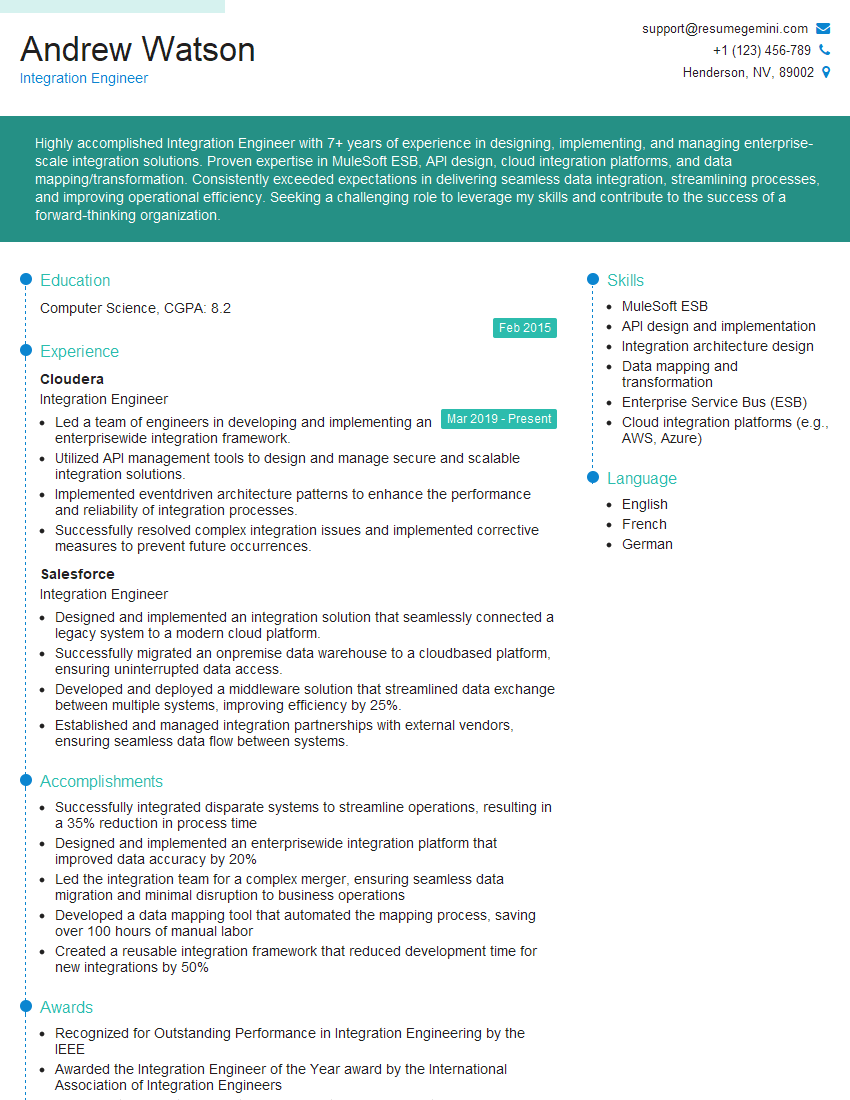
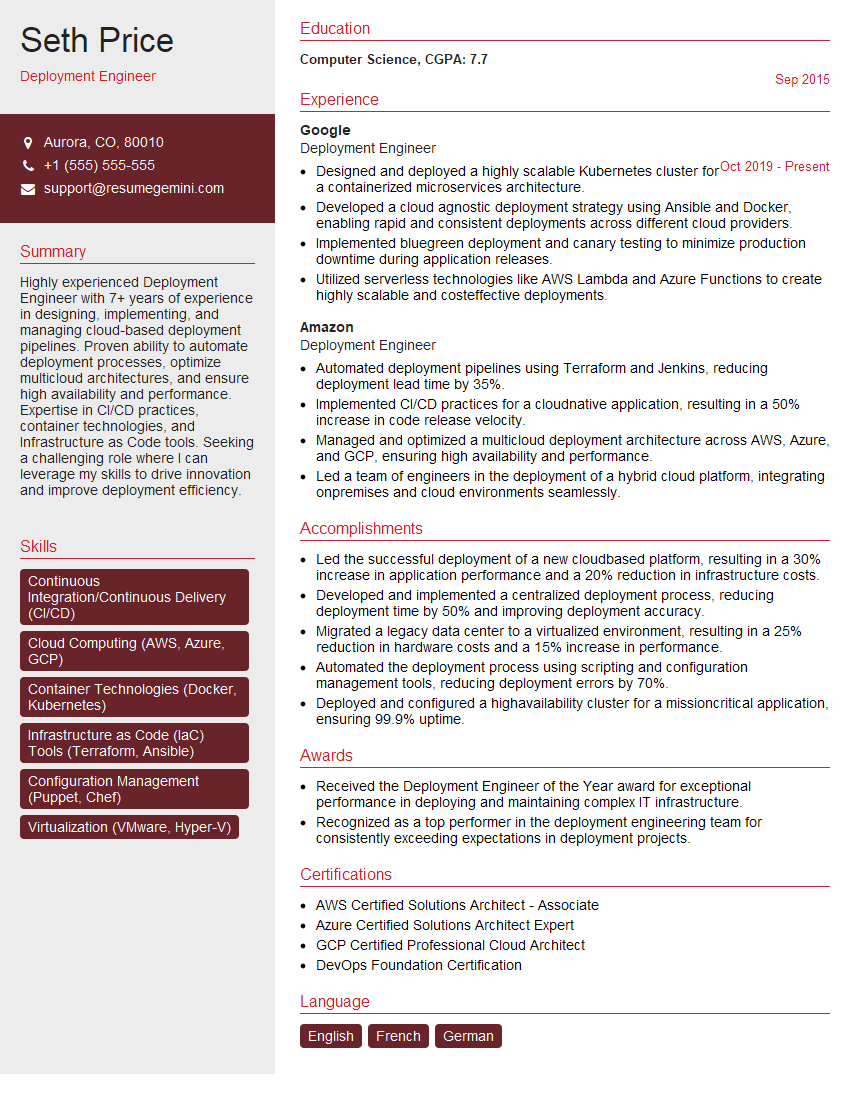
Mastering CI/CD best practices is essential for career advancement in today’s fast-paced software development landscape. Demonstrating this expertise significantly boosts your job prospects. To maximize your chances, create a compelling, ATS-friendly resume that clearly highlights your skills and experience. ResumeGemini is a trusted resource to help you build a professional and impactful resume that catches the eye of recruiters. We provide examples of resumes tailored to CI/CD best practices to help you get started. Take the next step towards your dream job – build your best resume today!



Explore more articles
Users Rating of Our Blogs
Share Your Experience
We value your feedback! Please rate our content and share your thoughts (optional).
What Readers Say About Our Blog
Very informative content, great job.
good