The right preparation can turn an interview into an opportunity to showcase your expertise. This guide to Packer interview questions is your ultimate resource, providing key insights and tips to help you ace your responses and stand out as a top candidate.
Questions Asked in Packer Interview
Q 1. Explain what Packer is and its primary function.
Packer is an open-source tool from HashiCorp that creates consistent machine images for multiple platforms from a single source configuration. Think of it as a factory assembly line for virtual machine (VM) images. Instead of manually building images for each environment (AWS, Azure, GCP, etc.), Packer automates the entire process, ensuring consistency and reproducibility across all your infrastructure. Its primary function is to build and manage machine images, making them readily available for deployment and reducing human error in the process. This is crucial for infrastructure as code (IaC) initiatives, allowing you to version control and automate the entire image creation pipeline.
Q 2. Describe the different Packer builders you are familiar with.
Packer supports a wide range of builders, each responsible for interacting with a specific infrastructure provider. Some of the most common builders I’ve used include:
amazon-ebs: Creates Amazon Machine Images (AMIs) on Amazon EC2.azure-arm: Builds Azure virtual machine images in Microsoft Azure.google-compute: Generates Google Compute Engine (GCE) images.virtualbox-iso: Creates VirtualBox disk images.vmware-vmx: Builds VMware virtual machines.parallels: Creates Parallels virtual machines.
The choice of builder depends entirely on your target cloud or virtualization platform. For example, if you’re deploying to AWS, you’d use the amazon-ebs builder; for Azure, you’d use azure-arm, and so on. This flexibility is a key strength of Packer.
Q 3. How does Packer handle provisioners? Give examples.
Packer uses provisioners to customize the built image *after* the base image is created. Think of provisioners as the finishing touches added to a car on the assembly line – they install software, configure settings, and generally prepare the image for its intended use. They run *inside* the VM during the build process. Packer supports many provisioner types; some popular ones include:
shell: Executes shell scripts within the VM. This is incredibly versatile for custom tasks. For example,shell { inline = [ "sudo apt update", "sudo apt install -y nginx" ] }file: Copies files into the image. Great for configuration files or application binaries.ansible: Integrates Ansible playbooks for configuration management, allowing for more complex, automated configurations. This enables powerful infrastructure automation using a well established tool.puppet: Similar to Ansible, leverages Puppet manifests for infrastructure management.chef: Uses Chef recipes to provision the machine.
You can chain multiple provisioners together in a single Packer template to perform a series of actions. The order of provisioners is crucial; ensure dependencies are considered.
Q 4. What are the benefits of using Packer for image creation?
Using Packer for image creation offers several significant advantages:
- Consistency and Reproducibility: Packer ensures that images are built identically each time, eliminating inconsistencies caused by manual processes. This leads to fewer deployment issues and a more reliable infrastructure.
- Automation: It automates the entire image creation process, saving time and effort. This frees up valuable DevOps resources for more strategic tasks.
- Multi-platform Support: You can build images for multiple platforms (AWS, Azure, GCP, VMware, etc.) from a single configuration, simplifying management and ensuring consistency across your environments.
- Version Control: Packer templates are stored in version control systems (like Git), allowing you to track changes, revert to previous versions, and collaborate effectively on image definitions.
- Improved Security: Consistent, repeatable images reduce the attack surface and make security auditing easier.
In a professional setting, these advantages translate directly to increased efficiency, reduced errors, improved security, and a more streamlined DevOps process. It allows teams to focus on delivering value rather than repetitive manual tasks.
Q 5. Compare and contrast Packer with other image creation tools.
While Packer excels at creating consistent images across multiple platforms, other tools serve different purposes. Here’s a comparison:
- Packer vs. Vagrant: Vagrant focuses on creating and managing *development* environments, while Packer builds *production-ready* images. Vagrant often uses Packer-built images, but its primary function is local development workflow management.
- Packer vs. Cloud-Specific Tools: Cloud providers (AWS, Azure, GCP) offer their own image-building tools. However, Packer provides a vendor-agnostic approach. This allows teams to migrate between clouds more easily without needing to relearn different tools. This is a critical advantage for multi-cloud strategies.
In essence, Packer is a powerful, versatile image creation tool that complements, rather than replaces, other development and cloud-specific tools. It’s often integrated into a larger CI/CD pipeline, providing the foundation for consistent and reliable deployments.
Q 6. Explain the concept of a Packer template.
A Packer template is a JSON configuration file that defines how an image should be built. It specifies the builder (e.g., amazon-ebs), provisioners (e.g., shell, ansible), and other settings necessary for the image creation process. Think of it as a recipe for building a VM image. It’s highly configurable and allows you to tailor the image to your specific requirements. A simple template might look like this (simplified):
{ "builders": [ { "type": "amazon-ebs", "region": "us-west-2", "source_ami": "ami-0c55b31ad2299a701" } ], "provisioners": [ { "type": "shell", "inline": [ "sudo apt update", "sudo apt install -y nginx" ] } ] }This template specifies building an AMI in the us-west-2 region using a pre-existing AMI and then installing Nginx.
Q 7. How do you manage variables in Packer templates?
Packer offers several ways to manage variables in templates, promoting reusability and maintainability. The most common approach is using environment variables. This allows you to define variables outside the template, making it easily adaptable to different environments:
- Environment Variables: You can reference environment variables within the template using
${var.MY_VARIABLE}. This keeps sensitive information (like passwords) out of the template itself. For example,"ami_id": "${var.AMI_ID}"AMI_IDenvironment variable. variablesBlock: You can define variables directly within the template using thevariablesblock. This is useful for less sensitive values that don’t need to be externally managed. For example,"variables": { "instance_type": "t2.micro" }variable_files: This option allows you to include variable definitions from external JSON or YAML files, allowing for modularity and better organization of variables.
By effectively utilizing these methods, you can create flexible and reusable Packer templates that can be easily adapted to various environments and configurations.
Q 8. How does Packer handle dependencies between provisioners?
Packer executes provisioners sequentially, by default. This means each provisioner runs in order as defined in your Packer template. However, Packer doesn’t inherently offer a sophisticated dependency management system like a package manager (e.g., npm or pip). Dependencies between provisioners are managed implicitly through the order they are listed in the configuration file. If provisioner A needs to create a file that provisioner B will then modify, A must be listed before B. Attempting to run B before A will result in an error because the file created by A won’t exist.
For more complex scenarios, you can leverage provisioner features or external scripting to manage dependencies. For example, you could use a shell provisioner to check for the existence of a file created by a previous provisioner before proceeding. You might also use a conditional statement to execute provisioners only when certain prerequisites are met.
Example: Imagine a scenario where you first need to install a package (using a shell provisioner) before configuring a service (using another shell or an Ansible provisioner). The package installation provisioner needs to run *before* the service configuration provisioner. Listing them in this order ensures the dependency is correctly handled. A failure to follow this order would lead to errors.
{ "provisioners": [ { "type": "shell", "inline": ["apt-get update", "apt-get install -y mypackage"] }, { "type": "shell", "inline": ["systemctl enable myservice", "systemctl start myservice"] } ] }Q 9. Describe how you would troubleshoot a failed Packer build.
Troubleshooting a failed Packer build involves a systematic approach. First, carefully examine the error messages produced by Packer. They often pinpoint the exact cause of the failure. The logs contain very valuable information which can direct your next step.
- Check the Packer log files: These are usually found in the directory where you run Packer. Look for error messages, warnings, and any indication of what went wrong.
- Inspect the provisioner output: If the error is related to a provisioner (e.g., Ansible, shell), carefully analyze the output generated by the provisioner. The logs often provide clues on what failed, such as a specific command failing in a shell script or an Ansible task failing due to a misconfiguration.
- Verify your build configuration: Double-check the Packer template (
.jsonor.pkr.hcl) for any syntax errors, typos, or incorrect configurations. Pay close attention to provisioner settings, variable definitions, and the communicator settings. - Test individual provisioners: If you suspect a provisioner is causing the issue, you can test it separately, outside of Packer, to isolate the problem. This helps distinguish if the issue is due to the provisioner’s logic or a problem within the Packer configuration file.
- Simplify your template: If the error is difficult to track, try removing provisioners one by one until you identify the culprit. This helps to reduce the complexity of troubleshooting.
- Check your base image: Make sure the base image you’re using is up-to-date and compatible with your provisioners. The cause of a failure is sometimes found in an outdated base image.
Remember to use the -debug flag when running Packer to obtain more verbose logging information. It can significantly assist in diagnosing complex issues. For example, running packer build -debug my-template.json.
Q 10. How do you incorporate security best practices into your Packer workflows?
Security is paramount when building and managing infrastructure. Here’s how I integrate security best practices into Packer workflows:
- Use minimal base images: Start with a base image that only includes the necessary packages and services. This reduces the attack surface of the resulting image.
- Regularly update base images: Keep your base images up-to-date with the latest security patches to address known vulnerabilities.
- Secure provisioners: Use encrypted secrets management to avoid hardcoding sensitive information like passwords directly in Packer templates. Instead, utilize environment variables, HashiCorp Vault, or other secret management systems.
- Use SSH keys instead of passwords: Configure SSH keys for communication with remote hosts instead of relying on passwords. If passwords are required, use a strong password generator and store them in a secure way.
- Regular security scans: Integrate security scanning tools into your CI/CD pipeline to scan the resulting images for vulnerabilities before deploying them to production.
- Principle of Least Privilege: Ensure your provisioners and base images only have the minimum necessary privileges to perform their tasks.
- Regular Image Updates: Ensure that images are rebuilt regularly to pick up security updates and patches
Example: Instead of directly embedding the database password in the Ansible provisioner, I will use an environment variable to securely inject it during execution.
Q 11. Explain the concept of immutable infrastructure and how Packer supports it.
Immutable infrastructure refers to the practice of creating and deploying new infrastructure instances (servers, VMs) for every change, rather than modifying existing ones. This approach significantly reduces risk and improves manageability. Once an instance is deployed, it remains unchanged. If any updates are needed, a new instance is built and deployed, rendering the old one obsolete.
Packer perfectly supports immutable infrastructure. By generating new images for each release, it ensures consistency and repeatability. Changes to the infrastructure configuration (e.g., software versions, configurations) are reflected in a new image. Therefore, rolling back to a previous state is as simple as deploying an older image. This eliminates the risk of configuration drift and simplifies disaster recovery.
In practice: Instead of manually updating a running server, you update your Packer template, build a new image with the desired updates, and replace the old server with the new image. This approach reduces the complexity of updating and patching processes and diminishes the risk associated with making changes to an existing system in production.
Q 12. How do you manage different environments (dev, test, prod) with Packer?
Managing different environments (dev, test, prod) with Packer involves leveraging Packer’s variable capabilities and conditional logic. You can define variables in your Packer template to specify environment-specific configurations.
Example approach: Create a single Packer template with variables for environment-specific settings (e.g., DNS settings, database credentials). Use different variable files (e.g., dev.json, test.json, prod.json) to set values for each environment. Packer will then use these variables during the build process to generate images tailored to each environment.
Another approach involves using different Packer templates for each environment and sharing a common base template through modules. This promotes reuse and maintainability. Packer’s build processes can be automated through CI/CD pipelines and can easily use environment-specific variables as inputs.
# Example using environment variables in a shell provisioner { "provisioners": [ { "type": "shell", "inline": [ "export DB_HOST=" + {{env "DB_HOST"}} + ";", "export DB_USER=" + {{env "DB_USER"}} + ";", "echo " + {{env "DB_PASS"}} ] } ] }By carefully managing variables, you maintain consistent builds while adapting to differences in configurations among environments.
Q 13. Describe your experience with Packer’s communication with remote hosts.
Packer communicates with remote hosts using communicators. These are plugins that handle the low-level details of connecting to and interacting with the target environment during the image building process. The most common is the ssh communicator, but others exist depending on the target infrastructure.
SSH communicator: This is used for communicating with remote hosts via SSH. You’ll specify the host’s IP address or hostname, the user, and potentially an SSH private key to authenticate. Packer utilizes the SSH connection to execute commands, upload files, and generally orchestrate the process of building the image on the remote host.
Other communicators: Packer supports other communicators for different scenarios such as VirtualBox, VMware, Hyper-V etc. The choice of communicator depends entirely on your target infrastructure and how you access it. Configuration of the communicators is primarily done through the ‘communicator’ block in the template. Secure connections must always be prioritized using SSH keys, not passwords.
Troubleshooting communication issues: If communication fails, verify the communicator configuration, network connectivity to the remote host, and SSH credentials. Also, ensure that any firewalls are not blocking the necessary ports.
Q 14. How do you integrate Packer into a CI/CD pipeline?
Integrating Packer into a CI/CD pipeline is crucial for automation and reproducibility. The specific implementation depends on your CI/CD system (e.g., Jenkins, GitLab CI, CircleCI, GitHub Actions). However, the general process involves:
- Version Control: Store your Packer templates and associated files (e.g., provisioner scripts, variable files) in a version control system like Git. This allows for tracking changes, collaboration, and rollback capabilities.
- Triggering Packer: Configure your CI/CD system to trigger a Packer build upon specific events. This could be a code push, a merge request, or a scheduled job.
- Building the Images: Use the CI/CD system to execute the Packer build command. This should typically take place on a build server or agent that can access the necessary infrastructure (e.g., cloud provider).
- Artifact Management: Integrate with an artifact repository (e.g., Amazon S3, Google Cloud Storage) to store the resulting images. This allows for easy retrieval and distribution of images to different environments.
- Notifications: Configure notifications to inform the team of build success or failure. This helps in quickly identifying problems.
Example (Conceptual using a shell script): Your CI/CD pipeline would execute a script that runs the Packer build command. This script would handle authentication, passing necessary variables, and uploading the images to a repository. This approach allows for the incorporation of security practices, managing dependencies, and creating automation which minimizes manual intervention.
Q 15. How do you optimize Packer builds for speed and efficiency?
Optimizing Packer builds for speed and efficiency is crucial for streamlining your infrastructure provisioning. It’s like optimizing a recipe – you want the best results with the least amount of time and resources. We achieve this through several key strategies:
Caching: Packer’s caching mechanism is your best friend. It stores artifacts from previous builds (like downloaded packages or virtual machine snapshots), dramatically reducing build times on subsequent runs. Configuring proper caching significantly minimizes redundant operations.
Provisioners: Choose the most efficient provisioners for your tasks. For example, using
shellprovisioners for simple tasks is faster than more complex ones. For large, complex configurations, consider using tools like Ansible or Chef within Packer for parallel execution.Parallel Builds: If your build process involves multiple steps that are independent of each other, leverage Packer’s capabilities to run these steps concurrently. This can significantly reduce overall build time. This is analogous to preparing multiple parts of a meal simultaneously rather than sequentially.
Optimized Base Images: Start with minimal base images. A smaller base image means less to download and process, leading to quicker build times. You wouldn’t start with a fully loaded truck to deliver a small package; similarly, choose images relevant to your needs.
Build Strategies: Experiment with different build strategies, such as using a builder that is tailored to your target platform. For instance, using the `virtualbox-iso` builder may be slower than `virtualbox-ova` depending on your use case.
Resource Allocation: Ensure your build machines have adequate CPU, memory, and network bandwidth. A starved build environment will inevitably slow down the entire process.
Example: Utilizing packer build -only=amazon-ebs to specify only the Amazon EBS builder and reduce time spent on unnecessary builders. Further, properly configuring the cache settings to retain the build artifacts is crucial.
Career Expert Tips:
- Ace those interviews! Prepare effectively by reviewing the Top 50 Most Common Interview Questions on ResumeGemini.
- Navigate your job search with confidence! Explore a wide range of Career Tips on ResumeGemini. Learn about common challenges and recommendations to overcome them.
- Craft the perfect resume! Master the Art of Resume Writing with ResumeGemini’s guide. Showcase your unique qualifications and achievements effectively.
- Don’t miss out on holiday savings! Build your dream resume with ResumeGemini’s ATS optimized templates.
Q 16. Explain how you would handle sensitive data within Packer templates.
Handling sensitive data within Packer templates requires a multi-layered approach. Think of it like securing a high-value asset – you need multiple locks and alarms! We never hardcode sensitive information directly into templates.
Environment Variables: The preferred method is to use environment variables. You define the sensitive data outside the template, keeping it out of version control. Packer can then access these variables during the build process. This ensures that the sensitive information is never checked in.
Packer Variable Files: Similar to environment variables, but you can structure them in a more organized way, especially useful for larger projects. This allows for separation of concerns.
Secrets Management Systems: For more robust security, integrate with dedicated secrets management systems like HashiCorp Vault or AWS Secrets Manager. These systems provide secure storage, access control, and auditing capabilities.
Encryption: Encrypt sensitive data at rest and in transit. This adds an extra layer of security in case of breaches.
Example: Instead of putting an API key directly in the template, I’d use {{env "API_KEY"}}. The API_KEY would be set as an environment variable on the build machine.
API_KEY=mysecretkey packer build template.json
Q 17. Describe your experience using different Packer post-processors.
Post-processors in Packer are like the finishing touches on a product. They perform actions after the image is built, such as uploading it to a cloud provider or creating an artifact. I’ve extensively used several, including:
Amazon S3: For uploading built images to Amazon S3. This is crucial for distribution and deployment. This is the most common post-processor in my experience.
Azure Blob Storage: Similar to S3, but for Azure Blob Storage. The configuration for this is almost identical to the S3 post-processor.
Google Cloud Storage: Used for uploading to Google Cloud Storage (GCS). GCS is a great alternative for cost effectiveness and scalability.
Local File: For saving the built image to a local directory. Simple and efficient for testing or when cloud storage is unavailable.
Null: A post-processor that effectively does nothing. Useful when you are only testing the build and don’t want any post-processing actions.
Example: An S3 post-processor configuration might look like this (simplified):
{
  "type": "amazon-s3",
  "bucket": "my-packer-bucket",
  "access_key": "YOUR_ACCESS_KEY",
  "secret_key": "YOUR_SECRET_KEY"
}
In a real-world setting, I’ve used post-processors extensively for automating the deployment of newly built images into various environments, and utilizing them to trigger other automation tasks.
Q 18. How do you version control your Packer templates?
Version control for Packer templates is paramount for maintainability and collaboration. I always use Git for this purpose. It’s like keeping a detailed recipe book with version history, allowing easy comparison and rollback.
Repository Organization: I keep my Packer templates in a dedicated Git repository. This keeps them separate from other project code, promoting better organization. Well-structured folders help too.
Commit Messages: Clear and concise commit messages are essential. They document changes, facilitating easier debugging and tracking.
Branching Strategy: Using branches for new features or bug fixes allows for parallel development without interfering with the main template. Pull requests ensure code reviews and quality control.
.gitignore: A well-defined
.gitignorefile is crucial to exclude build artifacts and sensitive data from being committed into the repository. This prevents accidental exposure of sensitive information.
Example: I would have branches named `feature/add-new-provisioner` or `bugfix/resolve-build-failure` to track individual changes and ensure better clarity.
Q 19. How do you handle errors and logging in your Packer builds?
Error handling and logging are critical for identifying and resolving issues in Packer builds. This is akin to troubleshooting a faulty machine; you need logs to see where things are going wrong.
Packer’s Built-in Logging: Packer provides comprehensive logging capabilities. The level of detail can be adjusted through the command-line options or within the template configuration to suit your needs. Pay close attention to both the stdout and stderr outputs.
Structured Logging: When dealing with complex builds, structuring logs in a machine-readable format (like JSON) simplifies parsing and analysis, especially in automated CI/CD pipelines.
Log Aggregation: For larger projects, consider using a centralized log aggregation system such as Elasticsearch, Fluentd, and Kibana (EFK stack) or other similar solutions for easy monitoring and analysis.
Provisioner Logging: Ensure your provisioners (Ansible, Chef, Shell, etc.) also log their actions thoroughly. This helps pinpoint issues during the provisioning phase.
Example: Using the -debug flag during build process can provide extremely detailed logging information that aids in resolving issues.
Q 20. Explain how you would debug a complex Packer build issue.
Debugging a complex Packer build issue requires a systematic approach. Think of it as detective work – you need clues to solve the mystery. Here’s a step-by-step strategy:
Reproduce the Issue: First, ensure you can consistently reproduce the error. This often involves simplifying the build or creating a minimal reproducible example.
Review Logs: Examine the Packer logs thoroughly. Pay close attention to error messages, warnings, and any unusual behavior. Look at both the Packer logs and logs from the provisioners.
Check Configuration: Review your Packer template configuration carefully for any typos, syntax errors, or incorrect settings. Ensure that all referenced variables and files exist and are accessible.
Isolate the Problem: Try commenting out sections of your template or provisioners to isolate the source of the problem. This approach helps you pinpoint what’s causing the issue.
Simplify the Build: If the template is very complex, create a simplified version to test parts of the build in isolation. This is like examining components of a machine individually to find a faulty part.
Use Debug Mode: Running Packer with the
-debugflag can provide extremely detailed logging, revealing the causes of issues that are difficult to trace otherwise.Community and Documentation: If you’re still stuck, consult the official Packer documentation and the community forums. Many common problems have already been solved and documented.
Q 21. How familiar are you with Packer’s CLI?
I am very familiar with Packer’s CLI. I use it daily and find it to be a powerful and flexible tool. It’s the primary way I interact with Packer. My familiarity extends to many commands and options.
packer build: The core command to build images.packer validate: To check the template for errors before a full build.packer inspect: For inspecting the template’s structure and configurations.Advanced Options: I use various command-line options for controlling aspects like logging level, only building certain builders, configuring caching, and parallel execution. This allows for fine-grained control over the build process.
I’m confident in utilizing the CLI for both simple and complex build scenarios, and I understand its nuances and features well. My day-to-day tasks frequently involve using the CLI to build, debug and manage the Packer processes effectively.
Q 22. Describe a situation where you had to troubleshoot a complex Packer build failure.
One time, I was building a Packer template for a highly customized Ubuntu server intended for a production environment. The build kept failing during the provisioner phase with a cryptic error message related to a missing dependency. This was particularly frustrating as the build had worked previously. My troubleshooting started with carefully reviewing the logs. I noticed that the error occurred after a specific package installation within the provisioner script. I realized I had inadvertently made a change to the provisioning script earlier that day that was using a path that was inconsistent with the actual system after the initial OS installation.
To resolve it, I isolated the problem by commenting out sections of the provisioner script until I found the exact line causing the issue. It turned out the relative path I was using for my post-installation script wasn’t correct within the containerized build environment. The fix involved changing the relative paths to absolute paths using the /usr/bin/env command which ensured the script correctly found the packages. By meticulously examining the log output step by step and isolating the issue, I avoided a full rebuild from scratch. This approach saves time and helps identify subtle errors in long and complex build processes.
Q 23. How do you ensure the consistency and repeatability of your Packer builds?
Consistency and repeatability in Packer builds are crucial for reliable infrastructure deployments. I achieve this through several key practices:
- Version Control: All Packer templates and associated scripts are stored in a version control system like Git. This allows me to track changes, revert to previous versions, and collaborate effectively.
- Configuration Management: Sensitive data like access keys and passwords are managed separately using tools like HashiCorp Vault or AWS Secrets Manager. This ensures that the templates are secure and don’t contain hardcoded credentials.
- Automated Testing: I always include automated tests as part of the CI/CD pipeline to validate that the resulting image meets the desired specifications. This could involve running automated tests post-build to ensure all services and packages are working correctly.
- Immutable Infrastructure: Packer creates immutable images, meaning once an image is built, it’s never modified. This ensures that all deployed instances are consistent and identical.
- Modular Templates: I break down complex templates into smaller, reusable modules. This promotes maintainability and reduces redundancy. This also makes it easier to swap in changes for different configurations or targets.
This combined strategy guarantees builds consistently generate the same images every time, creating reliable and predictable infrastructure.
Q 24. What are some common pitfalls to avoid when using Packer?
Common pitfalls to avoid when using Packer include:
- Ignoring Provisioner Errors: Carefully examine the logs of every build step, paying close attention to provisioner errors. Often, a simple mistake in a shell script or provisioner configuration can derail the entire build.
- Hardcoding Credentials: Never hardcode sensitive information like API keys or passwords directly into Packer templates. Instead, use environment variables or dedicated secrets management tools.
- Overly Complex Templates: Break down large, complex templates into smaller, more manageable modules to improve readability and maintainability. This dramatically reduces debugging time and prevents subtle errors caused by excessive complexity.
- Neglecting Testing: Thoroughly test your Packer templates before deploying them to production. This can involve creating test environments to verify that the images built by Packer function as expected in real-world scenarios.
- Inconsistent Provisioning: Ensure consistent behavior across different operating systems by carefully planning your scripts. Consider using consistent naming schemes to prevent confusion and conflict.
Q 25. Describe your experience using Packer with different cloud providers (e.g., AWS, Azure, GCP).
I have extensive experience using Packer with AWS, Azure, and GCP. The core principles remain consistent across all providers, but the specifics of the builders and provisioners differ.
With AWS, I frequently leverage the AMI builder to create custom Amazon Machine Images. I utilize the amazon-ebs builder for creating persistent storage volumes. Provisioning usually involves scripts written in shell or using tools like Ansible or Chef.
For Azure, the Azure Resource Manager (ARM) template integration is invaluable. This allows creating custom images that seamlessly integrate with Azure’s infrastructure. I often use the azure-arm builder. Similar provisioning techniques apply.
With GCP, the Compute Engine builder is used to create custom images for use with Google Cloud instances. The builders for these different clouds follow similar patterns, with the most significant differences being the specific configurations needed within the builder block, and the unique considerations for the respective cloud’s native provisioning and management tools.
Q 26. How would you design a Packer template for a highly secure application?
Designing a highly secure Packer template involves a multi-layered approach:
- Minimal Base Image: Start with a minimal base image containing only essential packages, reducing the potential attack surface.
- Regular Security Updates: Use a base image that receives regular security updates. This is critical for staying ahead of vulnerabilities.
- Security Hardening: Implement security best practices within the provisioner phase, such as disabling unnecessary services, strengthening SSH configurations, and enabling firewalls.
- Regular Patching: Include automated scripts to perform regular patching and security updates in the post-build phase, using tools that ensure patch installation is seamless.
- Least Privilege: Run processes with the principle of least privilege, granting only the necessary permissions to each user and application.
- Secret Management: Employ dedicated secrets management solutions like HashiCorp Vault to handle sensitive data outside the Packer template itself.
- Regular Scanning: Integrate regular security scanning using tools like Trivy or Clair to identify vulnerabilities throughout the image build process. This should be included in any automated testing process.
Combining these strategies results in a secure image that can be deployed reliably.
Q 27. Explain how Packer contributes to infrastructure as code (IaC).
Packer plays a significant role in Infrastructure as Code (IaC) by enabling the creation of consistent and reproducible machine images. These images, described entirely in code using Packer’s configuration language, become a fundamental building block for your infrastructure.
Instead of manually configuring servers, IaC allows you to define the entire infrastructure, including the underlying images, in code. This approach provides version control, repeatability, and automation. Packer fits within this by automating the creation of the images, which then get deployed via other IaC tools such as Terraform or CloudFormation. This integration ensures the entire infrastructure, from the base images to the deployed instances, is managed in a consistent and repeatable way, directly supporting infrastructure as code.
Q 28. Discuss your experience with using plugins to extend Packer’s functionality.
I’ve used several Packer plugins to enhance its functionality. For example, I’ve utilized plugins to integrate with specific cloud provider features, such as adding specialized configurations during the build process. This provides much greater flexibility. Plugins can also automate tasks that might otherwise require manual intervention or scripting, such as injecting custom metadata into the image.
One scenario involved using a plugin to streamline the installation of custom drivers for specific hardware in the provisioner phase. This reduced deployment time and increased automation. Using plugins allows extending Packer to meet specific needs without having to create extensive custom scripts.
Key Topics to Learn for Packer Interview
- Packer Fundamentals: Understand the core concepts of Packer, its purpose, and its role in infrastructure-as-code.
- Building Images: Master the process of creating machine images using Packer, including configuration files (JSON or HCL), provisioners, and builders.
- Provisioners: Gain expertise in using various provisioners like Shell, Ansible, Chef, or Puppet to configure your images.
- Builders: Learn to utilize different builders for various platforms like VMware, VirtualBox, AWS, Azure, and GCP. Understand their respective configurations and limitations.
- Post-Processor: Learn how to utilize post-processors to further manipulate or upload your built images.
- Variables and Templates: Effectively manage configurations using variables and templates for reusable and maintainable Packer configurations.
- Networking: Understand how Packer handles networking configurations within the created images.
- Error Handling and Debugging: Develop strategies for troubleshooting common issues encountered during image building.
- Advanced Techniques: Explore more advanced topics like using Packer with CI/CD pipelines, managing secrets, and optimizing image sizes.
- Security Best Practices: Understand security implications and best practices when building and managing images with Packer.
Next Steps
Mastering Packer significantly enhances your DevOps skills and opens doors to exciting opportunities in cloud infrastructure management and automation. To increase your chances of landing your dream role, it’s crucial to present your skills effectively. Building an ATS-friendly resume is key. We strongly recommend leveraging ResumeGemini, a trusted resource for creating professional and impactful resumes. Examples of resumes tailored to highlight Packer expertise are available to help you get started.

Principal Engineer Resume Sample

Software Engineer Resume Sample

Automation Engineer Resume Sample

System Administrator Resume Sample

Infrastructure Architect Resume Sample

Automation Specialist Resume Sample

Technical Lead Resume Sample

DevOps Engineer Resume Sample

Cloud Architect Resume Sample
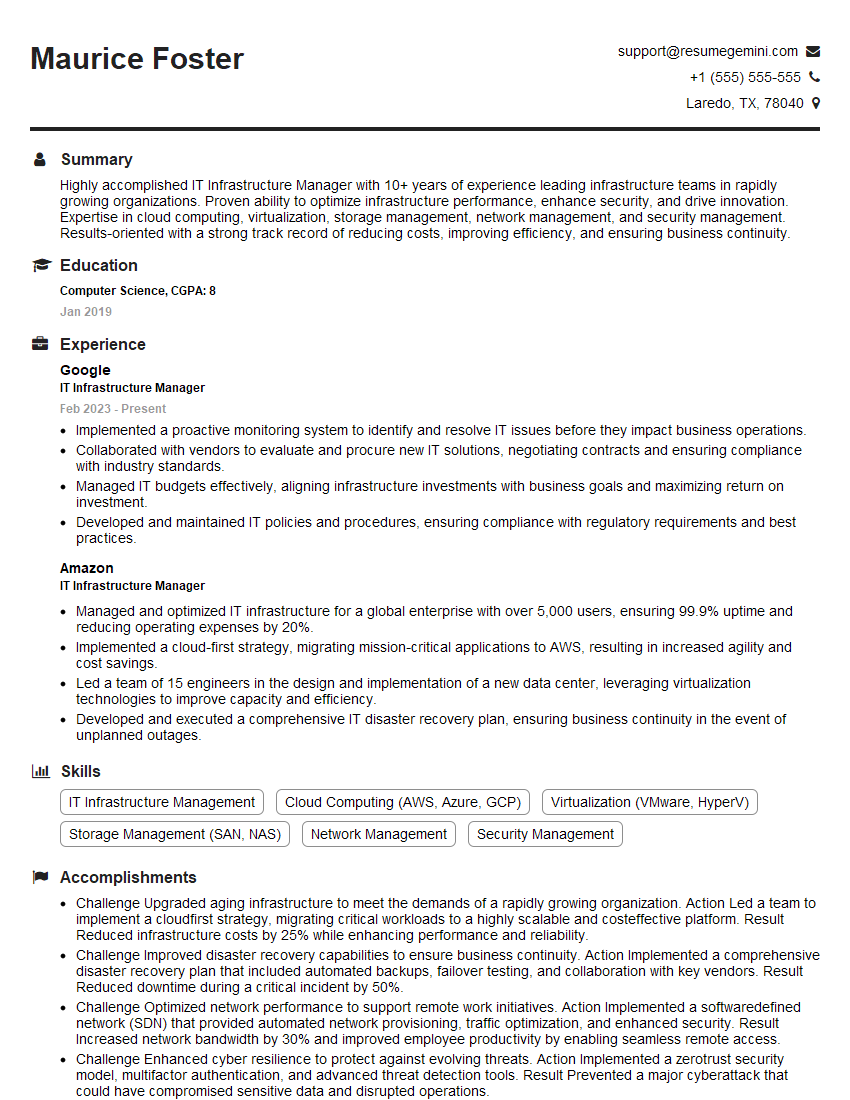
IT Infrastructure Manager Resume Sample
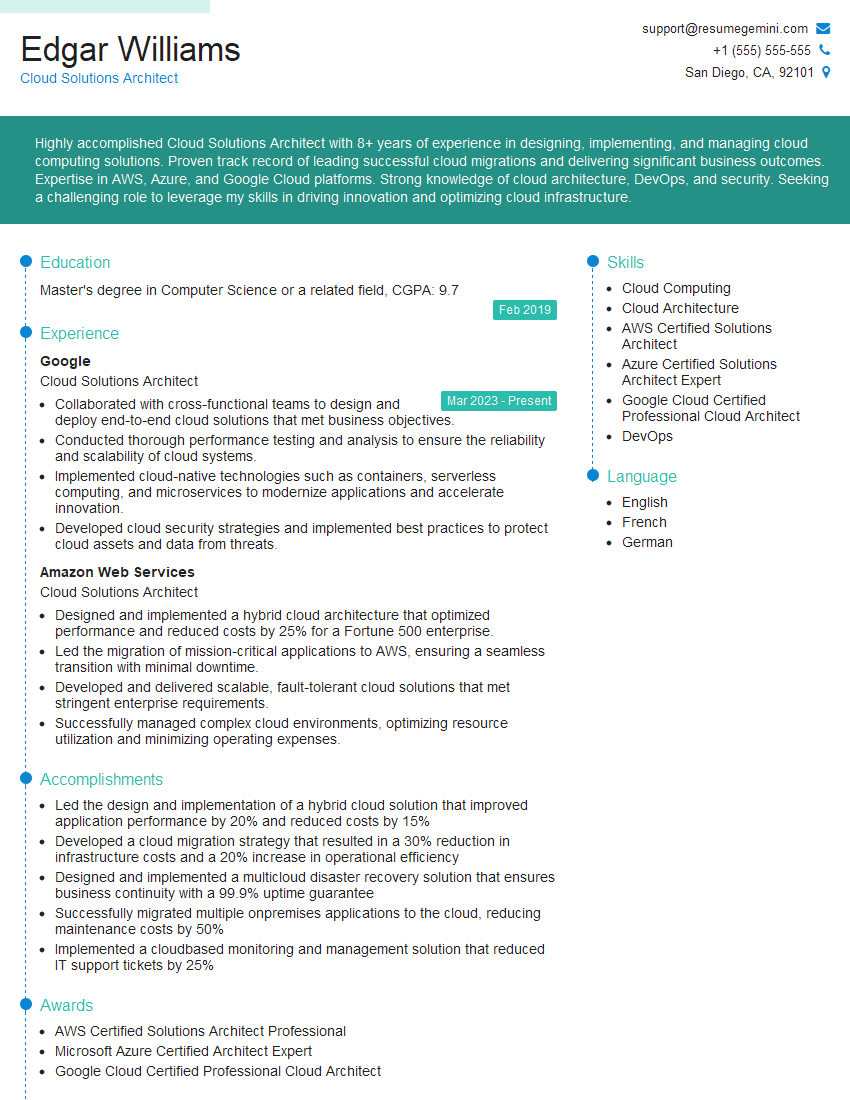
Cloud Solutions Architect Resume Sample
Explore more articles
Users Rating of Our Blogs
Share Your Experience
We value your feedback! Please rate our content and share your thoughts (optional).
What Readers Say About Our Blog
Very informative content, great job.
good