Unlock your full potential by mastering the most common Cues and Commands Knowledge interview questions. This blog offers a deep dive into the critical topics, ensuring you’re not only prepared to answer but to excel. With these insights, you’ll approach your interview with clarity and confidence.
Questions Asked in Cues and Commands Knowledge Interview
Q 1. Explain the difference between a cue and a command in an industrial automation context.
In industrial automation, cues and commands are distinct signals instructing a system’s behavior. A cue is a passive indicator or signal; it informs the system of a condition or event. It doesn’t directly trigger an action. Think of it as a suggestion or notification. A command, however, is an active instruction that initiates a specific action or process. It dictates what the system *must* do.
Example: Imagine a robotic arm in a manufacturing line. A sensor detecting a part’s presence on a conveyor belt is a cue. The command to pick up that part is a separate signal – the command that triggers the robotic arm’s action. The cue informs the system ‘a part is available’; the command instructs it ‘pick up the part’.
Q 2. Describe different types of cues used in automation systems.
Automation systems use various cue types:
- Sensor Cues: These originate from sensors monitoring physical parameters like temperature, pressure, flow rate, proximity, or light. For instance, a temperature sensor exceeding a threshold could cue a cooling system’s activation.
- Timer Cues: These are time-based signals. A daily schedule activating a cleaning process at midnight is a timer cue.
- Logic Cues: These are derived from internal system conditions or results of data processing. A software flag indicating a buffer is full can cue a process to stop.
- Human-Machine Interface (HMI) Cues: These are generated from operator actions on an HMI panel—a button press, a parameter change, etc. An operator pressing ‘start’ could cue the initiation of a sequence.
The key is that none of these cues directly trigger actions; they only provide information to the system’s control logic.
Q 3. How do commands differ in real-time and non-real-time systems?
Commands in real-time and non-real-time systems differ significantly in their timing requirements and consequences of delays. Real-time systems demand immediate execution of commands with strict timing constraints. A delay could be catastrophic. Non-real-time systems, on the other hand, have more flexible timing requirements; delays are tolerable.
Example: In a process control system, a command to shut down a valve to prevent an overflow is real-time; a delay here could lead to damage. However, a command to send an email report of daily production is non-real-time; a minor delay isn’t critical. Real-time commands often involve prioritization and preemptive scheduling to guarantee timely execution.
Q 4. What are the safety considerations when designing cue and command systems?
Safety is paramount in cue and command systems. Poor design can lead to accidents or equipment damage. Key safety considerations include:
- Redundancy and Fail-Safes: Multiple independent systems and fail-safe mechanisms (e.g., emergency stops) should be implemented to handle command failures or sensor malfunctions.
- Emergency Stop Mechanisms: Easily accessible and reliable emergency stop buttons or switches should always be incorporated.
- Interlocks: Interlocks ensure that certain commands are only executed under specific preconditions. For example, a robot arm can only operate if the safety gate is closed.
- Clear Visual and Audible Alerts: Systems must provide clear indication of critical status and potential hazards.
- Safety Instrumented Systems (SIS): Employing SIS ensures that safety-critical functions are performed reliably even during failures.
Rigorous testing and validation are essential to verify safety features before deployment.
Q 5. Explain the concept of command sequencing and its importance.
Command sequencing is the ordered execution of a series of commands. It’s crucial in automation for coordinating complex operations. The sequence defines the precise order and timing of actions.
Importance: Without proper sequencing, actions may be performed in the wrong order, leading to errors or damage. Consider a robotic welding process; each weld point requires a specific sequence of movements—approach, weld, retract. An incorrect sequence could ruin the weld or damage the robot. Sequencing often involves programmable logic controllers (PLCs) or other control systems that execute a predefined set of instructions.
Q 6. How do you handle conflicting commands in an automation system?
Conflicting commands are a potential hazard in any automation system. Handling these conflicts requires a well-defined priority scheme. Several strategies can be employed:
- Priority-Based Resolution: Assigning priority levels to commands ensures that higher-priority commands override lower-priority ones. Emergency stop commands always have the highest priority.
- Time-Based Resolution: The latest command received within a specific timeframe is executed. This can be suitable in situations where commands are sent frequently.
- Interlock Mechanisms: Using interlocks prevents execution of conflicting commands. For instance, a command to open a valve might be blocked if another command to close it is active.
- Error Handling and Reporting: Proper error handling includes detecting and logging conflicting commands. This allows operators to identify and address issues.
The best strategy depends on the specific application and safety requirements.
Q 7. Describe the role of feedback mechanisms in cue and command systems.
Feedback mechanisms are essential for ensuring the accurate execution of cues and commands. They provide information about the system’s response to commands. This feedback closes the control loop and enables corrections if necessary.
Types of Feedback:
- Sensor Feedback: Sensors monitor the system’s state (position, speed, temperature, etc.) and provide feedback to the control system to verify command execution. A robot arm’s position sensor can confirm that it has moved to the desired location.
- Software Feedback: Software flags or status signals can indicate the completion or success of a command. A database update confirmation is a software feedback mechanism.
- Human Feedback: Operators can provide feedback through HMIs, reporting on observations and correcting deviations from expected behavior.
Feedback mechanisms are critical for error detection, control system adjustments, and overall system reliability.
Q 8. Explain how you would troubleshoot a malfunctioning cue or command system.
Troubleshooting a malfunctioning cue and command system requires a systematic approach. Think of it like diagnosing a car problem – you wouldn’t just start replacing parts randomly. You need to isolate the issue.
- Identify the symptom: What exactly is failing? Is a specific device not responding? Are cues being misinterpreted? Is there a timing issue? Document the precise behavior.
- Check the obvious: Are power supplies functioning correctly? Are network connections established and stable? Are there any visible signs of damage (loose wires, burnt components)?
- Examine the cue/command sequence: Carefully trace the path of each cue and its corresponding command. Use a logic analyzer or debugging tools to monitor signals at various points in the system to pinpoint where the malfunction occurs. This helps identify if the problem is in the cue generation, transmission, reception, or command execution stages.
- Consult documentation and logs: The system should have logs that record events and errors. Review these logs to see if any error messages or unusual activity occurred around the time of the malfunction. Check the system’s technical documentation for troubleshooting guides.
- Test components individually: Once you’ve narrowed down the potential problem area, test individual components to see if they are faulty. This might involve swapping out components with known good ones.
- Use simulation: Create a simulated environment to test your cues and commands and observe the response in a controlled setting. This is particularly useful for isolating problems related to timing or sequencing.
For example, if a robotic arm isn’t moving in response to a specific cue, you might first check the power to the motor, then the communication link between the controller and the arm, and finally the programming of the arm’s control logic.
Q 9. What programming languages are commonly used for implementing cue and command systems?
The choice of programming language for a cue and command system depends heavily on the target environment and the system’s complexity. Here are some common choices:
- C/C++: Often used for real-time systems requiring high performance and deterministic behavior. This is crucial in industrial automation where precise timing is paramount. They offer low-level control and efficient memory management.
- Python: Popular for scripting, prototyping, and higher-level logic due to its ease of use and vast libraries. It’s often used for integrating different components and building user interfaces.
- Ladder Logic (for PLCs): A graphical programming language specifically designed for programmable logic controllers (PLCs). It’s intuitive for representing control logic using symbols that resemble electrical relay circuits.
- Structured Text (ST): A textual programming language used with PLCs, offering more flexibility than ladder logic for complex control algorithms.
In many cases, a hybrid approach is used. For example, a real-time kernel written in C++ might handle low-level communication and timing, while higher-level logic and user interface aspects are implemented in Python.
Q 10. How do you ensure the reliability and robustness of a cue and command system?
Reliability and robustness in cue and command systems are paramount, especially in safety-critical applications. Here’s how to ensure them:
- Redundancy: Implement redundant components and communication pathways. If one component fails, another can take over seamlessly. This might involve using dual processors or multiple network interfaces.
- Error Handling: Implement robust error handling mechanisms to gracefully manage unexpected situations. This includes checks for invalid cues, communication timeouts, and hardware failures. Proper error handling prevents cascading failures.
- Fail-safe Mechanisms: Design the system to automatically revert to a safe state in case of failure. For instance, if a robotic arm receives an invalid command, it should stop immediately rather than continuing with potentially dangerous actions.
- Regular Testing and Maintenance: Implement a rigorous testing and validation plan, including unit testing, integration testing, and system testing. Regular maintenance, including software updates and hardware checks, is essential for preventing issues and ensuring long-term reliability.
- Code Quality: Follow coding best practices, use version control, and perform code reviews to reduce the likelihood of errors. Clean and well-documented code is easier to debug and maintain.
Think of a flight control system – reliability is not optional. Every conceivable failure mode needs to be addressed to guarantee safety.
Q 11. What are the common communication protocols used in cue and command systems?
The communication protocols used in cue and command systems depend largely on the application and the physical distance between components. Some common protocols include:
- Ethernet/IP: A widely used industrial Ethernet protocol offering high speed and reliability for automation networks.
- PROFINET: Another industrial Ethernet protocol known for its real-time capabilities and suitability for demanding applications.
- Modbus TCP/RTU: A simple and widely supported protocol suitable for a range of devices and applications. RTU is used for serial communication, while TCP is used for Ethernet.
- CAN bus (Controller Area Network): Often used in automotive and embedded systems for its robustness and real-time properties.
- Fieldbus protocols (Profibus, Foundation Fieldbus): Designed for process automation, these protocols enable communication with many field devices.
The choice depends on factors like speed, determinism, network size, and cost. For example, a high-speed robotic arm might use Ethernet/IP, while a simple sensor network could use Modbus RTU.
Q 12. Explain your experience with different types of industrial controllers.
My experience encompasses various industrial controllers, including:
- Programmable Logic Controllers (PLCs): I’ve worked extensively with PLCs from various manufacturers such as Siemens, Allen-Bradley, and Schneider Electric, programming them in ladder logic and structured text for diverse applications like process control, machine automation, and robotics.
- Motion Controllers: I have experience with motion controllers responsible for coordinating the movement of robotic arms, conveyor systems, and other automated machinery. These often require precise timing and intricate coordination of multiple axes.
- Distributed Control Systems (DCS): I’ve worked with DCSs for large-scale process control applications in industries like oil and gas and chemical processing. These systems typically use redundant controllers and advanced communication protocols to ensure reliability and safety.
- Single-Board Computers (SBCs): I’ve utilized SBCs like Raspberry Pi and similar devices for smaller-scale automation projects, often integrating them with sensors, actuators, and communication interfaces.
Each controller type presents unique challenges and considerations. For example, PLCs excel in hard real-time control, while SBCs offer more flexibility in terms of programming and customization.
Q 13. Describe your experience with PLC programming and ladder logic.
My PLC programming experience is extensive, primarily using ladder logic and structured text. Ladder logic’s intuitive graphical representation allows for easy visualization of control logic using contacts, coils, timers, and counters, mirroring the functionality of relay logic circuits. I have expertise in designing and implementing PLC programs for various applications, including sequential control, process control, and motion control. I understand the nuances of timers, counters, data registers, and various PLC instructions. Structured text provides a more flexible, textual approach to programming complex control algorithms, particularly beneficial for situations requiring advanced mathematical calculations or decision-making processes.
// Example Ladder Logic snippet (illustrative): // Assume a motor starts when a sensor is activated //---|Sensor Input|--[ ]---|Motor Output|--- //
// Example Structured Text snippet (illustrative): //IF sensor_input THEN // motor_output := TRUE; //ELSE // motor_output := FALSE; //END_IF; //
I am proficient in troubleshooting PLC programs, using diagnostic tools and techniques to identify and resolve issues efficiently. I have experience with various PLC communication protocols and networking architectures.
Q 14. How do you test and validate a cue and command system?
Testing and validating a cue and command system is crucial for ensuring its reliability and safety. This involves a multi-stage process:
- Unit Testing: Individually test each component (sensors, actuators, controllers, software modules) to ensure they function correctly in isolation.
- Integration Testing: Test how the components interact with each other. This involves integrating the units and verifying their communication and synchronization.
- System Testing: Test the entire system as a whole to ensure it meets its requirements. This might involve simulating realistic operating conditions and verifying the system’s response to various cues and scenarios.
- Regression Testing: After making changes to the system (e.g., bug fixes or enhancements), run previous tests again to ensure that the changes haven’t introduced new problems.
- Performance Testing: Measure the system’s performance under various loads to ensure it meets timing and throughput requirements. This might involve using load testing tools to simulate high-volume operations.
- Safety Testing: In safety-critical applications, conduct thorough safety testing to identify and mitigate potential hazards. This might involve fault injection testing to simulate failures and verify the system’s fail-safe mechanisms.
Thorough testing, using a combination of automated and manual techniques, is essential to ensure a robust and reliable cue and command system. A well-defined test plan, with clear test cases and expected outcomes, is vital for this process.
Q 15. What are some common challenges in designing cue and command systems?
Designing effective cue and command systems presents several key challenges. One major hurdle is ensuring clarity and unambiguity. Commands and cues must be easily understood and interpreted by the operator, regardless of their background or experience level. Ambiguity can lead to errors and potentially catastrophic consequences, especially in time-sensitive situations.
Another challenge is managing complexity. Many systems involve numerous interacting components, and the sheer number of cues and commands can overwhelm operators. Effective design requires careful organization and prioritization, often employing hierarchical structures or layered interfaces.
Human factors are critical. The system must be designed to accommodate human limitations, including cognitive load, attention span, and potential for error. This necessitates careful consideration of factors like display design, control layout, and feedback mechanisms. For instance, using color-coding effectively for cues can significantly enhance comprehension and reduce response time.
Finally, system integration can be a major challenge. Cue and command systems rarely operate in isolation. They need to seamlessly integrate with other systems, like SCADA (Supervisory Control and Data Acquisition) systems, sensor networks, and actuators, requiring careful consideration of data formats, communication protocols, and timing constraints.
Career Expert Tips:
- Ace those interviews! Prepare effectively by reviewing the Top 50 Most Common Interview Questions on ResumeGemini.
- Navigate your job search with confidence! Explore a wide range of Career Tips on ResumeGemini. Learn about common challenges and recommendations to overcome them.
- Craft the perfect resume! Master the Art of Resume Writing with ResumeGemini’s guide. Showcase your unique qualifications and achievements effectively.
- Don’t miss out on holiday savings! Build your dream resume with ResumeGemini’s ATS optimized templates.
Q 16. How do you handle unexpected events or errors in a cue and command system?
Handling unexpected events and errors is paramount in cue and command systems. A robust system needs a well-defined error handling strategy. This often involves implementing redundancy and fail-safes, such as redundant sensors and actuators, and implementing automatic fallback mechanisms.
Real-time monitoring and diagnostics are essential. The system should constantly monitor its own performance and identify potential problems before they escalate. This might involve logging system events, analyzing sensor data for anomalies, and triggering alarms when thresholds are exceeded.
Operator intervention should be designed to be as efficient and intuitive as possible. Clear and concise error messages, along with step-by-step guidance for troubleshooting, are crucial for minimizing downtime and preventing further issues. For instance, a clear visual cue, like a flashing red light coupled with a text alert, is more effective than a cryptic error code.
Consider a scenario where a critical sensor fails. A well-designed system would automatically switch to a backup sensor, log the failure, and notify the operator with a clear message indicating the problem and the actions taken. Moreover, it should provide options for manual intervention, if necessary.
Q 17. Explain your experience with SCADA systems and their integration with cue and command systems.
My experience with SCADA systems and their integration with cue and command systems is extensive. I’ve worked on projects integrating SCADA systems for various applications, including power grids, industrial process control, and transportation systems. In these projects, the SCADA system acts as the central monitoring and control platform, providing real-time data visualization and operator interfaces.
The integration process often involves developing custom interfaces and communication protocols. The cue and command system interfaces with SCADA to receive real-time data from the plant or process, and to send commands that affect its operations. For example, in a power grid application, the SCADA system might provide information about voltage levels and power flow, while the cue and command system might be used to remotely control circuit breakers or initiate automated responses to grid disturbances.
A critical aspect is ensuring seamless data exchange between the two systems. This often involves mapping data points between SCADA tags and the cue and command system’s internal representation. Careful consideration is given to data formats, communication protocols (like OPC UA or Modbus), and data synchronization mechanisms to maintain consistency and prevent conflicts.
Q 18. Describe your experience with HMI design and its role in cue and command systems.
HMI (Human-Machine Interface) design plays a crucial role in cue and command systems. The HMI serves as the primary interface between the operator and the system, and its design significantly impacts the system’s usability, efficiency, and safety. I’ve been involved in designing HMIs for various applications, using tools like SCADA software and custom programming.
Effective HMI design emphasizes clarity, simplicity, and consistency. Information should be presented in a clear and concise manner, using appropriate visualizations (charts, graphs, gauges) to convey complex data effectively. The layout should be intuitive and consistent across different screens, reducing the cognitive load on operators. This involves using clear and consistent visual cues, such as color-coding, symbols, and alarms, to alert operators of critical events.
For example, in a process control system, the HMI might display real-time data from sensors, along with controls for adjusting process parameters. The design should ensure that critical alarms are easily noticeable and that the controls are easy to use, even under stressful conditions. Usability testing is critical to ensure the HMI design effectively meets operator needs.
Q 19. How do you ensure the security of a cue and command system?
Security is paramount in cue and command systems, particularly those controlling critical infrastructure or sensitive processes. A layered security approach is essential, involving both physical and cybersecurity measures.
Physical security might include measures like access control systems, surveillance cameras, and environmental controls to protect the hardware and prevent unauthorized access.
Cybersecurity is crucial and encompasses several aspects. This includes robust authentication and authorization mechanisms to prevent unauthorized access, encryption to protect data in transit and at rest, regular security audits and penetration testing to identify vulnerabilities, and an incident response plan to handle security breaches.
Furthermore, the system should be designed to be resilient to cyberattacks, with mechanisms to detect and mitigate malicious activities. This could include intrusion detection systems, firewalls, and robust logging and monitoring capabilities. Regular software updates and patching are vital to protect against known vulnerabilities. Finally, secure coding practices are critical to preventing vulnerabilities from being introduced in the first place.
Q 20. What are the ethical considerations involved in designing cue and command systems?
Ethical considerations are critical in the design and implementation of cue and command systems. The potential impact of these systems on human life and the environment necessitates a careful and responsible approach.
Safety is the paramount ethical concern. The system should be designed to minimize the risk of accidents and injuries, with appropriate safeguards and fail-safes in place. This requires rigorous testing and validation to ensure the system’s reliability and safety.
Privacy is another key concern, especially if the system collects personal data. The system should be designed to protect user privacy and comply with all relevant data protection regulations. Data minimization and appropriate security measures are essential.
Accountability is critical. It’s crucial to ensure that responsibility for the system’s actions can be clearly assigned, and that mechanisms exist to investigate and address any negative consequences. Clear lines of authority and responsibility need to be established, particularly in high-stakes applications.
Bias and fairness should be considered, especially in systems that involve automated decision-making. Care must be taken to avoid biases that could lead to unfair or discriminatory outcomes. Thorough testing and analysis are needed to identify and mitigate potential biases.
Q 21. Describe your experience with different types of sensors and actuators used in cue and command systems.
My experience encompasses a wide range of sensors and actuators used in cue and command systems. The specific types employed depend heavily on the application. However, some common examples include:
- Sensors: Temperature sensors (thermocouples, RTDs), pressure sensors, flow sensors, level sensors, proximity sensors (ultrasonic, inductive), accelerometers, gyroscopes, cameras (for vision systems), gas sensors, and various types of position sensors.
- Actuators: Electric motors (AC, DC, stepper), hydraulic actuators, pneumatic actuators, valves (solenoid, pneumatic, hydraulic), pumps, heaters, and lighting systems.
Selecting appropriate sensors and actuators involves careful consideration of factors such as accuracy, precision, response time, environmental robustness, and cost. Interface specifications, communication protocols, and power requirements must also be carefully considered to ensure seamless integration with the cue and command system.
For instance, in a robotic arm application, I might use encoders to measure the position of the joints, accelerometers to detect motion, and torque sensors to monitor forces. The actuators would likely be electric motors, controlled by the cue and command system to achieve precise movements.
Q 22. How do you handle the integration of legacy systems into a new cue and command system?
Integrating legacy systems into a new cue and command system requires a phased approach that prioritizes data migration, compatibility, and risk mitigation. Think of it like renovating a house – you wouldn’t tear down the whole thing at once. Instead, you’d assess existing structure (legacy systems), plan the new layout (new system), and then carefully integrate new features while preserving functionality of existing parts.
Phase 1: Assessment and Planning: This involves a thorough analysis of the legacy system – its functionalities, data formats, communication protocols, and potential vulnerabilities. We need to understand what data is crucial and how it’s currently handled. For example, a legacy system might manage sensor readings via proprietary protocols. We’d need to identify how to bridge this with the modern system’s communication standards.
Phase 2: Data Migration: Carefully migrate essential data from the legacy system to the new system. This often involves data transformation and cleansing to ensure compatibility with the new system’s database schema. We would use tools that convert data formats and ensure data integrity. Think of this like meticulously moving your furniture from the old house to the new one – ensuring nothing gets damaged or lost.
Phase 3: Parallel Operation: Run both the legacy and new systems in parallel for a defined period (e.g., a few weeks or months). This allows for testing and validation of the new system while ensuring uninterrupted operation. This phase allows us to compare the outputs of both systems and troubleshoot any discrepancies before fully decommissioning the legacy system.
Phase 4: Decommissioning: Once the new system is fully validated, the legacy system can be gradually decommissioned. This should be done in a controlled manner to minimize disruptions.
Throughout the entire process, rigorous testing and documentation are crucial. We use test cases that cover all aspects of the system’s behavior to ensure seamless transition and minimal risk.
Q 23. What is your experience with real-time operating systems (RTOS)?
My experience with Real-Time Operating Systems (RTOS) spans several projects requiring deterministic and predictable performance. RTOS are essential for cue and command systems because these systems must respond to events within strict time constraints. Imagine a flight control system – delays could be catastrophic! RTOS provide features crucial for that reliability.
I’ve worked extensively with FreeRTOS and VxWorks, proficient in task scheduling, inter-process communication (IPC), and memory management. I understand the importance of interrupt handling and real-time constraints in designing robust and dependable systems. For instance, in one project controlling a robotic arm, I used FreeRTOS to precisely coordinate multiple tasks, including sensor readings, motor control, and safety checks, all within tight deadlines.
My experience includes designing and implementing RTOS-based systems using various programming languages, including C and C++, and utilizing RTOS debugging tools for troubleshooting and optimization. I have a deep understanding of the trade-offs involved in selecting an appropriate RTOS for a given project, considering factors like real-time capabilities, memory footprint, and cost.
Q 24. How familiar are you with different industrial communication networks (e.g., Profibus, Ethernet/IP)?
My familiarity with industrial communication networks encompasses various protocols, including Profibus, Ethernet/IP, Modbus, and CAN bus. Each protocol has its strengths and weaknesses, and choosing the right one is critical for system performance and reliability. Think of these protocols as different languages used by devices to communicate – choosing the appropriate one allows for seamless interaction.
Profibus: I’ve used Profibus in factory automation projects, appreciating its robustness and suitability for real-time control applications in harsh environments. It’s a tried-and-true technology but can be more complex to implement than newer protocols.
Ethernet/IP: Ethernet/IP offers high bandwidth and flexibility, making it a popular choice for modern industrial networks. I’ve used it in projects where high data throughput and open standards are important. It excels in scalability.
Modbus: Modbus is a widely used protocol known for its simplicity and ease of implementation. I’ve leveraged it in smaller scale applications where simplicity and cost-effectiveness are prioritized.
CAN bus: I have experience with CAN bus, particularly useful in automotive and other applications where safety and reliability are paramount. Its deterministic nature makes it suitable for critical systems.
My expertise extends to configuring, troubleshooting, and integrating these networks into cue and command systems, ensuring reliable and efficient communication between various components.
Q 25. Explain your experience with fault-tolerant design in cue and command systems.
Fault-tolerant design is paramount in cue and command systems, especially in critical applications where failure can have significant consequences. My approach focuses on redundancy, error detection, and recovery mechanisms. It’s like building a bridge – you wouldn’t use just one support beam!
Redundancy: I employ hardware and software redundancy to ensure continuous operation even if one component fails. This could involve using multiple sensors, processors, or communication paths. For instance, in a navigation system, having redundant GPS receivers and inertial measurement units ensures that even if one fails, the system can still function.
Error Detection: Implementing mechanisms like checksums, parity checks, and watchdog timers help detect errors early and initiate recovery procedures. These methods regularly check system’s health and trigger alarms when problems arise.
Recovery Mechanisms: I incorporate strategies for graceful degradation and failover, allowing the system to continue operation with reduced functionality or switch to a backup system in case of failure. For example, if a primary processor fails, a backup processor takes over seamlessly.
Self-testing: I design systems with built-in self-testing capabilities to regularly check the integrity of components and identify potential issues before they cause failures. This proactive approach minimizes downtime.
Q 26. Describe your experience with data logging and analysis in cue and command systems.
Data logging and analysis is crucial for understanding system behavior, identifying trends, and performing root cause analysis of failures in cue and command systems. Think of it like keeping a detailed record of a patient’s medical history – it helps you understand their condition and make informed decisions.
My experience includes designing and implementing data logging systems that capture relevant data points at appropriate intervals. I utilize database systems, such as SQL and NoSQL databases, for efficient data storage and retrieval. I’ve worked with various data formats, including CSV, XML, and custom binary formats.
For data analysis, I utilize tools and techniques such as statistical analysis, data visualization, and machine learning algorithms. These tools help identify anomalies, patterns, and trends in the data, allowing for proactive maintenance and improved system performance. For example, identifying a recurring pattern of sensor readings exceeding a threshold can indicate an impending equipment failure.
I am proficient in using data analytics tools such as Python with libraries like Pandas and Matplotlib for data processing and visualization, and I understand the principles of statistical process control (SPC) to monitor system performance and detect anomalies.
Q 27. How do you document cue and command systems for maintenance and troubleshooting?
Documentation is critical for maintaining and troubleshooting cue and command systems. It’s like providing a detailed user manual – a good one simplifies maintenance and troubleshooting, preventing unnecessary downtime.
My approach uses a multi-layered documentation strategy:
- System architecture diagrams: High-level diagrams showing the overall system design and interactions between components.
- Hardware specifications: Detailed specifications of all hardware components, including model numbers, configurations, and wiring diagrams.
- Software design documents: Comprehensive documentation of software modules, algorithms, and data structures.
- User manuals: Easy-to-understand guides for operators and maintenance personnel, including procedures for normal operation, troubleshooting, and emergency situations.
- Code comments: Well-commented source code to improve code readability and aid in debugging.
- Test procedures and results: Documentation of all test procedures and results to verify system functionality and performance.
- Change logs: A record of all modifications made to the system, including the date, author, and description of changes.
I utilize tools such as wikis, version control systems (e.g., Git), and specialized documentation software to manage and maintain the documentation, making it accessible and easily updated.
Q 28. Explain your approach to designing a user-friendly interface for a cue and command system.
Designing a user-friendly interface for a cue and command system is crucial for effective operation and minimizes the risk of human error. It’s about making the complex simple – presenting essential information clearly and providing intuitive controls. Think of a well-designed cockpit in an aircraft – everything is placed for easy access and clear understanding.
My approach emphasizes these key principles:
- Intuitive layout: Organizing controls and displays logically, grouping related functions together, and using visual cues to guide the user.
- Clear and concise information: Presenting information in a clear and concise manner, using appropriate visual representations (e.g., graphs, charts) and avoiding unnecessary clutter.
- Appropriate level of detail: Tailoring the interface to the user’s level of expertise, providing different levels of detail as needed.
- Feedback mechanisms: Providing clear feedback to the user on their actions, confirming inputs, and indicating the system’s status.
- Error handling and prevention: Designing the interface to minimize the likelihood of errors and providing clear guidance and recovery options when errors occur.
- Accessibility: Designing the interface to be accessible to users with disabilities, complying with accessibility guidelines.
I leverage human-computer interaction (HCI) principles and conduct user testing throughout the design process to ensure the interface is intuitive and meets the user’s needs.
Key Topics to Learn for Cues and Commands Knowledge Interview
- Understanding Command Structures: Grasp the syntax, arguments, and options associated with various commands. Practice dissecting complex command lines to understand their functionality.
- Practical Application in Shell Scripting: Explore how cues and commands are used to automate tasks and create efficient workflows. Be prepared to discuss examples of scripting you’ve done or could envision doing.
- Error Handling and Debugging: Know how to identify and troubleshoot common errors encountered when using cues and commands. Practice diagnosing issues and proposing solutions.
- Security Considerations: Understand the security implications of using commands, especially those with privileged access. Discuss safe practices and potential vulnerabilities.
- Advanced Command Usage: Familiarize yourself with advanced command-line techniques like piping, redirection, and filtering. Be ready to discuss their practical applications and optimization possibilities.
- Specific Command Sets (if applicable): Depending on the role, you may need to focus on specific command sets relevant to the job (e.g., networking commands, system administration commands, database commands). Review these thoroughly.
- Performance Optimization: Learn strategies to improve the efficiency of command execution. This includes understanding resource usage and identifying areas for improvement.
Next Steps
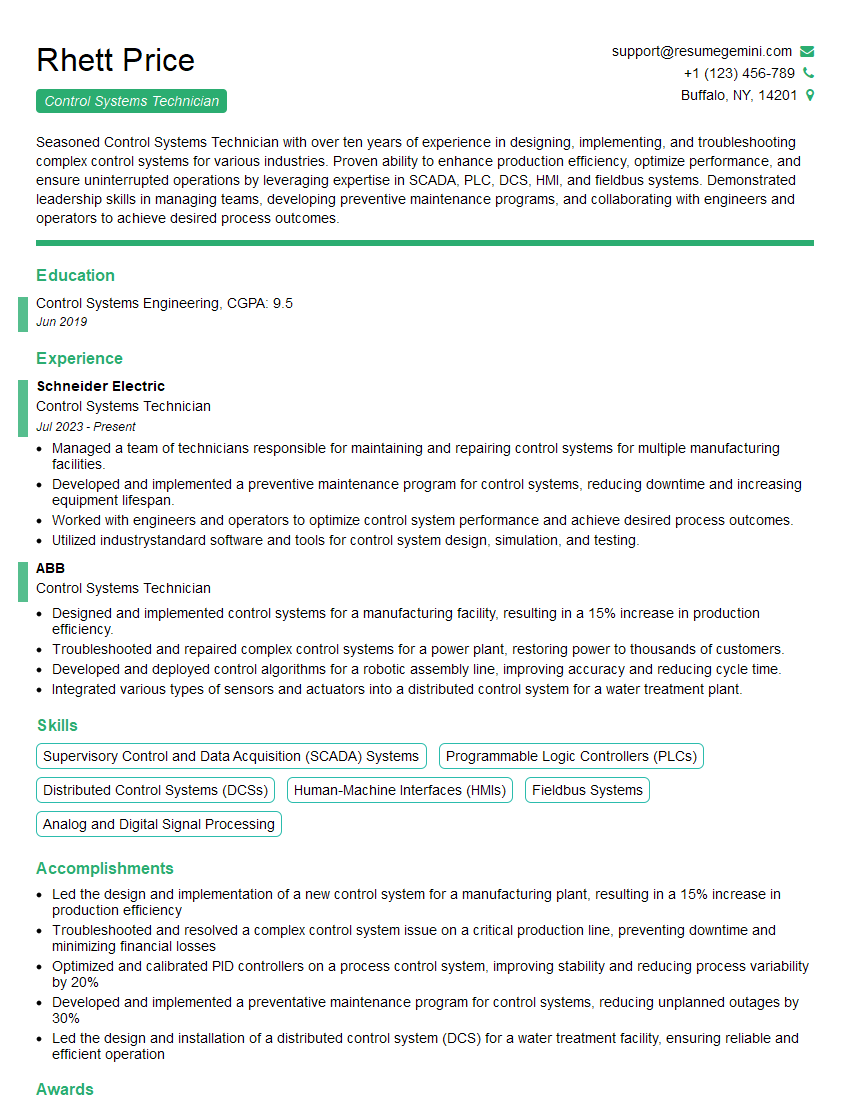
Mastering cues and commands knowledge is vital for career advancement in many technical fields. A strong understanding of these skills demonstrates proficiency and efficiency, opening doors to more challenging and rewarding roles. To maximize your job prospects, create an ATS-friendly resume that highlights your relevant skills and experience. ResumeGemini is a trusted resource to help you build a professional and impactful resume. We provide examples of resumes tailored to Cues and Commands Knowledge to help guide your process. Take the next step towards your dream job – build a standout resume today!





Explore more articles
Users Rating of Our Blogs
Share Your Experience
We value your feedback! Please rate our content and share your thoughts (optional).
What Readers Say About Our Blog
Very informative content, great job.
good