The thought of an interview can be nerve-wracking, but the right preparation can make all the difference. Explore this comprehensive guide to ADR and Foley interview questions and gain the confidence you need to showcase your abilities and secure the role.
Questions Asked in ADR and Foley Interview
Q 1. Explain the difference between ADR and Foley.
While both ADR (Automated Dialogue Replacement) and Foley are post-production sound techniques used to enhance audio in film and television, they address different aspects. ADR focuses on re-recording dialogue, often due to poor on-set audio or needing a different performance. It’s about getting the words right, clear and consistent. Foley, on the other hand, is the creation of sound effects – footsteps, clothing rustles, object manipulations – from scratch, designed to be synchronized with the visuals. It adds realism and depth to the soundscape. Think of it this way: ADR is about fixing the spoken words, Foley is about creating the world around those words.
For example, if an actor’s dialogue was drowned out by a passing train during filming, ADR would be used to replace the obscured lines. If the sound of the actor’s footsteps on gravel was weak in the original recording, Foley would create a more impactful and realistic effect to match the scene.
Q 2. Describe your experience with Pro Tools or similar DAWs.
I’ve worked extensively with Pro Tools for over ten years, using it for both ADR and Foley recording and editing. My proficiency encompasses all aspects, from session setup and recording to advanced editing techniques and sound design. I’m comfortable with multi-track recording, precise synchronization, noise reduction, and audio restoration. I routinely use Pro Tools’ automation features for creating dynamic sound effects and seamlessly integrating ADR into the original audio. I also have experience with other DAWs, such as Logic Pro and Ableton Live, adapting quickly to different software environments depending on project requirements. For example, on a recent project requiring a large number of Foley artists working remotely, we utilized Ableton Live’s collaboration features to seamlessly combine their contributions.
Q 3. How do you handle lip sync issues in ADR?
Lip sync issues in ADR are a common challenge. Addressing them requires careful attention to detail and a collaborative approach. Firstly, I use high-quality video playback synchronized perfectly with the audio. A precise, locked picture is critical. Secondly, I carefully listen to the original audio and observe the actor’s mouth movements closely. Thirdly, I use techniques like adjusting the timing of the ADR recording (with sub-millisecond precision) using Pro Tools’ Elastic Time and pitch correction to match the visual lip movements. If significant discrepancies exist, I may guide the ADR actor to slightly alter their delivery for better synchronization. Sometimes, subtle adjustments to the video’s frame rate might be necessary to achieve optimal lip sync. If all else fails, and the performance was significantly off, it might be necessary to employ clever audio editing techniques to obscure the discrepancies and make the syncing as invisible as possible.
Q 4. What are some common challenges in Foley recording?
Common challenges in Foley recording include replicating specific sounds accurately, maintaining consistency throughout a long session, managing background noise, and achieving precise synchronization with the picture. For instance, replicating the sound of a specific type of fabric requires careful selection of materials and techniques. A seemingly simple footstep might require many attempts to capture the right texture and impact. Ensuring the sounds align seamlessly with the onscreen action is key. Background noise in the Foley studio can contaminate the recording, making careful preparation and monitoring crucial. This sometimes necessitates rerecording sessions for clean audio.
Q 5. How do you create realistic Foley effects?
Creating realistic Foley effects involves a combination of skill, creativity, and the right tools. I start by carefully studying the visuals, identifying the required sounds, and choosing appropriate materials. For instance, the sound of footsteps on gravel can be created using a variety of surfaces, experimenting with different footwear to emulate different textures and weights. The subtle nuances are what makes it sound realistic. I use a variety of techniques: crushing cellophane for crackling fire, rubbing materials together for fabric rustles, using different types of footwear and surfaces to create the varied sounds of footsteps, and manipulating various objects to create specific impact sounds. Layer upon layer of carefully recorded effects will often be blended to create a complete and believable sound.
Q 6. Explain your workflow for cleaning and processing ADR recordings.
My workflow for cleaning and processing ADR recordings typically involves these steps: First, I carefully listen to the raw recordings, identifying any background noise, pops, clicks, or other unwanted artifacts. I then use noise reduction tools in Pro Tools like RX to isolate and reduce these noises without impacting the quality of the dialogue. Next, I employ equalization and dynamic processing (compression, expansion) to enhance clarity, balance the audio levels, and ensure the dialogue sits well within the mix. I’ll carefully match the tone and characteristics of the ADR dialogue to match the original recording. Finally, I use de-essing and other tools to manage harsh sibilants, creating a polished and natural-sounding recording that seamlessly integrates with the original soundtrack.
Q 7. What techniques do you use to match ADR to the original audio?
Matching ADR to the original audio requires meticulous attention to detail. This starts with precise synchronization, ensuring the timing aligns perfectly with the video. I then focus on matching the tone and quality of the ADR to the original audio, often using EQ and compression to fine-tune the sound. Paying close attention to the room tone and ambience is important. If possible, I recreate the acoustic environment of the original recording during the ADR session. I can use plugins to add subtle reverb or ambience to help the ADR blend seamlessly into the original scene. Careful attention to the actor’s performance also matters – matching the emotional inflection and vocal tone from the original take. Finally, a high-quality ADR performance is just as crucial as the technical aspects of the process.
Q 8. How do you manage a large number of Foley sessions?
Managing numerous Foley sessions effectively requires meticulous planning and organization. Think of it like conducting a complex orchestra – each instrument (sound effect) needs to be precisely timed and blended. My approach involves several key strategies:
- Detailed Scheduling: I meticulously schedule sessions weeks in advance, prioritizing scenes based on complexity and deadlines. This prevents bottlenecks and allows for efficient resource allocation.
- Session Breakdown: Before each session, I create a comprehensive list of required sounds, categorized by scene and type. This ensures that we don’t miss anything and maintain focus.
- Teamwork and Communication: A skilled Foley team is essential. Clear communication between the Foley artist, sound editor, and director is vital. Daily briefings keep everyone aligned on goals and progress.
- Pre-Production Preparation: Gathering and preparing props and surfaces beforehand significantly speeds up recording. I maintain a well-organized prop library, cataloged and easily accessible.
- Efficient Workflow: Implementing standardized procedures for recording, labeling, and archiving reduces post-production workload. Using naming conventions and cloud storage keeps everything organized and easily retrievable.
For example, on a recent feature film with over 100 scenes, I used a project management software to schedule and track progress, ensuring on-time delivery without compromising quality.
Q 9. What is your experience with various microphone types for ADR and Foley?
Microphone selection for ADR and Foley is crucial for capturing nuanced sounds. The choice depends on the specific needs of each situation. For example, in ADR, we often favor highly sensitive microphones with good transient response to capture the subtlety of an actor’s voice. In Foley, the choice is more diverse depending on what’s being recorded.
- ADR: I frequently utilize large-diaphragm condenser microphones like Neumann U 87 Ai or AKG C 414 XLS for their clarity and warmth, while also using shotgun microphones for dialogue recording in challenging environments.
- Foley: For close-miking, I use small-diaphragm condensers like Schoeps CMC 641 for detailed recordings. For more ambient effects, omni-directional mics can capture a wider soundscape. Also, the use of contact microphones is frequent to get sound from specific items.
For example, when recording delicate footsteps, a small-diaphragm condenser microphone placed close to the surface captures the minute details without excessive background noise. In a bustling marketplace scene, however, omni-directional microphones might be used to capture the overall ambience.
Q 10. Describe your experience with different Foley surfaces and props.
The selection of Foley surfaces and props is as crucial as microphone selection. The key is to create a library that is extensive and versatile. Think of it like a painter’s palette with various shades to create a full picture.
- Surfaces: My collection includes various types of flooring (wood, concrete, gravel, sand), fabrics (silk, cotton, leather), and other materials that replicate different textures and sounds. The surface can drastically alter the sound of footsteps, for example; the difference between walking on hardwood versus carpet is significant.
- Props: I maintain a wide range of props: from everyday items like keys and wallets to specialized objects to recreate unique sounds like breaking glass, rustling leaves, or the creak of a door.
For instance, to create the sound of a character walking on snow, I might use a mixture of cornstarch on a metal sheet to replicate the crunch and soft texture of the snow. For the sound of a door creaking open, I might use a combination of leather and wooden hinges.
Q 11. How do you handle background noise issues in ADR recordings?
Background noise is the enemy of clean ADR recordings. Mitigation is critical, involving both pre- and post-production techniques.
- Pre-Production: Careful location scouting and selection of a quiet recording space is paramount. I always check the room’s acoustics and ambient noise levels before a session.
- Isolation: Employing noise-reduction techniques is essential. This includes using sound blankets, acoustic panels, and even strategically placed furniture to absorb unwanted reflections and reverberations. The goal is to create a ‘dead’ room, absorbing as much sound as possible.
- Post-Production: Even with careful preparation, some background noise might still seep in. I use software like RX 8 to eliminate or reduce unwanted sounds via spectral editing, noise reduction algorithms, and other audio restoration tools.
For example, in a particularly noisy city location, I once used a combination of sound-isolating booths and powerful noise-reduction software to completely remove the incessant sounds of sirens and traffic from the final ADR recording.
Q 12. How do you work with actors during ADR sessions?
Working with actors during ADR sessions demands patience, clear communication, and a collaborative spirit. Think of it as a delicate dance; the goal is to coax their best performance without adding stress.
- Clear Direction: I provide actors with clear instructions and context, often using visual cues from the footage to guide their performance.
- Rehearsals: A short rehearsal period allows the actor to familiarize themselves with the lines and find the right tone and emotion.
- Positive Reinforcement: Creating a comfortable atmosphere is crucial. Encouragement and positive feedback motivate actors to give their best.
- Technical Expertise: A strong understanding of recording techniques ensures that the actors feel confident and that we are capturing the performance to the highest standard.
For instance, I once helped an actor overcome stage fright during an ADR session by taking a more conversational approach, making them feel at ease and confident. It resulted in a natural and impactful performance.
Q 13. What is your experience with using reference tracks?
Reference tracks are indispensable in ADR and Foley. They provide a roadmap to guide the performances and ensure consistency with the original recording. Think of them as a foundation upon which we build the new audio.
- Performance Guidance: The reference track allows actors to match their performance in terms of timing, tone, and emotion to the original dialogue.
- Consistency in Sound Design: For Foley, the reference track ensures that the newly created sounds align with the overall sound design of the scene, ensuring cohesion.
- Accuracy: Reference tracks assist in creating accurate and authentic-sounding replacements.
For example, when recording ADR for a character’s emotional outburst, using the original track as a reference allows the actor to replicate the emotional intensity and the pacing of the original performance, resulting in a seamless integration into the scene.
Q 14. How do you maintain consistency in sound design across a project?
Maintaining sound design consistency across a project is crucial to the overall quality and immersion. It’s about building a cohesive soundscape that supports the narrative and the overall tone of the film.
- Style Guide: Creating a comprehensive style guide that outlines the tonal range, sound effects palette, and mixing parameters ensures continuity from scene to scene.
- Centralized Library: Using a central sound effects library aids consistency. This also avoids inconsistencies, as various iterations of the same sound effects may be used across the whole film.
- Regular Communication: Regular meetings among sound designers, editors, and the director are vital to address any discrepancies and ensure that everyone is on the same page.
- Version Control: Use of robust version control for all the sound elements ensures tracking changes across the whole project.
For example, in a sci-fi film, I created a style guide specifying reverb settings, sound effect types (e.g., futuristic laser sounds), and mixing techniques to maintain a unified, otherworldly feel throughout the project.
Q 15. Explain your process for organizing sound effects libraries.
Organizing sound effects libraries is crucial for efficient workflow. My approach is multifaceted, prioritizing both speed of access and intuitive searchability. I employ a hierarchical system, categorizing sounds based on several key factors. First, I use broad categories like “Nature,” “Human Sounds,” “Objects,” and “Ambience.” Within each of these, I create further subcategories; for instance, under “Nature,” I might have “Water,” “Wind,” “Animals,” and so on. Within each subcategory, I employ descriptive filenames following a consistent naming convention, e.g., water_river_flowing_01.wav, which provides clear information about the sound’s content.
Furthermore, I use metadata tagging within my Digital Audio Workstation (DAW). I add keywords beyond those reflected in the filename, detailing characteristics like the recording environment, microphone type used, and any specific sound qualities (e.g., “metallic,” “crisp,” “rumbling”). This robust metadata allows me to easily locate specific effects using my DAW’s search function. Finally, I regularly audit and maintain the library, removing duplicates, archiving rarely used sounds, and ensuring the overall organization remains efficient and effective. Think of it like a well-organized library – easy to navigate and find exactly what you need.
Career Expert Tips:
- Ace those interviews! Prepare effectively by reviewing the Top 50 Most Common Interview Questions on ResumeGemini.
- Navigate your job search with confidence! Explore a wide range of Career Tips on ResumeGemini. Learn about common challenges and recommendations to overcome them.
- Craft the perfect resume! Master the Art of Resume Writing with ResumeGemini’s guide. Showcase your unique qualifications and achievements effectively.
- Don’t miss out on holiday savings! Build your dream resume with ResumeGemini’s ATS optimized templates.
Q 16. How do you prioritize tasks in a fast-paced post-production environment?
Prioritizing in a fast-paced post-production environment requires a clear understanding of deadlines and a flexible approach. I use a combination of methods. Firstly, I create a prioritized task list based on deadlines and dependencies. Tasks with the closest deadlines and those that depend on other tasks are given higher priority. I use a Kanban-style system, either digitally or with a whiteboard, visually separating tasks into “To Do,” “In Progress,” and “Completed” columns. This provides a clear overview of the workload and progress.
Secondly, I utilize time-blocking techniques, allocating specific time slots for particular tasks. This helps avoid getting bogged down in less urgent matters. Importantly, I’m also flexible and proactive. I continuously monitor the workflow, adjusting priorities if urgent issues arise or if a task takes longer than expected. Finally, communication is key. I regularly communicate with the team and supervisors to address any potential bottlenecks or delays, ensuring everyone is aligned on priorities and expectations. It’s about staying agile and responsive to the ever-changing demands of post-production.
Q 17. What software and hardware are you proficient in?
My software proficiency includes Pro Tools, Logic Pro X, Adobe Audition, and Reaper. I’m also comfortable using various sound design and Foley creation tools, such as iZotope RX for audio restoration and various plugins for sound manipulation and effects processing. On the hardware side, I’m experienced with a wide range of microphones, including condenser, dynamic, and ribbon mics, understanding their different characteristics and how they best capture different sounds. I’m familiar with different types of audio interfaces, mixers, and recording devices. I’m comfortable troubleshooting hardware issues, as a good sound designer must be able to quickly diagnose issues such as microphone malfunctions or faulty cabling.
Q 18. Describe your experience with audio restoration techniques.
Audio restoration is a crucial part of both ADR and Foley work, often involving repairing damaged or noisy recordings. My experience encompasses a range of techniques, including noise reduction, click and pop removal, declicking, and spectral editing. I frequently use tools such as iZotope RX, which offers sophisticated algorithms for noise reduction and repair. For example, I might use spectral repair to remove a distracting scratch from a vintage recording. Other times, I utilize de-click and de-hum tools to address issues introduced by older recording equipment. My process often begins with a careful analysis of the audio to determine the nature and extent of damage. Then I carefully apply the most suitable tools and techniques, always striving for a balance between restoration and maintaining the original character of the sound. I frequently A/B test my work to ensure that the restoration is effective without introducing artifacts or altering the natural timbre of the sound.
Q 19. How do you troubleshoot technical issues during recording sessions?
Troubleshooting technical issues during recording sessions requires a methodical and systematic approach. My first step is to isolate the problem – is it with the microphone, the audio interface, the computer, or the cables? I often start with the simplest solutions, such as checking cable connections and ensuring all devices are powered on correctly. I’ll then systematically check each component of the signal chain, using test tones or listening for unusual noises to pinpoint the source of the issue. If the problem is with a specific piece of equipment, I’ll try replacing it with a backup if possible.
I also rely on my knowledge of audio principles and common issues. For example, if I’m getting a lot of hum, I know that it could be due to ground loops or interference from electrical devices. If I’m experiencing dropouts or latency, I might suspect problems with the audio interface or computer’s processing power. Documenting the troubleshooting process is crucial; I meticulously note the steps taken and the results, aiding in future problem-solving. This helps to identify recurring issues and maintain a smoothly-running recording environment.
Q 20. How do you collaborate effectively with other team members?
Effective collaboration is essential in post-production. I prioritize clear and open communication with directors, editors, and other sound professionals. I actively listen to their feedback, clarifying requirements and expectations. I also clearly articulate my technical limitations and needs. For example, if I require specific Foley material for a scene, I would clearly communicate that to the Foley artist, providing them with any necessary context to ensure we are both on the same page. This may involve reviewing scenes together and discussing specific sound design goals. I contribute to a collaborative environment by sharing my expertise and readily assisting team members. Constructive feedback is given and received openly to collectively improve the audio quality.
Q 21. How do you ensure quality control throughout the ADR and Foley process?
Quality control is an ongoing process, starting from the initial recording and continuing through each stage of the ADR and Foley process. At each step, I employ several methods. During recording sessions, I consistently monitor audio levels and quality using waveform and spectral displays, ensuring a clear and clean signal. After recording, I implement meticulous editing and mixing, paying attention to detail and addressing any unwanted noises or inconsistencies. I use various quality control techniques, including comparing before and after versions of audio, A/B testing various mixing options, and meticulously verifying that the final mix matches the director’s creative vision.
I then perform a final quality check of the completed work, listening critically for any errors or issues. This often involves listening in a different environment (e.g., headphones and speakers) to pick up on any subtle imperfections. Finally, I carefully render the final audio files in a high-quality format, appropriate for the intended use. Essentially, Quality control is an iterative process that requires attention to detail, a thorough understanding of the workflow, and a commitment to achieving the best possible audio quality.
Q 22. What are your preferred methods for syncing audio and video?
Accurate audio-video synchronization is paramount in post-production. My preferred methods leverage the power of timecode. For picture-locked edits, I rely on matching timecode embedded in both the audio and video files. This is a highly precise and reliable method, ensuring perfect lip-sync and overall timing consistency. For projects without timecode, I use visual markers within the editing software. I place corresponding markers on both audio and video tracks, allowing for manual adjustment and fine-tuning. A further technique I utilize involves utilizing specialized audio and video editing software’s sophisticated auto-sync features, which analyze audio waveforms and video content to automatically align them. However, this method often requires a post-sync review and manual corrections for optimal results.
Think of it like matching two perfectly interlocking gears – every tiny movement needs to align precisely. Timecode is the key to that precision, while manual marking is my fallback for more complex situations.
Q 23. Describe your experience with different audio file formats.
My experience encompasses a wide range of audio file formats, each with its own strengths and weaknesses. I regularly work with WAV (uncompressed, high quality, suitable for mastering), AIFF (another lossless format often used for archiving and high-fidelity work), and MP3 (lossy, smaller file size ideal for online distribution). I’m also proficient with formats like Ogg Vorbis (open-source, lossy, good balance between quality and size) and FLAC (lossless, excellent compression). Choosing the right format depends heavily on the project’s requirements – mastering needs lossless files, while web delivery prioritizes smaller sizes. I always consider factors like bit depth, sample rate, and compression level to ensure the audio maintains the required fidelity.
For instance, when preparing audio for a high-definition broadcast, I would absolutely stick with lossless WAV or AIFF files. But for podcast distribution on a platform like Spotify, MP3 with appropriate bitrate is perfectly suitable.
Q 24. How do you approach creating soundscapes for different genres?
Creating soundscapes depends entirely on the genre’s emotional and thematic demands. A horror film requires drastically different soundscapes than a romantic comedy. For horror, I might layer unsettling ambient sounds, distant whispers, and sudden, sharp percussive hits to create a sense of unease and tension. In a romantic comedy, I’d focus on warmer, lighter sounds—perhaps acoustic instruments, gentle environmental sounds, and maybe a touch of whimsical sound effects to enhance the lightheartedness.
Consider a scene in a bustling city market versus a quiet forest clearing. The city market might feature layers of chatter, the clanging of metal, the rustling of fabrics, and the rumble of vehicles, creating a sense of energy and chaos. Conversely, the forest clearing might feature the gentle rustling of leaves, the chirping of birds, and the distant sounds of wildlife—creating a peaceful and serene atmosphere.
Q 25. Explain your knowledge of sound spatialization techniques.
Sound spatialization techniques are crucial for immersing the audience. I’m proficient in using techniques like panning (moving sound left or right), stereo widening (creating a broader stereo image), and surround sound mixing (placing sounds in 5.1 or 7.1 channels). I also utilize advanced techniques like binaural recording (creating 3D sound using dummy head microphones) and Ambisonics (encoding spatial audio information for 360-degree reproduction). These methods, combined with reverberation and delay effects, help to create a convincing sense of three-dimensional space. The choice of technique heavily depends on the final playback environment and the desired level of immersion.
Think of it as painting with sound. Panning is like placing the sound somewhere on a canvas, while surround sound is like painting on a three-dimensional sphere, allowing sounds to move all around the listener.
Q 26. How do you create believable impacts for Foley?
Creating believable Foley requires a keen ear, resourcefulness, and a deep understanding of how objects behave in the real world. I start by carefully watching the scene, noting every subtle sound – the crinkling of paper, the squelch of footsteps in mud, the gentle creak of a door. Then I experiment with a wide range of materials and techniques to recreate those sounds convincingly. This often involves manipulating common everyday objects in creative ways – for example, creating a fire sound using crumpled paper and a metal pan.
The key is to capture the nuances. A gentle footstep on carpet sounds vastly different from a heavy footstep on concrete. Paying attention to these subtle details is what separates good Foley from great Foley. I always aim for realism, accuracy, and consistency.
Q 27. How do you handle revisions and feedback on your work?
Handling revisions is a collaborative process. I actively solicit feedback, understanding that it’s crucial to the final product’s success. I maintain open communication with the director, editor, and other stakeholders. I use detailed notes and organized file management systems to keep track of the feedback and the changes I make in response. I prefer using visual tools like audio waveforms to pinpoint specific areas for adjustment. Iterative revisions are normal, and I welcome the opportunity to refine my work based on constructive criticism.
My approach is very much like sculpting – you start with a base, get feedback, adjust, and refine until you achieve perfection. Each iteration improves the final piece.
Q 28. Describe your experience with metadata management for sound libraries.
Metadata management is essential for efficient sound library organization. I utilize comprehensive metadata tagging including detailed descriptions, keywords, and audio characteristics (sample rate, bit depth, etc.). This allows for quick and efficient search and retrieval of sounds. I adhere to industry-standard metadata schemas to ensure compatibility with various sound libraries and database systems. I often use dedicated metadata editing software to ensure accuracy and consistency across all audio files. This approach is crucial for large sound libraries where quick and accurate search is essential.
Think of it as building a library catalog – each book (sound file) needs a detailed label to help you find the right one quickly. Thorough metadata is the key to efficient organization and search.
Key Topics to Learn for ADR and Foley Interview
- ADR Fundamentals: Understanding the process, different types of ADR (looping, walla, etc.), and common challenges faced during ADR sessions.
- Foley Techniques: Mastering the art of creating realistic sound effects, including common Foley tools and techniques, and understanding the nuances of sound design.
- Audio Equipment & Software Proficiency: Demonstrating familiarity with recording equipment (microphones, mixers), audio editing software (Pro Tools, Audition), and signal flow.
- Synchronization & Timing: Understanding the importance of precise synchronization between audio and picture, and techniques for achieving accurate lip-sync in ADR.
- Problem-Solving & Troubleshooting: Discussing your ability to identify and resolve technical issues during recording and post-production, such as noise reduction, audio repair, and workflow optimization.
- Collaboration & Communication: Highlighting your experience working effectively with directors, actors, and other sound professionals in a collaborative environment.
- Workflow Efficiency: Demonstrating understanding of efficient recording and post-production workflows, including file management and organization.
- Creative Sound Design: Showcasing your understanding of how sound contributes to storytelling and the ability to create immersive soundscapes.
Next Steps
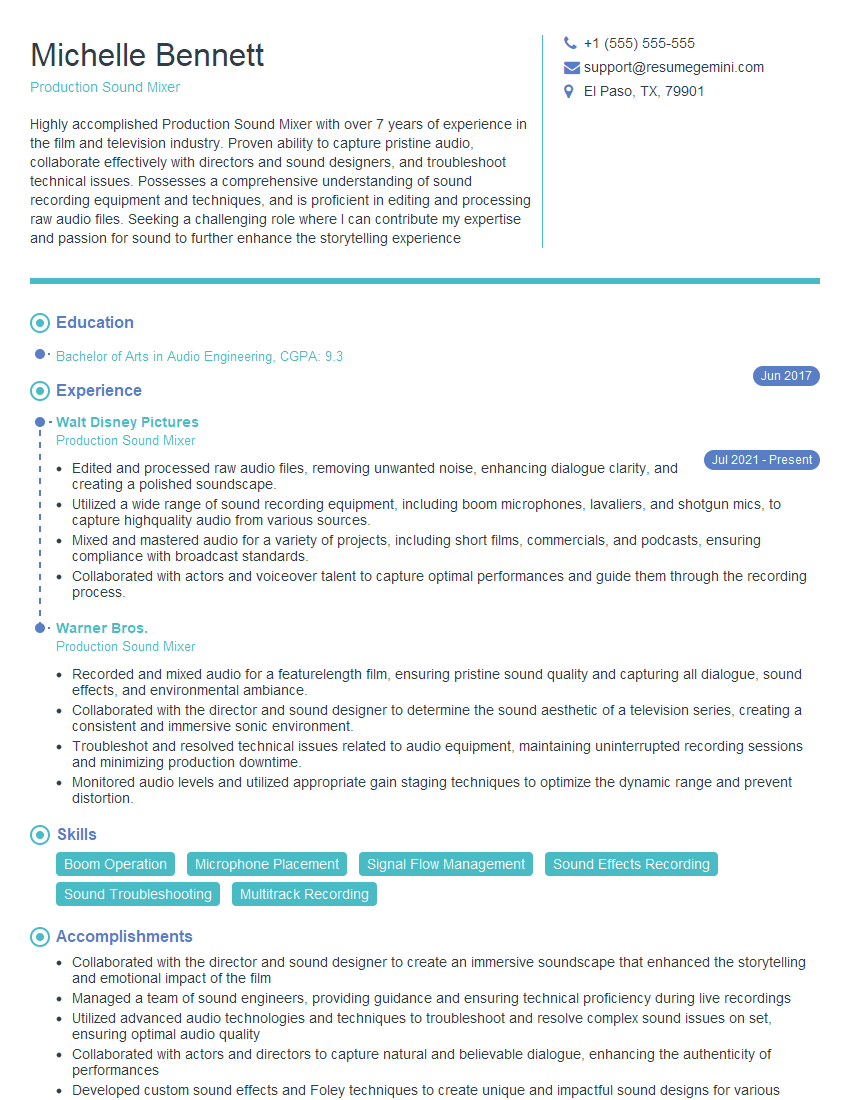
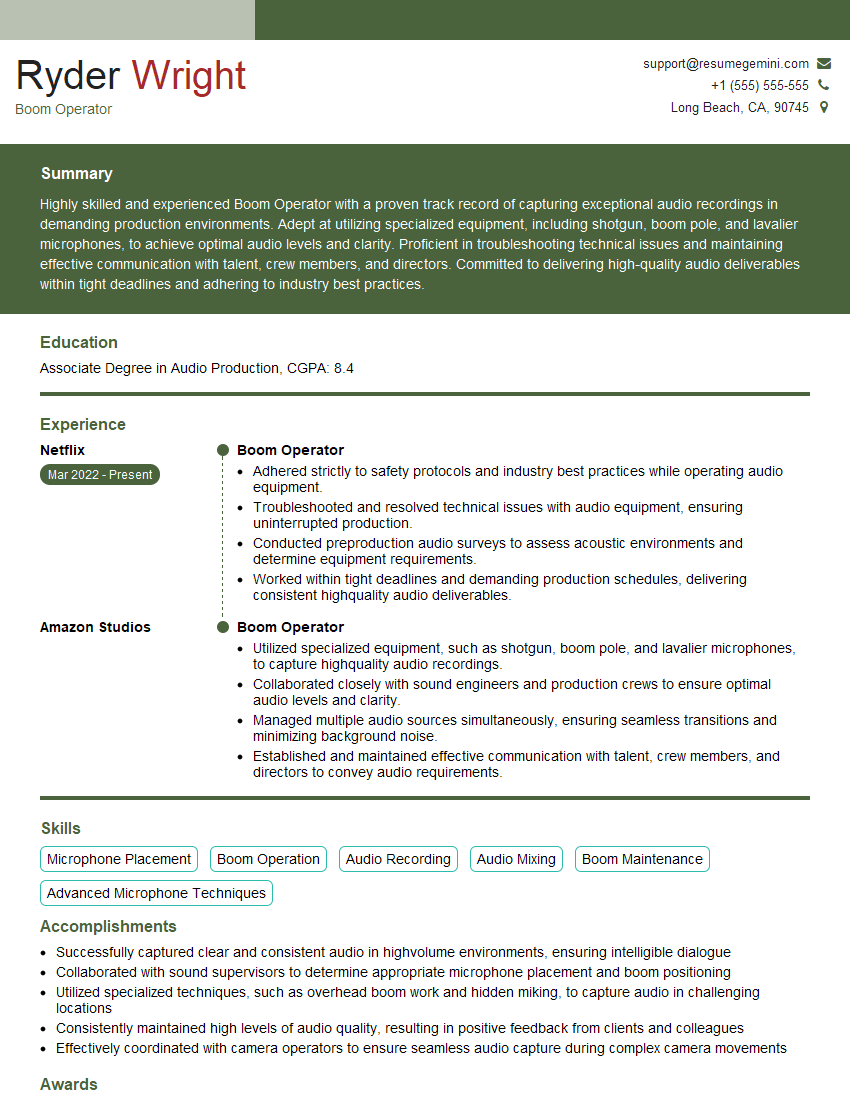
Mastering ADR and Foley opens doors to exciting opportunities in film, television, and video game sound design. A strong foundation in these areas is crucial for career advancement and can lead to increasingly challenging and rewarding roles. To maximize your job prospects, crafting a compelling and ATS-friendly resume is essential. ResumeGemini is a trusted resource that can help you build a professional resume that highlights your skills and experience effectively. We provide examples of resumes tailored to ADR and Foley professionals to help you showcase your capabilities to potential employers. Take the next step in your career journey – create a standout resume with ResumeGemini today!



Explore more articles
Users Rating of Our Blogs
Share Your Experience
We value your feedback! Please rate our content and share your thoughts (optional).
What Readers Say About Our Blog
Very informative content, great job.
good