Cracking a skill-specific interview, like one for Animation Software, requires understanding the nuances of the role. In this blog, we present the questions you’re most likely to encounter, along with insights into how to answer them effectively. Let’s ensure you’re ready to make a strong impression.
Questions Asked in Animation Software Interview
Q 1. Explain the difference between keyframes and interpolation.
In animation, keyframes and interpolation work together to bring movement to life. Think of it like drawing a story on a flipbook. Keyframes are the crucial poses, the major points in the action – the beginning, middle, and end of a jump, for example. They’re the ‘key’ images that define the extremes of the animation. Interpolation, on the other hand, is the process of filling in the gaps between these keyframes. The software uses various algorithms (linear, Bezier curves, etc.) to smoothly transition between those key poses, creating the illusion of continuous motion. Without interpolation, your animation would be jerky and unnatural, a series of still images rather than fluid movement.
For instance, if animating a ball bouncing, you might set keyframes at the highest point of the bounce (the peak) and the moment it hits the ground. The interpolation would then generate the frames in between, showing the ball’s smooth arc upwards and downwards.
Q 2. Describe your experience with different animation software packages (e.g., Maya, Blender, 3ds Max).
My experience spans several industry-standard animation packages. I’ve worked extensively with Autodesk Maya, a powerful and versatile software known for its robust character animation tools and pipeline integration capabilities. I’ve used it for everything from high-end feature film work to commercials, frequently leveraging its dynamic rigging system and robust simulation tools. I’m also proficient in Blender, an open-source option that’s rapidly gaining ground. Its strong community support and constantly evolving features make it an excellent choice, especially for independent projects or those on a budget. I have experience using 3ds Max as well, particularly for environment creation and more technical aspects of animation. Each software has its strengths and weaknesses; my choice depends on the project’s specific needs and the available resources.
Q 3. How do you approach creating realistic character movement?
Creating realistic character movement requires a deep understanding of human anatomy, physics, and acting principles. It’s not just about moving limbs; it’s about conveying emotion and intention through subtle nuances. I start by studying reference material – videos of real actors performing similar movements. I then break down the motion into smaller, manageable chunks, focusing on weight, timing, and spacing. For example, when animating a walk cycle, I’ll consider the weight shift from foot to foot, the subtle rotation of the hips, and the anticipation before each step. Using curves in my animation software to adjust the speed and easing of each movement is also crucial for creating natural-looking results. Finally, I use iteration and refinement; constant reviewing and tweaking until the animation feels believable and engaging.
Q 4. What are your preferred methods for rigging characters?
My preferred rigging methods depend heavily on the character’s complexity and the project’s requirements. For simple characters, a simple bone structure with basic FK (forward kinematics) controls might suffice. But for more complex characters, particularly those requiring intricate movements, I prefer a combination of FK and IK (inverse kinematics) utilizing a layered rigging system. This allows for precise control over individual limbs with FK while also enabling quick, intuitive posing using IK for complex interactions. I also often incorporate custom scripts or utilize pre-built rigging tools available in different software packages to streamline the process and ensure consistency.
Q 5. Explain your understanding of inverse kinematics (IK) and forward kinematics (FK).
Forward Kinematics (FK) is like manually moving each joint of a robot arm individually. You control each joint’s position directly. If you move the shoulder, the elbow and hand follow suit automatically. FK is simple to understand and use, particularly for simple animations. However, for complex characters or poses, it can become tedious and less intuitive.
Inverse Kinematics (IK), on the other hand, works in reverse. You define the position of the end effector (e.g., the hand) and the software automatically calculates the positions of the intermediate joints (elbow, shoulder) to achieve that position. This is extremely useful for complex characters and poses, allowing for quick and efficient control. Think of it like moving a robotic arm by only controlling the end of the arm – the computer figures out how to move the joints in between.
Often, a successful rig will utilize both FK and IK, allowing the animator to choose the most appropriate method for a given task.
Q 6. How do you optimize your animation workflow for efficiency?
Optimizing my workflow involves several key strategies. I begin by creating a clear and organized scene file, using layers and namespaces to keep things tidy. I also utilize blocking as a crucial early stage to define the main poses and timing of the animation before refining the details. This allows for quick iterative changes without getting bogged down in minor adjustments too early. Furthermore, leveraging the animation software’s built-in tools such as caching and baking animations can significantly improve performance, particularly in complex scenes. Finally, regular saves and version control systems prevent data loss and aid collaboration in team projects.
Q 7. Describe your experience with motion capture data and its integration into animation pipelines.
I have extensive experience integrating motion capture (mocap) data into animation pipelines. Mocap provides a fantastic starting point, offering realistic performances that would be difficult or time-consuming to achieve manually. However, it’s rarely a ‘plug-and-play’ solution. The captured data often requires cleaning, editing, and retargeting to fit the character rig. This involves removing noise, fixing glitches, and adjusting the timing and exaggeration to fit the stylistic requirements of the project. I’m proficient in using software like MotionBuilder to process and edit mocap data. After this, I integrate the cleaned data into my animation software, frequently making manual adjustments to enhance and refine the movement to match the character’s personality and story context. The process is always iterative – the mocap data serves as a foundation upon which I build the final animation.
Q 8. What are some common challenges in animation, and how do you overcome them?
Animation, while seemingly magical, faces several hurdles. One common challenge is achieving believable movement. Characters can easily appear stiff or robotic if the animator doesn’t understand principles like weight, momentum, and timing. Another major challenge is meeting deadlines, especially in fast-paced projects. High-quality animation is time-consuming, requiring meticulous attention to detail.
Overcoming these challenges involves a multi-pronged approach. Firstly, a strong understanding of animation principles—like squash and stretch, anticipation, staging, and follow-through—is crucial. These principles help bring life and realism to movements. For example, a bouncing ball’s squash and stretch creates a sense of weight and elasticity. Secondly, efficient workflow is paramount. This includes using appropriate software features, organizing projects effectively, and mastering shortcuts to save time. Finally, effective communication and collaboration within a team are essential to manage workloads and meet deadlines. Regular feedback sessions and a clear pipeline ensure everyone is on the same page and problems are addressed proactively.
Q 9. Explain the process of creating a believable walk cycle.
Creating a believable walk cycle is fundamental in animation. It’s more than just moving legs; it requires capturing the subtle nuances of weight shift, momentum, and personality. The process involves several key steps:
- Reference: Studying real-world movement is crucial. Observe how people of different ages, sizes, and personalities walk. This could involve video recordings or even personal observation.
- Key Poses: Identify the essential poses within a walk cycle (contact, down, pass, up). These represent the crucial points of the movement.
- In-betweens: Smoothly transition between the key poses using in-betweens. This creates fluidity and avoids jerky animation.
- Weight Shift: Accurately portray the body’s weight shift from one leg to the other. This is key to creating a realistic feel.
- Secondary Action: Add subtle details like swaying arms, head movement, and even clothing movement. These add to the realism and personality of the walk.
- Timing and Spacing: Carefully adjust the timing and spacing of the poses to reflect the character’s weight, speed, and personality. A heavy character will have slower, more deliberate movements than a light, agile one.
- Refining and Polishing: Iteratively refine the walk cycle, watching for any stiffness or unnatural movements. This may involve adjustments to poses, in-betweens, or timing.
For instance, a hurried walk will have shorter steps and faster timing compared to a relaxed stroll. By mastering these steps, an animator can create walk cycles that are believable, engaging, and convey character.
Q 10. How do you handle feedback on your animation work?
Handling feedback is a crucial part of the animation process. I approach it constructively, viewing it as an opportunity for growth and improvement. My process involves:
- Active Listening: Carefully listening to the feedback without interrupting. I try to understand the critic’s perspective.
- Clarification: If something is unclear, I ask clarifying questions. This helps prevent misinterpretations and ensures I address the right issues.
- Note-Taking: I meticulously document all feedback, categorizing it by area of concern (timing, posing, character design, etc.).
- Implementation: I incorporate the feedback into my work, adjusting animations as needed. This often involves multiple iterations.
- Follow-Up: Once revisions are made, I show the updated animation to the feedback provider to ensure satisfaction.
I’ve found that approaching feedback with openness and a willingness to learn significantly improves the quality of my work and strengthens my professional relationships.
Q 11. Describe your experience with different animation techniques (e.g., squash and stretch, anticipation, follow-through).
I have extensive experience with fundamental animation techniques. ‘Squash and stretch’ allows for exaggerated yet believable deformation of objects, adding life and weight. For example, a bouncing ball squashes upon impact and stretches as it ascends. ‘Anticipation’ prepares the audience for an action, making it more impactful—a character winding up before throwing a punch is a great example. ‘Follow-through’ and ‘overlapping action’ describe how different parts of a character move at different rates, such as hair or clothing trailing behind a body in motion. These principles add realism and dynamism.
I have applied these principles in various projects, from creating playful cartoon characters to realistic human movements. Understanding and implementing these techniques are essential for creating expressive and convincing animation.
Q 12. What is your approach to lip-syncing animation?
Lip-syncing is a complex process requiring precision and an understanding of phonetics. My approach typically involves:
- Audio Analysis: Carefully examining the audio to identify individual phonemes (sounds) and their duration.
- Reference: Using video or audio references of actors performing the same lines helps guide the animation.
- Phoneme Charts: Utilizing reference charts that illustrate the mouth shapes associated with different phonemes ensures accuracy.
- Iteration: Continuously refining the animation based on playback and making minute adjustments to ensure lip synchronization is believable.
- Software Tools: Leveraging software tools designed for lip-syncing (some software offers automated tools, but manual adjustments are often needed for perfection).
Achieving perfect lip-sync involves subtle timing adjustments and careful consideration of the character’s facial expressions. It’s an iterative process, and the goal is seamless integration of the audio and visuals, avoiding any jarring disconnect.
Q 13. How familiar are you with different rendering engines?
My experience encompasses several rendering engines, including Arnold, V-Ray, Redshift, and Cycles. Each engine offers unique capabilities and strengths. Arnold, for instance, is known for its speed and quality in architectural visualization, while V-Ray excels in versatility across various applications. Redshift is favored for its speed and ease of use in real-time rendering and Cycles is a powerful, open-source engine. My familiarity extends to understanding their strengths and weaknesses within specific contexts, allowing me to choose the most appropriate engine for each project. This selection depends on factors such as project scope, rendering time constraints, and desired visual quality.
Q 14. Describe your experience with modeling software and its integration with animation software.
I’m proficient in various modeling software, including Maya, Blender, and ZBrush, and understand their seamless integration with animation software like Maya, After Effects, and Blender. Modeling forms the foundation of animation; a well-modeled character or object greatly facilitates the animation process. For example, a character rig designed in Maya can be exported directly into Blender for animation, and a model created in ZBrush can be imported into Maya for detailing and rigging. This workflow is essential for efficiency and maintaining a high level of detail throughout the production pipeline. I’m adept at optimizing models for animation, ensuring a smooth workflow and high-quality final results.
Q 15. How do you troubleshoot technical issues during animation production?
Troubleshooting technical issues in animation production requires a systematic approach. It’s like being a detective, carefully examining clues to find the root cause. My process typically involves:
- Reproducing the error: First, I meticulously document the steps to consistently reproduce the issue. This eliminates guesswork and ensures everyone understands the problem.
- Isolating the problem: I systematically disable plugins, test different scenes, and gradually simplify the setup to narrow down the source of the error. This helps differentiate between software glitches, hardware limitations, and user errors.
- Checking logs and error messages: Most software provides detailed logs. I carefully review these for error codes, warnings, and other clues indicating the problem’s origin. This often points directly to the solution.
- Searching online resources: Forums, documentation, and online communities are invaluable resources. A quick search might reveal that the issue is common and a solution already exists.
- Contacting support: If all else fails, I contact the software’s support team or consult with experienced colleagues. Providing them with detailed information from my troubleshooting steps speeds up the resolution process.
For instance, I once encountered a rendering error where certain textures weren’t appearing correctly. By systematically disabling different shaders and plugins, I discovered it was a conflict with a specific plugin version. Updating the plugin solved the issue immediately.
Career Expert Tips:
- Ace those interviews! Prepare effectively by reviewing the Top 50 Most Common Interview Questions on ResumeGemini.
- Navigate your job search with confidence! Explore a wide range of Career Tips on ResumeGemini. Learn about common challenges and recommendations to overcome them.
- Craft the perfect resume! Master the Art of Resume Writing with ResumeGemini’s guide. Showcase your unique qualifications and achievements effectively.
- Don’t miss out on holiday savings! Build your dream resume with ResumeGemini’s ATS optimized templates.
Q 16. What are your preferred methods for creating realistic facial expressions?
Creating realistic facial expressions requires a deep understanding of human anatomy and acting. My approach combines technical skill with artistic sensibility. I utilize a blend of techniques:
- Reference material: I meticulously study video and photographic references of real people expressing various emotions. This ensures accuracy and believability. A good example is using professional actor reels to study subtle nuances.
- Muscle studies: Understanding facial musculature is vital. I use anatomical charts and videos to see how muscles move and affect the surface of the face. This knowledge guides the creation of believable deformations.
- Keyframing and animation principles: I focus on key poses and then use the 12 principles of animation, particularly anticipation, squash and stretch, and follow-through, to create smooth, realistic transitions. For example, I might subtly animate the eyebrows before a character’s eyes widen in surprise.
- Blendshapes and morph targets: Software like Maya or Blender allow the creation of blendshapes, which are pre-made facial expressions that can be blended together. I carefully create and refine these to match my reference material, allowing for nuanced expressions.
- Performance capture data: Incorporating performance capture (mocap) data adds another layer of realism. This data, often derived from motion capture suits, provides realistic movement for facial muscles and expressions.
For example, I recently created a character whose sadness needed to feel authentic. I used reference footage of actors showing grief, studied the subtleties of their muscle movements, and employed blendshapes to meticulously craft the animation. The result was a deeply emotive performance.
Q 17. What is your understanding of animation principles?
The 12 principles of animation, established by Disney animators, are fundamental to creating believable and engaging animation. They are not just rules, but guidelines that inform every aspect of my work. These principles include:
- Squash and stretch: Giving characters a sense of weight and flexibility.
- Anticipation: Preparing the audience for an action.
- Staging: Clearly communicating the character’s action and emotion.
- Straight ahead action and pose to pose: Two different approaches to animation, one focusing on continuous movement, the other on key poses.
- Follow through and overlapping action: Creating realistic movement by having parts of a character continue moving after the main action.
- Slow in and slow out: Making movements more natural by slowing them down at the beginning and end.
- Arcs: Most natural movements follow curved paths.
- Secondary action: Adding smaller actions to enhance the main action.
- Timing: Controlling the speed of movements to convey weight, emotion, and personality.
- Exaggeration: Emphasizing certain movements or aspects to make them more engaging.
- Solid drawing: Creating believable forms with weight, volume, and anatomy.
- Appeal: Making characters engaging and enjoyable to watch.
I apply these principles to every project. For example, when animating a character jumping, I use anticipation by slightly bending their knees before the jump, squash and stretch to emphasize the impact, and follow-through to show their hair and clothing continuing to move after landing.
Q 18. How do you manage your time effectively when working on multiple animation projects?
Managing time effectively on multiple animation projects requires meticulous planning and organization. I employ several strategies:
- Detailed project breakdown: I divide each project into smaller, manageable tasks with clear deadlines. This allows for better tracking of progress and identification of potential bottlenecks.
- Prioritization: I prioritize tasks based on deadlines and importance, focusing on critical path items first. This prevents delays and ensures timely delivery.
- Time tracking: I use time-tracking software to monitor how long I spend on each task. This provides valuable data for future project estimations and helps identify areas for improvement in efficiency.
- Task management tools: I use project management software like Asana or Trello to organize tasks, assign responsibilities, and track progress across multiple projects. This facilitates collaboration and keeps everyone on the same page.
- Regular review and adjustment: I regularly review my schedule and make adjustments as needed. Flexibility is key, and being able to adapt to unexpected delays or changes is crucial.
For example, if I have two projects, one with a tighter deadline, I’ll allocate more time to that project initially, but consistently review progress on both to ensure both meet their respective goals. This helps me avoid being caught off guard by unforeseen issues.
Q 19. Explain your experience working with animation teams.
I thrive in collaborative environments. My experience working with animation teams has taught me the importance of clear communication, mutual respect, and a shared vision. I’ve worked in teams ranging from small, tight-knit groups to large, specialized crews.
- Effective communication: I prioritize clear and concise communication, using regular meetings, progress reports, and collaborative platforms to ensure everyone is informed and aligned.
- Constructive feedback: I actively solicit and provide constructive feedback, fostering a culture of open communication and continuous improvement.
- Collaboration tools: I’m proficient with various collaborative tools, such as version control systems (like Git), cloud storage, and project management software, to streamline workflows and facilitate seamless teamwork.
- Respectful collaboration: I value the contributions of every team member and strive to create a positive and supportive working environment. This fosters creativity and enhances productivity.
- Delegation and support: I’m comfortable delegating tasks and supporting team members as needed, ensuring that everyone has the resources and assistance to excel.
On one project, I worked as part of a team using Agile methodology. The iterative nature of the process, coupled with regular feedback sessions, allowed us to adapt quickly to evolving design requirements and deliver a high-quality final product. The collaborative spirit was essential for success.
Q 20. How do you maintain consistency in your animation style across projects?
Maintaining consistency in animation style across projects is crucial for building a recognizable brand and delivering a cohesive viewing experience. I achieve consistency through:
- Style guide: Developing a comprehensive style guide that outlines character designs, color palettes, movement styles, and other stylistic elements ensures a unified look and feel across all projects. This acts as a central reference point.
- Reference sheets: Creating and referring to detailed reference sheets for characters, props, and environments ensures consistent representation in different scenes and projects. This prevents stylistic drift.
- Template files: Using pre-made template files for scenes, characters, and rigs provides a standardized starting point for new projects, reducing inconsistencies.
- Color scripts: Utilizing color scripts to ensure consistent color palettes across shots, scenes, and projects.
- Self-review and feedback: Regularly reviewing my own work and soliciting feedback from colleagues helps identify any deviations from the established style and makes course correction easier.
For example, I maintain a detailed style guide for all my characters, documenting their proportions, clothing styles, and even the subtle nuances of their facial features. This ensures that even when different animators work on the same character, the style remains consistent.
Q 21. What are some common file formats used in animation pipelines, and what are their advantages and disadvantages?
Various file formats play crucial roles in the animation pipeline, each with its own advantages and disadvantages:
- FBX (Filmbox): A popular interoperable format that supports animation, geometry, and materials. Advantages: Widely supported by various software packages. Disadvantages: Can be bulky and sometimes loses data during conversion.
- OBJ (Wavefront OBJ): A simple format primarily for geometry. Advantages: Lightweight and widely supported. Disadvantages: Doesn’t support animation, materials, or textures directly.
- Alembic (.abc): A high-fidelity format specifically designed for caching complex scenes. Advantages: Excellent for preserving detail, great for scene assembly. Disadvantages: File size can be large.
- USD (Universal Scene Description): A relatively new format developed by Pixar aiming for universal interoperability and efficient data handling. Advantages: Powerful data management, good for collaborative workflows. Disadvantages: Still relatively new, adoption across all software is ongoing.
- Textures (e.g., PNG, JPG, TIFF, EXR): Images for surface details. Advantages: PNG offers lossless compression; EXR offers high dynamic range. Disadvantages: Different compression algorithms lead to quality/size trade-offs.
Choosing the right format depends on the specific needs of the pipeline. For example, FBX is excellent for transferring models between different 3D software, while Alembic is ideal for caching complex simulations. Understanding these nuances is essential for optimizing workflows.
Q 22. Explain your experience using animation scripting languages (e.g., MEL, Python).
My experience with animation scripting languages like MEL (Maya Embedded Language) and Python is extensive. I’ve used them both for automating repetitive tasks and creating custom tools to enhance my workflow and efficiency. Think of these languages as the ‘secret sauce’ that lets animators go beyond the standard interface. For example, in Maya, I’ve used MEL to write scripts that automatically rig characters, saving hours of manual work. A typical script might involve iterating through a series of joints, automatically assigning constraints, and creating control curves. Similarly, with Python, I’ve developed tools for batch processing files, organizing assets, and generating reports on animation progress. One project involved creating a Python script to analyze the keyframes of a character’s walk cycle and automatically identify and correct inconsistencies in timing and spacing. This level of automation is crucial for maintaining consistency and accelerating production in larger projects.
Here’s a simplified example of a Python script that would change the color of a Maya object:
import maya.cmds as cmds

object_name = 'mySphere'
cmds.setAttr(object_name + '.color', 1, 0, 0)  # Sets the color to red
This is just a small snippet, but it demonstrates how powerful these scripting languages are for controlling and customizing Maya’s functionality. My proficiency extends to debugging, troubleshooting, and optimizing scripts for maximum performance.
Q 23. How familiar are you with version control systems (e.g., Git) in an animation environment?
Version control, specifically Git, is absolutely essential in a collaborative animation environment. It’s like having a detailed record of every change made to the project, allowing multiple artists to work concurrently without overwriting each other’s work. Imagine a team working on a complex scene; having a system to track who made which edits and revert to previous versions if needed is vital. I am proficient in using Git for branching, merging, resolving conflicts, and managing different versions of my animation assets. I’m familiar with platforms like GitHub and Bitbucket and use best practices like committing frequently with descriptive messages and using pull requests for code review. This ensures that the project stays organized, and any mistakes are easily recoverable. It’s saved countless hours of troubleshooting and prevented countless headaches on numerous projects.
Q 24. How do you ensure the quality and accuracy of your animation work?
Ensuring quality and accuracy in animation involves a multi-faceted approach. It’s not just about making the characters move; it’s about creating believable and engaging performances. My process involves several key steps. First, I carefully review the animation brief and storyboards to understand the character’s motivations and the scene’s overall mood. Then, I establish clear reference points using video footage or other resources to inform my work. Next, I meticulously plan my shots, considering factors such as camera angles, character blocking, and timing. During the animation process itself, I continuously review my work, using playback and reference to assess timing, spacing, weight, and other essential aspects of character performance. I frequently compare my animation to reference material, seeking feedback from peers and supervisors. Finally, I employ various quality control techniques. One common technique is playing the animation at various speeds to detect subtle issues. If the animation feels jerky or unnatural even at half-speed, it needs refinement. This iterative process allows me to identify and fix errors early, saving valuable time and resources.
Q 25. Explain your approach to creating realistic cloth or hair simulations.
Creating realistic cloth and hair simulations requires a deep understanding of the software’s physics engine and the properties of the materials being simulated. It’s about more than just making things ‘look’ realistic; it’s about understanding the underlying physics that govern their behavior. I start by defining the properties of the cloth or hair, such as weight, stiffness, friction, and damping. These parameters are crucial, as they dictate how the simulation behaves. In software like Maya with its nCloth system or Houdini, I carefully model the geometry and then adjust these parameters iteratively to achieve the desired results. I often start with simplified simulations to understand the system’s response, then gradually increase the complexity. The key is to strike a balance between realism and performance. Overly complex simulations can significantly increase render times. I use caching effectively and frequently use proxies during the development phase to improve performance. For example, I’ll use lower-resolution simulations during the initial stages of animation and then increase the resolution only for the final renders. Finding this balance between realism and efficiency is key in delivering high-quality results in a timely manner.
Q 26. Describe your understanding of physics-based animation.
Physics-based animation utilizes the principles of physics to simulate realistic movement. Instead of manually animating every detail, we leverage software’s ability to calculate and simulate the effects of gravity, collisions, and other physical forces. This allows us to create realistic simulations of objects like bouncing balls, falling objects, or fluid dynamics. Imagine trying to perfectly animate a cloth falling onto a table – the wrinkles, folds, and drape are incredibly complex to animate manually. However, using physics-based simulation, the software handles those complexities, providing a realistic result with far less manual effort. A strong understanding of physics is crucial; it allows me to predict the behaviour of objects and adjust the simulation parameters to achieve the desired result. I also take into consideration the limitations of the physics engine. For example, I understand that extremely complex simulations can be computationally expensive, requiring optimization techniques for efficient rendering.
Q 27. How familiar are you with procedural animation techniques?
Procedural animation techniques are invaluable for generating repetitive or complex animation sequences automatically. Instead of manually keyframing every frame, we use algorithms and scripts to create animation. Imagine animating a flock of birds. Manually animating each bird’s movement is impossible. Procedural animation allows us to define rules and behaviors for each bird (e.g., flocking, avoidance, alignment), and the software automatically generates the animation based on these rules. This is hugely time-saving and allows for complex simulations that would be impractical using traditional methods. I’ve employed procedural techniques using tools within animation packages and by creating custom scripts using MEL or Python. For instance, I’ve used procedural techniques to generate realistic crowd simulations, animating the movement of numerous characters with individual variations in their behavior, all based on a set of defined rules.
Q 28. What are your career aspirations within the animation industry?
My career aspirations within the animation industry center on becoming a senior animation technical director. I aim to leverage my skills in both artistic animation and technical development to contribute to creating innovative and high-quality animation productions. I aspire to lead and mentor teams, pushing the boundaries of what’s possible using both traditional and cutting-edge technologies. I am also very interested in exploring the intersection of animation and virtual reality, contributing to the development of immersive and engaging experiences. Ultimately, I want to be a significant contributor to the advancement of the art and technology of animation and shape the future of the industry.
Key Topics to Learn for Animation Software Interview
- 3D Modeling Fundamentals: Understanding polygon modeling, NURBS surfaces, and sculpting techniques. Practical application: Creating believable character models or environmental assets.
- Rigging and Skinning: Mastering the art of creating realistic character rigs and applying skin weights for smooth animation. Practical application: Animating a character with convincing movement and expressions.
- Animation Principles: A solid grasp of the 12 principles of animation for creating fluid, believable movement. Practical application: Applying these principles to create engaging character animations or realistic simulations.
- Lighting and Rendering: Understanding different lighting techniques and rendering engines to achieve desired visual styles. Practical application: Creating visually appealing scenes and enhancing the overall quality of your animations.
- Software-Specific Tools and Workflows: Developing proficiency in the specific software you’re interviewing for (e.g., Maya, Blender, 3ds Max). Practical application: Demonstrating efficient use of tools and shortcuts to optimize workflow.
- Workflow Optimization & Collaboration: Understanding version control, file management, and collaborative practices within animation pipelines. Practical application: Effectively managing large projects and collaborating with teams.
- Troubleshooting and Problem-Solving: Developing the ability to identify and resolve technical issues independently. Practical application: Demonstrating resourcefulness and problem-solving skills during the interview process.
Next Steps
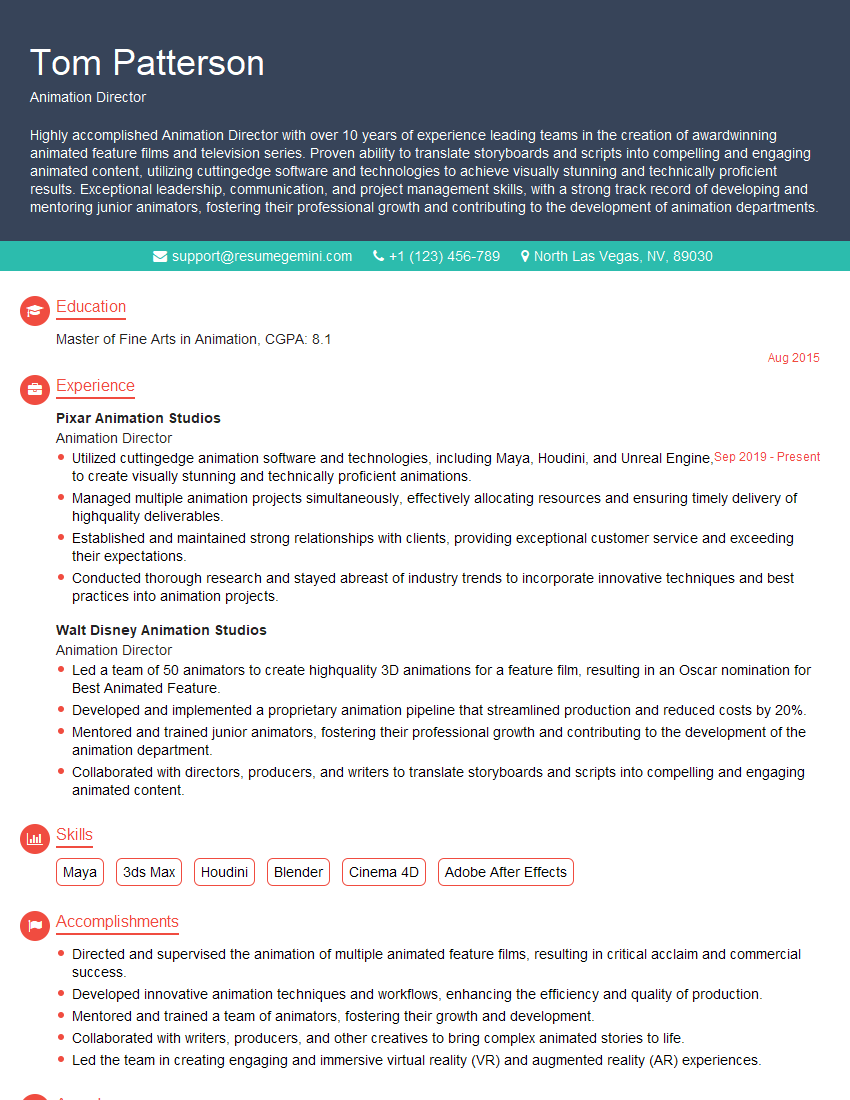
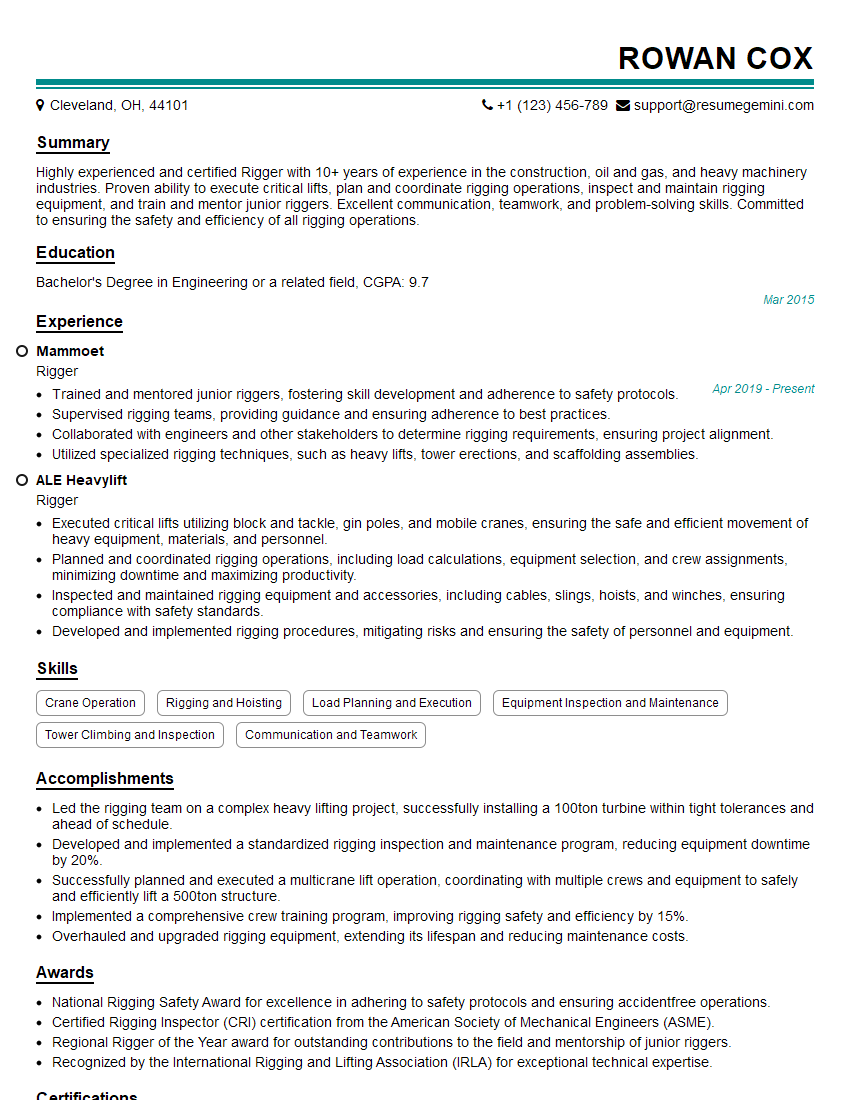
Mastering animation software is crucial for a successful and rewarding career in the vibrant field of animation. Proficiency in these tools opens doors to exciting opportunities and allows you to contribute creatively to compelling projects. To maximize your job prospects, it’s essential to craft a compelling and ATS-friendly resume that highlights your skills and experience. ResumeGemini is a trusted resource that can help you build a professional and effective resume that stands out. Examples of resumes tailored to Animation Software professionals are available to guide you. Take the next step toward your dream career by building a resume that showcases your unique talents!

Explore more articles
Users Rating of Our Blogs
Share Your Experience
We value your feedback! Please rate our content and share your thoughts (optional).
What Readers Say About Our Blog
Attention music lovers!
Wow, All the best Sax Summer music !!!
Spotify: https://open.spotify.com/artist/6ShcdIT7rPVVaFEpgZQbUk
Apple Music: https://music.apple.com/fr/artist/jimmy-sax-black/1530501936
YouTube: https://music.youtube.com/browse/VLOLAK5uy_noClmC7abM6YpZsnySxRqt3LoalPf88No
Other Platforms and Free Downloads : https://fanlink.tv/jimmysaxblack
on google : https://www.google.com/search?q=22+AND+22+AND+22
on ChatGPT : https://chat.openai.com?q=who20jlJimmy20Black20Sax20Producer
Get back into the groove with Jimmy sax Black
Best regards,
Jimmy sax Black
www.jimmysaxblack.com
Hi I am a troller at The aquatic interview center and I suddenly went so fast in Roblox and it was gone when I reset.
Hi,
Business owners spend hours every week worrying about their website—or avoiding it because it feels overwhelming.
We’d like to take that off your plate:
$69/month. Everything handled.
Our team will:
Design a custom website—or completely overhaul your current one
Take care of hosting as an option
Handle edits and improvements—up to 60 minutes of work included every month
No setup fees, no annual commitments. Just a site that makes a strong first impression.
Find out if it’s right for you:
https://websolutionsgenius.com/awardwinningwebsites
Hello,
we currently offer a complimentary backlink and URL indexing test for search engine optimization professionals.
You can get complimentary indexing credits to test how link discovery works in practice.
No credit card is required and there is no recurring fee.
You can find details here:
https://wikipedia-backlinks.com/indexing/
Regards
NICE RESPONSE TO Q & A
hi
The aim of this message is regarding an unclaimed deposit of a deceased nationale that bears the same name as you. You are not relate to him as there are millions of people answering the names across around the world. But i will use my position to influence the release of the deposit to you for our mutual benefit.
Respond for full details and how to claim the deposit. This is 100% risk free. Send hello to my email id: [email protected]
Luka Chachibaialuka
Hey interviewgemini.com, just wanted to follow up on my last email.
We just launched Call the Monster, an parenting app that lets you summon friendly ‘monsters’ kids actually listen to.
We’re also running a giveaway for everyone who downloads the app. Since it’s brand new, there aren’t many users yet, which means you’ve got a much better chance of winning some great prizes.
You can check it out here: https://bit.ly/callamonsterapp
Or follow us on Instagram: https://www.instagram.com/callamonsterapp
Thanks,
Ryan
CEO – Call the Monster App
Hey interviewgemini.com, I saw your website and love your approach.
I just want this to look like spam email, but want to share something important to you. We just launched Call the Monster, a parenting app that lets you summon friendly ‘monsters’ kids actually listen to.
Parents are loving it for calming chaos before bedtime. Thought you might want to try it: https://bit.ly/callamonsterapp or just follow our fun monster lore on Instagram: https://www.instagram.com/callamonsterapp
Thanks,
Ryan
CEO – Call A Monster APP
To the interviewgemini.com Owner.
Dear interviewgemini.com Webmaster!
Hi interviewgemini.com Webmaster!
Dear interviewgemini.com Webmaster!
excellent
Hello,
We found issues with your domain’s email setup that may be sending your messages to spam or blocking them completely. InboxShield Mini shows you how to fix it in minutes — no tech skills required.
Scan your domain now for details: https://inboxshield-mini.com/
— Adam @ InboxShield Mini
Reply STOP to unsubscribe
Hi, are you owner of interviewgemini.com? What if I told you I could help you find extra time in your schedule, reconnect with leads you didn’t even realize you missed, and bring in more “I want to work with you” conversations, without increasing your ad spend or hiring a full-time employee?
All with a flexible, budget-friendly service that could easily pay for itself. Sounds good?
Would it be nice to jump on a quick 10-minute call so I can show you exactly how we make this work?
Best,
Hapei
Marketing Director
Hey, I know you’re the owner of interviewgemini.com. I’ll be quick.
Fundraising for your business is tough and time-consuming. We make it easier by guaranteeing two private investor meetings each month, for six months. No demos, no pitch events – just direct introductions to active investors matched to your startup.
If youR17;re raising, this could help you build real momentum. Want me to send more info?
Hi, I represent an SEO company that specialises in getting you AI citations and higher rankings on Google. I’d like to offer you a 100% free SEO audit for your website. Would you be interested?
Hi, I represent an SEO company that specialises in getting you AI citations and higher rankings on Google. I’d like to offer you a 100% free SEO audit for your website. Would you be interested?