Feeling uncertain about what to expect in your upcoming interview? We’ve got you covered! This blog highlights the most important CAD and Rendering Software interview questions and provides actionable advice to help you stand out as the ideal candidate. Let’s pave the way for your success.
Questions Asked in CAD and Rendering Software Interview
Q 1. What CAD software are you proficient in?
My core CAD proficiency lies in Autodesk Inventor and SolidWorks. I’ve also worked extensively with AutoCAD for 2D drafting and detailing, and have experience with Fusion 360 for its ease of use and cloud integration. Each software has its strengths; Inventor excels in complex assemblies and manufacturing-centric design, while SolidWorks shines in its surface modeling capabilities and ease of use for organic shapes. AutoCAD remains my go-to for precise 2D drawings, and Fusion 360 is ideal for rapid prototyping and collaborative projects.
Q 2. Describe your experience with 3D modeling software.
My 3D modeling experience spans over eight years, encompassing a wide range of techniques and applications. I’m adept at both parametric and direct modeling, understanding the trade-offs between the two. Parametric modeling, used in software like Inventor and SolidWorks, allows for easy modification of designs by changing parameters, ensuring consistency and accuracy. Direct modeling, common in software like Rhino, provides more freedom for organic shapes but requires careful management of history. I’ve worked on projects ranging from intricate mechanical assemblies to complex product designs, utilizing various techniques like extrusion, revolving, sweeping, and lofting to create realistic and functional models. For instance, in a recent project involving the design of a custom bicycle frame, I leveraged SolidWorks’ surface modeling tools to achieve the desired aerodynamic curves and then employed parametric modeling for the structural components.
Q 3. What rendering engines are you familiar with?
My familiarity with rendering engines includes V-Ray, Arnold, and Keyshot. V-Ray is a powerhouse known for its photorealism and versatility, ideal for architectural visualizations and product renders requiring high fidelity. Arnold offers speed and efficiency, making it suitable for large and complex scenes. Keyshot, with its user-friendly interface, is excellent for quick, high-quality renders, particularly for showcasing product designs. The choice of renderer depends heavily on project requirements – the speed needed, the desired level of realism, and the available hardware resources.
Q 4. Explain the difference between wireframe, surface, and solid modeling.
These three modeling techniques represent different levels of detail and complexity:
- Wireframe modeling: This is the most basic form, representing the object as a collection of edges and vertices. It’s useful for initial conceptualization and visualizing the overall structure but lacks surface and volume information. Think of it as a skeletal structure.
- Surface modeling: This creates a 3D representation with surfaces, giving the object a visual appearance but without inherent volume. It’s ideal for creating smooth, organic shapes, frequently used in automotive or industrial design. Imagine sculpting clay – you are shaping the surface without explicitly defining its inner volume.
- Solid modeling: This is the most advanced, defining both the surface and the volume of the object. This allows for accurate calculations of mass, volume, and other properties. It’s essential for engineering applications, providing the necessary data for analysis and manufacturing. Imagine a complete 3D structure – you know both how it looks and how much material it contains.
Q 5. How do you manage large and complex CAD files?
Managing large and complex CAD files requires a strategic approach. This involves utilizing techniques like:
- Component-based design: Breaking down the model into smaller, manageable components simplifies editing and reduces file size. Think of assembling a LEGO structure – each piece is a component.
- Data management software: Utilizing PDM (Product Data Management) systems ensures proper version control, access control, and streamlined collaboration. This keeps track of all the revisions, preventing confusion.
- File optimization: Regularly purging unnecessary history, simplifying geometry, and using appropriate file formats (like STEP or IGES for data exchange) optimizes file size and performance.
- High-performance hardware: Investing in powerful computers with sufficient RAM and processing power is crucial for smooth operation.
Furthermore, adopting a well-organized folder structure and consistent naming conventions are vital for maintaining a manageable project.
Q 6. Describe your workflow for creating a 3D model from a 2D blueprint.
My workflow for creating a 3D model from a 2D blueprint involves the following steps:
- Blueprint analysis: Thoroughly reviewing the blueprint, identifying key dimensions, details, and annotations.
- Sketching (optional): Creating a rough 3D sketch in the CAD software to visualize the model before starting the detailed modeling.
- Base geometry creation: Starting with simple shapes and gradually adding complexity, building up the model using extrude, revolve, or other relevant modeling techniques.
- Dimensioning and constraints: Applying dimensions and constraints based on the blueprint to ensure accuracy and maintain consistency. This is critical for parametric modeling.
- Detailed modeling: Adding features, refining geometry, and incorporating any specific details mentioned in the blueprint.
- Assembly (if applicable): Combining multiple components into an assembly, if the blueprint represents multiple parts.
- Verification and validation: Comparing the final model against the blueprint to identify and correct any discrepancies.
Q 7. How do you handle revisions and updates to existing CAD models?
Handling revisions and updates efficiently is crucial. My approach includes:
- Version control: Using the software’s built-in version control or a dedicated PDM system to track changes, allowing for easy rollback if necessary.
- Clear communication: Establishing clear communication with stakeholders to understand the nature of the revisions and their impact on the model.
- Modular design: Designing the model with modularity in mind allows for easier modification of specific components without affecting the entire assembly.
- Revision history: Maintaining a detailed record of all revisions, including dates, authors, and descriptions of the changes made.
- Testing and validation: Thoroughly testing the updated model to ensure its functionality and compatibility with other components.
Q 8. What are some common challenges you face in CAD modeling, and how do you overcome them?
CAD modeling, while powerful, presents several challenges. One common hurdle is managing complex geometry. A large assembly with thousands of parts can become incredibly difficult to work with, leading to slow performance and potential errors. To overcome this, I employ techniques like component-based modeling, where I break down large assemblies into manageable sub-assemblies. This allows for easier modification and troubleshooting. Another frequent challenge is ensuring dimensional accuracy. Minor errors in measurements can propagate throughout the model, leading to significant issues during manufacturing. I combat this by rigorously checking measurements at each stage of the process and using parametric modeling whenever possible, allowing dimensions to be easily updated and controlled. Finally, maintaining data integrity can be problematic, especially in collaborative projects. Version control systems and cloud-based storage solutions are essential for tracking changes and preventing conflicts, ensuring everyone works with the most up-to-date version of the model.
For instance, on a recent project involving a complex robotic arm, I divided the model into sections – base, arm segments, gripper – which made editing specific parts significantly easier. Using parametric modeling meant that adjusting the overall arm length automatically updated all related dimensions across the various components, saving considerable time and effort.
Q 9. Explain your experience with creating photorealistic renderings.
My experience with photorealistic rendering is extensive, spanning various software packages like V-Ray, Octane Render, and Arnold. Achieving photorealism goes beyond simply rendering a model; it involves a deep understanding of lighting, materials, and post-processing. I start by meticulously creating accurate geometric models, ensuring precise details are captured. Then I focus on material definition, employing techniques like physically based rendering (PBR) to accurately simulate the interaction of light with various surfaces. For example, I’ll use HDRI images (high dynamic range images) for realistic lighting and reflections, meticulously adjusting settings to match real-world lighting conditions. Finally, I leverage post-processing techniques to enhance detail and refine the final image. This often involves subtle adjustments to color, contrast, and sharpness to give it that final polished look.
In a recent project for a luxury car manufacturer, I used V-Ray to render a highly detailed model of their flagship vehicle. By carefully configuring materials using PBR, including meticulously measured reflectivity and roughness, and by utilizing an HDRI environment map capturing the lighting of a high-end car showroom, I managed to produce a rendering that was virtually indistinguishable from a photograph.
Q 10. What lighting techniques do you use to enhance your renderings?
Effective lighting is crucial for convincing renderings. I utilize a combination of techniques, adapting my approach based on the project’s requirements. Global illumination techniques like radiosity and photon mapping are essential for realistic diffuse lighting, creating subtle shadows and reflections. I frequently employ HDRI environments to provide realistic and comprehensive lighting scenarios, avoiding the artificial look of simple point or directional lights. For more controlled lighting effects, I use area lights to simulate soft, diffused illumination. Spotlights and directional lights are used sparingly, but effectively, to highlight specific features or create dramatic effects. In many cases, I also incorporate subsurface scattering techniques to better render materials like skin, wax, or marble which exhibit light diffusion within the material.
For example, in architectural visualizations, I might use an HDRI to capture ambient lighting from a sunny day, supplemented by area lights representing windows or lamps for a warm and realistic interior scene. For product renders, I carefully adjust light sources and their intensities to bring out the textures and details of a product.
Q 11. How do you optimize your rendering settings for speed and quality?
Balancing rendering speed and quality is a constant trade-off. My approach starts with optimizing the model itself – reducing polygon count where possible without sacrificing visual detail. Techniques like level of detail (LOD) modeling, where simpler versions of the model are used at further distances, are crucial for speed improvements. Next, I adjust the rendering settings carefully. I start with lower settings for test renders to identify potential issues or areas for improvement. Then, I systematically increase the quality settings – such as ray tracing depth and sample count – incrementally, testing the impact on render time and image quality. I often use denoising techniques in the renderer or post-processing to significantly improve render times without a massive drop in image quality. This allows me to achieve near-photorealistic results without excessive render times.
For instance, on a large-scale architectural rendering, I might start with a lower sample count and then gradually increase it, observing the noise reduction until a balance between render time and visual quality is achieved. I also commonly use denoising algorithms in my chosen renderer to accelerate the process.
Q 12. Describe your experience with texture mapping and material assignment.
Texture mapping and material assignment are fundamental to creating realistic renderings. My workflow begins by selecting appropriate textures – these could be scanned images, procedurally generated textures, or a combination of both. I carefully consider the resolution and format of textures to balance quality with performance. For material assignment, I use physically-based rendering (PBR) workflows whenever possible, as these accurately simulate the behavior of light interacting with materials. This includes defining parameters like roughness, metallicness, and reflectivity. I might use different mapping techniques like UV unwrapping and procedural texturing, depending on the complexity of the model and the desired result. I also pay close attention to details like bump maps and normal maps to simulate surface imperfections and add a layer of realism to the rendered images.
For a recent product design project, I created a high-resolution scan of a wood grain, which I then used as a diffuse texture. I also created a normal map to enhance the appearance of wood grain, adding depth and realism. Using PBR, I defined the wood’s reflectivity and roughness values to ensure the material reacted realistically to the lighting in the scene.
Q 13. How do you troubleshoot rendering errors?
Troubleshooting rendering errors often involves a systematic approach. First, I carefully examine the renderer’s log files for specific error messages. This often indicates the source of the problem. Common errors might include texture path issues (the renderer can’t find the image files), memory limitations (the scene is too complex for the available resources), or incorrect material definitions. Next, I simplify the scene gradually, removing objects or materials to isolate the source of the error. This iterative process helps pinpoint the problematic element. I also double-check the model’s geometry, looking for anomalies such as overlapping faces or inverted normals which can lead to rendering artifacts. If the issue remains, I try different rendering settings, increasing or decreasing complexity to see if it improves performance or stability.
For instance, I once encountered a rendering error characterized by flickering lights. By systematically simplifying the scene, I found that the issue was due to conflicting light settings and resolved it by adjusting the light’s parameters and removing any unnecessary lights that were causing interference.
Q 14. What are your preferred methods for creating realistic materials?
Creating realistic materials relies heavily on my understanding of PBR. This methodology accurately simulates light interaction with surfaces. I leverage a combination of techniques, including using scanned images as base textures, creating procedural textures for repetitive patterns like wood grain or brick, and utilizing libraries of pre-built materials to quickly create baseline textures that can then be modified to meet my specific needs. For complex materials, I may use specialized software to accurately simulate the material’s properties at a microscopic level. This allows for highly detailed and realistic results. I carefully consider the material’s physical properties such as roughness, reflectivity, and subsurface scattering to create a faithful virtual representation.
Recently, for a project involving a glass material, I used a specialized glass shader that allowed for detailed control over refraction and reflection, accurately capturing how light interacts with the material. This resulted in an incredibly realistic rendering of the glass, capturing the subtle nuances of light transmission and reflection.
Q 15. What is your experience with post-processing renderings?
Post-processing renderings is the crucial final step in the visualization pipeline, enhancing the raw output of a 3D rendering engine to achieve a photorealistic or stylized result. Think of it as the digital equivalent of a photographer retouching their images. It involves using software like Photoshop, After Effects, or dedicated compositing applications to refine details, adjust lighting, add effects, and generally improve the overall visual appeal.
My experience encompasses a wide range of techniques. I’m proficient in adjusting color grading to create specific moods (e.g., a warm sunset feel or a cold, industrial look), utilizing depth of field to draw attention to focal points, adding realistic atmospheric effects like fog or haze, and incorporating elements from other sources (e.g., inserting realistic people or textures). I’ve also worked extensively with compositing multiple renders together to create complex scenes that couldn’t be achieved in a single render pass.
For example, in a recent project visualizing an architectural design, I used post-processing to enhance the realism of the materials. The initial render looked somewhat flat, but by carefully adjusting the reflections and subsurface scattering in Photoshop, I brought out the richness and depth of the stone and wood textures, making the building appear more inviting and believable.
Career Expert Tips:
- Ace those interviews! Prepare effectively by reviewing the Top 50 Most Common Interview Questions on ResumeGemini.
- Navigate your job search with confidence! Explore a wide range of Career Tips on ResumeGemini. Learn about common challenges and recommendations to overcome them.
- Craft the perfect resume! Master the Art of Resume Writing with ResumeGemini’s guide. Showcase your unique qualifications and achievements effectively.
- Don’t miss out on holiday savings! Build your dream resume with ResumeGemini’s ATS optimized templates.
Q 16. Explain your understanding of BIM (Building Information Modeling).
BIM, or Building Information Modeling, is a process involving the generation and management of digital representations of physical and functional characteristics of places. It’s more than just creating 3D models; it’s a comprehensive database containing detailed information about every aspect of a building, from structural components to building systems (HVAC, electrical, plumbing). This information is linked, allowing for collaborative design, analysis, and management throughout the entire building lifecycle.
My understanding of BIM includes experience working with various BIM software platforms like Revit and ArchiCAD. I can create and manage BIM models, utilize their analysis tools (like energy simulation or clash detection), and extract information for documentation and visualization purposes. I understand the importance of using standardized formats (like IFC) for interoperability between different software and stakeholders.
For instance, I once used Revit to model a complex commercial building. The integrated analysis tools within Revit allowed us to identify potential clashes between different MEP systems early in the design phase, saving significant time and cost during construction. The detailed information within the BIM model was also invaluable for producing accurate construction documents and schedules.
Q 17. How do you collaborate with other team members using CAD software?
Collaboration is central to successful CAD projects. My approach involves utilizing cloud-based platforms and version control systems, enabling seamless teamwork. I’m proficient in using features like shared workspaces, model linking, and layers within CAD software. We often hold regular meetings to discuss design changes, progress updates, and potential problems.
For instance, I have used Autodesk’s A360 or similar cloud-based platforms that allow multiple users to work concurrently on a single model. This allows for real-time feedback, reducing conflicts and accelerating the design process. To manage different revisions, we use a clear naming convention for file saves and keep thorough documentation, including meeting minutes and design decisions.
Clear communication is key. We establish a common understanding of the project goals, design parameters, and workflow before starting any work. We use project management tools to assign tasks, track progress, and ensure everyone is on the same page. Regular communication and feedback loops are essential throughout the entire design process.
Q 18. Describe your experience with version control systems for CAD projects.
Version control is paramount for managing the evolution of CAD projects, preventing data loss and ensuring everyone works with the latest approved version. I have extensive experience using systems like Autodesk Vault, which provides features such as file versioning, change tracking, and collaborative workflows.
Using a version control system allows me to track every modification made to a CAD model, including who made the change and when. This is crucial for auditing purposes and for quickly reverting to previous versions if necessary. We adhere to strict version control protocols, ensuring that only approved revisions are used for the final deliverables. A proper versioning strategy minimizes the risk of overwriting critical data and maintains a complete history of the project’s development.
For example, imagine a scenario where a critical error is introduced in a later revision of a model. With a robust version control system in place, it’s a simple process to revert to an earlier, stable version of the file and continue from there. This prevents costly rework and potential delays.
Q 19. How do you ensure the accuracy and precision of your CAD models?
Accuracy and precision are non-negotiable in CAD modeling. I employ several strategies to ensure this. First, I meticulously check all measurements and dimensions against project specifications and drawings. I use a combination of geometric constraints and parametric modeling techniques to maintain dimensional accuracy throughout the design process.
Secondly, I regularly verify the model’s geometry using CAD software’s built-in analysis tools and plugins. This often involves checking for intersecting or overlapping geometry, gaps, and other imperfections. I’m proficient in using tools that identify and highlight these inaccuracies. Finally, before finalizing a model, I conduct thorough quality control checks, often involving a second set of eyes to review the model for any errors or inconsistencies. These reviews are documented, highlighting any modifications made and approvals received.
In practice, I might use precise measuring tools within the software to ensure all elements align correctly. Then, before delivering, I might perform a thorough geometric check using a software plugin to identify any potential inconsistencies or errors that might go unnoticed otherwise. This rigorous approach minimizes the chances of errors that could lead to costly rework or, worse, structural problems in the final product.
Q 20. What are some best practices for maintaining data integrity in CAD projects?
Maintaining data integrity is essential for avoiding costly errors and ensuring project success. Key practices include using a standardized naming convention for files and folders, implementing a robust backup and recovery system, and regularly archiving completed projects.
We also enforce strict version control, as mentioned earlier. Furthermore, I ensure that all data is stored in a centralized, secure location, accessible to authorized personnel only. The use of templates and standardized drawing settings helps to maintain consistency and reduce errors. Regular data cleansing, where outdated or unnecessary data is removed, keeps the project files manageable and efficient. Proper data management also ensures that the data remains compatible with different software versions and future projects.
A real-world example is adhering to a strict file naming convention: Project Name_Date_Revision_Description.dwg. This makes it easy to identify and locate specific files, reducing confusion and streamlining collaboration.
Q 21. What is your experience with CAD automation and scripting?
CAD automation and scripting significantly boost productivity and efficiency. I have experience with various scripting languages like Dynamo (for Revit) and Python, enabling me to automate repetitive tasks, generate custom tools, and create more complex geometries automatically.
I’ve used scripting to automate tasks like creating families of components, generating reports, and extracting data from CAD models. For instance, I created a Dynamo script that automatically generates detailed schedules of doors and windows in a Revit model, saving hours of manual work. I also use scripting to improve workflow efficiency by automating the process of generating multiple design iterations based on varying parameters. The scripts I write are well-documented and easily understandable, ensuring maintainability and collaboration within the team. My expertise in scripting not only improves the speed of my work but also enhances the overall accuracy and precision of the CAD models.
Imagine needing to create hundreds of identical components with slight variations. Instead of manually creating each one, a script can rapidly generate them, ensuring consistency and greatly reducing the chance of human error. This automation significantly improves efficiency and allows me to focus on the more creative and strategic aspects of the project.
Q 22. How familiar are you with different file formats used in CAD and rendering?
My familiarity with CAD and rendering file formats is extensive. Understanding these formats is crucial for efficient workflow and interoperability between different software packages. Here are some key formats I frequently work with:
- Native Formats: Each CAD software (AutoCAD, Revit, SolidWorks, etc.) has its own native file format (e.g., .dwg, .rvt, .sldprt). These retain all the original model data, including parametric information and history. Using native formats is ideal for preserving design intent and making edits.
- Neutral Formats: These formats, like .STEP (.stp/.step) and .IGES (.igs/.iges), are designed for data exchange between different CAD systems. They are less feature-rich than native files but ensure compatibility when working with collaborators using various software.
- 3D Model Formats: Formats such as .FBX, .OBJ, and .3DS are primarily used for 3D modeling, animation, and rendering. They are commonly used to export models from CAD software to rendering applications like V-Ray, Arnold, or Octane. .FBX is particularly useful as it preserves animation data and hierarchical structures.
- Image Formats: Rendering results are typically saved as image files – .jpg, .png, .tiff, .exr – each offering different levels of compression, color depth, and alpha channel support. .exr is popular for high-dynamic-range (HDR) images, preserving a wider range of tones and colors for superior image quality.
- Raster and Vector Graphics: While less directly related to 3D models, understanding the differences between raster (pixel-based) and vector (object-based) graphics is crucial for incorporating 2D drawings and annotations into 3D scenes.
My experience ensures seamless transitions between these formats, optimizing for data integrity and minimizing potential loss of information during conversion.
Q 23. Describe your approach to problem-solving in a CAD environment.
My approach to problem-solving in a CAD environment is systematic and iterative. I follow these key steps:
- Clearly Define the Problem: Before diving into solutions, I carefully analyze the problem’s scope and objectives. This might involve reviewing design specifications, discussing requirements with stakeholders, or examining existing models and drawings.
- Decompose Complex Problems: Large or complex projects are often broken down into smaller, more manageable tasks. This allows for focused attention and prevents overlooking critical details. Think of it like assembling a complex LEGO model – you build it one section at a time.
- Leverage CAD Software Capabilities: I thoroughly explore the capabilities of the CAD software being used. Many solutions are already built in, such as constraint solvers, automated design tools, or parametric modeling, which can significantly simplify the process.
- Employ Various Techniques: I use a range of problem-solving techniques, including constraint-based modeling, boolean operations (union, subtraction, intersection), and scripting/automation to create efficiencies where possible.
- Iterative Testing and Refinement: I regularly check my work through simulations, visualizations, and analysis tools to ensure it meets specifications and identify and correct errors early. This iterative approach enhances accuracy and avoids major revisions later in the process.
- Documentation and Collaboration: Good documentation is essential. I maintain clear records of my design process, solutions, and modifications. If working in a team, I encourage open communication and collaborative problem-solving.
This systematic approach helps me address challenges efficiently and produce accurate, high-quality designs.
Q 24. How do you stay up-to-date with the latest advancements in CAD and rendering technology?
Staying current in CAD and rendering is vital. I employ several strategies:
- Industry Publications and Websites: I regularly follow industry publications such as AEC Magazine, DeZeen, and blogs from leading software developers. These resources provide insights into new features, software updates, and best practices.
- Webinars and Online Courses: Participating in webinars and online courses (platforms like Udemy, Coursera, LinkedIn Learning) allows me to learn about new techniques and technologies directly from experts.
- Conferences and Industry Events: Attending conferences such as Autodesk University or SIGGRAPH provides opportunities for networking, learning about cutting-edge technology, and gaining exposure to emerging trends.
- Software Updates and Tutorials: I keep my software updated to benefit from the latest bug fixes, performance improvements, and new functionalities. I use the built-in tutorials and online resources provided by the software developers to fully explore new features.
- Community Engagement: Active participation in online forums and communities dedicated to CAD and rendering allows me to learn from the experiences of other professionals and stay abreast of common challenges and solutions.
This multi-faceted approach ensures my skills and knowledge remain sharp and aligned with the constantly evolving landscape of CAD and rendering technologies.
Q 25. What is your experience with creating animations using CAD software?
I have significant experience in creating animations using CAD software. My experience spans various software packages and animation techniques. For example, I have used:
- Autodesk Maya: For complex character animation and visual effects, often used in conjunction with CAD models.
- Autodesk 3ds Max: Primarily for architectural walkthroughs, product demonstrations, and other visualisations. I often import CAD models into 3ds Max for this purpose.
- Keyframing and Motion Paths: These are standard techniques employed to control the movement and transitions of objects within a scene, creating a smooth and realistic animation.
- Camera Animation: This is essential for creating engaging walkthroughs, fly-overs, or cinematic-style sequences. The ability to control camera movement, focal length, and field of view is crucial for conveying information effectively.
- Rendering and Post-Processing: Once the animation is complete, I utilize rendering engines to produce high-quality images and videos, often followed by post-processing in software like Adobe After Effects or DaVinci Resolve to add final touches and enhancements.
I have worked on projects ranging from simple product animations to complex architectural walkthroughs. My approach prioritizes clarity, accuracy, and effective storytelling to ensure the animation achieves its intended purpose.
Q 26. Explain your understanding of different camera perspectives and their applications in rendering.
Camera perspectives are fundamental to rendering, significantly impacting the viewer’s perception and understanding of the scene. Different perspectives serve different purposes:
- Orthographic Views: These views show the object without perspective distortion, providing accurate measurements and dimensions. They are commonly used for technical drawings and blueprints. Think of architectural plans or engineering schematics – these utilize orthographic projections.
- Perspective Views: These views mimic human vision, creating a sense of depth and scale. They are ideal for creating realistic and engaging renderings for presentations, marketing materials, or architectural visualizations. Perspective views give a sense of space and distance.
- Isometric Views: A type of axonometric projection, offering a compromise between orthographic and perspective views. They retain a degree of dimensional accuracy while presenting a three-dimensional view, making them suitable for technical illustrations or game design.
- First-Person Perspective: The viewer’s viewpoint is placed within the scene, commonly used for immersive walkthroughs or virtual reality experiences. This places the viewer directly ‘inside’ the scene.
- Third-Person Perspective: The camera is positioned externally, observing the scene from a distance. This allows for broader context and control over the viewer’s focus.
Selecting the appropriate camera perspective is crucial for effectively communicating the design’s intent and creating a compelling visual experience.
Q 27. Describe a situation where you had to solve a complex CAD or rendering problem. What was your approach?
I once encountered a complex challenge involving the rendering of a highly detailed architectural model. The model comprised numerous intricate elements and high-resolution textures, resulting in extremely long rendering times and memory issues. My approach to solving this problem was:
- Model Optimization: I started by optimizing the CAD model. This involved simplifying geometry where possible without compromising visual fidelity. Unnecessary polygons were removed, and levels of detail (LODs) were implemented to improve rendering performance.
- Texture Management: High-resolution textures significantly impact render times. I reduced the resolution of textures where appropriate and used compression techniques to minimize file sizes. I also explored using tileable textures to minimize texture memory usage.
- Rendering Settings Adjustment: I carefully adjusted the rendering settings in the chosen renderer (V-Ray, in this case). This involved optimizing sampling rates, adjusting anti-aliasing settings, and experimenting with different render passes to balance image quality and render speed. I also experimented with different render settings to find the best balance between speed and quality.
- Render Farm Utilization: Due to the scale and complexity of the project, I distributed the render task across a render farm to significantly reduce rendering times. This allowed for parallel processing and a substantial improvement in efficiency.
- Proxy Geometry: For elements that were distant from the camera, I temporarily replaced highly detailed geometry with lower-resolution proxy geometry during the rendering process, improving performance without impacting the final image’s perceived quality.
Through a combination of model optimization, texture management, refined rendering settings, and render farm utilization, we were able to successfully render high-quality images within a reasonable timeframe. This experience highlighted the importance of a well-rounded approach that balances creative vision with technical efficiency.
Key Topics to Learn for CAD and Rendering Software Interview
- CAD Software Fundamentals: Understanding 2D and 3D modeling principles, working with different file formats (DWG, DXF, etc.), and mastering essential tools like extrusion, revolution, and Boolean operations.
- Practical Application: Demonstrate your ability to model complex geometries, create detailed drawings, and apply design constraints effectively. Be ready to discuss projects showcasing your proficiency.
- Rendering Techniques: Explore different rendering engines (e.g., V-Ray, Arnold, Lumion), lighting principles, material properties, and post-processing workflows to achieve realistic visualizations.
- Practical Application: Showcase your ability to create high-quality renderings, demonstrating your understanding of lighting, shadows, textures, and camera angles to effectively communicate design intent.
- Software Specific Knowledge: Deepen your understanding of the specific CAD and rendering software mentioned in the job description. Familiarize yourself with its unique features and capabilities.
- Problem-Solving & Troubleshooting: Be prepared to discuss your approach to resolving technical challenges encountered during modeling and rendering. Examples include managing complex scenes, optimizing rendering times, and resolving geometrical errors.
- Collaboration & Workflow: Understanding file management, version control, and collaborative workflows within a team environment is crucial. Be ready to discuss your experience with cloud-based platforms or other collaborative tools.
Next Steps
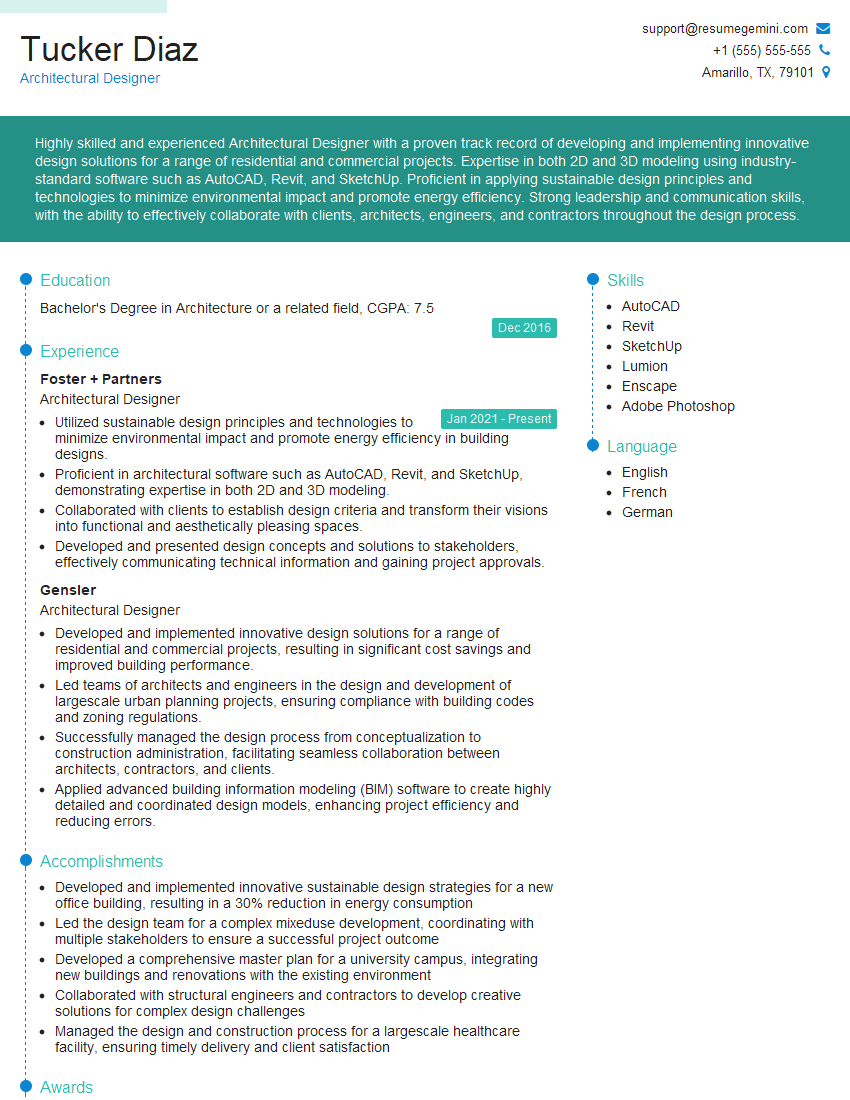
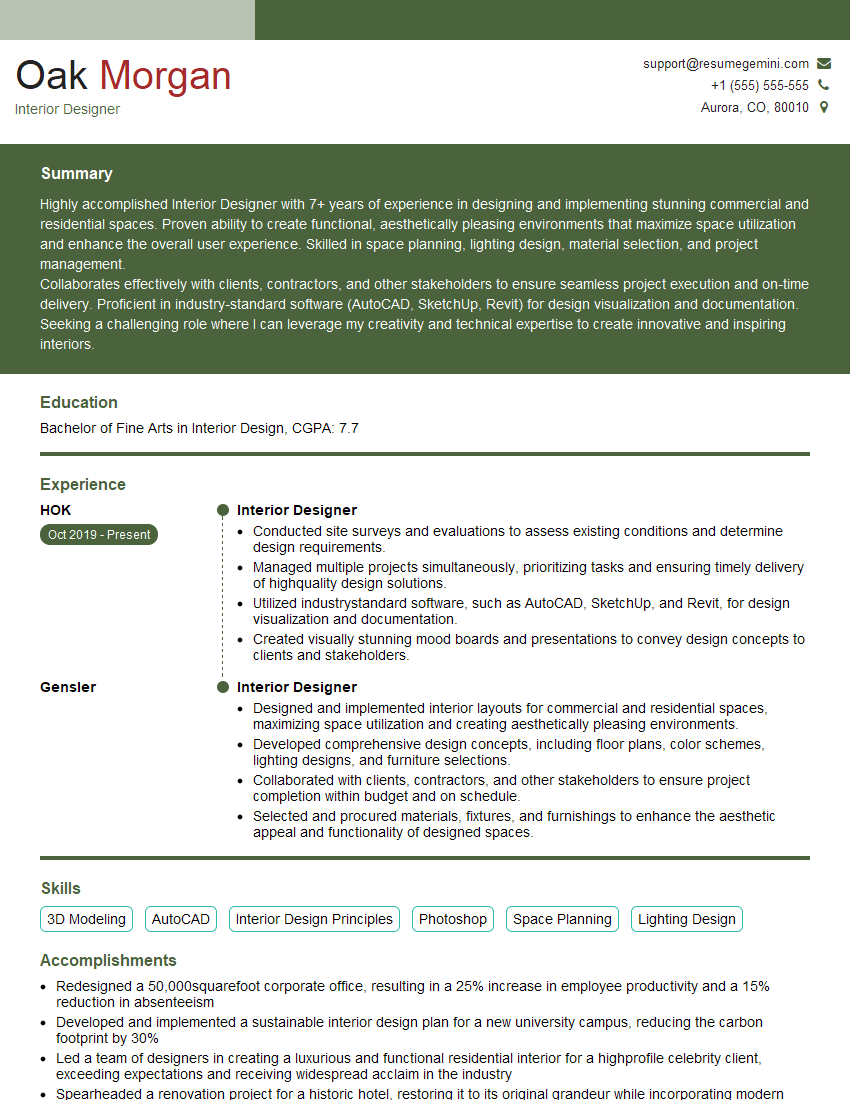
Mastering CAD and rendering software opens doors to exciting and rewarding careers in architecture, engineering, product design, and many other creative fields. A strong portfolio is essential, but a well-crafted resume is your first impression. An ATS-friendly resume, optimized for Applicant Tracking Systems, significantly improves your chances of getting noticed by recruiters. ResumeGemini is a trusted resource to help you build a professional, impactful resume that highlights your skills and experience. Examples of resumes tailored to CAD and Rendering Software professionals are available to help you get started.




Explore more articles
Users Rating of Our Blogs
Share Your Experience
We value your feedback! Please rate our content and share your thoughts (optional).
What Readers Say About Our Blog
Hello,
we currently offer a complimentary backlink and URL indexing test for search engine optimization professionals.
You can get complimentary indexing credits to test how link discovery works in practice.
No credit card is required and there is no recurring fee.
You can find details here:
https://wikipedia-backlinks.com/indexing/
Regards
NICE RESPONSE TO Q & A
hi
The aim of this message is regarding an unclaimed deposit of a deceased nationale that bears the same name as you. You are not relate to him as there are millions of people answering the names across around the world. But i will use my position to influence the release of the deposit to you for our mutual benefit.
Respond for full details and how to claim the deposit. This is 100% risk free. Send hello to my email id: [email protected]
Luka Chachibaialuka
Hey interviewgemini.com, just wanted to follow up on my last email.
We just launched Call the Monster, an parenting app that lets you summon friendly ‘monsters’ kids actually listen to.
We’re also running a giveaway for everyone who downloads the app. Since it’s brand new, there aren’t many users yet, which means you’ve got a much better chance of winning some great prizes.
You can check it out here: https://bit.ly/callamonsterapp
Or follow us on Instagram: https://www.instagram.com/callamonsterapp
Thanks,
Ryan
CEO – Call the Monster App
Hey interviewgemini.com, I saw your website and love your approach.
I just want this to look like spam email, but want to share something important to you. We just launched Call the Monster, a parenting app that lets you summon friendly ‘monsters’ kids actually listen to.
Parents are loving it for calming chaos before bedtime. Thought you might want to try it: https://bit.ly/callamonsterapp or just follow our fun monster lore on Instagram: https://www.instagram.com/callamonsterapp
Thanks,
Ryan
CEO – Call A Monster APP
To the interviewgemini.com Owner.
Dear interviewgemini.com Webmaster!
Hi interviewgemini.com Webmaster!
Dear interviewgemini.com Webmaster!
excellent
Hello,
We found issues with your domain’s email setup that may be sending your messages to spam or blocking them completely. InboxShield Mini shows you how to fix it in minutes — no tech skills required.
Scan your domain now for details: https://inboxshield-mini.com/
— Adam @ InboxShield Mini
Reply STOP to unsubscribe
Hi, are you owner of interviewgemini.com? What if I told you I could help you find extra time in your schedule, reconnect with leads you didn’t even realize you missed, and bring in more “I want to work with you” conversations, without increasing your ad spend or hiring a full-time employee?
All with a flexible, budget-friendly service that could easily pay for itself. Sounds good?
Would it be nice to jump on a quick 10-minute call so I can show you exactly how we make this work?
Best,
Hapei
Marketing Director
Hey, I know you’re the owner of interviewgemini.com. I’ll be quick.
Fundraising for your business is tough and time-consuming. We make it easier by guaranteeing two private investor meetings each month, for six months. No demos, no pitch events – just direct introductions to active investors matched to your startup.
If youR17;re raising, this could help you build real momentum. Want me to send more info?
Hi, I represent an SEO company that specialises in getting you AI citations and higher rankings on Google. I’d like to offer you a 100% free SEO audit for your website. Would you be interested?
Hi, I represent an SEO company that specialises in getting you AI citations and higher rankings on Google. I’d like to offer you a 100% free SEO audit for your website. Would you be interested?
good