The thought of an interview can be nerve-wracking, but the right preparation can make all the difference. Explore this comprehensive guide to Cloud Computing and DevOps interview questions and gain the confidence you need to showcase your abilities and secure the role.
Questions Asked in Cloud Computing and DevOps Interview
Q 1. Explain the difference between IaaS, PaaS, and SaaS.
IaaS, PaaS, and SaaS are three distinct service models in cloud computing, representing different levels of abstraction and responsibility. Think of it like ordering a meal: IaaS is like getting raw ingredients (servers, storage, networking), PaaS is like getting pre-prepared ingredients and the cookware (servers, storage, plus a platform for building applications), and SaaS is like getting a fully cooked meal (a complete application ready to use).
- IaaS (Infrastructure as a Service): You manage the operating systems, applications, and data. The cloud provider only handles the underlying physical infrastructure (servers, storage, networking). Examples include Amazon EC2, Azure Virtual Machines, and Google Compute Engine. This provides maximum control but also maximum responsibility for maintenance and security.
- PaaS (Platform as a Service): The cloud provider manages the underlying infrastructure and provides a platform for developing, deploying, and managing applications. You only manage the application code and data. Examples include AWS Elastic Beanstalk, Azure App Service, and Google App Engine. This offers a balance between control and ease of use.
- SaaS (Software as a Service): You only access and use the application. The cloud provider manages everything, from the infrastructure to the application itself. Examples include Salesforce, Gmail, and Microsoft Office 365. This provides the easiest access and minimal management overhead.
In a nutshell: IaaS gives you the most control, SaaS the least, with PaaS falling somewhere in between.
Q 2. Describe your experience with containerization technologies like Docker and Kubernetes.
I have extensive experience with Docker and Kubernetes, using them to build and deploy highly scalable and reliable applications. Docker provides lightweight, portable containers that package applications and their dependencies. Kubernetes, on the other hand, orchestrates the deployment, scaling, and management of containerized applications across a cluster of machines.
For example, in a recent project, we used Docker to create containers for our microservices, ensuring consistency across different environments (development, testing, production). Kubernetes then managed the deployment of these containers to a cloud-based cluster, automatically scaling them up or down based on demand. This eliminated the complexities of manual server management and improved our application’s reliability and availability. We leveraged Kubernetes features like deployments, services, and ingress controllers to manage application traffic and ensure high availability.
I am proficient in writing Dockerfiles and Kubernetes manifests (YAML files) and have experience with managing Kubernetes clusters using tools like Kubectl and monitoring solutions such as Prometheus and Grafana.
Q 3. How do you implement CI/CD pipelines?
Implementing CI/CD pipelines involves automating the process of building, testing, and deploying software. My typical approach involves these stages:
- Source Code Management: Using Git for version control and collaborative development.
- Continuous Integration (CI): Automating the build process, running unit tests, and performing code analysis. Tools like Jenkins, GitLab CI, or GitHub Actions are commonly used. This stage ensures that code changes are integrated frequently and early detection of integration issues occurs.
- Continuous Delivery/Deployment (CD): Automating the deployment process to different environments (development, staging, production). This might involve tools such as Ansible, Chef, or Puppet for infrastructure management and deployment automation. This is where we automate the process of getting code from the integration stage into production smoothly and reliably.
- Testing: Employing a multi-layered testing strategy including unit, integration, and system tests at various stages of the pipeline.
- Monitoring and Feedback: Monitoring the application’s performance in production and using this data to improve the pipeline and the application itself. Tools like Datadog, New Relic, or CloudWatch provide this feedback loop.
A real-world example involves building an application using CI/CD: Each code commit triggers an automated build. Tests are executed, and if successful, the new code is automatically deployed to a testing environment. After further testing, approval triggers deployment to production. This reduces manual intervention, speeds up delivery, and enhances quality.
Q 4. What are some common cloud security best practices?
Cloud security is paramount. Best practices include:
- Least Privilege Access: Granting users only the necessary permissions to perform their tasks, using tools like AWS IAM, Azure RBAC, or GCP IAM.
- Network Security: Implementing firewalls, VPNs, and intrusion detection systems to protect network resources. Virtual Private Clouds (VPCs) and network segmentation enhance security.
- Data Encryption: Encrypting data at rest and in transit using industry-standard encryption algorithms and key management services.
- Vulnerability Management: Regularly scanning for vulnerabilities and patching security flaws promptly.
- Security Information and Event Management (SIEM): Centralizing security logs and alerts for monitoring and analysis. Using SIEM tools assists in identifying threats and security breaches.
- Regular Security Audits and Penetration Testing: Conducting periodic security assessments to identify weaknesses in security posture.
- Compliance: Adhering to relevant industry standards and regulations (e.g., HIPAA, PCI DSS).
These practices, when implemented effectively, significantly reduce the risk of security breaches and protect sensitive data in the cloud.
Q 5. Explain the concept of Infrastructure as Code (IaC).
Infrastructure as Code (IaC) is the management of infrastructure (networks, virtual machines, load balancers, and connection topology) in a descriptive model, using the same versioning as DevOps teams use for source code. This allows for automation and repeatability through code instead of manual processes. Think of it as writing code to define your infrastructure, just like you write code to define your application. This enables consistent and repeatable deployments across different environments.
Popular tools for IaC include Terraform and CloudFormation. For example, using Terraform, I can define a complete cloud infrastructure—including virtual machines, networks, and databases—in a configuration file. This file can then be version-controlled, allowing for easy collaboration, rollback capabilities, and automated deployments. Changes to the infrastructure are managed as code, enabling auditing and traceability.
IaC brings significant benefits, including improved consistency, reduced errors, faster deployments, and enhanced collaboration.
Q 6. How do you monitor and manage cloud resources?
Monitoring and managing cloud resources is crucial for ensuring optimal performance, availability, and cost efficiency. My approach typically involves:
- Monitoring Tools: Utilizing cloud-native monitoring services (like AWS CloudWatch, Azure Monitor, or GCP Cloud Monitoring) along with third-party tools (like Datadog or Prometheus) to collect metrics, logs, and traces.
- Alerting: Setting up alerts based on key metrics to proactively identify and address potential issues. These alerts can be sent via email, SMS, or other channels.
- Logging and Analysis: Centralizing logs for security auditing and troubleshooting. Using tools like ELK stack or Splunk for log aggregation and analysis enables faster issue resolution.
- Cost Optimization: Regularly analyzing cloud spending patterns to identify areas for cost reduction. Tools within each cloud provider help with resource right-sizing.
- Automation: Automating resource provisioning, scaling, and decommissioning to reduce manual effort and ensure consistency.
For instance, using CloudWatch, I can set up alarms that trigger when CPU utilization exceeds a certain threshold. This allows me to scale resources automatically or receive notifications to address performance bottlenecks. This proactive approach maintains a balance of optimal resource usage while minimizing cost.
Q 7. Describe your experience with different cloud providers (AWS, Azure, GCP).
I possess experience across major cloud providers: AWS, Azure, and GCP. My experience includes:
- AWS: Extensive experience with EC2, S3, Lambda, RDS, DynamoDB, and various other AWS services. I’ve worked on projects utilizing serverless architectures, container orchestration with EKS, and database management with RDS.
- Azure: I have experience with Azure Virtual Machines, Azure Blob Storage, Azure Functions, Azure SQL Database, and Cosmos DB. I’ve worked with Azure Kubernetes Service (AKS) and utilized Azure DevOps for CI/CD pipelines.
- GCP: My GCP experience involves Compute Engine, Cloud Storage, Cloud Functions, Cloud SQL, and Cloud Spanner. I’ve used Google Kubernetes Engine (GKE) and leveraged Google Cloud’s monitoring and logging services.
I’m proficient in utilizing the tools and services offered by each provider, choosing the most appropriate platform based on project requirements and cost considerations. I understand the strengths and weaknesses of each provider and can effectively adapt my approach based on the chosen cloud platform.
Q 8. How do you handle cloud cost optimization?
Cloud cost optimization is crucial for maintaining a healthy cloud budget. It involves proactively identifying and eliminating unnecessary expenses while ensuring optimal performance. Think of it like managing your household budget – you need to understand where your money is going and find ways to save without compromising your lifestyle (or application performance).
- Right-sizing instances: Using instances that are appropriately sized for the workload. Over-provisioning leads to wasted resources. I’ve seen projects where instances were significantly oversized, leading to unnecessary costs. We analyzed the CPU and memory usage over a period of time and then downsized to smaller, more cost-effective instances, resulting in a 30% reduction in compute costs.
- Spot instances and reserved instances: Leveraging spot instances for non-critical workloads can drastically reduce costs. Reserved instances provide cost savings for long-term commitments. I successfully used a hybrid approach on a large-scale data processing project, using spot instances for initial data ingestion and reserved instances for critical processing and storage.
- Automated scaling: Scaling resources up or down based on demand. This ensures you only pay for what you use. Implementing auto-scaling for a web application during peak hours saved our client thousands of dollars per month because resources only scaled up when necessary.
- Tagging resources: Implementing a robust tagging strategy makes it easier to track and allocate costs to different projects and teams. This allowed us to easily identify cost overruns and pinpoint the responsible teams.
- Regular cost analysis: Using cloud provider tools like AWS Cost Explorer or Azure Cost Management to regularly monitor spending and identify areas for improvement. This proactive approach allows for early detection and correction of potential cost issues.
By combining these strategies, I’ve consistently helped organizations significantly reduce their cloud spending without affecting application performance or reliability.
Q 9. What are some common challenges in DevOps implementation?
DevOps implementation, while promising increased agility and efficiency, comes with its own set of challenges. These challenges often stem from cultural shifts, technological complexities, and integration hurdles.
- Cultural resistance to change: Adopting DevOps requires a shift in mindset and collaboration across development and operations teams. Resistance to new processes and tools can significantly hinder implementation. In one project, we addressed this by implementing a phased approach, demonstrating the benefits of DevOps gradually and providing training to address concerns.
- Tooling complexity: The wide array of DevOps tools requires careful selection and integration. A lack of proper planning and integration can lead to a fragmented and inefficient workflow. We addressed this by creating a well-defined CI/CD pipeline and selecting tools that could effectively integrate.
- Security concerns: Integrating automation into the software delivery pipeline requires robust security measures to prevent vulnerabilities. We implemented security best practices throughout the pipeline, including automated security scanning and vulnerability management.
- Lack of skilled personnel: A shortage of DevOps engineers with the right skills can slow down the process. Investing in training and hiring skilled professionals is crucial. We addressed this by partnering with a training institution to upskill our team members.
- Monitoring and logging: Effective monitoring and logging are crucial for identifying and resolving issues quickly. Insufficient monitoring can lead to undetected performance bottlenecks or security breaches. A comprehensive monitoring strategy with alerting capabilities is essential.
Overcoming these challenges requires careful planning, strong leadership, and a commitment to continuous improvement.
Q 10. Explain your experience with configuration management tools (Ansible, Chef, Puppet).
I have extensive experience with Ansible, Chef, and Puppet, three of the most popular configuration management tools. Each has its strengths and weaknesses, making them suitable for different scenarios.
- Ansible: I prefer Ansible for its agentless architecture and simplicity. Its YAML-based configuration files are easy to read and write, and its idempotency ensures that configurations are applied consistently. I’ve used Ansible to automate server provisioning, application deployments, and configuration management across various cloud providers. For instance, I automated the deployment of a three-tier web application on AWS using Ansible playbooks, significantly reducing deployment time and errors.
- Chef: Chef’s strength lies in its robust infrastructure management capabilities. Its infrastructure-as-code approach is well-suited for large-scale deployments. I’ve used Chef in projects that required managing complex infrastructure configurations, such as server farms and container orchestration platforms.
- Puppet: Puppet provides a powerful and mature solution for managing complex infrastructure. Its declarative approach simplifies complex configurations. I utilized Puppet to manage a large-scale enterprise application deployment, focusing on its ability to handle complex dependencies and maintain consistency across multiple environments.
My experience allows me to select the best tool based on the specific project requirements, balancing factors like complexity, scale, and team expertise.
Q 11. How do you troubleshoot and resolve issues in a cloud environment?
Troubleshooting in a cloud environment requires a systematic approach. I typically follow these steps:
- Identify the problem: Start by gathering information about the issue. This includes logs, metrics, and error messages. Cloud monitoring tools are invaluable here.
- Isolate the source: Determine the root cause of the problem. Is it a networking issue, a server problem, a code bug, or something else? Using tools like cloud provider dashboards, I can identify performance bottlenecks or error patterns.
- Develop and implement a solution: Once the source is identified, create a solution. This could involve restarting a service, updating code, scaling resources, or contacting support.
- Test the solution: Verify that the solution has resolved the problem and hasn’t introduced new ones.
- Document the issue and solution: Record the issue, root cause, and solution for future reference. This helps prevent similar issues from recurring.
For example, when a web application became unresponsive, I used cloud monitoring tools to identify a surge in traffic exceeding the capacity of the database. By scaling the database instances, I quickly restored application functionality.
Q 12. Describe your experience with version control systems (Git).
Git is my go-to version control system. I’m proficient in using Git for managing code, collaborating with teams, and tracking changes. My experience encompasses:
- Branching strategies: I use various branching strategies like Gitflow or GitHub Flow depending on the project needs. This allows for parallel development, feature isolation, and efficient code integration.
- Merging and rebasing: I’m adept at resolving merge conflicts and using rebasing for a cleaner commit history.
- Collaboration tools: I’ve used Git platforms like GitHub, GitLab, and Bitbucket for code collaboration, pull requests, and code reviews.
- Git hooks: I leverage Git hooks for automating tasks like code linting and testing before committing code.
In a recent project, my use of Git’s branching strategy and pull requests ensured smooth collaboration among multiple developers, resulting in a streamlined development process and a highly maintainable codebase.
Q 13. What is your experience with scripting languages (Python, Bash)?
Python and Bash are my primary scripting languages. I use them extensively for automation, system administration, and data processing tasks.
- Python: Python’s versatility makes it ideal for tasks like data analysis, web scraping, and creating custom tools for automating cloud operations. For example, I created a Python script to automate the deployment of AWS resources based on a configuration file.
#Example Python code snippet (Illustrative) import boto3 #... AWS resource creation code ... - Bash: Bash scripting is invaluable for automating system administration tasks on Linux-based systems, such as managing user accounts, monitoring system performance, and creating backups. I used bash scripts extensively for configuring and maintaining servers in our cloud infrastructure.
My proficiency in both languages allows me to choose the best tool for a particular task based on its suitability and efficiency. Often, I find that combining Python’s power with bash’s system administration capabilities provides a highly effective solution.
Q 14. How do you ensure high availability and scalability in the cloud?
Ensuring high availability and scalability in the cloud involves designing and implementing systems that can handle fluctuating demands while minimizing downtime. This involves a combination of architectural choices, infrastructure configurations, and operational procedures.
- Load balancing: Distributing traffic across multiple instances to prevent overload on any single server. I’ve used various load balancing solutions, including cloud provider offerings like AWS Elastic Load Balancing or Azure Load Balancer.
- Redundancy: Implementing redundant systems and components to mitigate the impact of failures. This includes multiple availability zones, geographically distributed servers, and database replication.
- Auto-scaling: Dynamically adjusting the number of instances based on demand. Cloud providers offer auto-scaling features that automatically scale resources up or down in response to changes in traffic or resource utilization. We implemented auto-scaling on a mission-critical e-commerce application, allowing it to handle peak demand during promotional events without performance degradation.
- Database design: Choosing a database system appropriate for the workload and implementing techniques like sharding and replication to improve scalability and availability.
- Disaster recovery planning: Having a comprehensive plan in place to quickly restore services in case of major outages. This includes regular backups, failover mechanisms, and recovery procedures. We implemented a disaster recovery plan for a financial services client, ensuring business continuity in the event of a major disaster.
By combining these approaches, we can build highly available and scalable cloud applications capable of handling even the most demanding workloads.
Q 15. Explain your understanding of microservices architecture.
Microservices architecture is an approach to software development where a large application is built as a suite of small, independent services. Think of it like building with LEGOs – instead of one giant, monolithic structure, you assemble many smaller, interchangeable blocks. Each microservice focuses on a specific business function, operates independently, and communicates with others through lightweight mechanisms, often APIs.
Advantages: Microservices offer increased agility, scalability, and fault isolation. If one service fails, the others can continue operating. Independent deployments allow for faster release cycles. Technology choices become more flexible, as each service can be built using the most appropriate technology.
Disadvantages: Increased complexity in deployment and monitoring, potentially higher operational overhead, and the need for robust inter-service communication strategies. Distributed tracing and debugging can also be more challenging.
Example: An e-commerce platform might have separate microservices for user accounts, product catalog, shopping cart, order processing, and payment gateway. Each service can be developed, deployed, and scaled independently, allowing for optimized resource allocation and faster response times.
Career Expert Tips:
- Ace those interviews! Prepare effectively by reviewing the Top 50 Most Common Interview Questions on ResumeGemini.
- Navigate your job search with confidence! Explore a wide range of Career Tips on ResumeGemini. Learn about common challenges and recommendations to overcome them.
- Craft the perfect resume! Master the Art of Resume Writing with ResumeGemini’s guide. Showcase your unique qualifications and achievements effectively.
- Don’t miss out on holiday savings! Build your dream resume with ResumeGemini’s ATS optimized templates.
Q 16. Describe your experience with monitoring and logging tools (Prometheus, Grafana, ELK stack).
I have extensive experience with Prometheus, Grafana, and the ELK stack for monitoring and logging. Prometheus is a powerful time-series database, excellent for collecting and storing metrics from applications and infrastructure. Grafana provides beautiful dashboards and visualizations to analyze this data, giving us a clear picture of system performance and health. The ELK stack (Elasticsearch, Logstash, Kibana) excels at log management and analysis. It collects logs from various sources, processes them, and provides a searchable and analyzable interface for debugging and troubleshooting.
In a recent project, we used Prometheus to monitor the performance of our microservices, collecting metrics like request latency, error rates, and CPU utilization. Grafana dashboards displayed these metrics in real-time, providing immediate alerts for any anomalies. Simultaneously, the ELK stack processed our application logs, allowing us to quickly identify and resolve issues through advanced search and filtering capabilities. This combined approach provided comprehensive observability and enabled proactive problem resolution.
Q 17. How do you implement disaster recovery in a cloud environment?
Implementing disaster recovery (DR) in a cloud environment involves a multi-layered approach. The key is redundancy and failover mechanisms. We typically leverage cloud-native services to achieve this.
- Data Replication: Using services like AWS S3 or Azure Blob Storage with geographic replication ensures data availability even if a region fails.
- Multi-Region Deployments: Deploying applications across multiple availability zones or regions ensures high availability. If one region goes down, the application automatically fails over to another.
- Database Replication: Implementing database replication, either synchronous or asynchronous, ensures data consistency and availability.
- Load Balancers: Utilizing cloud load balancers distributes traffic across multiple instances, preventing single points of failure.
- Automated Failover: Configuring automated failover mechanisms using cloud orchestration tools (like Kubernetes) ensures quick recovery in case of failures.
- Regular Testing: DR plans are useless if they are not tested regularly. Conducting drills and simulations is crucial to validate the plan’s effectiveness.
For example, we could use AWS’s Disaster Recovery as a Service (DRaaS) for a seamless approach. It integrates with various AWS services for a streamlined disaster recovery process.
Q 18. What is your experience with serverless computing?
Serverless computing abstracts away server management. Instead of managing servers, you focus solely on writing code. Cloud providers handle the infrastructure, scaling, and maintenance. Functions are triggered by events, and they execute only when needed. This leads to cost savings and improved scalability.
Experience: I’ve used serverless functions extensively for tasks like processing images, handling asynchronous tasks, and building APIs. I’ve worked with AWS Lambda, Azure Functions, and Google Cloud Functions. The benefits are clear: reduced operational overhead, improved scalability (automatically scaling based on demand), and cost-effectiveness (paying only for the compute time used).
Example: In a project involving image processing, instead of managing a dedicated server for this task, we used serverless functions triggered by new image uploads. The functions automatically scaled to handle peak loads, and we only paid for the compute time used to process the images. This approach was significantly more cost-effective and scalable than maintaining our own server infrastructure.
Q 19. Explain your experience with automated testing.
Automated testing is crucial for delivering high-quality software. My experience spans various testing methodologies, including unit testing, integration testing, and end-to-end testing. I utilize tools like JUnit, pytest, Selenium, and Cypress. Continuous integration/continuous delivery (CI/CD) pipelines are central to my automated testing strategy, ensuring tests run automatically with each code change.
Example: In a recent project, we implemented a CI/CD pipeline that automatically ran unit tests, integration tests, and end-to-end tests after each code commit. This caught bugs early in the development cycle, reducing the cost and effort of fixing them later. Selenium was used for automated UI testing, ensuring the application’s functionality and user experience were maintained across different browsers and devices.
Test Pyramid Approach: I favor the test pyramid approach, prioritizing unit tests (fastest, most numerous), followed by integration tests, and then end-to-end tests (slowest, fewest). This balanced approach ensures comprehensive testing without compromising speed and efficiency.
Q 20. How do you manage and secure secrets in a cloud environment?
Securing secrets in a cloud environment is paramount. I avoid hardcoding secrets directly into code. Instead, I use dedicated secret management services provided by cloud providers. Examples include AWS Secrets Manager, Azure Key Vault, and Google Cloud Secret Manager.
These services offer features like:
- Centralized storage: Secrets are stored securely in a centralized location.
- Access control: Strict access control mechanisms limit who can access the secrets.
- Rotation: Secrets can be rotated regularly to minimize the impact of compromise.
- Versioning: Versioning allows for rollback to previous versions if needed.
In practice: Our applications access secrets through these managed services’ APIs. The applications don’t directly store or manage the secrets, enhancing security and compliance. We also use infrastructure-as-code (IaC) tools like Terraform to manage and provision resources, further reducing the risk of accidentally exposing secrets.
Q 21. Describe your understanding of different database systems (SQL, NoSQL).
SQL and NoSQL databases represent different approaches to data modeling and storage. SQL databases (like MySQL, PostgreSQL, SQL Server) use a relational model, organizing data into tables with rows and columns. They excel in managing structured data with well-defined relationships. Transactions are often ACID-compliant (Atomicity, Consistency, Isolation, Durability), ensuring data integrity.
NoSQL databases (like MongoDB, Cassandra, Redis) offer more flexibility, storing data in various formats (key-value, document, graph). They are better suited for unstructured or semi-structured data, offering high scalability and availability. Consistency guarantees are often relaxed compared to SQL databases.
Choosing the right database: The choice depends on the application’s requirements. For applications with complex data relationships and transactional integrity needs, SQL is often preferred. For applications requiring high scalability, flexibility, and the handling of large volumes of unstructured data, NoSQL databases are a better fit.
Example: A traditional e-commerce system might use a SQL database for managing customer data, product information, and order details, benefiting from ACID properties for transactional integrity. On the other hand, a social media platform might use a NoSQL database to handle user posts, comments, and likes, prioritizing scalability and flexibility to accommodate rapidly changing and unstructured data.
Q 22. How do you ensure compliance with security regulations in the cloud?
Ensuring compliance with security regulations in the cloud is paramount. It’s not a one-time task but a continuous process involving people, processes, and technology. My approach involves a multi-layered strategy:
Risk Assessment and Management: I begin by identifying potential risks and vulnerabilities specific to the cloud environment and the regulations applicable (e.g., HIPAA, GDPR, PCI DSS). This includes assessing data sensitivity, access controls, and potential threats.
Implementation of Security Controls: This includes leveraging cloud-native security features like IAM (Identity and Access Management) for granular access control, encryption both in transit and at rest, intrusion detection and prevention systems, and regular security audits. For example, I’d implement strong password policies and multi-factor authentication (MFA) to prevent unauthorized access.
Compliance Monitoring and Auditing: Continuous monitoring is crucial. I utilize cloud security posture management (CSPM) tools to track compliance against chosen standards. Regular security audits, both internal and external penetration testing, ensure that security controls remain effective.
Incident Response Planning: A well-defined incident response plan is critical. This includes procedures for identifying, containing, eradicating, recovering from, and learning from security incidents. Regular drills and simulations help ensure the plan’s effectiveness.
Data Loss Prevention (DLP): Implementing DLP measures is key to preventing sensitive data from leaving the controlled environment. This might involve data encryption, access controls based on data classification, and monitoring for suspicious data transfers.
For instance, in a previous project involving handling protected health information (PHI), we implemented strict access controls using AWS IAM roles and policies, encrypted all PHI data at rest and in transit, and conducted regular vulnerability scans and penetration testing to ensure compliance with HIPAA.
Q 23. What are some common performance bottlenecks in cloud applications?
Performance bottlenecks in cloud applications can stem from various sources. Identifying the root cause requires a systematic approach. Common bottlenecks include:
Database Issues: Slow database queries, insufficient database capacity, or inefficient database design can significantly impact application performance. Indexing, query optimization, and scaling the database are key solutions.
Network Latency: High network latency, especially when dealing with geographically dispersed users or resources, can lead to slow response times. Content delivery networks (CDNs) and strategically located resources can mitigate this.
Inadequate Server Resources: Insufficient CPU, memory, or disk I/O can lead to performance degradation. Scaling up or out (horizontal scaling) the server resources is a common solution.
Application Code Inefficiencies: Poorly written code, inefficient algorithms, or memory leaks can impact performance. Profiling and optimization of application code are crucial.
Third-Party API limitations: Reliance on slow or unreliable third-party APIs can significantly impact the application’s performance. Selecting reliable and efficient APIs and implementing appropriate caching mechanisms are important considerations.
Lack of Optimization for Specific Services: Cloud services often have specific ways of optimizing them for the best performance. Failure to use these can severely hinder performance.
For example, I once diagnosed a performance bottleneck in an e-commerce application by using APM (Application Performance Monitoring) tools to pinpoint slow database queries. Optimizing these queries resulted in a significant improvement in overall application performance.
Q 24. Explain your experience with different deployment strategies (blue/green, canary).
I have extensive experience with various deployment strategies, particularly blue/green and canary deployments. These minimize downtime and risk during deployments.
Blue/Green Deployments: This strategy involves maintaining two identical environments: a ‘blue’ (production) and a ‘green’ (staging) environment. The new version is deployed to the green environment. Once testing is complete and it’s deemed stable, traffic is switched from blue to green. If issues arise, traffic can be quickly switched back to the blue environment. This ensures zero downtime.
Canary Deployments: This is a more gradual approach. A small subset of users is routed to the new version of the application. The performance and stability of the new version are monitored closely. If everything looks good, the rollout continues to larger groups of users until the entire user base is using the new version. This allows for early detection and mitigation of potential issues, minimizing the impact on the whole user base.
In a previous project, we used a blue/green deployment strategy to update a high-traffic web application. By deploying the updated version to the green environment and carefully monitoring its performance before switching traffic, we ensured a seamless transition with no noticeable downtime for our users.
Q 25. How do you manage and resolve incidents in a cloud environment?
Managing and resolving incidents in a cloud environment requires a structured approach. I typically follow a process similar to ITIL best practices:
Incident Identification and Logging: The incident is identified, logged, and its impact assessed. Monitoring tools and alerts play a crucial role in this step.
Incident Diagnosis and Analysis: The root cause of the incident is identified using logs, monitoring data, and debugging techniques. Tools like cloud-based monitoring services (e.g., CloudWatch, Datadog) are invaluable here.
Incident Resolution: Appropriate actions are taken to resolve the issue. This might involve restarting servers, rolling back deployments, or applying code fixes. Collaboration with different teams (development, network, security) is essential.
Incident Closure and Post-Mortem: Once the incident is resolved, it’s officially closed. A post-mortem analysis is then performed to identify the root cause(s), and preventative measures are implemented to prevent similar incidents from occurring in the future.
For example, in a recent incident where a database server became unresponsive, we used cloud monitoring tools to quickly identify the issue, escalated the incident, and implemented a temporary solution by spinning up a new database server instance while simultaneously investigating the root cause of the failure on the original instance. The post-mortem analysis helped us implement improved monitoring and alerting to prevent future occurrences.
Q 26. What are your preferred tools for managing cloud infrastructure?
My preferred tools for managing cloud infrastructure depend on the specific cloud provider and the project requirements, but some favorites include:
Terraform: For infrastructure-as-code (IaC), allowing for consistent and reproducible infrastructure deployments. It’s cloud-agnostic, meaning I can use the same approach across AWS, Azure, and GCP.
Ansible/Chef/Puppet: For configuration management, ensuring consistent configuration across multiple servers.
Cloud Provider’s Console: Each major cloud provider (AWS, Azure, GCP) has its own web console that provides extensive control over resources.
Cloud Monitoring Tools: Such as CloudWatch (AWS), Azure Monitor, and Stackdriver (GCP) for monitoring resource utilization, application performance, and identifying potential problems.
Kubernetes (with tools like kubectl): For managing containerized applications, enabling scalability and resilience.
The choice of tools often depends on the project. For example, in a recent project, we utilized Terraform for infrastructure provisioning, Ansible for configuration management, and Kubernetes for orchestrating our microservices.
Q 27. Describe your experience with building and deploying applications using cloud-native technologies.
I have extensive experience building and deploying applications using cloud-native technologies. This includes leveraging containerization (Docker, Kubernetes), microservices architecture, and serverless computing.
Containerization (Docker, Kubernetes): I utilize Docker to package applications and their dependencies into containers for consistent and portable deployments. Kubernetes orchestrates the deployment, scaling, and management of these containers across a cluster of machines.
Microservices Architecture: I break down applications into smaller, independent services that communicate with each other via APIs. This improves scalability, resilience, and maintainability.
Serverless Computing (AWS Lambda, Azure Functions, Google Cloud Functions): For event-driven architectures, reducing operational overhead by only paying for the compute time used.
CI/CD Pipelines: I’m proficient in setting up and maintaining CI/CD pipelines (using tools like Jenkins, GitLab CI, or GitHub Actions) to automate the build, test, and deployment process.
For example, in a recent project, we built a microservices-based application using Docker and Kubernetes, deploying it to a managed Kubernetes service (like EKS or GKE). This allowed us to easily scale individual services based on demand and to deploy updates quickly and safely without significant downtime.
Q 28. Explain your understanding of cloud networking concepts (VPN, VPC).
Cloud networking concepts like VPNs and VPCs are essential for secure and scalable cloud deployments. Let’s explore them:
Virtual Private Cloud (VPC): A VPC is a logically isolated section of a cloud provider’s network. It allows you to create a virtual network that’s completely isolated from other networks, both within your own organization and from other cloud customers. This provides enhanced security and control over network resources. You can create subnets within the VPC to further segment your network and control access.
Virtual Private Network (VPN): A VPN establishes a secure connection between two networks over a public network like the internet. This is often used to connect on-premises networks to cloud resources, or to connect different VPCs securely. VPNs encrypt data transmitted across the public network, protecting it from eavesdropping.
Imagine a company with offices across the country. They could create a VPC in the cloud to host their applications and databases. Then, they could use a VPN to securely connect their office networks to the VPC, allowing their employees to access cloud resources as if they were on the internal network. This ensures security even though communication is over the public internet.
Key Topics to Learn for Cloud Computing and DevOps Interview
- Cloud Computing Fundamentals: Understanding IaaS, PaaS, SaaS models; comparing different cloud providers (AWS, Azure, GCP); exploring concepts like scalability, elasticity, and high availability.
- DevOps Principles: Mastering CI/CD pipelines; implementing infrastructure as code (IaC); understanding Agile methodologies and their application in DevOps environments; exploring configuration management tools.
- Containerization and Orchestration: Working with Docker containers; leveraging Kubernetes for container orchestration; understanding microservices architecture and its benefits.
- Networking and Security: Understanding cloud networking concepts (VPCs, subnets, security groups); implementing security best practices in cloud environments; securing containers and microservices.
- Monitoring and Logging: Implementing robust monitoring and logging strategies; using tools for performance analysis and troubleshooting; understanding alert management and incident response.
- Practical Application: Discuss real-world scenarios where you’ve applied these concepts, highlighting your problem-solving skills and ability to adapt to different situations. Think about projects, contributions, or challenges you’ve overcome.
- Advanced Topics: Explore serverless computing, automation tools (Ansible, Terraform), and cloud security certifications (e.g., AWS Certified Solutions Architect). Demonstrating a commitment to continuous learning is crucial.
Next Steps
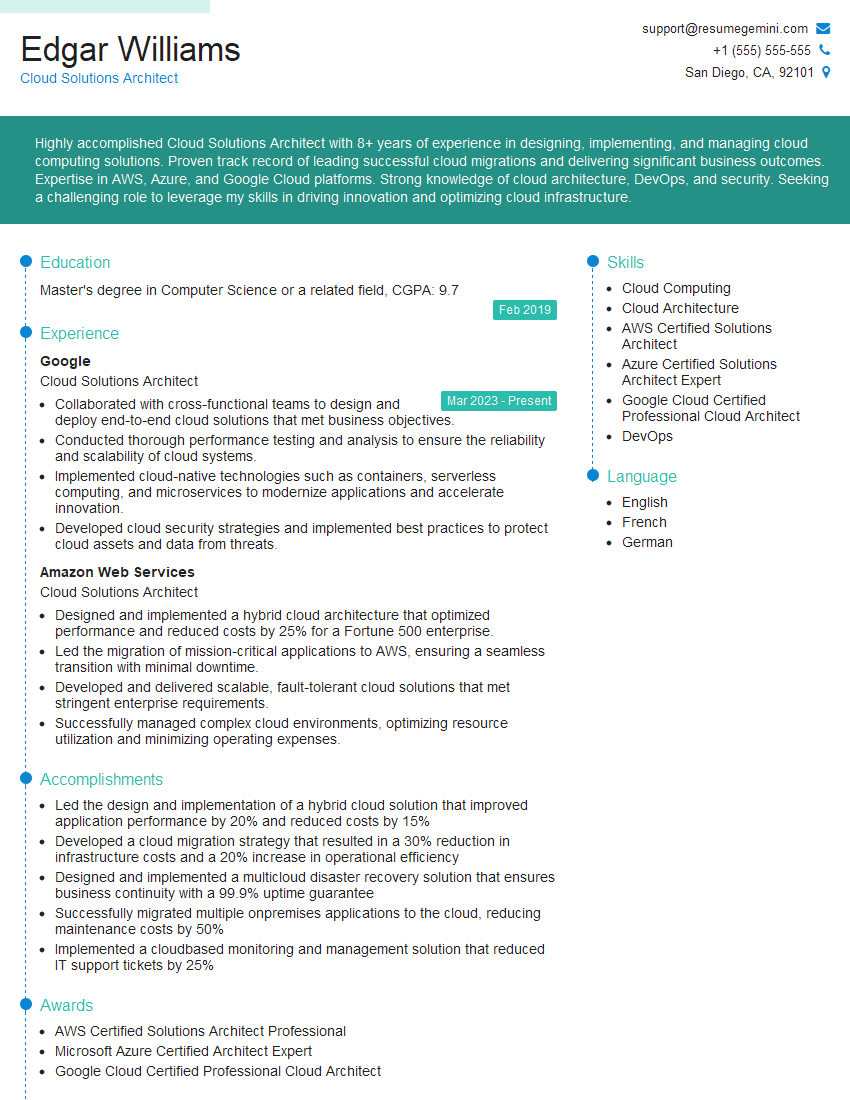
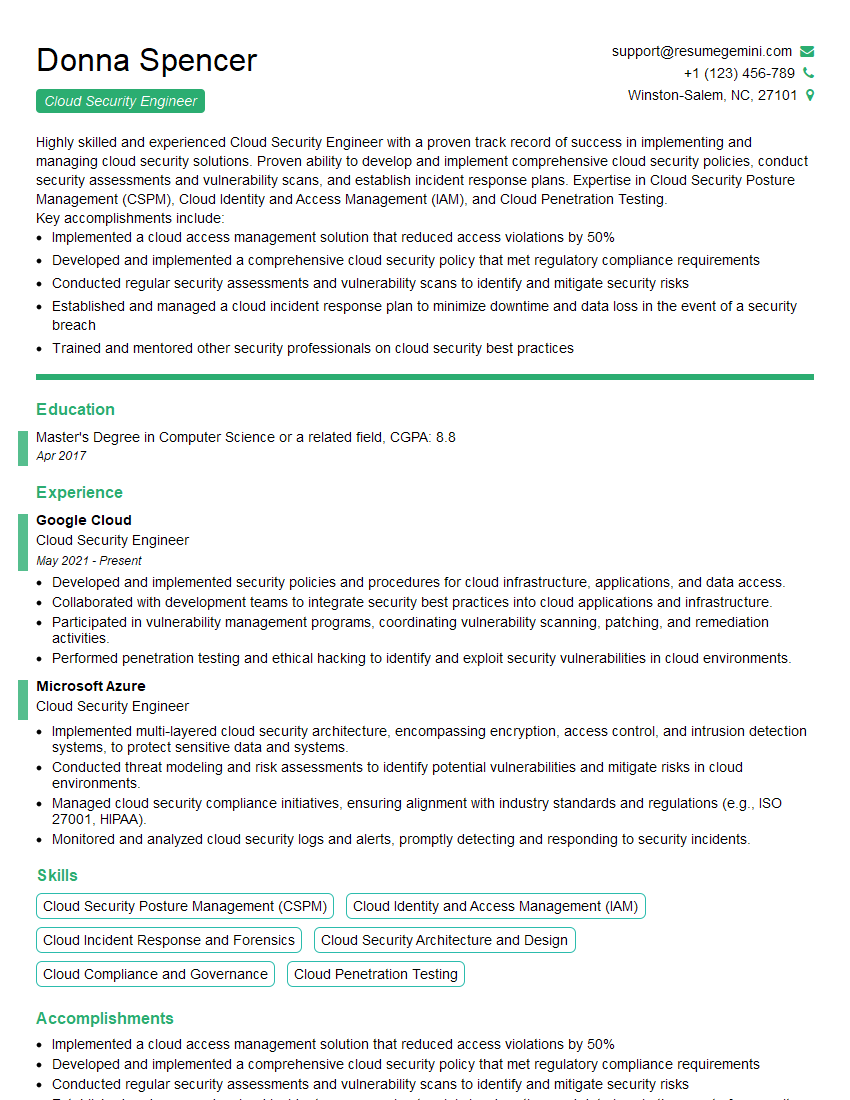
Mastering Cloud Computing and DevOps opens doors to exciting and high-demand roles, accelerating your career growth significantly. In today’s competitive job market, a strong, ATS-friendly resume is essential. This means tailoring your resume to highlight the keywords and skills most relevant to each job application. To help you craft a compelling resume that showcases your expertise effectively, we encourage you to utilize ResumeGemini. ResumeGemini provides a user-friendly platform to create professional resumes, and we offer examples specifically tailored for Cloud Computing and DevOps professionals to guide you through the process. Let ResumeGemini help you present your skills and experience in the best possible light.



Explore more articles
Users Rating of Our Blogs
Share Your Experience
We value your feedback! Please rate our content and share your thoughts (optional).
What Readers Say About Our Blog
Hello,
we currently offer a complimentary backlink and URL indexing test for search engine optimization professionals.
You can get complimentary indexing credits to test how link discovery works in practice.
No credit card is required and there is no recurring fee.
You can find details here:
https://wikipedia-backlinks.com/indexing/
Regards
NICE RESPONSE TO Q & A
hi
The aim of this message is regarding an unclaimed deposit of a deceased nationale that bears the same name as you. You are not relate to him as there are millions of people answering the names across around the world. But i will use my position to influence the release of the deposit to you for our mutual benefit.
Respond for full details and how to claim the deposit. This is 100% risk free. Send hello to my email id: [email protected]
Luka Chachibaialuka
Hey interviewgemini.com, just wanted to follow up on my last email.
We just launched Call the Monster, an parenting app that lets you summon friendly ‘monsters’ kids actually listen to.
We’re also running a giveaway for everyone who downloads the app. Since it’s brand new, there aren’t many users yet, which means you’ve got a much better chance of winning some great prizes.
You can check it out here: https://bit.ly/callamonsterapp
Or follow us on Instagram: https://www.instagram.com/callamonsterapp
Thanks,
Ryan
CEO – Call the Monster App
Hey interviewgemini.com, I saw your website and love your approach.
I just want this to look like spam email, but want to share something important to you. We just launched Call the Monster, a parenting app that lets you summon friendly ‘monsters’ kids actually listen to.
Parents are loving it for calming chaos before bedtime. Thought you might want to try it: https://bit.ly/callamonsterapp or just follow our fun monster lore on Instagram: https://www.instagram.com/callamonsterapp
Thanks,
Ryan
CEO – Call A Monster APP
To the interviewgemini.com Owner.
Dear interviewgemini.com Webmaster!
Hi interviewgemini.com Webmaster!
Dear interviewgemini.com Webmaster!
excellent
Hello,
We found issues with your domain’s email setup that may be sending your messages to spam or blocking them completely. InboxShield Mini shows you how to fix it in minutes — no tech skills required.
Scan your domain now for details: https://inboxshield-mini.com/
— Adam @ InboxShield Mini
Reply STOP to unsubscribe
Hi, are you owner of interviewgemini.com? What if I told you I could help you find extra time in your schedule, reconnect with leads you didn’t even realize you missed, and bring in more “I want to work with you” conversations, without increasing your ad spend or hiring a full-time employee?
All with a flexible, budget-friendly service that could easily pay for itself. Sounds good?
Would it be nice to jump on a quick 10-minute call so I can show you exactly how we make this work?
Best,
Hapei
Marketing Director
Hey, I know you’re the owner of interviewgemini.com. I’ll be quick.
Fundraising for your business is tough and time-consuming. We make it easier by guaranteeing two private investor meetings each month, for six months. No demos, no pitch events – just direct introductions to active investors matched to your startup.
If youR17;re raising, this could help you build real momentum. Want me to send more info?
Hi, I represent an SEO company that specialises in getting you AI citations and higher rankings on Google. I’d like to offer you a 100% free SEO audit for your website. Would you be interested?
Hi, I represent an SEO company that specialises in getting you AI citations and higher rankings on Google. I’d like to offer you a 100% free SEO audit for your website. Would you be interested?
good