Feeling uncertain about what to expect in your upcoming interview? We’ve got you covered! This blog highlights the most important Computer-Aided Engineering interview questions and provides actionable advice to help you stand out as the ideal candidate. Let’s pave the way for your success.
Questions Asked in Computer-Aided Engineering Interview
Q 1. Explain the difference between FEA and CFD.
Finite Element Analysis (FEA) and Computational Fluid Dynamics (CFD) are both powerful Computer-Aided Engineering (CAE) tools used to simulate physical phenomena, but they tackle different aspects.
FEA primarily focuses on structural mechanics. It predicts how a solid object will behave under various loads – stress, strain, displacement, etc. Imagine designing a bridge; FEA helps determine if it can withstand the weight of traffic and wind. It discretizes the structure into smaller elements and solves equations governing its mechanical behavior.
CFD, on the other hand, deals with fluid flow and heat transfer. Think of designing an airplane wing; CFD helps analyze the airflow over the wing, predicting lift, drag, and pressure distribution. It discretizes the fluid domain into elements and solves the Navier-Stokes equations, which govern fluid motion.
In essence, FEA is for ‘solid’ problems, while CFD is for ‘fluid’ problems. However, there’s overlap; for example, fluid-structure interaction problems require both FEA and CFD to accurately simulate the system.
Q 2. Describe the process of creating a finite element model.
Creating a finite element model (FEM) is a multi-step process requiring careful planning and execution. Think of it like building a detailed Lego model of a real-world object.
- Geometry Creation: The first step involves defining the geometry of the object using CAD software. This could be a simple shape or a complex assembly. For example, you might model a car engine block from a 3D CAD file.
- Meshing: This is where the geometry is divided into smaller, simpler elements (like triangles or tetrahedrons). The mesh density significantly impacts accuracy – finer meshes are generally more accurate but computationally more expensive. Think of this as adding more Lego bricks to your model for finer details.
- Material Properties Assignment: Each element is assigned its material properties such as Young’s modulus (for stiffness), Poisson’s ratio (for material response), and density. Choosing appropriate materials is vital for accuracy.
- Boundary Conditions Definition: This specifies how the object interacts with its surroundings. This includes things like fixed supports, applied loads, and prescribed displacements. For instance, you might fix one end of a beam and apply a load at the other.
- Solver Selection: The chosen FEA software uses a numerical solver to solve the governing equations (for example, equilibrium equations in structural analysis). Different solvers are better suited for different types of problems.
- Post-processing: This involves analyzing the results and visualizing them. This could involve looking at stress contours, displacement fields, or animations.
Q 3. What are the different types of finite elements?
Finite elements come in various shapes and sizes, each suited for specific applications. The choice depends on the geometry and the required accuracy.
- Linear Elements: These elements use linear interpolation functions to approximate the solution within the element. They are simple and computationally inexpensive, but less accurate for complex geometries.
- Quadratic Elements: These elements use quadratic interpolation functions, providing higher accuracy than linear elements. They’re useful for modeling curved geometries more accurately.
- Tetrahedral Elements: These are three-dimensional elements with four nodes and are widely used for 3D models, particularly complex ones. They’re versatile for diverse shapes.
- Hexahedral Elements: These are also three-dimensional elements, but with eight nodes and hexahedral shapes. They offer higher accuracy than tetrahedral elements for smoother shapes but can be challenging to generate for complex geometries.
- Beam Elements: These are specifically designed for modeling beam structures. They are one-dimensional elements with properties reflecting the cross-sectional dimensions and material properties.
Choosing the right element type requires a good understanding of the problem being solved and the trade-off between accuracy and computational cost.
Q 4. How do you choose the appropriate mesh size for an FEA analysis?
Mesh size selection is crucial for accurate and efficient FEA. Too coarse a mesh can lead to inaccurate results, while too fine a mesh increases computational time significantly. It’s a balance.
The appropriate mesh size depends on several factors:
- Geometry Complexity: Complex geometries with sharp corners or small features require finer meshes in those areas to capture the details.
- Material Properties: Materials with high gradients in properties might require finer meshing to resolve these variations.
- Load Type and Distribution: The area of the structure subjected to high loads or stress concentrations needs a finer mesh.
- Desired Accuracy: A higher accuracy demand translates to a finer mesh, albeit at a cost to computational resources.
- Mesh Convergence Study: This involves progressively refining the mesh and observing the change in the results. If the results change negligibly between two successive refinements, the mesh is considered sufficiently fine.
Adaptive meshing techniques automatically refine the mesh in areas where more accuracy is needed, optimizing computational efficiency.
Q 5. What are the common sources of error in FEA?
Several sources can introduce errors into FEA results. Careful attention to detail during the modeling process is critical.
- Meshing Errors: Poorly generated meshes with distorted elements, excessively large elements in critical areas, or inappropriate element types can significantly impact accuracy.
- Boundary Condition Errors: Incorrectly applied boundary conditions, such as misplaced supports or loads, lead to inaccurate results. Real-world boundary conditions are often simplified in the model, introducing some inherent error.
- Material Property Errors: Using inaccurate or incomplete material properties introduces uncertainty into the model. Material properties can vary across different parts of the structure, making data acquisition challenging.
- Numerical Errors: The numerical solution methods themselves are prone to errors. The solver tolerances and iterative convergence criteria directly influence the accuracy of the solution.
- Modeling Errors: Simplifications made during model creation can also lead to errors. For example, neglecting certain features or using a simplified geometry.
A thorough understanding of the limitations and potential error sources ensures reliable results and meaningful interpretations.
Q 6. Explain the concept of convergence in FEA.
Convergence in FEA refers to the process of obtaining a solution that is independent of the mesh refinement. Imagine you’re approximating the area of a circle using increasingly smaller squares. As the squares get smaller, the total area of the squares gets closer to the true area of the circle. This is convergence.
In FEA, we refine the mesh (make the elements smaller) until the results (stress, displacement, etc.) change only negligibly. This indicates that the solution has converged, and further mesh refinement won’t significantly improve accuracy.
A convergence study is essential to verify the reliability of the results. It involves performing the analysis with increasingly finer meshes and comparing the results. If the results stabilize as the mesh is refined, then the solution has converged. Non-convergence indicates a problem with the model, such as mesh quality issues or incorrect boundary conditions.
Q 7. What are the different types of boundary conditions in FEA?
Boundary conditions are crucial in FEA; they define how the model interacts with its surroundings. Incorrect boundary conditions can drastically alter results.
- Fixed Support: This constraint restricts all degrees of freedom (displacement in all directions) at a specified point or surface. Think of welding a beam to a wall.
- Simply Supported: This allows rotation but restricts translation in one or more directions. Imagine a beam resting on two supports.
- Hinged Support: This allows rotation in a single plane but restricts translation in all directions.
- Applied Load: This could be a force, pressure, or moment applied to the model. For example, the weight of a person on a bridge.
- Prescribed Displacement: This specifies the displacement of a node or surface. This is often used to simulate thermal expansion or the movement of a machine part.
- Symmetry Boundary Conditions: These are used when the model exhibits symmetry. It reduces computational cost by modeling only a portion of the structure.
Appropriate boundary conditions are essential to accurately represent the real-world scenario and to obtain reliable FEA results. Often, simplifications are necessary, but their impact needs careful consideration.
Q 8. How do you validate the results of an FEA analysis?
Validating FEA results is crucial to ensure the accuracy and reliability of your analysis. It’s not a single step but a multi-faceted process involving several checks and comparisons. Think of it like verifying a complex calculation – you wouldn’t trust a single answer without cross-checking.
Comparison with Experimental Data: The gold standard is comparing your FEA predictions with experimental results from physical testing. This could involve strain gauge measurements, displacement readings, or even full-scale testing. Discrepancies highlight areas needing refinement in your model or assumptions.
Mesh Sensitivity Study: A finer mesh generally leads to more accurate results, but it also increases computational cost. A mesh sensitivity study involves running the analysis with progressively finer meshes and observing the convergence of results. If the results don’t change significantly with mesh refinement, it suggests mesh independence and increased confidence in the solution.
Verification of Boundary Conditions and Loads: Incorrectly defined boundary conditions (e.g., fixed supports, applied forces) or loads can significantly impact the results. Carefully review your model to ensure these parameters accurately reflect the real-world scenario. A simple mistake like an incorrectly applied force can lead to drastically wrong results.
Manual Checks and Sanity Checks: Before even running the simulation, perform manual checks on the model geometry, material properties, and element types. Does the model look right? Are the material properties realistic? These simple checks can catch errors before they lead to wasted computational time. After running the simulation, perform sanity checks. Do the results make physical sense? Are the stresses and displacements within reasonable ranges?
Error Estimation and Convergence: Most FEA solvers provide error estimations. These help assess the accuracy of the solution. Convergence plots can also show how the solution converges (or doesn’t converge) and can help you to judge the quality of your results. A non-converged solution will invariably be inaccurate.
For example, imagine designing a car bumper. You’d run FEA to predict its performance in a crash test. Validating the results would involve comparing the FEA-predicted deformation and stresses to those measured in a physical crash test. Any significant discrepancies would require investigating the model or test setup for errors.
Q 9. What are the different types of solvers used in FEA?
FEA solvers are the heart of the analysis, responsible for solving the complex system of equations that govern the behavior of the finite element model. Different solvers are suited for different types of analysis.
Direct Solvers: These solvers solve the system of equations directly, without iterative approximations. They are generally more accurate but are computationally expensive for large models. Examples include Cholesky decomposition and LU decomposition.
Iterative Solvers: These solvers use iterative methods to approximate the solution. They are more efficient for large models but may require more computational time to converge to a solution. Common iterative solvers include Conjugate Gradient (CG), Generalized Minimal RESidual (GMRES), and Bi-Conjugate Gradient Stabilized (BiCGSTAB).
Sparse Solvers: Since FEA matrices are often sparse (containing mostly zeros), specialized sparse solvers are used to take advantage of this structure and improve computational efficiency. Most modern FEA software packages use sparse solvers as default.
The choice of solver depends on factors like model size, analysis type, and desired accuracy. For a small, simple model, a direct solver might be sufficient. For a large, complex model, an iterative solver might be necessary for efficiency.
Q 10. Explain the concept of mesh refinement.
Mesh refinement is the process of increasing the density of elements in a finite element model. Imagine trying to map a complex terrain with a coarse grid versus a very fine grid; the finer grid will better capture the details. Similarly, a finer mesh in FEA better captures the variations in stress, strain, and displacement within the model.
Refinement is typically concentrated in areas of high stress gradients or geometric complexity, where accuracy is critical. Over-refining the entire mesh increases computational cost without necessarily improving accuracy. It’s a balance between accuracy and efficiency. Adaptive mesh refinement is a more sophisticated technique where the mesh automatically refines itself based on error indicators during the analysis. This approach refines only the necessary areas, optimizing computational resources.
For example, consider analyzing a component with a sharp corner. A coarse mesh might not accurately capture the stress concentration at the corner, leading to inaccurate results. Mesh refinement in this region ensures accurate prediction of stresses around the corner. Refinement strategies can include: h-refinement (reducing element size), p-refinement (increasing element order), and r-refinement (relocating nodes). Each technique offers a different approach to improving solution accuracy.
Q 11. What is the difference between static and dynamic analysis?
The key difference between static and dynamic analysis lies in how they handle time.
Static Analysis: This type of analysis assumes that loads are applied slowly and that the system remains in equilibrium at all times. Inertia and acceleration effects are neglected. It’s like slowly adding weight to a spring; you can find the final displacement without considering the speed at which you added the weight. Examples include determining the stress in a bridge under a constant load or the deflection of a beam under a static load.
Dynamic Analysis: This analysis considers the effect of time-varying loads and inertia forces. It analyzes how the system responds to loads that change over time. Think of hitting a spring with a hammer; the speed and impact of the hammer significantly influence the spring’s response. Dynamic analysis is used to study vibrations, shock loads, and impact events. Examples include analyzing the response of a building to an earthquake or the impact of a car crash.
In essence, static analysis is a snapshot in time, while dynamic analysis is a movie, showing the system’s response as loads change over time.
Q 12. What is modal analysis and its applications?
Modal analysis determines the natural frequencies and mode shapes of a structure. Think of it as finding the structure’s preferred ways of vibrating. Each mode shape represents a distinct pattern of deformation at a specific frequency.
Natural frequencies are the frequencies at which the structure will vibrate freely without any external force. Mode shapes show the corresponding deformation pattern at each natural frequency. Understanding these is crucial for avoiding resonance, a phenomenon where external vibrations match a structure’s natural frequency, leading to potentially catastrophic amplification of vibrations.
Applications:
Designing earthquake-resistant structures: Modal analysis helps engineers determine the natural frequencies of buildings to ensure they are not close to the frequencies of typical seismic waves.
Designing musical instruments: By tuning the natural frequencies of a guitar body, luthiers achieve desired tones.
Analyzing rotating machinery: Modal analysis helps identify critical speeds at which vibrations may occur in rotating components, preventing resonance-induced failures.
Vehicle design: It aids in predicting and mitigating undesirable vibrations in vehicles, improving ride comfort and handling.
By identifying the natural frequencies, engineers can design structures to avoid resonance and ensure stability and reliability. It’s a proactive approach to prevent structural failures due to vibrations.
Q 13. Explain the concept of fatigue analysis.
Fatigue analysis predicts the life of a component subjected to cyclic loading. Repeated stress cycles, even if below the yield strength of the material, can eventually lead to crack initiation and propagation, causing eventual failure. Think of bending a paperclip back and forth; it will eventually break, even though a single bend doesn’t break it. Fatigue analysis aims to predict how many cycles it can withstand before failure.
The analysis typically involves:
Stress-life approach (S-N curves): This approach uses experimental data (S-N curves) relating stress amplitude to the number of cycles to failure.
Strain-life approach (ε-N curves): This method considers plastic strain and is suitable for high-cycle and low-cycle fatigue.
Fracture mechanics approach: This approach models the crack initiation and propagation process, providing more detailed information about crack growth.
Fatigue analysis is crucial for designing components that will experience repeated loading, such as aircraft wings, turbine blades, and bridges. By predicting the fatigue life, engineers can ensure the safe and reliable operation of these components.
Q 14. What is the difference between linear and nonlinear analysis?
The fundamental difference between linear and nonlinear analysis lies in how they treat material behavior and geometric changes.
Linear Analysis: This analysis assumes a linear relationship between load and response. The material behaves elastically (it returns to its original shape after load removal), and geometric changes are small enough to be neglected. It’s a simplification that makes the calculations easier, but it is not always accurate. Think of a spring within its elastic limit – the extension is directly proportional to the applied force.
Nonlinear Analysis: This analysis considers material nonlinearity (plasticity, creep, etc.) and large geometric changes. The relationship between load and response is not linear. Consider bending a metal bar beyond its elastic limit; it will permanently deform. This behavior is nonlinear.
Linear analysis is simpler and faster, but it can be inaccurate for problems involving large deformations, material plasticity, or contact interactions. Nonlinear analysis is more computationally expensive but provides more accurate results for such complex scenarios. The choice depends on the nature of the problem and the desired accuracy.
Q 15. What are some common CAE software packages?
The CAE software landscape is vast, encompassing numerous packages tailored to specific engineering disciplines. Some of the most common and widely used software packages include:
- ANSYS: A comprehensive suite offering solutions for various engineering simulations, including Finite Element Analysis (FEA), Computational Fluid Dynamics (CFD), and electromagnetics.
- Abaqus: Renowned for its advanced capabilities in non-linear FEA, particularly suitable for complex material behaviors and large deformations.
- Nastran: A powerful solver often used for structural analysis, known for its robustness and accuracy in linear and non-linear simulations.
- LS-DYNA: A leading software for explicit dynamic FEA, specializing in impact, crash, and high-velocity simulations.
- COMSOL Multiphysics: A strong contender for multiphysics simulations, enabling the coupling of various physical phenomena (e.g., fluid flow, structural mechanics, electromagnetics) within a single model.
- Autodesk Inventor Nastran: A more integrated solution within the Autodesk product line, suitable for engineers already familiar with Inventor’s CAD capabilities.
The choice of software often depends on the specific application, the complexity of the problem, and the user’s expertise.
Career Expert Tips:
- Ace those interviews! Prepare effectively by reviewing the Top 50 Most Common Interview Questions on ResumeGemini.
- Navigate your job search with confidence! Explore a wide range of Career Tips on ResumeGemini. Learn about common challenges and recommendations to overcome them.
- Craft the perfect resume! Master the Art of Resume Writing with ResumeGemini’s guide. Showcase your unique qualifications and achievements effectively.
- Don’t miss out on holiday savings! Build your dream resume with ResumeGemini’s ATS optimized templates.
Q 16. Describe your experience with [specific CAE software, e.g., ANSYS, Abaqus].
My experience with ANSYS spans over five years, encompassing a wide range of applications, from linear static analysis to complex non-linear transient simulations. I’ve utilized ANSYS Workbench extensively for pre-processing, meshing, solving, and post-processing. I’m proficient in defining material properties, applying boundary conditions, and interpreting results for various engineering components. For instance, I recently used ANSYS to analyze the stress distribution in a turbine blade under cyclic loading, accurately predicting potential failure points and informing design improvements. I’m also comfortable with APDL (ANSYS Parametric Design Language) for scripting and automation of complex analysis tasks. This allowed me to develop automated workflows for repetitive simulations, drastically reducing turnaround time and improving overall efficiency.
Q 17. How do you handle complex geometries in FEA?
Handling complex geometries in FEA requires careful consideration and strategic approaches. The key is to balance accuracy and computational efficiency. Strategies include:
- Appropriate Element Type Selection: Choosing the right element type (e.g., tetrahedral, hexahedral) is crucial. Hexahedral elements generally offer greater accuracy but are more challenging to mesh complex geometries. Tetrahedral elements are more versatile for complex shapes but might require finer mesh density for the same level of accuracy.
- Mesh Refinement: Focusing mesh refinement on areas of high stress concentration or areas of interest significantly improves accuracy without unnecessarily increasing computational cost. This is often done using adaptive mesh refinement techniques where the solver automatically refines the mesh in critical areas.
- Mid-surface Meshing: For thin-walled structures, mid-surface meshing simplifies the model while maintaining accuracy. This approach reduces the number of elements and improves computational efficiency.
- Geometry Simplification: In certain cases, minor geometric simplifications might be justifiable to improve mesh quality and reduce the computational burden. This should always be done with careful consideration of the impact on the simulation results.
- Using Specialized Meshing Tools: Employing advanced meshing techniques and tools, often built into the CAE software, improves mesh quality and reduces manual effort. These tools can automatically generate high-quality meshes even for complex geometries.
Imagine designing a car chassis. Instead of modeling every single rivet, we might simplify the geometry by representing the chassis as a shell structure, improving mesh quality and efficiency without losing critical structural details.
Q 18. Explain your experience with meshing techniques.
My experience with meshing techniques is extensive, encompassing various methods suited for different applications. I’m proficient in:
- Structured Meshing: Generating highly organized meshes, particularly efficient for simple geometries, resulting in highly accurate results.
- Unstructured Meshing: Adaptable to complex geometries, using elements of varying shapes and sizes to accurately capture intricate details. Tetrahedral elements are a common type used in unstructured meshing.
- Hybrid Meshing: Combining structured and unstructured meshing approaches, leveraging the advantages of both for optimal results. This can be particularly useful when dealing with components that have both simple and complex features.
- Adaptive Meshing: Dynamically refining the mesh based on solution results, enhancing accuracy in critical areas such as stress concentrations, while keeping element count manageable.
Choosing the optimal meshing technique depends heavily on the geometry’s complexity, the desired accuracy, and computational resource limitations. For example, a simple cylindrical component might benefit from a structured mesh, while a complex engine block would require unstructured or hybrid meshing.
Q 19. Describe your experience with post-processing FEA results.
Post-processing FEA results is critical for extracting meaningful insights and validating the simulation. My approach involves a systematic process:
- Visualizing Results: Using contour plots, vector plots, and deformed shapes to understand stress, strain, displacement, and other relevant field variables.
- Data Extraction: Extracting key data points, such as maximum stress, minimum stress, and stress concentrations, from specific locations or elements.
- Animation: Creating animations of dynamic simulations (e.g., crash simulations) to visualize the evolution of stresses and strains over time.
- Report Generation: Preparing comprehensive reports summarizing the results and key findings, including tables, graphs, and interpretations.
- Validation and Verification: Comparing simulation results against experimental data or analytical solutions to ensure accuracy and reliability. This step is essential to build confidence in the simulation’s predictive capability.
For instance, when analyzing a bridge structure, post-processing would help us identify the areas experiencing maximum stress, allowing us to optimize the design for improved structural integrity.
Q 20. How do you interpret stress and strain results from FEA?
Stress and strain are fundamental concepts in FEA. Stress represents the internal force per unit area within a material, while strain represents the deformation or change in shape caused by that stress. Interpreting these results requires understanding the context of the simulation:
- Stress: High stress concentrations indicate potential failure points. We need to compare these stresses against the material’s yield strength to assess failure risk. Different stress types (e.g., von Mises stress, principal stresses) provide different insights into the material’s state.
- Strain: Strain provides information about the deformation of the material. Large strains might lead to excessive deformation or permanent damage, depending on the material’s elastic and plastic properties.
- Safety Factors: FEA results are frequently compared against appropriate safety factors to ensure that the design can withstand anticipated loads with sufficient margin.
Understanding the material’s constitutive model (its stress-strain relationship) is essential for accurately interpreting the results. A ductile material, like steel, might exhibit significant plastic deformation before failure, whereas a brittle material, like glass, might fail suddenly at relatively low strain levels.
Q 21. Explain the concept of stress concentration.
Stress concentration refers to the localized increase in stress levels in a component around geometric discontinuities such as holes, sharp corners, or changes in cross-section. These regions experience significantly higher stresses than the surrounding areas, making them potential points of failure even under relatively low overall loading. Several factors influence the degree of stress concentration:
- Geometry: Sharp corners and abrupt changes in geometry significantly exacerbate stress concentration.
- Loading Type: Different loading types (tension, bending, torsion) differently influence stress concentration levels.
- Material Properties: Material properties such as Poisson’s ratio, Young’s Modulus, and yield strength influence how stress is distributed.
Imagine a metal plate with a circular hole. The stress around the hole will be significantly higher than the average stress in the plate. This phenomenon is crucial in design, as neglecting stress concentrations can lead to premature component failure. Using FEA, we can quantify these stress concentrations and inform design modifications to mitigate this risk (e.g., using fillets to smooth sharp corners).
Q 22. What is the difference between displacement and rotation boundary conditions?
Boundary conditions in Computer-Aided Engineering (CAE), particularly in Finite Element Analysis (FEA) and Computational Fluid Dynamics (CFD), define the constraints imposed on a model’s behavior at its edges or surfaces. Displacement boundary conditions specify the movement or lack thereof at specific points or regions. Think of it like pinning a part of a structure to a wall – it’s restricted from moving in certain directions. Rotation boundary conditions, on the other hand, control the rotational movement. Imagine a hinge; it allows for rotation about a specific axis but restricts other movements.
For example, in a structural analysis of a bridge, you might fix the base of the bridge piers using displacement boundary conditions (no movement in any direction), while allowing rotation at the connection point of the bridge deck and a support using a rotational boundary condition.
- Displacement BC: Restricts translational degrees of freedom (movement in x, y, and z directions).
- Rotation BC: Restricts rotational degrees of freedom (rotation about x, y, and z axes).
Properly defining these conditions is crucial for obtaining accurate and realistic simulation results. Incorrect boundary conditions can lead to inaccurate stresses, displacements, and overall model behavior.
Q 23. Explain the Navier-Stokes equations and their relevance to CFD.
The Navier-Stokes equations are a set of partial differential equations that describe the motion of viscous fluid substances. They are fundamental to Computational Fluid Dynamics (CFD), providing a mathematical framework for simulating fluid flow. These equations conserve mass, momentum, and energy. They consider various factors, including pressure, velocity, viscosity, and density.
The equations themselves are quite complex and often require numerical methods to solve. Let’s break down their core components:
- Continuity Equation (Mass Conservation): Ensures that mass is neither created nor destroyed within the fluid.
- Momentum Equation (Newton’s Second Law): Relates the forces acting on a fluid element to its acceleration. These forces include pressure gradients, viscous forces, and external forces like gravity.
- Energy Equation (Energy Conservation): Describes how thermal energy is transported and transferred within the fluid. This is particularly important in situations involving heat transfer.
In CFD, these equations are discretized (broken down into smaller, manageable equations) using various numerical techniques like Finite Volume Method (FVM), Finite Element Method (FEM), or Finite Difference Method (FDM) to obtain approximate solutions on a computer. The solutions provide detailed information about the flow field such as velocity, pressure, and temperature distributions.
Consider an example of designing an airplane wing. CFD, based on the Navier-Stokes equations, allows engineers to simulate airflow around the wing, predicting lift, drag, and other aerodynamic characteristics which are crucial for design optimization.
Q 24. Describe the different turbulence models used in CFD.
Turbulence modeling is critical in CFD because many real-world flows are turbulent – characterized by chaotic, irregular motion. Directly resolving all the scales of turbulence is computationally expensive and often impossible. Therefore, turbulence models are used to approximate the effects of turbulence.
Several common turbulence models exist, each with its own strengths and weaknesses:
- RANS (Reynolds-Averaged Navier-Stokes) Models: These models decompose the flow variables into mean and fluctuating components. They include models like:
- k-ε model: A two-equation model solving for turbulent kinetic energy (k) and its dissipation rate (ε). It’s relatively simple and widely used, but its accuracy can be limited in complex flows.
- k-ω SST (Shear Stress Transport): An improvement over the k-ε model, particularly for flows with adverse pressure gradients and near-wall regions. It offers better accuracy but is computationally more expensive.
- LES (Large Eddy Simulation): This model resolves the larger turbulent eddies directly, while modeling the smaller scales using subgrid-scale models. It’s more accurate than RANS but computationally much more demanding. Suitable for transient and complex flows.
- DES (Detached Eddy Simulation): A hybrid approach that combines RANS and LES, attempting to capture the advantages of both. It switches between RANS and LES depending on the flow characteristics.
The choice of turbulence model depends heavily on the specific flow problem, computational resources, and desired accuracy. Each model has its own limitations, and careful consideration is necessary to select the most appropriate model for the given task.
Q 25. How do you validate CFD results?
Validating CFD results is crucial to ensure their reliability and accuracy. It involves comparing the simulation results with experimental data or analytical solutions. This process helps identify potential errors in the model, mesh, boundary conditions, or the turbulence model used.
Several methods are employed for validation:
- Comparison with Experimental Data: This is the gold standard. The CFD results are compared against experimental measurements, such as velocity profiles, pressure distributions, or forces. The level of agreement provides confidence in the simulation’s accuracy.
- Comparison with Analytical Solutions: For simpler flow scenarios, analytical solutions might exist. Comparing CFD results with these solutions helps assess the accuracy of the numerical methods and discretization schemes used.
- Grid Convergence Studies: These studies systematically refine the mesh to assess the impact of mesh resolution on the solution. A grid-independent solution should be achieved, indicating the numerical results are not significantly affected by mesh refinement.
- Code Verification: This involves checking the accuracy of the CFD solver itself, often through comparison with well-established benchmarks or analytical solutions of simplified cases.
Discrepancies between CFD results and validation data require careful investigation. Possible reasons include errors in the model geometry, boundary conditions, turbulence model selection, or numerical errors. A thorough analysis is needed to identify and rectify the source of the discrepancies before relying on the simulation results.
Q 26. What are the common challenges in CFD simulations?
CFD simulations, while powerful, face several challenges:
- Mesh Generation: Creating a high-quality mesh that accurately represents the geometry and captures all flow features is time-consuming and can be complex, particularly for complex geometries.
- Turbulence Modeling: Accurately modeling turbulence remains a challenge, as many turbulence models are approximations and their accuracy can vary significantly depending on the flow conditions.
- Computational Cost: CFD simulations, especially those involving complex geometries, high Reynolds numbers, or unsteady flows, can be computationally expensive, requiring significant computing resources and time.
- Boundary Condition Selection: Choosing appropriate boundary conditions that accurately reflect the real-world situation is crucial but can be challenging, and incorrect choices can lead to inaccurate results.
- Numerical Errors: Numerical errors inherent in the discretization schemes and solvers can affect the accuracy of the results. Techniques like mesh refinement and higher-order discretization schemes can help mitigate these errors, but they increase computational cost.
- Data Interpretation: Analyzing and interpreting the large amounts of data generated by CFD simulations can be challenging and requires expertise in post-processing and visualization.
Addressing these challenges requires careful planning, expertise in CFD techniques, and often iterative refinement of the simulation setup.
Q 27. Explain your experience with mesh independence studies.
Mesh independence studies are essential to ensure that the CFD results are not significantly influenced by the mesh resolution. In my experience, these studies involve systematically refining the mesh by increasing the number of elements and assessing the impact on key results, such as forces, pressure drops, or velocity profiles.
My typical approach involves:
- Creating a sequence of meshes: I start with a relatively coarse mesh and then create progressively finer meshes by increasing the number of elements in a structured manner, often doubling the number of elements in each direction.
- Running simulations on each mesh: Each mesh is used in a CFD simulation, ensuring identical settings for all other parameters such as boundary conditions and solver settings.
- Analyzing the results: Key parameters of interest are compared across the different meshes. If the results converge to a stable value as the mesh is refined, then mesh independence is achieved. The convergence is often quantified by calculating a convergence metric, for instance the difference in the result between successive mesh refinements.
- Determining the appropriate mesh: Once a mesh-independent solution is obtained, I select the finest mesh that provides sufficient accuracy while balancing the computational cost. A mesh too fine is not necessary and wastes computational resources, while a too coarse mesh yields inaccurate results.
In one project involving the simulation of flow through a complex heat exchanger, we performed a mesh independence study that led to a significant increase in simulation accuracy while still maintaining reasonable computational time. The process ensured the reliability of the final design decisions based on those simulations.
Q 28. Describe your experience with CFD post-processing and visualization.
Post-processing and visualization are critical steps in CFD, allowing us to extract meaningful insights from the vast amounts of data generated by simulations. My experience includes using various commercial and open-source software packages for this purpose.
My workflow typically involves:
- Data Extraction: Extracting relevant data such as velocity, pressure, temperature, and other flow parameters from the simulation results. This data is often in the form of large datasets that require efficient storage and management.
- Visualization Techniques: Using various visualization techniques to understand the flow field. This might include:
- Contour plots: Showing the distribution of a scalar quantity (e.g., pressure) on a surface or plane.
- Vector plots: Showing the direction and magnitude of a vector quantity (e.g., velocity).
- Streamlines: Visualizing the flow path of fluid particles.
- Particle tracing: Tracking the movement of particles through the flow field.
- 3D Volume Rendering: Creating 3D visualizations to understand complex flow structures.
- Data Analysis: Analyzing the visualized data to extract key performance indicators (KPIs) relevant to the project, like pressure drop, heat transfer rates, or forces. This often involves creating graphs and charts of relevant parameters.
- Report Generation: Creating technical reports that effectively communicate the simulation results and their implications to stakeholders, integrating both textual descriptions and visualizations to convey findings clearly and concisely.
For example, in a project analyzing the flow inside a centrifugal pump, post-processing allowed us to identify areas of high velocity and pressure which were crucial for optimizing the pump design and improving its efficiency.
Key Topics to Learn for Computer-Aided Engineering Interview
- CAD Software Proficiency: Mastering at least one major CAD software (e.g., SolidWorks, AutoCAD, CATIA) is crucial. Focus on practical skills like 3D modeling, assembly design, and drafting.
- Finite Element Analysis (FEA): Understand the theoretical basis of FEA and its applications in stress analysis, vibration analysis, and thermal analysis. Be prepared to discuss practical examples of how you’ve used FEA to solve engineering problems.
- Computer-Aided Manufacturing (CAM): Learn the principles of CAM and its integration with CAD. Familiarize yourself with CNC machining processes and G-code programming.
- Design for Manufacturing (DFM): Understand the principles of designing parts and assemblies for efficient and cost-effective manufacturing. This includes considerations for material selection, tolerances, and assembly processes.
- Simulation and Modeling: Beyond FEA, explore other simulation techniques such as Computational Fluid Dynamics (CFD) or multibody dynamics. Be ready to discuss the strengths and limitations of different simulation methods.
- Data Management and Collaboration: Understand the importance of efficient data management in engineering projects. Discuss your experience with collaborative design tools and version control systems.
- Advanced Topics (depending on the role): Depending on the specific job description, you may want to delve into areas like optimization algorithms, generative design, additive manufacturing, or specific industry applications of CAE.
Next Steps
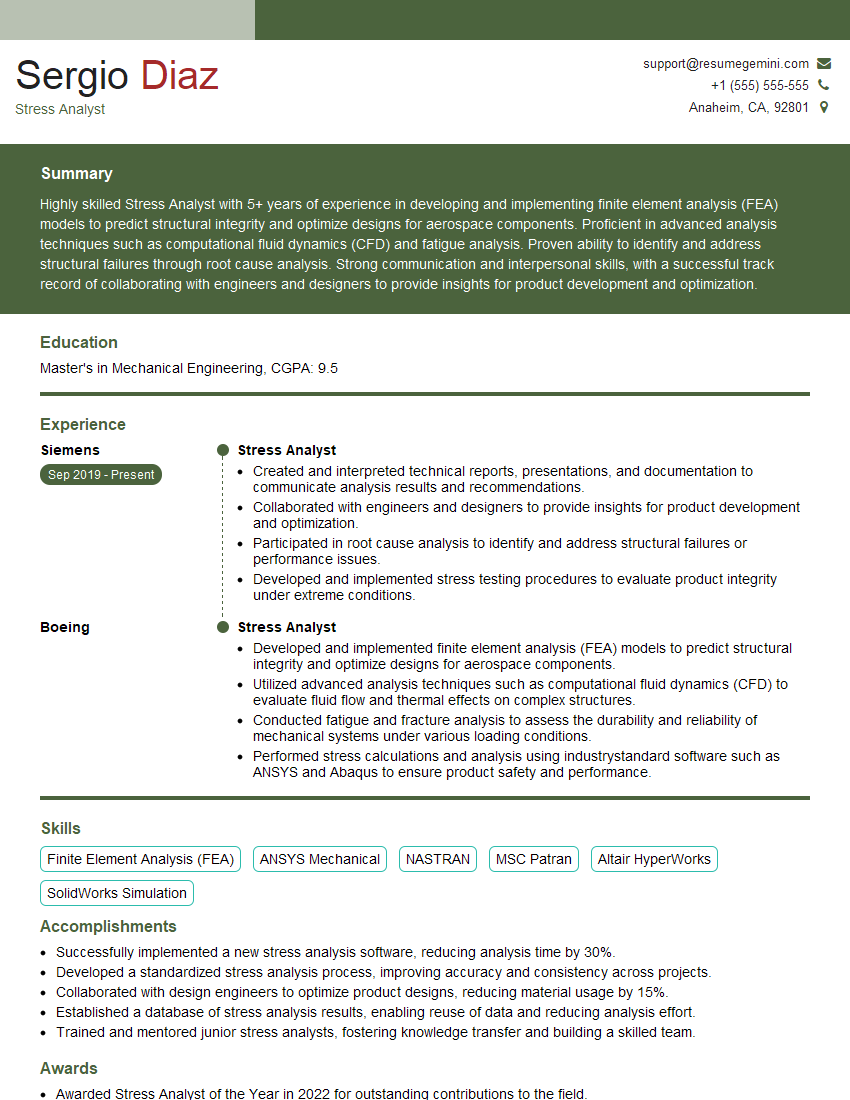
Mastering Computer-Aided Engineering opens doors to exciting and impactful careers in various industries. Proficiency in CAE significantly enhances your problem-solving abilities and makes you a valuable asset to any engineering team. To maximize your job prospects, creating a strong, ATS-friendly resume is essential. ResumeGemini is a trusted resource to help you build a professional and impactful resume that highlights your CAE skills effectively. They provide examples of resumes tailored to Computer-Aided Engineering roles, giving you a head start in showcasing your qualifications.
Explore more articles
Users Rating of Our Blogs
Share Your Experience
We value your feedback! Please rate our content and share your thoughts (optional).
What Readers Say About Our Blog
Hello,
we currently offer a complimentary backlink and URL indexing test for search engine optimization professionals.
You can get complimentary indexing credits to test how link discovery works in practice.
No credit card is required and there is no recurring fee.
You can find details here:
https://wikipedia-backlinks.com/indexing/
Regards
NICE RESPONSE TO Q & A
hi
The aim of this message is regarding an unclaimed deposit of a deceased nationale that bears the same name as you. You are not relate to him as there are millions of people answering the names across around the world. But i will use my position to influence the release of the deposit to you for our mutual benefit.
Respond for full details and how to claim the deposit. This is 100% risk free. Send hello to my email id: [email protected]
Luka Chachibaialuka
Hey interviewgemini.com, just wanted to follow up on my last email.
We just launched Call the Monster, an parenting app that lets you summon friendly ‘monsters’ kids actually listen to.
We’re also running a giveaway for everyone who downloads the app. Since it’s brand new, there aren’t many users yet, which means you’ve got a much better chance of winning some great prizes.
You can check it out here: https://bit.ly/callamonsterapp
Or follow us on Instagram: https://www.instagram.com/callamonsterapp
Thanks,
Ryan
CEO – Call the Monster App
Hey interviewgemini.com, I saw your website and love your approach.
I just want this to look like spam email, but want to share something important to you. We just launched Call the Monster, a parenting app that lets you summon friendly ‘monsters’ kids actually listen to.
Parents are loving it for calming chaos before bedtime. Thought you might want to try it: https://bit.ly/callamonsterapp or just follow our fun monster lore on Instagram: https://www.instagram.com/callamonsterapp
Thanks,
Ryan
CEO – Call A Monster APP
To the interviewgemini.com Owner.
Dear interviewgemini.com Webmaster!
Hi interviewgemini.com Webmaster!
Dear interviewgemini.com Webmaster!
excellent
Hello,
We found issues with your domain’s email setup that may be sending your messages to spam or blocking them completely. InboxShield Mini shows you how to fix it in minutes — no tech skills required.
Scan your domain now for details: https://inboxshield-mini.com/
— Adam @ InboxShield Mini
Reply STOP to unsubscribe
Hi, are you owner of interviewgemini.com? What if I told you I could help you find extra time in your schedule, reconnect with leads you didn’t even realize you missed, and bring in more “I want to work with you” conversations, without increasing your ad spend or hiring a full-time employee?
All with a flexible, budget-friendly service that could easily pay for itself. Sounds good?
Would it be nice to jump on a quick 10-minute call so I can show you exactly how we make this work?
Best,
Hapei
Marketing Director
Hey, I know you’re the owner of interviewgemini.com. I’ll be quick.
Fundraising for your business is tough and time-consuming. We make it easier by guaranteeing two private investor meetings each month, for six months. No demos, no pitch events – just direct introductions to active investors matched to your startup.
If youR17;re raising, this could help you build real momentum. Want me to send more info?
Hi, I represent an SEO company that specialises in getting you AI citations and higher rankings on Google. I’d like to offer you a 100% free SEO audit for your website. Would you be interested?
Hi, I represent an SEO company that specialises in getting you AI citations and higher rankings on Google. I’d like to offer you a 100% free SEO audit for your website. Would you be interested?
good