Unlock your full potential by mastering the most common Connector Installation interview questions. This blog offers a deep dive into the critical topics, ensuring you’re not only prepared to answer but to excel. With these insights, you’ll approach your interview with clarity and confidence.
Questions Asked in Connector Installation Interview
Q 1. Explain the different types of connectors you have experience installing.
Over my career, I’ve installed a wide variety of connectors, encompassing various technologies and applications. This includes the ubiquitous RJ45 connectors for Ethernet networks, BNC connectors for coaxial cables used in video surveillance and older network systems, fiber optic connectors (like SC, LC, and ST) for high-bandwidth data transmission, and various power connectors depending on the voltage and amperage requirements. I’ve also worked with specialized connectors for industrial automation, including D-Sub connectors and circular connectors used in harsh environments. My experience spans different connector sizes and pin configurations, ensuring I can handle diverse installation needs.
- RJ45: Used extensively in Ethernet networks for connecting computers, routers, and switches.
- BNC: Primarily used in video and older network infrastructure, known for its impedance matching capabilities.
- Fiber Optic (SC, LC, ST): Essential for high-speed data transmission over long distances, requiring precision alignment.
- D-Sub & Circular Connectors: Commonly used in industrial settings and often have multiple pins for various signals and power.
Q 2. Describe your experience with crimping and termination tools.
Crimping and termination are crucial skills for connector installation. I’m proficient in using a range of hand crimping tools, as well as automated crimping machines for high-volume installations. I understand the importance of selecting the correct die for the specific connector type and wire gauge to ensure a secure and reliable connection. For example, improperly crimped RJ45 connectors can lead to intermittent connectivity or complete failure. I regularly inspect the crimp quality after each termination, ensuring proper contact with the wire strands and avoiding wire damage. Furthermore, I’m familiar with various termination tools and techniques for different cable types, including stripping, cutting, and preparing the wires before insertion into the connector.
My experience includes using both manual and automated crimping tools. Manual tools require precision and experience to ensure proper crimping, while automated tools offer higher throughput and consistency for large-scale deployments. I have a deep understanding of how these tools work, their maintenance, and safety procedures.
Q 3. What safety precautions do you take when installing connectors?
Safety is paramount in connector installation. I always start by conducting a thorough risk assessment, identifying potential hazards, such as exposed wires, sharp tools, and electrical risks. I strictly adhere to company safety protocols and use appropriate personal protective equipment (PPE), including safety glasses, gloves, and sometimes hearing protection when using power tools. When working with electrical equipment, I always ensure the power is turned off and locked out before commencing any work, and double check it’s truly off before proceeding. I also follow proper grounding procedures to prevent electrical shocks. Proper cable management and organization are key to preventing tripping hazards. I meticulously clean up any debris or excess wire after installation.
Think of it like this: treating every installation like you’re working on a live bomb! Caution and precision are key.
Q 4. How do you troubleshoot connector installation problems?
Troubleshooting connector issues involves a systematic approach. I start by visually inspecting the connector and wire for any obvious damage, loose connections, or incorrect termination. If a visual inspection doesn’t reveal the problem, I’ll use specialized testing equipment, such as a cable tester or network analyzer, to pinpoint the fault. This equipment can identify broken wires, incorrect wiring, or impedance mismatches. For network connectors, I’ll use a network cable tester to verify connectivity and identify shorts or opens. For fiber optic connections, an optical power meter and light source are crucial for identifying signal loss and verifying proper alignment.
For example, if an RJ45 connection is failing intermittently, I’d first check the crimp quality. If that’s fine, I’d then test for continuity using a multimeter, checking each wire pair to ensure proper connectivity to the other end.
Q 5. What are the common causes of connector failures?
Connector failures stem from several factors. Poor termination is a major culprit, leading to loose connections, broken wires, or incorrect wiring. Environmental factors, such as excessive heat, moisture, or vibration, can also cause degradation and failure. Incorrect cable routing can lead to bending stress on the connector or cable, causing damage over time. Finally, the use of incompatible connectors or incorrect tools can also contribute to failures. Manufacturing defects, though less frequent, can also cause issues. Regular inspection and preventative maintenance can mitigate many of these issues.
Q 6. Describe your experience with different connector types (e.g., RJ45, BNC, fiber optic).
As mentioned earlier, my experience encompasses a wide range of connector types. With RJ45 connectors, I’m familiar with various categories (Cat5e, Cat6, Cat6a) and their associated bandwidth and performance requirements. My BNC experience includes working with both 50-ohm and 75-ohm impedance cables, understanding the importance of impedance matching for signal integrity. In fiber optics, I’ve worked with different connector types (SC, LC, ST), understanding their specific alignment requirements and cleaning procedures. I’m also experienced in fusion splicing fiber optic cables for permanent connections. Each type demands different tools and techniques, requiring precision and attention to detail.
Q 7. Explain the importance of proper connector alignment during installation.
Proper connector alignment is critical for optimal performance and reliable connections. Misalignment can lead to signal loss, poor connectivity, and ultimately, connection failure. This is particularly crucial for fiber optic connectors, where even a slight misalignment can significantly reduce the optical signal strength. For electrical connectors, misalignment can result in poor contact, leading to high resistance and potential overheating. I always ensure that the connector is properly seated and aligned before tightening any screws or clamps, ensuring a solid and consistent connection. I use appropriate tools and techniques for alignment, including visual inspection and specialized alignment tools where necessary. Improper alignment can be a significant cause of connector failures.
Q 8. How do you ensure connector durability and longevity?
Ensuring connector durability and longevity involves a multi-faceted approach encompassing proper selection, installation, and maintenance. Think of it like building a strong bridge – you need the right materials, meticulous construction, and regular inspections.
- Selecting the Right Connector: Choosing a connector rated for the specific environment (temperature, humidity, vibration, etc.) and application (current, voltage, data rate) is paramount. Using a connector designed for outdoor use in an indoor setting might seem like overkill, but it will dramatically increase lifespan. Conversely, using an indoor connector outdoors will likely lead to premature failure.
- Proper Installation: This includes following the manufacturer’s instructions meticulously. This might involve crimping wires correctly, using the proper torque on screws, and ensuring correct alignment. Improper crimping, for instance, can lead to loose connections and eventual failure due to heat buildup and corrosion.
- Environmental Protection: Protecting the connector from the elements is critical. This could involve using protective boots, seals, or housings, especially in harsh environments. Imagine leaving a metal connector exposed to seawater – corrosion would quickly compromise its integrity.
- Regular Inspection and Maintenance: Periodically inspecting connectors for signs of wear, corrosion, or damage is crucial for early detection of potential problems. Cleaning connectors with appropriate contact cleaners can also improve their longevity and prevent corrosion buildup.
Q 9. What are the best practices for managing connector inventory?
Effective connector inventory management is crucial for efficient operations and cost control. It’s all about having the right connectors, at the right time, in the right place, without wasting resources.
- Categorization and Organization: Organize your inventory logically – by connector type, size, manufacturer, and application. Using a database or inventory management system, even a simple spreadsheet, is invaluable.
- Regular Audits: Conduct regular inventory audits to track usage, identify low-stock items, and minimize waste due to obsolescence. This helps in forecasting demand and prevents unexpected project delays.
- FIFO (First-In, First-Out): Implement a FIFO system to minimize the risk of having outdated or obsolete connectors. This prevents stock from expiring or becoming unusable due to technological changes.
- Proper Storage: Store connectors in a clean, dry, and stable environment, protecting them from damage and environmental degradation. This is especially important for connectors sensitive to moisture or extreme temperatures.
- Vendor Relationships: Maintain strong relationships with reliable vendors to ensure timely procurement and reduce lead times. Having backup suppliers is always a good idea to avoid potential disruptions.
Q 10. How do you test the integrity of a newly installed connector?
Testing the integrity of a newly installed connector depends on the type of connector and its application. A simple continuity test might suffice for some, while others require more sophisticated methods.
- Visual Inspection: Begin with a thorough visual inspection to check for obvious signs of damage, such as bent pins, loose connections, or cracked housings.
- Continuity Test: Use a multimeter to check for continuity between the connector pins. This verifies a complete electrical path and identifies any open circuits. For instance, if you’re testing a data connector, ensure there is a solid connection between the data pins.
- Voltage and Current Testing: If the connector carries power, test the voltage and current to ensure they meet specifications and that there are no voltage drops or excessive current draw.
- Signal Integrity Testing (for data connectors): For data connectors (e.g., Ethernet, USB), use a network analyzer or oscilloscope to test signal integrity and look for attenuation, noise, or reflections.
- Insertion Force Testing: Measure the insertion and extraction forces to ensure the connector mates and unmates properly within acceptable limits.
The specific tests will depend heavily on the connector type and the system it is part of. For example, testing a high-speed fiber optic connector will require very different equipment and methods compared to a simple power connector.
Q 11. Describe your experience with various connector testing equipment.
My experience encompasses a range of connector testing equipment, from basic multimeters to sophisticated network analyzers.
- Multimeters: Essential for basic continuity, voltage, and current checks. They’re like the trusty screwdriver of connector testing – always reliable and necessary.
- Oscilloscope: Used for analyzing signal waveforms, identifying noise, and assessing signal integrity, particularly crucial for high-speed data connectors.
- Network Analyzers: Provide detailed information on network performance, signal loss, and reflections in data transmission systems, often used for fiber optic connectors.
- Insertion/Extraction Force Testers: Precisely measure the force required to mate and unmate connectors, ensuring proper function and preventing damage.
- Cable Testers: These testers, often used in network installations, pinpoint faults in cabling and connectors and identify connectivity issues.
The choice of equipment always depends on the specific requirements of the connector and the application.
Q 12. Explain the differences between different connector standards.
Connector standards define the physical and electrical characteristics of connectors, ensuring interoperability and reliability. Different standards cater to various needs and applications.
- USB (Universal Serial Bus): Widely used for data and power transfer, with various versions (USB-A, USB-C, etc.) offering different data transfer speeds and power capabilities.
- Ethernet (RJ45): A common standard for network connections, defining pinouts, cable types, and data rates (e.g., 10BASE-T, 100BASE-TX, Gigabit Ethernet).
- HDMI (High-Definition Multimedia Interface): Used for high-definition video and audio transmission, with different versions supporting various resolutions and bandwidths.
- D-Subminiature (DB): Older, but still used, connectors offering various pin configurations for data and control signals.
- Military and Aerospace Standards (e.g., MIL-STD): These are often more rugged and reliable connectors designed to withstand harsh conditions and vibrations. They often involve specialized sealing and locking mechanisms.
Choosing the right standard depends on factors such as data rate requirements, power needs, environmental conditions, and cost considerations. Using the incorrect standard can lead to connection failures, signal degradation, or even damage to equipment.
Q 13. What is your experience with documenting connector installations?
Thorough documentation of connector installations is essential for traceability, troubleshooting, and future maintenance. Think of it as the recipe for a successful connection – if you lose it, recreating the system becomes a challenge.
- Connector Type and Specifications: Document the exact type, manufacturer, and part number of each connector used. Include any relevant specifications like voltage, current, and data rate.
- Wiring Diagrams: Include detailed wiring diagrams showing the connection between the connector pins and the associated circuitry. This is crucial for understanding the function of each connection.
- Installation Procedure: Document the exact steps followed during installation, including torque values for screws and crimping specifications for terminals. Pictures can be immensely helpful here.
- Testing Results: Record all testing results, including continuity tests, voltage/current measurements, and signal integrity data. Include any deviations from specifications or expected results.
- Date and Installer Information: Always note the date of installation and the name or ID of the installer. This helps in tracking responsibility and facilitates future maintenance.
Well-maintained documentation saves time and effort during troubleshooting and future repairs. It also ensures consistent quality and helps in identifying potential design flaws or areas for improvement.
Q 14. Describe a time you had to troubleshoot a complex connector issue.
One time, I encountered a complex issue with a high-speed data connector in a critical industrial automation system. The system experienced intermittent data loss, affecting production significantly. Initial tests revealed no obvious problems with the connector itself.
My troubleshooting strategy involved a systematic approach:
- Visual Inspection: A close examination revealed minor signs of corrosion on one pin of the connector.
- Signal Integrity Analysis: Using a network analyzer, I identified significant signal attenuation and reflections on the affected data line. This confirmed the initial suspicion about a connection issue.
- Pin-Level Testing: I carefully tested the continuity and signal integrity of each pin individually, isolating the problematic pin.
- Environmental Factors: I investigated environmental factors and found that the location of the connector exposed it to higher-than-expected humidity levels.
The solution involved cleaning the corroded pin, applying a protective coating, and improving environmental protection for the connector. The issue was resolved and production was restored. This incident reinforced the importance of thorough testing, consideration of environmental factors, and meticulous documentation.
Q 15. How do you handle situations where connectors are difficult to access?
Accessing difficult-to-reach connectors requires a methodical approach prioritizing safety and efficiency. My strategy involves first a thorough assessment of the situation. This includes identifying the exact location of the connector, any potential obstacles (e.g., tight spaces, obstructions), and the available access points.
For example, if a connector is located behind a bulky piece of equipment, I’d carefully plan the relocation or partial disassembly of the equipment, ensuring it’s done safely and without causing damage. I always use appropriate tools for the job, this might include specialized extension tools, flexible magnetic pick-up tools, or even small mirrors to get a better view. In some cases, using a borescope—a small, flexible camera—provides a visual aid. Safety is paramount; if the access is too risky, I wouldn’t hesitate to consult a colleague or supervisor for alternative solutions or specialized equipment.
Documentation of the process, including photos and notes, is crucial for future reference and troubleshooting. This proactive approach ensures safety and helps avoid any unnecessary damage or delays.
Career Expert Tips:
- Ace those interviews! Prepare effectively by reviewing the Top 50 Most Common Interview Questions on ResumeGemini.
- Navigate your job search with confidence! Explore a wide range of Career Tips on ResumeGemini. Learn about common challenges and recommendations to overcome them.
- Craft the perfect resume! Master the Art of Resume Writing with ResumeGemini’s guide. Showcase your unique qualifications and achievements effectively.
- Don’t miss out on holiday savings! Build your dream resume with ResumeGemini’s ATS optimized templates.
Q 16. What are your preferred methods for organizing and labeling cables and connectors?
Cable and connector organization is fundamental to efficient and safe installations. My preferred method utilizes a combination of color-coded labels, clearly marked cable ties, and a logical, consistent labeling system. I always use heat-shrink tubing or self-laminating labels for durability and to prevent smudging.
My labeling system follows a standardized format, usually including the connector type, its location, and its corresponding function within the system. For example, a label might read: 'CONN-A1-POWER', indicating Connector A1, located at position 1, with a power function. This prevents confusion and makes troubleshooting much easier. I also often use a color-coding scheme; for example, red for power, blue for data, etc. This visual cue helps quickly identify different cable types.
I always maintain a detailed diagram or schematic that matches the physical labeling. This ensures complete traceability, which is incredibly valuable when troubleshooting or making future modifications. This is similar to what you might find on professional aircraft or server racks where complex interconnected systems rely on this level of organization.
Q 17. How do you maintain a clean and organized workspace during connector installation?
Maintaining a clean and organized workspace during connector installation isn’t just about aesthetics; it’s a critical safety and efficiency measure. My approach starts with proper preparation. Before starting the installation, I clear the work area of any unnecessary items and use anti-static mats to prevent damage from electrostatic discharge (ESD).
I organize my tools and materials strategically, keeping frequently used items within easy reach. Small parts are placed in labeled containers to prevent loss or misidentification. As I work, I regularly clean up any debris, such as stray wires, connector caps, or packaging materials. I use a designated area for discarded items to keep the main workspace clear and prevent accidental contamination.
For example, when working with small connectors or components, I use a magnifier to assist with precise placement. I also employ small containers or trays to hold screws and other fasteners, preventing them from rolling away and getting lost. A final check ensures that everything is cleaned and organized when completing the task.
Q 18. What is your experience with working at heights or in confined spaces during connector installation?
I have extensive experience working at heights and in confined spaces during connector installations. Safety is always my top priority. For working at heights, I always utilize appropriate fall protection equipment, such as harnesses, lanyards, and safety lines, following all company and industry safety regulations. Before starting, I conduct a thorough risk assessment of the workspace, identifying all potential hazards.
In confined spaces, I use appropriate ventilation and safety monitoring equipment to ensure adequate oxygen levels and to detect any potential hazards such as gas leaks. I always use a buddy system, working with a partner to monitor my condition and provide assistance as needed. We communicate regularly, ensuring that both of us are safe and aware of each other’s location.
One particular project involved installing connectors in a very narrow conduit under a raised floor. We used specialized flexible tools and a high-intensity inspection camera to guide the connector insertion and ensure proper alignment and installation.
Q 19. Describe your experience with using specialized tools and equipment for specific connector types.
My experience encompasses a wide array of specialized tools and equipment for various connector types. This includes crimpers for various terminal sizes and types, specialized extraction tools for delicate connectors, soldering irons with temperature control and various tips for different applications (e.g., fine-tip for surface mount components), and wire strippers and cutters for precise wire preparation.
For example, when working with high-density connectors like those found in server racks, I use specialized crimp tools designed for precise and reliable crimping. Similarly, for delicate fiber optic connectors, I use specialized polishing kits to ensure optimal signal transmission. For working with delicate connectors in sensitive electronics, anti-static wrist straps and mats are crucial.
Regular maintenance and calibration of these tools is crucial to ensure accuracy and prevent damage to connectors. I always follow manufacturer instructions for the use and maintenance of these tools.
Q 20. How do you ensure compliance with relevant industry standards and regulations during connector installation?
Compliance with industry standards and regulations is an integral part of my work. I’m familiar with standards like IPC-A-610 (for electronic assembly) and relevant national and international safety regulations. I always adhere to the specific requirements of each project, considering factors like the application’s environment, the required safety certifications, and any relevant regulatory compliance guidelines.
Before initiating any installation, I review all relevant documentation, including blueprints, specifications, and safety data sheets. I ensure that all materials and equipment meet the required safety and performance standards. Detailed records of the installation process, including material traceability and quality control checks, are meticulously maintained.
For example, if working on a project involving hazardous materials, I’d follow all required safety protocols, including the use of personal protective equipment (PPE) and proper waste disposal procedures. Regular training and updates ensure I’m always up-to-date with the latest industry best practices and regulations.
Q 21. What is your experience with different soldering techniques for connector installation?
My soldering expertise encompasses various techniques, including surface mount soldering, through-hole soldering, and rework. I’m proficient in different soldering iron types and use appropriate solder types based on the connector and application requirements. Temperature control is crucial; I use a soldering iron with a temperature controller to prevent damage to sensitive components.
For surface mount connectors, I use a fine-tip soldering iron and appropriate flux to ensure a clean and reliable connection. Through-hole soldering requires proper pre-preparation of the component leads and a controlled soldering process. I always ensure proper heat dissipation to prevent damage to adjacent components.
Rework techniques, such as desoldering and resoldering, are also part of my skillset. I regularly practice to maintain my precision and consistency. A high-quality soldering iron, proper flux, and clean workspace are key to success in these techniques. Post-soldering inspection, often with magnification, ensures successful joints.
Q 22. How familiar are you with various cable types and their respective connectors?
My familiarity with cable types and connectors is extensive. I’ve worked with a wide range, from common coaxial cables (like RG-58, RG-6) and their associated connectors (BNC, F-type) used in many applications, to fiber optic cables (single-mode and multi-mode) with various connectors such as SC, LC, and ST. I also have experience with twisted-pair cabling (Cat5e, Cat6, Cat6a) and their RJ45 connectors, critical for networking. Beyond these, I’m proficient with specialized cables like power cables (with connectors ranging from simple IEC connectors to heavy-duty industrial connectors) and signal cables for specific equipment (e.g., USB, HDMI, DisplayPort). My experience allows me to quickly identify the appropriate connector and cable for a given application and understand the implications of selecting the wrong one, such as signal loss, poor connectivity, or even equipment damage.
- Coaxial Cables: Used for high-frequency signals, requiring impedance matching for optimal performance.
- Fiber Optic Cables: Transmit data via light signals, providing high bandwidth and long distances.
- Twisted-Pair Cables: Reduce electromagnetic interference, crucial for reliable data transmission.
Q 23. Explain your understanding of connector pinouts and their significance.
Connector pinouts are crucial; they define the function of each pin within a connector. Understanding pinouts is essential to ensure correct signal transmission and power delivery. A miswired connector can lead to malfunctions, data corruption, or even equipment damage. For instance, a reversed polarity on a power connector could instantly damage the equipment. Pinouts are usually documented in datasheets or schematics. I always cross-reference the pinouts with the relevant documentation before beginning any connector installation, and even use a multimeter to double-check connectivity if there is any doubt. Visual inspection is also vital to ensure that the connector is properly seated and all pins make proper contact.
For example, an RJ45 connector’s pinout defines which wire pairs carry data, and which are used for ground or shielding. A wrong pinout can lead to a network failure.
Example: A typical T568A RJ45 pinout is: 1-Green/White, 2-Green, 3-Orange/White, 4-Blue, 5-Blue/White, 6-Orange, 7-Brown/White, 8-Brown. Incorrect wiring here would render the connection useless.Q 24. What is your experience with working with high-voltage connectors?
My experience with high-voltage connectors is significant. I’ve worked with connectors rated for voltages ranging from several kilovolts to tens of kilovolts, mainly in industrial settings and power distribution systems. Safety is paramount when working with high-voltage connectors. This involves strict adherence to safety protocols including lockout/tagout procedures, the use of appropriate personal protective equipment (PPE) like insulated gloves, and employing specialized tools. I understand the risks of electrical shock, arc flash, and other hazards. Regular inspections for any signs of damage or wear on the connectors are crucial to prevent incidents. Proper grounding and earthing are vital to ensure safety.
One project involved installing high-voltage connectors in a substation. We meticulously followed safety procedures – each step documented and reviewed by multiple team members. We also performed thorough testing to ensure proper functionality after installation.
Q 25. Describe your experience working with different connector materials.
I’ve worked with a variety of connector materials, each with its own advantages and disadvantages. Common materials include plastics (e.g., nylon, polycarbonate) for their durability and insulation properties, metals (e.g., brass, copper, aluminum) for conductivity and strength, and ceramics for high-temperature applications and better dielectric strength. The choice of material depends on factors such as the voltage, current, operating temperature, environmental conditions, and cost. For example, high-temperature applications might require ceramic connectors, while cost-sensitive applications may use plastic connectors. A careful analysis of these factors is critical during the selection process.
I’ve encountered instances where using inappropriate materials led to connector failure. One example was the use of a plastic connector in a high-current application, which resulted in overheating and melting of the connector.
Q 26. How do you stay current with the latest connector technologies and industry best practices?
Staying current with the latest connector technologies and best practices is crucial in this rapidly evolving field. I achieve this through several methods:
- Industry Publications and Journals: Regularly reading trade publications and journals keeps me informed about new connector types, materials, and installation techniques.
- Manufacturer Websites and Datasheets: I regularly consult manufacturer websites for the latest information on products and specifications.
- Professional Development Courses and Workshops: Attending workshops and courses helps me stay abreast of industry best practices and gain hands-on experience with new technologies.
- Networking with Peers: Attending industry conferences and networking with colleagues allows for the exchange of knowledge and experiences.
For example, I recently completed a training course on the latest advancements in high-speed data connectors and their impact on data center design.
Q 27. What is your approach to continuous improvement in connector installation techniques?
Continuous improvement in connector installation techniques is a priority. My approach involves several strategies:
- Post-Installation Analysis: After each project, I review the process, identifying areas for optimization and improvements in efficiency and safety.
- Documentation and Standardization: Maintaining detailed records of installation procedures and standardizing these processes helps ensure consistency and reduces errors.
- Seeking Feedback: I actively solicit feedback from colleagues and supervisors to identify areas where improvements can be made.
- Staying Updated on New Tools and Techniques: Continuously exploring new tools and techniques for connector installation can increase efficiency and reduce installation time.
One instance involved refining our installation process for a specific connector type, leading to a 20% reduction in installation time and an improvement in the consistency of the connections.
Q 28. Describe your experience working as part of a team on large-scale connector installation projects.
I have extensive experience working in teams on large-scale connector installation projects. Successful collaboration is key. My approach emphasizes clear communication, proactive problem-solving, and a commitment to teamwork. I believe in clearly defining roles and responsibilities from the start, ensuring everyone understands their contributions to the overall project. Regular team meetings and progress updates are crucial for keeping the team informed and identifying any potential challenges early on. Effective communication and a collaborative spirit are vital to overcome obstacles and deliver projects successfully.
One example was a project involving installing thousands of connectors in a new data center. Through meticulous planning, effective communication, and the coordinated efforts of the team, we completed the project on time and within budget, meeting all performance requirements.
Key Topics to Learn for Connector Installation Interview
- Connector Types and Specifications: Understanding various connector types (e.g., RJ45, USB, fiber optic), their applications, and relevant specifications (e.g., speed, shielding, durability).
- Installation Procedures and Techniques: Mastering safe and efficient installation practices, including cable preparation, termination, testing, and troubleshooting common issues.
- Safety Regulations and Best Practices: Familiarization with relevant safety regulations and industry best practices for handling electrical and networking equipment. This includes proper grounding and personal protective equipment (PPE).
- Troubleshooting and Diagnostics: Developing skills in diagnosing connection problems, using testing equipment (e.g., cable testers, multimeters), and effectively resolving connectivity issues.
- Network Topologies and Cabling Standards: Understanding common network topologies (e.g., star, mesh) and cabling standards (e.g., TIA/EIA) to ensure proper installation and functionality.
- Documentation and Reporting: Understanding the importance of detailed documentation, including as-built drawings and test results, for future maintenance and troubleshooting.
- Practical Application: Consider scenarios involving different installation environments (e.g., data centers, office buildings, industrial settings) and the challenges unique to each.
Next Steps
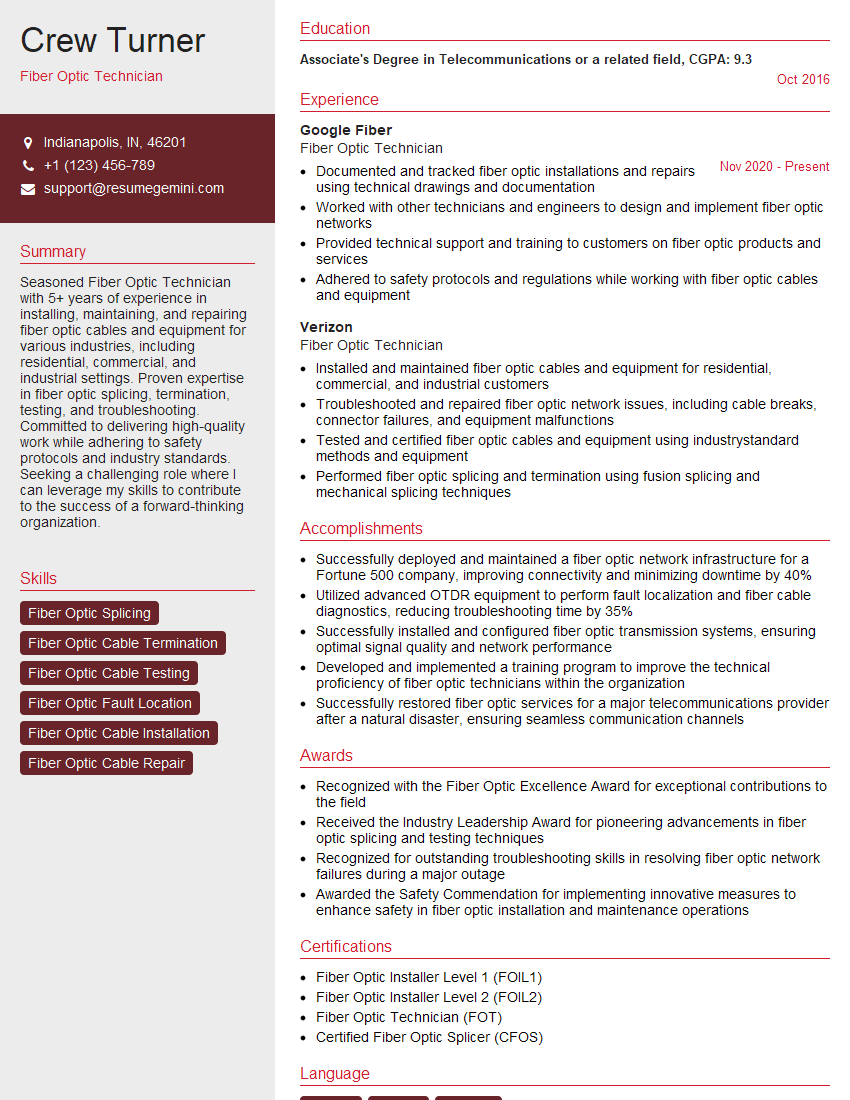
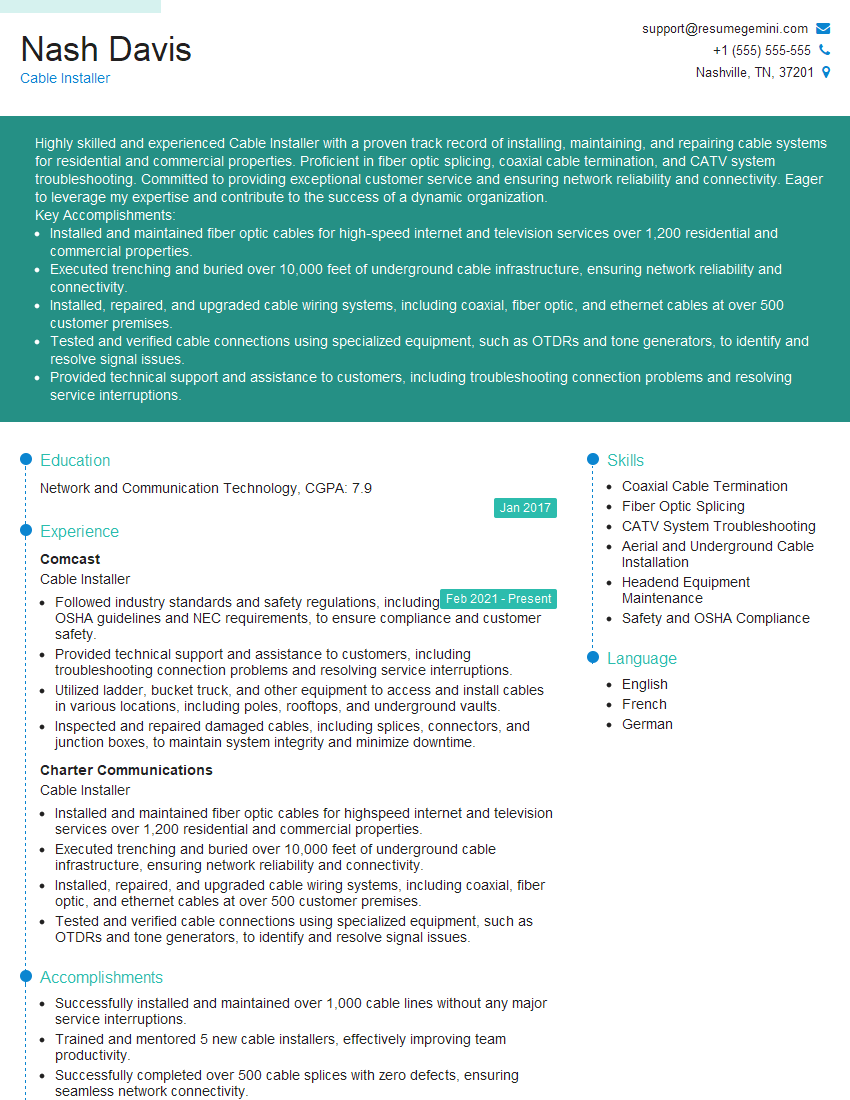
Mastering connector installation opens doors to exciting opportunities in networking, telecommunications, and various technology sectors. Proficiency in this skill significantly enhances your value to potential employers. To maximize your job prospects, create a compelling and ATS-friendly resume that highlights your skills and experience effectively. ResumeGemini is a trusted resource for building professional resumes that get noticed. We provide examples of resumes tailored specifically to Connector Installation to help you showcase your expertise. Take advantage of these resources to present your qualifications in the best possible light and accelerate your career growth.
Explore more articles
Users Rating of Our Blogs
Share Your Experience
We value your feedback! Please rate our content and share your thoughts (optional).
What Readers Say About Our Blog
Attention music lovers!
Wow, All the best Sax Summer music !!!
Spotify: https://open.spotify.com/artist/6ShcdIT7rPVVaFEpgZQbUk
Apple Music: https://music.apple.com/fr/artist/jimmy-sax-black/1530501936
YouTube: https://music.youtube.com/browse/VLOLAK5uy_noClmC7abM6YpZsnySxRqt3LoalPf88No
Other Platforms and Free Downloads : https://fanlink.tv/jimmysaxblack
on google : https://www.google.com/search?q=22+AND+22+AND+22
on ChatGPT : https://chat.openai.com?q=who20jlJimmy20Black20Sax20Producer
Get back into the groove with Jimmy sax Black
Best regards,
Jimmy sax Black
www.jimmysaxblack.com
Hi I am a troller at The aquatic interview center and I suddenly went so fast in Roblox and it was gone when I reset.
Hi,
Business owners spend hours every week worrying about their website—or avoiding it because it feels overwhelming.
We’d like to take that off your plate:
$69/month. Everything handled.
Our team will:
Design a custom website—or completely overhaul your current one
Take care of hosting as an option
Handle edits and improvements—up to 60 minutes of work included every month
No setup fees, no annual commitments. Just a site that makes a strong first impression.
Find out if it’s right for you:
https://websolutionsgenius.com/awardwinningwebsites
Hello,
we currently offer a complimentary backlink and URL indexing test for search engine optimization professionals.
You can get complimentary indexing credits to test how link discovery works in practice.
No credit card is required and there is no recurring fee.
You can find details here:
https://wikipedia-backlinks.com/indexing/
Regards
NICE RESPONSE TO Q & A
hi
The aim of this message is regarding an unclaimed deposit of a deceased nationale that bears the same name as you. You are not relate to him as there are millions of people answering the names across around the world. But i will use my position to influence the release of the deposit to you for our mutual benefit.
Respond for full details and how to claim the deposit. This is 100% risk free. Send hello to my email id: lukachachibaialuka@gmail.com
Luka Chachibaialuka
Hey interviewgemini.com, just wanted to follow up on my last email.
We just launched Call the Monster, an parenting app that lets you summon friendly ‘monsters’ kids actually listen to.
We’re also running a giveaway for everyone who downloads the app. Since it’s brand new, there aren’t many users yet, which means you’ve got a much better chance of winning some great prizes.
You can check it out here: https://bit.ly/callamonsterapp
Or follow us on Instagram: https://www.instagram.com/callamonsterapp
Thanks,
Ryan
CEO – Call the Monster App
Hey interviewgemini.com, I saw your website and love your approach.
I just want this to look like spam email, but want to share something important to you. We just launched Call the Monster, a parenting app that lets you summon friendly ‘monsters’ kids actually listen to.
Parents are loving it for calming chaos before bedtime. Thought you might want to try it: https://bit.ly/callamonsterapp or just follow our fun monster lore on Instagram: https://www.instagram.com/callamonsterapp
Thanks,
Ryan
CEO – Call A Monster APP
To the interviewgemini.com Owner.
Dear interviewgemini.com Webmaster!
Hi interviewgemini.com Webmaster!
Dear interviewgemini.com Webmaster!
excellent
Hello,
We found issues with your domain’s email setup that may be sending your messages to spam or blocking them completely. InboxShield Mini shows you how to fix it in minutes — no tech skills required.
Scan your domain now for details: https://inboxshield-mini.com/
— Adam @ InboxShield Mini
support@inboxshield-mini.com
Reply STOP to unsubscribe
Hi, are you owner of interviewgemini.com? What if I told you I could help you find extra time in your schedule, reconnect with leads you didn’t even realize you missed, and bring in more “I want to work with you” conversations, without increasing your ad spend or hiring a full-time employee?
All with a flexible, budget-friendly service that could easily pay for itself. Sounds good?
Would it be nice to jump on a quick 10-minute call so I can show you exactly how we make this work?
Best,
Hapei
Marketing Director
Hey, I know you’re the owner of interviewgemini.com. I’ll be quick.
Fundraising for your business is tough and time-consuming. We make it easier by guaranteeing two private investor meetings each month, for six months. No demos, no pitch events – just direct introductions to active investors matched to your startup.
If youR17;re raising, this could help you build real momentum. Want me to send more info?
Hi, I represent an SEO company that specialises in getting you AI citations and higher rankings on Google. I’d like to offer you a 100% free SEO audit for your website. Would you be interested?
Hi, I represent an SEO company that specialises in getting you AI citations and higher rankings on Google. I’d like to offer you a 100% free SEO audit for your website. Would you be interested?