Are you ready to stand out in your next interview? Understanding and preparing for Continuous Integration and Continuous Deployment (CI/CD) interview questions is a game-changer. In this blog, we’ve compiled key questions and expert advice to help you showcase your skills with confidence and precision. Let’s get started on your journey to acing the interview.
Questions Asked in Continuous Integration and Continuous Deployment (CI/CD) Interview
Q 1. Explain the difference between Continuous Integration and Continuous Delivery.
Continuous Integration (CI) and Continuous Delivery (CD) are closely related but distinct practices within a CI/CD pipeline. Think of it like baking a cake: CI is about consistently mixing the ingredients (code changes), while CD is about getting the cake (software) ready for the customer.
Continuous Integration (CI) focuses on automatically integrating code changes from multiple developers into a shared repository. Each integration is verified by an automated build and automated tests. This helps detect integration issues early and often. For example, every time a developer pushes code to a branch, CI automatically builds the software, runs unit tests, and reports the results. If the build fails, the team is immediately notified, preventing problems from accumulating.
Continuous Delivery (CD) expands on CI by automating the release process. It ensures that code changes that pass all the automated tests in CI are ready to be released to production at any time. This doesn’t necessarily mean automatic deployment; CD often includes manual approval steps before deploying to production, especially for critical changes. CD might involve automated deployment to staging environments for testing before manual approval for production. In our cake analogy, CD is about ensuring the cake is ready to be iced and presented – a final approval step before it’s served.
In short: CI is about automating the integration process, while CD is about automating the release process. Many teams use the term Continuous Deployment (also CD) which means that every successful build in CI is automatically released to production.
Q 2. Describe your experience with various CI/CD tools (e.g., Jenkins, GitLab CI, CircleCI, Azure DevOps).
I have extensive experience with several leading CI/CD tools, each with its own strengths and weaknesses. I’ve successfully utilized:
- Jenkins: A highly customizable and open-source tool, ideal for complex pipelines and integrating with a wide range of technologies. I’ve used Jenkins to create robust pipelines with multiple stages, including code compilation, testing, and deployment to various environments. I’ve also leveraged its plugin ecosystem to extend its functionality.
- GitLab CI: Tightly integrated with GitLab, making it a streamlined solution for projects hosted on the platform. Its declarative YAML configuration is efficient and easy to maintain. I’ve found it particularly useful for smaller to medium-sized projects where simplicity is key.
- CircleCI: A cloud-based CI/CD platform known for its ease of use and scalability. Its intuitive interface and straightforward configuration made it efficient for rapid prototyping and deploying to various cloud providers. I’ve used it for projects requiring fast build times and parallel processing.
- Azure DevOps: Microsoft’s comprehensive CI/CD platform which offers robust integration with other Azure services. I’ve leveraged its capabilities for managing pipelines, deploying to Azure services, and integrating with other development tools within the Microsoft ecosystem. The dashboard and reporting are excellent for tracking progress and identifying bottlenecks.
My experience covers designing, implementing, and maintaining CI/CD pipelines using these tools, optimizing them for performance and reliability. I understand the trade-offs between configuration complexity and ease of use, tailoring my approach to the specific needs of each project.
Q 3. How do you handle failed builds in a CI/CD pipeline?
Handling failed builds is crucial for maintaining a healthy CI/CD pipeline. My approach involves a multi-layered strategy:
- Immediate Notification: The pipeline should immediately notify the relevant team members (developers, operations) via email, Slack, or other communication channels. This ensures that issues are addressed quickly, minimizing downtime.
- Detailed Logging and Reporting: Comprehensive logs and reports are essential for debugging failed builds. They should provide information about the build environment, the specific steps that failed, and any error messages. Tools like Jenkins and Azure DevOps provide excellent logging capabilities.
- Automated Rollback (where applicable): For deployments, having an automated rollback strategy in place minimizes the impact of failed deployments. This can involve reverting to a previous stable version or rolling back infrastructure changes.
- Automated Remediation (if possible): Some failures can be automatically remediated. For example, a build failure due to a missing dependency could be automatically resolved by updating the dependency.
- Root Cause Analysis: Once a failure is identified, it’s crucial to perform root cause analysis to prevent similar failures in the future. This might involve code review, improving test coverage, or updating infrastructure.
In practice, I always strive for a pipeline that’s self-healing whenever possible, reducing manual intervention and ensuring faster resolution times.
Q 4. What are some common challenges in implementing CI/CD, and how have you overcome them?
Implementing CI/CD presents several common challenges:
- Legacy Codebases: Integrating CI/CD into legacy systems can be challenging due to technical debt, lack of automated tests, and complex dependencies. I’ve tackled this by starting with smaller, well-defined parts of the system and gradually expanding CI/CD coverage, refactoring code as necessary to make it more testable.
- Lack of Automated Testing: Insufficient automated tests lead to unstable pipelines and unreliable releases. I address this by prioritizing the creation of comprehensive unit, integration, and system tests. Gradual test implementation should be part of any refactoring efforts.
- Infrastructure Limitations: Insufficient infrastructure resources can lead to slow build times and pipeline bottlenecks. Scaling resources as needed is vital and using cloud-based solutions often makes this easier.
- Team Collaboration and Buy-in: Successful CI/CD requires strong collaboration between developers, operations, and QA teams. This is best tackled by establishing clear communication channels, sharing goals and responsibilities, and showcasing the benefits of CI/CD through measurable improvements.
- Security Concerns: Ensuring security throughout the CI/CD pipeline is vital. I address this through access control, secure code practices, and automated security scanning at multiple points in the pipeline (see answer 6).
To overcome these challenges, I emphasize a phased approach, focusing on incremental improvements and continuous learning. Prioritization, clear communication, and a strong commitment from the entire team are essential for success.
Q 5. Explain the concept of infrastructure as code (IaC) and its role in CI/CD.
Infrastructure as Code (IaC) is the practice of managing and provisioning infrastructure through code rather than manual processes. It plays a vital role in CI/CD by enabling automation and repeatability in infrastructure management.
In a CI/CD pipeline, IaC allows you to define your infrastructure (servers, networks, databases) in code, typically using tools like Terraform or Ansible. This code can then be version-controlled, reviewed, and deployed as part of the CI/CD pipeline. This ensures that infrastructure is consistent across different environments (development, staging, production) and that it can be easily recreated or updated.
For example, instead of manually configuring a web server, you can define its configuration in a Terraform configuration file. The CI/CD pipeline can then use Terraform to automatically provision the server whenever needed. This allows for consistent repeatable setups and infrastructure that can be easily reproduced and even rolled back. It also allows easier scaling, making IaC a cornerstone of modern CI/CD pipelines.
Q 6. How do you ensure security within your CI/CD pipeline?
Security is paramount in any CI/CD pipeline. My approach involves several key strategies:
- Secure Code Reviews: Regularly conduct code reviews to identify and address security vulnerabilities early in the development process.
- Automated Security Scanning: Integrate automated security scanning tools into the pipeline to detect vulnerabilities in code and dependencies. Tools like SonarQube or Snyk can be invaluable here.
- Least Privilege Access Control: Grant only necessary access to the CI/CD pipeline and its components. This minimizes the impact of potential breaches.
- Secret Management: Securely manage and store sensitive information, such as API keys and database credentials, using dedicated secret management tools (e.g., HashiCorp Vault, Azure Key Vault).
- Image Scanning: Scan container images for vulnerabilities before deploying them to production.
- Regular Security Audits: Conduct regular security audits of the CI/CD pipeline to identify and address any security weaknesses.
By implementing these security measures, I aim to create a robust and secure CI/CD pipeline that protects sensitive information and prevents unauthorized access.
Q 7. Describe your experience with different testing strategies in a CI/CD environment (unit, integration, system, etc.).
Different testing strategies are crucial for ensuring the quality and reliability of software delivered through a CI/CD pipeline. My experience encompasses various testing levels:
- Unit Tests: These tests focus on individual components or units of code, ensuring that each part works correctly in isolation. I typically use unit testing frameworks like JUnit (Java) or pytest (Python). High unit test coverage ensures that individual components work as expected. This is usually automated as part of the CI process.
- Integration Tests: These tests verify the interaction between different components or modules of the system. I’ve used tools and frameworks like Spring Test (Java) and Selenium to test the interactions between different parts of the system. This level often finds issues related to incorrect interfaces and data exchange.
- System Tests: These tests validate the entire system as a whole, ensuring that all components work together as expected. This frequently involves end-to-end tests, checking the complete user workflow. Automated testing using tools like Cypress or Cucumber is commonly used here.
- End-to-End (E2E) Tests: These tests simulate real-world user scenarios, verifying the system’s functionality from start to finish. These tests are critical for verifying the complete software operation in its final deployment environment.
- Performance Tests: These tests evaluate the system’s performance under different load conditions. Tools like JMeter or Gatling help measure response times, throughput, and other performance metrics.
I advocate for a testing pyramid approach, emphasizing unit tests as the foundation, with a smaller number of integration and system tests. The automation of these tests within the CI/CD pipeline ensures that code quality is consistently maintained.
Q 8. What are some best practices for branching strategies in a CI/CD workflow?
Choosing the right branching strategy is crucial for a smooth CI/CD workflow. It determines how developers collaborate, manage features, and integrate code. A poorly chosen strategy can lead to merge conflicts, unstable builds, and delayed releases.
One popular approach is Gitflow, which utilizes several branches: main (production-ready code), develop (integration branch for new features), feature branches (for individual features), release branches (for preparing releases), and hotfix branches (for urgent bug fixes). This provides a clear separation of concerns and allows for parallel development while maintaining a stable main branch.
Another strategy is GitHub Flow, simpler than Gitflow. It uses only two main branches: main and feature branches. Developers create feature branches from main, work on them, create pull requests, and once merged into main, the code is immediately deployable. This is ideal for smaller teams or projects with frequent releases.
The best strategy depends on your team’s size, project complexity, and release frequency. Larger projects might benefit from Gitflow’s structure, while smaller teams might find GitHub Flow more efficient. Regardless of the chosen strategy, consistent adherence and clear communication are vital.
Q 9. How do you monitor and track the performance of your CI/CD pipeline?
Monitoring a CI/CD pipeline requires a multi-faceted approach, focusing on both the pipeline’s health and the quality of the deployed software. This is usually accomplished through a combination of tools and techniques.
- Pipeline Monitoring Tools: Tools like Jenkins, GitLab CI, Azure DevOps, CircleCI, and others offer built-in dashboards and reporting features. These provide real-time insights into build times, test results, deployment status, and overall pipeline health. We can configure alerts for failed builds or deployments.
- Logging and Tracing: Comprehensive logging throughout the pipeline is critical for identifying bottlenecks and troubleshooting issues. Distributed tracing tools allow us to follow requests across multiple services to pinpoint performance problems.
- Metrics and Dashboards: We define key performance indicators (KPIs) such as build time, deployment frequency, mean time to recovery (MTTR), and change failure rate. These metrics are visualized on custom dashboards using tools like Grafana or Prometheus, offering a high-level overview of pipeline performance.
- Automated Testing: Thorough automated testing at various stages of the pipeline—unit, integration, and end-to-end—is crucial. Test results should be integrated into the monitoring system to identify regressions or quality issues.
By carefully monitoring and analyzing this data, we can proactively identify and resolve issues, continuously improving the efficiency and reliability of our CI/CD pipeline.
Q 10. Explain the concept of blue/green deployments or canary deployments.
Blue/green and canary deployments are advanced deployment strategies that minimize downtime and risk during releases. They both involve running two identical environments, but they differ in how new versions are rolled out.
Blue/Green Deployments: Imagine you have a ‘blue’ environment (live) and a ‘green’ environment (staging). You deploy the new version to the ‘green’ environment, thoroughly test it, and then switch traffic from ‘blue’ to ‘green’. If something goes wrong, you quickly switch back to ‘blue’. This is like having a backup readily available.
Canary Deployments: With canary deployments, you gradually roll out the new version to a small subset of users (the ‘canaries’). You monitor their experience closely. If everything is fine, you progressively increase the rollout to larger user groups. This is like testing a new product in a small market before a full-scale launch.
Both methods significantly reduce the risk of widespread outages and allow for quick rollbacks if issues arise. The choice depends on the application’s sensitivity to downtime and the risk tolerance.
Q 11. How do you manage dependencies in your CI/CD pipeline?
Managing dependencies effectively is essential for a reliable CI/CD pipeline. Uncontrolled dependencies can lead to build failures, inconsistencies, and security vulnerabilities.
- Dependency Management Tools: Tools like npm (Node.js), pip (Python), Maven (Java), Gradle, and others are vital for managing project dependencies. They automate the process of downloading, installing, and updating dependencies, ensuring consistency across different environments.
- Dependency Locking: Locking mechanisms like
package-lock.json(npm) orrequirements.txt(pip) freeze the dependency tree at a specific version, preventing unexpected changes during builds. This ensures reproducible builds across different machines and environments. - Dependency Versioning: Using semantic versioning (SemVer) helps manage updates and their impact. It ensures that updates are predictable and compatible with the existing codebase.
- Centralized Repositories: Using private or public repositories (e.g., Artifactory, Nexus, npm registry) to store and manage dependencies streamlines the process and improves efficiency.
- Automated Dependency Updates: Tools and practices for automated dependency updates (with proper testing) can help maintain up-to-date code and security patches, but require careful consideration to avoid breaking changes.
By implementing these strategies, we ensure consistent and reliable builds, minimizing the risk of dependency-related problems.
Q 12. What are some common metrics you use to measure the success of your CI/CD pipeline?
Measuring the success of a CI/CD pipeline involves tracking several key metrics that reflect its efficiency, reliability, and overall impact on the software development lifecycle.
- Deployment Frequency: How often are releases deployed to production? A higher frequency indicates faster feedback loops and quicker delivery of value.
- Lead Time for Changes: How long does it take for a code change to go from commit to production? A shorter lead time signifies a more efficient pipeline.
- Mean Time to Recovery (MTTR): How long does it take to recover from a deployment failure? A lower MTTR indicates better resilience and faster resolution of issues.
- Change Failure Rate: What percentage of deployments result in failures? A lower failure rate reflects better quality control and stability.
- Build Time: How long does it take to build the software? Reducing build times improves developer productivity.
- Test Coverage: What percentage of the codebase is covered by automated tests? Higher coverage indicates better quality and reduced risk of regressions.
By monitoring these metrics, we gain valuable insights into the health and efficiency of our CI/CD pipeline, enabling us to identify areas for improvement and optimize our processes for faster and more reliable software delivery.
Q 13. Describe your experience with containerization technologies (e.g., Docker, Kubernetes) in CI/CD.
Containerization technologies like Docker and Kubernetes have revolutionized CI/CD by providing consistent and portable environments for building, testing, and deploying applications.
Docker allows us to package our applications and their dependencies into containers, ensuring consistent execution across various environments. This eliminates the ‘it works on my machine’ problem. In our CI/CD pipeline, Docker images are built, tested, and then pushed to a container registry (like Docker Hub or a private registry).
Kubernetes orchestrates the deployment and management of containerized applications across multiple hosts. It provides features like automatic scaling, self-healing, and rolling updates. We use Kubernetes to deploy our Docker images to production, facilitating blue/green or canary deployments. This ensures high availability and smooth transitions during updates. In short, Docker gives us consistent environments while Kubernetes gives us elastic and highly reliable infrastructure.
My experience includes designing and implementing CI/CD pipelines that leverage Docker and Kubernetes to automate the entire software delivery process, significantly improving the speed, reliability, and scalability of our deployments.
Q 14. How do you handle rollbacks in case of deployment failures?
Handling rollbacks is crucial for mitigating the impact of deployment failures. A robust rollback strategy is essential for any CI/CD pipeline.
- Version Control: Proper version control (like Git) is fundamental. Every deployment should be tagged with a unique version identifier, making it easy to revert to a previous, stable version.
- Automated Rollback Procedures: The pipeline should include automated rollback procedures triggered by failed deployments. This can involve reverting to a previous version of the application, restoring a database backup, or switching back to a blue environment in a blue/green deployment.
- Rollback Testing: Testing rollback procedures is crucial to ensure they are effective and can be executed quickly. This testing should be a part of the CI/CD pipeline.
- Monitoring and Alerting: Robust monitoring and alerting systems are essential for detecting deployment failures promptly. This allows for a quicker response and reduces downtime.
- Rollback Strategy Documentation: Clearly documenting the rollback process, including the steps involved and the responsible personnel, is crucial for efficient and coordinated response during failures.
By implementing these measures, we minimize the disruption caused by deployment failures, ensuring swift recovery and maintaining service availability. A well-defined rollback strategy is as important as the deployment process itself.
Q 15. What is your experience with different artifact repositories (e.g., Artifactory, Nexus)?
Artifact repositories are central to any robust CI/CD pipeline, acting as a single source of truth for build artifacts – think of them as highly organized libraries for your software components. I have extensive experience with both JFrog Artifactory and Sonatype Nexus, two leading players in this space. They both offer similar core functionalities, but their strengths differ slightly.
Artifactory excels in its versatility, supporting a wide range of package formats (Maven, npm, Docker, etc.) and offering robust security features like fine-grained access control. I’ve used it in large-scale projects where managing dependencies across multiple teams and projects was crucial. Its advanced features, such as promoting artifacts through different lifecycles (e.g., from development to staging to production), have proven invaluable in streamlining release management.
Nexus, on the other hand, is known for its user-friendly interface and excellent integration with other Atlassian tools. In smaller projects or those heavily reliant on the Atlassian ecosystem, its ease of use and seamless integration are major advantages. I’ve successfully utilized Nexus in environments where quick setup and straightforward administration were prioritized.
Ultimately, the choice between Artifactory and Nexus often depends on the specific needs of the project. Factors like scale, security requirements, and existing toolchain integrations play a key role in the decision.
Career Expert Tips:
- Ace those interviews! Prepare effectively by reviewing the Top 50 Most Common Interview Questions on ResumeGemini.
- Navigate your job search with confidence! Explore a wide range of Career Tips on ResumeGemini. Learn about common challenges and recommendations to overcome them.
- Craft the perfect resume! Master the Art of Resume Writing with ResumeGemini’s guide. Showcase your unique qualifications and achievements effectively.
- Don’t miss out on holiday savings! Build your dream resume with ResumeGemini’s ATS optimized templates.
Q 16. Explain how you would implement a CI/CD pipeline for a microservices architecture.
Implementing a CI/CD pipeline for a microservices architecture requires a more decentralized approach compared to monolithic applications. Each microservice will have its own pipeline, but they need to be orchestrated effectively.
Step 1: Independent Pipelines: Each microservice would have its own CI/CD pipeline, typically built using tools like Jenkins, GitLab CI, or similar. This pipeline would handle building, testing, and deploying that specific service. This allows for independent deployments and faster iterations.
Step 2: Shared Components: If microservices share common libraries or components, a separate pipeline could build and deploy those to a central artifact repository. This ensures consistency and avoids duplication.
Step 3: Orchestration: A higher-level orchestration layer is needed to manage the deployments of multiple services. Tools like Spinnaker or Argo CD excel at this, allowing for coordinated deployments, rollbacks, and canary releases across the entire system.
Step 4: Configuration Management: Consistent configuration across environments is crucial. Tools like Kubernetes or Docker Swarm can handle this. They provide a declarative approach to managing the infrastructure and deployments of the microservices.
Step 5: Monitoring and Logging: Centralized logging and monitoring are essential for debugging and ensuring overall system health. Tools like Prometheus and Grafana provide excellent capabilities in this area.
Example Scenario: Imagine an e-commerce platform with separate microservices for user accounts, product catalog, and order processing. Each has its independent pipeline, but the orchestration layer coordinates their deployments, ensuring a smooth upgrade without disrupting the entire platform.
Q 17. How do you ensure code quality in your CI/CD pipeline?
Ensuring code quality is paramount. My approach involves integrating several strategies throughout the CI/CD pipeline.
- Static Code Analysis: Tools like SonarQube or ESLint are integrated early in the pipeline to automatically detect code style violations, potential bugs, and security vulnerabilities before the code is even built. This catches errors early, reducing the overall cost of fixing them.
- Unit Testing: Unit tests are crucial for verifying the correctness of individual components. High test coverage is a key metric I track. The CI/CD pipeline automatically runs these tests before proceeding to further stages.
- Integration Testing: Integration tests ensure that different parts of the system work together correctly. These tests are more complex and require more setup but are essential for catching integration issues early. The pipeline executes integration tests after successful unit tests.
- Code Reviews: Code reviews are a fundamental part of my workflow. They provide a second pair of eyes to catch potential bugs and improve code quality, promoting knowledge sharing and consistency.
- Automated Testing (e.g., Selenium): Automated end-to-end tests simulate real user interactions to ensure the application functions as expected from a user’s perspective. The pipeline incorporates these tests for validating user workflows.
By combining these techniques, we build a robust system for maintaining high code quality, reducing defects, and improving overall software reliability. The pipeline fails if any of these checks fail, preventing faulty code from progressing further.
Q 18. Describe your experience with automating infrastructure provisioning (e.g., Terraform, Ansible).
Infrastructure as Code (IaC) is essential for modern CI/CD. I have significant experience with both Terraform and Ansible.
Terraform is ideal for managing infrastructure across multiple cloud providers or on-premise environments. Its declarative approach allows defining infrastructure in a consistent and repeatable manner. I’ve used it to manage everything from simple virtual machines to complex Kubernetes clusters. For example, I used Terraform to automate the creation of a highly available database cluster across multiple AWS availability zones, significantly reducing deployment time and human error.
Ansible excels at configuration management and application deployment. It uses an agentless architecture, simplifying setup and improving security. I’ve utilized Ansible to deploy applications to servers, configure network devices, and manage various system settings. In one project, we used Ansible to automate the configuration and deployment of a complex web application across a large server fleet, ensuring consistency across all environments.
The choice between Terraform and Ansible often depends on the specific use case. Terraform is best suited for managing infrastructure, while Ansible shines in managing the configuration and deployment of applications on that infrastructure. Often, they are used together in a complementary fashion.
Q 19. How do you handle configuration management in your CI/CD pipeline?
Configuration management is a crucial aspect of a reliable CI/CD pipeline. It ensures consistent behavior across different environments (development, testing, staging, production). I prefer using a combination of techniques:
- Environment Variables: Sensitive information like database credentials and API keys should never be hardcoded. Environment variables are used to securely manage these values, allowing them to be different across environments.
- Configuration Files: Application configuration is managed using configuration files (e.g., YAML, JSON). These files can be version-controlled and easily updated. The CI/CD pipeline uses these files to configure the application during deployment.
- Configuration Management Tools (e.g., Ansible): These tools allow you to automate the configuration of servers and applications. They can enforce consistency and ensure that all servers are configured identically.
- Secrets Management (e.g., HashiCorp Vault): Storing sensitive information in a secure vault is critical. Secrets management tools allow you to securely access and manage sensitive data without embedding them directly into the code or configuration files.
By using a combination of these methods, we ensure consistent and secure configuration management across all environments, reducing the risk of errors and security vulnerabilities.
Q 20. What is your experience with different deployment strategies (e.g., rolling updates, blue/green deployments)?
Choosing the right deployment strategy is crucial for minimizing downtime and ensuring a smooth user experience. I have experience with several strategies:
- Rolling Updates: This strategy gradually updates the application by deploying new versions to a subset of servers while keeping the rest running. This minimizes downtime and allows for quick rollbacks if problems arise. It’s suitable for applications with high availability requirements.
- Blue/Green Deployments: This involves maintaining two identical environments: ‘blue’ (live) and ‘green’ (staging). The new version is deployed to the ‘green’ environment, thoroughly tested, and then traffic is switched from ‘blue’ to ‘green’. This provides a quick and safe rollback mechanism by switching traffic back to ‘blue’ if issues occur.
- Canary Deployments: A subset of users are routed to the new version, allowing for monitoring and validation before a full rollout. This minimizes the risk of a widespread issue impacting all users.
The best deployment strategy depends on the application’s criticality, scale, and tolerance for downtime. For highly sensitive applications, a blue/green or canary deployment is often preferred to minimize risk. Rolling updates are often suitable for applications that can tolerate some downtime during the update process.
Q 21. How do you integrate security testing into your CI/CD pipeline?
Security is paramount in any CI/CD pipeline. Integrating security testing throughout the pipeline is crucial for mitigating vulnerabilities.
- Static Application Security Testing (SAST): Tools like SonarQube or Checkmarx are integrated into the pipeline to scan code for security flaws early in the development process. This helps catch vulnerabilities before they reach production.
- Dynamic Application Security Testing (DAST): Tools like OWASP ZAP are used to scan running applications for vulnerabilities. DAST is performed in the testing environments and before deployment.
- Software Composition Analysis (SCA): SCA tools scan dependencies to identify known vulnerabilities in libraries and frameworks used in the application, ensuring that we are using secure components.
- Security Penetration Testing: This involves simulating real-world attacks on the application to identify security weaknesses. This is often done manually by security experts, but can be partially automated in the pipeline for regular vulnerability scans.
- Compliance Checks: Pipeline scripts may include checks to ensure the code and deployment process adhere to security and compliance standards (e.g., OWASP Top 10). This prevents deploying insecure applications that do not conform to specified regulations.
By integrating these security practices into the CI/CD pipeline, we create a robust system to continuously monitor and reduce the potential for security breaches.
Q 22. Explain your experience with different version control systems (e.g., Git).
Version control systems (VCS) are the backbone of any successful CI/CD pipeline. My experience primarily revolves around Git, a distributed VCS that allows multiple developers to collaborate on code simultaneously. I’m proficient in using Git for branching strategies like Gitflow (for managing releases and features), GitHub Flow (a simpler, more streamlined approach), and GitLab Flow (which offers flexibility). I understand the importance of proper commit messaging, meaningful branch naming, and regular pull requests to ensure code quality and maintainability.
In practice, I’ve used Git extensively to manage codebases of varying sizes and complexities. For example, on a recent project involving a microservices architecture, we used Git branching strategies to develop and deploy individual services independently. This minimized conflicts and enabled faster iteration cycles. My experience extends beyond basic commands; I’m also comfortable using Git for rebasing, cherry-picking, and resolving merge conflicts effectively. I’ve also utilized Git hooks to automate tasks like pre-commit code linting and testing.
Furthermore, I’m experienced with hosting Git repositories on platforms such as GitHub, GitLab, and Bitbucket, utilizing their features for code review, issue tracking, and project management. I understand the importance of security best practices within these platforms, such as restricting access and using secure credentials.
Q 23. How do you handle different environments (development, testing, staging, production) in your CI/CD pipeline?
Managing different environments (development, testing, staging, production) is crucial for a robust CI/CD pipeline. Think of it as a relay race: each environment represents a stage, and the pipeline ensures a smooth handover between them. The key is to maintain consistency across all stages while ensuring appropriate configurations and security measures for each.
Typically, I leverage environment variables to manage configuration differences. For instance, database connection strings, API keys, and server URLs are stored as environment variables specific to each environment. This eliminates the need to change code for different deployment targets. Infrastructure as Code (IaC) tools like Terraform or CloudFormation are vital for automating the provisioning of these environments, ensuring consistency and reproducibility.
Continuous Integration builds and tests are run in the development and testing environments. Once these pass, the code is deployed to the staging environment for further testing, including user acceptance testing (UAT). Finally, after successful staging, the code is deployed to production.
I have experience with various deployment strategies, including blue/green deployments (minimizing downtime by switching between active and inactive versions), canary deployments (releasing gradually to a subset of users), and rolling deployments (deploying incrementally to all servers). The choice of strategy depends on the application’s sensitivity and the risk tolerance.
Q 24. What is your experience with monitoring and logging tools in a CI/CD environment?
Monitoring and logging are indispensable in a CI/CD environment. They are the eyes and ears of the pipeline, providing insights into its health, performance, and potential problems. Without them, troubleshooting becomes a nightmare.
I’ve worked with a variety of monitoring and logging tools, including Prometheus and Grafana for metrics, ELK stack (Elasticsearch, Logstash, Kibana) for log aggregation and analysis, and cloud-native solutions such as CloudWatch (AWS), Azure Monitor (Azure), and Cloud Logging (GCP). These tools help visualize pipeline performance, identify bottlenecks, and track errors. Centralized logging helps in debugging issues across various stages and environments.
For example, using Prometheus and Grafana, we can monitor the build times, test execution times, and deployment durations. If there’s a sudden spike in build times, we can immediately investigate the root cause. Similarly, ELK helps aggregate logs from all stages of the pipeline, making it easy to trace errors and understand the context of failures.
Furthermore, integrating monitoring and logging into alerting systems allows for proactive issue resolution. Alerts can be triggered based on predefined thresholds (e.g., excessive error rates, prolonged build times), ensuring timely intervention and reducing downtime.
Q 25. Explain how you would troubleshoot a failing CI/CD pipeline.
Troubleshooting a failing CI/CD pipeline involves a systematic approach. It’s like detective work – you need to gather clues, analyze them, and pinpoint the culprit.
My first step is to meticulously examine the logs. Detailed logs from each stage provide valuable insights into where the pipeline failed. I then check the status of the pipeline stages to identify the exact point of failure. The error messages usually provide a good starting point. If not, I delve deeper into the logs to understand the context of the error.
Next, I verify the code changes. Often, bugs introduced in the code are the root cause. I may need to revert the changes or fix the bugs. I also check the environment variables, database configurations, and other external dependencies to ensure that they are correctly configured.
If the problem persists, I replicate the issue locally to isolate and reproduce the failure. This helps in accurately diagnosing and rectifying the problem. Finally, once the issue is resolved, I implement safeguards to prevent similar problems in the future. This might involve adding additional checks, improving the error handling, or enhancing the monitoring.
Q 26. Describe your experience with implementing CI/CD in different cloud environments (e.g., AWS, Azure, GCP).
I have significant experience implementing CI/CD pipelines in various cloud environments, including AWS, Azure, and GCP. Each cloud provider offers its own set of services and tools that can be leveraged for CI/CD. However, the underlying principles remain the same: automation, version control, and continuous feedback.
On AWS, I’ve utilized services like CodePipeline, CodeBuild, and CodeDeploy for building, testing, and deploying applications. I’ve also used AWS Elastic Beanstalk for simplifying deployment management. In Azure, I’ve worked with Azure DevOps, which provides a comprehensive suite of CI/CD tools, including Azure Pipelines, Azure Repos, and Azure Artifacts.
On GCP, I’ve used Google Cloud Build, Cloud Run, and Kubernetes Engine for building and deploying containerized applications. The choice of cloud provider often depends on factors such as existing infrastructure, cost considerations, and specific project needs. However, the core CI/CD principles and practices remain consistent regardless of the cloud platform.
In each case, I focused on building scalable, reliable, and secure pipelines. This includes integrating security scanning tools, implementing robust rollback strategies, and using appropriate access controls to secure the environment.
Q 27. What are your preferred methods for automating testing and deployment processes?
Automating testing and deployment processes is essential for efficient and reliable CI/CD. My preferred methods involve leveraging tools and best practices to streamline these stages.
For testing, I advocate for a multi-layered approach, including unit tests (testing individual components), integration tests (testing interactions between components), and end-to-end tests (testing the entire system). I use testing frameworks like Jest, pytest, or JUnit depending on the programming language and project requirements. Test automation tools like Selenium or Cypress are used for UI testing.
For deployment, I utilize Infrastructure as Code (IaC) tools such as Terraform or Ansible to automate the provisioning and configuration of infrastructure. This ensures consistency and repeatability across environments. CI/CD pipelines are configured to trigger automated deployments upon successful test completion. Deployment strategies such as blue/green deployments or canary deployments are chosen based on the application’s requirements and risk profile. The pipeline also includes rollback mechanisms to quickly revert to a previous stable version in case of deployment failures.
Continuous monitoring and logging are also essential. Real-time monitoring of application health and performance post-deployment helps identify and address potential issues quickly. Alerting systems are integrated to notify relevant teams of any critical issues.
Key Topics to Learn for Continuous Integration and Continuous Deployment (CI/CD) Interview
- Version Control Systems (VCS): Understanding Git, branching strategies (Gitflow, GitHub Flow), merging, and resolving conflicts is fundamental. Practical application: Explain how you’d handle a merge conflict during a CI/CD pipeline.
- CI/CD Pipelines: Know the stages involved (build, test, deploy), common tools (Jenkins, GitLab CI, CircleCI, Azure DevOps), and how to configure and troubleshoot a pipeline. Practical application: Describe your experience designing or optimizing a CI/CD pipeline for a specific project.
- Automated Testing: Mastering unit, integration, and end-to-end testing methodologies and frameworks. Practical application: Explain your approach to creating a robust test suite for a new feature within a CI/CD environment.
- Infrastructure as Code (IaC): Familiarity with tools like Terraform or Ansible to manage and provision infrastructure. Practical application: Describe how IaC improves the reliability and repeatability of your deployments.
- Containerization (Docker, Kubernetes): Understanding containerization principles, orchestration, and deployment strategies. Practical application: Explain the benefits of using containers in a CI/CD pipeline and how they improve scalability.
- Continuous Delivery vs. Continuous Deployment: Clearly differentiate between these concepts and the implications for release management strategies. Practical application: Discuss when you would choose one over the other and why.
- Monitoring and Logging: Implementing robust monitoring and logging to track pipeline performance and identify issues. Practical application: Describe your experience using monitoring tools to troubleshoot a failed deployment.
- Security in CI/CD: Understanding security best practices throughout the pipeline, including secure coding, vulnerability scanning, and secrets management. Practical application: Discuss strategies for enhancing the security of your CI/CD pipeline.
Next Steps
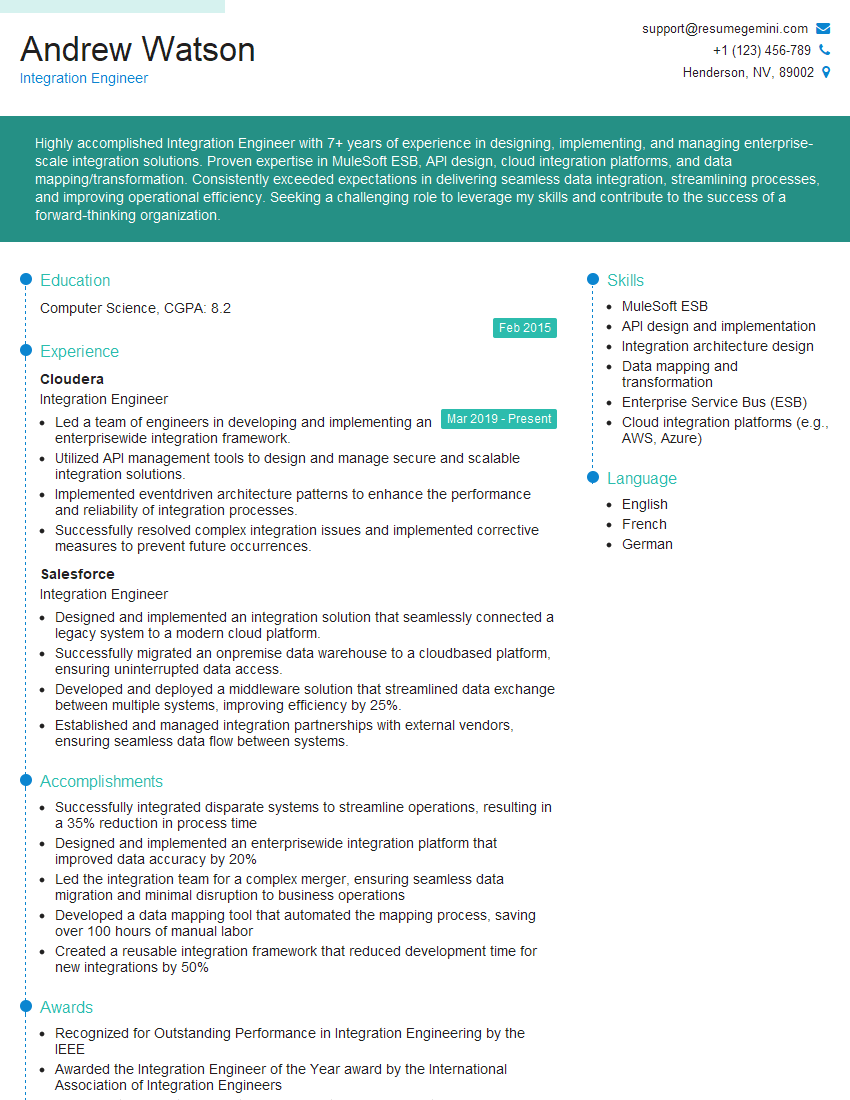
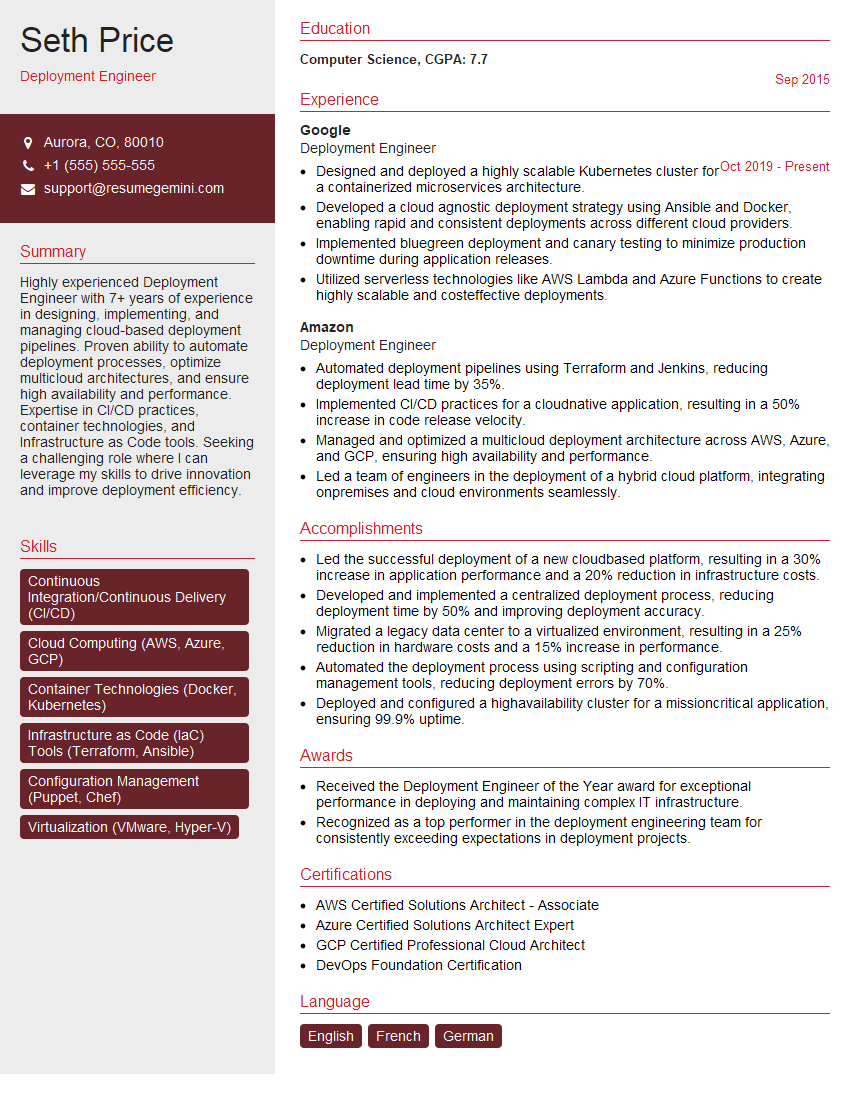
Mastering CI/CD is crucial for career advancement in software development and DevOps. It demonstrates your ability to deliver high-quality software efficiently and reliably, making you a highly sought-after candidate. To maximize your job prospects, it’s essential to craft a compelling, ATS-friendly resume that highlights your skills and experience. ResumeGemini is a trusted resource to help you build a professional and impactful resume. Examples of resumes tailored to Continuous Integration and Continuous Deployment (CI/CD) roles are available to guide you.



Explore more articles
Users Rating of Our Blogs
Share Your Experience
We value your feedback! Please rate our content and share your thoughts (optional).
What Readers Say About Our Blog
Hello,
we currently offer a complimentary backlink and URL indexing test for search engine optimization professionals.
You can get complimentary indexing credits to test how link discovery works in practice.
No credit card is required and there is no recurring fee.
You can find details here:
https://wikipedia-backlinks.com/indexing/
Regards
NICE RESPONSE TO Q & A
hi
The aim of this message is regarding an unclaimed deposit of a deceased nationale that bears the same name as you. You are not relate to him as there are millions of people answering the names across around the world. But i will use my position to influence the release of the deposit to you for our mutual benefit.
Respond for full details and how to claim the deposit. This is 100% risk free. Send hello to my email id: [email protected]
Luka Chachibaialuka
Hey interviewgemini.com, just wanted to follow up on my last email.
We just launched Call the Monster, an parenting app that lets you summon friendly ‘monsters’ kids actually listen to.
We’re also running a giveaway for everyone who downloads the app. Since it’s brand new, there aren’t many users yet, which means you’ve got a much better chance of winning some great prizes.
You can check it out here: https://bit.ly/callamonsterapp
Or follow us on Instagram: https://www.instagram.com/callamonsterapp
Thanks,
Ryan
CEO – Call the Monster App
Hey interviewgemini.com, I saw your website and love your approach.
I just want this to look like spam email, but want to share something important to you. We just launched Call the Monster, a parenting app that lets you summon friendly ‘monsters’ kids actually listen to.
Parents are loving it for calming chaos before bedtime. Thought you might want to try it: https://bit.ly/callamonsterapp or just follow our fun monster lore on Instagram: https://www.instagram.com/callamonsterapp
Thanks,
Ryan
CEO – Call A Monster APP
To the interviewgemini.com Owner.
Dear interviewgemini.com Webmaster!
Hi interviewgemini.com Webmaster!
Dear interviewgemini.com Webmaster!
excellent
Hello,
We found issues with your domain’s email setup that may be sending your messages to spam or blocking them completely. InboxShield Mini shows you how to fix it in minutes — no tech skills required.
Scan your domain now for details: https://inboxshield-mini.com/
— Adam @ InboxShield Mini
Reply STOP to unsubscribe
Hi, are you owner of interviewgemini.com? What if I told you I could help you find extra time in your schedule, reconnect with leads you didn’t even realize you missed, and bring in more “I want to work with you” conversations, without increasing your ad spend or hiring a full-time employee?
All with a flexible, budget-friendly service that could easily pay for itself. Sounds good?
Would it be nice to jump on a quick 10-minute call so I can show you exactly how we make this work?
Best,
Hapei
Marketing Director
Hey, I know you’re the owner of interviewgemini.com. I’ll be quick.
Fundraising for your business is tough and time-consuming. We make it easier by guaranteeing two private investor meetings each month, for six months. No demos, no pitch events – just direct introductions to active investors matched to your startup.
If youR17;re raising, this could help you build real momentum. Want me to send more info?
Hi, I represent an SEO company that specialises in getting you AI citations and higher rankings on Google. I’d like to offer you a 100% free SEO audit for your website. Would you be interested?
Hi, I represent an SEO company that specialises in getting you AI citations and higher rankings on Google. I’d like to offer you a 100% free SEO audit for your website. Would you be interested?
good