Cracking a skill-specific interview, like one for Cybersecurity and Vulnerability Testing, requires understanding the nuances of the role. In this blog, we present the questions you’re most likely to encounter, along with insights into how to answer them effectively. Let’s ensure you’re ready to make a strong impression.
Questions Asked in Cybersecurity and Vulnerability Testing Interview
Q 1. Explain the difference between black box, white box, and gray box penetration testing.
Penetration testing approaches differ primarily in the amount of information the tester has about the target system. Think of it like searching for a hidden object: Black box testing is like searching a completely unfamiliar house with no prior knowledge of its layout; white box testing is like having the blueprints; and gray box testing is somewhere in between, perhaps having a floor plan but not knowing the exact location of rooms.
- Black Box Testing: The tester has no prior knowledge of the system’s internal workings. They act as an external attacker, using only publicly available information and tools to find vulnerabilities. This simulates a real-world attack scenario, offering a realistic assessment. For example, they might attempt SQL injection attacks or exploit known vulnerabilities based on publicly available information about the software used.
- White Box Testing: The tester has complete access to the system’s source code, architecture, and internal workings. This allows for a more in-depth analysis, identifying vulnerabilities that might be missed in a black box test. This approach is excellent for identifying vulnerabilities early in the development cycle. For instance, a white box tester could analyze the code directly to find logic flaws that lead to vulnerabilities.
- Gray Box Testing: This approach offers a balance between black and white box testing. The tester has partial knowledge of the system, such as network diagrams or partial access to documentation. This often resembles real-world scenarios where attackers might gain partial information through social engineering or other means. A gray box test might involve knowing the types of databases used, but not having direct access to the database servers.
Choosing the right approach depends on the specific goals and resources available. Black box tests provide a realistic simulation of an external attack, while white and gray box tests allow for more comprehensive analysis, identifying vulnerabilities that might be more difficult to discover otherwise.
Q 2. Describe the OWASP Top 10 vulnerabilities and how to mitigate them.
The OWASP Top 10 represents the most critical web application security risks. These aren’t ranked in order of severity, as the risk varies based on the specific application and its context.
- Injection: (SQL, NoSQL, LDAP, OS, etc.) Occurs when untrusted data is sent to an interpreter as part of a command or query. Mitigation: Use parameterized queries or prepared statements, input validation, and output encoding.
- Broken Authentication: Weak or poorly implemented authentication mechanisms. Mitigation: Strong password policies, multi-factor authentication (MFA), robust session management, and regular security audits.
- Sensitive Data Exposure: Failure to protect sensitive data, such as credentials, personal information, and health records. Mitigation: Encryption at rest and in transit, access controls, data loss prevention (DLP) tools, and secure storage practices.
- XML External Entities (XXE): Exploiting XML processors to access external resources or internal files. Mitigation: Disable external entity processing in XML parsers, use well-vetted libraries, and employ rigorous input validation.
- Broken Access Control: Improper authorization checks allow unauthorized access to resources or data. Mitigation: Implement principle of least privilege, thorough access control lists (ACLs), and regular security audits of permissions.
- Security Misconfiguration: Improperly configured systems, software, and frameworks. Mitigation: Follow security best practices during deployment, implement secure defaults, and use least privilege.
- Cross-Site Scripting (XSS): Injecting malicious scripts into websites viewed by other users. Mitigation: Input validation and output encoding, Content Security Policy (CSP), and using a web application firewall (WAF).
- Insecure Deserialization: Unvalidated deserialization of data can allow attackers to execute arbitrary code. Mitigation: Input validation, limiting deserialization to trusted data, and using secure deserialization libraries.
- Using Components with Known Vulnerabilities: Relying on outdated or vulnerable software components. Mitigation: Regularly update software components, use vulnerability scanners, and employ a robust software development lifecycle (SDLC).
- Insufficient Logging & Monitoring: Inadequate logging and monitoring capabilities hinder threat detection and response. Mitigation: Implement comprehensive logging and monitoring, including security information and event management (SIEM) systems.
Addressing these vulnerabilities requires a multi-layered approach involving secure coding practices, regular security assessments, and employee training.
Q 3. What are the different types of vulnerability scanners and their strengths and weaknesses?
Vulnerability scanners automate the process of identifying security flaws in systems. Several types exist, each with its strengths and weaknesses:
- Network Scanners: These scanners probe network devices and hosts for open ports, running services, and known vulnerabilities. Strengths: Relatively fast, provides a broad overview of network security posture. Weaknesses: Can produce many false positives, limited ability to identify vulnerabilities requiring interaction with applications.
- Web Application Scanners: Designed to identify vulnerabilities specifically in web applications, such as SQL injection or XSS. Strengths: Can detect application-specific vulnerabilities. Weaknesses: Can be slow, requires configuration to be effective, and may miss vulnerabilities requiring more advanced techniques.
- Database Scanners: These scanners focus on identifying vulnerabilities within database systems. Strengths: Targeted analysis for database security flaws. Weaknesses: Limited scope, requires database credentials.
- Source Code Scanners (SAST): Analyze source code for security flaws before deployment. Strengths: Early detection of vulnerabilities, reduced remediation costs. Weaknesses: Requires access to source code, might miss vulnerabilities not reflected in the code (e.g., configuration issues).
- Binary Scanners (DAST): Analyze the compiled code or running application for vulnerabilities. Strengths: Don’t require source code access, can find vulnerabilities that SAST misses. Weaknesses: Can produce false positives, requires running application.
The best approach often involves using a combination of these scanners to provide a comprehensive view of security weaknesses.
Q 4. Explain the process of conducting a vulnerability assessment.
A vulnerability assessment is a systematic process of identifying security weaknesses in a system. It typically involves these steps:
- Planning and Scoping: Define the scope of the assessment, including the systems, applications, and network segments to be examined. Identify critical assets and business functions.
- Information Gathering: Gather relevant information about the target system, including network diagrams, system configurations, and any available documentation. This sets the stage for effective scanning.
- Vulnerability Scanning: Use automated tools (as discussed above) to identify potential vulnerabilities. This is a crucial step in identifying the system’s weaknesses.
- Vulnerability Analysis: Review the scan results, prioritizing the findings based on severity and exploitability. This requires a thorough understanding of each vulnerability.
- Verification: Manually verify the identified vulnerabilities to reduce false positives and gain confidence in the results. This manual validation is essential for accuracy.
- Reporting: Document the identified vulnerabilities, their severity, and recommendations for remediation. A clear, concise report is critical for stakeholders.
- Remediation: Work with the appropriate teams to fix the identified vulnerabilities. This phase is crucial for the ongoing protection of the system.
The entire process must follow a well-defined methodology to ensure consistency and thoroughness.
Q 5. How do you prioritize vulnerabilities after a scan?
Prioritizing vulnerabilities is crucial for efficient remediation. I typically use a risk-based approach, considering several factors:
- Severity: The potential impact of the vulnerability (critical, high, medium, low). Critical vulnerabilities pose the greatest risk and need immediate attention.
- Exploitability: How easily can the vulnerability be exploited? Public exploits and easily available tools increase the priority.
- Impact: What is the potential impact on business operations or data confidentiality, integrity, and availability? Vulnerabilities impacting critical systems or sensitive data have higher priority.
- Likelihood: The probability of the vulnerability being exploited. External vulnerabilities are often prioritized higher than internal ones.
I often use a risk matrix to visually represent the prioritization, enabling quick identification of the most critical vulnerabilities. CVSS (Common Vulnerability Scoring System) scores help standardize the severity assessment across different vulnerability types.
Q 6. What is a false positive in vulnerability scanning, and how do you handle it?
A false positive in vulnerability scanning is an alert indicating a vulnerability that does not actually exist. These can be caused by inaccurate configuration, outdated signatures, or the scanner misinterpreting legitimate system behavior.
Handling false positives requires careful investigation. I usually follow these steps:
- Review the scan details: Examine the evidence provided by the scanner to understand the basis of the alert. This includes the specific vulnerability reported and any associated logs or evidence.
- Manual verification: Attempt to reproduce the vulnerability manually. This involves using different tools and techniques to test for exploitability. This allows me to definitively confirm or rule out the vulnerability.
- Consult documentation: Check the system’s documentation and configurations to ensure the alert isn’t a result of a misinterpretation of normal behavior. System documentation can help clarify if an apparent vulnerability is a legitimate functionality.
- Update scanner: Ensure the scanner’s vulnerability database is up-to-date. Outdated signatures can lead to inaccurate results. Upgrading to the latest versions is critical for accuracy.
- Refine scan settings: Adjust scan settings to reduce noise. Overly aggressive scanning can produce many false positives. This process requires careful tuning of the scanning parameters.
- Whitelist: If repeatedly encountering false positives for specific systems or applications, consider whitelisting them in the scanner to avoid future alerts. Whitelisting allows us to exclude specific entities from the scan.
Documenting the false positives and the steps taken to verify them is essential for maintaining the accuracy of the assessment process.
Q 7. Describe your experience with different penetration testing methodologies (e.g., NIST, PTES).
My experience encompasses several penetration testing methodologies, each with its strengths and nuances:
- NIST (National Institute of Standards and Technology): NIST frameworks provide a structured approach to cybersecurity, and their penetration testing guidance emphasizes a risk-based approach. I’ve utilized NIST SP 800-115 and other related publications to guide the scope, methodology, and reporting of penetration tests, emphasizing a thorough and documented process.
- PTES (Penetration Testing Execution Standard): PTES is a widely recognized methodology that provides a comprehensive framework for planning and executing penetration tests. I have successfully utilized PTES in numerous engagements, its phases (Planning, Scoping, Information Gathering, Vulnerability Analysis, Exploitation, Post Exploitation, Reporting, and Cleanup) ensuring a systematic and thorough examination of a target system.
Regardless of the specific methodology, I always focus on creating a realistic simulation of an attack, adhering to strict ethical guidelines, and providing detailed, actionable reports to aid remediation efforts. The choice of methodology is usually influenced by the client’s specific requirements and the nature of the target system.
Q 8. Explain the concept of exploit development.
Exploit development is the process of creating a piece of software or a sequence of commands that takes advantage of a known vulnerability in a system or application to gain unauthorized access or control. Think of it like finding a hidden backdoor in a building and then using that backdoor to enter illegally. Vulnerabilities are flaws, weaknesses, or bugs in software or hardware. Exploit development turns the knowledge of these flaws into a tool for malicious use.
The process typically involves several stages: 1. Vulnerability Research (identifying the weakness); 2. Vulnerability Analysis (understanding how it works); 3. Exploit Development (creating the code to leverage it); 4. Testing and Refinement (ensuring it works reliably). Different exploit techniques exist, depending on the vulnerability type. For instance, a buffer overflow exploit might involve sending more data than a program expects, corrupting its memory and potentially enabling code execution.
Ethical hackers, also known as penetration testers, use exploit development techniques in a controlled environment to identify vulnerabilities before malicious actors can exploit them. They then provide recommendations to fix the issue. This is a crucial part of securing systems.
Q 9. What are some common web application vulnerabilities?
Common web application vulnerabilities are flaws that allow attackers to compromise the security of a website. These vulnerabilities often stem from poor coding practices or outdated software. Here are some notable examples:
- SQL Injection: Attackers inject malicious SQL code into input fields to manipulate database queries, potentially accessing sensitive data or modifying the database.
- Cross-Site Scripting (XSS): Attackers inject malicious scripts into a website, tricking users into executing them. This can steal cookies, session IDs, or other sensitive information.
- Cross-Site Request Forgery (CSRF): Attackers trick users into performing unwanted actions on a website they are already authenticated to. This is like forging a signature on a check.
- Broken Authentication: Weak or improperly implemented authentication mechanisms allow attackers to bypass security measures and gain unauthorized access.
- Insecure Direct Object References (IDOR): Attackers manipulate direct object references (URLs or parameters) to access unauthorized resources or data.
- Session Management Issues: Poorly implemented session management, like predictable session IDs, can allow attackers to hijack sessions and impersonate users.
These are just some of the most prevalent; many more specialized vulnerabilities exist.
Q 10. How do you test for SQL injection vulnerabilities?
Testing for SQL injection involves attempting to inject malicious SQL code into input fields of a web application and observing the application’s response. A successful SQL injection attempt might reveal unexpected data, errors containing parts of the database schema, or even allow the attacker to execute arbitrary SQL commands.
Methods include:
- Manual Testing: This involves inserting simple SQL injection strings like
' OR '1'='1or';--into input fields. If the application’s response changes unexpectedly (e.g., revealing error messages or unexpected data), it suggests a vulnerability. - Automated Testing: Tools like SQLmap automate the process by systematically testing different injection techniques and analyzing responses.
- Blind SQL Injection: In cases where the application doesn’t return direct error messages, blind SQL injection techniques use timing-based or boolean-based queries to infer information from the application’s response time or behavior.
Remember, testing for SQL injection should always be performed in a controlled environment with explicit permission.
Q 11. How do you test for cross-site scripting (XSS) vulnerabilities?
Testing for Cross-Site Scripting (XSS) vulnerabilities involves attempting to inject malicious JavaScript code into input fields and observing whether the application renders the injected script in the user’s browser. A successful XSS attack can allow the attacker to steal cookies, session IDs, or other sensitive information or redirect the user to a malicious website.
Testing methods include:
- Manual Testing: Manually entering simple JavaScript code snippets like
or - Automated Testing: Tools like Burp Suite and OWASP ZAP can automate XSS testing by sending a large number of test inputs and analyzing the responses.
It’s crucial to test thoroughly, considering different input types and contexts where user input is rendered.
Q 12. How do you test for cross-site request forgery (CSRF) vulnerabilities?
Testing for Cross-Site Request Forgery (CSRF) vulnerabilities involves attempting to trick a logged-in user into performing an unintended action on a website without their knowledge. The attacker crafts a malicious link or form that automatically submits a request to the vulnerable application. If the application doesn’t implement proper CSRF protection, the request will be executed with the user’s credentials.
Testing methods include:
- Manual Testing: Attempting to craft a malicious link or form that submits a request to a sensitive action (e.g., changing the user’s password or transferring funds). If the action is executed without further user interaction, a CSRF vulnerability exists.
- Automated Testing: While automated tools exist, CSRF testing often requires more manual intervention to understand the application’s behavior and identify vulnerable actions.
Successful exploitation relies on the user’s active session. A common mitigation technique is the use of CSRF tokens.
Q 13. What are the different types of authentication and authorization mechanisms?
Authentication mechanisms verify the identity of a user, while authorization mechanisms determine what a user is permitted to do after successful authentication. Think of authentication as proving *who* you are (like showing your ID), and authorization as determining *what* you’re allowed to do (like being granted access to a specific room).
Common Authentication Mechanisms:
- Password-based authentication: The most common, but also susceptible to password cracking if poorly implemented.
- Multi-factor authentication (MFA): Adds an extra layer of security by requiring multiple verification factors (e.g., password, one-time code, biometric).
- Biometric authentication: Uses unique biological traits like fingerprints or facial recognition.
- Token-based authentication: Uses tokens (e.g., JWTs) to authenticate users without requiring passwords.
Common Authorization Mechanisms:
- Role-Based Access Control (RBAC): Assigns permissions based on user roles (e.g., administrator, editor, viewer).
- Attribute-Based Access Control (ABAC): Uses attributes of the user, resource, and environment to determine access.
- Access Control Lists (ACLs): Define specific permissions for individual users or groups on specific resources (discussed in detail below).
Q 14. Explain the concept of access control lists (ACLs).
Access Control Lists (ACLs) are lists that specify which users or groups have what level of access to a particular resource. It’s like a guest list for a file, directory, or other system object. Each entry in the ACL defines a subject (user or group) and the permissions granted to that subject (e.g., read, write, execute).
For example, an ACL for a file might grant:
- User ‘Alice’: Read and write access.
- Group ‘Editors’: Read access.
- Everyone else: No access.
ACLs provide a granular way to control access to resources. They are often implemented in operating systems, databases, and other systems to manage permissions effectively. ACL management is crucial for security as it ensures that only authorized individuals can access sensitive information or perform critical actions.
Q 15. What are some common network security vulnerabilities?
Common network security vulnerabilities stem from weaknesses in the design, implementation, or operation of network systems. Think of it like a house with unlocked doors and windows – easily accessible to intruders. Some prevalent vulnerabilities include:
- SQL Injection: Attackers exploit flaws in database interactions to inject malicious SQL code, potentially accessing or modifying sensitive data. Imagine someone sneaking into your house through an unlocked back door leading directly to the safe.
- Cross-Site Scripting (XSS): This allows attackers to inject malicious scripts into websites, stealing user information or hijacking sessions. Think of it like leaving a hidden camera in your house, secretly recording your activities.
- Denial-of-Service (DoS) attacks: These overwhelm a system with traffic, rendering it inaccessible to legitimate users. Imagine a flood of cars blocking the entrance to your home, preventing anyone from entering.
- Man-in-the-Middle (MitM) attacks: These intercept communication between two parties, allowing the attacker to eavesdrop or manipulate data. It’s like secretly listening in on a phone conversation between two people.
- Weak or Default Passwords: Easily guessed passwords offer attackers an easy entry point. This is like leaving your front door unlocked with a welcome mat inviting them in.
- Unpatched Software: Outdated software often contains known vulnerabilities. This is like not fixing a hole in your roof, leaving your house vulnerable to the elements.
Addressing these vulnerabilities requires a multi-layered approach including robust access controls, regular security updates, strong passwords, intrusion detection systems, and security awareness training.
Career Expert Tips:
- Ace those interviews! Prepare effectively by reviewing the Top 50 Most Common Interview Questions on ResumeGemini.
- Navigate your job search with confidence! Explore a wide range of Career Tips on ResumeGemini. Learn about common challenges and recommendations to overcome them.
- Craft the perfect resume! Master the Art of Resume Writing with ResumeGemini’s guide. Showcase your unique qualifications and achievements effectively.
- Don’t miss out on holiday savings! Build your dream resume with ResumeGemini’s ATS optimized templates.
Q 16. How do you perform network scanning and enumeration?
Network scanning and enumeration is the process of systematically identifying and gathering information about network devices, services, and vulnerabilities. It’s like taking a detailed inventory of your house and its contents before fortifying it. I typically use a combination of techniques:
- Ping sweeps: Using tools like
nmap -sn 192.168.1.0/24to determine active hosts on a network by sending ICMP echo requests. - Port scanning: Using
nmap -p- 192.168.1.100to identify open ports on a specific target host, indicating potential services running. This identifies potential weaknesses like open ports that shouldn’t be open. - Service versioning: Determining the versions of services running on open ports allows you to identify vulnerabilities associated with specific software versions.
- OS fingerprinting: Identifying the operating system of target devices allows for targeted vulnerability assessments. This is done using tools that analyze network responses for unique OS characteristics.
- Vulnerability scanning: Tools like Nessus or OpenVAS are employed to systematically scan for known vulnerabilities in detected services and applications.
The data gathered during enumeration helps in prioritizing vulnerability remediation efforts, creating a more effective security strategy and allowing for a focused attack surface reduction.
Q 17. How do you handle a security incident?
Handling a security incident requires a swift and methodical response. I adhere to a structured incident response process, often following the NIST Cybersecurity Framework:
- Preparation: Develop incident response plans, establish communication channels, and define roles and responsibilities. This is like having a detailed fire evacuation plan for your house.
- Identification: Detect and confirm the occurrence of a security incident, establishing its nature and scope. This is like identifying the source of a fire in your house.
- Containment: Isolate the affected systems to prevent further damage or propagation. This involves shutting down affected systems or network segments.
- Eradication: Remove the threat and restore affected systems to a secure state. This might involve removing malware, patching systems, or restoring from backups.
- Recovery: Restore systems to normal operation, verifying functionality and security. This is like cleaning up the mess left by the fire and rebuilding.
- Post-incident activity: Conduct a thorough analysis of the incident to identify root causes, implement preventative measures, and update incident response plans. This is crucial to make the house safer against future events.
Documentation is crucial at each stage. We document all actions taken, the timing of each step, and any observed impact to enable thorough post-incident analysis and improvement.
Q 18. Explain your experience with security information and event management (SIEM) systems.
I have extensive experience with SIEM systems, such as Splunk and QRadar. SIEMs are crucial for centralizing and analyzing security logs from various sources, providing real-time visibility into network activity. Think of it as a security surveillance system for your entire network. My experience includes:
- Log aggregation and correlation: Configuring and managing the ingestion of security logs from diverse sources like firewalls, intrusion detection systems, and servers. This allows for comprehensive event analysis.
- Alerting and notification: Setting up customized alerts based on specific security events, facilitating timely response to potential threats. This is like receiving an immediate notification when a smoke alarm goes off.
- Security information analysis: Analyzing security logs to identify trends, patterns, and anomalies indicative of malicious activity. This is similar to reviewing security camera footage to investigate a crime.
- Incident response: Utilizing SIEM data to support incident investigations, identifying impacted systems and assisting in containment and eradication efforts. SIEM data gives you all the details on what happened.
- Reporting and compliance: Generating reports for compliance auditing and security management purposes. This demonstrates proactive security management to regulators.
My experience demonstrates proficiency in leveraging SIEM systems for threat detection, incident response, and compliance.
Q 19. What are some common social engineering techniques?
Social engineering exploits human psychology to manipulate individuals into divulging confidential information or performing actions that compromise security. Think of it as a cleverly crafted con. Common techniques include:
- Phishing: Sending deceptive emails or messages to trick recipients into revealing sensitive data or clicking on malicious links. Imagine receiving an email that appears to be from your bank, requesting your login credentials.
- Baiting: Offering something tempting (e.g., a free gift) in exchange for compromising information. This is like enticing you with a free product, only to infect your computer with malware.
- Pretexting: Creating a false scenario or context to gain trust and obtain information. This is like posing as a tech support agent to gain access to your computer.
- Quid pro quo: Offering a service or favor in exchange for sensitive information. This is often disguised as helpful support.
- Tailgating: Gaining unauthorized access to a secure area by following someone who has legitimate access. This is like slipping into a building behind someone who holds a keycard.
Security awareness training is crucial in mitigating the risk of social engineering attacks. Educating users about these techniques and emphasizing critical thinking skills are key to prevention.
Q 20. How do you perform a risk assessment?
A risk assessment systematically identifies, analyzes, and evaluates potential threats and vulnerabilities to an organization’s assets. It is like a home security audit, identifying potential weaknesses in your home security. I typically use a structured approach:
- Asset identification: Identify all valuable assets that need protecting, both physical and digital. This is like listing all the valuables in your house.
- Threat identification: Identify potential threats that could target your assets, including natural disasters, human error, and malicious attacks. This is like considering the potential hazards to your house (e.g., fire, theft, weather).
- Vulnerability identification: Identify weaknesses in your security posture that could be exploited by threats. This is like identifying unlocked doors or windows.
- Risk analysis: Combine threats and vulnerabilities to determine the likelihood and impact of potential security incidents. This is like assessing the probability and consequences of each identified hazard.
- Risk response: Develop strategies to mitigate identified risks, such as implementing security controls, transferring risk (insurance), or accepting residual risk. This is like implementing preventative security measures (e.g., alarms, security cameras).
The final output is a prioritized list of risks, guiding the allocation of security resources for maximum impact. This process ensures we focus on the most critical vulnerabilities first.
Q 21. What are your preferred tools for vulnerability testing?
My preferred tools for vulnerability testing depend on the specific context and targets, but I frequently use:
- Nessus: A comprehensive vulnerability scanner that identifies and prioritizes vulnerabilities across a wide range of technologies. It’s a powerful, all-in-one solution.
- OpenVAS: A free and open-source vulnerability scanner offering a good balance of features and flexibility. It’s a great alternative to Nessus.
- Metasploit: A penetration testing framework allowing for simulating real-world attacks to assess the effectiveness of security controls. It allows you to test your defenses from an attacker’s perspective.
- Nmap: A versatile network scanning and port scanning tool. It provides comprehensive information about network devices and services. Essential for initial reconnaissance.
- Burp Suite: A widely used web application security testing tool, invaluable for identifying vulnerabilities in web applications. This is invaluable for web penetration testing.
The choice of tools often depends on the specific testing scope, budget, and available resources. I always prioritize using ethical and responsible testing methodologies, ensuring all testing is conducted with explicit authorization.
Q 22. Describe your experience with scripting languages (e.g., Python, PowerShell) in security.
Scripting languages are indispensable tools in cybersecurity. My experience spans several years using Python and PowerShell for automating security tasks, analyzing logs, and developing custom security tools. In Python, I’ve extensively used libraries like requests for web application testing, paramiko for SSH automation, and scapy for network packet manipulation. For example, I developed a Python script to automate vulnerability scanning across a large network of servers, significantly reducing the time required for this critical task compared to manual processes. This script parsed the output of Nessus scans, flagged critical vulnerabilities, and automatically generated reports for remediation. PowerShell, on the other hand, has been invaluable for automating tasks within Windows environments. I’ve created scripts to manage user accounts, enforce security policies, and perform system hardening. For instance, I developed a PowerShell script to audit the security configuration of all domain controllers, ensuring that they adhere to our organization’s security best practices.
Beyond automation, I’ve leveraged these scripting languages for malware analysis, creating custom tools to extract features and analyze behavior without executing malicious code directly. This helps in understanding the attack vector and identifying indicators of compromise (IOCs).
Q 23. What is the difference between vulnerability scanning and penetration testing?
Vulnerability scanning and penetration testing are both crucial parts of a comprehensive security assessment, but they differ significantly in scope and methodology. Think of vulnerability scanning as a broad health check, identifying potential weaknesses, while penetration testing is a more in-depth, targeted attack simulation.
Vulnerability Scanning: This automated process uses software to identify known vulnerabilities in systems and applications. It’s like a quick check-up, looking for obvious problems based on a database of known vulnerabilities. Scanners analyze system configurations, network devices, and web applications, reporting potential weaknesses. They provide a list of vulnerabilities but don’t actively exploit them.
Penetration Testing: This is a more hands-on, in-depth process that simulates real-world attacks to assess the effectiveness of security controls. Penetration testers actively try to exploit vulnerabilities to determine if they can compromise the system. It’s like a stress test, pushing the system to its limits to see where it breaks. Penetration tests often include social engineering, network attacks, and application exploits. It provides a far more comprehensive understanding of the organization’s security posture than a vulnerability scan alone.
In short, vulnerability scanning provides a list of potential problems, while penetration testing verifies the actual risk and impact of those problems.
Q 24. Explain your understanding of the SDLC and how security is integrated.
The Software Development Life Cycle (SDLC) is a framework for creating and maintaining software. Integrating security throughout this process – known as Secure SDLC (SSDLC) – is crucial for mitigating risks. A common approach involves embedding security activities into each phase.
Planning: Security requirements are defined early. This includes identifying potential threats, vulnerabilities, and compliance requirements.
Requirements: Security considerations are included in functional and non-functional requirements. For example, specifying authentication mechanisms or data encryption requirements.
Design: Secure design principles are applied to architecture and code. This includes using secure coding practices, input validation, and output encoding.
Implementation: Secure coding standards are followed, and static and dynamic code analysis tools are used to detect vulnerabilities during development.
Testing: This includes penetration testing, vulnerability scanning, and security audits to verify security controls.
Deployment: Secure deployment practices are used to minimize risks. This could involve configuration management, automated deployment tools and secure infrastructure.
Maintenance: Ongoing security monitoring, vulnerability management, and patching are performed to maintain the security posture of the system.
By integrating security throughout the SDLC, we prevent security issues from becoming costly problems later in the process. It’s much more efficient and cost-effective to address security concerns early on in the design phase compared to fixing vulnerabilities after deployment.
Q 25. Describe your experience with different types of firewalls.
My experience encompasses various firewall types, each with unique strengths and weaknesses. Understanding their differences is critical for effective network security.
Packet Filtering Firewalls: These firewalls examine individual network packets based on headers (IP address, port number, protocol). They are relatively simple and fast but can be less effective against sophisticated attacks that circumvent these basic rules. I’ve worked with Cisco PIX and ASA firewalls, which are examples of packet filtering firewalls.
Stateful Inspection Firewalls: They maintain a state table to track connections, allowing only packets that are part of an established connection to pass. This provides better protection against many attacks, as unauthorized connections are more easily detected. I’ve used these extensively in enterprise networks.
Application-Level Gateways (Proxies): These firewalls inspect the data within the packets, providing more granular control over application traffic. They’re effective against application-specific vulnerabilities. I’ve configured and managed web application firewalls (WAFs) that act as application-level gateways.
Next-Generation Firewalls (NGFWs): These combine the functionality of several firewall types, including deep packet inspection, intrusion prevention, and application control. They’re often deployed as part of a more comprehensive security architecture. I have extensive hands-on experience with leading NGFW vendors.
The choice of firewall depends on factors such as network size, security requirements, and budget. In larger organizations, a layered approach, using a combination of firewall types, is typically employed for robust security.
Q 26. How familiar are you with different security frameworks (e.g., ISO 27001, NIST Cybersecurity Framework)?
I’m familiar with several security frameworks, understanding their principles and practical applications.
ISO 27001: This international standard provides a framework for establishing, implementing, maintaining, and continually improving an information security management system (ISMS). I’ve assisted organizations in achieving ISO 27001 certification, focusing on risk assessment, control implementation, and ongoing compliance. My experience involves implementing policies, conducting internal audits, and managing corrective actions.
NIST Cybersecurity Framework (CSF): This framework provides a voluntary guidance for organizations to manage and reduce their cybersecurity risk. It’s a more flexible and adaptable framework than ISO 27001. I’ve used the NIST CSF to develop cybersecurity strategies, align security controls with business objectives, and conduct risk assessments. This framework allows for a risk-based approach, prioritizing resources to address the most critical threats.
These frameworks, while different in their approach, both aim to enhance an organization’s overall security posture by providing structured methodologies for managing risks and implementing controls. My understanding extends to their interoperability, allowing for a blended approach depending on an organization’s needs and regulatory requirements.
Q 27. How do you stay up-to-date with the latest security threats and vulnerabilities?
Staying current in cybersecurity is paramount. My strategy involves a multi-faceted approach:
Subscription to Security Newsletters and Blogs: I regularly read industry publications such as KrebsOnSecurity, Threatpost, and SANS Institute newsletters to stay informed on emerging threats and vulnerabilities.
Following Security Researchers and Experts on Social Media: Twitter and LinkedIn are valuable sources for real-time updates and insights from leading security professionals.
Participating in Online Security Communities: Forums and communities, such as those on Reddit or dedicated security platforms, provide opportunities to discuss new threats and share knowledge.
Attending Webinars and Conferences: These events offer valuable insights from experts and showcase cutting-edge technologies.
Hands-on Experience: The best way to learn is by doing. I actively participate in Capture The Flag (CTF) competitions to test my skills and keep my knowledge sharp, exposing myself to the latest attack techniques.
Continuous learning is critical in this ever-evolving field. This allows me to effectively identify, analyze and mitigate threats, making sure my skills and knowledge remain relevant and impactful.
Q 28. What are your salary expectations?
My salary expectations are in line with the market rate for a cybersecurity professional with my experience and skill set in this region. I’m open to discussing this further after learning more about the specific responsibilities and benefits associated with the role.
Key Topics to Learn for Cybersecurity and Vulnerability Testing Interview
- Network Security Fundamentals: Understanding TCP/IP, subnetting, firewalls, and intrusion detection/prevention systems (IDS/IPS). Practical application: Explain how a firewall ruleset can mitigate a specific attack vector.
- Vulnerability Scanning and Penetration Testing Methodologies: Familiarize yourself with OWASP Top 10, NIST Cybersecurity Framework, and common penetration testing phases (reconnaissance, scanning, exploitation, post-exploitation, reporting). Practical application: Describe the process of identifying and exploiting a SQL injection vulnerability.
- Web Application Security: Understanding common web vulnerabilities like XSS, CSRF, SQL injection, and session management flaws. Practical application: Explain how to prevent Cross-Site Scripting (XSS) attacks in a web application.
- Operating System Security: Knowledge of secure configurations for Windows and Linux systems, including user permissions, file system permissions, and hardening techniques. Practical application: Describe how to secure a Linux server against common attacks.
- Cryptography: Basic understanding of encryption algorithms, hashing, digital signatures, and public-key infrastructure (PKI). Practical application: Explain the difference between symmetric and asymmetric encryption.
- Security Auditing and Compliance: Familiarity with common security frameworks (e.g., ISO 27001, SOC 2) and the importance of security auditing and compliance. Practical application: Describe the process of conducting a security audit.
- Incident Response: Understanding incident response methodologies, including containment, eradication, recovery, and post-incident activity. Practical application: Outline the steps involved in responding to a ransomware attack.
- Scripting and Automation: Proficiency in scripting languages like Python or PowerShell for automating security tasks. Practical application: Explain how to automate vulnerability scanning using a scripting language.
Next Steps
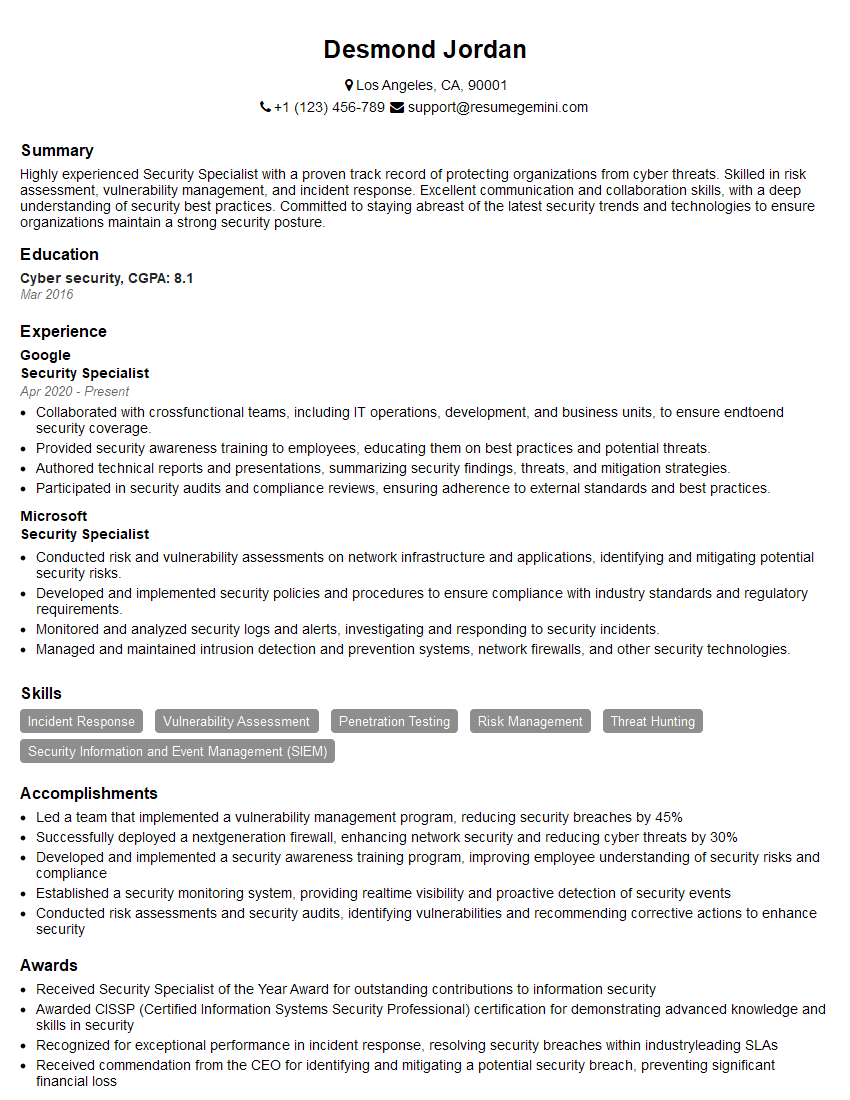
Mastering Cybersecurity and Vulnerability Testing opens doors to exciting and impactful careers with excellent growth potential. To maximize your job prospects, focus on creating a compelling and ATS-friendly resume that highlights your skills and experience effectively. ResumeGemini is a trusted resource to help you build a professional and impactful resume. We provide examples of resumes tailored to Cybersecurity and Vulnerability Testing to guide you through the process. Invest time in crafting a strong resume – it’s your first impression with potential employers.






Explore more articles
Users Rating of Our Blogs
Share Your Experience
We value your feedback! Please rate our content and share your thoughts (optional).
What Readers Say About Our Blog
Hello,
we currently offer a complimentary backlink and URL indexing test for search engine optimization professionals.
You can get complimentary indexing credits to test how link discovery works in practice.
No credit card is required and there is no recurring fee.
You can find details here:
https://wikipedia-backlinks.com/indexing/
Regards
NICE RESPONSE TO Q & A
hi
The aim of this message is regarding an unclaimed deposit of a deceased nationale that bears the same name as you. You are not relate to him as there are millions of people answering the names across around the world. But i will use my position to influence the release of the deposit to you for our mutual benefit.
Respond for full details and how to claim the deposit. This is 100% risk free. Send hello to my email id: [email protected]
Luka Chachibaialuka
Hey interviewgemini.com, just wanted to follow up on my last email.
We just launched Call the Monster, an parenting app that lets you summon friendly ‘monsters’ kids actually listen to.
We’re also running a giveaway for everyone who downloads the app. Since it’s brand new, there aren’t many users yet, which means you’ve got a much better chance of winning some great prizes.
You can check it out here: https://bit.ly/callamonsterapp
Or follow us on Instagram: https://www.instagram.com/callamonsterapp
Thanks,
Ryan
CEO – Call the Monster App
Hey interviewgemini.com, I saw your website and love your approach.
I just want this to look like spam email, but want to share something important to you. We just launched Call the Monster, a parenting app that lets you summon friendly ‘monsters’ kids actually listen to.
Parents are loving it for calming chaos before bedtime. Thought you might want to try it: https://bit.ly/callamonsterapp or just follow our fun monster lore on Instagram: https://www.instagram.com/callamonsterapp
Thanks,
Ryan
CEO – Call A Monster APP
To the interviewgemini.com Owner.
Dear interviewgemini.com Webmaster!
Hi interviewgemini.com Webmaster!
Dear interviewgemini.com Webmaster!
excellent
Hello,
We found issues with your domain’s email setup that may be sending your messages to spam or blocking them completely. InboxShield Mini shows you how to fix it in minutes — no tech skills required.
Scan your domain now for details: https://inboxshield-mini.com/
— Adam @ InboxShield Mini
Reply STOP to unsubscribe
Hi, are you owner of interviewgemini.com? What if I told you I could help you find extra time in your schedule, reconnect with leads you didn’t even realize you missed, and bring in more “I want to work with you” conversations, without increasing your ad spend or hiring a full-time employee?
All with a flexible, budget-friendly service that could easily pay for itself. Sounds good?
Would it be nice to jump on a quick 10-minute call so I can show you exactly how we make this work?
Best,
Hapei
Marketing Director
Hey, I know you’re the owner of interviewgemini.com. I’ll be quick.
Fundraising for your business is tough and time-consuming. We make it easier by guaranteeing two private investor meetings each month, for six months. No demos, no pitch events – just direct introductions to active investors matched to your startup.
If youR17;re raising, this could help you build real momentum. Want me to send more info?
Hi, I represent an SEO company that specialises in getting you AI citations and higher rankings on Google. I’d like to offer you a 100% free SEO audit for your website. Would you be interested?
Hi, I represent an SEO company that specialises in getting you AI citations and higher rankings on Google. I’d like to offer you a 100% free SEO audit for your website. Would you be interested?
good