Interviews are more than just a Q&A session—they’re a chance to prove your worth. This blog dives into essential Data input and verification interview questions and expert tips to help you align your answers with what hiring managers are looking for. Start preparing to shine!
Questions Asked in Data input and verification Interview
Q 1. Explain the importance of data accuracy in your role.
Data accuracy is paramount in my role because it forms the foundation for all subsequent analysis, decision-making, and reporting. Inaccurate data can lead to flawed conclusions, incorrect predictions, and ultimately, poor business decisions. Imagine building a house on a faulty foundation – it’s likely to collapse. Similarly, unreliable data undermines the entire process. My responsibility isn’t just to input data; it’s to ensure its validity and reliability, contributing to the overall integrity of the information used by the organization.
For example, in a financial setting, even a small error in a transaction record could have significant financial ramifications. In a medical context, inaccurate patient data could lead to misdiagnosis or improper treatment. Therefore, maintaining data accuracy is not just a procedural requirement, but a critical responsibility demanding meticulous attention to detail and the consistent application of validation techniques.
Q 2. Describe your experience with data entry software and tools.
Throughout my career, I’ve worked extensively with various data entry software and tools, ranging from simple spreadsheet programs like Microsoft Excel and Google Sheets to more advanced database management systems (DBMS) such as MySQL and PostgreSQL, and specialized data entry applications. I am proficient in using these tools for data input, cleaning, transformation, and validation. My experience also includes utilizing data extraction tools to pull data from various sources, including APIs and web scraping techniques. I’m comfortable with different data formats, including CSV, XML, JSON, and SQL databases.
For instance, in a previous role, I used SQL to build and maintain databases, ensuring data consistency and integrity. In another project, I utilized a custom data entry application with validation rules to streamline the input of large datasets, significantly reducing errors and improving efficiency. I am also adept at using keyboard shortcuts to optimize my data entry speed and accuracy.
Q 3. How do you handle inconsistencies or errors in data entry?
Inconsistencies and errors in data entry are inevitable. My approach is multi-faceted and focuses on proactive prevention and reactive correction. First, I meticulously review data for any discrepancies before it’s entered. I look for inconsistencies in formatting, missing values, or illogical entries. For example, an age of ‘200’ would immediately raise a red flag. Once identified, I investigate the source of the error. This might involve verifying the data with the original source document, contacting the data provider for clarification, or using automated data validation tools.
If the error is due to a data entry mistake, I correct it immediately, documenting the change and the reason for the correction. If the error stems from a problem with the source data, I escalate the issue to the appropriate team for resolution. A clear audit trail is crucial; I maintain detailed records of all data corrections and modifications for traceability and accountability.
Q 4. What methods do you use to ensure data integrity?
Data integrity is ensured through a combination of techniques. Firstly, I implement thorough data validation rules at the point of entry. This includes checks for data types (e.g., ensuring numerical fields only contain numbers), range checks (e.g., ensuring ages are within a realistic range), and format checks (e.g., verifying date formats). Secondly, I perform regular data quality checks, using both manual and automated methods, to identify and address discrepancies. Automated checks might involve running scripts to identify duplicates, missing values, or inconsistencies.
Furthermore, I utilize data cleansing techniques to correct errors, standardize data formats, and handle missing values. These techniques range from simple data transformations to more complex algorithms designed to impute missing values intelligently. Data backups are crucial; I routinely back up data to prevent loss and facilitate recovery in case of any unforeseen issues. Finally, adherence to established data governance policies and procedures is paramount.
Q 5. How do you prioritize tasks when dealing with large volumes of data?
When handling large volumes of data, prioritization is key. I use a combination of techniques to manage this effectively. First, I assess the urgency and importance of each task. Tasks with critical deadlines or significant business impact are prioritized. Secondly, I break down large tasks into smaller, more manageable sub-tasks, making them less overwhelming. This approach allows for better tracking of progress and improved efficiency.
I leverage tools and techniques for automation whenever possible, such as using macros or scripts to automate repetitive tasks. This frees up time for more complex or critical tasks requiring human judgment. Furthermore, I communicate regularly with stakeholders to ensure alignment on priorities and to address any emerging issues promptly. A well-defined workflow and task management system are essential for effective prioritization and efficient data handling.
Q 6. What is your typing speed and accuracy?
My typing speed is approximately 75 words per minute with 98% accuracy. This is based on regular testing and consistent practice. Accuracy is prioritized over speed. Entering data quickly but inaccurately is counterproductive. My focus is on producing high-quality, error-free data, even if it means a slightly slower input speed. I regularly practice typing to maintain and improve my proficiency.
Q 7. Describe your experience with data validation techniques.
My experience with data validation techniques encompasses a wide range of methods, both manual and automated. Manual validation often involves visually inspecting the data for inconsistencies or errors. This is especially useful for identifying more subtle errors that might be missed by automated checks. Automated validation, on the other hand, leverages predefined rules and algorithms to ensure data integrity. These rules might check for data type consistency, range limits, or adherence to specific formats. Examples include using regular expressions to validate email addresses or postal codes.
I’ve used various techniques like constraint validation (e.g., ensuring data values fall within predefined ranges), cross-field validation (e.g., checking consistency between related fields like date of birth and age), and reference data validation (e.g., verifying that values exist in a predefined lookup table). Understanding the context of the data and the potential sources of errors allows me to select the most appropriate validation techniques for a given task. The goal is to ensure accuracy and consistency throughout the data lifecycle.
Q 8. How do you ensure data security during the input process?
Data security during input is paramount. It’s like guarding a treasure chest – you need multiple layers of protection. This starts with secure infrastructure, ensuring the input systems themselves are protected from unauthorized access. This includes using strong passwords, firewalls, and intrusion detection systems.
Next, we need to secure the data in transit. This means using encryption protocols like HTTPS to protect data as it travels between the user’s computer and the input system. Think of it as locking the treasure chest while it’s being transported.
Finally, we need to protect data at rest. This involves encrypting data stored on databases and servers. Imagine keeping the treasure chest in a heavily secured vault. We also need to implement access control measures, ensuring only authorized personnel can view or modify data. Regularly auditing security logs is crucial to identify and respond to any potential breaches.
For example, in a healthcare setting, patient data input needs to comply with HIPAA regulations, requiring robust security measures throughout the entire process. Any compromise could have severe consequences.
Q 9. How familiar are you with different data formats (CSV, XML, etc.)?
I’m highly proficient with various data formats, including CSV, XML, JSON, and Parquet. Each has its strengths and weaknesses. CSV (Comma Separated Values) is simple and widely used for its readability, ideal for simple tabular data. However, it lacks the structure and metadata capabilities of other formats.
XML (Extensible Markup Language) offers more structure and allows for richer metadata, enabling more complex data representation. Think of it as having clearly defined labels on each part of your data. JSON (JavaScript Object Notation) is similar to XML but uses a lighter, more human-readable syntax. It’s particularly popular for web applications.
Parquet is a columnar storage format, extremely efficient for handling large datasets, particularly in analytical scenarios. It offers compression and optimized data access patterns. Choosing the right format depends heavily on the application, data size and complexity, and performance requirements. For example, XML is better for highly structured data like financial transactions, while CSV suits straightforward reports.
Q 10. Describe your experience with data cleansing and scrubbing.
Data cleansing and scrubbing is a crucial step in data management, akin to spring cleaning your home. It’s the process of identifying and correcting or removing inaccurate, incomplete, irrelevant, duplicated, or improperly formatted data. This involves several techniques:
- Identifying outliers: Using statistical methods to find data points significantly deviating from the norm.
- Handling missing values: Employing imputation techniques (filling missing data with estimated values) or removal, depending on the context and the percentage of missing data.
- Standardizing formats: Ensuring consistency in date formats, currency symbols, and other data elements.
- Deduplication: Removing duplicate entries. This can involve comparing various fields or employing advanced algorithms to identify near-duplicate records.
I’ve extensively used tools like Python’s Pandas library and SQL for data cleansing. For instance, I once cleaned a customer database with over a million entries, identifying and correcting inconsistencies in addresses and phone numbers, resulting in a significant improvement in data quality for marketing campaigns.
Q 11. How do you handle ambiguous or missing data?
Ambiguous or missing data poses a challenge, but there are strategies to handle them. The approach depends on the context and the amount of missing data. For ambiguous data (e.g., inconsistent entries), I often try to clarify by referring to source documents or contacting the data provider. If that’s not possible, I might categorize them as ‘unknown’ or use a best-guess approach based on the most frequent value.
For missing data, several techniques exist:
- Deletion: If the amount of missing data is small and doesn’t bias the analysis, I might remove the affected records.
- Imputation: Replacing missing values with estimated values. This can involve using the mean, median, or mode of the existing data, or more sophisticated methods like K-Nearest Neighbors (KNN).
- Prediction: Using machine learning models to predict missing values based on other variables.
The choice of method depends on the data’s nature, the amount of missing data, and the impact on the analysis. For example, in a medical study, missing values might indicate a bias that requires careful consideration before imputation.
Q 12. Explain your approach to verifying data from multiple sources.
Verifying data from multiple sources requires a systematic approach. It’s like cross-referencing information from several witnesses in an investigation. I start by defining clear verification rules and criteria based on the data’s nature and the expected level of accuracy. This involves identifying key fields to compare across sources.
Then, I implement data matching techniques, such as fuzzy matching (to handle slight variations in names or addresses) and exact matching. I also establish a reconciliation process to handle discrepancies. For instance, if data from two sources conflict, I investigate to find the source of error and resolve it. This might involve reviewing source documents or contacting data providers.
Finally, I document the verification process, recording any discrepancies and the steps taken to resolve them. This ensures transparency and traceability, crucial for audit trails and data governance. For example, in financial reconciliation, discrepancies require careful investigation and proper documentation to ensure the integrity of financial records.
Q 13. How do you identify and correct errors in data input?
Identifying and correcting errors requires a multi-pronged approach. First, we use data validation rules during the input process itself. This prevents many errors from entering the system in the first place, like data type validation (e.g., ensuring a field is a number) or range checks (e.g., ensuring an age is not negative). These are like checkpoints along the way.
Then, we employ data profiling techniques to analyze the data after input, identifying potential errors such as outliers or inconsistencies. This might involve checking for data types, formats, and ranges. Visualization tools can be particularly helpful in spotting anomalies.
For correcting errors, we might use automated scripts or manual review, depending on the nature and extent of the errors. For example, automated scripts can correct simple formatting inconsistencies, while manual review is often necessary for complex issues requiring human judgment. A clear error logging and resolution procedure is key to effective error management.
Q 14. Describe your experience with data deduplication.
Data deduplication is the process of removing duplicate records from a dataset. Imagine having a phone book with multiple entries for the same person; this is inefficient and can lead to inaccurate analysis. Deduplication involves identifying and merging or removing duplicate entries.
Techniques include:
- Exact matching: Comparing records based on exact matches of key fields (e.g., name, address).
- Fuzzy matching: Using algorithms to find records that are similar but not identical (e.g., handling slight variations in spellings).
- Record linkage: More advanced techniques for linking records across different datasets based on probabilistic matching.
I’ve used various tools for deduplication, including commercial software and programming languages like Python. In one project, I used fuzzy matching to deduplicate a customer database, resolving hundreds of duplicate entries and improving the overall data quality. The choice of technique depends on the data’s nature, the definition of a ‘duplicate’, and the available resources.
Q 15. What are the common data entry errors you’ve encountered?
Common data entry errors stem from various sources, including human error, flawed data sources, and inadequate systems. I’ve frequently encountered:
- Typos and Transcription Errors: Simple mistakes like incorrect spelling, transposed numbers (e.g., typing 1234 as 1243), or misinterpreting handwritten information.
- Data Duplication: Entering the same data multiple times, often due to poor system design or lack of proper data validation.
- Inconsistent Data Formats: Entering dates in different formats (e.g., MM/DD/YYYY vs. DD/MM/YYYY), using inconsistent capitalization, or employing different units of measurement.
- Missing Data: Leaving fields blank or incomplete, leading to inaccurate analysis and reporting.
- Incorrect Data Entry: Entering information that is factually wrong, often because of misunderstanding instructions or source material.
For instance, I once worked on a project where inconsistent date formats in a large dataset caused significant delays in analysis. Proper data cleansing and standardization were crucial in resolving the issue.
Career Expert Tips:
- Ace those interviews! Prepare effectively by reviewing the Top 50 Most Common Interview Questions on ResumeGemini.
- Navigate your job search with confidence! Explore a wide range of Career Tips on ResumeGemini. Learn about common challenges and recommendations to overcome them.
- Craft the perfect resume! Master the Art of Resume Writing with ResumeGemini’s guide. Showcase your unique qualifications and achievements effectively.
- Don’t miss out on holiday savings! Build your dream resume with ResumeGemini’s ATS optimized templates.
Q 16. How do you maintain focus and accuracy during long periods of data entry?
Maintaining focus and accuracy during prolonged data entry requires a multi-pronged approach. Think of it like a marathon, not a sprint. Here’s my strategy:
- Regular Breaks: Short, frequent breaks every 45-60 minutes help prevent burnout and maintain concentration. A quick stretch or walk can significantly improve focus.
- Ergonomic Setup: A comfortable and well-organized workspace is essential. Proper chair, keyboard, and monitor placement minimize physical strain and improve concentration.
- Mindfulness and Techniques: Practicing mindfulness techniques, such as deep breathing exercises, can help reduce stress and improve mental clarity.
- Double-Checking: Regularly review entered data, ideally using cross-referencing techniques, to identify errors early on.
- Gamification (if applicable): If possible, I try to incorporate elements of gamification – setting personal goals and tracking progress to maintain motivation and engagement.
For example, I once had to input several thousand records. To stay focused I created small achievable goals, like entering 100 records accurately within an hour. That gave me clear milestones and boosted my morale.
Q 17. What strategies do you employ to prevent errors in data input?
Preventing data input errors involves a proactive approach focusing on both human and system factors. My strategies include:
- Data Validation Rules: Implementing data validation rules within the input system (e.g., ensuring date fields adhere to a specific format, checking for valid numeric ranges). This helps catch errors immediately.
- Data Standardization: Establishing and consistently following data entry standards for formats, units, and terminology. This reduces ambiguity and inconsistency.
- Data Cleansing: Thoroughly cleaning and preparing the data source before inputting it, removing duplicates and inconsistencies.
- Regular Data Audits: Conducting regular audits to identify and correct errors, and to assess the effectiveness of prevention strategies.
- Proper Training: Ensuring that data entry personnel are adequately trained on procedures, data formats, and validation rules. This helps improve consistency and accuracy.
- Use of Templates: Employing pre-designed data input templates helps enforce standardization and reduces opportunities for errors.
Example: A data validation rule could be implemented to prevent the entry of a negative value into a field representing age or quantity.
Q 18. Describe a situation where you had to deal with a large volume of data under pressure.
During a recent project involving a large-scale customer database migration, we faced a tight deadline and a massive volume of data. The pressure was on to ensure accuracy and timeliness. We tackled the challenge by:
- Teamwork: Dividing the workload among a team of skilled data entry personnel, each specializing in different aspects of the data.
- Prioritization: Focusing on the most critical data points first, ensuring that essential information was accurately migrated.
- Data Validation Tools: Implementing automated data validation tools to streamline the process and catch errors more effectively.
- Regular Checkpoints: Setting regular checkpoints to review progress and address any arising issues promptly.
- Efficient Workflow: Streamlining the data entry workflow, using appropriate technology and eliminating unnecessary steps.
Through meticulous planning and teamwork, we successfully migrated the database on time and within the required accuracy standards. The experience highlighted the value of effective resource allocation and coordinated effort.
Q 19. How do you handle conflicting data from different sources?
Handling conflicting data requires a systematic approach that prioritizes accuracy and data integrity. Here’s how I address such situations:
- Identify the Source of the Conflict: Determine the origin of the conflicting data and assess the reliability of each source.
- Data Reconciliation: Carefully review the conflicting data points, cross-referencing them with other reliable sources to identify the most accurate information.
- Data Prioritization: Establish a clear prioritization strategy based on data source reliability and relevance. If there’s no clear winner, documentation of the conflict is crucial.
- Resolution Method: Develop a consistent and documented method for resolving conflicts. This could involve manual correction, automated reconciliation tools, or escalation to subject matter experts.
- Documentation: Maintain comprehensive documentation of the conflict resolution process, including the rationale for selecting a particular resolution.
For example, if I have two different addresses for the same customer, I would check for patterns (e.g., an old and a new address) or contact the customer to clarify.
Q 20. What quality control measures do you typically implement?
Quality control is paramount in data input. My typical measures include:
- Data Validation Checks: Utilizing built-in data validation features within the input system, along with custom validation rules to identify and prevent errors during input.
- Random Sampling and Verification: Randomly selecting a subset of the entered data for manual verification against source documents.
- Data Profiling: Analyzing the data to identify inconsistencies, outliers, and other quality issues.
- Data Comparison: Comparing data entries against previous entries or other databases to identify potential discrepancies.
- Regular Reporting: Generating regular reports on data quality metrics, such as error rates and completeness.
- Automated Checks: Implementing automated checks to detect duplicate entries, missing data, or invalid formats.
For instance, I might use a checksum validation to verify the integrity of data transmitted from one system to another. A checksum is a calculation on the data that will be used to detect changes.
Q 21. How familiar are you with data governance policies and procedures?
I am very familiar with data governance policies and procedures. I understand the importance of data accuracy, security, and compliance. My experience encompasses:
- Data Security Protocols: Adherence to security protocols to protect sensitive data during input and storage, including password management and access control measures.
- Data Privacy Regulations: Compliance with relevant data privacy regulations (e.g., GDPR, CCPA) to ensure responsible data handling.
- Data Retention Policies: Understanding and adhering to data retention policies for proper data lifecycle management.
- Data Quality Standards: Applying data quality standards to ensure data accuracy, consistency, and completeness.
- Data Documentation: Maintaining thorough documentation of data sources, procedures, and quality metrics.
I believe that strong data governance is the foundation for data integrity and trust. I always prioritize compliance with all relevant regulations and policies in my work.
Q 22. How would you handle a situation where your data entry process is interrupted?
Interruptions in data entry are inevitable, but a well-defined process minimizes their impact. My approach involves a multi-pronged strategy. First, I always ensure regular backups of my work. This could be automated backups every few minutes or manual saves at frequent intervals, depending on the system and the criticality of the data. Second, I meticulously document my progress, noting where I left off, any challenges encountered, and any relevant contextual information. Think of it like leaving a clear trail of breadcrumbs so I can easily pick up where I left off. Third, I utilize features like auto-save functions whenever possible to minimize data loss. Finally, in case of a major system failure, I have a procedure in place to report the interruption immediately to relevant stakeholders and initiate data recovery processes, following established protocols.
For example, if a power outage occurs during a large data entry project, I wouldn’t panic. I would first save my current work (if possible), then, once the power is restored, I would check for data corruption and utilize my backups to restore my progress. I would then report the incident to my supervisor, detailing the duration of the interruption and any potential data loss, allowing for appropriate action.
Q 23. What are your skills in using spreadsheets (Excel, Google Sheets)?
I’m highly proficient in both Excel and Google Sheets. My skills extend beyond basic data entry to include data manipulation, analysis, and visualization. In Excel, I’m comfortable using advanced functions like VLOOKUP, INDEX-MATCH, Pivot Tables, and Macros for automation. I can efficiently clean and transform data, identify and correct inconsistencies, and create insightful reports and dashboards. Similarly, in Google Sheets, I’m fluent in using its features for data import/export, formula creation, data validation, and collaborative work with shared spreadsheets. I regularly use these tools for data cleaning, organizing, and preparing data for analysis and reporting. For example, I recently used Excel’s Pivot Table functionality to analyze sales data from multiple regions, generating insightful summaries of sales trends and identifying top-performing products.
Q 24. Describe your experience with database management systems (DBMS).
My experience with Database Management Systems (DBMS) encompasses both relational databases like MySQL and PostgreSQL, and NoSQL databases like MongoDB. I understand the importance of data integrity, normalization, and efficient query writing. I’m familiar with SQL and can write complex queries to retrieve, insert, update, and delete data. I have experience using database tools to design and manage database schemas, ensuring data consistency and minimizing redundancy. In a previous role, I was responsible for maintaining a large customer database in MySQL. I optimized query performance to significantly reduce processing times and improved data accuracy by implementing data validation rules. My understanding extends to database security best practices, such as access control and encryption, to safeguard sensitive information.
Q 25. How do you track and report on data entry progress?
Tracking and reporting on data entry progress is crucial for maintaining efficiency and accountability. I utilize a combination of methods, tailored to the specific project. This might involve using built-in progress trackers within the data entry software, creating spreadsheets to monitor daily or weekly completion rates, or using project management software like Asana or Trello to track tasks and deadlines. For example, in a recent project, I used a spreadsheet to track the number of records entered each day, along with the accuracy rate, allowing me to identify potential bottlenecks and adjust my workflow accordingly. Regular reports summarizing progress are generated and communicated to stakeholders, keeping everyone informed about the project’s status. These reports often include key metrics like total records entered, completion percentage, error rate, and time spent.
Q 26. How do you stay up-to-date with changes and developments in data entry technologies?
Staying current in data entry technologies is vital for maintaining a competitive edge. I actively pursue professional development through several avenues. I regularly read industry blogs and publications like those from leading data management firms and technology companies to keep abreast of the latest trends. I also participate in online courses and webinars on platforms like Coursera and edX, focusing on new data entry software and techniques. Furthermore, I attend industry conferences and workshops when possible to network with other professionals and learn about emerging technologies. Finally, I actively seek out opportunities to utilize new software and techniques in my work, ensuring practical application of my learning.
Q 27. What are your strengths and weaknesses as a data entry specialist?
My strengths as a data entry specialist include my exceptional accuracy, attention to detail, and my ability to maintain high productivity even under pressure. I am highly organized and methodical in my approach, ensuring data consistency and minimizing errors. I’m also a quick learner and adept at adapting to new software and procedures. However, like everyone, I have areas for improvement. While I’m efficient, I sometimes focus so intently on accuracy that I might miss overall project deadlines if not carefully managed. To mitigate this, I’m actively working on improving my time management skills and prioritizing tasks effectively, using techniques like the Pomodoro method to improve my focus and efficiency.
Q 28. Why are you interested in this data entry position?
I’m interested in this data entry position because it aligns perfectly with my skills and experience, and offers an opportunity to contribute to a dynamic team. The company’s reputation for accuracy and efficiency in data management resonates with my own professional values. I am eager to apply my expertise in data entry and database management to contribute to the company’s success. Furthermore, I’m particularly drawn to the opportunity to work with [mention something specific about the role or company that excites you – e.g., ‘the challenging datasets’ or ‘the innovative technologies used’], which would provide a valuable learning experience. I believe my meticulous nature and dedication to accuracy would make me a valuable asset to your team.
Key Topics to Learn for Data Input and Verification Interview
- Data Entry Techniques: Understanding different data entry methods (e.g., keyboarding, optical scanning, automated data capture), their efficiency, and accuracy rates. Consider the impact of different input devices and software.
- Data Validation and Verification Methods: Explore techniques like data cleansing, cross-referencing, and using checksums to ensure data accuracy and integrity. Practice identifying and correcting common data entry errors.
- Data Integrity and Quality Control: Learn about the importance of maintaining data integrity and the role of data input and verification in achieving it. Understand the consequences of inaccurate data and explore quality control processes.
- Data Formats and Structures: Familiarize yourself with various data formats (CSV, XML, JSON) and database structures (relational, NoSQL). Understand how data is organized and how to efficiently input data into these formats.
- Software Proficiency: Demonstrate competency with relevant software such as spreadsheet programs (Excel), database management systems (DBMS), and data entry applications. Highlight your skills in using these tools effectively and efficiently.
- Problem-Solving and Troubleshooting: Prepare examples demonstrating your ability to identify and resolve data entry errors, inconsistencies, and conflicts. Discuss your approach to data quality issues and your methods for troubleshooting.
- Workflow and Process Optimization: Consider how to improve efficiency in data input and verification processes. Discuss methods for streamlining workflows and minimizing errors.
- Data Security and Confidentiality: Understand the importance of data security and best practices for protecting sensitive information during data input and verification processes. This includes adhering to data privacy regulations and company policies.
Next Steps
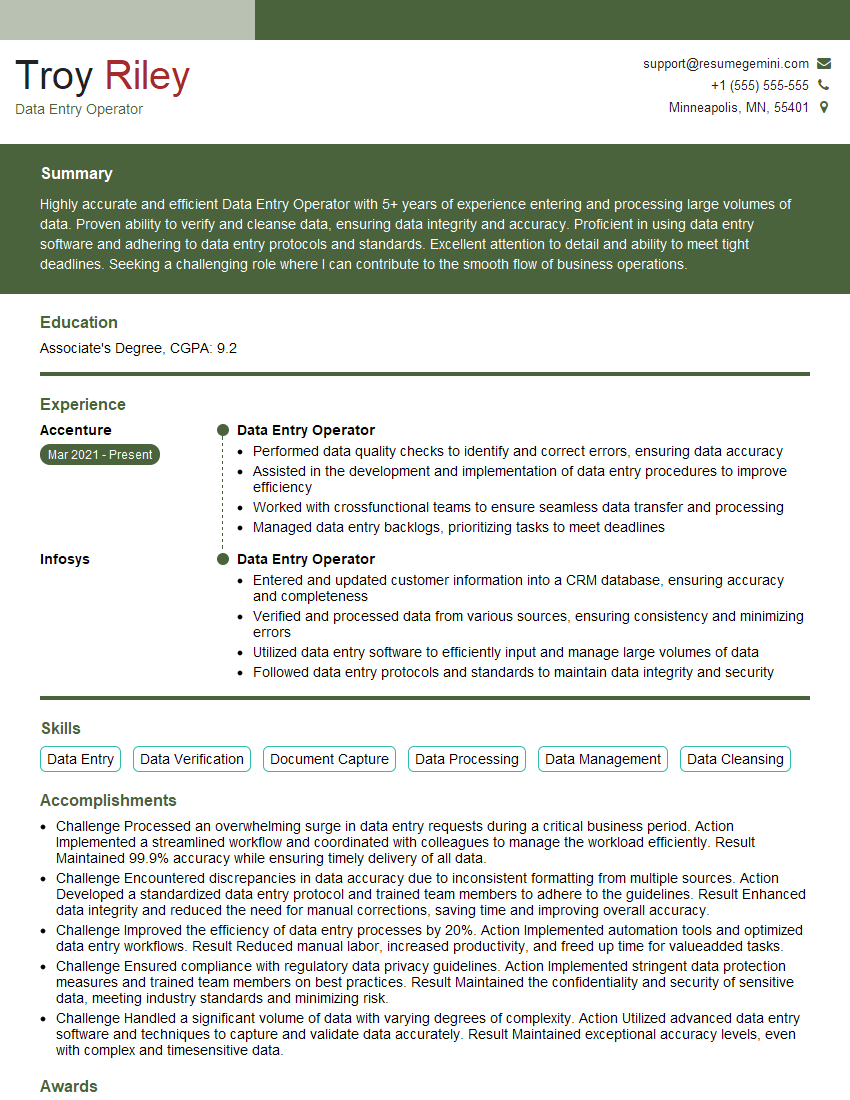
Mastering data input and verification opens doors to diverse and rewarding roles within various industries. Proficiency in these skills demonstrates attention to detail, accuracy, and efficiency – qualities highly valued by employers. To significantly boost your job prospects, create an ATS-friendly resume that highlights your key skills and experience. We strongly recommend using ResumeGemini to build a professional resume that effectively showcases your capabilities. ResumeGemini provides examples of resumes tailored to Data Input and Verification roles, guiding you in crafting a compelling application.

Explore more articles
Users Rating of Our Blogs
Share Your Experience
We value your feedback! Please rate our content and share your thoughts (optional).
What Readers Say About Our Blog
Hello,
we currently offer a complimentary backlink and URL indexing test for search engine optimization professionals.
You can get complimentary indexing credits to test how link discovery works in practice.
No credit card is required and there is no recurring fee.
You can find details here:
https://wikipedia-backlinks.com/indexing/
Regards
NICE RESPONSE TO Q & A
hi
The aim of this message is regarding an unclaimed deposit of a deceased nationale that bears the same name as you. You are not relate to him as there are millions of people answering the names across around the world. But i will use my position to influence the release of the deposit to you for our mutual benefit.
Respond for full details and how to claim the deposit. This is 100% risk free. Send hello to my email id: [email protected]
Luka Chachibaialuka
Hey interviewgemini.com, just wanted to follow up on my last email.
We just launched Call the Monster, an parenting app that lets you summon friendly ‘monsters’ kids actually listen to.
We’re also running a giveaway for everyone who downloads the app. Since it’s brand new, there aren’t many users yet, which means you’ve got a much better chance of winning some great prizes.
You can check it out here: https://bit.ly/callamonsterapp
Or follow us on Instagram: https://www.instagram.com/callamonsterapp
Thanks,
Ryan
CEO – Call the Monster App
Hey interviewgemini.com, I saw your website and love your approach.
I just want this to look like spam email, but want to share something important to you. We just launched Call the Monster, a parenting app that lets you summon friendly ‘monsters’ kids actually listen to.
Parents are loving it for calming chaos before bedtime. Thought you might want to try it: https://bit.ly/callamonsterapp or just follow our fun monster lore on Instagram: https://www.instagram.com/callamonsterapp
Thanks,
Ryan
CEO – Call A Monster APP
To the interviewgemini.com Owner.
Dear interviewgemini.com Webmaster!
Hi interviewgemini.com Webmaster!
Dear interviewgemini.com Webmaster!
excellent
Hello,
We found issues with your domain’s email setup that may be sending your messages to spam or blocking them completely. InboxShield Mini shows you how to fix it in minutes — no tech skills required.
Scan your domain now for details: https://inboxshield-mini.com/
— Adam @ InboxShield Mini
Reply STOP to unsubscribe
Hi, are you owner of interviewgemini.com? What if I told you I could help you find extra time in your schedule, reconnect with leads you didn’t even realize you missed, and bring in more “I want to work with you” conversations, without increasing your ad spend or hiring a full-time employee?
All with a flexible, budget-friendly service that could easily pay for itself. Sounds good?
Would it be nice to jump on a quick 10-minute call so I can show you exactly how we make this work?
Best,
Hapei
Marketing Director
Hey, I know you’re the owner of interviewgemini.com. I’ll be quick.
Fundraising for your business is tough and time-consuming. We make it easier by guaranteeing two private investor meetings each month, for six months. No demos, no pitch events – just direct introductions to active investors matched to your startup.
If youR17;re raising, this could help you build real momentum. Want me to send more info?
Hi, I represent an SEO company that specialises in getting you AI citations and higher rankings on Google. I’d like to offer you a 100% free SEO audit for your website. Would you be interested?
Hi, I represent an SEO company that specialises in getting you AI citations and higher rankings on Google. I’d like to offer you a 100% free SEO audit for your website. Would you be interested?
good