Interviews are opportunities to demonstrate your expertise, and this guide is here to help you shine. Explore the essential Data Link Communication and Management interview questions that employers frequently ask, paired with strategies for crafting responses that set you apart from the competition.
Questions Asked in Data Link Communication and Management Interview
Q 1. Explain the different layers of the OSI model and the function of the Data Link Layer.
The OSI (Open Systems Interconnection) model is a conceptual framework that standardizes the functions of a telecommunication or computing system without regard to its underlying internal structure and technology. It’s divided into seven layers, each with a specific role. The Data Link Layer is layer 2, sitting between the Physical Layer (Layer 1) and the Network Layer (Layer 3).
- Physical Layer (Layer 1): Deals with the physical transmission of data, like voltage levels and cable types.
- Data Link Layer (Layer 2): Provides reliable data transfer across a single physical link. This involves framing data, error detection, and access control to the physical medium.
- Network Layer (Layer 3): Handles routing data across multiple networks.
- Transport Layer (Layer 4): Provides reliable end-to-end data transfer between applications.
- Session Layer (Layer 5): Manages communication sessions between applications.
- Presentation Layer (Layer 6): Handles data formatting and encryption/decryption.
- Application Layer (Layer 7): Provides network services to applications.
The Data Link Layer’s primary function is to ensure reliable data transfer over a single physical link. Think of it as the ‘postal service’ for a single street – it handles packaging, addressing, and delivery within that specific area.
Q 2. Describe the difference between MAC addresses and IP addresses.
MAC (Media Access Control) and IP (Internet Protocol) addresses are both crucial for network communication, but they operate at different layers of the OSI model and serve distinct purposes.
- MAC Address: A physical address uniquely assigned to a network interface card (NIC) by the manufacturer. It’s like the house number of your computer. It’s a 48-bit hexadecimal number (e.g.,
00:16:3E:1A:A6:C8) and is hardwired into the NIC. - IP Address: A logical address assigned to a device on a network. It’s like the postal code of your house. It’s used for routing data across multiple networks. IP addresses can be dynamic (assigned temporarily) or static (permanently assigned).
The key difference is that MAC addresses are unique to a specific physical device, while IP addresses can be assigned and reassigned to different devices. MAC addresses are used locally on a single network segment, while IP addresses are used for global communication across multiple networks.
Q 3. What are the key functions of a Data Link Layer protocol?
The Data Link Layer is responsible for several critical functions to ensure reliable data transmission. These include:
- Framing: Encapsulating data into frames, adding header and trailer information. This is like putting a letter into an envelope.
- Physical Addressing: Adding MAC addresses to frames for local delivery. This is like writing the recipient’s address on the envelope.
- Error Detection: Using techniques like checksums or CRC (Cyclic Redundancy Check) to detect errors during transmission. This is like verifying the letter’s contents haven’t been damaged.
- Error Correction (optional): Employing methods to correct errors, improving reliability.
- Flow Control: Managing the rate of data transmission to prevent overwhelming the receiver.
- Access Control: Managing access to the shared physical medium (e.g., Ethernet cable). This prevents collisions in shared networks.
Q 4. Explain the concept of error detection and correction in the Data Link Layer.
Error detection and correction are vital for ensuring data integrity in data link communication. Errors can occur due to noise or other impairments on the physical medium.
- Error Detection: This involves adding redundant information to the data frame (like checksum or CRC). The receiver calculates the same value and compares it with the received value. A mismatch indicates an error. Common techniques include parity checks, checksums, and CRC.
- Error Correction: This involves more complex techniques to not only detect but also correct errors. Forward Error Correction (FEC) codes allow the receiver to reconstruct the original data even with errors. This requires more overhead than just detection.
Think of error detection like using a proofreader to check for typos – it points out the mistakes. Error correction is like having a spell-checker that automatically fixes those typos. The choice of method depends on the application’s tolerance for errors and the desired level of reliability.
Q 5. What are the common Data Link Layer protocols (e.g., Ethernet, PPP, Frame Relay)?
Several common Data Link Layer protocols exist, each with its own characteristics and applications:
- Ethernet: The most widely used protocol for local area networks (LANs). It uses CSMA/CD (Carrier Sense Multiple Access with Collision Detection) for access control.
- PPP (Point-to-Point Protocol): Used for point-to-point connections, like dial-up connections or connecting to a remote server. It provides authentication and error detection.
- Frame Relay: A WAN (Wide Area Network) protocol that operates over packet-switched networks. It offers higher speed and efficiency compared to traditional X.25.
- Wi-Fi (IEEE 802.11): A wireless LAN protocol that utilizes CSMA/CA (Carrier Sense Multiple Access with Collision Avoidance).
The best protocol depends on the network’s specific needs and topology. Ethernet dominates LANs, PPP suits point-to-point connections, and Frame Relay is suited for WAN scenarios.
Q 6. Describe the functionality of CSMA/CD and CSMA/CA.
Both CSMA/CD and CSMA/CA are access control methods used to manage access to a shared physical medium (like an Ethernet cable). They aim to prevent collisions, where two or more devices transmit data simultaneously.
- CSMA/CD (Carrier Sense Multiple Access with Collision Detection): Devices listen for a carrier signal before transmitting. If a collision is detected (two devices transmit simultaneously), they stop, wait a random time, and retransmit. It’s used in Ethernet.
- CSMA/CA (Carrier Sense Multiple Access with Collision Avoidance): Devices listen before transmitting and use a request-to-send/clear-to-send (RTS/CTS) mechanism to reserve the channel before transmission. This reduces collisions but adds overhead. It’s used in Wi-Fi.
The key difference is how collisions are handled: CSMA/CD detects and recovers from collisions, while CSMA/CA tries to prevent them proactively. CSMA/CA is better for wireless environments where collisions are more difficult to detect due to signal propagation delays.
Q 7. Explain the difference between unicast, multicast, and broadcast addressing.
Addressing schemes determine which devices receive a particular transmission. The Data Link Layer uses three primary addressing types:
- Unicast: A one-to-one communication, where data is sent from a single sender to a single receiver. This is like sending a letter to a specific person. The MAC address uniquely identifies the receiver.
- Multicast: A one-to-many communication, where data is sent from a single sender to a select group of receivers. This is like sending an email to a distribution list. A multicast address identifies the group.
- Broadcast: A one-to-all communication, where data is sent from a single sender to all devices on the network. This is like making a public announcement. A broadcast address (like
FF:FF:FF:FF:FF:FFin Ethernet) is used.
These addressing methods are crucial for efficient and targeted data delivery within a network. The choice of method depends on the application’s requirements and communication goals.
Q 8. How does a network bridge work?
A network bridge operates at the Data Link Layer of the OSI model, connecting two or more Local Area Networks (LANs). Think of it as a smart traffic controller for network data. Instead of simply forwarding all traffic indiscriminately, a bridge learns which devices reside on each network segment. It accomplishes this by examining the source and destination MAC addresses within the data link layer frames.
When a frame arrives, the bridge checks its MAC address table (a database it maintains). If the destination MAC address is found in the table, the bridge forwards the frame only to the appropriate segment. If the address is not found, the bridge floods the frame to all connected segments (except the one it received the frame from). The destination device acknowledges the frame. This process, known as learning, allows efficient traffic management by preventing unnecessary broadcasts across the entire network.
For instance, if you have two office wings connected by a bridge, traffic between devices in the same wing stays within that wing. Communication between the wings is only sent across the bridge as needed, significantly reducing congestion.
Q 9. What is a VLAN and how does it improve network efficiency?
A Virtual LAN (VLAN) is a logical grouping of devices on a network that act as if they were on the same physical LAN, even if they are geographically dispersed. It’s like creating virtual office spaces within a larger building. VLANs enhance network efficiency by segmenting traffic, improving security, and simplifying network management. This segmentation prevents broadcasts from unnecessarily traversing the entire network, reducing collisions and improving performance.
For example, imagine a large company with marketing, sales, and IT departments. By creating separate VLANs for each department, you can isolate their traffic. A broadcast intended for the marketing department won’t affect the sales or IT departments. This significantly improves performance, especially in larger networks with heavy traffic.
VLANs are implemented using VLAN tagging in network switches. This tag is added to the data link layer frame header, identifying the VLAN to which the frame belongs, allowing the switch to route the traffic appropriately.
Q 10. Explain the concept of a virtual LAN (VLAN).
A Virtual LAN (VLAN) is a logical subnetwork created on a physical network. It groups devices together based on organizational needs or security requirements, regardless of their physical location. Think of it as dividing a large office into smaller virtual offices, each with its own access and security policies. This segmentation provides improved network efficiency and security.
Each VLAN acts like a separate broadcast domain, improving performance by reducing broadcast traffic. It also allows for better security by isolating sensitive data to specific VLANs. For instance, an organization might create separate VLANs for different departments or security levels (e.g., guest VLAN).
Q 11. What are the advantages and disadvantages of using different Data Link Layer protocols?
Different Data Link Layer protocols offer varying advantages and disadvantages depending on the network requirements. Let’s consider Ethernet and Frame Relay as examples:
- Ethernet: Simple, widely used, relatively inexpensive. However, it’s generally limited to a single LAN and lacks advanced error correction mechanisms.
- Frame Relay: Suitable for WAN connections, offering higher speed and improved error detection/correction. However, it’s more complex to configure and manage than Ethernet, and the cost might be higher.
The choice depends on the specific needs. For a small office network, Ethernet’s simplicity and cost-effectiveness make it ideal. A large organization connecting geographically dispersed branches might opt for Frame Relay for better WAN performance and robustness.
Q 12. Describe how error detection and correction mechanisms work in a practical scenario.
Error detection and correction are crucial for reliable data transmission. One common method is using checksums. A checksum is a mathematical value calculated from the data being transmitted. The sender calculates the checksum and appends it to the data. The receiver performs the same calculation and compares it to the received checksum. If they match, the data is assumed to be error-free; otherwise, an error has occurred.
More sophisticated techniques, such as Cyclic Redundancy Check (CRC), offer better error detection rates. If an error is detected, the receiver might request retransmission (Automatic Repeat reQuest, ARQ) or employ error correction codes to reconstruct the correct data. Forward Error Correction (FEC) techniques add redundancy to the data allowing the receiver to correct errors without requesting retransmission.
For example, in a file transfer, if a CRC check reveals an error, the system may request the sender to retransmit the corrupted data packet. This ensures data integrity.
Q 13. How do you troubleshoot connectivity issues at the Data Link Layer?
Troubleshooting Data Link Layer connectivity issues requires a systematic approach. Begin by verifying the physical connections: cables, connectors, and network interfaces. Tools like cable testers can help. Then, examine the MAC addresses and ARP tables on the involved devices. Ping tests to nearby devices can help pinpoint the exact location of the problem.
A network analyzer (like Wireshark) can capture and analyze network traffic to identify errors or inconsistencies in the data link layer frames. This allows you to see if frames are being dropped, corrupted, or not being sent at all. Examine the switch port configuration for VLAN membership and any port security measures that might be blocking traffic. Finally, review the device’s logs for error messages.
For example, if you suspect a cabling issue, systematically check each cable connection using a cable tester. If you find no physical issues, use a network analyzer to inspect the traffic patterns to uncover data transmission problems.
Q 14. Explain the role of ARP (Address Resolution Protocol).
The Address Resolution Protocol (ARP) is a crucial component of the Data Link Layer. It maps IP addresses to physical MAC addresses. Imagine you know someone’s street address (IP address), but you need their house number (MAC address) to deliver a package. ARP provides this translation.
When a device needs to send data to another device on the same LAN, it knows the IP address of the destination, but it needs the MAC address to construct the data link layer frame. It broadcasts an ARP request, asking for the MAC address associated with that IP address. The device with the matching IP address responds with its MAC address. This allows the sender to then address the data frame correctly.
ARP is essential for communication within a LAN; without it, devices wouldn’t be able to find each other and establish communication at the Data Link Layer.
Q 15. What is RARP (Reverse Address Resolution Protocol)?
RARP, or Reverse Address Resolution Protocol, is a protocol used to obtain an IP address from a known MAC address. Imagine you have a device with a known physical address (MAC address), but you need to find its corresponding IP address to communicate on a network. That’s where RARP comes in. It works by broadcasting a request on the network, asking for the IP address associated with a specific MAC address. A server that knows the mapping between MAC and IP addresses responds with the correct IP address. Think of it like looking up someone’s phone number (IP address) using their physical address (MAC address). RARP is less common nowadays, largely superseded by BOOTP and DHCP, which are more flexible and robust, but understanding RARP helps to grasp the foundational concepts of address resolution.
For example, a diskless workstation, booting up, might use RARP to find its IP address. It knows its own MAC address, broadcasts a RARP request, and receives its IP configuration from a RARP server.
Career Expert Tips:
- Ace those interviews! Prepare effectively by reviewing the Top 50 Most Common Interview Questions on ResumeGemini.
- Navigate your job search with confidence! Explore a wide range of Career Tips on ResumeGemini. Learn about common challenges and recommendations to overcome them.
- Craft the perfect resume! Master the Art of Resume Writing with ResumeGemini’s guide. Showcase your unique qualifications and achievements effectively.
- Don’t miss out on holiday savings! Build your dream resume with ResumeGemini’s ATS optimized templates.
Q 16. Explain the concept of a spanning tree protocol (STP).
Spanning Tree Protocol (STP) is a crucial network protocol designed to prevent loops in a bridged network. Network loops occur when there are multiple paths between two network devices, creating broadcast storms and network instability. Think of it like having multiple roads leading to the same destination – traffic gets congested and the system can’t function properly. STP cleverly builds a logical tree structure from your network, ensuring only one active path exists between any two points. This is achieved by systematically blocking redundant paths, effectively preventing loops. STP uses a sophisticated algorithm to identify and eliminate loops. It listens to Bridge Protocol Data Units (BPDUs) to determine the best path and dynamically adjusts based on network changes.
Different versions of STP exist, such as Rapid Spanning Tree Protocol (RSTP) and Multiple Spanning Tree Protocol (MSTP), designed to improve convergence time (how quickly the network recovers from changes) and handle more complex network scenarios.
Q 17. What is the purpose of a MAC address table in a network switch?
The MAC address table, also known as the CAM (Content Addressable Memory) table, within a network switch acts as a high-speed lookup table. It stores the MAC addresses of devices connected to the switch’s ports and maps them to the corresponding port number. This mapping allows the switch to efficiently forward traffic. When a switch receives a frame, it checks its MAC address table. If the destination MAC address is found, the switch forwards the frame only to the port associated with that address. This targeted forwarding avoids broadcasting traffic across all ports and significantly increases network performance. If the destination MAC address is not in the table, the switch floods the frame to all ports except the receiving port, prompting the destination device to update the table. Imagine it like a phonebook for the switch; it quickly identifies which port to use based on the device’s MAC address.
Q 18. Describe the function of a network switch in the Data Link Layer.
A network switch operates primarily at the Data Link Layer (Layer 2) of the OSI model. Its core function is to forward frames based on MAC addresses. It learns MAC addresses dynamically by examining the source MAC addresses of incoming frames. This information is then used to populate the MAC address table. Unlike hubs, which broadcast every frame to all ports, switches forward frames only to the necessary port, greatly improving efficiency and reducing network congestion. They also handle error detection and other data link layer functions, ensuring reliable data transmission within the local area network (LAN). The switch is the backbone of many LAN environments, learning MAC addresses and only forwarding traffic to the appropriate devices, maximizing speed and minimizing congestion.
Q 19. Explain different types of Ethernet cables and their applications.
Ethernet cables come in various types, differing primarily in their physical characteristics, speed capabilities, and applications. Some common types include:
- Cat5e: Offers speeds up to 1 Gigabit Ethernet (1 Gbps) and is suitable for most home and small office networks.
- Cat6: Supports speeds up to 10 Gigabit Ethernet (10 Gbps) over shorter distances, ideal for higher bandwidth applications like 10GbE networks.
- Cat6a: An enhanced version of Cat6, capable of 10 Gbps over longer distances. It’s more expensive than Cat6 but offers better performance for larger networks and longer cable runs.
- Cat7/Cat7a: Designed for higher bandwidth and longer distances (up to 100Gbps), often used in data centers and high-performance computing environments.
- Fiber Optic Cable: Uses light pulses to transmit data, offering significantly higher bandwidth, longer distances, and immunity to electromagnetic interference. These are crucial for high-speed backbone connections and long-distance networks.
Choosing the right cable depends on the network’s bandwidth requirements, cable length, and budget. For instance, Cat5e is suitable for most home networks, while Cat6a or fiber optic cables might be necessary for a large enterprise network or data center.
Q 20. What are the characteristics of different media access control (MAC) protocols?
Media Access Control (MAC) protocols govern how devices share the network medium to avoid collisions and ensure fair access. Different protocols have varying characteristics:
- CSMA/CD (Carrier Sense Multiple Access with Collision Detection): Used in early Ethernet networks, it involves listening for the channel before transmission, and detecting collisions. If a collision occurs, devices use a backoff algorithm to retransmit. It’s simple but less efficient for high-traffic networks.
- CSMA/CA (Carrier Sense Multiple Access with Collision Avoidance): Employed in wireless networks (like Wi-Fi), it uses techniques like Request to Send/Clear to Send (RTS/CTS) to minimize collisions. This is more complex but crucial for wireless environments where collisions are harder to detect.
- Token Ring: A deterministic protocol where a token circulates among devices. Only the device holding the token can transmit, ensuring no collisions occur. This provided predictable performance but was ultimately replaced by Ethernet.
The choice of MAC protocol significantly influences network performance and efficiency. CSMA/CD is simpler but can struggle under heavy load; CSMA/CA is more complex but suitable for wireless; and Token Ring provided deterministic behavior but lacked the scalability and simplicity of modern Ethernet solutions.
Q 21. Describe the differences between wired and wireless Data Link Layer technologies.
Wired and wireless Data Link Layer technologies differ significantly in their physical medium, range, security, and performance characteristics:
- Wired (e.g., Ethernet): Uses physical cables (like twisted-pair or fiber optics) for transmission. It offers higher bandwidth, lower latency, and better reliability. However, it’s limited by cable length and physical infrastructure limitations.
- Wireless (e.g., Wi-Fi): Utilizes radio waves for communication, providing mobility and flexibility. However, it’s susceptible to interference, has lower bandwidth compared to wired equivalents (though speeds are constantly increasing), and suffers from security vulnerabilities if not properly configured. Range is also limited and affected by various factors.
The choice between wired and wireless often depends on the specific application requirements. Wired connections are ideal for high-bandwidth, low-latency applications where reliability is paramount (e.g., servers, storage networks). Wireless is preferred for mobility and ease of deployment in situations where wired connections are impractical (e.g., laptops, mobile devices).
Q 22. How do you ensure network security at the Data Link Layer?
Network security at the Data Link Layer focuses on ensuring data integrity and confidentiality between directly connected nodes. While higher layers handle broader network security, the Data Link Layer employs several crucial mechanisms. These include:
MAC Address Filtering: This allows you to specify which devices are allowed to access the network based on their unique Media Access Control (MAC) address. Think of it like a physical address for your network interface card; you can create a whitelist or blacklist of MAC addresses on your network devices (routers, switches). This prevents unauthorized devices from connecting.
802.1X Authentication: This standard provides port-based network access control. Before a device can access the network, it must successfully authenticate with an authentication server. This is akin to showing your ID card before entering a secured building. It’s widely used in enterprise networks to secure Wi-Fi access.
Data Encryption (e.g., using VPNs at Layer 2): Though encryption is primarily associated with higher layers, Layer 2 VPNs can encrypt data before it’s transmitted, protecting it even from attacks targeting the network infrastructure itself. Imagine encrypting a letter before mailing it to protect its contents.
Frame Check Sequence (FCS): This is a crucial error detection mechanism built directly into the Data Link Layer (discussed further in another question). It helps detect corrupted frames, which can be indicative of tampering.
Implementing a robust security strategy at the Data Link Layer is essential for preventing unauthorized access and protecting sensitive data transmitted across local networks.
Q 23. Explain the concept of network segmentation.
Network segmentation divides a large network into smaller, isolated subnetworks (segments). This is like creating separate rooms within a house, each with its own access controls. It offers several significant advantages:
Enhanced Security: If one segment is compromised, the breach is contained, preventing it from spreading to the entire network. This is akin to a fire in one room being contained by firewalls, preventing the entire house from burning down.
Improved Performance: Segmentation reduces network congestion by distributing traffic across smaller networks. Imagine distributing traffic across multiple smaller streets to avoid congestion on a major highway.
Increased Reliability: If one segment fails, the rest of the network remains operational. This is analogous to having separate power circuits in your house; a failure in one doesn’t affect the others.
Better Management: Smaller segments are easier to manage and monitor. This is like managing individual gardens within a large estate.
Segmentation is typically achieved using devices such as routers and switches that create and manage the boundaries between segments. VLANs (Virtual LANs) are a common method for implementing logical segmentation on a single physical network.
Q 24. What is the significance of flow control in the Data Link Layer?
Flow control at the Data Link Layer regulates the rate at which data is transmitted between two directly connected nodes to prevent a fast sender from overwhelming a slow receiver. Imagine a water hose connected to a small cup; if the water flows too quickly, the cup overflows. Flow control prevents this.
Several mechanisms are used for flow control:
Sliding Window Protocol: This allows the sender to transmit a certain number of frames (the ‘window’) before waiting for acknowledgments from the receiver. It acts like a sliding window that shows which frames can be sent at any given time.
Stop-and-Wait Protocol: A simpler approach where the sender transmits one frame and waits for an acknowledgment before sending the next. This is like sending a single letter and waiting for a confirmation before sending another.
Proper flow control is crucial for maintaining reliable data transfer and preventing data loss, especially in heterogeneous networks where different devices may have varying processing speeds.
Q 25. Discuss different methods for framing data in the Data Link Layer.
Data framing in the Data Link Layer involves structuring the raw data into discrete units called frames for transmission. Several methods exist:
Character Count: The frame begins with a character count field indicating the number of characters in the frame. This is a simple method, but vulnerable to errors if the count itself is corrupted.
Start/End Delimiters: Special characters (delimiters) mark the beginning and end of the frame. This approach is straightforward but susceptible to problems if the delimiters appear within the data.
Byte Stuffing: If a delimiter appears in the data, a special ‘stuffing’ byte is inserted before it. This ensures that the delimiters are only interpreted at frame boundaries.
Bit Stuffing: Similar to byte stuffing, but operates at the bit level. It’s frequently used in protocols like HDLC (High-Level Data Link Control).
The choice of framing method depends on the specific protocol and its error detection capabilities. Efficient and robust framing ensures reliable data transmission across the network.
Q 26. How does the Data Link Layer handle data collisions?
Data collisions occur in shared-media networks (like Ethernet hubs) when two or more devices attempt to transmit data simultaneously. This leads to data corruption, requiring collision handling mechanisms.
CSMA/CD (Carrier Sense Multiple Access with Collision Detection): Devices listen for a carrier signal (indicating transmission) before transmitting. If a collision is detected (by noting signal discrepancies), they back off randomly before retrying. It’s like people taking turns speaking to prevent simultaneous talking.
CSMA/CA (Carrier Sense Multiple Access with Collision Avoidance): This is more proactive, employing mechanisms like Request-to-Send/Clear-to-Send (RTS/CTS) to avoid collisions before they happen. It’s analogous to reserving a speaking slot before starting a presentation.
Modern switched networks largely mitigate collisions by creating dedicated paths between devices. However, CSMA/CD and CSMA/CA are still relevant in certain network environments.
Q 27. Explain the concept of a frame check sequence (FCS).
A Frame Check Sequence (FCS) is a checksum or cyclic redundancy check (CRC) appended to the end of a frame to detect errors during transmission. It’s like a digital fingerprint for the frame.
The sender computes the FCS based on the frame’s data. The receiver independently calculates the FCS upon receiving the frame and compares it to the received FCS. If they match, the frame is likely error-free. If not, the frame is likely corrupted during transmission, and the receiver can request a retransmission.
Different FCS algorithms, like CRC32 (32-bit Cyclic Redundancy Check), offer varying levels of error detection capabilities. Choosing an appropriate FCS algorithm is critical for ensuring data integrity.
Q 28. Describe how you would implement a new Data Link Layer protocol in a network
Implementing a new Data Link Layer protocol involves several steps:
Define Requirements: Clearly define the protocol’s goals, such as data rate, error detection and correction capabilities, and security needs. This is akin to creating a detailed blueprint for a house.
Frame Structure Design: Define the frame format, including header fields (source/destination MAC addresses, type, length, FCS), data payload, and trailer (FCS).
Protocol Specification: Document the protocol’s behavior, including framing, error handling, flow control, and addressing schemes. This requires a precise specification to guide implementation.
Algorithm Development: Implement the algorithms for FCS calculation, error detection/correction, and flow control. This is like writing the code that brings the blueprint to life.
Hardware/Software Implementation: Develop the hardware (e.g., network interface cards) or software (e.g., network drivers) to support the protocol.
Testing and Validation: Thoroughly test the protocol’s functionality and performance under various conditions to ensure its reliability and stability. This involves extensive simulations and real-world testing.
Deployment and Maintenance: Deploy the protocol in the target network and establish a maintenance plan to address any issues or updates.
Implementing a new protocol requires a structured approach and careful consideration of numerous factors, ensuring compatibility with the existing network infrastructure and applications.
Key Topics to Learn for Data Link Communication and Management Interview
- Data Link Layer Protocols: Understand the intricacies of protocols like HDLC, PPP, Frame Relay, and Ethernet, including their framing, error detection, and flow control mechanisms. Consider practical scenarios where each protocol is best suited.
- Error Detection and Correction: Master techniques like checksums, CRC, and forward error correction. Be prepared to discuss their effectiveness and trade-offs in different communication environments.
- Network Topologies and Media Access Control (MAC): Analyze various network topologies (bus, star, ring) and their impact on data link layer performance. Understand MAC protocols like CSMA/CD and token passing.
- Data Link Layer Security: Explore security considerations at the data link layer, including authentication, encryption, and integrity checks. Discuss how these mechanisms protect data during transmission.
- Virtual LANs (VLANs): Understand the concept of VLANs and their role in segmenting networks. Be prepared to discuss their advantages and disadvantages in various network architectures.
- Troubleshooting Data Link Layer Issues: Develop your problem-solving skills by practicing identifying and resolving common data link layer problems using tools and techniques like packet analysis.
- Wireless Data Link Communication: Familiarize yourself with the concepts and protocols of wireless data communication, such as 802.11 (Wi-Fi) and its variations. Understand the challenges and solutions specific to wireless environments.
Next Steps
Mastering Data Link Communication and Management is crucial for a successful career in networking and related fields. A strong understanding of these concepts opens doors to exciting opportunities and allows you to contribute significantly to the design, implementation, and maintenance of robust and efficient communication systems. To enhance your job prospects, focus on building a compelling and ATS-friendly resume that highlights your skills and experience. ResumeGemini is a trusted resource that can help you craft a professional and effective resume tailored to your specific skills. Examples of resumes tailored to Data Link Communication and Management are available to guide you in showcasing your expertise. Invest time in crafting a strong resume – it’s your first impression with potential employers.

Systems Engineer Resume Sample

Security Engineer Resume Sample

Network Administrator Resume Sample

Network Engineer Resume Sample

Technical Support Engineer Resume Sample

System Administrator Resume Sample

Network Analyst Resume Sample

Network Architect Resume Sample

Network Consultant Resume Sample

Telecommunications Engineer Resume Sample

Wireless Network Engineer Resume Sample

IT Manager Resume Sample

IT Project Manager Resume Sample

Field Service Engineer Resume Sample

DevOps Engineer Resume Sample
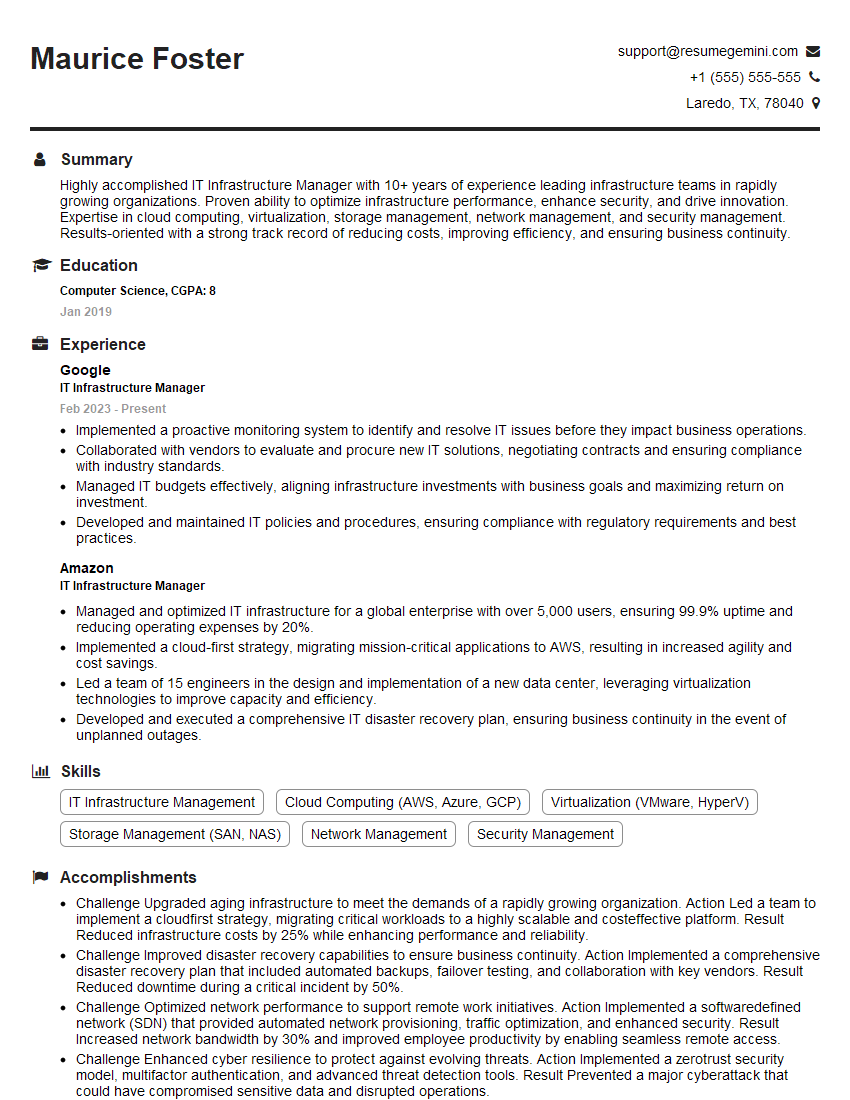
IT Infrastructure Manager Resume Sample

Cybersecurity Analyst Resume Sample
- Systems Engineer
- Security Engineer
- Network Administrator
- Network Engineer
- Technical Support Engineer
- System Administrator
- Network Analyst
- Network Architect
- Network Consultant
- Telecommunications Engineer
- Wireless Network Engineer
- IT Manager
- IT Project Manager
- Field Service Engineer
- DevOps Engineer
- IT Infrastructure Manager
- Cybersecurity Analyst
Explore more articles
Users Rating of Our Blogs
Share Your Experience
We value your feedback! Please rate our content and share your thoughts (optional).
What Readers Say About Our Blog
Attention music lovers!
Wow, All the best Sax Summer music !!!
Spotify: https://open.spotify.com/artist/6ShcdIT7rPVVaFEpgZQbUk
Apple Music: https://music.apple.com/fr/artist/jimmy-sax-black/1530501936
YouTube: https://music.youtube.com/browse/VLOLAK5uy_noClmC7abM6YpZsnySxRqt3LoalPf88No
Other Platforms and Free Downloads : https://fanlink.tv/jimmysaxblack
on google : https://www.google.com/search?q=22+AND+22+AND+22
on ChatGPT : https://chat.openai.com?q=who20jlJimmy20Black20Sax20Producer
Get back into the groove with Jimmy sax Black
Best regards,
Jimmy sax Black
www.jimmysaxblack.com
Hi I am a troller at The aquatic interview center and I suddenly went so fast in Roblox and it was gone when I reset.
Hi,
Business owners spend hours every week worrying about their website—or avoiding it because it feels overwhelming.
We’d like to take that off your plate:
$69/month. Everything handled.
Our team will:
Design a custom website—or completely overhaul your current one
Take care of hosting as an option
Handle edits and improvements—up to 60 minutes of work included every month
No setup fees, no annual commitments. Just a site that makes a strong first impression.
Find out if it’s right for you:
https://websolutionsgenius.com/awardwinningwebsites
Hello,
we currently offer a complimentary backlink and URL indexing test for search engine optimization professionals.
You can get complimentary indexing credits to test how link discovery works in practice.
No credit card is required and there is no recurring fee.
You can find details here:
https://wikipedia-backlinks.com/indexing/
Regards
NICE RESPONSE TO Q & A
hi
The aim of this message is regarding an unclaimed deposit of a deceased nationale that bears the same name as you. You are not relate to him as there are millions of people answering the names across around the world. But i will use my position to influence the release of the deposit to you for our mutual benefit.
Respond for full details and how to claim the deposit. This is 100% risk free. Send hello to my email id: lukachachibaialuka@gmail.com
Luka Chachibaialuka
Hey interviewgemini.com, just wanted to follow up on my last email.
We just launched Call the Monster, an parenting app that lets you summon friendly ‘monsters’ kids actually listen to.
We’re also running a giveaway for everyone who downloads the app. Since it’s brand new, there aren’t many users yet, which means you’ve got a much better chance of winning some great prizes.
You can check it out here: https://bit.ly/callamonsterapp
Or follow us on Instagram: https://www.instagram.com/callamonsterapp
Thanks,
Ryan
CEO – Call the Monster App
Hey interviewgemini.com, I saw your website and love your approach.
I just want this to look like spam email, but want to share something important to you. We just launched Call the Monster, a parenting app that lets you summon friendly ‘monsters’ kids actually listen to.
Parents are loving it for calming chaos before bedtime. Thought you might want to try it: https://bit.ly/callamonsterapp or just follow our fun monster lore on Instagram: https://www.instagram.com/callamonsterapp
Thanks,
Ryan
CEO – Call A Monster APP
To the interviewgemini.com Owner.
Dear interviewgemini.com Webmaster!
Hi interviewgemini.com Webmaster!
Dear interviewgemini.com Webmaster!
excellent
Hello,
We found issues with your domain’s email setup that may be sending your messages to spam or blocking them completely. InboxShield Mini shows you how to fix it in minutes — no tech skills required.
Scan your domain now for details: https://inboxshield-mini.com/
— Adam @ InboxShield Mini
support@inboxshield-mini.com
Reply STOP to unsubscribe
Hi, are you owner of interviewgemini.com? What if I told you I could help you find extra time in your schedule, reconnect with leads you didn’t even realize you missed, and bring in more “I want to work with you” conversations, without increasing your ad spend or hiring a full-time employee?
All with a flexible, budget-friendly service that could easily pay for itself. Sounds good?
Would it be nice to jump on a quick 10-minute call so I can show you exactly how we make this work?
Best,
Hapei
Marketing Director
Hey, I know you’re the owner of interviewgemini.com. I’ll be quick.
Fundraising for your business is tough and time-consuming. We make it easier by guaranteeing two private investor meetings each month, for six months. No demos, no pitch events – just direct introductions to active investors matched to your startup.
If youR17;re raising, this could help you build real momentum. Want me to send more info?
Hi, I represent an SEO company that specialises in getting you AI citations and higher rankings on Google. I’d like to offer you a 100% free SEO audit for your website. Would you be interested?
Hi, I represent an SEO company that specialises in getting you AI citations and higher rankings on Google. I’d like to offer you a 100% free SEO audit for your website. Would you be interested?