Interviews are opportunities to demonstrate your expertise, and this guide is here to help you shine. Explore the essential Database skills interview questions that employers frequently ask, paired with strategies for crafting responses that set you apart from the competition.
Questions Asked in Database skills Interview
Q 1. Explain normalization and its different forms.
Normalization is a database design technique that reduces data redundancy and improves data integrity. Think of it like organizing your closet – instead of throwing everything in one pile, you categorize your clothes (shirts, pants, etc.) to find things easily and avoid duplicates. Normalization achieves this by organizing data into tables in such a way that database integrity constraints properly enforce dependencies. This prevents modification anomalies and improves data integrity.
There are several normal forms, each addressing different types of redundancy:
- 1NF (First Normal Form): Eliminates repeating groups of data within a table. Each column should contain only atomic values (indivisible values). For example, instead of having a single column ‘addresses’ containing multiple addresses, you would have separate columns for ‘address1’, ‘address2’, ‘city’, ‘state’, etc.
- 2NF (Second Normal Form): Builds upon 1NF and eliminates redundant data that depends on only part of the primary key (in tables with composite keys). This means all non-key attributes must be fully functionally dependent on the entire primary key.
- 3NF (Third Normal Form): Builds upon 2NF and eliminates transitive dependencies. A transitive dependency exists when a non-key attribute depends on another non-key attribute, rather than directly on the primary key.
- BCNF (Boyce-Codd Normal Form): A stricter version of 3NF. It addresses certain anomalies that 3NF might not catch.
- 4NF (Fourth Normal Form): Deals with multi-valued dependencies, where multiple values can exist for a single attribute.
- 5NF (Fifth Normal Form): Addresses join dependencies. This is rarely needed in practice.
Reaching higher normal forms usually involves creating more tables, which can increase query complexity, so finding the right balance is crucial. Over-normalization can lead to performance issues.
Q 2. What are ACID properties in a database?
ACID properties are crucial for ensuring database transactions are processed reliably. They are like the four pillars of a strong building, ensuring data consistency and integrity. The acronym stands for:
- Atomicity: A transaction is treated as a single unit of work. Either all changes within the transaction are applied successfully, or none are. Think of it like an all-or-nothing operation; if one part fails, the whole transaction is rolled back.
- Consistency: A transaction must maintain the database’s integrity constraints. If the transaction starts with the database in a consistent state, it must leave it in a consistent state, regardless of success or failure.
- Isolation: Concurrent transactions should appear to be executed sequentially, preventing interference between them. This prevents issues like lost updates or dirty reads.
- Durability: Once a transaction is committed, the changes are permanently saved and survive even system failures. The data is ‘durable’ – it won’t disappear.
For example, in an online banking system, transferring money from one account to another requires an ACID transaction. If the debit from one account fails, the credit to the other account should also fail, ensuring the overall balance remains consistent.
Q 3. Describe different types of database joins (INNER, LEFT, RIGHT, FULL).
Database joins combine rows from two or more tables based on a related column between them. Think of it as connecting puzzle pieces based on matching patterns.
- INNER JOIN: Returns only the rows where the join condition is met in both tables. It’s like finding the perfect match in both sets.
- LEFT (OUTER) JOIN: Returns all rows from the left table (the one specified before
LEFT JOIN), even if there is no match in the right table. Unmatched rows from the right table will haveNULLvalues in the corresponding columns. It’s like keeping all pieces from one set, even if they don’t have a partner. - RIGHT (OUTER) JOIN: Similar to
LEFT JOIN, but it returns all rows from the right table, filling unmatched rows from the left table withNULLvalues. - FULL (OUTER) JOIN: Returns all rows from both tables. If a row has a match in the other table, the corresponding columns will be populated; otherwise,
NULLvalues are used. It’s like combining all pieces from both sets, whether or not they find a matching partner.
Example (SQL):
SELECT * FROM Customers INNER JOIN Orders ON Customers.CustomerID = Orders.CustomerID;This query retrieves all customers and their corresponding orders using an inner join. Other join types can be substituted for INNER JOIN accordingly.
Q 4. What is indexing and why is it important?
Indexing is like creating a table of contents for your database. It significantly speeds up data retrieval by creating a data structure that allows the database system to locate specific rows quickly. Instead of scanning the entire table, the database can use the index to jump directly to the relevant portion.
Importance of Indexing:
- Faster Query Execution: Indexes dramatically reduce the time it takes to retrieve data, particularly for large tables.
- Improved Query Performance: Queries with appropriate indexes execute much faster, enhancing overall database performance.
- Enhanced Data Integrity: Unique indexes can help enforce uniqueness constraints on columns.
However, creating too many indexes can lead to performance issues during data modifications, as indexes need to be updated whenever data is inserted, updated, or deleted. It’s a tradeoff – improved read speed against slightly slower write speed.
Q 5. Explain the difference between clustered and non-clustered indexes.
The difference between clustered and non-clustered indexes lies in how the index data is physically stored in relation to the table data.
- Clustered Index: The index is stored with the data itself. The rows in the table are physically ordered according to the clustered index. There can only be one clustered index per table. It’s like organizing books alphabetically on a shelf – the order on the shelf reflects the alphabetical order.
- Non-clustered Index: The index is stored separately from the table data. It contains a pointer to the actual row location in the table. You can have multiple non-clustered indexes per table. Think of it as a separate index card file that points to the location of books in a library.
Choosing between clustered and non-clustered indexes depends on your database usage. If you frequently query based on a specific column, making that column part of a clustered index can improve query performance. However, modifying the clustered index can be slow because of the data reorganization required.
Q 6. How do you handle database performance issues?
Handling database performance issues requires a systematic approach. It’s like diagnosing a medical problem – you need to identify the symptoms, find the cause, and then apply the appropriate treatment.
Steps to Diagnose and Resolve Database Performance Issues:
- Identify the Bottleneck: Use monitoring tools (e.g., SQL Server Profiler, MySQL Slow Query Log) to pinpoint the source of the problem. Is it slow queries, disk I/O, network latency, or insufficient memory?
- Analyze Slow Queries: Examine the execution plans of slow queries. Identify poorly performing queries, often due to lack of indexes or inefficient query design.
- Optimize Queries: Rewrite inefficient queries, add indexes where appropriate, and use query hints to improve query execution.
- Improve Schema Design: If the underlying database design is flawed (e.g., excessive data redundancy), consider normalization to improve performance.
- Hardware Upgrades: If necessary, increase resources such as RAM, CPU, or disk space.
- Indexing Strategy Review: Assess your indexing strategy. Remove unnecessary indexes, or add missing ones to optimize performance.
- Database Tuning: Adjust database parameters, buffer pool size, and other settings to optimize performance for your workload.
- Caching: Utilize caching mechanisms to store frequently accessed data in memory.
Regular monitoring and proactive optimization are essential for maintaining good database performance.
Q 7. What are stored procedures and how are they beneficial?
Stored procedures are pre-compiled SQL code blocks that can be stored and reused within a database. Think of them as reusable functions or subroutines that encapsulate specific database operations.
Benefits of Stored Procedures:
- Improved Performance: They are pre-compiled, so they execute faster than ad-hoc SQL queries.
- Enhanced Security: They provide a layer of abstraction, allowing you to grant users access to specific stored procedures instead of direct table access.
- Reduced Network Traffic: A single call to a stored procedure can replace multiple SQL statements, reducing network overhead.
- Code Reusability: Stored procedures can be reused across multiple applications.
- Maintainability: Changes to the database logic are centralized in the stored procedure.
Example (SQL):
CREATE PROCEDURE GetCustomersByName (@name VARCHAR(50)) AS BEGIN SELECT * FROM Customers WHERE CustomerName LIKE '%' + @name + '%'; END;This stored procedure retrieves customers based on a partial name match. Calling this procedure is much more efficient and secure than directly executing the SELECT statement.
Q 8. Explain the concept of transactions and concurrency control.
Imagine a bank. Multiple people might try to access and modify the same account simultaneously. Transactions and concurrency control are the mechanisms ensuring that everything remains consistent, preventing chaos. A transaction is a single logical unit of work that accesses and potentially modifies the database. It’s a sequence of operations that either all succeed together or all fail together – maintaining data integrity. Concurrency control manages simultaneous access to the database by multiple transactions, preventing conflicts and ensuring data accuracy. It uses various techniques, such as locking, to serialize operations and avoid inconsistencies.
For instance, let’s say two users are trying to transfer money from the same account. Without concurrency control, both might successfully deduct the money, leading to an incorrect balance. Transactional mechanisms guarantee that only one transfer occurs at a time, ensuring the account balance reflects the accurate transaction.
- ACID properties: Transactions typically follow the ACID properties – Atomicity (all or nothing), Consistency (data remains valid), Isolation (transactions operate independently), and Durability (changes are permanent).
Q 9. What are triggers and how are they used?
Think of triggers as automated responses to specific database events. A trigger is a procedural code (typically SQL) that automatically executes in response to certain events on a particular table or view. For example, a trigger can be set to automatically update another table whenever a row is inserted or deleted in a specific table. They are powerful tools for maintaining data integrity, enforcing business rules, and automating tasks.
Imagine an e-commerce application where inventory needs to be updated automatically whenever a product is sold. A trigger could automatically decrement the inventory count in the product table every time a new order is placed. This ensures that inventory numbers always remain accurate without requiring additional code in the application logic.
CREATE TRIGGER update_inventory
AFTER INSERT ON orders
FOR EACH ROW
BEGIN
  UPDATE products SET quantity = quantity - NEW.quantity
  WHERE product_id = NEW.product_id;
END;
This example shows a trigger that updates the inventory after each new order is inserted into the ‘orders’ table.
Q 10. Describe different types of database locks.
Database locks are crucial for concurrency control. They prevent multiple transactions from accessing and modifying the same data simultaneously, avoiding conflicts. Several types exist:
- Shared locks (S locks): Allow multiple transactions to read the data concurrently, but prevent any transaction from modifying it. Think of it as multiple people reading a book – they don’t interfere with each other.
- Exclusive locks (X locks): Allow only one transaction to access the data at a time, preventing both reading and writing by other transactions. Imagine one person editing a document; no one else can access it for modification.
- Update locks (U locks): A transaction acquires an update lock initially, which is then promoted to an exclusive lock when the transaction needs to modify the data. This prevents other transactions from obtaining shared locks or updating the data.
The specific type of lock used depends on the database system and the needs of the application. Lock management is essential for efficient concurrency and maintaining data consistency.
Q 11. How do you optimize SQL queries for performance?
Optimizing SQL queries for performance is vital for database efficiency. Several strategies exist:
- Use appropriate indexes: Indexes are like a book’s index – they speed up data retrieval. Create indexes on frequently queried columns.
- Avoid using wildcard characters at the beginning of a `LIKE` clause:
LIKE '%abc'is significantly slower thanLIKE 'abc%'because the database has to scan the entire data set. - Use `EXISTS` instead of `COUNT(*)` for checking the existence of rows: The
EXISTSclause is optimized for this purpose. - Optimize joins: Choose the most efficient type of join (INNER, LEFT, RIGHT) based on the data and query requirements.
- Write efficient subqueries: Nested subqueries can sometimes significantly slow down your queries. Consider rewriting them using joins.
- Use query analyzers: Most database systems have built-in tools to analyze query execution plans and identify bottlenecks.
For example, if you frequently query a table based on the ‘customer_id’ column, an index on that column will drastically improve query performance.
Q 12. What is a deadlock and how can you prevent it?
A deadlock occurs when two or more transactions are blocked indefinitely, waiting for each other to release the locks they need. It’s like a traffic jam where each car is waiting for the others to move.
Imagine two transactions: Transaction A holds a lock on table X and is waiting for a lock on table Y. Transaction B holds a lock on table Y and is waiting for a lock on table X. Neither can proceed, resulting in a deadlock.
Deadlocks can be prevented through several strategies:
- Strict locking order: Enforce a strict order for acquiring locks. For example, always acquire locks on tables in alphabetical order.
- Short transactions: Keep transactions as short as possible to minimize the duration of locks.
- Timeouts: Set timeouts for lock acquisition. If a transaction waits too long, it is aborted to prevent a deadlock.
- Deadlock detection and recovery: Implement mechanisms to detect and recover from deadlocks by rolling back one or more transactions.
Q 13. Explain the difference between DELETE and TRUNCATE commands.
Both DELETE and TRUNCATE commands remove data from a table, but they differ significantly:
DELETE: Removes rows based on a specified condition. It logs each row deletion, allowing for rollbacks. It’s slower and uses more resources.TRUNCATE: Removes all rows from a table without logging individual row deletions. It’s faster and uses fewer resources. It cannot be rolled back.
Example:
-- DELETE statement removes rows where id > 5
DELETE FROM mytable WHERE id > 5;

-- TRUNCATE statement removes all rows
TRUNCATE TABLE mytable;
Choose DELETE when you need to selectively remove rows and allow for rollback, and TRUNCATE when you need to quickly remove all rows and don’t require rollback capability.
Q 14. What are views and how are they created?
A view is a virtual table based on the result-set of an SQL statement. It doesn’t store data itself; it simply provides a customized view of existing data in the underlying tables. Views are useful for simplifying complex queries, restricting access to data, and providing customized data presentations. They are created using the CREATE VIEW statement.
For instance, let’s say you have a large table with lots of customer data, but you only need to display certain columns (name, city, and email) in a report. You can create a view that includes only these columns and then query the view instead of the entire table, making your query and report simpler and faster.
CREATE VIEW customer_summary AS
SELECT customer_name, city, email
FROM customers;
This creates a view called ‘customer_summary’ showing only the specified columns from the ‘customers’ table. You can then query this view like a regular table: SELECT * FROM customer_summary;
Q 15. How do you handle data integrity in a database?
Data integrity refers to the accuracy, consistency, and reliability of data within a database. Maintaining it is crucial for making informed decisions and avoiding costly errors. We achieve this through a multi-pronged approach:
- Constraints: These are rules enforced by the database management system (DBMS) to ensure data validity. Examples include:
NOT NULL: Prevents null values in a column, ensuring a value always exists.UNIQUE: Guarantees that all values in a column are distinct.PRIMARY KEY: Uniquely identifies each row in a table and enforces uniqueness and non-null values.FOREIGN KEY: Establishes relationships between tables, ensuring referential integrity. For instance, if a ‘customer’ table has a foreign key referencing an ‘orders’ table, you can’t create an order referencing a non-existent customer.CHECK: Allows you to define custom constraints based on specific conditions. For example,CHECK (age >= 18)ensures only adults are entered.- Data Validation: Implementing input validation before data enters the database is crucial. This prevents invalid data from ever reaching the database. This often involves client-side and server-side validation.
- Transactions: Transactions ensure atomicity, consistency, isolation, and durability (ACID properties). This means that a set of database operations either completes entirely or not at all, preserving data consistency.
- Regular Backups and Recovery Procedures: These safeguard against data loss due to hardware failures or accidental deletions. A well-defined recovery plan is essential.
- Auditing and Logging: Tracking data changes over time helps identify inconsistencies and pinpoint the source of errors. This is particularly helpful in debugging and resolving integrity issues.
For example, imagine an e-commerce database. Using constraints, we ensure that customer IDs are unique, order dates are valid, and quantities are non-negative. Transactions ensure that when an order is placed, the inventory is updated atomically. Regular backups guarantee that data loss won’t cripple the business.
Career Expert Tips:
- Ace those interviews! Prepare effectively by reviewing the Top 50 Most Common Interview Questions on ResumeGemini.
- Navigate your job search with confidence! Explore a wide range of Career Tips on ResumeGemini. Learn about common challenges and recommendations to overcome them.
- Craft the perfect resume! Master the Art of Resume Writing with ResumeGemini’s guide. Showcase your unique qualifications and achievements effectively.
- Don’t miss out on holiday savings! Build your dream resume with ResumeGemini’s ATS optimized templates.
Q 16. Explain different data types in SQL.
SQL offers a variety of data types to store different kinds of information. The choice of data type impacts storage space, processing speed, and the kind of operations you can perform on the data. Here are some key data types:
- INTEGER: Stores whole numbers (e.g.,
INT, SMALLINT, BIGINT). - DECIMAL/NUMERIC: Stores numbers with decimal precision (e.g.,
DECIMAL(10,2)for a number with 10 digits, 2 of which are decimals). - FLOAT/REAL/DOUBLE PRECISION: Stores floating-point numbers (approximate values).
- CHAR(n): Stores fixed-length strings of n characters. Spaces are counted.
- VARCHAR(n): Stores variable-length strings of up to n characters. More efficient for text that varies in length.
- TEXT: Stores large amounts of text data. The exact size limits vary based on the database system.
- DATE: Stores dates (e.g.,
YYYY-MM-DD). - TIME: Stores times.
- TIMESTAMP: Stores both date and time, often including time zones.
- BOOLEAN/BIT: Stores true/false values.
- BLOB (Binary Large Object): Stores large binary data, such as images or audio files.
Choosing the right data type is crucial for efficiency and data integrity. Using VARCHAR instead of CHAR for names is more efficient as it only stores the necessary space, while INT is usually faster for numerical comparisons than DECIMAL.
Q 17. What is database replication and why is it important?
Database replication is the process of creating and maintaining copies of a database on multiple servers. This offers several significant advantages:
- High Availability: If one server fails, another can take over, minimizing downtime. Think of it like having a backup singer ready to step in if the main vocalist gets sick.
- Scalability: Distributing the load across multiple servers improves performance, especially during peak usage. This is essential for applications needing high throughput.
- Geographic Distribution: Replicating data across different geographical locations reduces latency for users in various regions. Imagine Netflix replicating its database across the globe for faster streaming.
- Disaster Recovery: In case of a catastrophic event affecting the primary server, replicated copies provide a backup to restore from.
There are different types of replication, such as synchronous (writes are confirmed on all servers before completion) and asynchronous (writes are completed on the primary server, then propagated to others later), each with its own trade-offs in terms of performance and data consistency.
For example, a banking system would likely use synchronous replication for transaction data to guarantee consistency across all branches. An e-commerce site might use asynchronous replication for product catalogs, prioritizing speed over immediate consistency.
Q 18. What is a database schema?
A database schema is a formal description of the structure of a database. It defines the tables, columns, data types, relationships, constraints, and indexes within the database. Think of it as the blueprint for your database.
It specifies:
- Table names: The names given to individual data tables.
- Column names and data types: The attributes associated with each table and the kind of data each attribute can hold.
- Primary and foreign keys: The way tables are related to one another.
- Indexes: Data structures that speed up data retrieval.
- Constraints: Rules enforcing data integrity (
NOT NULL,UNIQUE, etc.).
A well-designed schema is essential for efficient data management and retrieval. A poorly designed schema can lead to performance issues and difficulties in maintaining data integrity. Consider a schema for an e-commerce database. You might have tables for customers, products, orders, and order items. Each table would have specific columns and data types appropriate for storing customer information, product details, etc. The relationships between these tables are also defined in the schema.
Q 19. Describe different types of NoSQL databases.
NoSQL databases are non-relational databases that offer flexible schemas and horizontal scalability. They are particularly well-suited for handling large volumes of unstructured or semi-structured data.
Key types include:
- Document Databases: Store data in documents (e.g., JSON or XML). Examples include MongoDB.
- Key-Value Stores: Store data as key-value pairs. Redis and Memcached are examples.
- Column-Family Stores: Store data in column families. Cassandra and HBase are commonly used examples.
- Graph Databases: Represent data as nodes and edges, making them excellent for managing relationships between data. Neo4j is a popular example.
The choice of NoSQL database depends on the specific application needs. Document databases are well-suited for applications with semi-structured data, while key-value stores are excellent for caching. Column-family stores excel at handling massive amounts of data with high write speeds, while graph databases are ideal for social networks or recommendation engines.
Q 20. Explain the difference between OLTP and OLAP systems.
OLTP (Online Transaction Processing) and OLAP (Online Analytical Processing) systems serve different purposes within a database environment.
- OLTP: Focuses on transaction processing. It’s designed for high-speed, concurrent processing of a large number of relatively simple transactions. Think of online banking or e-commerce transactions – inserting, updating, and deleting data. OLTP systems prioritize speed and consistency of individual transactions (ACID properties).
- OLAP: Focuses on analytical processing. It’s designed for complex queries involving large datasets, often summarizing and aggregating data for business intelligence. Think of analyzing sales trends over the past year – retrieving and processing data for reporting and decision-making. OLAP systems prioritize analytical query performance and data summarization. Data is often pre-aggregated.
The key difference lies in their purpose and data organization. OLTP is optimized for transactional operations while OLAP is geared toward analysis. They often use different database technologies; OLTP might employ relational databases, while OLAP may utilize data warehouses or specialized analytical databases.
Q 21. What is data warehousing and how does it differ from a database?
A data warehouse is a central repository of integrated data from multiple sources, designed for analytical processing. It differs significantly from a traditional database (like an OLTP database) in several ways:
- Purpose: Databases are optimized for transactional processing, while data warehouses are optimized for analytical queries.
- Data Structure: Databases are usually normalized to reduce data redundancy and ensure integrity, whereas data warehouses are often denormalized to improve query performance for complex analysis.
- Data Volatility: Databases contain constantly changing data, while data warehouses typically contain historical data that changes less frequently.
- Data Volume: Data warehouses often store much larger volumes of data than operational databases.
- Data Source: Data warehouses integrate data from diverse sources (operational databases, external files, etc.), creating a unified view.
Imagine a retail company. Its operational database manages daily transactions (OLTP). The data warehouse integrates sales data, customer information, and product data from various sources to provide insights into sales trends, customer behavior, and inventory management (OLAP). The warehouse offers a consolidated, historical perspective, enabling strategic business decisions based on long-term trends, whereas the operational database is focused on day-to-day operations.
Q 22. How do you perform data backup and recovery?
Data backup and recovery is crucial for ensuring data availability and business continuity. It involves creating copies of your database, storing them securely, and having a plan to restore the database in case of data loss due to hardware failure, human error, or cyberattacks.
My approach typically involves a multi-layered strategy:
- Full Backups: Regular full backups capture the entire database at a specific point in time. These are usually performed less frequently due to their size and time requirements, perhaps weekly or monthly.
- Incremental Backups: These backups only capture changes made since the last full or incremental backup. This significantly reduces backup time and storage space. They are performed more frequently, daily or even hourly.
- Differential Backups: Similar to incremental backups, but they capture changes since the last full backup. This results in larger backup sizes than incremental backups but faster restoration from a full backup than using multiple incremental backups.
- Log Backups (Transaction Logs): These capture all database transactions. They are invaluable for point-in-time recovery, allowing restoration to a specific moment before a failure.
For recovery, I’d use the appropriate backup type based on the situation. A complete database failure might necessitate a full backup restoration, while a smaller incident could be resolved by restoring from a differential or incremental backup followed by applying transaction logs to bring the database to its most recent state. The recovery process also involves rigorous testing to ensure data integrity and minimal downtime.
For example, in a previous role, we implemented a robust backup and recovery system using a combination of full weekly backups, daily incremental backups, and continuous transaction log backups. This allowed us to recover from a server crash with minimal data loss and downtime – we were back online within four hours.
Q 23. Explain the concept of sharding in a database.
Sharding is a database scaling technique that involves splitting a large database into smaller, more manageable parts called shards. Think of it like dividing a large library into smaller, specialized libraries – each focused on a specific subject. Each shard is typically a standalone database and can reside on a separate server. This horizontal partitioning distributes the load across multiple machines, enabling the system to handle more data and users concurrently.
There are different sharding strategies, with the most common being:
- Range-based sharding: Data is partitioned based on a range of key values. For example, all users with IDs from 1 to 1000 would be on one shard, 1001 to 2000 on another, etc.
- Hash-based sharding: A hash function is used to determine which shard a particular data record belongs to. This provides better data distribution than range-based sharding, especially if data is not uniformly distributed across the key range.
Implementing sharding requires careful planning and consideration of factors such as data distribution, key selection, and data consistency. The process also requires a sharding layer that routes queries to the appropriate shard, which adds complexity but allows for significant scalability. In practice, this means that application logic must be aware of the sharding scheme to properly distribute and retrieve data. For example, a social media platform might shard user data based on geographic location, enabling faster response times and improved scalability for users in different regions.
Q 24. What are your experiences with database security?
Database security is paramount and I have extensive experience implementing and managing various security measures. My approach is multifaceted:
- Access Control: Implementing robust access control mechanisms using roles and permissions. This ensures that only authorized users can access specific data and perform certain actions. I usually utilize least privilege access, meaning users only have the permissions they absolutely require for their jobs.
- Data Encryption: Employing both data at rest (encryption of stored data) and data in transit (encryption during data transmission). This protects sensitive data from unauthorized access even if the database server is compromised.
- Regular Security Audits: Performing regular security audits and vulnerability assessments to identify and mitigate potential security risks. This includes checking for common vulnerabilities, misconfigurations, and suspicious activities.
- Network Security: Implementing network-level security measures such as firewalls, intrusion detection/prevention systems to prevent unauthorized access to the database server. This often includes whitelisting known IP addresses and denying all other inbound connections.
- Input Validation: Implementing strict input validation to prevent SQL injection attacks. This involves thoroughly sanitizing all user inputs before they are used in database queries.
- Regular Patching and Updates: Keeping the database software, operating system, and related components up-to-date with the latest security patches to address known vulnerabilities.
For example, in a previous project involving a financial database, we implemented a multi-factor authentication system, encrypted all sensitive data using AES-256 encryption, and regularly performed penetration testing to identify and address security weaknesses before they could be exploited.
Q 25. How familiar are you with cloud-based databases (AWS RDS, Azure SQL, Google Cloud SQL)?
I’m very familiar with cloud-based databases like AWS RDS, Azure SQL, and Google Cloud SQL. I’ve worked extensively with each platform, leveraging their respective strengths to build scalable and reliable database solutions.
My experience includes:
- AWS RDS: Managing and optimizing MySQL, PostgreSQL, and Oracle instances on AWS RDS. I’ve used features such as read replicas, multi-AZ deployments, and automated backups for high availability and scalability.
- Azure SQL: Creating and managing SQL Server databases on Azure SQL, utilizing features like elastic pools and managed instances for efficient resource management and cost optimization.
- Google Cloud SQL: Deploying and managing MySQL and PostgreSQL databases on Google Cloud SQL, leveraging features like automatic failover and point-in-time recovery.
I understand the nuances of each platform, including their pricing models, security features, and performance characteristics. I can choose the best platform based on the specific project needs and budget considerations. For instance, I once migrated a legacy on-premises database to AWS RDS to improve scalability and reduce infrastructure maintenance costs, resulting in a significant reduction in operational expenses.
Q 26. Describe your experience with ETL processes.
ETL (Extract, Transform, Load) processes are at the heart of data warehousing and business intelligence. I have extensive experience designing, implementing, and optimizing ETL pipelines using various tools and technologies. The process generally involves three stages:
- Extract: Retrieving data from various sources, such as databases, flat files, APIs, and cloud storage. This often involves using tools that handle different data formats and connectivity methods.
- Transform: Cleaning, transforming, and enriching the extracted data. This can involve data cleansing, data type conversion, data aggregation, and data normalization to ensure data quality and consistency.
- Load: Loading the transformed data into a target data warehouse or data lake. This often involves using tools that support bulk loading and optimize data loading performance.
My experience includes using tools like Apache Kafka, Apache Spark, and Informatica PowerCenter to build complex ETL pipelines. I’m familiar with different data integration patterns and can design ETL processes that are robust, scalable, and fault-tolerant. I’ve implemented ETL processes for various purposes, from building data warehouses for reporting and analytics to creating real-time data pipelines for operational dashboards. For example, I once built an ETL pipeline that processed terabytes of data daily from multiple sources, significantly improving the accuracy and timeliness of our business intelligence reports.
Q 27. What is your experience with database monitoring and alerting tools?
Database monitoring and alerting are essential for proactive database management. I have experience using a variety of tools and techniques for this purpose.
Some of the tools I’ve used include:
- Cloud-based monitoring services: AWS CloudWatch, Azure Monitor, and Google Cloud Monitoring provide comprehensive monitoring capabilities for cloud-based databases.
- Database-specific monitoring tools: Tools like Prometheus and Grafana provide detailed metrics about database performance and health.
- Custom scripts and alerts: I can also write custom scripts to monitor specific metrics and trigger alerts based on predefined thresholds.
The key metrics I usually monitor include CPU usage, memory consumption, disk I/O, query performance, and connection pool activity. I configure alerts to notify the database administrators or DevOps team of potential issues such as high CPU usage, slow query performance, or disk space exhaustion. This proactive approach allows for timely intervention, preventing major performance issues or outages.
For example, in a recent project, we implemented automated alerts that notified the team of any significant drop in database performance. This allowed us to quickly identify and resolve a performance bottleneck caused by a poorly performing query, preventing a major service disruption.
Q 28. What are your preferred methods for troubleshooting database errors?
Troubleshooting database errors requires a systematic and methodical approach. My process usually involves the following steps:
- Reproduce the error: The first step is to try and reproduce the error consistently. This often involves collecting detailed information about the environment, the sequence of events leading to the error, and any relevant error messages.
- Examine error logs: Database error logs are an invaluable resource for identifying the root cause of problems. Thoroughly reviewing the logs can provide clues about the nature of the error, its timing, and the affected components.
- Check system resources: Monitor system resources such as CPU, memory, disk I/O, and network usage. Performance bottlenecks in these areas can lead to database errors or slowdowns.
- Analyze query performance: If the error is related to slow query performance, use query analyzers or performance monitoring tools to identify poorly performing queries and optimize them.
- Review database schema and design: Sometimes, database errors are caused by design flaws or inconsistencies in the schema. Reviewing the schema and identifying potential issues can help resolve errors.
- Consult documentation and online resources: If the error persists, consult the relevant database documentation or online resources for troubleshooting tips and solutions.
For example, I once encountered a performance issue where a particular query was taking an unreasonably long time to execute. By analyzing the query plan using an execution plan visualizer, I identified a missing index that was causing a table scan. Adding the index resolved the performance problem and eliminated the error condition.
Key Topics to Learn for Database Skills Interview
- Relational Database Management Systems (RDBMS): Understanding the core concepts of relational databases, including tables, relationships, normalization, and ACID properties. Practical application: Designing a database schema for a specific application.
- SQL (Structured Query Language): Mastering SQL queries for data retrieval, manipulation, and management. Practical application: Writing efficient queries to analyze large datasets and extract meaningful insights. Explore different SQL dialects and their nuances.
- Database Design and Modeling: Learning Entity-Relationship Diagrams (ERDs) and normalization techniques to create efficient and scalable database designs. Practical application: Designing a database for an e-commerce platform, considering scalability and performance.
- Data Integrity and Security: Understanding data validation, constraints, and security measures to ensure data accuracy and protection. Practical application: Implementing security protocols and access controls to protect sensitive information.
- NoSQL Databases: Familiarity with NoSQL databases (e.g., MongoDB, Cassandra) and their applications. Practical application: Understanding when to use NoSQL databases over relational databases and their advantages and disadvantages.
- Database Performance Tuning and Optimization: Identifying and resolving performance bottlenecks in database systems. Practical application: Optimizing queries, indexing strategies, and database configurations for improved efficiency.
- Transactions and Concurrency Control: Understanding how databases handle concurrent access and ensure data consistency. Practical application: Implementing strategies to handle deadlocks and ensure data integrity in multi-user environments.
Next Steps
Mastering database skills is crucial for career advancement in today’s data-driven world. Proficiency in database technologies opens doors to high-demand roles and significantly increases your earning potential. To maximize your job prospects, create an ATS-friendly resume that highlights your skills and experience effectively. ResumeGemini is a trusted resource that can help you build a professional and impactful resume, ensuring your qualifications shine. Examples of resumes tailored to Database skills are available to guide you. Invest time in crafting a strong resume – it’s your first impression on potential employers.

Data Scientist Resume Sample
Database Analyst Resume Sample
Data Modeler Resume Sample

Data Architect Resume Sample

ETL Developer Resume Sample
SQL Developer Resume Sample
Database Consultant Resume Sample
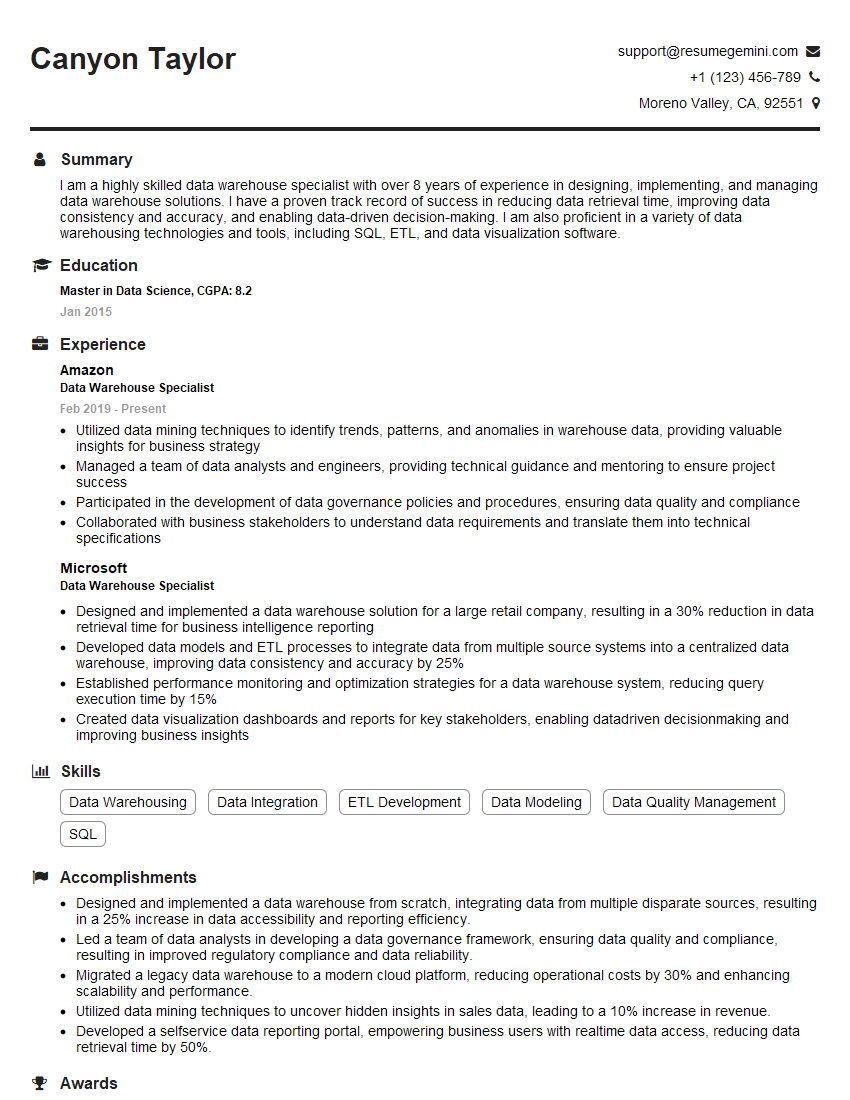
Data Warehouse Specialist Resume Sample

Business Intelligence Analyst Resume Sample

Database Administrator Resume Sample
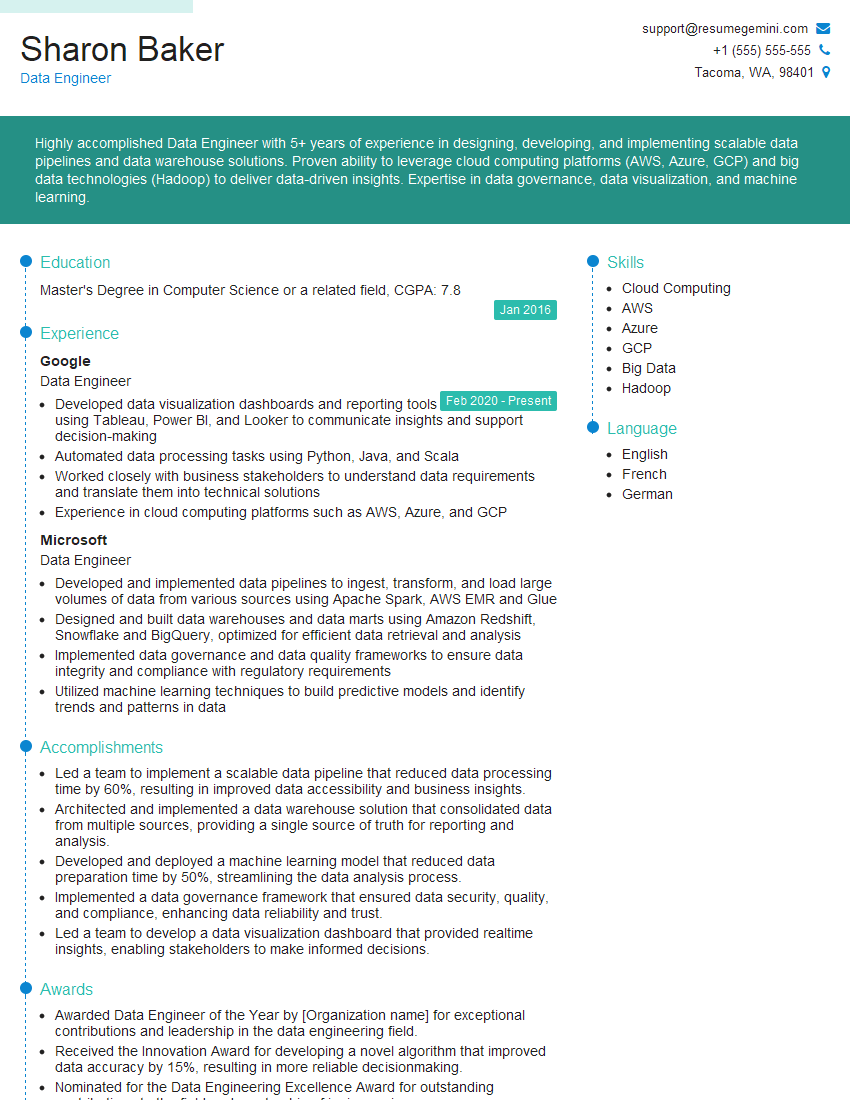
Data Engineer Resume Sample
Explore more articles
Users Rating of Our Blogs
Share Your Experience
We value your feedback! Please rate our content and share your thoughts (optional).
What Readers Say About Our Blog
Attention music lovers!
Wow, All the best Sax Summer music !!!
Spotify: https://open.spotify.com/artist/6ShcdIT7rPVVaFEpgZQbUk
Apple Music: https://music.apple.com/fr/artist/jimmy-sax-black/1530501936
YouTube: https://music.youtube.com/browse/VLOLAK5uy_noClmC7abM6YpZsnySxRqt3LoalPf88No
Other Platforms and Free Downloads : https://fanlink.tv/jimmysaxblack
on google : https://www.google.com/search?q=22+AND+22+AND+22
on ChatGPT : https://chat.openai.com?q=who20jlJimmy20Black20Sax20Producer
Get back into the groove with Jimmy sax Black
Best regards,
Jimmy sax Black
www.jimmysaxblack.com
Hi I am a troller at The aquatic interview center and I suddenly went so fast in Roblox and it was gone when I reset.
Hi,
Business owners spend hours every week worrying about their website—or avoiding it because it feels overwhelming.
We’d like to take that off your plate:
$69/month. Everything handled.
Our team will:
Design a custom website—or completely overhaul your current one
Take care of hosting as an option
Handle edits and improvements—up to 60 minutes of work included every month
No setup fees, no annual commitments. Just a site that makes a strong first impression.
Find out if it’s right for you:
https://websolutionsgenius.com/awardwinningwebsites
Hello,
we currently offer a complimentary backlink and URL indexing test for search engine optimization professionals.
You can get complimentary indexing credits to test how link discovery works in practice.
No credit card is required and there is no recurring fee.
You can find details here:
https://wikipedia-backlinks.com/indexing/
Regards
NICE RESPONSE TO Q & A
hi
The aim of this message is regarding an unclaimed deposit of a deceased nationale that bears the same name as you. You are not relate to him as there are millions of people answering the names across around the world. But i will use my position to influence the release of the deposit to you for our mutual benefit.
Respond for full details and how to claim the deposit. This is 100% risk free. Send hello to my email id: lukachachibaialuka@gmail.com
Luka Chachibaialuka
Hey interviewgemini.com, just wanted to follow up on my last email.
We just launched Call the Monster, an parenting app that lets you summon friendly ‘monsters’ kids actually listen to.
We’re also running a giveaway for everyone who downloads the app. Since it’s brand new, there aren’t many users yet, which means you’ve got a much better chance of winning some great prizes.
You can check it out here: https://bit.ly/callamonsterapp
Or follow us on Instagram: https://www.instagram.com/callamonsterapp
Thanks,
Ryan
CEO – Call the Monster App
Hey interviewgemini.com, I saw your website and love your approach.
I just want this to look like spam email, but want to share something important to you. We just launched Call the Monster, a parenting app that lets you summon friendly ‘monsters’ kids actually listen to.
Parents are loving it for calming chaos before bedtime. Thought you might want to try it: https://bit.ly/callamonsterapp or just follow our fun monster lore on Instagram: https://www.instagram.com/callamonsterapp
Thanks,
Ryan
CEO – Call A Monster APP
To the interviewgemini.com Owner.
Dear interviewgemini.com Webmaster!
Hi interviewgemini.com Webmaster!
Dear interviewgemini.com Webmaster!
excellent
Hello,
We found issues with your domain’s email setup that may be sending your messages to spam or blocking them completely. InboxShield Mini shows you how to fix it in minutes — no tech skills required.
Scan your domain now for details: https://inboxshield-mini.com/
— Adam @ InboxShield Mini
support@inboxshield-mini.com
Reply STOP to unsubscribe
Hi, are you owner of interviewgemini.com? What if I told you I could help you find extra time in your schedule, reconnect with leads you didn’t even realize you missed, and bring in more “I want to work with you” conversations, without increasing your ad spend or hiring a full-time employee?
All with a flexible, budget-friendly service that could easily pay for itself. Sounds good?
Would it be nice to jump on a quick 10-minute call so I can show you exactly how we make this work?
Best,
Hapei
Marketing Director
Hey, I know you’re the owner of interviewgemini.com. I’ll be quick.
Fundraising for your business is tough and time-consuming. We make it easier by guaranteeing two private investor meetings each month, for six months. No demos, no pitch events – just direct introductions to active investors matched to your startup.
If youR17;re raising, this could help you build real momentum. Want me to send more info?
Hi, I represent an SEO company that specialises in getting you AI citations and higher rankings on Google. I’d like to offer you a 100% free SEO audit for your website. Would you be interested?
Hi, I represent an SEO company that specialises in getting you AI citations and higher rankings on Google. I’d like to offer you a 100% free SEO audit for your website. Would you be interested?