Interviews are more than just a Q&A session—they’re a chance to prove your worth. This blog dives into essential DCS/PLC Debugging interview questions and expert tips to help you align your answers with what hiring managers are looking for. Start preparing to shine!
Questions Asked in DCS/PLC Debugging Interview
Q 1. Explain the difference between a DCS and a PLC.
While both Distributed Control Systems (DCS) and Programmable Logic Controllers (PLCs) are crucial components of industrial automation, they serve different purposes and have distinct architectures. Think of a DCS as the brain managing a large, complex operation like a refinery or power plant, while a PLC is more like the muscle controlling a specific machine or process within that larger operation.
A DCS is designed for large-scale, complex processes requiring high reliability and redundancy. They typically handle thousands of I/O points, complex control algorithms, and advanced process optimization strategies. They often feature multiple redundant controllers and communication pathways to ensure high availability. Their architecture is distributed, meaning control functions are spread across multiple interconnected units for better scalability and fault tolerance.
A PLC, on the other hand, is designed for smaller, more localized control tasks. They’re commonly used to automate individual machines or processes on a factory floor. PLCs generally handle fewer I/O points and simpler control logic compared to DCSs. While redundancy is possible, it’s not always built-in as a standard feature. Their architecture is typically centralized, although networked PLCs can form more complex systems.
In essence, a DCS manages the big picture, while PLCs handle the individual tasks within that bigger picture. They often work together in integrated systems where the DCS might oversee several PLCs operating different parts of a larger process.
Q 2. Describe your experience with ladder logic programming.
I have extensive experience with ladder logic programming, having used it for over 10 years across various PLC platforms including Allen-Bradley, Siemens, and Schneider Electric. I’m proficient in designing, implementing, and debugging ladder logic programs for a wide array of industrial applications, from simple machine control to complex process automation systems.
My experience includes developing ladder logic for various tasks such as sequencing operations, timer control, counter management, analog input/output processing, and communication with other devices using protocols like Modbus and Ethernet/IP. I’ve worked on projects involving safety-critical systems, requiring meticulous attention to detail and adherence to strict safety standards. I’m comfortable working with both standard and advanced ladder logic instructions, including those for data manipulation and complex mathematical functions.
For example, I recently designed a ladder logic program for a packaging line that ensured precise product placement and efficient material handling. This involved intricate timing sequences, error handling, and integration with various sensors and actuators. The program’s success significantly improved the line’s overall efficiency and reduced downtime.
//Example snippet (Allen-Bradley style): //XIC Input1 OTE Output1 //Simple on-off control Q 3. How do you troubleshoot a PLC program that’s not functioning correctly?
Troubleshooting a malfunctioning PLC program involves a systematic approach that combines diagnostic tools and analytical skills. I typically follow these steps:
- Gather Information: Start by understanding the problem – what exactly is not working? When did it start? Are there any error messages? Talking to operators is crucial for gathering relevant context.
- Examine the Program: Use the PLC’s programming software to review the ladder logic, checking for syntax errors, logical inconsistencies, or incorrect addressing. Pay close attention to critical sections that could cause the malfunction.
- Monitor Inputs and Outputs: Use the PLC’s diagnostic tools to monitor the status of inputs and outputs. Are the inputs providing the expected values? Are the outputs responding correctly?
- Check Communication: If the PLC communicates with other devices (sensors, actuators, HMIs), verify that communication is functioning properly. Check the communication settings and investigate potential network issues.
- Force Inputs/Outputs: Carefully force inputs to simulate different scenarios and observe the PLC’s response. Similarly, force outputs to verify that they are functioning correctly.
- Use Simulation: A PLC simulator can provide a safe environment to test changes to the program before deploying them to the actual hardware.
- Step-by-Step Debugging: Use the PLC’s debugging tools to execute the program step-by-step, examining variable values at each step. This helps pinpoint the exact location of the issue.
- Consult Documentation: The PLC’s documentation and any relevant process diagrams are valuable resources for understanding the system’s operation and troubleshooting potential problems.
A practical example: I once diagnosed a packaging machine issue where labels weren’t applied correctly. By carefully monitoring inputs (sensor indicating product presence) and outputs (label dispenser signal), I discovered a timing mismatch in the ladder logic causing the issue. A simple adjustment to the timer solved the problem.
Q 4. What are common causes of DCS system failures?
DCS system failures can stem from various sources, often interconnected and cascading. Here are some common causes:
- Hardware Failures: This encompasses issues like faulty I/O modules, communication card malfunctions, power supply problems, or even simple wiring errors. Redundancy is crucial for mitigating this, but not foolproof.
- Software Bugs: Faulty or poorly tested software, including control algorithms and HMI applications, can lead to unexpected behavior or system crashes. Rigorous testing and version control are key.
- Communication Problems: Issues with network connectivity, incorrect communication configurations, or data corruption can severely disrupt the system. The distributed nature of DCS increases the complexity of diagnosing such failures.
- Environmental Factors: Extreme temperatures, humidity, or vibrations can damage hardware and affect system stability. Proper environmental controls are essential.
- Human Error: Incorrect configuration, accidental changes to the system, or improper operator actions can cause significant problems. Access controls and change management procedures are critical.
- Process Upsets: Unexpected process conditions outside the normal operating range can overwhelm the DCS’s control algorithms, leading to failures or safety incidents. Well-designed control strategies and safety systems are paramount.
For instance, a significant temperature fluctuation in a refinery process could trigger a cascade of events leading to a DCS shutdown if protective measures aren’t properly implemented.
Q 5. Explain your process for debugging a DCS alarm flood.
A DCS alarm flood, where numerous alarms trigger simultaneously, is a critical situation demanding immediate attention. My approach involves:
- Isolate the Source: The first step is to prioritize and categorize alarms. Look for common denominators: Are the alarms all related to a specific area of the process, a particular equipment type, or a specific time period? This helps narrow the search.
- Check for Hardware Issues: Examine I/O modules, communication cards, and other hardware components for malfunctions or power failures. Redundancy should automatically switch to backup systems, but this should be verified.
- Review Process Conditions: Are there any unusual process variables or deviations from normal operating conditions that could explain the alarm flood? Check for unexpected pressure, temperature, or flow rate changes.
- Analyze Historical Data: Use the DCS’s historical data logging and trending capabilities to investigate whether any patterns or trends predated the alarm flood. This helps understand what might have triggered the problem.
- Examine Alarm Configuration: Check the alarm configuration for any anomalies, such as multiple alarms triggered by the same condition or incorrectly set thresholds.
- Utilize Diagnostic Tools: Use the DCS’s built-in diagnostic tools to monitor process variables, check communication status, and identify any inconsistencies in system operation.
- Simulate the Situation (if safe): If possible, recreate the conditions leading to the alarm flood in a simulated environment to test hypotheses.
An example: During a power surge, I encountered an alarm flood in a chemical plant. By examining historical data, I determined that the surge had damaged several I/O modules, causing faulty sensor readings and triggering a cascade of alarms. Replacing the damaged modules immediately resolved the issue.
Q 6. How do you use diagnostic tools to identify issues in a PLC or DCS?
Diagnostic tools are indispensable in PLC and DCS debugging. These vary by vendor but generally include:
- Online Monitoring: Real-time monitoring of input/output signals, process variables, and internal registers allows observation of system behavior.
- Trending: Visualizing historical data provides context and reveals trends that could indicate problems.
- Forced Inputs/Outputs: Allows simulation of different scenarios to test system responses and isolate potential problems.
- Step-by-Step Execution: Single-stepping through the program allows detailed observation of variables at each stage.
- Breakpoints: Halting program execution at specified points aids in isolating problem areas.
- Watch Variables: Monitoring specific variables during program execution helps track their values and identify unexpected changes.
- Error Logging: Reviewing error logs helps identify any issues and their timestamps.
- Communication Diagnostics: Tools for analyzing network traffic and verifying communication with external devices.
For example, when debugging a PLC controlling a conveyor belt, I used online monitoring to observe sensor signals, identifying a faulty sensor that was causing intermittent stops. I then used trending to confirm this was not a one-off occurrence but a recurring issue.
Q 7. Describe your experience with different communication protocols used in automation systems (e.g., Modbus, Profibus, Ethernet/IP).
My experience encompasses various communication protocols prevalent in industrial automation. I’m proficient in:
- Modbus: A widely used serial and Ethernet protocol, I’ve extensively used Modbus RTU and Modbus TCP for integrating PLCs, HMIs, and other devices. I’ve worked on projects where Modbus was used to transmit sensor data and control signals between multiple devices.
- Profibus: A fieldbus protocol commonly used in industrial automation, I have experience configuring and troubleshooting Profibus networks, including managing device addressing and communication parameters. This often involved resolving communication issues within complex factory systems.
- Ethernet/IP: A popular industrial Ethernet protocol, I’ve used Ethernet/IP extensively for high-speed communication between PLCs, HMIs, and other industrial devices. This included configuring network settings, resolving network connectivity problems, and optimizing data transfer rates.
- Profinet: Another widely used industrial Ethernet protocol. I have experience implementing Profinet networks in various industrial applications.
For instance, I once worked on a project integrating several PLCs from different manufacturers into a single system using Modbus TCP as the communication protocol. This involved configuring the Modbus parameters on each PLC to ensure seamless data exchange.
Q 8. How do you handle complex control algorithms within a DCS or PLC?
Handling complex control algorithms in DCS/PLC systems requires a structured approach. Think of it like building with LEGOs – you start with smaller, manageable modules and combine them to create the larger system. We often break down complex algorithms into smaller, more manageable function blocks or subroutines. This modularity makes debugging and maintenance significantly easier. For example, a complex temperature control system might be divided into subroutines for sensor reading, PID control calculation, actuator control, and alarm management. Each subroutine can be tested and debugged independently before integration. Furthermore, using structured programming techniques like State Machines or sequential function charts helps manage the algorithm’s flow and makes it easier to understand and troubleshoot. This structured approach allows for better readability, easier modification, and improved maintainability. Finally, proper documentation is crucial; clear comments and diagrams detailing the algorithm’s logic are essential for both the original programmer and anyone who might need to work on it later.
Example: Consider a complex process involving multiple interconnected PID loops. Instead of writing one massive program, I’d create separate function blocks for each PID loop, each with clearly defined inputs and outputs. This allows for independent testing and easier identification of issues. If one loop malfunctions, I only need to debug that specific block, rather than sifting through a lengthy, monolithic code.
Q 9. What is your experience with HMI configuration and troubleshooting?
My experience with HMI configuration and troubleshooting spans various platforms, including Siemens WinCC, Rockwell FactoryTalk, and Schneider Electric Vijeo. HMI configuration is more than just creating pretty screens; it’s about designing intuitive interfaces that allow operators to monitor and control the process effectively and safely. I start with a thorough understanding of the process requirements, ensuring the HMI design reflects the operational needs. For instance, I would prioritize critical alarms and process parameters to be prominently displayed, using clear and unambiguous visuals.
Troubleshooting HMI issues involves a systematic approach, starting with the simplest checks, like network connectivity and communication settings. I use the HMI’s diagnostic tools to identify any errors or communication failures. Sometimes, the issue lies not within the HMI itself, but with the underlying PLC program or field devices. For example, I once encountered an HMI displaying incorrect data due to a misconfigured data tag in the PLC. Through careful tracing and debugging of the PLC program, we identified the root cause and corrected the tag addressing.
Q 10. Describe your experience with data acquisition and logging in industrial control systems.
Data acquisition and logging are crucial for process optimization, troubleshooting, and regulatory compliance. My experience encompasses configuring various data historians and databases, including OSIsoft PI, Aspen InfoPlus.21, and local PLC databases. The process starts with identifying the necessary data points, defining the sampling rate, and choosing the appropriate storage method. Proper tagging and structuring of the acquired data are critical for easy retrieval and analysis. For example, I’ve set up systems to log critical process parameters like temperature, pressure, and flow rates, and to store the data in a secure and readily accessible format. This allows for detailed analysis and trend identification, crucial for identifying process issues before they escalate. Additionally, effective logging can be a life-saver during debugging, allowing me to review historical data to pinpoint when a malfunction occurred and what conditions preceded it.
Example: In a recent project, we implemented a system that logged data from multiple PLCs to a centralized historian. This allowed us to track performance across different parts of the production process and identify bottlenecks.
Q 11. How do you ensure the safety and integrity of your work when debugging control systems?
Safety and integrity are paramount in industrial control system debugging. I always adhere to strict safety protocols, starting with a lockout/tagout procedure before accessing any live equipment. Thorough testing in a simulated environment before deploying changes to a live system is essential. I utilize virtual commissioning and emulation techniques to minimize the risk of causing damage or production downtime. Furthermore, I employ version control systems to track all changes made to the code and configuration, enabling easy rollback if necessary. Comprehensive documentation of the debugging process, including the steps taken and the outcomes, ensures transparency and aids in future troubleshooting.
Example: Before making any changes to a running PLC program, I always create a backup copy. This simple step ensures I can revert to the previous version if something goes wrong.
Q 12. Explain your experience with different PLC programming languages (e.g., Structured Text, Function Block Diagram).
I’m proficient in various PLC programming languages including Structured Text (ST), Ladder Logic (LD), Function Block Diagram (FBD), and Instruction List (IL). Structured Text offers a high-level, text-based approach that’s ideal for complex algorithms and mathematical calculations. Ladder Logic, with its graphical representation, is intuitive for representing relay-based logic. Function Block Diagrams are well-suited for modular programming, promoting reusability and easier maintenance. Instruction List, though less common now, is useful for low-level programming tasks. The choice of language depends on the specific application and the programmer’s familiarity. My preference often leans towards Structured Text for complex tasks due to its flexibility and readability. I use Ladder Logic for simpler applications where visual representation is more intuitive for the client. I always prioritize readability and maintainability, regardless of the language used. Proper commenting and use of meaningful variable names are paramount.
Example: For a complex temperature control algorithm, I would choose Structured Text for its capability to handle complex mathematical functions and conditional statements more efficiently than Ladder Logic.
Q 13. How do you approach debugging a system with multiple PLCs or DCS controllers?
Debugging systems with multiple PLCs or DCS controllers requires a systematic approach. I typically start by identifying the communication pathways between the different controllers. This often involves reviewing the network configuration and communication protocols (e.g., Profibus, Ethernet/IP, Modbus). I then focus on isolating the problem by checking the data exchange between controllers. Using diagnostic tools and monitoring the communication traffic helps pinpoint the source of the error. I may use tools like network analyzers to capture and analyze the communication messages for anomalies. A step-by-step approach, checking each component and its interaction with others, is critical. It’s like finding a faulty component in a large circuit board; you need to check each connection systematically.
Example: In a distributed control system, I might find an issue where data from PLC A isn’t reaching PLC B. By monitoring the communication bus, I can identify whether the problem lies in PLC A’s communication settings, the network cable, or PLC B’s receiving end.
Q 14. How do you handle unexpected system behavior during debugging?
Unexpected system behavior requires a methodical and systematic investigation. I begin by gathering all relevant information, including error messages, logged data, and operator observations. The next step involves carefully analyzing the historical data to identify any patterns or trends preceding the unexpected behavior. I use the collected data to formulate hypotheses about the potential causes, which are then tested through systematic investigation and simulations. Often, the unexpected behavior is caused by unforeseen interactions between different parts of the system or environmental factors not accounted for in the initial design. The process involves a careful combination of deduction, simulation, and experimentation to pinpoint and resolve the root cause.
Example: If a process unexpectedly shuts down, I might review the alarm logs to identify what triggered the shutdown. This could lead to finding a sensor malfunction, a software error, or even an external factor, such as a power surge.
Q 15. What are the common causes of communication errors in industrial automation systems?
Communication errors in industrial automation systems are a common headache, often stemming from a variety of sources. Think of it like a game of telephone – if one part of the message gets garbled, the whole system can suffer. The most frequent causes include:
- Faulty Wiring: Broken cables, loose connections, or incorrect termination can disrupt signals between devices. Imagine a frayed phone cord – the connection is unreliable, leading to dropped calls (or in our case, lost data).
- Network Issues: Problems within the network infrastructure, such as collisions on Ethernet networks or routing problems on more complex systems, can prevent data packets from reaching their destination. This is like a traffic jam on the information superhighway – the data is delayed or lost altogether.
- Device Malfunction: A failing communication module in either the PLC or DCS, or even a problem with a field device, can prevent successful communication. This is like a broken phone – it simply won’t work, no matter what you do.
- Software Glitches: Bugs in the PLC or DCS programming can lead to incorrect addressing, timing issues, or other errors that interfere with communication. Think of it like a corrupted phone app – it crashes, preventing you from making calls.
- Incorrect Configuration: Mismatched communication settings between devices (baud rate, parity, etc.) will prevent them from “understanding” each other. This is like trying to call someone using the wrong phone number – you won’t get through.
- Environmental Factors: Electromagnetic interference (EMI) or extreme temperatures can corrupt signals and cause communication failures. Imagine trying to use your phone during a thunderstorm – the static will likely disrupt your call.
Troubleshooting involves systematically checking each of these areas, starting with the simplest (wiring) and moving to the more complex (software).
Career Expert Tips:
- Ace those interviews! Prepare effectively by reviewing the Top 50 Most Common Interview Questions on ResumeGemini.
- Navigate your job search with confidence! Explore a wide range of Career Tips on ResumeGemini. Learn about common challenges and recommendations to overcome them.
- Craft the perfect resume! Master the Art of Resume Writing with ResumeGemini’s guide. Showcase your unique qualifications and achievements effectively.
- Don’t miss out on holiday savings! Build your dream resume with ResumeGemini’s ATS optimized templates.
Q 16. Describe your experience with redundancy and failover mechanisms in DCS/PLC systems.
Redundancy and failover mechanisms are crucial for ensuring high availability and preventing catastrophic system failures in industrial automation systems. Imagine a power plant – downtime is extremely costly and potentially dangerous. My experience includes implementing and maintaining various redundancy strategies, such as:
- Hot Standby Redundancy: This involves having a backup PLC or DCS continuously monitoring the primary system. If the primary system fails, the backup seamlessly takes over, ensuring uninterrupted operation. It’s like having a backup generator ready to power your house in case of an outage.
- Cold Standby Redundancy: A simpler, less expensive approach where the backup system only starts operating if the primary system fails. This requires manual intervention or a longer switchover time. It’s like having a backup generator, but you need to manually start it in case of power failure.
- Dual-Processor Redundancy: This uses two processors working in parallel, constantly comparing their results. If one processor fails, the other continues to operate without interruption. This is a highly reliable system, providing maximum uptime. It’s like having two independent engines in a car, so if one fails the other can still move the vehicle.
Failover mechanisms are the procedures and technologies that enable the smooth transition from a primary system to a backup system. These include specialized software, hardware components (such as redundant network switches and communication interfaces), and strategies for data synchronization to minimize any disruption. I have practical experience using both hardware and software-based failover mechanisms across various PLC and DCS platforms.
Q 17. Explain your understanding of control loops and PID tuning.
Control loops are the fundamental building blocks of process control. They use feedback to maintain a process variable at a desired setpoint. Think of a thermostat: you set the desired temperature (setpoint), the sensor measures the actual temperature, and the actuator (heating/cooling system) adjusts to maintain the setpoint. A PID controller is commonly used to achieve this.
PID stands for Proportional-Integral-Derivative. It uses three terms to adjust the control output:
- Proportional (P): Responds to the error (difference between setpoint and actual value). A larger error leads to a larger correction.
- Integral (I): Addresses accumulated error over time. This helps eliminate steady-state error (where the process variable never quite reaches the setpoint).
- Derivative (D): Anticipates future error based on the rate of change of the error. This helps dampen oscillations and improve stability.
PID tuning involves adjusting the P, I, and D gains to optimize the controller’s performance. This is often done through trial and error, observing the system’s response, and making adjustments to minimize overshoot, settling time, and steady-state error. I have experience with various tuning methods, including Ziegler-Nichols and advanced techniques like auto-tuning capabilities found in many modern DCS and PLC systems.
Q 18. How do you document your troubleshooting process and findings?
Thorough documentation is paramount in troubleshooting. It’s not just about fixing the problem; it’s about ensuring it doesn’t happen again and providing a reference for future maintenance. My documentation process typically includes:
- Initial Problem Description: Clear and concise description of the issue, including timestamps, affected systems, and any observed symptoms.
- Troubleshooting Steps: A detailed chronological log of the steps taken, including checks performed, tests conducted, and any observations made. This is crucial for tracing the problem and understanding the solution.
- Diagnostic Results: Data gathered during troubleshooting, such as sensor readings, PLC logs, network diagnostics, and oscilloscope readings. Including screenshots or printouts is also very helpful.
- Root Cause Analysis: Identification of the underlying cause of the problem, supported by evidence. This goes beyond just fixing the symptom; it identifies the reason for the failure.
- Corrective Actions: A detailed description of the steps taken to resolve the problem, including changes to hardware, software, or configuration.
- Preventive Measures: Recommendations to prevent similar problems in the future, such as improved maintenance procedures or system upgrades.
I typically use a combination of electronic documentation (using dedicated software or even spreadsheets) and paper-based documentation for quick notes during on-site troubleshooting. This provides a comprehensive record of the entire process, ensuring clarity and facilitating efficient resolution of future issues.
Q 19. How do you stay current with the latest technologies and trends in DCS/PLC systems?
Staying current in this rapidly evolving field requires a proactive and multi-faceted approach. I consistently engage in several activities:
- Industry Publications and Websites: I regularly read industry journals, magazines, and online resources to keep abreast of new technologies and trends. This allows me to understand the direction of technological advancements and best practices.
- Vendor Training and Webinars: I actively participate in vendor-provided training courses and webinars, which offer in-depth knowledge of specific PLC and DCS platforms and their latest features.
- Professional Organizations: Membership in professional organizations (like ISA or others) provides access to industry events, conferences, and networking opportunities. This offers valuable insights and networking with peers and experts.
- Online Courses and Certifications: Online learning platforms offer a wide range of courses and certifications, allowing for continuous learning and skill enhancement. This allows for focused learning on specific technologies or skills.
- Hands-on Projects: I actively seek out opportunities to work with new technologies and equipment to gain practical experience. This provides valuable real-world experience to complement theoretical knowledge.
This combination of formal and informal learning keeps my knowledge current and helps me adapt to the latest technologies in the field.
Q 20. Describe your experience working with different types of sensors and actuators.
My experience encompasses a wide range of sensors and actuators commonly used in industrial automation. Understanding their characteristics, limitations, and communication protocols is crucial for effective troubleshooting and system design. Examples include:
- Temperature Sensors: Thermocouples, RTDs, and thermistors, each with its own advantages and limitations in terms of accuracy, range, and response time.
- Pressure Sensors: Diaphragm-type, capacitive, and piezoelectric sensors used for various pressure measurement applications.
- Flow Sensors: Differential pressure, ultrasonic, and vortex shedding flow meters, each suited for different flow ranges and fluids.
- Level Sensors: Ultrasonic, radar, capacitive, and float-type sensors for measuring the level of liquids and solids in tanks and vessels.
- Actuators: Pneumatic and hydraulic valves, electric motors, and stepper motors, each having unique characteristics in terms of power, speed, and precision.
I have hands-on experience with selecting, installing, configuring, and troubleshooting a wide variety of these sensors and actuators, understanding their inherent limitations and ensuring accurate data acquisition and control.
Q 21. What are your experiences with different types of industrial networks?
Industrial networks are the backbone of modern automation systems, enabling communication between various devices. My experience includes working with several common industrial network technologies:
- Profibus: A widely used fieldbus system, offering high speed and reliability for industrial control applications. I have experience with both DP (decentralized peripherals) and PA (process automation) variations.
- Profinet: An Ethernet-based industrial network, offering high bandwidth and advanced features such as diagnostics and redundancy. I’ve worked with both Profinet IRT (isochronous real-time) and standard Profinet configurations.
- Ethernet/IP: A widely used industrial Ethernet protocol, known for its open architecture and interoperability. I’ve used this extensively for connecting PLCs, HMI, and other devices.
- Modbus: A simple and widely adopted serial communication protocol, used for connecting various devices in industrial automation systems. I have experience with both RTU (remote terminal unit) and ASCII modes.
- ControlNet: A high-speed, deterministic network specifically designed for demanding real-time control applications, often used in highly automated systems. My experience includes troubleshooting connectivity and data integrity issues.
Understanding the characteristics of each network – its topology, protocols, and limitations – is crucial for effective system design and troubleshooting. I have experience selecting the appropriate network technology based on specific application requirements.
Q 22. How do you handle pressure from deadlines when debugging complex systems?
Debugging complex DCS/PLC systems under tight deadlines requires a structured approach and strong time management skills. It’s not about frantic coding; it’s about strategic problem-solving. My strategy involves a three-pronged attack: prioritization, efficient troubleshooting, and proactive communication.
Prioritization: I begin by identifying the most critical functionalities and prioritize debugging efforts accordingly. A Pareto principle (80/20 rule) approach often helps – focusing on the 20% of issues causing 80% of the problems. This avoids getting bogged down in minor details that won’t significantly impact the overall deadline.
Efficient Troubleshooting: I leverage tools like online DCS/PLC simulators and debuggers to isolate problems quickly. Systematic checks – verifying inputs, outputs, and internal logic step-by-step – are crucial. Using logging and tracing functionalities built into the system can significantly reduce troubleshooting time. I also employ a divide-and-conquer approach, breaking down large systems into smaller, manageable modules.
Proactive Communication: Open communication with the team is vital. Regular updates on progress, potential roadblocks, and any necessary changes to the schedule ensure everyone is aligned and can proactively address any issues. This prevents misunderstandings and unexpected delays.
For example, during a recent project with a tight deadline for a new automated bottling line, I prioritized resolving the main control loop issues first, which allowed the rest of the system to operate partially even with minor bugs remaining. This ensured timely delivery while addressing the less critical elements in a more flexible time frame.
Q 23. Explain your understanding of cybersecurity best practices related to industrial control systems.
Cybersecurity in industrial control systems (ICS) is paramount, given the potential for catastrophic consequences from breaches. My understanding encompasses multiple layers of defense:
Network Segmentation: Isolating the ICS network from the corporate network and the internet is critical. This limits the impact of a breach and prevents attackers from easily moving laterally.
Firewall Management: Strict firewall rules should only allow necessary communication traffic to and from the ICS. Regular audits and updates are essential to keep the firewall effective.
Access Control: Implementing strong password policies, multi-factor authentication (MFA), and role-based access control (RBAC) limits unauthorized access to the system. Regular user audits also help identify and remove inactive or compromised accounts.
Intrusion Detection and Prevention Systems (IDS/IPS): These systems monitor network traffic for malicious activity and can block or alert on suspicious behavior. Regular updates and tuning are crucial for their effectiveness.
Regular Patching and Updates: Keeping both the hardware and software components of the ICS updated with the latest security patches is vital in mitigating known vulnerabilities.
Security Audits: Regular security audits and penetration testing help identify weaknesses and vulnerabilities in the system before attackers can exploit them. These should involve both internal and external experts.
For instance, I recently worked on a project where we implemented a dedicated, isolated network for the PLC system using VLAN segmentation, significantly reducing the risk of a malware infection spreading from the corporate network.
Q 24. Describe your experience using simulation software to test PLC programs.
Simulation software is an invaluable tool for testing PLC programs before deployment to the physical system. This reduces downtime, risk, and cost associated with physical testing. I have extensive experience using various simulation platforms, including Rockwell Automation’s FactoryTalk Simulation and Siemens PLCSIM Advanced.
The process generally involves creating a virtual representation of the physical system, including all sensors, actuators, and other components. The PLC program is then loaded into the simulator and tested in this virtual environment. This allows for thorough testing of various scenarios, including edge cases and fault conditions, without the need for actual hardware.
For example, in a recent project involving a conveyor system, I used FactoryTalk Simulation to test the PLC program’s response to different conveyor belt speeds and sensor malfunctions. This allowed me to identify and fix several bugs before deploying the program to the actual equipment. This prevented costly downtime and rework on-site.
Q 25. How would you approach debugging a system with intermittent errors?
Debugging intermittent errors requires a methodical and patient approach. These errors, appearing sporadically, are often the most challenging to resolve. My strategy is based on systematic data collection and analysis.
Detailed Logging: Implementing comprehensive logging within the PLC program is critical. This should include timestamps, relevant sensor data, and internal program variables at key points. This data is essential for reconstructing the sequence of events that lead to the error.
Data Acquisition: Tools such as oscilloscopes or data loggers may be necessary to capture real-time data during the occurrence of the error. This can provide valuable insights into the system’s behavior during the problematic periods.
Reproducibility: Attempts to reproduce the error are crucial. Systematically changing variables or conditions can help to isolate the trigger or root cause. This can involve modifying the process parameters or simulating specific fault conditions.
Environmental Factors: Consider environmental factors such as temperature, humidity, and power fluctuations. Intermittent errors can sometimes be caused by environmental conditions that are difficult to reproduce consistently.
Code Review: Carefully review the code for potential race conditions, timing issues, or other subtle problems that might manifest intermittently.
A recent example involved a bottling plant experiencing random shutdowns. By implementing extensive logging, we discovered a correlation between the shutdowns and a specific sequence of events related to the bottle-counting sensor. This identified a timing problem in the software, which was subsequently resolved.
Q 26. What is your experience with version control for PLC and DCS programs?
Version control is vital for managing PLC and DCS programs, especially in large projects with multiple engineers. It allows for tracking changes, reverting to previous versions if needed, and collaborative development. I have extensive experience with various version control systems, including Git, SVN, and specialized systems provided by vendors like Rockwell Automation and Siemens.
For PLC/DCS programs, we typically use a combination of version control for the code itself and a change management system for the overall project. This ensures that not only the code is tracked but also the configuration and deployment changes. This collaborative approach includes detailed commit messages describing the changes made, which helps in tracking down issues or reverting to stable releases quickly.
For example, in a large-scale chemical plant modernization, using Git allowed us to efficiently manage different versions of the PLC programs, track changes made by different engineers, and easily revert to earlier stable versions when issues were discovered. This process greatly improved the efficiency and reliability of the project.
Q 27. Describe a challenging debugging experience and how you successfully resolved it.
One of the most challenging debugging experiences I faced involved a complex water treatment plant experiencing inconsistent chemical dosing. The system used a network of PLCs and a DCS to control the various pumps and valves. The intermittent errors manifested as inaccurate chemical dosages, leading to potential water quality issues.
The initial troubleshooting focused on the PLC programs, but this yielded no clear solution. The problem turned out to be a combination of issues: a faulty sensor supplying erroneous data to the DCS, a communication glitch between a PLC and the DCS, and a minor logic error in a critical section of the DCS application.
The solution required a multi-faceted approach: replacing the faulty sensor, isolating and rectifying the communication issue by upgrading network hardware and checking cabling, and fixing the DCS logic. Through meticulous data analysis, systematic checks, and collaboration with the vendor’s support team, the issue was resolved. The experience highlighted the importance of a thorough approach, considering various aspects of the system, and not prematurely jumping to conclusions based on initial findings.
Key Topics to Learn for DCS/PLC Debugging Interview
- Understanding PLC Programming Languages: Familiarize yourself with common PLC programming languages like Ladder Logic, Function Block Diagram (FBD), Structured Text (ST), and Instruction List (IL). Practice reading and interpreting code written in these languages.
- Hardware Fundamentals: Gain a solid understanding of PLC hardware components, including input/output modules, communication interfaces (e.g., Ethernet/IP, Profibus), and power supplies. Be prepared to discuss troubleshooting hardware issues.
- DCS System Architecture: Learn about the architecture of Distributed Control Systems (DCS), including its various components (e.g., controllers, operator stations, field devices) and how they interact. Understand the communication protocols used in DCS environments.
- Troubleshooting Methodologies: Master systematic troubleshooting techniques, including using diagnostic tools, analyzing alarm logs, and interpreting process data to identify and resolve problems efficiently. Practice applying these techniques to various scenarios.
- Safety and Security: Understand safety protocols and security considerations related to DCS/PLC systems. Be familiar with safety instrumented systems (SIS) and their role in preventing hazardous situations.
- Process Control Fundamentals: Review basic process control concepts like PID control, control loops, and feedback mechanisms. Understanding these concepts is crucial for effective debugging.
- Data Acquisition and Analysis: Learn how to acquire data from PLCs and DCS systems and analyze it to identify trends and patterns related to system performance and potential issues. Proficiency in data analysis tools is beneficial.
- Communication Protocols: Develop expertise in common industrial communication protocols like Modbus, Ethernet/IP, and Profibus. Understanding how these protocols work is critical for network troubleshooting.
- Simulation and Virtualization: Familiarize yourself with PLC and DCS simulation software. This allows you to practice debugging in a safe and controlled environment before working on real-world systems.
Next Steps
Mastering DCS/PLC debugging is invaluable for career advancement in the automation industry, opening doors to more challenging and rewarding roles with higher earning potential. An ATS-friendly resume is crucial for getting your application noticed by recruiters and hiring managers. To maximize your job prospects, leverage ResumeGemini to craft a professional and impactful resume that highlights your skills and experience effectively. ResumeGemini provides examples of resumes tailored to the DCS/PLC Debugging field, ensuring your application stands out from the competition.

Reliability Engineer Resume Sample
Systems Integrator Resume Sample

Automation Engineer Resume Sample

Field Service Engineer Resume Sample
Commissioning Engineer Resume Sample
Process Control Engineer Resume Sample
Maintenance Engineer Resume Sample

Control Systems Engineer Resume Sample
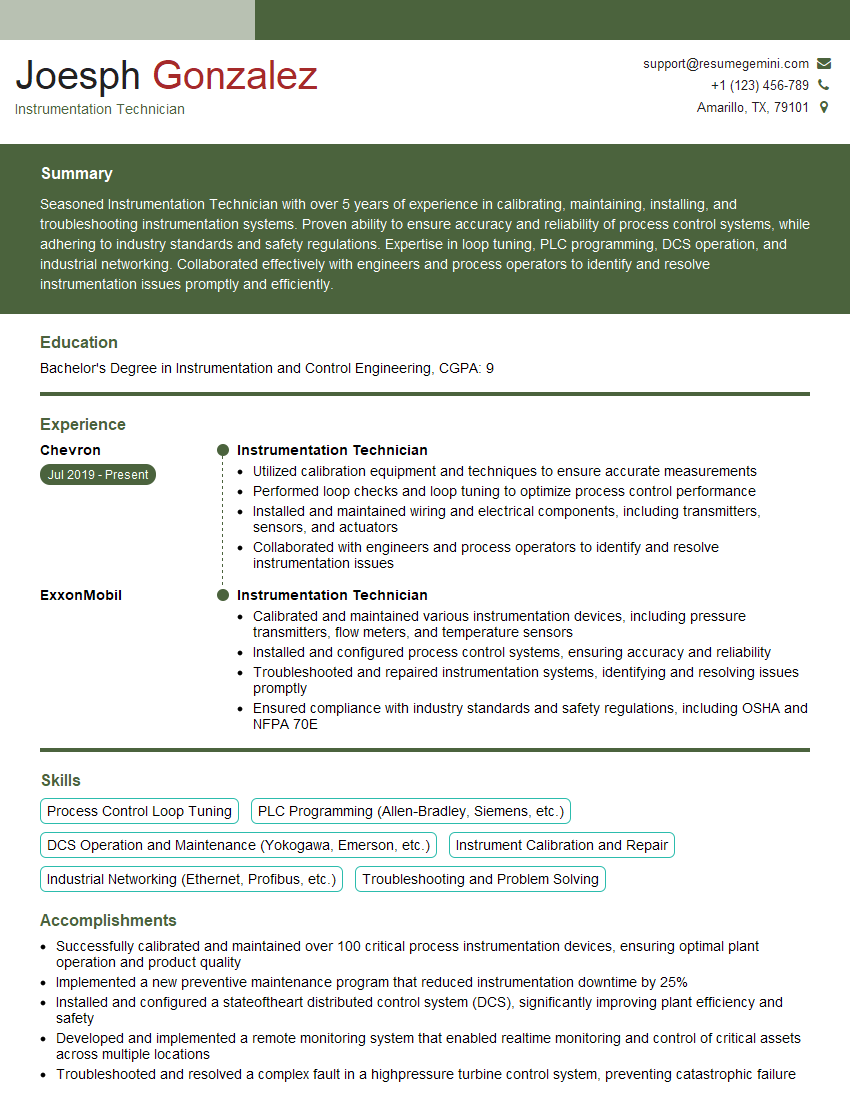
Instrumentation Technician Resume Sample
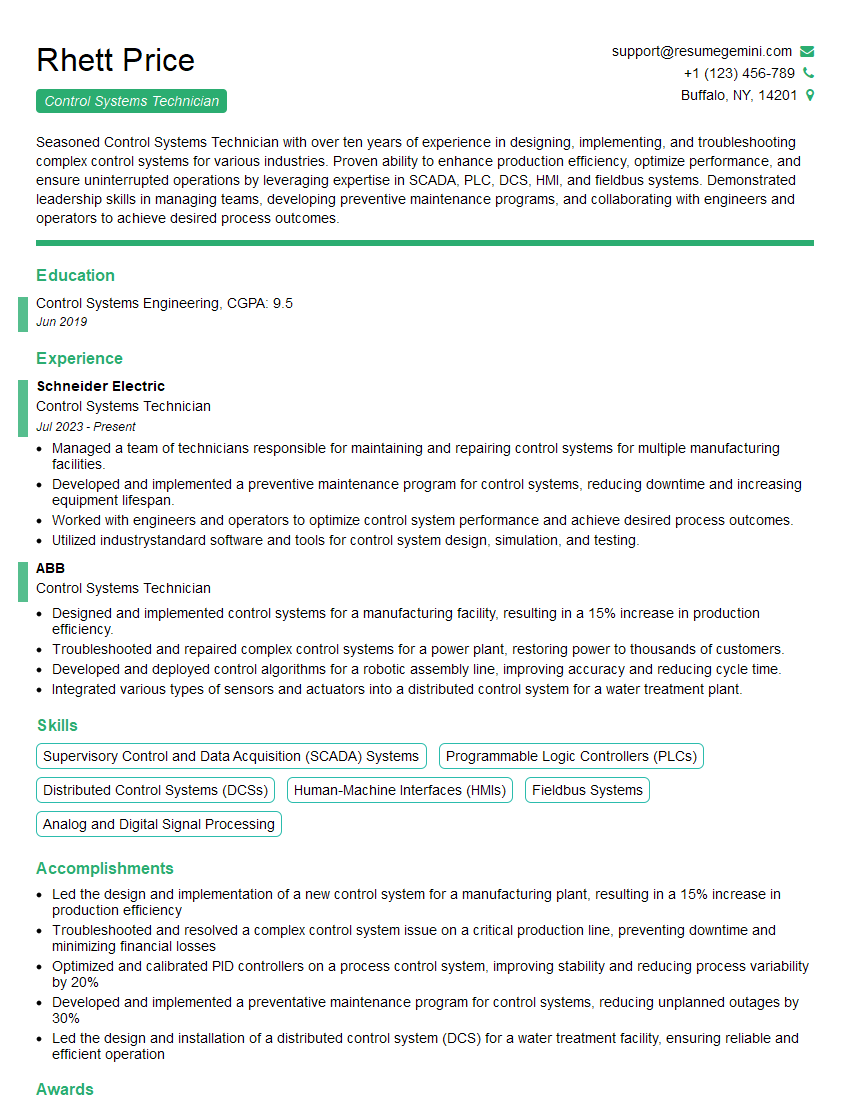
Control Systems Technician Resume Sample
Explore more articles
Users Rating of Our Blogs
Share Your Experience
We value your feedback! Please rate our content and share your thoughts (optional).
What Readers Say About Our Blog
Hello,
we currently offer a complimentary backlink and URL indexing test for search engine optimization professionals.
You can get complimentary indexing credits to test how link discovery works in practice.
No credit card is required and there is no recurring fee.
You can find details here:
https://wikipedia-backlinks.com/indexing/
Regards
NICE RESPONSE TO Q & A
hi
The aim of this message is regarding an unclaimed deposit of a deceased nationale that bears the same name as you. You are not relate to him as there are millions of people answering the names across around the world. But i will use my position to influence the release of the deposit to you for our mutual benefit.
Respond for full details and how to claim the deposit. This is 100% risk free. Send hello to my email id: [email protected]
Luka Chachibaialuka
Hey interviewgemini.com, just wanted to follow up on my last email.
We just launched Call the Monster, an parenting app that lets you summon friendly ‘monsters’ kids actually listen to.
We’re also running a giveaway for everyone who downloads the app. Since it’s brand new, there aren’t many users yet, which means you’ve got a much better chance of winning some great prizes.
You can check it out here: https://bit.ly/callamonsterapp
Or follow us on Instagram: https://www.instagram.com/callamonsterapp
Thanks,
Ryan
CEO – Call the Monster App
Hey interviewgemini.com, I saw your website and love your approach.
I just want this to look like spam email, but want to share something important to you. We just launched Call the Monster, a parenting app that lets you summon friendly ‘monsters’ kids actually listen to.
Parents are loving it for calming chaos before bedtime. Thought you might want to try it: https://bit.ly/callamonsterapp or just follow our fun monster lore on Instagram: https://www.instagram.com/callamonsterapp
Thanks,
Ryan
CEO – Call A Monster APP
To the interviewgemini.com Owner.
Dear interviewgemini.com Webmaster!
Hi interviewgemini.com Webmaster!
Dear interviewgemini.com Webmaster!
excellent
Hello,
We found issues with your domain’s email setup that may be sending your messages to spam or blocking them completely. InboxShield Mini shows you how to fix it in minutes — no tech skills required.
Scan your domain now for details: https://inboxshield-mini.com/
— Adam @ InboxShield Mini
Reply STOP to unsubscribe
Hi, are you owner of interviewgemini.com? What if I told you I could help you find extra time in your schedule, reconnect with leads you didn’t even realize you missed, and bring in more “I want to work with you” conversations, without increasing your ad spend or hiring a full-time employee?
All with a flexible, budget-friendly service that could easily pay for itself. Sounds good?
Would it be nice to jump on a quick 10-minute call so I can show you exactly how we make this work?
Best,
Hapei
Marketing Director
Hey, I know you’re the owner of interviewgemini.com. I’ll be quick.
Fundraising for your business is tough and time-consuming. We make it easier by guaranteeing two private investor meetings each month, for six months. No demos, no pitch events – just direct introductions to active investors matched to your startup.
If youR17;re raising, this could help you build real momentum. Want me to send more info?
Hi, I represent an SEO company that specialises in getting you AI citations and higher rankings on Google. I’d like to offer you a 100% free SEO audit for your website. Would you be interested?
Hi, I represent an SEO company that specialises in getting you AI citations and higher rankings on Google. I’d like to offer you a 100% free SEO audit for your website. Would you be interested?
good