The right preparation can turn an interview into an opportunity to showcase your expertise. This guide to Exhibit Rendering interview questions is your ultimate resource, providing key insights and tips to help you ace your responses and stand out as a top candidate.
Questions Asked in Exhibit Rendering Interview
Q 1. What software packages are you proficient in for exhibit rendering (e.g., 3ds Max, Maya, Cinema 4D, Blender)?
My core proficiency lies in 3ds Max and Maya, though I also possess working knowledge of Cinema 4D and Blender. For exhibit rendering, 3ds Max shines with its robust modeling and rendering capabilities, particularly its V-Ray renderer, which is industry-standard for photorealistic results. Maya, on the other hand, excels in complex animation and character rigging, though its rendering capabilities are equally powerful. Cinema 4D offers a more intuitive interface, making it excellent for quick prototyping and less complex scenes, while Blender, being open-source, provides a cost-effective alternative with powerful tools for those who are comfortable with its learning curve. My choice of software depends entirely on the project’s scale, complexity, and client preferences.
Q 2. Describe your experience with creating realistic lighting and materials in exhibit renders.
Realistic lighting and materials are paramount to convincing exhibit renders. My approach begins with a thorough understanding of the physical properties of light and how it interacts with different materials. I use techniques like global illumination (GI) and ray tracing to simulate realistic light bounce and shadows. For example, in a museum exhibit showcasing ancient artifacts, I would carefully model the light sources (natural sunlight filtering through a window, perhaps supplemented by subtle spotlights) and use physically based render (PBR) materials to accurately represent the texture and reflectivity of the artifacts—stone’s matte finish, the subtle gleam of metal, etc. I often utilize HDRI (High Dynamic Range Imaging) maps for realistic environment lighting, providing a much more immersive feel than simple directional lights. Precise material definition, including roughness, reflectivity, and subsurface scattering, is key to achieving realism.
Q 3. Explain your process for creating high-quality textures for exhibit models.
High-quality textures are the foundation of any realistic render. My process begins with either sourcing high-resolution photographs or creating them myself using programs like Substance Painter or Photoshop. I always aim for textures with high resolution (typically 4K or higher) to ensure detail isn’t lost in the final render. For example, if rendering a wooden exhibit stand, I’d create or find a texture showing the wood grain with variations in color and wear. I then utilize techniques like normal mapping, displacement mapping, and ambient occlusion to add depth and realism. Normal maps enhance surface detail without increasing polygon count, while displacement maps actually alter the geometry, adding even more realism. A well-executed texture workflow significantly increases the overall quality of the render, creating a much more believable and engaging final product.
Q 4. How do you handle feedback and revisions during the exhibit rendering process?
I embrace feedback as a crucial part of the iterative process. My workflow incorporates regular checkpoints where I present work-in-progress renders to clients and gather feedback. I use project management software to track revisions, ensuring clear communication and documentation. I find that actively listening to feedback and asking clarifying questions is key to understanding the client’s vision and delivering what they need. I strive to be responsive and proactive, addressing concerns promptly and offering creative solutions. For instance, if a client finds the lighting too dark, I might adjust the intensity of the light sources, add additional lighting elements, or refine the GI settings. This collaborative approach leads to more satisfying results for both the client and myself.
Q 5. What is your experience with rendering large and complex exhibit scenes?
Rendering large and complex scenes requires careful planning and optimization. My approach involves using techniques like proxy geometry, instancing, and level of detail (LOD) to manage the scene’s complexity. Proxy geometry replaces high-poly models with low-poly representations during the early stages of rendering, improving performance while still allowing for visual representation. Instancing allows me to replicate objects multiple times without increasing the polygon count significantly. LOD involves using different levels of detail for objects depending on their distance from the camera. Additionally, I utilize render layers and passes to break down the scene into manageable parts, making adjustments and rendering specific elements independently. For example, when rendering a large museum hall, I might render the architecture separately from the exhibits, then composite them together in post-production, making changes much easier and faster.
Q 6. How do you optimize your renders for different output formats (e.g., print, web, VR)?
Output format significantly impacts render settings. For print, high-resolution images (at least 300 DPI) with a wide color gamut are essential. I would adjust the render settings to prioritize quality over speed, ensuring sharp details and accurate colors. For web, optimized file sizes are crucial. I would use lossy compression techniques (like JPEG) and reduce the resolution while maintaining visual fidelity. VR requires a specific format and resolution (often higher resolution for each eye). I would adjust rendering settings based on the target VR platform’s specifications and utilize techniques like stereoscopic rendering to create depth and immersion. Understanding the limitations and expectations of each output format is critical for delivering the best possible outcome.
Q 7. Describe your experience with post-processing techniques for exhibit renders (e.g., compositing, color correction).
Post-processing is an integral part of my workflow. I use compositing software like Adobe After Effects or Nuke to combine multiple render passes, add effects, and enhance the overall image. Color correction is crucial for achieving a consistent and visually appealing look. I utilize tools for adjusting color balance, contrast, saturation, and vibrancy. For instance, I might use color grading to create a specific mood or atmosphere. I’m also proficient in using techniques like depth of field and motion blur to add depth and realism. By carefully balancing these post-processing techniques, I ensure the final render is polished, visually striking, and effectively communicates the exhibit’s message.
Q 8. What is your understanding of different rendering engines and their strengths and weaknesses?
Rendering engines are the heart of any exhibit visualization process. They take 3D models and other data and transform them into 2D images or interactive experiences. Different engines offer unique strengths and weaknesses. For example, Unreal Engine is renowned for its real-time rendering capabilities, making it ideal for interactive exhibits or virtual walkthroughs. Its strength lies in photorealism and performance, but it has a steeper learning curve and can be resource-intensive. V-Ray, on the other hand, excels in high-quality offline rendering, producing incredibly detailed and realistic images perfect for static visuals in brochures or presentations. However, it’s slower and less suitable for interactive applications. Octane Render prioritizes speed through its GPU-based rendering, striking a balance between quality and performance, but might not achieve the absolute highest level of detail compared to V-Ray. Finally, simpler engines like those integrated into CAD software like Autodesk 3ds Max provide a good balance of ease of use and sufficient quality for many exhibit projects.
- Unreal Engine: Strengths – Real-time rendering, photorealism; Weaknesses – Steep learning curve, resource intensive.
- V-Ray: Strengths – High-quality offline rendering; Weaknesses – Slower rendering times, not ideal for interactive applications.
- Octane Render: Strengths – Fast GPU rendering; Weaknesses – Might compromise on the highest level of detail compared to V-Ray.
- Autodesk 3ds Max integrated renderer: Strengths – Ease of use, sufficient quality for many projects; Weaknesses – Limited advanced features compared to dedicated render engines.
Q 9. How do you ensure that your exhibit renders accurately reflect the design intent?
Ensuring accuracy requires a meticulous approach. I start by thoroughly reviewing design documents, specifications, and collaborating closely with designers to understand the precise vision. I then create detailed 3D models, meticulously recreating textures, materials, lighting, and even small details like logos and branding elements. Throughout the process, I regularly compare renders against the design concepts, adjusting elements as needed. I use reference images, physical samples, and even conduct site visits when possible to capture the nuances of real-world materials and lighting conditions. Finally, I present renderings to clients for feedback, iterating on the design until it perfectly matches the initial intent.
For example, if the design calls for a specific type of wood, I’ll source high-resolution images of that wood to create a realistic texture. If the lighting is crucial, I’ll employ techniques like physically based rendering (PBR) to simulate how light interacts with materials realistically.
Q 10. Describe a time you had to troubleshoot a technical problem during the rendering process.
During a large trade show exhibit project, we encountered a significant issue with rendering times. We were using V-Ray, and the scene was incredibly complex, with high-polygon models and detailed textures. Rendering a single frame was taking over 24 hours! My first step was to systematically identify the bottlenecks. Using the renderer’s built-in profiling tools, I discovered that the excessive polygon count in some 3D models was the main culprit. We optimized the models, reducing polygons without sacrificing visual fidelity. Secondly, we implemented proxy geometry – using lower-resolution placeholders during the initial rendering stages and swapping them with higher-resolution models only for final renders. This significantly reduced the rendering time. We also experimented with render layers, rendering different parts of the scene separately, and then compositing them together for increased control and efficiency. Ultimately, we managed to reduce rendering time to about 4 hours per frame, a vast improvement that allowed us to meet the project deadline.
Q 11. How do you manage your time and prioritize tasks during a busy exhibit rendering project?
Time management on large projects hinges on effective planning and prioritization. I start by breaking down the project into smaller, manageable tasks, outlining dependencies and deadlines. I use project management software to track progress, assign tasks, and monitor schedules. I prioritize tasks based on their impact and urgency using techniques like the Eisenhower Matrix (urgent/important). Critical tasks, like generating key renders for client presentations, take precedence. Regular check-ins with the team keep everyone aligned and address potential roadblocks promptly. Open communication is crucial, ensuring transparency and allowing for flexible adjustments if unforeseen issues arise. This approach not only ensures efficient workflow but also reduces stress and minimizes the risk of delays.
Q 12. What are your preferred methods for presenting your exhibit renders to clients?
I prefer a multi-faceted approach for presenting renders. First, I create high-resolution images in formats suitable for print and web (e.g., JPG, PNG, TIFF). I then often create a short animated walkthrough using a game engine, like Unreal Engine, showcasing the exhibit’s features and functionality. This is particularly effective for interactive exhibits. For client presentations, I use a slideshow with high-quality images and annotations, highlighting key design features and detailing the materials and finishes. A physical mockup is also beneficial in some instances, offering a tangible representation. Finally, I always provide detailed technical specifications alongside the renderings, covering aspects such as material selection, lighting design, and construction feasibility.
Q 13. Explain your experience working collaboratively with other designers and engineers.
Collaboration is paramount in exhibit design and rendering. I’ve worked extensively with architects, interior designers, structural engineers, and lighting designers. Effective collaboration begins with clear communication and shared understanding of project goals. I actively listen to their input, incorporate their expertise, and translate their design concepts into accurate 3D models and renderings. For example, during a museum exhibit project, I worked closely with the curator to ensure that the renderings accurately represented the artifacts and their presentation. I regularly shared progress updates and incorporated their feedback. Using cloud-based collaboration platforms also facilitated seamless sharing of files and design revisions. This collaborative environment leads to better designs and a more satisfying project experience for all parties.
Q 14. Describe your understanding of different file formats used in exhibit rendering.
Exhibit rendering utilizes various file formats, each with its own strengths. 3D Model formats include FBX, OBJ, and 3DS, allowing for compatibility across different software packages. Image formats such as JPG, PNG, and TIFF are used for static renders; PNGs generally retain better quality for images with sharp edges and text. TIFF is a high-quality, lossless format suitable for archival purposes or large prints. Texture formats include JPEG, PNG, and PSD which contain the surface detail of 3D objects. Animation formats like MP4 and MOV are used for animated renderings and walkthroughs. Interactive formats might involve game engine specific formats or web-based formats for interactive experiences. The choice of format always depends on the specific application and the intended use of the renderings. For example, a high-resolution TIFF is ideal for large-format printing, while an MP4 might be suitable for web presentations.
Q 15. How do you incorporate client feedback into your exhibit renders?
Incorporating client feedback is crucial for successful exhibit rendering. My process starts with establishing clear communication channels from the initial brief. I use a collaborative platform, often a project management tool, to share work-in-progress renders and solicit feedback at key stages. This isn’t just about approving a final image; it’s an iterative process. I provide regular updates, often accompanied by annotated images highlighting areas of potential revision. For example, if a client wants a different color scheme, I might show three alternative palettes to visualize the impact on the overall mood and branding. We discuss their preferences, addressing concerns such as lighting, material textures, and the overall narrative. We may use annotated screenshots to pinpoint specific areas for adjustments, such as: “Could we make the text on this panel slightly larger?” or “The lighting here seems too harsh; could we soften it a bit?” This collaborative approach ensures the final render perfectly reflects their vision and requirements.
Career Expert Tips:
- Ace those interviews! Prepare effectively by reviewing the Top 50 Most Common Interview Questions on ResumeGemini.
- Navigate your job search with confidence! Explore a wide range of Career Tips on ResumeGemini. Learn about common challenges and recommendations to overcome them.
- Craft the perfect resume! Master the Art of Resume Writing with ResumeGemini’s guide. Showcase your unique qualifications and achievements effectively.
- Don’t miss out on holiday savings! Build your dream resume with ResumeGemini’s ATS optimized templates.
Q 16. How familiar are you with different types of exhibit displays and their construction?
My familiarity with exhibit displays extends across a wide range. I’m proficient in rendering various materials – from sleek, minimalist acrylic displays to the rich textures of wood and metal. I understand the construction implications of different materials, for instance, the subtle reflections on polished steel versus the matte finish of a laminated wood panel. I’ve worked extensively with:
- Interactive kiosks: I consider screen sizes, bezel widths, and the overall integration of touchscreens into the design.
- Backlit panels: I’m adept at simulating the diffusion of light through different materials and achieving a realistic glow effect.
- Freestanding displays: I accurately portray their structural integrity and stability, considering factors like weight distribution and base design.
- Wall-mounted displays: I carefully integrate these displays into their surrounding environments, considering factors such as shadow play and the mounting hardware.
Q 17. How do you balance artistic expression with technical accuracy in your exhibit renders?
Balancing artistic expression and technical accuracy is a core principle in my approach. It’s not an either/or proposition; rather, it’s a harmonious blend. Accuracy is paramount – getting the dimensions, material properties, and lighting effects precisely right. This foundational accuracy forms the bedrock upon which artistic expression can flourish. For example, in rendering a historical artifact, I’ll ensure its dimensions and detailing are scrupulously accurate, based on reference images and specifications. However, within these constraints, I can employ artistic choices to create a compelling visual narrative. I might use dramatic lighting to highlight specific features or adopt a specific color grading to evoke a particular mood or historical period. The interplay between accurate representation and artistic interpretation is key to producing a render that is both informative and visually engaging. Think of it like painting a realistic portrait: the likeness must be accurate, but the artist’s skill and style still shine through.
Q 18. Describe your experience with creating interactive elements within exhibit renders.
My experience with interactive elements in exhibit renders involves creating visually compelling representations of touchscreen interfaces, animations, and other interactive features. This goes beyond simply adding a screen to the render; it’s about depicting how users engage with the exhibit. I use software that allows me to simulate animations such as button presses, screen transitions, and even 3D model manipulation. For example, I might render a museum exhibit with a holographic projection. I’d carefully depict the projection’s interaction with the physical environment, showing how light and shadow affect the display and its effect on the surrounding space. Similarly, I can portray interactive map displays showing a user’s progress through a virtual tour. The goal is to create renders that effectively communicate the interactive experience to the client and potential visitors, allowing them to understand the exhibit’s engagement potential before it’s built.
Q 19. How familiar are you with creating virtual tours and 360° renders of exhibits?
I’m highly proficient in creating virtual tours and 360° renders of exhibits. I leverage specialized software to create immersive experiences that allow clients and potential visitors to virtually explore the exhibit space. This involves creating high-resolution panoramas and stitching them together to create a seamless 360° experience. I pay close attention to lighting, material properties, and even subtle environmental details to enhance the realism and immersion of the virtual tour. This level of realism is essential; for example, if a museum is planning to use a specific type of lighting, I’d make sure the virtual tour accurately reflects the intended ambiance. Furthermore, I can incorporate interactive elements into these virtual tours, such as hotspots that provide additional information or animations that bring the exhibit to life. The final deliverable provides a captivating and informative pre-visualization tool, allowing clients to experience the exhibit from multiple perspectives before physical construction.
Q 20. What is your understanding of the importance of scale and proportion in exhibit design?
Understanding scale and proportion is fundamental to successful exhibit design and rendering. Inaccurate scaling can drastically alter the perceived size and impact of an exhibit, leading to a mismatch between the render and the physical reality. My process begins with obtaining precise dimensions from the client, including floor plans, object measurements, and specifications. I then meticulously recreate the exhibit environment in my 3D modeling software, adhering to these precise dimensions. I utilize tools such as scale rulers and reference models to ensure accuracy. I consistently double-check measurements throughout the rendering process. The difference between a successful and unsuccessful render can hinge on subtle details; the size of a text panel, the spacing between objects—these are elements I meticulously assess and adjust. Consider an exhibit featuring a dinosaur skeleton: if the skeleton is even slightly out of scale, the entire exhibit feels wrong. My focus is on creating a realistic and believable representation of the final physical experience.
Q 21. Explain your process for creating compelling narratives through exhibit rendering.
Creating compelling narratives through exhibit rendering involves more than just visually appealing imagery. It’s about telling a story that engages the viewer and leaves a lasting impression. My process involves collaborating closely with the client to understand their overall narrative goals and target audience. I then use various visual techniques to communicate that narrative within the renders. This could involve strategic lighting to draw attention to key elements, creating a clear visual flow to guide the viewer’s eye, or employing specific color palettes to evoke emotions. For example, a historical exhibit might use muted tones and subdued lighting to evoke a sense of nostalgia, whereas a technology exhibit might feature vibrant colors and dramatic lighting to convey innovation. I might also use animated sequences within the virtual tours to illustrate key concepts or events. The goal is not just to show the exhibit, but to allow viewers to experience and understand the story it tells.
Q 22. How do you adapt your rendering style to different exhibit themes and styles?
Adapting my rendering style to different exhibit themes and styles is crucial for effective communication. I begin by thoroughly understanding the exhibit’s design concept, target audience, and desired mood. For instance, a modern art exhibit would demand a clean, minimalist style with potentially high-contrast lighting and sharp textures, achieved through careful material selection and lighting setups in my rendering software. Conversely, a historical exhibit might require a warmer color palette, slightly softer lighting, and perhaps the use of subtle imperfections in textures to convey a sense of age and authenticity. I leverage different rendering engines and post-processing techniques to achieve these varying styles. For a playful children’s exhibit, I might use vibrant colors, playful camera angles, and even add some subtle animation to create a more engaging experience. This is a highly iterative process involving close collaboration with the client to ensure the final render aligns perfectly with the overall exhibit vision.
Q 23. Describe your experience with using plugins and extensions to enhance your rendering workflow.
Plugins and extensions are invaluable for streamlining my workflow. I frequently use plugins for importing and exporting data in various formats, ensuring seamless integration with design software like AutoCAD or SketchUp. For instance, I use plugins that automate the process of generating realistic materials, drastically reducing manual texturing time. Another valuable category is plugins for advanced lighting simulations and rendering optimizations, which significantly shorten rendering times and improve image quality. I’m proficient with plugins that allow for advanced scene composition, such as adding atmospheric effects (fog, haze), lens flares, and depth of field – all key elements in enhancing photorealism. For example, in one project, a plugin for physically-based rendering (PBR) allowed me to achieve incredibly realistic materials like polished wood and brushed metal, adding significant impact to the final render. Choosing and mastering the right plugins is crucial for efficiency and quality.
Q 24. What is your understanding of different rendering techniques like ray tracing and path tracing?
Ray tracing and path tracing are both advanced global illumination algorithms used to create realistic lighting in rendered images. Ray tracing simulates the path of light from a light source to the camera by tracing individual rays. It’s relatively fast but can struggle with complex light interactions such as indirect lighting. Path tracing, on the other hand, simulates the path of light in a more physically accurate manner by tracing multiple paths of light, bouncing off surfaces until they reach the camera. This results in more accurate and realistic lighting, shadows, and reflections. Path tracing takes significantly longer to render than ray tracing, but the results are often substantially more visually appealing and lifelike. I select the technique based on the project’s complexity and the desired level of realism and rendering time constraints. Simple scenes might benefit from ray tracing’s speed, while photorealistic projects usually require the accuracy of path tracing, even with the added render time.
Q 25. How do you stay current with the latest advancements in exhibit rendering technology?
Staying updated in the rapidly evolving field of exhibit rendering requires a multi-pronged approach. I actively follow industry blogs, publications, and online forums dedicated to 3D rendering and visualization. Attending conferences and webinars focused on rendering technology is incredibly valuable for learning about new techniques and software updates. I experiment with new software releases and rendering engines to assess their capabilities and potential benefits for my workflow. Also, actively engaging with online communities of rendering professionals allows me to exchange knowledge and learn from others’ experiences and troubleshooting strategies. Continuous learning is not just about adopting new software, but also about refining techniques and understanding new rendering algorithms to optimize both speed and quality.
Q 26. Describe your experience with creating photorealistic renders of exhibits.
Creating photorealistic renders of exhibits requires meticulous attention to detail and a deep understanding of light, materials, and camera techniques. I start by building highly accurate 3D models based on precise blueprints and measurements. Then, I meticulously craft materials using physically-based rendering (PBR) techniques, ensuring textures accurately replicate the real-world appearance of surfaces. Lighting plays a pivotal role – I carefully design lighting setups to mimic real-world conditions, taking into account light sources, shadows, reflections, and refractions. I often use HDRI (High Dynamic Range Imaging) to create immersive and realistic environments. Post-processing is also crucial; I use techniques like color grading and noise reduction to enhance the final image and eliminate any artifacts. For example, in one project depicting a jewelry exhibit, replicating the subtle sparkle and reflections of diamonds required careful material adjustments, advanced lighting techniques, and extensive post-processing to achieve a truly photorealistic effect.
Q 27. How do you ensure the accuracy of dimensions and details in your exhibit renders?
Accuracy is paramount in exhibit rendering. I begin by obtaining precise architectural plans and specifications, ensuring all dimensions are correctly represented in the 3D model. I rigorously check measurements and details throughout the modeling process. I also use specialized software tools to verify dimensional accuracy and identify any discrepancies. For example, I might use plugins that cross-reference my 3D model with the original CAD drawings. To ensure detail accuracy, I often use high-resolution textures and models, paying close attention to even small details like the grain of wood or the stitching on upholstery. Regular collaboration with the client ensures that the renders accurately reflect their vision and any necessary modifications are made promptly. Thorough quality checks and multiple reviews are built into my workflow to minimize errors and maintain the highest level of accuracy.
Q 28. What are some common challenges you face during the exhibit rendering process, and how do you overcome them?
One common challenge is managing complex scenes with numerous objects and high-resolution textures, which can lead to long rendering times. To overcome this, I optimize my scene by employing techniques like proxy geometry and level of detail (LOD) rendering. Another challenge involves achieving accurate lighting in complex environments. I address this by utilizing techniques such as light baking and global illumination algorithms. Sometimes, achieving perfect material representations can be difficult. To solve this, I refine my PBR workflow and experiment with different rendering engines and shaders. Client communication is crucial, and discrepancies in expectations are sometimes encountered. Regular updates, feedback sessions, and clear communication protocols help maintain a positive and productive collaboration, ensuring the final product meets their vision.
Key Topics to Learn for Exhibit Rendering Interview
- Software Proficiency: Mastering industry-standard software like Cinema 4D, 3ds Max, or Blender. Understand their strengths and weaknesses for different rendering tasks.
- Lighting and Materials: Develop a strong understanding of lighting techniques (realistic, stylized) and material creation to achieve visually compelling results. Practice creating convincing textures and shaders.
- Camera and Composition: Learn to strategically use camera angles and composition techniques to enhance the impact and storytelling potential of your renders.
- Workflow Optimization: Develop efficient workflows for modeling, texturing, lighting, and rendering. This includes understanding scene optimization and render settings to manage render times effectively.
- Post-Processing: Familiarize yourself with post-processing techniques in software like Photoshop or Nuke to refine your renders and achieve a polished final product. Understand color correction, compositing, and image manipulation.
- Hardware Considerations: Understand the relationship between hardware specifications (CPU, GPU, RAM) and rendering performance. Be able to discuss optimization strategies based on available resources.
- Problem-Solving and Troubleshooting: Develop strong problem-solving skills to debug common rendering issues, optimize render times, and resolve technical challenges.
- Understanding Client Needs: Practice interpreting design briefs and client feedback to deliver renders that accurately reflect their vision and expectations.
- Presentation and Communication: Be prepared to discuss your work effectively, explaining your creative choices and technical solutions clearly and concisely.
Next Steps
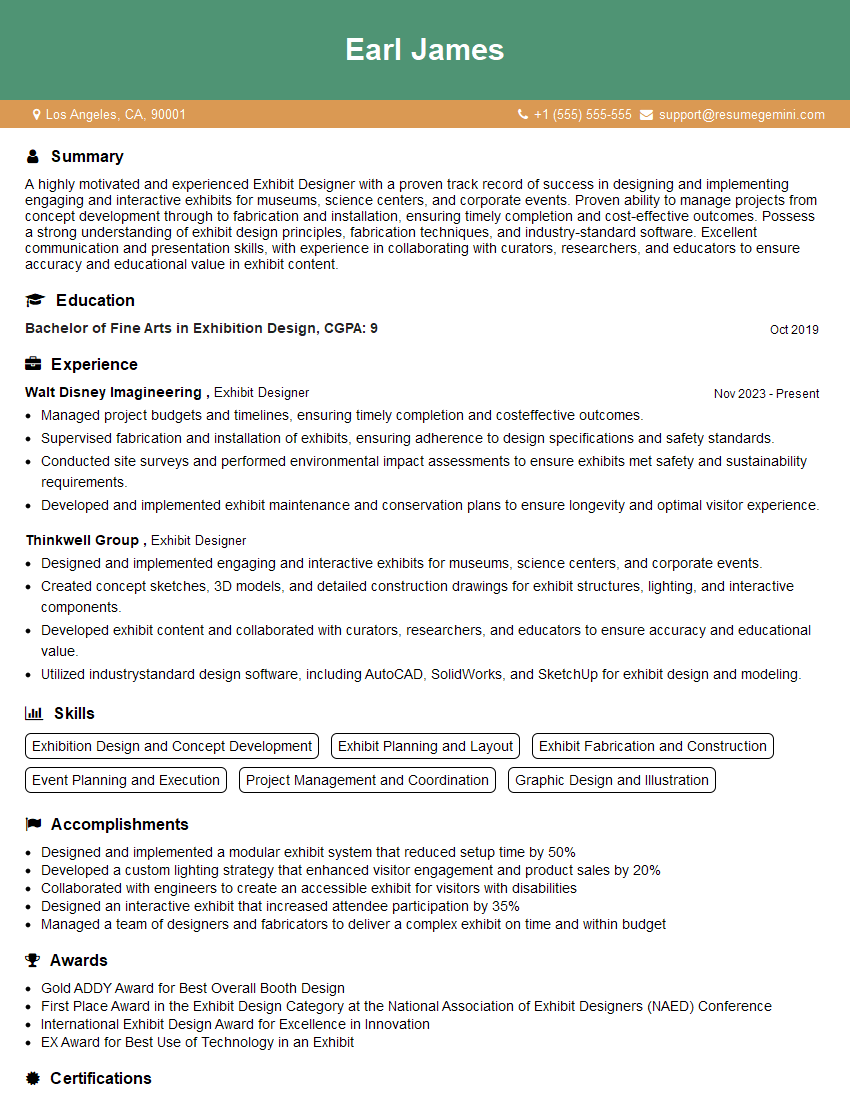
Mastering Exhibit Rendering opens doors to exciting career opportunities in design, architecture, and marketing. A strong portfolio showcasing your skills is essential, but equally crucial is a resume that effectively communicates your expertise to potential employers. Make sure your resume is ATS-friendly to maximize its visibility to recruiters. To help you craft a compelling and effective resume, we recommend using ResumeGemini. ResumeGemini provides a user-friendly platform to build professional resumes, and we offer examples of resumes tailored specifically to Exhibit Rendering to guide you. Take the next step towards your dream job today!
Explore more articles
Users Rating of Our Blogs
Share Your Experience
We value your feedback! Please rate our content and share your thoughts (optional).
What Readers Say About Our Blog
Hello,
we currently offer a complimentary backlink and URL indexing test for search engine optimization professionals.
You can get complimentary indexing credits to test how link discovery works in practice.
No credit card is required and there is no recurring fee.
You can find details here:
https://wikipedia-backlinks.com/indexing/
Regards
NICE RESPONSE TO Q & A
hi
The aim of this message is regarding an unclaimed deposit of a deceased nationale that bears the same name as you. You are not relate to him as there are millions of people answering the names across around the world. But i will use my position to influence the release of the deposit to you for our mutual benefit.
Respond for full details and how to claim the deposit. This is 100% risk free. Send hello to my email id: [email protected]
Luka Chachibaialuka
Hey interviewgemini.com, just wanted to follow up on my last email.
We just launched Call the Monster, an parenting app that lets you summon friendly ‘monsters’ kids actually listen to.
We’re also running a giveaway for everyone who downloads the app. Since it’s brand new, there aren’t many users yet, which means you’ve got a much better chance of winning some great prizes.
You can check it out here: https://bit.ly/callamonsterapp
Or follow us on Instagram: https://www.instagram.com/callamonsterapp
Thanks,
Ryan
CEO – Call the Monster App
Hey interviewgemini.com, I saw your website and love your approach.
I just want this to look like spam email, but want to share something important to you. We just launched Call the Monster, a parenting app that lets you summon friendly ‘monsters’ kids actually listen to.
Parents are loving it for calming chaos before bedtime. Thought you might want to try it: https://bit.ly/callamonsterapp or just follow our fun monster lore on Instagram: https://www.instagram.com/callamonsterapp
Thanks,
Ryan
CEO – Call A Monster APP
To the interviewgemini.com Owner.
Dear interviewgemini.com Webmaster!
Hi interviewgemini.com Webmaster!
Dear interviewgemini.com Webmaster!
excellent
Hello,
We found issues with your domain’s email setup that may be sending your messages to spam or blocking them completely. InboxShield Mini shows you how to fix it in minutes — no tech skills required.
Scan your domain now for details: https://inboxshield-mini.com/
— Adam @ InboxShield Mini
Reply STOP to unsubscribe
Hi, are you owner of interviewgemini.com? What if I told you I could help you find extra time in your schedule, reconnect with leads you didn’t even realize you missed, and bring in more “I want to work with you” conversations, without increasing your ad spend or hiring a full-time employee?
All with a flexible, budget-friendly service that could easily pay for itself. Sounds good?
Would it be nice to jump on a quick 10-minute call so I can show you exactly how we make this work?
Best,
Hapei
Marketing Director
Hey, I know you’re the owner of interviewgemini.com. I’ll be quick.
Fundraising for your business is tough and time-consuming. We make it easier by guaranteeing two private investor meetings each month, for six months. No demos, no pitch events – just direct introductions to active investors matched to your startup.
If youR17;re raising, this could help you build real momentum. Want me to send more info?
Hi, I represent an SEO company that specialises in getting you AI citations and higher rankings on Google. I’d like to offer you a 100% free SEO audit for your website. Would you be interested?
Hi, I represent an SEO company that specialises in getting you AI citations and higher rankings on Google. I’d like to offer you a 100% free SEO audit for your website. Would you be interested?
good