Interviews are more than just a Q&A session—they’re a chance to prove your worth. This blog dives into essential Experience with data visualization interview questions and expert tips to help you align your answers with what hiring managers are looking for. Start preparing to shine!
Questions Asked in Experience with data visualization Interview
Q 1. Explain the difference between exploratory and explanatory data visualization.
Exploratory and explanatory data visualization serve distinct purposes. Exploratory visualization is like detective work; you’re diving into a dataset to uncover patterns, identify outliers, and formulate hypotheses. Think of it as the initial phase of data analysis where you’re asking ‘What’s going on here?’ You might use techniques like scatter plots to explore relationships between variables or histograms to understand data distributions. In contrast, explanatory visualization aims to communicate findings clearly and concisely to an audience. It’s about telling a story with your data, supporting claims with evidence, and answering specific questions. For example, a bar chart clearly showing sales performance across different regions would be explanatory visualization.
Imagine you’re analyzing customer purchase data. Exploratory visualization might involve creating scatter plots to see the relationship between purchase frequency and average order value. You might then discover a cluster of high-value, infrequent purchasers, leading to a hypothesis about a different customer segment. Explanatory visualization would then focus on creating a compelling visual to present your findings to stakeholders, perhaps a segmented bar chart highlighting the difference in purchase behavior between these high-value customers and other segments.
Q 2. What are some common data visualization best practices?
Effective data visualization follows several key best practices:
- Know your audience: Tailor the complexity and style of your visualizations to their level of understanding.
- Choose the right chart type: Select a chart that accurately represents the data and the message you want to convey.
- Keep it simple: Avoid cluttering the visualization with unnecessary details or elements. Prioritize clarity and conciseness.
- Use color strategically: Employ a consistent color scheme that enhances understanding, avoiding overly bright or distracting colors.
- Label axes and provide context: Ensure all elements are clearly labeled and provide sufficient context so the audience can easily interpret the visualization.
- Maintain data integrity: Avoid manipulating or distorting data to support a particular narrative.
- Consider accessibility: Design visualizations that are easily understood by people with disabilities.
For instance, if you’re presenting sales figures to executives, a clean, simple bar chart highlighting year-over-year growth would be more effective than a complex network graph. Conversely, when exploring correlations between numerous variables in a scientific context, a more intricate approach might be justified.
Q 3. Describe your experience with different visualization tools (e.g., Tableau, Power BI, D3.js).
I have extensive experience with various data visualization tools. Tableau and Power BI are excellent for business intelligence and interactive dashboards. I’m proficient in creating interactive reports, connecting to various data sources, and building custom visualizations using their drag-and-drop interfaces. I’ve used Tableau to create interactive dashboards for sales performance tracking, and Power BI for analyzing customer segmentation data.
For more customized and intricate visualizations, I’m skilled in using D3.js, a JavaScript library. D3.js offers unparalleled control over every aspect of the visualization, allowing for creation of highly interactive and bespoke charts. I’ve used D3.js to create custom network graphs to visualize complex relationships between data points, something that’s difficult to achieve with the aforementioned tools. Each tool has its strengths, and choosing the appropriate one depends heavily on the project’s complexity, data size, and audience needs.
Q 4. How do you choose the appropriate chart type for a given dataset and objective?
Selecting the appropriate chart type is crucial. The choice depends on both the type of data and the message you’re trying to convey. For example:
- Categorical data (comparing categories): Bar charts, pie charts, stacked bar charts
- Numerical data (showing trends or distributions): Line charts, area charts, histograms
- Relationships between two numerical variables: Scatter plots
- Geographical data: Maps
- Hierarchical data: Treemaps, sunburst charts
Consider the following when choosing a chart type:
- Data type: What kind of data are you visualizing (categorical, numerical, etc.)?
- Objective: What story are you trying to tell? Are you comparing values, showing trends, or identifying correlations?
- Audience: What is the audience’s level of understanding?
For example, if I wanted to show the sales performance of different product categories over time, a line chart would be suitable because it efficiently illustrates trends. If I needed to compare the market share of competing brands, a pie chart would be a good option.
Q 5. How do you handle large datasets for visualization?
Handling large datasets for visualization requires strategic approaches. Simple techniques like sampling (taking a representative subset of the data) can significantly reduce processing time and improve visualization performance. However, care must be taken to ensure the sample accurately represents the entire dataset.
More advanced techniques include data aggregation (summarizing data into groups) and data reduction algorithms (dimensionality reduction techniques like PCA) to reduce the size and complexity of the dataset while preserving important information. Data visualization tools often have built-in functionalities for handling large datasets. For example, Tableau and Power BI offer optimized algorithms for rendering large datasets efficiently. In cases where even these techniques are insufficient, techniques like parallel processing or distributed computing might be necessary.
For instance, when dealing with millions of customer transactions, I might first aggregate the data by month or region to create a more manageable dataset for visualization. Then I might leverage the built-in capabilities of my visualization tool to create interactive charts that allow for drilling down into specific segments for more detailed analysis.
Q 6. Explain the concept of data storytelling in data visualization.
Data storytelling in data visualization is the art of using visual elements to convey a narrative around your data. It’s more than just presenting numbers; it’s about crafting a compelling story that engages your audience and leads them to a specific conclusion. This involves selecting the right visualizations, arranging them logically, and adding context through titles, labels, and annotations. A good data story is clear, concise, and persuasive.
Consider a presentation on the effectiveness of a new marketing campaign. A strong data story would start by setting the context, explaining the campaign’s objectives. Then, it would sequentially present visualizations (e.g., bar charts showing website traffic increase, line charts depicting sales growth) that build a narrative demonstrating the campaign’s success, culminating in a clear conclusion summarizing the positive results and impact. Without a narrative structure, the same data points would be less impactful and would likely leave the audience confused.
Q 7. How do you ensure your visualizations are accessible to a wide audience?
Accessibility is paramount. Visualizations should be understandable by everyone, regardless of abilities. Key considerations include:
- Colorblind-friendly palettes: Avoid color combinations that are difficult for people with color vision deficiencies to distinguish.
- Sufficient contrast: Ensure enough contrast between text and background for readability.
- Alternative text for images: Provide descriptive text for screen readers to interpret charts and graphs.
- Keyboard navigation: Make sure interactive elements are navigable using a keyboard.
- Clear and concise labels: Use simple, straightforward labels and avoid using only color to convey meaning.
- Data tables for detailed information: Supplement visualizations with data tables for users who may need more detailed numerical information.
For example, instead of relying solely on color to distinguish data points on a scatter plot, I would use different shapes or symbols in addition to color. This ensures that those with color blindness can still easily interpret the visualization. Always testing visualizations with users with different abilities is crucial for ensuring inclusivity.
Q 8. Describe your experience with interactive data visualizations.
Interactive data visualizations are crucial for uncovering hidden patterns and facilitating deeper understanding of complex datasets. My experience spans various tools and techniques, allowing me to create visualizations that go beyond static images. I’ve worked extensively with libraries like D3.js, Tableau, and Power BI to build dashboards and interactive charts that allow users to explore data dynamically. For example, I developed a dashboard for a financial institution that allowed users to filter transactions by date, location, and amount, drill down into individual transactions, and visualize trends over time. This interactivity significantly improved the user’s ability to analyze the data and extract meaningful insights.
Another project involved creating an interactive map showing real-time data on ride-sharing demand. Users could zoom in and out, select different time periods, and see how demand fluctuated across various geographic areas. This dynamic view helped the client optimize their resource allocation and improve service efficiency. I’m proficient in implementing features such as tooltips, zooming, panning, and filtering to enhance user engagement and data exploration.
Q 9. How do you identify and address misleading visualizations?
Misleading visualizations can easily distort the truth and lead to flawed conclusions. Identifying them requires a critical eye and a deep understanding of data representation techniques. I look for several key indicators: manipulated scales (truncated y-axes, non-zero baselines), cherry-picked data (showing only a subset that supports a particular narrative), and inappropriate chart types (using a 3D chart when a 2D chart would be clearer). For instance, a bar chart with a non-zero baseline can exaggerate small differences, making them appear larger than they actually are.
To address these issues, I focus on data transparency and ethical data presentation. I ensure axes are clearly labeled, scales are appropriately chosen, and the data is presented in a way that accurately reflects the underlying information. If necessary, I’ll suggest alternative visualizations better suited to the data and the intended message. I also emphasize providing context and clearly stating any limitations of the data or the visualization itself. For example, if dealing with aggregated data, I would highlight the aggregation method used to avoid misinterpretations.
Q 10. Explain the importance of data cleaning and preparation in the visualization process.
Data cleaning and preparation are foundational to effective data visualization. Without this crucial step, visualizations can be inaccurate, misleading, or simply ineffective. This process involves several steps, starting with identifying and handling missing values. Techniques like imputation (replacing missing values with estimated values) or removal (excluding data points with missing values) are used, carefully considering their implications on data integrity. Outliers are another significant concern; I use methods like box plots and Z-score analysis to identify them and decide on the appropriate course of action – removal, transformation, or retaining them with clear labeling.
Data transformation is also critical. This might involve scaling data (e.g., using standardization or normalization), converting data types, or creating new variables from existing ones. For instance, I might convert raw sales figures into year-over-year growth rates for a more insightful representation. Consistent formatting and units are equally important to prevent errors and ensure clarity. Failing to properly clean and prepare data can lead to inaccurate interpretations and faulty business decisions.
Q 11. How do you measure the effectiveness of your data visualizations?
Measuring the effectiveness of data visualizations involves both quantitative and qualitative methods. Quantitatively, I track metrics such as user engagement (time spent on the visualization, interactions with interactive elements), task completion rates (if the visualization supports a specific task), and data download rates (if applicable). These metrics provide insights into how well the visualization is performing its intended function.
Qualitatively, I gather feedback through user surveys, interviews, or usability testing. This feedback helps me understand whether the visualization is clear, easy to understand, and provides the necessary insights. A/B testing different designs (as described in the next question) is also a valuable method for comparing the effectiveness of different visualization approaches. Ultimately, an effective visualization leads to better decision-making, improved understanding, and clear communication of key insights.
Q 12. Describe your experience with A/B testing different visualization designs.
A/B testing is a powerful tool for optimizing data visualization designs. I regularly use this technique to compare different versions of a visualization, measuring their impact on user understanding and engagement. This usually involves creating two or more variations of a visualization (A, B, C, etc.), each with different design elements (e.g., chart type, color scheme, layout). These variations are then shown to different user groups, and the results are compared based on the previously discussed metrics.
For example, I might compare a bar chart to a line chart for representing time-series data, measuring which one leads to better comprehension and faster task completion times. The findings from A/B testing inform design choices, ensuring the final visualization is optimal for its intended purpose and target audience. Statistical significance testing is used to ensure that observed differences aren’t simply due to random chance.
Q 13. How do you communicate insights derived from data visualizations to both technical and non-technical audiences?
Communicating insights effectively to diverse audiences is a critical skill for a data visualization expert. For technical audiences, I can use precise language, delve into technical details, and discuss the underlying data and methods. With non-technical audiences, I focus on clear and concise storytelling, using simpler language, avoiding jargon, and highlighting key takeaways with minimal technical detail. Visual aids are essential here. I might use analogies, metaphors, and compelling narratives to help them grasp complex ideas.
The key is tailoring the communication style to the audience’s level of understanding. I’ve found that interactive dashboards, which allow users to explore the data at their own pace, are particularly effective in bridging this communication gap. Presenting findings through a clear, well-structured presentation with visual aids often makes complex information digestible for a non-technical audience.
Q 14. What are some common challenges you’ve faced in creating data visualizations, and how did you overcome them?
One common challenge is working with large, complex datasets that require significant processing and optimization before visualization. To overcome this, I use techniques like data sampling, aggregation, and dimensionality reduction to manage the data’s size and complexity without compromising insights. Another challenge is dealing with conflicting requirements or priorities from different stakeholders. To navigate this, I facilitate collaborative discussions and workshops to establish clear goals and priorities, ensuring everyone is on the same page regarding the visualization’s purpose and intended audience.
Finally, ensuring data accuracy and consistency can be a significant hurdle, especially when dealing with data from various sources. Robust data validation and cleaning processes are essential here, as is careful documentation of data transformations and cleaning steps. By proactively addressing these challenges, I’ve been able to create effective and insightful visualizations that meet the needs of my clients and stakeholders.
Q 15. Explain your experience with different color palettes and their impact on data perception.
Choosing the right color palette is crucial for effective data visualization. The wrong colors can distort the message, making it difficult to understand or even misleading. I have extensive experience working with various palettes, understanding their impact on data perception and leveraging this knowledge to create visualizations that are both informative and aesthetically pleasing.
For instance, sequential palettes, ranging from light to dark, are excellent for representing data with a clear order or ranking, like population density or temperature. Diverging palettes, with a central neutral color and two contrasting colors on either side, are perfect for showing deviations from a baseline, such as profit/loss or temperature changes from an average. Categorical palettes, using distinct colors for each category, are best for highlighting differences between discrete groups, like types of products or regions.
I also consider color blindness when designing. Many people experience some form of color vision deficiency, so I routinely test my visualizations using color blindness simulators to ensure they’re accessible to a wider audience. For example, I would avoid using red and green together in a chart if it’s crucial that viewers distinguish between them, opting for a blue-orange or purple-yellow combination instead.
Beyond the type of palette, the number of colors used is also critical. Too many colors can overwhelm the viewer, making it hard to distinguish patterns. Simplicity is key—I strive for clear visual hierarchies, using color strategically to highlight key information and guide the viewer’s eye.
Career Expert Tips:
- Ace those interviews! Prepare effectively by reviewing the Top 50 Most Common Interview Questions on ResumeGemini.
- Navigate your job search with confidence! Explore a wide range of Career Tips on ResumeGemini. Learn about common challenges and recommendations to overcome them.
- Craft the perfect resume! Master the Art of Resume Writing with ResumeGemini’s guide. Showcase your unique qualifications and achievements effectively.
- Don’t miss out on holiday savings! Build your dream resume with ResumeGemini’s ATS optimized templates.
Q 16. Describe your process for designing a data visualization from start to finish.
My data visualization design process is iterative and user-centered. It begins with a thorough understanding of the data and the intended audience. I follow these key steps:
- Understanding the Data and Objective: This involves exploring the data’s structure, identifying key variables, understanding relationships between variables, and defining the overall goal of the visualization (e.g., to highlight trends, compare groups, or show correlations).
- Choosing the Right Chart Type: Selecting the appropriate chart type is essential. Different chart types are suitable for different types of data and objectives. For example, bar charts are great for comparisons, line charts for trends over time, and scatter plots for correlations.
- Sketching and Prototyping: I often begin with hand-drawn sketches to explore different layouts and design options. This allows for quick iteration and avoids getting bogged down in software details early on. Low-fidelity prototypes are then created using tools like Figma or PowerPoint to test basic design concepts.
- Data Preparation and Cleaning: Once the design is finalized, I clean and prepare the data, ensuring accuracy, consistency, and proper formatting for the chosen visualization software.
- Building the Visualization: I use tools like Tableau, Power BI, or Python libraries (Matplotlib, Seaborn) depending on the complexity and the data’s size. This stage involves creating the chart, adding labels, annotations, and refining the aesthetic elements.
- Testing and Iteration: I rigorously test the visualization with target users, gathering feedback on clarity, ease of understanding, and overall impact. This feedback guides further refinement and iteration. It might involve A/B testing different design options.
- Deployment and Documentation: Finally, I deploy the visualization (e.g., on a dashboard, in a report, or on a website), making sure it’s properly documented for future use or updates.
Q 17. How do you incorporate user feedback into your visualization design process?
User feedback is fundamental to my process. I actively seek feedback throughout the design process, not just at the end. I use a variety of methods to gather feedback, including:
- Usability testing: I observe users interacting with the visualization to identify areas of confusion or difficulty.
- Surveys and questionnaires: These help me understand user perceptions and preferences.
- Focus groups: These provide a more in-depth understanding of user needs and concerns.
- A/B testing: Comparing different design options to see which is more effective.
I incorporate feedback iteratively, revisiting and refining the visualization based on user input. For example, if users consistently misunderstand a particular element of the chart, I’ll redesign that element for better clarity. This feedback loop is essential for creating visualizations that are truly effective and user-friendly.
Q 18. What are some ethical considerations in data visualization?
Ethical considerations are paramount in data visualization. Misleading visualizations can have serious consequences, potentially influencing decisions with significant real-world implications. Key ethical considerations include:
- Accuracy and Transparency: The data must be accurate and presented truthfully. Any manipulation or selective presentation should be clearly disclosed. I always cite the data source and methodology used.
- Context and Clarity: The visualization must be clear and easy to understand, providing sufficient context to prevent misinterpretation. This includes appropriate labels, scales, and legends.
- Avoidance of Misleading Techniques: Techniques that distort the data, such as manipulating axes or using inappropriate chart types, should be avoided. Cherry-picking data to support a particular narrative is unethical.
- Accessibility and Inclusivity: The visualization should be accessible to people with disabilities, including those with visual impairments. Using color-blind friendly palettes and providing alternative text descriptions is essential.
- Data Privacy and Security: Protecting the privacy and security of sensitive data is crucial. Any personally identifiable information should be anonymized or aggregated appropriately.
I always aim to create visualizations that are not only informative but also ethical and responsible.
Q 19. What are your preferred methods for creating annotations and labels within visualizations?
Creating effective annotations and labels is crucial for guiding the viewer’s interpretation. I use a variety of methods depending on the visualization tool and the complexity of the visualization.
- Direct Labeling: For simpler visualizations, I directly label data points or bars, ensuring the labels are clear, concise, and don’t overlap.
- Callouts and Annotations: For highlighting specific data points or trends, I use callouts and annotations to add contextual information or explanations. This is often done using shapes, arrows, or text boxes.
- Legends: For charts with multiple categories or series, a well-designed legend is essential to clarify the meaning of different colors or symbols.
- Interactive Tooltips: For more complex visualizations, interactive tooltips allow viewers to hover over data points to see detailed information.
- Data Tables: For providing detailed numerical data, I often include a linked data table that users can refer to for precise values.
The key is to make annotations and labels clear, concise, and unobtrusive, enhancing the readability and understanding of the visualization, without cluttering the design.
Q 20. How do you ensure the accuracy and integrity of the data presented in your visualizations?
Ensuring data accuracy and integrity is my top priority. I employ several strategies:
- Data Source Validation: I meticulously verify the source of the data, checking its reliability and credibility. I cross-reference data from multiple sources whenever possible.
- Data Cleaning and Transformation: Before visualization, I clean the data to handle missing values, outliers, and inconsistencies. I use appropriate techniques to transform the data into a suitable format for visualization.
- Data Validation Checks: I perform data validation checks to identify errors or anomalies. This might involve comparing summary statistics to expected values or visually inspecting the data.
- Version Control: I use version control systems to track changes to the data and the visualization code, allowing for easy rollback if necessary.
- Documentation: I thoroughly document the data sources, cleaning processes, and visualization creation steps, ensuring transparency and reproducibility.
By meticulously following these steps, I can confidently present data visualizations that accurately reflect the underlying information.
Q 21. Explain your experience with data mapping and geographic visualizations.
I have considerable experience in data mapping and geographic visualizations, leveraging tools like ArcGIS, QGIS, and various libraries within Python (e.g., GeoPandas, Plotly). These visualizations are powerful for illustrating spatial patterns and relationships.
For example, I’ve worked on projects visualizing crime rates across a city, population density changes over time, or the spread of a disease. These projects required careful consideration of map projections, data aggregation techniques, and choosing the appropriate map type (e.g., choropleth maps for showing variations in a variable across geographic areas, dot density maps to show the concentration of points, or isopleth maps showing lines of equal value).
Beyond simply plotting data on a map, I understand the importance of context. This includes using appropriate basemaps, creating clear legends, and incorporating additional layers of geographic information to enrich the visualization. For instance, I might overlay demographic data onto a map showing pollution levels to identify potential disparities.
I also prioritize creating interactive maps, allowing users to zoom, pan, and filter the data. This enhances the user experience and allows for a deeper exploration of spatial patterns. Interactive elements can highlight particular regions or features of interest, making the visualization more engaging and informative.
Q 22. Describe your understanding of different chart types and their applications (e.g., bar charts, scatter plots, heatmaps).
Choosing the right chart type is crucial for effective data visualization. The best chart depends heavily on the type of data and the message you want to convey. Here are a few examples:
- Bar Charts: Ideal for comparing categories. For instance, a bar chart effectively shows sales figures for different product lines across quarters. Think of it as a visual representation of a table where you can quickly see which product performed best.
- Scatter Plots: Excellent for exploring relationships between two numerical variables. For example, plotting height against weight can reveal a correlation. Scatter plots help identify trends and outliers easily. A strong positive trend shows the higher the weight, the higher the height.
- Heatmaps: These are perfect for visualizing data matrices, showing the magnitude of a phenomenon across two variables using color intensity. For instance, a heatmap can display website traffic by day of the week and time of day. Warmer colors indicate higher traffic; cooler colors, lower.
- Line Charts: Great for showing trends over time. For example, tracking stock prices over a year or website visits over several months.
- Pie Charts: Useful for showing proportions of a whole. However, overuse can make them difficult to read accurately, so they’re best used with a limited number of categories.
Selecting the appropriate chart type ensures clarity and avoids misleading interpretations. The key is to match the chart’s visual capabilities to the data’s characteristics and the insights you aim to highlight.
Q 23. How do you handle missing data in your visualizations?
Missing data is a common challenge in data visualization. Ignoring it can lead to biased results and inaccurate conclusions. My approach involves a multi-step process:
- Identification: The first step is to identify the extent and pattern of missing data. This involves analyzing the dataset to understand why the data is missing (is it random, systematic, or due to a specific reason?).
- Imputation (if appropriate): Depending on the nature and extent of missing data, I might employ imputation techniques. This means replacing missing values with estimated ones. Common methods include using the mean, median, or mode of the available data, or more sophisticated methods like k-Nearest Neighbors or multiple imputation. The choice depends on the data distribution and the impact on the analysis. It’s always important to document the imputation method used.
- Visualization: I visually represent missing data. This could be through dedicated indicators in the visualization (e.g., greyed-out areas for missing data points), or by clearly stating the percentage of missing values in the data description. This transparency ensures the audience understands the data limitations.
- Sensitivity Analysis: For critical analysis, I often conduct sensitivity analysis to assess how different imputation methods or the inclusion/exclusion of missing data affects the overall conclusions of the visualization.
The most important factor is transparency. I always clearly communicate how missing data has been handled to avoid misinterpretations. If the amount of missing data is substantial or its pattern suggests systematic bias, it might be best to highlight this limitation rather than attempt imputation.
Q 24. Describe your experience with creating dashboards and reports.
I have extensive experience in creating interactive dashboards and reports using various tools, including Tableau, Power BI, and Python libraries like Plotly and Dash. My process generally involves:
- Understanding the Requirements: Collaborating with stakeholders to define the goals, target audience, and key performance indicators (KPIs) to be tracked.
- Data Preparation: Cleaning, transforming, and preparing the data for visualization. This often involves data wrangling, filtering, aggregation, and potentially integrating data from multiple sources.
- Dashboard/Report Design: Designing the layout and structure of the dashboard or report, focusing on usability, clarity, and effective communication of insights. I pay close attention to the visual hierarchy and ensure easy navigation.
- Interactive Elements: Incorporating interactive elements such as filters, drill-downs, and tooltips to allow users to explore the data further and customize their view.
- Testing and Iteration: Thoroughly testing the dashboard or report to identify and fix any issues before deployment. Iterating based on feedback from stakeholders.
- Deployment and Maintenance: Deploying the dashboard or report and providing ongoing maintenance and support.
For example, I built a dashboard for a marketing team to monitor the effectiveness of various marketing campaigns. The dashboard displayed key metrics such as website traffic, conversion rates, and return on investment (ROI), allowing the team to identify which campaigns were performing well and which needed adjustments.
Q 25. How do you prioritize different design elements (e.g., clarity, aesthetics, interactivity) in your visualizations?
Prioritizing design elements requires a balanced approach. While aesthetics are important for engagement, clarity and accuracy should always come first. Interactivity enhances exploration but shouldn’t compromise the core message. My approach follows this order:
- Clarity: This is paramount. The visualization should accurately and unambiguously communicate the data insights. This involves clear labeling, appropriate scales, and a logical visual structure. Ambiguity undermines trust and understanding.
- Accuracy: The visualization must accurately reflect the underlying data. Misleading visuals due to improper scaling, biased data selection, or inaccurate labeling are unacceptable. The audience needs to have confidence in the information presented.
- Efficiency: The visualization should convey the key information quickly and efficiently. Avoid unnecessary clutter or complexity. The design should be concise and focused.
- Aesthetics: Once clarity and accuracy are ensured, aesthetics can enhance the overall experience. This includes using an appropriate color palette, font choices, and visual elements to create a visually appealing and professional look.
- Interactivity: Interactive elements can significantly enhance data exploration. However, these should be carefully considered and implemented to not distract from the main message or add unnecessary complexity.
It’s crucial to remember that the goal is effective communication, not artistic expression. Sometimes a simple, clear visualization is more effective than a visually complex one.
Q 26. What are some emerging trends in data visualization that excite you?
Several exciting trends are shaping the future of data visualization. I’m particularly excited about:
- AI-powered Visualizations: AI algorithms are increasingly used to automate aspects of visualization, from data cleaning and transformation to chart selection and layout optimization. This will free up data professionals to focus on higher-level tasks like interpretation and storytelling.
- Augmented Reality (AR) and Virtual Reality (VR) in Data Visualization: Immersive technologies like AR and VR offer new ways to interact with data. Imagine exploring complex datasets in a 3D environment or overlaying data visualizations onto the real world. This could revolutionize how we understand and engage with data.
- Interactive Storytelling with Data: The focus is shifting towards creating compelling narratives with data visualizations as the central component. This involves integrating visual elements with text, images, and interactive elements to create a richer and more engaging experience.
- Explainable AI (XAI) in Data Visualization: As AI models become more prevalent, the need to understand their decision-making processes increases. Visualizing the workings of AI models is crucial, and XAI techniques will play a vital role in making these models transparent and accountable.
- Focus on Accessibility: There’s a growing emphasis on creating data visualizations accessible to people with disabilities. This includes using alternative text for images, designing visualizations for color-blind individuals, and ensuring compatibility with assistive technologies.
These developments promise to make data visualization more accessible, intuitive, and impactful, leading to a deeper understanding of complex data and improved decision-making.
Q 27. Describe a situation where you had to explain complex data to a non-technical audience using visualizations.
I once worked with a healthcare organization that needed to communicate the effectiveness of a new treatment program to a board of non-technical directors. The data was complex, involving various metrics such as patient demographics, treatment adherence, and health outcomes. Simply presenting tables of numbers would not have been effective.
My solution was to create a series of visualizations:
- A geographic heatmap showing the distribution of patients participating in the program. This illustrated the program’s reach across different regions.
- Bar charts comparing key health outcomes (e.g., average blood pressure reduction, hospital readmission rates) between patients in the program and a control group. This visually demonstrated the program’s positive impact.
- Line charts tracking individual patient progress over time. This allowed directors to see the long-term effects of the program on individual patients, making it more relatable and impactful.
By using these clear, easy-to-understand visualizations, I was able to successfully communicate the program’s effectiveness to the board, leading to their approval for continued funding. The key was to focus on the most critical metrics and present them in a visually compelling and easily digestible format.
Key Topics to Learn for Data Visualization Interviews
- Choosing the Right Visualization: Understanding the different types of charts and graphs (bar charts, line graphs, scatter plots, heatmaps, etc.) and their appropriate applications for different datasets and storytelling needs. Consider the strengths and weaknesses of each visualization type.
- Data Wrangling and Preprocessing: Exploring how to clean, transform, and prepare data for visualization. This includes handling missing values, outliers, and data inconsistencies to ensure accurate and meaningful visualizations.
- Color Theory and Aesthetics: Learning the principles of effective color palettes, typography, and visual hierarchy to create visually appealing and easily understandable charts. Discuss accessibility considerations.
- Interactive Visualizations: Exploring the creation and use of interactive dashboards and visualizations using tools like Tableau, Power BI, or other relevant technologies. Discuss user experience and interaction design.
- Data Storytelling: Mastering the art of communicating insights effectively through visualizations. This involves understanding your audience and crafting a compelling narrative around your data.
- Tool Proficiency: Demonstrating practical experience with common data visualization tools (e.g., Tableau, Power BI, Python libraries like Matplotlib and Seaborn, R libraries like ggplot2). Be prepared to discuss your experience with specific tools and techniques.
- Performance Optimization: Understanding how to optimize visualizations for speed and efficiency, especially when working with large datasets. Discuss techniques for improving rendering time and user experience.
- Ethical Considerations: Understanding the ethical implications of data visualization and avoiding misleading or manipulative representations of data.
Next Steps
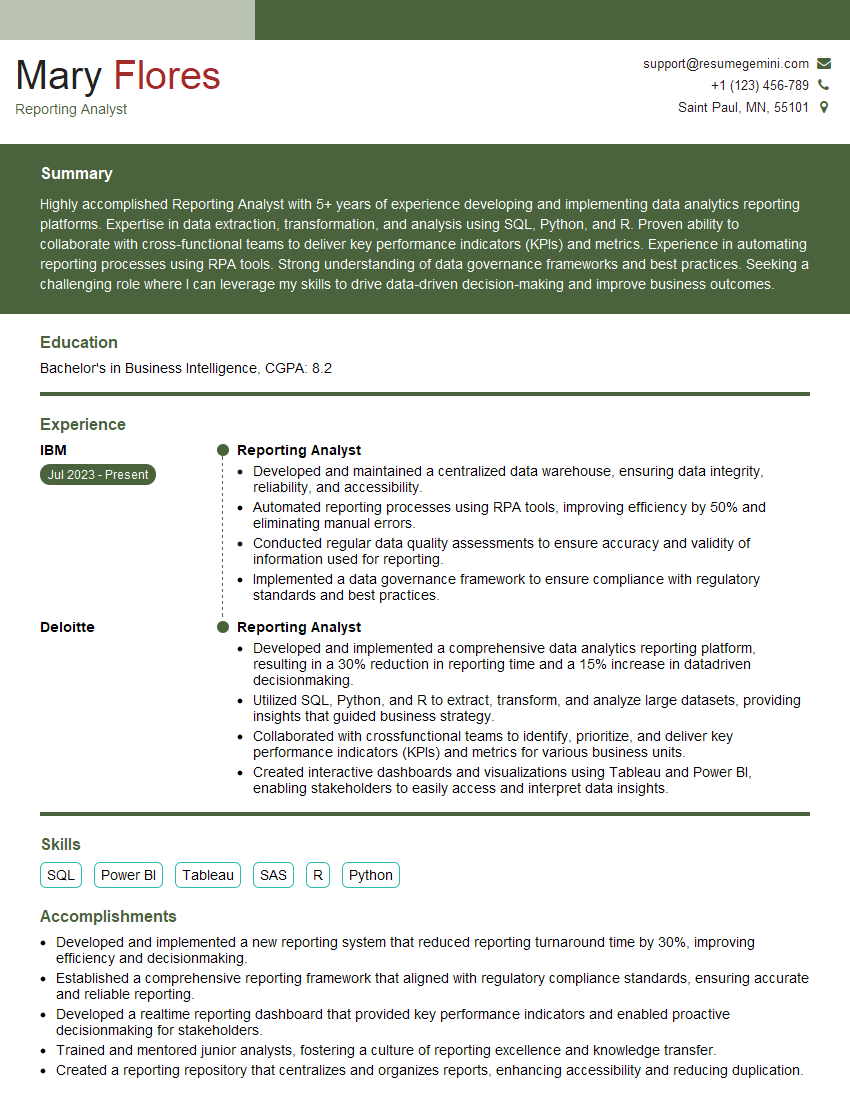
Mastering data visualization is crucial for career advancement in today’s data-driven world. Strong visualization skills demonstrate your ability to analyze data, extract meaningful insights, and communicate complex information clearly. To maximize your job prospects, create an ATS-friendly resume that highlights your skills and experience effectively. ResumeGemini is a trusted resource to help you build a professional and impactful resume. Examples of resumes tailored to data visualization experience are available within ResumeGemini to help guide your resume creation process.



Explore more articles
Users Rating of Our Blogs
Share Your Experience
We value your feedback! Please rate our content and share your thoughts (optional).
What Readers Say About Our Blog
Attention music lovers!
Wow, All the best Sax Summer music !!!
Spotify: https://open.spotify.com/artist/6ShcdIT7rPVVaFEpgZQbUk
Apple Music: https://music.apple.com/fr/artist/jimmy-sax-black/1530501936
YouTube: https://music.youtube.com/browse/VLOLAK5uy_noClmC7abM6YpZsnySxRqt3LoalPf88No
Other Platforms and Free Downloads : https://fanlink.tv/jimmysaxblack
on google : https://www.google.com/search?q=22+AND+22+AND+22
on ChatGPT : https://chat.openai.com?q=who20jlJimmy20Black20Sax20Producer
Get back into the groove with Jimmy sax Black
Best regards,
Jimmy sax Black
www.jimmysaxblack.com
Hi I am a troller at The aquatic interview center and I suddenly went so fast in Roblox and it was gone when I reset.
Hi,
Business owners spend hours every week worrying about their website—or avoiding it because it feels overwhelming.
We’d like to take that off your plate:
$69/month. Everything handled.
Our team will:
Design a custom website—or completely overhaul your current one
Take care of hosting as an option
Handle edits and improvements—up to 60 minutes of work included every month
No setup fees, no annual commitments. Just a site that makes a strong first impression.
Find out if it’s right for you:
https://websolutionsgenius.com/awardwinningwebsites
Hello,
we currently offer a complimentary backlink and URL indexing test for search engine optimization professionals.
You can get complimentary indexing credits to test how link discovery works in practice.
No credit card is required and there is no recurring fee.
You can find details here:
https://wikipedia-backlinks.com/indexing/
Regards
NICE RESPONSE TO Q & A
hi
The aim of this message is regarding an unclaimed deposit of a deceased nationale that bears the same name as you. You are not relate to him as there are millions of people answering the names across around the world. But i will use my position to influence the release of the deposit to you for our mutual benefit.
Respond for full details and how to claim the deposit. This is 100% risk free. Send hello to my email id: [email protected]
Luka Chachibaialuka
Hey interviewgemini.com, just wanted to follow up on my last email.
We just launched Call the Monster, an parenting app that lets you summon friendly ‘monsters’ kids actually listen to.
We’re also running a giveaway for everyone who downloads the app. Since it’s brand new, there aren’t many users yet, which means you’ve got a much better chance of winning some great prizes.
You can check it out here: https://bit.ly/callamonsterapp
Or follow us on Instagram: https://www.instagram.com/callamonsterapp
Thanks,
Ryan
CEO – Call the Monster App
Hey interviewgemini.com, I saw your website and love your approach.
I just want this to look like spam email, but want to share something important to you. We just launched Call the Monster, a parenting app that lets you summon friendly ‘monsters’ kids actually listen to.
Parents are loving it for calming chaos before bedtime. Thought you might want to try it: https://bit.ly/callamonsterapp or just follow our fun monster lore on Instagram: https://www.instagram.com/callamonsterapp
Thanks,
Ryan
CEO – Call A Monster APP
To the interviewgemini.com Owner.
Dear interviewgemini.com Webmaster!
Hi interviewgemini.com Webmaster!
Dear interviewgemini.com Webmaster!
excellent
Hello,
We found issues with your domain’s email setup that may be sending your messages to spam or blocking them completely. InboxShield Mini shows you how to fix it in minutes — no tech skills required.
Scan your domain now for details: https://inboxshield-mini.com/
— Adam @ InboxShield Mini
Reply STOP to unsubscribe
Hi, are you owner of interviewgemini.com? What if I told you I could help you find extra time in your schedule, reconnect with leads you didn’t even realize you missed, and bring in more “I want to work with you” conversations, without increasing your ad spend or hiring a full-time employee?
All with a flexible, budget-friendly service that could easily pay for itself. Sounds good?
Would it be nice to jump on a quick 10-minute call so I can show you exactly how we make this work?
Best,
Hapei
Marketing Director
Hey, I know you’re the owner of interviewgemini.com. I’ll be quick.
Fundraising for your business is tough and time-consuming. We make it easier by guaranteeing two private investor meetings each month, for six months. No demos, no pitch events – just direct introductions to active investors matched to your startup.
If youR17;re raising, this could help you build real momentum. Want me to send more info?
Hi, I represent an SEO company that specialises in getting you AI citations and higher rankings on Google. I’d like to offer you a 100% free SEO audit for your website. Would you be interested?
Hi, I represent an SEO company that specialises in getting you AI citations and higher rankings on Google. I’d like to offer you a 100% free SEO audit for your website. Would you be interested?