The thought of an interview can be nerve-wracking, but the right preparation can make all the difference. Explore this comprehensive guide to Experience with PLC (Programmable Logic Controller) systems interview questions and gain the confidence you need to showcase your abilities and secure the role.
Questions Asked in Experience with PLC (Programmable Logic Controller) systems Interview
Q 1. Explain the difference between a ladder logic diagram and a function block diagram.
Both Ladder Logic (LD) and Function Block Diagrams (FBD) are graphical programming languages for PLCs, but they differ significantly in their structure and how they represent program logic.
Ladder Logic resembles electrical relay logic diagrams. It uses horizontal rungs representing parallel circuits, with contacts (inputs) and coils (outputs) arranged to depict the flow of logic. Think of it like building a circuit with switches and lights. If a switch (input) is ON, the current flows, turning the light (output) ON.
Example: A simple LD program might have a rung where an input representing a limit switch closes a contact, energizing an output that activates a motor.
Function Block Diagrams use graphical blocks representing functions (e.g., timers, counters, mathematical operations) with inputs and outputs connected by lines. It’s more structured and modular, better suited for complex programs and reusable components. Each block performs a specific task, making debugging and maintenance easier.
Example: In an FBD, a timer function block might have an input for the timer preset value and an output that signals when the timer has timed out.
In essence, LD is intuitive and visually appealing for simpler programs, while FBD offers better organization and modularity for complex systems. The choice depends on project complexity and programmer preference.
Q 2. Describe your experience with different PLC programming languages (e.g., Ladder Logic, Structured Text).
My PLC programming experience spans several languages, primarily focusing on Ladder Logic and Structured Text (ST). I’ve extensively used Ladder Logic for its clear visual representation, particularly in projects involving simple machine control and automation. I find it ideal for quickly understanding the program flow and troubleshooting simple issues. For example, in a conveyor belt system, I would use LD to control motor starts and stops based on sensor inputs.
However, for more intricate applications requiring complex algorithms or data manipulation, Structured Text proves invaluable. ST resembles high-level programming languages like Pascal or C, offering greater flexibility and efficiency. For example, I implemented a sophisticated PID control loop in ST for regulating temperature in a chemical process. This enabled precise control and easier handling of complex calculations that would be cumbersome in LD.
I also have experience with Instruction List (IL), though less frequently used in my recent projects. IL provides a textual representation of the program’s instructions, similar to assembly language. While it offers a low-level control, its readability is often less favorable than LD or ST for larger projects.
Q 3. How do you troubleshoot a PLC program that is not functioning correctly?
Troubleshooting a malfunctioning PLC program requires a systematic approach. My process typically follows these steps:
- Gather Information: Start by understanding the problem. What exactly isn’t working? When did it start? Are there any error messages?
- Review the Program Logic: Carefully examine the program, starting with the parts related to the reported malfunction. Look for potential logical errors, incorrect data types, or unexpected sequences.
- Check Input/Output Signals: Use the PLC’s diagnostic tools to monitor input and output signals. Verify that inputs are providing correct values and that outputs are responding appropriately.
- Utilize Simulation: If available, simulate parts of the program or the entire system to isolate the problem. This can help identify issues without risking damage to the physical equipment.
- Step-by-Step Debugging: Use the PLC’s debugging features to step through the program, monitoring variables and observing the execution flow. This allows pinpointing the exact location of the error.
- Examine Hardware: If software issues are ruled out, investigate the hardware. Check wiring connections, sensor functionality, and actuator operation.
- Consult Documentation: Review the PLC’s documentation and related manuals for troubleshooting guidance and error codes.
A recent example involved a bottling machine where bottles were not being filled correctly. Using the above steps, I traced it back to a faulty sensor reading, leading to an incorrect signal to the filling mechanism. A simple sensor replacement solved the problem.
Q 4. What are the common types of PLC input and output modules?
PLC input and output modules are essential for interfacing the PLC with the real world. Common types include:
- Digital Input Modules: These receive signals from digital sensors (e.g., limit switches, proximity sensors) providing binary (ON/OFF) information to the PLC. Different types exist based on voltage levels (e.g., 24VDC, 120VAC).
- Digital Output Modules: These send signals to actuators (e.g., solenoids, motors, lights) based on the PLC’s program. Similarly, variations exist based on voltage and current ratings.
- Analog Input Modules: These convert analog signals (e.g., from temperature sensors, pressure sensors) into digital values that the PLC can understand. They often handle various signal ranges (e.g., 0-10V, 4-20mA).
- Analog Output Modules: These convert digital values from the PLC into analog signals for controlling devices requiring continuous adjustments (e.g., regulating valves, controlling motors’ speed).
- Communication Modules: These enable communication with other devices via protocols like Ethernet/IP, Modbus TCP/IP, Profibus, etc.
The selection of modules depends heavily on the specific application’s requirements. For example, a process control system would require analog I/O modules for precise temperature and pressure regulation, while a simple machine control system may only need digital I/O modules.
Q 5. Explain the concept of timers and counters in PLC programming.
Timers and counters are fundamental elements of PLC programming, used to control the timing and sequencing of operations.
Timers: These monitor elapsed time. Common timer types include:
- ON-Delay Timer: The output turns ON after a specified time delay from when the input turns ON.
- OFF-Delay Timer: The output stays ON for a specified time after the input turns OFF.
- Retentive Timer: The accumulated time is retained even if the input turns OFF, continuing to count up when the input turns ON again.
Example: An ON-delay timer could be used to delay a motor start after a button press, preventing inrush current problems.
Counters: These count events, typically triggered by pulses from input devices.
- Up Counters: These increment their value with each input pulse.
- Down Counters: These decrement their value with each input pulse.
Example: A counter could be used to count the number of items passing on a conveyor belt.
Both timers and counters are crucial in process control and sequencing applications, ensuring tasks are performed in the correct order and at appropriate time intervals. For example, a batch mixing process might use timers to control mixing durations and counters to track the number of batches processed.
Q 6. How do you handle analog inputs and outputs in a PLC system?
Handling analog inputs and outputs requires understanding the signal conversion process. Analog signals are continuous values (e.g., voltage or current), whereas PLCs operate digitally. Therefore, analog I/O modules perform the conversion.
Analog Inputs: Analog input modules typically use an analog-to-digital converter (ADC) to convert the analog input signal into a digital representation (a number). The resolution of the ADC determines the precision of the conversion (e.g., a 12-bit ADC provides 4096 discrete levels). The PLC program then processes this digital value.
Analog Outputs: Analog output modules use a digital-to-analog converter (DAC) to convert a digital value from the PLC program into an analog output signal. This allows for continuous control of devices like valves or motor speed.
In many applications, scaling and linearization are required. This involves converting the raw digital value from the ADC to an engineering unit (e.g., degrees Celsius from a thermocouple) or mapping the desired output to the DAC range (e.g., converting a 0-100% output to a 4-20mA signal for a control valve). I frequently use scaling functions within the PLC program to handle these conversions, ensuring accurate data interpretation and control.
For instance, in a temperature control system, I might use an analog input module to read the temperature from a thermocouple, scale the value to degrees Celsius, and then use a PID control algorithm (often implemented in Structured Text) to adjust an analog output module controlling a heating element to maintain the desired temperature.
Q 7. What is the purpose of a PLC’s communication protocols (e.g., Ethernet/IP, Modbus)?
PLC communication protocols are essential for connecting PLCs to other devices, creating integrated automation systems. They define how data is exchanged and interpreted.
Ethernet/IP: A common industrial Ethernet protocol, often used in factory automation. It’s known for its high speed and ability to support large networks with many devices.
Modbus: A widely adopted protocol known for its simplicity and open standard. It’s used for various applications and supports both serial and Ethernet communications. Its popularity stems from its ease of implementation and broad compatibility across different vendors’ equipment.
Other protocols include Profibus, Profinet, and others, each with its strengths and weaknesses regarding speed, features, and application domains.
The purpose of these protocols is to enable:
- Data Exchange: Transferring data between the PLC and other devices like HMIs (Human Machine Interfaces), SCADA systems (Supervisory Control and Data Acquisition), and other PLCs.
- Remote Monitoring and Control: Allowing remote access to the PLC for monitoring its operation and adjusting parameters.
- System Integration: Connecting different parts of an automation system, enabling seamless communication and coordination.
For example, a large manufacturing facility might use Ethernet/IP to connect multiple PLCs controlling different production lines, with a central SCADA system using Modbus to monitor the entire operation. This allows for centralized control and real-time data visualization.
Q 8. Describe your experience with HMI (Human Machine Interface) software.
My HMI experience spans several platforms, including Rockwell Automation’s FactoryTalk View SE and Siemens’ WinCC. I’m proficient in designing user-friendly interfaces with intuitive navigation, clear visual representations of process data, and effective alarm management. For example, in a recent project involving a bottling plant, I designed an HMI that displayed real-time bottle counts, pressure readings, and fill levels, alerting operators to potential issues before they became significant problems. This involved configuring data binding, creating custom graphics, and implementing alarm scripting to ensure efficient monitoring and control. I also have experience with integrating HMIs with various SCADA systems for centralized monitoring and control across multiple sites.
I understand the importance of ergonomic design in HMI development. A well-designed HMI minimizes operator error, reduces training time, and ultimately increases productivity and safety. My approach always considers factors such as screen layout, color coding, and alarm prioritization to create a seamless and efficient user experience. Beyond basic data display, I am comfortable with advanced HMI features like recipe management, historical trending, and report generation, all contributing to greater operational efficiency and data-driven decision-making.
Q 9. Explain your experience with SCADA systems.
My experience with SCADA systems is extensive, primarily using Ignition and Wonderware InTouch. I’ve worked on projects ranging from small-scale automation systems to large-scale industrial processes, implementing SCADA to monitor and control numerous variables across geographically dispersed locations. For instance, in a water treatment facility project, I configured the SCADA system to monitor water quality parameters from multiple remote sites, providing real-time data visualization, automated alarm responses, and historical data archiving for regulatory compliance and performance analysis. This involved configuring communication protocols like Modbus TCP and OPC UA to seamlessly integrate PLCs and other devices into the SCADA architecture. I understand the complexities of database management within SCADA, ensuring data integrity and efficient retrieval for reporting and analysis. SCADA’s role in optimizing industrial processes and enhancing overall operational efficiency is a key focus of my work.
Q 10. How do you ensure the safety of PLC systems and programs?
Safety is paramount in PLC programming. My approach is multi-layered, starting with robust design practices. I employ structured programming techniques, rigorous testing, and comprehensive documentation to minimize errors. I consistently utilize safety-related functions offered by the PLC, like safety relays and interlocks, implementing them in accordance with relevant safety standards (e.g., IEC 61131-3, ANSI/ISA). For example, in a robotic cell application, I incorporated emergency stops and light curtains to ensure operator safety.
I also prioritize redundancy and fail-safe mechanisms. This could involve using dual PLCs with automatic failover or implementing hardware redundancy in critical systems. Regular audits and thorough testing, including simulations and risk assessments, are crucial parts of my process to identify potential hazards proactively. I always adhere to strict version control procedures to manage program changes and maintain a clear history of modifications. Finally, clear, comprehensive documentation of safety features and emergency procedures is vital for ensuring operators and maintenance personnel can respond effectively to any situation. This ensures the system’s safety throughout its lifecycle.
Q 11. What is your experience with PLC programming software (e.g., RSLogix, TIA Portal)?
I’m proficient in several PLC programming software packages, including Rockwell Automation’s RSLogix 5000 (Studio 5000 Logix Designer), Siemens TIA Portal, and GE Proficy Machine Edition. My experience includes developing programs using ladder logic, structured text, function block diagrams, and sequential function charts, adapting my approach to the specific requirements of the project and the chosen PLC platform. For instance, in a project involving high-speed packaging machinery, I used structured text to optimize the efficiency of the control algorithms, achieving significant improvements in throughput. I understand the nuances of each software’s capabilities and limitations, ensuring the optimal choice of programming language and methodology for each application. My skills extend to debugging, troubleshooting, and optimizing existing PLC programs to improve performance, reliability, and maintainability.
Q 12. Describe your experience with different types of PLCs (e.g., Allen-Bradley, Siemens).
My PLC experience encompasses a wide range of platforms, including Allen-Bradley (CompactLogix, ControlLogix), Siemens (S7-1200, S7-1500), and Mitsubishi PLCs. This diverse experience allows me to adapt to different hardware architectures and programming paradigms. Each manufacturer’s PLC has its strengths and weaknesses, and understanding these nuances is crucial for selecting the optimal hardware for any given application. For example, Allen-Bradley PLCs often excel in high-speed applications, while Siemens PLCs are known for their robust communication capabilities and extensive libraries. Mitsubishi PLCs are a good balance and often used in smaller scale applications. My ability to seamlessly transition between these platforms is a significant asset, allowing me to work efficiently on various projects and leverage the best tools for the job.
Q 13. How do you handle data logging and archiving in a PLC system?
Data logging and archiving are essential for monitoring performance, troubleshooting issues, and complying with regulations. I typically implement data logging within the PLC itself using built-in functions or add-on instructions. The data is then transferred to a historian database, such as OSI PI or Wonderware InSQL, either directly from the PLC or via a SCADA system. The frequency and type of data logged depend on the application’s requirements. For example, in a process control application, I might log critical process variables at high frequency, while in a batch process, I might log data only at the start and end of each batch. The archived data provides a valuable resource for trend analysis, report generation, and identifying potential areas for improvement. I also design data archiving strategies to manage storage space effectively and ensure data integrity over extended periods, often complying with specific regulatory requirements on data retention.
Q 14. Explain the concept of PID control and its application in PLC programming.
PID (Proportional-Integral-Derivative) control is a widely used feedback control loop mechanism that aims to minimize the error between a desired setpoint and the actual process variable. It’s frequently implemented in PLC programs to regulate temperature, pressure, flow, and level in various industrial processes. A PID controller comprises three terms:
- Proportional (P): Responds to the current error. A larger error results in a larger corrective action.
- Integral (I): Addresses accumulated error over time, eliminating steady-state error.
- Derivative (D): Predicts future error based on the rate of change, minimizing overshoot and oscillations.
In PLC programming, PID control is often implemented using built-in PID functions or by creating custom PID algorithms using ladder logic or structured text. Tuning the PID gains (Kp, Ki, Kd) is crucial for optimal performance. Improper tuning can lead to instability, large overshoots, or slow response times. I use various tuning methods, such as Ziegler-Nichols, to optimize the controller’s parameters for each specific application. For example, I used PID control in a chemical reactor to maintain a precise temperature, ensuring consistent product quality and efficient operation. The ability to effectively tune and implement PID controllers is a critical skill for any PLC programmer. A well-tuned PID loop guarantees consistent process stability and minimizes waste.
Q 15. How do you design a PLC program for a specific industrial application?
Designing a PLC program for an industrial application is a systematic process. It begins with a thorough understanding of the application’s requirements. This involves creating detailed process flow diagrams, identifying all inputs (sensors) and outputs (actuators), and defining the desired logic. Think of it like building with LEGOs – you need a plan before you start assembling the pieces.
Next, I’d develop a ladder logic program (or a structured text program depending on the PLC’s capabilities and my preference) using a suitable PLC programming software. This would involve assigning addresses to inputs and outputs, defining timers, counters, and other functions to implement the control logic as defined in the process flow diagram. For example, in a conveyor system, sensors might detect the presence of a part, triggering the PLC to activate the conveyor motor. This is all programmed using instructions within the software.
Thorough testing and commissioning follow. This includes simulations, using test inputs to validate the programmed logic against the expected outputs, and finally, implementing the program in the real system, performing various tests under different scenarios, and making adjustments as needed.
For example, in a bottling plant, I might design a PLC program to control the filling, capping, and labeling processes. The program would read sensor data about bottle presence, liquid level, and cap placement, making decisions based on this data to manage the different stages of the process efficiently and safely.
Career Expert Tips:
- Ace those interviews! Prepare effectively by reviewing the Top 50 Most Common Interview Questions on ResumeGemini.
- Navigate your job search with confidence! Explore a wide range of Career Tips on ResumeGemini. Learn about common challenges and recommendations to overcome them.
- Craft the perfect resume! Master the Art of Resume Writing with ResumeGemini’s guide. Showcase your unique qualifications and achievements effectively.
- Don’t miss out on holiday savings! Build your dream resume with ResumeGemini’s ATS optimized templates.
Q 16. What are your experiences with different types of sensors and actuators?
My experience spans a wide range of sensors and actuators commonly used in industrial automation. I’ve worked extensively with proximity sensors (inductive, capacitive, photoelectric), limit switches, pressure sensors, temperature sensors (thermocouples, RTDs), and flow meters. On the actuator side, I’ve used pneumatic cylinders, hydraulic valves, servo motors, stepper motors, and various types of contactors and relays.
Choosing the right sensor or actuator is critical. For instance, in a high-temperature environment, a thermocouple would be more suitable than a standard thermistor. Similarly, for precise positioning, a servo motor is preferred over a simple solenoid valve. Understanding the limitations and capabilities of each device is crucial for reliable system operation.
I’ve even had experience with integrating more sophisticated sensors like vision systems and laser scanners in applications requiring high-level accuracy and complex decision-making.
Q 17. How do you perform backup and recovery of PLC programs?
Backing up and recovering PLC programs is crucial for system reliability and preventing costly downtime. I always implement a multi-layered backup strategy. This typically involves regularly saving the program to multiple locations – ideally, both locally on the programming computer and to a secure network drive or cloud storage. Regular backups are key – I usually schedule automatic backups at least daily, or even more frequently depending on the criticality of the application.
Furthermore, I also maintain a detailed version history of the program. This ensures that I can easily revert to previous versions if necessary. For larger projects, using a version control system like Git can enhance this process.
In the event of a program failure, recovery involves simply uploading the backed-up program back into the PLC using the programming software. Before doing so, I always verify the integrity of the backup and perform thorough testing after the recovery to ensure everything functions as expected.
Q 18. Explain your experience with network configuration and troubleshooting for PLC systems.
My experience with PLC network configuration and troubleshooting includes working with various industrial communication protocols like Ethernet/IP, Profinet, Modbus TCP/IP, and Profibus. I’m proficient in configuring network devices, such as switches and routers, to establish reliable communication between PLCs and other industrial components. I understand the importance of network security and implement appropriate measures to prevent unauthorized access.
Troubleshooting network issues involves using diagnostic tools to pinpoint the problem source. This might involve checking cable connections, configuring IP addresses correctly, testing network connectivity, and analyzing communication logs. I’m adept at using network monitoring software to identify bottlenecks and optimize network performance.
For example, I once resolved a production line stoppage caused by a faulty network switch by quickly identifying the faulty device through network diagnostics, replacing it, and restoring communication within minutes, minimizing production downtime.
Q 19. Describe your experience with PLC programming for motion control applications.
I have significant experience programming PLCs for motion control applications, particularly using servo and stepper motor drives. This involves utilizing PLC functions to control speed, position, acceleration, and deceleration of motors. I’m familiar with different motion control profiles (trapezoidal, S-curve) and how to optimize them for specific applications.
Programming these applications typically involves using specialized motion control instructions within the PLC’s programming environment, often utilizing feedback from encoders or other positioning sensors. For example, I’ve programmed PLCs to control robotic arms for precise welding operations or automated assembly processes.
I understand the importance of safety in motion control applications and I always incorporate safety features into the programs, including emergency stops and interlocks, to prevent accidents.
Q 20. What are your experiences with PLC security best practices?
PLC security is paramount, especially in critical infrastructure. My experience includes implementing various security best practices, such as using strong passwords, enabling firewalls, and regularly updating firmware to patch vulnerabilities. I also understand the importance of network segmentation to isolate PLCs from other networks. This is like having separate security zones within your home.
I am familiar with techniques like virtual private networks (VPNs) for secure remote access to PLCs and implementing access control lists (ACLs) to restrict access based on user roles and privileges. Regular security audits are also essential, allowing me to identify and address potential weaknesses proactively. I always favor a layered approach to security, not relying on a single defense mechanism.
Q 21. Explain your understanding of different PLC architectures.
My understanding of PLC architectures includes familiarity with different types, from small, compact PLCs suitable for simple applications to large, modular PLCs designed for complex systems. I’m comfortable working with both distributed and centralized architectures.
In a centralized architecture, a single PLC handles all control functions. This is simpler to manage but can become a single point of failure. In a distributed architecture, multiple PLCs work together, distributing the control workload. This offers better scalability and redundancy.
I understand the importance of selecting the right PLC architecture based on the specific application requirements, considering factors such as I/O count, processing power, communication protocols, and scalability needs. The choice might influence factors such as overall system cost and maintainability.
Q 22. How do you debug and test a PLC program?
Debugging and testing a PLC program is crucial for ensuring its reliable operation. My approach is systematic and involves several key stages. First, I utilize the PLC’s built-in diagnostic tools. Most PLCs have features like online monitoring, which allows me to observe the status of variables and outputs in real-time while the program is running. This helps to identify unexpected values or behaviors. Secondly, I employ force functions to simulate inputs or override outputs, isolating sections of the program and pinpointing the source of errors.
For more complex issues, I use a combination of breakpoints, stepping through the code, and analyzing the program’s ladder logic or structured text. Breakpoints allow me to pause execution at specific points in the program, examining the state of variables. Stepping through the code line by line helps trace the flow of logic and reveals the exact point of failure. I also leverage simulation software, which allows testing the program in a virtual environment before deployment on the actual hardware. This prevents accidental damage to equipment during the testing phase. Finally, thorough documentation is vital. Clear comments in the code help me understand the program’s intended function and track modifications made during debugging.
For example, in a conveyor system, if the conveyor belt doesn’t start, I might use online monitoring to check the status of the motor starter output. If it’s not energized, I’d trace back through the logic to identify the cause – perhaps a sensor isn’t detecting the presence of a part, or a safety interlock is activated.
Q 23. Describe your experience with PLC programming in a safety-related application.
I have extensive experience with PLC programming in safety-related applications, specifically within a bottling plant. We implemented a system using PLCs with safety-certified modules to control the filling and capping process. The system incorporated several safety measures to prevent accidents such as emergency stops, light curtains to detect operator presence near moving parts, and pressure sensors to monitor the bottle filling process. The safety functions were programmed using a separate safety PLC (following IEC 61131-3 standards) and were designed according to SIL (Safety Integrity Level) requirements.
Programming involved using safety-related functions like safety relays and monitoring safety inputs and outputs. Regular testing and validation procedures were in place, including functional safety assessments and risk assessments. We used specific programming techniques to ensure the safety functions remained independent from the main control program, providing an added layer of protection. Documentation included detailed safety plans, risk assessments, and functional safety specifications. The program’s logic was meticulously designed to ensure that failure of one part of the system did not compromise the overall safety.
// Example (Illustrative, not actual PLC code): // Safety function to stop conveyor if emergency stop button is pressed IF EmergencyStopButton THEN ConveyorMotor = OFF; END_IF;Q 24. What are the different types of addressing modes used in PLC programming?
PLCs employ various addressing modes to access memory locations containing data. These modes dictate how the PLC interprets an instruction’s operand. Common addressing modes include:
- Symbolic Addressing: Uses meaningful names (e.g.,
Motor_Speed) instead of numerical addresses. This makes the program more readable and maintainable. It’s my preferred method for better code clarity. - Absolute Addressing: Specifies the exact memory location using a numerical address (e.g.,
%MW10). This is generally less readable but can be useful in low-level programming or for direct hardware interaction. - Indirect Addressing: Uses the value in a memory location to specify the actual address to be accessed. This allows for dynamic memory allocation and is useful for array manipulation or accessing data in a flexible manner. For example, a pointer variable could hold the address of the current sensor reading in a loop.
- Data-Type Specific Addressing: The PLC differentiates addressing based on data types (e.g.,
%IWfor input words,%QWfor output words). This simplifies memory management and enhances program organization.
Choosing the right addressing mode depends on the specific application and programming style. Symbolic addressing enhances readability, while absolute and indirect addressing provide more control in complex situations.
Q 25. How do you manage and optimize PLC program performance?
Optimizing PLC program performance involves several strategies focusing on code efficiency and resource management. It’s about writing clear, concise code that runs smoothly and prevents unnecessary delays.
- Efficient Logic Design: Avoid redundant logic or nested loops wherever possible. Simplify boolean expressions using Karnaugh maps or Boolean algebra to reduce the number of instructions executed.
- Data Type Selection: Use the smallest appropriate data type for each variable. Avoid unnecessarily large data types that consume more memory.
- Memory Organization: Organize data efficiently in memory. Grouping related variables together can improve access times.
- Scan Time Optimization: Minimize the time the PLC takes to scan its program. Inefficient code can lead to slower responses. Careful logic design is crucial here.
- Use of Specialized Instructions: Many PLCs have built-in instructions for specific tasks (e.g., PID control, data manipulation). Using these can often lead to faster execution compared to custom-written code.
For example, in a high-speed packaging line, optimizing scan time is critical to ensure the system responds quickly to sensor inputs. Reducing the number of instructions executed, efficiently managing data, and using optimized algorithms can drastically improve the system’s responsiveness and overall throughput.
Q 26. Describe your experience with PLC programming in a distributed control system.
My experience with PLC programming in a distributed control system (DCS) involved a large-scale water treatment facility. We used multiple PLCs interconnected through a communication network (e.g., Profibus, Ethernet/IP) to control various aspects of the process – from chemical dosing to filtration and effluent monitoring. Each PLC managed a specific section of the plant, with data exchanged between them to achieve overall process control. This required expertise in network communication protocols and distributed system design.
The challenge in such systems is coordinating the actions of multiple PLCs, ensuring data consistency, and managing communication delays. We used a combination of master-slave and peer-to-peer communication models, depending on the specific control requirements for different plant sections. Robust error handling and fault tolerance mechanisms were crucial to maintaining system stability in case of communication failures or PLC malfunctions. For instance, a separate PLC could monitor the overall health of the system, detecting and reporting any issues to a supervisory control system. This system allowed for better overall plant monitoring and management.
Q 27. Explain your approach to documentation and version control for PLC programs.
Documentation and version control are paramount for maintaining and updating PLC programs. My approach relies on a combination of standardized documentation templates, version control software, and a structured folder system. All projects start with a detailed design specification outlining the program’s functionality, input/output assignments, and communication protocols. This serves as a roadmap for development and future maintenance.
During development, I meticulously comment code, using clear and concise descriptions to explain logic and functionality. Version control software (like Git or SVN) is used to track changes to the program, allowing for rollback to previous versions if necessary. Each version is tagged with a description of the changes made. The folder structure is standardized to categorize program files, documentation, and configuration data. This organization ensures that the system is easily understood by others and that modifications can be implemented efficiently and safely. For example, we’d have separate folders for different versions (v1.0, v1.1, etc.) each containing the program code, comments, and any related documentation. This method minimizes errors during updates and ensures consistency across projects, which is crucial for regulatory compliance in certain sectors.
Key Topics to Learn for Experience with PLC (Programmable Logic Controller) Systems Interviews
Ace your next interview by mastering these key areas of PLC expertise. Remember, demonstrating a deep understanding of both theory and practical application is crucial.
- PLC Programming Languages: Familiarize yourself with common PLC programming languages like Ladder Logic, Function Block Diagram (FBD), Structured Text (ST), and Instruction List (IL). Understand their strengths and weaknesses and when to apply each.
- Input/Output (I/O) Modules and Systems: Gain a solid understanding of how I/O modules interact with the PLC and the physical world. Practice troubleshooting issues related to sensor inputs and actuator outputs.
- Timers, Counters, and Data Handling: Master the use of timers and counters for sequencing and control. Practice manipulating data within the PLC using various data types and instructions.
- Networking and Communication Protocols: Understand how PLCs communicate with other devices and systems using protocols like Ethernet/IP, Modbus TCP/IP, and Profibus. Be prepared to discuss your experience with network configuration and troubleshooting.
- Troubleshooting and Debugging Techniques: Develop strong troubleshooting skills. Practice identifying and resolving common PLC programming errors and hardware malfunctions. Be ready to explain your problem-solving methodology.
- Safety and Security Considerations: Understand the importance of safety in PLC programming and the implementation of safety features. Be familiar with relevant safety standards and best practices.
- Specific PLC Hardware and Software: While general knowledge is essential, having experience with specific brands (e.g., Allen-Bradley, Siemens) and software packages will significantly enhance your candidacy. Highlight your expertise!
- Real-world Applications: Be prepared to discuss past projects and how you applied PLC programming to solve real-world problems. Focus on quantifiable results and the impact of your work.
Next Steps
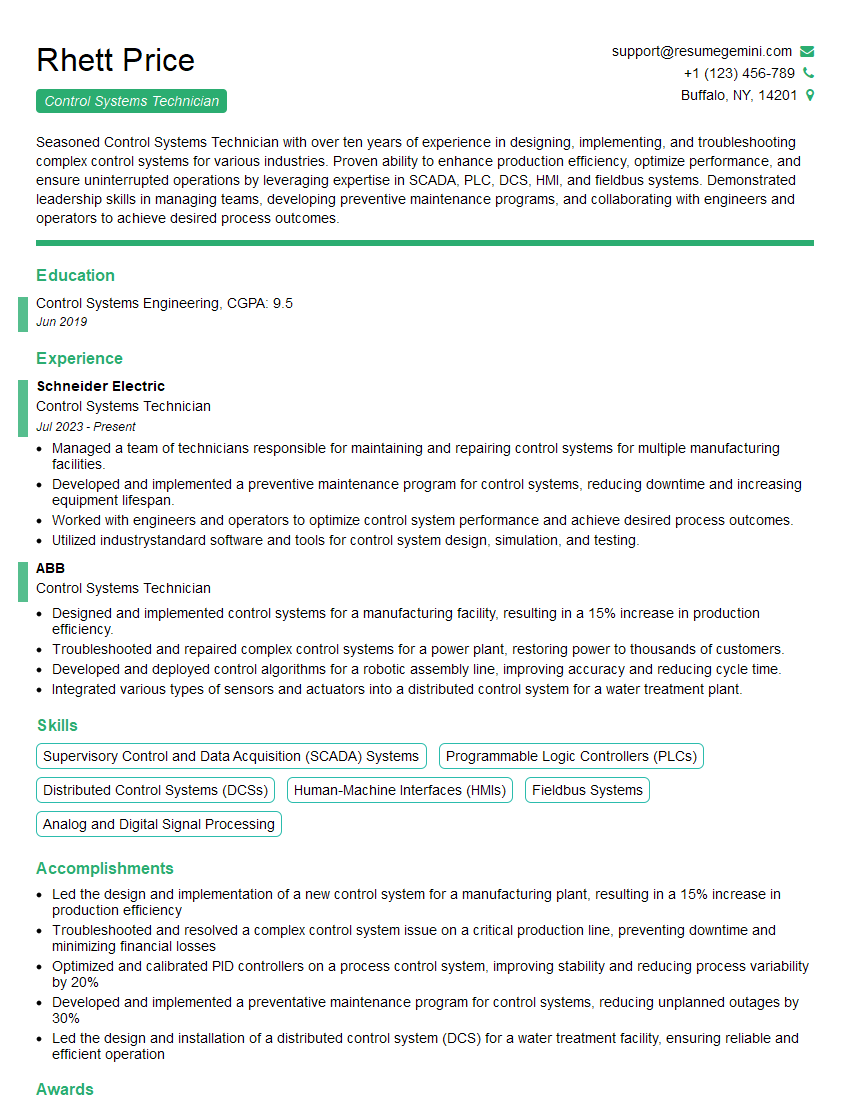
Mastering PLC systems opens doors to exciting career opportunities in automation and industrial control. To maximize your job prospects, invest time in crafting a compelling and ATS-friendly resume that showcases your skills and experience effectively. ResumeGemini is a trusted resource that can help you build a professional resume that stands out. We offer examples of resumes tailored specifically to PLC experience to help you get started. Let us help you highlight your expertise and land your dream job!






Explore more articles
Users Rating of Our Blogs
Share Your Experience
We value your feedback! Please rate our content and share your thoughts (optional).
What Readers Say About Our Blog
Hello,
we currently offer a complimentary backlink and URL indexing test for search engine optimization professionals.
You can get complimentary indexing credits to test how link discovery works in practice.
No credit card is required and there is no recurring fee.
You can find details here:
https://wikipedia-backlinks.com/indexing/
Regards
NICE RESPONSE TO Q & A
hi
The aim of this message is regarding an unclaimed deposit of a deceased nationale that bears the same name as you. You are not relate to him as there are millions of people answering the names across around the world. But i will use my position to influence the release of the deposit to you for our mutual benefit.
Respond for full details and how to claim the deposit. This is 100% risk free. Send hello to my email id: [email protected]
Luka Chachibaialuka
Hey interviewgemini.com, just wanted to follow up on my last email.
We just launched Call the Monster, an parenting app that lets you summon friendly ‘monsters’ kids actually listen to.
We’re also running a giveaway for everyone who downloads the app. Since it’s brand new, there aren’t many users yet, which means you’ve got a much better chance of winning some great prizes.
You can check it out here: https://bit.ly/callamonsterapp
Or follow us on Instagram: https://www.instagram.com/callamonsterapp
Thanks,
Ryan
CEO – Call the Monster App
Hey interviewgemini.com, I saw your website and love your approach.
I just want this to look like spam email, but want to share something important to you. We just launched Call the Monster, a parenting app that lets you summon friendly ‘monsters’ kids actually listen to.
Parents are loving it for calming chaos before bedtime. Thought you might want to try it: https://bit.ly/callamonsterapp or just follow our fun monster lore on Instagram: https://www.instagram.com/callamonsterapp
Thanks,
Ryan
CEO – Call A Monster APP
To the interviewgemini.com Owner.
Dear interviewgemini.com Webmaster!
Hi interviewgemini.com Webmaster!
Dear interviewgemini.com Webmaster!
excellent
Hello,
We found issues with your domain’s email setup that may be sending your messages to spam or blocking them completely. InboxShield Mini shows you how to fix it in minutes — no tech skills required.
Scan your domain now for details: https://inboxshield-mini.com/
— Adam @ InboxShield Mini
Reply STOP to unsubscribe
Hi, are you owner of interviewgemini.com? What if I told you I could help you find extra time in your schedule, reconnect with leads you didn’t even realize you missed, and bring in more “I want to work with you” conversations, without increasing your ad spend or hiring a full-time employee?
All with a flexible, budget-friendly service that could easily pay for itself. Sounds good?
Would it be nice to jump on a quick 10-minute call so I can show you exactly how we make this work?
Best,
Hapei
Marketing Director
Hey, I know you’re the owner of interviewgemini.com. I’ll be quick.
Fundraising for your business is tough and time-consuming. We make it easier by guaranteeing two private investor meetings each month, for six months. No demos, no pitch events – just direct introductions to active investors matched to your startup.
If youR17;re raising, this could help you build real momentum. Want me to send more info?
Hi, I represent an SEO company that specialises in getting you AI citations and higher rankings on Google. I’d like to offer you a 100% free SEO audit for your website. Would you be interested?
Hi, I represent an SEO company that specialises in getting you AI citations and higher rankings on Google. I’d like to offer you a 100% free SEO audit for your website. Would you be interested?
good