Are you ready to stand out in your next interview? Understanding and preparing for Film Assembly interview questions is a game-changer. In this blog, we’ve compiled key questions and expert advice to help you showcase your skills with confidence and precision. Let’s get started on your journey to acing the interview.
Questions Asked in Film Assembly Interview
Q 1. Explain the process of assembling a film from raw footage.
Assembling a film from raw footage is a meticulous process that transforms chaotic raw material into a coherent narrative. It’s like building with LEGOs – you start with a massive pile of individual bricks (footage), and your goal is to construct a specific model (the film) based on the script and director’s vision. This involves several key stages: ingesting the footage (getting it into your editing software), logging and organizing it (creating searchable metadata), rough cutting (assembling a first version of the film), fine cutting (refining the pacing, timing, and transitions), and finally, color correction and sound mixing.
For example, imagine a scene with multiple takes. I’ll review each take, assessing performance, camera angles, and audio quality. The best take forms the foundation, with other takes serving as potential replacements for particular shots or sections requiring improvement. This iterative process ensures the final product is the most compelling and polished version possible.
Q 2. What are the different types of cuts used in film assembly?
Film assembly utilizes a variety of cuts to control pacing, mood, and storytelling. Think of them as punctuation marks in your visual narrative. Some common types include:
- Cut: The simplest cut, an instantaneous transition from one shot to another. It’s the workhorse of editing.
- Dissolve: One shot gradually fades out while the next fades in, creating a smoother transition often used to suggest the passage of time or a change in location.
- Fade In/Fade Out: A gradual transition to or from black, often used to mark the beginning or end of a scene or the film itself.
- Wipe: A more stylized transition where one shot replaces another by a moving line (vertical, horizontal, etc.).
- Jump Cut: A jarring cut between two shots of the same subject, often used to condense time or create a disorienting effect. This should be used sparingly and with intention.
- Cross Cut (Parallel Editing): Cutting between two or more scenes happening simultaneously to create suspense or contrast.
The choice of cut significantly impacts the audience’s experience. A rapid series of cuts can create a sense of urgency, while longer takes and dissolves can convey a more tranquil atmosphere.
Q 3. Describe your experience with Avid Media Composer or Premiere Pro.
I’ve been proficient in both Avid Media Composer and Adobe Premiere Pro for over 10 years. My preference leans toward Avid for larger, more complex projects due to its robust features and ability to handle massive amounts of media efficiently. However, Premiere Pro excels in its user-friendly interface and integration within the Adobe Creative Suite.
In my experience, Avid’s powerful bin organization and its timeline features, like the ability to work with nested sequences, are indispensable for managing large and complex projects. Premiere Pro’s strengths lie in its intuitive interface, making it ideal for smaller projects or situations where rapid turnaround is crucial. I frequently adapt my choice of software to the specific requirements of each project.
Q 4. How do you handle large volumes of footage during the assembly process?
Managing large volumes of footage requires a strategic approach. This starts long before the assembly phase. During the shooting process, meticulously organized folders and clear file naming conventions are crucial. On the editing side, I utilize the software’s organizational features fully. This includes creating nested bins within my project to categorize footage by scene, shot type, or even camera angle.
Furthermore, using proxy files – lower-resolution versions of the original footage – allows for smoother playback and faster editing, especially on machines with limited processing power. Once the assembly is near completion, I consolidate the project by linking only the necessary high-resolution clips. Regular hard drive backups are, of course, essential to safeguard against data loss.
Q 5. What strategies do you use for organizing and managing media assets?
Organizing and managing media assets is akin to being a librarian for a visual library. I’ve found that a hierarchical structure, mirroring the project’s organization, is most effective. This means creating a structured folder system reflecting the project’s scenes, shots, and takes. Consistent file naming is crucial: I employ a standardized format (e.g., Scene01_Shot03_TakeA.mov) to facilitate quick identification and retrieval.
In addition to the file structure, I leverage the metadata capabilities of my editing software. This allows for tagging clips with keywords, descriptions, and other relevant information, making searches for specific shots incredibly efficient. Database programs can also complement this to provide an additional layer of organization for larger projects.
Q 6. How do you ensure consistency in audio and video during assembly?
Maintaining audio-video consistency is paramount. During assembly, I pay close attention to syncing audio and video meticulously. If there are sync issues, I address them immediately using software tools and/or external audio editors. I carefully monitor audio levels throughout the process, ensuring there are no jarring volume fluctuations or excessive background noise.
Color consistency is equally important. Consistent color grading throughout ensures a cohesive visual experience. This might involve working with a colorist or using color correction tools within my editing software to match the look and feel across all scenes. Using reference images and applying color correction profiles helps maintain color consistency.
Q 7. Explain your workflow for creating a rough cut.
My workflow for creating a rough cut prioritizes speed and efficiency while maintaining narrative coherence. It’s not about perfection at this stage, but establishing the film’s fundamental structure. I begin by assembling the selected takes in the order dictated by the script, adding transitions where appropriate. I generally avoid getting bogged down in minute details like color correction or sound mixing during this phase.
This initial assembly will undergo several revisions as I refine the pacing, cut out unnecessary material, and experiment with different editing choices. Once the core narrative is established, the rough cut is ready for feedback and further iterations. This approach ensures that crucial elements like narrative flow are addressed early in the process before getting lost in the weeds.
Q 8. How do you collaborate with directors and other editors during the assembly process?
Collaboration with directors and editors during film assembly is a crucial, iterative process. It’s all about clear communication and a shared vision. I typically start with a detailed review of the director’s cut and any existing notes or storyboards. We’ll then have in-depth discussions about pacing, scene order, emotional impact, and the overall narrative flow. This often involves reviewing dailies together, identifying strong takes, and addressing any performance or technical issues. I always aim for a collaborative environment where everyone feels comfortable sharing feedback and suggestions. Throughout the process, I maintain detailed logs of changes and keep everyone informed about progress via regular updates and screenings. For example, on a recent project, the director wanted a slower pace in a key emotional scene; we achieved this by adding subtle pauses and working with the editor to extend certain shots.
Q 9. Describe your experience with color correction and grading in the context of assembly.
Color correction and grading are integral parts of assembly, significantly influencing the film’s mood and visual style. I typically work closely with the colorist throughout the assembly process. Early on, we might experiment with different looks for key scenes to ensure consistency across the film. During the assembly phase itself, I’ll ensure the clips are properly labeled and organized so the colorist can easily identify and manage them. We’ll often engage in iterative rounds of feedback, tweaking the color and grade to complement the editing choices and narrative goals. For instance, we might use a warmer palette for happy scenes and cooler tones for darker moments. The goal is a cohesive, visually appealing film with a consistent look and feel. This also ensures that once the assembly lock is achieved the colorist has all the information necessary to begin a final color grade.
Q 10. What are your methods for syncing audio and video?
Audio and video synchronization is paramount for a seamless viewing experience. My primary method involves using professional editing software equipped with robust syncing tools. These tools often employ various techniques, such as waveform comparison and automated sync algorithms. When dealing with complex projects involving multiple audio sources, I meticulously check each track. In cases where the software struggles with automation, I’ll manually fine-tune the synchronization, paying close attention to lip sync and any potential audio discrepancies. For scenes with multiple cameras, I typically rely on the ‘slate’ used at the beginning of each take. This slate provides a visual and audio reference, making the syncing process more efficient and accurate. Any inconsistencies or challenges are tackled in close collaboration with the sound team to ensure a high-quality, perfectly synchronized final product.
Q 11. How do you handle technical issues that arise during assembly?
Technical issues are an inevitable part of film assembly. My approach involves a combination of proactive measures and problem-solving skills. Before starting a project, I ensure all necessary software and hardware are properly functioning. During the process, I regularly back up my work to prevent data loss. When issues do arise (e.g., corrupt files, software glitches, codec problems), my first step is to identify the root cause. I utilize troubleshooting resources, online communities, and contact technical support when needed. For example, if I encounter a codec issue, I’ll research the optimal codec for the project and re-encode the problematic files. My goal is to resolve issues quickly and efficiently, minimizing disruption to the overall workflow.
Q 12. Explain your approach to managing revisions and feedback.
Managing revisions and feedback is a crucial aspect of the assembly process. I utilize version control systems to track changes and revert to previous versions if necessary. I maintain clear communication with the director and other stakeholders, promptly addressing any feedback. I use detailed notes and comments to understand and implement the suggested changes accurately. We schedule regular review sessions, where we discuss revisions and ensure everyone is on the same page. The process is often iterative. The director might provide feedback on an assembly cut, leading to revisions and subsequent review sessions until a satisfactory version is achieved. This iterative approach ensures that the final product aligns with the director’s vision and meets all the project requirements.
Q 13. How do you maintain efficient workflows for large-scale projects?
For large-scale projects, efficient workflows are crucial. I employ a meticulous organization system, including detailed naming conventions for all files and assets. I break down the project into smaller, manageable tasks, assigning timelines and deadlines for each stage. I collaborate closely with assistant editors to share workload and ensure smooth progress. We regularly use cloud-based storage and collaboration tools to facilitate efficient sharing of files and information. Regular progress meetings and communication are key to maintaining momentum and resolving any potential bottlenecks promptly. The key is proactive planning, clear communication and effective task delegation.
Q 14. What are the key differences between linear and non-linear editing?
Linear and non-linear editing are fundamentally different approaches to film assembly. Linear editing, an older method, uses physical tapes or film reels. Edits involve physically cutting and splicing the footage, resulting in a fixed, sequential order. This method is cumbersome and time-consuming, making revisions challenging. In contrast, non-linear editing (NLE) uses digital media and computer software. It allows for easy manipulation of the footage, allowing for unlimited revisions and flexible changes to the sequence without destroying the original source material. NLE offers far greater flexibility and control, significantly improving efficiency and creative freedom. Almost all professional film assembly today relies on NLE software.
Q 15. Describe your experience working with different video formats and codecs.
Throughout my career, I’ve worked extensively with a wide range of video formats and codecs. Understanding the nuances of each is crucial for efficient workflow and maintaining high-quality output. For example, I’m proficient with formats like ProRes (various flavors – 422, 4444, etc.), DNxHD, H.264, and H.265. The choice of codec depends heavily on the project’s needs. ProRes offers excellent quality and ease of editing, ideal for high-end productions where editing speed and visual fidelity are paramount. On the other hand, H.264 and H.265 are significantly more compressed, offering smaller file sizes, which is beneficial for storage and online delivery, though at a potential cost to image quality. I always consider factors such as project budget, storage capabilities, and intended delivery platform when selecting the appropriate codec and format. I’ve even had experience working with older formats like DV and DVCPRO, understanding their limitations and how to effectively manage them in a modern workflow.
For instance, on a recent documentary project, we utilized ProRes 422 for its superior color fidelity during the editing process. Then, for the final delivery to a streaming platform, we transcoded to H.265 to reduce file size for optimal streaming performance. This two-step approach allowed us to maintain excellent image quality during editing while optimizing for distribution.
Career Expert Tips:
- Ace those interviews! Prepare effectively by reviewing the Top 50 Most Common Interview Questions on ResumeGemini.
- Navigate your job search with confidence! Explore a wide range of Career Tips on ResumeGemini. Learn about common challenges and recommendations to overcome them.
- Craft the perfect resume! Master the Art of Resume Writing with ResumeGemini’s guide. Showcase your unique qualifications and achievements effectively.
- Don’t miss out on holiday savings! Build your dream resume with ResumeGemini’s ATS optimized templates.
Q 16. How do you ensure the quality of your assembled footage?
Ensuring the quality of assembled footage is a multi-faceted process that starts long before the assembly stage. It involves rigorous quality control checks at every step, from ingestion to final output. This includes meticulously reviewing raw footage for issues like dropped frames, incorrect color balance, and audio problems before even beginning assembly. I use professional color grading tools to ensure consistency and visual appeal across different shots. During the assembly process itself, I pay close attention to details such as matching cuts, avoiding jarring transitions, and ensuring smooth audio transitions. Regular backups of project files are also critical to prevent data loss and maintain version control. Finally, a thorough review of the final output in various environments (computer monitors, mobile devices, and projectors) is essential to catch any unexpected anomalies before delivery.
Imagine trying to build a house: you wouldn’t skip checking the foundation or framework. Similarly, pre-assembly checks are fundamental to avoiding major problems down the line. I find that a proactive, systematic approach to quality control leads to a significantly smoother and more efficient workflow, and most importantly, a better final product.
Q 17. Explain your understanding of different aspect ratios and their impact on assembly.
Aspect ratios are the proportional relationship between the width and height of an image. Different aspect ratios, such as 4:3, 16:9, and 2.39:1 (or 21:9), significantly impact assembly. A mismatch can lead to letterboxing (black bars at the top and bottom) or pillarboxing (black bars at the sides), which is often undesirable. Understanding these ratios is critical for correct framing, composition, and ensuring that the final product maintains its intended visual style. For example, footage shot in 4:3 will appear cropped if directly placed into a 16:9 timeline. Careful consideration is needed to accommodate different aspect ratios, and sometimes creative solutions are required such as scaling, cropping, or even adding visual elements to fill the unused screen space.
In practice, I frequently encounter projects with varying aspect ratios. For instance, a project might incorporate archival footage in 4:3 alongside newly shot material in 16:9. The assembly process requires careful planning to manage these differences, potentially involving digital masking, letterboxing, or even reshooting specific elements to ensure uniformity. This not only ensures consistency but also enhances the viewing experience.
Q 18. How do you handle time constraints during assembly?
Time constraints are a common challenge in film assembly. My approach prioritizes efficient workflow and effective time management. This involves careful pre-planning, including thorough script review, shot selection and organization, and a clear understanding of the final product’s requirements. I always use project management software to track progress, assign tasks and identify potential bottlenecks. When under pressure, I focus on essential elements first, and prioritize tasks based on their impact on the final product. For example, I may leave some minor polishing tasks for later stages if doing so will significantly impact the overall deadline. Effective communication with the client is also essential. Transparent updates on progress and potential challenges help prevent unnecessary delays. Finally, familiarity with editing software’s shortcuts and features is a game-changer in speeding up assembly while maintaining a high standard of quality.
On a recent short film project, we had an extremely tight deadline. By meticulously pre-planning and utilizing efficient editing techniques, we successfully assembled the entire film within the specified time frame, resulting in a timely delivery and a happy client.
Q 19. Describe your experience working with various audio mixing techniques.
I have extensive experience with various audio mixing techniques, from basic dialogue cleaning and sound effects placement to complex multi-track mixing. My proficiency includes techniques like equalization (EQ), compression, reverb, and delay, all of which are used to enhance clarity, balance, and create a specific sonic environment. Understanding the principles of acoustics and sound design is essential for achieving a polished and immersive audio experience. I am also familiar with using audio editing software such as Pro Tools, Audition and Logic Pro. My skills extend to working with different audio formats and ensuring proper synchronization between audio and video. I also routinely use noise reduction tools to clean up audio tracks, removing unwanted sounds that can detract from the overall impact of the sound design. For instance, removing background hum from location recordings often dramatically improves the quality of dialogue.
A recent example: a music documentary required a meticulous balancing of live performance audio with narration and background music. I used a combination of EQ, compression, and panning to ensure the audio was clear, balanced, and engaging throughout, making the narration and music feel like a seamless part of the overall viewing experience.
Q 20. What is your experience with automated assembly tools?
While I appreciate the efficiency of automated assembly tools, I believe that a purely automated approach can be limiting. My experience with tools like those found in Adobe Premiere Pro and Avid Media Composer includes automated tasks like batch renaming, transcoding, and basic editing tasks. However, I would not rely solely on them for complex projects. The creative and nuanced aspects of film assembly still necessitate human intervention and decision-making. I prefer to use automation for streamlining repetitive tasks, freeing up time for the more intricate aspects of assembly where my expertise is most valuable. Automated tools are effective as assistants, not replacements, in this field.
For instance, I use automated captioning and transcription tools to increase efficiency, but I then carefully review and edit the results to ensure accuracy and proper integration with the video.
Q 21. How familiar are you with different types of transitions and their applications?
I’m very familiar with a wide range of video transitions, from simple cuts and dissolves to more complex effects like wipes, cross dissolves, and page turns. The choice of transition depends on the desired pacing, emotional tone, and overall aesthetic of the film. A simple cut is often the most effective, promoting a natural flow, while dissolves can create a smoother transition between scenes. More stylized transitions, like wipes, might be used for specific effects such as creating a sense of motion or time progression. Understanding the subtle implications of different transitions is crucial for effective storytelling. The goal is always to use transitions seamlessly, making them unobtrusive unless they serve a purposeful artistic effect. An abrupt cut can be jarring, whereas an excessively slow dissolve can create a monotonous viewing experience.
In a historical documentary, for example, I might use cross-dissolves between different time periods to create a sense of continuity, while in a more fast-paced action film, quick cuts might be used to emphasize the energy of the scene. It’s about selecting the most appropriate transition for the specific context and goal.
Q 22. How do you maintain metadata integrity during the assembly process?
Maintaining metadata integrity during film assembly is crucial for efficient workflow and accurate record-keeping. It ensures that all associated information – like scene number, take number, camera information, and keywords – remains consistent and reliable throughout the editing process. Think of it like meticulously labeling every item in a very large and complex library; without accurate labels, finding the right ‘book’ (shot) becomes nearly impossible.
My approach involves several key steps:
- Using a robust editing system: Professional NLEs (Non-Linear Editors) like Avid Media Composer, Adobe Premiere Pro, and Final Cut Pro have excellent metadata management capabilities. I leverage their features to embed and maintain metadata throughout the project.
- Consistent naming conventions: From the moment footage is ingested, I employ a strict naming convention (e.g.,
SCENE01_TAKE03_CAM_A.mov) to ensure clear identification. This avoids confusion and facilitates searching. - Regular backups and version control: Frequent backups protect against data loss, and version control systems (like those integrated into many NLEs) allow me to track changes and revert to earlier versions if needed. This is akin to creating regular saves in a document – a crucial safeguard.
- Metadata import and export: I utilize XML or other metadata exchange formats to transfer information between different software applications. This is essential when working with VFX or other collaborators who may use different workflows.
By consistently applying these practices, I prevent errors and ensure the project’s metadata is complete, accurate, and accessible, streamlining post-production and making the project easier to manage and archive.
Q 23. Describe your experience with exporting and delivering final assembled footage.
Exporting and delivering final assembled footage is the culmination of the editing process, requiring meticulous attention to detail and technical expertise. It’s like preparing a final manuscript for publication – it needs to be perfect, formatted correctly, and delivered on time.
My experience encompasses a range of formats and delivery methods, including:
- High-resolution master files: I typically deliver a high-resolution master file (e.g., ProRes 422, DNxHD) for archival purposes and potential future use. This ensures the best possible image quality.
- Delivery for broadcast: For television broadcast, I create files conforming to specific broadcast standards, including aspect ratio, frame rate, and codecs. This might involve conforming to standards like H.264 or MPEG-2 for different platforms.
- Online distribution formats: For online platforms like YouTube or streaming services, I create optimized files using codecs like H.264 or H.265. This optimizes for streaming and reduces file size for easier distribution.
- Subtitles and closed captions: I often integrate subtitles or closed captions, following specific formatting guidelines based on the platform.
- Quality control: Before delivery, I meticulously check the final files for any technical errors, ensuring that the audio and video are properly synchronized and that the image and sound quality are optimal.
My experience ensures efficient and accurate delivery, adhering to client specifications and industry best practices. Communication with clients regarding their specific needs and requirements is always paramount.
Q 24. What are your strategies for maintaining a consistent aesthetic throughout the assembled film?
Maintaining a consistent aesthetic throughout an assembled film is critical for viewer engagement and overall narrative cohesion. Inconsistent aesthetics can distract the audience and undermine the film’s impact. It’s similar to an author maintaining a consistent tone and style throughout a novel.
My strategies include:
- Establishing a ‘look’: I work closely with the director and cinematographer to define a clear visual style early on. This might involve setting specific color palettes, camera movements, and editing styles.
- Color grading and correction: I use color grading tools to ensure consistency in color temperature, saturation, and contrast across all shots. Careful color grading helps to maintain a unified look.
- Consistent editing style: This means maintaining a consistent pace, rhythm, and use of transitions. Avoid jarring cuts or sudden changes in style.
- Reference frames and LUTs: I create reference frames or Look-Up Tables (LUTs) to ensure color consistency. These essentially act as templates that ensure each shot matches the overall desired look.
- Regular reviews and feedback: Frequent reviews with the director and team help to identify and address any inconsistencies early on.
This multifaceted approach ensures a visually cohesive and professional final product.
Q 25. How do you troubleshoot common problems related to video and audio synchronization?
Audio-video synchronization issues are common in film assembly, but with methodical troubleshooting, they’re easily resolved. The symptoms are often jarring to the viewer, making it crucial to address them early.
My troubleshooting steps involve:
- Visual inspection: The most straightforward step is carefully reviewing the timeline and observing any obvious mismatches between audio and video.
- Waveform analysis: I use the waveform display in my NLE to identify discrepancies. Clear misalignments are easily spotted in a waveform.
- Audio-only preview: Isolating the audio track helps pinpoint the source of the problem and assess the overall audio quality.
- Adjusting offsets: Most NLEs provide tools for adjusting the audio offset, effectively shifting the audio track slightly to align with the video. This often solves minor synchronization problems.
- Checking timecode: Reviewing the timecode on both audio and video sources is a critical step; a mismatch in timecode indicates a deeper problem.
- Identifying the source: Is the issue with the source material itself, or did it occur during the acquisition or transfer process?
- Re-importing or reconforming: As a last resort, I might need to re-import clips from their original sources or re-conform the audio with the video.
A combination of visual inspection and careful use of the NLE’s tools usually resolves synchronization issues. Understanding the tools and their capabilities is crucial.
Q 26. Describe your experience with working within specific stylistic guidelines or briefs.
Working within specific stylistic guidelines or briefs is fundamental to my role. It’s like receiving detailed instructions for a custom-made suit; the final product must adhere to the client’s vision and specifications.
My experience includes adapting to diverse styles, including:
- Genre-specific styles: I’ve worked on projects spanning various genres, from documentaries to narrative films to commercials, each demanding a unique aesthetic and editing approach.
- Directorial style: I’ve collaborated with directors who have strong stylistic preferences. Some favor a fast-paced, energetic style, while others prefer a more deliberate and contemplative approach.
- Brand guidelines: When working on commercials or promotional videos, I carefully follow brand guidelines to maintain consistency with the company’s image.
- Client feedback: I actively solicit and incorporate client feedback throughout the editing process to ensure the final product meets their expectations and vision.
Effective communication and a willingness to adapt are essential when working under strict stylistic parameters. The goal is to translate the client’s vision into a polished and effective final product.
Q 27. What is your experience working with different types of cameras and their footage outputs?
My experience extends to a wide variety of camera types and their unique footage outputs. Each camera system has its own strengths and weaknesses, affecting how I approach the assembly process. Think of it like working with different musical instruments; each has a unique tone and requires a slightly different approach to achieve the desired sound.
I’ve worked with:
- High-end cinema cameras: Cameras like Arri Alexa, RED, and Blackmagic cameras produce high-resolution, high-quality footage, often requiring more processing power and careful management due to large file sizes.
- DSLR and mirrorless cameras: These offer versatility and affordability, but their footage may require more extensive color correction and grading.
- Action cameras: GoPro and similar action cameras provide unique perspectives, but the footage often requires stabilization and other post-processing.
- Different codecs and formats: I’m proficient in handling a range of codecs such as ProRes, RAW, and H.264, each requiring its own approach to optimize performance.
My expertise allows me to effectively handle the unique characteristics of footage from various camera systems, ensuring consistent quality and smooth workflow despite the diverse source material.
Q 28. How do you stay organized and manage your time effectively during long editing sessions?
Maintaining organization and time management during long editing sessions is critical for efficiency and preventing burnout. This is like building a complex structure; a well-organized plan is necessary to avoid wasting time and resources.
My strategies include:
- Project organization: I create a clearly structured project folder with well-organized subfolders for each scene or sequence. I use a naming convention that’s clear and logical.
- Detailed shot lists and edit decisions lists (EDLs): These are indispensable for tracking the project’s progress and ensuring I stay on track.
- Regular breaks: Taking regular short breaks throughout the day helps maintain focus and prevents fatigue. This improves overall productivity and creativity.
- Time blocking: Allocating specific time slots for different tasks helps prioritize activities and prevent multitasking. This prevents wasting time on less important tasks.
- Utilizing NLE tools: Advanced features such as markers, bins, and nested sequences within the NLE help streamline the workflow and improve efficiency.
- Backups and saves: This is critical; I regularly save my work to prevent loss of progress due to unforeseen circumstances (computer crashes, power outages, etc.).
By implementing these techniques, I can effectively manage long editing sessions while maintaining productivity and avoiding errors.
Key Topics to Learn for Film Assembly Interview
- Workflow and Pipelines: Understanding different film assembly workflows, including linear and non-linear editing, and the role of various software and hardware in the process. Practical application: Discuss your experience managing complex projects and optimizing workflows for efficiency.
- Media Management: Proficiently handling various media formats, file organization, and metadata management for efficient access and retrieval. Practical application: Describe your strategies for organizing large media libraries and ensuring data integrity.
- Software Proficiency: Demonstrate a strong understanding of industry-standard film assembly software (e.g., Avid Media Composer, Premiere Pro, DaVinci Resolve). Practical application: Showcase your skills in specific tasks like multi-camera editing, color correction, audio mixing, and effects integration within your chosen software.
- Collaboration and Teamwork: Highlight your ability to work effectively within a team environment, communicate clearly, and contribute to collaborative projects. Practical application: Share examples of successful teamwork experiences, emphasizing your communication and problem-solving skills.
- Quality Control and Troubleshooting: Understanding common issues in film assembly and the strategies for preventing and resolving them. Practical application: Discuss your approach to identifying and fixing technical glitches, ensuring consistent quality throughout the project.
- Digital Asset Management (DAM): Familiarity with DAM systems and their role in organizing and managing media assets. Practical application: Explain your experience utilizing DAM systems to improve workflow efficiency and collaboration.
Next Steps
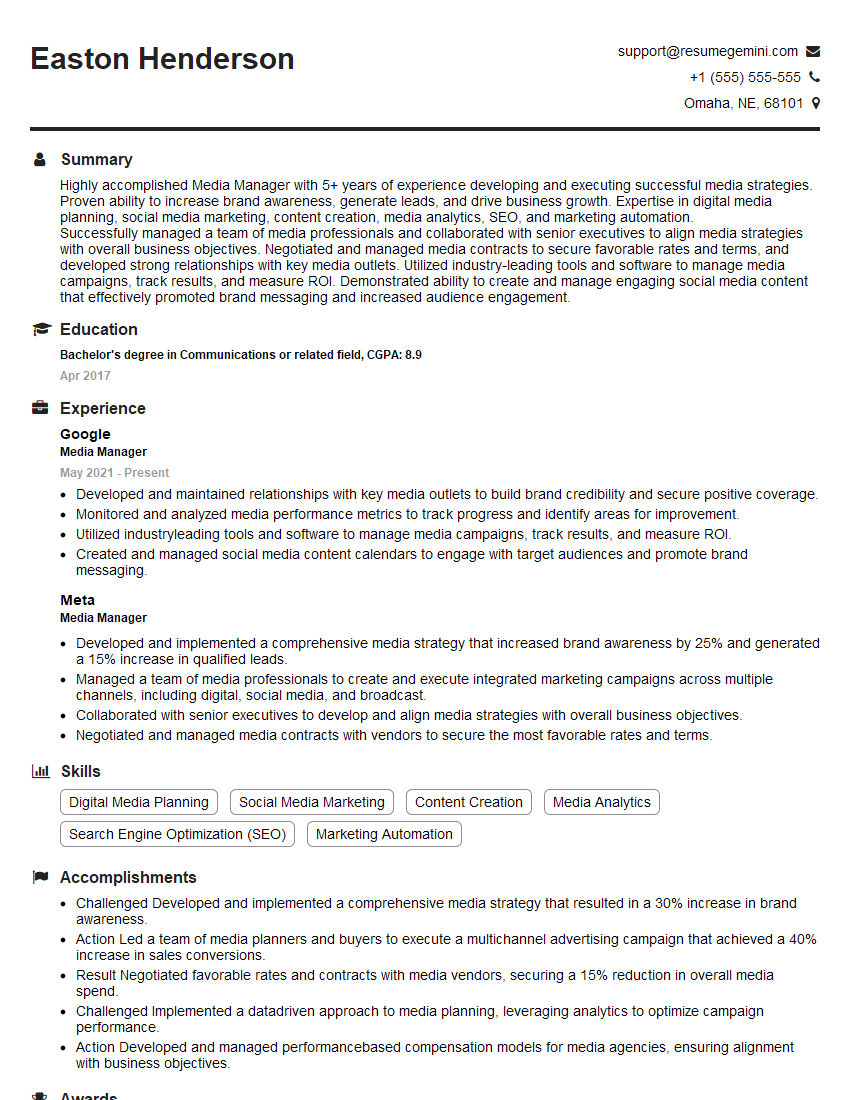
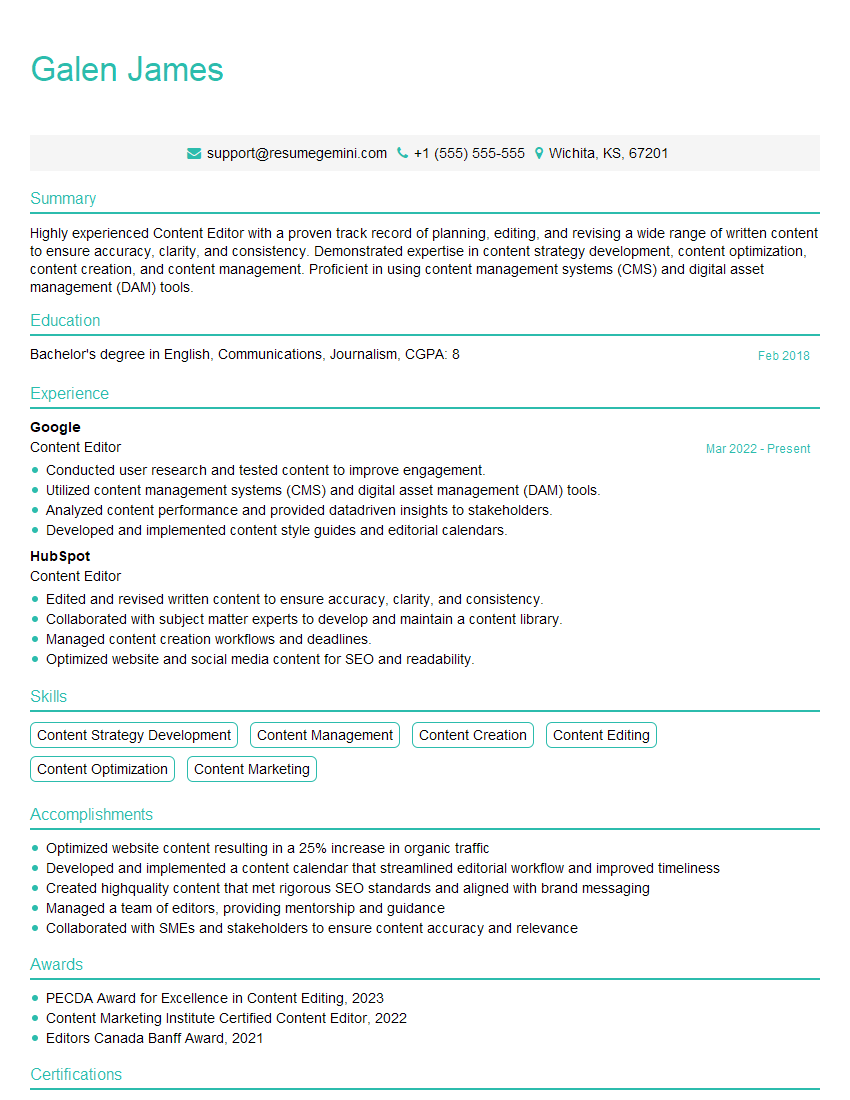
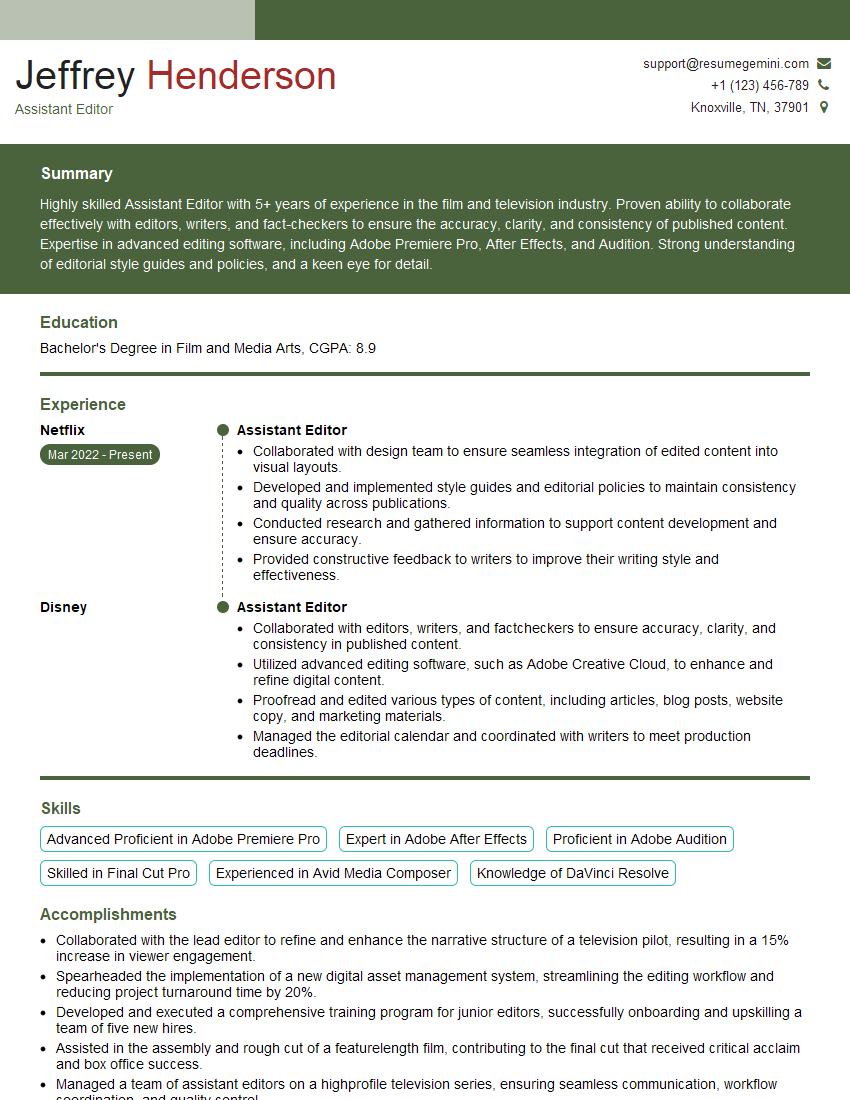
Mastering film assembly is crucial for career advancement in the dynamic film industry. Strong skills in this area open doors to diverse and exciting roles, offering opportunities for creative expression and technical expertise. To significantly improve your job prospects, it’s essential to create an ATS-friendly resume that effectively showcases your skills and experience. We strongly recommend using ResumeGemini, a trusted resource, to build a professional and impactful resume. Examples of resumes tailored to Film Assembly are available to guide you. A well-crafted resume is your first step towards landing your dream job.


Explore more articles
Users Rating of Our Blogs
Share Your Experience
We value your feedback! Please rate our content and share your thoughts (optional).
What Readers Say About Our Blog
Attention music lovers!
Wow, All the best Sax Summer music !!!
Spotify: https://open.spotify.com/artist/6ShcdIT7rPVVaFEpgZQbUk
Apple Music: https://music.apple.com/fr/artist/jimmy-sax-black/1530501936
YouTube: https://music.youtube.com/browse/VLOLAK5uy_noClmC7abM6YpZsnySxRqt3LoalPf88No
Other Platforms and Free Downloads : https://fanlink.tv/jimmysaxblack
on google : https://www.google.com/search?q=22+AND+22+AND+22
on ChatGPT : https://chat.openai.com?q=who20jlJimmy20Black20Sax20Producer
Get back into the groove with Jimmy sax Black
Best regards,
Jimmy sax Black
www.jimmysaxblack.com
Hi I am a troller at The aquatic interview center and I suddenly went so fast in Roblox and it was gone when I reset.
Hi,
Business owners spend hours every week worrying about their website—or avoiding it because it feels overwhelming.
We’d like to take that off your plate:
$69/month. Everything handled.
Our team will:
Design a custom website—or completely overhaul your current one
Take care of hosting as an option
Handle edits and improvements—up to 60 minutes of work included every month
No setup fees, no annual commitments. Just a site that makes a strong first impression.
Find out if it’s right for you:
https://websolutionsgenius.com/awardwinningwebsites
Hello,
we currently offer a complimentary backlink and URL indexing test for search engine optimization professionals.
You can get complimentary indexing credits to test how link discovery works in practice.
No credit card is required and there is no recurring fee.
You can find details here:
https://wikipedia-backlinks.com/indexing/
Regards
NICE RESPONSE TO Q & A
hi
The aim of this message is regarding an unclaimed deposit of a deceased nationale that bears the same name as you. You are not relate to him as there are millions of people answering the names across around the world. But i will use my position to influence the release of the deposit to you for our mutual benefit.
Respond for full details and how to claim the deposit. This is 100% risk free. Send hello to my email id: lukachachibaialuka@gmail.com
Luka Chachibaialuka
Hey interviewgemini.com, just wanted to follow up on my last email.
We just launched Call the Monster, an parenting app that lets you summon friendly ‘monsters’ kids actually listen to.
We’re also running a giveaway for everyone who downloads the app. Since it’s brand new, there aren’t many users yet, which means you’ve got a much better chance of winning some great prizes.
You can check it out here: https://bit.ly/callamonsterapp
Or follow us on Instagram: https://www.instagram.com/callamonsterapp
Thanks,
Ryan
CEO – Call the Monster App
Hey interviewgemini.com, I saw your website and love your approach.
I just want this to look like spam email, but want to share something important to you. We just launched Call the Monster, a parenting app that lets you summon friendly ‘monsters’ kids actually listen to.
Parents are loving it for calming chaos before bedtime. Thought you might want to try it: https://bit.ly/callamonsterapp or just follow our fun monster lore on Instagram: https://www.instagram.com/callamonsterapp
Thanks,
Ryan
CEO – Call A Monster APP
To the interviewgemini.com Owner.
Dear interviewgemini.com Webmaster!
Hi interviewgemini.com Webmaster!
Dear interviewgemini.com Webmaster!
excellent
Hello,
We found issues with your domain’s email setup that may be sending your messages to spam or blocking them completely. InboxShield Mini shows you how to fix it in minutes — no tech skills required.
Scan your domain now for details: https://inboxshield-mini.com/
— Adam @ InboxShield Mini
support@inboxshield-mini.com
Reply STOP to unsubscribe
Hi, are you owner of interviewgemini.com? What if I told you I could help you find extra time in your schedule, reconnect with leads you didn’t even realize you missed, and bring in more “I want to work with you” conversations, without increasing your ad spend or hiring a full-time employee?
All with a flexible, budget-friendly service that could easily pay for itself. Sounds good?
Would it be nice to jump on a quick 10-minute call so I can show you exactly how we make this work?
Best,
Hapei
Marketing Director
Hey, I know you’re the owner of interviewgemini.com. I’ll be quick.
Fundraising for your business is tough and time-consuming. We make it easier by guaranteeing two private investor meetings each month, for six months. No demos, no pitch events – just direct introductions to active investors matched to your startup.
If youR17;re raising, this could help you build real momentum. Want me to send more info?
Hi, I represent an SEO company that specialises in getting you AI citations and higher rankings on Google. I’d like to offer you a 100% free SEO audit for your website. Would you be interested?
Hi, I represent an SEO company that specialises in getting you AI citations and higher rankings on Google. I’d like to offer you a 100% free SEO audit for your website. Would you be interested?