The right preparation can turn an interview into an opportunity to showcase your expertise. This guide to FrontEnd Web Development interview questions is your ultimate resource, providing key insights and tips to help you ace your responses and stand out as a top candidate.
Questions Asked in FrontEnd Web Development Interview
Q 1. Explain the difference between ‘==’ and ‘===’ in JavaScript.
In JavaScript, both == and === are used for comparison, but they differ significantly in how they perform the check. == is the loose equality operator, while === is the strict equality operator. The key difference lies in type coercion.
Loose Equality (==): This operator compares the values of two operands after performing type coercion. If the operands are of different types, it attempts to convert them to a common type before comparison. This can lead to unexpected results.
Example: 1 == '1' // true (because the string ‘1’ is coerced to the number 1)
Strict Equality (===): This operator compares both the value and the type of two operands. It returns true only if both the value and the type are identical; otherwise, it returns false. It avoids type coercion, making comparisons more predictable and reliable.
Example: 1 === '1' // false (because the types are different)
Best Practice: Always use the strict equality operator (===) in your JavaScript code to avoid unexpected behavior due to type coercion. It makes your code easier to understand, debug, and maintain.
Q 2. What are the different ways to handle asynchronous operations in JavaScript?
JavaScript offers several ways to handle asynchronous operations, which are tasks that don’t block the execution of other code while waiting for a result (like fetching data from a server). Here are some prominent methods:
- Callbacks: A simple approach where you pass a function as an argument to another function. This callback function is executed when the asynchronous operation completes. Callbacks can become difficult to manage in complex scenarios, leading to “callback hell.”
- Promises: A more structured approach than callbacks. A promise represents the eventual result of an asynchronous operation. It has three states: pending, fulfilled (resolved), or rejected. Promises handle asynchronous operations more elegantly than callbacks, improving readability.
- Async/Await: Built on top of promises, this approach makes asynchronous code look and behave a bit more like synchronous code, improving readability even further. The
asynckeyword declares an asynchronous function, and theawaitkeyword pauses execution until a promise is resolved. - Generators (with Promises): Generators provide a way to pause and resume function execution, which can be used in conjunction with promises to manage asynchronous flows. They are often employed for more complex, sophisticated async tasks.
Example (Promises):
fetch('https://api.example.com/data') .then(response => response.json()) .then(data => console.log(data)) .catch(error => console.error('Error:', error));Example (Async/Await):
async function fetchData() { try { const response = await fetch('https://api.example.com/data'); const data = await response.json(); console.log(data); } catch (error) { console.error('Error:', error); } } fetchData();The choice of method depends on the complexity of your application and personal preference. For simple cases, promises are usually sufficient. For more complex scenarios, async/await generally offers better readability and maintainability.
Q 3. Describe the concept of closures in JavaScript.
In JavaScript, a closure is a function that has access to variables from its surrounding lexical environment, even after that environment has finished executing. Think of it like a function that ‘remembers’ its surroundings.
How it works: When a function is created, it forms a closure with its surrounding scope. This closure includes any variables declared within that scope, even if those variables are no longer accessible from other parts of the code. This is possible because the function retains a reference to the scope where it was created.
Example:
function outerFunction() { let outerVar = 'Hello'; function innerFunction() { console.log(outerVar); } return innerFunction; } let myClosure = outerFunction(); myClosure(); // Outputs 'Hello'In this example, innerFunction forms a closure over outerVar. Even after outerFunction has finished executing, innerFunction can still access and use outerVar because it’s part of its closure.
Practical Applications: Closures are essential for creating private variables in JavaScript (since there’s no true private keyword), implementing modules, and creating functions with state that persists between calls (e.g., counters, timers, etc.). They are a fundamental concept in JavaScript programming and appear everywhere, from simple function calls to large, complex frameworks.
Q 4. Explain the difference between `let`, `const`, and `var` in JavaScript.
let, const, and var are all keywords used to declare variables in JavaScript, but they differ in their scope and how they are handled.
var: Function-scoped. If declared outside a function, it becomes globally scoped. It can be re-declared and updated within its scope.let: Block-scoped. It’s limited to the block of code (defined by curly braces{}) where it’s declared. It can be updated but not re-declared within its scope.const: Block-scoped, similar tolet. However, aconstvariable must be initialized at the time of declaration and cannot be reassigned after that. It doesn’t mean the variable’s value is immutable; if the variable holds a mutable object, its properties can still be changed.
Example:
function exampleScope() { var x = 10; let y = 20; const z = 30; if (true) { var x = 100; // Allowed let y = 200; // Allowed const z = 300; // Allowed } console.log(x); // Outputs 100 (function scope) console.log(y); // Outputs 200 (block scope) console.log(z); // Outputs 300 (block scope) } exampleScope();Best Practice: In modern JavaScript development, it’s highly recommended to primarily use let and const. Avoid using var as much as possible due to potential scoping issues. Prefer const for values that shouldn’t change, and let when a variable’s value needs to be updated.
Q 5. What are event loops and call stacks in JavaScript?
The event loop and call stack are fundamental parts of the JavaScript runtime environment that manage how code is executed, especially asynchronous operations.
Call Stack: This is a LIFO (Last-In, First-Out) stack that tracks function execution. When a function is called, it’s pushed onto the stack. When the function finishes, it’s popped off. If a function calls another function, the new function is pushed onto the stack. The stack helps JavaScript manage the order of function calls and maintain the execution context.
Event Loop: This is a mechanism that constantly monitors the call stack and the callback queue (or task queue). When the call stack is empty, the event loop takes the first callback from the queue and pushes it onto the stack for execution. This continuous monitoring and processing are what enable JavaScript to handle asynchronous operations without blocking the main thread.
Analogy: Imagine a restaurant kitchen (call stack) and a waiting area (callback queue). The chefs are working on orders (functions). Once a chef finishes an order, they put it on a counter. A waiter (event loop) checks if the stack (kitchen) is clear and then takes the next order from the counter and serves it to the customer.
How they work together: Asynchronous operations (like timers, network requests, etc.) are placed in the callback queue when their asynchronous tasks complete. The event loop then picks them up and puts them on the call stack for execution, allowing the browser to remain responsive while waiting for results.
Q 6. What are some common methods for handling errors in JavaScript?
JavaScript provides several ways to handle errors, ensuring your applications gracefully handle unexpected situations and avoid crashes. Here are some common techniques:
try...catchblocks: This is the most fundamental approach to error handling. You wrap code that might throw an error inside atryblock. If an error occurs, thecatchblock executes, allowing you to handle the error appropriately.- Error objects: When an error occurs, a JavaScript
Errorobject is created. This object contains information about the error, such as the error message, stack trace, and error name (e.g.,TypeError,ReferenceError). throwstatement: You can manually throw errors using thethrowstatement. This is useful for signaling errors in custom functions or for conditions you want to explicitly handle.- Global error handling (
window.onerror): In browser environments, you can use thewindow.onerrorevent handler to capture errors that are not caught bytry...catchblocks. This can be useful for logging unhandled errors and for general debugging purposes. - Promises and Async/Await: Promises and Async/Await include
.catch()methods which provide clean ways to handle rejection of a promise
Example (try...catch):
try { let result = 10 / 0; } catch (error) { console.error('An error occurred:', error.message); // Handle the error }Effective error handling is crucial for building robust applications. Properly handling errors improves user experience, helps in debugging and facilitates the maintenance and stability of your application.
Q 7. Explain the difference between a React component and a React element.
In React, components and elements are closely related but distinct concepts that work together to build the user interface.
React Element: A plain JavaScript object that represents a UI element (like a div, a button, or a custom component). It’s what gets rendered to the actual DOM. Elements are immutable; once created, they cannot be changed.
React Component: A function or class that returns a React element (or multiple elements). Components encapsulate logic and data to render complex UI structures efficiently. They form the building blocks of larger React applications and manage the state and behavior of the application. Components are reusable.
Analogy: Think of a blueprint (component) and a brick (element). The blueprint describes the structure of a building (UI), and bricks are used to construct the building according to the blueprint. You can reuse the same blueprint (component) to build many similar structures, but each brick (element) is a single, immutable part.
Example:
// Functional Component function MyComponent() { return This is a component; } // Using the component in JSX Understanding the difference between components and elements is essential for effectively building and managing React applications. Elements are the building blocks, while components provide the structure and logic to create complex UI structures with reusable and organized code.
Q 8. How does React’s virtual DOM work?
React’s Virtual DOM is a lightweight in-memory representation of the actual DOM (Document Object Model). Imagine it as a virtual copy of your website’s structure. Instead of directly manipulating the real DOM (which is expensive), React first makes changes to this virtual DOM. Then, React cleverly compares the old virtual DOM with the new one, identifying only the minimal changes needed. Only these specific changes are then applied to the real DOM, making updates incredibly efficient and performant. This process significantly improves application speed and responsiveness, especially with frequent updates.
Think of it like this: you have a physical LEGO castle (real DOM). Instead of painstakingly rebuilding the entire castle every time you make a small change, you create a blueprint (virtual DOM) and only change the specific bricks (minimal DOM updates) on the blueprint that need altering, and then transfer those changes to your actual castle.
Q 9. What are the different lifecycle methods in React components?
React components have several lifecycle methods that are called at specific stages of their existence. These methods allow you to perform actions at different points, like setting up data, handling updates, or cleaning up after a component is unmounted. They are broadly categorized into Mounting, Updating, and Unmounting phases.
- Mounting:
constructor()(for setting initial state),static getDerivedStateFromProps()(for updating state based on props),render()(renders the component’s output),componentDidMount()(performs actions after the component is rendered). - Updating:
static getDerivedStateFromProps()(as above),shouldComponentUpdate()(for performance optimization – should the component re-render?),render()(renders updated component),getSnapshotBeforeUpdate()(captures information before DOM update),componentDidUpdate()(performs actions after the update is complete). - Unmounting:
componentWillUnmount()(performs cleanup actions before the component is removed from the DOM).
These methods provide precise control over the component’s behavior throughout its lifespan, allowing for complex logic and data management.
Q 10. Explain the concept of state and props in React.
In React, state and props are fundamental concepts for managing data within components. They both dictate how a component renders, but they differ significantly in their purpose and how they’re used.
- State: Represents the internal data of a component that can change over time, triggering re-renders. It’s managed internally within the component using
useStatehook (in functional components) orthis.setState(in class components). Think of it as the component’s private data, responsible for its dynamic behavior. - Props: Are read-only values passed from a parent component to a child component. They are essentially inputs that configure the child’s behavior. They are immutable within the child component; any changes must come from the parent. Props are like external configurations passed down to the component.
Example: A name, price, and image, while its state might track whether a user has added the product to their cart.
Q 11. How do you handle form submissions in React?
Handling form submissions in React often involves preventing the default browser behavior (page refresh) and managing the form data. This typically involves using the onSubmit event handler and controlled components.
Controlled Components: These components have their values managed directly by the React component’s state. The values are updated as the user interacts with the form inputs.
Example:
const MyForm = () => {
  const [formData, setFormData] = useState({ name: '', email: '' });
  const handleSubmit = (event) => {
    event.preventDefault(); // Prevent page refresh
    console.log('Form data:', formData);
    // Send formData to server using fetch or axios
  };
  const handleChange = (event) => {
    setFormData({ ...formData, [event.target.name]: event.target.value });
  };
  return (
    <form onSubmit={handleSubmit}><br>      <input type='text' name='name' value={formData.name} onChange={handleChange} /><br>      <input type='email' name='email' value={formData.email} onChange={handleChange} /><br>      <button type='submit'>Submit</button><br>    </form><br>  );
};
This ensures that the form data is always synchronized with the component’s state, facilitating efficient data management and validation.
Q 12. What are JSX and how does it work?
JSX (JavaScript XML) is a syntax extension to JavaScript. It allows you to write HTML-like code within your JavaScript files. It’s not actual HTML; it’s a way to describe the UI in a clear and concise manner. Before rendering to the browser, a JSX expression is transformed into standard JavaScript using Babel or a similar tool. This transformation creates React elements that represent the UI structure.
Example:
const element = Hello, world!
;This JSX code is transformed into a JavaScript object that React uses to build the actual DOM element. JSX makes it much easier to define and structure user interfaces in React, improving code readability and maintainability.
Q 13. Explain how to optimize React application performance.
Optimizing React application performance involves various techniques aimed at minimizing rendering time and resource consumption. These techniques range from efficient coding practices to advanced optimization strategies.
- Use of
memoorReact.memo: This higher-order component prevents re-renders of components if their props haven’t changed. useCallbackanduseMemoHooks: These hooks help prevent unnecessary recalculations and function recreations, leading to faster rendering.- Code Splitting: Divide your application into smaller chunks to load only necessary parts initially. This reduces initial load time.
- Lazy Loading: Load components only when needed, enhancing initial render speed.
- Virtualization: For large lists, render only the visible items, improving scrolling performance.
- Profiling Tools: Utilize React’s built-in profiler or third-party tools to pinpoint performance bottlenecks.
- Image Optimization: Use optimized image formats and sizes to minimize loading times.
Adopting these strategies ensures efficient resource management and creates a smoother user experience, particularly for complex and data-intensive applications.
Q 14. How do you manage state in large React applications?
Managing state in large React applications requires a structured approach to avoid complexity and maintainability issues. As applications grow, relying solely on component-level state becomes unwieldy.
- Context API: Provides a way to share state across multiple components without prop drilling. It’s ideal for globally accessible data.
- Redux or Zustand: These state management libraries provide a centralized store for application state, along with tools for efficient state updates and data flow management. They introduce predictability and improve maintainability in large applications.
- Recoil: A newer state management library offering an atom-based approach, making it more intuitive for managing asynchronous data and complex state structures.
- Component Composition and State Lifting: Strategically lift state up to a common ancestor component that needs access to it. This approach avoids repetitive state management in multiple child components.
Choosing the right state management solution depends on the application’s complexity and specific requirements. For smaller applications, Context API might suffice. However, for large, complex applications, dedicated state management libraries provide better structure and scalability.
Q 15. What are some common React libraries used for state management?
React, being a component-based library, often necessitates robust state management solutions as applications grow in complexity. Several excellent libraries cater to this need. Here are a few of the most popular:
- Redux: A predictable state container for JavaScript apps. It utilizes a unidirectional data flow, making it easier to understand and debug. Think of it as a central store where all your application’s data resides. Changes are made through actions, which are dispatched and handled by reducers. This ensures predictability and makes tracking changes a breeze.
- Zustand: A small, fast, and scalable state management solution. It’s built on the idea of using simple context API hooks, offering a more lightweight alternative to Redux, especially for smaller projects. Its simplicity makes it quicker to learn and implement.
- Recoil: A state management library for React that provides a more modern approach to managing state, particularly in complex applications. It uses atoms (smallest units of state), selectors (derived state), and asynchronous actions. It’s particularly efficient in handling concurrent updates and large data sets. It offers a more intuitive experience than traditional flux-style architectures.
- Jotai: Another popular option, Jotai provides a lightweight and performant way to manage state using the React Context API. It utilizes proxies and atoms (similar to Recoil) offering excellent performance and efficient update mechanisms.
The choice of library often depends on project size, complexity, and team familiarity. For smaller projects, Zustand or Jotai might be sufficient. For larger, more complex projects, Redux or Recoil would be a better fit due to their scalability and organizational features.
Career Expert Tips:
- Ace those interviews! Prepare effectively by reviewing the Top 50 Most Common Interview Questions on ResumeGemini.
- Navigate your job search with confidence! Explore a wide range of Career Tips on ResumeGemini. Learn about common challenges and recommendations to overcome them.
- Craft the perfect resume! Master the Art of Resume Writing with ResumeGemini’s guide. Showcase your unique qualifications and achievements effectively.
- Don’t miss out on holiday savings! Build your dream resume with ResumeGemini’s ATS optimized templates.
Q 16. Describe your experience with different JavaScript frameworks (Angular, Vue, etc.).
I have significant experience with several JavaScript frameworks, including React, Angular, and Vue.js. Each has its strengths and weaknesses, making them suitable for different types of projects.
- React: My primary focus, React’s component-based architecture and virtual DOM are highly efficient. I’ve used it extensively to build single-page applications (SPAs) and complex user interfaces. I find its flexibility and large community incredibly valuable.
- Angular: I’ve worked with Angular on several larger-scale projects. Its structured approach with TypeScript offers excellent type safety and maintainability. The built-in features for routing, dependency injection, and form handling streamline development. However, it can have a steeper learning curve compared to React.
- Vue.js: I have experience using Vue.js for smaller projects and prototyping. Its ease of use and progressive adoption make it a great choice for quick development and rapid prototyping. The template syntax is intuitive and easy to learn, reducing the initial development time.
My experience spans from choosing the right framework based on project requirements to managing complex state, building reusable components, and optimizing performance across various platforms. I am comfortable working with any of these frameworks and adapting my skillset to suit the demands of the job.
Q 17. How familiar are you with responsive design principles?
Responsive design is crucial for creating web experiences accessible across a multitude of devices (desktops, tablets, smartphones). My understanding of responsive design principles revolves around a few key elements:
- Fluid Grids: Using percentage-based widths for layout elements, allowing them to scale proportionally with the viewport size.
- Flexible Images: Employing the
max-width: 100%andheight: autoproperties to prevent images from overflowing their containers. This ensures images scale without distorting their aspect ratio. - Media Queries: Leveraging CSS media queries to apply style adjustments based on screen size, orientation, and other device capabilities. This allows me to tailor the layout and appearance to specific device contexts.
- Mobile-First Approach: Designing for mobile devices first and then progressively enhancing the experience for larger screens. This prioritizes the most constrained device, improving accessibility and user experience across the board.
- Viewport Meta Tag: Utilizing the
<meta name='viewport' content='width=device-width, initial-scale=1.0'>tag to ensure proper scaling on mobile devices. This single tag is crucial for ensuring the optimal rendering of a website on various screen sizes.
I regularly employ these principles in my projects to create seamless experiences regardless of the user’s device. In fact, I consider responsive design an integral part of any modern web development process, not an afterthought.
Q 18. Explain the importance of accessibility in web development.
Accessibility is paramount in web development. It ensures that websites are usable by everyone, including people with disabilities. Ignoring accessibility severely limits the reach and impact of a website. Building accessible websites is both ethical and beneficial for businesses.
Key aspects include:
- Semantic HTML: Using appropriate HTML elements (
<header>,<nav>,<main>,<article>,<aside>,<footer>) to structure content logically. This aids screen readers and other assistive technologies in understanding the page’s structure. - ARIA Attributes: Using ARIA (Accessible Rich Internet Applications) attributes to provide additional information to assistive technologies where semantic HTML alone is insufficient. Examples include ARIA roles, states, and properties.
- Keyboard Navigation: Ensuring all interactive elements are accessible via keyboard navigation, crucial for users who cannot use a mouse.
- Alternative Text for Images: Providing descriptive alternative text (
altattribute) for all images, conveying their meaning to users who cannot see them. - Color Contrast: Maintaining sufficient color contrast between text and background to ensure readability for users with visual impairments.
- Captioning and Transcripts: Providing captions and transcripts for audio and video content to benefit users who are deaf or hard of hearing.
I strive to incorporate accessibility best practices in all my projects, using tools like accessibility auditors and adhering to WCAG (Web Content Accessibility Guidelines) standards.
Q 19. What are some common techniques for improving website performance?
Website performance is critical for user experience and SEO. Several techniques help optimize this:
- Image Optimization: Compressing images without sacrificing quality significantly reduces page load time. Using appropriate formats (WebP, AVIF) further enhances performance.
- Code Optimization: Minimizing and bundling JavaScript and CSS files reduces the number of HTTP requests and file sizes. Tree-shaking eliminates unused code from bundles.
- Lazy Loading: Loading images and other resources only when they are needed (come into the viewport) reduces initial page load time.
- Caching: Using browser and server-side caching to store frequently accessed resources and reduce server load. This significantly improves repeated visits’ experience.
- Content Delivery Network (CDN): Using a CDN distributes website content across multiple servers globally, reducing latency for users in different locations.
- Minification: Removing unnecessary characters (whitespace, comments) from code files decreases file sizes, improving loading times.
I regularly profile website performance using tools like Lighthouse and WebPageTest to identify bottlenecks and implement appropriate optimization strategies. These tools offer valuable insights into areas for improvement, enabling efficient problem-solving.
Q 20. How do you debug JavaScript code?
Debugging JavaScript code is a crucial skill. My approach combines several techniques:
- Browser Developer Tools: The built-in developer tools in modern browsers (Chrome DevTools, Firefox Developer Tools) are indispensable. They offer features like:
- Console: For logging messages, inspecting variables, and running code snippets.
- Sources: For setting breakpoints, stepping through code, and inspecting variables during execution.
- Network: For analyzing network requests and identifying slow-loading resources.
- Linters and Code Formatters: Tools like ESLint and Prettier help catch errors and enforce consistent coding styles, preventing many issues before they arise.
- Debuggers: Using dedicated JavaScript debuggers, either integrated within IDEs or standalone tools, allows for detailed inspection of the execution flow and variable states.
- Console Logging (
console.log()): Strategically placingconsole.log()statements helps monitor variable values and execution flow at various points within the code. It is a vital and simple technique for identifying problems. - Error Handling (
try...catchblocks): Usingtry...catchblocks helps handle potential errors gracefully, providing insights into the nature of the errors and their context.
I adopt a systematic approach to debugging. I begin with replicating the error, then use the browser’s developer tools to pinpoint the source of the problem, carefully inspecting the code and relevant logs.
Q 21. What are your preferred tools for front-end development?
My preferred tools for front-end development are chosen for their efficiency and effectiveness. They include:
- Code Editor: VS Code – I find its extensive plugin ecosystem, excellent debugging capabilities, and overall performance to be unparalleled.
- Version Control: Git – Essential for collaboration and managing code changes effectively.
- Package Manager: npm or yarn – For managing project dependencies. I prefer npm for its broad community support.
- Task Runner/Build Tool: Webpack or Parcel – For bundling, minifying, and optimizing JavaScript and CSS. I often choose Parcel for its simplicity and speed of development.
- Testing Framework: Jest and React Testing Library – For writing unit and integration tests to ensure code quality and reliability.
- Browser Developer Tools: Chrome DevTools and Firefox Developer Tools – for debugging, profiling, and performance analysis.
- Design and Prototyping tools: Figma or Adobe XD, for collaborating on UI/UX designs and ensuring consistent design across the project.
I’m always open to exploring new tools and technologies that can enhance my workflow and improve the quality of my work. The tools listed are merely my current preferences, and I always look for the best tool for the job at hand.
Q 22. Explain the concept of cross-browser compatibility.
Cross-browser compatibility refers to the ability of a website or web application to render correctly and function consistently across different web browsers (like Chrome, Firefox, Safari, Edge) and their various versions. Ensuring compatibility is crucial because users access websites from a wide range of browsers, and inconsistencies can lead to a poor user experience, impacting usability and potentially damaging your brand.
Achieving cross-browser compatibility involves understanding how different browsers interpret HTML, CSS, and JavaScript. For example, certain CSS properties might be rendered differently, or JavaScript features may not be supported in older browsers. This requires careful testing and the use of techniques like:
- Using widely supported CSS properties and features: Avoid relying on cutting-edge, browser-specific features that might not be supported universally.
- CSS resets or normalizers: These stylesheets help to standardize default styles across browsers, mitigating inconsistencies in element rendering.
- Feature detection and polyfills: Feature detection involves checking if a browser supports a specific feature before using it. Polyfills provide fallback implementations for features not supported by older browsers, ensuring functionality across the board.
- Thorough testing across different browsers and devices: This is paramount to identify and resolve compatibility issues early in the development process. Tools like BrowserStack or Sauce Labs can automate this.
For example, older browsers might not support flexbox layout. To maintain compatibility, you could use alternative layout methods like floats or tables as a fallback, or use a library like Autoprefixer, which automatically adds vendor prefixes to CSS code, ensuring it works correctly across older browsers.
Q 23. Describe your experience with version control systems (Git).
I have extensive experience using Git, the industry-standard version control system. I’m proficient in all its core functionalities, including branching, merging, rebasing, and resolving conflicts. I regularly utilize Git for individual projects and collaborative development within teams.
In my workflow, I typically create feature branches for new features or bug fixes, ensuring a clean separation of work from the main branch. This allows for parallel development without disrupting the stability of the main codebase. I’m comfortable using Git commands from the command line and familiar with various graphical user interfaces like Sourcetree or GitHub Desktop.
Furthermore, I understand the importance of writing clear and concise commit messages that accurately describe changes. I frequently use pull requests for code review and collaboration, ensuring the code quality is consistently high. I’m also experienced in managing remote repositories on platforms like GitHub, GitLab, and Bitbucket.
Example of a clean commit message: 'feat(login): Implement password reset functionality'Q 24. How do you stay up-to-date with the latest front-end technologies?
Staying updated in the rapidly evolving world of front-end development is crucial. My approach involves a multi-pronged strategy:
- Following industry blogs and publications: I regularly read blogs like CSS-Tricks, Smashing Magazine, and A List Apart, as well as newsletters from companies like Webpack and React.
- Participating in online communities: Active engagement on platforms like Stack Overflow, Reddit’s r/webdev, and Discord servers allows me to learn from others, stay abreast of current trends, and discuss solutions to challenging problems.
- Attending webinars and conferences: These events provide valuable insights from industry experts and offer opportunities to network with peers.
- Experimenting with new tools and libraries: I dedicate time to experimenting with new frameworks, libraries, and tools. This hands-on experience solidifies my understanding and allows me to evaluate their effectiveness.
- Contributing to open-source projects: Contributing to open-source projects is an excellent way to learn best practices, gain experience with different codebases, and receive feedback from experienced developers.
This combination of passive and active learning ensures that I remain at the forefront of front-end innovation and best practices.
Q 25. Describe a challenging front-end problem you solved and how you approached it.
I once faced a challenging issue involving optimizing the performance of a complex, single-page application (SPA) with numerous dynamic components. The initial implementation resulted in slow loading times and sluggish responsiveness, impacting user experience.
My approach involved a systematic troubleshooting process:
- Profiling and performance analysis: I used browser developer tools to identify performance bottlenecks. This revealed that excessive DOM manipulation and inefficient rendering were the primary culprits.
- Code optimization: I optimized JavaScript code by reducing unnecessary re-renders, utilizing memoization techniques, and leveraging efficient algorithms. I also minimized DOM manipulations by using techniques like virtual DOM updates (if applicable).
- Image optimization: I optimized images using tools like TinyPNG to reduce file sizes without sacrificing quality, significantly improving loading times.
- Lazy loading: I implemented lazy loading to defer the loading of off-screen images and components until they are needed, improving initial page load times.
- Code splitting: To further improve performance, I implemented code splitting, dividing the application into smaller chunks to reduce initial bundle size. This ensured that only necessary code was loaded initially.
Through this multi-faceted approach, we significantly improved the SPA’s performance – reducing load times by over 60% and enhancing responsiveness dramatically. This reinforced the importance of proactive performance optimization and the use of tools like Chrome DevTools for troubleshooting.
Q 26. What are your strengths and weaknesses as a front-end developer?
Strengths: My strengths lie in my ability to quickly grasp complex concepts, write clean and maintainable code, and collaborate effectively within a team. I’m a proactive problem-solver, always striving to find efficient and elegant solutions. My experience working with various frameworks and libraries allows me to adapt quickly to different project requirements. I also possess strong communication skills, which are vital for successful teamwork and clear client interaction.
Weaknesses: While I’m comfortable working independently, I occasionally need to improve my time management skills when juggling multiple tasks simultaneously. I actively work on this by using project management tools and prioritizing tasks effectively. I also aim to further deepen my understanding of newer cutting-edge technologies as they emerge, ensuring I constantly evolve with the changing landscape of front-end development.
Q 27. Explain your understanding of RESTful APIs.
RESTful APIs (Representational State Transfer Application Programming Interfaces) are a standard architectural style for designing networked applications. They leverage HTTP methods (GET, POST, PUT, DELETE) to interact with resources, treating each resource as a separate entity.
Key characteristics of RESTful APIs include:
- Client-server architecture: The client (e.g., a web browser) makes requests to the server, which processes the requests and returns responses.
- Statelessness: Each request from the client contains all the information needed to process the request, meaning the server doesn’t need to store any context between requests.
- Cacheability: Responses can be cached to improve performance.
- Uniform interface: Uses standard HTTP methods for consistent interaction with resources.
- Layered system: Clients interact with the server through layers that abstract away implementation details.
- Code on demand (optional): The server can extend the client functionality by sending code to be executed.
A common example is using a GET request to retrieve data from a server (e.g., fetching a list of products), a POST request to create a new resource (e.g., adding a new user), a PUT request to update an existing resource (e.g., modifying a product’s description), and a DELETE request to remove a resource (e.g., deleting a user account).
Q 28. How do you handle conflicts in a team environment during development?
Handling conflicts in a team environment is an inevitable part of collaborative development. My approach involves a combination of proactive strategies and conflict resolution techniques:
- Clear Communication: Open and frequent communication is key. Before starting a task, I discuss my approach and potential areas of overlap with teammates. I actively participate in code reviews and promptly address feedback.
- Version Control Best Practices: Following Git best practices like frequent commits, small pull requests, and clear commit messages helps to minimize the frequency and severity of conflicts.
- Conflict Resolution: When conflicts do arise, I employ a collaborative approach. I strive to understand the root cause of the conflict and work with my teammates to find a mutually agreeable solution. If a technical solution isn’t immediately clear, I propose a discussion to clarify our understanding of the overall project goals and ensure alignment.
- Utilize Tools: I’m comfortable using Git’s built-in merge tools or external visual merge tools to resolve conflicts in a clear and efficient manner.
By embracing collaboration, proactive communication, and a structured conflict-resolution process, I contribute to a positive and productive team environment, ensuring smooth development and high-quality code.
Key Topics to Learn for FrontEnd Web Development Interview
- HTML5 Semantics & Structure: Understanding semantic HTML5 tags and their appropriate usage for creating accessible and well-structured websites. Practical application: Building a webpage with clear hierarchy and meaning, ensuring screen readers can interpret content correctly.
- CSS3 Styling & Layout: Mastering CSS selectors, the box model, flexbox, and grid for responsive and visually appealing designs. Practical application: Creating a responsive layout that adapts seamlessly to different screen sizes and devices.
- JavaScript Fundamentals: Proficiency in JavaScript variables, data types, operators, control flow, functions, and object-oriented programming concepts. Practical application: Building interactive elements and dynamic functionality on a webpage.
- JavaScript Frameworks/Libraries (React, Angular, Vue): Familiarity with at least one popular framework, understanding its core principles, component structure, and state management. Practical application: Building complex, single-page applications (SPAs) with reusable components.
- Responsive Web Design: Implementing responsive techniques using media queries and flexible layouts to ensure optimal viewing experience across all devices. Practical application: Creating a website that looks great on desktops, tablets, and mobile phones.
- Version Control (Git): Understanding Git commands for branching, merging, and collaborating on projects. Practical application: Working effectively in a team environment and managing code changes efficiently.
- Testing & Debugging: Employing debugging tools and writing unit tests to identify and resolve issues in your code. Practical application: Ensuring the quality and reliability of your codebase.
- Accessibility & SEO Best Practices: Building websites that are accessible to users with disabilities and optimized for search engines. Practical application: Improving website usability and discoverability.
- Problem-solving & Algorithmic Thinking: Applying logical reasoning and problem-solving skills to tackle coding challenges and optimize your solutions. Practical application: Effectively debugging code and finding efficient solutions to complex front-end problems.
Next Steps
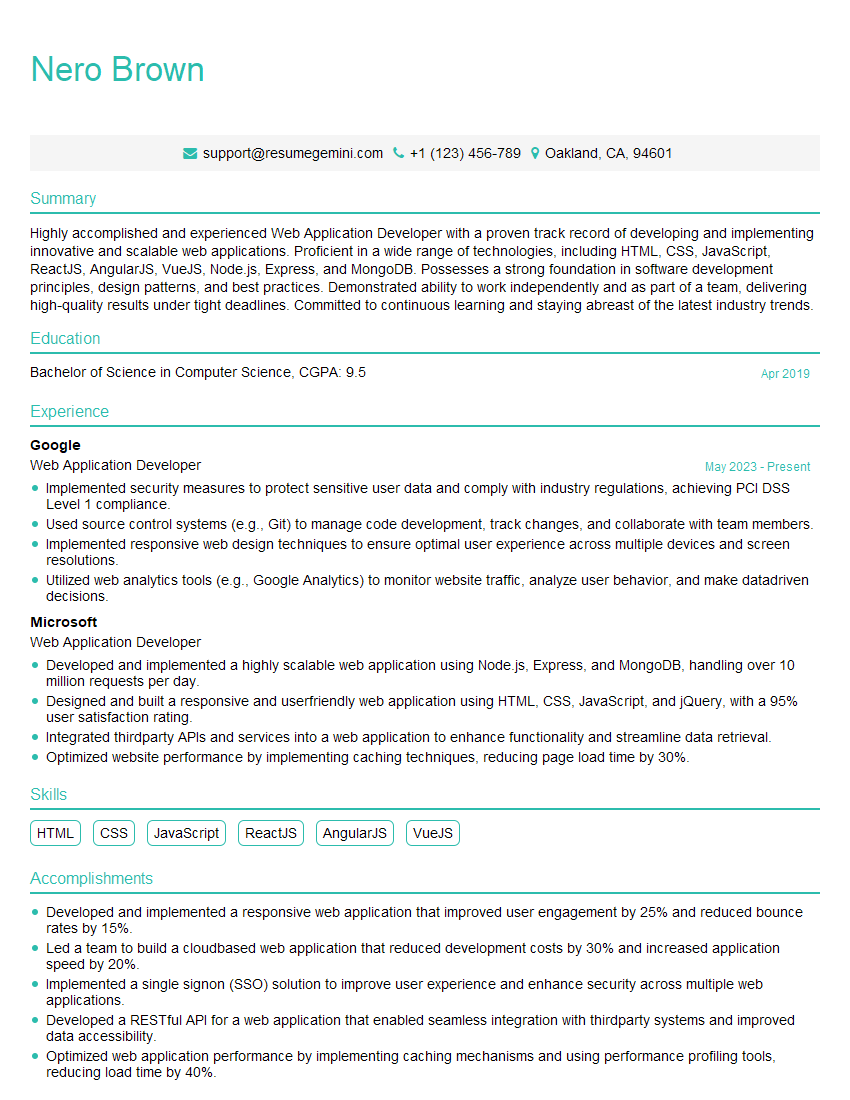
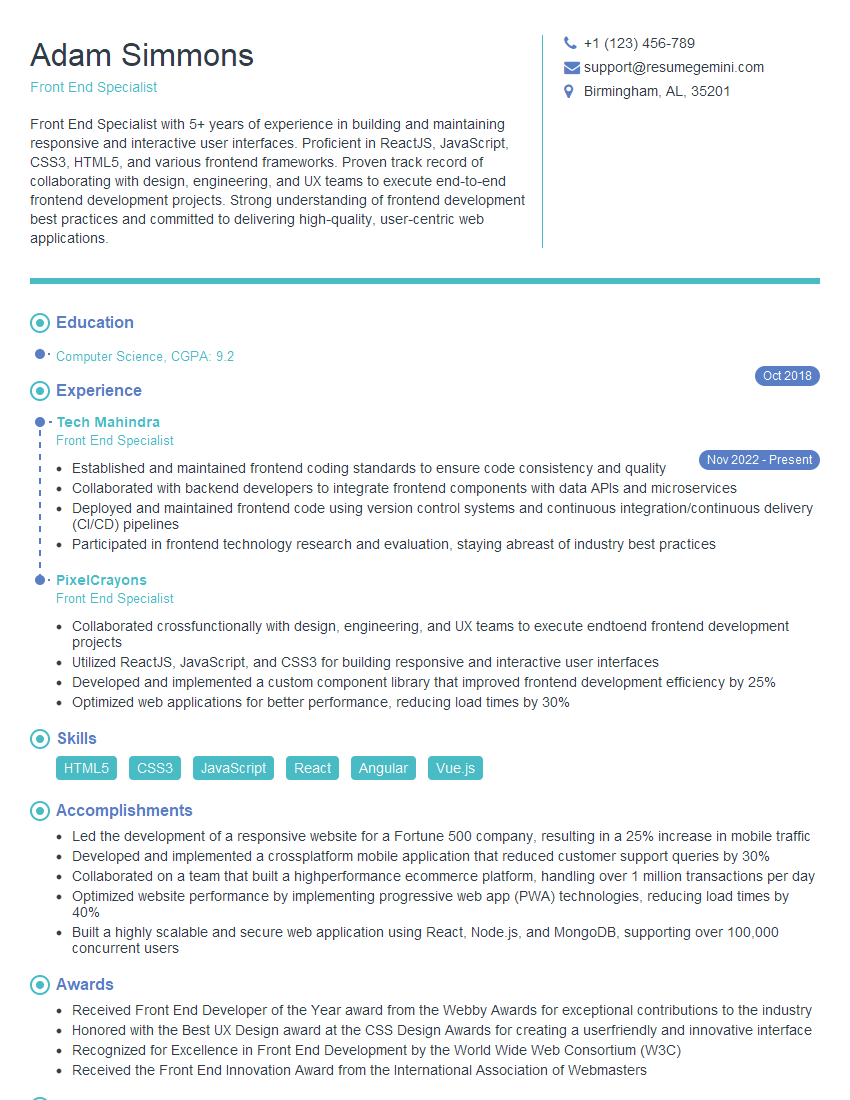
Mastering FrontEnd Web Development opens doors to exciting and rewarding career opportunities in a rapidly growing field. To maximize your job prospects, creating a strong, ATS-friendly resume is crucial. ResumeGemini is a trusted resource that can help you build a professional and impactful resume tailored to the specific requirements of FrontEnd Web Development roles. Examples of resumes specifically designed for FrontEnd Web Developers are available to guide you. Invest time in crafting a compelling resume – it’s your first impression on potential employers.

Explore more articles
Users Rating of Our Blogs
Share Your Experience
We value your feedback! Please rate our content and share your thoughts (optional).
What Readers Say About Our Blog
Attention music lovers!
Wow, All the best Sax Summer music !!!
Spotify: https://open.spotify.com/artist/6ShcdIT7rPVVaFEpgZQbUk
Apple Music: https://music.apple.com/fr/artist/jimmy-sax-black/1530501936
YouTube: https://music.youtube.com/browse/VLOLAK5uy_noClmC7abM6YpZsnySxRqt3LoalPf88No
Other Platforms and Free Downloads : https://fanlink.tv/jimmysaxblack
on google : https://www.google.com/search?q=22+AND+22+AND+22
on ChatGPT : https://chat.openai.com?q=who20jlJimmy20Black20Sax20Producer
Get back into the groove with Jimmy sax Black
Best regards,
Jimmy sax Black
www.jimmysaxblack.com
Hi I am a troller at The aquatic interview center and I suddenly went so fast in Roblox and it was gone when I reset.
Hi,
Business owners spend hours every week worrying about their website—or avoiding it because it feels overwhelming.
We’d like to take that off your plate:
$69/month. Everything handled.
Our team will:
Design a custom website—or completely overhaul your current one
Take care of hosting as an option
Handle edits and improvements—up to 60 minutes of work included every month
No setup fees, no annual commitments. Just a site that makes a strong first impression.
Find out if it’s right for you:
https://websolutionsgenius.com/awardwinningwebsites
Hello,
we currently offer a complimentary backlink and URL indexing test for search engine optimization professionals.
You can get complimentary indexing credits to test how link discovery works in practice.
No credit card is required and there is no recurring fee.
You can find details here:
https://wikipedia-backlinks.com/indexing/
Regards
NICE RESPONSE TO Q & A
hi
The aim of this message is regarding an unclaimed deposit of a deceased nationale that bears the same name as you. You are not relate to him as there are millions of people answering the names across around the world. But i will use my position to influence the release of the deposit to you for our mutual benefit.
Respond for full details and how to claim the deposit. This is 100% risk free. Send hello to my email id: lukachachibaialuka@gmail.com
Luka Chachibaialuka
Hey interviewgemini.com, just wanted to follow up on my last email.
We just launched Call the Monster, an parenting app that lets you summon friendly ‘monsters’ kids actually listen to.
We’re also running a giveaway for everyone who downloads the app. Since it’s brand new, there aren’t many users yet, which means you’ve got a much better chance of winning some great prizes.
You can check it out here: https://bit.ly/callamonsterapp
Or follow us on Instagram: https://www.instagram.com/callamonsterapp
Thanks,
Ryan
CEO – Call the Monster App
Hey interviewgemini.com, I saw your website and love your approach.
I just want this to look like spam email, but want to share something important to you. We just launched Call the Monster, a parenting app that lets you summon friendly ‘monsters’ kids actually listen to.
Parents are loving it for calming chaos before bedtime. Thought you might want to try it: https://bit.ly/callamonsterapp or just follow our fun monster lore on Instagram: https://www.instagram.com/callamonsterapp
Thanks,
Ryan
CEO – Call A Monster APP
To the interviewgemini.com Owner.
Dear interviewgemini.com Webmaster!
Hi interviewgemini.com Webmaster!
Dear interviewgemini.com Webmaster!
excellent
Hello,
We found issues with your domain’s email setup that may be sending your messages to spam or blocking them completely. InboxShield Mini shows you how to fix it in minutes — no tech skills required.
Scan your domain now for details: https://inboxshield-mini.com/
— Adam @ InboxShield Mini
support@inboxshield-mini.com
Reply STOP to unsubscribe
Hi, are you owner of interviewgemini.com? What if I told you I could help you find extra time in your schedule, reconnect with leads you didn’t even realize you missed, and bring in more “I want to work with you” conversations, without increasing your ad spend or hiring a full-time employee?
All with a flexible, budget-friendly service that could easily pay for itself. Sounds good?
Would it be nice to jump on a quick 10-minute call so I can show you exactly how we make this work?
Best,
Hapei
Marketing Director
Hey, I know you’re the owner of interviewgemini.com. I’ll be quick.
Fundraising for your business is tough and time-consuming. We make it easier by guaranteeing two private investor meetings each month, for six months. No demos, no pitch events – just direct introductions to active investors matched to your startup.
If youR17;re raising, this could help you build real momentum. Want me to send more info?
Hi, I represent an SEO company that specialises in getting you AI citations and higher rankings on Google. I’d like to offer you a 100% free SEO audit for your website. Would you be interested?
Hi, I represent an SEO company that specialises in getting you AI citations and higher rankings on Google. I’d like to offer you a 100% free SEO audit for your website. Would you be interested?