Preparation is the key to success in any interview. In this post, we’ll explore crucial Human Factors in Display Design interview questions and equip you with strategies to craft impactful answers. Whether you’re a beginner or a pro, these tips will elevate your preparation.
Questions Asked in Human Factors in Display Design Interview
Q 1. Explain the difference between usability and user experience.
Usability and user experience (UX) are often used interchangeably, but they represent distinct aspects of the user’s interaction with a system. Think of it like this: usability is about how easy something is to use, while user experience encompasses the overall feeling a user has when interacting with it.
Usability focuses on efficiency, effectiveness, and learnability. Can a user accomplish their task quickly (efficiency)? Can they successfully complete their task (effectiveness)? How easily can they learn to use the system (learnability)? These are all key metrics for usability testing.
UX, on the other hand, considers a wider range of factors including aesthetics, emotional responses, and the overall satisfaction the user derives from the interaction. It looks at things like the user’s enjoyment, engagement, and overall impression of the system, which goes beyond simple functionality.
For example, a website might have excellent usability – all the buttons work perfectly, navigation is intuitive, and tasks are easily accomplished. However, the UX might be poor if the website looks dull, feels impersonal, or doesn’t engage the user emotionally. Therefore, great UX usually involves great usability, but great usability doesn’t automatically guarantee a great UX.
Q 2. Describe Fitts’s Law and its application in display design.
Fitts’s Law is a model of human movement that predicts the time required to rapidly move to a target area is a function of the distance to the target and the size of the target. Simply put, the further away something is and the smaller it is, the longer it takes to click on it. This has significant implications for display design.
The formula is often expressed as: MT = a + b log2(2D/W), where MT is movement time, D is distance to target, W is target width, and a and b are constants.
In display design, we apply Fitts’s Law by making frequently used items large and placing them centrally or prominently. Imagine a software application: the “Save” button is usually large and easily accessible, while less frequently used options may be tucked away in menus. Similarly, important visual cues or interactive elements should be larger and more easily reachable than less crucial ones to minimize user effort and error.
Understanding Fitts’s Law helps designers optimize the placement and size of interactive elements, buttons, and menu items, improving the overall efficiency and usability of the interface.
Q 3. How do you conduct a heuristic evaluation of a display interface?
A heuristic evaluation is an expert review method where usability specialists evaluate a display interface against established usability principles, or heuristics. These heuristics are guidelines for good design, such as Nielsen’s 10 heuristics. The evaluators, acting as users, identify potential usability issues by comparing the interface against these established principles.
To conduct a heuristic evaluation, you would:
- Select evaluators: Choose usability experts with a range of experience and perspectives.
- Define heuristics: Clearly define the set of usability heuristics that will guide the evaluation. Nielsen’s 10 heuristics are a common starting point.
- Conduct the evaluation: Each evaluator independently explores the interface, noting any violations of the chosen heuristics. This often involves task completion and observing user flows.
- Consolidate findings: Collect and consolidate findings from all evaluators. Prioritize issues based on severity and frequency.
- Report and prioritize: Summarize the evaluation results, providing clear recommendations for improvement. Use a severity rating system to help the development team prioritize fixes.
For example, if the evaluation reveals that error messages are unclear and not user-friendly, it violates the heuristic of “error prevention” and “help users recognize, diagnose, and recover from errors.”
Q 4. What are some common usability testing methods?
Several common usability testing methods exist, each offering a unique perspective on user behavior:
- Think-aloud protocol: Users verbalize their thoughts and actions while interacting with the interface. This provides valuable insights into their cognitive processes and decision-making.
- Eye tracking: Measures users’ eye movements to identify areas of interest and potential usability issues. It helps uncover areas of confusion or visual overload.
- A/B testing: Compares two versions of a design to determine which performs better. Useful for testing specific design elements.
- Remote usability testing: Testing conducted remotely using online platforms. Cost-effective and allows for geographically diverse participants.
- Usability questionnaires and surveys: Gather quantitative data on user satisfaction and perceptions after using the interface.
The choice of method depends on the project’s specific goals, resources, and timeline. Often, a combination of methods provides a more comprehensive understanding of the usability of the interface.
Q 5. Explain the concept of cognitive load and its impact on display design.
Cognitive load refers to the amount of mental effort required to perform a task. High cognitive load can lead to frustration, errors, and reduced user satisfaction. Display design plays a critical role in managing cognitive load.
There are three types of cognitive load:
- Intrinsic cognitive load: Inherent complexity of the task itself. This is difficult to change through design.
- Extraneous cognitive load: Caused by the design of the interface. Poor design choices add to the mental effort required.
- Germane cognitive load: Mental effort dedicated to schema construction and automation. This is the desirable type of load, as it builds understanding and efficiency.
To reduce cognitive load in display design, consider:
- Simplicity and clarity: Use clear and concise language, intuitive layouts, and consistent visual elements.
- Chunking information: Group related information together to make it easier to process.
- Visual hierarchy: Use size, color, and contrast to guide the user’s attention.
- White space: Avoid clutter by incorporating sufficient white space to improve readability and reduce visual fatigue.
For example, a cluttered dashboard with numerous overlapping widgets will likely create high extraneous cognitive load, leading to user confusion and stress.
Q 6. How do you design for users with visual impairments?
Designing for users with visual impairments requires a multi-faceted approach that focuses on providing alternative ways to access information. The core principles involve ensuring that information is not solely reliant on visual cues.
Key considerations include:
- Sufficient color contrast: Ensure adequate contrast between text and background to improve readability for users with low vision.
- Font size and style: Use large, clear fonts with a simple, easy-to-read style. Sans-serif fonts are often preferred.
- Alternative text for images: Provide descriptive alt text for all images to allow screen readers to convey the image’s content to visually impaired users.
- Keyboard navigation: Ensure that all interactive elements are accessible via keyboard navigation for users who cannot use a mouse.
- Screen reader compatibility: Design the interface to be compatible with screen readers, which provide auditory descriptions of the content.
- Sufficient visual cues, not reliant on color: Use visual cues like shapes and patterns in addition to color to aid understanding for color-blind users.
By carefully implementing these strategies, designers can create inclusive display designs that are accessible to all users, regardless of their visual abilities.
Q 7. How do you incorporate accessibility guidelines (e.g., WCAG) into display design?
Accessibility guidelines, such as the Web Content Accessibility Guidelines (WCAG), provide a framework for creating accessible interfaces. Incorporating WCAG into display design is crucial for ensuring inclusivity.
To incorporate WCAG, designers should:
- Understand WCAG principles: Familiarize themselves with the four principles of WCAG: Perceivable, Operable, Understandable, and Robust.
- Use assistive technologies: Test the interface with screen readers and other assistive technologies to identify accessibility issues.
- Follow WCAG success criteria: Adhere to the specific success criteria outlined in WCAG for different levels of conformance (A, AA, AAA).
- Utilize accessibility tools: Employ automated accessibility testing tools to identify potential issues early in the design process.
- Consult with accessibility experts: Work with accessibility specialists to review designs and ensure they meet WCAG requirements.
WCAG provides specific techniques for achieving accessibility, such as using ARIA attributes for enhanced semantic markup and ensuring proper keyboard navigation. By consistently adhering to these guidelines, designers can create display interfaces that are usable and accessible to a diverse range of users, including those with disabilities.
Q 8. What are the key principles of Gestalt psychology, and how do they apply to display design?
Gestalt psychology is a school of thought that emphasizes our inherent tendency to perceive patterns and wholes rather than individual elements. Key principles impacting display design include:
- Proximity: Elements placed close together are perceived as a group. Think of a contact list; names and numbers grouped together are easily scanned.
- Similarity: Similar elements are perceived as belonging together. For example, using the same font and color for related information creates visual unity.
- Closure: Our minds tend to complete incomplete shapes or patterns. This allows for simplified icons and logos, where details are implied rather than explicitly shown.
- Continuity: We tend to perceive elements arranged on a line or curve as related. A navigation menu with a clear horizontal flow guides users easily.
- Figure-Ground: We differentiate between a figure (object of focus) and a ground (background). Effective displays ensure the key information is clearly the figure, standing out from the background.
In display design, these principles guide the arrangement of elements for improved readability and intuitive navigation. Ignoring them can lead to a confusing and overwhelming user experience.
Q 9. Describe your experience with eye-tracking and its use in evaluating display designs.
Eye-tracking has been invaluable in my work. We use it to understand how users actually interact with displays, not just how we *think* they will. I’ve utilized Tobii and SMI eye-tracking systems to conduct studies on various display designs, from dashboards in automobiles to medical device interfaces. The process involves participants completing tasks while their eye movements are recorded. The resulting heatmaps and gaze plots reveal areas of high and low attention, revealing what catches the eye and what’s overlooked. This data is crucial for optimizing layouts and ensuring critical information is salient. For instance, in one project, eye-tracking revealed that a crucial warning message on a medical device’s screen was consistently missed. By repositioning and highlighting the message, we significantly improved its visibility and alerted users more effectively.
Q 10. How do you measure the effectiveness of a display design?
Measuring display effectiveness involves a multi-faceted approach. We combine quantitative and qualitative methods. Quantitative measures include:
- Task Completion Time: How quickly can users complete tasks using the display?
- Error Rate: How many mistakes do users make?
- Subjective Ratings: Using questionnaires to gauge user satisfaction and perceived usability (e.g., System Usability Scale).
Qualitative methods involve:
- Usability Testing: Observing users interacting with the display and gathering feedback.
- Cognitive Walkthroughs: Simulating user actions and identifying potential usability issues.
- Heuristic Evaluation: Experts review the design based on established usability principles.
By combining these methods, we get a comprehensive picture of display effectiveness. A fast completion time with low error rates and high user satisfaction indicates a successful design.
Q 11. Explain the importance of information architecture in display design.
Information architecture (IA) is the structural design of shared information environments. In display design, good IA is essential for intuitive navigation and information retrieval. It’s about organizing content logically and making it easily discoverable. Think of it as the skeleton that supports the visual design’s flesh. Poor IA leads to frustrated users who can’t find what they need. Key aspects include:
- Organization: Structuring content into meaningful categories and hierarchies.
- Navigation: Providing clear and consistent ways to move through the display.
- Labeling: Using clear and concise labels for information elements.
- Search: Providing a robust search function, if needed.
For example, a well-designed e-commerce website uses IA to categorize products, display relevant information concisely, and offer intuitive search functionality.
Q 12. Describe different types of visual clutter and how to mitigate them.
Visual clutter arises when too many elements compete for attention, hindering comprehension and usability. Types include:
- Information Overload: Too much text or data presented at once.
- Poor Formatting: Inconsistent fonts, colors, or spacing.
- Unnecessary Elements: Decorations or features that don’t add value.
- Overuse of Visual Effects: Excessive animations or transitions.
Mitigation strategies include:
- Prioritization: Highlight crucial information and downplay less important details.
- Chunking: Break down large amounts of information into smaller, manageable units.
- White Space: Use ample white space to separate elements and improve readability.
- Consistency: Maintain consistent visual styles throughout the display.
- Progressive Disclosure: Reveal information incrementally as needed, rather than all at once.
Imagine a website with a cluttered homepage versus one with a clean layout, clear calls to action, and well-organized sections. The latter is far more user-friendly.
Q 13. How do you design effective visual hierarchies in displays?
Visual hierarchy guides the user’s eye through the display, directing attention to the most important information first. This is achieved using visual cues like:
- Size: Larger elements are more prominent.
- Color: High-contrast colors attract attention.
- Font Weight: Bold text stands out.
- Placement: Elements positioned higher or more centrally are more noticeable.
- Spacing: White space creates visual separation and emphasis.
For example, a news website typically features a large headline, followed by a smaller subheading, then body text in a smaller font size. This guides the reader naturally from the main story to supporting details.
Q 14. What are some common human error types, and how can display design reduce them?
Common human error types include slips (unintentional actions), lapses (memory failures), mistakes (errors in planning or decision-making), and violations (deliberate rule-breaking). Display design can mitigate these errors by:
- Clear Labels and Instructions: Reduce mistakes by providing unambiguous guidance.
- Constraint Design: Limit choices and prevent incorrect input (e.g., using dropdown menus instead of free text entry for limited options).
- Redundancy and Confirmation: Reduce slips by prompting confirmation before potentially destructive actions.
- Affordances: Design elements should clearly indicate their purpose (e.g., buttons should look like buttons).
- Feedback: Provide clear feedback on user actions to prevent errors and promote learning. For example, if a user inputs the wrong password, provide an error message that clearly states the issue.
- Error Prevention: Design the system to prevent errors from occurring in the first place. For instance, use input validation to prevent the entry of invalid data.
By incorporating these strategies, display designers can create interfaces that are more user-friendly, less error-prone, and overall safer.
Q 15. Explain the concept of mental models and their role in display design.
Mental models represent a user’s understanding of how a system works. In display design, understanding a user’s mental model is crucial because the design needs to align with it for intuitive interaction. If a user expects a button to perform a certain action based on their mental model (e.g., a red button means ‘stop’), and the design deviates from this expectation, it creates confusion and frustration. For example, if an e-commerce website displays a shopping cart icon in an unusual location, users familiar with typical e-commerce layouts might struggle to find it, because their mental model of online shopping carts doesn’t align with the website’s design.
We leverage this understanding by conducting thorough user research to map out their mental models. We use techniques like cognitive walkthroughs and user interviews to uncover their expectations and assumptions about how the system should behave. This informs design decisions, ensuring that the display’s layout, controls, and visual cues match the user’s existing mental models, leading to a more efficient and satisfying user experience.
Career Expert Tips:
- Ace those interviews! Prepare effectively by reviewing the Top 50 Most Common Interview Questions on ResumeGemini.
- Navigate your job search with confidence! Explore a wide range of Career Tips on ResumeGemini. Learn about common challenges and recommendations to overcome them.
- Craft the perfect resume! Master the Art of Resume Writing with ResumeGemini’s guide. Showcase your unique qualifications and achievements effectively.
- Don’t miss out on holiday savings! Build your dream resume with ResumeGemini’s ATS optimized templates.
Q 16. How do you conduct user research to inform display design decisions?
User research is the cornerstone of effective display design. It’s a multifaceted process. We employ a mixed-methods approach, combining quantitative and qualitative data. Quantitative methods include things like A/B testing (discussed later) and usability metrics such as task completion rate and error rate. Qualitative methods delve deeper into understanding user behaviors and perceptions. These include:
- User interviews: One-on-one conversations to explore user needs, preferences, and pain points regarding existing displays or similar products.
- Focus groups: Group discussions to gather a wider range of perspectives and observe group dynamics.
- Contextual inquiry: Observing users interacting with the system in their natural environment to understand their workflow and identify usability challenges.
- Heuristic evaluations: Expert reviews based on established usability principles to identify potential design flaws.
- Card sorting: A technique to understand how users categorize information and how it should be organized on the display.
The data collected helps us understand our target users, identify their needs, and inform design choices, ultimately creating a display that is both efficient and enjoyable to use.
Q 17. Describe your experience with A/B testing and its use in display design.
A/B testing is a crucial method for evaluating different design options. We create two versions (A and B) of a display, differing in specific elements like button placement, color schemes, or information hierarchy. These versions are then presented to users randomly. By comparing key metrics like click-through rates, task completion times, and error rates across both groups, we determine which design performs better. For example, we might A/B test two versions of a mobile app’s checkout page; one with a simplified form and the other with a more detailed one. The results will indicate which version leads to higher conversion rates.
Tools like Optimizely or Google Optimize facilitate A/B testing by managing the experiment, collecting data, and providing statistical analysis. The results are then used to iterate on the design, continuously improving its usability and effectiveness. We don’t rely solely on A/B tests but integrate them into our wider user research strategy.
Q 18. What are some key considerations when designing displays for mobile devices?
Designing for mobile devices presents unique challenges. The smaller screen size, touch interaction, and varying device capabilities demand special considerations. Key aspects include:
- Thumb zone: Designing controls within easy reach of the user’s thumb, as this is the primary interaction method on mobile.
- Touch target size: Ensuring buttons and interactive elements are large enough for accurate tapping, accommodating variations in finger size and dexterity.
- Information prioritization: Presenting essential information clearly and concisely due to the limited screen real estate.
- Responsiveness: Designing the display to adapt seamlessly to different screen sizes and orientations.
- Accessibility: Considering users with disabilities and ensuring the display adheres to accessibility guidelines.
For instance, designing a navigation menu that’s easily accessible with one hand is crucial for mobile usability. We often use techniques such as bottom navigation bars for enhanced accessibility.
Q 19. How do you evaluate the effectiveness of color and typography in a display?
Color and typography are crucial for readability, visual hierarchy, and overall aesthetic appeal. We evaluate them through a combination of established guidelines and user feedback. For color, we consider:
- Accessibility: Ensuring sufficient contrast between text and background to accommodate users with visual impairments (WCAG guidelines are essential here).
- Color psychology: Using color strategically to evoke desired emotions and guide user attention.
- Color consistency: Maintaining a consistent color palette throughout the display for brand recognition and user familiarity.
For typography, we consider:
- Readability: Choosing clear and legible fonts suitable for the display’s size and context.
- Hierarchy: Using font size, weight, and style to create a visual hierarchy, guiding users through the information.
- Consistency: Using a limited set of fonts to maintain visual consistency.
We often conduct usability testing to see how users react to different color and typography choices, measuring task completion times and subjective feedback.
Q 20. What are your preferred tools and methods for prototyping display designs?
Prototyping is an integral part of the design process. We employ a variety of methods, moving from low-fidelity to high-fidelity prototypes as the design evolves. Low-fidelity prototypes, like paper sketches or wireframes, allow for quick iterations and exploration of different layout options. High-fidelity prototypes using tools like Figma or Adobe XD provide a more realistic representation of the final product, enabling us to test interactions and gather more detailed feedback.
We use tools such as:
- Figma: For collaborative design, prototyping, and design systems.
- Adobe XD: For prototyping interactive interfaces and micro-interactions.
- Sketch: For vector-based design and prototyping (mostly for desktop).
- InVision: For creating interactive prototypes and user testing.
The choice of tools depends on the project’s complexity and the stage of development. Low-fidelity prototyping is often quicker and helps to identify major usability issues early, allowing for efficient problem-solving.
Q 21. Describe your experience with user interface design software (e.g., Figma, Sketch).
I have extensive experience with Figma and Sketch, leveraging their capabilities for various aspects of display design. Figma’s collaborative features are invaluable for team-based projects, enabling real-time design iterations and feedback. Its prototyping capabilities allow for creating interactive mockups to test user flows and identify potential usability issues early on. Sketch’s vector-based capabilities are excellent for crafting clean and scalable designs, especially for complex interfaces. I’m proficient in using both tools to create user interfaces from wireframes to high-fidelity prototypes, including interactive components and animations. My experience also includes creating design systems within these platforms, ensuring consistency across multiple displays and projects.
Q 22. Explain the difference between qualitative and quantitative user research methods.
Qualitative and quantitative research methods are two distinct approaches to understanding user behavior, both crucial in display design. Qualitative research focuses on understanding the why behind user actions, exploring their experiences and perspectives in depth. Think of it as digging deep to understand the ‘story’ behind the data. Quantitative research, on the other hand, focuses on measuring and quantifying user behaviors. It deals with numbers, statistics, and measurable data points. Think of it as gaining a broad overview with precise measurements.
Qualitative methods might include user interviews, focus groups, and usability testing with open-ended questions, aiming to uncover insights into user needs, preferences, and pain points. For example, asking users to ‘Describe your experience using this interface’ provides rich qualitative data.
Quantitative methods utilize surveys with multiple-choice questions, A/B testing, and data analytics to measure metrics such as task completion rates, error rates, and time-on-task. An example would be tracking how many users click a specific button and the average time spent completing a form.
In display design, we often combine both approaches. Qualitative research helps us understand the underlying reasons for user behavior identified through quantitative analysis, enabling us to design more effective and intuitive displays.
Q 23. How do you handle conflicting design requirements or stakeholder feedback?
Conflicting requirements are common in design. My approach involves a structured process to prioritize and reconcile these differences. It starts with clearly documenting all requirements from stakeholders, including their justification and rationale. This helps to identify the root cause of the conflict. Next, I facilitate collaborative discussions among stakeholders to understand the underlying needs and priorities. This often involves trade-off analyses, using tools like a prioritization matrix. We weigh the importance of each requirement against its feasibility, and cost, to make informed decisions.
For instance, if a stakeholder wants a highly detailed display for an application that needs to run on resource-constrained devices, we’d need to explore options such as simplifying the display’s elements, optimizing the code for efficiency, or potentially finding a compromise by allowing for a higher-fidelity display on higher-end devices.
Finally, I create a clear and well-documented decision record that explains the rationale behind the chosen solution, ensuring transparency and buy-in from all stakeholders. This process emphasizes communication and collaboration, resolving conflicts constructively and building consensus.
Q 24. Describe a time you had to iterate on a display design based on user feedback.
During the design of a mobile banking app, initial user testing revealed difficulty navigating the funds transfer feature. Users frequently made errors due to confusing button labels and an unclear visual hierarchy. Quantitative data showed a high error rate (25%) and a significantly longer time to complete the transfer.
Based on this feedback, we iterated the design in several stages. We first redesigned the button labels for clarity, replacing ambiguous terms with more user-friendly ones. We then implemented a clear visual hierarchy, using size, color, and position to emphasize important elements. We also added visual cues and micro-interactions to guide users through each step of the process.
Following these changes, subsequent usability testing showed a remarkable reduction in the error rate to below 5% and a significant decrease in task completion time. This iterative process, guided by user feedback, demonstrated the importance of continuous improvement in design based on actual user behavior.
Q 25. How do you ensure consistency in a display design across different platforms?
Consistency across different platforms is vital for a seamless user experience. This involves adopting a well-defined design system, which acts as a central repository for design guidelines, reusable components, and style specifications. This system would cover aspects such as typography, color palettes, iconography, spacing, and interaction patterns.
For example, a design system might specify the use of a particular font family (e.g., ‘Roboto’) across all platforms, define a consistent color palette for primary buttons (e.g., shades of blue for ‘primary’ actions), and set standard spacing values for layout elements (e.g., 8px for small spacing, 16px for medium spacing).
The system needs to be adaptable across platforms while maintaining a cohesive visual style. Tools like design system libraries (e.g., Storybook) and component-based UI frameworks (e.g., React, Angular) can greatly assist in building and maintaining consistency across different platforms, from web applications to iOS and Android apps. This ensures users experience a unified brand identity and interaction flow regardless of the device they are using.
Q 26. How do you incorporate feedback from usability testing into your display design process?
Usability testing is crucial; it provides invaluable insights into how users interact with the display. I incorporate feedback into the design process through a structured approach. First, I analyze the data systematically, categorizing feedback according to severity and frequency. For instance, I would separate minor issues from major usability problems, and prioritize addressing the most frequently reported issues.
Next, I identify patterns in user behavior and map them to specific design elements. This might reveal areas where the interface is confusing, inefficient, or simply doesn’t meet user expectations. I use this data to inform design iterations. Finally, I document these iterations, explain the rationale for the changes, and conduct further usability testing to evaluate the effectiveness of the revisions. This iterative cycle continues until the design meets the usability goals, ensuring that the final product is user-centered and effective.
Q 27. How do you balance aesthetic appeal with usability in display design?
Balancing aesthetics and usability is key. A beautiful but unusable design is as ineffective as a functional but unattractive one. My approach is to prioritize usability first, focusing on clarity, efficiency, and ease of use. Once a functional and usable foundation is established, I then iterate on the aesthetic elements to enhance the visual appeal without compromising usability.
For example, when designing a dashboard, I’d first ensure that the information is clearly presented, using appropriate charts, graphs, and visual hierarchies. Only then would I refine the visual style, selecting appropriate colors, typography, and imagery to make the dashboard visually appealing and engaging, while keeping the information clear and easy to understand. The key is to avoid using aesthetics at the expense of functionality; it’s a matter of thoughtful integration rather than competition.
Q 28. Describe your understanding of the human visual system and its impact on display design.
Understanding the human visual system (HVS) is paramount in display design. The HVS has limitations that must be considered. For instance, our peripheral vision is less acute than our central vision, so critical information should be placed in the central visual field. We also perceive different colors differently; some color combinations can be harder to distinguish than others. This demands careful consideration of color contrast and accessibility guidelines.
Furthermore, our visual system is sensitive to visual clutter and cognitive load. Overly complex displays can lead to user fatigue and errors. Designers must strive for visual clarity and simplicity by minimizing unnecessary elements and using whitespace effectively. Understanding perceptual grouping principles (proximity, similarity, closure, continuity) also helps create visually organized and intuitive interfaces.
In practical terms, this means using appropriate font sizes and weights for readability, ensuring sufficient contrast between text and background, and employing visual cues to guide users’ attention efficiently. It’s about optimizing the visual presentation to match the capabilities and limitations of the HVS, leading to an effective and enjoyable user experience.
Key Topics to Learn for Human Factors in Display Design Interview
- Perceptual Principles: Understand how users perceive information on displays, including visual acuity, contrast sensitivity, and color perception. Consider practical applications like choosing appropriate font sizes and colors for optimal readability.
- Cognitive Ergonomics: Explore how users process information and make decisions when interacting with displays. Focus on designing interfaces that minimize cognitive load and promote efficient task completion. Examples include designing intuitive navigation and clear information architecture.
- Human-Computer Interaction (HCI): Master the principles of designing user-centered interfaces. Learn about different interaction paradigms (e.g., touchscreens, voice control) and their implications for display design. Consider accessibility considerations for users with disabilities.
- Usability Testing and Evaluation: Familiarize yourself with various usability testing methods and metrics for evaluating display designs. Learn how to interpret user feedback and iterate on designs based on empirical data. This includes eye-tracking and user surveys.
- Display Technology and Limitations: Gain a foundational understanding of different display technologies (LCD, OLED, etc.) and their limitations regarding resolution, refresh rate, and color accuracy. This knowledge informs design decisions and realistic expectations.
- Accessibility and Inclusive Design: Learn about accessibility guidelines (WCAG) and how to design displays that are usable by individuals with diverse abilities and needs. Consider color blindness, visual impairments, and motor limitations.
- Data Visualization and Information Design: Understand how to effectively represent data visually on displays to enhance comprehension and decision-making. Explore different chart types and techniques for creating clear and concise visualizations.
Next Steps
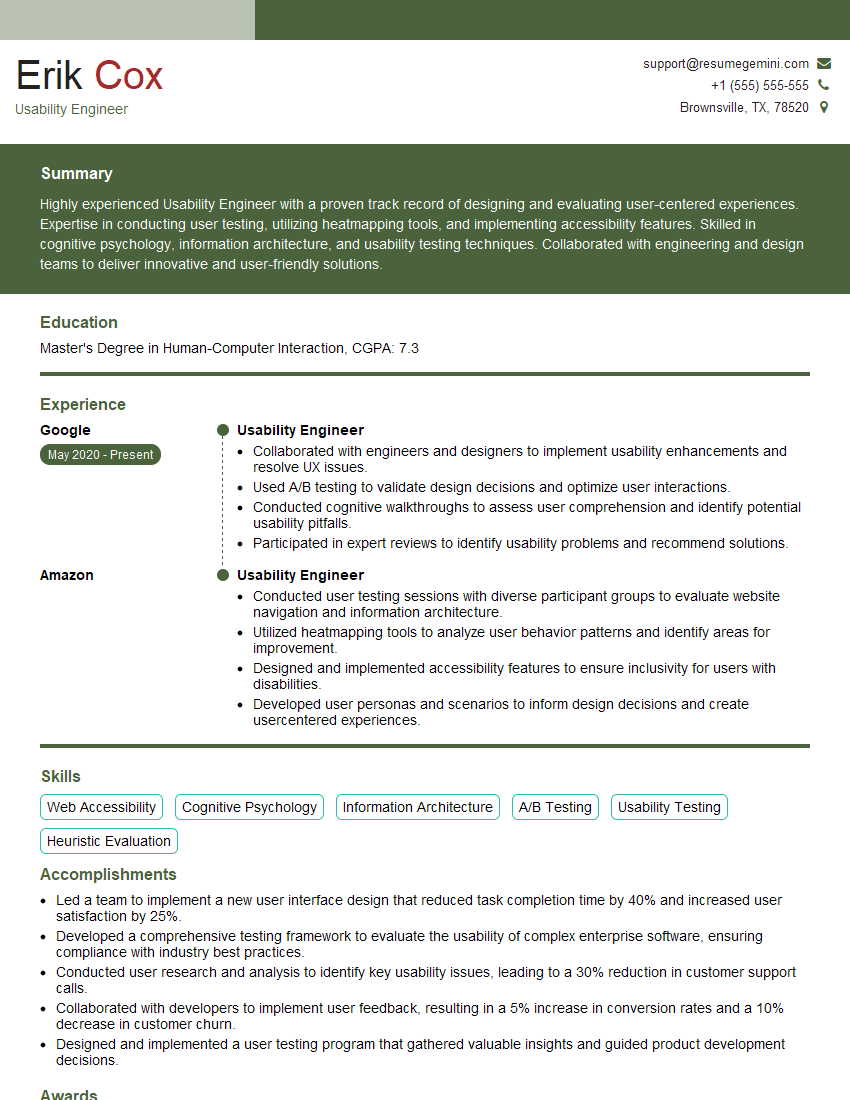
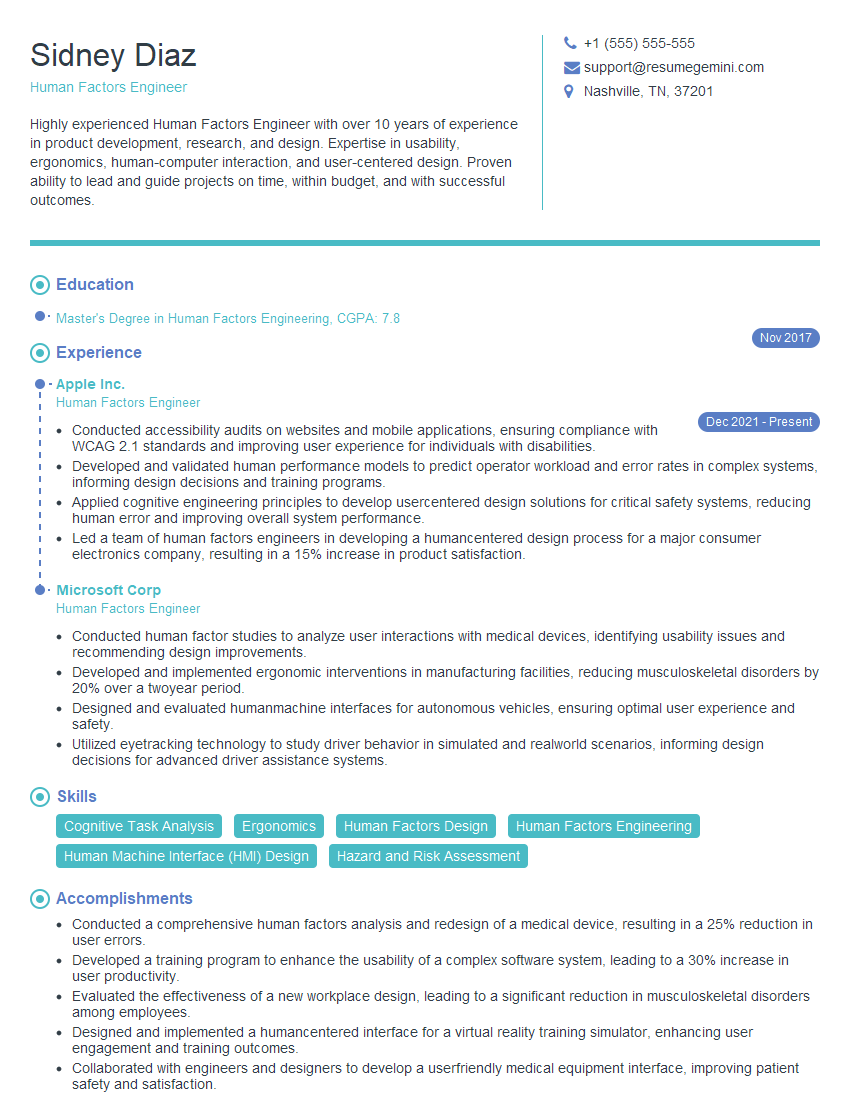
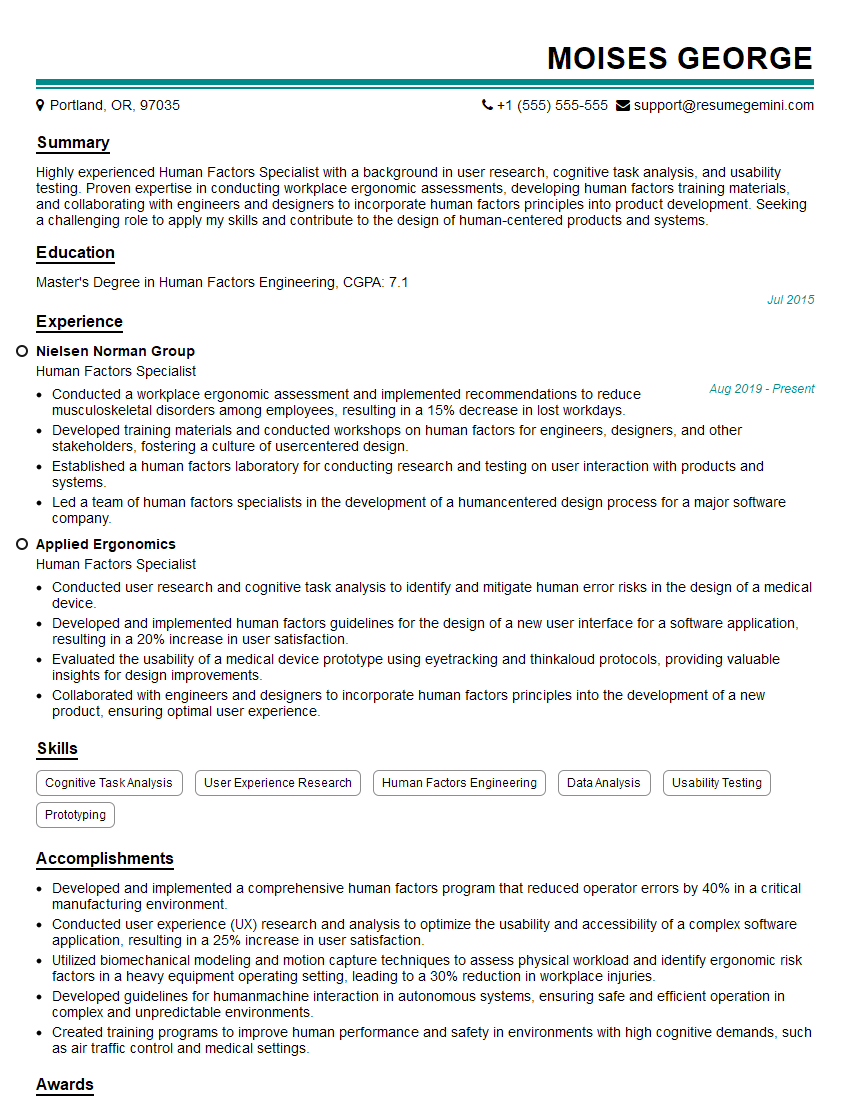
Mastering Human Factors in Display Design is crucial for a successful and rewarding career. It allows you to create user-friendly, efficient, and engaging interfaces, making you a valuable asset to any design team. To stand out in your job search, create a resume that effectively showcases your skills and experience. Building an ATS-friendly resume is key to increasing your chances of getting your application noticed. We strongly recommend using ResumeGemini, a trusted resource for creating professional and impactful resumes. Examples of resumes tailored to Human Factors in Display Design are available to help guide your efforts. Take the next step toward your dream career today!


Explore more articles
Users Rating of Our Blogs
Share Your Experience
We value your feedback! Please rate our content and share your thoughts (optional).
What Readers Say About Our Blog
Attention music lovers!
Wow, All the best Sax Summer music !!!
Spotify: https://open.spotify.com/artist/6ShcdIT7rPVVaFEpgZQbUk
Apple Music: https://music.apple.com/fr/artist/jimmy-sax-black/1530501936
YouTube: https://music.youtube.com/browse/VLOLAK5uy_noClmC7abM6YpZsnySxRqt3LoalPf88No
Other Platforms and Free Downloads : https://fanlink.tv/jimmysaxblack
on google : https://www.google.com/search?q=22+AND+22+AND+22
on ChatGPT : https://chat.openai.com?q=who20jlJimmy20Black20Sax20Producer
Get back into the groove with Jimmy sax Black
Best regards,
Jimmy sax Black
www.jimmysaxblack.com
Hi I am a troller at The aquatic interview center and I suddenly went so fast in Roblox and it was gone when I reset.
Hi,
Business owners spend hours every week worrying about their website—or avoiding it because it feels overwhelming.
We’d like to take that off your plate:
$69/month. Everything handled.
Our team will:
Design a custom website—or completely overhaul your current one
Take care of hosting as an option
Handle edits and improvements—up to 60 minutes of work included every month
No setup fees, no annual commitments. Just a site that makes a strong first impression.
Find out if it’s right for you:
https://websolutionsgenius.com/awardwinningwebsites
Hello,
we currently offer a complimentary backlink and URL indexing test for search engine optimization professionals.
You can get complimentary indexing credits to test how link discovery works in practice.
No credit card is required and there is no recurring fee.
You can find details here:
https://wikipedia-backlinks.com/indexing/
Regards
NICE RESPONSE TO Q & A
hi
The aim of this message is regarding an unclaimed deposit of a deceased nationale that bears the same name as you. You are not relate to him as there are millions of people answering the names across around the world. But i will use my position to influence the release of the deposit to you for our mutual benefit.
Respond for full details and how to claim the deposit. This is 100% risk free. Send hello to my email id: lukachachibaialuka@gmail.com
Luka Chachibaialuka
Hey interviewgemini.com, just wanted to follow up on my last email.
We just launched Call the Monster, an parenting app that lets you summon friendly ‘monsters’ kids actually listen to.
We’re also running a giveaway for everyone who downloads the app. Since it’s brand new, there aren’t many users yet, which means you’ve got a much better chance of winning some great prizes.
You can check it out here: https://bit.ly/callamonsterapp
Or follow us on Instagram: https://www.instagram.com/callamonsterapp
Thanks,
Ryan
CEO – Call the Monster App
Hey interviewgemini.com, I saw your website and love your approach.
I just want this to look like spam email, but want to share something important to you. We just launched Call the Monster, a parenting app that lets you summon friendly ‘monsters’ kids actually listen to.
Parents are loving it for calming chaos before bedtime. Thought you might want to try it: https://bit.ly/callamonsterapp or just follow our fun monster lore on Instagram: https://www.instagram.com/callamonsterapp
Thanks,
Ryan
CEO – Call A Monster APP
To the interviewgemini.com Owner.
Dear interviewgemini.com Webmaster!
Hi interviewgemini.com Webmaster!
Dear interviewgemini.com Webmaster!
excellent
Hello,
We found issues with your domain’s email setup that may be sending your messages to spam or blocking them completely. InboxShield Mini shows you how to fix it in minutes — no tech skills required.
Scan your domain now for details: https://inboxshield-mini.com/
— Adam @ InboxShield Mini
support@inboxshield-mini.com
Reply STOP to unsubscribe
Hi, are you owner of interviewgemini.com? What if I told you I could help you find extra time in your schedule, reconnect with leads you didn’t even realize you missed, and bring in more “I want to work with you” conversations, without increasing your ad spend or hiring a full-time employee?
All with a flexible, budget-friendly service that could easily pay for itself. Sounds good?
Would it be nice to jump on a quick 10-minute call so I can show you exactly how we make this work?
Best,
Hapei
Marketing Director
Hey, I know you’re the owner of interviewgemini.com. I’ll be quick.
Fundraising for your business is tough and time-consuming. We make it easier by guaranteeing two private investor meetings each month, for six months. No demos, no pitch events – just direct introductions to active investors matched to your startup.
If youR17;re raising, this could help you build real momentum. Want me to send more info?
Hi, I represent an SEO company that specialises in getting you AI citations and higher rankings on Google. I’d like to offer you a 100% free SEO audit for your website. Would you be interested?
Hi, I represent an SEO company that specialises in getting you AI citations and higher rankings on Google. I’d like to offer you a 100% free SEO audit for your website. Would you be interested?