Preparation is the key to success in any interview. In this post, we’ll explore crucial Interactive 3D interview questions and equip you with strategies to craft impactful answers. Whether you’re a beginner or a pro, these tips will elevate your preparation.
Questions Asked in Interactive 3D Interview
Q 1. Explain the difference between rasterization and ray tracing.
Rasterization and ray tracing are two fundamentally different approaches to rendering 3D scenes. Think of it like this: rasterization is like painting a picture, while ray tracing is like tracing light rays backward from the camera.
Rasterization works by projecting 3D polygons onto a 2D screen, then filling in the pixels based on the polygon’s color and texture. It’s like filling in a coloring book. It’s efficient for real-time rendering in games because it’s highly optimized, but it struggles with realistic reflections and shadows.
Ray tracing, on the other hand, simulates the path of light rays from the light source to the camera. For each pixel on the screen, a ray is cast into the scene, and the ray’s interactions with objects (like reflections and refractions) are calculated to determine the pixel’s final color. This creates incredibly realistic images, but it’s computationally expensive, making it less suitable for real-time applications without significant hardware acceleration.
In short: Rasterization is fast but less realistic; ray tracing is slow but photorealistic. Many modern games combine both techniques, using rasterization for the base rendering and ray tracing for specific effects like reflections and shadows to get the best of both worlds.
Q 2. What are the advantages and disadvantages of using Unity vs. Unreal Engine?
Unity and Unreal Engine are both leading game engines, but they cater to different needs and workflows. Choosing between them depends heavily on your project’s scope and your team’s expertise.
- Unity: Generally considered easier to learn and use, particularly for beginners. It boasts a large and active community, providing ample resources and support. It’s also known for its strong mobile development capabilities. However, its scripting language, C#, might not be preferred by some developers.
- Unreal Engine: Renowned for its stunning visuals and powerful features, particularly for high-fidelity AAA titles. It uses Blueprint, a visual scripting system, alongside C++, offering flexibility in development approaches. However, it has a steeper learning curve and its community, while large, can feel less beginner-friendly.
Advantages of Unity: Easier learning curve, large community support, strong mobile focus, good documentation.
Disadvantages of Unity: C# scripting might not appeal to all, can feel less powerful for high-end visuals than Unreal.
Advantages of Unreal Engine: Stunning visuals, powerful tools, Blueprint visual scripting, extensive features.
Disadvantages of Unreal Engine: Steeper learning curve, can be resource-intensive, less mobile-centric compared to Unity.
Q 3. Describe your experience with real-time rendering techniques.
My experience with real-time rendering encompasses a wide range of techniques, primarily focused on optimizing performance within constraints. I’ve extensively utilized deferred shading, forward rendering, and various rendering pipelines to balance visual quality and frame rates. I’m proficient in implementing techniques like:
- Deferred Shading: This approach separates lighting calculations from geometry processing, resulting in efficient handling of multiple light sources. It’s particularly useful in scenes with many lights.
- Forward Rendering: Simpler to implement than deferred shading, ideal for simpler scenes with fewer light sources. It processes lighting for each object individually.
- Shadow Mapping: Creating realistic shadows using depth information from the light source’s perspective. Techniques like cascaded shadow maps help improve shadow quality at a distance.
- Screen Space Reflections (SSR): Generating reflections using the screen’s image data, offering a cost-effective alternative to ray tracing for reflective surfaces.
I’ve worked on projects requiring optimized rendering for both high-end PCs and mobile devices, adapting techniques to leverage available hardware capabilities effectively. I’m familiar with various APIs like OpenGL, Vulkan, and DirectX.
Q 4. How do you optimize 3D models for performance in a game engine?
Optimizing 3D models for performance is crucial in game development. It’s about striking a balance between visual fidelity and performance. Here’s a multi-pronged approach:
- Polygon Reduction: Lowering the polygon count of models reduces rendering overhead. Tools like Blender and Maya offer decimation features. Think of it like using less paint strokes to create a similar picture.
- Level of Detail (LOD): Using multiple versions of a model with varying polygon counts. Faraway objects use low-poly models, while closer objects use higher-resolution models. This is a highly effective optimization strategy.
- Texture Optimization: Using appropriately sized textures, compressing textures (like using DXT or ASTC compression), and using texture atlases (combining multiple textures into one) reduces memory usage and bandwidth.
- Mesh Optimization: Ensuring models have optimal topology (the arrangement of polygons) improves rendering efficiency. Avoid long, skinny triangles.
- Occlusion Culling: Hiding objects that are not visible to the camera. This dramatically reduces the number of objects rendered.
- Draw Call Batching: Grouping multiple objects into a single draw call to reduce CPU overhead. This is a key area where proper scene management and organization can make a large difference.
Profiling tools within the game engine are indispensable for identifying performance bottlenecks and guiding optimization efforts. It’s an iterative process – optimizing one area might reveal other areas needing attention.
Q 5. Explain your understanding of normal maps, specular maps, and diffuse maps.
These are all texture maps that provide additional surface detail beyond the base color:
- Diffuse Map (Albedo Map): This is the base color of the object’s surface. It dictates how much light the object reflects and determines the object’s overall hue and saturation.
- Normal Map: This map stores surface normals (direction of the surface at each point), giving the illusion of surface detail without increasing polygon count. Think of it like adding bumps and grooves to a flat surface. This creates a sense of depth and realism.
- Specular Map: This map defines the reflectivity of the surface. It determines how shiny or glossy the surface appears and how light reflects off of it. A higher value results in a shinier surface. This affects the highlights.
Example: A stone wall. The diffuse map would define the general color of the stone (e.g., grey). The normal map would add details like small cracks, bumps, and texture variations to make it look rough. The specular map would define how shiny or matte the stone appears. Using all three creates a much more realistic and detailed representation of the stone wall than using just the diffuse map.
Q 6. What are your preferred 3D modeling software and why?
My preferred 3D modeling software is Blender. While I have experience with other industry-standard packages like Maya and 3ds Max, Blender offers a compelling combination of power, flexibility, and accessibility.
Reasons for choosing Blender:
- Open-source and free: This removes significant financial barriers to entry and encourages experimentation.
- Powerful toolset: Blender offers a surprisingly extensive range of features comparable to commercial software, including modeling, sculpting, animation, rigging, texturing, and rendering.
- Large and active community: The vast online community provides immense support, tutorials, and add-ons.
- Cross-platform compatibility: It runs seamlessly on Windows, macOS, and Linux.
While other software might have specialized features or a more intuitive interface for specific tasks, Blender’s versatility and free accessibility make it my go-to choice for most projects. Its capabilities are constantly expanding, keeping it at the forefront of 3D modeling software.
Q 7. Describe your experience with animation techniques (e.g., keyframing, motion capture).
I have considerable experience with various animation techniques, both procedural and manual.
- Keyframing: This is the core technique I utilize for most animations. It involves setting key poses at specific points in time, and the software interpolates the motion between these poses. I’m proficient in using curves to fine-tune the timing and easing of animation.
- Motion Capture (MoCap): I have worked with MoCap data to create realistic character animations. This involves capturing real-world movements and translating them into digital animations. The process often includes cleaning and retargeting the MoCap data to fit specific character rigs.
- Procedural Animation: I’ve also implemented procedural animations, where algorithms are used to generate animation data, often used for complex simulations such as cloth or particle effects. I’m familiar with creating and using animation controllers.
My approach to animation always prioritizes clarity, believability, and efficiency. I strive to create animations that enhance the narrative and user experience without being distracting or jarring.
Q 8. How do you handle complex 3D scenes to maintain performance?
Maintaining performance in complex 3D scenes is crucial for a smooth user experience. It’s like managing a large city – you need efficient systems to prevent traffic jams. My approach involves a multi-pronged strategy focusing on Level of Detail (LOD), culling, and optimization techniques.
Level of Detail (LOD): This involves using simplified versions of 3D models at greater distances. Imagine viewing a city from afar – you see buildings as simple blocks, but as you zoom in, details like windows and doors become visible. This reduces the polygon count significantly, improving performance. I typically implement LOD using techniques like mipmapping for textures and creating multiple versions of models with varying polygon counts.
Culling: This is about hiding objects that are not visible to the camera. Think of it like only illuminating the streets you’re driving on, not the entire city. Techniques like frustum culling (removing objects outside the camera’s view) and occlusion culling (removing objects hidden behind others) drastically improve performance. I utilize these methods extensively in my projects.
Optimization Techniques: This is where I fine-tune various aspects. This could involve batching draw calls (grouping similar objects together to reduce rendering overhead), using efficient data structures, and optimizing shaders to minimize calculations. Profiling tools are essential here to identify performance bottlenecks.
For example, in a game with thousands of trees, I’d use billboard techniques for distant trees, progressively more detailed models for closer trees, and occlusion culling to remove trees hidden behind others. This dramatically reduces draw calls and improves frame rates.
Q 9. What are your experiences with different shader types (e.g., Phong, Blinn-Phong, PBR)?
I have extensive experience with various shader types, each offering a unique approach to surface rendering. Choosing the right shader depends heavily on the desired visual fidelity and performance requirements. It’s a bit like choosing the right paint for a painting – each has its strengths and weaknesses.
Phong Shading: A classic model that provides a good balance between realism and performance. It’s relatively simple to implement and understand, making it suitable for less demanding applications. However, it shows some artifacts like specular highlights not being entirely smooth.
Blinn-Phong Shading: An improvement on Phong shading, offering smoother specular highlights. It’s computationally slightly more expensive, but the visual quality is often worth it. I often use this as a stepping stone between Phong and more complex models.
Physically Based Rendering (PBR): This is the gold standard for realistic rendering. It simulates light interaction based on real-world physics, resulting in highly realistic visuals. While more computationally expensive, the realistic results are often crucial for high-fidelity projects. I usually implement PBR using a workflow based on metallic/roughness parameters. This technique requires more upfront asset preparation but delivers outstanding quality.
In one project involving realistic car rendering, using PBR with accurate material properties gave the car a stunningly lifelike appearance. In a simpler mobile game, using Phong shading was sufficient to provide adequate visuals with optimal performance.
Q 10. Explain your understanding of different lighting techniques (e.g., directional, point, spot).
Understanding lighting techniques is fundamental to creating believable 3D scenes. Different light types simulate different light sources in the real world. Think of it as being a lighting designer for a stage – each light serves a purpose.
Directional Light: Simulates the sun, casting parallel rays across the scene. It’s computationally efficient and commonly used for ambient lighting.
Point Light: Simulates an omni-directional light source like a light bulb, radiating light in all directions. The intensity falls off with distance.
Spot Light: Simulates a focused light source like a spotlight or flashlight, emitting light within a cone. It combines aspects of both directional and point lights, offering more control over light direction and intensity.
In a game level, I might use a directional light for overall illumination, point lights to highlight specific objects, and spot lights to create dramatic effects such as a spotlight on a character or a flashlight in a dark corridor.
Q 11. How do you handle UV unwrapping and texturing?
UV unwrapping and texturing are critical steps in bringing detail and realism to 3D models. UV unwrapping is like laying out a fabric pattern before sewing a garment, while texturing is the actual fabric itself.
UV Unwrapping: This process maps a 3D model’s surface onto a 2D plane, allowing us to apply textures. The goal is to minimize distortion and seams. I use various techniques including planar mapping, cylindrical mapping, spherical mapping, and more advanced methods like LSCM (Least Squares Conformal Mapping) depending on model complexity and desired result.
Texturing: This involves creating or selecting 2D images (textures) to apply to the UV-unwrapped model. The choice of texture depends on the desired visual style and realism. I often use various texture types such as diffuse maps, normal maps, specular maps, and roughness maps, depending on the rendering technique (e.g., PBR).
In a project involving a character model, I meticulously unwrap the clothing and skin sections separately to minimize stretching and distortion, then apply high-resolution textures to achieve a realistic look.
Q 12. Describe your experience with version control systems (e.g., Git).
Git is my go-to version control system. It’s essential for collaborative development and managing changes to code and assets over time. Think of it like a history book for your project, enabling you to revert to previous versions, track changes, and collaborate effectively with others.
I use Git for branching, merging, and resolving conflicts. I regularly commit changes with descriptive messages to maintain a clear history of the project’s evolution. I’m comfortable using both the command line and graphical interfaces like SourceTree or GitHub Desktop. I’ve used Git extensively in team projects, employing strategies like feature branches and pull requests for effective code management.
Q 13. How do you troubleshoot performance issues in a 3D application?
Troubleshooting performance issues in 3D applications often involves a systematic approach. It’s like detective work – you need to find the culprit slowing down the system.
Profiling: I begin by using profiling tools to identify performance bottlenecks. These tools provide detailed information on CPU and GPU usage, draw calls, memory allocation, and other crucial metrics. This pinpoints the areas needing attention.
Optimization: Based on the profiling results, I apply optimization techniques such as those mentioned earlier (LOD, culling, shader optimization, etc.).
Testing and Iteration: After implementing optimizations, I rigorously test to see if the performance has improved. This iterative process continues until the desired performance is achieved.
Asset Optimization: Sometimes, the problem lies with the assets themselves. I might need to reduce the polygon count of models, optimize textures, or compress audio files to improve overall performance.
For instance, if profiling shows excessive draw calls, I’ll focus on batching techniques or implementing more efficient culling methods. If memory usage is high, I might explore techniques to reduce memory footprint.
Q 14. What are your experiences with physics engines (e.g., PhysX, Box2D)?
I have experience with both PhysX and Box2D, each suited for different types of physics simulations. Choosing the right engine depends on the project requirements, just as you’d choose the right tool for a specific job.
PhysX: A robust and powerful physics engine, ideal for high-fidelity simulations. It’s often used in games requiring realistic physics, like vehicle dynamics or complex object interactions. It’s more complex to implement but offers advanced features.
Box2D: A 2D physics engine known for its simplicity and efficiency. It’s well-suited for 2D games or applications where performance is critical. It is easier to integrate and offers a good balance of speed and performance.
In a project simulating realistic car collisions, I used PhysX for its ability to handle complex rigid body dynamics. In a simpler 2D platformer game, I used Box2D for its speed and ease of integration.
Q 15. Describe your workflow for creating a 3D character model.
My 3D character modeling workflow is iterative and depends on the project’s style and complexity, but generally follows these steps:
- Concept and Design: This starts with sketches and concept art, defining the character’s pose, anatomy, clothing, and overall aesthetic. I often use reference images and even 3D scans for realism.
- Base Mesh Creation: I begin by blocking out the main forms using a low-poly model in software like Blender or ZBrush. This stage focuses on proportions and overall silhouette.
- High-Poly Modeling: Once the base mesh is approved, I add details like wrinkles, muscle definition, and fine surface features. This is where ZBrush’s sculpting tools shine. I often use various brushes and techniques like dynamesh and ZRemesher for optimal workflow.
- Retopology: The high-poly model is then retopologized, creating a clean, optimized low-poly mesh suitable for rigging and animation. This involves creating new edges and faces that maintain the original shape but with fewer polygons.
- UV Unwrapping: This process maps the 3D model’s surface onto a 2D texture space, preparing it for texturing. I aim for efficient UV layouts to minimize texture stretching and seams.
- Texturing: Using software like Substance Painter or Photoshop, I create high-resolution textures (diffuse, normal, specular, etc.) to give the model realism and detail. This involves creating realistic skin tones, clothing textures, and other surface details.
- Rigging: The low-poly model is rigged, adding a skeleton and controls that allow for animation. I use tools and techniques to create realistic movement and control.
- Animation (optional): If the project requires it, I proceed with animation, using software like Blender or Maya. This stage involves setting keyframes to bring the character to life.
For example, on a recent project requiring a stylized fantasy character, I utilized a more painterly approach in Substance Painter to achieve a hand-painted look, whereas for a realistic character, I relied heavily on photogrammetry data for accurate detail.
Career Expert Tips:
- Ace those interviews! Prepare effectively by reviewing the Top 50 Most Common Interview Questions on ResumeGemini.
- Navigate your job search with confidence! Explore a wide range of Career Tips on ResumeGemini. Learn about common challenges and recommendations to overcome them.
- Craft the perfect resume! Master the Art of Resume Writing with ResumeGemini’s guide. Showcase your unique qualifications and achievements effectively.
- Don’t miss out on holiday savings! Build your dream resume with ResumeGemini’s ATS optimized templates.
Q 16. How do you optimize 3D assets for mobile devices?
Optimizing 3D assets for mobile devices requires a multi-pronged approach focused on minimizing polygon count, texture resolution, and draw calls. Here’s how I do it:
- Reduce Polygon Count: Using techniques like decimation and retopology, I significantly lower the polygon count of models while preserving visual fidelity. Aiming for under 5000 polygons for characters and proportionately less for props is a good target. Tools like Blender’s decimate modifier are invaluable.
- Texture Compression: Using formats like ETC2, ASTC, or PVRTC, I compress textures to drastically reduce file size without significant visual loss. The optimal format depends on the target devices.
- Level of Detail (LOD): Implementing LODs allows the game engine to switch between different versions of the model based on distance from the camera. Far away models use fewer polygons, improving performance significantly. This is commonly done within the game engine, but I prepare for it during the modelling stage.
- Draw Call Optimization: Combining meshes, using atlas textures, and optimizing material properties can greatly reduce the number of draw calls, improving performance. I strategize mesh combinations during modeling to minimize draw calls from the outset.
- Shader Optimization: Using simpler shaders with fewer computations can improve performance, particularly on lower-end devices. Mobile-optimized shaders are crucial for avoiding performance bottlenecks.
For instance, a complex character model might have an LOD system with three versions: a high-poly version for close-ups, a medium-poly version for medium distances, and a low-poly version for distant views.
Q 17. What is your experience with different 3D file formats (e.g., FBX, OBJ, glTF)?
I have extensive experience with various 3D file formats, each with its strengths and weaknesses:
- FBX (Filmbox): A versatile format widely supported by many 3D applications. It can preserve animation data, materials, and textures effectively. It’s my go-to for interoperability between different software packages.
- OBJ (Wavefront OBJ): A simple, text-based format that’s widely compatible but lacks support for animation data and complex materials. I often use it for simple geometry exchange.
- glTF (GL Transmission Format): A modern, efficient format specifically designed for web and real-time applications. It supports PBR materials, animations, and is highly optimized for mobile and web deployments. For web-based 3D projects or mobile game development, glTF is often my preferred choice. It’s also becoming increasingly popular in metaverses.
The choice of file format largely depends on the project’s requirements. For example, when collaborating with animators using Maya, FBX is usually the ideal choice. For web-based 3D scenes, glTF’s efficiency and broad support makes it a superior option.
Q 18. Describe your experience with collaborative tools for 3D projects.
I’ve worked extensively with several collaborative tools for 3D projects, including:
- Perforce/Git LFS: For version control of large 3D assets, enabling seamless collaboration and preventing file conflicts.
- Shotgun Software: A project management tool providing centralized asset management, review workflows, and communication features, facilitating team collaboration effectively.
- Cloud-based storage (e.g., Google Drive, Dropbox): For sharing smaller assets and documentation.
My experience shows that a clear project pipeline and well-defined file naming conventions are essential for effective collaboration, regardless of the tool used. For example, a recent project involving a distributed team across three different time zones used Perforce for version control and Shotgun for task management, resulting in efficient and organized workflow.
Q 19. Explain your understanding of collision detection and response.
Collision detection is the process of determining whether two or more objects in a 3D environment are intersecting or overlapping. Collision response defines how the objects react to the collision. Several techniques exist, each with varying levels of complexity and performance:
- Bounding Volumes: A simplified representation of an object, used for fast initial collision checks (e.g., Axis-Aligned Bounding Boxes (AABBs), Bounding Spheres). If the bounding volumes don’t intersect, a full collision check isn’t needed, which is very efficient.
- Raycasting: Casting rays from a point to detect intersections with objects. Often used for picking and projectile detection.
- Polygon-Based Collision Detection: More accurate but computationally expensive. It directly checks for intersections between the polygons of colliding objects. Used when high accuracy is paramount.
Collision response determines how the objects behave after a collision. This can include:
- Stopping movement: The simplest response, preventing further penetration.
- Impulse-based resolution: Applying forces to separate colliding objects, simulating realistic physics.
- Constraint-based resolution: Using constraints to maintain the relationship between colliding objects. For example, keeping objects connected with hinges or joints.
In game development, I’ve used these techniques to implement realistic physics, character interactions, and level design. For example, I optimized character collisions using AABBs for fast initial checks and then switched to polygon-based detection only when the AABBs overlapped, achieving a good balance between performance and accuracy.
Q 20. What are your experiences with different VR/AR development platforms?
I’ve worked with several VR/AR development platforms, each with its own strengths:
- Unity: A versatile and widely adopted platform offering robust tools for both VR and AR development, supporting various VR/AR headsets and devices. It features a large asset store and community support, making it ideal for rapid prototyping and larger projects.
- Unreal Engine: Known for its high-fidelity visuals and advanced rendering capabilities, making it a popular choice for demanding VR/AR applications, particularly those focused on photorealism.
- ARKit (iOS) and ARCore (Android): These are mobile-focused AR development platforms providing tools for creating AR experiences on iOS and Android devices. Their strengths are focused on integrating AR features seamlessly into mobile apps.
Choosing a platform depends heavily on the project’s scope and target platform. For instance, I would select Unity for a cross-platform VR game due to its versatility and large community support, while Unreal Engine might be better suited for a high-fidelity VR architectural visualization project.
Q 21. How do you approach creating realistic lighting and shadows?
Creating realistic lighting and shadows involves understanding light’s physical properties and employing various techniques:
- Light Sources: Defining the type, intensity, color, and position of light sources (directional, point, spot) is crucial. I often use HDR images (High Dynamic Range) for realistic lighting effects. These images contain much more lighting information than standard images.
- Global Illumination: Simulates indirect lighting bouncing around the scene, creating realistic ambient lighting and subtle shadows. Algorithms like Path Tracing and Photon Mapping are used but they are computationally expensive, so optimization is critical for real-time applications. Real-time global illumination techniques such as light probes and screen space global illumination are commonly used.
- Shadow Mapping: A widely used technique to generate shadows efficiently in real-time. Different techniques exist, such as shadow maps, cascaded shadow maps (for improving shadow quality at different distances), and shadow volumes.
- Ambient Occlusion (AO): Simulates the darkening effect of objects obstructing ambient light. Screen Space Ambient Occlusion (SSAO) is a commonly used real-time AO technique.
- Physically Based Rendering (PBR): A modern rendering technique that simulates light’s interaction with materials more accurately, creating more realistic results. It relies on material properties like roughness, metalness, and albedo.
For example, in a scene with a sun as the primary light source, I’d use a directional light, combine it with shadow mapping for accurate shadows, and implement SSAO to enhance the realism of crevices and shadowed areas. I would also use PBR materials for surfaces to ensure accurate light interaction. The balance of realism versus performance needs careful consideration, often involving compromises depending on the target platform and application.
Q 22. Describe your experience with procedural generation techniques.
Procedural generation is the art of creating content algorithmically, rather than manually. Imagine building a whole city, not brick by brick, but by defining rules for how buildings are placed, sized, and styled – the computer then generates the city based on those rules. This is incredibly useful for creating large, varied, and repeatable content in games and simulations.
My experience spans several techniques. I’ve used noise functions like Perlin and Simplex noise to generate realistic terrain, creating diverse landscapes with mountains, valleys, and rivers. For example, I used Perlin noise to create a convincing alien planet for a science fiction game, varying the noise parameters to control the level of detail and overall roughness. I’ve also worked extensively with L-systems, a formal grammar system, to generate complex branching structures like trees and plants. In one project, I used an L-system to create a diverse forest, allowing me to easily control the types of trees generated, their density, and overall appearance.
Furthermore, I’ve implemented cellular automata, such as Conway’s Game of Life, to generate organic-looking patterns for things like cave systems or city layouts. The ability to tweak parameters within these systems allows for significant creative control, leading to unique and unpredictable results while maintaining a consistent style. Finally, I have a strong understanding of how to combine these techniques for even more compelling results, for instance, using noise functions to inform the growth patterns of L-systems for more realistic vegetation.
Q 23. What are your experiences with different rendering pipelines (e.g., deferred, forward)?
Rendering pipelines define how a 3D scene is transformed into a 2D image on the screen. Two primary approaches are forward and deferred rendering. Forward rendering processes each object’s lighting individually for each pixel, while deferred rendering collects data about objects (position, normals, etc.) and then processes the lighting calculations in a second pass.
In forward rendering, the lighting calculations are performed for each fragment (pixel) of each object. This is simple to implement but can be inefficient, especially with many lights, as each light needs to be calculated for each object. Imagine illuminating a scene with hundreds of lights – this would be computationally expensive in forward rendering.
Deferred rendering, on the other hand, is more efficient in scenes with many lights. It first renders the scene into a set of G-buffers (geometry buffers) containing information about each object’s properties. Then, a separate pass processes lighting calculations, using the data from the G-buffers. This avoids redundant calculations, making it ideal for complex scenes. I have successfully used both approaches, selecting the appropriate method depending on the project’s specific needs. For example, a project with a limited number of lights and simpler geometry might benefit from the simplicity of forward rendering, while a large, complex scene with many lights would benefit significantly from the performance advantages of deferred rendering.
Beyond these, I also have experience with other techniques like tiled-based deferred rendering, which improve efficiency by breaking the scene into smaller tiles for processing.
Q 24. How do you ensure the accessibility of your 3D interactive experiences?
Accessibility is paramount. It’s about ensuring everyone can interact with and enjoy the 3D experience regardless of abilities. This involves considering several factors.
- Screen Readers and Alternative Text: Providing appropriate alternative text for visual elements allows screen readers to describe the scene’s content to visually impaired users. This might include detailed descriptions of objects, their locations, and interactions.
- Keyboard Navigation: Implementing full keyboard navigation allows users to interact with the interface without a mouse, benefiting those with motor impairments. This includes using standard keyboard shortcuts and ensuring all interactive elements are navigable.
- Color Contrast and Visual Clarity: Ensuring sufficient color contrast between foreground and background elements and using clear, legible fonts makes the experience accessible to those with visual impairments. This includes providing settings to adjust font size and color schemes.
- Customizable Controls: Offering customizable controls like sensitivity settings, camera controls, and rebindable keys caters to individual needs and preferences.
- Clear and Concise UI: The UI should be intuitive and easily understood, with clear instructions and feedback. Avoid relying solely on visual cues; use audio cues or text descriptions as well.
In practice, I rigorously test accessibility features with users who have diverse needs, and use assistive technologies like screen readers myself to find and fix potential issues. This iterative approach is vital to ensure true inclusivity.
Q 25. Explain your understanding of different camera types and their uses.
Different camera types offer unique perspectives and functionalities in 3D environments. The choice depends on the desired effect and the nature of the application.
- First-Person Camera: Places the viewer directly within the scene, offering an immersive and subjective experience – often used in games like first-person shooters.
- Third-Person Camera: Provides a view from a distance, showing the character or object from behind or to the side. This allows for better context and situational awareness, frequently used in action-adventure games.
- Orthographic Camera: Projects the scene without perspective, meaning parallel lines remain parallel. Useful for technical visualizations, architectural renderings, or situations where a consistent scale is crucial.
- Perspective Camera: Simulates human vision, with objects appearing smaller as they are further away. This creates a sense of depth and realism, common in most 3D applications.
- Free-Roaming Camera: Allows the user unrestricted movement, providing complete control over the viewing angle. Used for exploration and detailed examination of scenes.
- Fixed/Static Camera: Provides a predetermined viewpoint, often used in cinematic sequences or presentations to convey a specific perspective.
I’ve utilized each of these camera types in various projects, carefully choosing the appropriate type based on the desired user experience and the content being presented. For instance, a flight simulator would demand a first-person or third-person camera to deliver a realistic sense of flight, while a presentation of an architectural model might use a free-roaming camera to allow for thorough inspection.
Q 26. Describe your experience with implementing user interfaces (UI) in 3D environments.
Implementing user interfaces (UI) in 3D environments requires careful consideration of both usability and visual integration. Simply overlaying a 2D UI can feel jarring; it’s essential to create a cohesive and intuitive experience.
I have extensive experience creating 3D UIs using various techniques. One approach is to model UI elements as 3D objects, allowing for seamless integration with the 3D scene. This could involve using 3D buttons, sliders, or other interactive elements that respond to user input. For example, I’ve created a virtual cockpit for a flight simulator where all the controls are modeled as 3D objects, adding to the immersion.
Another technique is to use a combination of 2D and 3D UI elements. This allows for flexibility and efficiency, particularly when needing specific functionalities that are easier to implement using traditional 2D UI paradigms. In one project, I created a 2D HUD overlay that displayed essential information like player health and inventory, while keeping the core interaction within the 3D world. Finally, I’ve incorporated techniques to handle user interactions such as raycasting to detect clicks on 3D UI elements. Efficient and intuitive UI design is critical for a positive user experience in any 3D application.
Q 27. How do you handle memory management in large 3D projects?
Memory management is critical in large 3D projects, where asset sizes can quickly grow beyond available resources. Efficient memory handling prevents crashes and improves performance. My strategy is multifaceted.
- Level of Detail (LOD): Rendering lower-poly models when objects are far from the camera and switching to higher-detail models as they get closer significantly reduces memory usage and improves performance.
- Culling: Techniques like frustum culling (discarding objects outside the camera’s view) and occlusion culling (hiding objects behind others) prevent unnecessary rendering and memory access.
- Streaming: Loading assets on demand, rather than loading everything at once, reduces initial load times and minimizes memory footprint. This is particularly important for large environments.
- Memory Pooling: Pre-allocating blocks of memory and reusing them reduces the overhead associated with frequent memory allocation and deallocation.
- Asset Optimization: Minimizing polygon count, using appropriate texture compression, and employing other optimization techniques for models, textures, and other assets are crucial for reducing the overall memory footprint.
- Garbage Collection Strategies: Using appropriate garbage collection strategies based on the chosen game engine or framework ensures that unused memory is efficiently reclaimed.
In practice, I constantly monitor memory usage during development, using profiling tools to identify bottlenecks and areas for improvement. I also implement and rigorously test these techniques to ensure the application runs smoothly and efficiently even under high load.
Q 28. What are your experiences with implementing network features in 3D applications?
Implementing network features in 3D applications opens up possibilities for multiplayer games, collaborative design tools, and distributed simulations. My experience includes working with various networking protocols and paradigms.
I’ve worked with UDP and TCP for real-time communication, understanding the trade-offs between reliability and speed. UDP is suitable for low-latency applications where some packet loss is acceptable (like online games), while TCP provides reliable transmission but can introduce latency. My choice depends on the application requirements.
For efficient data transfer, I leverage techniques such as data serialization (using formats like JSON or Protocol Buffers) and compression. In one project, I optimized data transmission by only sending changes in game state (delta compression) instead of the entire game state every frame. This significantly reduced bandwidth usage. I’m also familiar with various networking architectures, including client-server and peer-to-peer models, adapting the approach to the specific design and needs of the application. Finally, ensuring scalability and handling network interruptions, including appropriate error handling and retry mechanisms, are crucial aspects of robust network implementation.
Security is also a significant consideration. I have experience implementing secure communication channels to protect player data and prevent cheating in multiplayer games.
Key Topics to Learn for Interactive 3D Interview
- 3D Modeling Fundamentals: Understanding polygon modeling, NURBS surfaces, and mesh manipulation techniques. Practical application: Creating realistic 3D assets for games or simulations.
- Real-time Rendering Techniques: Knowledge of shaders, lighting models (e.g., PBR), and optimization strategies for performance. Practical application: Developing visually appealing and efficient interactive experiences.
- Game Engines (Unity, Unreal Engine): Familiarity with at least one major game engine, including its scene management, scripting capabilities, and asset pipeline. Practical application: Building interactive prototypes and deploying projects.
- Animation and Rigging: Understanding character animation principles, skeletal rigging, and animation techniques. Practical application: Creating engaging and believable character interactions.
- Physics Engines: Knowledge of physics simulation and its integration within interactive 3D environments. Practical application: Developing realistic interactions between objects and characters.
- Data Structures and Algorithms: Understanding fundamental data structures and algorithms relevant to 3D graphics programming. Practical application: Optimizing performance and scalability of interactive applications.
- Version Control (Git): Proficiency in using Git for collaborative development and project management. Practical application: Efficiently managing code and assets in a team environment.
- Problem-Solving and Debugging: Ability to identify and resolve technical issues in 3D applications. Practical application: Troubleshooting performance bottlenecks, visual glitches, or unexpected behavior.
Next Steps
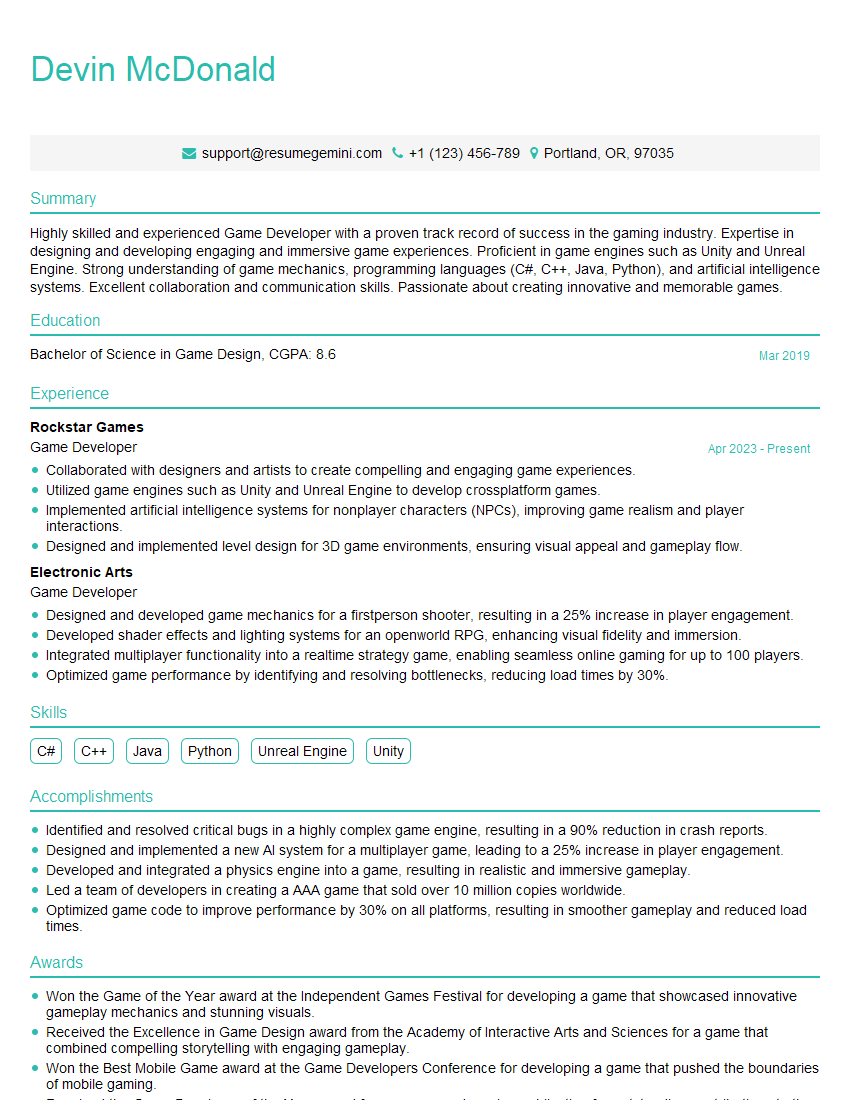
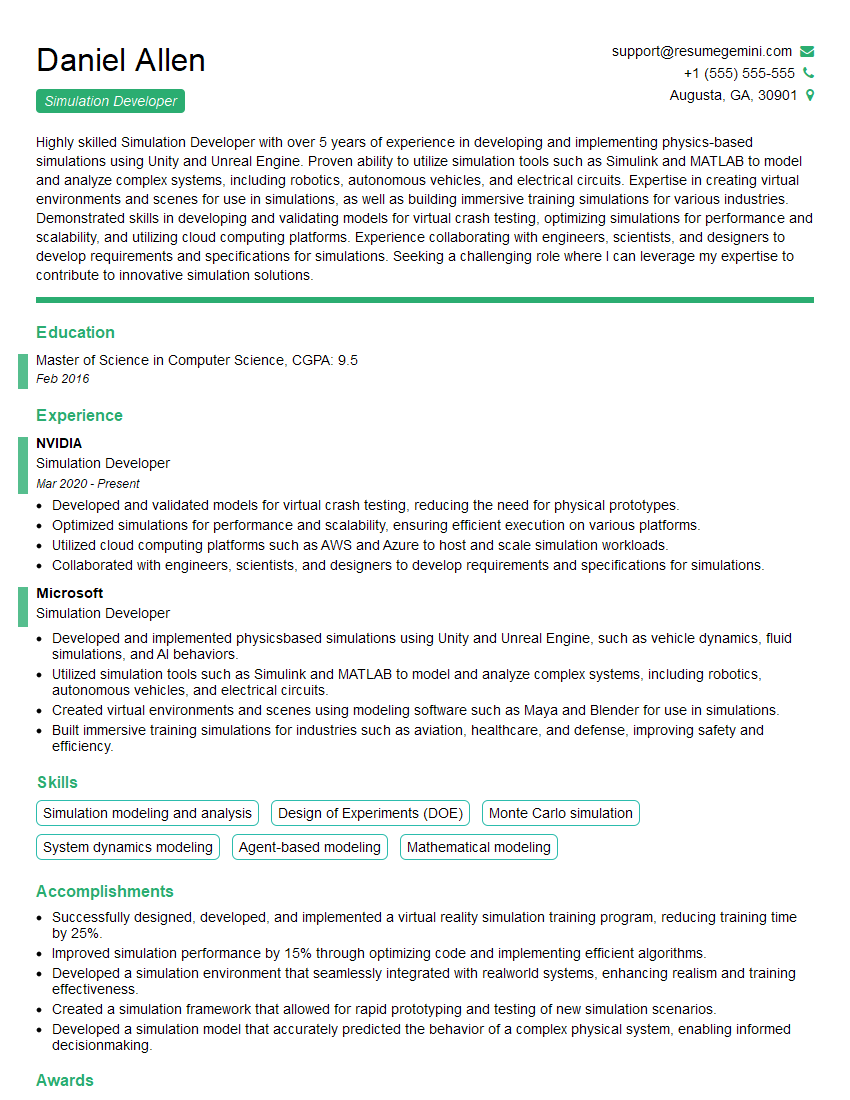
Mastering Interactive 3D opens doors to exciting careers in game development, virtual reality, augmented reality, and architectural visualization. To significantly boost your job prospects, crafting an ATS-friendly resume is crucial. A well-structured resume highlights your skills and experience effectively, improving your chances of getting noticed by recruiters. ResumeGemini is a trusted resource that can help you build a professional and impactful resume. They provide examples of resumes tailored specifically to Interactive 3D roles, allowing you to learn from the best and showcase your qualifications effectively. Take the next step and create a resume that truly represents your skills and potential.



Explore more articles
Users Rating of Our Blogs
Share Your Experience
We value your feedback! Please rate our content and share your thoughts (optional).
What Readers Say About Our Blog
Hello,
we currently offer a complimentary backlink and URL indexing test for search engine optimization professionals.
You can get complimentary indexing credits to test how link discovery works in practice.
No credit card is required and there is no recurring fee.
You can find details here:
https://wikipedia-backlinks.com/indexing/
Regards
NICE RESPONSE TO Q & A
hi
The aim of this message is regarding an unclaimed deposit of a deceased nationale that bears the same name as you. You are not relate to him as there are millions of people answering the names across around the world. But i will use my position to influence the release of the deposit to you for our mutual benefit.
Respond for full details and how to claim the deposit. This is 100% risk free. Send hello to my email id: [email protected]
Luka Chachibaialuka
Hey interviewgemini.com, just wanted to follow up on my last email.
We just launched Call the Monster, an parenting app that lets you summon friendly ‘monsters’ kids actually listen to.
We’re also running a giveaway for everyone who downloads the app. Since it’s brand new, there aren’t many users yet, which means you’ve got a much better chance of winning some great prizes.
You can check it out here: https://bit.ly/callamonsterapp
Or follow us on Instagram: https://www.instagram.com/callamonsterapp
Thanks,
Ryan
CEO – Call the Monster App
Hey interviewgemini.com, I saw your website and love your approach.
I just want this to look like spam email, but want to share something important to you. We just launched Call the Monster, a parenting app that lets you summon friendly ‘monsters’ kids actually listen to.
Parents are loving it for calming chaos before bedtime. Thought you might want to try it: https://bit.ly/callamonsterapp or just follow our fun monster lore on Instagram: https://www.instagram.com/callamonsterapp
Thanks,
Ryan
CEO – Call A Monster APP
To the interviewgemini.com Owner.
Dear interviewgemini.com Webmaster!
Hi interviewgemini.com Webmaster!
Dear interviewgemini.com Webmaster!
excellent
Hello,
We found issues with your domain’s email setup that may be sending your messages to spam or blocking them completely. InboxShield Mini shows you how to fix it in minutes — no tech skills required.
Scan your domain now for details: https://inboxshield-mini.com/
— Adam @ InboxShield Mini
Reply STOP to unsubscribe
Hi, are you owner of interviewgemini.com? What if I told you I could help you find extra time in your schedule, reconnect with leads you didn’t even realize you missed, and bring in more “I want to work with you” conversations, without increasing your ad spend or hiring a full-time employee?
All with a flexible, budget-friendly service that could easily pay for itself. Sounds good?
Would it be nice to jump on a quick 10-minute call so I can show you exactly how we make this work?
Best,
Hapei
Marketing Director
Hey, I know you’re the owner of interviewgemini.com. I’ll be quick.
Fundraising for your business is tough and time-consuming. We make it easier by guaranteeing two private investor meetings each month, for six months. No demos, no pitch events – just direct introductions to active investors matched to your startup.
If youR17;re raising, this could help you build real momentum. Want me to send more info?
Hi, I represent an SEO company that specialises in getting you AI citations and higher rankings on Google. I’d like to offer you a 100% free SEO audit for your website. Would you be interested?
Hi, I represent an SEO company that specialises in getting you AI citations and higher rankings on Google. I’d like to offer you a 100% free SEO audit for your website. Would you be interested?
good