Cracking a skill-specific interview, like one for Knowledge of Archival Storage Techniques, requires understanding the nuances of the role. In this blog, we present the questions you’re most likely to encounter, along with insights into how to answer them effectively. Let’s ensure you’re ready to make a strong impression.
Questions Asked in Knowledge of Archival Storage Techniques Interview
Q 1. Explain the difference between physical and digital archival storage.
Physical archival storage involves preserving materials in their original format – be it paper documents, photographs, film reels, or magnetic tapes – in a controlled environment. Think of a traditional archive like a library’s special collections or a museum’s storage facility. Digital archival storage, on the other hand, focuses on preserving digital materials such as electronic documents, databases, images, and audio-visual files. This requires specialized hardware, software, and storage formats designed for long-term preservation.
The key difference lies in the medium: physical archives rely on tangible objects, while digital archives rely on electronic representations. This distinction impacts how we manage access, preservation, and long-term sustainability. Physical archives face challenges like environmental degradation and physical damage, while digital archives grapple with technological obsolescence and data corruption.
Q 2. Describe various archival storage media and their limitations.
Archival storage media vary widely depending on the format of the materials. Physical media include paper (requiring acid-free storage), film (vulnerable to degradation and scratches), and magnetic tapes (prone to data loss). Digital media encompass a broad range:
- Hard Disk Drives (HDDs): Offer large capacity, but have a limited lifespan and are prone to mechanical failure.
- Solid State Drives (SSDs): More durable and faster than HDDs, but are more expensive per gigabyte and have a limited lifespan although longer than HDDs.
- Optical Media (CDs, DVDs, Blu-ray): Relatively inexpensive and readily available, but susceptible to scratching and data degradation over time. Their lifespan is significantly shorter than other options.
- Cloud Storage: Offers scalability and accessibility but relies on third-party providers and raises concerns about vendor lock-in, data security, and long-term availability.
- Magnetic Tape Libraries: Offer high capacity and relatively low cost per gigabyte, suitable for long-term cold storage.
Each medium has limitations. Paper yellows and becomes brittle. Magnetic tapes can lose their data. Optical media scratch. The best choice depends on the specific needs of the archive and a balance between cost, durability and accessibility.
Q 3. What are the key considerations for choosing an archival storage solution?
Selecting an archival storage solution involves careful consideration of several crucial factors:
- Cost: Balance initial investment with ongoing maintenance and migration costs.
- Capacity: Assess current and projected storage needs to avoid future capacity constraints.
- Accessibility: Determine the required speed and ease of access to archived materials.
- Security: Implement robust security measures to protect against unauthorized access, loss, and damage. Encryption and access controls are crucial.
- Durability and Longevity: Choose media and storage systems known for their long-term reliability and resistance to environmental factors and technological obsolescence.
- Scalability: Ensure the system can easily accommodate future growth and evolving storage needs.
- Interoperability: Select formats and systems that can easily interact with existing and future technologies.
For example, a historical society might prioritize long-term durability and accessibility over immediate retrieval speed, opting for a combination of offline magnetic tape and cloud storage for less frequently accessed materials.
Q 4. How do you ensure the long-term accessibility of archived materials?
Ensuring long-term accessibility requires a multi-faceted approach:
- Migration: Regularly migrate data to newer storage formats and technologies as older ones become obsolete. This prevents data loss due to technology obsolescence.
- Redundancy and Backup: Create multiple copies of archived materials, stored in geographically diverse locations to protect against disasters like fires or floods.
- Metadata Management: Maintain comprehensive and well-structured metadata to ensure discoverability and accessibility of archived materials. This includes file names, descriptions, dates, and any other relevant information.
- Preservation Planning: Develop a comprehensive preservation plan that outlines procedures for managing and maintaining archived materials over time, including regular inspections, environmental monitoring, and migration strategies.
- Technology Obsolescence Planning: Anticipate and plan for the obsolescence of hardware and software used to access archived materials, by establishing regular testing and upgrade plans.
- Community engagement: Building a community around the archive with collaborators, researchers, and other stakeholders improves longevity and helps develop strategies for long-term management.
Think of it like a ship needing regular maintenance. If you don’t attend to the ship, it will eventually sink; similarly, archives require ongoing care and attention to prevent data loss.
Q 5. Explain the concept of metadata and its importance in archival storage.
Metadata is descriptive information about data. In the context of archival storage, it’s crucial information that helps us find, understand, and manage archived materials. Think of it as the index to a library catalog. It includes information such as:
- Descriptive Metadata: Title, author, date, subject keywords.
- Administrative Metadata: File creation date, version number, location, access rights.
- Structural Metadata: Organization of the archive, relationships between files and folders.
Without proper metadata, finding a specific file within a large archive becomes nearly impossible. Metadata ensures discoverability, facilitates management, and provides context for understanding the content of archived materials. It is essential for long-term accessibility.
Q 6. What are the best practices for managing metadata in an archival context?
Best practices for managing metadata in an archival context involve:
- Using Standardized Metadata Schemas: Adopting established standards like Dublin Core or PREMIS ensures interoperability and consistency.
- Consistency and Accuracy: Maintain consistent and accurate metadata throughout the archive.
- Comprehensive Metadata: Capture as much relevant information as possible, balancing completeness with practicality.
- Controlled Vocabularies: Use controlled vocabularies to ensure consistency in terminology.
- Regular Review and Updates: Review and update metadata periodically to reflect changes and additions to the archive.
- Metadata Validation: Implement automated tools to validate metadata and identify inconsistencies.
- Metadata Storage: Store metadata in a secure and reliable manner, separate from the data itself.
A well-maintained metadata system is like a well-organized filing cabinet, allowing quick and easy retrieval of information. Neglecting it results in a chaotic and unusable archive.
Q 7. Describe different methods for migrating data between archival storage systems.
Migrating data between archival storage systems can be achieved through several methods:
- Direct Copy: Simple copying of data from one storage system to another, suitable for smaller archives or straightforward migrations.
- Automated Migration Tools: Specialized software facilitates data migration, managing complex tasks such as format conversion and metadata transfer. This is essential for large and complex archives.
- Incremental Migration: Migrating data in stages to minimize downtime and risk. This is particularly useful for large archives.
- Cloud-Based Migration: Leveraging cloud services to transfer data between storage systems. This is often used for geographically dispersed archives.
Regardless of the chosen method, thorough planning, testing, and validation are crucial to ensure a successful migration. The process requires meticulous attention to detail to maintain data integrity and avoid data loss. Regular testing and quality checks help to minimize potential issues.
Q 8. How do you ensure data integrity during archival storage and retrieval?
Ensuring data integrity during archival storage and retrieval is paramount. It’s like preserving a historical artifact – you want to make sure it remains unchanged and authentic. We achieve this through a multi-layered approach.
- Checksums and Hashing: Before storage, we generate checksums (e.g., MD5, SHA-256) for each file. These are like digital fingerprints. Upon retrieval, we recalculate the checksum and compare it to the original. Any discrepancy signals corruption.
sha256sum myfile.txtis a common command-line example. - Redundancy and Replication: We employ RAID (Redundant Array of Independent Disks) systems or replicate data across multiple geographically dispersed locations. Think of it as having multiple copies of your precious family photos, stored safely in different places. If one storage location fails, we have backups.
- Data Validation and Error Detection Codes: We utilize error detection codes (like Reed-Solomon codes) to detect and sometimes correct errors during storage and transmission. These codes add extra information to the data, enabling the identification and potential repair of corrupted bits.
- Regular Audits and Monitoring: We conduct regular audits and implement monitoring systems to check the health of the storage infrastructure and the integrity of the archived data. This involves checking disk space, verifying checksums, and monitoring system logs for any anomalies.
- Format Preservation: Choosing stable and widely supported file formats is critical. Archiving data in a proprietary format that might become obsolete is risky. We often prioritize open standards.
By combining these techniques, we establish a robust system to maintain the long-term integrity of archived data, making sure it’s accessible and reliable for years to come.
Q 9. What are the common challenges in managing digital archives?
Managing digital archives presents unique challenges. The sheer volume of data, evolving technologies, and the fragility of digital media are major hurdles. Think of trying to manage a constantly growing library with books written in various, potentially obsolete, languages and formats.
- Data Growth and Storage Costs: Digital data grows exponentially. The cost of storing and managing petabytes of data can be substantial.
- Evolving Technology: The obsolescence of hardware and software is a significant concern. Reading old floppy disks can be a challenge; imagine the same issue on a larger scale with digital archives.
- Data Integrity and Preservation: Ensuring long-term data integrity, as discussed earlier, requires ongoing vigilance and proactive measures.
- Metadata Management: Organizing and describing archival materials through metadata (information about the data) is crucial for retrieval and understanding. Poor metadata makes finding information like searching a chaotic library.
- Access and Security: Controlling access to sensitive archival data and protecting it from unauthorized access or cyber threats are paramount.
- Legal and Compliance: Meeting legal and regulatory requirements for data retention, privacy, and security is another vital aspect.
Addressing these challenges requires a proactive and strategic approach, encompassing careful planning, technological innovation, and robust resource management.
Q 10. How do you address data loss or corruption in archival storage?
Data loss or corruption is a serious threat to archival storage, but we have strategies to mitigate the risks. It’s like having a backup plan for your most important documents.
- Data Recovery Techniques: We utilize specialized data recovery tools and techniques to attempt to recover corrupted or lost data. This might involve using file system repair tools, disk imaging, or even specialized forensic techniques.
- Versioning and Replication: Maintaining multiple versions of data and replicating it across multiple storage locations are essential preventative measures. Having multiple copies is like having multiple drafts of an important document.
- Regular Backups: Implementing a robust backup strategy, ideally using a 3-2-1 backup rule (3 copies, 2 different media types, 1 offsite copy), ensures data redundancy and disaster recovery capability.
- Error Correction Codes: Error correction codes (as mentioned previously) can automatically correct minor errors, preventing data loss.
- Data Migration: Regularly migrating data to newer storage technologies and formats helps address the issue of obsolescence and ensures long-term accessibility.
While complete data recovery isn’t always possible, a comprehensive approach to prevention and recovery significantly minimizes the impact of data loss or corruption.
Q 11. Explain different data backup and recovery strategies for archival data.
Data backup and recovery strategies for archival data are critical for ensuring long-term data preservation and accessibility. Think of this as having a well-organized insurance policy for your digital assets.
- Full Backups: Creating complete copies of all archival data at regular intervals. This is like making a complete photo album copy.
- Incremental Backups: Only backing up data that has changed since the last backup. This is like only documenting changes made to a photo album.
- Differential Backups: Backing up only the data that has changed since the last full backup. A middle ground between full and incremental backups.
- Cloud Storage: Leveraging cloud storage providers for offsite backups and disaster recovery. It’s like renting a secure safety deposit box for your digital valuables.
- Tape Storage: Utilizing tape storage for long-term archival storage due to its durability and low cost. Similar to storing precious documents in a fireproof vault.
- Object Storage: Employing object storage systems that are designed for massive scalability and long-term data retention. Ideal for handling huge archives.
The best strategy often involves a combination of techniques, creating a robust and redundant system.
Q 12. Discuss the importance of disaster recovery planning for archival storage.
Disaster recovery planning for archival storage is not optional; it’s essential. Imagine a fire destroying your company’s entire physical archive – the loss would be catastrophic. A comprehensive plan anticipates various scenarios and outlines procedures to minimize disruption and data loss.
- Risk Assessment: Identifying potential threats (natural disasters, cyberattacks, equipment failure) and assessing their likelihood and impact.
- Backup and Replication Strategies: Implementing robust backup and replication strategies, including offsite backups, to ensure data redundancy.
- Recovery Procedures: Developing detailed recovery procedures, including steps for restoring data and resuming operations after a disaster.
- Testing and Drills: Regularly testing the disaster recovery plan to ensure its effectiveness. Practice makes perfect.
- Failover Mechanisms: Establishing failover mechanisms to switch to backup systems in case of primary system failure. This is like having a backup generator.
- Communication Plan: Developing a communication plan to inform stakeholders about the disaster and recovery efforts.
A well-defined disaster recovery plan is critical to minimizing the impact of unforeseen events on your archival data and ensuring business continuity.
Q 13. What are the legal and compliance considerations for archival storage?
Legal and compliance considerations for archival storage are crucial. Think of it like adhering to strict museum preservation standards and regulations. Failure to comply can lead to significant penalties.
- Data Retention Policies: Adhering to legal requirements for data retention periods, which vary depending on industry and jurisdiction.
- Data Privacy Regulations: Complying with data privacy laws (e.g., GDPR, CCPA), ensuring the protection of sensitive personal information.
- Data Security Standards: Implementing security measures to protect archival data from unauthorized access and cyber threats, meeting industry standards (e.g., ISO 27001).
- E-discovery Requirements: Having processes in place to respond to legal discovery requests for archived data, ensuring data can be retrieved efficiently and legally.
- Auditing and Compliance Reporting: Maintaining audit trails and producing compliance reports to demonstrate adherence to relevant regulations.
Staying informed about relevant laws and regulations and implementing robust compliance processes are vital for avoiding legal issues and maintaining ethical data handling practices.
Q 14. How do you manage access control and permissions for archival materials?
Managing access control and permissions for archival materials is like managing access to a secure vault. Different individuals should have different levels of access, ensuring data confidentiality and integrity.
- Role-Based Access Control (RBAC): Implementing RBAC to grant access based on user roles and responsibilities. Administrators have full access, while regular users have limited access.
- Authentication and Authorization: Employing strong authentication mechanisms (e.g., multi-factor authentication) and authorization systems to verify user identities and grant appropriate access.
- Access Logs and Auditing: Maintaining detailed access logs to track who accessed what data and when. This provides an audit trail for accountability and security analysis.
- Data Encryption: Encrypting sensitive archival data both in transit and at rest to protect it from unauthorized access, even if a breach occurs.
- Digital Rights Management (DRM): Utilizing DRM to control access to and usage of digital materials, especially copyrighted content.
A well-defined access control system is crucial for safeguarding sensitive data and ensuring its appropriate usage while complying with legal and ethical requirements.
Q 15. What are the ethical considerations in managing sensitive archival data?
Ethical considerations in managing sensitive archival data are paramount. We’re dealing with information that may be personally identifiable, legally sensitive, or of historical significance, requiring a high level of responsibility. This includes:
- Privacy: Strict adherence to privacy regulations like GDPR or HIPAA is crucial. This involves anonymization techniques where possible, secure access controls, and robust data encryption both in transit and at rest. For example, personal health information must be handled according to HIPAA rules, including de-identification before long-term storage.
- Confidentiality: Access to the data must be strictly controlled and limited to authorized personnel only, using role-based access control systems. Regular audits of access logs are also essential to identify and prevent unauthorized access.
- Integrity: Maintaining the authenticity and accuracy of the data is vital. This involves implementing checksums and digital signatures to verify data integrity over time. Any modifications must be meticulously documented and auditable.
- Transparency: Clear policies and procedures should be in place regarding data handling, access, and retention. This should be readily available to stakeholders and subject to regular review.
- Legal Compliance: Archival practices must comply with all relevant legal and regulatory requirements. This includes retention periods defined by law and proper handling of data subject requests.
Failing to address these ethical considerations can lead to serious legal repercussions, reputational damage, and erosion of public trust.
Career Expert Tips:
- Ace those interviews! Prepare effectively by reviewing the Top 50 Most Common Interview Questions on ResumeGemini.
- Navigate your job search with confidence! Explore a wide range of Career Tips on ResumeGemini. Learn about common challenges and recommendations to overcome them.
- Craft the perfect resume! Master the Art of Resume Writing with ResumeGemini’s guide. Showcase your unique qualifications and achievements effectively.
- Don’t miss out on holiday savings! Build your dream resume with ResumeGemini’s ATS optimized templates.
Q 16. Describe your experience with different archival storage software or systems.
My experience encompasses a variety of archival storage software and systems. I’ve worked extensively with both proprietary and open-source solutions. For example:
- Proprietary Systems: I’ve used enterprise-level content management systems (CMS) like OpenText Content Server and HP Autonomy IDOL, focusing on their archival functionalities. These systems offer advanced features like metadata management, version control, and robust security features, but often come with a higher price tag and vendor lock-in.
- Open-Source Solutions: I’ve also worked with open-source tools such as Archivematica, which provides a comprehensive framework for managing archival materials, offering a flexible and cost-effective approach. This requires more technical expertise to set up and maintain but gives excellent control and customization.
- Cloud-based solutions: I’ve utilized cloud storage platforms like Amazon S3 and Azure Blob Storage for long-term archival, leveraging their scalability and cost-efficiency for large datasets. This requires careful planning for data security and vendor management, ensuring data longevity and accessibility.
In each case, my focus has been on selecting the right system based on the specific needs of the project, balancing cost, security, scalability, and ease of use.
Q 17. Explain your understanding of archival storage standards and best practices.
Archival storage standards and best practices are crucial for ensuring the long-term preservation and accessibility of archival materials. These encompass various aspects:
- Metadata Standards: Consistent and rich metadata is essential for discoverability and retrieval. Standards like Dublin Core and METS are commonly used to describe archival objects. This ensures that information about the items – such as creator, date, subject, and format – is consistently recorded.
- File Formats: Selecting stable and well-supported file formats is critical. Using open standards like TIFF for images, PDF/A for documents, and WAV for audio helps ensure long-term accessibility. Avoiding proprietary formats that may become obsolete is crucial.
- Storage Media: Choosing durable and reliable storage media is vital for long-term preservation. This includes considering the lifespan of the media, environmental factors, and the need for migration to newer technologies as they evolve. For example, migrating from obsolete tape formats to newer ones.
- Data Backup and Disaster Recovery: Implementing robust backup and disaster recovery strategies is essential to protect against data loss due to hardware failures, natural disasters, or other unforeseen events. This often involves offsite backups or cloud-based replication.
- Preservation Planning: A comprehensive preservation plan should outline strategies for managing digital assets throughout their lifecycle, including migration, emulation, and format conversion. This is a crucial aspect to avoid data loss.
Adhering to these standards and best practices ensures that archival materials remain accessible and usable for generations to come.
Q 18. How do you assess the risk of obsolescence in archival storage technologies?
Assessing the risk of obsolescence in archival storage technologies requires a proactive approach. The key is to anticipate technological shifts and develop strategies to mitigate their impact. My approach involves:
- Technology Foresight: Staying informed about emerging storage technologies and their potential impact on existing archives is vital. This involves reviewing industry publications, attending conferences, and networking with experts.
- Format Risk Assessment: Evaluating the long-term viability of the file formats used in the archive is crucial. This involves considering factors such as software support, the availability of appropriate viewing tools, and the likelihood of format obsolescence. Using open, well-supported formats reduces this risk.
- Migration Planning: Developing strategies for migrating data to new storage technologies and formats is essential. This requires careful planning, testing, and resource allocation to ensure a smooth and reliable transition.
- Emulation Planning: Considering the possibility of emulating obsolete hardware or software needed to access older data is important. This ensures that data will remain accessible even if the original technology is no longer available.
- Diversification of Storage: Using a variety of storage technologies and formats is a good strategy to mitigate risk. This includes utilizing both on-premise storage and cloud-based storage for redundancy and access flexibility.
By proactively addressing these aspects, we can minimize the risk of data loss due to technological obsolescence and ensure long-term access to valuable archival materials.
Q 19. How do you balance preservation with accessibility in your archival strategies?
Balancing preservation with accessibility in archival strategies is a constant challenge. Preservation focuses on maintaining the integrity and longevity of the data, while accessibility emphasizes ease of access and retrieval. The ideal approach involves a thoughtful compromise:
- Metadata Enrichment: Comprehensive metadata is key. It improves discoverability without compromising the original data. Rich metadata allows users to find the information they need without directly accessing the potentially fragile original file.
- Controlled Access: Providing access through controlled interfaces, such as online portals or digital repositories, can safeguard original materials while making copies or surrogates available. This restricts direct access to the original and vulnerable materials.
- Digital Preservation Strategies: Employing digital preservation techniques, including format migration, checksum verification, and data replication, enhances long-term preservation without sacrificing accessibility. Regular checks ensure the material remains intact and easily retrievable.
- Preservation Hierarchy: Establishing a preservation hierarchy – prioritizing the preservation of the most valuable and vulnerable items – allows for focused resources and careful handling of the most fragile data.
- User Education: Educating users on best practices for accessing and handling archival materials prevents damage and ensures the long-term availability of the collection.
Ultimately, the optimal balance depends on the specific nature of the archival materials and the needs of the users.
Q 20. Explain your experience with different methods of data deduplication.
Data deduplication is a crucial technique for efficient archival storage, minimizing storage space and reducing costs. I have experience with several methods:
- Exact Deduplication: This identifies and removes exact duplicate files, storing only one instance while maintaining pointers to the original locations. This is simple, effective but doesn’t work well with slightly altered files.
- Variable-Length Deduplication: This method identifies and removes duplicate chunks within files, even if the files themselves aren’t identical. It saves significant storage space compared to exact deduplication. Example: Two videos with the same opening scene will have that chunk deduplicated.
- Content-Aware Deduplication: This advanced technique analyzes the content of files to identify similarities beyond simple byte-for-byte matching. It can handle variations like compression or minor edits. This is complex but offers the highest level of deduplication.
- Single-Instance Storage: This method stores only one copy of each unique file, regardless of where it originated. This is often used in conjunction with other deduplication techniques. It centralizes storage for the same file used in multiple locations.
The choice of method depends on the specific requirements of the archive, balancing storage savings with the complexity and performance overhead of the deduplication process. For example, exact deduplication might be sufficient for a simple archive of identical documents while a more sophisticated method would be needed for complex multimedia archives.
Q 21. How do you manage the lifecycle of archival materials from creation to disposal?
Managing the lifecycle of archival materials is a multi-stage process, beginning with creation and ending with disposal. A robust archival strategy considers all phases:
- Creation and Ingestion: This includes acquiring materials, ensuring proper metadata is captured, and ingesting them into the archive using appropriate tools and workflows. It also involves authentication and verification of the material’s source and authenticity.
- Preservation and Access: This is the core of the archival process, involving regular backups, migration, and the creation of access systems. It focuses on ensuring long-term usability and accessibility while preserving the integrity of the data.
- Metadata Management: Regular review and updating of metadata is crucial for ensuring the accuracy and completeness of the information about the items in the archive. This includes adding or correcting information as needed over time.
- Appraisal and Selection: Regular appraisal of the archive’s contents is essential to determine what should be kept long-term and what can be discarded or transferred to alternative storage. This process relies heavily on defining criteria and establishing guidelines for evaluation.
- Disposal and Destruction: When materials are no longer needed or meet predetermined criteria for disposal, they are removed from the archive according to established procedures. This includes secure deletion or destruction of sensitive data, complying with all relevant regulations.
A well-defined lifecycle management plan ensures that archival materials are handled effectively and efficiently throughout their entire existence, from creation to eventual disposal.
Q 22. Describe your experience with various storage formats (e.g., tape, cloud, disk).
My experience spans a wide range of archival storage formats, each with its strengths and weaknesses. Magnetic tape, for example, offers high capacity and low cost per gigabyte, making it ideal for long-term storage of large datasets. However, tape access times are slow, and tapes are susceptible to physical damage and degradation over time. Therefore, a robust tape management system with regular backups and environmental controls is crucial.
Disk-based storage, such as hard disk drives (HDDs) and solid-state drives (SSDs), provides faster access speeds than tape, making it suitable for frequently accessed materials. However, the cost per gigabyte is higher, and the lifespan is shorter compared to tape. RAID (Redundant Array of Independent Disks) configurations are essential for mitigating data loss from individual drive failures.
Cloud storage offers scalability, accessibility, and often built-in redundancy. This is a powerful option for collaboration and disaster recovery but requires careful consideration of vendor lock-in, data security, and potential long-term costs. I have experience designing and implementing strategies which leverage the strengths of each technology, creating a tiered storage architecture to optimize cost and performance.
Q 23. What strategies do you employ to ensure the authenticity of archival materials?
Ensuring the authenticity of archival materials is paramount. My strategies are built around a multi-layered approach, focusing on provenance, integrity, and security. Provenance refers to establishing the origin and history of the material. This involves meticulously documenting the acquisition process, including chain of custody records and any transformations the material has undergone. We use detailed metadata schemas to capture this information.
Integrity is maintained through checksum verification and digital signatures. Checksums, like MD5 or SHA-256, create unique fingerprints of the data; any alteration will change the checksum, instantly revealing tampering. Digital signatures, using cryptographic techniques, provide authentication and non-repudiation, guaranteeing the material’s origin and preventing unauthorized modifications. Regular integrity checks are crucial.
Security involves implementing robust access controls, restricting access to authorized personnel only, and using encryption to protect sensitive data both at rest and in transit. This often includes employing multi-factor authentication and regularly auditing security logs.
Q 24. How do you address the challenges of managing born-digital archival materials?
Born-digital materials present unique challenges due to their inherent dependence on technology. The formats in which they are created are constantly evolving, leading to problems with obsolescence – software and hardware used to access these materials may no longer be available. Emulation and migration strategies are key.
We address this using a multi-pronged approach: First, we meticulously document the software and hardware dependencies of each item. We create robust metadata records that capture this information. Second, we employ emulation techniques where possible, using virtual machines to run older software. Finally, we migrate data to more current, stable formats while ensuring bit-level preservation – we don’t lose any information during this process. Regular format migrations are needed to ensure long-term accessibility.
Creating and maintaining a robust digital preservation policy, including format selection, migration strategies, and technical standards is essential.
Q 25. What are your preferred methods for documenting and tracking archival materials?
My preferred methods for documenting and tracking archival materials involve leveraging integrated library systems (ILS) and digital asset management (DAM) systems. These systems allow for detailed metadata capture, including descriptive, structural, administrative, and preservation metadata.
Descriptive metadata provides information about the content itself (title, author, date, subject). Structural metadata describes the relationships between different parts of a collection (e.g., a multi-part document). Administrative metadata details the archival context (accession number, collection ID, location). Preservation metadata tracks the technical characteristics and the digital preservation actions taken, including checksums, format, and migration history. We use controlled vocabularies and thesauri to ensure consistency and interoperability.
Furthermore, a well-defined archival finding aid, often in the form of a descriptive inventory, is essential for locating and accessing materials. This finding aid is typically made publicly accessible through a digital repository.
Q 26. Explain your understanding of different compression techniques used in archival storage.
Several compression techniques are employed in archival storage, each with its trade-offs. Lossless compression, such as gzip, ZIP, or FLAC, guarantees perfect reconstruction of the original data after decompression. This is crucial for archival purposes where data integrity is paramount. However, lossless compression offers lower compression ratios than lossy methods.
Lossy compression techniques, such as JPEG or MP3, discard some data during compression to achieve higher compression ratios. While suitable for certain media types where some loss is acceptable (images, audio), these are unsuitable for archival storage as data is permanently lost.
The choice of compression technique depends on the type of data and the acceptable level of data loss. For archival purposes, lossless compression is always the preferred option. It’s important to document the compression method used alongside checksums to ensure future verification.
Q 27. How would you handle a situation where a critical archival file is corrupted?
Dealing with a corrupted archival file requires a methodical and multi-step approach. The first step is to assess the extent of the corruption and identify the file’s format. Then, I would check for backup copies. If multiple backups exist, I would compare checksums to identify the uncorrupted version.
If backups are unavailable or corrupted, I would try file repair tools specific to the file type. These tools can often recover damaged data. If file repair fails, I might attempt data recovery techniques using specialized software which can sometimes salvage fragments of data.
Finally, if all else fails, I would investigate whether alternative copies exist, perhaps in different locations or formats, and would explore methods of reconstructing the missing information from related materials. This scenario underlines the importance of multiple backups, regular integrity checks and well-documented procedures.
Q 28. Describe your experience with implementing and managing an archival storage system.
I have extensive experience implementing and managing archival storage systems, from small-scale departmental systems to large-scale institutional repositories. My approach involves careful planning, considering factors such as capacity requirements, performance needs, security, and budget constraints.
The implementation process typically begins with a needs assessment, followed by the selection of appropriate hardware and software. This often involves evaluating different vendors, storage technologies, and backup strategies. I’m proficient in configuring and managing network-attached storage (NAS), storage area networks (SANs), and cloud-based storage solutions.
Ongoing management includes regular backups, data migrations, security audits, and performance monitoring. This also involves establishing clear procedures for managing access, metadata updates, and disaster recovery. I’m adept at using monitoring tools to ensure the system’s health and proactively address potential issues. A strong emphasis on establishing and regularly reviewing the archival storage policy is crucial for long-term success.
Key Topics to Learn for Knowledge of Archival Storage Techniques Interview
- Metadata and Description Standards: Understanding various metadata schemas (Dublin Core, MODS, etc.) and their application in creating descriptive and discoverable archival records. Practical application includes designing metadata schemas for specific archival collections.
- Storage Formats and Media: Knowledge of different storage formats (e.g., born-digital files, digitized materials), their strengths and weaknesses, and appropriate media for long-term preservation (e.g., optical media, cloud storage). Practical application involves selecting the optimal storage format and media based on preservation needs and budget.
- Digital Preservation Strategies: Familiarization with strategies for ensuring long-term accessibility and integrity of digital archives, including migration, emulation, and bit-level preservation. Practical application includes developing a digital preservation plan for a specific collection.
- Archival Storage Environments: Understanding the environmental factors affecting the longevity of archival materials (temperature, humidity, light) and the design of appropriate storage facilities. Practical application involves assessing and improving the storage environment for existing archival collections.
- Disaster Preparedness and Recovery: Developing strategies and plans for preventing and recovering from disasters affecting archival materials, including backup and recovery procedures. Practical application includes creating a disaster recovery plan for a digital archive.
- Preservation Metadata and Long-Term Access: Understanding the role of preservation metadata in ensuring long-term access to digital materials and the importance of selecting appropriate tools and technologies for managing this metadata. Practical application involves implementing a preservation metadata strategy for a specific project.
- Security and Access Control: Implementing security measures to protect archival materials from unauthorized access and damage. Practical application includes designing an access control system for a digital archive.
Next Steps
Mastering Knowledge of Archival Storage Techniques is crucial for career advancement in the archives and information management fields. A strong understanding of these techniques demonstrates your commitment to preserving cultural heritage and ensuring access to valuable information. To significantly boost your job prospects, crafting an ATS-friendly resume is essential. ResumeGemini can help you build a compelling and effective resume that highlights your skills and experience. ResumeGemini offers a streamlined approach to resume creation and provides examples of resumes tailored to the Knowledge of Archival Storage Techniques, ensuring you present yourself in the best possible light to potential employers.

Compliance Officer Resume Sample
Information Scientist Resume Sample

Information Security Analyst Resume Sample

Systems Administrator Resume Sample
Content Manager Resume Sample

IT Manager Resume Sample
Records Manager Resume Sample
Archivist Resume Sample
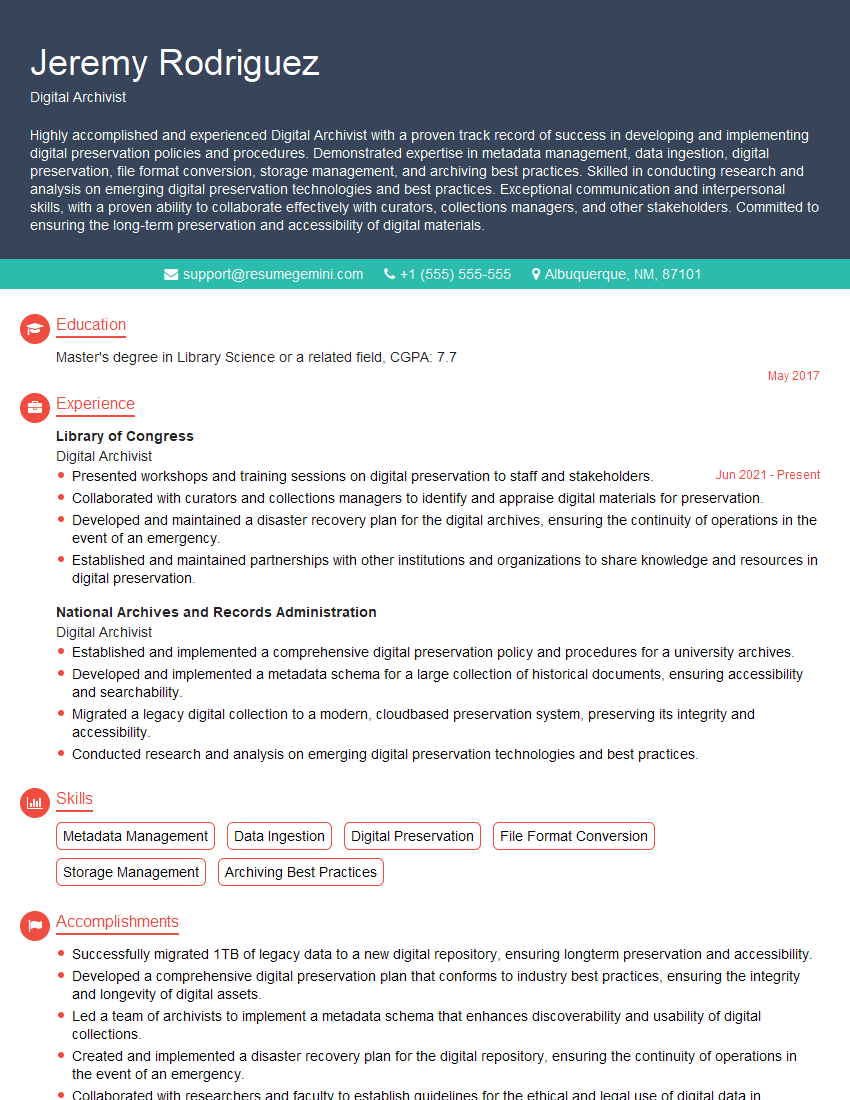
Digital Archivist Resume Sample
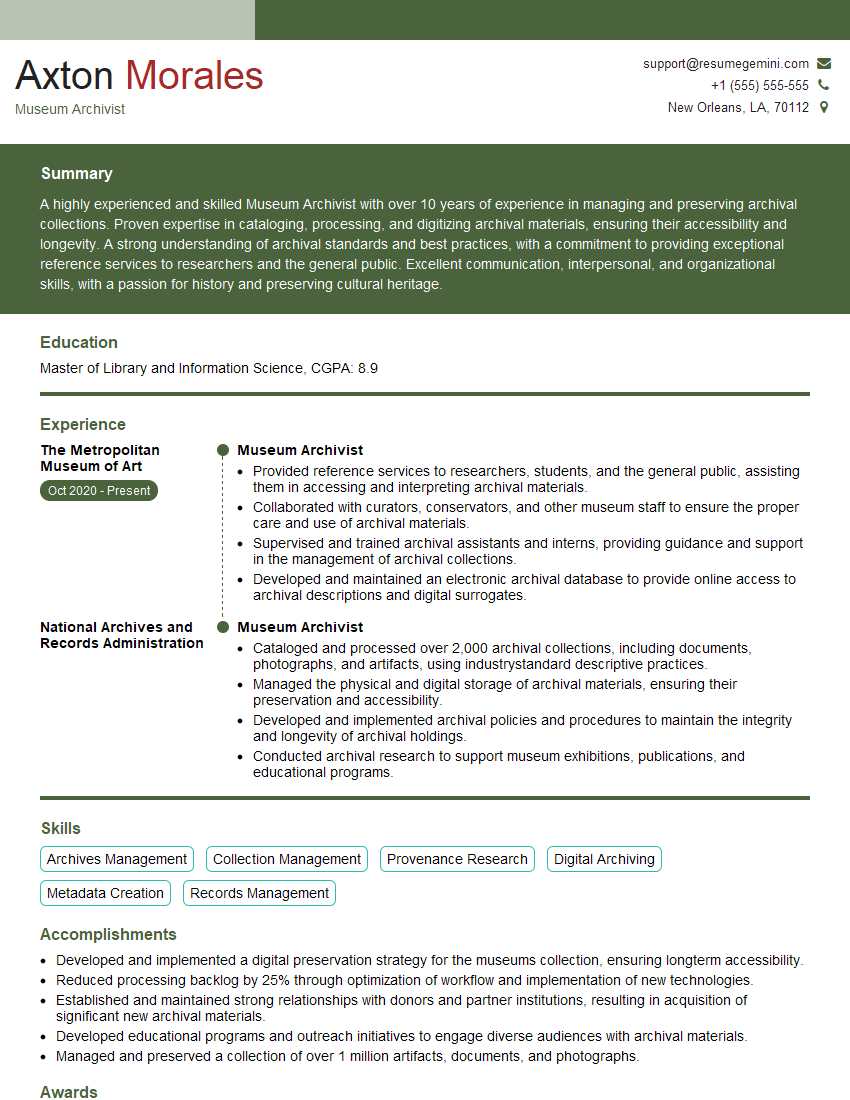
Museum Archivist Resume Sample
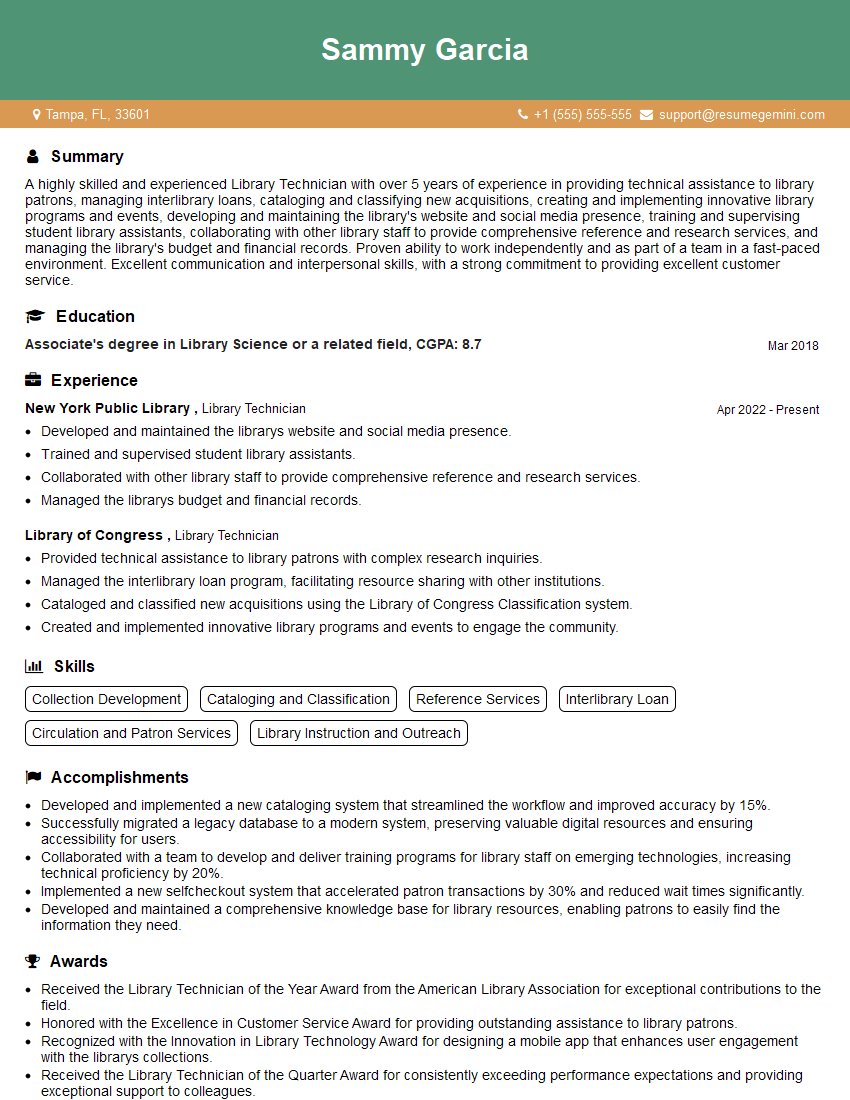
Library Technician Resume Sample

Records Analyst Resume Sample
Explore more articles
Users Rating of Our Blogs
Share Your Experience
We value your feedback! Please rate our content and share your thoughts (optional).
What Readers Say About Our Blog
Attention music lovers!
Wow, All the best Sax Summer music !!!
Spotify: https://open.spotify.com/artist/6ShcdIT7rPVVaFEpgZQbUk
Apple Music: https://music.apple.com/fr/artist/jimmy-sax-black/1530501936
YouTube: https://music.youtube.com/browse/VLOLAK5uy_noClmC7abM6YpZsnySxRqt3LoalPf88No
Other Platforms and Free Downloads : https://fanlink.tv/jimmysaxblack
on google : https://www.google.com/search?q=22+AND+22+AND+22
on ChatGPT : https://chat.openai.com?q=who20jlJimmy20Black20Sax20Producer
Get back into the groove with Jimmy sax Black
Best regards,
Jimmy sax Black
www.jimmysaxblack.com
Hi I am a troller at The aquatic interview center and I suddenly went so fast in Roblox and it was gone when I reset.
Hi,
Business owners spend hours every week worrying about their website—or avoiding it because it feels overwhelming.
We’d like to take that off your plate:
$69/month. Everything handled.
Our team will:
Design a custom website—or completely overhaul your current one
Take care of hosting as an option
Handle edits and improvements—up to 60 minutes of work included every month
No setup fees, no annual commitments. Just a site that makes a strong first impression.
Find out if it’s right for you:
https://websolutionsgenius.com/awardwinningwebsites
Hello,
we currently offer a complimentary backlink and URL indexing test for search engine optimization professionals.
You can get complimentary indexing credits to test how link discovery works in practice.
No credit card is required and there is no recurring fee.
You can find details here:
https://wikipedia-backlinks.com/indexing/
Regards
NICE RESPONSE TO Q & A
hi
The aim of this message is regarding an unclaimed deposit of a deceased nationale that bears the same name as you. You are not relate to him as there are millions of people answering the names across around the world. But i will use my position to influence the release of the deposit to you for our mutual benefit.
Respond for full details and how to claim the deposit. This is 100% risk free. Send hello to my email id: lukachachibaialuka@gmail.com
Luka Chachibaialuka
Hey interviewgemini.com, just wanted to follow up on my last email.
We just launched Call the Monster, an parenting app that lets you summon friendly ‘monsters’ kids actually listen to.
We’re also running a giveaway for everyone who downloads the app. Since it’s brand new, there aren’t many users yet, which means you’ve got a much better chance of winning some great prizes.
You can check it out here: https://bit.ly/callamonsterapp
Or follow us on Instagram: https://www.instagram.com/callamonsterapp
Thanks,
Ryan
CEO – Call the Monster App
Hey interviewgemini.com, I saw your website and love your approach.
I just want this to look like spam email, but want to share something important to you. We just launched Call the Monster, a parenting app that lets you summon friendly ‘monsters’ kids actually listen to.
Parents are loving it for calming chaos before bedtime. Thought you might want to try it: https://bit.ly/callamonsterapp or just follow our fun monster lore on Instagram: https://www.instagram.com/callamonsterapp
Thanks,
Ryan
CEO – Call A Monster APP
To the interviewgemini.com Owner.
Dear interviewgemini.com Webmaster!
Hi interviewgemini.com Webmaster!
Dear interviewgemini.com Webmaster!
excellent
Hello,
We found issues with your domain’s email setup that may be sending your messages to spam or blocking them completely. InboxShield Mini shows you how to fix it in minutes — no tech skills required.
Scan your domain now for details: https://inboxshield-mini.com/
— Adam @ InboxShield Mini
support@inboxshield-mini.com
Reply STOP to unsubscribe
Hi, are you owner of interviewgemini.com? What if I told you I could help you find extra time in your schedule, reconnect with leads you didn’t even realize you missed, and bring in more “I want to work with you” conversations, without increasing your ad spend or hiring a full-time employee?
All with a flexible, budget-friendly service that could easily pay for itself. Sounds good?
Would it be nice to jump on a quick 10-minute call so I can show you exactly how we make this work?
Best,
Hapei
Marketing Director
Hey, I know you’re the owner of interviewgemini.com. I’ll be quick.
Fundraising for your business is tough and time-consuming. We make it easier by guaranteeing two private investor meetings each month, for six months. No demos, no pitch events – just direct introductions to active investors matched to your startup.
If youR17;re raising, this could help you build real momentum. Want me to send more info?
Hi, I represent an SEO company that specialises in getting you AI citations and higher rankings on Google. I’d like to offer you a 100% free SEO audit for your website. Would you be interested?
Hi, I represent an SEO company that specialises in getting you AI citations and higher rankings on Google. I’d like to offer you a 100% free SEO audit for your website. Would you be interested?