Preparation is the key to success in any interview. In this post, we’ll explore crucial MATLAB for Power System Modeling interview questions and equip you with strategies to craft impactful answers. Whether you’re a beginner or a pro, these tips will elevate your preparation.
Questions Asked in MATLAB for Power System Modeling Interview
Q 1. Explain your experience with Simulink for power system modeling.
Simulink is invaluable for dynamic power system simulations. I’ve extensively used it to build models ranging from simple single-machine infinite-bus systems to complex interconnected grids, incorporating renewable energy sources and FACTS devices. My experience includes creating detailed models of generators, transformers, transmission lines, and loads, using specialized Simulink blocks from toolboxes like the Power System Blockset. For example, I once used Simulink to simulate the impact of a sudden load increase on a distribution network, identifying potential voltage sags and instability issues. This allowed us to optimize the network configuration and prevent future outages. Beyond basic modeling, I’m proficient in utilizing Simulink’s capabilities for co-simulation with other software, enabling a holistic system analysis incorporating aspects beyond pure power systems, like control systems and protection schemes.
Specifically, I’m comfortable with:
- Developing detailed models of various power system components using dedicated Simulink blocks.
- Implementing advanced control strategies using Simulink’s control system design tools.
- Performing time-domain simulations to analyze transient stability and dynamic behavior.
- Utilizing Simulink’s scope and analysis tools to visualize and interpret simulation results.
- Integrating Simulink models with other software and hardware platforms.
Q 2. How would you model a synchronous generator in MATLAB?
Modeling a synchronous generator in MATLAB involves representing its electrical and mechanical characteristics. A common approach is to use a simplified model like the classical model or a more detailed model incorporating transient and sub-transient reactances. The classical model, for instance, is sufficient for initial stability studies and considers only the synchronous reactance (Xd). More detailed models, such as the 4th-order model, include factors like field winding dynamics, which become crucial for accurate transient stability assessment. These models are typically implemented using differential equations that describe the generator’s voltage and rotor angle dynamics. You can solve these equations using MATLAB’s numerical integration tools (like ode45) or by utilizing dedicated power system toolboxes that provide pre-built generator blocks.
For example, a simplified classical model might be represented by:
% d(delta)/dt = omega - omega_sync% d(omega)/dt = (Pm - Pe)/2H% Pe = (E' * V)/X'd * sin(delta)Where:
deltais the rotor angleomegais the rotor speedPmis the mechanical powerPeis the electrical powerE'is the internal voltageVis the terminal voltageX'dis the transient reactanceHis the inertia constant
These equations would then be solved numerically in MATLAB to simulate the generator’s behavior under various conditions.
Q 3. Describe your experience with power flow analysis using MATLAB.
I have extensive experience with power flow analysis using MATLAB, employing both built-in functions and custom-developed algorithms. This involves solving the power flow equations to determine voltage magnitudes and angles at each bus in a power system network under steady-state conditions. I’ve used both iterative methods like the Newton-Raphson and Gauss-Seidel methods, each with its own strengths and weaknesses. My experience includes handling various network configurations, including radial and meshed networks, and incorporating different types of generators, loads, and transmission lines. A real-world application involved using power flow analysis to determine the optimal placement of capacitor banks in a distribution network to improve voltage profiles and reduce power losses. Furthermore, I can incorporate contingency analysis into power flow studies to assess the system’s resilience to various fault scenarios.
Q 4. How do you handle fault analysis in power systems using MATLAB?
Fault analysis in power systems using MATLAB typically involves simulating the impact of various faults (like three-phase, single-line-to-ground, etc.) on the system’s stability and voltage profile. This often involves modifying the admittance matrix of the network to reflect the fault conditions and subsequently solving the resulting equations. One approach is to use the ‘zbus’ function to calculate the impedance matrix. This allows calculating fault currents and voltage dips. MATLAB’s symbolic math capabilities can also be used to derive analytical expressions for fault currents in simpler systems. For more complex systems, time-domain simulations using Simulink are employed. These simulations model the dynamic response of generators and protective relays to faults, crucial for transient stability analysis. I’ve worked on numerous projects where accurate fault analysis was critical, ranging from protection coordination studies to assessing the impact of faults on renewable energy integration.
For instance, I’ve used MATLAB to simulate a three-phase fault on a transmission line and analyzed the resulting fault currents and voltage dips using the following steps:
- Create the admittance matrix of the power system.
- Modify the admittance matrix to reflect the fault at a specific bus.
- Solve the resulting system of equations to calculate the fault currents.
- Calculate the voltage dips at various buses in the system.
Q 5. What are the advantages and disadvantages of different power flow methods (e.g., Newton-Raphson, Gauss-Seidel)?
Both Newton-Raphson and Gauss-Seidel are iterative methods used for power flow analysis, but they differ significantly in their approach and convergence characteristics.
- Newton-Raphson: Uses Jacobian matrix to solve the power flow equations. It’s known for its fast quadratic convergence, meaning it typically requires fewer iterations to reach a solution. However, it’s computationally more expensive per iteration due to the Jacobian matrix calculations. It’s ideal for large-scale systems where faster convergence outweighs the increased computational cost per iteration.
- Gauss-Seidel: A simpler method, updating voltage values iteratively based on the power balance equations. It’s computationally less expensive per iteration but converges slower, often requiring significantly more iterations. It’s suitable for smaller networks where the computational overhead of Newton-Raphson isn’t justified by the speed improvement. It also shows better robustness in certain situations with ill-conditioned systems that Newton-Raphson might struggle with.
The choice depends on the specific problem; for large-scale systems, Newton-Raphson is generally preferred for its speed despite the higher per-iteration cost. Smaller systems or cases where robustness is paramount, Gauss-Seidel might be preferable.
Q 6. Explain your experience with state estimation in power systems.
State estimation in power systems involves using measured data (like voltage magnitudes, real and reactive power flows) from various points in the network to estimate the overall system state (voltage magnitudes and angles at each bus). This is crucial for monitoring and control, providing a more accurate picture than relying on individual measurements alone, as these are subject to noise and inaccuracies. My experience involves implementing various state estimation techniques, including weighted least squares (WLS) and robust estimation methods that are less sensitive to bad data. I’ve used MATLAB’s optimization tools to solve the state estimation problem, effectively handling constraints and incorporating different measurement types. A significant application involved improving the accuracy of a power system’s SCADA system by developing a custom state estimator that integrated multiple data sources and effectively handled bad data, resulting in more reliable network monitoring and improved grid management.
Q 7. How would you model a transmission line in MATLAB?
Modeling a transmission line in MATLAB depends on the desired level of detail and the type of analysis being performed. A simplified pi-model is often sufficient for steady-state power flow analysis. This model represents the line using series impedance (R+jX) and shunt admittances at both ends. The parameters (R, X, and B) are calculated from line length, conductor type, and spacing. For more detailed transient stability studies, a more complex model accounting for distributed parameters and frequency dependency might be necessary. This can be implemented using either the ABCD parameters or a more detailed transmission line model (e.g., considering skin effect and proximity effect). For either method, MATLAB’s matrix operations are used to incorporate the line into the overall network representation. The pi-model representation can be easily implemented within a larger power system model using the line’s admittance. I’ve often used the calculated line parameters as inputs for power flow and transient stability simulations in MATLAB, ensuring accuracy in network representation.
A simple pi-model implementation within a power flow algorithm might look like:
% Y_line = [Y_shunt1 + Y_series, -Y_series; -Y_series, Y_shunt2 + Y_series];where Y_shunt1 and Y_shunt2 represent shunt admittances at either end, and Y_series represents the series admittance.
Q 8. How do you use MATLAB for transient stability analysis?
Transient stability analysis in MATLAB involves simulating the dynamic response of a power system following a disturbance, like a fault. It helps determine if the system will remain stable or experience cascading outages. We typically use differential-algebraic equation (DAE) solvers, readily available in MATLAB’s Simulink or specialized power system toolboxes. The process involves building a model of the system, including generators (with their swing equations), transmission lines, loads, and controllers.
For instance, consider a three-bus system. We’d model each generator using a detailed model like the 4th order model (incorporating flux decay, voltage regulator, and governor dynamics). Transmission lines are represented by their pi-equivalent circuit. Loads can be modeled as constant impedance, constant power, or more sophisticated models capturing voltage dependency. The fault is introduced as a sudden change in the system impedance, and the DAE solver integrates the system equations over time, providing the system’s response, typically voltage and angle trajectories for generators. We analyze these trajectories to determine stability – if the generator angles remain bounded, the system is considered stable. Instability is indicated by unbounded rotor angle oscillations, ultimately leading to generator tripping.
MATLAB’s ODE solvers, particularly those suited for stiff systems (common in power systems), are crucial. Post-processing includes analyzing the time-domain responses to identify critical stability margins and potential vulnerabilities.
% Example (Illustrative - actual implementation is more complex) % Simplified swing equation for a single generator function dydt = swing_equation(t,y,Pmech,H) delta = y(1); omega = y(2); dydt = [omega; (Pmech - sin(delta))/H]; endQ 9. Describe your experience with optimal power flow (OPF) techniques.
Optimal Power Flow (OPF) aims to find the optimal operating point of a power system, minimizing a cost function (e.g., generation cost) while satisfying operational constraints (e.g., voltage limits, line flow limits). In MATLAB, I’ve extensively used both built-in optimization solvers and specialized power system toolboxes that incorporate OPF algorithms. These toolboxes often provide user-friendly interfaces and efficient solvers tailored for power system problems.
I’ve worked with interior-point methods, which are efficient for large-scale systems. The process begins with building a power flow model of the system. Then, the objective function (usually the total generation cost, which is often a quadratic function of generator power) is defined. Constraints, including voltage magnitude limits at buses, real and reactive power flow limits on transmission lines, and generator power limits, are then formulated as inequality constraints. The chosen optimization solver in MATLAB (e.g., fmincon) is used to solve this constrained optimization problem.
For example, in one project, I used OPF to minimize the cost of supplying a specific load demand while respecting thermal limits on transmission lines. This involved defining the cost function, constraints, and using MATLAB’s fmincon solver. The solution provided the optimal generator dispatch and voltage setpoints, minimizing cost and preventing line overloading.
Q 10. How would you model renewable energy sources (solar, wind) in a power system model?
Modeling renewable energy sources (RES) like solar and wind in a power system model requires considering their inherent intermittency and variability. We can’t treat them like conventional generators with constant power output. Several approaches exist:
- Deterministic Models: These use pre-determined power output profiles (e.g., from historical data or forecasts). This approach simplifies the model but ignores the stochastic nature of RES. We might use time series data directly or fit curves to represent the power output.
- Stochastic Models: These incorporate the probabilistic nature of RES. We might use probability distributions (e.g., Weibull for wind speed, Beta for solar irradiance) to model the output uncertainty. Monte Carlo simulations then allow us to evaluate the system’s performance under various scenarios. This is more computationally intensive but provides a more realistic representation.
In MATLAB, we’d typically integrate these models into the overall system model. For deterministic modeling, this is straightforward – we simply input the power profiles as time-varying sources. For stochastic models, we’d use MATLAB’s random number generators to sample from the probability distributions and run multiple simulations.
For instance, a simplified model of a wind farm could use a Weibull distribution to generate wind speed data. This wind speed data is then used to calculate the power output of the wind turbines, which is then included in the overall power system simulation.
Q 11. Explain your experience with the use of power system toolboxes in MATLAB.
I have extensive experience with MATLAB’s Power System Blockset and other dedicated toolboxes. These toolboxes offer pre-built blocks for various power system components (generators, transformers, lines, loads) significantly reducing modeling time and effort. They also provide specialized solvers for power flow, transient stability, and optimal power flow analysis.
For example, I’ve used the Power System Blockset to build detailed models of large-scale power systems, including complex control systems and protection schemes. The toolbox’s ability to handle both balanced and unbalanced systems is crucial. These toolboxes offer convenient visualization tools for analyzing simulation results – plotting voltage profiles, power flows, and other key parameters. They also support co-simulation with other Simulink models, allowing for integrated analysis of the power system within a broader system context. In my experience, using these toolboxes significantly improves efficiency and accuracy compared to building models from scratch.
Q 12. How do you validate your power system models?
Validating power system models is crucial to ensure their accuracy and reliability. It’s an iterative process involving several steps:
- Comparison with historical data: If historical data is available, we compare the model’s output (e.g., voltage magnitudes, power flows) under various operating conditions to actual measurements. This helps assess the model’s ability to replicate past system behavior.
- Analytical verification: For simpler models, we can verify individual components or subsystems through analytical calculations or simplified simulations. This allows for identifying potential errors early on.
- Benchmarking against existing models: Comparing the results of our model to those obtained from other validated models or industry standard software gives a sense of accuracy. This is especially useful for larger, complex systems.
- Sensitivity analysis: This involves studying the model’s response to changes in key parameters. This helps to identify which parameters are most critical and where uncertainties might have the greatest impact.
Discrepancies between the model and real-world data or benchmark models require careful investigation and iterative refinement. These steps help build confidence in the model’s accuracy and ensure its suitability for its intended purpose.
Q 13. Describe your experience with time-domain simulations in MATLAB.
Time-domain simulations are essential for analyzing the dynamic behavior of power systems. In MATLAB, I use Simulink and its dedicated power system toolboxes extensively. These tools provide efficient solvers for integrating differential-algebraic equations (DAEs) that govern the power system dynamics.
Typical applications include transient stability studies, electromechanical oscillations analysis, and the evaluation of control system performance. I’ve used various solvers, selecting the appropriate one based on the system’s characteristics (stiffness, accuracy requirements). For instance, I might use a variable-step solver for efficiency in less demanding simulations and a fixed-step solver for better control and accuracy in more stringent cases. Post-processing of simulation results, using MATLAB’s plotting and analysis tools, is crucial for identifying key dynamic characteristics, such as oscillations frequencies and damping ratios. This analysis guides design modifications and control strategies.
For example, in a recent project involving the analysis of a power system with high penetration of renewable energy sources, I performed detailed time-domain simulations to assess the impact of different control strategies on system stability and frequency regulation.
Q 14. How do you handle harmonic analysis in power systems using MATLAB?
Harmonic analysis in power systems investigates the presence and impact of non-sinusoidal waveforms. MATLAB provides powerful tools for this. The approach often involves:
- Time-domain simulation: Simulating the system in the time domain, capturing the non-linear behavior of components (like power electronic converters) that generate harmonics.
- Fast Fourier Transform (FFT): Applying FFT to the time-domain waveforms to obtain the frequency spectrum, identifying the magnitudes and frequencies of various harmonics.
- Harmonic filter design: Using MATLAB’s control system toolbox and filter design functions, we can design filters (passive or active) to mitigate the impact of specific harmonics.
For example, I’ve used MATLAB to model a power system with large amounts of harmonic generation from converters used in renewable energy sources. I performed time-domain simulations, then utilized the FFT to quantify the harmonic content in different parts of the system. Based on the harmonic analysis, I designed a filter to reduce the impact of dominant harmonics on sensitive equipment.
MATLAB’s signal processing toolbox offers numerous functions to simplify harmonic analysis, allowing for efficient identification and mitigation of harmonic distortion.
Q 15. Explain the role of MATLAB in power system stability studies.
MATLAB is an invaluable tool for power system stability studies because of its extensive libraries and versatile programming capabilities. It allows for the creation and simulation of complex power system models, enabling engineers to analyze the system’s response to various disturbances and assess its stability. This is crucial for ensuring the reliable and secure operation of the power grid.
For example, we can use MATLAB’s Simulink environment to build detailed models of generators, transmission lines, and loads. Then, we can simulate events like short circuits or sudden load changes to observe how the system responds. The results, often visualized through waveforms and stability indices (like critical clearing time), help determine the system’s robustness and identify potential weaknesses.
Specifically, tools like the Power System Blockset allow for easy modeling of various components, and the solver options provide flexibility in handling different simulation scenarios, including transient and small-signal stability analysis.
Career Expert Tips:
- Ace those interviews! Prepare effectively by reviewing the Top 50 Most Common Interview Questions on ResumeGemini.
- Navigate your job search with confidence! Explore a wide range of Career Tips on ResumeGemini. Learn about common challenges and recommendations to overcome them.
- Craft the perfect resume! Master the Art of Resume Writing with ResumeGemini’s guide. Showcase your unique qualifications and achievements effectively.
- Don’t miss out on holiday savings! Build your dream resume with ResumeGemini’s ATS optimized templates.
Q 16. What are your experiences with different types of power system loads?
My experience encompasses a wide range of power system load models, from simple constant power loads to more sophisticated models that capture dynamic behavior. Constant power loads, represented simply as a constant P and Q (active and reactive power), are useful for initial analysis but lack realism. More realistic load models account for the voltage dependence of power consumption, such as constant impedance, constant current, and exponential models. These models incorporate voltage sensitivity and provide more accurate results when analyzing system stability and voltage profiles.
I’ve also worked extensively with dynamic load models, which incorporate the response of individual components like motors, induction motors, and static loads to voltage disturbances. These models can significantly impact system dynamics, particularly during large disturbances. For example, the sudden shutdown of induction motors during a voltage sag can lead to cascading outages. Modeling these dynamic effects is critical for accurate stability assessments.
In practice, selecting the appropriate load model depends heavily on the specific study’s objective and the level of detail required. Simpler models are useful for preliminary investigations or large-scale system analysis where computational efficiency is paramount, whereas complex dynamic load models are essential for detailed transient stability studies.
Q 17. Discuss your experience with the implementation of control strategies in power systems using MATLAB.
I have extensive experience implementing various control strategies in power systems using MATLAB, focusing primarily on generator excitation control, power system stabilizers (PSS), and automatic voltage regulators (AVR). These controllers play a vital role in maintaining system stability and voltage regulation.
For example, I’ve designed and simulated PSS controllers to enhance the damping of low-frequency oscillations in power systems. This often involves using linear control design techniques within MATLAB’s Control System Toolbox to design the controller parameters, followed by nonlinear simulations in Simulink to validate the controller’s effectiveness under various operating conditions. This might involve tuning PID controllers or employing more sophisticated techniques such as optimal control or robust control methods.
I also have experience implementing advanced control strategies like decentralized control and hierarchical control schemes for large-scale systems. These require managing the interactions between multiple controllers and coordinating their actions to ensure overall system stability. MATLAB’s capabilities in matrix manipulation and linear algebra are essential for this task.
%Example: Simple PI controller design for PSS Kp = 1; %Proportional gain Ki = 0.1; %Integral gain s = tf('s'); C = Kp + Ki/s; %Transfer function of PI controller
Q 18. How do you use MATLAB to analyze the impact of FACTS devices on power systems?
I utilize MATLAB extensively to analyze the impact of Flexible AC Transmission Systems (FACTS) devices on power system performance. FACTS devices, such as Static Synchronous Compensators (STATCOM) and Thyristor-Controlled Series Compensators (TCSC), significantly enhance power system controllability and stability. Their inclusion dramatically alters the system’s dynamic response.
MATLAB’s Simulink environment enables me to create detailed models of various FACTS devices and integrate them into larger power system models. This allows me to study their impact on transient stability, voltage stability, and power flow control. For instance, I can simulate the effect of a STATCOM on voltage regulation during a fault, or assess the impact of a TCSC on improving power transfer capability across a transmission line.
Through simulations, I can analyze how these devices improve transient stability by damping oscillations and enhance voltage stability by regulating bus voltages. I can also quantify the improvement in power transfer limits and analyze the interactions between multiple FACTS devices within a network. Data visualization tools within MATLAB are crucial for effectively presenting the simulation results and drawing meaningful conclusions.
Q 19. Describe your experience with developing custom functions or toolboxes for power system applications.
Developing custom functions and toolboxes is a routine part of my workflow. I’ve created numerous MATLAB functions to automate tasks, such as power flow calculations, fault analysis, and stability index computations. For example, I developed a function that automatically extracts data from power system simulation results and generates customized reports, significantly reducing post-processing time.
One notable project involved developing a toolbox for analyzing the impact of distributed generation on power system reliability. This toolbox includes functions for modeling various types of distributed generators, simulating their integration into the grid, and assessing their impact on system performance indicators such as voltage profiles and fault current levels. This toolbox improved efficiency and consistency across various projects.
I also frequently use object-oriented programming techniques in MATLAB to create reusable and modular code. This promotes code maintainability and allows for easier expansion and adaptation to new power system applications. The ability to create custom functions and toolboxes is vital for streamlining complex tasks and improving workflow efficiency in power system analysis.
Q 20. How do you handle large-scale power system models in MATLAB?
Handling large-scale power system models in MATLAB often requires employing efficient techniques and leveraging MATLAB’s optimized functions. Directly modeling extremely large systems can be computationally expensive and memory-intensive. Strategies I commonly use include model reduction techniques, sparse matrix representations, and parallel computing.
Model reduction involves simplifying the detailed model by approximating certain components or using equivalent circuits to reduce the number of equations. Sparse matrix representations are critical as large power systems are inherently sparse, meaning most entries in the system matrices are zero. Leveraging MATLAB’s sparse matrix capabilities significantly reduces memory usage and improves computation speed.
Finally, for truly massive systems, parallel computing techniques, using MATLAB’s Parallel Computing Toolbox, allow for distributing the computation across multiple cores or even multiple computers, drastically reducing simulation time. This becomes especially important when performing time-domain simulations of large-scale networks.
Q 21. Explain your experience with data visualization and reporting using MATLAB for power system analysis.
Data visualization and reporting are critical in power system analysis. MATLAB’s plotting and graphics capabilities are essential for presenting simulation results effectively and conveying insights to stakeholders. I routinely use MATLAB to generate various plots, including time-domain waveforms (voltage, current, frequency), phasor diagrams, and stability margins.
Beyond simple plots, I leverage MATLAB’s capabilities to create customized reports, including tables summarizing key results and figures illustrating system performance. I frequently use the publishing features of MATLAB to generate professional-quality reports in various formats (PDF, HTML, etc.), integrating both text and figures seamlessly.
In addition to static visualizations, I sometimes use MATLAB to create interactive plots and dashboards that allow users to explore the simulation data in more detail. These dynamic visualizations can be especially helpful in identifying key trends and patterns within complex datasets.
Q 22. How do you ensure the accuracy and reliability of your power system models?
Ensuring accuracy and reliability in power system models is paramount. It’s like building a sturdy bridge – you wouldn’t want it to collapse! We achieve this through a multi-pronged approach:
- Data Validation: Thorough verification of input data, including line parameters, generator characteristics, and load profiles, is crucial. Inconsistencies or errors in the input data directly translate to inaccuracies in the simulation results. I typically use automated checks and comparisons against known good data sets to catch discrepancies early.
- Model Verification: Comparing simulation results against known analytical solutions or simplified models helps identify potential flaws. For instance, I might compare a simplified model of a radial network to the full simulation to check for consistency. Discrepancies here indicate a need for further investigation into the model’s components or parameters.
- Sensitivity Analysis: Understanding how changes in input parameters affect simulation outputs is critical. This allows us to identify parameters that have a significant impact on the results and focus our validation efforts on them. I often use MATLAB’s optimization toolbox to conduct sensitivity analyses.
- Comparison with Real-World Data: Where possible, I compare simulation results to real-world measurements from the power system. This provides a crucial validation step, ensuring the model accurately reflects the system’s behavior under various operating conditions. This might involve comparing simulated voltage profiles to SCADA data.
- Peer Review: Having other experts review the model and the methodology is a critical aspect to catch hidden errors or potential biases.
By meticulously addressing these aspects, we dramatically reduce the risk of producing unreliable results and build confidence in the model’s predictive capabilities.
Q 23. Discuss your experience with parallel computing techniques for power system simulations in MATLAB.
Parallel computing is essential for large-scale power system simulations. Imagine trying to simulate the entire North American power grid on a single core – it would take an eternity! My experience includes using MATLAB’s Parallel Computing Toolbox to leverage multiple cores and even clusters. I’ve used several approaches:
- Parallel for loops: This approach is great for tasks that can be easily broken down into independent chunks, such as calculating power flow for individual branches of the network. MATLAB’s
parforloop handles the distribution and aggregation of results efficiently. - Distributed arrays: For even larger simulations, I’ve worked with distributed arrays to distribute data and computations across multiple machines in a cluster. This is ideal for extremely large-scale simulations beyond the capacity of a single machine.
- Specialized solvers: Some solvers within MATLAB are optimized for parallel execution, and I’ve leveraged those to accelerate computationally intensive tasks such as time-domain simulations or optimization problems.
For example, in simulating a large-scale network using a time-domain simulation, I’d partition the network into smaller sub-networks, assign each sub-network to a separate core using parfor, and then aggregate the results to obtain the overall system response. This significantly reduces simulation time compared to a sequential approach.
Q 24. How would you model a power transformer in MATLAB?
Modeling a power transformer in MATLAB depends on the desired level of detail. A simplified approach uses a pi-equivalent circuit, representing the transformer with its equivalent impedances (resistance and reactance). A more detailed model could incorporate:
- Tap changing: Modeling the ability to adjust the transformer’s turns ratio is crucial for voltage regulation studies. This can be achieved through conditional statements or by defining a variable tap ratio that influences the equivalent impedance.
- Saturation: At high flux levels, the core’s magnetic saturation affects the transformer’s characteristics. This can be incorporated using saturation curves or non-linear models.
- Excitation branch: A more accurate model may include the excitation branch, representing core losses and magnetizing current.
Here’s a basic example of a pi-equivalent model:
% Define transformer parameters
R = 0.01; % Resistance
X = 0.1; % Reactance
Z = complex(R,X); % Impedance
% Calculate voltage drop across transformer
V_drop = I * Z;
For more complex models, you might use specialized transformer models available in power system toolboxes like PSS/E or PowerWorld Simulator, and then integrate their output within a MATLAB environment.
Q 25. Describe your experience with different solvers in MATLAB for power system simulations.
My experience spans various MATLAB solvers for power system simulations, each suited to different tasks:
- Newton-Raphson method: A cornerstone of power flow calculations. MATLAB’s built-in functions or custom implementations can be used to solve these non-linear equations iteratively. Its speed and robustness make it a staple for steady-state analysis.
- Gauss-Seidel method: A simpler iterative method for power flow, useful for smaller systems or as an initial guess for the Newton-Raphson method. It’s less computationally intensive but can converge slower.
- Trapezoidal rule and other numerical integration techniques: Essential for time-domain simulations. These methods are used to approximate the solution of differential equations describing dynamic system behavior.
- ODE solvers: MATLAB’s suite of ODE solvers (
ode45,ode23s, etc.) are indispensable for transient stability simulations and dynamic system analysis. The choice of solver depends on the stiffness and characteristics of the differential equations.
The selection of the appropriate solver significantly impacts the accuracy, efficiency, and stability of the simulation. For example, ode23s is well-suited for stiff systems (systems with widely varying time constants) often encountered in transient stability analysis while ode45, a Runge-Kutta solver is often a good choice for non-stiff systems.
Q 26. What are the limitations of using MATLAB for power system modeling?
While MATLAB is a powerful tool, it has some limitations for power system modeling:
- Computational cost for large systems: Simulating extremely large systems can be computationally expensive, especially without employing parallel computing techniques. Dedicated power system simulation software often employs more optimized algorithms for large-scale problems.
- Specialized functionalities: Although toolboxes enhance MATLAB’s capabilities, it may lack the specialized functionalities (e.g., advanced dynamic models, specific relay models) readily available in dedicated power system simulation packages.
- Licensing costs: MATLAB’s licensing costs can be substantial, especially for large teams or institutions.
- Steeper learning curve: While versatile, MATLAB’s broad range of features might require a significant time investment to master particularly its advanced functions used in power system simulations.
Therefore, the choice of MATLAB versus dedicated power system software often depends on the size and complexity of the system, the specific analysis needs, and the available resources.
Q 27. How do you troubleshoot and debug MATLAB code used for power system simulations?
Debugging MATLAB code for power system simulations involves a systematic approach:
- Utilizing MATLAB’s debugger: Step-by-step execution helps identify the exact location of errors. Breakpoints and watch variables allow examination of variable values at different points in the code.
- Code commenting and readability: Well-commented code significantly aids in understanding the logic and quickly pinpointing problems. Functions should be modular and well-documented.
- Intermediate output checks: Adding
disporfprintfstatements to print intermediate values of key variables aids in verifying the correctness of calculations at various steps. - Unit testing: Testing individual functions with known inputs and comparing the outputs to expected values isolates potential problems within specific modules of code.
- Error handling and exception management: Using
try-catchblocks helps manage errors gracefully, providing informative messages about the nature of the error. - Visualizations: Using plotting tools to visualize results at different stages can often reveal unexpected behavior or inconsistencies.
By employing these techniques, we can efficiently track down and resolve errors, reducing the debugging process to a matter of systematic investigation rather than guesswork.
Q 28. Explain your experience with integrating MATLAB with other power system software packages.
I have experience integrating MATLAB with other power system software packages, primarily using data exchange mechanisms:
- Data import/export: I often import data from PSS/E or PowerWorld Simulator (using their respective APIs or exporting data to common formats like CSV) into MATLAB for further analysis or visualization. The opposite is also true, exporting processed data from MATLAB back to these packages.
- COM interfaces: Some power system software packages offer COM (Component Object Model) interfaces, enabling direct communication and data exchange between MATLAB and the software. This allows for automated workflows and more tightly coupled integrations.
- File-based exchange: For simpler integrations, I’ve used file-based data exchange (CSV, text files, MAT-files). This is a less efficient method for large datasets but simpler to implement.
For instance, I might use MATLAB to perform advanced calculations on power flow results obtained from PSS/E, or use MATLAB’s visualization tools to display results from a time-domain simulation conducted within PowerWorld Simulator. This hybrid approach leverages the strengths of each software package for optimal efficiency and accuracy.
Key Topics to Learn for MATLAB for Power System Modeling Interview
Acing your MATLAB for Power System Modeling interview requires a solid understanding of both theoretical foundations and practical applications. Focus your preparation on these key areas:
- Power System Fundamentals: Review fundamental power system concepts like per-unit systems, symmetrical components, fault analysis, and power flow calculations. Understanding these is crucial for building accurate models.
- MATLAB Basics for Power Systems: Master essential MATLAB tools and functions relevant to power system analysis. This includes matrix operations, numerical methods, and data visualization techniques specifically applied to power system data.
- Power Flow Analysis using MATLAB: Practice implementing various power flow solution methods (e.g., Newton-Raphson) in MATLAB. Understand the underlying algorithms and be prepared to discuss their strengths and weaknesses.
- Fault Analysis and Transient Stability Studies: Learn how to model and simulate various types of faults (e.g., three-phase, single-line-to-ground) and analyze system stability using MATLAB’s simulation capabilities. Understanding the practical implications of your results is key.
- State Estimation and Optimal Power Flow: Familiarize yourself with the principles of state estimation and optimal power flow, and how to implement these using MATLAB toolboxes. This demonstrates advanced problem-solving skills.
- Renewable Energy Integration Modeling: Explore how to model the integration of renewable energy sources (solar, wind) into power systems using MATLAB. This highlights your understanding of current industry trends.
- Data Analysis and Visualization: Practice effectively visualizing power system data using MATLAB’s plotting and charting capabilities. This showcases your ability to communicate complex information clearly.
Next Steps
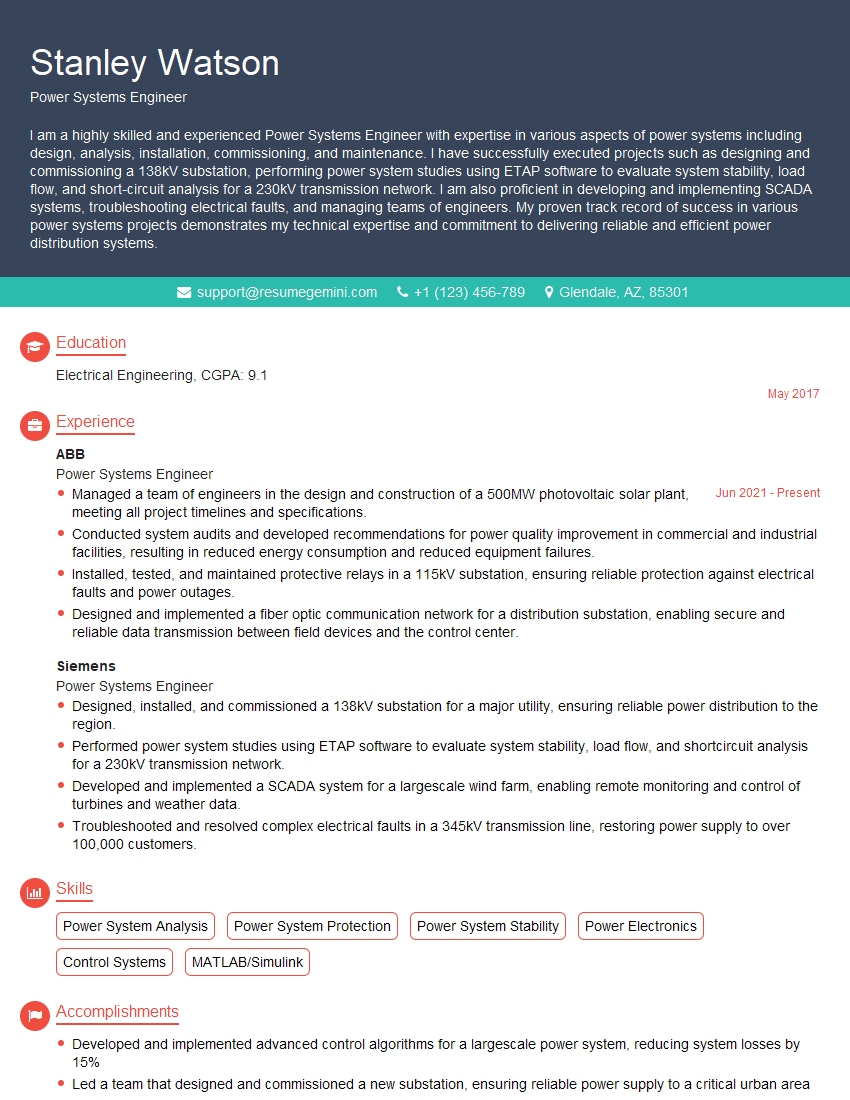
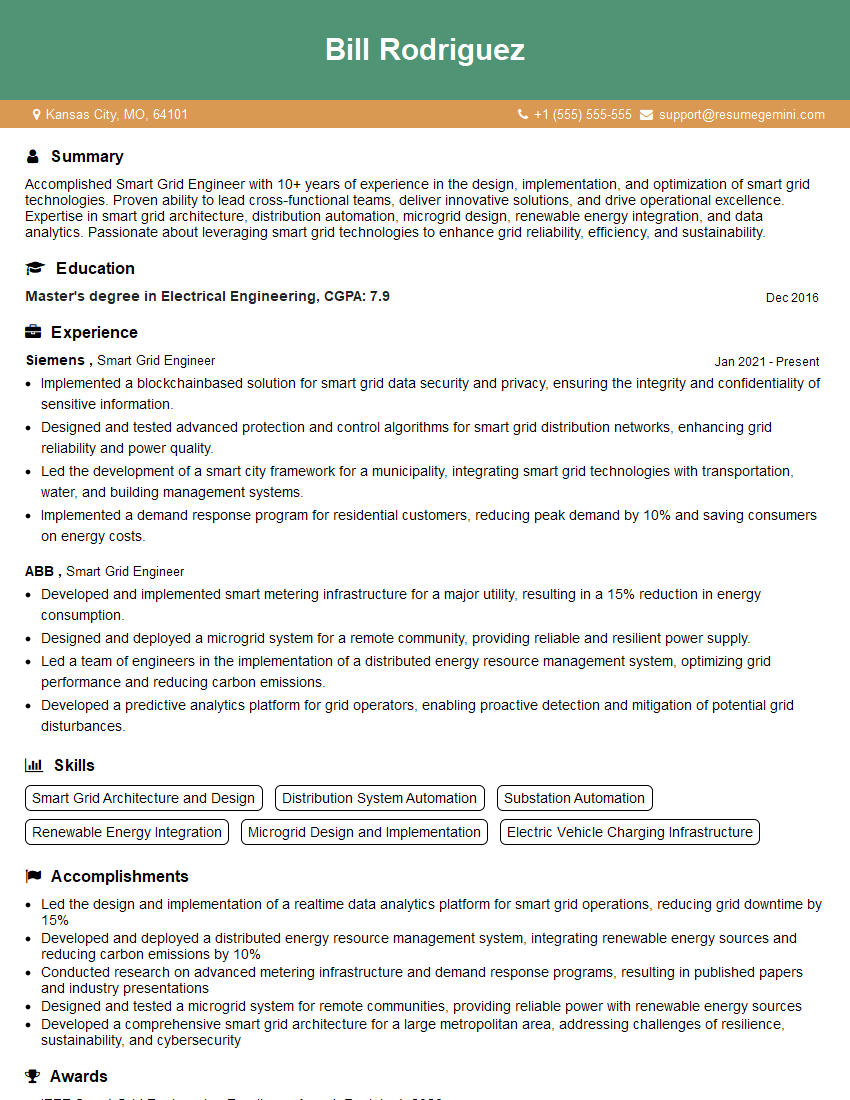
Mastering MATLAB for Power System Modeling significantly enhances your career prospects in the power industry, opening doors to exciting roles with greater responsibility and earning potential. To maximize your chances of landing your dream job, crafting a compelling, ATS-friendly resume is critical. ResumeGemini is a trusted resource to help you build a professional and effective resume that showcases your skills and experience. They offer examples of resumes tailored to MATLAB for Power System Modeling to guide you in crafting your own winning application. Take the next step towards your career goals today!
Explore more articles
Users Rating of Our Blogs
Share Your Experience
We value your feedback! Please rate our content and share your thoughts (optional).
What Readers Say About Our Blog
Hello,
we currently offer a complimentary backlink and URL indexing test for search engine optimization professionals.
You can get complimentary indexing credits to test how link discovery works in practice.
No credit card is required and there is no recurring fee.
You can find details here:
https://wikipedia-backlinks.com/indexing/
Regards
NICE RESPONSE TO Q & A
hi
The aim of this message is regarding an unclaimed deposit of a deceased nationale that bears the same name as you. You are not relate to him as there are millions of people answering the names across around the world. But i will use my position to influence the release of the deposit to you for our mutual benefit.
Respond for full details and how to claim the deposit. This is 100% risk free. Send hello to my email id: [email protected]
Luka Chachibaialuka
Hey interviewgemini.com, just wanted to follow up on my last email.
We just launched Call the Monster, an parenting app that lets you summon friendly ‘monsters’ kids actually listen to.
We’re also running a giveaway for everyone who downloads the app. Since it’s brand new, there aren’t many users yet, which means you’ve got a much better chance of winning some great prizes.
You can check it out here: https://bit.ly/callamonsterapp
Or follow us on Instagram: https://www.instagram.com/callamonsterapp
Thanks,
Ryan
CEO – Call the Monster App
Hey interviewgemini.com, I saw your website and love your approach.
I just want this to look like spam email, but want to share something important to you. We just launched Call the Monster, a parenting app that lets you summon friendly ‘monsters’ kids actually listen to.
Parents are loving it for calming chaos before bedtime. Thought you might want to try it: https://bit.ly/callamonsterapp or just follow our fun monster lore on Instagram: https://www.instagram.com/callamonsterapp
Thanks,
Ryan
CEO – Call A Monster APP
To the interviewgemini.com Owner.
Dear interviewgemini.com Webmaster!
Hi interviewgemini.com Webmaster!
Dear interviewgemini.com Webmaster!
excellent
Hello,
We found issues with your domain’s email setup that may be sending your messages to spam or blocking them completely. InboxShield Mini shows you how to fix it in minutes — no tech skills required.
Scan your domain now for details: https://inboxshield-mini.com/
— Adam @ InboxShield Mini
Reply STOP to unsubscribe
Hi, are you owner of interviewgemini.com? What if I told you I could help you find extra time in your schedule, reconnect with leads you didn’t even realize you missed, and bring in more “I want to work with you” conversations, without increasing your ad spend or hiring a full-time employee?
All with a flexible, budget-friendly service that could easily pay for itself. Sounds good?
Would it be nice to jump on a quick 10-minute call so I can show you exactly how we make this work?
Best,
Hapei
Marketing Director
Hey, I know you’re the owner of interviewgemini.com. I’ll be quick.
Fundraising for your business is tough and time-consuming. We make it easier by guaranteeing two private investor meetings each month, for six months. No demos, no pitch events – just direct introductions to active investors matched to your startup.
If youR17;re raising, this could help you build real momentum. Want me to send more info?
Hi, I represent an SEO company that specialises in getting you AI citations and higher rankings on Google. I’d like to offer you a 100% free SEO audit for your website. Would you be interested?
Hi, I represent an SEO company that specialises in getting you AI citations and higher rankings on Google. I’d like to offer you a 100% free SEO audit for your website. Would you be interested?
good