Every successful interview starts with knowing what to expect. In this blog, we’ll take you through the top Networking Concepts interview questions, breaking them down with expert tips to help you deliver impactful answers. Step into your next interview fully prepared and ready to succeed.
Questions Asked in Networking Concepts Interview
Q 1. Explain the difference between TCP and UDP.
TCP (Transmission Control Protocol) and UDP (User Datagram Protocol) are both communication protocols used in networking, but they differ significantly in their approach to data delivery. Think of them as two different delivery services: TCP is like FedEx, ensuring reliable and ordered delivery, while UDP is more like the postal service, prioritizing speed over guaranteed arrival.
- TCP: A connection-oriented protocol that provides reliable, ordered, and error-checked delivery of data. It establishes a connection between sender and receiver before transmitting data, acknowledging each packet received. This makes it ideal for applications requiring high reliability, such as web browsing (HTTP), email (SMTP), and file transfer (FTP). Imagine sending a valuable package – you’d want to know it arrived safely and completely.
- UDP: A connectionless protocol that prioritizes speed and efficiency over reliability. It doesn’t establish a connection before sending data, and doesn’t guarantee delivery or order. This makes it suitable for applications where speed is crucial and some data loss is acceptable, such as online gaming, video streaming (often combined with error correction mechanisms), and DNS lookups. Think of sending a postcard – it’s faster, but you don’t have the same guarantees.
In essence, TCP offers more overhead but ensures data integrity, while UDP sacrifices reliability for speed.
Q 2. What are the layers of the OSI model?
The OSI (Open Systems Interconnection) model is a conceptual framework that standardizes the functions of a networking system into seven distinct layers. Each layer performs a specific task, and they interact with each other to enable communication. Think of it like a layered cake, where each layer contributes to the final product.
- Layer 1: Physical Layer: Deals with the physical cabling and transmission of raw bits.
- Layer 2: Data Link Layer: Provides error-free transmission of data frames between two directly connected nodes. Includes protocols like Ethernet.
- Layer 3: Network Layer: Responsible for logical addressing (IP addresses) and routing data packets across networks. IP is the key protocol here.
- Layer 4: Transport Layer: Provides end-to-end communication, segmentation, and reassembly of data. TCP and UDP reside at this layer.
- Layer 5: Session Layer: Manages connections between applications, ensuring synchronized communication.
- Layer 6: Presentation Layer: Handles data formatting, encryption, and decryption.
- Layer 7: Application Layer: The interface between applications and the network. Includes protocols like HTTP, FTP, SMTP.
Understanding the OSI model is crucial for troubleshooting network issues and designing robust network architectures. Each layer’s functionality can be independently analyzed, making troubleshooting much easier.
Q 3. Describe the function of a router.
A router is a networking device that forwards data packets between networks. It acts like a traffic controller, deciding the best path to send data based on its destination IP address. Think of it as a postal worker sorting mail and deciding which truck to put each letter on to reach the right address.
Routers use routing tables, which contain information about network addresses and the best paths to reach them. When a router receives a packet, it examines the destination IP address and consults its routing table to determine the next hop – the next router or network interface to which the packet should be forwarded. This process continues until the packet reaches its destination.
Routers are essential for connecting different networks, such as your home network to the internet, or different departments within a large organization. They enable efficient and scalable communication across diverse networks.
Q 4. What is subnetting and why is it used?
Subnetting is the process of dividing a larger network (IP address range) into smaller, more manageable subnetworks. Think of it like dividing a large city into smaller neighborhoods for easier administration and resource allocation.
It’s used to:
- Improve Network Efficiency: By reducing broadcast traffic and collisions, which improves network performance, especially in larger networks.
- Enhance Security: Subnetting allows for better access control and security by isolating different parts of the network.
- Conserve IP Addresses: Allows for more efficient use of available IP addresses.
- Simplify Network Management: Easier to manage and troubleshoot smaller, more focused networks.
For example, a large company might subnet its network to separate departments (marketing, sales, IT), each with its own subnet and dedicated resources. This improves security and prevents one department’s issues from affecting others.
Q 5. Explain the concept of IP addressing.
IP addressing is a system used to uniquely identify devices on a network. Every device connected to a network, like a computer or smartphone, has a unique IP address, similar to a postal address for a house. This address allows other devices and networks to send data to the correct destination.
IP addresses are typically represented as four decimal numbers separated by dots (e.g., 192.168.1.100). These numbers represent a unique location on the network. There are two main versions:
- IPv4: Uses 32 bits (four bytes) for addressing, offering a limited number of addresses. This is the older, more common version.
- IPv6: Uses 128 bits (16 bytes) for addressing, providing a vastly larger address space to accommodate the ever-growing number of internet-connected devices. This is the newer, future-proof standard.
IP addresses are crucial for routing data across networks, enabling communication between different devices and networks.
Q 6. What are the different types of network topologies?
Network topologies describe the physical or logical arrangement of nodes (devices) and connections in a network. Several common topologies exist, each with its strengths and weaknesses:
- Bus Topology: All devices are connected to a single cable (the bus). Simple but susceptible to single points of failure.
- Star Topology: All devices are connected to a central hub or switch. Common and easy to manage, but the central device is a single point of failure.
- Ring Topology: Devices are connected in a closed loop. Data travels in one direction. Relatively efficient but prone to failure if one device malfunctions.
- Mesh Topology: Devices are connected to multiple other devices, providing redundancy and fault tolerance. Complex and expensive to implement.
- Tree Topology: A hierarchical structure combining elements of bus and star topologies. Often used in larger networks.
The choice of topology depends on factors like network size, cost, scalability, and required reliability. Most modern networks use a combination of topologies to optimize performance and resilience.
Q 7. What is DHCP and how does it work?
DHCP (Dynamic Host Configuration Protocol) is a network management protocol that automatically assigns IP addresses and other network configuration parameters to devices on a network. Think of it as an automatic address dispenser, eliminating the need to manually configure each device.
It works as follows:
- DHCP Discover: A device needing an IP address broadcasts a DHCP discover message.
- DHCP Offer: A DHCP server responds with a DHCP offer message, proposing an IP address and other network settings.
- DHCP Request: The device sends a DHCP request message accepting the offered IP address.
- DHCP ACK: The DHCP server acknowledges the request, confirming the IP address assignment and other network settings.
DHCP simplifies network administration by automating the configuration process. It also allows for efficient IP address management and reduces the risk of IP address conflicts. Most home and office networks use DHCP to automatically assign IP addresses to computers, smartphones, and other devices.
Q 8. Describe the difference between a switch and a hub.
Imagine a party. A hub is like a single, loud speakerphone – everyone hears everything said by anyone. A switch, however, is like a sophisticated intercom system. It listens to the conversation and only forwards the message to the intended recipient. This is the core difference between a hub and a switch.
Hubs operate at the physical layer (Layer 1) of the OSI model. They broadcast data to every port, resulting in network congestion and security vulnerabilities. Think of it as shouting a message across a crowded room; everyone hears it, even those not involved in the conversation.
Switches operate at the data link layer (Layer 2). They learn the MAC addresses of connected devices and forward data only to the intended recipient. This significantly improves network performance and security by reducing collisions and eavesdropping. Think of it as using an intercom, efficiently sending messages to the right people without unnecessary noise.
- Hubs: Broadcast data to all ports, lower performance, less secure.
- Switches: Forward data only to the intended recipient, higher performance, more secure.
Q 9. What is DNS and its role in network communication?
DNS, or the Domain Name System, is the internet’s phonebook. Instead of remembering complex IP addresses (like 192.168.1.1), we use human-readable domain names (like google.com). DNS translates these domain names into IP addresses, making it possible for us to access websites and other online resources.
Imagine trying to call someone using only their phone number. It would be difficult to remember all the numbers. DNS works similarly; it takes the easy-to-remember domain name (like google.com) and finds the corresponding IP address so your computer can connect to the server hosting the Google website. Without DNS, you would need to know and type in the numeric IP address for every website you visit!
DNS servers are organized hierarchically into root servers, top-level domain (TLD) servers (like .com, .org, .net), and authoritative name servers for individual domains. When you type a domain name in your browser, a recursive query process happens across these servers until the corresponding IP address is found and your request can be routed.
Q 10. Explain the concept of network security and its importance.
Network security is the process of protecting computer networks from unauthorized access, use, disclosure, disruption, modification, or destruction. In today’s interconnected world, where sensitive data is constantly being exchanged, network security is crucial to maintain confidentiality, integrity, and availability of information and resources. This is often referred to as the CIA triad.
Consider a bank; they need to ensure that only authorized users can access customer account information. This is where network security plays a vital role. Without robust security measures, networks are vulnerable to various threats, leading to data breaches, financial losses, reputational damage, and legal consequences. Therefore, it’s a multifaceted field incorporating various technologies and strategies to safeguard network infrastructure and data.
Q 11. What are firewalls and how do they protect networks?
Firewalls are the security guards of your network, inspecting all incoming and outgoing network traffic and blocking anything that doesn’t meet predefined security rules. They act as a barrier between your internal network and the outside world.
Think of a firewall as a bouncer at a nightclub; it carefully checks everyone entering and leaving, preventing unwanted individuals from entering or leaving. They can be hardware or software based and use various techniques like packet filtering, stateful inspection, and application-level gateways to examine traffic. These rules define which traffic is allowed and which is blocked based on factors like IP address, port number, and application protocol.
For instance, a firewall might block all incoming connections on port 23 (Telnet), a notoriously insecure protocol, while allowing secure shell (SSH) traffic on port 22. This helps prevent unauthorized remote access attempts.
Q 12. What are VPNs and how do they work?
VPNs, or Virtual Private Networks, create a secure, encrypted connection over a less secure network. Imagine you’re using public Wi-Fi at a coffee shop; a VPN creates a private tunnel, encrypting your data so that even if someone intercepts your traffic, they won’t be able to understand it. This ensures your data remains confidential and secure.
VPNs work by establishing an encrypted connection between your device and a VPN server. All your internet traffic is routed through this server, masking your IP address and encrypting your data. This makes it much more difficult for others to track your online activity or intercept your data. This is particularly important when using public Wi-Fi hotspots or accessing sensitive data from untrusted networks.
Q 13. Describe different network security threats.
Network security threats are diverse and constantly evolving. Some common threats include:
- Malware: Viruses, worms, Trojans, ransomware, and other malicious software designed to damage or steal data.
- Phishing: Deceiving users into revealing sensitive information like passwords or credit card details.
- Denial-of-Service (DoS) attacks: Flooding a network with traffic to make it unavailable to legitimate users.
- Man-in-the-middle (MitM) attacks: Intercepting communication between two parties to eavesdrop or manipulate data.
- SQL injection: Exploiting vulnerabilities in database applications to steal or modify data.
- Zero-day exploits: Attacks that exploit previously unknown vulnerabilities.
These are just some examples, and new threats are constantly emerging. It’s crucial to stay updated on the latest security best practices and technologies to mitigate these risks.
Q 14. Explain the concept of VLANs.
VLANs, or Virtual LANs, are logical groupings of devices on a network that act as if they are on separate physical LANs. Even though devices might be physically connected to the same switch, they can be logically separated into different VLANs based on factors like department, location, or security needs.
Imagine a large office building. Instead of having separate physical wiring for each department, VLANs allow you to logically separate the network into departments. This enhances network security by isolating different groups of users, improving performance by reducing broadcast domains and allowing for more efficient network management.
For example, you could have a VLAN for accounting, one for marketing, and another for IT. This ensures that users in one department cannot directly access resources or data in another department unless explicitly allowed by network policies, enhancing security and organization.
Q 15. What is network monitoring and why is it important?
Network monitoring is the process of observing and tracking the performance and availability of network devices and applications. Think of it as a network’s health check-up. It involves collecting data on various network parameters, analyzing that data, and alerting administrators to potential problems.
Its importance is paramount because it allows proactive issue identification and resolution. Imagine a hospital without constant monitoring of vital signs; that’s what a network without monitoring would be like. Early detection prevents service disruptions, minimizes downtime, improves user experience, enhances security by identifying unauthorized access attempts, and ultimately saves money and reputation.
- Performance Monitoring: Tracks bandwidth usage, latency, packet loss, and CPU/memory utilization of network devices.
- Availability Monitoring: Checks the uptime and responsiveness of network servers and applications.
- Security Monitoring: Detects intrusions, malware, and suspicious activities.
For example, if network monitoring reveals a sudden spike in bandwidth usage on a specific server, administrators can investigate the cause—perhaps a malfunctioning application or a denial-of-service attack—before it impacts other users.
Career Expert Tips:
- Ace those interviews! Prepare effectively by reviewing the Top 50 Most Common Interview Questions on ResumeGemini.
- Navigate your job search with confidence! Explore a wide range of Career Tips on ResumeGemini. Learn about common challenges and recommendations to overcome them.
- Craft the perfect resume! Master the Art of Resume Writing with ResumeGemini’s guide. Showcase your unique qualifications and achievements effectively.
- Don’t miss out on holiday savings! Build your dream resume with ResumeGemini’s ATS optimized templates.
Q 16. What are some common network troubleshooting techniques?
Network troubleshooting involves systematically identifying and resolving network problems. It’s like detective work for your network. Common techniques include:
- Ping: Checks connectivity between two devices.
ping 8.8.8.8will test connectivity to Google’s public DNS server. - Traceroute (tracert): Traces the path packets take to reach a destination, identifying potential bottlenecks or points of failure.
- Network Scanner: Tools like Nmap discover devices on the network and identify their services and vulnerabilities.
- Packet Capture (tcpdump/Wireshark): Captures network traffic for detailed analysis, helping to pinpoint the root cause of problems.
- Log Analysis: Examining logs from routers, switches, and servers can reveal clues about connectivity issues and security breaches.
- Checking Cables and Connections: Often the simplest solutions are overlooked! A loose cable or faulty port can cause significant network problems.
A real-world example: If users complain of slow internet speeds, you might first ping the default gateway to check basic connectivity. If that’s fine, a traceroute to a remote server could show where latency is high, pinpointing the problem location. Then, more detailed analysis with packet capture might reveal packet loss or congestion.
Q 17. Explain the concept of QoS (Quality of Service).
Quality of Service (QoS) is a set of technologies and techniques used to manage network resources and prioritize specific types of traffic. Think of it as a traffic management system for your network, ensuring that important traffic gets preferential treatment. This is crucial in networks where different applications have varying bandwidth and latency requirements.
QoS mechanisms assign priorities to network traffic based on criteria like application type, source/destination IP address, or port number. This allows the network to handle bursts of traffic from high-priority applications without impacting the performance of other applications. For example, VoIP traffic (voice calls) might be prioritized over file transfers to ensure smooth voice communication, even during periods of high network load.
Common QoS techniques include:
- Traffic Shaping: Limits the rate at which data is transmitted for certain types of traffic.
- Traffic Policing: Monitors and discards packets that exceed predefined thresholds.
- Class of Service (CoS): Assigns priority levels to packets based on their type.
Imagine a highway with different lanes – QoS is like having a dedicated fast lane for emergency vehicles (high-priority traffic) while other traffic flows in regular lanes.
Q 18. What is BGP (Border Gateway Protocol)?
BGP, or Border Gateway Protocol, is a routing protocol used to exchange routing information between autonomous systems (ASes) on the internet. An autonomous system is essentially a collection of networks under a single administrative domain – like a large internet service provider (ISP) or a corporate network. BGP is the glue that holds the internet together.
Unlike interior gateway protocols (IGPs) like OSPF which operate within a single AS, BGP operates between ASes. It uses a path vector routing algorithm, meaning routers exchange information about the paths to different destinations, including the ASes they traverse. This allows for complex routing decisions across the global internet, considering factors like policy, cost, and availability.
BGP enables the internet’s scalability and flexibility by allowing different networks to connect and exchange routing information, even if they have different internal routing protocols.
Q 19. What is OSPF (Open Shortest Path First)?
OSPF, or Open Shortest Path First, is a link-state interior gateway protocol (IGP) used to route traffic within a single autonomous system (AS). It’s widely deployed in large networks because it’s efficient and scalable.
Unlike distance-vector protocols, OSPF builds a complete map of the network topology. Each router shares its connectivity information with its neighbors, creating a shared view of the network. OSPF then uses Dijkstra’s algorithm to calculate the shortest path to every destination, based on a cost metric (typically bandwidth). This ensures optimal routing within the network.
OSPF’s key features include:
- Link-state routing: Provides a complete picture of the network topology.
- Shortest path first: Uses Dijkstra’s algorithm to find the most efficient paths.
- Scalability: Efficiently handles large networks.
- Fast convergence: Quickly adapts to changes in network topology.
OSPF is crucial for ensuring efficient and reliable routing within a corporate network or a large ISP network, ensuring that data reaches its destination quickly and efficiently.
Q 20. Explain the concept of network redundancy.
Network redundancy involves building multiple paths or components into a network to ensure continued operation even if one component fails. It’s like having a backup plan for your network; a safety net to prevent outages.
Redundancy can be implemented at various levels:
- Redundant Links: Having multiple physical connections between devices or networks ensures connectivity even if one link fails.
- Redundant Devices: Employing backup routers, switches, or servers that take over if the primary device fails.
- Redundant Power Supplies: Using multiple power sources prevents outages due to power failures.
Consider a data center. Redundant power supplies, multiple network connections to the internet (via different ISPs), and backup servers are all critical to maintaining availability. If one server fails, another immediately takes over, ensuring there’s no interruption of service. This is crucial for applications requiring high availability, like e-commerce websites or online banking systems.
Q 21. What is a load balancer and how does it work?
A load balancer distributes incoming network traffic across multiple servers, preventing any single server from becoming overloaded. Think of it as a traffic controller for your network, ensuring that traffic is evenly distributed amongst available resources. It enhances performance, reliability and scalability.
Load balancers work by acting as a reverse proxy, receiving incoming requests and forwarding them to available servers based on a chosen algorithm. Common algorithms include:
- Round Robin: Distributes requests sequentially to each server.
- Least Connections: Sends requests to the server with the fewest active connections.
- IP Hash: Uses the client’s IP address to determine the server.
Load balancers also monitor the health of the servers and remove unhealthy servers from the pool, ensuring only functioning servers receive traffic. For example, an e-commerce site might use a load balancer to distribute traffic across multiple web servers during peak shopping periods. This prevents any single server from crashing under the load and ensures that customers can still access the site. This improves the user experience and prevents business disruption.
Q 22. Describe your experience with network automation tools.
My experience with network automation tools is extensive, encompassing both scripting languages and dedicated platforms. I’ve worked extensively with Ansible, automating tasks such as network device configuration, deployment of virtual networks, and troubleshooting. Ansible’s declarative approach allows for efficient management of large-scale network infrastructure. For example, I used Ansible to automate the configuration of over 100 Cisco switches, ensuring consistent settings across the entire network, a task that would have been incredibly time-consuming manually. I’m also proficient in Python, using it to create custom scripts for network monitoring and automation, integrating with APIs from various vendors. Finally, I have experience with NetConf and RESTCONF, which provide standardized interfaces for managing network devices programmatically. This allows for a more robust and vendor-agnostic approach to automation.
Q 23. Explain your experience with cloud networking services (e.g., AWS, Azure, GCP).
My cloud networking experience spans AWS, Azure, and GCP. In AWS, I’ve designed and implemented VPCs (Virtual Private Clouds), subnets, routing tables, and security groups to create secure and scalable cloud networks. I’m familiar with AWS services such as Transit Gateway for connecting multiple VPCs, Direct Connect for hybrid connectivity, and CloudFormation for infrastructure-as-code. With Azure, I’ve worked with Virtual Networks, subnets, network security groups, and load balancers. I’ve also utilized Azure’s capabilities for deploying and managing virtual appliances. In GCP, I’ve focused on Virtual Private Cloud (VPC) networking, Cloud Interconnect for hybrid connectivity, and Cloud Load Balancing. A recent project involved migrating a client’s on-premise network to AWS, a process I streamlined using automation tools and cloud-specific best practices. This migration significantly improved their scalability, reliability, and cost-effectiveness.
Q 24. What are your experiences with network security protocols such as TLS/SSL?
TLS/SSL are fundamental to securing network communication. I understand the underlying cryptographic principles, including the handshake process, certificate management (including self-signed and CA-signed certificates), and cipher suite negotiation. I have practical experience implementing and troubleshooting TLS/SSL on various network devices and applications. For example, I’ve configured TLS/SSL termination on load balancers to encrypt traffic before it reaches backend servers. I’m also familiar with the vulnerabilities associated with outdated or improperly configured TLS/SSL implementations, such as POODLE and BEAST, and I always prioritize using strong encryption ciphers and up-to-date certificate authorities. Understanding the differences between TLS 1.0, 1.1, 1.2, and 1.3, and when to deprecate older versions is critical for maintaining a secure network environment.
Q 25. Describe a challenging networking problem you solved.
One challenging problem I solved involved a significant network outage caused by a misconfigured BGP (Border Gateway Protocol) route. The outage affected several critical applications. Initially, the symptoms were confusing, with intermittent connectivity issues. Through meticulous analysis of BGP logs, network traces, and router configurations, I discovered that a misconfigured route was causing routing loops, leading to packet loss and network instability. The solution involved a multi-step process. First, I identified the faulty route using BGP debugging tools. Second, I isolated the affected network segments to minimize the impact of the outage. Third, I worked with the network engineers at the upstream provider to correct the misconfiguration on their end. Finally, I implemented monitoring and alerting to prevent similar incidents in the future. This experience highlighted the importance of thorough network monitoring, comprehensive logging, and a strong understanding of routing protocols.
Q 26. How do you stay up-to-date with the latest networking technologies?
Staying current in networking requires a multifaceted approach. I regularly read industry publications such as Network World and Ars Technica. I actively participate in online communities and forums, engaging in discussions with other professionals. Attending conferences and webinars, such as those offered by networking vendors like Cisco and Juniper, keeps me abreast of new technologies and best practices. I also pursue relevant certifications to validate my skills and knowledge. Furthermore, I leverage online learning platforms like Coursera and edX to explore emerging technologies such as SDN (Software-Defined Networking) and NFV (Network Functions Virtualization). This continuous learning ensures that my skills remain sharp and relevant to the ever-evolving landscape of networking.
Q 27. What are your salary expectations?
My salary expectations are in the range of $120,000 – $150,000 annually, depending on the benefits package and the specific responsibilities of the role. I am confident that my skills and experience align well with the requirements of this position, and I am open to discussing this further.
Q 28. Do you have any questions for me?
Yes, I have a few questions. First, could you elaborate on the team structure and the opportunities for professional development within this role? Second, what are the company’s plans for future network infrastructure development, and how would this role contribute to those goals? Finally, can you tell me more about the company’s approach to work-life balance?
Key Topics to Learn for Networking Concepts Interview
- Network Topologies: Understand the strengths and weaknesses of bus, star, ring, mesh, and tree topologies. Consider practical scenarios where each topology might be preferred.
- IP Addressing and Subnetting: Master IPv4 and IPv6 addressing schemes, including subnet masks and CIDR notation. Practice subnetting exercises to efficiently allocate IP addresses within a network.
- Routing Protocols: Familiarize yourself with the inner workings of common routing protocols like RIP, OSPF, and BGP. Understand their convergence times and characteristics.
- Network Security: Explore fundamental security concepts like firewalls, intrusion detection/prevention systems, and VPNs. Be prepared to discuss their roles in protecting a network.
- Network Devices: Gain a solid understanding of the function and purpose of routers, switches, hubs, and other network hardware. Be ready to explain how they interact within a network.
- TCP/IP Model and OSI Model: Know the layers of both models and how they relate to each other. Understand the functions of each layer and how data flows through them.
- Network Troubleshooting: Develop problem-solving skills by practicing common troubleshooting techniques. Be prepared to discuss approaches to diagnosing and resolving network connectivity issues.
- Wireless Networking: Understand the fundamentals of Wi-Fi technologies (802.11 standards), access points, and security protocols like WPA2/3.
- Network Performance Monitoring: Learn about methods for monitoring network performance, identifying bottlenecks, and optimizing network efficiency.
Next Steps
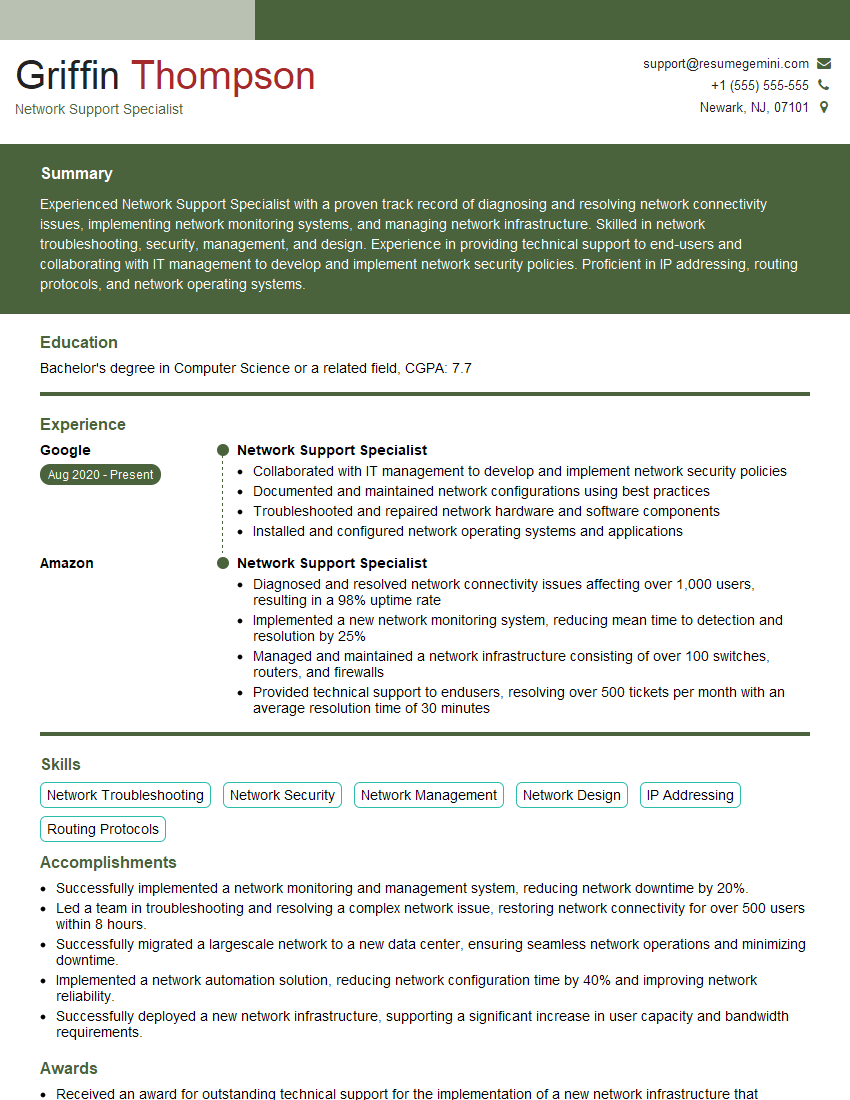
Mastering networking concepts is crucial for career advancement in the ever-evolving field of technology. A strong understanding of these principles opens doors to exciting opportunities and positions you as a valuable asset to any team. To maximize your job prospects, it’s essential to present your skills effectively. Creating an ATS-friendly resume is key to getting your application noticed by recruiters and hiring managers. ResumeGemini is a trusted resource to help you build a professional and impactful resume that showcases your expertise in networking concepts. Examples of resumes tailored to Networking Concepts are available to help guide you through this process.







Explore more articles
Users Rating of Our Blogs
Share Your Experience
We value your feedback! Please rate our content and share your thoughts (optional).
What Readers Say About Our Blog
Hello,
we currently offer a complimentary backlink and URL indexing test for search engine optimization professionals.
You can get complimentary indexing credits to test how link discovery works in practice.
No credit card is required and there is no recurring fee.
You can find details here:
https://wikipedia-backlinks.com/indexing/
Regards
NICE RESPONSE TO Q & A
hi
The aim of this message is regarding an unclaimed deposit of a deceased nationale that bears the same name as you. You are not relate to him as there are millions of people answering the names across around the world. But i will use my position to influence the release of the deposit to you for our mutual benefit.
Respond for full details and how to claim the deposit. This is 100% risk free. Send hello to my email id: [email protected]
Luka Chachibaialuka
Hey interviewgemini.com, just wanted to follow up on my last email.
We just launched Call the Monster, an parenting app that lets you summon friendly ‘monsters’ kids actually listen to.
We’re also running a giveaway for everyone who downloads the app. Since it’s brand new, there aren’t many users yet, which means you’ve got a much better chance of winning some great prizes.
You can check it out here: https://bit.ly/callamonsterapp
Or follow us on Instagram: https://www.instagram.com/callamonsterapp
Thanks,
Ryan
CEO – Call the Monster App
Hey interviewgemini.com, I saw your website and love your approach.
I just want this to look like spam email, but want to share something important to you. We just launched Call the Monster, a parenting app that lets you summon friendly ‘monsters’ kids actually listen to.
Parents are loving it for calming chaos before bedtime. Thought you might want to try it: https://bit.ly/callamonsterapp or just follow our fun monster lore on Instagram: https://www.instagram.com/callamonsterapp
Thanks,
Ryan
CEO – Call A Monster APP
To the interviewgemini.com Owner.
Dear interviewgemini.com Webmaster!
Hi interviewgemini.com Webmaster!
Dear interviewgemini.com Webmaster!
excellent
Hello,
We found issues with your domain’s email setup that may be sending your messages to spam or blocking them completely. InboxShield Mini shows you how to fix it in minutes — no tech skills required.
Scan your domain now for details: https://inboxshield-mini.com/
— Adam @ InboxShield Mini
Reply STOP to unsubscribe
Hi, are you owner of interviewgemini.com? What if I told you I could help you find extra time in your schedule, reconnect with leads you didn’t even realize you missed, and bring in more “I want to work with you” conversations, without increasing your ad spend or hiring a full-time employee?
All with a flexible, budget-friendly service that could easily pay for itself. Sounds good?
Would it be nice to jump on a quick 10-minute call so I can show you exactly how we make this work?
Best,
Hapei
Marketing Director
Hey, I know you’re the owner of interviewgemini.com. I’ll be quick.
Fundraising for your business is tough and time-consuming. We make it easier by guaranteeing two private investor meetings each month, for six months. No demos, no pitch events – just direct introductions to active investors matched to your startup.
If youR17;re raising, this could help you build real momentum. Want me to send more info?
Hi, I represent an SEO company that specialises in getting you AI citations and higher rankings on Google. I’d like to offer you a 100% free SEO audit for your website. Would you be interested?
Hi, I represent an SEO company that specialises in getting you AI citations and higher rankings on Google. I’d like to offer you a 100% free SEO audit for your website. Would you be interested?
good