Preparation is the key to success in any interview. In this post, we’ll explore crucial PLC/PAC Programming interview questions and equip you with strategies to craft impactful answers. Whether you’re a beginner or a pro, these tips will elevate your preparation.
Questions Asked in PLC/PAC Programming Interview
Q 1. Explain the difference between a PLC and a PAC.
While both PLCs (Programmable Logic Controllers) and PACs (Programmable Automation Controllers) are industrial control devices, they differ significantly in their capabilities and applications. Think of a PLC as a specialized muscle car – excellent at its core function (automation), but limited in its versatility. A PAC, on the other hand, is more like a luxury SUV – it handles the core automation tasks with ease, but also offers much broader capabilities.
PLCs are primarily designed for simple logic and control functions, often found in discrete manufacturing environments. They excel at tasks like controlling motors, sensors, and actuators, but their computing power is generally limited. They typically use proprietary programming languages and have less open communication protocols.
PACs, however, integrate control, computation, and communication in a single platform. They incorporate advanced features such as real-time operating systems (RTOS), powerful processors, and a broader range of communication protocols. They are frequently used in complex processes requiring significant data processing and advanced control algorithms. PACs often incorporate higher-level programming languages (like C++ or Python) alongside traditional PLC languages, offering increased flexibility and integration with broader enterprise systems.
In essence, the key difference lies in scalability and integration. PLCs are optimized for straightforward applications while PACs provide the processing power and flexibility required for sophisticated applications that demand seamless data integration with the larger enterprise.
Q 2. Describe the various types of PLC programming languages (e.g., Ladder Logic, Function Block Diagram).
Several programming languages are used to program PLCs, each with its own strengths and weaknesses. The most common are:
- Ladder Logic (LD): Resembles electrical ladder diagrams, making it intuitive for electricians and engineers familiar with electrical schematics. It uses graphical symbols to represent logic functions, making it easy to visualize the program’s flow.
//Example: A normally open contact connected to a coil (output). - Function Block Diagram (FBD): A graphical programming language that uses function blocks interconnected by data flows. Each block represents a specific function, and data flows between blocks through defined inputs and outputs. This approach supports structured programming and modular design.
- Structured Text (ST): A high-level text-based language similar to Pascal or C. It allows for more complex and structured programming, ideal for implementing algorithms and sophisticated control strategies.
//Example: IF sensor1 THEN output1 := TRUE; ELSE output1 := FALSE; END_IF; - Instruction List (IL): A low-level mnemonic-based language that resembles assembly language. It is less intuitive than other languages, but it offers fine-grained control over the PLC’s operations and efficient code execution. It is frequently used for optimizing critical parts of a program.
- Sequential Function Chart (SFC): A graphical language suitable for describing sequential processes. It uses steps and transitions to define the flow of the program, making it easier to program complex state machines.
Q 3. What are the advantages and disadvantages of using different PLC programming languages?
The choice of PLC programming language depends heavily on the application’s complexity, the programmer’s expertise, and the desired level of control.
- Ladder Logic (LD): Advantages: Intuitive for electrical engineers, easy to visualize. Disadvantages: Can become unwieldy for complex programs, limited in structured programming capabilities.
- Function Block Diagram (FBD): Advantages: Promotes modularity, structured programming, easy to reuse code blocks. Disadvantages: Steeper learning curve compared to LD, may not be as intuitive for some.
- Structured Text (ST): Advantages: Powerful, flexible, allows complex algorithms. Disadvantages: Requires programming experience, less intuitive for those unfamiliar with text-based programming.
- Instruction List (IL): Advantages: Highly efficient, offers precise control. Disadvantages: Steep learning curve, difficult to read and maintain, not user-friendly.
- Sequential Function Chart (SFC): Advantages: Excellent for sequential processes, easy to visualize state transitions. Disadvantages: Not suitable for all applications, may require additional languages for detailed control within steps.
For example, a simple conveyor belt control system might be perfectly suitable for Ladder Logic, while a complex robotic arm control system would benefit from the structured programming capabilities of Structured Text or the modularity of Function Block Diagrams.
Q 4. Explain the concept of scan time in a PLC and its importance.
Scan time refers to the time a PLC takes to execute its entire program cycle, from reading inputs to updating outputs. Think of it as the PLC’s heartbeat. It’s the interval at which the PLC updates its internal state based on the current inputs and program logic.
Importance: Scan time is crucial for real-time control applications. A slow scan time can result in delayed responses to changes in inputs, potentially leading to inaccurate control, instability, or even safety hazards. The acceptable scan time depends on the application’s requirements; high-speed processes may demand a very short scan time (milliseconds), while slower processes can tolerate longer scan times. Excessive scan times can also impact the performance of other tasks, and excessively short scan times may waste processing power and lead to unnecessary loads on the CPU.
Optimizing scan time often involves code optimization techniques such as efficient use of data structures, minimizing unnecessary calculations, and using high-speed communication protocols. Monitoring scan time is a critical part of PLC maintenance and troubleshooting.
Q 5. How do you troubleshoot a PLC program that is not functioning correctly?
Troubleshooting a malfunctioning PLC program requires a systematic approach. Here’s a breakdown of the steps I would typically take:
- Gather Information: Understand the problem – what isn’t working as expected? When did the problem start? What changed recently (hardware, software, or environment)?
- Review the Program: Examine the logic for errors, deadlocks, or race conditions. Pay attention to potential points of failure.
- Check Input/Output Signals: Verify that input signals are being read correctly and that output signals are being sent as expected. This might involve using a multimeter or PLC programming software’s diagnostics features.
- Utilize PLC Diagnostics: Most PLCs provide built-in diagnostic tools such as error logs, status bits, and force/unforce capabilities. These tools are invaluable for identifying specific issues.
- Simulate the Program: If possible, simulate the program using PLC simulation software to isolate the problem before testing on the actual hardware.
- Check Wiring and Hardware: Inspect wiring for shorts, loose connections, or damaged components. Ensure hardware components (sensors, actuators, etc.) are functioning correctly.
- Isolate the Problem: Break the problem down into smaller parts and systematically test sections of the program to find the root cause.
- Implement and Test Corrections: Once the root cause is identified, make the necessary changes to the program and thoroughly test the corrections to ensure the issue is resolved without creating new problems. Proper documentation of changes is essential.
Throughout the process, keeping detailed records of findings and actions taken is crucial for efficient troubleshooting and future reference.
Q 6. Describe your experience with different PLC hardware platforms (e.g., Allen-Bradley, Siemens, Omron).
I have extensive experience working with various PLC hardware platforms, including Allen-Bradley, Siemens, and Omron. My experience ranges from simple discrete control systems to complex, distributed control systems across various industries.
- Allen-Bradley (Rockwell Automation): I’m proficient in programming Allen-Bradley PLCs using RSLogix 5000 and Studio 5000, including experience with various hardware platforms such as CompactLogix, ControlLogix, and FlexLogix. I’ve worked on projects involving various communication protocols like EtherNet/IP and ControlNet.
- Siemens: I’m familiar with Siemens TIA Portal and its associated programming software for SIMATIC PLCs, including S7-1200, S7-1500, and ET 200 series. Experience includes working with Profibus and Profinet communication networks.
- Omron: I have experience with Omron PLCs, primarily using CX-Programmer. I’ve worked on projects utilizing various Omron communication protocols.
My experience spans various industries, including manufacturing, process control, packaging, and material handling. This breadth of experience has allowed me to develop a strong understanding of the strengths and weaknesses of each platform and how to adapt to different environments and projects.
Q 7. Explain the role of input and output modules in a PLC system.
Input and output (I/O) modules are essential components of a PLC system, acting as the interface between the PLC and the real world. Think of them as the PLC’s sensory organs and effectors.
Input Modules: These modules receive signals from various field devices like sensors, switches, and pushbuttons. They convert these signals (analog or digital) into a format that the PLC can understand. For example, a digital input module might read the status of a limit switch (on or off), while an analog input module might read the temperature from a thermocouple. The data from input modules are then processed by the PLC’s program to make decisions.
Output Modules: These modules receive signals from the PLC and transmit them to control devices such as motors, actuators, valves, and lights. They convert the PLC’s digital or analog signals into the appropriate format for controlling these devices. A digital output module might switch a motor on or off, while an analog output module might control the speed of a motor or the position of a valve.
The choice of I/O modules depends on the type of signals involved (digital, analog, etc.) and the specific requirements of the system. Various types of I/O modules exist to meet diverse needs, and the number of I/O points in a system determines the complexity and scalability of a PLC project.
Q 8. How do you handle data communication between PLCs?
Data communication between PLCs is crucial for coordinated control in complex systems. Think of it like different departments in a company needing to share information to work efficiently. We employ various methods, each with its strengths and weaknesses.
- Ethernet/IP: A common industrial Ethernet protocol offering high speed and flexibility. Imagine this as a high-speed internet connection between departments, allowing for quick exchange of large amounts of data. It’s widely used for larger systems and advanced communication needs.
- PROFINET: Another popular Ethernet-based protocol, known for its real-time capabilities and deterministic communication, essential for applications requiring precise timing, like robotic control. It’s like a dedicated express lane for critical data.
- Modbus TCP/RTU: A widely adopted protocol, especially for its simplicity and compatibility across different vendor equipment. Think of this as a standardized communication method, like a universal translator allowing departments using different software to communicate.
- Profibus: A fieldbus protocol suitable for connecting numerous devices in a system. It’s like a network connecting many different machines in a factory floor.
- Serial Communication (RS-232, RS-485): Used for point-to-point connections, especially when dealing with older equipment. This is like using a direct phone line for simpler communication, good for direct control of individual components.
The choice of protocol depends on factors like speed requirements, network size, distance, and compatibility with existing equipment. For instance, I once worked on a project where we used Ethernet/IP to integrate multiple PLCs in a large automated production line, while using Modbus RTU to interface with some older legacy equipment.
Q 9. What are the different types of timers and counters used in PLC programming?
Timers and counters are fundamental building blocks in PLC programming, allowing us to control actions based on time or event occurrences. Think of them as the PLC’s stopwatch and tally counter.
- Timers:
- ON-Delay Timer: This timer starts counting when a signal turns ON and remains active for a specified time after the signal turns OFF. Imagine a delay light before a machine starts.
- OFF-Delay Timer: This timer starts counting when a signal turns OFF and remains active for a specified time. This is like a cooling-down period after the machine stops.
- Retentive Timer: This timer continues to accumulate time even if the power is lost, requiring battery backup. It’s like a persistent timer that remembers elapsed time even after power failure.
- Counters:
- Up Counter: This counter increments when a signal goes from OFF to ON. Think of counting each product passing on a conveyor belt.
- Down Counter: This counter decrements when a signal goes from OFF to ON. Imagine counting down a set of steps in a machine operation.
- High-Speed Counter: Designed to count pulses at very high speeds, often used with encoders to measure speed or position. It’s like a precision counter for precise measurements.
Selecting the appropriate timer or counter type depends entirely on the specific application. For instance, an ON-delay timer might be used to prevent a machine from starting prematurely, while an up-counter could be used to track the number of parts produced.
Q 10. Explain the concept of data logging and its application in PLC systems.
Data logging in PLC systems involves recording process variables (temperature, pressure, speed, etc.) over time for analysis and troubleshooting. Think of it as creating a detailed history of the system’s performance.
Application:
- Process Optimization: By analyzing logged data, we can identify inefficiencies and improve processes, such as adjusting parameters to increase output or reduce energy consumption.
- Troubleshooting: Data logs help diagnose issues by showing the system’s state before, during, and after a malfunction. For example, if a machine suddenly stops, we can review the data to identify the root cause.
- Quality Control: Logged data can be used to ensure product quality by tracking key parameters throughout the production process.
- Regulatory Compliance: Some industries require detailed process data for compliance purposes. Data logging ensures proper documentation.
Implementation typically involves using a PLC’s built-in data logging capabilities or integrating a dedicated data acquisition system. The logged data is often stored in memory or on a separate storage device (SD card, network drive, etc.), allowing later analysis using dedicated software. The recorded data can help to identify trends, anomalies and overall system performance improvements.
Q 11. How do you implement safety features in a PLC program?
Safety is paramount in PLC programming. We implement various features to prevent accidents and protect personnel and equipment.
- Emergency Stop (EStop): This is a critical safety feature that immediately stops all machine operations when activated. It’s the highest priority function in our PLC programs and must be hardwired and properly programmed.
- Safety Relays: These relays provide additional redundancy to safeguard against hardware failures. They act as independent safety mechanisms.
- Light Curtains and Safety Sensors: These sensors detect the presence of personnel in hazardous areas and initiate safety stops. They are crucial for preventing accidental contact with machinery.
- Interlocks: These mechanisms prevent unintended operations. For example, ensuring a machine cannot start unless a safety gate is closed.
- Redundancy and Fail-Safes: Having redundant systems and implementing fail-safe mechanisms ensures that if one component fails, the system defaults to a safe state.
- Regular Safety Audits: Conducting regular safety audits ensures the safety systems are operating correctly and are properly maintained.
Implementing these features requires careful planning, proper hardware selection, and robust programming. For example, I was involved in a project where we used a triple-redundant system for a critical safety function to guarantee the highest safety levels. A rigorous testing and validation process was followed to ensure the safety features were effective.
Q 12. Describe your experience with HMI (Human Machine Interface) programming.
I have extensive experience in HMI programming, using various software packages like Siemens TIA Portal, Rockwell Studio 5000, and Wonderware InTouch. HMIs are the user interface for the PLC, allowing operators to monitor and control the system. It’s like a control panel for the entire system.
My experience includes designing and implementing HMIs for various applications, from simple machine monitoring to complex supervisory control systems. Key aspects of my work include:
- Intuitive Interface Design: Creating user-friendly interfaces that are easy to understand and navigate, even under stressful conditions.
- Data Visualization: Developing effective ways to present process data, using charts, graphs, and other visual aids.
- Alarm Management: Implementing clear and effective alarm systems to alert operators to critical events.
- Recipe Management: Providing tools for operators to easily manage and change process recipes.
- Security: Incorporating appropriate security measures to protect the HMI from unauthorized access.
For example, I once developed an HMI for a food processing plant that required precise temperature control and detailed logging. The HMI included interactive charts, alarm management, and recipe management tools, significantly improving the plant’s efficiency and operational safety.
Q 13. Explain the process of creating a PLC program from a process flowchart.
Creating a PLC program from a process flowchart is a systematic process. The flowchart acts as a blueprint, detailing the sequence of operations and decision points.
Steps Involved:
- Understand the Process: Carefully review the process flowchart to understand the system’s functionality, inputs, outputs, and control logic.
- Define Variables: Identify the process variables (inputs, outputs, internal variables) and assign them to appropriate PLC I/O points and memory locations.
- Develop the PLC Program: Translate the flowchart’s logic into PLC code using ladder logic, function block diagrams, or structured text. Each step or decision in the flowchart translates to a corresponding rung or block in the PLC code. This step often requires careful attention to timing, sequencing, and error handling.
- Testing and Debugging: Thoroughly test the PLC program using simulation or on the actual hardware. This involves checking for correct functionality, handling potential errors and unexpected situations.
- Documentation: Create clear and comprehensive documentation for the PLC program, including variable definitions, comments, and flowcharts, for future maintenance or modification.
For example, a flowchart depicting a simple automated filling process would be translated into a PLC program with timers to control fill time, sensors to detect fill level, and logic to handle various events like low-level alarms or material jams. The translation from flowchart to PLC code is direct and well-defined, ensuring that the program matches the design specifications.
Q 14. How do you handle interrupts in a PLC program?
Interrupts are events that trigger immediate responses within the PLC program. They are like urgent phone calls interrupting your workday. They are essential for handling real-time events requiring immediate attention.
Handling Interrupts:
- Interrupt Sources: Interrupts can be triggered by various sources, including hardware events (such as inputs changing state) or software events (such as timers expiring).
- Interrupt Service Routine (ISR): A special program segment called an ISR is executed when an interrupt occurs. This routine handles the specific event quickly and efficiently.
- Priority Levels: Often, interrupts have priority levels, ensuring that high-priority events (like emergency stops) are handled before lower-priority ones.
- Interrupt Enabling and Disabling: The PLC may allow you to enable or disable interrupts selectively to manage the interruption flow.
For example, in a robotic arm system, an emergency stop button would trigger a high-priority interrupt that immediately halts all motor movements and activates safety mechanisms. The ISR for the E-stop interrupt would have higher priority than other interrupts, such as end-of-travel sensors on the robotic arm. Careful consideration of interrupt handling is critical in safety-critical applications.
Q 15. Describe your experience with different communication protocols (e.g., Ethernet/IP, Modbus, Profibus).
Throughout my career, I’ve extensively worked with various communication protocols, crucial for integrating PLCs into broader automation systems. Think of these protocols as the languages PLCs use to talk to other devices. My experience includes:
- Ethernet/IP: This is a widely used industrial Ethernet protocol, particularly prevalent in Allen-Bradley PLC systems. I’ve utilized it for high-speed data transfer between PLCs, HMIs (Human-Machine Interfaces), and other devices in complex manufacturing lines. For instance, I integrated a robotic arm controlled by a PLC via Ethernet/IP, enabling seamless communication for precise part handling.
- Modbus: A popular, open-standard protocol known for its simplicity and versatility. I’ve used Modbus TCP/IP for communicating with various sensors, actuators, and SCADA (Supervisory Control and Data Acquisition) systems from different vendors. In one project, I integrated a third-party temperature sensor using Modbus, feeding data into our main PLC for monitoring and control.
- Profibus: A fieldbus protocol often found in industrial environments requiring high reliability and deterministic communication. My experience with Profibus primarily involves its use in process automation scenarios, specifically in the control of conveyor systems and complex machinery where precise timing is critical. I leveraged Profibus’s capabilities for real-time data acquisition and control in a large-scale bottling plant.
My understanding extends beyond simply implementing these protocols; I can also troubleshoot communication issues, optimize network configurations for performance, and select the most appropriate protocol based on the specific application requirements.
Career Expert Tips:
- Ace those interviews! Prepare effectively by reviewing the Top 50 Most Common Interview Questions on ResumeGemini.
- Navigate your job search with confidence! Explore a wide range of Career Tips on ResumeGemini. Learn about common challenges and recommendations to overcome them.
- Craft the perfect resume! Master the Art of Resume Writing with ResumeGemini’s guide. Showcase your unique qualifications and achievements effectively.
- Don’t miss out on holiday savings! Build your dream resume with ResumeGemini’s ATS optimized templates.
Q 16. Explain the concept of PID control and its application in process automation.
PID control, or Proportional-Integral-Derivative control, is a fundamental feedback control loop mechanism used extensively in process automation. Imagine it as a thermostat for a much larger, more complex system. It aims to maintain a process variable, like temperature or pressure, at a desired setpoint.
It works by calculating an error signal – the difference between the setpoint and the actual measured value. This error signal is then used to adjust a control output (e.g., valve position, heater power) according to three terms:
- Proportional (P): The proportional term reacts directly to the current error. A larger error results in a larger corrective action. Think of it as the immediate response – the faster the temperature drops below the setpoint, the faster the heater turns on.
- Integral (I): The integral term addresses persistent errors. It accumulates the error over time, helping to eliminate any steady-state offset. This is like the thermostat remembering past temperature discrepancies and making adjustments to avoid future drift.
- Derivative (D): The derivative term anticipates future errors by reacting to the rate of change of the error. It helps to damp oscillations and prevent overshoot. This is akin to the thermostat anticipating rapid changes and adjusting accordingly to avoid overshooting the desired temperature.
The combined action of these three terms allows for precise and stable control. I’ve extensively used PID control in applications ranging from temperature regulation in chemical reactors to precise level control in water treatment plants. Tuning the PID parameters (Kp, Ki, Kd) is crucial to achieving optimal performance and requires a good understanding of the process dynamics.
Q 17. How do you debug a PLC program using simulation tools?
Debugging PLC programs using simulation tools is essential for preventing costly downtime and ensuring safe operation. These tools allow you to test your logic in a virtual environment before deploying it to the actual hardware. My typical debugging process involves:
- Creating a virtual PLC environment: This involves setting up a simulation environment mirroring the hardware configuration of the actual system. This includes setting up virtual I/O modules and configuring communication links.
- Loading the PLC program into the simulator: This step involves transferring the PLC program from your development environment to the simulation software.
- Using simulation tools for step-by-step execution: The simulator allows for single-stepping through the program, observing the state of variables, and monitoring the execution flow. This helps pinpoint exactly where logic errors occur.
- Utilizing breakpoints and watchpoints: I set breakpoints at specific lines of code to pause execution and inspect the program’s state. Watchpoints allow me to monitor specific variables and receive notifications when their values change.
- Generating and analyzing simulation logs: Simulation tools often provide detailed logs that record events, variable changes, and timing information. Analyzing these logs helps identify patterns and track down intermittent errors.
- Employing virtual I/O simulations: Simulating sensor and actuator inputs allows me to test various scenarios and ensure the program handles all possible conditions.
For example, if a conveyor system’s control program isn’t behaving as expected, using a simulator allows me to step through the code, analyze sensor inputs, and identify logic flaws without risking damage to the real equipment.
Q 18. What are the different types of addressing modes used in PLC programming?
PLCs utilize various addressing modes to access data within their memory. These modes determine how the PLC locates and manipulates data. Common addressing modes include:
- Symbolic Addressing: This uses meaningful names for variables and I/O points, improving code readability and maintainability. For example,
Motor_Speedis more intuitive than%MW10. This is my preferred method. - Numeric Addressing: This uses numerical addresses to directly access memory locations. This can be less readable but can be useful for low-level programming or accessing specific memory locations.
- Bit Addressing: This is used to access individual bits within a word or byte. This is crucial for managing individual outputs (e.g., turning on/off a single light) or processing individual bits in sensor data.
- Indirect Addressing: This uses the value of another memory location to determine the actual address of the data. This adds flexibility and can be used to create dynamic memory access.
The choice of addressing mode depends on the programming style, the complexity of the application, and the PLC’s capabilities. I typically use a combination of symbolic and bit addressing for better readability and efficient control.
Q 19. Explain the concept of self-diagnostic capabilities in PLCs.
Self-diagnostic capabilities in PLCs are crucial for ensuring reliable operation and minimizing downtime. These features enable the PLC to monitor its own health and detect potential problems before they lead to system failures. Key self-diagnostic features include:
- Hardware monitoring: PLCs constantly monitor the health of their internal components, such as the CPU, memory, and I/O modules. Any errors, such as memory parity errors or communication failures, are reported.
- Software monitoring: PLCs can detect software errors, such as program execution errors or watchdog timer failures. This indicates problems within the PLC program itself.
- I/O diagnostics: PLCs can monitor the status of input and output modules, detecting short circuits, open circuits, or other issues. They can provide information about the status of individual I/O points.
- Error logging: PLCs maintain detailed logs of detected errors, providing crucial information for diagnosing problems. These logs often include timestamps, error codes, and other relevant data.
These diagnostics are essential for proactive maintenance, enabling faster fault detection and repair, ultimately increasing system uptime. I often rely on these features for rapid troubleshooting and predictive maintenance strategies.
Q 20. How do you ensure the reliability and maintainability of your PLC programs?
Ensuring the reliability and maintainability of PLC programs requires a structured approach and adherence to best practices. My strategy focuses on:
- Structured Programming: Using well-defined functions, subroutines, and a clear program structure improves code readability, making it easier to understand, modify, and debug.
- Clear and Consistent Naming Conventions: Adopting a consistent naming scheme for variables and tags enhances code readability and reduces errors.
- Extensive Commenting: Including detailed comments explaining the purpose of code sections improves understanding and facilitates future maintenance.
- Modular Design: Breaking down complex tasks into smaller, manageable modules enhances code organization and simplifies debugging.
- Thorough Testing: Rigorous testing, including unit testing, integration testing, and system testing, helps identify and resolve errors before deployment.
- Version Control: Using version control systems allows tracking changes and reverting to previous versions if necessary (see answer to question 7).
- Documentation: Creating thorough documentation, including wiring diagrams, I/O lists, and functional specifications, simplifies future maintenance and troubleshooting.
By following these practices, I create PLC programs that are not only robust and reliable but also easy to maintain and update, reducing downtime and maintenance costs in the long run. Think of it like building a house – a well-designed and organized structure is much easier to maintain and repair than a poorly constructed one.
Q 21. Describe your experience with version control systems for PLC programs.
Version control systems are indispensable for managing PLC program development and ensuring traceability. They enable collaborative development, track changes made to the code, and allow reverting to previous versions if needed. My experience includes using:
- Git: This is a distributed version control system widely used for software development. While not directly designed for PLC programs, it can be very effective when combined with suitable tools and workflows for managing PLC code as text files.
- Specialized PLC version control systems: Some PLC vendors provide their own version control systems integrated into their programming environments. These systems often offer features specific to PLC programming, such as comparing different versions of ladder logic diagrams.
Utilizing a version control system allows me to track changes made by different engineers, revert to previous working versions if problems arise, and maintain a detailed history of the project’s evolution. This is especially critical for collaborative projects and ensures efficient problem resolution and system maintenance over the PLC’s lifespan. It’s essential for large-scale projects and crucial for regulatory compliance in many industries.
Q 22. How do you handle data redundancy and fault tolerance in a PLC system?
Data redundancy and fault tolerance are crucial in PLC systems to ensure reliable operation and prevent production downtime. We achieve this through several strategies:
- Redundant PLCs: Employing two or more PLCs running the same program, with one acting as a hot standby. If the primary PLC fails, the standby automatically takes over. This requires sophisticated communication and synchronization mechanisms.
- Data Mirroring: Data is continuously copied to a secondary storage location (e.g., another PLC, a server). If the primary data source fails, the mirrored copy ensures data integrity. This is often implemented using industrial Ethernet protocols with features like redundant network connections.
- Watchdog Timers: These timers constantly monitor the PLC’s operation. If the PLC stops responding within a set time, the watchdog triggers a fail-safe mechanism, such as shutting down the process safely or switching to a backup system. This prevents runaway processes or uncontrolled operation.
- Self-diagnostic capabilities: Modern PLCs have built-in diagnostics that monitor their own health. These diagnostics can detect hardware and software issues, triggering alarms and facilitating preventative maintenance. For example, monitoring CPU load, memory usage, and I/O communication status.
- Error Handling Routines: The PLC program should incorporate error handling routines that gracefully manage unexpected situations, preventing crashes or data corruption. These routines might involve logging errors, initiating safe shutdown procedures, or switching to backup modes of operation.
For instance, in a bottling plant, redundant PLCs ensure uninterrupted operation even if one PLC fails, preventing production loss. Data mirroring protects critical production parameters like filling levels and bottle counts from data loss. Watchdog timers ensure a safe stop if a PLC malfunctions, preventing potential equipment damage or safety hazards.
Q 23. Explain the concept of sequential control and its implementation using PLCs.
Sequential control involves executing a series of actions in a specific order. This is fundamental in many industrial processes. PLCs implement sequential control using various programming techniques:
- Ladder Logic: Using timers, counters, and internal memory bits, we can create a sequence of steps. Each step is triggered by the completion of the previous step. For example, a specific output is activated only after a timer has elapsed or a counter has reached a certain value.
- Structured Text (ST): A high-level programming language allowing for more complex and organized sequential control.
IF THEN ELSEstatements,CASEstructures, andFORloops can be used to precisely define the sequence and conditions. - Function Block Diagrams (FBD): These diagrams offer a graphical representation of sequential control, making it easy to visualize the flow of operations. Each block represents a function, and the connections between them define the sequence.
Example (Ladder Logic): Imagine a simple conveyor system. Step 1: Start button pressed. Step 2: Motor starts (after a delay timer). Step 3: Sensor detects item at end of conveyor. Step 4: Motor stops. This could be implemented with timers and sensors activating internal memory bits to control the motor output.
//Illustrative Ladder Logic - Actual implementation varies by PLC vendor //Step 1: Start Button -> Timer Start //Step 2: Timer Done -> Motor ON //Step 3: Sensor Detected -> Timer Stop //Step 4: Timer Stop -> Motor OFF These techniques ensure the correct sequence of operations, crucial for reliable and safe automation.
Q 24. Describe your experience with programming PLCs in a distributed control system.
My experience with distributed control systems (DCS) using PLCs involves programming multiple PLCs across a network to manage a large-scale process. This typically involves:
- Network Communication: Using industrial communication protocols like Ethernet/IP, Modbus TCP, or Profibus to exchange data and control signals between PLCs and other devices (HMI, drives, sensors).
- Data Synchronization: Implementing strategies to ensure consistent data across the system, preventing conflicts and data inconsistencies. This might involve data servers or master PLCs coordinating communication.
- Modular Programming: Breaking down the overall control system into smaller, manageable modules, each controlled by a specific PLC. This improves maintainability, reduces complexity, and allows for easier scaling.
- Redundancy and Fault Tolerance: Incorporating mechanisms for data redundancy and fault tolerance at both individual PLC and network levels to maintain system operation during failures.
In a recent project controlling a large water treatment plant, we utilized a distributed architecture with several PLCs managing different stages of the treatment process. Each PLC was responsible for its specific area (e.g., chemical dosing, filtration, disinfection), communicating with other PLCs and a central supervisory system via Ethernet/IP. Redundant PLCs and network switches ensured system reliability.
Q 25. What are some common challenges faced in PLC programming and how do you address them?
PLC programming presents various challenges:
- Troubleshooting: Identifying and resolving problems in complex PLC programs can be time-consuming and require detailed understanding of the hardware and software. Using simulation and debugging tools significantly improves troubleshooting efficiency.
- Integration with Existing Systems: Integrating new PLCs and software into older legacy systems can be challenging due to communication protocol incompatibilities and varying hardware standards. Adapters, gateways and careful planning are often necessary.
- Real-time constraints: PLC programs must respond to events within strict timing constraints. Inefficient code can lead to missed deadlines, causing malfunctions. Optimized code and careful consideration of task scheduling are crucial.
- Safety and Security: Ensuring the safety and security of the PLC system is paramount. Inadequate security can lead to process disruptions or even safety hazards. Robust security measures and regular software updates are important to mitigate this.
- Documentation: Maintaining comprehensive and accurate documentation of the PLC program is vital for troubleshooting, maintenance, and future modifications. Well-structured comments and clear diagrams are crucial.
I address these challenges by employing structured programming techniques, using robust debugging tools, implementing thorough testing procedures, and utilizing simulation software before deployment to the actual PLC. Furthermore, rigorous documentation and version control are vital.
Q 26. How do you ensure the cybersecurity of a PLC system?
Cybersecurity is critical for PLC systems. Compromised PLCs can lead to production downtime, data breaches, and even safety hazards. Key strategies include:
- Network Segmentation: Isolate the PLC network from other networks (e.g., corporate network, the internet). This limits the attack surface.
- Firewall Protection: Implement firewalls to filter network traffic, allowing only necessary communication to and from the PLC.
- Strong Passwords and Access Control: Use strong, unique passwords and implement robust access control mechanisms to restrict access to the PLC programming software and configuration parameters. Multi-factor authentication enhances security.
- Regular Software Updates: Keep the PLC firmware, operating system, and communication drivers updated to patch known security vulnerabilities. Vulnerability scans can also help identify and remediate problems.
- Intrusion Detection Systems (IDS): Employ IDS to monitor network traffic for suspicious activity. This helps in early detection of potential attacks.
- Regular Security Audits: Periodically audit the PLC system’s security to identify weaknesses and vulnerabilities. This helps maintain a robust security posture.
An analogy is securing your home. Network segmentation is like having a separate gate for the back yard; strong passwords are like a strong lock on your front door; regular updates are like replacing old locks.
Q 27. Explain your experience with PLC programming in a specific industry (e.g., food and beverage, automotive).
I have extensive experience in the automotive industry, specifically in assembly line control. This involves programming PLCs to control robotic arms, conveyor systems, and automated guided vehicles (AGVs). Key aspects include:
- High-speed control: Precise timing and synchronization are crucial in robotic operations. This requires optimized PLC code and high-speed communication protocols.
- Safety systems: Robust safety systems are essential to protect workers and equipment from hazards. This involves integrating emergency stops, light curtains, and other safety devices into the PLC program.
- Data acquisition and analysis: Collecting data on production parameters (e.g., cycle times, error rates) allows for performance monitoring and optimization. The data can be used for predictive maintenance and efficiency improvements.
- Integration with SCADA systems: Supervisory Control and Data Acquisition (SCADA) systems provide a high-level overview of the entire assembly line, allowing operators to monitor and control the process.
For example, I worked on a project optimizing the robotic welding process on a car assembly line, resulting in a 15% increase in production efficiency and a reduction in welding defects through careful programming and integration of vision systems to adjust weld parameters based on real-time image analysis.
Q 28. Describe a challenging PLC programming project you worked on and how you overcame the challenges.
One challenging project involved integrating a new high-speed packaging line into an existing food processing facility. The challenge was integrating the new line’s PLC system with the legacy systems while minimizing downtime. The existing systems used outdated communication protocols, and the new line had stringent hygiene requirements. We overcame these challenges by:
- Phased Implementation: We implemented the integration in phases, starting with a pilot test of the new system with a small part of the existing line. This allowed us to test the integration and identify and resolve any problems before full-scale deployment.
- Protocol Conversion: We used communication gateways to convert signals between the outdated and new protocols, enabling seamless data exchange between the legacy and new systems.
- Redundancy and Fail-safe Mechanisms: We implemented redundant communication pathways and fail-safe mechanisms to ensure continuous operation even in case of communication failures. This also minimized the risk of product spoilage.
- Hygiene Considerations: We used PLC hardware and components rated for food processing environments, ensuring proper cleaning and sanitation. We also designed the PLC program to minimize the risk of contamination.
This project required extensive planning, careful testing, and close collaboration with the facility’s engineering team. By successfully integrating the new line, we improved efficiency, increased production capacity, and ensured the safety and hygiene of the food processing environment.
Key Topics to Learn for PLC/PAC Programming Interview
- PLC/PAC Hardware Architecture: Understanding the internal components, I/O modules, and communication interfaces is crucial. Consider the differences between various PLC brands and their architectures.
- Programming Languages: Mastering ladder logic is essential. Familiarity with other languages like structured text, function block diagrams, and sequential function charts will significantly broaden your skillset and demonstrate adaptability.
- Input/Output (I/O) Systems: Deep understanding of digital, analog, and specialized I/O modules and their applications in different industrial settings. Practice troubleshooting I/O related issues.
- Timers, Counters, and Data Handling: These are fundamental building blocks of PLC programs. Be prepared to discuss their efficient implementation and application in diverse control scenarios.
- Control Strategies: Develop a strong grasp of various control algorithms like PID control, sequencing, and state machines. Be ready to explain their implementation and advantages/disadvantages.
- Troubleshooting and Debugging: Interviewers value practical experience in identifying and resolving program errors. Practice using debugging tools and techniques.
- Safety and Security: Discuss your understanding of safety standards (e.g., IEC 61131-3) and security considerations within PLC programming environments.
- Networking and Communication Protocols: Familiarize yourself with common industrial communication protocols (e.g., Ethernet/IP, Profibus, Modbus) and their practical applications in PLC systems.
- SCADA Systems Integration: Understand how PLCs interact with SCADA systems for monitoring and control. This demonstrates a holistic understanding of industrial automation.
- Industrial Applications and Case Studies: Prepare examples from your projects or experience that showcase your problem-solving skills and practical application of PLC programming knowledge. Highlight your contributions and the results achieved.
Next Steps
Mastering PLC/PAC programming opens doors to exciting and rewarding careers in various industries. To stand out from the competition, a strong resume is crucial. Investing time in creating an ATS-friendly resume that highlights your skills and experience will significantly improve your job prospects. ResumeGemini is a trusted resource for building professional resumes, and we provide examples tailored to PLC/PAC programming to help you present yourself effectively. Take the next step and build a resume that reflects your expertise and secures your dream job!

Automation Engineer Resume Sample
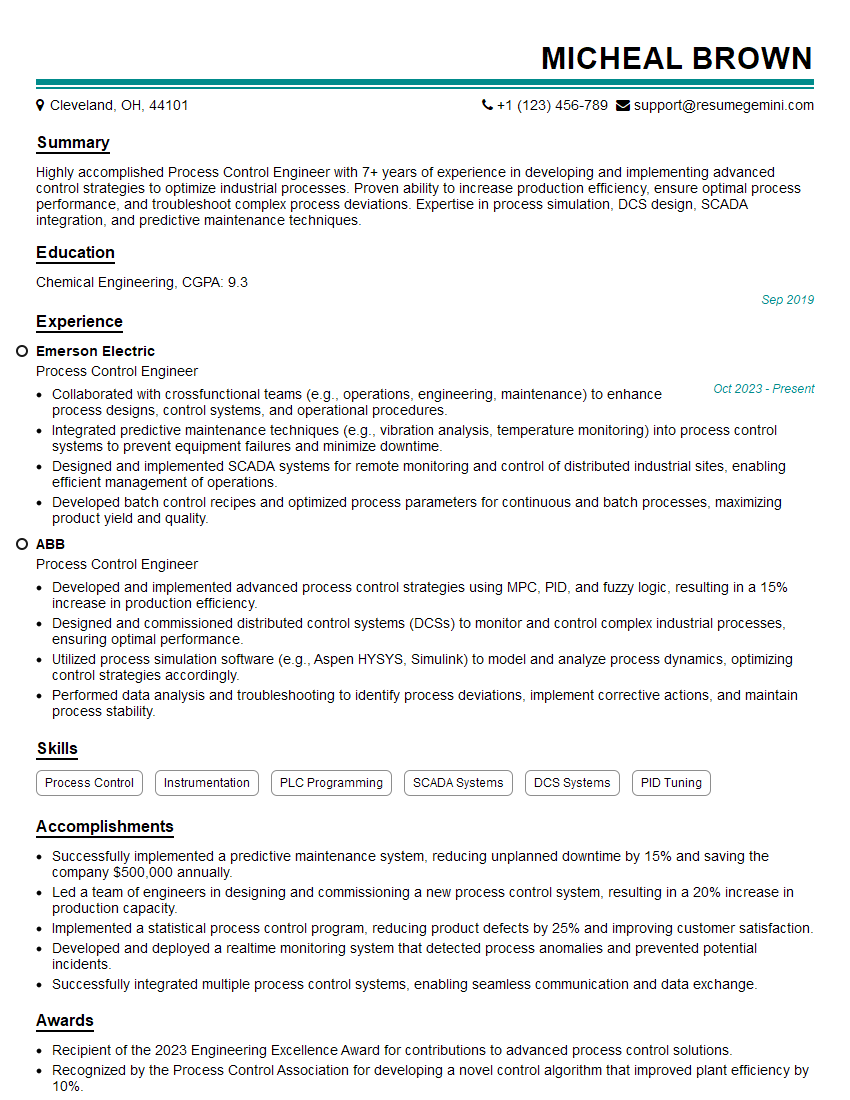
Process Control Engineer Resume Sample

Manufacturing Engineer Resume Sample

Automation Specialist Resume Sample

Control Systems Engineer Resume Sample

Robotics Engineer Resume Sample

Robotics Technician Resume Sample
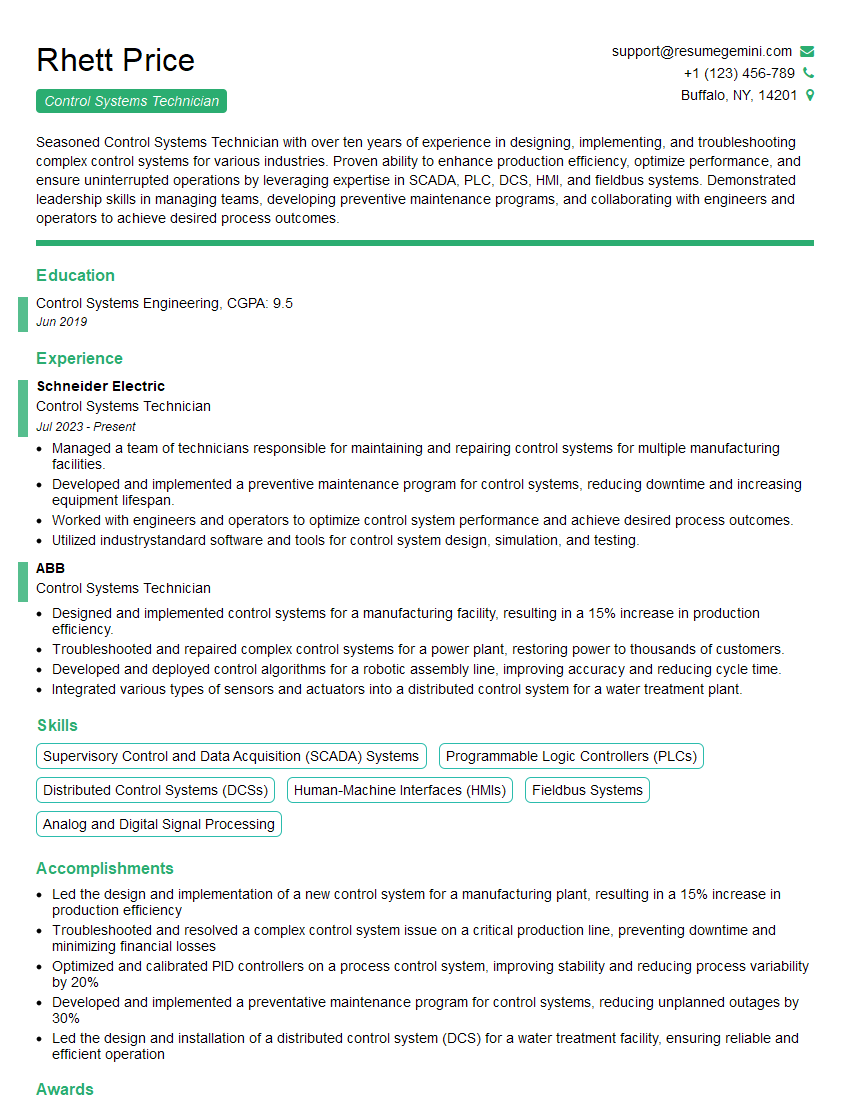
Control Systems Technician Resume Sample
Explore more articles
Users Rating of Our Blogs
Share Your Experience
We value your feedback! Please rate our content and share your thoughts (optional).
What Readers Say About Our Blog
Hello,
we currently offer a complimentary backlink and URL indexing test for search engine optimization professionals.
You can get complimentary indexing credits to test how link discovery works in practice.
No credit card is required and there is no recurring fee.
You can find details here:
https://wikipedia-backlinks.com/indexing/
Regards
NICE RESPONSE TO Q & A
hi
The aim of this message is regarding an unclaimed deposit of a deceased nationale that bears the same name as you. You are not relate to him as there are millions of people answering the names across around the world. But i will use my position to influence the release of the deposit to you for our mutual benefit.
Respond for full details and how to claim the deposit. This is 100% risk free. Send hello to my email id: [email protected]
Luka Chachibaialuka
Hey interviewgemini.com, just wanted to follow up on my last email.
We just launched Call the Monster, an parenting app that lets you summon friendly ‘monsters’ kids actually listen to.
We’re also running a giveaway for everyone who downloads the app. Since it’s brand new, there aren’t many users yet, which means you’ve got a much better chance of winning some great prizes.
You can check it out here: https://bit.ly/callamonsterapp
Or follow us on Instagram: https://www.instagram.com/callamonsterapp
Thanks,
Ryan
CEO – Call the Monster App
Hey interviewgemini.com, I saw your website and love your approach.
I just want this to look like spam email, but want to share something important to you. We just launched Call the Monster, a parenting app that lets you summon friendly ‘monsters’ kids actually listen to.
Parents are loving it for calming chaos before bedtime. Thought you might want to try it: https://bit.ly/callamonsterapp or just follow our fun monster lore on Instagram: https://www.instagram.com/callamonsterapp
Thanks,
Ryan
CEO – Call A Monster APP
To the interviewgemini.com Owner.
Dear interviewgemini.com Webmaster!
Hi interviewgemini.com Webmaster!
Dear interviewgemini.com Webmaster!
excellent
Hello,
We found issues with your domain’s email setup that may be sending your messages to spam or blocking them completely. InboxShield Mini shows you how to fix it in minutes — no tech skills required.
Scan your domain now for details: https://inboxshield-mini.com/
— Adam @ InboxShield Mini
Reply STOP to unsubscribe
Hi, are you owner of interviewgemini.com? What if I told you I could help you find extra time in your schedule, reconnect with leads you didn’t even realize you missed, and bring in more “I want to work with you” conversations, without increasing your ad spend or hiring a full-time employee?
All with a flexible, budget-friendly service that could easily pay for itself. Sounds good?
Would it be nice to jump on a quick 10-minute call so I can show you exactly how we make this work?
Best,
Hapei
Marketing Director
Hey, I know you’re the owner of interviewgemini.com. I’ll be quick.
Fundraising for your business is tough and time-consuming. We make it easier by guaranteeing two private investor meetings each month, for six months. No demos, no pitch events – just direct introductions to active investors matched to your startup.
If youR17;re raising, this could help you build real momentum. Want me to send more info?
Hi, I represent an SEO company that specialises in getting you AI citations and higher rankings on Google. I’d like to offer you a 100% free SEO audit for your website. Would you be interested?
Hi, I represent an SEO company that specialises in getting you AI citations and higher rankings on Google. I’d like to offer you a 100% free SEO audit for your website. Would you be interested?
good