Cracking a skill-specific interview, like one for Printing Management, requires understanding the nuances of the role. In this blog, we present the questions you’re most likely to encounter, along with insights into how to answer them effectively. Let’s ensure you’re ready to make a strong impression.
Questions Asked in Printing Management Interview
Q 1. Explain your experience with different printing methods (offset, digital, etc.).
My experience encompasses a wide range of printing methods, with a strong focus on both offset and digital printing. Offset printing, a time-tested method, excels in high-volume projects requiring superior color accuracy and consistent quality. I’ve managed numerous large-scale offset printing jobs, from brochures and magazines to packaging materials. This involved meticulous pre-press preparation, careful color management using techniques like color proofing (e.g., using Pantone or G7 color standards), and close collaboration with printers to ensure perfect registration and ink consistency.
Digital printing, on the other hand, is ideal for shorter runs, personalized materials, and fast turnaround times. I’ve extensively used digital presses for on-demand printing, variable data printing (VDP) projects like personalized mailers, and small-scale marketing collateral. Managing this requires a different skillset, focusing on file optimization for digital presses and understanding the nuances of various digital print technologies like toner-based and inkjet systems.
Beyond offset and digital, I’ve also worked with screen printing (for specialized apparel or promotional items) and large-format printing (for banners and posters), always adapting my approach to the specific requirements of each method.
Q 2. Describe your process for managing print projects from start to finish.
My print project management process is structured and thorough, ensuring efficiency and high-quality results. It begins with a detailed initial consultation with the client to clearly define their needs, budget, and timeline. This includes gathering all necessary design files and specifications, which will then be reviewed to assess feasibility and pinpoint potential challenges early on.
Next, I create a comprehensive project plan, outlining all stages from pre-press to post-press. This includes selecting the appropriate printing method, sourcing materials (paper stock, inks etc.), managing the production schedule, and setting clear communication channels with the client and the printing facility.
During production, I monitor progress closely, addressing any unexpected issues promptly. Quality checks are performed at each stage, and I actively collaborate with the printing team to ensure the project adheres to specifications and the agreed-upon quality standards. Finally, I oversee the finishing process (cutting, folding, binding, etc.), quality assurance checks of the final product and delivery to the client. This systematic approach minimizes delays and maximizes client satisfaction.
Q 3. How do you ensure print quality and consistency across various projects?
Maintaining print quality and consistency is paramount. I achieve this through several key strategies. First, consistent color management is critical; I leverage color profiles (like ICC profiles) and work within standardized color spaces (such as CMYK or Pantone) throughout the process. This ensures the printed output accurately reflects the digital design. I frequently use color proofs – physical samples printed using the final production settings – to verify color accuracy and make adjustments as needed.
Secondly, meticulous pre-press preparation is essential. This includes careful file preparation (resolution, image quality, bleed, etc.), rigorous trapping and imposition, and careful review of the proofs. Thirdly, establishing and monitoring quality control checks at each stage of production, from proofing to final print inspection, eliminates discrepancies and ensures consistency.
Finally, building strong relationships with reliable print vendors who understand and adhere to our quality standards is vital. Regular communication and collaboration ensure that any inconsistencies are identified and rectified promptly. For example, in one project involving a large print run of product packaging, I used a combination of Pantone color matching and meticulous quality control checks during production to maintain consistent color across thousands of boxes.
Q 4. What software and technologies are you proficient in (e.g., MIS, RIP software)?
My software proficiency includes a comprehensive suite of tools essential for efficient print management. I’m highly proficient in Adobe Creative Suite (Photoshop, Illustrator, InDesign), which is critical for design file preparation and pre-press tasks. I have extensive experience with various Management Information Systems (MIS) software used for job tracking, cost estimation, and client communication. The specific MIS software I’ve utilized varies depending on the company; however, my understanding of this type of system is quite strong.
Furthermore, I’m well-versed in RIP (Raster Image Processor) software, understanding its role in converting digital files into print-ready formats and optimizing print settings for different printers and substrates. Other relevant software includes preflighting software for file validation and workflow automation tools to streamline the production process.
Q 5. How do you handle tight deadlines and unexpected issues in print production?
Handling tight deadlines and unexpected issues requires a proactive and adaptable approach. For tight deadlines, I prioritize tasks effectively, utilizing project management methodologies (like Agile or Kanban) to maintain transparency and track progress diligently. I also leverage automation tools to streamline repetitive processes and optimize workflows. For example, automating file preflighting tasks saves significant time during critical phases.
When facing unexpected issues (like equipment malfunctions or supply chain delays), my strategy prioritizes open communication with the client and the printing facility. I explore alternative solutions, such as utilizing backup equipment or sourcing materials from different suppliers, whilst keeping the client informed throughout the process. Risk mitigation planning is a key element of my approach; identifying potential problems ahead of time allows me to have contingencies in place.
Q 6. Describe your experience with print cost estimation and budgeting.
Accurate cost estimation and budgeting are crucial for project profitability and client satisfaction. My process involves a detailed breakdown of all costs associated with a print project, from design and pre-press to printing, finishing, and delivery. I use various cost estimation methods considering factors such as print quantity, paper type, ink usage, finishing requirements, and the chosen printing method.
I utilize MIS software to automate cost calculations and generate detailed estimates for clients. My experience enables me to accurately predict potential cost overruns and proactively address them. For example, I can identify cost savings opportunities by suggesting alternative paper stocks or finishing options without compromising print quality. My budgeting process also incorporates contingency funds to absorb unexpected expenses, ensuring project financial viability.
Q 7. How do you manage print inventory and procurement?
Effective print inventory and procurement management is essential for smooth operations and cost optimization. My approach starts with forecasting future print needs based on historical data and projected demand. I maintain a detailed inventory database tracking stock levels, usage rates, and supplier information. This allows for timely reordering and prevents stockouts.
I employ a strategic sourcing approach, negotiating favorable contracts with multiple reliable suppliers to ensure competitive pricing and maintain a diverse supply chain. I also regularly analyze supplier performance, evaluating factors like delivery times, quality consistency, and pricing. The goal is to maintain optimal inventory levels while minimizing storage costs and maximizing efficiency. Implementing a Just-In-Time (JIT) inventory system, where materials are delivered only when needed, can further streamline inventory management and reduce holding costs.
Q 8. Explain your experience with color management and proofing.
Color management and proofing are critical for ensuring the final printed product accurately reflects the design intent. My experience encompasses the entire process, from profile creation and color space conversion to soft proofing and final press checks. I’m proficient in using color management software like Adobe Acrobat Pro and GMG ColorServer.
For example, I once worked on a project where the client’s design featured subtle gradients in a Pantone color. To ensure accuracy, I created a custom ICC profile for their specific paper stock and ink set. This profile, used during soft proofing, allowed us to precisely predict the final color output, avoiding costly reprints. I then performed a final press check using a spectrophotometer to validate the color accuracy against the proof. This multi-stage approach minimizes discrepancies and maximizes client satisfaction.
My experience also includes working with various color standards, including Pantone, CMYK, and RGB, and understanding their limitations and applications in different printing processes. I’m adept at translating designs between color spaces, maintaining color consistency across different media and printing techniques.
Q 9. How do you ensure compliance with industry standards and regulations?
Compliance is paramount. I ensure adherence to industry standards and regulations like ISO 12647 (for process printing), GRACoL (for commercial printing), and FOGRA (for publications). This involves using standardized color profiles, adhering to specific paper specifications, and ensuring correct ink densities. For example, in a recent project involving food packaging, I meticulously followed FDA regulations regarding food-safe inks and materials. This involved careful documentation and rigorous quality control throughout the entire printing process to meet all legal and safety requirements.
Furthermore, I stay updated on evolving regulations and best practices through industry publications and professional development courses. My understanding extends to environmental regulations regarding waste management and responsible sourcing of printing materials. I proactively integrate sustainable practices wherever possible, seeking eco-friendly alternatives and reducing waste generation.
Q 10. How do you optimize print workflows for efficiency and productivity?
Optimizing print workflows involves streamlining processes, eliminating redundancies, and leveraging technology. This might involve implementing a workflow automation system, standardizing file formats, and optimizing prepress processes. For instance, we transitioned from manual file preparation to automated preflighting using a dedicated software, significantly reducing errors and improving turnaround time. This system automatically checks for missing fonts, low-resolution images, and other potential issues, preventing costly errors late in the process.
Another crucial aspect is effective job scheduling and resource allocation. I analyze print jobs to identify bottlenecks and prioritize tasks to ensure optimal utilization of equipment and personnel. Regularly reviewing print data and production metrics helps us identify opportunities for further improvement, constantly refining our processes for efficiency and productivity.
Q 11. Describe your experience with print automation and workflow software.
I have extensive experience with various print automation and workflow software, including EFI Fiery, Kodak Prinergy, and Enfocus PitStop. These systems streamline the prepress and printing processes, automating tasks like color management, imposition, and trapping. I’m also experienced in integrating these systems with MIS (Management Information Systems) software for enhanced tracking and reporting capabilities.
For example, using EFI Fiery, we implemented a system for automatic job routing and queue management, significantly reducing manual intervention and improving job turnaround time. With Enfocus PitStop, we automate preflight checks, ensuring consistency and accuracy before the job hits the press. This automated process eliminates manual quality checks, reducing human error and improving the overall efficiency of the workflow.
Q 12. How do you handle client communication and feedback regarding print projects?
Client communication is central to successful print projects. I ensure clear, proactive, and consistent communication throughout the entire process. This includes regular updates on project progress, addressing any queries promptly, and seeking feedback at critical stages. I use a variety of communication channels, from email and phone calls to project management software, to ensure transparency and keep the client informed.
For feedback, I establish clear channels for delivering and receiving comments and revisions. This might involve online proofing tools that allow clients to annotate and approve designs remotely. I emphasize active listening and seek to understand the client’s vision and expectations, fostering collaboration and ensuring the final product meets their requirements. Addressing concerns swiftly and effectively is critical to building trust and fostering strong client relationships.
Q 13. How do you troubleshoot common printing problems (e.g., color mismatches, paper jams)?
Troubleshooting printing problems requires a systematic approach. For color mismatches, I start by checking the color profile, ensuring the correct ICC profile is used and that the color settings are consistent across all stages, from design to print. Then I might use a spectrophotometer to measure the color values and compare them to the target values, identifying any discrepancies. If a problem persists, I will then investigate factors such as ink density, dot gain, and substrate characteristics.
Paper jams are usually addressed by examining the paper path, checking for obstructions, and ensuring proper paper feeding. I systematically check the rollers, sensors, and other components involved in the paper path. Regular maintenance and preventive actions, such as cleaning rollers and ensuring proper humidity levels, often mitigate the occurrences of paper jams. A thorough understanding of the specific printing equipment’s mechanics is essential for accurate and efficient troubleshooting.
Q 14. What is your experience with different types of printing presses?
My experience encompasses a range of printing presses, including offset presses (both sheetfed and web), digital presses (like Xerox and HP Indigo), and large-format printers. I understand the capabilities and limitations of each technology, enabling me to recommend the most suitable press for a given project, based on factors like print volume, quality requirements, and budget. For example, offset printing is ideal for high-volume projects requiring consistent color accuracy and fine detail, while digital printing is better suited for shorter runs and personalized materials. Large-format printing is ideal for posters, banners, and other signage applications.
This understanding extends to the specifics of each press type—different models have unique features, maintenance needs, and operational requirements. My experience also includes working with various finishing equipment, such as folding machines, binding machines, and die-cutters, further enhancing the ability to manage a full-scale print project from start to finish.
Q 15. Explain your understanding of prepress procedures.
Prepress is the crucial stage before actual printing begins. Think of it as the meticulous preparation before a chef starts cooking a gourmet meal. It involves all the steps needed to transform a design or document into printing-ready files. This includes several key procedures:
- Design and Layout: Creating the visual elements and arranging text and images to meet the client’s specifications. This often involves software like Adobe InDesign or QuarkXPress.
- Image Editing and Retouching: Enhancing the quality of images, correcting color imbalances, and ensuring optimal resolution for printing.
- Color Management: Ensuring color consistency across different devices and ensuring accurate color reproduction in the final print. This might involve using ICC profiles to calibrate monitors and printers.
- File Preparation: Converting the design into a format suitable for the chosen printing method (e.g., PDF/X-1a for high-quality printing). This involves checking for font embedding, image resolution, and other technical aspects. For example, making sure all fonts are embedded to prevent font substitution issues on the press.
- Proofing: Creating a physical or digital proof to review the layout, colors, and overall quality before the final print run. This allows for catching errors early and preventing costly reprints.
- Platemaking (for offset printing): Creating printing plates from the prepared files. This is a crucial step in offset printing, where plates transfer the ink to the printing press.
For example, in a recent project, we encountered an issue with a client’s logo. The resolution was too low for print, resulting in a blurry logo. Through careful image retouching and upscaling techniques in prepress, we were able to create a crisp, high-quality logo for the final print.
Career Expert Tips:
- Ace those interviews! Prepare effectively by reviewing the Top 50 Most Common Interview Questions on ResumeGemini.
- Navigate your job search with confidence! Explore a wide range of Career Tips on ResumeGemini. Learn about common challenges and recommendations to overcome them.
- Craft the perfect resume! Master the Art of Resume Writing with ResumeGemini’s guide. Showcase your unique qualifications and achievements effectively.
- Don’t miss out on holiday savings! Build your dream resume with ResumeGemini’s ATS optimized templates.
Q 16. Describe your experience with postpress finishing techniques.
Postpress finishing transforms printed materials from simple sheets into polished, professional products. It’s like adding the final touches to that gourmet meal – the garnishes and plating that elevate the presentation. Common techniques include:
- Cutting and Trimming: Precisely cutting printed sheets to the desired size and shape using guillotines or die-cutters.
- Folding and Binding: Folding sheets into brochures, leaflets, or booklets and binding them using different methods like saddle stitching, perfect binding, or wire-o binding.
- Laminating: Applying a protective film to enhance durability and provide a glossy or matte finish.
- Die Cutting: Using custom-shaped dies to create unique cuts and shapes in the printed material.
- Embossing and Debossing: Creating raised or indented designs to add texture and visual interest.
- Finishing touches like Spot UV coating, Foil Stamping: Adding selective varnish or metallic foil for a premium feel.
In a recent project involving a high-end corporate brochure, we used a combination of perfect binding, UV coating, and embossing to create a truly luxurious and professional final product. The client was particularly impressed by the tactile experience the embossing added.
Q 17. How do you measure the success of your print management efforts?
Measuring the success of print management goes beyond simply completing a job on time and budget. It’s about achieving the desired impact and return on investment. We use a multi-faceted approach focusing on:
- On-time delivery: Meeting deadlines consistently demonstrates efficiency and reliability.
- Cost-effectiveness: Minimizing waste and negotiating favorable printing rates ensures profitability.
- Quality control: Maintaining high print quality reduces errors and reprints, saving both time and money.
- Client satisfaction: Happy clients translate into repeat business and positive referrals.
- Environmental impact: Reducing waste and using sustainable printing practices benefits the environment and enhances our brand image.
We track these metrics using project management software and regularly review performance with the team to identify areas for improvement. For instance, if client feedback shows a recurring problem with color accuracy, we adjust our color management processes to address this issue.
Q 18. What metrics do you use to track print production efficiency?
Tracking print production efficiency requires a keen eye on several key metrics:
- Throughput: The number of prints produced per unit of time (e.g., pages per hour or jobs per day).
- Waste Rate: The percentage of materials wasted during the printing process. This includes paper scraps, ink waste, and misprints.
- Machine Uptime: The percentage of time that printing equipment is operational and producing prints.
- Setup Time: The time it takes to prepare the equipment for a new print job.
- Turnaround Time: The total time from receiving the job to delivering the finished product.
We use data analytics software to monitor these metrics in real-time, allowing us to pinpoint bottlenecks and areas needing optimization. For example, if setup time is consistently high, we might analyze the process to identify areas for streamlining, such as improving job preparation or implementing pre-set configurations.
Q 19. Describe your experience with Lean manufacturing principles in printing.
Lean manufacturing principles, focused on eliminating waste and maximizing efficiency, are highly relevant in printing. We’ve implemented several Lean techniques:
- 5S Methodology: We maintain a clean, organized, and efficient workspace to minimize wasted time searching for materials or tools. This includes sorting, setting in order, shining, standardizing, and sustaining.
- Value Stream Mapping: We meticulously chart the entire printing process to identify and eliminate non-value-added steps. For instance, analyzing material flow to reduce transportation time.
- Kaizen (Continuous Improvement): We regularly hold team meetings to brainstorm ways to improve efficiency and quality. This involves identifying small, incremental improvements that accumulate over time.
- Just-in-Time (JIT) Inventory: We minimize inventory levels by ordering materials only when needed, reducing storage costs and minimizing waste from outdated stock.
Implementing Lean principles has resulted in a significant reduction in our waste rate, improved turnaround times, and a more efficient use of resources. For example, by optimizing our paper cutting process, we reduced waste by 15%, leading to significant cost savings.
Q 20. How do you stay up-to-date with the latest printing technologies and trends?
Staying current in the dynamic printing industry is crucial. I utilize several strategies:
- Industry Publications and Websites: I regularly read trade magazines, journals, and online resources to keep abreast of new technologies and trends.
- Industry Events and Conferences: Attending industry events like drupa (a leading global trade fair for printing technologies) provides invaluable insights into the latest innovations and networking opportunities.
- Webinars and Online Courses: Participating in webinars and online courses allows me to deepen my knowledge of specific printing techniques and software.
- Vendor Relationships: Maintaining close relationships with printing equipment vendors and suppliers keeps me informed about product developments and best practices.
- Professional Networks: Engaging with other printing professionals through online forums and professional organizations allows for idea exchange and knowledge sharing.
For example, recently I completed a course on the latest advancements in 3D printing, broadening my knowledge of innovative printing techniques and their potential applications in various fields.
Q 21. How do you manage a team of print production professionals?
Managing a team of print production professionals requires a blend of leadership, communication, and technical expertise. My approach focuses on:
- Clear Communication: Ensuring clear and consistent communication regarding project requirements, deadlines, and expectations.
- Delegation and Empowerment: Assigning tasks based on individual skills and strengths, empowering team members to take ownership and solve problems independently.
- Training and Development: Providing opportunities for professional development and training to enhance skills and keep the team abreast of new technologies.
- Performance Management: Regularly reviewing performance, providing constructive feedback, and recognizing achievements to foster a motivated and productive team.
- Collaboration and Teamwork: Fostering a collaborative environment where team members work together effectively and support each other.
For instance, we recently implemented a new workflow management system, and I invested time in training the team on its usage, resulting in a smoother and more efficient workflow.
Q 22. Describe your experience with implementing new printing technologies or processes.
Implementing new printing technologies requires a strategic approach, encompassing needs assessment, technology selection, integration, and user training. For example, in my previous role, we transitioned from a predominantly analog print system to a fully digital, cloud-based solution. This involved a thorough evaluation of different vendors, including HP, Xerox, and Ricoh, comparing their offerings in terms of cost, print quality, security features, and scalability. We chose a solution that offered robust print management software, allowing for centralized control and monitoring of all printers across multiple locations. The integration process involved careful planning, including network configuration, driver installation, and user access management. We also conducted comprehensive training sessions for staff to ensure a smooth transition and maximize the benefits of the new system.
Another example involved the implementation of large-format printing capabilities. This required evaluating different printer types (inkjet vs. laser), understanding the specific needs of the different print materials (e.g., canvas, vinyl, photo paper), and selecting appropriate software and RIP (Raster Image Processor) solutions. Post-implementation, we focused on continuous process improvement through monitoring print speed, job efficiency and optimizing color profiles for best results.
Q 23. How do you handle customer complaints related to print quality or delivery?
Handling customer complaints regarding print quality or delivery requires a structured approach that prioritizes prompt response and resolution. I typically begin by actively listening to the customer’s concerns, acknowledging their frustration, and assuring them that I’m committed to finding a solution. My process involves gathering detailed information about the issue, including the type of print job, the printer used, the materials involved, and the specific problem encountered (e.g., blurry text, incorrect colors, late delivery). This information helps pinpoint the source of the problem – be it a driver issue, a printer malfunction, a supply problem or a miscommunication within the workflow.
For instance, if a customer reports blurry text, I might investigate the print settings, the printer’s resolution, and the quality of the toner or ink. If the problem is due to a printer malfunction, I’d initiate repairs or replacements as needed. If the problem is due to a delay, I would track the print job and communicate the updated delivery time to the customer proactively. In cases of significant print quality issues, I would always involve quality assurance to investigate the root cause and prevent similar instances in future. Finally, I follow up with the customer to confirm their satisfaction and address any lingering concerns.
Q 24. Explain your experience with different types of printing substrates.
My experience spans a wide range of printing substrates, including standard paper types (bond, coated, card stock), specialty papers (linen, textured, metallic), and other materials like vinyl, canvas, and plastics. Understanding the properties of each substrate is crucial for achieving optimal print results. For example, coated papers offer vibrant color reproduction and a smooth finish, ideal for high-quality brochures and marketing materials. However, they may not be suitable for applications requiring high durability or water resistance.
In contrast, uncoated papers provide a more natural look and feel, often preferred for stationery or documents requiring handwritten notes. Specialty papers, like linen or textured papers, add a premium touch to invitations or high-end packaging. Working with vinyl and canvas requires different printer technologies and ink formulations, as well as a thorough understanding of the substrate’s properties to ensure proper adhesion and color accuracy. Experience with various substrates enables me to recommend the most appropriate material for each project, ensuring high-quality print outputs that meet specific project requirements.
Q 25. What is your experience with sustainable printing practices?
Sustainable printing is a core value in my approach to print management. This involves minimizing environmental impact through various strategies. We focus on using recycled paper whenever possible, and opt for papers certified by organizations like the Forest Stewardship Council (FSC) to ensure responsible forestry practices. We also prioritize energy-efficient printers that consume less power and produce fewer emissions.
Furthermore, we implement practices like double-sided printing to reduce paper consumption, and optimize print jobs to minimize waste. Implementing a print-on-demand strategy minimizes unnecessary printing and helps cut down on storage costs associated with excessive printed materials. Employee training and awareness programs are crucial to encourage environmentally conscious printing habits. We track our paper usage, energy consumption, and waste generation to identify areas for improvement and regularly update our sustainable practices based on industry best practices and technological advancements.
Q 26. How do you ensure the security and confidentiality of print data?
Ensuring the security and confidentiality of print data is paramount. We employ several measures, including secure print release systems that require users to authenticate themselves at the printer before releasing a job. This prevents unauthorized access to sensitive documents. We also utilize encryption protocols to protect data transmitted between computers and printers. Additionally, we implement access controls, limiting user permissions to specific printers and functions. Regular security audits are conducted to identify and address any vulnerabilities.
We also have a strict policy on data handling and disposal of printed materials. Confidential documents are shredded after use, and data on hard drives is securely erased or physically destroyed. Regular training for employees on data security best practices is an important part of our security strategy. The selection of printers with built-in security features is another critical aspect of minimizing risks of data leakage.
Q 27. Describe your experience with print job scheduling and resource allocation.
Efficient print job scheduling and resource allocation are critical for maximizing productivity and minimizing downtime. I utilize print management software to prioritize jobs, manage queues, and allocate resources effectively. This software allows me to set rules based on factors like job priority, document type, and user permissions. For example, high-priority jobs, such as urgent client presentations, can be given precedence over routine tasks. This software also enables monitoring printer status, ink levels, and paper supplies, allowing for proactive maintenance and preventing unexpected disruptions.
In cases where we have multiple printers, the software facilitates smart job distribution, sending jobs to the most suitable printer based on its capabilities, availability, and current workload. This helps optimize resource usage and minimize waiting times. Regular monitoring and analysis of print job data allows us to identify bottlenecks, optimize workflows, and improve efficiency. This data-driven approach enables us to make informed decisions about resource allocation and future investment in printing infrastructure.
Q 28. How do you manage the environmental impact of your printing operations?
Managing the environmental impact of printing operations involves a multifaceted approach. We track key metrics such as paper consumption, energy usage, and waste generation. This data helps us to monitor our progress towards sustainability goals and identify areas for improvement. Reducing paper consumption is a key objective achieved through double-sided printing, using smaller paper sizes when appropriate, and optimizing print settings to minimize waste. Energy efficiency is another priority. We use energy-star certified printers and implement strategies to minimize idle time.
We also emphasize the use of recycled and sustainably sourced paper, and encourage digital alternatives whenever possible, such as email distribution or online document sharing. Proper disposal of printer cartridges and toner is crucial. We partner with responsible recycling programs to ensure environmentally sound disposal of these materials. Finally, continuous monitoring, data analysis, and employee engagement are vital to ensure our efforts are effective and aligned with our environmental responsibility.
Key Topics to Learn for Printing Management Interview
- Pre-press Processes: Understanding file preparation, color management (CMYK, Pantone), trapping, imposition, and proofing methods. Practical application: Troubleshooting a color mismatch between proof and final print.
- Printing Technologies: Familiarize yourself with various printing techniques (offset, digital, large format, screen printing). Practical application: Choosing the optimal printing method for a specific project based on budget, quantity, and quality requirements.
- Press Operations & Maintenance: Knowledge of printing press mechanics, troubleshooting common issues, and preventative maintenance procedures. Practical application: Developing a schedule for routine press maintenance to minimize downtime.
- Print Finishing & Binding: Understanding different finishing options (cutting, folding, laminating, binding) and their applications. Practical application: Selecting the most appropriate finishing technique to enhance the final product’s presentation and durability.
- Quality Control & Management: Implementing quality control measures throughout the printing process to ensure consistency and accuracy. Practical application: Developing a system for detecting and correcting print defects.
- Project Management & Budgeting: Managing printing projects effectively, adhering to deadlines and budgets. Practical application: Creating detailed project timelines and managing resources efficiently.
- Health & Safety Regulations: Understanding and adhering to relevant health and safety regulations within the printing environment. Practical application: Implementing safety protocols to protect workers from hazards associated with printing equipment and materials.
- Sustainability & Environmental Impact: Understanding environmentally responsible printing practices and the use of sustainable materials. Practical application: Implementing strategies to reduce waste and energy consumption in the printing process.
Next Steps
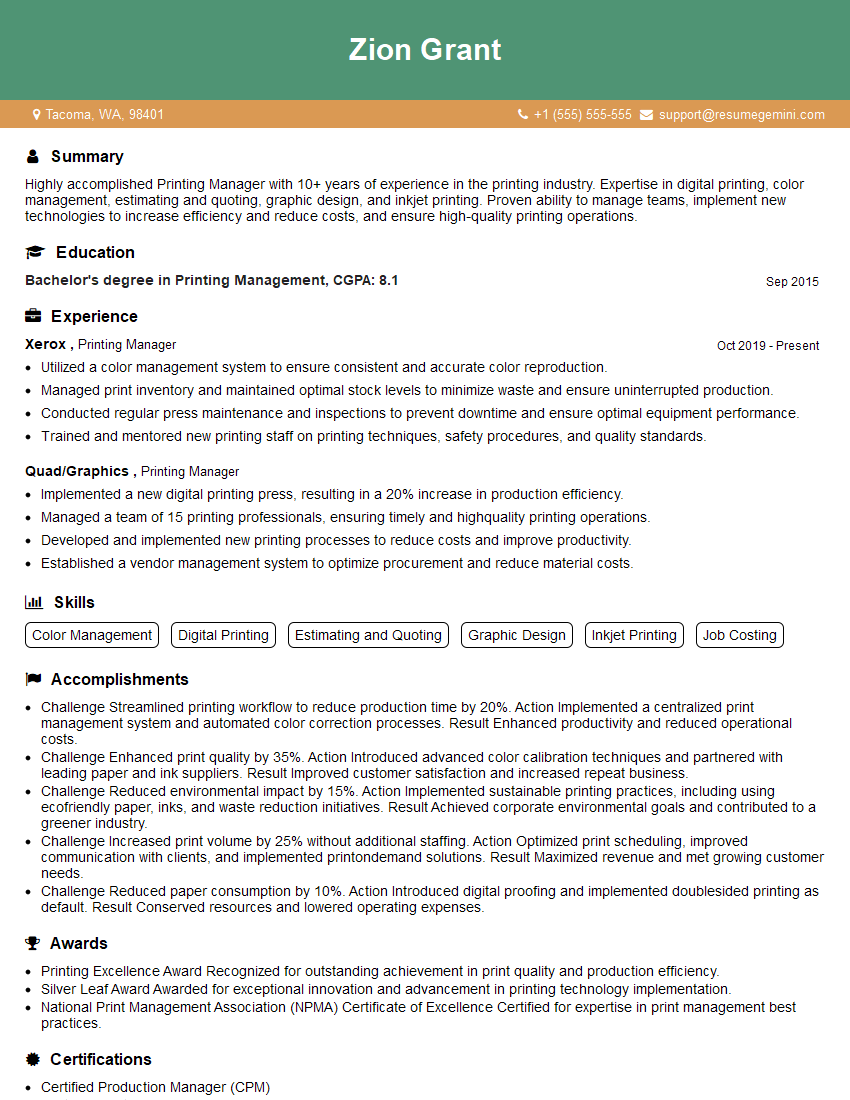
Mastering Printing Management is crucial for career advancement, opening doors to leadership roles and higher earning potential. A strong resume is your key to unlocking these opportunities. Creating an ATS-friendly resume is essential for getting your application noticed by potential employers. To build a professional and impactful resume, we highly recommend using ResumeGemini. ResumeGemini provides a user-friendly platform to craft a compelling narrative, highlighting your skills and experience. Examples of resumes tailored to Printing Management are available to help guide you.


Explore more articles
Users Rating of Our Blogs
Share Your Experience
We value your feedback! Please rate our content and share your thoughts (optional).
What Readers Say About Our Blog
Attention music lovers!
Wow, All the best Sax Summer music !!!
Spotify: https://open.spotify.com/artist/6ShcdIT7rPVVaFEpgZQbUk
Apple Music: https://music.apple.com/fr/artist/jimmy-sax-black/1530501936
YouTube: https://music.youtube.com/browse/VLOLAK5uy_noClmC7abM6YpZsnySxRqt3LoalPf88No
Other Platforms and Free Downloads : https://fanlink.tv/jimmysaxblack
on google : https://www.google.com/search?q=22+AND+22+AND+22
on ChatGPT : https://chat.openai.com?q=who20jlJimmy20Black20Sax20Producer
Get back into the groove with Jimmy sax Black
Best regards,
Jimmy sax Black
www.jimmysaxblack.com
Hi I am a troller at The aquatic interview center and I suddenly went so fast in Roblox and it was gone when I reset.
Hi,
Business owners spend hours every week worrying about their website—or avoiding it because it feels overwhelming.
We’d like to take that off your plate:
$69/month. Everything handled.
Our team will:
Design a custom website—or completely overhaul your current one
Take care of hosting as an option
Handle edits and improvements—up to 60 minutes of work included every month
No setup fees, no annual commitments. Just a site that makes a strong first impression.
Find out if it’s right for you:
https://websolutionsgenius.com/awardwinningwebsites
Hello,
we currently offer a complimentary backlink and URL indexing test for search engine optimization professionals.
You can get complimentary indexing credits to test how link discovery works in practice.
No credit card is required and there is no recurring fee.
You can find details here:
https://wikipedia-backlinks.com/indexing/
Regards
NICE RESPONSE TO Q & A
hi
The aim of this message is regarding an unclaimed deposit of a deceased nationale that bears the same name as you. You are not relate to him as there are millions of people answering the names across around the world. But i will use my position to influence the release of the deposit to you for our mutual benefit.
Respond for full details and how to claim the deposit. This is 100% risk free. Send hello to my email id: lukachachibaialuka@gmail.com
Luka Chachibaialuka
Hey interviewgemini.com, just wanted to follow up on my last email.
We just launched Call the Monster, an parenting app that lets you summon friendly ‘monsters’ kids actually listen to.
We’re also running a giveaway for everyone who downloads the app. Since it’s brand new, there aren’t many users yet, which means you’ve got a much better chance of winning some great prizes.
You can check it out here: https://bit.ly/callamonsterapp
Or follow us on Instagram: https://www.instagram.com/callamonsterapp
Thanks,
Ryan
CEO – Call the Monster App
Hey interviewgemini.com, I saw your website and love your approach.
I just want this to look like spam email, but want to share something important to you. We just launched Call the Monster, a parenting app that lets you summon friendly ‘monsters’ kids actually listen to.
Parents are loving it for calming chaos before bedtime. Thought you might want to try it: https://bit.ly/callamonsterapp or just follow our fun monster lore on Instagram: https://www.instagram.com/callamonsterapp
Thanks,
Ryan
CEO – Call A Monster APP
To the interviewgemini.com Owner.
Dear interviewgemini.com Webmaster!
Hi interviewgemini.com Webmaster!
Dear interviewgemini.com Webmaster!
excellent
Hello,
We found issues with your domain’s email setup that may be sending your messages to spam or blocking them completely. InboxShield Mini shows you how to fix it in minutes — no tech skills required.
Scan your domain now for details: https://inboxshield-mini.com/
— Adam @ InboxShield Mini
support@inboxshield-mini.com
Reply STOP to unsubscribe
Hi, are you owner of interviewgemini.com? What if I told you I could help you find extra time in your schedule, reconnect with leads you didn’t even realize you missed, and bring in more “I want to work with you” conversations, without increasing your ad spend or hiring a full-time employee?
All with a flexible, budget-friendly service that could easily pay for itself. Sounds good?
Would it be nice to jump on a quick 10-minute call so I can show you exactly how we make this work?
Best,
Hapei
Marketing Director
Hey, I know you’re the owner of interviewgemini.com. I’ll be quick.
Fundraising for your business is tough and time-consuming. We make it easier by guaranteeing two private investor meetings each month, for six months. No demos, no pitch events – just direct introductions to active investors matched to your startup.
If youR17;re raising, this could help you build real momentum. Want me to send more info?
Hi, I represent an SEO company that specialises in getting you AI citations and higher rankings on Google. I’d like to offer you a 100% free SEO audit for your website. Would you be interested?
Hi, I represent an SEO company that specialises in getting you AI citations and higher rankings on Google. I’d like to offer you a 100% free SEO audit for your website. Would you be interested?