Cracking a skill-specific interview, like one for Product Testing and Evaluation, requires understanding the nuances of the role. In this blog, we present the questions you’re most likely to encounter, along with insights into how to answer them effectively. Let’s ensure you’re ready to make a strong impression.
Questions Asked in Product Testing and Evaluation Interview
Q 1. Explain the difference between black-box, white-box, and gray-box testing.
The three main approaches to software testing—black-box, white-box, and gray-box—differ in their knowledge of the system’s internal workings. Think of it like trying to understand a car:
- Black-box testing treats the system as a ‘black box,’ meaning testers are unaware of the internal code and logic. They focus solely on inputs and outputs, checking if the system behaves as specified in the requirements. It’s like testing if the car starts and drives without knowing anything about its engine. Examples include functional testing and user acceptance testing.
- White-box testing, conversely, requires thorough knowledge of the system’s internal structure, code, and logic. Testers can examine the code directly to design test cases that cover various paths and conditions within the system. This is akin to a mechanic understanding the engine’s components and performing detailed checks.
- Gray-box testing combines aspects of both black-box and white-box testing. Testers have some partial knowledge of the system’s internal workings, such as architectural diagrams or high-level design documents, to inform their testing strategy. This could be like a skilled driver who understands the basics of car mechanics but doesn’t need to delve into detailed engine specifics.
Each approach has its strengths and weaknesses; the choice depends on project context and resources. Black-box testing is often used earlier in the testing process, while white-box testing is more suitable for detailed, code-focused analysis.
Q 2. Describe your experience with different testing methodologies (Agile, Waterfall).
I have extensive experience with both Agile and Waterfall methodologies in software testing.
- Waterfall is a sequential approach where each phase (requirements, design, implementation, testing, deployment) is completed before moving on to the next. In a waterfall project, testing usually happens late in the cycle, often as a distinct phase. This can lead to discovering major issues late in the development, making fixes expensive and time-consuming. I’ve worked on projects where this rigid structure proved challenging when requirements changed mid-development.
- Agile, on the other hand, emphasizes iterative development and collaboration. Testing is integrated throughout the development cycle, often using techniques like continuous integration and continuous delivery (CI/CD). This allows for early detection of issues and quick feedback loops, leading to higher quality software and faster release cycles. I’ve successfully implemented Agile testing practices on several projects, including using daily stand-ups to track progress and identify roadblocks. My experience shows that Agile delivers more flexibility and faster iterations than Waterfall, particularly beneficial for dynamic projects with evolving requirements.
Q 3. What is test-driven development (TDD)? How have you implemented it?
Test-Driven Development (TDD) is a software development approach where tests are written before the code they are meant to test. This ‘test-first’ approach ensures that the code meets the requirements from the very beginning.
My implementation of TDD typically involves these steps:
- Write a failing test: I start by writing a unit test that defines a specific functionality or behavior. This test will initially fail because the code hasn’t been written yet.
- Write the minimal code to pass the test: I then write just enough code to make the test pass. I avoid adding extra features or unnecessary complexity at this stage.
- Refactor the code (if needed): Once the test passes, I refactor the code to improve its design, readability, and maintainability, while ensuring the test continues to pass.
- Repeat: I repeat this cycle for each piece of functionality, adding more tests and code iteratively.
For example, if I’m building a function to calculate the area of a rectangle, I would first write a test that checks the calculation for specific dimensions. Then, I’d implement the function, ensuring the test passes. Finally, I might refactor to improve the function’s clarity.
TDD helps catch bugs early, improves code design, and leads to more robust and maintainable software. It requires discipline and a shift in mindset, but the benefits are significant.
Q 4. How do you prioritize test cases when time is limited?
Prioritizing test cases when time is constrained requires a strategic approach. I typically use a risk-based approach, focusing on tests that cover the most critical functionalities and areas with the highest potential for defects.
Here’s my strategy:
- Risk Assessment: I identify high-risk areas based on factors like business criticality, complexity of the feature, and past defect history.
- Test Case Categorization: I categorize test cases by priority (high, medium, low) based on the risk assessment. High-priority tests cover essential functions and functionalities.
- Prioritization Matrix: A matrix combining risk level and test coverage can help visualize which tests to execute first. High-risk, high-coverage tests take precedence.
- Coverage Analysis: I use tools to track test coverage, which helps identify gaps and ensure critical areas are thoroughly tested.
- Time Allocation: Based on the priority and time constraints, I allocate a percentage of testing time for each priority level, ensuring that high-priority tests are executed first.
For instance, in an e-commerce application, tests related to payment processing and order placement would be high priority, while tests for less critical features like user profile customization would be lower priority.
Q 5. Explain your experience with bug tracking and reporting tools (e.g., Jira, Bugzilla).
I’m proficient with several bug tracking and reporting tools, including Jira and Bugzilla. My experience shows these tools are invaluable for managing the entire defect lifecycle.
In my workflow, I typically:
- Create detailed bug reports: I meticulously document each bug, including steps to reproduce, actual results, expected results, severity, priority, and any relevant screenshots or logs.
- Assign bugs appropriately: I assign the bug report to the appropriate developer or team based on the code ownership.
- Track bug status: I closely monitor the status of the bug throughout its lifecycle, from reporting to resolution and verification.
- Utilize reporting features: I use the tools’ reporting features to track overall defect trends, identify areas with high defect density, and measure the effectiveness of the testing process.
- Collaborate effectively: I use these platforms for communication and collaboration with developers to resolve issues and ensure effective bug fixes.
Jira’s workflow and Kanban boards, for instance, provide a visual and streamlined approach to tracking bug progress, while Bugzilla’s robust query capabilities aid in analyzing and reporting defects across projects.
Q 6. Describe your approach to writing effective test cases.
Writing effective test cases involves a systematic approach to ensure thorough testing and clear communication.
My approach includes:
- Clear and concise description: Each test case should have a clear and concise title and description that states the objective.
- Pre-conditions and post-conditions: Specify any required setup (pre-conditions) before executing the test and the expected state after execution (post-conditions).
- Step-by-step instructions: Provide clear, numbered steps that outline the actions to be performed during the test.
- Expected results: Clearly define the expected outcome for each step.
- Pass/Fail criteria: Specify how to determine if the test passed or failed based on the actual results.
- Test data: Include any necessary test data or input values.
For example, a test case for a login functionality might include steps like: “1. Enter username ‘testuser’, 2. Enter password ‘password123’, 3. Click ‘Login’ button. Expected Result: User should be successfully logged in.” This level of detail ensures consistency and repeatability of test execution.
Q 7. How do you handle conflicts with developers regarding bug fixes?
Conflicts with developers regarding bug fixes are common in software development. My approach to handling such conflicts emphasizes collaboration and professional communication.
My steps are:
- Clear and respectful communication: I start by clearly and respectfully explaining the bug and providing all relevant information, including reproduction steps and expected behavior.
- Collaborative debugging: I offer my assistance in debugging the issue, sharing relevant logs and screen recordings. Working together helps the developer understand the problem more effectively.
- Objective assessment: I avoid emotional arguments and focus on objective assessment of the problem. If there’s a disagreement, I suggest revisiting the requirements and design specifications.
- Escalation if necessary: If the conflict cannot be resolved directly, I escalate it to the team lead or project manager to mediate.
- Documentation: Throughout the process, I maintain detailed documentation of the bug, communication, and resolution.
The key is to maintain a professional and collaborative attitude, focusing on resolving the issue rather than assigning blame. A calm and reasoned approach usually leads to a quicker and more effective resolution.
Q 8. Explain your experience with test automation frameworks (e.g., Selenium, Appium).
My experience with test automation frameworks is extensive, encompassing both Selenium and Appium. Selenium is my go-to for web application testing, allowing me to automate browser interactions, verify functionality, and identify defects efficiently. I’ve used it extensively to create robust test suites using various programming languages like Java and Python. For instance, in a recent project involving an e-commerce platform, I automated the entire checkout process, from adding items to the cart to confirming the order, using Selenium’s WebDriver. This ensured consistent and rapid testing across different browsers and operating systems.
Appium, on the other hand, is my preferred tool for mobile application testing (both Android and iOS). Its ability to interact with native, hybrid, and mobile web applications through a single API is invaluable. In a project involving a mobile banking app, I leveraged Appium to automate user login, fund transfers, and bill payments, effectively covering a wide range of user scenarios and detecting potential issues early in the development cycle. I am also proficient in integrating Appium tests with CI/CD pipelines for continuous testing and faster feedback loops.
Q 9. How do you ensure test coverage for your projects?
Ensuring comprehensive test coverage is crucial for delivering high-quality software. My approach involves a multi-pronged strategy that combines various testing techniques. Firstly, I begin with requirement analysis to understand all functional and non-functional aspects of the application. This allows me to create a detailed test plan that maps test cases to specific requirements.
Secondly, I employ different testing methods, including unit testing, integration testing, system testing, and user acceptance testing (UAT). Each method contributes to different levels of coverage, ensuring that individual components, their interactions, and the entire system are thoroughly tested. I use tools like SonarQube to track code coverage during unit testing, ensuring that a significant portion of the codebase is exercised.
Thirdly, I utilize risk-based testing to prioritize tests that cover the most critical functionalities or areas with a higher risk of failure. This helps optimize testing efforts and focus on the most important aspects of the application. Finally, I utilize test management tools to track test execution, identify gaps in coverage, and provide detailed reports to stakeholders.
Q 10. What are some common performance testing metrics you monitor?
Performance testing focuses on various metrics to ensure the application’s responsiveness, stability, and scalability. Key metrics I monitor include:
- Response Time: The time it takes for the application to respond to a user request. A slow response time directly impacts user experience.
- Throughput: The number of transactions or requests the application can handle per unit of time. This indicates the application’s capacity to handle load.
- Resource Utilization: Monitoring CPU usage, memory consumption, and network bandwidth to identify bottlenecks and potential performance issues.
- Error Rate: The percentage of failed requests or errors encountered during the test. This metric reveals the application’s stability under load.
- Concurrency: The number of concurrent users the application can support without performance degradation.
Think of it like a highway: Response time is how long it takes to get from point A to B, throughput is how many cars can pass through per hour, and resource utilization represents how busy the roads and infrastructure are. By monitoring these metrics, we can optimize the application for smooth traffic flow (performance).
Q 11. Describe your experience with different types of performance testing (load, stress, endurance).
My experience encompasses various performance testing types: Load testing, stress testing, and endurance testing. Load testing simulates expected user load to determine the application’s behavior under normal conditions. I use tools like JMeter or LoadRunner to simulate various user scenarios and measure key performance metrics. For example, in testing an online gaming platform, I simulated thousands of concurrent players to see how the servers hold up.
Stress testing pushes the application beyond its expected limits to identify breaking points. This involves gradually increasing the load beyond normal levels and observing how the application responds. This helps identify bottlenecks and determine the application’s resilience to unexpected surges in usage. For example, we might simulate a sudden spike in traffic on a social media platform during a major event.
Endurance testing evaluates the application’s stability over an extended period under sustained load. This helps identify memory leaks or performance degradation over time. This is crucial for applications expected to handle continuous operation for long durations, such as a financial trading system.
Q 12. How do you identify and report security vulnerabilities in software?
Identifying and reporting security vulnerabilities is a critical aspect of software testing. My approach combines static and dynamic analysis techniques. Static analysis involves examining the code without executing it, using tools to detect potential vulnerabilities like SQL injection or cross-site scripting (XSS). Dynamic analysis involves testing the running application to find vulnerabilities during runtime. I use penetration testing tools and methodologies to simulate real-world attacks and identify exploitable weaknesses.
Once vulnerabilities are identified, I document them thoroughly using a standardized format, including the vulnerability type, severity level, location, impact, and recommended remediation steps. I prioritize vulnerabilities based on their severity and potential impact on the system. For example, a critical vulnerability like a remote code execution flaw requires immediate attention and patching.
I collaborate closely with developers to ensure vulnerabilities are addressed effectively and retest the application after remediation to verify the fix. I utilize vulnerability scanners such as Nessus and OpenVAS to automate a significant portion of the vulnerability identification process.
Q 13. Explain your understanding of usability testing.
Usability testing focuses on evaluating how easy and efficient it is for users to interact with a product or system. It’s about understanding the user experience (UX) and identifying areas for improvement. I conduct usability testing using a combination of methods, including:
- Heuristic evaluation: Experts assess the system’s usability against established usability principles.
- Cognitive walkthroughs: Simulating user tasks to identify potential usability problems.
- User testing: Observing real users interacting with the system to identify issues and gather feedback.
In a recent project involving a new mobile banking app, I conducted user testing with a diverse group of participants to evaluate the app’s ease of navigation, task completion rates, and overall user satisfaction. The feedback gathered during this process led to significant improvements in the app’s design and functionality.
Q 14. Describe your experience with mobile application testing.
My experience in mobile application testing is significant, covering various aspects including functional, performance, usability, and security testing. I leverage both real devices and emulators/simulators for testing, understanding the importance of testing on different devices, screen sizes, and operating systems. I use Appium, as mentioned previously, for automation, but also employ manual testing to uncover nuanced usability issues.
Furthermore, I’m proficient in testing various aspects specific to mobile apps, like network connectivity testing (checking the app’s behavior under different network conditions), battery consumption testing, and location-based services testing. I also focus on the security aspects of mobile applications, such as testing for data breaches and secure communication channels.
A recent project involving a location-based social networking app required me to test its ability to accurately track user locations, handle network interruptions gracefully, and consume minimal battery power. I meticulously documented all test results and findings to inform the development team about any necessary improvements.
Q 15. How do you perform regression testing?
Regression testing is a crucial software testing process aimed at ensuring that new code changes haven’t introduced bugs into previously working functionalities. Think of it like this: you’ve built a house (your software), and now you’re adding a new room (new code). Regression testing makes sure the existing rooms (old features) still function correctly after the addition.
Performing regression testing involves systematically retesting existing features after any code modification. This can involve running a subset of previously executed test cases, often prioritized based on risk assessment. We can use various techniques:
- Test Case Prioritization: Focusing on test cases that cover high-risk areas or frequently used features first.
- Test Suite Management: Utilizing a structured test suite to manage and execute the regression tests efficiently. Tools like TestRail or Zephyr help manage and track tests.
- Automation: Automating regression tests through tools like Selenium or Cypress to save time and ensure consistent execution. Automated tests can be run frequently, such as after each build.
- Selective Regression Testing: Instead of rerunning all tests, we can selectively run tests based on the areas of code impacted by the changes. This requires a good understanding of the system architecture.
For instance, if we’re updating the payment gateway in an e-commerce application, we’d focus our regression testing on the payment-related features like order processing, checkout, and transaction history, while potentially only running a smoke test on other parts of the application.
Career Expert Tips:
- Ace those interviews! Prepare effectively by reviewing the Top 50 Most Common Interview Questions on ResumeGemini.
- Navigate your job search with confidence! Explore a wide range of Career Tips on ResumeGemini. Learn about common challenges and recommendations to overcome them.
- Craft the perfect resume! Master the Art of Resume Writing with ResumeGemini’s guide. Showcase your unique qualifications and achievements effectively.
- Don’t miss out on holiday savings! Build your dream resume with ResumeGemini’s ATS optimized templates.
Q 16. What is the difference between verification and validation?
Verification and validation are distinct but equally important aspects of software quality assurance. Verification is about ensuring we’re building the product right, while validation checks if we’re building the right product.
- Verification: This is the process of evaluating software during the development process to determine whether the software correctly implements a specific function. We’re checking if the software meets the specifications defined. Examples include code reviews, static analysis, and unit testing.
- Validation: This is the process of evaluating software at the end of the development process to determine whether it meets the user needs and requirements. We’re checking if the product does what the customer expects it to do. Examples include user acceptance testing (UAT) and system testing.
Imagine you’re baking a cake. Verification would be ensuring you followed the recipe correctly – the right ingredients, the correct measurements, and the right baking time. Validation would be confirming the cake tastes good and meets the expectations of those who will eat it.
Q 17. What is a test plan, and how do you create one?
A test plan is a structured document that outlines the scope, approach, resources, and schedule for software testing. It acts as a roadmap, guiding the entire testing process. Creating a comprehensive test plan involves several key steps:
- Scope Definition: Clearly define which parts of the software will be tested and which will be excluded.
- Test Strategy: Outline the overall testing approach (e.g., agile, waterfall), the types of testing to be performed (e.g., unit, integration, system, user acceptance), and the testing environment.
- Test Objectives: Identify the specific goals of testing. For example, identify the level of defect detection expected.
- Test Environment: Specify the hardware, software, and network configurations required for testing.
- Test Schedule: Create a realistic timeline for each testing phase, including milestones and deadlines.
- Resource Allocation: Identify the personnel, tools, and equipment needed.
- Risk Assessment: Identify potential risks and mitigation strategies.
- Test Deliverables: List the expected outputs of the testing process, such as test reports and bug reports.
A well-structured test plan ensures everyone involved understands their roles, responsibilities, and the overall direction of the testing effort. It avoids confusion and helps maintain consistency throughout the process. A good analogy is a project plan for any project; it’s impossible to build a large successful project without one.
Q 18. How do you manage and track test results?
Managing and tracking test results efficiently is critical for identifying defects, assessing the software’s quality, and making informed decisions. This typically involves a combination of manual and automated techniques:
- Test Management Tools: Tools like Jira, TestRail, or Azure DevOps provide centralized platforms for storing, organizing, and tracking test results. They enable detailed reporting, metrics tracking (e.g., pass/fail rates, defect density), and progress visualization.
- Test Reporting: Regular reports summarize test execution, identify outstanding issues, and communicate testing progress to stakeholders. These reports often include metrics like test coverage, defect counts, and severity levels.
- Defect Tracking Systems: Bugs found during testing are logged in a defect tracking system (e.g., Jira, Bugzilla) allowing for tracking of bug status, prioritization, and resolution. Each bug report should contain detailed steps to reproduce the error.
- Automated Reporting: Automated testing tools can generate reports automatically, significantly reducing manual effort and ensuring consistency.
A well-maintained system ensures transparency and accountability, providing valuable data for improving the software development process.
Q 19. Describe your experience with database testing.
My experience with database testing encompasses various aspects, from verifying data integrity to ensuring efficient database performance. This involves:
- Data Validation: Verifying that data stored in the database is accurate, complete, and consistent. This often includes checking data types, constraints, and referential integrity.
- Data Integrity Testing: Testing the database’s ability to maintain data accuracy and consistency under various conditions (e.g., concurrent access, data updates).
- Performance Testing: Assessing the database’s performance under heavy load, checking query response times and resource usage.
- Security Testing: Ensuring data security measures, such as access controls and encryption, are effective in preventing unauthorized access.
- SQL Query Testing: Testing the correctness and efficiency of database queries used by the application. This often involves examining query plans and optimizing queries for performance.
For example, I once worked on a project where a critical data migration was required. Through rigorous database testing, I identified a subtle data inconsistency that could have resulted in significant data loss. By implementing corrective measures before the migration, we prevented a potential disaster.
Q 20. How do you handle unexpected errors or failures during testing?
Handling unexpected errors or failures requires a systematic and thorough approach. My typical process involves:
- Reproduce the Error: The first step is to consistently reproduce the error. Detailed steps to reproduce the issue are critical for debugging and fixing the problem.
- Gather Information: Collect as much information as possible about the error, including error messages, logs, timestamps, and system environment details.
- Isolate the Cause: Use debugging tools and techniques to pinpoint the root cause of the failure. This might involve code review, analyzing logs, or using debugging tools.
- Report the Bug: Document the error using a bug tracking system, providing all relevant information for developers to fix the problem. The bug report should contain steps to reproduce, actual vs expected results, and screen shots if applicable.
- Risk Assessment: Evaluate the severity and risk of the error, prioritizing its resolution based on its impact on the overall system.
- Workaround (if necessary): If a quick fix isn’t immediately available, consider developing a temporary workaround to mitigate the impact of the error until a permanent solution is found.
I have encountered situations where seemingly minor errors led to significant downstream problems. Thorough investigation and effective documentation of these unexpected events are key to preventing future incidents and improving the overall software robustness.
Q 21. Explain your experience with API testing.
My experience with API testing involves validating the functionality, reliability, security, and performance of Application Programming Interfaces. This involves using various techniques and tools:
- REST API Testing: Testing RESTful APIs using tools like Postman or REST-Assured to send HTTP requests (GET, POST, PUT, DELETE) and verify the responses. This includes checking response codes, headers, and payloads.
- SOAP API Testing: Testing SOAP APIs using tools like SoapUI to send SOAP messages and analyze the responses.
- API Security Testing: Assessing the security of APIs by testing for vulnerabilities like SQL injection, cross-site scripting (XSS), and authentication flaws.
- API Performance Testing: Evaluating the performance of APIs under various load conditions, using tools like JMeter or Gatling. This is crucial for ensuring API scalability and responsiveness.
- Contract Testing: Ensuring the API adheres to its defined contract by verifying that requests and responses conform to the specification (e.g., OpenAPI/Swagger).
For example, in a recent project involving a microservices architecture, API testing played a critical role in ensuring seamless communication between different services. By thoroughly testing the APIs, we could identify integration issues early in the development lifecycle, saving significant time and effort later.
Q 22. What is your experience with non-functional testing (e.g., performance, security)?
Non-functional testing focuses on aspects of a product beyond its core functionality, ensuring it meets performance, security, usability, and other critical requirements. My experience encompasses a wide range of these tests. For performance testing, I’ve utilized tools like JMeter and LoadRunner to simulate real-world user loads, identifying bottlenecks and ensuring scalability. I’ve conducted stress tests to determine the system’s breaking point and load tests to assess its behavior under various user loads. In security testing, I have experience with penetration testing, vulnerability scanning (using tools like Nessus and OpenVAS), and security audits, identifying and mitigating potential security risks. I’ve also worked extensively on usability testing, employing methods like user interviews and A/B testing to optimize the user experience. For example, during a recent project involving a high-traffic e-commerce platform, I identified a significant performance bottleneck using JMeter, leading to database optimization that improved response times by over 40%.
Q 23. How do you stay up-to-date with the latest testing technologies and trends?
Staying current in the dynamic field of software testing requires a multi-pronged approach. I actively participate in online communities like Stack Overflow and Reddit’s r/testing subreddits, engaging in discussions and learning from other professionals’ experiences. I regularly attend webinars and conferences, such as those hosted by software testing organizations. Furthermore, I subscribe to industry newsletters and blogs from reputable sources, keeping abreast of emerging technologies and best practices. Reading industry publications and research papers is another key component of my continuous learning. Finally, I dedicate time to experimenting with new tools and technologies, actively participating in hands-on learning projects to solidify my understanding and practical skills. This holistic approach allows me to adapt to the evolving landscape of software testing.
Q 24. Describe a time you had to deal with a difficult or ambiguous testing requirement.
In one project, the requirement for ‘user-friendly navigation’ was incredibly vague. It lacked specific metrics or measurable criteria. To tackle this ambiguity, I initiated a series of discussions with the stakeholders, including product managers, designers, and developers. We collaboratively defined ‘user-friendly’ using concrete metrics, such as task completion rates, error rates, and user satisfaction scores measured through usability testing. We established specific criteria for navigation elements, such as button placement, menu structure, and visual hierarchy. We created user personas to represent different user groups and designed usability tests around those personas. This collaborative approach clarified the ambiguous requirement, resulting in a more focused and effective testing strategy. We eventually defined ‘user-friendly’ as a task completion rate of 90% or higher within a 3-minute time frame, significantly improving the product’s user experience.
Q 25. How do you determine the appropriate level of testing for a particular project?
Determining the appropriate testing level hinges on several factors: project risk, budget, timeline, and the criticality of the application. For high-risk, mission-critical applications, a comprehensive testing strategy is needed, incorporating various levels such as unit, integration, system, and user acceptance testing (UAT). For less critical applications with tighter deadlines and budgets, a more focused approach may suffice, perhaps emphasizing integration and system testing. I utilize a risk-based testing approach, prioritizing testing efforts based on the potential impact of failures. A risk assessment matrix helps identify areas requiring more rigorous testing. This approach allows for efficient resource allocation and effective risk mitigation. For example, for a simple internal tool, I might focus mainly on unit and integration testing. However, a banking application would require a far more extensive testing strategy encompassing security, performance, and compliance testing, in addition to functional testing.
Q 26. What metrics do you use to measure the effectiveness of your testing efforts?
Measuring testing effectiveness goes beyond simply identifying bugs. I track several key metrics, including the number of defects found, the severity of those defects, defect density (defects per line of code), test coverage (percentage of code tested), and the time taken to resolve defects. Furthermore, I monitor escape rate (number of defects reaching production) and the cost of fixing defects at different stages of the development lifecycle (cheaper to fix early). These metrics provide valuable insights into the efficiency and effectiveness of our testing process. Analyzing trends in these metrics allows for identifying areas for improvement and optimizing testing strategies. For instance, a high escape rate would signal a need for more rigorous testing during later stages, while a high defect density might indicate a need for better code reviews or more comprehensive unit testing.
Q 27. Describe your experience with using different testing environments.
My experience with testing environments spans various platforms and configurations. I’ve worked extensively with virtual machines (VMs) and cloud-based environments (AWS, Azure) for simulating diverse testing conditions. I am proficient in setting up and configuring different types of test environments, including development, testing, staging, and production-like environments. I understand the importance of replicating production conditions as closely as possible to ensure accurate testing results. I have also worked with diverse testing tools and frameworks, which aids in adaptability to different environments and project requirements. For example, in a recent project, we used Docker containers to create consistent and reproducible testing environments for our continuous integration/continuous delivery (CI/CD) pipeline.
Q 28. What is your preferred approach to reporting testing progress and findings?
My preferred approach to reporting involves a clear, concise, and actionable format. I typically use a combination of reports and dashboards to communicate testing progress and findings. Reports include a summary of testing activities, identified defects (with severity, priority, and steps to reproduce), test coverage, and overall test status. Dashboards provide a real-time visual representation of key metrics, such as defect counts, test execution status, and test coverage. I use defect tracking systems (like Jira or Bugzilla) to manage and track identified issues. I favor using clear and concise language, avoiding technical jargon whenever possible, to ensure stakeholders across various technical levels can understand the reports easily. Visual aids, like charts and graphs, are also used to highlight key findings and trends effectively.
Key Topics to Learn for Product Testing and Evaluation Interview
- Test Planning & Strategy: Understanding the different testing methodologies (e.g., Agile, Waterfall), creating comprehensive test plans, and defining clear testing objectives.
- Test Case Design & Execution: Developing effective test cases covering various scenarios, including positive and negative testing, and accurately documenting test results.
- Defect Reporting & Tracking: Clearly and concisely reporting bugs with detailed steps to reproduce, expected vs. actual results, and using bug tracking systems effectively.
- Test Automation: Familiarity with automation frameworks and tools, understanding the benefits and limitations of automation in testing, and scripting basics (if applicable).
- Performance Testing: Understanding load testing, stress testing, and performance optimization techniques to ensure product stability and scalability.
- Usability Testing: Conducting user experience testing to evaluate product intuitiveness, ease of use, and overall user satisfaction.
- Security Testing: Identifying potential vulnerabilities and security risks within the product to ensure data protection and system integrity.
- Test Data Management: Understanding the importance of realistic and relevant test data, and techniques for creating and managing this data effectively.
- Software Development Lifecycle (SDLC): Demonstrating a solid understanding of the SDLC and how testing integrates throughout the process.
- Communication & Collaboration: Highlighting your ability to effectively communicate technical information to both technical and non-technical audiences, and collaborate with development teams.
Next Steps
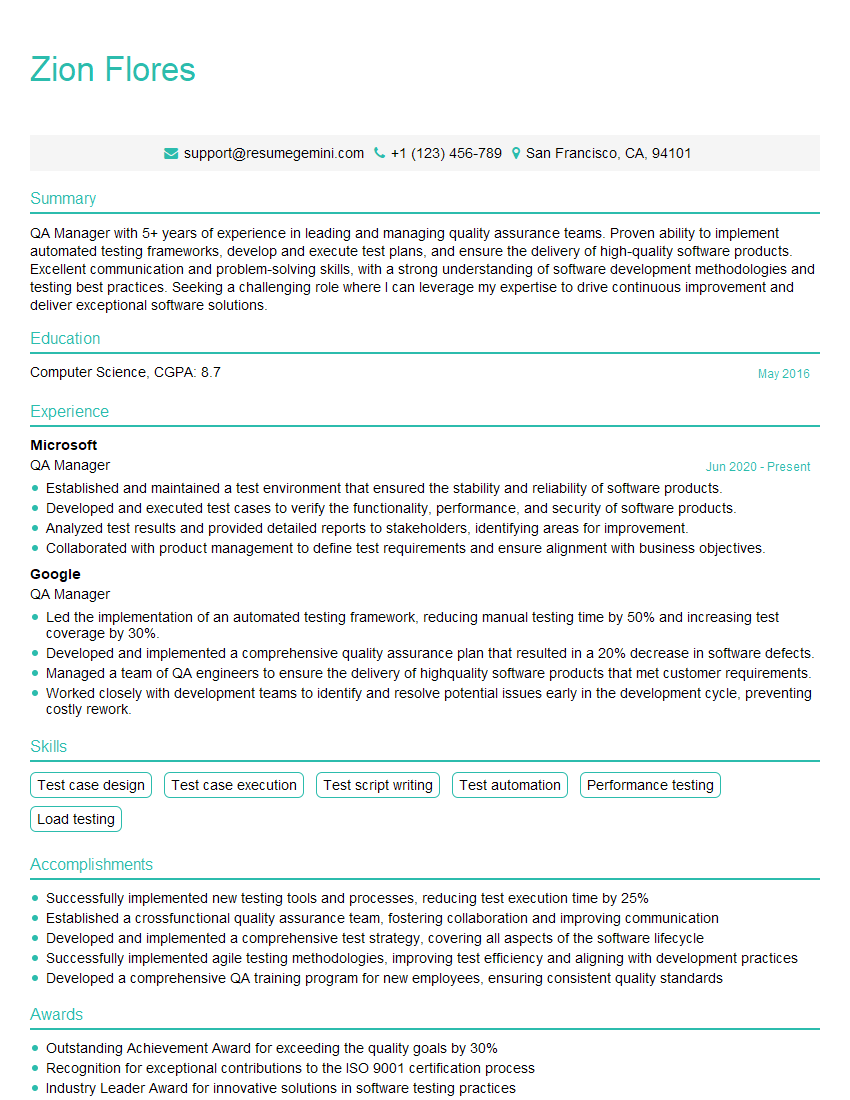
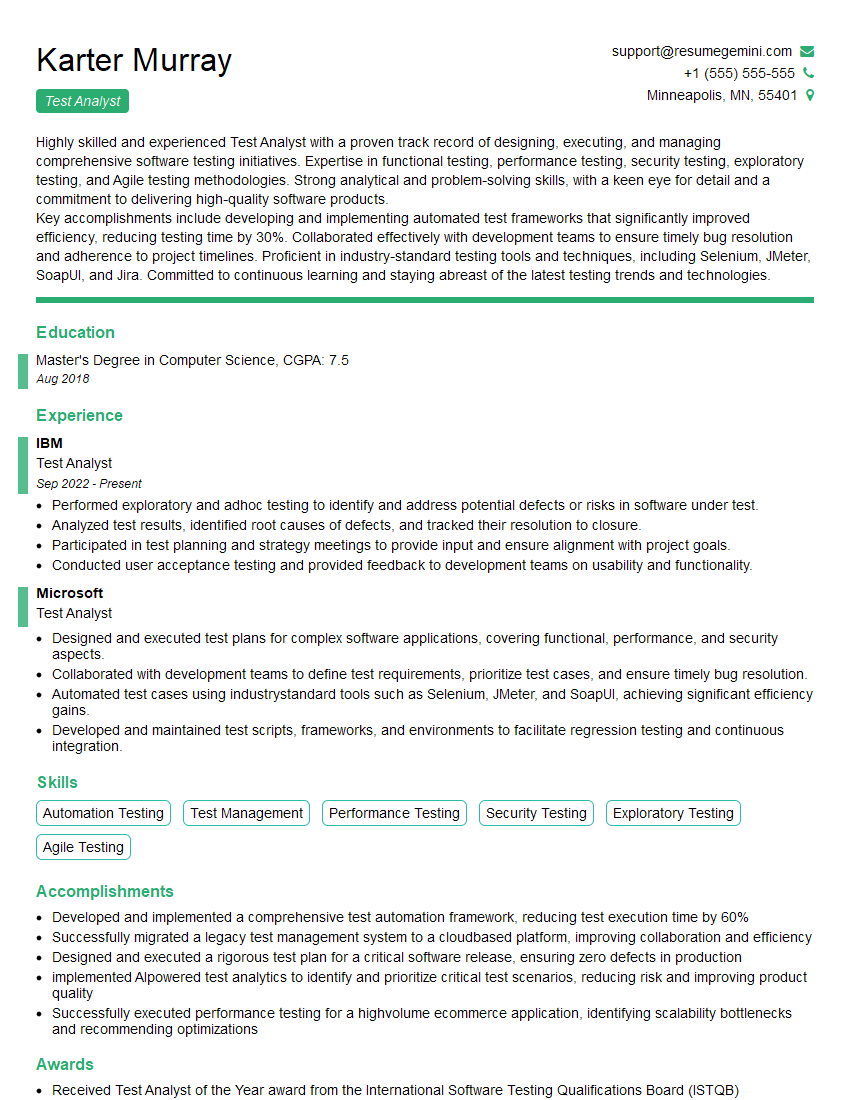
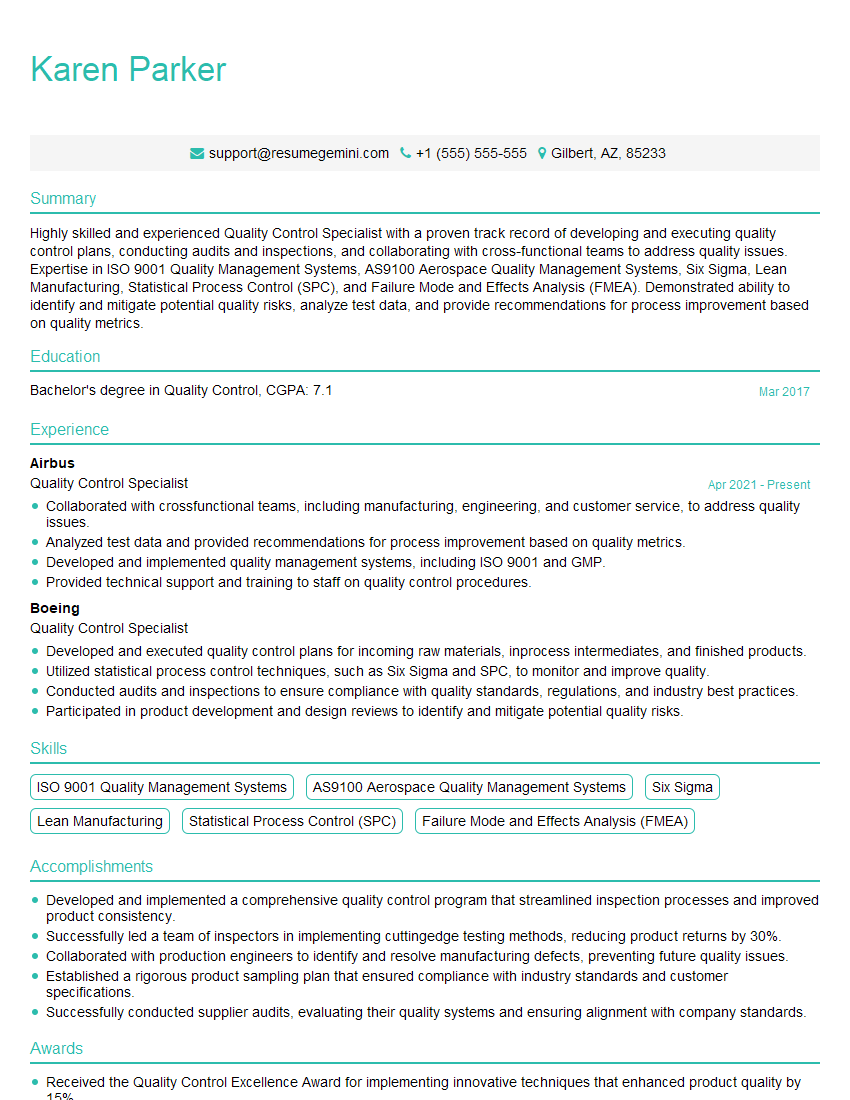
Mastering Product Testing and Evaluation is crucial for a successful and rewarding career in the tech industry. It opens doors to various roles with increasing responsibility and compensation. To significantly boost your job prospects, crafting an ATS-friendly resume is essential. This ensures your qualifications are effectively highlighted to recruiters and applicant tracking systems. We strongly encourage you to leverage ResumeGemini, a trusted resource for building professional and impactful resumes. ResumeGemini provides examples of resumes tailored specifically to Product Testing and Evaluation roles, offering a head-start in creating a compelling application that stands out.

Explore more articles
Users Rating of Our Blogs
Share Your Experience
We value your feedback! Please rate our content and share your thoughts (optional).
What Readers Say About Our Blog
Hello,
we currently offer a complimentary backlink and URL indexing test for search engine optimization professionals.
You can get complimentary indexing credits to test how link discovery works in practice.
No credit card is required and there is no recurring fee.
You can find details here:
https://wikipedia-backlinks.com/indexing/
Regards
NICE RESPONSE TO Q & A
hi
The aim of this message is regarding an unclaimed deposit of a deceased nationale that bears the same name as you. You are not relate to him as there are millions of people answering the names across around the world. But i will use my position to influence the release of the deposit to you for our mutual benefit.
Respond for full details and how to claim the deposit. This is 100% risk free. Send hello to my email id: [email protected]
Luka Chachibaialuka
Hey interviewgemini.com, just wanted to follow up on my last email.
We just launched Call the Monster, an parenting app that lets you summon friendly ‘monsters’ kids actually listen to.
We’re also running a giveaway for everyone who downloads the app. Since it’s brand new, there aren’t many users yet, which means you’ve got a much better chance of winning some great prizes.
You can check it out here: https://bit.ly/callamonsterapp
Or follow us on Instagram: https://www.instagram.com/callamonsterapp
Thanks,
Ryan
CEO – Call the Monster App
Hey interviewgemini.com, I saw your website and love your approach.
I just want this to look like spam email, but want to share something important to you. We just launched Call the Monster, a parenting app that lets you summon friendly ‘monsters’ kids actually listen to.
Parents are loving it for calming chaos before bedtime. Thought you might want to try it: https://bit.ly/callamonsterapp or just follow our fun monster lore on Instagram: https://www.instagram.com/callamonsterapp
Thanks,
Ryan
CEO – Call A Monster APP
To the interviewgemini.com Owner.
Dear interviewgemini.com Webmaster!
Hi interviewgemini.com Webmaster!
Dear interviewgemini.com Webmaster!
excellent
Hello,
We found issues with your domain’s email setup that may be sending your messages to spam or blocking them completely. InboxShield Mini shows you how to fix it in minutes — no tech skills required.
Scan your domain now for details: https://inboxshield-mini.com/
— Adam @ InboxShield Mini
Reply STOP to unsubscribe
Hi, are you owner of interviewgemini.com? What if I told you I could help you find extra time in your schedule, reconnect with leads you didn’t even realize you missed, and bring in more “I want to work with you” conversations, without increasing your ad spend or hiring a full-time employee?
All with a flexible, budget-friendly service that could easily pay for itself. Sounds good?
Would it be nice to jump on a quick 10-minute call so I can show you exactly how we make this work?
Best,
Hapei
Marketing Director
Hey, I know you’re the owner of interviewgemini.com. I’ll be quick.
Fundraising for your business is tough and time-consuming. We make it easier by guaranteeing two private investor meetings each month, for six months. No demos, no pitch events – just direct introductions to active investors matched to your startup.
If youR17;re raising, this could help you build real momentum. Want me to send more info?
Hi, I represent an SEO company that specialises in getting you AI citations and higher rankings on Google. I’d like to offer you a 100% free SEO audit for your website. Would you be interested?
Hi, I represent an SEO company that specialises in getting you AI citations and higher rankings on Google. I’d like to offer you a 100% free SEO audit for your website. Would you be interested?
good