The thought of an interview can be nerve-wracking, but the right preparation can make all the difference. Explore this comprehensive guide to Proficient in scripting languages (e.g., Python, Bash) interview questions and gain the confidence you need to showcase your abilities and secure the role.
Questions Asked in Proficient in scripting languages (e.g., Python, Bash) Interview
Q 1. Explain the difference between a list and a tuple in Python.
Lists and tuples are both fundamental data structures in Python used to store sequences of items, but they differ significantly in their mutability—that is, their ability to be changed after creation.
Lists are mutable, meaning you can modify their contents (add, remove, or change elements) after they are created. Think of a list as a shopping list you can keep adding to or changing throughout the day.
Tuples, on the other hand, are immutable. Once a tuple is created, its contents cannot be altered. Imagine a tuple as a set of instructions that can’t be changed once finalized. This immutability provides certain advantages in terms of data integrity and security.
my_list = [1, 2, 'apple', 3.14](Mutable list)my_tuple = (1, 2, 'apple', 3.14)(Immutable tuple)
In practice, you might use lists when you anticipate needing to change the data, such as storing a user’s shopping cart items, which can be added to or removed from frequently. Tuples, conversely, are well-suited for representing fixed data sets, such as coordinates or database records that you don’t want accidentally modified.
Q 2. What are the common use cases for Bash scripting?
Bash scripting finds widespread use in automating system administration tasks, managing files, and processing data on Linux and macOS systems. It’s invaluable for streamlining repetitive operations and enhancing efficiency.
- System Administration: Automating user account creation, managing services (starting, stopping, restarting), configuring network settings, and performing backups are common uses. Imagine a scenario where you have to create 100 user accounts – a bash script can handle this automatically, saving countless hours.
- File Management: Bash scripts excel at automating file operations such as searching, sorting, moving, renaming, and deleting files based on specific criteria. For example, you might need to find all log files older than a month and archive them.
- Data Processing: Bash allows you to combine the power of command-line utilities like
grep,sed,awk, andsortto efficiently process text-based data. This is especially useful for log file analysis and report generation. - Automation of workflows: Orchestrating complex tasks across multiple systems or tools; for instance, a script might build a software package, run tests, and deploy it to a server, all in sequence.
For instance, a simple script to list all files in a directory and their sizes could be:
#!/bin/bash
ls -l /path/to/directory
Q 3. How do you handle errors in Python scripts?
Robust error handling is critical in Python to prevent unexpected crashes and provide informative feedback to users. Python offers several mechanisms to handle errors gracefully.
The primary method is using try-except blocks. A try block contains the code that might raise an exception (an error), and an except block specifies how to handle that exception.
try:
  result = 10 / 0
except ZeroDivisionError:
  print("Error: Division by zero")
except Exception as e:
  print(f"An unexpected error occurred: {e}")
This code attempts to divide 10 by 0, which raises a ZeroDivisionError. The except ZeroDivisionError block catches this specific error and prints a user-friendly message. The except Exception as e block acts as a general catch-all for other unexpected errors, printing the error message.
Another useful tool is the assert statement, which is used for debugging and testing. It checks a condition and raises an AssertionError if the condition is false.
assert x > 0, "x must be positive"Custom exceptions can be created by defining classes that inherit from the base Exception class. This allows for more specific error handling tailored to the application’s needs.
Proper logging, using the logging module, is also vital for recording errors and debugging issues in production environments.
Q 4. Describe different ways to iterate through a list in Python.
Python offers several ways to iterate through lists, each with its own strengths and use cases. The best choice depends on the specific task and desired behavior.
forloop: The most common and straightforward method. It iterates through each element in the list:
my_list = [1, 2, 3, 4, 5]
for item in my_list:
print(item)forloop with index: If you need both the element and its index, useenumerate():
for index, item in enumerate(my_list):
print(f"Element at index {index}: {item}")- List comprehension: A concise way to create a new list by iterating over an existing one and applying a transformation to each element:
squares = [x**2 for x in my_list]whileloop: Offers more control over the iteration process, allowing you to stop or skip iterations based on conditions. However, it’s less commonly used for simple list iteration:
i = 0
while i < len(my_list):
  print(my_list[i])
i += 1- Iterators: For very large lists, using iterators can improve memory efficiency by processing elements one at a time instead of loading the entire list into memory:
my_iterator = iter(my_list)
while True:
  try:
    item = next(my_iterator)
    print(item)
  except StopIteration:
    break
Q 5. What are some best practices for writing efficient Bash scripts?
Writing efficient and maintainable Bash scripts requires adherence to best practices. These practices improve readability, performance, and reduce errors.
- Shebang: Always start with a shebang line (
#!/bin/bash) to specify the interpreter. - Comments: Use comments liberally to explain the purpose of different sections of your code. This improves readability and maintainability, especially in larger scripts.
- Error Handling: Include mechanisms to detect and handle errors gracefully using exit codes and error messages. Utilize
set -eto stop script execution on the first error encountered. - Variable Naming: Use descriptive variable names (
user_countinstead ofx) and follow a consistent naming convention. - Modular Design: Break down complex tasks into smaller, well-defined functions. This enhances readability and reusability of code.
- Input Validation: Always validate user inputs to prevent unexpected behavior or security vulnerabilities.
- Use Built-in Commands: Leverage Bash built-in commands whenever possible; they often perform operations more efficiently than external commands.
- Avoid unnecessary processes: Use tools like
findefficiently to avoid unnecessary loops and `xargs` for efficient command execution - Quoting: Properly quote variables to avoid word splitting and globbing issues.
Example illustrating error handling and clear variable naming:
#!/bin/bash
# Set -e to stop execution on errors
set -e

# Define variables
file_path="/path/to/file"

# Check if the file exists
if [ ! -f "$file_path" ]; then
  echo "Error: File not found"
  exit 1
fi

# Process the file
# ... your file processing code here ...
Q 6. Explain the concept of object-oriented programming in Python.
Object-oriented programming (OOP) is a programming paradigm that organizes code around objects rather than functions and logic. In Python, an object is an instance of a class. A class is a blueprint that defines the attributes (data) and methods (functions) associated with objects of that class.
Key concepts in OOP:
- Classes: Blueprints for creating objects. They define the structure and behavior of objects.
- Objects: Instances of classes. They have their own state (attribute values) and can perform actions (methods).
- Attributes: Data associated with an object.
- Methods: Functions that operate on the object’s data.
- Inheritance: A class can inherit attributes and methods from a parent class, promoting code reusability and establishing relationships between classes.
- Encapsulation: Bundling data and methods that operate on that data within a class, hiding internal details from the outside world.
- Polymorphism: The ability of objects of different classes to respond to the same method call in their own specific ways.
Example:
class Dog:
  def __init__(self, name, breed):
    self.name = name
    self.breed = breed
  def bark(self):
    print("Woof!")
my_dog = Dog("Buddy", "Golden Retriever")
my_dog.bark()  # Output: Woof!
In this example, Dog is a class, my_dog is an object (instance of the Dog class), name and breed are attributes, and bark is a method.
Q 7. How do you debug Python code?
Debugging Python code involves systematically identifying and fixing errors. Several techniques can be used depending on the complexity of the issue.
print()statements: The simplest approach—insertingprint()statements at strategic points to examine variable values and program flow.- Python Debugger (pdb): A powerful interactive debugger built into Python. It allows you to step through code line by line, inspect variables, set breakpoints, and more. You can start debugging by adding
import pdb; pdb.set_trace()in your code where you want the execution to pause. - Integrated Development Environments (IDEs): IDEs like PyCharm, VS Code, and Spyder provide sophisticated debugging tools with features like breakpoints, stepping, variable inspection, and call stack analysis.
- Logging: The
loggingmodule helps create detailed logs of program execution, including error messages and other diagnostic information. This is essential for tracking down issues in larger, more complex applications. - Static Analysis Tools: Tools like Pylint and Flake8 can analyze code for potential errors, style violations, and code complexity issues, helping identify problems before runtime.
- Unit Testing: Writing unit tests using frameworks like
unittesthelps verify the correctness of individual code components and identify regressions when changes are made.
When debugging, it’s crucial to start by carefully examining error messages, then to systematically narrow down the source of the problem using the techniques mentioned above. Reproducing the error consistently is also critical for effective debugging.
Q 8. How do you use variables and environment variables in Bash?
Bash uses variables to store data, allowing you to reuse values throughout your scripts. They’re declared simply by assigning a value to a name. For example, my_var="Hello World" assigns the string “Hello World” to the variable my_var. You can then access the value using $my_var.
Environment variables are variables accessible to all processes and subshells within a Bash session. They’re set using the export command. For instance, export MY_ENV_VAR="Another value" makes MY_ENV_VAR available to all subsequent commands and scripts. This is useful for things like configuring paths or specifying temporary directories. Their values can be accessed the same way as regular variables, using the $ sign: echo $MY_ENV_VAR. Environment variables are often used to configure application settings or system-wide behaviors.
Think of regular variables as local notes, available only in the current section of your script. Environment variables are like sticky notes on your monitor, visible to all running applications.
Q 9. What are the advantages of using Python for scripting compared to other languages?
Python’s advantages as a scripting language stem from its readability, extensive libraries, and cross-platform compatibility. Readability reduces development time and improves maintainability – crucial for collaboration and long-term projects. The vast ecosystem of libraries, like NumPy for numerical computation, Pandas for data analysis, and Requests for HTTP requests, allows tackling complex tasks efficiently. Cross-platform compatibility ensures your scripts can run seamlessly on different operating systems (Windows, macOS, Linux) without significant modifications.
Other languages might excel in specific areas (e.g., Perl for text processing, Bash for shell automation), but Python’s combination of power, simplicity, and vast community support makes it a top choice for general-purpose scripting.
For example, imagine building a script to automate backups. Python’s shutil module provides easy functions for file copying and archiving, while the os module allows interaction with the operating system, including executing system commands. This makes automating complex tasks significantly easier than with other languages.
Q 10. Explain the concept of regular expressions and their use in scripting.
Regular expressions (regex or regexp) are patterns used to match and manipulate text. They are powerful tools for searching, extracting, and replacing specific parts of strings. They provide a concise syntax for describing complex text patterns.
For instance, the regex \d{3}-\d{3}-\d{4} matches North American phone numbers (XXX-XXX-XXXX). The \d represents a digit, and {3} specifies exactly three occurrences. The hyphen is literal.
In scripting, regexes are used for tasks like data validation (checking if an email address is properly formatted), log file parsing (extracting error messages), and text manipulation (cleaning or transforming data). Many scripting languages, including Python and Bash, have built-in support for regexes or offer libraries to work with them (Python’s re module and Bash’s support via tools like grep, sed, and awk). Imagine needing to extract all email addresses from a large text file; regular expressions allow you to do so efficiently, eliminating the need for tedious manual processing.
Q 11. How do you handle command-line arguments in Python?
Python’s sys.argv provides access to command-line arguments. It’s a list where sys.argv[0] is the script’s name, and subsequent elements (sys.argv[1], sys.argv[2], etc.) are the arguments passed by the user.
For example:
import sys if len(sys.argv) > 1: filename = sys.argv[1] print(f"Processing file: {filename}") else: print("Please provide a filename as an argument.")This script checks if a filename is provided; if so, it prints a message indicating the file to be processed. This is invaluable for making scripts more versatile, allowing users to customize their behavior without modifying the code directly.
Q 12. How do you perform file I/O operations in Bash?
Bash provides several ways to perform file I/O. The most common are using redirection operators and commands like cat, echo, and input/output redirection operators.
To read a file’s contents, you can use cat: cat myfile.txt. To write data to a file, use redirection: echo "This is some text" > output.txt creates a new file (or overwrites an existing one). Appending data to a file is done with >>: echo "More text" >> output.txt. You can also use input redirection to feed a file’s contents as input to a command: wc -l < myfile.txt (counts the lines in myfile.txt).
For more complex operations, you could employ tools like awk or sed, which allow powerful text processing and manipulation within shell scripts.
For instance, if you need to process a large log file and extract error messages, you might use tools like grep in conjunction with redirection and pipes to efficiently analyze the data, without having to read the entire file into memory at once. This is vital for large files.
Q 13. What are decorators in Python and how do they work?
In Python, decorators are a powerful and expressive feature that allows modifying or enhancing functions and methods in a clean and readable way. They’re essentially functions that take another function as input and return a modified version of it.
A simple example:
@my_decorator def say_hello(): print("Hello!")Here, @my_decorator is a decorator applied to the say_hello function. This is equivalent to: say_hello = my_decorator(say_hello). The decorator my_decorator wraps say_hello, potentially adding functionality before or after its execution (e.g., logging, timing, or input validation). Decorators promote code reusability and improve readability by separating concerns.
Imagine you want to log the execution time of multiple functions in your application. A decorator can encapsulate this logging logic, preventing code duplication across various functions. This maintains a clean separation of concerns—your functions remain focused on their core purpose, and the decorator handles the logging aspect.
Q 14. Explain the concept of pipes and redirection in Bash.
Pipes and redirection are fundamental concepts in Bash for chaining commands together and controlling input/output streams. Redirection changes where a command’s input comes from or where its output goes. Pipes connect the output of one command to the input of another.
Redirection examples:
>redirects output to a file (overwrites).>>appends output to a file.<redirects input from a file.
Pipes use the | symbol. command1 | command2 sends the output of command1 to the input of command2. For example: ls -l | grep "txt" lists all files and then filters the output to show only those ending in “.txt”.
These tools are indispensable for efficient shell scripting. For example, you might use a sequence of commands piped together to process data efficiently, without the need for intermediate temporary files. This is particularly valuable when dealing with large datasets or streams of data, enabling sophisticated data processing workflows in a concise and efficient manner.
Q 15. What are generators in Python and why are they useful?
In Python, generators are a special kind of iterator that produces values on demand, rather than generating them all at once and storing them in memory. Think of it like a lazy chef – they only cook the next dish when you’re ready to eat it, rather than preparing the whole banquet upfront. This is incredibly efficient for handling large datasets or infinite sequences where storing everything in memory would be impractical or impossible.
How they work: Generators are defined using functions with the yield keyword instead of return. Each yield statement pauses execution and returns a value. The next time the generator is called, it resumes from where it left off.
Why are they useful?
- Memory Efficiency: They only generate values as needed, saving significant memory, especially when dealing with large datasets.
- Improved Performance: They can improve performance by avoiding unnecessary computation. If you only need the first few elements of a sequence, a generator won’t compute the rest.
- Representing Infinite Sequences: You can create generators that represent infinite sequences (like Fibonacci numbers), which you couldn’t easily do with regular functions.
Example:
def fibonacci_generator(n):
    a, b = 0, 1
    for _ in range(n):
        yield a
        a, b = b, a + b

fib_gen = fibonacci_generator(10)
for num in fib_gen:
    print(num)
This example generates the first 10 Fibonacci numbers without storing all of them in memory simultaneously.
Career Expert Tips:
- Ace those interviews! Prepare effectively by reviewing the Top 50 Most Common Interview Questions on ResumeGemini.
- Navigate your job search with confidence! Explore a wide range of Career Tips on ResumeGemini. Learn about common challenges and recommendations to overcome them.
- Craft the perfect resume! Master the Art of Resume Writing with ResumeGemini’s guide. Showcase your unique qualifications and achievements effectively.
- Don’t miss out on holiday savings! Build your dream resume with ResumeGemini’s ATS optimized templates.
Q 16. How do you write functions in Bash?
Bash functions are defined using the function keyword (optional) followed by the function name, and the code block is enclosed in curly braces {}. Functions can accept arguments and return values.
Basic Structure:
function my_function {
  # Function body
  echo "Hello from my function!"
}
Arguments: Arguments are accessed using the $1, $2, etc., variables, where $1 represents the first argument, $2 the second, and so on. $@ represents all arguments as a single word, and $* represents all arguments as separate words.
Return values: The last command executed in the function implicitly sets the return value. You can use echo to explicitly return a value, and then capture it in a variable using command substitution $(...).
Example:
function add_numbers {
  sum=$(( $1 + $2 ))
  echo $sum
}

result=$(add_numbers 5 10)
echo "The sum is: $result"
This function adds two numbers and returns the sum. The result is stored in the result variable.
Q 17. Explain the difference between `==` and `is` in Python.
Both == and is are used for comparison in Python, but they operate differently:
==(equality operator): Checks if the values of two objects are equal.is(identity operator): Checks if two variables refer to the same object in memory.
Example:
list1 = [1, 2, 3]
list2 = [1, 2, 3]
list3 = list1

print(list1 == list2)  # Output: True (values are equal)
print(list1 is list2)  # Output: False (different objects)
print(list1 is list3)  # Output: True (same object)
In this example, list1 and list2 have the same values, but they are distinct objects in memory. list3, however, is a direct reference to list1, so they point to the same object.
When to use which:
- Use
==for comparing the content or value of objects. - Use
iswhen you need to determine if two variables refer to the exact same object in memory (e.g., when dealing with singletons or checking for object identity).
Q 18. How do you use loops (for, while) in Bash?
Bash provides for and while loops for iteration:
for loop:
The for loop in Bash can iterate over a list of words or the output of a command.
Iterating over a list of words:
for i in 1 2 3 4 5; do
  echo $i
done
Iterating over the output of a command:
for file in $(ls *.txt); do
  echo "Processing file: $file"
done
while loop:
The while loop repeatedly executes a command as long as a given condition is true.
count=0
while [ $count -lt 5 ]; do
  echo $count
  count=$((count + 1))
done
In this example, the loop continues as long as count is less than 5. Note the use of $((...)) for arithmetic expansion and [ ... ] for condition checking.
Q 19. How do you handle exceptions in Bash?
Bash doesn’t have exception handling in the same way as Python. Instead, you typically handle errors by checking the return codes of commands using $?. The $? variable stores the exit status of the last executed command; a value of 0 typically indicates success, and non-zero values indicate errors.
Example:
command_to_execute
if [ $? -ne 0 ]; then
  echo "Error executing command!"
  exit 1
fi
This code snippet executes a command and checks its return code. If the return code is not 0 (indicating an error), it prints an error message and exits with a non-zero status code, signaling that the script encountered a problem. Alternatively, you could implement more sophisticated error handling using set -e to stop the script execution upon any failed command.
Q 20. What is the purpose of the `__init__` method in Python?
In Python, the __init__ method (also called a constructor) is a special method within a class that is automatically called when you create an instance (object) of that class. Its primary purpose is to initialize the attributes (data) of the newly created object.
Purpose:
- Initialization: Sets the initial state of an object. You can assign values to instance variables within
__init__, tailoring the object to your specific needs. - Consistent Object Creation: Ensures that objects are created in a consistent and predictable manner.
Example:
class Dog:
    def __init__(self, name, breed):
        self.name = name
        self.breed = breed

my_dog = Dog("Buddy", "Golden Retriever")
print(my_dog.name)  # Output: Buddy
print(my_dog.breed) # Output: Golden Retriever
In this example, the __init__ method initializes the name and breed attributes of the Dog object when an instance is created. self refers to the instance of the class being created.
Q 21. Explain the difference between local, global, and nonlocal variables in Python.
Python’s scope rules determine which variables are accessible from different parts of your code. Understanding local, global, and nonlocal variables is crucial for writing clean and bug-free programs.
- Local Variables: Defined within a function and only accessible within that function’s scope. They are created when the function is called and destroyed when it returns.
- Global Variables: Defined outside any function and accessible from anywhere in the code, including inside functions. They have the widest scope.
- Nonlocal Variables: Used within nested functions (a function defined inside another function). They refer to variables that are defined in the enclosing (but not global) scope.
Example:
global_var = 10

def outer_function():
    outer_var = 20
    def inner_function():
        nonlocal outer_var  # Access outer_var
        outer_var += 5
        print(f"Inner: global_var = {global_var}, outer_var = {outer_var}")
    inner_function()
    print(f"Outer: outer_var = {outer_var}")

outer_function()
print(f"Global: global_var = {global_var}")
This illustrates the three variable types. Modifying outer_var within the inner function requires nonlocal. Attempting to modify global_var without declaring it global inside inner_function would raise an UnboundLocalError.
Q 22. How do you use conditional statements (if, else, elif) in Bash?
Bash uses the if, elif (else if), and else keywords to create conditional statements. Think of it like a branching road: the script follows one path based on whether a condition is true or false.
The basic structure is:
if [ condition ]; then
  # commands to execute if the condition is true
elif [ another condition ]; then
  # commands to execute if the first condition is false and this one is true
else
  # commands to execute if none of the above conditions are true
fi
Example: Checking if a file exists:
if [ -f myfile.txt ]; then
  echo "myfile.txt exists!"
else
  echo "myfile.txt does not exist."
fi
Another Example (using arithmetic comparison):
a=10
b=5
if [ $a -gt $b ]; then
  echo "a is greater than b"
fi
Remember to use spaces around the brackets and operators in Bash conditional expressions. This is crucial for correct interpretation.
Q 23. Explain the concept of lambda functions in Python.
In Python, a lambda function is a small, anonymous function defined using the lambda keyword. Think of them as concise, one-liner functions, perfect for simple operations without the need for a formal def statement. They’re particularly useful when you need a function for a short period, often as an argument to another function like map, filter, or sort.
Structure:
lambda arguments: expressionThe arguments part is similar to function parameters, and the expression is the single operation the lambda performs. It returns the result of that expression.
Example: A lambda function to add two numbers:
add = lambda x, y: x + y
print(add(5, 3))  # Output: 8
Real-world Application: Suppose you’re working with a list of numbers and want to square each number. A lambda function makes this efficient:
numbers = [1, 2, 3, 4, 5]
squared_numbers = list(map(lambda x: x**2, numbers))
print(squared_numbers)  # Output: [1, 4, 9, 16, 25]
Q 24. How do you work with arrays in Bash?
Bash doesn’t have built-in arrays in the same way as Python or other languages. Instead, it uses indexed variables to simulate arrays. You create an array by assigning values to variables with sequential indices.
Creating an array:
my_array[0]=apple
my_array[1]=banana
my_array[2]=cherry
Accessing elements:
echo ${my_array[0]} # Output: appleIterating through an array: There’s no direct loop construct, but you can achieve this using a for loop and array length:
array_length=${#my_array[@]}
for i in $(seq 0 $((array_length -1))); do
  echo ${my_array[$i]}
done
Important Note: Bash arrays aren’t type-safe – you can mix data types within a single array.
Q 25. What are list comprehensions in Python and how do they work?
List comprehensions provide a concise way to create lists in Python. Think of them as a shorthand for a for loop combined with conditional logic, all packed into a single line. They improve code readability and efficiency for list-building tasks.
Basic Structure:
new_list = [expression for item in iterable if condition]Explanation:
expression: What to do with each item (e.g., square it, convert to uppercase).item: The variable representing each element from theiterable.iterable: The sequence you’re iterating through (list, tuple, etc.).if condition(optional): A filter to include only items that satisfy the condition.
Example: Squaring even numbers from a list:
numbers = [1, 2, 3, 4, 5, 6]
squared_evens = [x**2 for x in numbers if x % 2 == 0]
print(squared_evens)  # Output: [4, 16, 36]
Real-world Application: Data cleaning or transformation. Imagine you have a list of strings and need to convert them to lowercase and remove whitespace – a list comprehension makes this elegant and efficient.
Q 26. How do you use string manipulation functions in Bash?
Bash offers several built-in commands and tools for string manipulation. Here are some key ones:
echo: Displays strings to the console. Useful for testing and output.cut: Extracts sections from strings or files (e.g., cutting out specific columns).sed: A powerful stream editor for searching and replacing patterns in text.awk: A pattern-scanning and text-processing language. Excellent for more complex tasks.- Parameter Expansion: Bash allows for substring extraction and manipulation within variable assignments (e.g., ${variable:offset:length} extracts a substring).
Example using Parameter Expansion: Extracting a substring:
my_string="Hello World"
substring=${my_string:6:5}
echo $substring  # Output: World
Example using sed: Replacing a pattern:
echo "Hello World" | sed 's/World/Universe/g' # Output: Hello UniverseChoosing the right tool depends on the complexity of the string manipulation task. For simple extractions, parameter expansion is often sufficient. For more sophisticated operations, sed or awk provide the flexibility needed.
Q 27. What are some common Python libraries used for data science?
Python boasts a rich ecosystem of libraries for data science. Some of the most commonly used include:
- NumPy: Provides support for large, multi-dimensional arrays and matrices, along with a vast collection of high-level mathematical functions to operate on these arrays.
- Pandas: Offers powerful data structures like DataFrames for data manipulation and analysis. It simplifies tasks like data cleaning, transformation, and exploration.
- Scikit-learn: A comprehensive library for machine learning, providing tools for various algorithms (classification, regression, clustering, etc.), model selection, and evaluation.
- Matplotlib: A fundamental library for creating static, interactive, and animated visualizations in Python. Essential for data visualization and communication.
- Seaborn: Built on top of Matplotlib, Seaborn provides a higher-level interface for creating statistically informative and visually appealing plots.
These libraries, often used together, form the core of many data science projects in Python.
Q 28. How do you manage dependencies in Bash scripts?
Managing dependencies in Bash scripts involves ensuring that all the required tools and libraries are available on the system before the script runs. Failure to do so can lead to errors and unexpected behavior.
Several strategies can be employed:
- Shebang and Path: The shebang line (
#!/bin/bash) specifies the interpreter. Ensuring that the scripts and tools used are in the system’sPATHenvironment variable guarantees they can be found. - Virtual Environments (for more complex projects): While not directly built into bash, using tools like
virtualenvorcondacreates isolated environments, keeping project dependencies separate from the system’s global libraries, preventing conflicts. You would manage these environments outside the bash script itself. Bash scripts within the environment would then inherit the dependencies. - Explicit calls to executables with full paths: Instead of relying on the PATH, call tools using their absolute paths (e.g.,
/usr/bin/awk ...). This method eliminates ambiguity but makes the script less portable. - Dependency management tools (e.g., using package managers like apt, yum, brew): For system-level dependencies, package managers help install and update required software. You would typically use these before running the bash script. For example, in your script, you could include a check to verify the existence of a required program, and if it is not present, then a `sudo apt install
` command can be added.
The best approach depends on the script’s complexity and the dependencies involved. For simple scripts, ensuring the tools are in the PATH is often sufficient. For more complex projects with many dependencies, virtual environments or containers become more essential.
Key Topics to Learn for Proficient in scripting languages (e.g., Python, Bash) Interview
- Fundamental Syntax and Data Structures: Master the basics of Python and Bash syntax, including variables, data types (integers, strings, lists, dictionaries), control flow (loops, conditional statements), and functions. Understand how these differ between the two languages.
- File I/O and System Interaction: Practice reading from and writing to files. Learn how to interact with the operating system using scripting languages, including command execution, process management, and environment variables (especially crucial for Bash).
- Error Handling and Debugging: Develop robust error handling techniques using `try-except` blocks (Python) and appropriate error checking mechanisms in Bash. Become proficient in debugging your scripts using logging and print statements.
- Regular Expressions: Learn to use regular expressions for pattern matching and text manipulation. This is a highly valuable skill applicable to both Python and Bash.
- Working with APIs (Python): If applicable to the role, familiarize yourself with making requests to APIs and parsing JSON or XML responses. This demonstrates proficiency in handling external data sources.
- Shell Scripting Concepts (Bash): Understand concepts like pipes, redirection, and shell expansion. Practice creating efficient and readable Bash scripts for automation tasks.
- Object-Oriented Programming (Python): If the job description emphasizes OOP, understand classes, objects, inheritance, and polymorphism in Python. Practice implementing these concepts in your coding examples.
- Version Control (Git): Demonstrate your understanding of using Git for code versioning. This is a crucial skill for collaboration and managing codebases.
- Problem-solving and Algorithmic Thinking: Practice solving coding challenges that test your problem-solving skills using both Python and Bash. Focus on efficiency and readability.
Next Steps
Proficiency in scripting languages like Python and Bash is increasingly vital for success in many technical roles. These skills enable automation, data manipulation, and system administration, making you a highly valuable asset. To maximize your job prospects, create an ATS-friendly resume that clearly highlights your scripting abilities. ResumeGemini is a trusted resource to help you build a professional and impactful resume. Examples of resumes tailored to candidates proficient in Python and Bash are available, showcasing how to effectively present your skills to potential employers.

Security Engineer Resume Sample

Data Analyst Resume Sample

Data Scientist Resume Sample

Software Engineer Resume Sample

Network Engineer Resume Sample

Automation Engineer Resume Sample

Infrastructure Engineer Resume Sample

Web Developer Resume Sample

ETL Developer Resume Sample

System Administrator Resume Sample

Automation Specialist Resume Sample

Full Stack Developer Resume Sample

Database Administrator Resume Sample

DevOps Engineer Resume Sample

Machine Learning Engineer Resume Sample

Cloud Engineer Resume Sample

Cloud Security Engineer Resume Sample
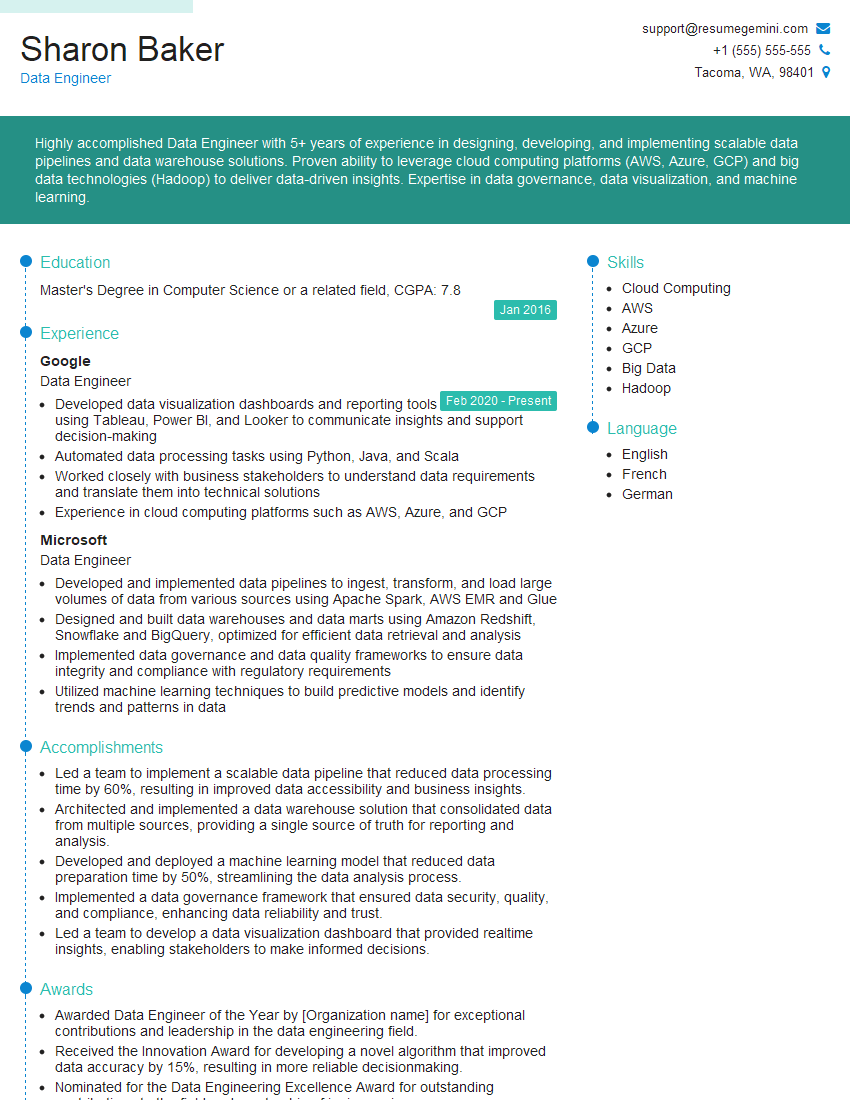
Data Engineer Resume Sample
- Security Engineer
- Data Analyst
- Data Scientist
- Software Engineer
- Network Engineer
- Automation Engineer
- Infrastructure Engineer
- Web Developer
- ETL Developer
- System Administrator
- Automation Specialist
- Full Stack Developer
- Database Administrator
- DevOps Engineer
- Machine Learning Engineer
- Cloud Engineer
- Cloud Security Engineer
- Data Engineer
Explore more articles
Users Rating of Our Blogs
Share Your Experience
We value your feedback! Please rate our content and share your thoughts (optional).
What Readers Say About Our Blog
Hello,
we currently offer a complimentary backlink and URL indexing test for search engine optimization professionals.
You can get complimentary indexing credits to test how link discovery works in practice.
No credit card is required and there is no recurring fee.
You can find details here:
https://wikipedia-backlinks.com/indexing/
Regards
NICE RESPONSE TO Q & A
hi
The aim of this message is regarding an unclaimed deposit of a deceased nationale that bears the same name as you. You are not relate to him as there are millions of people answering the names across around the world. But i will use my position to influence the release of the deposit to you for our mutual benefit.
Respond for full details and how to claim the deposit. This is 100% risk free. Send hello to my email id: [email protected]
Luka Chachibaialuka
Hey interviewgemini.com, just wanted to follow up on my last email.
We just launched Call the Monster, an parenting app that lets you summon friendly ‘monsters’ kids actually listen to.
We’re also running a giveaway for everyone who downloads the app. Since it’s brand new, there aren’t many users yet, which means you’ve got a much better chance of winning some great prizes.
You can check it out here: https://bit.ly/callamonsterapp
Or follow us on Instagram: https://www.instagram.com/callamonsterapp
Thanks,
Ryan
CEO – Call the Monster App
Hey interviewgemini.com, I saw your website and love your approach.
I just want this to look like spam email, but want to share something important to you. We just launched Call the Monster, a parenting app that lets you summon friendly ‘monsters’ kids actually listen to.
Parents are loving it for calming chaos before bedtime. Thought you might want to try it: https://bit.ly/callamonsterapp or just follow our fun monster lore on Instagram: https://www.instagram.com/callamonsterapp
Thanks,
Ryan
CEO – Call A Monster APP
To the interviewgemini.com Owner.
Dear interviewgemini.com Webmaster!
Hi interviewgemini.com Webmaster!
Dear interviewgemini.com Webmaster!
excellent
Hello,
We found issues with your domain’s email setup that may be sending your messages to spam or blocking them completely. InboxShield Mini shows you how to fix it in minutes — no tech skills required.
Scan your domain now for details: https://inboxshield-mini.com/
— Adam @ InboxShield Mini
Reply STOP to unsubscribe
Hi, are you owner of interviewgemini.com? What if I told you I could help you find extra time in your schedule, reconnect with leads you didn’t even realize you missed, and bring in more “I want to work with you” conversations, without increasing your ad spend or hiring a full-time employee?
All with a flexible, budget-friendly service that could easily pay for itself. Sounds good?
Would it be nice to jump on a quick 10-minute call so I can show you exactly how we make this work?
Best,
Hapei
Marketing Director
Hey, I know you’re the owner of interviewgemini.com. I’ll be quick.
Fundraising for your business is tough and time-consuming. We make it easier by guaranteeing two private investor meetings each month, for six months. No demos, no pitch events – just direct introductions to active investors matched to your startup.
If youR17;re raising, this could help you build real momentum. Want me to send more info?
Hi, I represent an SEO company that specialises in getting you AI citations and higher rankings on Google. I’d like to offer you a 100% free SEO audit for your website. Would you be interested?
Hi, I represent an SEO company that specialises in getting you AI citations and higher rankings on Google. I’d like to offer you a 100% free SEO audit for your website. Would you be interested?
good