Are you ready to stand out in your next interview? Understanding and preparing for Python and MATLAB Programming interview questions is a game-changer. In this blog, we’ve compiled key questions and expert advice to help you showcase your skills with confidence and precision. Let’s get started on your journey to acing the interview.
Questions Asked in Python and MATLAB Programming Interview
Q 1. Explain the difference between lists and tuples in Python.
Lists and tuples are both fundamental data structures in Python used to store sequences of items. The key difference lies in their mutability—whether their contents can be changed after creation. Lists are mutable, meaning you can add, remove, or modify elements after the list is created. Tuples, on the other hand, are immutable; once a tuple is defined, its contents cannot be altered.
- Lists: Defined using square brackets
[]. Think of them as flexible containers that can easily adapt to changing data. Example:my_list = [1, 'apple', 3.14]. You can append items:my_list.append('banana'), remove items:my_list.remove('apple'), or modify existing items:my_list[0] = 10. - Tuples: Defined using parentheses
(). They’re ideal for representing fixed collections of data, ensuring data integrity. Example:my_tuple = (1, 'apple', 3.14). Attempting to modify a tuple will raise aTypeError.
Imagine a shopping list (list) versus a set of coordinates (tuple). You can add or remove items from your shopping list as needed, but the coordinates of a specific location should remain constant.
Q 2. What are NumPy arrays and how are they different from standard Python lists?
NumPy arrays are powerful data structures provided by the NumPy library, optimized for numerical computations. They differ significantly from standard Python lists in several key aspects:
- Data Type Homogeneity: NumPy arrays store elements of the same data type (e.g., all integers or all floating-point numbers), whereas Python lists can hold elements of different data types.
- Efficiency: NumPy arrays are much more memory-efficient and computationally faster than Python lists, especially for large datasets. This is because NumPy arrays are stored contiguously in memory, facilitating vectorized operations.
- Broadcasting: NumPy supports broadcasting, allowing for efficient element-wise operations between arrays of different shapes (under certain conditions).
- Vectorization: NumPy enables vectorized operations, performing calculations on entire arrays at once instead of iterating through individual elements. This dramatically speeds up computations.
Consider this scenario: You need to perform calculations on thousands of temperature readings. Using NumPy arrays, you can perform mathematical operations across the entire array instantly, while Python lists would require slow, iterative calculations.
import numpy as np
my_numpy_array = np.array([1, 2, 3, 4, 5])
my_numpy_array = my_numpy_array * 2 # Vectorized operation
Q 3. Describe different ways to handle exceptions in Python.
Python offers several ways to handle exceptions—errors that occur during program execution. Robust exception handling is crucial for writing stable and reliable code.
try...exceptblocks: The most common approach. Thetryblock contains code that might raise an exception, and theexceptblock specifies how to handle it. You can catch specific exception types or use a generalexcept Exceptionto catch all exceptions.try...except...elseblocks: Theelseblock executes only if no exceptions occur in thetryblock.try...except...finallyblocks: Thefinallyblock always executes, regardless of whether an exception occurred, making it ideal for cleanup tasks (e.g., closing files).- Custom exceptions: You can define your own exception classes to handle specific error conditions within your application.
Example:
try:
    result = 10 / 0
except ZeroDivisionError:
    print("Error: Division by zero")
except TypeError:
    print("Error: Type mismatch")
else:
    print("Division successful: ", result)
finally:
    print("Cleanup complete")
Q 4. Explain the concept of object-oriented programming in Python. Give examples.
Object-oriented programming (OOP) is a programming paradigm that organizes code around objects, which encapsulate data (attributes) and methods (functions) that operate on that data. Python strongly supports OOP principles.
- Classes: Blueprints for creating objects. They define the attributes and methods.
- Objects: Instances of classes. Each object has its own set of attribute values.
- Encapsulation: Bundling data and methods together.
- Inheritance: Creating new classes (child classes) based on existing ones (parent classes), inheriting attributes and methods.
- Polymorphism: The ability of objects of different classes to respond to the same method call in their own specific way.
Example:
class Dog:
    def __init__(self, name, breed):
        self.name = name
        self.breed = breed
    def bark(self):
        print("Woof!")
my_dog = Dog("Buddy", "Golden Retriever")
my_dog.bark()
Here, Dog is a class, and my_dog is an object (instance) of the Dog class. Encapsulation is demonstrated by the data (name, breed) being bundled with the method (bark).
Q 5. What are decorators in Python and how are they used?
Decorators in Python are a powerful and expressive feature that allow you to modify or enhance functions and methods in a concise and readable way, without modifying their core functionality. They are implemented using the @ symbol followed by the decorator function name.
Example:
import time
def my_decorator(func):
    def wrapper():
        start_time = time.time()
        func()
        end_time = time.time()
        print(f"Execution time: {end_time - start_time} seconds")
    return wrapper
@my_decorator
def say_hello():
    print("Hello!")
say_hello()
In this example, my_decorator is a decorator that measures the execution time of the function it decorates (say_hello). The @my_decorator syntax is equivalent to say_hello = my_decorator(say_hello).
Decorators are used extensively in frameworks like Flask and Django for tasks like routing, authentication, and logging.
Q 6. How do you handle missing data in Python using Pandas?
Pandas, a popular Python library for data analysis, provides several methods to handle missing data (often represented as NaN—Not a Number):
- Detection: Use
df.isnull()ordf.isna()to identify missing values.df.dropna()removes rows or columns with missing data. - Imputation: Replace missing values with estimated values. Common techniques include:
fillna(): Fills missing values with a specific value (e.g., 0, mean, median) or by propagating values from other rows/columns.- Interpolation: Estimates missing values based on neighboring values using methods like linear or polynomial interpolation (
df.interpolate()). - More advanced techniques: For more complex scenarios, consider using machine learning models to predict missing values.
Choosing the right approach depends on the nature of the data and the goals of your analysis. Simply removing missing data might lead to information loss, while inappropriate imputation could introduce bias. Understanding the context is key.
import pandas as pd
df = pd.DataFrame({'A': [1, 2, None, 4], 'B': [5, None, 7, 8]})
df_filled = df.fillna(df.mean()) # Fill NaN with column means
Q 7. Explain different data structures in MATLAB.
MATLAB offers a rich set of data structures tailored for numerical and scientific computing. Key structures include:
- Arrays: The fundamental data structure. Can be multi-dimensional (matrices, tensors) and hold numerical data of various types (integers, floating-point, complex).
- Cell Arrays: Can store heterogeneous data—different types of elements within a single array. Each cell can contain numbers, strings, other arrays, or even structures.
- Structures: Similar to Python dictionaries or C structs. Organize data into named fields, each containing a specific type of data. Useful for representing complex data entities.
- Sparse Matrices: Efficiently store matrices with mostly zero elements, saving memory and improving performance for sparse systems.
- Tables: Organize data into rows and columns with named variables. Suitable for representing datasets with mixed data types, similar to Pandas DataFrames.
Example: A structure to represent student information:
student.name = 'Alice';
student.ID = 12345;
student.grades = [90, 85, 92];
The choice of data structure depends on the type and organization of data being handled. For large numerical datasets, arrays are typically preferred; for mixed data types, cell arrays or tables offer flexibility.
Q 8. Describe the purpose of cell arrays and structures in MATLAB.
Cell arrays and structures are fundamental data structures in MATLAB that allow you to organize and store data in a flexible way. Think of them as highly organized containers. They differ significantly in how they store data.
Cell arrays are containers that can hold different data types in each element. Each element is essentially a separate container, allowing you to mix numbers, strings, matrices, even other cell arrays within a single cell array. Imagine a toolbox where each compartment can hold different tools – a hammer in one, a screwdriver in another, and so on. This flexibility is crucial when dealing with diverse datasets.
Example:
myCellArray = {1, 'hello', [1 2; 3 4]};This creates a cell array with three elements: a number, a string, and a 2×2 matrix.
Structures, on the other hand, are more like organized filing cabinets. Each structure has named fields, and each field can hold a single piece of data. This makes it very easy to keep data related to a single entity (like a person or a sensor reading) all together. Imagine a file cabinet where each drawer has a label (e.g., ‘name’, ‘age’, ‘address’).
Example:
myStructure.name = 'Alice';myStructure.age = 30;
myStructure.address = '123 Main St';This creates a structure named myStructure with three fields: ‘name’, ‘age’, and ‘address’. Each field contains a single data type.
Choosing between cell arrays and structures depends on how you need to organize your data. Cell arrays are best for heterogeneous data that doesn’t need named fields, whereas structures are superior for representing structured data with named attributes.
Q 9. How do you create and manipulate matrices in MATLAB?
Matrices are the foundation of MATLAB. Creating and manipulating them is fundamental. You can think of a matrix as a table of numbers.
Creating Matrices:
- Directly: You can create a matrix by explicitly defining its elements within square brackets
[], separating elements in each row with spaces or commas, and rows with semicolons.
Example:
myMatrix = [1 2 3; 4 5 6; 7 8 9];This creates a 3×3 matrix.
- Using functions: MATLAB provides functions like
zeros(),ones(),eye(), andrand()to generate matrices filled with zeros, ones, an identity matrix, and random numbers, respectively.
Example:
zeroMatrix = zeros(2,3); % Creates a 2x3 matrix of zerosonesMatrix = ones(3,3); % Creates a 3x3 matrix of ones
Manipulating Matrices:
- Accessing elements: You can access individual elements using their row and column indices, starting from 1.
Example:
element = myMatrix(2,3); % Accesses the element in the 2nd row and 3rd columnThis will assign the value 6 to the variable element.
- Slicing: You can extract submatrices using colon notation.
Example:
subMatrix = myMatrix(1:2, 1:2); % Extracts the upper-left 2x2 submatrix- Mathematical operations: MATLAB supports element-wise and matrix operations. Element-wise operations use the
.operator (e.g.,.*for element-wise multiplication).
Example:
A = [1 2; 3 4];B = [5 6; 7 8];
C = A + B; % Matrix additionD = A .* B; % Element-wise multiplication
Q 10. Explain different plotting functions in MATLAB.
MATLAB offers a rich set of plotting functions to visualize data. The most common functions are:
plot(): This is the fundamental plotting function. It creates 2D line plots. You can customize line styles, colors, markers, etc.
Example:
x = 1:10;y = x.^2;
plot(x, y, 'r-o'); % Plots a red line with circles as markersscatter(): This creates a scatter plot, useful for visualizing data points in 2D.
Example:
scatter(x,y,'b*'); %Creates a scatter plot with blue starsbar(): Creates bar charts.
Example:
bar([10,20,30]); % creates a bar chart with heights 10,20,30histogram(): Creates histograms to show data distribution.
Example:
data = randn(1000,1); %generate 1000 random numbershistogram(data); % generate histogram
imagesc(): Displays images as matrices.
Example:
image = imread('image.jpg'); %Reads image fileimagesc(image); %displays the image
surf()andmesh(): Create 3D surface plots and mesh plots. These are invaluable for visualizing functions of two variables.
These are just a few examples; MATLAB provides many more specialized plotting functions for different types of data and visualizations. You can further enhance your plots by adding titles, labels, legends, and annotations using functions like title(), xlabel(), ylabel(), legend(), and text().
Q 11. How do you perform image processing tasks in MATLAB?
MATLAB’s Image Processing Toolbox provides a comprehensive suite of functions for various image processing tasks. It’s a powerful tool for tasks ranging from basic image enhancement to advanced computer vision applications.
Common Image Processing Tasks in MATLAB:
- Image reading and writing: Functions like
imread()andimwrite()allow you to load images from various formats (e.g., JPEG, PNG, TIFF) and save processed images.
Example:
img = imread('myImage.jpg');imwrite(processedImg, 'processedImage.png');
- Image enhancement: Techniques like contrast adjustment, noise reduction, sharpening, and filtering can improve image quality.
Example:
enhancedImg = imgaussfilt(img, 2); %Gaussian filtering for noise reduction- Image segmentation: This involves partitioning an image into meaningful regions. Common techniques include thresholding, edge detection, and region growing.
Example:
bw = imbinarize(img); %Simple thresholding for binary segmentation- Feature extraction: This involves extracting meaningful features from images, such as edges, corners, and textures. These features are often used for object recognition or classification.
Example:
edges = edge(img, 'canny'); %Canny edge detection- Image transformations: Geometric transformations (rotation, scaling, translation) can be applied to images using functions like
imrotate(),imresize(), andimtranslate().
MATLAB’s image processing capabilities are extensive, making it a popular choice for researchers and professionals in fields like medical imaging, remote sensing, and computer vision. The Image Processing Toolbox provides a wide range of specialized functions, and the documentation is very detailed.
Q 12. Describe different ways to handle errors and exceptions in MATLAB.
Error handling is crucial for robust MATLAB code. Unhandled errors can lead to crashes or unexpected behavior. MATLAB offers several ways to handle errors and exceptions:
try-catchblocks: This is the primary mechanism for handling errors. Thetryblock contains the code that might produce an error. If an error occurs, the execution jumps to thecatchblock, where you can handle the error gracefully.
Example:
tryresult = 10 / 0;
catch edisp(['Error: ', e.message]);
end- Error messages: You can generate custom error messages using the
error()function. This allows you to provide informative messages to the user when an unexpected situation occurs.
Example:
if inputValue < 0error('Input value must be non-negative.');
end- Warnings: The
warning()function issues warnings, which don’t halt execution but alert the user to potential issues.
Example:
warning('Potential data loss detected.');- Input validation: Always validate user inputs before using them in your code. This can prevent many errors caused by unexpected input values.
Effective error handling is vital for creating robust and user-friendly MATLAB applications. A well-designed error handling strategy significantly improves code reliability and maintainability.
Q 13. Explain the concept of function handles in MATLAB.
Function handles in MATLAB are variables that store references to functions. Think of them as pointers to functions. They allow you to pass functions as arguments to other functions or store them for later use. This is a powerful feature that enables flexibility and code reusability.
Creating Function Handles:
You create a function handle using the @ symbol followed by the function's name.
Example:
myFunc = @myFunction; % creates a handle to the function myFunctionWhere myFunction is a pre-defined MATLAB function or a user-defined function. This creates a variable named myFunc that holds the reference to the function myFunction.
Using Function Handles:
Once you have a function handle, you can use it to call the function. You do this by simply using the function handle as if it were the function's name, followed by the function's arguments within parentheses.
Example:
result = myFunc(input1, input2); % calls myFunction with input1 and input2Function handles are commonly used in optimization routines, where you might pass different objective functions to an optimization algorithm or in callback functions for GUI applications.
Q 14. What are anonymous functions in MATLAB?
Anonymous functions in MATLAB are unnamed functions that are defined inline. They're very useful for creating simple functions without having to define a separate function file. Think of them as quick, one-liner functions.
Defining Anonymous Functions:
You create an anonymous function using the @ symbol followed by a list of input arguments enclosed in parentheses, followed by the function's expression.
Example:
square = @(x) x.^2; % Defines an anonymous function that squares its inputThis creates an anonymous function named square that takes one input argument x and returns its square. You can then use this function like any other function:
result = square(5); % result will be 25
Anonymous functions are particularly handy for simple mathematical operations, or when you need a quick function that you don't want to define separately in a function file.
Example:
add = @(x,y) x+y; % creates an anonymous function that adds two numbersresult = add(3,5); % result will be 8
Q 15. How do you perform symbolic calculations in MATLAB?
MATLAB's Symbolic Math Toolbox empowers you to perform symbolic calculations, treating variables as algebraic symbols rather than numerical values. This is crucial for tasks like manipulating equations, solving differential equations, and simplifying complex expressions. It's like having a powerful mathematical assistant that can do the tedious algebra for you.
For instance, let's say you want to find the derivative of x^2 + 2x + 1. Instead of manually applying the power rule, you can use the diff function:
syms x; % Declare x as a symbolic variable
diff(x^2 + 2*x + 1, x) % Differentiate with respect to x
This will output 2*x + 2. Similarly, you can use solve to find roots of equations, int for integration, and simplify to reduce complex expressions to simpler forms. The Symbolic Math Toolbox is essential in areas like control systems design, signal processing, and mathematical modeling where analytical solutions are needed.
Career Expert Tips:
- Ace those interviews! Prepare effectively by reviewing the Top 50 Most Common Interview Questions on ResumeGemini.
- Navigate your job search with confidence! Explore a wide range of Career Tips on ResumeGemini. Learn about common challenges and recommendations to overcome them.
- Craft the perfect resume! Master the Art of Resume Writing with ResumeGemini's guide. Showcase your unique qualifications and achievements effectively.
- Don't miss out on holiday savings! Build your dream resume with ResumeGemini's ATS optimized templates.
Q 16. Explain the use of loops and conditional statements in MATLAB.
Loops and conditional statements are fundamental control structures in MATLAB, enabling you to create programs that execute specific blocks of code repeatedly or conditionally. Think of them as the director of your program, deciding what to do and when.
- Loops: MATLAB supports
forandwhileloops.forloops iterate a specific number of times, whilewhileloops continue as long as a condition is true. For example, aforloop to sum numbers from 1 to 10:sum = 0;
for i = 1:10
sum = sum + i;
endA
whileloop to repeatedly prompt a user for input until a valid number is entered:while true
userInput = input('Enter a number: ');
if isnumeric(userInput)
break;
end
end - Conditional Statements:
if-elseif-elsestatements allow you to execute different code blocks based on conditions. For example:x = 10;
if x > 5
disp('x is greater than 5');
elseif x == 5
disp('x is equal to 5');
else
disp('x is less than 5');
end
These are essential for creating dynamic and responsive programs in MATLAB, allowing for adaptable behavior based on data and user input.
Q 17. How do you perform file I/O operations in Python?
Python offers a straightforward way to perform file I/O operations using built-in functions. Think of it as a toolbox for interacting with files on your computer. The most commonly used functions are open(), read(), write(), and close(). The open() function is crucial - it's how you establish a connection with the file. It takes two key arguments: the file path and the mode ('r' for reading, 'w' for writing, 'a' for appending, etc.).
Here's how you'd read a file:
file = open('myfile.txt', 'r')
contents = file.read()
print(contents)
file.close()
And how you'd write to a file:
file = open('myfile.txt', 'w')
file.write('This is some text.')
file.close()
It's considered best practice to use a with statement, which automatically handles closing the file, even if errors occur:
with open('myfile.txt', 'r') as file:
    contents = file.read()
    print(contents)
Python's file I/O capabilities are vital for data processing, configuration management, logging, and numerous other applications.
Q 18. How do you perform file I/O operations in MATLAB?
MATLAB provides functions like fopen, fread, fwrite, and fclose for file I/O. Think of it as a set of specialized tools for managing data files. fopen opens a file, specifying the file path and mode (similar to Python's open()). fread and fwrite are used for reading and writing data, respectively, and fclose closes the file.
Example of reading a text file:
fileID = fopen('myfile.txt','r');
data = fscanf(fileID,'%s'); %Reads file content as a string
fclose(fileID);
disp(data);
Example of writing numerical data to a file:
fileID = fopen('data.txt','w');
data = [1,2,3;4,5,6];
fprintf(fileID,'%d %d %d
',[data]); %Writes data to the file
fclose(fileID);
Error handling is crucial. Always check the return value of fopen to ensure the file opened successfully. MATLAB's file I/O is heavily used in data analysis, simulation, and data storage applications.
Q 19. Describe your experience with version control systems (e.g., Git).
Version control, primarily using Git, is an indispensable part of my workflow. Think of Git as a time machine for your code, allowing you to track changes, collaborate effectively, and easily revert to previous versions if needed. I've used Git extensively for both individual projects and collaborative efforts. My experience includes:
- Branching and Merging: I routinely create branches for new features or bug fixes, allowing me to work on multiple things simultaneously without disrupting the main codebase. Merging these branches back into the main branch is a regular part of my process.
- Committing and Pushing: I regularly commit my changes with clear and concise messages, making it easy to track progress and understand the evolution of the code. Pushing these commits to a remote repository (like GitHub or GitLab) enables collaboration and backup.
- Pull Requests and Code Reviews: In collaborative settings, I frequently use pull requests to propose changes and solicit feedback from team members before merging them into the main branch. This fosters code quality and shared understanding.
- Resolving Conflicts: I'm adept at resolving merge conflicts that arise when multiple developers work on the same parts of the code. I understand the importance of cleanly resolving these conflicts to maintain code integrity.
Git is essential for maintaining a clean, organized, and easily manageable codebase, especially in team environments.
Q 20. What are your preferred debugging techniques in Python and MATLAB?
Effective debugging is paramount. My approach varies slightly between Python and MATLAB, but the core principles remain consistent. It's like being a detective, systematically investigating the cause of problems in your code.
- Python: I heavily rely on the
print()function for inserting debugging statements throughout my code to track variable values and program flow. Python's integrated debugger (pdb) is invaluable for stepping through code line by line, examining variables, and setting breakpoints. Using a good IDE with debugging features (like PyCharm or VS Code) further enhances the process. - MATLAB: MATLAB's debugger is quite powerful. I utilize breakpoints, step-through execution, and the ability to examine workspace variables extensively. The 'Step In', 'Step Over', and 'Step Out' commands are essential for navigating through functions and understanding execution flow. The command window allows for interactive evaluation of expressions during debugging.
In both languages, I also emphasize writing clean, well-structured code with meaningful variable names and comments to make debugging easier. Proper logging, especially in larger projects, helps immensely in tracking down issues.
Q 21. Explain your understanding of Big O notation.
Big O notation describes the upper bound of the growth rate of an algorithm's runtime or space complexity as the input size increases. Think of it as a way to measure how an algorithm scales. It doesn't provide exact runtime, but rather a classification of how the runtime grows relative to the input size. For example, O(n) represents linear time complexity, meaning the runtime increases linearly with the input size. O(n^2) indicates quadratic time complexity, and O(1) represents constant time complexity, meaning the runtime remains constant regardless of input size.
Understanding Big O notation is crucial for algorithm design and selection. Choosing an algorithm with better Big O complexity can significantly improve performance, especially when dealing with large datasets. For instance, comparing a linear search (O(n)) to a binary search (O(log n)) for a sorted array highlights the significant performance difference for larger datasets, as binary search is vastly more efficient as the input size increases.
It helps in making informed decisions about which algorithms are suitable for different situations, avoiding algorithms with high time or space complexities that could lead to performance bottlenecks.
Q 22. Write a Python function to reverse a string.
Reversing a string in Python is a fundamental task often used in string manipulation. There are several ways to achieve this, but the most Pythonic and efficient approach leverages slicing.
The slicing technique allows us to extract a portion of a sequence (like a string) by specifying a start, stop, and step. By setting the step to -1, we iterate through the string backward.
Here's the function:
def reverse_string(input_string):
  return input_string[::-1]
This single line of code elegantly reverses the string. The [::-1] slice creates a reversed copy of the string without modifying the original. For example:
string = "hello"
reversed_string = reverse_string(string)
print(reversed_string) # Output: olleh
Another approach, less efficient but more illustrative of the process, involves looping:
def reverse_string_loop(input_string):
  reversed_string = ""
  for i in range(len(input_string) - 1, -1, -1):
    reversed_string += input_string[i]
  return reversed_string
This method explicitly iterates through the string from the last character to the first, building the reversed string character by character. While functional, the slicing method is generally preferred for its conciseness and efficiency.
Q 23. Write a MATLAB function to find the eigenvalues of a matrix.
Finding the eigenvalues of a matrix is a core operation in linear algebra, with applications ranging from physics simulations to image processing. MATLAB provides a straightforward and efficient way to accomplish this using the eig function.
The eig function calculates both the eigenvalues and eigenvectors of a square matrix. Here's how to use it:
A = [1, 2; 3, 4]; % Define a 2x2 matrix
[eigenvectors, eigenvalues] = eig(A); % Calculate eigenvalues and eigenvectors
In this code, A is the input matrix. The eig function returns two outputs: eigenvectors, a matrix where each column represents an eigenvector, and eigenvalues, a diagonal matrix containing the eigenvalues on its diagonal. You can access the eigenvalues directly from the diagonal of the eigenvalues matrix using the diag function:
eigenvalues_diagonal = diag(eigenvalues);The eigenvalues represent the scaling factors associated with the eigenvectors when the matrix is applied. Understanding eigenvalues is crucial for various applications, including stability analysis of systems and dimensionality reduction techniques.
Q 24. How would you optimize a slow Python script?
Optimizing a slow Python script requires a systematic approach, focusing on identifying bottlenecks and applying appropriate techniques. Profiling is the first crucial step.
- Profiling: Tools like
cProfileor line profilers can pinpoint the sections of your code consuming the most time. This helps focus optimization efforts on the areas with the biggest impact. - Algorithmic Optimization: The most significant speedups often come from choosing more efficient algorithms. For example, replacing a nested loop with a more sophisticated data structure or algorithm (like using NumPy for numerical operations) can dramatically improve performance.
- Data Structure Selection: Choosing the right data structure is vital. Lists are versatile but can be slow for certain operations. Dictionaries provide fast lookups, while sets offer efficient membership checks. Using NumPy arrays for numerical computations provides significant speed advantages.
- Code Optimization: Simple code changes can also make a difference. Avoiding redundant calculations, minimizing function calls, and using generators instead of lists when applicable can improve efficiency.
- Memory Management: Python's garbage collection handles memory automatically, but large datasets can still strain memory. Techniques like generators, iterators, and memory mapping can help manage memory efficiently.
- Libraries: Utilizing optimized libraries like NumPy, SciPy, or Pandas significantly speeds up numerical computations, data manipulation, and scientific tasks. These libraries often use optimized C or Fortran code under the hood.
- Multiprocessing/Multithreading: For computationally intensive tasks, consider leveraging multiprocessing or multithreading to parallelize work across multiple cores or threads, respectively.
For example, if profiling reveals a slow loop, you might consider vectorization using NumPy, which greatly enhances performance for numerical operations. Remember to always profile before and after optimization to measure the impact of your changes.
Q 25. How would you optimize a computationally intensive MATLAB program?
Optimizing computationally intensive MATLAB programs involves strategies similar to Python optimization but with a focus on MATLAB's strengths and weaknesses.
- Vectorization: MATLAB excels at vectorized operations. Avoid explicit loops whenever possible and instead use matrix operations. Vectorization leverages MATLAB's optimized underlying engine for significant speed improvements.
- Pre-allocation: Pre-allocate arrays before filling them. Dynamically resizing arrays within loops is inefficient. Use functions like
zeros,ones, ornanto create pre-allocated arrays of the desired size. - Profiling: The MATLAB Profiler is an invaluable tool to identify performance bottlenecks. It shows where your code spends the most time, guiding your optimization efforts.
- Built-in Functions: Leverage MATLAB's optimized built-in functions. These functions are often implemented in highly optimized C or Fortran code and are significantly faster than equivalent custom-written code.
- Code Optimization Techniques: Use techniques like minimizing function calls, avoiding unnecessary computations, and properly utilizing logical indexing. These small changes can cumulatively improve performance.
- Parallel Computing: MATLAB supports parallel computing using the Parallel Computing Toolbox. This allows you to distribute computations across multiple cores, significantly speeding up parallelisable tasks.
- MEX-Files: For computationally critical parts of your code, consider creating MEX-files (MATLAB Executable files). These are functions written in C, C++, or Fortran that can be called from MATLAB, offering significantly increased speed.
For instance, if a loop involves element-wise operations, converting it to a vectorized operation will likely provide a substantial speed improvement. Remember to benchmark your code before and after optimization using MATLAB's built-in timing functions (e.g., tic and toc).
Q 26. Describe a project where you used Python and/or MATLAB. What were the challenges and how did you overcome them?
In a previous project, I developed a system for analyzing sensor data to detect anomalies in industrial machinery. This involved using Python for data preprocessing, feature extraction, and machine learning model training, and MATLAB for signal processing and visualization.
Python's Role: I used Python with libraries like Pandas for data cleaning and manipulation, Scikit-learn for training machine learning models (specifically, anomaly detection algorithms like Isolation Forest and One-Class SVM), and Matplotlib for initial data visualization.
MATLAB's Role: MATLAB was crucial for the more complex signal processing steps, such as filtering and spectral analysis, leveraging its extensive signal processing toolbox. The high-quality visualization capabilities of MATLAB were also invaluable for presenting the results in a clear and understandable way to the client (engineers).
Challenges: One major challenge was dealing with the large volume of sensor data. The data was streamed in real-time, requiring efficient data handling and processing techniques. Another challenge was integrating the Python and MATLAB components seamlessly. The data needed to be transferred between the two environments efficiently.
Solutions: To address the large datasets, I implemented efficient data streaming and batch processing techniques in Python. To overcome the integration challenge, I used a combination of file-based data transfer and efficient data structures (NumPy arrays for numerical data) that could be easily read and written by both Python and MATLAB.
Q 27. Explain your understanding of parallel computing in Python or MATLAB.
Parallel computing allows you to break down a task into smaller subtasks that can be executed simultaneously on multiple processors or cores, significantly reducing computation time for large and complex problems.
In Python: The multiprocessing module provides a powerful way to achieve parallel computing by creating multiple processes. This is particularly beneficial for CPU-bound tasks (tasks that primarily rely on processing power). multiprocessing avoids the limitations of the threading module in Python, which is restricted by the Global Interpreter Lock (GIL). The concurrent.futures module provides a higher-level interface to simplify the use of threads and processes.
In MATLAB: MATLAB's Parallel Computing Toolbox offers a comprehensive environment for parallel computing, providing tools for parallel loops, distributed arrays, and task-based parallelism. MATLAB automatically handles the distribution of tasks to available cores, simplifying the parallelization process. MATLAB's parallel capabilities are particularly effective for large-scale numerical computations, simulations, and image processing tasks.
The choice between multiprocessing and multithreading depends on the nature of your task. Multiprocessing is suitable for CPU-bound tasks, while multithreading might be more suitable for I/O-bound tasks (tasks where time is spent waiting for input/output operations), although the GIL in Python restricts this advantage significantly. Understanding these differences helps make efficient use of parallel computing resources.
Q 28. What are your strengths and weaknesses as a programmer?
Strengths: I possess a strong foundation in both Python and MATLAB programming, a critical skill for many data science and engineering roles. I'm proficient in algorithm design, data structure selection, and optimization techniques, crucial for developing efficient and scalable solutions. My problem-solving skills are well-developed, and I'm capable of independently troubleshooting and resolving complex programming issues. I am a quick learner and adapt easily to new technologies and programming paradigms. I also excel at communicating technical concepts effectively, both verbally and in writing.
Weaknesses: While proficient in both Python and MATLAB, my expertise might be considered relatively broad rather than deeply specialized in a niche area within either language. I'm continuously working on expanding my knowledge and mastering advanced techniques in specific domains, such as deep learning or high-performance computing. Another area for improvement is my experience with certain less commonly used databases or technologies; however, I am a quick learner and readily adapt to new systems.
Key Topics to Learn for Python and MATLAB Programming Interviews
- Python Fundamentals: Data types, control flow, functions, object-oriented programming (OOP) concepts, and exception handling. Practical application: Building efficient and reusable code for data analysis or automation tasks.
- MATLAB Fundamentals: Matrices and arrays, plotting and visualization, script writing, function creation, and working with toolboxes. Practical application: Solving complex engineering or scientific problems, simulating systems, and analyzing data.
- Data Structures and Algorithms: Understanding arrays, linked lists, trees, graphs, searching, sorting, and Big O notation. Practical application: Optimizing code for speed and efficiency in both Python and MATLAB.
- Numerical Methods (MATLAB Focus): Linear algebra, numerical integration, differential equations, and optimization techniques. Practical application: Solving complex mathematical problems and performing simulations.
- Data Analysis and Visualization (Both): Data cleaning, exploratory data analysis (EDA), statistical analysis, and creating effective visualizations using libraries like Matplotlib (Python) and MATLAB's built-in plotting functions. Practical application: Extracting insights from data and communicating findings effectively.
- Version Control (Git): Understanding Git for collaborative coding, managing code versions, and resolving merge conflicts. Practical application: Essential for teamwork and managing large projects in professional settings.
- Testing and Debugging: Writing unit tests, debugging techniques, and understanding common error messages. Practical application: Ensuring code quality and reliability.
- Advanced Topics (Optional): Consider exploring topics like parallel computing, machine learning libraries (Scikit-learn in Python), and image processing techniques based on your specific career goals and the job description.
Next Steps
Mastering Python and MATLAB programming opens doors to exciting careers in data science, engineering, research, and more. These skills are highly sought after, making you a competitive candidate in a rapidly evolving job market. To further enhance your job prospects, it's crucial to have a strong, ATS-friendly resume that effectively showcases your abilities. ResumeGemini is a trusted resource to help you craft a professional resume that highlights your skills and experience. They provide examples of resumes tailored to Python and MATLAB programming, ensuring your application stands out from the competition. Take the next step towards your dream career today!

Data Analyst Resume Sample
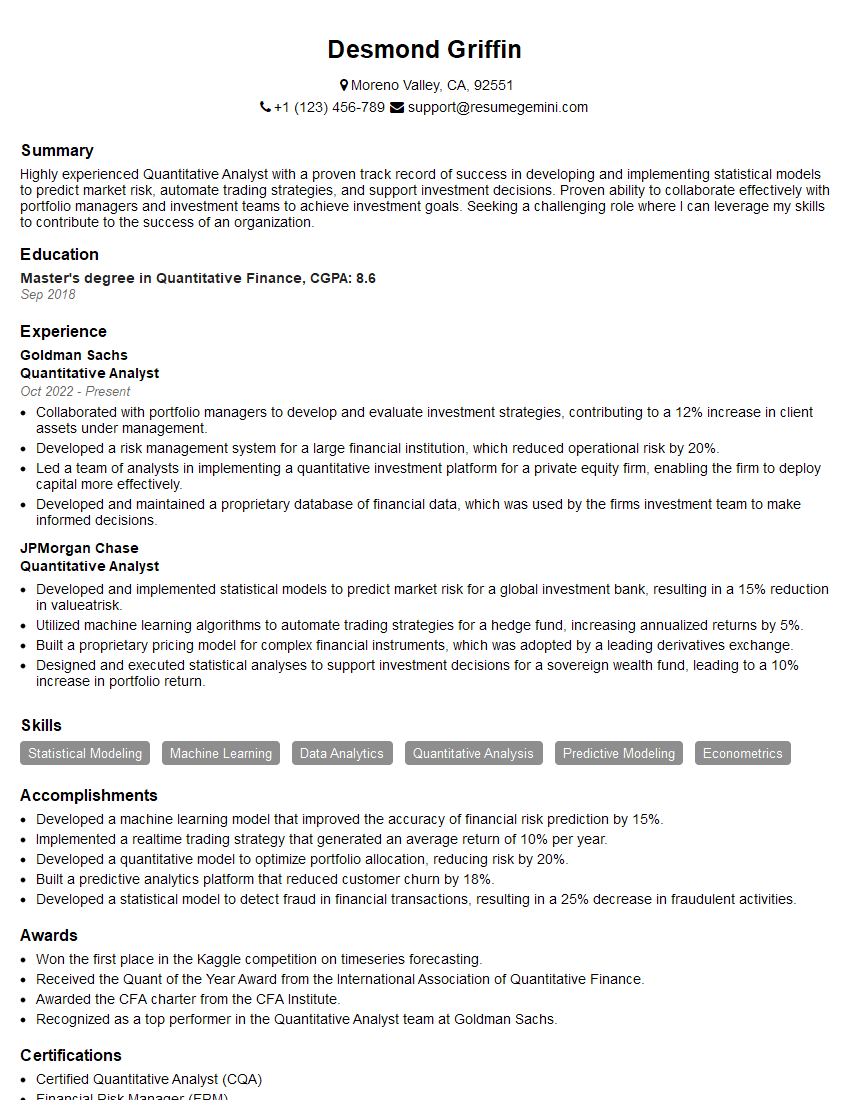
Quantitative Analyst Resume Sample

Data Scientist Resume Sample

Research Scientist Resume Sample

Automation Engineer Resume Sample

Business Intelligence Analyst Resume Sample

Control Systems Engineer Resume Sample

Robotics Engineer Resume Sample
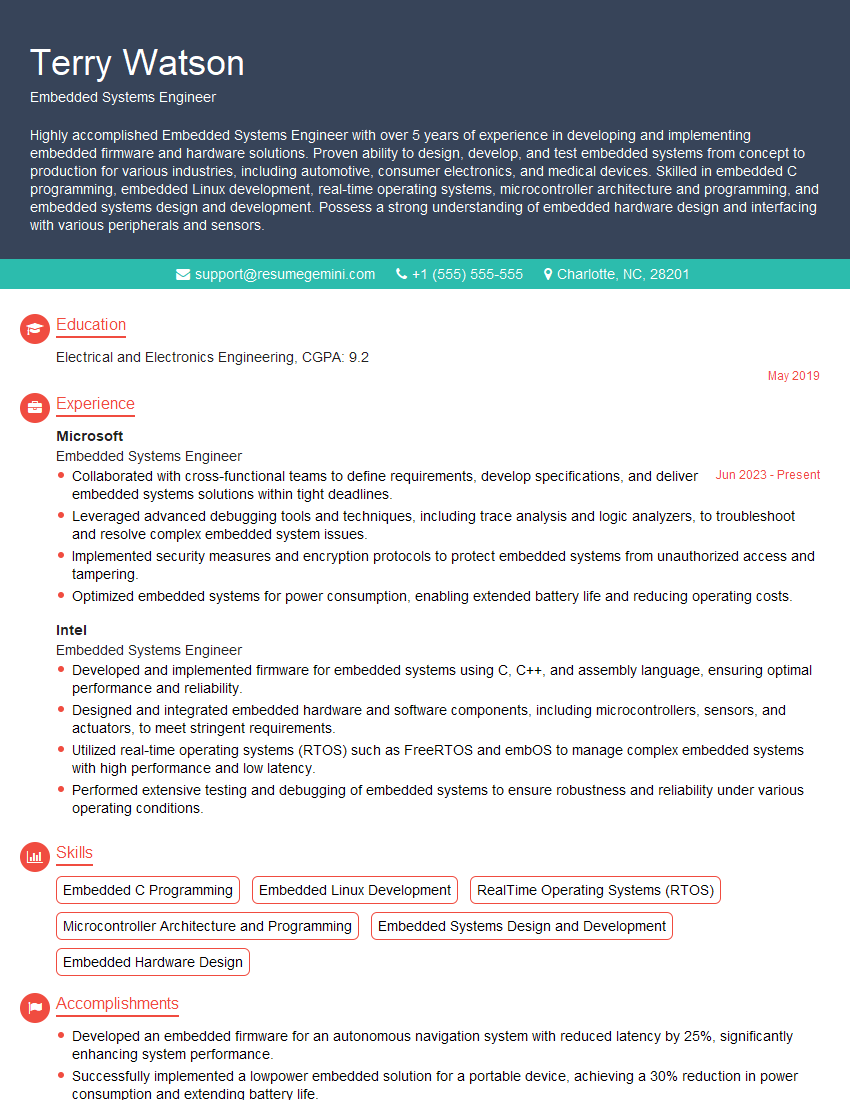
Embedded Systems Engineer Resume Sample

Machine Learning Engineer Resume Sample
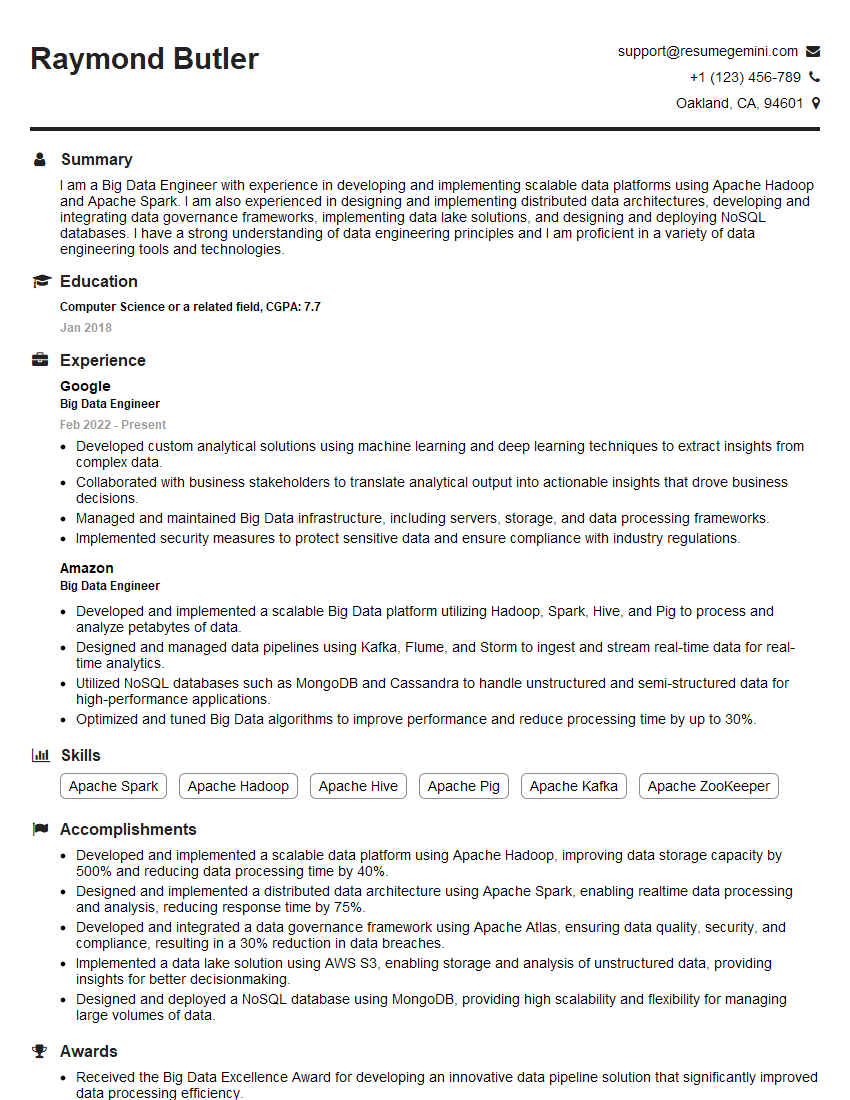
Big Data Engineer Resume Sample
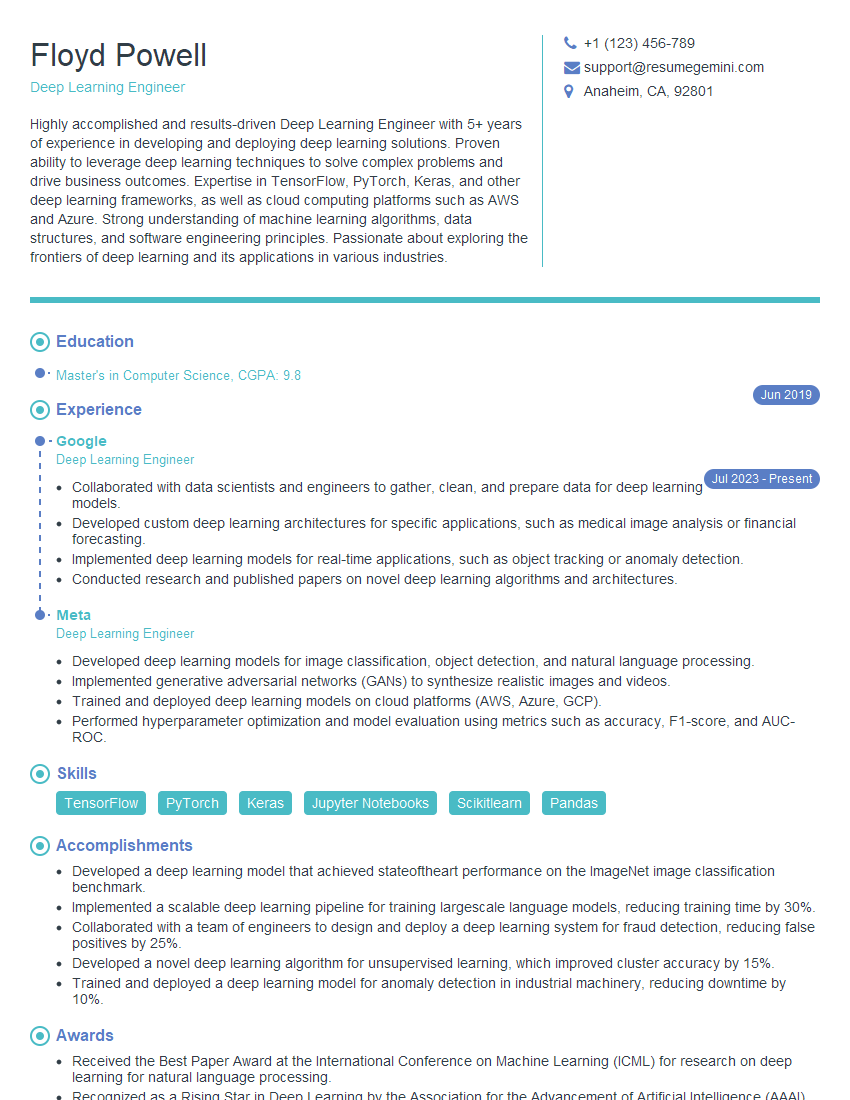
Deep Learning Engineer Resume Sample
Explore more articles
Users Rating of Our Blogs
Share Your Experience
We value your feedback! Please rate our content and share your thoughts (optional).
What Readers Say About Our Blog
Hello,
we currently offer a complimentary backlink and URL indexing test for search engine optimization professionals.
You can get complimentary indexing credits to test how link discovery works in practice.
No credit card is required and there is no recurring fee.
You can find details here:
https://wikipedia-backlinks.com/indexing/
Regards
NICE RESPONSE TO Q & A
hi
The aim of this message is regarding an unclaimed deposit of a deceased nationale that bears the same name as you. You are not relate to him as there are millions of people answering the names across around the world. But i will use my position to influence the release of the deposit to you for our mutual benefit.
Respond for full details and how to claim the deposit. This is 100% risk free. Send hello to my email id: [email protected]
Luka Chachibaialuka
Hey interviewgemini.com, just wanted to follow up on my last email.
We just launched Call the Monster, an parenting app that lets you summon friendly ‘monsters’ kids actually listen to.
We’re also running a giveaway for everyone who downloads the app. Since it’s brand new, there aren’t many users yet, which means you’ve got a much better chance of winning some great prizes.
You can check it out here: https://bit.ly/callamonsterapp
Or follow us on Instagram: https://www.instagram.com/callamonsterapp
Thanks,
Ryan
CEO – Call the Monster App
Hey interviewgemini.com, I saw your website and love your approach.
I just want this to look like spam email, but want to share something important to you. We just launched Call the Monster, a parenting app that lets you summon friendly ‘monsters’ kids actually listen to.
Parents are loving it for calming chaos before bedtime. Thought you might want to try it: https://bit.ly/callamonsterapp or just follow our fun monster lore on Instagram: https://www.instagram.com/callamonsterapp
Thanks,
Ryan
CEO – Call A Monster APP
To the interviewgemini.com Owner.
Dear interviewgemini.com Webmaster!
Hi interviewgemini.com Webmaster!
Dear interviewgemini.com Webmaster!
excellent
Hello,
We found issues with your domain’s email setup that may be sending your messages to spam or blocking them completely. InboxShield Mini shows you how to fix it in minutes — no tech skills required.
Scan your domain now for details: https://inboxshield-mini.com/
— Adam @ InboxShield Mini
Reply STOP to unsubscribe
Hi, are you owner of interviewgemini.com? What if I told you I could help you find extra time in your schedule, reconnect with leads you didn’t even realize you missed, and bring in more “I want to work with you” conversations, without increasing your ad spend or hiring a full-time employee?
All with a flexible, budget-friendly service that could easily pay for itself. Sounds good?
Would it be nice to jump on a quick 10-minute call so I can show you exactly how we make this work?
Best,
Hapei
Marketing Director
Hey, I know you’re the owner of interviewgemini.com. I’ll be quick.
Fundraising for your business is tough and time-consuming. We make it easier by guaranteeing two private investor meetings each month, for six months. No demos, no pitch events – just direct introductions to active investors matched to your startup.
If youR17;re raising, this could help you build real momentum. Want me to send more info?
Hi, I represent an SEO company that specialises in getting you AI citations and higher rankings on Google. I’d like to offer you a 100% free SEO audit for your website. Would you be interested?
Hi, I represent an SEO company that specialises in getting you AI citations and higher rankings on Google. I’d like to offer you a 100% free SEO audit for your website. Would you be interested?
good